1
2.4 G DVR Hook remote user manual
First you use the products of our company said Thank you! Before use Please read this manual, correct use of this
product. Because the product's performance and functionality, the change occurred, and will not do so until further
notice.
One:button and appearance .
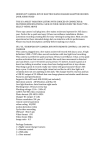
Host computer: 1. pilot lamp 2 indicator
3.Reset button 4.Power-up switch machine
5.camera lens 6. camera TF card slot
Remote control: A :remote control switch to start type
B : Photograph Type C: camera type
D mobile detection camera keys .
Two:product introduction
This product is the first wireless remote control with 2.4 G refraction
HDTV, digital camera, take pictures with a remote control, mobile detection camera link camera,
remote control, TF card memory, photographs and high-quality screen, the product easy to operate, elegant
appearance, it is practical, and easy to carry, and family security and prevention, education, and areas of life is
deeply affected by the mandatory utility, the user's favor.
Three:Operating instructions
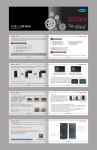
1. power-up: According to 1 type (as shown in Figure) At this time, the blue light has been activated, mainframe
power once to turn off the power supply starts.
2.
remote host machine opened: When you start the Remote A power status, type A, blue light (figure) at the time,
after changing lights go into standby. Then press A type, there is a red light to blue light, and turn off standby.
3.Photo : in standby mode, press B type (as shown in Figure) under a red light flashes, take pictures, and save.
4.camera: in standby mode, press C type (e.g. , under a red light flashes, 3 mega pixel camera, then press ENTER,
type the cessation C camera and kept.
5.Mobile detection camera: in standby mode, press D type (shown in figure) and the red and blue lights flashing a
total 3 type mobile detection camera standby mode while on the move, and at present there are objects, blue
flashing lights, into the mobile camera detection. then press D type , to stop and save.
Four:Charge:
Direct Connect computer USB interface or chargers, you can take note of this machine: cameras for recharging,
built-in high-capacity lithium polymer battery, and there is no memory effect, and can be used with rechargeable, but
an initial use, the former 5 times the battery to recharge after use batteries to saturation, in order to activate the
largest capacity, access to standard working hours. In order to allow battery storage capacity, the largest of each
battery indicator light instructions when filled with electricity, please continue to keep your batteries after 30 to 60
minutes.
Five:relevant parameters
Project
Related parameter
video format
* AVI
video encoding
* M - JPEG
video resolution
* 640 * 480
Video frame rate
* 30 fps
playback software
* operating system from tape or mainstream video and audio playback software
Photo format
JPG 1200 * 1600 *
photo
* 5 M pix
ratio images
4:3
Support System
* Windows Me 2003 XP/vista/2000: M
battery capacity
working time
* 200 mAh
* About 120 minutes
playback software
* operating system from tape or mainstream video and audio playback software
Charging voltage
* DC V – 5
interface type
5 pin MINI USB
Storage support * 1 G \2 G\4G\8 G\16 G TF card
Battery type: * high-capacity lithium polymer
Specification parameter may upgrade, update will change, and requests for in-kind contributions, to associate