1
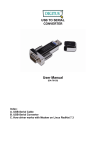
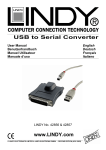
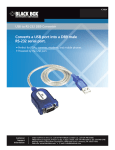
USB-Serial Cable
User Guide
1. Product Features
2. System Requirements
3. Driver Installation (WIN2000)
4. Changes COM Port
5. Setting Up the RS232 Serial Device
Product Features
•
•
•
•
USB Specification Rev. 1.1 compliant
Support the RS232 Serial interface
Over 1Mbps data transfer rate
Support remote wake-up and power management
System Requirements
•
•
•
IBM PC 486DX4-100 MHz CPU or higher or compatible system
Available USB port
CD-ROM drive
• Windows 2000
Driver Installation (WIN2000)
Follow the steps below to install Window 2000 driver of USB-Serial cable:
1. Power on your computer and make sure that the USB port is enabled and working properly.
2. During installation , please don’t link USB-Serial cable with your computer .
3. Double click ‘ PL2303_Prolific setup.exe ’ , then it will start install
4. After installation , click ‘ OK ’
5.
Plug in the USB-Serial cable into the USB port and run the Found New Hardware Wizard to assist
you in setting up the new device. Click Next to continue.
6.
click Next to continue. Select the “ Search for a suitable driver for my device(recommand) “
7.
Windows will detect the driver and Click Next to continue installation.
2
8.
Click Finish to continue and let Windows copy the needed files to your hard disk.
9.
You can to check the Device Manager and see the Prolific USB to Serial Comm Port)
3
.
Changes COM Port
Under Windows 98SE , you can change the COM Port via setcom.exe
sofeware
7. Under Windows Me 、 Windows 2000 、 Windows XP, please kindly following the steps as below. :
(1) Please click on the Device Manager\ Devices by connection \ ports (COM & LPT). ( images 1)
( images 1)
(2) Doubly click on “Prolific USB-to- serial Comm port(COM3)” .And it could go to ‘ properties'.
(images 2)
4
(images 2)
(3) Please choose "Port Settings ", and then click on "Advanced". Please kindly choose the
needed com, and click on" ok”. (images 3)
(images 3)
Notice:
If the Modem could not link with the new port, and run smoothly when changed the port, please
kindly unload Modem, and re-install it.
When Changing the port, the peripheral equipment could not shift to the new port, and run
smoothly. Under this situation, please kindly unload the equipment and install again.
5
Setting Up the RS232 Serial Device
Follow the steps below to connect your RS232 Serial Device (ie: Modem) to the USB port of your PC:
1.
2.
3.
4.
Turn off your Modem. Plug the DB 9 connector of the USB-Serial cable into your Modem. Turn on the
Modem afterwards.
Turn on your computer and plug in the USB connector of the USB-Serial cable into the USB port.
If you have already installed a Modem device before, click Start, Settings, Modems. Open Modems
Properties, select the Modem, click Properties. In General tab, please change the Port value to USB
to Serial Port (COM3).
After finishing these processes, you can use USB to Serial Bridge Cable to connect RS232 Serial 56K
FAX Modem and execute the Dial-up fuction to connect Internet, and send the FAX with the FAX
software(ie: Microsoft FAX) properly.
6
file:///C|/Documents and Settings/R D 8/桌面/driver/USB TO RS232 Converter/manual/iMac OS X.txt
Q: How do I uninstall the PL-2303 MAC X driver?
A: 1. Open "Applications-> Utilities-> Terminal". You need to create ID & password first on NetInfo Manager.
2. Login to root user and type "su" and enter password.
3. Type "cd /System/Library/Extensions" to go to the "Extensions" folder.
4. Unload the driver (if it had been loaded) by typing "kextunload PL2303.kext" or "kextunload
ProlificUsbSerial.kext".
5. Remove the driver by typing "rm -r PL2303.kext" or "rm -r ProlificUsbSerial.kext".
file:///C|/Documents and Settings/R D 8/桌面/driver/USB TO RS232 Converter/manual/iMac OS X.txt2009-8-6 10:33:29
User’s Manual
USB-Serial Converter
MAC DRIVER
1. Overview
2. Product Features
3. System Requirements
4. Driver Installation
Overview
Congratulations on your purchase of the wiretek USB-Serial Converter. This device
provides a simple and easy way to connect Universal Serial Bus (USB) and Serial port
interface.
With the advantage of USB port, users have the capability to utilize the peripheral with
serail port interface in an easy to use environment such as plug and play & hot swap
function. This Converter is designed for ideal connections to Cellular Phone, Digital
Camera, Modems or ISDN terminal adapter with over 1Mbps data transfer rate.
The USB-Serial Converter and software drivers are capable of providing a no-firmwarechange feature that enable USB interface to be transparent to serial port peripherals with
minimum modifications.
Product Features
•
•
•
•
USB Specification Rev. 1.1 compliant
Support the RS232 Serial interface
Over 1Mbps data transfer rate
Support remote wake-up and power management
System Requirements
•
•
•
•
Power G3 OR G4 CPU or higher or compatible system
Available USB port
CD-ROM drive
Mac OS 8.6 or Higher
Driver Installation
Follow the steps below to install driver of USB-Serial Converter:
1. Power on your computer and make sure that the USB port is enabled and working
properly.
2. Insert the USB-Serial Converter software driver into the CD-ROM drive.
3. Plug in the USB-Serial adapter into the USB port and run the pl2303.SIT from the CDROM,it will auto run the program and appear a PL-2303 system extentions.
4. Copy the PL-2303 system extensions to the system Folder-Extensions.
4.To make sure that your computer can use the device correctly, you have to check the
Apple System Profiler-Device and Volumes.It will show the USB Device.
2
How driver works with Modem on Linux RedHat 7.3
I am believed that you already have PL-2303X/H Linux driver source, and you also
know how to compile it in Linux, so I only explain how to link device with our driver.
In Makefile file, we had set a command to insert driver into Kernel, so you can type
"make inst" to insert driver, after that, please type "dmesg" command then click enter,
you will see messages appeared on screen, please force on the least line of message,"
usbserial.c”
The Prolific USB Serial Adapter converter now attached to ttyUSB0 (orusb/tts/0 for
devfs).
It means the virtue COM port is in ttyUSB0, so if you want to use this port, you need to
use "ln" command to hard link with device, for example: we are use PL-2303X/H to
connect with modem (or ttyS0), so we need to type " ln -b /dev/ttyUSB0 /dev/ttyS0"
then click enter, if nothing happen and the screen appear "[root@localhost / xxxxx]#",
then link operation is successfully, next, you need to execute
StartÆProgramsÆSystemÆInternet configuration wizard to setup modem and it port,
1. On “Select Device Type” dialog box, please chose “Modem Connection”, please
ignore the “can’t not find modem” message and then click next, on this dialog box,
and on “Modem Device” item to selects “/dev/ttyS0”, click next.
2. On “Selection Provider” dialog box, please fill in the dial number, account and
password.
3. Click “Finish” button to the next step.
4. On the next dialog box, all setting information are in this box, please make sure all
the setting as you want.
5. Click “Apply” and “Close” to leave setup wizard.
6. To execute StartÆAppletsÆNetworkÆModem Lights, a small icon will appear on the
left-bottom of panel bar, when you want you connect internet, you can click the
green light to do dial-up, after that, you can launch internet application program to
browser internet.
7. To click Red light to disconnect dial-up.