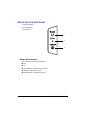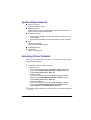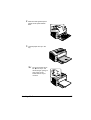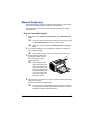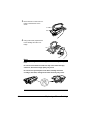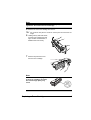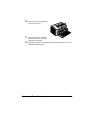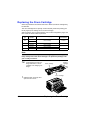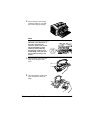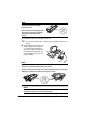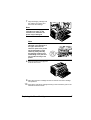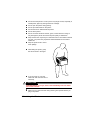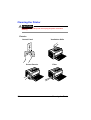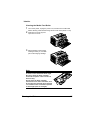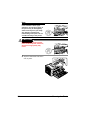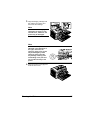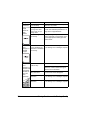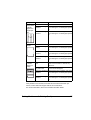
1
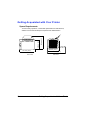
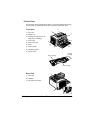
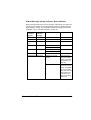
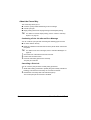
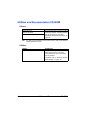
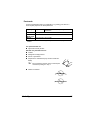
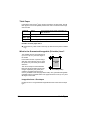
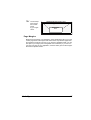
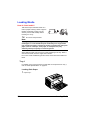
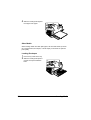
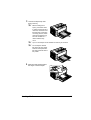
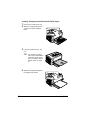
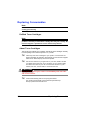
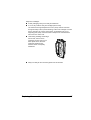
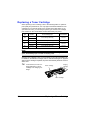
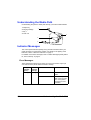
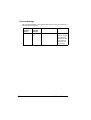
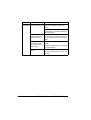
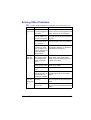
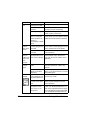
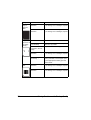
PagePro™ 1400W User’s Guide 9J03-7743-01A 1800803-001A Thank You Thank you for purchasing a PagePro 1400W. You have made an excellent choice. Your PagePro 1400W is specially designed for optimal performance in Windows environments. Trademarks KONICA MINOLTA and the KONICA MINOLTA logo are trademarks or registered trademarks of KONICA MINOLTA HOLDINGS, INC. PagePro is a trademark or registered trademark of KONICA MINOLTA BUSINESS TECHNOLOGIES, INC. All other product names are trademarks or registered trademarks of their respective holders. Copyright Notice Copyright © 2005 KONICA MINOLTA BUSINESS TECHNOLOGIES, INC., Marunouchi Center Building, 1-6-1 Marunouchi, Chiyoda-ku, Tokyo, 100-0005, Japan. All Rights Reserved. This document may not be copied, in whole or part, nor transferred to any other media or language, without written permission of KONICA MINOLTA BUSINESS TECHNOLOGIES, INC. Notice KONICA MINOLTA BUSINESS TECHNOLOGIES, INC. reserves the right to make changes to this guide and to the equipment described herein without notice. Considerable effort has been made to ensure that this guide is free of inaccuracies and omissions. However, KONICA MINOLTA BUSINESS TECHNOLOGIES, INC. makes no warranty of any kind including, but not limited to, any implied warranties of merchantability and fitness for a particular purpose with regard to this guide. KONICA MINOLTA BUSINESS TECHNOLOGIES, INC. assumes no responsibility for, or liability for, errors contained in this guide or for incidental, special, or consequential damages arising out of the furnishing of this guide, or the use of this guide in operating the equipment, or in connection with the performance of the equipment when so operated. Contents 1 Introduction ....................................................................................................... 1 Getting Acquainted with Your Printer 2 Space Requirements 2 Printer Parts 3 Front View 3 Rear View 3 About the Control Panel 4 About the Indicators 4 Status Messages (Ready Indicator, Error Indicator) 5 About the Cancel Key 6 Continuing a Print Job after an Error Message 6 Cancelling a Print Job 6 2 About the Software ........................................................................................... 7 Utilities and Documentation CD-ROM 8 Drivers 8 Utilities 8 System Requirements 9 Selecting Driver Defaults 9 Uninstalling the Printer Driver 10 Contents i Displaying Printer Driver Settings 10 Windows XP 10 Windows 2000/Me/98SE 10 Using the Printer Driver 11 Common Buttons 11 OK 11 Cancel 11 Apply 11 Help 11 Easy Set 11 Paper View 11 Printer View 12 Watermark View 12 Quality View 12 Default 12 Basic Tab 12 Layout Tab 13 Overlay Tab 13 Watermark Tab 13 Quality Tab 13 Version Tab 14 3 Using the Status Display ................................................................................15 Working with the Status Display 16 Introduction 16 Opening the Status Display and Showing the Supplies Status 16 Altering the Size of the Status Display Window 16 Using the Status Display 16 Recognizing Status Display Alerts 17 Recovering from a Status Display Alert 17 Closing the Status Display 17 4 Using Media .....................................................................................................19 Media Specifications 20 What sizes of media can I use? 20 Media Types 21 Plain Paper 21 Transparencies 23 Envelopes 24 Postcards 25 Thick Paper 26 What Is the Guaranteed Imageable (Printable) Area? 26 Imageable Area—Envelopes 26 Page Margins 27 ii Contents Loading Media 28 Tray 1 28 Loading Plain Paper 28 Other Media 30 Loading Envelopes 30 Loading Transparencies/Postcards/Thick Paper 32 Manual Duplexing 33 How do I manually duplex? 33 Output Tray 34 Media Storage 34 5 Replacing Consumables ................................................................................ 35 Replacing Consumables 36 Refilled Toner Cartridges 36 About Toner Cartridges 36 Replacing a Toner Cartridge 38 Replacing the Drum Cartridge 44 6 Maintaining the Printer ................................................................................... 49 Maintaining the Printer 50 Cleaning the Printer 52 Exterior 52 Interior 53 Cleaning the Media Feed Roller 53 7 Troubleshooting .............................................................................................. 57 Introduction 58 Preventing Media Misfeeds 59 Understanding the Media Path 60 Indicator Messages 60 Error Messages 60 Service Message 62 Clearing Media Misfeeds 63 Clearing Procedures 63 Solving Problems with Media Misfeeds 67 Solving Other Problems 69 Solving Problems with Printing Quality 71 A Appendix .......................................................................................................... 77 Safety Specifications 78 Technical Specifications 78 Printer 78 Consumables Life Expectancies Chart 80 User-Replaceable 80 Service-Replaceable 80 Contents iii Our Concern for Environmental Protection 81 What is an ENERGY STAR product? 81 iv Contents Introduction Getting Acquainted with Your Printer Space Requirements 430 mm mm (13.9") (16.9") 354 Front View 2 330 mm (13") 240 mm (9.4") 341 mm (13.4") To ensure easy operation, consumable replacement and maintenance, adhere to the recommended space requirements detailed below. 269 mm (10.6") 410 mm (16.1") Side View Getting Acquainted with Your Printer Printer Parts The following drawings illustrate the parts of your printer referred to throughout this guide, so please take some time to become familiar with them. Front View 2 1 1—Top cover 3 2—Output tray 3—Imaging cartridge (Toner cartridge, Drum cartridge) 4—Front cover 5—Front cover grip 6—Tray 1 4 9 5 8 7—Control panel 7 6 8—Ventilation grilles 9—Power switch Drum cartridge Imaging cartridge Toner cartridge Rear View 1 1—Fuser unit 2—USB port 3—AC power connection 2 3 Getting Acquainted with Your Printer 3 About the Control Panel 1—Ready indicator 2—Error indicator 3—Cancel key 1 2 3 About the Indicators The indicators use five types of signals: Off On Slow blinking—1 blink every 2 seconds Blinking—1 blink per second Rapid blinking—2 blinks per second 4 About the Control Panel Status Messages (Ready Indicator, Error Indicator) Status messages indicate the current condition of the printer. The printer status also can be checked on the Status Display. (Refer to “Working with the Status Display” on page 16.) For details on the error messages and service messages, refer to “Indicator Messages” on page 60. Ready indicator (green) Error indicator (orange) Condition Action Off Off Power off None On Off Ready to print None Rapid blinking Off Warming up None Blinking Off Processing data None Printing On On Initializing (power on) None Canceling a print job Slow blinking Off Energy Saver mode None Rapid blinking alternately Waiting for manual duplex. Load the second side of the media. (Refer to the “Manual Duplexing” on page 33.) Waiting for a proof print Press the Cancel button if the proof print is acceptable. If it is not acceptable, hold down the Cancel button for more than 5 seconds to cancel the current job. About the Control Panel 5 About the Cancel Key The Cancel key allows you to: Continue a print job after addressing an error message Cancel a print job Begin printing the back of the page during manual duplex printing " For details on manual duplex printing, refer to “How do I manually duplex?” on page 33. Continuing a Print Job after an Error Message You can continue a print job after correcting the following types of errors: No more media in the tray Media of a different format than that set in the printer driver was fed into the printer " 1 2 3 For details on the error messages, refer to “Indicator Messages” on page 60. Check that one of the above errors has occurred. Perform the corrective action. Press the Cancel key (less than 5 seconds). The print job continues. Cancelling a Print Job You can cancel a print job that is currently being processed. 1 2 6 While data is being processed or printed (the green “Ready” indicator is blinking), hold down the Cancel key for more than 5 seconds. Release the Cancel key after both indicators light up. The current print job has now been cancelled. About the Control Panel About the Software Utilities and Documentation CD-ROM Drivers Drivers Printer Driver for Windows XP/2000 Printer Driver for Windows Me/98SE " Use/Benefit These drivers give you access to all of the printer features, including finishing and advanced layout. See also “Displaying Printer Driver Settings” on page 10. For detail on the installation of the printer drivers, refer to the PagePro 1400W Installation Guide. Utilities Utilities Status Display Use/Benefit From the Status Display, the current status of this printer, such as its consumables and error information, can be checked. For details, refer to “Working with the Status Display” on page 16. 8 Utilities and Documentation CD-ROM System Requirements Personal computer Celeron 333 MHz or higher Operating System Microsoft Windows XP Home Edition/Professional, Windows 2000 Professional, Windows Me, Windows 98SE Free hard disk space – Approximately 128 MB of free hard disk space for printer driver and Status Display – Approximately 128 MB of free hard disk space for image processing RAM Windows XP: 128MB Windows 2000/Me/98SE: 64MB CD-ROM/DVD drive I/O interface USB 2.0 compliant port Selecting Driver Defaults Before you start working with your printer, you are advised to verify/change the default driver settings. 1 Choose the driver’s properties as follows: – (Windows XP) From the Windows menu bar, select start - Printers and Faxes. Right-click the KONICA MINOLTA PagePro 1400W printer icon. Select Printing Preferences - Basic tab. – (Windows 2000) From the Windows menu bar, select Start - Settings - Printers. Right-click the KONICA MINOLTA PagePro 1400W printer icon. Select Printing Preferences - Basic tab. – (Windows Me/98SE) 2 From the Windows menu bar, select Start - Settings - Printers. Right-click the KONICA MINOLTA PagePro 1400W printer icon. Select Properties - Printer Properties - Basic tab. Select the default settings for your printer, such as the default media size you use. System Requirements 9 3 4 Click Apply. Click OK to exit from the Properties dialog box. Uninstalling the Printer Driver This section describes how to uninstall the PagePro 1400W printer driver if necessary. 1 2 3 4 From the Start menu, choose Programs (Windows XP: All Programs), then KONICA MINOLTA PagePro 1400W Utilities, and then KONICA MINOLTA PagePro 1400W Uninstall. In the Uninstall window, select the KONICA MINOLTA PagePro 1400W. Then click Uninstall. The PagePro 1400W driver will be uninstalled from your computer. Restart your computer. Displaying Printer Driver Settings Windows XP 1 2 From the start menu, choose Printers and Faxes to display the Printers and Faxes directory. Right-click the KONICA MINOLTA PagePro 1400W printer icon and choose Printing Preferences. Windows 2000/Me/98SE 1 2 From the Start menu, point to Settings, and then click Printers to display the Printers directory. Display the printer driver settings: Windows 2000—Right-click the KONICA MINOLTA PagePro 1400W printer icon and choose Printing Preferences. Windows Me/98SE—Right-click the KONICA MINOLTA PagePro 1400W printer icon and choose Properties, then select Printer Properties. 10 Uninstalling the Printer Driver Using the Printer Driver Common Buttons The buttons described below appear on each tab. OK Click to exit the Printing Preferences dialog box, saving any changes made. Cancel Click to exit the Printing Preferences dialog box without saving any changes made. Apply Click to save all changes without exiting the Printing Preferences dialog box. " Depending on the version of the operating system, Apply may not appear. Help Click to view the help. Easy Set This allows the current settings to be saved. To save the current settings, specify the desired settings, and then click Save. Specify the settings described below, and then click OK. Name: Type in the name of the settings to be saved. Comment: Add a simple comment to the settings to be saved. Afterward, the saved settings can be selected from the drop-down list. To change the registered settings, click Edit. Select Defaults from the drop-down list to reset the functions in all tabs to their default values. Paper View Click the button to display a sample of the page layout in the figure area. Using the Printer Driver 11 " This button does not appear on the Watermark, Quality, and Version tabs. Printer View Click the button to display an image of the printer in the figure area. " This button does not appear on the Version tab. Watermark View Click this button to display a preview of the watermark. " This button appears only when the Watermark tab is selected. Quality View Click this button to display a sample of the settings selected in the Quality tab. " This button appears only when the Quality tab is selected. Default Click this button to reset the settings to their defaults. " " This button does not appear on the Version tab. When this button is clicked, the settings in the displayed dialog box are reset to their defaults. The settings on other tabs are not changed. Basic Tab The Basic Tab allows you to Specify the orientation of the media Specify the size of the original document Select the output media size Zoom (expand/reduce) documents Specify the paper source Specify the type of media Specify the number of copies Turn on/off job collation Print a single copy for proofing 12 Using the Printer Driver Layout Tab The Layout Tab allows you to Print several pages of a document on the same page (Combination printing) Rotate the print image 180 degrees Specify duplex printing Print a guide Specify booklet printing Specify image shift settings Overlay Tab " Be sure to use overlays with print jobs with a media size and orientation that matches the overlay form. In addition, if settings have been specified for “Combination” or “Booklet” in the printer driver, the overlay form cannot be adjusted to match the specified settings. The Overlay Tab allows you to Select the form to use Add, edit or delete overlay files Print the form on all pages or only the first page Watermark Tab The Watermark Tab allows you to Select the watermark to be used Add, edit or delete watermarks Lighten the density of the watermark Print the watermark on only the first page Quality Tab The Quality Tab allows you to Specify whether or not toner is conserved Control the darkness of an image (Brightness) Adjust the contrast (Contrast) Specify the resolution for the printout Using the Printer Driver 13 Version Tab The Version Tab allows you to view information about the printer driver. 14 Using the Printer Driver Using the Status Display Working with the Status Display Introduction The Status Display shows information about the current status of the printer (and its supplies) and allows you to specify various settings such as the time until the printer enters Energy Saver mode. Opening the Status Display and Showing the Supplies Status Use one of the following steps to open the Status Display: Windows XP—From the start menu, choose All Programs, then KONICA MINOLTA PagePro 1400W Utilities, and then KONICA MINOLTA PagePro 1400W Status. Windows 2000/Me/98SE—From the Start menu, choose Programs, then KONICA MINOLTA PagePro 1400W Utilities, and then KONIICA MINOLTA PagePro 1400W Status. Altering the Size of the Status Display Window From the Display menu, choose Status (Reduce) to decrease the size of the window. From the Display menu, choose Status (Expand) to increase the size of the window. Using the Status Display When the background of the printer graphic is green, the printer is in standby mode or a job is printing normally. When the background of the printer graphic is red or yellow, there is an error and the job has been interrupted. The status of the printer and the error message are shown in the dialog boxes on the left. The function areas include: Printer Status—Displays text messages that describe the current operational status of the printer. How to Recover—Provides you with explanations of what you need to do in order to correct problems and recover from error conditions. Printer Status Figure—Shows a graphic representation of the printer and indicates where the problem is. Printing Status—Displays the status of the current print job. 16 Working with the Status Display Popup Setting—Allows you to choose which message(s) you want to bring to the foreground when that particular condition occurs with the printer. Select Printer—Allows you to select the printer that is displayed in the Status Display when multiple PagePro 1400W printer are connected to a single computer. In addition, if the Startup check box is selected, the Status Display is automatically started up when the computer is started up. Printer Information—Allows you to check various information, such as the number of prints. Supplies Status—Displays the usage status (approximate percentage remaining) of the black toner cartridge and the drum cartridge. Mode Setting—Allows you to specify the following: z Auto Continue: If the Auto Continue check box is selected, printing can continue even if the media size set in the printer driver is different from the size of the media loaded in the tray. Print Status Sheet—Prints a list of status messages indicated by the control panel indicators and a list of error messages. Print Config Page—Prints a configuration page. Recognizing Status Display Alerts When the Status Display detects a printing problem, the icon on the Windows task bar changes from green to yellow or red, depending on the severity of the printer problem. Recovering from a Status Display Alert When the Status Display notifies you of a printing problem, double-click its icon on the Windows task bar to open the Status Display. The Status Display identifies what type of error has occurred. Closing the Status Display To close the Status Display from the File menu, choose Exit. Recognizing Status Display Alerts 17 " " 18 If you click the X button in the upper-right corner of the Status Display window to close the window, the Status Display remains available at the bottom right of the taskbar. Double-click the icon to open the Status Display window again. Wait at least 5 seconds before opening the Status Display again after it has been closed. Closing the Status Display Using Media Media Specifications What sizes of media can I use? Media Media Size Millimeters 210.0 × 297.0 8.2 × 11.7 B5 (JIS) 182.0 × 257.0 7.2 × 10.1 A5 148.0 × 210.0 5.9 × 8.3 Legal 215.9 × 355.6 8.5 × 14.0 Letter 215.9 × 279.4 8.5 × 11.0 Statement 140.0 × 216.0 5.5 × 8.5 Executive 184.0 × 267.0 7.25 × 10.5 Folio 210.0 × 330.0 8.25 × 13.0 Letter Plus 216.0 × 322.0 8.5 × 12.69 UK Quarto 203.0 × 254.0 8.0 × 10.0 Foolscap 203.0 × 330.0 8.0 × 13.0 G. Letter 203.0 × 267.0 8.0 × 10.5 G. Legal 216.0 × 330.0 8.5 × 13.0 Chinese 16K 185.0 × 260.0 7.3 × 10.2 Chinese 32K 130.0 × 185.0 5.1 × 7.3 16K 195.0 × 270.0 7.7 × 10.6 B5 (ISO) 176.0 × 250.0 6.6 × 9.8 Envelope #10 105.0 × 241.0 4.125 × 9.5 Envelope C5 162.0 × 229.0 6.4 × 9.0 Envelope DL 110.0 × 220.0 4.3 × 8.7 Envelope Monarch 98.0 × 191.0 3.875 × 7.5 Envelope C6 114.0 × 162.0 4.5 × 6.4 Envelope Chou #3 120.0 × 235.0 4.7 × 9.2 Envelope Chou #4 90.0 × 205.0 3.5 × 8.1 Japanese Postcard 100.0 × 148.0 3.9 × 5.8 Double Postcard 148.0 × 200.0 5.8 × 7.9 Custom, Minimum 76 × 127 2.99 × 5.00 Custom, Maximum 216 × 356 8.50 × 14.00 " 20 Inches A4 For custom sizes, use the printer driver to specify the settings within the ranges shown in the above table. Media Specifications Media Types Before purchasing a large quantity of special media, do a trial printing with the same media and check the print quality. Keep media on a flat, level surface in its original wrapper until it is time to load it. For a list of approved media, refer to printer.konicaminolta.com. Plain Paper Capacity Tray 1 Up to 150 sheets, depending on the paper weight Orientation Face up Driver Plain Paper Media Type Weight 60 to 90 g/m² (16 to 24 lb bond) Use plain paper that is Suitable for plain paper laser printers, such as standard office paper. Note Do not use the media types listed below. These could cause poor print quality, media misfeeds, or damage to the printer. DO NOT use plain paper that is Coated with a processed surface (such as carbon paper, gloss-coated media, and colored paper that has been treated) Carbon backed Unapproved iron-on transfer media (such as heat-sensitive paper, heat-pressure paper, and heat-press transfer paper) Cold-water-transfer paper Pressure sensitive Designed specifically for inkjet printers (such as superfine paper, glossy film, and postcards) Already printed on by another printer, copier, or fax machine Dusty Wet (or damp) " Keep media between 35% and 85% relative humidity. Toner does not adhere well to moist or wet paper. Layered Media Types 21 Adhesive Folded, creased, curled, embossed, warped, or wrinkled Perforated, three-hole punched, or torn Too slick, too coarse, or too textured Different in texture (roughness) on the front and back Too thin or too thick Stuck together with static electricity Composed of foil or gilt; too luminous Heat sensitive or cannot withstand the fusing temperature (180°C [356°F]) Irregularly shaped (not rectangular or not cut at right angles) Attached with glue, tape, paper clips, staples, ribbons, hooks, or buttons Acidic Any other media that is not approved 22 Media Types Transparencies " " " " Do not fan transparencies before loading them. Resulting static electricity may cause printing errors. If you touch the face of the transparencies with your bare hands, print quality may be affected. Keep the printer path clean. Transparencies are especially sensitive to a dirty media path. If there are shadows on either the top or the bottom of the sheets, see chapter 6, “Maintaining the Printer” . Remove transparencies as soon as possible from the output tray to avoid static buildup. You can print continuously with transparencies. However, this could affect the media feed, depending on the media quality, static buildup, and printing environment. If problems occur, stop the continuous printing and print one sheet at a time. " Loading a large number of transparencies at one time may cause static buildup, thus causing feeding problems. Format the information to be printed on the transparencies within your application. Try printing your data on a sheet of plain paper first to check placement. Capacity Tray 1 Up to 5 transparencies, depending on their thickness Orientation Face up Driver Transparency Media Type Use transparencies that are Approved for laser printing DO NOT use transparencies that Have static electricity that will cause them to stick together Are specified for inkjet printers Media Types 23 Envelopes Print on the front (address) side only. Some parts of the envelope consist of three layers of paper—the front, back, and flap. Anything printed in these layered regions may be lost or faded. Capacity Tray 1 Up to 10 envelopes, depending on their thickness Orientation Face up Driver Envelope Media Type Weight 91 to 163 g/m² (25 to 43 lb) Use envelopes that are Common office envelopes approved for laser printing with diagonal joints, sharp folds and edges, and ordinary gummed flaps " Because the envelopes pass through heated rollers, the gummed area on the flaps may seal. Using envelopes with emulsion-based glue avoids this problem. Approved for laser printing Dry DO NOT use envelopes that have Sticky flaps Tape seals, metal clasps, paper clips, fasteners, or peel-off strips for sealing Transparent windows Too rough of a surface Material that will melt, vaporize, offset, discolor, or emit dangerous fumes Been presealed 24 Media Types Postcards Format postcard data within your application. Try printing your data on a sheet of plain paper first to check placement. Capacity Tray 1 Up to 50 postcards, depending on their thickness* Orientation Face up Driver Postcard Media Type Weight 60 to 163 g/m² (16 to 43 lb) * For postcards that have already been printed on one side, up to 20 can be loaded. Use postcards that are Approved for laser printers DO NOT use postcards that are Coated Designed for inkjet printers Precut or perforated Preprinted or multicolored (may result in media misfeeds) " If the postcard is warped, press on the warped area before putting it in Tray 1. Folded or wrinkled Media Types 25 Thick Paper Paper thicker than 90 g/m2 (24 lb bond) is referred to as thick paper. Test all thick paper to ensure acceptable performance and to ensure that the image does not shift. Capacity Tray 1 Up to 10 thick paper sheets, depending on their thickness Orientation Face up Driver Thick Paper Media Type Weight 91 to 163 g/m² (25 to 43 lb) DO NOT use thick paper that is Mixed with any other media in the trays (as this will cause printer misfeeding) What Is the Guaranteed Imageable (Printable) Area? The printable area on all media sizes is up to 4 mm (0.157") from the edges of the media. Each media size has a specific imageable area, the maximum area on which the printer can print clearly and without distortion. a a a Printable Area This area is subject to both hardware a limits (the physical media size and the a = 4 mm (0.157") margins required by the printer) and software constraints (the amount of memory available for the full-page frame buffer). The guaranteed imageable (printable) area for all media sizes is the page size minus 4 mm (0.157") from all edges of the media. Imageable Area—Envelopes Envelopes have a nonguaranteed imageable area that varies with envelope type. 26 Media Types " The envelope print orientation is determined by your application. Nonimageable area 4 mm (0.157") Nonguaranteed area Guaranteed area Page Margins Margins are set through your application. Some applications allow you to set custom page sizes and margins while others have only standard page sizes and margins from which to choose. If you choose a standard format, you may lose part of your image (due to imageable area constraints). If you can custom-size your page in your application, use those sizes given for the imageable area for optimum results. Media Types 27 Loading Media How do I load media? Take off the top and bottom sheets of a ream of paper. Holding a stack of approximately 150 sheets at a time, fan the stack to prevent static buildup before inserting it in a tray. " Do not fan transparencies. Note Although this printer was designed for printing on a wide range of media types, it is not intended to print exclusively on a single media type except plain paper. Continuous printing on media other than plain paper (such as envelopes, thick paper, or transparencies) may adversely affect print quality or reduce engine life. When refilling media, first remove any media remaining in the tray. Stack it with the new media, even the edges, then reload it. Do not mix media of different types and sizes, as this will cause media misfeeds. Tray 1 For details on the types and sizes of media that can be printed from Tray 1, refer to “Media Specifications” on page 20. Loading Plain Paper 1 28 Open Tray 1. Loading Media 2 Slide the media guides apart to provide more space between them. 3 Load the paper face up in the tray. " Do not load paper above the M mark. Up to 150 sheets (80 g/m2 [22 lb]) of plain paper can be loaded into the tray at one time. Loading Media 29 4 Slide the media guides against the edges of the paper. Other Media When loading media other than plain paper, set the media mode (for example, Transparencies, Envelopes, or Thick Paper) in the driver for optimum print quality. Loading Envelopes 1 2 Remove any media in the tray. Slide the media guides apart to provide more space between them. 30 Loading Media 3 Load the envelopes flap side down in the tray. " " " 4 Before loading envelopes, press them down to make sure that all air is removed, and make sure that the folds of the flaps are firmly pressed, otherwise the envelopes may become wrinkled or a media misfeed may occur. Up to 10 envelopes can be loaded into the tray at one time. For envelopes with the flap along the long edge, load the envelopes with the flap toward the left of the printer. Slide the media guides against the edges of the envelopes. Loading Media 31 Loading Transparencies/Postcards/Thick Paper 1 2 Remove any media in the tray. Slide the media guides apart to provide more space between them. 3 Load the media face up in the tray. " 4 The number of sheets that can be loaded differs depending on the paper type. For details, refer to “Media Types” on page 21. Slide the media guides against the edges of the media. 32 Loading Media Manual Duplexing Select paper with high opacity for duplex (2-sided) printing. For best results, print a small quantity to make sure the opacity is acceptable. Only plain paper can be used for manual duplexing. Other types of paper cannot be used. How do I manually duplex? 1 In the printer driver (Layout tab/Double Sides), select Manual Double Sides. " " 2 3 Select the necessary settings for Binding Position and Image Shift. From the Print dialog box of your application, select the necessary settings and print all pages. " After printing one side, remove the remaining paper from Tray 1. Remove the single-sided printouts from the output tray, and then insert them into Tray 1, printed side down. " 4 To print a guide for manual duplex printing on the first page, select the Print Guide Paper check box and begin printing. Align the edges of the paper removed from the output tray, and then be sure that the paper is flat when it is loaded into the tray. Media misfeeds may occur if the edges of the paper are not aligned or the paper is not flat. Click Proceed on the screen of your PC or press the printer’s Cancel key (less than 5 seconds). Printing of the back of the paper begins. " If a misfeed occurs during duplex printing, printing cannot continue from the point where it was stopped after the misfeed is cleared. Repeat the procedure starting with step 2. Manual Duplexing 33 Output Tray All printed media is output to the face-down output tray on top of the printer. This tray has a capacity of approximately 100 sheets (A4/Letter) of 80 g/m2 (22 lb) paper. " " If the media is stacked too high in the output tray, your printer may experience media misfeeds, excessive media curl, or static buildup. Remove transparencies as soon as possible from the output tray to avoid static buildup. Media Storage How do I store media? Keep media on a flat, level surface in its original wrapper until it is time to load it. Media that has been stored for a long time out of its packaging may dry up too much and cause misfeeding. If media has been removed from its wrapper, place it in its original packaging and store in a cool, dark place on a level surface. Avoid moisture, excessive humidity, direct sunlight, excessive heat (above 35°C [95°F]), and dust Avoid leaning against other objects or placing it in an upright position. Before using stored media, do a trial printing and check print quality. 34 Output Tray Replacing Consumables Replacing Consumables Note Failure to follow instructions as outlined in this manual could result in voiding your warranty. Refilled Toner Cartridges Note Do not use refilled toner cartridges. Any damage to the printer or quality problems caused by a refilled toner cartridge will void your warranty. No technical support is provided to recover from these problems. About Toner Cartridges This printer uses a black toner cartridge. Handle the toner cartridges carefully to avoid spilling toner inside the printer or on yourself. " " Install only new toner cartridges in your printer. If a used toner cartridge is installed, the indicator message will not clear and the supplies status in the Status Display will not be updated. The toner is nontoxic. If you get toner on your skin, wash it off with cool water and a mild soap. If you get toner on your clothes, lightly dust them off as best as you can. If some toner remains on your clothes, use cool, not hot water, to rinse the toner off. CAUTION If you get toner in your eyes, wash it out immediately with cool water and consult a doctor. " 36 Contact the following URL for recycling information. US: printer.konicaminolta.com/products/recycle/index.asp Europe: printer.konicaminolta.com Replacing Consumables Keep toner cartridges: In their packaging until you’re ready to install them. In a cool, dry location away from sunlight (due to heat). The maximum storage temperature is 35°C (95°F) and the maximum storage humidity is 85% (noncondensing). If the toner cartridge is moved from a cold place to a warm, humid place, condensation may occur, degrading print quality. Allow the toner to adapt to the environment for about one hour before use. Level during handling and storage. Do not hold, stand or store cartridges on their ends or turn them upside down; the toner inside the cartridges may become caked or unequally distributed. Away from salty air and corrosive gases such as aerosols. Replacing Consumables 37 Replacing a Toner Cartridge When replacing a toner cartridge, refer to the following table. For optimum print quality and performance, use only approved KONICA MINOLTA toner cartridges for your specific printer type, as listed in the table below. If you open the front cover, you can find your printer type and the toner cartridge part numbers on the consumables reorder label inside your printer. Printer Type AM EU AP GC Printer Part Number 9J03311 9J03316 Toner Cartridge Type Toner Cartridge Part Number Toner Cartridge -Black (K) 9J04203 9J04202 9J03211 Toner Cartridge -Black (K) 9J03218 Toner Cartridge -Black (K) 9J03212 Toner Cartridge -Black (K) 9J03213 Toner Cartridge -Black (K) 9J04205 9J04204 Note Be careful not to spill toner while replacing a toner cartridge. If toner spills, immediately wipe it off with a soft, dry cloth. When the toner cartridge is worn out, the indicator on the control panel lights up. For details on the indicator messages, refer to “Indicator Messages” on page 60. After the toner cartridge is replaced, the printer automatically resets the consumables count. " In this manual, a toner cartridge attached to a drum cartridge is an imaging cartridge. Drum cartridge Imaging cartridge Toner cartridge 38 Replacing a Toner Cartridge 1 2 Grab the front cover grip and open the front cover. Pull the handle of the imaging cartridge toward you, and then pull out the imaging cartridge. Note Do not expose the imaging cartridge to light for a long period of time. If the drum cartridge is exposed to light, decreased image quality may result. Note Do not touch the parts indicated in the llustration at the right; otherwise, the electronic parts of the printer may be damaged by static electricity from your body. Any damage resulting from mishandling of the print unit will void the warranty of the printer. Replacing a Toner Cartridge 39 3 4 Move the lever on the toner cartridge in the direction of the arrow. Using both hands, separate the toner cartridge and drum cartridge. Note When separating the toner cartridge and drum cartridge, keep them level. Do not touch the PC drum under the flap of the drum cartridge; otherwise, decreased image quality way result. Do not touch any metal parts of the drum cartridge and toner cartridge; otherwise, damage from static electricity may result. 40 Replacing a Toner Cartridge Note Dispose of the empty toner cartridge according to your local regulations. Do not burn the toner cartridge. 5 Remove the new toner cartridge from its box. " 6 7 Do not throw away the box. It will be used to pack the used toner cartridge. Holding it firmly with both hands, rock the toner cartridge left and right, forward and backward, to distribute the toner evenly. Remove the protective cover from the toner cartridge. Note Do not touch the developing roller of the toner cartridge; otherwise, decreased image quality may result. Replacing a Toner Cartridge 41 8 9 While hold both the toner cartridge and the drum cartridge in your hands, align the colored guide on the drum cartridge with the matching colored boss on the toner cartridge to fit the two cartridges together. Align the imaging cartridge with the guides in the printer, and then insert the cartridge. Note Do not insert the imaging cartridge at an angle or with extreme force; otherwise, the printer may be damaged. Note Do not touch the parts indicated in the llustration at the right; otherwise, the electronic parts of the printer may be damaged by static electricity from your body. Any damage resulting from mishandling of the print unit will void the warranty of the printer. 42 Replacing a Toner Cartridge 10 11 12 Press on the front cover grip and close the front cover. Place the used toner cartridge into the box that the new toner cartridge was packed in. Recycle the used toner cartridge referring to the instructions given in the General Information Guide. Replacing a Toner Cartridge 43 Replacing the Drum Cartridge When the printed documents become faint or blurred, the drum cartridge may be defective. The drum cartridge has a capacity of about 20,000 (continuous printing) letter/A4 pages (at an average of 5% or less coverage). With the Printer menu in Status Display, print out the Configuration page, and then check the total number of printouts. Printer Type AM EU AP GC Printer Part Number Drum Cartridge Type Drum Cartridge Part Number Drum Cartridge 4519401 4519401 9J03311 9J03316 9J03211 Drum Cartridge 9J03218 Drum Cartridge 9J03212 Drum Cartridge 9J03213 Drum Cartridge 4519401 4519401 Note The OPC drum is extremely sensitive to bright light, direct sunlight, and touch. Always leave the drum cartridge in its protective package until you’re ready to install it. " 1 44 In this manual, a toner cartridge attached to a drum cartridge is an imaging cartridge. Drum cartridge Imaging cartridge Toner cartridge Grab the front cover grip and open the front cover. Replacing the Drum Cartridge 2 Pull the handle of the imaging cartridge toward you, and then pull out the imaging cartridge. Note Do not touch the parts indicated in the llustration at the right; otherwise, the electronic parts of the printer may be damaged by static electricity from your body. Any damage resulting from mishandling of the print unit will void the warranty of the printer. 3 4 Move the lever on the toner cartridge in the direction of the arrow. Using both hands, separate the toner cartridge and drum cartridge. Replacing the Drum Cartridge 45 Note When separating the toner cartridge and drum cartridge, keep them level. Do not touch the developing roller of the toner cartridge; otherwise, decreased image quality may result. 5 Remove the new drum cartridge from its box. " 6 Do not throw away the box. It will be used to pack the used drum cartridge. While holding both the toner cartridge and the drum cartridge in your hands, align the colored guide on the drum cartridge with the matching colored tab on the toner cartridge to fit the two cartridges together. Note Do not touch the PC drum under the flap of the drum cartridge; otherwise, decreased image quality way result. Do not touch any metal parts of the drum cartridge and toner cartridge; otherwise, damage from static electricity may result. Note Dispose of the used drum cartridge according to your local regulations. Do not burn the drum cartridge. 46 Replacing the Drum Cartridge 7 Align the imaging cartridge with the guides in the printer, and then insert the cartridge. Note Do not insert the imaging cartridge at an angle or with extreme force; otherwise, the printer may be damaged. Note Do not touch the parts indicated in the llustration at the right; otherwise, the electronic parts of the printer may be damaged by static electricity from your body. Any damage resulting from mishandling of the print unit will void the warranty of the printer. 8 9 10 Press on the front cover grip and close the front cover. Place the used drum cartridge into the box that the new drum cartridge was packed in. Recycle the used drum cartridge referring to the instructions given in the General Information Guide. Replacing the Drum Cartridge 47 Maintaining the Printer Maintaining the Printer CAUTION Read all caution and warning labels carefully, making sure to follow any instructions contained in them. These labels are located on the inside of the printer’s covers and the interior of the printer body. Handle the printer with care to preserve its life. Abuse may cause damage and void your warranty. If dust and paper scraps remain on the inside or outside of the printer, printer performance and print quality will suffer, so the printer should be cleaned periodically. Keep the following guidelines in mind. WARNING! Turn off the printer, unplug the power cord, and disconnect all interface cables before cleaning. Do not spill water or detergent into the printer; otherwise, the printer will be damaged and an electric shock may occur. CAUTION The fuser unit is hot. When the right side cover is opened, the fuser unit temperature drops gradually (one hour wait time). Be careful when cleaning the inside of the printer or removing media misfeeds, as the fuser unit and other internal parts may be very hot. Do not place anything on top of the printer. Use a soft cloth to clean the printer. Never spray cleaning solution directly on the printer’s surface; the spray could penetrate through the air vents of the printer and damage the internal circuits. Avoid using abrasive or corrosive solutions or solutions that contain solvents (such as alcohol and benzene) to clean the printer. Always test any cleaning solution (such as mild detergent) on a small inconspicuous area of your printer to check the solution’s performance. Never use sharp or rough implements, such as wire or plastic cleaning pads. Always close the printer’s covers gently. Never subject the printer to vibration. Do not cover the printer immediately after using it. Turn it off and wait until it cools down. 50 Maintaining the Printer Do not leave the printer’s covers open for any length of time, especially in well-lit places; light may damage the drum cartridge. Do not open the printer during printing. Do not tap media stacks on the printer. Do not lubricate or disassemble the printer. Do not tilt the printer. Do not touch the electrical contacts, gears, or laser devices. Doing so may damage the printer and cause the print quality to deteriorate. Keep media in the output tray at a minimum level. If the media is stocked too high, your printer may experience media misfeeds and excessive media curl. Keep the printer level to avoid toner spillage. When lifting the printer, grasp the areas shown in the figure. If you get toner on your skin, wash it off with cool water and a mild soap. CAUTION If you get toner in your eyes, wash it out immediately with cool water and consult a doctor. Make sure any parts removed during cleaning are replaced before you plug in the printer. Maintaining the Printer 51 Cleaning the Printer CAUTION Be sure to turn off the printer and unplug the power cord before cleaning. Exterior Control Panel Printer Exterior 52 Ventilation Grille Filter Cleaning the Printer Interior Cleaning the Media Feed Roller 1 2 3 Turn off the printer, unplug the power cord, and disconnect USB cable before cleaning. Wait until the fusing section cools down (about 1 hour). Grab the front cover grip and open the front cover. Pull the handle of the imaging cartridge toward you, and then pull out the imaging cartridge. Note Position the removed imaging cartridge as shown in the illustration at the right. Be sure to keep the drum cartridge horizontal and place it where it will not become dirty. Do not leave the drum cartridge removed for more than 15 minutes, and do not place the removed drum cartridge in a location where it would be exposed to direct light (such as sunlight). Cleaning the Printer 53 Note Do not touch the parts indicated in the llustration at the right; otherwise, the electronic parts of the printer may be damaged by static electricity from your body. Any damage resulting from mishandling of the print unit will void the warranty of the printer. CAUTION Do not touch the image transfer roller inside the printer; otherwise, decreased image quality may result. 4 54 Wipe the media feed roller with a soft, dry cloth. Cleaning the Printer 5 Align the imaging cartridge with the guides in the printer, and then insert the cartridge. Note Do not insert the imaging cartridge at an angle or with extreme force; otherwise, the printer may be damaged. Note Do not touch the parts indicated in the llustration at the right; otherwise, the electronic parts of the printer may be damaged by static electricity from your body. Any damage resulting from mishandling of the print unit will void the warranty of the printer. 6 Press on the front cover grip and close the front cover. Cleaning the Printer 55 Troubleshooting Introduction This chapter provides information to aid you in resolving printer problems you may encounter, or at least guide you to the proper sources for help. 58 Preventing media misfeeds Page 59 Understanding the media path Page 60 Indicator messages Page 60 Clearing media misfeeds Page 63 Solving problems with media misfeeds Page 67 Solving other problems Page 69 Solving problems with printing quality Page 71 Introduction Preventing Media Misfeeds Make sure that... Media matches the printer specifications. Media is flat, especially on the leading edge. The printer is on a hard, flat, level surface. You store media in a dry location away from moisture and humidity. You remove transparencies from the output tray immediately after printing to avoid static buildup. You always adjust the media guides in Tray 1 after inserting the media (a guide that is not properly adjusted can cause poor print quality, media misfeeds, and printer damage). You load the media printing-side up in the tray (many manufacturers place an arrow on the end of the wrapper to indicate the printing side). Avoid... Media that is folded, wrinkled, or excessively curled. Double feeding (remove the media and fan the sheets—they may be sticking together). Fanning transparencies since this causes static. Loading more than one type/size/weight of media in a tray at the same time. Overfilling the trays. Allowing the output tray to overfill (the output tray has a 150-sheet capacity— misfeeding may occur if you allow media to accumulate more than 150 sheets at one time). Allowing the output tray to fill with more than a few transparencies. Preventing Media Misfeeds 59 Understanding the Media Path Understanding the printer’s media path will help you locate media misfeeds. 1 Output tray 2 Imaging cartridge 1 3 Tray 1 4 Fuser unit 4 2 3 Indicator Messages The control panel indicators (Ready, Error) provide information about your printer and help you locate each problem. For details on the lighting of the indicators, refer to “About the Indicators” on page 4. For details on the status messages, refer to “Status Messages (Ready Indicator, Error Indicator)” on page 5. Error Messages These messages indicate errors which you must correct before a print job can continue or the printer status returned to “Ready”. 60 Ready indicator (green) Error indicator (orange) Condition Action Blinking Blinking Communication Error Check the printer cable. Print Over-run Turn off the printer. After a few seconds, turn on the printer. Change to a lower resolution. Understanding the Media Path Ready indicator (green) Error indicator (orange) Rapid blinking alternately Condition Action No media in the tray specified in the printer driver. Load the appropriate type of media into Tray 1. Media size error Load the appropriate size media into Tray 1. If the “Auto Continue” option has been activated in the Status Display, the sheets already fed in is automatically ejected after a predetermined time. Off Blinking Media jam Clear the jam, close the front cover, and then continue with the print job. No toner cartridge is installed. Install the toner cartridge. Front cover or top cover is open. Close the front cover or top cover. Off On On Slow blink- Toner near empty ing Prepare a new toner cartridge. On Blinking Toner empty Replace the toner cartridge. On Rapid blinking Toner cartridge end Replace the toner cartridge. A toner cartridge other Install a genuine than a genuine KONICA MINOLTA KONICA MINOLTA toner toner cartridge. cartridge has been detected. A toner cartridge for a dif- Install a toner carferent region has been tridge that is appropridetected. ate for this printer and the current region. Indicator Messages 61 Service Message This message indicates a more serious fault that can only be corrected by a customer service engineer. 62 Ready indicator (green) Error indicator (orange) Condition Action Off Rapid blinking Fatal error Turn the printer off, then on again. If the problem persists, contact your vendor or authorized service provider. Indicator Messages Clearing Media Misfeeds To avoid damage, always remove misfed media gently, without tearing it. Any pieces of media left in the printer, whether large or small, can obstruct the media path and cause further misfeeds. Do not reload media that has misfed. Note The image is not fixed on the media before the fusing process. If you touch the printed surface, the toner may stick to your hands, so be careful not to touch the print face when removing the misfed media. Make sure not to spill any toner inside the printer. CAUTION Unfused toner can dirty your hands, clothes, or anything else it gets on. If you accidentally get toner on your clothes, lightly dust them off as best as you can. If some toner remains on your clothes, use cool, not hot water, to rinse the toner off. If toner gets on your skin, wash it off with cool water and a mild soap. CAUTION If you get toner in your eyes, wash it out immediately with cool water and consult a doctor. If, after clearing the media misfeed, the misfeed message in the control panel window persists, open and close the printer’s covers. This should clear the misfeed message. Clearing Procedures 1 Grab the front cover grip and open the front cover. Clearing Media Misfeeds 63 2 Pull the handle of the imaging cartridge toward you, and then pull out the imaging cartridge. Note Position the removed imaging cartridge as shown in the illustration at the right. Be sure to keep the drum cartridge horizontal and place it where it will not become dirty. Do not leave the drum cartridge removed for more than 15 minutes, and do not place the removed drum cartridge in a location where it would be exposed to direct light (such as sunlight). Note Do not touch the parts indicated in the llustration at the right; otherwise, the electronic parts of the printer may be damaged by static electricity from your body. Any damage resulting from mishandling of the print unit will void the warranty of the printer. 3 64 Pull out the jammed media along the feeding direction. Clearing Media Misfeeds CAUTION The fusing unit is extremely hot. Touching any part near the fusing unit may result in burns. Do not touch the image transfer roller inside the printer; otherwise, decreased image quality may result. 4 Align the imaging cartridge with the guides in the printer, and then insert the cartridge. Note Do not insert the imaging cartridge at an angle or with extreme force; otherwise, the printer may be damaged. Note Do not touch the parts indicated in the llustration at the right; otherwise, the electronic parts of the printer may be damaged by static electricity from your body. Any damage resulting from mishandling of the print unit will void the warranty of the printer. Clearing Media Misfeeds 65 5 6 7 8 66 Press on the front cover grip and close the front cover. Grab the top cover grip and open the top cover. Pull out any jammed media. Press on the top cover grip and close the top cover. Clearing Media Misfeeds Solving Problems with Media Misfeeds " Frequent misfeeds in any area indicate that area should be checked, repaired, or cleaned. Repeated misfeeds may also happen if you’re using unsupported print media. Symptom Cause Solution Several sheets go through the printer together. The front edges of the media are not even. Remove the media and even up the front edges, then reload it. The media is moist from humidity. Remove the moist media and replace it with new, dry media. Too much static elec- Do not fan transparencies. tricity is present. Media misfeed message stays on. The top cover needs Open and close the top cover of the to be opened and printer again. closed again to reset the printer. Some media remains Recheck the media path and make misfed in the printer. sure that you have removed all of the misfed media. Media is misfeeding. The media is not cor- Remove the misfed media and reposirectly positioned in tion the media properly in the tray. the tray. The number of sheets Remove the excess media and reload in the tray exceeds the correct number of sheets in the the maximum tray. allowed. The media guides are Adjust the media guides in the Tray 1 not correctly adjusted to match the size of the media. to the media size. Warped or wrinkled Remove the media, smooth it out, and media is loaded in the reload it. If it still misfeeds, do not use tray. that media. The media is moist from humidity. Remove the moist media and replace it with new, dry media. The recommended Load the transparencies according to transparency is fac- the manufacturer’s instructions. ing the wrong way in Tray 1. Solving Problems with Media Misfeeds 67 Symptom Cause Solution Media is misfeeding. Envelopes are facing Load the envelopes in Tray 1 so the the wrong way in Tray flaps are facing down and into the 1. printer. If the flaps are on the long edge, load the envelopes with the flap toward the left of the printer. Transparencies have Remove the transparencies and load collected static elec- them in Tray 1 one sheet at a time. Do tricity in the tray. not fan transparencies before loading them. Unsupported media (wrong size, thickness, type, etc.) is being used. Use KONICA MINOLTA-approved media. See “Media Specifications” on page 20 for supported size. The media feed roller Clean the media feed roller. is dirty. For more details, refer to “Interior” on page 53. 68 Solving Problems with Media Misfeeds Solving Other Problems " To order KONICA MINOLTA consumables, go to www.q-shop.com. Symptom Cause Solution Printer The power cord is not Turn off the printer, confirm that the power is not correctly plugged into power cord is correctly plugged into the on. the outlet. outlet, and then turn on the printer. Something is wrong Plug another electrical appliance into with the outlet conthe outlet and see whether it operates nected to the printer. properly. The power switch is not correctly turned on (I position). Turn the power switch off (O position), then turn it back to the on (I position). The printer is conUse a power source with the specificanected to an outlet tions listed in appendix A, “Technical with a voltage or fre- Specifications” on page 78. quency that does not match the printer specifications. Printing takes too much time. The printer is set to a slow printing mode (for example, thick paper or transparency). It takes more time to print with special media. When using regular paper, make sure that the media type is set properly in the driver. The printer is set to power saving mode. It takes time for printing to start in power saving mode. The job is very complex. Wait. No action needed. A toner cartridge for a Install a KONICA MINOLTA toner different region or an cartridge approved for your specific unapproved toner printer. cartridge is installed. Blank pages The toner cartridge is come out defective. during printing. The wrong media is being used. Solving Other Problems Check the toner cartridges. The image will not be printed if the cartridges are empty. Check that the media type set in the driver matches the media loaded in the printer. 69 Symptom Cause Not all pages The printer has the print. wrong kind of cable. Solution Check your cable. The Cancel key was pressed. Make sure no one pressed the Cancel key while your job was printing. The tray is empty. Check that the trays are loaded with media, in place, and secure. A document is printed Print the overlay file using a PagePro with an overlay file 1400W driver from the PagePro 1400W which has been cre- Utilities and Documentation CD-ROM. ated by a non-PagePro 1400W driver. Printer resets or turns off frequently. The power cord is not Turn off the printer, confirm that the correctly plugged into power cord is correctly plugged into the the outlet. outlet, and then turn on the printer. A system error occurred. Contact Technical Support with the error information. With Combi- Both the driver and nation on the application have multiple cop- been set for collation. ies, the output is incorrect. For Combination on multiple copies, choose Collate only in the driver’s Basic Tab. Do not set collation in the application. You hear unusual noises. The printer is not level. Put the printer on a flat, hard, level surface not to exceed ±1° slant in any direction. There is a foreign object stuck inside the printer. Turn off the printer and remove the object. If you cannot remove it, contact Technical Support. Media is wrinkled. The media is moist Remove the moist media and replace it from humidity or hav- with new, dry media. ing water spilled on it. The media feed roller Check them for damage. If necessary, or fuser unit is defec- contact Technical Support with the tive. error information. Unsupported media (wrong size, thickness, type, etc.) is being used. 70 Use KONICA MINOLTA-approved media. See “Media Specifications” on page 20 for supported sizes and types. For a complete list of approved media, go to www.printer.konicaminolta.com. Solving Other Problems Solving Problems with Printing Quality Symptom Cause Nothing is printed, or there are blank spots on the printed page. The toner cartridge is Remove the toner cartridge and check defective. it for damage. If it is damaged, replace it. The printer driver is not set correctly. Solution Select the proper setting in the printer driver to switch from transparencies to plain paper. The drum cartridge is Remove the drum cartridge and check defective. it for damage. If it is damaged, replace it. The media is moist from humidity. Adjust the humidity for media storage. Remove the moist media and replace it with new, dry media. The media set in the printer driver mismatches the media loaded in the printer. Load the correct media in the printer. The power source Use a power source with the proper does not match the specifications. printer specifications. Several sheets are Remove the media from the tray and being fed at the same check for static electricity. Fan plain time. paper or other media (but not transparencies), and replace it in the tray. Media is not set prop- Remove the media, tap it to straighten erly in the tray. it out, return it to the tray, and realign the media guides. The printer is not level. Put the printer on a flat, hard, level surface not to exceed ±1° slant in any direction. Solving Problems with Printing Quality 71 Symptom Cause Solution The entire page is printed in black. The toner cartridge is Remove the toner cartridge and check defective. it for damage. If it is damaged, replace it. The drum cartridge is Remove the drum cartridge and check defective. it for damage. If it is damaged, replace it. Image is too The laser lens is dirty. light; there is The media is moist low image from humidity. density. There is not much toner left in the cartridge. Clean the laser lens. Remove the moist media and replace with new, dry media. Replace the toner cartridge. The toner cartridge is Remove the toner cartridge and check defective. it for damage. If it is damaged, replace it. The media type is set When printing transparencies, enveincorrectly. lopes, postcards, or thick paper, specify the appropriate media type in the printer driver. Image is too The toner cartridge is Remove the toner cartridge and check dark. defective. it for damage. If it is damaged, replace it. The drum cartridge is Remove the drum cartridge and check defective. it for damage. If it is damaged, replace it. 72 Solving Problems with Printing Quality Symptom Cause Solution Image is blurred; background is lightly stained; there is insufficient gloss of the printed image. The toner cartridge is Remove the toner cartridge and check defective. it for damage. If it is damaged, replace it. The print density is uneven. The toner cartridge is Install new toner cartridges. defective. The drum cartridge is Remove the drum cartridge and check defective. it for damage. If it is damaged, replace it. The drum cartridge is Remove the drum cartridge and check defective. it for damage. If it is damaged, replace it. The printer is not level. Irregular The media is moist print or mot- from humidity. tled image appears. Unsupported media (wrong size, thickness, type, etc.) is being used. Put the printer on a flat, hard, level surface not to exceed ±1° slant in any direction. Adjust the humidity in the media storage area. Remove the moist media and replace it with new, dry media. Use KONICA MINOLTA-approved media. See “Media Specifications” on page 20 for supported sizes. The toner cartridge is Remove the toner cartridge and check it defective. for damage. If it is damaged, replace it. The drum cartridge is Remove the drum cartridge and check defective. it for damage. If it is damaged, replace it. Solving Problems with Printing Quality 73 Symptom Cause Solution There is insufficient fusing or the image comes off when rubbed. The media is moist from humidity. Remove the moist media and replace it with new, dry media. Unsupported media (wrong size, thickness, type, etc.) is being used. Use KONICA MINOLTA-approved media. See “Media Specifications” on page 20 for supported sizes. There are toner smudges or residual images. One or more of the Remove the toner cartridge and check toner cartridges are it for damage. If it is damaged, replace defective or installed it. incorrectly. There are toner smudges on the back side of the page (whether or not it has been duplexed). The media transfer roller is dirty. Clean the media transfer roller. The media path is dirty with toner. Print several blank sheets and the excess toner should disappear. The media type is set When printing transparencies, envelopes, postcards, or thick paper, specincorrectly. ify the appropriate media type in the printer driver. If you think the transfer roller should be replaced, contact Technical Support with the error information. The toner cartridge is Remove the toner cartridge and check defective. it for damage. If it is damaged, replace it. The drum cartridge is Remove the drum cartridge and check defective. it for damage. If it is damaged, replace it. 74 Solving Problems with Printing Quality Symptom Cause Solution Abnormal areas (white or black) appear in a regular pattern. The laser lens is dirty. Clean the laser lens. Image defects. The laser lens is dirty. Clean the laser lens. The toner cartridge is Remove the toner cartridge and check defective. it for damage. If it is damaged, replace it. The drum cartridge is Remove the drum cartridge and check defective. it for damage. If it is damaged, replace it. The toner cartridge is Remove the toner cartridge and check leaking. it for damage. If it is damaged, replace it. The toner cartridge is Remove the toner cartridge and check defective. it for damage. If it is damaged, replace it. The drum cartridge is Remove the drum cartridge and check defective. it for damage. If it is damaged, replace it. Lateral lines The printer is not or bands level. appear on image. The media path is dirty with toner. Put the printer on a flat, hard, level surface not to exceed ±1° slant in any direction. Print several sheets and the excess toner should disappear. The toner cartridge is Remove the toner cartridge and check defective. it for damage. If it is damaged, replace it. The drum cartridge is Remove the drum cartridge and check defective. it for damage. If it is damaged, replace it. If the problem is not resolved, even after all of the above have been performed, contact Technical Support with the error information. For contact information, refer to the General Information Guide. Solving Problems with Printing Quality 75 Appendix Safety Specifications Printer Safety standards EMC standards U.S. model UL 60950, CSA C22.2 No. 60950 European model EU Directive 73/23/EEC EU Directive 93/68/EEC EN 60950 (IEC 60950) China model GB 4943 U.S. model FCC part 15 subpart B class B ICES-003 European model EU Directive 89/336/EEC EN 55022 (CISPR Pub. 22) class B EN 61000-3-2 EN 61000-3-3 China model GB 9254 class B, GB 17625.1 Australian model AS/NZS 3548 class B Technical Specifications Printer 78 Type Desktop laser beam printer Print system Electrostatic dry powder imaging system Exposure system Laser diode + polygon mirror scanning Developing system Electrophotographic printing system Resolution 600dpi × 600dpi, 1200dpi × 600dpi First print 1200dpi × 600 dpi Within 13 seconds (A4/Letter) Print speed 16 pages per minute for A4 17 pages per minute for letter Warm-up time 21 seconds or less at startup Safety Specifications Media sizes • Paper — A4, B5(JIS), A5, Legal, Letter, Statement, Executive, Folio, Letter Plus, UK Quarto, Foolscap, G Letter, G Legal, Chinese 16K, Chinese 32K, 16K, Custom media sizes • Envelopes — B5(ISO), #10, C5, DL, Monarch, C6, Chou #3, Chou #4 • Postcard — Japanese Postcard, Double Postcard Paper/Media • • • • • • Paper feeding • Tray 1 Input capacity • Tray 1: 150 sheets Output capacity • Output tray: 100 sheets Operating temperature 10 to 35°C (50 to 95°F) Operating humidity 15 to 85% Power supply 110-127 V, 50-60 Hz 220-240 V, 50-60 Hz Power consumption 120 V: 900 W 220-240 V: 900 W Amperage 120 V: 8.0 A or less 220-240 V: 4.5 A or less Acoustic Noise Printing: 54 dB or less Standby: 39 dB or less External dimensions (with Tray1 and the output tray closed) Height: 240 mm (9.4") Width: 354 mm (13.9") Depth: 269 mm (10.6") Weight Printer: approximately 6 kg (2.7 lb.) Drum cartridge: approximately 0.4 kg (0.9 lb.) Toner cartridge: approximately 0.3 kg (0.7 lb.) Interface USB 2.0 (Bulk transfer) Standard memory 8 MB Technical Specifications Plain paper (60 to 90 g/m2; 16 to 24 lb.) Recycled paper (60 to 90 g/m2; 16 to 24 lb.) Transparencies Envelopes Postcard Thick paper (90 to 163 g/m2; 24 to 43 lb.) 79 Consumables Life Expectancies Chart User-Replaceable Item Average Life Expectancy (in Simplex Pages) Toner Cartridge Starter Cartridge: Average Cartridge Yield 1,000 standard pages. Replacement Cartridge: Average Cartridge Yield 2,000 standard pages. Declared yield value in accordance with ISO/ IEC 19752 " The toner cartridge life will be shorter when using intermittent printing. Drum cartridge 20,000 continuous printing " The drum cartridge life will be shorter when using intermittent printing. Service-Replaceable 80 Item Average Life Expectancy Media feed roller When continued media jams occur Transfer roller 50,000 pages Fuser unit 30,000 pages Technical Specifications Our Concern for Environmental Protection As an ENERGY STAR® Partner, we have determined that this machine meets the ENERGY STAR Guidelines for energy efficiency. What is an ENERGY STAR product? An ENERGY STAR product has a special feature that allows it to automatically switch to a “low-power mode” after a period of inactivity. An ENERGY STAR product uses energy more efficiently, saves you money on utility bills and helps protect the environment. Our Concern for Environmental Protection 81 Index C L Combination 70 Consumables Toner cartridge 36 Loading media 28 D Maintenance 50 Manual duplexing 33 Media Clearing misfeeds 63 Imageable area 26 Loading 28 Path 60 Preventing misfeeds 59 Size 20 Weight 20 Media path 60 Media storage 34 Media type Envelope 24 Plain paper 21 Drum cartridge Replacing 44 E Envelope 24 I Imageable area 26 Indicator Error messages 60 Service messages 62 Status message 5 Index M 83 Postcard 25 Thick paper 26 Transparency 23 Misfeed problems 67 Clearing 63 Media path 60 Preventing 59 Printer resets 70 O Output tray 34 Overlay printing 70 P Page margins 27 Plain paper 21 Postcard 25 Preventing media misfeeds 59 Print quality 71 Printer Parts 3 Printer driver 11 Setting 10 Printer driver (Postscript, PCL) Basic tab 12 Layout tab 13 Overlay tab 13 Quality tab 13 Version tab 14 Watermark tab 13 S Status display 16 Closing 17 Opening 16 Using 16 T Thick paper 26 Toner cartridge Replacing 38 Transparency 23 Troubleshooting 57 Media misfeed 67 Nothing is printed 71 84 Index