Transcript
User Instructions
Specifications
Model
Input
Output
Battery
Wireless
Size
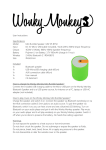
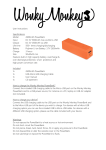
Rumble Speaker MW SP-BT85
DC 5V Micro-USB (cable included) / AUX (20Hz-20KHz (input frequency)
4Ω3W x 1(Watt), 170Hz-18KHz (speaker frequency)
Polymer Li-ion Battery. 3.7V 400mAh (charge in 2 hours)
2.4GHz Bluetooth 2.1 RDA5851S
Φ60x63.5mm
Included
1x
1x
1x
1x
1x
Bluetooth speaker
USB-MicroUSB charging cable (60cm)
AUX connection cable (40cm)
User manual
CE statement
How to charge the Wonky Monkey Rumble Speaker?
Connect the included USB charging cable to the Micro-USB port on the Wonky Monkey
Bluetooth Speaker and to a USB power source, for instance on a PC, laptop or USB-AC
adapter (not included).
How to play music on the Monkey Wonkey Rumble Speaker?
Charge the speaker and switch it on. Connect the speaker via Bluetooth (wirelessly) or via
the AUX connection cable (3.5mm jack) to an audio source. To pair the speaker via
Bluetooth, switch it on; you can hear a tone and see a blue/red LED blinking. Turn on
Bluetooth on your audio player and pair it with the Wonky Monkey speaker. Play music
on your audio player and it will play wirelessly on you Wonky Monkey speaker. Switch it
off when you’re done to preserve the battery. Hands free calling via Bluetooth only.
Warnings
Recommended speaking distance for hands free calling: approx. 50cm
Do not expose the speaker to a heat source or hot environment.
Do not short-circuit the speaker. Do not submerge or expose the speaker to fluids.
Do not pierce, break, twist, bend, throw, hit or apply any pressure to the speaker.
Do not disassemble or alter the outside cover or the speaker.