1
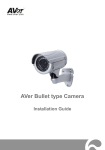
AVer Rugged Bullet type Camera Installation Guide Table of Contents IMPORTANT SAFEGUARD .................................................................................................1 PACKAGE CONTENTS .......................................................................................................2 THE FOLLOWING ITEMS ARE INCLUDED IN THE PACKAGE. .......................................2 OPTIONAL ACCESSORIES ................................................................................................2 RUGGED BULLET IP CAMERA PARTS .............................................................................3 MOUNTING THE IP CAMERA .............................................................................................4 DEPLOYING NETWORK ........................................................................................................4 Network Connection via Ethernet Switch ....................................................................4 Power over Ethernet Connection ................................................................................5 CONNECTING EXTERNAL DEVICES TO I/O TERMINAL BLOCK ....................................................6 POWER LED ......................................................................................................................6 INTERNAL CONNECTION DIAGRAM OF DI/DO .........................................................................6 MOUNTING THE IP CAMERA .................................................................................................7 FOCUSING THE IP CAMERA WITH BNC MONITOR ...................................................................9 INSERT MICROSD CARD TO SYSTEM ...................................................................................10 HARDWARE RESET ......................................................................................................... 11 TECHNICAL SPECIFICATIONS ........................................................................................ 12 FB2028-T1 (E)/FB2028-T2 (E)/FB2028-TM (E) .........................................12 FB3028-RT1 (E)/FB3028-RT2 (E)/FB3028-RTM (E)..................................16 COPYRIGHT ...................................................................................................................... 20 NOTICE .............................................................................................................................. 20 WARNING .......................................................................................................................... 20 GOVERNING LAW AND YOUR RIGHTS ..........................................................................22 ENGLISH Important Safeguard Do not submerge the unit in the water. Do not use power supply with different voltage other than DC12V/PoE. Unplug the power supply before cleaning. Use only a lens cleaning cloth and never use benzene, thinner, or other solvent for cleaning. Unplug the power of this unit as soon as smoke or unusual odor is detected. Do not place the unit in unsteady surface and also do not drop the unit. Do not attempt to service this unit by yourself. Always refer all servicing to qualified service personnel. Keep the IP camera housing close and prevent the dust from getting in the housing. 1 Package Contents The following items are included in the package. AVer rugged bullet type camera Software & Manual CD 2 L-type Wrenches Sun Shield 2 Sun Shield Bolts Torx Pin Head Bolt Wall Mount Bracket Alignment Sticker 3 Screws 3 Plastic Anchors Hex Socket Cap Bolt 3 Washers Optional Accessories Power Adapter (12V, 4A) and Power cord * The power adapter will vary depending on the standard power outlet of the country where it is sold. Depending on your package the power adapter maybe included. 2 ENGLISH Rugged Bullet IP Camera Parts No. Function No. Function (1) Sun Shield (6) BNC Jack (Video Out) (2) Camera Lens (7) RJ45 Ethernet Jack (3) Light Sensor (8) I/O Terminal Block (4) Latch (9) Phone Jack (Audio In) (5) Power Jack (10) Phone Jack (Audio Out) 3 Mounting the IP Camera This section provides useful tips on how to adjust the IP camera to meet your needs. Deploying Network Network Connection via Ethernet Switch Connect the RJ45 cable from the Ethernet switch to RJ45 Ethernet jack of camera Connect the power adapter to power jack of camera. 4 ENGLISH Power over Ethernet Connection Rugged bullet type camera is fully complies with PoE standard. It allows you to use PoE enabled switch or PoE injector to transmit data and power thru single Ethernet cable. PoE Enabled Switch Connection Diagram PoE Injector Connection Diagram 5 Connecting External Devices to I/O Terminal Block No. Function (1) Power 12V (2) Digital Output (3) Digital Input (4) Ground [Note] Maximum power output is 12V/100mA Power LED LED Status Steady Red Heating Blinking Green System working Steady Green Booting Firmware updating No Light Power off Internal Connection Diagram of DI/DO 6 ENGLISH Mounting the IP Camera 1. Use the supplied 2 sun shield bolts and secure the sun shield on the IP camera. 2. Place the sticker on the wall surface. Then spot the mark and drill the 4 holes indicated on the sticker. It’s not necessary to drill the biggest hole if you are going to run the wire on the side. 3. Insert the 3 plastic anchors in the wall. Place the washer on the 3 screws and secure the mounting bracket on the wall. 4. Hook the IP Camera and use the hex socket cap bolt to secure the IP camera on the mount bracket. 7 5. After adjusting the focus and zoom control, use the torx pin head bolt to secure the IP camera from being tampered. 8 ENGLISH Focusing the IP Camera with BNC Monitor The IP camera is supported with BNC analog video out jack which allows you to connect an analog display devices such as an LCD BNC monitor for you to adjust the camera focus and zoom. 1. Connect the LCD BNC monitor to the BNC jack. 2. Open up the IP camera case. 3. Slightly loosen the focus and zoom control knobs and adjust the focus and zoom range. Slightly tighten the focus and zoom knobs once you are done adjusting. 9 Insert microSD Card to System 1. Open up the IP camera case. 2. Insert microSD card [Note] We recommend to use industrial grade microSD card (support operating temp from -40°C to 85°C) for extreme temperature condition. 10 ENGLISH Hardware Reset 1. Open the IP camera case. 2. Short PJ1 pins around 10 seconds. WARNING!! This will cause all the configuration settings back to factory default. 11 Technical Specifications FB2028-T1 Model Lens spec. (E)/FB2028-T2 FB2028-T1 (E)/FB2028-TM (E) FB2028-T2 CBC AG3Z0312LMRP-N Lens type (E) CBC AG2.3Z1016LMRP-N FB2028-TM (E) CBC AGP3Z0312LMRP -E111T51 Vari-focal Lens (Board mount, M19) F/no F/1.2 F/1.2 F/1.6 Iris type DC Iris Focal length View Angle (E) f3~9mm f10~23mm f3~9mm H 90.6°(W)~41.9°(T) H 27°(W)~14.8°(T) H 90.6°(W)~41.9°(T) V 51.5°(W)~24.5°(T) V 15°(W)~8.3°(T) V 51.5°(W)~24.5°(T) N/A N/A Yes MFZ Support Camera image 0.2 Lux in day mode (IR off) 0.3 Lux in day mode (IR off) 0.2 Lux in day mode (IR off) Min. illumination 0.03 Lux in night mode 0.04 Lux in night mode 0.03 Lux in night mode (IR off) (IR off) (IR off) 0 Lux in night mode (IR on) 0 Lux in night mode (IR on) 0 Lux in night mode (IR on) Built-in LED IR distance Yes 30m 50m(DC In only) Built-in 30m Yes mechanical ICR Auto IRIS Yes Video Compression H.264/MPEG-4/MJPEG Max. resolution Frame rate 1920 x 1080 1920 x 1080 @ 30fps H.264/MPEG-4 bit rate mode VBR, 5 levels CBR, 64/128/512/768Kbps & 1/2/3/4/6/8/10/12Mbps MJPEG quality 5 levels Regional of Yes Interest Smart Stream Yes, 5 windows 12 ENGLISH Model FB2028-T1 (E) FB2028-T2 (E) FB2028-TM (E) Video Image orientation mirror, flip Motion Detection 3 zones Privacy mask 3 areas BLC Yes D-WDR Yes De-noise 2D/3D Day & night function Auto/Manual/Schedule ePTZ Yes Corridor Mode Yes Cross Detection Yes Audio Encoder G.711 (μ-law)/G.726 (bit rate 16K~64bps) /AAC audio compression Streaming Microphone 2-ways audio External microphone input Network Protocols Ethernet CP/IP (IPv4/IPv6), HTTP, HTTPS, UPnP, SMTP, FTP, DHCP, NTP, DDNS, PPPoE, Samba, QoS, SNMP(V1/V2c/V3), 802.1X 10/100 Base-T, RJ45 connector ONVIF V2.X (Profile S), conformance test V12.06 Security Password protection/IP Filter Users up to 10 users simultaneously 13 Model FB2028-T1 (E) FB2028-T2 (E) FB2028-TM (E) Event Profiles 32 sets Triggers Alarm Interval, Motion Detection Region, Digital Input, SD Card, Network Trigger: Digital Output, Alarm Audio Actions Send out video clip: FTP, NAS, SD card Send out snapshot / log: FTP, NAS, SD card, mail Interface Digital 1/1 input/output BNC Video output Yes Built-in storage Micro SDHC & SDXC card (64GB max.) option External Yes microphone input External Audio Yes output General Power supply DC 12V(4A)/PoE PoE (TYP.): PoE (TYP.): PoE (TYP.): 6.7W (LED/Heater off) 6.7W (LED/Heater off) 6.7W (LED/Heater off) 10.0W (LED on, Heater off) 10.0W (LED on, Heater off) 10.0W (LED on, Heater off) 22.0W (LED off, Heater on) 23.9W (LED off, Heater on) 22.5W (LED off, Heater on) Power consumption PoE 23.1W (LED/Heater on) 24.3W (LED/Heater on) 23.6W (LED/Heater on) DC-IN (TYP.) DC-IN (TYP.): DC-IN (TYP.): 5.7W (LED/Heater off) 5.7W (LED/Heater off) 5.7W (LED/Heater off) 8.5W (LED on, Heater off) 13.5W (LED on, Heater off) 8.5W (LED on, Heater off) 33.8W (LED off, Heter on) 34.7W (LED off, Heter on) 34.3W (LED off, Heter on) 35.8W (LED/Hearer on) 41.1W (LED/Hearer on) 36.3W (LED/Hearer on) PoE Class 4 (IEEE802.3at) Dimensions 265.2mm x 114.5 mm x 111mm(L x H x W) w/o bracket Net weight 2180g 14 ENGLISH Model FB2028-T1 (E) FB2028-T2 (E) FB2028-TM General PoE -25°C~60°C, Temperature and -40°C~60°C, humidity 20%~90% Cold Start 20%~90% Operating 12V/4A DC-In -25°C~60°C, -60°C~60°C, IP Rating 20%~90% Cold Start 20%~90% Operating IP68 Software Requirement OS Browser Windows® XP/7/8 IE 8/9/10/11 (Full Function), Chrome Firefox and Safari (Basic Function) Firmware remote Yes (via HTTP) upgrade Bundled Software ExpressGO free up to 32CH IPCAM Utility Yes SecureCenter Yes Warranty Main body 3 years Accessories 1 year 15 (E) FB3028-RT1 Model Lens spec. (E)/FB3028-RT2 (E)/FB3028-RTM FB3028-RT1 (E) FB3028-RT2 CBC AG3Z0312LMRP-N Lens type (E) CBC AGP3Z0312LMRP -E111T51 FB3028-RTM (E) CBC AGP3Z0312LMRP vari-focal Lens (Board mount, M19) F/no F/1.2 F/1.2 F/1.6 Iris type DC Iris Focal length View Angle (E) f3~9mm f10~23mm f3~9mm H 73.2°(W)~35°(T) H 22.8°(W)~12.4°(T) H 73.2°(W)~35°(T) V 51.5°(W)~24.5°(T) V 17°(W)~9.3°(T) V 51.5°(W)~24.5°(T) N/A N/A Yes MFZ Support Camera image 0.8 Lux in day mode (IR off) 1.2 Lux in day mode (IR off) 0.8 Lux in day mode (IR off) Min. illumination 0.1 Lux in night mode 0.15 Lux in night mode 0.1 Lux in night mode (IR off) (IR off) (IR off) 0 Lux in night mode (IR on) 0 Lux in night mode (IR on) 0 Lux in night mode (IR on) Built-in LED IR distance Yes 25m 50m(DC In only) Built-in 25m Yes mechanical ICR Auto IRIS Yes Video Compression H.264/MPEG-4/MJPEG Max. resolution Frame rate 2048 x 1536 2048 x 1536 @ 20fps (Wide Angle) 1920 x 1080 @ 30fps (Normal mode) H.264/MPEG-4 bit rate mode VBR, 5 levels CBR, 64/128/512/768Kbps & 1/2/3/4/6/8/10/12Mbps MJPEG quality 5 levels Regional of Yes Interest 16 ENGLISH Model FB3028-RT1 (E) FB3028-RT2 (E) FB3028-RTM (E) Video Smart Stream Yes, 5 windows Image orientation mirror, flip Motion Detection 3 zones Privacy mask 3 areas BLC Yes Sensor-WDR Yes De-noise Day & night function 2D/3D Auto/Manual/Schedule ePTZ Yes Corridor Mode Yes Cross Detection Yes Audio Encoder G.711 (μ-law)/G.726 (bit rate 16K~64bps) /AAC audio compression Streaming Microphone 2-ways audio External microphone input Network Protocols Ethernet TCP/IP (IPv4/IPv6), HTTP, HTTPS, UPnP, SMTP, FTP, DHCP, NTP, DDNS, PPPoE, Samba, QoS, SNMP(V1/V2c/V3), 802.1X 10/100 Base-T, RJ45 connector ONVIF V2.X (Profile S), conformance test V12.06 Security Password protection/IP Filter Users up to 10 users simultaneously 17 Model FB3028-RT1 (E) FB3028-RT2 (E) FB3028-RTM (E) Event Profiles 32 sets Triggers Alarm Interval, Motion Detection Region, Digital Input, SD Card, Network Trigger: Digital Output, Alarm Audio Actions Send out video clip: FTP, NAS, SD card Send out snapshot / log: FTP, NAS, SD card, mail Interface Digital 1/1 input/output BNC Video output Yes Built-in storage Micro SDHC & SDXC card (64GB max.) option External Yes microphone input External Audio Yes output General Power supply DC 12V(4A)/PoE PoE (TYP.): PoE (TYP.): PoE (TYP.): 6.7W (LED/Heater off) 6.7W (LED/Heater off) 6.7W (LED/Heater off) 10.0W (LED on, Heater off) 10.0W (LED on, Heater off) 10.0W (LED on, Heater off) 22.0W (LED off, Heater on) 23.9W (LED off, Heater on) 22.5W (LED off, Heater on) Power consumption PoE Dimensions 23.1W (LED/Heater on) 24.3W (LED/Heater on) 23.6W (LED/Heater on) DC-IN (TYP.) DC-IN (TYP.) DC-IN (TYP.) 5.7W (LED/Heater off) 5.7W (LED/Heater off) 5.7W (LED/Heater off) 8.5W (LED on, Heater off) 13.5W (LED on, Heater off) 8.5W (LED on, Heater off) 33.8W (LED off, Heter on) 34.7W (LED off, Heter on) 34.3W (LED off, Heter on) 35.8W (LED/Hearer on) 41.1W (LED/Hearer on) 36.3W (LED/Hearer on) PoE Class 4 (IEEE802.3at) 265.2mm x 114.5 mm x 111mm(L x H x W) 18 ENGLISH Model FB3028-RT1 (E) FB3028-RT2 (E) FB3028-RTM (E) General Net weight 2180g PoE -25°C~60°C, Temperature and -40°C~60°C, humidity 20%~90% Cold Start 20%~90% Operating 12V/4A DC-In -25°C~60°C, -60°C~60°C, IP Rating 20%~90% Cold Start 20%~90% Operating IP68 Software Requirement OS Browser Windows® XP/7/8 IE 8/9/10/11 (Full Function), Chrome, Firefox and Safari (Basic Function) Firmware remote Yes (via HTTP) upgrade Bundled Software ExpressGO free up to 32CH IPCAM Utility Yes SecureCenter Yes Warranty Main body 3 years Accessories 1 year 19 COPYRIGHT © 2014 AVer Information Inc. All rights reserved. All rights of this object belong to AVer Information Inc. Reproduced or transmitted in any form or by any means without the prior written permission of AVer Information Inc. is prohibited. All information or specifications are subject to change without prior notice. “AVer” is a trademark owned by AVer Information Inc. Other trademarks used herein for description purpose only belong to each of their companies. NOTICE SPECIFICATIONS ARE SUBJECT TO CHANGE WITHOUT PRIOR NOTICE. THE INFORMATION CONTAINED HEREIN IS TO BE CONSIDERED FOR REFERENCE ONLY. WARNING TO REDUCE RISK OF FIRE OR ELECTRIC SHOCK, DO NOT EXPOSE THIS APPLIANCE TO RAIN OR MOISTURE. WARRANTY VOID FOR ANY UNAUTHORIZED PRODUCT MODIFICATION. THE MARK OF CROSSED-OUT WHEELED BIN INDICATES THAT THIS PRODUCT MUST NOT BE DISPOSED OF WITH YOUR OTHER HOUSEHOLD WASTE. INSTEAD, YOU NEED TO DISPOSE OF THE WASTE EQUIPMENT BY HANDING IT OVER TO A DESIGNATED COLLECTION POINT FOR THE RECYCLING OF WASTE ELECTRICAL AND ELECTRONIC EQUIPMENT. FOR MORE INFORMATION ABOUT WHERE TO DROP OFF YOUR WASTE EQUIPMENT FOR RECYCLING, PLEASE CONTACT YOUR HOUSEHOLD WASTE DISPOSAL SERVICE OR THE SHOP WHERE YOU PURCHASED THE PRODUCT. 20 Limited Warranty AVer Information, Inc. (“AVer”) warrants that the applicable product (“Product”) substantially conforms to AVer’s documentation for the product and that its manufacture and components are free of defects in material and workmanship under normal use. “You” as used in this agreement means you individually or the business entity on whose behalf you use or install the product, as applicable. This limited warranty extends only to You as the original purchaser. Except for the foregoing, the Product is provided “AS IS.” In no event does AVer warrant that You will be able to operate the Product without problems or interruptions, or that the Product is suitable for your purposes. Your exclusive remedy and the entire liability of AVer under this paragraph shall be, at AVer’s option, the repair or replacement of the Product with the same or a comparable product. This warranty does not apply to (a) any Product on which the serial number has been defaced, modified, or removed, or (b) cartons, cases, batteries, cabinets, tapes, or accessories used with this product. This warranty does not apply to any Product that has suffered damage, deterioration or malfunction due to (a) accident, abuse, misuse, neglect, fire, water, lightning, or other acts of nature, commercial or industrial use, unauthorized product modification or failure to follow instructions included with the Product, (b) misapplication of service by someone other than the manufacturer’s representative, (c) any shipment damages (such claims must be made with the carrier), or (d) any other causes that do not relate to a Product defect. The Warranty Period of any repaired or replaced Product shall be the longer of (a) the original Warranty Period or (b) thirty (30) days from the date of delivery of the repaired or replaced product. Limitations of Warranty AVer makes no warranties to any third party. You are responsible for all claims, damages, settlements, expenses, and attorneys’ fees with respect to claims made against You as a result of Your use or misuse of the Product. This warranty applies only if the Product is installed, operated, maintained, and used in accordance with AVer specifications. Specifically, the warranties do not extend to any failure caused by (i) accident, unusual physical, electrical, or electromagnetic stress, neglect or misuse, (ii) fluctuations in electrical power beyond AVer specifications, (iii) use of the Product with any accessories or options not furnished by AVer or its authorized agents, or (iv) installation, alteration, or repair of the Product by anyone other than AVer or its authorized agents. Disclaimer of Warranty EXCEPT AS EXPRESSLY PROVIDED OTHERWISE HEREIN AND TO THE MAXIMUM EXTENT PERMITTED BY APPLICABLE LAW, AVER DISCLAIMS ALL OTHER WARRANTIES WITH RESPECT TO THE PRODUCT, WHETHER EXPRESS, IMPLIED, STATUTORY OR OTHERWISE, INCLUDING WITHOUT LIMITATION, SATISFACTORY QUALITY, COURSE OF DEALING, TRADE USAGE OR PRACTICE OR THE IMPLIED WARRANTIES OF MERCHANTABILITY, FITNESS FOR A PARTICULAR PURPOSE OR NONINFRINGEMENT OF THIRD PARTY RIGHTS. Limitation of Liability IN NO EVENT SHALL AVER BE LIABLE FOR INDIRECT, INCIDENTAL, SPECIAL, EXEMPLARY, PUNITIVE, OR CONSEQUENTIAL DAMAGES OF ANY NATURE INCLUDING, BUT NOT LIMITED TO, LOSS OF PROFITS, DATA, REVENUE, PRODUCTION, OR USE, BUSINESS INTERRUPTION, OR PROCUREMENT OF SUBSTITUTE GOODS OR SERVICES ARISING OUT OF OR IN CONNECTION WITH THIS LIMITED WARRANTY, OR THE USE OR PERFORMANCE OF ANY PRODUCT, WHETHER BASED ON CONTRACT OR TORT, INCLUDING NEGLIGENCE, OR ANY OTHER LEGAL THEORY, EVEN IF AVER HAS ADVISED OF THE POSSIBILITY OF SUCH DAMAGES. AVER’S TOTAL, AGGREGATE LIABILITY FOR DAMAGES OF ANY NATURE, REGARDLESS OF FORM OF ACTION, SHALL IN NO EVENT EXCEED THE AMOUNT PAID BY YOU TO AVER FOR THE SPECIFIC PRODUCT UPON WHICH LIABILITY IS BASED. 21 Governing Law and Your Rights This warranty gives you specific legal rights; You may also have other rights granted under state law. These rights vary from state to state. 22