1
BC92XLT Paper OM.fm Page 30 Tuesday, August 24, 2004 3:56 PM
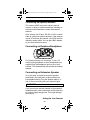
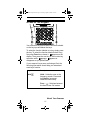
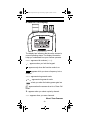
A Look At The Display
The display has indicators that show the scanner's
current operating status. The display information
helps you understand how your scanner operates.
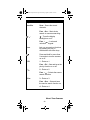
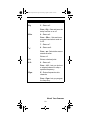
BANK - appears with numbers (1-10).
- appears when you lock the keypad.
F - appears only when the function mode is on.
PGM - appears while you store a frequency into a
channel.
SRCH - appears during search mode.
or
- appears during search mode.
- alerts you when the battery power gets low.
- appears when the scanner is set to a Close Call
mode.
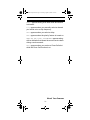
P - appears when you select a priority channel.
SCN - appears when you scan channels.
About Your Scanner
30