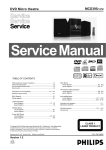
1
PART NO. 599910638 SERVICE MANUAL COLOR MONITOR MultiSync LCD1700NX MODELS LCD1700NX (A)/-BK(A)/(B)/-BK(B) NEC-MITSUBISHI ELECTRIC VISUAL SYSTEMS CORPORATION APRIL 2002 200304 08ED1AAD 08ED2AAD 08ED1ABD 08ED2ABD WARNING The SERVICE PERSONNEL should have the appropriate technical training, knowledge and experience necessary to: • Be familiar with specialized test equipment, and • Be careful to follow all safety procedures to minimize danger to themselves and their coworkers. To avoid electrical shocks, this equipment should be used with an appropriate power cord. This equipment utilized a micro-gap power switch. Turn off the set by first pushing power switch. Next, remove the power cord from the AC outlet. To prevent fire or shock hazards, do not expose this unit to rain or moisture. This symbol warns the personnel that un-insulated voltage within the unit may have sufficient magnitude to cause electric shock. This symbol alerts the personnel that important literature concerning the operation and maintenance of this unit has been included. Therefore, it should be read carefully in order to avoid any problems. PRODUCT SAFETY CAUTION 1. When parts replacement is required for servicing, always use the manufacturer's specified replacement. 2. When replacing the component, always be certain that all the components are put back in the place. 3. As for a connector, pick and extract housing with fingers properly since a disconnection and improper contacts may occur, when wires of the connector are led. 4. Use a proper screwdriver. If you use screwdriver that does not fit, you may damage the screws. CONTENTS Page No. USER'S MANUAL ------------------------------------------------------------------- 1-1 SERIAL NUMBER INFORMATION --------------------------------------------- 2-1 DISASSEMBLY ----------------------------------------------------------------------- 3-1 ADJUSTMENT PROCEDURES -------------------------------------------------- 4-1 INSPECTION --------------------------------------------------------------------------- 5-1 TROUBLE SHOOTING ------------------------------------------------------------- 6-1 CIRCUIT DESCRIPTION ----------------------------------------------------------- 7-1 REPLACEMENT PARTS LIST --------------------------------------------------- 8-1 BLOCK DIAGRAM ------------------------------------------------------------------- 9-1 SCHEMATIC DIAGRAMS -------------------------------------------------------- 10-1 PACKING SPECIFICATION ------------------------------------------------------ 11-1 User's Manual 1. A Version 1700NX 1700NX 1-1 TABLE OF CONTENTS Warning ----------------------------------------------------------------------------- 1 FCC compliance statement ------------------------------------------------------- 1 DOC compliance notice ---------------------------------------------------------- 2 DECLARATION OF CONFORMITY ----------------------------------------- 2 Introduction ------------------------------------------------------------------------ 3 Features ----------------------------------------------------------------------------- 3 Unpacking -------------------------------------------------------------------------- 4 Screen position adjustment ------------------------------------------------------- 5 Connecting the power cord ------------------------------------------------------- 5 Recomended Use ------------------------------------------------------------------ 6 DDC --------------------------------------------------------------------------------- 8 Installation -------------------------------------------------------------------------- 9 User controls ----------------------------------------------------------------------- 10 Front panel controls ----------------------------------------------------------- 10 Standard OSD operation ------------------------------------------------------ 11 OSD function description----------------------------------------------------- 11 Troubleshooting ------------------------------------------------------------------- 13 Specification ----------------------------------------------------------------------- 14 References -------------------------------------------------------------------------- 15 Limited Warranty ------------------------------------------------------------------ 16 CE ----------------------------------------------------------------------------------- 17 Proprietary notice and liability disclaimer ------------------------------------- 17 TCO’99 ----------------------------------------------------------------------------- 18 TCO’95 ----------------------------------------------------------------------------- 20 1-2 MultiSync LCD1700NX 1 WARNING TO PREVENT FIRE OR SHOCK HAZARDS, DO NOT EXPOSE THIS UNIT TO RAIN OR MOISTURE. ALSO, DO NOT USE THIS UNIT'S POLARIZED PLUG WITH AN EXTENSION CORD RECEPTACLE OR OTHER OUTLETS UNLESS THE PRONGS CAN BE FULLY INSERTED. REFRAIN FROM OPENING THE CABINET AS THERE ARE HIGH VOLTAGE COMPONENTS INSIDE. REFER SERVICING TO QUALIFIED SERVICE PERSONNEL. CAUTION CAUTION: TO REDUCE THE RISK OF ELECTRIC SHOCK, MAKE SURE POWER CORD IS UNPLUGGED FROM WALL SOCKET. TO FULLY DISENGAGE THE POWER TO THE UNIT, PLEASE DISCONNECT THE POWER CORD FROM THE AC OUTLET. DO NOT REMOVE COVER (OR BACK). NO USER SERVICEABLE PARTS INSIDE. REFER SERVICING TO QUALIFIED SERVICE PERSONNEL. This symbol warns user that uninsulated voltage within the unit may have sufficient magnitude to cause electric shock. Therefore, it is dangerous to make any kind of contact with any part inside this unit. This symbol alerts the user that important literature concerning the operation and maintenance of this unit has been included. Therefore, it should be read carefully in order to avoid any problems. FCC Compliance Statement This equipment has been tested and found to comply with the limits for a Class B digital device, pursuant to Part 15 of the FCC Rules. These limits are designed to provide resonable protection against radio frequency interference in a residential installation. This equipment generates, uses, and can radiate radio frequency energy. If not installed and used in accordance with the instructions, it may cause interference to radio communications. However, there is no guarantee that intereference will not occur in a particular installation. If this equipment does cause interference to radio or television reception (this can be determined by turning this equipment off and on), the user is encouraged to try to correct the interference by one or more of the following measures: • Reorient or relocate the receiving antenna. • Increase the separation between this equipment and the receiver. • Connect this equipment to an outlet on a circuit different from which the receiver is connected to. • Consult the dealer or an experienced radio/TV technician for help. If necessary, the user should contact the dealer or an experienced radio/television technician for additional suggestions. The user may find the following booklet, prepared by the Federal Communications Commission, helpful: “How to Identify and Resolve Radio-TV Interference Problems.” This booklet is available from the U.S. Government Printing Office, Washington, D.C., 20402, Stock No. 004-000-00345-4. Caution: To comply with the limits for an FCC Class B computing device, always use the AC adapter, the shielded signal cord and power cord supplied with this unit. 1-3 2 User’s Guide Caution to the user: The Federal Communications Commission warns the user that changes or modifications to the unit not expressly approved by the party responsible for compliance could void the user’s authority to operate the equipment. Notice of Compliance Canadian Interference-causing Equipment Regulations DOC Compliance Notice: This digital apparatus does not exceed the Class B limits for radio noise emissions from digital apparatus set out in the Radio Interference Regulations of the Canadian Department of Communications. DOC Avis de Conformation Le présent appareil numérique n’emet pas de bruits radioélectriques dépassant les limites applicable aux appareils numériques de la classe B prescrites dan le Réglement sur le brouillage radioélectriques édicté par le ministére des Communications du Canada. DECLARATION OF CONFORMITY This device complies with Part 15 of FCC Rules. Operation is subject to the following two conditions. (1) This device may not cause harmful interference, and (2) this device must accept any interference received, including interference that may cause undesired operation. U.S. Responsible Party: Address: Tel. No.: NEC-Mitsubishi Electronics Display of America, Inc. 1250 North Arlington Heights Road, Suite 500 Itasca, Illinois 60143-1248 (630) 467-3000 Type of Product: Equipment Classification: Model: Computer Monitor Class B Peripheral MultiSync LCD1700NX We hereby declare that the equipment specified above conforms to the technical standards as specified in the FCC Rules. Windows is a registered trademark of Microsoft Corporation. NEC is a registered trademark of NEC Corporation. ENERGY STAR® is a U.S. registered trademark. All other brands and product names are trademarks or registered trademarks of their respective owners. As an ENERGY STAR® Partner, NEC-Mitsubishi Electronics Display of America has determined that this product meets the Energy Star guidelenes for energy efficiency. The ENERGY STAR® emblem does not represent EPA endorsement of any product or service. 1-4 MultiSync LCD1700NX 3 INTRODUCTION Congratulations for purchasing the MultiSync® LCD1700NX™, a high performance 17inch color TFT LCD monitor. The MultiSync LCD1700NX monitor provides flicker-free and color images at optional resolutions. Through this user guide, we will introduce you step-by-step all the features, functions and technical specifications of the LCD monitor. Surely you will have a refreshing experience working with the monitor. FEATURES The MultiSync LCD1700NX is a 17-inch TFT LCD monitor that is intelligent, microprocessor-based and ergonomically designed display, compatible with most RGB (Red, Green, Blue) display standards, including PS/V, PS/2, optional for Apple Macintosh Centris, Quadra, and Macintosh II family signals. The LCD monitor is capable of displaying crisp and vibrant color graphics with VGA, SVGA, XGA, SXGA (non-interlaced), and most Macintosh compatible color video cards. • The monitor is able to properly function even in case of upgrade video cards or software because of the wide auto-scanning compatibility range without requiring to buy a new monitor. • The resident memory allows for storing factory default settings and also additional user adjustment parameters. • The maximum resolution achievable is SXGA (1280 x 1024), best suited for Windows applications • The compact and sleek cabinet design saves desk space and makes your desk look neat and tidy. • The monitor is compliant with VESA-DPMS power management standard. In oder to save energy, the monitor must be connected to a system compliant with the standard. • XtraView+® Wide Viewing Angle Technology: Allows the user to be able to see the monitor from any angle (170 degrees) from any orientation — Portrait or Land scape. Provides full 170° viewing angles either up, down, left or right. From any orientation - Portrait or Landscape, XtraView+ provides accurate brightness and color from any angle 170°. • DVI-D and VGA input connectors Allow compatibility with upgraded video cards and software. 1-5 User’s Guide 4 • LCD Monitor • Power Cord • Video Signal Cable (D-Sub) 1700NX • AC Adapter (LSE9901B1970) • User’s Manual X 0N 170 1-6 MultiSync LCD1700NX 5 SCREEN POSITION ADJUSTMENT In order to optimize the best viewing position, you can adjust the tilt of the monitor by using both of your hands to hold the edges of the monitor as shown in the figure below. The monitor can be adjusted to 30 degrees up or 5 degrees down as indicated by arrow below. CONNECTING THE POWER CORD • • • • • Check first to make sure that the power cord you use is the correct type required for your area. This monitor has a universal AC adapter that allows operation in 100-240 V AC voltage area. No user-adjustment is required. Plug one end of the power cord to the AC adapter, plug another end to a proper AC outlet. For units to be used at 120 V AC: Use the supplied power cord or a UL Listed Cord Set, Type SPT-2 wire and plug rated 7 A/125 V. For units to be used at 220-240 V AC. Use a Cord Set consisting of H03VVH2-F cord and plug rated 2.5 A, 250 V. The cord set should have the appropriate safety approvals for the country in which the equipment will be installed. 1-7 6 User’s Guide Recommended Use Safety Precautions and Maintenance FOR OPTIMUM PERFORMANCE, PLEASE NOTE THE FOLLOWING WHEN SETTING UP AND USING THE MULTISYNC® LCD COLOR MONITOR: • DO NOT OPEN THE MONITOR. There are no user serviceable parts inside and opening or removing covers may expose you to dangerous shock hazards or other risks. Refer all servicing to qualified service personnel. • Do not spill any liquids into the cabinet or use your monitor near water. • Do not insert objects of any kind into the cabinet slots, as they may touch dangerous voltage points, which can be harmful or fatal or may cause electric shock, fire or equipment failure. • Do not place any heavy objects on the power cord. Damage to the cord may cause shock or fire. • Do not place this product on a sloping or unstable cart, stand or table, as the monitor may fall, causing serious damage to the monitor. • When operating the MultiSync LCD monitor with its AC 125-240V power supply, use a power supply cord that matches the power supply voltage of the AC power outlet being used. The power supply cord you use must have been approved by and comply with the safety standards of your country. • In UK, use a BS-approved power cord with molded plug having a black (5A) fuse installed for use with this monitor. If a power cord is not supplied with this monitor, please contact your supplier. • Use supplied AC Adapter. Do not place any objects onto the AC Adapter and do not use the AC Adapter outdoors. • Do not place any objects onto the monitor and do not use the monitor outdoors. • The inside of the flourescent tube located within the LCD monitor contains mercury. Please follow the bylaws or rules of your municipality to dispose of the tube properly. Immediately unplug your monitor from the wall outlet and refer servicing to qualified service personnel under the following conditions: • When the power supply cord or plug is damaged. • If liquid has been spilled, or objects have fallen into the monitor. • If the monitor has been exposed to rain or water. • If the monitor has been dropped or the cabinet damaged. • If the monitor does not operate normally by following operating instructions. • Do not bend power cord. • Do not use monitor in high temperatured, humid, dusty, or oily areas. • If glass is broken, handle with care. • Do not cover vent on monitor. • If monitor or glass is broken, do not come in contact with the liquid crystal and handle with care. CAUTION • Allow adequate ventilation around the monitor so that heat can properly dissipate. Do not block ventilated openings or place the monitor near a radiator or other heat sources. Do not put anything on top of monitor. • The power cable connector is the primary means of detaching the system from the power supply. The monitor should be installed close to a power outlet which is easily accessible. • Handle with care when transporting. Save packaging for transporting. 1-8 MultiSync LCD1700NX Recommended Use –continued CORRECT PLACEMENT AND ADJUSTMENT OF THE MONITOR CAN REDUCE EYE, SHOULDER AND NECK FATIGUE. CHECK THE FOLLOWING WHEN YOU POSITION THE MONITOR: • For optimum performance, allow 20 minutes for warm-up. • Adjust the monitor height so that the top of the screen is at or slightly below eye level. Your eyes should look slightly downward when viewing the middle of the screen. • Position your monitor no closer than 16 inches and no further away than 26 inches from your eyes. The optimal distance is 19 inches. • Rest your eyes periodically by focusing on an object at least 20 feet away. Blink often. • Position the monitor at a 90° angle to windows and other light sources to minimize glare and reflections. Adjust the monitor tilt so that ceiling lights do not reflect on your screen. • If reflected light makes it hard for you to see your screen, use an anti-glare filter. • Clean the LCD monitor surface with a lint-free, non-abrasive cloth. Avoid using any cleaning solution or glass cleaner! • Adjust the monitor’s brightness and contrast controls to enhance readability. • Use a document holder placed close to the screen. • Position whatever you are looking at most of the time (the screen or reference material) directly in front of you to minimize turning your head while you are typing. • Avoid displaying fixed patterns on the monitor for long periods of time to avoid image persistence (after-image effects). • Get regular eye checkups. Ergonomics To realize the maximum ergonomics benefits, we recommend the following: • Use the preset Size and Position controls with standard signals • Use the preset Color Setting • Use non-interlaced signals with a vertical refresh rate between 60-75Hz • Do not use primary color blue on a dark background, as it is difficult to see and may produce eye fatigue to insufficient contrast For more detailed information on setting up a healthy work environment, call NECMitsubishi Electronics Display of America at (800) 632-4662, NEC FastFacts™ information at (800) 366-0476 and request document #900108 or write the American National Standard for Human Factors Engineering of Visual Display Terminal Workstations – ANSI-HFS Standard No. 100-1988 – The Human Factors Society, Inc. P.O. Box 1369, Santa Monica, California 90406. 1-9 7 8 User’s Guide DDC™ To make your installation easier, the monitor is able to Plug and Play with your system if your system also supports DDC protocol. The DDC (Display Data Channel) is a communication protocol through which the monitor automatically informs the host system about its capabilities, for example, supported resolutions and corresponding timing. The monitor supports DDC2B standard. 1-10 MultiSync LCD1700NX 9 INSTALLATION To install the monitor to your host system, please follow the steps as given below: Steps 1. Open the connector cover first. 2. And then open the cable cover. 3. Connect Video Cable a. Make sure both the monitor and computer are powered-OFF. b. Digital: Connect the DVI signal cable to the connector of the computer first, then to the monitor. Analog: Connect the 15-pin mini D-SUB signal cable to the connector of the computer first, then to the monitor. 4. Connect power cord to the monitor, then to a properly grounded AC outlet. 5. Assemble the cable cover. 6. Cover the connector cover. 7. Power-ON Monitor and Computer Power-ON the monitor first, then power-ON the computer. 8. If the monitor still does not function properly, please refer to the trobleshooting section to diagnose the problem. D-SUB Cable DVI-D Cable(not included) PULL Cable Cover (This semi-circle opening is the Cables outlet) Connector Cover 1-11 10 User’s Guide USER CONTROLS DVI/D-SUB 6 5 4 3 2 1 Front Panel Controls 1. Power Switch : To turn ON or OFF the power. 2. Power LED : Lights up to indicate the power is turned ON. 3. + : To increase the value of the parameter in the OSD, which have been selected for adjustment. DVI/D-SUB : To change DVI/D-SUB signal input. (without OSD display) 4. – : To decrease the value of the parameter in the OSD, which have been selected for adjustment. AUTO : AUTO adjustment hot key without OSD display. : To move downward in the OSD menu. 5. Select 6. Select MENU : To exit and enter OSD menu. 1-12 MultiSync LCD1700NX 11 Standard OSD Operation 1. Press any front panel key to activate the OSD menu. 2. Use Select Up or Down keys to move up or down through the menu. The parameter will be highlighted when selected. 3. Then use + or - to increase or decrease the value of the parameter, or make selection between different options. 4. To quit the OSD screen at any time during the operation, press MENU key. If no keys are pressed for a time period, the OSD automatically disappears. OSD Function Description Icon Item Function Description BRIGHTNESS To increase or decrease the brightness. CONTRAST To increase or decrease the contrast. ANALOG* CONTRAST To increase or decrease the contrast; fine adjustment. We recommend that CONTRAST is first set to 50. AUTO* CONTRAST Adjusts the image displayed for non-standard video inputs. COLOR TEMPERATURE Pressing “–” or “+” to select 9300, 7500, 5500, NATIVE and USER. Only when selecting USER, you can make adjustments to the R/G/B content, otherwise not. Press + and – simultaneously to restore to factory default setting. AUTO ADJUST* Press + to turn on this function. The Auto-Adjust will automatically adjust V-Position, H-Position, H.Size, and Fine, the whole process takes about 5 seconds. LEFT/RIGHT* To move the screen toward left or right. DOWN/UP* To move the screen upward or downward. H.SIZE* The dot clock is fine-adjusted after auto adjust. FINE* To increase or decrease the snow noise of the image. SATURATION To increase or decrease the saturation. HUE To increase or decrease the hue. FLESH TONE To adjust the colors of natural colors. *: Analog input only 1-13 12 User’s Guide Icon Item Function Description LANGUAGE Select among English, French, Italian, Deutsch and Spanish. RECALL DEFALTS To return the monitor to its default settings. OSD TIMEOUT The OSD menu will stay as long as it is in use. In the OSD TIMEOUT menu you can select how long the monitor waits after the last touch of a button to shut off the OSD menu. The preset choices are 10, 20, 30, 45, 60 and 90 seconds. OSD LEFT/RIGHT To move the OSD position horizontally on the screen. When the “+” key is pressed, the OSD control menu will move to the right side of the screen. Likewise when the “–” key is pressed, the OSD control menu will move to the left side. OSD DOWN/UP To move the OSD position vertically on the screen. When the “+” key is pressed, the OSD control menu will move to the up side of the screen. Likewise when the “–” key is pressed, the OSD control menu will move to the lower side. EXPANSION The image can be expanded to 1280 x 1024, regardless of the resolution. – selects no + selects yes Information Indicates the current resolution, V-Frequency(FV), and HFrequency(FH). OSD Messages NO SIGNAL INPUT This message gives a warning when no signal is present. OUT OF RANGE This function gives a recommendation of the optimized resolution and refresh rate. After the power is turned on or there is a change of input signal or the video signal doesn’t have proper timing, the Out Of Range menu will appear. Note : For above adjustment action, press + and - simultaneously will return to the factory default setting. 1-14 MultiSync LCD1700NX 13 TROUBLESHOOTING Before sending your LCD monitor for servicing, please check the troubleshooting list below to see if you can self-diagnose the problem. Problems Current Status No Picture LED ON Remedy • Using OSD, adjust brightness and contrast to maximum or reset to their default settings. • Check the signal input, “DVI” or “D-SUB”. LED OFF • Check the power switch. • Check if AC power cord is properly connected to the AC adapter. LED displays amber color • Check if video signal cable is properly connected at the back of monitor. • Check if the power of computer system is ON. Abnormal Picture Unstable Picture • Check if the specification of graphics adapter and monitor is in compliance which may be causing the input signal frequency mismatch. Display is missing, • Using OSD, adjust EXPANSION, H.SIZE, center shift, or too FINE, LEFT/RIGHT and DOWN/UP with small or too large non-standard signals. in display size • Using OSD, in case of missing full-screen image, please select other resolution or other vertical refresh timing. • Wait for a few seconds after adjusting the size of the image before changing or disconnecting the signal cable or powering OFF the monitor. 1-15 14 User’s Guide SPECIFICATION Model Name LCD Display Display Type Display Area (H x W) Contrast Ratio Brightness Viewing Angle Operational Features Display Colors Resolution Analog : Digital : Synchronization Analog : Range Digital : Input Signal Input Connector Users Controls Front Panel Controls OSD Controls Physical Specification Dimension (W x H x D) Net Weight Power Power Saving Power Supply Current Rating Regulation Safety & EMI MultiSync LCD1700NX 17” TFT LCD 338 x 270 mm / 13.3 inches x 10.6 inches 400:1 (Typ.) 230 cd/m2 (Typ.) 170°H, 170°V (Typ.) Over 16 million colors SXGA (1280 x 1024) at 75* Hz maximum. SXGA (1280 x 1024) at 60* Hz maximum. Horizontal 31.5 kHz to 80 kHz , Vertical 56 Hz to 75 Hz Horizontal 31.5 kHz to 67.5 kHz , Vertical 56 Hz to 75 Hz ANALOG 0.7 Vp-p / 75 Ohms Digital Input : DVI 15-pin D-sub, 24-pin DVI-D Power On / Off, MENU, Select DOWN( ) , Value ( + / –), DVI / D-SUB Contrast, Brightness, H-Position**, V-Position**, Fine**, H.Size**, Left / Right**, Down / Up** , Expansion, Factory Defaults, Auto-Adjust**, Color Temperature, Saturation, Hue, Flesh Tone, Language, Information. 434 x 437 x 220 (mm) / 17.1 x 17.2 x 8.7 (inches) 6.2 Kg / 13.7 lbs. VESA DPMS standard AC 100-240 V @ 50 / 60 Hz 1.50 A @ 100-120 V, 0.75 A @ 220-240 V UL, C-UL, TÜV-GS, TÜV-Ergonomie, FCC-B, CE, Energy Star, TCO’95 (Black model), TCO’99 (White model) Environmental Considerations Operating Temperature Humidity Feet Storage Temperature Humidity Feet 5°C to 35°C / 41°F to 95°F 30% to 80% 0 to 12,000 Feet –10°C to 60°C / 14°F to 140°F 10% to 85% 0 to 40,000 Feet * NEC-Mitsubishi Electronics Display cites recommended resolution at 60 Hz for optimal display performance. ** Analog input only . All specifications are subject to change without notice. 1-16 MultiSync LCD1700NX 15 References • BBS (978) 742-8706 NEC-Mitsubishi Electronics Display of America Remote Bulletin Board System is an electronic service accessible with your system and a modem. Communication parameters are: 300/1200/2400/9600/14.4k/28.8k/33.6k bps, no parity, 8-data bits, 1 stop bit • Customer Service/ Technical Support Fax • Electronic Channels: Internet e-mail: Internet ftp site: World Wide Web: Product Registration: European Operations: Windows® 95/98/Me/2000/XP INF File: • FastFacts™ Information (800) 632-4662 (978) 742-7049 [email protected] ftp.necmitsubishi.com http://www.necmitsubishi.com http://www.necmitsubishi.com/productregistration http://www.nec-mitsubishi.com http://support.necmitsubishi.com/software.htm then download the file NECMSINF.ZIP (800) 366-0476 INFORMATION DESCRIPTION Glossary Definition of terms related to functions, features and installation of the MultiSync® monitor DOCUMENT # 900203 More Information Names and addresses of other groups involved in standards and features of the MultiSync monitor 900204 Macintosh Connection Detailed information on connecting the MultiSync monitor to a Macintosh 153006 Healthy Work Environment Detailed information on setting up a healthy work environment 900108 • Literature & Sales Info (800) NEC-INFO [(800) 632-4636] • MultiSync Fulfillment (800)632-4662 [For software & accessories] • TeleSales (800) 284-4484 1-17 16 User’s Guide Limited Warranty NEC-Mitsubishi Electronics Display of America, Inc. (hereinafter “NMD-A”) warrants this Product to be free from defects in material and workmanship and, subject to the conditions set forth below, agrees to repair or replace (at NMD-A’s sole option) any part of the enclosed unit which proves defective for a period of three (3) years from the date of first consumer purchase. Spare parts are warranted for ninety (90) days. Replacement parts or unit may be new or refurbished and will meet specifications of the original parts or unit. This warranty gives you specific legal rights and you may also have other rights, which vary from state to state. This warranty is limited to the original purchaser of the Product and is not transferable. This warranty covers only NMD-A-supplied components. Service required as a result of third party components is not covered under this warranty. In order to be covered under this warranty, the Product must have been purchased in the U.S.A. or Canada by the original purchaser. This warranty only covers Product distribution in the U.S.A. or Canada by NMD-A. No warranty service is provided outside of the U.S.A. or Canada. Proof of Purchase will be required by NMD-A to substantiate date of purchase. Such proof of purchase must be an original bill of sale or receipt containing name and address of seller, purchaser, and the serial number of the product. It shall be your obligation and expense to have the Product shipped, freight prepaid, or delivered to the authorized reseller from whom it was purchased or other facility authorized by NMD-A to render the services provided hereunder in either the original package or a similar package affording an equal degree of protection. All Products returned to NMD-A for service MUST have prior approval, which may be obtained by calling 1-800-632-4662. The Product shall not have been previously altered, repaired, or serviced by anyone other than a service facility authorized by NMD-A to render such service, the serial number of the product shall not have been altered or removed. In order to be covered by this warranty the Product shall not have been subjected to displaying of fixed images for long periods of time resulting in image persistence (afterimage effects), accident, misuse or abuse or operated contrary to the instructions contained in the User’s Manual. Any such conditions will void this warranty. NMD-A SHALL NOT BE LIABLE FOR DIRECT, INDIRECT, INCIDENTAL, CONSEQUENTIAL, OR OTHER TYPES OF DAMAGES RESULTING FROM THE USE OF ANY NMD-A PRODUCT OTHER THAN THE LIABILITY STATED ABOVE. THESE WARRANTIES ARE IN LIEU OF ALL OTHER WARRANTIES EXPRESS OR IMPLIED, INCLUDING, BUT NOT LIMITED TO, THE IMPLIED WARRANTIES OF MERCHANTABILITY OR FITNESS FOR A PARTICULAR PURPOSE. SOME STATES DO NOT ALLOW THE EXCLUSION OF IMPLIED WARRANTIES OR THE LIMITATION OR EXCLUSION OF LIABILITY FOR INCIDENTAL OR CONSEQUENTIAL DAMAGES SO THE ABOVE EXCLUSIONS OR LIMITATIONS MAY NOT APPLY TO YOU. This Product is warranted in accordance with the terms of this limited warranty. Consumers are cautioned that Product performance is affected by system configuration, software, the application, customer data, and operator control of the system, among other factors. While NMD-A Products are considered to be compatible with many systems, specific functional implementation by the customers of the Product may vary. Therefore, suitability of a Product for a specific purpose or application must be determined by consumer and is not warranted by NMD-A. For the name of your nearest authorized NEC-Mitsubishi Electronics Display service facility, contact NEC-Mitsubishi Electronics Display of America at 1-800-632-4662. 1-18 MultiSync LCD1700NX 17 Declaration of the Manufacturer We hereby certify that the color monitor MultiSync® LCD1700NXTM is in compliance with Council Directive 73/23/EEC: – EN 60950 Council Directive 89/336/EEC: – EN 55022 – EN 61000-3-2 – EN 61000-3-3 – EN 55024 and marked with NEC-Mitsubishi Electric Visual Systems Corporation 4-13-23, Shibaura, Minato-Ku Tokyo 108-0023, Japan PROPRIETARY NOTICE AND LIABILITY DISCLAIMER The information disclosed in this document, including all designs and related materials, is the valuable property of NEC-Mitsubishi Electronics Display of America and/or its licensors, as appropriate, reserve all patent, copyright and other proprietary rights to this document, including all design, manufacturing, reproduction, use and sales rights thereto, except to the extent said rights are expressly granted to others. The NEC-Mitsubishi Electronics Display of America product(s) discussed in this document are warranted in accordance with the terms of the Limited Warranty Statement accompanying each product. However, actual performance of each such product is dependent upon factors such as system configuration, customer data and operator control. Since implementation by customers of each product may vary, the suitability of specific product configurations and applications must be determined by the customer and is not warranted by NECMitsubishi Electronics Display of America. To allow for design and specification improvements, the information in this document is subject to change at any time without notice. Reproduction of this document or portions thereof without prior approval of NECMitsubishi Electronics Display of America is prohibited. 1-19 18 User’s Guide TCO’99 MultiSync LCD1700NX White Model Congratulations! You have just purchased a TCO’99 approved and labeled product! Your choice has provided you with a product developed for professional use. Your purchase has also contributed to reducing the burden on the environment and also to the further development of environmentally adapted electronics products. Why do we have environmentally labelled computers? In many countries, environmental labelling has become an established method for encouraging the adaptation of goods and services to the environment. The main problem, as far as computers and other electronics equipment are concerned, is that environmentally harmful substances are used both in the products and during the manufacturing. Since it has not been possible for the majority of electronics equipment to be recycled in a satisfactory way, most of these potentially damaging substances sooner or later enter Nature. There are also other characteristics of a computer, such as energy consumption levels, that are important from the viewpoints of both the work (Internal) and natural (external) environments. Since all methods of conventional electricity generation have a negative effect on the environment (acidic and climate-influencing emissions, radioactive waste, etc.), it is vital to conserve energy. Electronics equipment in offices consume an enormous amount of energy since they are often left running continuously. What does labelling involve? This product meets the requirements for the TCO’99 scheme which provides for international and environmental labelling of personal computers. The labelling scheme was developed as a joint effort by the TCO (The Swedish Confederation of Professional Employees), Svenska Naturskyddsforeningen (The Swedish Society for Nature Conservation) and Statens Energimyndighet (The Swedish National Energy Administration). The requirements cover a wide range of issues: environment, ergonomics, usability, emission of electrical and magnetic fields, energy consumption and electrical and fire safety. The environmental demands concern restrictions on the presence and use of heavy metals, brominated and chlorinated flame retardants, CFCs (freons) and chlorinated solvents, among other things. The product must be prepared for recycling and the manufacturer is obliged to have an environmental plan which must be adhered to in each country where the company implements its operational policy. The energy requirements include a demand that the computer and/or display, after a certain period of inactivity, shall reduce its power consumption to a lower level in one or more stages. The length of time to reactivate the computer shall be reasonable for the user. Labelled products must meet strict environmental demands, for example, in respect of the reduction of electric and magnetic fields, physical and visual ergonomics and good usability. 1-20 MultiSync LCD1700NX 19 Environmental Requirements Flame retardants Flame retardants are present in printed circuit boards, cables, wires, casings and housings. In turn, they delay the spread of fire. Up to thirty percent of the plastic in a computer casing can consist of flame retardant substances. Most flame retardants contain bromine or chloride and these are related to another group of environmental toxins, PCBs, which are suspected to give rise to severe health effects, including reproductive damage in fisheating birds and mammals, due to the bio-accumulative* processes. Flame retardants have been found in human blood and researchers fear that disturbances in foetus development may occur. TCO’99 demand requires that plastic components weighing more than 25 grams must not contain flame retardants with organically bound chlorine and bromine. Flame retardants are allowed in the printed circuit boards since no substitutes are available. Lead** Lead can be found in picture tubes, display screens, solders and capacitors. Lead damages the nervous system and in higher doses, causes lead poisoning. TCO’99 requirement permits the inclusion of lead since no replacement has yet been developed. Cadmium** Cadmium is present in rechargeable batteries and in the colourgenerating layers of certain computer displays. Cadmium damages the nervous system and is toxic in high doses. TCO’99 requirement states that batteries, the colourgenerating layers of display screens and the electrical or electronics components must not contain any cadmium. Mercury** Mercury is sometimes found in batteries, relays and switches, Mercury damages the nervous system and is toxic in high doses. TCO’99 requirement states that batteries may not contain any Mercury. It also demands that no mercury is present in any of the electrical or electronics components associated with the display unit. CFCs (freons) CFCs (freons) are sometimes used for washing printed circuit boards. CFCs break down ozone and thereby damage the ozone layer in the stratosphere, causing increased reception on Earth of ultraviolet light with consequent increased risks of skin cancer (malignant melanoma). The relevant TCO’99 requirement; Neither CFCs nor HCFCs may be used during the manufacturing and assembly of the product or its packaging. *Bio-accumulative is defined as substances which accumulate within living organisms. **Lead, Cadmium and Mercury are heavy metals which are Bio-accumulative. To obtain complete information on the environmental criteria document, order from: TCO Development Unit SE-114 94 Stockholm SWEDEN FAX Number: +46 8 782 92 07 E-mail (Internet): [email protected] You may also obtain current information on TCO’99 approved and labelled products by visiting their website at: http://www.tco-info.com/ 1-21 20 User’s Guide TCO’95 MultiSync LCD1700NX Black Model Congratulations! You have just purchased a TCO’95 approved and labeled product! Your choice has provided you with a product developed for professional use. Your purchase has also contributed to reducing the burden on the environment and also, to the further development of environmentally adapted electronics products. Why do we have environmentally labelled computers? In many countries, environmental labelling has become an established method for encouraging the adaptation of goods and services to the environment. The main problem, as far as computers and other electronics equipment are concerned, is that environmentally harmful substances are used both in the products and during the manufacturing. Since it has not been possible for the majority of electronics equipment to be recycled in a satisfactory way, most of these potentially damaging substances sooner or later enter Nature. There are also other characteristics of a computer, such as energy consumption levels, that are important from the viewpoints of both the work (Internal) and natural (external) environments. Since all methods of conventional electricity generation have a negative effect on the environment (acidic and climate-influencing emissions, radioactive waste, etc.), it is vital to conserve energy. Electronics equipment in offices consume an enormous amount of energy since they are often left running continuously. What does labelling involve? This product meets the requirements for the TCO’95 scheme which provides for international and environmental labelling of personal computers. The labelling scheme was developed as a joint effort by the TCO (The Swedish Confederation of Professional Employees), Naturskyddsforeningen (The Swedish Society for Nature Conservation) and NUTEK (The National Board for Industrial and Technical Development in Sweden). The requirements cover a wide range of issues: environment, er gonomics, usability, emission of electrical and magnetic fields, energy consumption and electrical and fire safety. The environmental demands concern restrictions on the presence and use of heavy metals, brominated and chlorinated flame retardants, CFCs (freons) and chlorinated solvents, among other things. The product must be prepared for recycling and the manufacturer is obliged to have an environmental plan which must be adhered to in each country where the company implements its operational policy. The energy requirements include a demand that the computer and/or display, after a certain period of inactivity, shall reduce its power consumption to a lower level in one or more stages. The length of time to reactivate the computer shall be reasonable for the user. Labelled products must meet strict environmental demands, for example, in respect of the reduction of electric and magnetic fields, physical and visual ergonomics and good usability. TCO’95 is a co-operative project between TCO (The Swedish Confederation of Professional Employees), Naturskyddsforeningen (The Swedish Society for Nature Conservation) and NUTEK (The National Board for Industrial and Technical Development in Sweden). 1-22 MultiSync LCD1700NX 21 Environmental Requirements Brominated flame retardants Brominated flame retardants are present in printed circuit boards, cables, wires, casings and housings. In turn, they delay the spread of fire. Up to thirty percent of the plastic in a computer casing can consist of flame retardant substances. These are related to another group of environmental toxins, PCBs, which are suspected to give rise to similar harm, including reproductive damage in fisheating birds and mammals, due to the bio-accumulative* processes. Flame retardants have been found in human blood and researchers fear that disturbances in foetus development may occur. TCO’95 demand requires that plastic components weighing more than 25 grams must not contain organically bound chlorine and bromine. Lead** Lead can be found in picture tubes, display screens, solders and capacitors. Lead damages the nervous system and in higher doses, causes lead poisoning. TCO’95 requirement permits the inclusion of lead since no replacement has yet been developed. Cadmium** Cadmium is present in rechargeable batteries and in the colourgenerating layers of certain computer displays. Cadmium damages the nervous system and is toxic in high doses. TCO’95 requirement states that batteries may not contain more than 25 ppm (parts per million) of cadmium. The colourgenerating layers of display screens must not contain any cadmium. Mercury** Mercury is sometimes found in batteries, relays, switches, and back-light systems, Mercury damages the nervous system and is toxic in high doses. TCO’95 requirement states that batteries may not contain more than 25 ppm (parts per million) of mercury. It also demands that no mercury is present in any of the electrical or electronics components concerned with the display unit, except the back-light system. CFCs (freons) CFCs (freons) are sometimes used for washing printed circuit boards and in the manufacturing of expanded foam for packaging. CFCs break down ozone and thereby damage the ozone layer in the stratosphere, causing increased reception on Earth of ultraviolet light with consequent increased risks of skin cancer (malignant melanoma). The relevant TCO’95 requirement; Neither CFCs nor HCFCs may be used during the manufacturing of the product or its packaging. *Bio-accumulative is defined as substances which accumulate within living organisms. **Lead, Cadmium and Mercury are heavy metals which are Bio-accumulative. To obtain complete information on the environmental criteria document, order from: TCO Development Unit SE-114 94 Stockholm SWEDEN FAX Number: +46 8 782 92 07 E-mail (Internet): [email protected] You may also obtain current information on TCO’95 approved and labelled products by visiting their website at: http://www.tco-info.com/ 1-23 2. B Version MultiSync LCD1700NX User’s Manual Uivatelská pøíruèka Bedienerhandbuch Oäçãßåò ×ñÞóÞò Manual del usuario Manuel Utilisateur Manuale utente Gebruikershandleiding Podrêcznik u¿ytkownika Ðóêîâîäñòâî ïîëüçîâàòåëÿ Kullanécé Klavuzu 1-24 2 User’s Manual FCC Compliance Statement This equipment has been tested and found to comply with the limits for a Class B digital device, pursuant to Part 15 of the FCC Rules. These limits are designed to provide resonable protection against radio frequency interference in a residential installation. This equipment generates, uses, and can radiate radio frequency energy. If not installed and used in accordance with the instructions, it may cause interference to radio communications. However, there is no guarantee that interference will not occur in a particular installation. If this equipment does cause interference to radio or television reception (this can be determined by turning this equipment off and on), the user is encouraged to try to correct the interference by one or more of the following measures: • Reorient or relocate the receiving antenna. • Increase the separation between this equipment and the receiver. • Connect this equipment to an outlet on a circuit different from which the receiver is connected to. • Consult the dealer or an experienced radio/TV technician for help. If necessary, the user should contact the dealer or an experienced radio/television technician for additional suggestions. The user may find the following booklet, prepared by the Federal Communications Commission, helpful: “How to Identify and Resolve Radio-TV Interference Problems”. This booklet is available from the U.S. Government Printing Office, Washington, D.C., 20402, Stock No. 004-000-00345-4. Caution: To comply with the limits for an FCC Class B computing device, always use the AC adapter, the shielded signal cord and power cord supplied with this unit. Caution to the user The Federal Communications Commission warns the user that changes or modifications to the unit not expressly approved by the party responsible for compliance could void the user’s authority to operate the equipment. Notice of Compliance Canadian Interference-causing Equipment Regulations DOC Compliance Notice This digital apparatus does not exceed the Class B limits for radio noise emissions from digital apparatus set out in the Radio Interference Regulations of the Canadian Department of Communications. DOC Avis de Conformation Le présent appareil numérique n’emet pas de bruits radioélectriques dépassant les limites applicable aux appareils numériques de la classe B prescrites dans le Réglement sur le brouillage radioélectriques édicté par le ministére des Communications du Canada. DECLARATION OF CONFORMITY This device complies with Part 15 of FCC Rules. Operation is subject to the following two conditions. (1) This device may not cause harmful interference, and (2) this device must accept any interference received, including interference that may cause undesired operation. U.S.Responsible Party: NEC-Mitsubishi Electronics Display of America, Inc. Address: 1250 North Arlington Heights Road, Suite 500 Itasca, Illinois 60143-1248 Tel.No.: (630)467-3000 Type of Product: Equipment Classification: Model: Computer Monitor Class B Peripheral MultiSync LCD1700NX We hereby declare that the equipment specified above conforms to the technical standards as specified in the FCC Rules. Windows is a registered trademark of Microsoft Corporation. NEC is a registered trademark of NEC Corporation. All other brands and product names are trademarks or registered trademarks of their respective owners. ENERGYSTAR is a U.S. trademark. As an ENERGYSTAR® Partner, NEC-Mitsubishi Electronics Display of America, Inc. has determined that this product meets the ENERGYSTAR guidelines for energy efficiency. The ENERGYSTAR emblem does not represent EPA endorsement of any product or service. 1-25 MultiSync LCD1700NX 3 TCO’95 MultiSync LCD1700NX (black model) Congratulations! You have just purchased a TCO’95 approved and labeled product! Your choice has provided you with a product developed for professional use. Your purchase has also contributed to reducing the burden on the environment and also, to the further development of environmentally adapted electronics products. Why do we have environmentally labelled computers? In many countries, environmental labelling has become an established method for encouraging the adaptation of goods and services to the environment. The main problem, as far as computers and other electronics equipment are concerned, is that environmentally harmful substances are used both in the products and during the manufacturing. Since it has not been possible for the majority of electronics equipment to be recycled in a satisfactory way, most of these potentially damaging substances sooner or later enter Nature. There are also other characteristics of a computer, such as energy consumption levels, that are important from the viewpoints of both the work (Internal) and natural (external) environments. Since all methods of conventional electricity generation have a negative effect on the environment (acidic and climate-influencing emissions, radioactive waste, etc.), it is vital to conserve energy. Electronics equipment in offices consume an enormous amount of energy since they are often left running continuously. What does labelling involve? This product meets the requirements for the TCO’95 scheme which provides for international and environmental labelling of personal computers. The labelling scheme was developed as a joint effort by the TCO (The Swedish Confederation of Professional Employees), Naturskyddsforeningen (The Swedish Society for Nature Conservation) and NUTEK (The National Board for Industrial and Technical Development in Sweden). The requirements cover a wide range of issues: environment, ergonomics, usability, emission of electrical and magnetic fields, energy consumption and electrical and fire safety. The environmental demands concern restrictions on the presence and use of heavy metals, brominated and chlorinated flame retardants, CFCs (freons) and chlorinated solvents, among other things. The product must be prepared for recycling and the manufacturer is obliged to have an environmental plan which must be adhered to in each country where the company implements its operational policy. The energy requirements include a demand that the computer and/or display, after a certain period of inactivity, shall reduce its power consumption to a lower level in one or more stages. The length of time to reactivate the computer shall be reasonable for the user. Labelled products must meet strict environmental demands, for example, in respect of the reduction of electric and magnetic fields, physical and visual ergonomics and good usability. TCO’95 is a co-operative project between TCO (The Swedish Confederation of Professional Employees), Naturskyddsforeningen (The Swedish Society for Nature Conservation) and NUTEK (The National Board for Industrial and Technical Development in Sweden). Environmental Requirements Brominated flame retardants Brominated flame retardants are present in printed circuit boards, cables, wires, casings and housings. In turn, they delay the spread of fire. Up to thirty percent of the plastic in a computer casing can consist of flame retardant substances. These are related to another group of environmental toxins, PCBs, which are suspected to give rise to similar harm, including reproductive damage in fisheating birds and mammals, due to the bio-accumulative* processes. Flame retardants have been found in human blood and researchers fear that disturbances in foetus development may occur. TCO’95 demand requires that plastic components weighing more than 25 grams must not contain organically bound chlorine and bromine. 1-26 4 User’s Manual TCO’95 – continued Lead** Lead can be found in picture tubes, display screens, solders and capacitors. Lead damages the nervous system and in higher doses, causes lead poisoning. TCO’95 requirement permits the inclusion of lead since no replacement has yet been developed. Cadmium** Cadmium is present in rechargeable batteries and in the colourgenerating layers of certain computer displays. Cadmium damages the nervous system and is toxic in high doses. TCO’95 requirement states that batteries may not contain more than 25 ppm (parts per million) of cadmium. The colourgenerating layers of display screens must not contain any cadmium. Mercury** Mercury is sometimes found in batteries, relays and switches, Mercury damages the nervous system and is toxic in high doses. TCO’95 requirement states that batteries may not contain more than 25 ppm (parts per million) of mercury. It also demands that no mercury is present in any of the electrical or electronics components concerned with the display unit. Mercury is, for the time being, permitted in the back light system of flat panel monitors as there today is no commercially available alternative. TCO aims on removing this exception when a mercury free alternative is available. CFCs (freons) CFCs (freons) are sometimes used for washing printed circuit boards and in the manufacturing of expanded foam for packaging. CFCs break down ozone and thereby damage the ozone layer in the stratosphere, causing increased reception on Earth of ultraviolet light with consequent increased risks of skin cancer (malignant melanoma). The relevant TCO’95 requirement; Neither CFCs nor HCFCs may be used during the manufacturing of the product or its packaging. * Bio-accumulative is defined as substances which accumulate within living organisms. ** Lead, Cadmium and Mercury are heavy metals which are Bio-accumulative. To obtain complete information on the environmental criteria document, order from: TCO Development Unit SE-114 94 Stockholm SWEDEN FAX Number: +46 8 782 92 07 E-mail (Internet): [email protected] You may also obtain current information on TCO’95 approved and labelled products by visiting their website at: http://www.tco-info.com/ 1-27 MultiSync LCD1700NX 5 TCO ’99 MultiSync LCD1700NX (white model) Congratulations! You have just purchased a TCO ’99 approved and labeled product! Your choice has provided you with a product developed for professional use. Your purchase has also contributed to reducing the burden on the environment and also to the further development of environmentally adapted electronics products. Why do we have environmentally labelled computers? In many countries, environmental labelling has become an established method for encouraging the adaptation of goods and services to the environment. The main problem, as far as computers and other electronics equipment are concerned, is that environmentally harmful substances are used both in the products and during the manufacturing. Since it has not been possible for the majority of electronics equipment to be recycled in a satisfactory way, most of these potentially damaging substances sooner or later enter Nature. There are also other characteristics of a computer, such as energy consumption levels, that are important from the viewpoints of both the work (Internal) and natural (external) environments. Since all methods of conventional electricity generation have a negative effect on the environment (acidic and climate-influencing emissions, radioactive waste, etc.), it is vital to conserve energy. Electronics equipment in offices consume an enormous amount of energy since they are often left running continuously. What does labelling involve? This product meets the requirements for the TCO ’99 scheme which provides for international and environmental labelling of personal computers. The labelling scheme was developed as a joint effort by the TCO (The Swedish Confederation of Professional Employees), Svenska Naturskyddsforeningen (The Swedish Society for Nature Conservation) and Statens Energimyndighet (The Swedish National Energy Administration). The requirements cover a wide range of issues:environment, ergonomics, usability, emission of electrical and magnetic fields, energy consumption and electrical and fire safety. The environmental demands concern restrictions on the presence and use of heavy metals, brominated and chlorinated flame retardants, CFCs (freons) and chlorinated solvents, among other things. The product must be prepared for recycling and the manufacturer is obliged to have an environmental plan which must be adhered to in each country where the company implements its operational policy. The energy requirements include a demand that the computer and/or display, after a certain period of inactivity, shall reduce its power consumption to a lower level in one or more stages. The length of time to reactivate the computer shall be reasonable for the user. Labelled products must meet strict environmental demands, for example, in respect of the reduction of electric and magnetic fields, physical and visual ergonomics and good usability. Environmental Requirements Flame retardants Flame retardants are present in printed circuit boards, cables, wires, casings and housings. In turn, they delay the spread of fire. Up to thirty percent of the plastic in a computer casing can consist of flame retardant substances. Most flame retardants contain bromine or chloride and these are related to another group of environmental toxins, PCBs, which are suspected to give rise to severe health effects, including reproductive damage in fisheating birds and mammals, due to the bioaccumulative* processes. Flame retardants have been found in human blood and researchers fear that disturbances in foetus development may occur. TCO ’99 demand requires that plastic components weighing more than 25 grams must not contain flame retardants with organically bound chlorine and bromine. Flame retardants are allowed in the printed circuit boards since no substitutes are available. Lead** Lead can be found in picture tubes, display screens, solders and capacitors. Lead damages the nervous system and in higher doses, causes lead poisoning. TCO ’99 requirement permits the inclusion of lead since no replacement has yet been developed. 1-28 6 User’s Manual TCO’99 – continued Cadmium** Cadmium is present in rechargeable batteries and in the colourgenerating layers of certain computer displays. Cadmium damages the nervous system and is toxic in high doses. TCO ’99 requirement states that batteries, the colourgenerating layers of display screens and the electrical or electronics components must not contain any cadmium. Mercury** Mercury is sometimes found in batteries, relays and switches, Mercury damages the nervous system and is toxic in high doses. TCO ’99 requirement states that batteries may not contain any Mercury. It also demands that no mercury is present in any of the electrical or electronics components associated with the display unit. CFCs (freons) CFCs (freons) are sometimes used for washing printed circuit boards. CFCs break down ozone and thereby damage the ozone layer in the stratosphere, causing increased reception on Earth of ultraviolet light with consequent increased risks of skin cancer (malignant melanoma). The relevant TCO ’99 requirement; Neither CFCs nor HCFCs may be used during the manufacturing and assembly of the product or its packaging. * Bio-accumulative is defined as substances which accumulate within living organisms. ** Lead, Cadmium and Mercury are heavy metals which are Bioaccumulative. To obtain complete information on the environmental criteria document, order from: TCO Development Unit SE-114 94 Stockholm SWEDEN FAX Number: +46 8 782 92 07 E-mail (Internet): [email protected] You may also obtain current information on TCO ’99 approved and labelled products by visiting their website at: http://www.tco-info.com/ 1-29 MultiSync LCD1700NX english – 1 LCD Monitor MultiSync LCD1700NX User’s Manual TABLE OF CONTENTS FCC Compliance Statement ..................................................................................................................... 2 Caution to the user ................................................................................................................................... 2 DOC Compliance Notice .......................................................................................................................... 2 DOC Avis de Conformation ....................................................................................................................... 2 DECLARATION OF CONFORMITY ........................................................................................................... 2 TCO ‘95 .................................................................................................................................................... 3 TCO ‘99 .................................................................................................................................................... 5 Caution ................................................................................................................................................ en – 2 Warning ............................................................................................................................................... en – 2 Unpacking ............................................................................................................................................ en – 3 Screen Position Adjustment ................................................................................................................. en – 3 Installation ............................................................................................................................................ en – 4 User Controls ....................................................................................................................................... en – 5 Front Panel Controls ....................................................................................................................... en – 5 Standard OSD Operation ................................................................................................................. en – 5 OSD Function Description ............................................................................................................... en – 6 OSD Messages .............................................................................................................................. en – 7 Recommended Use .............................................................................................................................. en – 8 Troubleshooting .................................................................................................................................... en – 10 CE ....................................................................................................................................................... en – 10 Specifications ....................................................................................................................................... en – 11 1-30 english – 2 User’s Manual Caution CAUTION: TO REDUCE THE RISK OF ELECTRIC SHOCK,MAKE SURE POWER CORD IS UNPLUGGED FROM WALL SOCKET. TO FULLY DISENGAGE THE POWER TO THE UNIT, PLEASE DISCONNECT THE POWER CORD FROM THE AC OUTLET. DO NOT REMOVE COVER (OR BACK). NO USER SERVICEABLE PARTS INSIDE. REFER SERVICING TO QUALIFIED SERVICE PERSONNEL This symbol warns user that uninsulated voltage within the unit may have sufficient magnitude to cause electric shock. Therefore,it is dangerous to make any kind of contact with any part inside this unit. This symbol alerts the user that important literature concerning the operation and maintenance of thisunit has been included. Therefore, it should be read carefully in order to avoid any problems. Warning TO PREVENT FIRE OR SHOCK HAZARDS, DO NOT EXPOSE THIS UNIT TO RAIN OR MOISTURE. ALSO, DO NOT USE THIS UNIT’S POLARIZED PLUG WITH AN EXTENSION CORD RECEPTACLE OR OTHER OUTLETS UNLESS THE PRONGS CAN BE FULLY INSERTED. REFRAIN FROM OPENING THE CABINET AS THERE ARE HIGH VOLTAGE COMPONENTS INSIDE. REFER SERVICING TO QUALIFIED SERVICE PERSONNEL. 1-31 MultiSync LCD1700NX english – 3 Unpacking Please check the following items are present when you unpack the box, and save the packing materials in case you will need to ship or transport the monitor in future. MultiSync LCD1700NX 1700NX • LCD Monitor • Video Signal Cable • User’s Manual • Power Cord (D-Sub) • CD ROM • AC Adapter (LSE9901B1970) Screen Position Adjustment 30° 30 In order to optimize the best viewing position, you can adjust the tilt of the monitor by using both of your hands to hold the edges of the monitor as shown in the figure beside. The monitor can be adjusted 30 degrees upwards or 5 degrees downwards as shown on this drawing. 1-32 5° 5 english – 4 User’s Manual Installation To install the monitor to your host system, please follow the steps as given below: Steps 1. Open the connector cover first. 2. And then open the cable cover. 3. Connect Video Cable a. Make sure both the monitor and computer are powered-OFF. b. Digital: Connect the DVI signal cable to the connector of the computer first, then to the monitor. Analog: Connect the 15-pin mini D-SUB signal cable to the connector of the computer first, then to the monitor. 4. Connect power cord Check first to make sure that the power cord you use is the correct type required for your area. Connect the AC Adapter cord to the monitor. Connect the power cord to the AC Adapter, then to a properly grounded AC outlet. 5. Assemble the cable cover. 6. Cover the connector cover. 7. Power-ON Monitor and Computer Power-ON the monitor first, then power-ON the computer. This sequence is very important. 8. If the monitor still does not function properly, please refer to the troubleshooting section to diagnose the problem. D-Sub Cable DVI-D Cable (not included) Cable Cover (This semi-circle opening is the Cables outlet) Connector Cover 1-33 MultiSync LCD1700NX english – 5 User Controls AUTO DVI/D-SUB MENU 6 5 4 3 2 1 Front Panel Controls 1. Power Switch To turn ON or OFF the power. 2. Power LED Lights up to indicate the power is turned ON. 3. + To increase the value of the parameter in the OSD, which have been selected for adjustment. To change DVI/D-SUB signal input (without OSD display). DVI/D-SUB 4. AUTO 5. Select To decrease the value of the parameter in the OSD, which have been selected for adjustment. AUTO adjustment hot key without OSD display. To move downward in the OSD menu. 6. Select MENU To exit and enter OSD menu. Standard OSD Operation 1. Press any front panel key to activate the OSD menu. 2. Use Select Down key to move down through the menu. The parameter will be highlighted when selected. 3. Then use “+” or “-” to increase or decrease the value of the parameter, or make selection between different options. 4. To quit the OSD screen at any time during the operation, press MENU key. If no keys are pressed for a time period, the OSD automatically disappears. 1-34 english – 6 User’s Manual OSD Function Description Icon Item Function D escription BRIGHTNESS To i ncrease or decrease the bri ghtness. C ONTRAST To i ncrease or decrease the contrast; coarse adjustment. Recommended value i s 50. ANALOG C ONTRAST* To i ncrease or decrease the contrast; fi ne adjustment. We recommend that C ONTRAST i s fi rst set to 50. AUTO C ONTRAST* Adjusts the i mage di splayed for non-standard vi deo i nputs. C OLOR TEMPERATURE Pressi ng “-” or “+” to select 9300, 7500, 5500, NATIVE and USER. Only when selecti ng USER, you can make adjustments to the R/G/B content, otherwi se not. Press "+” and “-” si multaneously to restore to factory default setti ng. AUTO AD JUST* Press “+” to turn on thi s functi on. The Auto-Adjust wi ll automati cally adjust V-Posi ti on, H-Posi ti on, H. Si ze, and Fi ne, the whole process takes about 5 seconds. LEFT / RIGHT* To move the screen toward left or ri ght. D OWN / UP* To move the screen upward or downward. H. SIZE* Adjusts the hori zontal si ze by i ncreasi ng or decreasi ng thi s setti ng. Should the “Auto Adjust functi on” do not gi ve you a sati sfactory pi cture setti ng, a further tuni ng can be performed usi ng the “H.Si ze” functi on (dot clock). For thi s a Moi ré test pattern could be used. Thi s functi on may alter the wi dth of the pi cture. Use Left/Ri ght Menu to center the i mage on the screen. If the H.Si ze i s wrongly cali brated, the result would look li ke on thi s drawi ng. The i mage should be homogeneous. B When H.SIZE is wrong FINE* B When H.SIZE is improved When H.SIZE is correct FIN E (Analog input only) Improves focus, clasri ty and i mage stabi li ty by i ncreasi ng or decreasi ng thi s setti ng.Should the “Auto Adjust functi on” and the “H.Si ze” functi on do not gi ve you a sati sfactory pi cture setti ng, a fi ne tuni ng can be performed usi ng the “Fi ne” functi on. It i mproves focus, cleari ty and i mage stabi li ty by i ncreasi ng or decreasi ng thi s setti ng. For thi s a Moi ré test pattern could be used. If the Fi ne value i s wrongly cali brated, the result would look li ke on thi s drawi ng. The i mage should be homogeneous. B When FINE value is wrong When FINE value is correct Note: For above adjustment action, press “+” and “-” simultaneously will return to the factory defaults setting. * Analog input only 1-35 MultiSync LCD1700NX english – 7 OSD Function Description – continued Icon Item Function Description SATURATION To increase or decrease the saturation. HUE To increase or decrease the hue. FLESH TONE To adjust the colors of natural colors. LANGUAGE Select among English, French, Italian, German and Spanish. RECALL DEFAULTS To return the monitor to its default settings. OSD TIMEOUT OSD LEFT / RIGHT The OSD menu will stay as long as it is in use. In the OSD TIMEOUT menu you can select how long the monitor waits after the last touch of a button to shut off the OSD menu. The preset choices are 10, 20, 30, 45, 60 and 90 seconds. To move the OSD position horizontally on the screen. When the "+" key is pressed, the OSD control menu will move to the right side of the screen. Likewise when the "-" key is pressed, the OSD control menu will move to the left side. OSD DOWN / UP To move the OSD position vertically on the screen. When the "+" key is pressed, the OSD control menu will move to the up side of the screen. Likewise when the "-" key is pressed, the OSD control menu will move to the lower side. EXPANSION The image can be expanded to 1280 x 1024, regardless of the resolution. - selects no + selects yes INFORMATION Indicates the current resolution. V-Frequency (FV) and H-Frequency (FH). OSD Messages NO SIGNAL INPUT This message gives a warning when no signal is present. OUT OF RANGE This function gives a recommendation of the optimized resolution and refresh rate. After the power is turned on or there is a change of input signal or the video signal doesn't have proper timing, the Out of Range menu will appear. Note: For above adjustment action, press “+” and “-” simultaneously will return to the factory defaults setting. 1-36 english – 8 User’s Manual Recommended Use Safety Precautions and Maintenance FOR OPTIMUM PERFORMANCE, PLEASE NOTE THE FOLLOWING WHEN SETTING UP AND USING THE MULTISYNC LCD COLOR MONITOR: • DO NOT OPEN THE MONITOR. There are no user serviceable parts inside and opening or removing covers may expose you to dangerous shock hazards or other risks. Refer all servicing to qualified service personnel. • Do not spill any liquids into the cabinet or use your monitor near water. • Do not insert objects of any kind into the cabinet slots, as they may touch dangerous voltage points, which can be harmful or fatal or may cause electric shock, fire or equipment failure. • Do not place any heavy objects on the power cord. Damage to the cord may cause shock or fire. • Do not place this product on a sloping or unstable cart, stand or table, as the monitor may fall, causing serious damage to the monitor. • When operating the MultiSync LCD1700NX with a 220 - 240 V AC power source in Europe except UK, use the power cord provided with the monitor. • In the UK, a BS approved power cord with a moulded plug has a Black (five Amps) fuse installed for use with this equipment. If a power cord is not supplied with this equipment please contact your supplier. • When operating the MultiSync LCD1700NX with a 220 - 240 V AC power source in Australia, use the power cord provided with the monitor. • For all other cases, use a power cord that matches the AC voltage of the power outlet and has been approved by and complies with the safety standard of your particular country. • Use supplied AC Adapter. Do not place any objects onto the AC Adapter and do not use the AC Adapter outdoors. • Do not place any objects onto the monitor and do not use the monitor outdoors. • The inside of the flourescent tube located within the LCD monitor contains mercury. Please follow the bylaws or rules of your municipality to dispose of the tube properly. Immediately unplug your monitor from the wall outlet and refer servicing to qualified service personnel under the following conditions: • When the power supply cord or plug is damaged. • If liquid has been spilled, or objects have fallen into the monitor. • If the monitor has been exposed to rain or water. • If the monitor has been dropped or the cabinet damaged. • If the monitor does not operate normally by following operating instructions. • Do not bend power cord. • Do not use monitor in high temperatured, humid, dusty, or oily areas. • If glass is broken, handle with care. • Do not cover vent on monitor. • If monitor or glass is broken, do not come in contact with the liquid crystal and handle with care. • Allow adequate ventilation around the monitor so that heat can properly dissipate. Do not block ventilated openings or place the monitor near a radiator or other heat sources. Do not put anything on top of monitor. CAUTION • The power cable connector is the primary means of detaching the system from the power supply. The monitor should be installed close to a power outlet which is easily accessible. • Handle with care when transporting. Save packaging for transporting. 1-37 MultiSync LCD1700NX english – 9 Recommended Use – continued CORRECT PLACEMENT AND ADJUSTMENT OF THE MONITOR CAN REDUCE EYE, SHOULDER AND NECK FATIGUE. CHECK THE FOLLOWING WHEN YOU POSITION THE MONITOR. • For optimum performance, allow 20 minutes for warm-up. • Adjust the monitor height so that the top of the screen is at or slightly below eye level. Your eyes should look slightly downward when viewing the middle of the screen. • Position your monitor no closer than 40 cm and no further away than 70 cm from your eyes. The optimal distance is 50 cm. • Rest your eyes periodically by focusing on an object at least 6 m away. Blink often. • Position the monitor at a 90° angle to windows and other light sources to minimize glare and reflections. Adjust the monitor tilt so that ceiling lights do not reflect on your screen. • If reflected light makes it hard for you to see your screen, use an anti-glare filter. • Clean the LCD monitor surface with a lint-free, non-abrasive cloth. Avoid using any cleaning solution or glass cleaner! • Adjust the monitor ’s brightness and contrast controls to enhance readability. • Use a document holder placed close to the screen. • Position whatever you are looking at most of the time (the screen or reference material) directly in front of you to minimize turning your head while you are typing. • Avoid displaying fixed patterns on the monitor for long periods of time to avoid image persistence (after-image effects). • Get regular eye checkups. Ergonomics To realize the maximum ergonomics benefits, we recommend the following: • Use the preset Size and Position controls with standard signals • Use the preset Color Setting • Use non-interlaced signals with a vertical refresh rate between 60 - 75 Hz • Do not use primary color blue on a dark background, as it is difficult to see and may produce eye fatigue to insufficient contrast 1-38 english – 10 User’s Manual Troubleshooting Before sending your LCD monitor for servicing, please check the troubleshooting list below to see if you can selfdiagnose the problem. Problems Current Status Remedy LED ON • Using OSD, adjust brightness and contrast to maximum or reset to their default settings. • Check the signal input, "DVI" or "D-SUB". LED OFF • Check the power switch. • Check if AC power cord is properly connected to the AC adapter. LED displays amber color • Check if video signal cable is properly connected at the back of monitor. • Check if the power of computer system is ON. Unstable Picture • Check if the specification of graphics adapter and monitor is in compliance which may be causing the input signal frequency mismatch. Display is missing, • center shift, or too small or too large in display size • Using OSD, adjust EXPANSION, H.SIZE, FINE, LEFT / RIGHT, and DOWN / UP with non-standard signals. No Picture Abnormal Picture • Using OSD, in case of missing full-screen image, please select other resolution or other vertical refresh timing. Wait for a few seconds after adjusting the size of the image before changing or disconnecting the signal cable or powering OFF the monitor. Declaration of the Manufacturer We hereby certify that the color monitor MultiSync LCD1700NX is in compliance with Council Directive 73/23/EEC: – EN 60950 Council Directive 89/336/EEC: – EN 55022 – EN 61000-3-2 – EN 61000-3-3 – EN 55024 and marked with NEC-Mitsubishi Electric Visual Systems Corporation 4-13-23, Shibaura, Minato-Ku Tokyo 108-0023, JAPAN 1-39 MultiSync LCD1700NX english – 11 Specifications Model Name MultiSync LCD1700NX LCD Display Display Type 17" TFT LCD Display Area (H x W) 338 x 270 mm / 13.3 inches x 10.6 inches Contrast Ratio 400:1 (Typ.) Viewing Angle 170°H 170°V (Typ.) Operational Features Display Colors Resolution Brightness Synchronization Range 16.7 M Analog: SXGA (1280 x 1024) at 75* Hz maximum. Digital: SXGA (1280 x 1024) at 60* Hz maximum. 230 cd/m² (Typ.) Analog: Horizontal 31.5 kHz to 80 kHz, Vertical 56 Hz to 75 Hz Digital: Horizontal 31.5 kHz to 67,5 kHz, Vertical 56 Hz to 75 Hz Input Signal ANALOG 0.7 Vp-p / 75 Ohms Digital Input: DVI Input Connector 15-pin D-sub, 24-pin DVI-D Users Controls Front Panel Controls Power On/Off, MENU, Select DOWN ( ), Value (+/ -), DVI/D-SUB OSD Controls Contrast, Brightness, H-Position**, V-Position**, Fine**, H.Size**, Left/Right**, Down/Up**, Expansion, Factory Defaults, Auto-Adjust**, Color Temperature, Saturation, Hue, Flesh Tone, Language, Information Physical Specification Dimension (W x H x D) 434 x 437 x 220 (mm) / 17.1 x 17.2 x 8.7 (inches) Net Weight 6.2 Kg / 13.7 lbs. P o w er Power Saving VESA DPMS standard Power Supply AC 100 - 240 V @ 50 / 60 Hz Current Rating 1.50 A @ 100 - 120 V, 0.75 A @ 220 - 240 V Regulation Safety EMI & Ergonomics UL, C-UL, TÜV-GS, TÜV-Ergonomie, FCC-B, CE, TCO'95 (Black model), TCO '99 (White model) Environmental Considerations Operating Temperature 5 °C to 35 °C / 41 °F to 95 °F Humidity 30 % to 80 % Altitude 0 to 12,000 Feet Storage Temperature -10 °C to 60 °C / 14 °F to 140 °F Humidity 10 % to 85 % Altitude 0 to 40,000 Feet * NEC-Mitsubishi Electronics Display cites recommended resolution at 60 Hz for optimal display performance. ** Analog input only All specifications are subject to change without notice. 1-40 Serial Number Information Refer to the serial number information shown below. EX.) SERIAL NUMBER LABEL Model Name : LCD1700NX LCD1700NX-BK SERIAL NO. : g g g g g g g g g Manufactured Year : ( Last digit ) Manufactured Month : January to September 1 to 9 October X November Y December Z Serial Number(5-digit) (sequential number at production month, 00001-99999) Factory Code: LITE-ON China factory ...... “G” Control Code: A: A ver. (for U.S.A.) B: B ver. (for Europe, Asia and Pacific) 2-1 DISASSEMBLY g Before you disassemble the set, turn off power and pull out the power plug. g Use the proper screwdriver. If oversize or undersize screwdriver is used, screws may be damaged. g Assembly is the opposite process of disassembly. SYMBOL CODE(Lite-on) CODE(NMV) 1 1 2 2 3 7742607706-0A 7742607707-0A 7742607686-0A 7742607687-0A 7115240121-0A 79PL2141 79PL2171 79PL2087 79PL2168 --- 2 DESCRIPTION COVER-ARM REAR-NMV-U170AT COVER-ARM REAR-NMV-U170AT COVER-CABLE-NMV-U170ATA-J COVER-CABLE-NMV-U170ATA SCREW-M4*12-DOUBLE WASHIER 1 3 3-1 CABINET COLOR White Black White Black --- SYMBOL CODE(Lite-on) CODE(NMV) 4 4 5 5 7737602659-0A 7737602661-0A 7150240162-0A 7150240163-0A 79PL2086 79PL2153 ----- DESCRIPTION REAR COVER ASS’Y-NMV-U170 REAR COVER ASS’Y-NMV-U170 SCREW M4*16 SCREW M4*16 5 4 3-2 CABINET COLOR White Black White Black SYMBOL 6 7 CODE(Lite-on) 7150130041-0A 7748706510-0C CODE(NMV) DESCRIPTION --SCREW M3*4 --SHIELD-CHASSIS 6 SYMBOL CODE(Lite-on) CODE(NMV) 8 9 9 10 11 7140130121 7737507302-0A 7737507303-0A 7140130101 5113800014 --79PL2084 79PL2152 --79PL2090 7 CABINET COLOR --White Black ----- DESCRIPTION SCREW M3*12 FRONT COVER ASS’Y-NMV-U17 FRONT COVER ASS’Y-NMV-U17 SCREW M3*10 FUNCTION KEY BD P601 10 8 11 9 3-3 SYMBOL 12 13 14 CODE(Lite-on) 7110430081 7740200890 5113300109 CODE(NMV) ----79PL2089 DESCRIPTION SCREW M3*8 SPECIAL(HEX) INTERFACE BD P307 12 14 P302 P308 13 SYMBOL 15 16 CODE(Lite-on) 7110430081 6716009410 CODE(NMV) --79PL2085 DESCRIPTION SCREW M3*8 INVERTER-DC-AC 19V-TAD585 CN2 CN1 15 16 CN3 3-4 SYMBOL 17 18 19 20 CODE(Lite-on) 7110230121 6876003010 6876000912 6711120170-01 CODE(NMV) DESCRIPTION --SCREW M3*12 --ALUMINIUM TAP-W20XL0340X30M-LU --ALUMINIUM TAP-W20XL0090X30M-LU 79PL2117 HARNESS—12P/9P-340mm-CG170-00 17 19 18 19 20 SYMBOL 21 22 CODE(Lite-on) 6711300030-03 6814002700 CODE(NMV) 79PL2118 3A684028 DESCRIPTION HARNESS—30P-190mm-20276#28(MO LCD TX43D15VC0CAD 22 21 3-5 SYMBOL CODE(Lite-on) CODE(NMV) 23 24 25 25 26 26 27 28 28 7738000290-0A 7738000280-0A 7742607742-0B 7742607743-0B 7742607766-0A 7742607767-0A 7737801101-0A 7737704456-0A 7737704457-0A ----79PL2142 79PL2169 ------79PL2088 79PL2170 DESCRIPTION HINGE-R HINGE-L COVER-ARM FRONT-NMV-U170A COVER-ARM FRONT-NMV-U170A CABLE SUPPORT CABLE SUPPORT BRACKET-STAND BASE ASS’Y BASE ASS’Y-NMV-U170ATA-J BASE ASS’Y-NMV-U170ATA-JU 24 23 25 26 27 28 3-6 CABINET COLOR ----White Black White Black --White Black ADJUSTMENT PROCEDURES TABLE OF CONTENTS Page 1. Application ----------------------------------------------------------------------------------------------------------------- 4-2 2. Basic Operation ---------------------------------------------------------------------------------------------------------- 4-2 2.1 General Conditions ------------------------------------------------------------------------------------------------- 4-2 2.2 Aging ------------------------------------------------------------------------------------------------------------------- 4-2 3. Adjustment Mode Setting ---------------------------------------------------------------------------------------------- 4-2 3.1 Power SW Closure ------------------------------------------------------------------------------------------------- 4-2 3.2 Factory Mode Description ----------------------------------------------------------------------------------------- 4-3 3.3 Adjustments Method ----------------------------------------------------------------------------------------------- 4-5 3.3.1 Factory Mode Access ---------------------------------------------------------------------------------------- 4-5 3.3.2 Factory Preset -------------------------------------------------------------------------------------------------- 4-5 3.3.3 Auto Contrast Adjustment ----------------------------------------------------------------------------------- 4-6 3.4 Ex-Factory Setting -------------------------------------------------------------------------------------------------- 4-6 4. Preset Signal Timing Sheet ------------------------------------------------------------------------------------------- 4-7 4-1 1. Application This specification should be applied to the adjustment of the LCD1700NX set. 2. Basic Operation 2.1 General Conditions Unless otherwise specified, adjustments should be carried out under the following conditions: 1) Power source voltage: AC 100 - 120V @ 1.5A, AC 220 – 240V @ 0.75A 2) Equipment to be used: Equipment that can generate an output of the adjusted VG-829 unit or equivalent 3) Connections: Connections are made to the D-Sub connector of the unit under inspection by means of the connector that can carry each output of the VG-829. 2.2. Aging More than two hours. Room temperature is 35 degrees C to 40 degrees C. 3. Adjustment Mode Setting 3.1 Power SW Closure 1) Insert the power cable plug in a wall outlet and the LED is amber when the POWER ON key [ pressed. (Confirm that an OSD message of [No Signal Input] is indicated.) ] is However, while the OSD message of [No Signal Input] is displayed, the LED is green. When the OSD is made to be unlit, the LED is then amber. * This unit is regarded as a defective item if the LED is not amber even though the power cable plug is inserted in a wall outlet and the POWER ON key [ ] is pressed. 2) Confirm that the LED is green when an input of Signal 15 (VESA 1280*1024 (75Hz)) is input. * This unit is regarded as a defective item if the LED is not green. 3) Then, confirm that an OSD message is displayed on the LCD screen when the MENU keys are pressed. 4-2 3.2 Factory Mode Description How to enter the factory mode Pressing the [MENU] key and [ + (DVI/D-SUB)] key, press the power key from ON → OFF simultaneously, then press [MENU] key in order to obtain a display of the [Factory Mode] screen. How to close the factory mode Factory mode is closed by turning OFF → ON the POWER key. To implement the factory mode Page 1 NMV1700NX 1 2 3 4 5 AUTO BALANCE OFFSET RED OFFSET GREEN OFFSET BLUE GAIN RED GAIN GREEN GAIN BLUE 88 91 96 251 254 254 In this page, R/G/B OFFSET and R/G/B GAIN are adjusted. (1) Press the [6] key and adjust the cursor to [AUTO BALANCE]. (2) When the [ + (DVI/D-SUB)] key or [ − (AUTO)] key is pressed, it becomes possible to use the Auto Balance function. (3) Press the [6] key to move the cursor to each item. When the [+ (DVI/D-SUB)] key or the [ − (AUTO)] key is pressed, it becomes possible to change the value of each item. 4-3 Page 2 NMV1700NX 1 2 3 4 5 HOURS RUNNING ON 00060H45M OFF 00119H08M In this page, it is possible to check the total user’s operation time. HOURS RUNNING (Total Operation Time) The time (hours and minutes) is displayed for the POWER ON mode and the OFF mode (power saving mode). Page 3 NMV1700NX 1 2 3 4 5 AUTO ADJUST COUNT CONTRAST ALL 2 12 In this page, it is possible to check the user’s number of adjustments. CONTRAST The total times of execution of automatic adjustment (AUTO CONTRAST) is displayed. ALL The total times of execution of automatic adjustment (right/left, up/down, horizontal size, and phase) is displayed. When resetting these numerals to zero, operation for factory resetting should be carried out in the factory mode. 4-4 Page 4 NMV1700NX 1 2 3 4 VERSION F012 5 02/04/17 FACTORY PRESET In this page, it is possible to confirm the firmware version, and make factory preset. Version The firmware version is displayed. Factory Preset When the [ − (AUTO)] key or [ + (DVI/D-SUB)] key is pressed, it becomes possible to reset all the functions (HOURS RUNNING, AUTO ADJUST CONT and AUTO INFORMATION) to their initial values. Page 5 NMV1700NX 1 2 3 4 5 UNSTABLE H PERIOD 3 UNSTABLE V PERIOD 2 H WIDTH TOLERANCE 1 H TOTAL TOLERANCE 4 TMDS REGENERATION 1 SYNC MISS COUNT 5 This menu is used to avoid problems (blanking, turbulence in images, etc.) possibly occurring when connections are made to a personal computer or a video card, where a non-standard digital signal output is generated. Usually it should not be changed. UNSTABLE H PERIOD: The number of counts to identify that the horizontal sync has changed. UNSTABLE V PERIOD: The number of counts to identify that the vertical sync has changed. H WIDTH TOLERANCE: Variation in the identification that the horizontal width sync has changed. H TOTAL TOLERANCE: Variation in the identification that the horizontal total sync has changed. TMDS REGENERATION: 0: 1: 2: SYNC MISS COUNT: Hsync / VSync from the TMDS receiver block is used. Automatic changeover DE from the TMDS receiver block is used. The number of counts to identify that there is no sync signal. 4-5 3.3 Adjustments Method 3.3.1 Factory Mode Access (1) Enter a window pattern input of Input Signal 15 (VESA 1280 × 1024 (75Hz)). (2) Pressing the [MENU] key and [ + (DVI/D-SUB)] key, press the power key from ON → OFF simultaneously, then press [MENU] key in order to obtain a display of the [Factory Mode] screen. NMV1700NX 1 2 3 4 5 AUTO BALANCE OFFSET RED OFFSET GREEN OFFSET BLUE GAIN RED GAIN GREEN GAIN BLUE 88 91 96 251 254 254 (3) Factory mode is closed by turning OFF → ON the POWER key. 3.3.2 Factory Preset (1) Select page 4. (2) Using the [6] key, select [FACTORY PRESET]. (3) When the [ − (AUTO)] key or [ + (DVI/D-SUB)] key is pressed, HOURS RUNNING, AUTO ADJUST COUNT, AUTO INFORMATION, and user’s setting values are cleared. NMV1700NX 1 2 3 4 VERSION F012 5 02/04/17 FACTORY PRESET 4-6 3.3.3 Auto Balance Adjustment (1) Select page 1. (2) Enter a window pattern input of Input Signal 15 (VESA 1280 × 1024 (75Hz)). (3) Press the [6] key and move the cursor to [AUTO BALANCE]. (4) Press the [ − (AUTO)] key or [ + (DVI/D-SUB)] key to execute the adjustment of Auto Balance. NMV1700NX 1 2 3 4 5 AUTO BALANCE OFFSET RED OFFSET GREEN OFFSET BLUE GAIN RED GAIN GREEN GAIN BLUE 88 91 96 251 254 254 (5) If the value of R/G/B GAIN is 340 or more, AUTO BALANCE will be performed again. (6) Set the screen display for gray scale (64 gradations). Confirm that there is no sense of incongruity in the gradation display. If there is any problem in the gradation display, carry out the same adjustments again. (7) Factory mode is closed by turning OFF → ON the POWER key. 4-7 3.4 Ex-Factory Setting Power Button: OFF Brightness: Preset 80% Contrast: Preset 50% Analog Contrast: Preset 50% Color Temperature: NATIVE Left/Right: Optimal value for the signals, which is stated in the VESA standard. Down/Up: Optimal value for the signals, which is stated in the VESA standard. H.Size: Optimal value for the signals, which is stated in the VESA standard. Fine: Preset 0% Saturation: Preset 50% HUE: Preset 50% Flesh Tone: Preset 50% Language: ENGLISH OSD Timeout: 30 (sec) OSD Left/Right: 50% (Center) OSD Down/Up: 50% (Center) 4-8 4. Preset Signal Timing Sheet Item Pixel frequency Horizontal frequency Line time total Horizontal active display Horizontal sync pulse Horizontal back porch Horizontal front porch Horizontal sync polarity Vertical Frequency Frame time total Vertical active display Vertical sync pulse Vertical back porch Vertical front porch Vertical sync polarity Full scan mode Item Pixel frequency Horizontal frequency Line time total Horizontal active display Horizontal sync pulse Horizontal back porch Horizontal front porch Horizontal sync polarity Vertical Frequency Frame time total Vertical active display Vertical sync pulse Vertical back porch Vertical front porch Vertical sync polarity Full scan mode Preset No. Abbreviation fc fh Th Thd Thp Thb Thf fv Tv Tvd Tvp Tvb Tvf Preset No. Abbreviation fc fh Th Thd Thp Thb Thf fv Tv Tvd Tvp Tvb Tvf 1 VGA 720 x 400 70Hz 28.322MHz 31.47kHz 900CLK 31.78µs 720CLK 25.42µs 108CLK 3.81µs 54CLK 1.91µs 18CLK 0.64µs NEG 70.09Hz 14.27ms 449H 12.71ms 400H 0.06ms 2H 1.11ms 35H 0.38ms 12H POG Expansion 2 VGA 640 x 480 60Hz 25.175MHz 31.47kHz 800CLK 31.78µs 640CLK 25.42µs 96CLK 3.81µs 48CLK 1.91µs 16CLK 0.64µs POS/NEG 59.94Hz 16.68ms 525H 15.25ms 480H 0.06ms 2H 1.02ms 33H 0.35ms 10H POS/NEG Expansion 3 MAC 640 x 480 66Hz 30.240MHz 35.00kHz 864CLK 28.57µs 640CLK 20.43µs 64CLK 2.04µs 96CLK 3.17µs 64CLK 2.12µs POS/NEG 66.67Hz 15.00ms 525H 13.71ms 480H 0.09ms 3H 1.11ms 39H 0.09ms 3H POG/NEG Expansion 4 VESA 640 x 480 72Hz 31.500MHz 37.86kHz 832CLK 26.41µs 640CLK 20.32µs 40CLK 1.27µs 128CLK 4.06µs 24CLK 0.76µs POS/NEG 72.81Hz 13.73ms 520H 12.68ms 480H 0.08ms 3H 0.34ms 28H 0.24ms 9H POS/NEG Expansion 4-9 Item Pixel frequency Horizontal frequency Line time total Horizontal active display Horizontal sync pulse Horizontal back porch Horizontal front porch Horizontal sync polarity Vertical Frequency Frame time total Vertical active display Vertical sync pulse Vertical back porch Vertical front porch Vertical sync polarity Full scan mode Item Pixel frequency Horizontal frequency Line time total Horizontal active display Horizontal sync pulse Horizontal back porch Horizontal front porch Horizontal sync polarity Vertical Frequency Frame time total Vertical active display Vertical sync pulse Vertical back porch Vertical front porch Vertical sync polarity Full scan mode Item Pixel frequency Horizontal frequency Line time total Horizontal active display Horizontal sync pulse Horizontal back porch Horizontal front porch Horizontal sync polarity Vertical Frequency Frame time total Vertical active display Vertical sync pulse Vertical back porch Vertical front porch Vertical sync polarity Full scan mode Preset No. Abbreviation fc fh Th Thd Thp Thb Thf fv Tv Tvd Tvp Tvb Tvf Preset No. Abbreviation fc fh Th Thd Thp Thb Thf fv Tv Tvd Tvp Tvb Tvf Preset No. Abbreviation fc fh Th Thd Thp Thb Thf fv Tv Tvd Tvp Tvb Tvf 5 VESA 640 x 480 75Hz 31.500MHz 37.50kHz 840CLK 26.67µs 640CLK 20.32µs 64CLK 2.03µs 120CLK 3.81µs 16CLK 0.51µs NEG 75.00Hz 13.33ms 500H 12.80ms 480H 0.08ms 3H 0.43ms 16H 0.03ms 1H NEG Expansion 6 VESA 800 x 600 56Hz 36.000MHz 35.16kHz 1024CLK 28.44µs 800CLK 22.22µs 72CLK 2.00µs 128CLK 3.56µs 24CLK 0.67µs POS/NEG 56.25Hz 17.78ms 625H 17.07ms 600H 0.06ms 2H 0.63ms 22H 0.03ms 1H POS/NEG Expansion 7 VESA 800 x 600 60Hz 40.000MHz 37.88kHz 1056CLK 26.40µs 800CLK 20.00µs 128CLK 3.20µs 88CLK 2.20µs 40CLK 1.00µs POS/NEG 60.32Hz 16.58ms 628H 15.84ms 600H 0.11ms 4H 0.61ms 23H 0.03ms 1H POS/NEG Expansion 8 VESA 800 x 600 75Hz 49.500MHz 46.88kHz 1054CLK 21.33µs 800CLK 16.16µs 80CLK 1.62µs 160CLK 3.23µs 16CLK 0.32µs POS/NEG 75.00Hz 13.33ms 625H 12.80ms 600H 0.06ms 3H 0.45ms 21H 0.02ms 1H POS/NEG Expansion 9 VESA 800 x 600 72Hz 50.000MHz 48.08kHz 1040CLK 20.80µs 800CLK 16.00µs 120CLK 2.40µs 64CLK 3.81µs 56CLK 0.64µs POS/NEG 72.19Hz 13.85ms 666H 12.48ms 600H 0.12ms 6H 0.48ms 23H 0.77ms 37H POS/NEG Expansion 10 MAC 832 x 624 75Hz 57.283MHz 49.72kHz 1152CLK 20.11µs 832CLK 14.52µs 64CLK 1.12µs 224CLK 3.91µs 32CLK 0.56µs POS/NEG 74.55Hz 13.41ms 667H 12.55ms 624H 0.06ms 3H 0.78ms 39H 0.02ms 1H POS/NEG Expansion 4-10 Item Pixel frequency Horizontal frequency Line time total Horizontal active display Horizontal sync pulse Horizontal back porch Horizontal front porch Horizontal sync polarity Vertical Frequency Frame time total Vertical active display Vertical sync pulse Vertical back porch Vertical front porch Vertical sync polarity Full scan mode Item Pixel frequency Horizontal frequency Line time total Horizontal active display Horizontal sync pulse Horizontal back porch Horizontal front porch Horizontal sync polarity Vertical Frequency Frame time total Vertical active display Vertical sync pulse Vertical back porch Vertical front porch Vertical sync polarity Full scan mode Item Pixel frequency Horizontal frequency Line time total Horizontal active display Horizontal sync pulse Horizontal back porch Horizontal front porch Horizontal sync polarity Vertical Frequency Frame time total Vertical active display Vertical sync pulse Vertical back porch Vertical front porch Vertical sync polarity Full scan mode Preset No. Abbreviation fc fh Th Thd Thp Thb Thf fv Tv Tvd Tvp Tvb Tvf Preset No. Abbreviation fc fh Th Thd Thp Thb Thf fv Tv Tvd Tvp Tvb Tvf Preset No. Abbreviation fc fh Th Thd Thp Thb Thf fv Tv Tvd Tvp Tvb Tvf 11 VESA 1024 x 768 60Hz 65.000MHz 48.36kHz 1344CLK 20.68µs 1024CLK 15.75µs 136CLK 2.09µs 160CLK 2.46µs 24CLK 0.37µs POS/NEG 60.00Hz 16.67ms 806H 15.88ms 768H 0.12ms 6H 0.60ms 29H 0.06ms 3H POS/NEG Expansion 12 VESA 1024 x 768 70Hz 75.000MHz 56.48kHz 1328CLK 17.71µs 1024CLK 13.65µs 136CLK 1.81µs 144CLK 1.92µs 24CLK 0.32µs POS/NEG 70.07Hz 14.27ms 806H 13.60ms 768H 0.11ms 6H 0.51ms 29H 0.05ms 3H POS/NEG Expansion 13 VESA 1024 x 768 75Hz 78.750MHz 60.02kHz 1312CLK 16.66µs 1024CLK 13.00µs 96CLK 1.22µs 176CLK 2.23µs 16CLK 0.20µs POS/NEG 75.03Hz 10.6ms 800H 10.23ms 768H 0.04ms 3H 0.37ms 28H 0.01ms 1H POS/NEG Expansion 14 VESA 1280 x 1024 60Hz 108.000MHz 63.98kHz 1688CLK 15.63µs 1280CLK 11.85µs 112CLK 1.04µs 248CLK 2.30µs 48CLK 0.44µs POS/NEG 60.02Hz 16.67ms 1066H 16.00ms 1024H 0.05ms 3H 0.59ms 38H 0.02ms 1H POS/NEG Native 15 VESA 1280 x 1024 75Hz 135.00MHz 135.00kHz 1688CLK 12.50µs 1280CLK 9.48µs 144CLK 1.07µs 248CLK 1.84µs 16CLK 0.12µs POS/NEG 75.03Hz 14.21ms 1066H 13.64ms 1024H 0.04ms 3H 0.51ms 38H 0.01ms 1H POS/NEG Native 16 VESA 1152 x 864 75Hz 108.000MHz 67.50kHz 1600CLK 14.82µs 1152CLK 10.67µs 128CLK 1.19µs 256CLK 2.37µs 64CLK 0.59µs POS/NEG 75.00Hz 13.33ms 900H 12.80ms 864H 0.04ms 3H 0.47ms 32H 0.02ms 1H POS/NEG Expansion 4-11 Item Pixel frequency Horizontal frequency Line time total Horizontal active display Horizontal sync pulse Horizontal back porch Horizontal front porch Horizontal sync polarity Vertical Frequency Frame time total Vertical active display Vertical sync pulse Vertical back porch Vertical front porch Vertical sync polarity Full scan mode Preset No. Abbreviation fc fh Th Thd Thp Thb Thf fv Tv Tvd Tvp Tvb Tvf 17 VESA 1280 x 960 60Hz 108.00MHz 60.00kHz 1800CLK 16.67µs 1280CLK 11.85µs 112CLK 1.04µs 312CLK 2.29µs 96CLK 0.89µs POS/NEG 60.00Hz 16.67ms 1000H 16.0ms 960H 0.05ms 3H 0.60ms 36H 0.016ms 1H POS/NEG Expansion 4-12 18 VESA 1152 x 900 60Hz 94.50MHz 61.85kHz 1528CLK 16.17µs 1152CLK 12.19µs 128CLK 1.35µs 208CLK 2.20µs 64CLK 0.42µs POS/NEG 66.00Hz 15.15ms 937H 14.55ms 900H 0.07ms 4H 0.50ms 31H 0.03ms 2H POS/NEG Expansion INSPECTION TABLE OF CONTENTS Page 1. Inspection of PLUG & PLAY Communication ---------------------------------------------------------- 5-2 1.1 System Connection ----------------------------------------------------------------------------------------- 5-2 1.2 Input Signal --------------------------------------------------------------------------------------------------- 5-3 1.3 Program ------------------------------------------------------------------------------------------------------- 5-3 1.4 Operation ------------------------------------------------------------------------------------------------------ 5-3 1.4.1 D-Sub (Analog) EDID Data Write ------------------------------------------------------------------ 5-3 1.4.2 DVI-D (Digital) EDID Data Write ------------------------------------------------------------------- 5-6 1.5 EDID Data File ----------------------------------------------------------------------------------------------- 5-7 2. External Inspection on the LCD Module ---------------------------------------------------------------- 5-8 2.1 Inspection Method ------------------------------------------------------------------------------------------ 5-8 2.1.1 Environmental ------------------------------------------------------------------------------------------ 5-8 2.1.2 Viewing Zone ------------------------------------------------------------------------------------------- 5-8 2.1.3 Definition of Zone -------------------------------------------------------------------------------------- 5-8 2.2 Dot Defect ----------------------------------------------------------------------------------------------------- 5-9 2.3 Polarizer Defects -------------------------------------------------------------------------------------------- 5-11 2.4 Foreign Material --------------------------------------------------------------------------------------------- 5-11 2.5 Line Defect ---------------------------------------------------------------------------------------------------- 5-12 2.6 Bezel Appearance ------------------------------------------------------------------------------------------ 5-12 2.7 Display Tilt and Position Difference --------------------------------------------------------------------- 5-12 3. Safety ------------------------------------------------------------------------------------------------------------ 5-13 3.1 Insulation Resistance -------------------------------------------------------------------------------------- 5-13 3.2 Dielectric Strength ------------------------------------------------------------------------------------------ 5-13 3.3 Leakage Current -------------------------------------------------------------------------------------------- 5-13 3.4 Ground Continuity ------------------------------------------------------------------------------------------- 5-13 5-1 1. Inspection of PLUG & PLAY Communication 1.1 System Connection This system should be connected as shown below. Fig 1.1.1 D-SUB connector connection (Part No. 599910604) Fig 1.1.2 DVI connector connection DDC Communication I/F BOARD 5-2 1.2 Input Signal Horizontal synchronization frequency : Not specified. Vertical synchronization frequency : Not specified. 1.3 Program Service tool Ver. 3.14 (Parameter ver. 2.0-S9) (Part No. 599910612) 1.4 Operation 1.4.1 D-Sub (Analog) EDID Data Write 1) Connect the EDID data writing unit with jigs, etc. (Refer to a D-SUB connector connection figure) 2) Copy all the files of the service tool Ver. 3.14 (Parameter ver. 2.0-S9) in a proper directory. 3) Start [Service2.EXE] of the service tool Ver. 3.14. 4) When the screen as shown below appears, give a check to [LCD] of [Monitor Type] and press the [START] button. 5-3 5) When the screen as shown below appears, adjust the cursor to [LCD1700NX-ANALOG] and make a double click. 6) When the screen as shown below appears, give a check to [EDID_READ] and press the [OK] button. 5-4 7) When the screen as shown below appears, confirm that the correct data are displayed in the columns of EDID DATA CONTENTS and Serial information. If all the displayed data are [FF] or the like, or if the serial number is different from that of the corresponding unit, then EDID data writing should be carried out. 8) When a screen of Item 6 is displayed by pressing the [BACK] button, give a check to [EDID_WRITE] and press the [OK] button. 9) When the screen as shown below appears, examine the serial number of the unit, enter an input in the column of [Input Serial No.] through the keyboard, and press the [Input OK] button. Enter an input in the column of [.Year=> ] in manufactured year(A.D. four digits) and [Month=>] in manufactured month through the keyboard, and press the [Input OK] button. 5-5 10) When the [WRITE EDID] button is pressed, writing of the EDID data only is carried out. Upon the completion of correct writing, a display of [EDID Monitor Write OK] is presented in the column of [STATUS]. 1.4.2 DVI-D (Digital) EDID Data Write 1) Connect the EDID data writing unit with jigs, etc. (Refer to a DVI connector connection figure) 2) The "BACK" button is pushed twice and the [MODEL SELECT] screen is displayed. Cursor is united and double-clicked to [LCD1700NX-DIGITAL]. 3) 6) to 10) is carried out in the procedure of the 1.4.1 " D-Sub (Analog) EDID Data Write". 4) Upon the normal completion of EDID data writing, press the [Exit] button to close the program. 5-6 1.5 EDID Data File EDID Data : LCD1700NX_A.EDI (ANALOG) 0 1 2 3 4 5 6 7 8 9 A B C D E F 00 00 FF FF FF FF FF FF 00 38 A3 E0 65 01 01 01 01 10 10 0C 01 03 68 22 1B 78 EA E5 E0 A3 59 4A 9C 23 20 14 52 57 BF EF 00 81 80 81 40 71 4F 01 01 01 01 30 01 01 01 01 01 01 30 2A 00 98 51 00 2A 40 30 70 40 13 00 51 0E 11 00 00 1E 00 00 00 FD 00 38 4B 1F 50 50 0E 00 0A 20 20 20 20 20 20 00 00 00 FC 00 4E 60 45 43 20 4C 43 44 31 37 30 30 4E 58 00 00 00 FF 70 00 32 34 30 30 30 30 31 47 41 0A 20 20 20 00 CA EDID Data : LCD1700NX_D.EDI (DIGITAL) 0 1 2 3 4 5 6 7 8 9 A B C D E F 00 00 FF FF FF FF FF FF 00 38 A3 DF 65 01 01 01 01 10 10 0C 01 03 80 22 1B 78 EA E5 E0 A3 59 4A 9C 23 20 14 52 57 BF EF 00 81 80 81 40 71 4F 01 01 01 01 30 01 01 01 01 01 01 30 2A 00 98 51 00 2A 40 30 70 40 13 00 51 0E 11 00 00 1E 00 00 00 FD 00 38 4B 1F 50 44 0B 00 0A 20 20 20 20 20 20 00 00 00 FC 00 4E 60 45 43 20 4C 43 44 31 37 30 30 4E 58 00 00 00 FF 70 00 32 34 30 30 30 30 31 47 41 0A 20 20 20 00 C2 Note 1: address 10h Week of manufacture = Month of manufacture × 4 Note 2: address 11h Year of manufacture - 1990 Note 3: address 71h ~ 7Dh Serial Number (ASCII coded) If less than 13 char, terminate with 0Ah and fill the rests with 20h. Note 4: address 7Fh Checksum The sum of entire 128 byte should be equal to 00h. 5-7 2. External inspection on the LCD module 2.1 Inspection Method 2.1.1 Environmental a) Temperature: 20 degree b) Ambient light: About 150 lx and non-directive when operating inspection. About 1000 lx and non-directive when non-operating inspection. c) Back light: When non-operating inspection, back light should be off. 2.1.2 Viewing Zone a) The figure shows the correspondence between eyes (of inspector) and TFT-LCD module. Inspection view θ < 45 degree: When non-operating inspection. θ < 5 degree: When operating inspection. 300mm θ θ b) Inspection should be executed only from front side and only A-zone. Cosmetic of B-zone and C-zone are ignore. TFT-LCD Module 2.1.3 Definition of Zone A-Zone B-Zone C-Zone A-Zone: Display area (Pixel area) B-Zone: Area between A-zone and C-zone C-Zone: Metallic bezel area (include I/F connector) 5-8 2.2 Dot Defect This criteria is based on ISO-13406-2 Pixel Faults Class II No. 1 2 3 4 5 6 7 8 9 Inspection Dot defects 10-1 10-2 Fault cluster 10-3 Criteria Remark Green 1 dot fault Total Bright dots Adjacent two bright dots Three or more continuous 1 dot Dark dots Adjacent two dark dots Three or more continuous Total 1 dot defects Total dot defects Two or more sub-pixels (dots) with fault of No. 5 within a 5x5 block of pixels Two or more pixels or sub-pixels (dots) with fault of No. 3 within a 5x5 block of pixels Two or more pixels or sub-pixels (dots) with fault of No. 6 within a 5x5 block of pixels Max. 4 Max. 7 Max. 3 Not Allowed Max. 7 Max. 3 Not Allowed Max. 7 Max. 13 Note 3 Not Allowed Note 4 Not Allowed Note 4 30% or more brightness of normal brightness of normal brightness 2) Dark dots: 70% or less brightness of normal brightness of normal brightness 3) 1 dot fault: not adjacent dot defects : Dark Dot Note 1. Horizontally adjacent 2 dots (R+G, G+B) Count as horizontally adjacent 2 dots RG GB RG RG RG GB Do not count as adjacent 2 dots RG RG RG RG etc. Combination with Bright & Dark Dot Combination except horizontally adjacent 2 dots. 5-9 Note 1 Note 2 Max. 3 1) Bright dots: : Bright Dot Note 1 Note 2 Note 2. Horizontally, Vertically or combined adjacent 3 dots (separately bright dots and dark dots) Count as adjacent 3 dots Do not count as adjacent 3 dots Note 3. Count as 1 cluster: Two or more sub-pixels with fault of No. 5 within 5x5 pixels 3 or below. 5x5 pixels Dot Defect (5) 1 Cluster Note 4. Count as 1 cluster: Two or more pixels or sub-pixels with fault of No. 3 or No. 6 within 5x5 pixels. Count as defect 5x5 pixels RG Do not count as defect 5x5 pixels 5x5 pixels RG RG RG RG RG 5-10 2.3 Polarizer Defects Display Items W = 0.02 or less Turn ON Linear Scratch W: Width (mm) L: Length (mm) Circular Scratch D: Average diameter (mm) Turn OFF Bubble Peel off Undulation W = 0.04 or less W = 0.08 over Criteria L = Pass L = 40 or less L = 40 over L = 20 or less L = 20 over D = 0.2 or less D = 0.6 or less D = 0.6 over D = 0.3 or less D = 0.5 or less D = 1.0 or less D = 1.0 over Remarkable one is not allowed Pass 10 Not Allowed 10 Not Allowed Pass 8 Not Allowed Pass 10 5 Not Allowed NOTE: a. Average Diameter b b. Linear: a > 2b, Circular: a ≤ 2b c. Extraneous substances which can be wiped out, like Finger Print, Particles are not considered as a defect. D=(a+b) / 2 a d. Defects which is on the Black Matrix (outside of Active Area) are not considered as a defect. 2.4 Foreign Material Display Turn ON Items Linear Foreign Material W: Width (mm) L: Length (mm) Circular Foreign Material D: Average diameter (mm) W = 0.02 or less Criteria L = Pass L = 2.0 or less L = 2.0 over L = 1.0 or less L = 1.0 over D = 0.22 or less Pass 10 Not Allowed 10 Not Allowed Pass D = 0.4 or less 5 W = 0.04 or less W = 0.08 or less D = 0.4 over Not Allowed NOTE: c. Average Diameter b d. Linear: a > 2b, Circular: a ≤ 2b D=(a+b) / 2 a 5-11 2.5 Line Defect All kinds of line defects such as vertical, horizontal or cross are not allowed. 2.6 Bezel Appearance Scratches, minor bents, stains, particles on the Bezel frame are not considered as a defect. 2.7 Display Tilt and Position Difference Any part of image must not be missed by the position difference or the display tilt. L1, L1’, l2, L2’, L3, L3’, L4, L4’ > 0 L1 L1’ L4 L2 Monitor Bezel Image Area L4’ L2’ L3’ L3 5-12 3. Safety 3.1 Insulation Resistance The resistance of the insulation between the power terminal and the earth ground contact is more the 10M ohms while withstanding a voltage of 500Vdc. 3.2 Dielectric Strength There is no breakdown of the insulators or short circuits when applying an alternating potential of 1000Vac for a duration of 1(one) minute or 1500Vac for a duration of 2(two) second at 50Hz between the metallic chassis and the input power supply active and neutral terminals connected together. 3.3 Leakage Current The current conducted between each of the power supply’s contacts is less than 1.5mA at 255Vac (60Hz) and 0.25mA at 100Vac (60Hz). 3.4 Ground Continuity The resistance between the groundside of the power cord and the accessible metal parts located in ground circuit shall not exceed 0.1 ohm at current load of 25mA. 5-13 TROUBLE SHOOTING TABLE OF CONTENTS Page 1. No Display on Screen (Screen is Black, LED is Amber) -------------------------------------- 6-2 2. No Display on Screen (Screen is Black, LED is Green) --------------------------------------- 6-3 3. Checking the Back Light Unit ------------------------------------------------------------------------ 6-6 4. Abnormal Screen ---------------------------------------------------------------------------------------- 6-7 5. No OSM Display ----------------------------------------------------------------------------------------- 6-10 5.1 No OSM Display --------------------------------------------------------------------------------------- 6-10 5.2 OSM Adjust Problem --------------------------------------------------------------------------------- 6-10 6. Abnormal Plug and Play Operation ----------------------------------------------------------------- 6-11 7. Checking the Sync Signal Interface Circuit ------------------------------------------------------- 6-12 7.1 Checking the Horizontal Sync Pulse Control Circuit ------------------------------------------ 6-12 7.2 Checking the Vertical Sync Pulse Control Circuit ---------------------------------------------- 6-12 8. Checking the IC Resolution Change Movement ------------------------------------------------- 6-13 9. No Power On --------------------------------------------------------------------------------------------- 6-14 10. Checking the DC/DC Converter Circuit ---------------------------------------------------------- 6-15 11. Checking the CPU Operation ----------------------------------------------------------------------- 6-16 6-1 1. No Display on Screen (Screen is Black, LED is Amber) Does OSM display when you push PROCEED button? When a signal isn't being input, it is indicated with "NO VIDEOINPUT". It is indicated with "OUT OF RANGE" at the time of the frequency that it can't be distinguished. NO Pressed "No OSM Display" section. YES Check if the sync signal from Computer is output and if the video cable is connected normally. NG Input the sync signal of computer, or change the cable. OK Proceed "Checking the IC Resolution Change Movement" section. 6-2 2. No Display on Screen (Screen is Black, LED is Green) Is backlight lit? NG Refer "Checking the Backlight Unit" section OK Does computer output RGB video signals? Check the video cable for failure. Check the host for output signal with all black only. NG 1) Change pattern of video signal output on the host. 2) Reconnect the video cable. 3) Change the video cable. OK Check OSM menu is displayed on screen when you push the "PROCEED" key. NG OK Check if the LCD video signal cable in connected between the MAIN PWB and LCD module. Proceed "Abnormal Screen" section. NG Failure point The cable is disconnected. OK Next page 6-3 Continue Check the 3.3 V power are supplied on I323, I330 pin 2. NG Check if the voltage on I323, I330 pin 3 is high (5Vdc). OK NG Failure point 1) Printed wire broke between I322 and I323, I330. 2) I322 failure. OK Failure point I323, I330 Failure Is a dot clock being output under the condition that a LCD module is connected to l322 pin 2? NG Failure point 1) I315 failure 2) Printed wire broke between I315 and L322 pin 2. OK Check the H-sync pulse of negative polarity is output on RN314 pin 8 at TTL level. NG Failure point 1) I315 failure 2) Printed wire broke between I315 and RN314 pin 8. OK Check the V-sync of negative polarity are output on RN314 pin 7. NG OK Failure point 1) I315 failure 2) Printed wire broke between I315 and RN314 pin 7. Next page 6-4 Continue Check the data enable of positive polarity are output on RN314 pin 6. NG Failure point 1) I315 failure 2) Printed wire broke between I315 and RN314 pin 6. OK Check the data signal output on I315 R, G, B data pin. NG Failure point I315 failure OK Check I319, I320 all LVDS signal pins. NG Failure point 1) I319, I320 failure 2) Printed wire broke between I319, I320 and P307. OK Failure point 1) The cable broke between P307 and LCD module. 2) LCD module failure. 6-5 3. Checking the Back Light Unit Is +19V supplied to F301 pin 1? NG Is connected AC adapters operating normally? OK Failure point NG Is +19V supplied to P308 pins 3, 4 to inverter PWB? AC adapter needs to be changed to a normally operating unit. OK NG Failure point Failure point OK Inverter cable disconnection. Printed wire broke between P312 pin 1. Check the BKLT_EN signal of the rectangle input I327 pin 3 at TTL high level NG Is a "H" level being output in the TTL level from I306 pin 14 Or, is BKLT_EN signal of the rectangle being output? OK NG Failure point Printed wire broke between I306 pin 14 and I327 pin 3. Check the PWM signal of the input from I315 pin M4 (R374 pin 2) is a PWM signal. NG Failure point 1) Printed wire broke between I315 pin M4 and R374 pin 2. 2) I315 failure. OK Failure point 1) Inverter cable disconnection. 2) Inverter of LCD module failure. 6-6 4. Abnormal Screen Check the R, G, B video signal from computer input on D-Sub R, G, B connector. NG Failure point 1) No R, G and B video signal output from host computer. Check computer 2) Video signal cable disconnection. OK Check the R, G, B input signals on I315 pins E1, D2, C1 respectively that their level is 0.7Vp-p maximum. NG Failure point In the case of the Red signal. (A Green and Blue signal is the same path, too.) 1) Printed wire broke between D-Sub(R) and I315 pin E1. 2) R339 short. 3) C359 open. 4) R337 open. OK Is the pulse of the TTL level being output to I319, I320 from the data line of I315? NG OK Failure point 1) Printed wire broke between I315 data line and I319, I320. 2) I315 failure. Check the negative horizontal sync pulse output to RN314 pin 8 from I315 pin F20 at TTL level. NG OK Failure point 1) Printed wire broke between I315 pin F20 and RN314 pin 8. 2) I315 failure. Next page 6-7 Continue Check the negative vertical sync pulse output to RN314 pin 7 from I315 pin F19 at TTL level. NG Failure point 1) Printed wire broke between I315 pin 73 and RN314 pin 7. 2) I315 failure. OK Check the positive DE pulse output to RN314 pin 6 from I315 pin F18 at TTL level. NG Failure point 1) Printed wire broke between I315 pin F18 and RN314 pin 6. 2) I315 failure. OK Check the SHFCLK OUTPUT to L322 pin 2 from I315 pin G20 at TTL level. NG OK Failure point 1) Printed wire broke between I315 pin G20 and L322 pin 2. 2) L321 open 3) C583 short 4) C590 short 5) L322 short 6) I315 failure Next page 6-8 Continue Check I319, I320 all LVDS signal pins. NG Failure point 1) I319, I320 failure. 2) Printed wire broke between I319, I320 and P307. OK Check SDRAM IC clk signal output to I318, I316, I317 pin 35 from I315 pin T3. NG Failure point 1) R396 open. 2) Printed wire broke between I318, I316, I317 pin 35 and I315 pin T3. 3) I315 failure. OK Check all Data/Address pins signal between I315 and I316, I317, I318. NG OK Failure point 1) Printed wire broke between I318, I316, I317 and I315. 2) I315 failure 3) I318, I316, I317 failure Process "Checking the IC Resolution Change Movement" section. 6-9 5. No OSM Display 5.1 No OSM Display Check the input of 3.3Vp-p pulse from I315 pin P3, P4, R1, R2, P2, P1. NG Failure point OK 1) Printed wire broke between I315 pin P3 and I302 pin 5. 2) Printed wire broke between I315 pin P4 and I302 pin 4. 3) Printed wire broke between I315 pin R1 and I302 pin 3. 4) Printed wire broke between I315 pin R2 and I302 pin 2. 5) Printed wire broke between I315 pin P2 and I302 pin 7. 6) Printed wire broke between I315 pin P1 and I302 pin 6. 7) RN301, RN303 open/shot. Process "Checking the IC Resolution Change Movement" section. 5.2 OSM Adjust Problem Check the input TTL level whether was changed when pressed function keys. NG Failure point OK 1) Printed wire broke between P302 pin 3 and I302 pin 15. 2) Printed wire broke between P302 pin 4 and I315 pin G19. 3) Printed wire broke between P302 pin 5 and I315 pin G18. 4) Printed wire broke between P302 pin 6 and I315 pin L1. 5) Printed wire broke between P302 pin 7 and I315 pin M1. 6) C322, C323, C324, C326, C327 short. 7) RN306, RN307 open/shot. 8) I315 failure. Process "Checking the IC Resolution Change Movement" section. 6-10 6. Abnormal plug and play operation Abnormal DDC2 Confirm the input of serial clock on I312 pin 6, I310 pin 6 synchronize SCL at TTL level. NG OK Failure point I310, I312 failure Failure point 1) The host machine isn’t communicating in DDC2 mode. 2) The video cable may have failed or may not have connections for DDC. 3) Between I312 pin 6 and P304 pin 15 may have failed. 4) Between I310 pin 6 and P303 pin 6 may have failed. 5) R335, R326 open. 6) Cable failure. 6-11 7. Checking the Sync Signal Interface Circuit 7.1 Checking the Horizontal Sync Pulse Control Circuit Check the horizontal sync signal on I315 pin L2 TTL level. NG Failure point 1) Video cable may have failed. 2) Printed wire broke between P304 pin 13 and I315 pin L2. 3) FB305, R329 open. 4) R330, C352 short. OK Process "Checking the IC Resolution Change Movement" section. 7.2 Checking the Vertical Sync Pulse Control Circuit Check the vertical sync signal on I315 pin K1 TTL level. NG OK Failure point 1) Video cable may have failed. 2) Printed wire broke between P304 pin 14 and I315 pin k1. 3) R328, FB304 open. 4) R331, C353 short. Process "Checking the IC Resolution Change Movement" section. 6-12 8. Checking the IC Resolution Change Movement Is there +3.3V supply on I315 pins D13, D15, D16, E17, G17, J17, L17, N17, R17, U17, U15, U13, U12, U10, U8, U6, U5, T4, L4, B2, B6, B7, B8, B9, B11, C3, D3, E3, F2, F4, G1, G3, H1, J1 and J3? NG Proceed "Checking the DC/DC Converter Circuit" section. OK Is there +2.5V supply on I315 pins D12, D14, D17, F17, K17, M17, P17, T17, U16, U14, U11, U9, U7, U4, N4, K4, A6, A7, A8, A9, A10 and A11? NG Proceed "Checking the DC/DC Converter Circuit" section. OK Is 24MHz clock input to I315 pin J4 at TTL level? NG Is 24MHz clock output from X303 pin 5 at TTL level? OK NG Is +3.3V supplied to X303 pin 8? OK NG Failure point Failure point OK Print wire broke between X303 pin 5 and I315 pin J4. Failure point Print wire broke between and X303 pin 8 and power supply. X303 failure. Is +5.0V supplied to I315 pin T1 at High level (Reset signal)? NG Check the output of 5.0V "H" pulse from I301 pin 6. OK NG Is 5.0V supplied to I301 pin 7? OK NG Failure point Failure point OK I315 failure. 1) I322 failure. 2) L315 open. Failure point Failure point Print wire broke between I301 pin 6 and I315 pin T1. I301 failure. 6-13 9. No Power On Check +19V power is supplied from power adapter. NG Failure point AC adapter failure. OK Is LED turned on in amber momentarily when a power button is pushed ? NG Failure point Fuse failure. OK Process "Checking the CPU Operation" section. 6-14 10. Checking the DC/DC Converter Circuit Check if the 5V is output from I322 pin 2. NG Failure point Printed wire broke between I322 pin 1 and L314 pin 2. OK Check the output of 3.3V line voltage from I323 pin 2. NG Is the output FB335 being inputted to I315 pin 3? OK NG Failure point Printed wire broke between I323 pin 3 and output of FB335. OK Failure point I323 failure Failure point Printed wire broke between I323 pin 2 and I315 power supply pin. 6-15 11. Checking the CPU Operation Is there +5.0V supply on I302 pin 44. NG Failure point Printed wire broke between output of FB331 and I302 power supply pin. OK Is 24MHz clock input to I302 pins 20 and 21 at TTL level? NG Failure point X301 failure. OK Check the input of 5V "H" pulse from I302 pin 10 are same as I306 pin 1. NG OK Failure point 1) Printed wire broke between I302 pin 10 and I306 pin 1. 2) I326 failure. I302 failure. 6-16 CIRCUIT DESCRIPTION TABLE OF CONTENTS Page 1. Power Supply --------------------------------------------------------------------------------------- 7-2 2. Video Input Circuit --------------------------------------------------------------------------------- 7-2 3. Definition Converter LSI Peripheral Circuit -------------------------------------------------- 7-2 4. System Reset, LED Control Circuit ------------------------------------------------------------ 7-2 4.1 System Reset ------------------------------------------------------------------------------------- 7-2 4.2 LED Control Circuit ------------------------------------------------------------------------------ 7-2 5. E2PROM for PnP ----------------------------------------------------------------------------------- 7-3 6. E2PROM --------------------------------------------------------------------------------------------- 7-3 7. CPU Circuit ------------------------------------------------------------------------------------------ 7-3 7.1 Detection of POWER Switch Status --------------------------------------------------------- 7-3 7.2 Display Mode Identification -------------------------------------------------------------------- 7-3 7.3 User Control --------------------------------------------------------------------------------------- 7-5 7.4 Control of Definition Converter gm5020 (I315) -------------------------------------------- 7-5 7.5 I2C Bus Control ----------------------------------------------------------------------------------- 7-5 7.6 Power ON Sequence ---------------------------------------------------------------------------- 7-6 7.7 Power OFF Sequence -------------------------------------------------------------------------- 7-6 7.8 List of CPU Pin Assignments ------------------------------------------------------------------ 7-7 7-1 1. Power Supply (Circuit Diagram: Power PWB) 1.1 I322: DC-DC Converter A 5V power supply for LCD module, CPU, and logic is generated from the 19V source. 1.2 I323: 3-terminal Regulator A 3.3V power supply for Scaler IC I315, LVDS IC I319, I320 is generated from the 5V source. 1.3 I330: 3-terminal Regulator A 3.3V power supply for SDRAM IC I316, I317, I318 is generated from the 5V source. 1.4 I324: 3-terminal Regulator A 2.5V power supply for Scaler IC I315 is generated from the 5V source. Q307, I321 ON/OFF control for LCD module. ON/OFF control is performed for power ON/OFF and also for the power saving sequence. 2. Video Input Circuit (Circuit Diagram: Interface PWB) The analog video signal input to I/F board from P304, the AC-coupled video signal is used to clamp the block level at 0V. The digital video signal (TMDS) input to I/F board from P303. 3. Definition Converter LSI Peripheral Circuit (Circuit Diagram: Interface PWB) I315 gm5020 is the definition converter LSI. The analog R,G,B signal input entered from the video input circuit is converted into the digital data of video signal through the incorporated A/D converter. Based on this conversion, this device performs interpolation during pixel extension. The source voltage for this device is 3.3V, 2.5V and the system clock frequency is 24MHz. The withstand voltage level for the input signal voltage is 3.3V and 5V. 4. System Reset, LED Control Circuit (Circuit Diagram: Interface PWB) 4.1 System Reset System reset is performed by detecting the rising and falling of the 5V source voltage at I301. 4.2 LED Control Circuit LED Green / Amber color is controlled with signal from I302 pins 25 and 26. (Circuit Diagram: Interface PWB). 7-2 5. E2PROM for PnP (Circuit Diagram: Interface PWB) 6. E2PROM (Circuit Diagram: Interface PWB) Data transfer between I305 (AT24 C16) and CPU by the IIC bus SCL (pin 15) and SDA (pin 16) of I302. The data to be transferred to each device are stored in I305. I315 control data. OSD related setting data. Other control data for service menu. 7. CPU Circuit (Circuit Diagram: Interface PWB) I302 functions as the CPU. The source voltage for the device is 5.0V and the system clock frequency is 24MHz. 7.1 Detection of POWER Switch Status The I302 identifies the ON status of the two power supplies. The identification is made when the power supply is turned off. For example, if the power supply is turned off with the POWER switch, the POWER switch must be turned on when activating the power supply again. If the power supply is turned off by pulling out the power cord, then this power supply can be turned on by connecting the power cord, without pressing the POWER switch. 7.2 Display Mode Identification 7.2.1 Functions (1) Display mode identification The display mode of input signal is identified based on Table 1. When the mode has been identified through the measurement of horizontal and vertical frequencies, the total number of lines is determined with a formula of Horizontal frequency / Vertical frequency = Total number of lines. Final identification can be made by examining the coincidence of the obtained figure with the number of lines for the mode identified from the frequency. The boundary number of lines in each mode is shown in Table 2. When the detected frequency if the sync signal has changed, the total number of lines should be counted even through it identified frequency in the same mode. (2) Power Save Mode The power save mode is assumed when the horizontal / vertical signals are as specified below. If there is no horizontal sync signal input. If there is no vertical sync signal input. If the horizontal sync signal outside the measuring range of gm5020. If the vertical sync signal outside the measuring range of gm5020. 7-3 Table 1 Table 2 the number of the lines, Vsync distinction H-freq Band Width (KHz) (MHz) H V VGA 720 x 400 70Hz 31.47 28.322 - + 2. VGA 640 x 480 60Hz 31.47 25.175 - - 3. MAC 640 x 480 66Hz 35 32.24 - - 4. VESA 640 x 480 72Hz 37.86 31.5 - - 5. VESA 640 x 480 75Hz 37.5 31.5 - - 6. VESA 800 x 600 56Hz 35.16 36 + + 7. VESA 800 x 600 60Hz 37.88 40 + + 8. VESA 800 x 600 75Hz 46.88 49.5 + + 9. VESA 800 x 600 72Hz 48.08 50 + + 10. MAC 832 x 624 75Hz 49.72 57.283 - - 11. VESA 1024 x 768 60Hz 48.36 65 - - 12. VESA 1024 x 768 70Hz 56.48 75 - - 13. VESA 1024 x 768 75Hz 60.02 78.75 + + 14. VESA 1280 x 1024 60Hz 64 108 + + 15. VESA 1280 x 1024 75Hz 80 135 + + 16. VESA 1152 x 864 75Hz 67.5 108 + + 17. VESA 1280 x 960 60Hz 60 108 + + 18. 1152 x 900 66Hz 61.85 94.5 + + Mode Resolution 1. Indication resolution 640 x 480 800 x 600 The number of the distinction 487 < LINE < 607 607 < LINE ≤ 777 Polarity Distinction Vsync The fixed mode FV < 63Hz 2 63Hz < fV < 68Hz 3 68Hz < fV ≤ 74Hz 4 74Hz < fV < 78Hz 5 FV ≤ 58Hz 6 58Hz < fV ≤ 63Hz 7 63Hz < fV < 73Hz 9 73Hz < fV < 78Hz 8 10 832 x 624 640 < LINE FV < 63Hz 11 1024 x 768 768 < LINE < 870 68Hz < fV < 73Hz 12 73Hz < fV < 78Hz 13 1152 x 864 870 < LINE < 1031 16 1280 x 960 960 < LINE < 1027 17 1280 x 1024 1027 < LINE 14, 15 7-4 7.3 User Control 7.3.1 Related Ports of I315 and I302 Pin Functions Port GPI04 GPI05 GPI06 GPI07 GPI0 Pin No. I315, M1 I315, L1 I315, G18 I315, G19 I302, 15 I/O I I I I I Signal name NENU DOWN − + POWER Function EXIT/ENTER switch input 6 switch input 3 switch input 4 switch input Soft power switch input Remarks ENTER/Withdraw from OSD (6)key (3)key (4)key (power)key 7.3.2 Functions The value of each parameter in the OSD can be adjusted by the tact switch. Whether the switch has been pressed is identified with the switch input level that is turned “L”. Each switch input port is pulled up at outside of I302. Each parameter is stored in the EEPROM, the contents of which are updated as required. 7.4 Control of Definition Converter gm5020 (I315) 7.4.1 Ports related to control Pin No. R3 P1 P3, P4, R1, R2 P2 I/O I O I/O Signal name IRQ HCLK HDATA Function GmZan1 interrupt signal GmZan1 serial clock GmZan1 serial data O HFS GmZan1 serial select 7.4.2 Related ports of I315 and I302. Port P3.5 P3.4 Pin No. 17 16 I/O I I/O Signal name IICCLK IICDATA Function IIC bus clock IIC bus data 7.4.3 Functions Major function of I315 are as follows: (1) Expansion of the display screen. (2) Timing control for various signal types. (3) Power-supply sequence (LCD panel). 7.5 I2C Bus Control 7.5.1 Related Ports of I302 (as 7.4.2) 7.5.2 I2C-controlled Functions The following functional controls are effected by I2C. (1) Control of EEPROM I305 for parameter setting. 7-5 7.6 Power ON Sequence When the POWER switch is pressed, the POWER OFF signal is turned “H”. When this “H” potential is detected, the CPU begins to establish the respective power supplies according to the sequence shown below. POWER 85ms LED 520ms Panel_VCC 50ms PCLK/DATA 145ms Backlight_EN 7.7 Power OFF Sequence When the POWER switch is pressed while the power supply is ON, the POWER ON signal is turned “H”. When shown below. His “H” potential is detected, the CPU begins to turn off the respective power supplies according to the sequence. POWER 300ms or more LED 75ms Panel_VCC 50ms Backlight_EN 50ms PCLK/DATA 7-6 7.8 List of CPU Pin Assignments Port ~ P1.0 P1.1 P1.2 P1.3 P1.4 P1.5 P1.6 P1.9 ~ P3.0 ~ P3.1 P3.2 P3.3 P3.4 P3.5 P3.6 P3.7 ~ ~ ~ ~ P2.0 P2.1 P2.2 P2.3 P2.4 P2.5 P2.6 P2.7 ~ ~ ~ ~ P0.7 P0.6 P0.5 P0.4 P0.3 P0.2 P0.1 P0.0 ~ Pin No. 1 2 3 4 5 6 7 8 9 10 11 12 13 14 15 16 17 18 19 20 21 22 23 24 25 26 27 28 29 30 31 32 33 34 35 36 37 38 39 40 41 42 43 44 Signal Name NC HDATA0 HDATA1 HDATA2 HDATA3 HCLK HFS Bank PWM RST RXD NC TXD IRQ PWR_SW SDA SCL P3.6 DDC_GND XTAL2 XTAL GND NC A8 A9 A10 A11 A12 A13 A14 A15 PSEN# ALE NC EA# D7(USB_ON) D6(MUTE) D5(LVCC) D4(LEDGRN) D3(LEDANBER) D2(BKLT_EN) D1(LVDS ON) D0(PANEL EN) VCC Initial Setting ~ ~ ~ ~ ~ ~ ~ ~ ~ L H ~ H ~ ~ H ~ H L ~ ~ ~ ~ ~ ~ ~ ~ ~ ~ ~ ~ H ~ ~ H H H L H L ~ H H ~ 7-7 Function ~ gm5020 4bit interface data gm5020 4bit interface data gm5020 4bit interface data gm5020 4bit interface data gm5020 4bit interface clock gm5020 data enable ~ Pulse width modulation Reset CPU Receive data ~ Transmit data gm5020 interrupt signal ON/OFF monitor power IIC Bus data IIC Bus data External Memrv Write Enable Detect Dsub cable plug-in Crystal signal out Crystal signal in ~ ~ High-order address byte High-order address byte High-order address byte High-order address byte High-order address byte High-order address byte High-order address byte High-order address byte Program store enable Address latch enable ~ External Access Enable USB HUB power Enable(option) Audio MUTE Enable Audio suspend Enable LED Green ON LED AMBER ON Inverter back light Enable LVDS IC Enable Panel power Enable VCC Remark Active H Active L REPLACEMENT PARTS LIST(For U.S.) The components specified for Model LCD1700NX(A) SYMBOL *** ICS *** I301 I302 I305 I306 I310 I312 I315 I316 I317 I318 I319 I320 I321 I322 I323 I324 I325 I326 I327 I330 Part No for Lite-on 6444006108 6448018900 6448016508 6446006608 6448018208 6448018208 6444007608 6448018128 6448018128 6448018128 6444007728 6444007728 6442027308 6442024106 6442023326 6442028308 6446002406 6446002506 6442001908 6442023326 DESCRIPTION IC-M51953AFP-8P-SOP IC-CPU-SM89516C25J-44PINIC-EEPROM-24LC16B/SN-8P-S IC-TTL-74HCT573DT-20P-SMD IC 24LC02B 8PIN SOP MICRO IC 24LC02B 8PIN SOP MICRO IC-CMOS-GM5020-292P-BGA-G IC-CPU-W981616BH-7-50PINIC-CPU-W981616BH-7-50PINIC-CPU-W981616BH-7-50PINIC-CPU-NT7181F/B-56PIN-TS IC-CPU-NT7181F/B-56PIN-TS IC SI4431DY 8P SOP IC LM2596S-5.0 TO-263(S) IC AIC1084 33CM 3P TO26 IC SI3025LS 8P SOP SANKEN IC 74HCT08 14P SMD IC 74HCT04 14P SMD IC LM358DT 8P SOP ST IC AIC1084 33CM 3P TO26 *** TRANSISTORS *** Q301 6422003508 Q304 6422003508 Q307 6422007308 Q308 6422007308 Q309 6423000708 TR NPN PMBT2222A SOT-23 TR NPN PMBT2222A SOT-23 TR NPN SST3904 SMD TR NPN SST3904 SMD TR PNP SST3906 T116 SOT- *** DIODES *** D301 6412019508 D303 6412019508 D304 6412019508 D305 6412019508 D306 6412019508 D307 6412019508 D308 6412019508 D309 6412019508 D311 6412019508 D312 6412001778 D313 6412001778 D314 6412019508 DIODE DAN217 T146 SMD3 DIODE DAN217 T146 SMD3 DIODE DAN217 T146 SMD3 DIODE DAN217 T146 SMD3 DIODE DAN217 T146 SMD3 DIODE DAN217 T146 SMD3 DIODE DAN217 T146 SMD3 DIODE DAN217 T146 SMD3 DIODE DAN217 T146 SMD3 DIODE-MM4148-SMD-GOODARK DIODE-MM4148-SMD-GOODARK DIODE DAN217 T146 SMD3 8-1 SYMBOL D316 D317 D318 D319 D320 D321 D322 D323 D324 D325 D326 D327 D328 D329 D330 D331 D343 D344 D345 D346 D347 D600 Part No for Lite-on 6414056038 6412001778 6414056038 6412001778 6414056038 6412001778 6412001778 6414056038 6412001778 6414056038 6412001778 6412019508 6414056038 6412019508 6412019508 6412019508 6413040098 6412019418 6412019418 6412019418 6413040098 6418004401 DESCRIPTION DIODE ZNR RLZ TE-11 5.6B DIODE-MM4148-SMD-GOODARK DIODE ZNR RLZ TE-11 5.6B DIODE-MM4148-SMD-GOODARK DIODE ZNR RLZ TE-11 5.6B DIODE-MM4148-SMD-GOODARK DIODE-MM4148-SMD-GOODARK DIODE ZNR RLZ TE-11 5.6B DIODE-MM4148-SMD-GOODARK DIODE ZNR RLZ TE-11 5.6B DIODE-MM4148-SMD-GOODARK DIODE DAN217 T146 SMD3 DIODE ZNR RLZ TE-11 5.6B DIODE DAN217 T146 SMD3 DIODE DAN217 T146 SMD3 DIODE DAN217 T146 SMD3 DIODE-SCHOTTKY-SS34-3A/40 DIODE WI. RLS73 130MA/80V DIODE WI. RLS73 130MA/80V DIODE WI. RLS73 130MA/80V DIODE-SCHOTTKY-SS34-3A/40 LED LTL-36EDJP 1(Y)3(G) *** RELAYS & SWITCHES *** SW601 6853001100 SW602 6853001100 SW603 6853001100 SW604 6853001100 SW605 6853001100 SWITCH-TACT-SKHHAK2510-UE SWITCH-TACT-SKHHAK2510-UE SWITCH-TACT-SKHHAK2510-UE SWITCH-TACT-SKHHAK2510-UE SWITCH-TACT-SKHHAK2510-UE *** PWB ASSYS *** FUNBD 5113800014 INTBD 5113300109 INVA 6716009410 FUNCTION KEY BD INTERFACE BD INVERTER-DC-AC 19V-TAD585 *** COILS & FILTERS *** FB301 6881101108 FB302 6881100928 FB303 6881101108 FB304 6881101898 FB305 6881101898 FB306 6881101108 FB307 6881101108 FB308 6881101108 FB314 6881600308 FB316 6881600308 FB317 6881600308 FB318 6881600308 BEAD CORE WB201209F050QST BEAD CORE WB201209B260QNT BEAD CORE WB201209F050QST BEAD CORE BK 2125 HS 431 BEAD CORE BK 2125 HS 431 BEAD CORE WB201209F050QST BEAD CORE WB201209F050QST BEAD CORE WB201209F050QST BEAD CORE WB160808B121QNT BEAD CORE WB160808B121QNT BEAD CORE WB160808B121QNT BEAD CORE WB160808B121QNT 8-2 SYMBOL FB319 FB321 FB322 FB323 FB324 FB325 FB326 FB327 FB328 FB330 FB331 FB332 FB333 FB334 FB335 FB340 FB341 FB342 L302 L303 L304 L314 L315 L316 L321 L322 L325 L326 L327 L328 L331 R338 R342 R346 Part No for Lite-on 6881600308 6881800858 6881600308 6881600308 6881800858 6881200658 6881006200 6881006200 6881200658 6881006200 6881900528 6881006200 6881900528 6881100406 6881200658 6881100406 6881100406 6881200658 6855003500 6855003500 6855003500 6111566130 6111686132 6111569170 6881101758 6881101758 6881900468 6881900468 6881900468 6881900468 6881900468 6881602278 6881602278 6881602278 DESCRIPTION BEAD CORE WB160808B121QNT BEAD COREHB-1P4516-600T60 BEAD CORE WB160808B121QNT BEAD CORE WB160808B121QNT BEAD COREHB-1P4516-600T60 BEAD CORE HH-1M3216-121JT BEAD CORE W4B RH BEAD CORE W4B RH BEAD CORE HH-1M3216-121JT BEAD CORE W4B RH CORE BEAD WB453215B121QST BEAD CORE W4B RH CORE BEAD WB453215B121QST BEAD CORE WB201209B300QST BEAD CORE HH-1M3216-121JT BEAD CORE WB201209B300QST BEAD CORE WB201209B300QST BEAD CORE HH-1M3216-121JT EMI FILTER EF-1T2012-050J EMI FILTER EF-1T2012-050J EMI FILTER EF-1T2012-050J COIL CHOKE--UH-56--DRWW10 COIL CHOKE--UH-68-K-COIL CHOKE--UH-5.6-K-DRWW CORE-BEAD-HB-1B2012-601T0 CORE-BEAD-HB-1B2012-601T0 BEAD CORE STC222B 1210 BEAD CORE STC222B 1210 BEAD CORE STC222B 1210 BEAD CORE STC222B 1210 BEAD CORE STC222B 1210 CORE-BEAD-SBK160808T 400Y CORE-BEAD-SBK160808T 400Y CORE-BEAD-SBK160808T 400Y *** ELECTRICAL PARTS & MISCELLANEOUS PARTS *** F301 6851105092 FUSE SLOW TR5-T CG90L=4.3 PC01 6716000710 CABLE-POWER -ONLYCG700MAK PC02 6716009502 ADAPTOR-POWER-AC-DC 19V/6 V001 6715005842 CABLE-VIDEO-DSUBX2-1800MM V002 6711300030-03 HARNESS--30P-190MM-20276# V003 6711120170-01 HARNESS--12P/9P-340MM-CG1 V004 6711060410-00 HARNESS--6P/5P-50MM-1007# V170 6814002700 LCD TX43D15VC0CAD X301 6449002660 CRYSTAL-24MHZ-HC-49/S-TOP X303 6449201000 OSCILLTOR-24MHZ-3.3V 50PP 8-3 SYMBOL Part No for Lite-on *** APPEARANCE PARTS *** B01P 7742607686-0A B01R 7737602659-0A B02P 7742607742-0B B02R 7737704456-0A B02T 7742607706-0A F01 7737507302-0A DESCRIPTION COVER-CABLE-NMV-U170ATA-J REAR COVER ASS'Y-NMV-U170 COVER-ARM FRONT-NMV-U170A BASE ASS'Y-NMV-U170ATA-JU COVER-ARM REAR-NMV-U170AT FRONT COVER ASS'Y-NMV-U17 *** PRINTED & PACKING MATERIALS *** B01L 7735425680-0A LABEL-MODEL LABEL-NEC--U1 P11 7749205499-0A CARTON BOX LCD1700NX(A) P21 7749103000-0B CUSHION-FOAM-EPS-17LCD17" P31 7749001130-0A PLASTIC BAG P32 7749000200-0D PLASTIC BAG XTR 7735425965-0A XTRA VIEW+ LCD1700NX(A) Y002 7730202473-0A SETUP SHEET LCD1700NX AN/ Y004 7730202321-0B CARD-PRODUCT BROCHURE-NEC Y0A1 7730113688-0A MANUAL-NEC-LCD1700NX AN/A Y0B1 7730202435-0A DISKETTE-NEC-U170ATA-1700 *** RESISTORS *** R303 6252330956 R304 6252330956 R305 6252470956 R306 6252470956 R307 6252470156 R308 6252470156 R309 6252470956 R310 6252470956 R311 6252470156 R313 6252470056 R315 6252470156 R317 6252470056 R318 6252470156 R319 6252470156 R320 6252470156 R323 6252100256 R326 6252470956 R327 6252470956 R328 6252100056 R329 6252100056 R330 6252220156 R331 6252220156 R332 6252470156 R333 6252470156 R335 6252470956 R336 6252470956 R337 6252100056 CHIP-R OHM 33 1/10W J CHIP-R OHM 33 1/10W J CHIP-R OHM 47 1/10W J CHIP-R OHM 47 1/10W J CHIP-R KOHM 4.7 1/10W J CHIP-R KOHM 4.7 1/10W J CHIP-R OHM 47 1/10W J CHIP-R OHM 47 1/10W J CHIP-R KOHM 4.7 1/10W J R,CHIP R OHM 470 1/10W J CHIP-R KOHM 4.7 1/10W J R,CHIP R OHM 470 1/10W J CHIP-R KOHM 4.7 1/10W J CHIP-R KOHM 4.7 1/10W J CHIP-R KOHM 4.7 1/10W J CHIP-R KOHM 10 1/10W J 06 CHIP-R OHM 47 1/10W J CHIP-R OHM 47 1/10W J CHIP-R OHM 100 1/10W J 06 CHIP-R OHM 100 1/10W J 06 CHIP-R KOHM 2.2 1/10W J CHIP-R KOHM 2.2 1/10W J CHIP-R KOHM 4.7 1/10W J CHIP-R KOHM 4.7 1/10W J CHIP-R OHM 47 1/10W J CHIP-R OHM 47 1/10W J CHIP-R OHM 100 1/10W J 06 8-4 SYMBOL R339 R340 R341 R343 R344 R345 R347 R349 R361 R362 R363 R366 R368 R369 R370 R371 R372 R374 R375 R376 R377 R380 R381 R383 R384 R388 R396 RN301 RN302 RN303 RN304 RN305 RN306 RN307 RN310 RN311 RN312 RN313 RN314 RN315 RN316 RN317 RN318 RN319 RN320 RN321 RN322 RN323 Part No for Lite-on 6252750956 6252100056 6252100056 6252750956 6252100056 6252100056 6252750956 6252100056 6252100156 6252330956 6252820056 6252820056 6252000056 6252120256 6252470156 6252470156 6252100056 6252000056 6252100256 6252100056 6252220156 6252470156 6252470156 6252330956 6252330956 6252470156 6252220956 6261022818 6263302818 6261032818 6261032818 6261032818 6261012818 6261012818 6261032818 6261032818 6261032818 6261032818 6264702818 6264702818 6264702818 6264702818 6264702818 6264702818 6264702818 6264702818 6264702818 6264702818 DESCRIPTION CHIP-R OHM 75 1/10W J CHIP-R OHM 100 1/10W J 06 CHIP-R OHM 100 1/10W J 06 CHIP-R OHM 75 1/10W J CHIP-R OHM 100 1/10W J 06 CHIP-R OHM 100 1/10W J 06 CHIP-R OHM 75 1/10W J CHIP-R OHM 100 1/10W J 06 R,CHIP R KOHM 1 1/10W J CHIP-R OHM 33 1/10W J RES. CHIP-R-OHM-820-1/10W RES. CHIP-R-OHM-820-1/10W CHIP-R OHM 0 1/10W J 0603 R,CHIP R KOHM 12 1/10W J CHIP-R KOHM 4.7 1/10W J CHIP-R KOHM 4.7 1/10W J CHIP-R OHM 100 1/10W J 06 CHIP-R OHM 0 1/10W J 0603 CHIP-R KOHM 10 1/10W J 06 CHIP-R OHM 100 1/10W J 06 CHIP-R KOHM 2.2 1/10W J CHIP-R KOHM 4.7 1/10W J CHIP-R KOHM 4.7 1/10W J CHIP-R OHM 33 1/10W J CHIP-R OHM 33 1/10W J CHIP-R KOHM 4.7 1/10W J CHIP-R OHM 22 1/10W J R,FRN KOHM 1 1/16W J FRN OHM 33 1/16W J 8P4R FRN 10KH 1/16W J 8P4R FRN 10KH 1/16W J 8P4R FRN 10KH 1/16W J 8P4R FRN OHM 100 1/16W J 8P4R FRN OHM 100 1/16W J 8P4R FRN 10KH 1/16W J 8P4R FRN 10KH 1/16W J 8P4R FRN 10KH 1/16W J 8P4R FRN 10KH 1/16W J 8P4R FRN,OHM,47,1/16W,J,8P4R FRN,OHM,47,1/16W,J,8P4R FRN,OHM,47,1/16W,J,8P4R FRN,OHM,47,1/16W,J,8P4R FRN,OHM,47,1/16W,J,8P4R FRN,OHM,47,1/16W,J,8P4R FRN,OHM,47,1/16W,J,8P4R FRN,OHM,47,1/16W,J,8P4R FRN,OHM,47,1/16W,J,8P4R FRN,OHM,47,1/16W,J,8P4R 8-5 SYMBOL RN324 RN325 RN326 Part No for Lite-on 6264702818 6264702818 6264702818 *** CAPACITORS *** C301 6311247009 C302 6373410486 C303 6371110156 C304 6371110156 C305 6371227316 C306 6373410486 C307 6373410486 C308 6371122056 C309 6371147056 C310 6371147056 C311 6311222043 C312 6373410486 C313 6373410486 C314 6371122056 C316 6373410486 C317 6311347903 C318 6373410486 C319 6373410486 C320 6311347903 C321 6373410486 C322 6371210306 C323 6371210306 C324 6371210306 C325 6371210306 C326 6371210306 C327 6371210306 C328 6371210306 C329 6371210306 C331 6373410486 C332 6373410486 C333 6373410486 C334 6373410486 C335 6373410486 C336 6373410486 C337 6373410486 C338 6373410486 C340 6373410486 C341 6373410486 C342 6311210043 C343 6373410486 C344 6373410486 C347 6371147056 C348 6371147056 DESCRIPTION FRN,OHM,47,1/16W,J,8P4R FRN,OHM,47,1/16W,J,8P4R FRN,OHM,47,1/16W,J,8P4R ALU 47UF 16V 85C SMD C,MC UF 0.1 25V Z Y5V SMD MC PF 100 50V NPO J SMD 0 MC PF 100 50V NPO J SMD 0 CAP. MC-UF-0.027-50V-K-X7 C,MC UF 0.1 25V Z Y5V SMD C,MC UF 0.1 25V Z Y5V SMD MC PF 22 50V NPO J SMD MC 47PF 50V NPO J SMD MC 47PF 50V NPO J SMD C,ALU UF 22 16V T 105C S C,MC UF 0.1 25V Z Y5V SMD C,MC UF 0.1 25V Z Y5V SMD MC PF 22 50V NPO J SMD C,MC UF 0.1 25V Z Y5V SMD ALU UF 4.7 25V 85C T SMD C,MC UF 0.1 25V Z Y5V SMD C,MC UF 0.1 25V Z Y5V SMD ALU UF 4.7 25V 85C T SMD C,MC UF 0.1 25V Z Y5V SMD MC 0.01UF 50V X7R M SMD MC 0.01UF 50V X7R M SMD MC 0.01UF 50V X7R M SMD MC 0.01UF 50V X7R M SMD MC 0.01UF 50V X7R M SMD MC 0.01UF 50V X7R M SMD MC 0.01UF 50V X7R M SMD MC 0.01UF 50V X7R M SMD C,MC UF 0.1 25V Z Y5V SMD C,MC UF 0.1 25V Z Y5V SMD C,MC UF 0.1 25V Z Y5V SMD C,MC UF 0.1 25V Z Y5V SMD C,MC UF 0.1 25V Z Y5V SMD C,MC UF 0.1 25V Z Y5V SMD C,MC UF 0.1 25V Z Y5V SMD C,MC UF 0.1 25V Z Y5V SMD C,MC UF 0.1 25V Z Y5V SMD C,MC UF 0.1 25V Z Y5V SMD ALU 10UF 16V 105C T SMD C,MC UF 0.1 25V Z Y5V SMD C,MC UF 0.1 25V Z Y5V SMD MC 47PF 50V NPO J SMD MC 47PF 50V NPO J SMD 8-6 SYMBOL C349 C350 C351 C352 C353 C354 C355 C356 C357 C359 C361 C362 C363 C364 C365 C366 C367 C368 C369 C370 C371 C372 C408 C409 C410 C411 C412 C413 C414 C415 C416 C417 C418 C419 C420 C421 C422 C423 C424 C425 C426 C427 C428 C429 C430 C431 C432 C433 Part No for Lite-on 6373410486 6373410486 6311210043 6371147056 6371147056 6373410486 6373410486 6371147056 6371147056 6371210306 6371150956 6373410486 6371210306 6371210306 6371150956 6371210306 6371210306 6371150956 6371210306 6373410486 6373410486 6373410486 6373410486 6373410486 6373410486 6373410486 6373410486 6373410486 6373410486 6373410486 6373410486 6373410486 6371122106 6371122106 6371122106 6371122106 6371122106 6371122106 6371122106 6371122106 6371122106 6311222043 6311222043 6373410486 6373410486 6373410486 6373410486 6373410486 DESCRIPTION C,MC UF 0.1 25V Z Y5V SMD C,MC UF 0.1 25V Z Y5V SMD ALU 10UF 16V 105C T SMD MC 47PF 50V NPO J SMD MC 47PF 50V NPO J SMD C,MC UF 0.1 25V Z Y5V SMD C,MC UF 0.1 25V Z Y5V SMD MC 47PF 50V NPO J SMD MC 47PF 50V NPO J SMD MC 0.01UF 50V X7R M SMD MC 5PF 50V NPO J SMD 0603 C,MC UF 0.1 25V Z Y5V SMD MC 0.01UF 50V X7R M SMD MC 0.01UF 50V X7R M SMD MC 5PF 50V NPO J SMD 0603 MC 0.01UF 50V X7R M SMD MC 0.01UF 50V X7R M SMD MC 5PF 50V NPO J SMD 0603 MC 0.01UF 50V X7R M SMD C,MC UF 0.1 25V Z Y5V SMD C,MC UF 0.1 25V Z Y5V SMD C,MC UF 0.1 25V Z Y5V SMD C,MC UF 0.1 25V Z Y5V SMD C,MC UF 0.1 25V Z Y5V SMD C,MC UF 0.1 25V Z Y5V SMD C,MC UF 0.1 25V Z Y5V SMD C,MC UF 0.1 25V Z Y5V SMD C,MC UF 0.1 25V Z Y5V SMD C,MC UF 0.1 25V Z Y5V SMD C,MC UF 0.1 25V Z Y5V SMD C,MC UF 0.1 25V Z Y5V SMD C,MC UF 0.1 25V Z Y5V SMD CAP. MC-PF-220-50V-M-NPOCAP. MC-PF-220-50V-M-NPOCAP. MC-PF-220-50V-M-NPOCAP. MC-PF-220-50V-M-NPOCAP. MC-PF-220-50V-M-NPOCAP. MC-PF-220-50V-M-NPOCAP. MC-PF-220-50V-M-NPOCAP. MC-PF-220-50V-M-NPOCAP. MC-PF-220-50V-M-NPOC,ALU UF 22 16V T 105C S C,ALU UF 22 16V T 105C S C,MC UF 0.1 25V Z Y5V SMD C,MC UF 0.1 25V Z Y5V SMD C,MC UF 0.1 25V Z Y5V SMD C,MC UF 0.1 25V Z Y5V SMD C,MC UF 0.1 25V Z Y5V SMD 8-7 SYMBOL C434 C435 C436 C437 C438 C439 C440 C441 C442 C443 C444 C445 C446 C447 C448 C449 C450 C451 C452 C453 C454 C455 C456 C457 C458 C459 C460 C463 C464 C465 C466 C467 C468 C471 C472 C473 C474 C475 C477 C482 C483 C484 C485 C486 C487 C488 C489 C490 Part No for Lite-on 6373410486 6373410486 6373410486 6371122106 6371122106 6371122106 6371122106 6371122106 6371122106 6371122106 6371122106 6373410486 6373410486 6373410486 6373410486 6371122106 6371122106 6371122106 6371122106 6373410486 6373410486 6373410486 6373410486 6373410486 6371122106 6371122106 6371122106 6373410486 6373410486 6373410486 6373410486 6371122106 6371122106 6311222043 6311222043 6311222043 6373410486 6371122106 6371133056 6311222043 6373410486 6373410486 6373410486 6371122106 6371122106 6371122106 6311222043 6373410486 DESCRIPTION C,MC UF 0.1 25V Z Y5V SMD C,MC UF 0.1 25V Z Y5V SMD C,MC UF 0.1 25V Z Y5V SMD CAP. MC-PF-220-50V-M-NPOCAP. MC-PF-220-50V-M-NPOCAP. MC-PF-220-50V-M-NPOCAP. MC-PF-220-50V-M-NPOCAP. MC-PF-220-50V-M-NPOCAP. MC-PF-220-50V-M-NPOCAP. MC-PF-220-50V-M-NPOCAP. MC-PF-220-50V-M-NPOC,MC UF 0.1 25V Z Y5V SMD C,MC UF 0.1 25V Z Y5V SMD C,MC UF 0.1 25V Z Y5V SMD C,MC UF 0.1 25V Z Y5V SMD CAP. MC-PF-220-50V-M-NPOCAP. MC-PF-220-50V-M-NPOCAP. MC-PF-220-50V-M-NPOCAP. MC-PF-220-50V-M-NPOC,MC UF 0.1 25V Z Y5V SMD C,MC UF 0.1 25V Z Y5V SMD C,MC UF 0.1 25V Z Y5V SMD C,MC UF 0.1 25V Z Y5V SMD C,MC UF 0.1 25V Z Y5V SMD CAP. MC-PF-220-50V-M-NPOCAP. MC-PF-220-50V-M-NPOCAP. MC-PF-220-50V-M-NPOC,MC UF 0.1 25V Z Y5V SMD C,MC UF 0.1 25V Z Y5V SMD C,MC UF 0.1 25V Z Y5V SMD C,MC UF 0.1 25V Z Y5V SMD CAP. MC-PF-220-50V-M-NPOCAP. MC-PF-220-50V-M-NPOC,ALU UF 22 16V T 105C S C,ALU UF 22 16V T 105C S C,ALU UF 22 16V T 105C S C,MC UF 0.1 25V Z Y5V SMD CAP. MC-PF-220-50V-M-NPOMC 33PF 50V NPO J SMD C,ALU UF 22 16V T 105C S C,MC UF 0.1 25V Z Y5V SMD C,MC UF 0.1 25V Z Y5V SMD C,MC UF 0.1 25V Z Y5V SMD CAP. MC-PF-220-50V-M-NPOCAP. MC-PF-220-50V-M-NPOCAP. MC-PF-220-50V-M-NPOC,ALU UF 22 16V T 105C S C,MC UF 0.1 25V Z Y5V SMD 8-8 SYMBOL C491 C492 C493 C494 C495 C496 C497 C498 C499 C500 C501 C502 C503 C504 C505 C506 C507 C508 C509 C510 C511 C512 C513 C514 C515 C516 C517 C518 C519 C520 C521 C522 C523 C524 C525 C526 C527 C528 C529 C530 C531 C532 C533 C534 C535 C536 C537 C538 Part No for Lite-on 6373410486 6373410486 6371122106 6371122106 6371122106 6311222043 6373410486 6373410486 6373410486 6371122106 6371122106 6371122106 6371147056 6373410486 6373410486 6373410486 6373410486 6371210306 6373410486 6311210043 6371210306 6373410486 6311210043 6373410486 6373410486 6373410486 6373410486 6373410486 6311368149 6371210306 6373410486 6311210043 6371210306 6373410486 6311210043 6373410486 6371210306 6373410486 6311210043 6311210043 6373410486 6373410486 6311368149 6373410486 6373410486 6371147056 6371147056 6373410486 DESCRIPTION C,MC UF 0.1 25V Z Y5V SMD C,MC UF 0.1 25V Z Y5V SMD CAP. MC-PF-220-50V-M-NPOCAP. MC-PF-220-50V-M-NPOCAP. MC-PF-220-50V-M-NPOC,ALU UF 22 16V T 105C S C,MC UF 0.1 25V Z Y5V SMD C,MC UF 0.1 25V Z Y5V SMD C,MC UF 0.1 25V Z Y5V SMD CAP. MC-PF-220-50V-M-NPOCAP. MC-PF-220-50V-M-NPOCAP. MC-PF-220-50V-M-NPOMC 47PF 50V NPO J SMD C,MC UF 0.1 25V Z Y5V SMD C,MC UF 0.1 25V Z Y5V SMD C,MC UF 0.1 25V Z Y5V SMD C,MC UF 0.1 25V Z Y5V SMD MC 0.01UF 50V X7R M SMD C,MC UF 0.1 25V Z Y5V SMD ALU 10UF 16V 105C T SMD MC 0.01UF 50V X7R M SMD C,MC UF 0.1 25V Z Y5V SMD ALU 10UF 16V 105C T SMD C,MC UF 0.1 25V Z Y5V SMD C,MC UF 0.1 25V Z Y5V SMD C,MC UF 0.1 25V Z Y5V SMD C,MC UF 0.1 25V Z Y5V SMD C,MC UF 0.1 25V Z Y5V SMD C,ALU UF 680 25V NF 105C MC 0.01UF 50V X7R M SMD C,MC UF 0.1 25V Z Y5V SMD ALU 10UF 16V 105C T SMD MC 0.01UF 50V X7R M SMD C,MC UF 0.1 25V Z Y5V SMD ALU 10UF 16V 105C T SMD C,MC UF 0.1 25V Z Y5V SMD MC 0.01UF 50V X7R M SMD C,MC UF 0.1 25V Z Y5V SMD ALU 10UF 16V 105C T SMD ALU 10UF 16V 105C T SMD C,MC UF 0.1 25V Z Y5V SMD C,MC UF 0.1 25V Z Y5V SMD C,ALU UF 680 25V NF 105C C,MC UF 0.1 25V Z Y5V SMD C,MC UF 0.1 25V Z Y5V SMD MC 47PF 50V NPO J SMD MC 47PF 50V NPO J SMD C,MC UF 0.1 25V Z Y5V SMD 8-9 SYMBOL C539 C540 C552 C553 C554 C555 C556 C557 C558 C559 C560 C561 C562 C563 C564 C565 C566 C567 C568 C569 C570 C571 C572 C573 C574 C575 C576 C577 C578 C579 C580 C581 C582 C583 C585 C586 C587 C588 C589 C590 C6A1 C6A2 C6A3 C6A4 C6A5 CP301 CP302 CP303 Part No for Lite-on 6373410486 6373410486 6373410486 6311368149 6373410486 6311368149 6373410486 6373410486 6311368149 6311368149 6373410486 6311247009 6373410486 6311122149 6373410486 6311122149 6373410486 6311210043 6373410486 6373410486 6311247009 6311247009 6373410486 6374447583 6373410486 6311247053 6373410486 6371210306 6311122149 6373410486 6374447583 6373410486 6371210306 6371147056 6373410486 6311122149 6373410486 6311122149 6373410486 6371127056 6341410482 6341410482 6341410482 6341410482 6341410482 6370133019 6370133019 6370133019 DESCRIPTION C,MC UF 0.1 25V Z Y5V SMD C,MC UF 0.1 25V Z Y5V SMD C,MC UF 0.1 25V Z Y5V SMD C,ALU UF 680 25V NF 105C C,MC UF 0.1 25V Z Y5V SMD C,ALU UF 680 25V NF 105C C,MC UF 0.1 25V Z Y5V SMD C,MC UF 0.1 25V Z Y5V SMD C,ALU UF 680 25V NF 105C C,ALU UF 680 25V NF 105C C,MC UF 0.1 25V Z Y5V SMD ALU 47UF 16V 85C SMD C,MC UF 0.1 25V Z Y5V SMD CAP. ALU-UF-220-10V-NF-10 C,MC UF 0.1 25V Z Y5V SMD CAP. ALU-UF-220-10V-NF-10 C,MC UF 0.1 25V Z Y5V SMD ALU 10UF 16V 105C T SMD C,MC UF 0.1 25V Z Y5V SMD C,MC UF 0.1 25V Z Y5V SMD ALU 47UF 16V 85C SMD ALU 47UF 16V 85C SMD C,MC UF 0.1 25V Z Y5V SMD C,MC UF 4.7 16V Z Y5V SMD C,MC UF 0.1 25V Z Y5V SMD C,ALU UF 47 16V SMD 105C C,MC UF 0.1 25V Z Y5V SMD MC 0.01UF 50V X7R M SMD CAP. ALU-UF-220-10V-NF-10 C,MC UF 0.1 25V Z Y5V SMD C,MC UF 4.7 16V Z Y5V SMD C,MC UF 0.1 25V Z Y5V SMD MC 0.01UF 50V X7R M SMD MC 47PF 50V NPO J SMD C,MC UF 0.1 25V Z Y5V SMD CAP. ALU-UF-220-10V-NF-10 C,MC UF 0.1 25V Z Y5V SMD CAP. ALU-UF-220-10V-NF-10 C,MC UF 0.1 25V Z Y5V SMD CAP. MC-PF-27-50V-J-NPO-S CAP. MC-UF-0.1-50V-Z-Y5VCAP. MC-UF-0.1-50V-Z-Y5VCAP. MC-UF-0.1-50V-Z-Y5VCAP. MC-UF-0.1-50V-Z-Y5VCAP. MC-UF-0.1-50V-Z-Y5VCAP. MC-PF-33-50V-K-NPO-S CAP. MC-PF-33-50V-K-NPO-S CAP. MC-PF-33-50V-K-NPO-S 8-10 SYMBOL CP304 CP305 CP306 CP307 CP308 CP309 CP310 CP311 CP312 Part No for Lite-on 6370133019 6370133019 6370133019 6370133019 6370133019 6370133019 6370133019 6370133019 6370133019 DESCRIPTION CAP. MC-PF-33-50V-K-NPO-S CAP. MC-PF-33-50V-K-NPO-S CAP. MC-PF-33-50V-K-NPO-S CAP. MC-PF-33-50V-K-NPO-S CAP. MC-PF-33-50V-K-NPO-S CAP. MC-PF-33-50V-K-NPO-S CAP. MC-PF-33-50V-K-NPO-S CAP. MC-PF-33-50V-K-NPO-S CAP. MC-PF-33-50V-K-NPO-S 8-11 REPLACEMENT PARTS LIST(For U.S.) The components specified for Model LCD1700NX-BK(A) SYMBOL *** ICS *** I301 I302 I305 I306 I310 I312 I315 I316 I317 I318 I319 I320 I321 I322 I323 I324 I325 I326 I327 I330 Part No for Lite-on 6444006108 6448018900 6448016508 6446006608 6448018208 6448018208 6444007608 6448018128 6448018128 6448018128 6444007728 6444007728 6442027308 6442024106 6442023326 6442028308 6446002406 6446002506 6442001908 6442023326 DESCRIPTION IC-M51953AFP-8P-SOP IC-CPU-SM89516C25J-44PINIC-EEPROM-24LC16B/SN-8P-S IC-TTL-74HCT573DT-20P-SMD IC 24LC02B 8PIN SOP MICRO IC 24LC02B 8PIN SOP MICRO IC-CMOS-GM5020-292P-BGA-G IC-CPU-W981616BH-7-50PINIC-CPU-W981616BH-7-50PINIC-CPU-W981616BH-7-50PINIC-CPU-NT7181F/B-56PIN-TS IC-CPU-NT7181F/B-56PIN-TS IC SI4431DY 8P SOP IC LM2596S-5.0 TO-263(S) IC AIC1084 33CM 3P TO26 IC SI3025LS 8P SOP SANKEN IC 74HCT08 14P SMD IC 74HCT04 14P SMD IC LM358DT 8P SOP ST IC AIC1084 33CM 3P TO26 *** TRANSISTORS *** Q301 6422003508 Q304 6422003508 Q307 6422007308 Q308 6422007308 Q309 6423000708 TR NPN PMBT2222A SOT-23 TR NPN PMBT2222A SOT-23 TR NPN SST3904 SMD TR NPN SST3904 SMD TR PNP SST3906 T116 SOT- *** DIODES *** D301 6412019508 D303 6412019508 D304 6412019508 D305 6412019508 D306 6412019508 D307 6412019508 D308 6412019508 D309 6412019508 D311 6412019508 D312 6412001778 D313 6412001778 D314 6412019508 DIODE DAN217 T146 SMD3 DIODE DAN217 T146 SMD3 DIODE DAN217 T146 SMD3 DIODE DAN217 T146 SMD3 DIODE DAN217 T146 SMD3 DIODE DAN217 T146 SMD3 DIODE DAN217 T146 SMD3 DIODE DAN217 T146 SMD3 DIODE DAN217 T146 SMD3 DIODE-MM4148-SMD-GOODARK DIODE-MM4148-SMD-GOODARK DIODE DAN217 T146 SMD3 8-12 SYMBOL D316 D317 D318 D319 D320 D321 D322 D323 D324 D325 D326 D327 D328 D329 D330 D331 D343 D344 D345 D346 D347 D600 Part No for Lite-on 6414056038 6412001778 6414056038 6412001778 6414056038 6412001778 6412001778 6414056038 6412001778 6414056038 6412001778 6412019508 6414056038 6412019508 6412019508 6412019508 6413040098 6412019418 6412019418 6412019418 6413040098 6418004401 DESCRIPTION DIODE ZNR RLZ TE-11 5.6B DIODE-MM4148-SMD-GOODARK DIODE ZNR RLZ TE-11 5.6B DIODE-MM4148-SMD-GOODARK DIODE ZNR RLZ TE-11 5.6B DIODE-MM4148-SMD-GOODARK DIODE-MM4148-SMD-GOODARK DIODE ZNR RLZ TE-11 5.6B DIODE-MM4148-SMD-GOODARK DIODE ZNR RLZ TE-11 5.6B DIODE-MM4148-SMD-GOODARK DIODE DAN217 T146 SMD3 DIODE ZNR RLZ TE-11 5.6B DIODE DAN217 T146 SMD3 DIODE DAN217 T146 SMD3 DIODE DAN217 T146 SMD3 DIODE-SCHOTTKY-SS34-3A/40 DIODE WI. RLS73 130MA/80V DIODE WI. RLS73 130MA/80V DIODE WI. RLS73 130MA/80V DIODE-SCHOTTKY-SS34-3A/40 LED LTL-36EDJP 1(Y)3(G) *** RELAYS & SWITCHES *** SW601 6853001100 SW602 6853001100 SW603 6853001100 SW604 6853001100 SW605 6853001100 SWITCH-TACT-SKHHAK2510-UE SWITCH-TACT-SKHHAK2510-UE SWITCH-TACT-SKHHAK2510-UE SWITCH-TACT-SKHHAK2510-UE SWITCH-TACT-SKHHAK2510-UE *** PWB ASSYS *** FUNBD 5113800014 INTBD 5113300109 INVA 6716009410 FUNCTION KEY BD INTERFACE BD INVERTER-DC-AC 19V-TAD585 *** COILS & FILTERS *** FB301 6881101108 FB302 6881100928 FB303 6881101108 FB304 6881101898 FB305 6881101898 FB306 6881101108 FB307 6881101108 FB308 6881101108 FB314 6881600308 FB316 6881600308 FB317 6881600308 FB318 6881600308 BEAD CORE WB201209F050QST BEAD CORE WB201209B260QNT BEAD CORE WB201209F050QST BEAD CORE BK 2125 HS 431 BEAD CORE BK 2125 HS 431 BEAD CORE WB201209F050QST BEAD CORE WB201209F050QST BEAD CORE WB201209F050QST BEAD CORE WB160808B121QNT BEAD CORE WB160808B121QNT BEAD CORE WB160808B121QNT BEAD CORE WB160808B121QNT 8-13 SYMBOL FB319 FB321 FB322 FB323 FB324 FB325 FB326 FB327 FB328 FB330 FB331 FB332 FB333 FB334 FB335 FB340 FB341 FB342 L302 L303 L304 L314 L315 L316 L321 L322 L325 L326 L327 L328 L331 R338 R342 R346 Part No for Lite-on 6881600308 6881800858 6881600308 6881600308 6881800858 6881200658 6881006200 6881006200 6881200658 6881006200 6881900528 6881006200 6881900528 6881100406 6881200658 6881100406 6881100406 6881200658 6855003500 6855003500 6855003500 6111566130 6111686132 6111569170 6881101758 6881101758 6881900468 6881900468 6881900468 6881900468 6881900468 6881602278 6881602278 6881602278 DESCRIPTION BEAD CORE WB160808B121QNT BEAD COREHB-1P4516-600T60 BEAD CORE WB160808B121QNT BEAD CORE WB160808B121QNT BEAD COREHB-1P4516-600T60 BEAD CORE HH-1M3216-121JT BEAD CORE W4B RH BEAD CORE W4B RH BEAD CORE HH-1M3216-121JT BEAD CORE W4B RH CORE BEAD WB453215B121QST BEAD CORE W4B RH CORE BEAD WB453215B121QST BEAD CORE WB201209B300QST BEAD CORE HH-1M3216-121JT BEAD CORE WB201209B300QST BEAD CORE WB201209B300QST BEAD CORE HH-1M3216-121JT EMI FILTER EF-1T2012-050J EMI FILTER EF-1T2012-050J EMI FILTER EF-1T2012-050J COIL CHOKE--UH-56--DRWW10 COIL CHOKE--UH-68-K-COIL CHOKE--UH-5.6-K-DRWW CORE-BEAD-HB-1B2012-601T0 CORE-BEAD-HB-1B2012-601T0 BEAD CORE STC222B 1210 BEAD CORE STC222B 1210 BEAD CORE STC222B 1210 BEAD CORE STC222B 1210 BEAD CORE STC222B 1210 CORE-BEAD-SBK160808T 400Y CORE-BEAD-SBK160808T 400Y CORE-BEAD-SBK160808T 400Y *** ELECTRICAL PARTS & MISCELLANEOUS PARTS *** F301 6851105092 FUSE SLOW TR5-T CG90L=4.3 PC01 6716000710 CABLE-POWER -ONLYCG700MAK PC02 6716009502 ADAPTOR-POWER-AC-DC 19V/6 V001 6715005842 CABLE-VIDEO-DSUBX2-1800MM V002 6711300030-03 HARNESS--30P-190MM-20276# V003 6711120170-01 HARNESS--12P/9P-340MM-CG1 V004 6711060410-00 HARNESS--6P/5P-50MM-1007# V170 6814002700 LCD TX43D15VC0CAD X301 6449002660 CRYSTAL-24MHZ-HC-49/S-TOP X303 6449201000 OSCILLTOR-24MHZ-3.3V 50PP 8-14 SYMBOL Part No for Lite-on *** APPEARANCE PARTS *** B01P 7742607687-0A B01R 7737602661-0A B02P 7742607743-0B B02R 7737704456-0A B02T 7742607707-0A F01 7737507303-0A DESCRIPTION COVER-CABLE-NMV-U170ATA-J REAR COVER ASS'Y-NMV-U170 COVER-ARM FRONT-NMV-U170A BASE ASS'Y-NMV-U170ATA-JU COVER-ARM REAR-NMV-U170AT FRONT COVER ASS'Y-NMV-U17 *** PRINTED & PACKING MATERIALS *** B01L 7735425890-0A LABEL-MODEL LABEL-NEC--U1 P11 7749205506-0A CARTON BOX LCD1700NX-BK(A P21 7749103000-0B CUSHION-FOAM-EPS-17LCD17" P31 7749001130-0A PLASTIC BAG P32 7749000200-0D PLASTIC BAG XTR 7735425970-0A XTRA VIEW+ LCD1700NX-BK(A Y002 7730202473-0A SETUP SHEET LCD1700NX AN/ Y004 7730202321-0B CARD-PRODUCT BROCHURE-NEC Y0A1 7730113688-0A MANUAL-NEC-LCD1700NX AN/A Y0B1 7730202435-0A DISKETTE-NEC-U170ATA-1700 *** RESISTORS *** R303 6252330956 R304 6252330956 R305 6252470956 R306 6252470956 R307 6252470156 R308 6252470156 R309 6252470956 R310 6252470956 R311 6252470156 R313 6252470056 R315 6252470156 R317 6252470056 R318 6252470156 R319 6252470156 R320 6252470156 R323 6252100256 R326 6252470956 R327 6252470956 R328 6252100056 R329 6252100056 R330 6252220156 R331 6252220156 R332 6252470156 R333 6252470156 R335 6252470956 R336 6252470956 R337 6252100056 CHIP-R OHM 33 1/10W J CHIP-R OHM 33 1/10W J CHIP-R OHM 47 1/10W J CHIP-R OHM 47 1/10W J CHIP-R KOHM 4.7 1/10W J CHIP-R KOHM 4.7 1/10W J CHIP-R OHM 47 1/10W J CHIP-R OHM 47 1/10W J CHIP-R KOHM 4.7 1/10W J R,CHIP R OHM 470 1/10W J CHIP-R KOHM 4.7 1/10W J R,CHIP R OHM 470 1/10W J CHIP-R KOHM 4.7 1/10W J CHIP-R KOHM 4.7 1/10W J CHIP-R KOHM 4.7 1/10W J CHIP-R KOHM 10 1/10W J 06 CHIP-R OHM 47 1/10W J CHIP-R OHM 47 1/10W J CHIP-R OHM 100 1/10W J 06 CHIP-R OHM 100 1/10W J 06 CHIP-R KOHM 2.2 1/10W J CHIP-R KOHM 2.2 1/10W J CHIP-R KOHM 4.7 1/10W J CHIP-R KOHM 4.7 1/10W J CHIP-R OHM 47 1/10W J CHIP-R OHM 47 1/10W J CHIP-R OHM 100 1/10W J 06 8-15 SYMBOL R339 R340 R341 R343 R344 R345 R347 R349 R361 R362 R363 R366 R368 R369 R370 R371 R372 R374 R375 R376 R377 R380 R381 R383 R384 R388 R396 RN301 RN302 RN303 RN304 RN305 RN306 RN307 RN310 RN311 RN312 RN313 RN314 RN315 RN316 RN317 RN318 RN319 RN320 RN321 RN322 RN323 Part No for Lite-on 6252750956 6252100056 6252100056 6252750956 6252100056 6252100056 6252750956 6252100056 6252100156 6252330956 6252820056 6252820056 6252000056 6252120256 6252470156 6252470156 6252100056 6252000056 6252100256 6252100056 6252220156 6252470156 6252470156 6252330956 6252330956 6252470156 6252220956 6261022818 6263302818 6261032818 6261032818 6261032818 6261012818 6261012818 6261032818 6261032818 6261032818 6261032818 6264702818 6264702818 6264702818 6264702818 6264702818 6264702818 6264702818 6264702818 6264702818 6264702818 DESCRIPTION CHIP-R OHM 75 1/10W J CHIP-R OHM 100 1/10W J 06 CHIP-R OHM 100 1/10W J 06 CHIP-R OHM 75 1/10W J CHIP-R OHM 100 1/10W J 06 CHIP-R OHM 100 1/10W J 06 CHIP-R OHM 75 1/10W J CHIP-R OHM 100 1/10W J 06 R,CHIP R KOHM 1 1/10W J CHIP-R OHM 33 1/10W J RES. CHIP-R-OHM-820-1/10W RES. CHIP-R-OHM-820-1/10W CHIP-R OHM 0 1/10W J 0603 R,CHIP R KOHM 12 1/10W J CHIP-R KOHM 4.7 1/10W J CHIP-R KOHM 4.7 1/10W J CHIP-R OHM 100 1/10W J 06 CHIP-R OHM 0 1/10W J 0603 CHIP-R KOHM 10 1/10W J 06 CHIP-R OHM 100 1/10W J 06 CHIP-R KOHM 2.2 1/10W J CHIP-R KOHM 4.7 1/10W J CHIP-R KOHM 4.7 1/10W J CHIP-R OHM 33 1/10W J CHIP-R OHM 33 1/10W J CHIP-R KOHM 4.7 1/10W J CHIP-R OHM 22 1/10W J R,FRN KOHM 1 1/16W J FRN OHM 33 1/16W J 8P4R FRN 10KH 1/16W J 8P4R FRN 10KH 1/16W J 8P4R FRN 10KH 1/16W J 8P4R FRN OHM 100 1/16W J 8P4R FRN OHM 100 1/16W J 8P4R FRN 10KH 1/16W J 8P4R FRN 10KH 1/16W J 8P4R FRN 10KH 1/16W J 8P4R FRN 10KH 1/16W J 8P4R FRN,OHM,47,1/16W,J,8P4R FRN,OHM,47,1/16W,J,8P4R FRN,OHM,47,1/16W,J,8P4R FRN,OHM,47,1/16W,J,8P4R FRN,OHM,47,1/16W,J,8P4R FRN,OHM,47,1/16W,J,8P4R FRN,OHM,47,1/16W,J,8P4R FRN,OHM,47,1/16W,J,8P4R FRN,OHM,47,1/16W,J,8P4R FRN,OHM,47,1/16W,J,8P4R 8-16 SYMBOL RN324 RN325 RN326 Part No for Lite-on 6264702818 6264702818 6264702818 *** CAPACITORS *** C301 6311247009 C302 6373410486 C303 6371110156 C304 6371110156 C305 6371227316 C306 6373410486 C307 6373410486 C308 6371122056 C309 6371147056 C310 6371147056 C311 6311222043 C312 6373410486 C313 6373410486 C314 6371122056 C316 6373410486 C317 6311347903 C318 6373410486 C319 6373410486 C320 6311347903 C321 6373410486 C322 6371210306 C323 6371210306 C324 6371210306 C325 6371210306 C326 6371210306 C327 6371210306 C328 6371210306 C329 6371210306 C331 6373410486 C332 6373410486 C333 6373410486 C334 6373410486 C335 6373410486 C336 6373410486 C337 6373410486 C338 6373410486 C340 6373410486 C341 6373410486 C342 6311210043 C343 6373410486 C344 6373410486 C347 6371147056 C348 6371147056 DESCRIPTION FRN,OHM,47,1/16W,J,8P4R FRN,OHM,47,1/16W,J,8P4R FRN,OHM,47,1/16W,J,8P4R ALU 47UF 16V 85C SMD C,MC UF 0.1 25V Z Y5V SMD MC PF 100 50V NPO J SMD 0 MC PF 100 50V NPO J SMD 0 CAP. MC-UF-0.027-50V-K-X7 C,MC UF 0.1 25V Z Y5V SMD C,MC UF 0.1 25V Z Y5V SMD MC PF 22 50V NPO J SMD MC 47PF 50V NPO J SMD MC 47PF 50V NPO J SMD C,ALU UF 22 16V T 105C S C,MC UF 0.1 25V Z Y5V SMD C,MC UF 0.1 25V Z Y5V SMD MC PF 22 50V NPO J SMD C,MC UF 0.1 25V Z Y5V SMD ALU UF 4.7 25V 85C T SMD C,MC UF 0.1 25V Z Y5V SMD C,MC UF 0.1 25V Z Y5V SMD ALU UF 4.7 25V 85C T SMD C,MC UF 0.1 25V Z Y5V SMD MC 0.01UF 50V X7R M SMD MC 0.01UF 50V X7R M SMD MC 0.01UF 50V X7R M SMD MC 0.01UF 50V X7R M SMD MC 0.01UF 50V X7R M SMD MC 0.01UF 50V X7R M SMD MC 0.01UF 50V X7R M SMD MC 0.01UF 50V X7R M SMD C,MC UF 0.1 25V Z Y5V SMD C,MC UF 0.1 25V Z Y5V SMD C,MC UF 0.1 25V Z Y5V SMD C,MC UF 0.1 25V Z Y5V SMD C,MC UF 0.1 25V Z Y5V SMD C,MC UF 0.1 25V Z Y5V SMD C,MC UF 0.1 25V Z Y5V SMD C,MC UF 0.1 25V Z Y5V SMD C,MC UF 0.1 25V Z Y5V SMD C,MC UF 0.1 25V Z Y5V SMD ALU 10UF 16V 105C T SMD C,MC UF 0.1 25V Z Y5V SMD C,MC UF 0.1 25V Z Y5V SMD MC 47PF 50V NPO J SMD MC 47PF 50V NPO J SMD 8-17 SYMBOL C349 C350 C351 C352 C353 C354 C355 C356 C357 C359 C361 C362 C363 C364 C365 C366 C367 C368 C369 C370 C371 C372 C408 C409 C410 C411 C412 C413 C414 C415 C416 C417 C418 C419 C420 C421 C422 C423 C424 C425 C426 C427 C428 C429 C430 C431 C432 C433 Part No for Lite-on 6373410486 6373410486 6311210043 6371147056 6371147056 6373410486 6373410486 6371147056 6371147056 6371210306 6371150956 6373410486 6371210306 6371210306 6371150956 6371210306 6371210306 6371150956 6371210306 6373410486 6373410486 6373410486 6373410486 6373410486 6373410486 6373410486 6373410486 6373410486 6373410486 6373410486 6373410486 6373410486 6371122106 6371122106 6371122106 6371122106 6371122106 6371122106 6371122106 6371122106 6371122106 6311222043 6311222043 6373410486 6373410486 6373410486 6373410486 6373410486 DESCRIPTION C,MC UF 0.1 25V Z Y5V SMD C,MC UF 0.1 25V Z Y5V SMD ALU 10UF 16V 105C T SMD MC 47PF 50V NPO J SMD MC 47PF 50V NPO J SMD C,MC UF 0.1 25V Z Y5V SMD C,MC UF 0.1 25V Z Y5V SMD MC 47PF 50V NPO J SMD MC 47PF 50V NPO J SMD MC 0.01UF 50V X7R M SMD MC 5PF 50V NPO J SMD 0603 C,MC UF 0.1 25V Z Y5V SMD MC 0.01UF 50V X7R M SMD MC 0.01UF 50V X7R M SMD MC 5PF 50V NPO J SMD 0603 MC 0.01UF 50V X7R M SMD MC 0.01UF 50V X7R M SMD MC 5PF 50V NPO J SMD 0603 MC 0.01UF 50V X7R M SMD C,MC UF 0.1 25V Z Y5V SMD C,MC UF 0.1 25V Z Y5V SMD C,MC UF 0.1 25V Z Y5V SMD C,MC UF 0.1 25V Z Y5V SMD C,MC UF 0.1 25V Z Y5V SMD C,MC UF 0.1 25V Z Y5V SMD C,MC UF 0.1 25V Z Y5V SMD C,MC UF 0.1 25V Z Y5V SMD C,MC UF 0.1 25V Z Y5V SMD C,MC UF 0.1 25V Z Y5V SMD C,MC UF 0.1 25V Z Y5V SMD C,MC UF 0.1 25V Z Y5V SMD C,MC UF 0.1 25V Z Y5V SMD CAP. MC-PF-220-50V-M-NPOCAP. MC-PF-220-50V-M-NPOCAP. MC-PF-220-50V-M-NPOCAP. MC-PF-220-50V-M-NPOCAP. MC-PF-220-50V-M-NPOCAP. MC-PF-220-50V-M-NPOCAP. MC-PF-220-50V-M-NPOCAP. MC-PF-220-50V-M-NPOCAP. MC-PF-220-50V-M-NPOC,ALU UF 22 16V T 105C S C,ALU UF 22 16V T 105C S C,MC UF 0.1 25V Z Y5V SMD C,MC UF 0.1 25V Z Y5V SMD C,MC UF 0.1 25V Z Y5V SMD C,MC UF 0.1 25V Z Y5V SMD C,MC UF 0.1 25V Z Y5V SMD 8-18 SYMBOL C434 C435 C436 C437 C438 C439 C440 C441 C442 C443 C444 C445 C446 C447 C448 C449 C450 C451 C452 C453 C454 C455 C456 C457 C458 C459 C460 C463 C464 C465 C466 C467 C468 C471 C472 C473 C474 C475 C477 C482 C483 C484 C485 C486 C487 C488 C489 C490 Part No for Lite-on 6373410486 6373410486 6373410486 6371122106 6371122106 6371122106 6371122106 6371122106 6371122106 6371122106 6371122106 6373410486 6373410486 6373410486 6373410486 6371122106 6371122106 6371122106 6371122106 6373410486 6373410486 6373410486 6373410486 6373410486 6371122106 6371122106 6371122106 6373410486 6373410486 6373410486 6373410486 6371122106 6371122106 6311222043 6311222043 6311222043 6373410486 6371122106 6371133056 6311222043 6373410486 6373410486 6373410486 6371122106 6371122106 6371122106 6311222043 6373410486 DESCRIPTION C,MC UF 0.1 25V Z Y5V SMD C,MC UF 0.1 25V Z Y5V SMD C,MC UF 0.1 25V Z Y5V SMD CAP. MC-PF-220-50V-M-NPOCAP. MC-PF-220-50V-M-NPOCAP. MC-PF-220-50V-M-NPOCAP. MC-PF-220-50V-M-NPOCAP. MC-PF-220-50V-M-NPOCAP. MC-PF-220-50V-M-NPOCAP. MC-PF-220-50V-M-NPOCAP. MC-PF-220-50V-M-NPOC,MC UF 0.1 25V Z Y5V SMD C,MC UF 0.1 25V Z Y5V SMD C,MC UF 0.1 25V Z Y5V SMD C,MC UF 0.1 25V Z Y5V SMD CAP. MC-PF-220-50V-M-NPOCAP. MC-PF-220-50V-M-NPOCAP. MC-PF-220-50V-M-NPOCAP. MC-PF-220-50V-M-NPOC,MC UF 0.1 25V Z Y5V SMD C,MC UF 0.1 25V Z Y5V SMD C,MC UF 0.1 25V Z Y5V SMD C,MC UF 0.1 25V Z Y5V SMD C,MC UF 0.1 25V Z Y5V SMD CAP. MC-PF-220-50V-M-NPOCAP. MC-PF-220-50V-M-NPOCAP. MC-PF-220-50V-M-NPOC,MC UF 0.1 25V Z Y5V SMD C,MC UF 0.1 25V Z Y5V SMD C,MC UF 0.1 25V Z Y5V SMD C,MC UF 0.1 25V Z Y5V SMD CAP. MC-PF-220-50V-M-NPOCAP. MC-PF-220-50V-M-NPOC,ALU UF 22 16V T 105C S C,ALU UF 22 16V T 105C S C,ALU UF 22 16V T 105C S C,MC UF 0.1 25V Z Y5V SMD CAP. MC-PF-220-50V-M-NPOMC 33PF 50V NPO J SMD C,ALU UF 22 16V T 105C S C,MC UF 0.1 25V Z Y5V SMD C,MC UF 0.1 25V Z Y5V SMD C,MC UF 0.1 25V Z Y5V SMD CAP. MC-PF-220-50V-M-NPOCAP. MC-PF-220-50V-M-NPOCAP. MC-PF-220-50V-M-NPOC,ALU UF 22 16V T 105C S C,MC UF 0.1 25V Z Y5V SMD 8-19 SYMBOL C491 C492 C493 C494 C495 C496 C497 C498 C499 C500 C501 C502 C503 C504 C505 C506 C507 C508 C509 C510 C511 C512 C513 C514 C515 C516 C517 C518 C519 C520 C521 C522 C523 C524 C525 C526 C527 C528 C529 C530 C531 C532 C533 C534 C535 C536 C537 C538 Part No for Lite-on 6373410486 6373410486 6371122106 6371122106 6371122106 6311222043 6373410486 6373410486 6373410486 6371122106 6371122106 6371122106 6371147056 6373410486 6373410486 6373410486 6373410486 6371210306 6373410486 6311210043 6371210306 6373410486 6311210043 6373410486 6373410486 6373410486 6373410486 6373410486 6311368149 6371210306 6373410486 6311210043 6371210306 6373410486 6311210043 6373410486 6371210306 6373410486 6311210043 6311210043 6373410486 6373410486 6311368149 6373410486 6373410486 6371147056 6371147056 6373410486 DESCRIPTION C,MC UF 0.1 25V Z Y5V SMD C,MC UF 0.1 25V Z Y5V SMD CAP. MC-PF-220-50V-M-NPOCAP. MC-PF-220-50V-M-NPOCAP. MC-PF-220-50V-M-NPOC,ALU UF 22 16V T 105C S C,MC UF 0.1 25V Z Y5V SMD C,MC UF 0.1 25V Z Y5V SMD C,MC UF 0.1 25V Z Y5V SMD CAP. MC-PF-220-50V-M-NPOCAP. MC-PF-220-50V-M-NPOCAP. MC-PF-220-50V-M-NPOMC 47PF 50V NPO J SMD C,MC UF 0.1 25V Z Y5V SMD C,MC UF 0.1 25V Z Y5V SMD C,MC UF 0.1 25V Z Y5V SMD C,MC UF 0.1 25V Z Y5V SMD MC 0.01UF 50V X7R M SMD C,MC UF 0.1 25V Z Y5V SMD ALU 10UF 16V 105C T SMD MC 0.01UF 50V X7R M SMD C,MC UF 0.1 25V Z Y5V SMD ALU 10UF 16V 105C T SMD C,MC UF 0.1 25V Z Y5V SMD C,MC UF 0.1 25V Z Y5V SMD C,MC UF 0.1 25V Z Y5V SMD C,MC UF 0.1 25V Z Y5V SMD C,MC UF 0.1 25V Z Y5V SMD C,ALU UF 680 25V NF 105C MC 0.01UF 50V X7R M SMD C,MC UF 0.1 25V Z Y5V SMD ALU 10UF 16V 105C T SMD MC 0.01UF 50V X7R M SMD C,MC UF 0.1 25V Z Y5V SMD ALU 10UF 16V 105C T SMD C,MC UF 0.1 25V Z Y5V SMD MC 0.01UF 50V X7R M SMD C,MC UF 0.1 25V Z Y5V SMD ALU 10UF 16V 105C T SMD ALU 10UF 16V 105C T SMD C,MC UF 0.1 25V Z Y5V SMD C,MC UF 0.1 25V Z Y5V SMD C,ALU UF 680 25V NF 105C C,MC UF 0.1 25V Z Y5V SMD C,MC UF 0.1 25V Z Y5V SMD MC 47PF 50V NPO J SMD MC 47PF 50V NPO J SMD C,MC UF 0.1 25V Z Y5V SMD 8-20 SYMBOL C539 C540 C552 C553 C554 C555 C556 C557 C558 C559 C560 C561 C562 C563 C564 C565 C566 C567 C568 C569 C570 C571 C572 C573 C574 C575 C576 C577 C578 C579 C580 C581 C582 C583 C585 C586 C587 C588 C589 C590 C6A1 C6A2 C6A3 C6A4 C6A5 CP301 CP302 CP303 Part No for Lite-on 6373410486 6373410486 6373410486 6311368149 6373410486 6311368149 6373410486 6373410486 6311368149 6311368149 6373410486 6311247009 6373410486 6311122149 6373410486 6311122149 6373410486 6311210043 6373410486 6373410486 6311247009 6311247009 6373410486 6374447583 6373410486 6311247053 6373410486 6371210306 6311122149 6373410486 6374447583 6373410486 6371210306 6371147056 6373410486 6311122149 6373410486 6311122149 6373410486 6371127056 6341410482 6341410482 6341410482 6341410482 6341410482 6370133019 6370133019 6370133019 DESCRIPTION C,MC UF 0.1 25V Z Y5V SMD C,MC UF 0.1 25V Z Y5V SMD C,MC UF 0.1 25V Z Y5V SMD C,ALU UF 680 25V NF 105C C,MC UF 0.1 25V Z Y5V SMD C,ALU UF 680 25V NF 105C C,MC UF 0.1 25V Z Y5V SMD C,MC UF 0.1 25V Z Y5V SMD C,ALU UF 680 25V NF 105C C,ALU UF 680 25V NF 105C C,MC UF 0.1 25V Z Y5V SMD ALU 47UF 16V 85C SMD C,MC UF 0.1 25V Z Y5V SMD CAP. ALU-UF-220-10V-NF-10 C,MC UF 0.1 25V Z Y5V SMD CAP. ALU-UF-220-10V-NF-10 C,MC UF 0.1 25V Z Y5V SMD ALU 10UF 16V 105C T SMD C,MC UF 0.1 25V Z Y5V SMD C,MC UF 0.1 25V Z Y5V SMD ALU 47UF 16V 85C SMD ALU 47UF 16V 85C SMD C,MC UF 0.1 25V Z Y5V SMD C,MC UF 4.7 16V Z Y5V SMD C,MC UF 0.1 25V Z Y5V SMD C,ALU UF 47 16V SMD 105C C,MC UF 0.1 25V Z Y5V SMD MC 0.01UF 50V X7R M SMD CAP. ALU-UF-220-10V-NF-10 C,MC UF 0.1 25V Z Y5V SMD C,MC UF 4.7 16V Z Y5V SMD C,MC UF 0.1 25V Z Y5V SMD MC 0.01UF 50V X7R M SMD MC 47PF 50V NPO J SMD C,MC UF 0.1 25V Z Y5V SMD CAP. ALU-UF-220-10V-NF-10 C,MC UF 0.1 25V Z Y5V SMD CAP. ALU-UF-220-10V-NF-10 C,MC UF 0.1 25V Z Y5V SMD CAP. MC-PF-27-50V-J-NPO-S CAP. MC-UF-0.1-50V-Z-Y5VCAP. MC-UF-0.1-50V-Z-Y5VCAP. MC-UF-0.1-50V-Z-Y5VCAP. MC-UF-0.1-50V-Z-Y5VCAP. MC-UF-0.1-50V-Z-Y5VCAP. MC-PF-33-50V-K-NPO-S CAP. MC-PF-33-50V-K-NPO-S CAP. MC-PF-33-50V-K-NPO-S 8-21 SYMBOL CP304 CP305 CP306 CP307 CP308 CP309 CP310 CP311 CP312 Part No for Lite-on 6370133019 6370133019 6370133019 6370133019 6370133019 6370133019 6370133019 6370133019 6370133019 DESCRIPTION CAP. MC-PF-33-50V-K-NPO-S CAP. MC-PF-33-50V-K-NPO-S CAP. MC-PF-33-50V-K-NPO-S CAP. MC-PF-33-50V-K-NPO-S CAP. MC-PF-33-50V-K-NPO-S CAP. MC-PF-33-50V-K-NPO-S CAP. MC-PF-33-50V-K-NPO-S CAP. MC-PF-33-50V-K-NPO-S CAP. MC-PF-33-50V-K-NPO-S 8-22 REPLACEMENT PARTS LIST(For Europe) The components specified for Model LCD1700NX(B) SYMBOL *** ICS *** I301 I302 I305 I306 I310 I312 I315 I316 I317 I318 I319 I320 I321 I322 I323 I324 I325 I326 I327 I330 Part No for Lite-on 6444006108 6448018900 6448016508 6446006608 6448018208 6448018208 6444007608 6448018128 6448018128 6448018128 6444007728 6444007728 6442027308 6442024106 6442023326 6442028308 6446002406 6446002506 6442001908 6442023326 DESCRIPTION IC-M51953AFP-8P-SOP IC-CPU-SM89516C25J-44PINIC-EEPROM-24LC16B/SN-8P-S IC-TTL-74HCT573DT-20P-SMD IC 24LC02B 8PIN SOP MICRO IC 24LC02B 8PIN SOP MICRO IC-CMOS-GM5020-292P-BGA-G IC-CPU-W981616BH-7-50PINIC-CPU-W981616BH-7-50PINIC-CPU-W981616BH-7-50PINIC-CPU-NT7181F/B-56PIN-TS IC-CPU-NT7181F/B-56PIN-TS IC SI4431DY 8P SOP IC LM2596S-5.0 TO-263(S) IC AIC1084 33CM 3P TO26 IC SI3025LS 8P SOP SANKEN IC 74HCT08 14P SMD IC 74HCT04 14P SMD IC LM358DT 8P SOP ST IC AIC1084 33CM 3P TO26 *** TRANSISTORS *** Q301 6422003508 Q304 6422003508 Q307 6422007308 Q308 6422007308 Q309 6423000708 TR NPN PMBT2222A SOT-23 TR NPN PMBT2222A SOT-23 TR NPN SST3904 SMD TR NPN SST3904 SMD TR PNP SST3906 T116 SOT- *** DIODES *** D301 6412019508 D303 6412019508 D304 6412019508 D305 6412019508 D306 6412019508 D307 6412019508 D308 6412019508 D309 6412019508 D311 6412019508 D312 6412001778 D313 6412001778 D314 6412019508 DIODE DAN217 T146 SMD3 DIODE DAN217 T146 SMD3 DIODE DAN217 T146 SMD3 DIODE DAN217 T146 SMD3 DIODE DAN217 T146 SMD3 DIODE DAN217 T146 SMD3 DIODE DAN217 T146 SMD3 DIODE DAN217 T146 SMD3 DIODE DAN217 T146 SMD3 DIODE-MM4148-SMD-GOODARK DIODE-MM4148-SMD-GOODARK DIODE DAN217 T146 SMD3 8-23 SYMBOL D316 D317 D318 D319 D320 D321 D322 D323 D324 D325 D326 D327 D328 D329 D330 D331 D343 D344 D345 D346 D347 D600 Part No for Lite-on 6414056038 6412001778 6414056038 6412001778 6414056038 6412001778 6412001778 6414056038 6412001778 6414056038 6412001778 6412019508 6414056038 6412019508 6412019508 6412019508 6413040098 6412019418 6412019418 6412019418 6413040098 6418004401 DESCRIPTION DIODE ZNR RLZ TE-11 5.6B DIODE-MM4148-SMD-GOODARK DIODE ZNR RLZ TE-11 5.6B DIODE-MM4148-SMD-GOODARK DIODE ZNR RLZ TE-11 5.6B DIODE-MM4148-SMD-GOODARK DIODE-MM4148-SMD-GOODARK DIODE ZNR RLZ TE-11 5.6B DIODE-MM4148-SMD-GOODARK DIODE ZNR RLZ TE-11 5.6B DIODE-MM4148-SMD-GOODARK DIODE DAN217 T146 SMD3 DIODE ZNR RLZ TE-11 5.6B DIODE DAN217 T146 SMD3 DIODE DAN217 T146 SMD3 DIODE DAN217 T146 SMD3 DIODE-SCHOTTKY-SS34-3A/40 DIODE WI. RLS73 130MA/80V DIODE WI. RLS73 130MA/80V DIODE WI. RLS73 130MA/80V DIODE-SCHOTTKY-SS34-3A/40 LED LTL-36EDJP 1(Y)3(G) *** RELAYS & SWITCHES *** SW601 6853001100 SW602 6853001100 SW603 6853001100 SW604 6853001100 SW605 6853001100 SWITCH-TACT-SKHHAK2510-UE SWITCH-TACT-SKHHAK2510-UE SWITCH-TACT-SKHHAK2510-UE SWITCH-TACT-SKHHAK2510-UE SWITCH-TACT-SKHHAK2510-UE *** PWB ASSYS *** FUNBD 5113800014 INTBD 5113300109 INVA 6716009410 FUNCTION KEY BD INTERFACE BD INVERTER-DC-AC 19V-TAD585 *** COILS & FILTERS *** FB301 6881101108 FB302 6881100928 FB303 6881101108 FB304 6881101898 FB305 6881101898 FB306 6881101108 FB307 6881101108 FB308 6881101108 FB314 6881600308 FB316 6881600308 FB317 6881600308 FB318 6881600308 BEAD CORE WB201209F050QST BEAD CORE WB201209B260QNT BEAD CORE WB201209F050QST BEAD CORE BK 2125 HS 431 BEAD CORE BK 2125 HS 431 BEAD CORE WB201209F050QST BEAD CORE WB201209F050QST BEAD CORE WB201209F050QST BEAD CORE WB160808B121QNT BEAD CORE WB160808B121QNT BEAD CORE WB160808B121QNT BEAD CORE WB160808B121QNT 8-24 SYMBOL FB319 FB321 FB322 FB323 FB324 FB325 FB326 FB327 FB328 FB330 FB331 FB332 FB333 FB334 FB335 FB340 FB341 FB342 L302 L303 L304 L314 L315 L316 L321 L322 L325 L326 L327 L328 L331 R338 R342 R346 Part No for Lite-on 6881600308 6881800858 6881600308 6881600308 6881800858 6881200658 6881006200 6881006200 6881200658 6881006200 6881900528 6881006200 6881900528 6881100406 6881200658 6881100406 6881100406 6881200658 6855003500 6855003500 6855003500 6111566130 6111686132 6111569170 6881101758 6881101758 6881900468 6881900468 6881900468 6881900468 6881900468 6881602278 6881602278 6881602278 DESCRIPTION BEAD CORE WB160808B121QNT BEAD COREHB-1P4516-600T60 BEAD CORE WB160808B121QNT BEAD CORE WB160808B121QNT BEAD COREHB-1P4516-600T60 BEAD CORE HH-1M3216-121JT BEAD CORE W4B RH BEAD CORE W4B RH BEAD CORE HH-1M3216-121JT BEAD CORE W4B RH CORE BEAD WB453215B121QST BEAD CORE W4B RH CORE BEAD WB453215B121QST BEAD CORE WB201209B300QST BEAD CORE HH-1M3216-121JT BEAD CORE WB201209B300QST BEAD CORE WB201209B300QST BEAD CORE HH-1M3216-121JT EMI FILTER EF-1T2012-050J EMI FILTER EF-1T2012-050J EMI FILTER EF-1T2012-050J COIL CHOKE--UH-56--DRWW10 COIL CHOKE--UH-68-K-COIL CHOKE--UH-5.6-K-DRWW CORE-BEAD-HB-1B2012-601T0 CORE-BEAD-HB-1B2012-601T0 BEAD CORE STC222B 1210 BEAD CORE STC222B 1210 BEAD CORE STC222B 1210 BEAD CORE STC222B 1210 BEAD CORE STC222B 1210 CORE-BEAD-SBK160808T 400Y CORE-BEAD-SBK160808T 400Y CORE-BEAD-SBK160808T 400Y *** ELECTRICAL PARTS & MISCELLANEOUS PARTS *** F301 6851105092 FUSE SLOW TR5-T CG90L=4.3 PC01 6716004833 CABLE-POWER--1800MM-BLACK PC02 6716009502 ADAPTOR-POWER-AC-DC 19V/6 V001 6715005842 CABLE-VIDEO-DSUBX2-1800MM V002 6711300030-03 HARNESS--30P-190MM-20276# V003 6711120170-01 HARNESS--12P/9P-340MM-CG1 V004 6711060410-00 HARNESS--6P/5P-50MM-1007# V170 6814002700 LCD TX43D15VC0CAD X301 6449002660 CRYSTAL-24MHZ-HC-49/S-TOP X303 6449201000 OSCILLTOR-24MHZ-3.3V 50PP 8-25 SYMBOL Part No for Lite-on *** APPEARANCE PARTS *** B01P 7742607686-0A B01R 7737602659-0A B02P 7742607742-0A B02R 7737704456-0A B02T 7742607706-0A F01 7737507302-0A DESCRIPTION COVER-CABLE-NMV-U170ATA-J REAR COVER ASS'Y-NMV-U170 COVER-ARM FRONT-NMV-U170A BASE ASS'Y-NMV-U170ATA-JU COVER-ARM REAR-NMV-U170AT FRONT COVER ASS'Y-NMV-U17 *** PRINTED & PACKING MATERIALS *** B01L 7735425680-0A LABEL-MODEL LABEL-NEC--U1 CD 7730202445-0A CD-ROM LCD1700NX BN/BNBK P11 7749205491-0A CARTON-NEC-U170ATA P21 7749103000-0B CUSHION-FOAM-EPS-17LCD17" P31 7749001130-0A PLASTIC BAG P32 7749000200-0D PLASTIC BAG Y002 7730202436-0A CARD-SET UP CARD-NEC-U170 Y004 7730202321-0B CARD-PRODUCT BROCHURE-NEC Y0A1 7730113650-0A MANUAL-NEC-U170ATA-1700VI Y0B1 7730202435-0A DISKETTE-NEC-U170ATA-1700 Y0C1 7730202367-0A CARD-SALES OFFICE LIST-NE Y0D1 7730202421-0A CD-CD SLEEVE-MITSUBISHI-F *** RESISTORS *** R303 6252330956 R304 6252330956 R305 6252470956 R306 6252470956 R307 6252470156 R308 6252470156 R309 6252470956 R310 6252470956 R311 6252470156 R313 6252470056 R315 6252470156 R317 6252470056 R318 6252470156 R319 6252470156 R320 6252470156 R323 6252100256 R326 6252470956 R327 6252470956 R328 6252100056 R329 6252100056 R330 6252220156 R331 6252220156 R332 6252470156 R333 6252470156 R335 6252470956 CHIP-R OHM 33 1/10W J CHIP-R OHM 33 1/10W J CHIP-R OHM 47 1/10W J CHIP-R OHM 47 1/10W J CHIP-R KOHM 4.7 1/10W J CHIP-R KOHM 4.7 1/10W J CHIP-R OHM 47 1/10W J CHIP-R OHM 47 1/10W J CHIP-R KOHM 4.7 1/10W J R,CHIP R OHM 470 1/10W J CHIP-R KOHM 4.7 1/10W J R,CHIP R OHM 470 1/10W J CHIP-R KOHM 4.7 1/10W J CHIP-R KOHM 4.7 1/10W J CHIP-R KOHM 4.7 1/10W J CHIP-R KOHM 10 1/10W J 06 CHIP-R OHM 47 1/10W J CHIP-R OHM 47 1/10W J CHIP-R OHM 100 1/10W J 06 CHIP-R OHM 100 1/10W J 06 CHIP-R KOHM 2.2 1/10W J CHIP-R KOHM 2.2 1/10W J CHIP-R KOHM 4.7 1/10W J CHIP-R KOHM 4.7 1/10W J CHIP-R OHM 47 1/10W J 8-26 SYMBOL R336 R337 R339 R340 R341 R343 R344 R345 R347 R349 R361 R362 R363 R366 R368 R369 R370 R371 R372 R374 R375 R376 R377 R380 R381 R383 R384 R388 R396 RN301 RN302 RN303 RN304 RN305 RN306 RN307 RN310 RN311 RN312 RN313 RN314 RN315 RN316 RN317 RN318 RN319 RN320 RN321 Part No for Lite-on 6252470956 6252100056 6252750956 6252100056 6252100056 6252750956 6252100056 6252100056 6252750956 6252100056 6252100156 6252330956 6252820056 6252820056 6252000056 6252120256 6252470156 6252470156 6252100056 6252000056 6252100256 6252100056 6252220156 6252470156 6252470156 6252330956 6252330956 6252470156 6252220956 6261022818 6263302818 6261032818 6261032818 6261032818 6261012818 6261012818 6261032818 6261032818 6261032818 6261032818 6264702818 6264702818 6264702818 6264702818 6264702818 6264702818 6264702818 6264702818 DESCRIPTION CHIP-R OHM 47 1/10W J CHIP-R OHM 100 1/10W J 06 CHIP-R OHM 75 1/10W J CHIP-R OHM 100 1/10W J 06 CHIP-R OHM 100 1/10W J 06 CHIP-R OHM 75 1/10W J CHIP-R OHM 100 1/10W J 06 CHIP-R OHM 100 1/10W J 06 CHIP-R OHM 75 1/10W J CHIP-R OHM 100 1/10W J 06 R,CHIP R KOHM 1 1/10W J CHIP-R OHM 33 1/10W J RES. CHIP-R-OHM-820-1/10W RES. CHIP-R-OHM-820-1/10W CHIP-R OHM 0 1/10W J 0603 R,CHIP R KOHM 12 1/10W J CHIP-R KOHM 4.7 1/10W J CHIP-R KOHM 4.7 1/10W J CHIP-R OHM 100 1/10W J 06 CHIP-R OHM 0 1/10W J 0603 CHIP-R KOHM 10 1/10W J 06 CHIP-R OHM 100 1/10W J 06 CHIP-R KOHM 2.2 1/10W J CHIP-R KOHM 4.7 1/10W J CHIP-R KOHM 4.7 1/10W J CHIP-R OHM 33 1/10W J CHIP-R OHM 33 1/10W J CHIP-R KOHM 4.7 1/10W J CHIP-R OHM 22 1/10W J R,FRN KOHM 1 1/16W J FRN OHM 33 1/16W J 8P4R FRN 10KH 1/16W J 8P4R FRN 10KH 1/16W J 8P4R FRN 10KH 1/16W J 8P4R FRN OHM 100 1/16W J 8P4R FRN OHM 100 1/16W J 8P4R FRN 10KH 1/16W J 8P4R FRN 10KH 1/16W J 8P4R FRN 10KH 1/16W J 8P4R FRN 10KH 1/16W J 8P4R FRN,OHM,47,1/16W,J,8P4R FRN,OHM,47,1/16W,J,8P4R FRN,OHM,47,1/16W,J,8P4R FRN,OHM,47,1/16W,J,8P4R FRN,OHM,47,1/16W,J,8P4R FRN,OHM,47,1/16W,J,8P4R FRN,OHM,47,1/16W,J,8P4R FRN,OHM,47,1/16W,J,8P4R 8-27 SYMBOL RN322 RN323 RN324 RN325 RN326 Part No for Lite-on 6264702818 6264702818 6264702818 6264702818 6264702818 *** CAPACITORS *** C301 6311247009 C302 6373410486 C303 6371110156 C304 6371110156 C305 6371227316 C306 6373410486 C307 6373410486 C308 6371122056 C309 6371147056 C310 6371147056 C311 6311222043 C312 6373410486 C313 6373410486 C314 6371122056 C316 6373410486 C317 6311347903 C318 6373410486 C319 6373410486 C320 6311347903 C321 6373410486 C322 6371210306 C323 6371210306 C324 6371210306 C325 6371210306 C326 6371210306 C327 6371210306 C328 6371210306 C329 6371210306 C331 6373410486 C332 6373410486 C333 6373410486 C334 6373410486 C335 6373410486 C336 6373410486 C337 6373410486 C338 6373410486 C340 6373410486 C341 6373410486 C342 6311210043 C343 6373410486 C344 6373410486 DESCRIPTION FRN,OHM,47,1/16W,J,8P4R FRN,OHM,47,1/16W,J,8P4R FRN,OHM,47,1/16W,J,8P4R FRN,OHM,47,1/16W,J,8P4R FRN,OHM,47,1/16W,J,8P4R ALU 47UF 16V 85C SMD C,MC UF 0.1 25V Z Y5V SMD MC PF 100 50V NPO J SMD 0 MC PF 100 50V NPO J SMD 0 CAP. MC-UF-0.027-50V-K-X7 C,MC UF 0.1 25V Z Y5V SMD C,MC UF 0.1 25V Z Y5V SMD MC PF 22 50V NPO J SMD MC 47PF 50V NPO J SMD MC 47PF 50V NPO J SMD C,ALU UF 22 16V T 105C S C,MC UF 0.1 25V Z Y5V SMD C,MC UF 0.1 25V Z Y5V SMD MC PF 22 50V NPO J SMD C,MC UF 0.1 25V Z Y5V SMD ALU UF 4.7 25V 85C T SMD C,MC UF 0.1 25V Z Y5V SMD C,MC UF 0.1 25V Z Y5V SMD ALU UF 4.7 25V 85C T SMD C,MC UF 0.1 25V Z Y5V SMD MC 0.01UF 50V X7R M SMD MC 0.01UF 50V X7R M SMD MC 0.01UF 50V X7R M SMD MC 0.01UF 50V X7R M SMD MC 0.01UF 50V X7R M SMD MC 0.01UF 50V X7R M SMD MC 0.01UF 50V X7R M SMD MC 0.01UF 50V X7R M SMD C,MC UF 0.1 25V Z Y5V SMD C,MC UF 0.1 25V Z Y5V SMD C,MC UF 0.1 25V Z Y5V SMD C,MC UF 0.1 25V Z Y5V SMD C,MC UF 0.1 25V Z Y5V SMD C,MC UF 0.1 25V Z Y5V SMD C,MC UF 0.1 25V Z Y5V SMD C,MC UF 0.1 25V Z Y5V SMD C,MC UF 0.1 25V Z Y5V SMD C,MC UF 0.1 25V Z Y5V SMD ALU 10UF 16V 105C T SMD C,MC UF 0.1 25V Z Y5V SMD C,MC UF 0.1 25V Z Y5V SMD 8-28 SYMBOL C347 C348 C349 C350 C351 C352 C353 C354 C355 C356 C357 C359 C361 C362 C363 C364 C365 C366 C367 C368 C369 C370 C371 C372 C408 C409 C410 C411 C412 C413 C414 C415 C416 C417 C418 C419 C420 C421 C422 C423 C424 C425 C426 C427 C428 C429 C430 C431 Part No for Lite-on 6371147056 6371147056 6373410486 6373410486 6311210043 6371147056 6371147056 6373410486 6373410486 6371147056 6371147056 6371210306 6371150956 6373410486 6371210306 6371210306 6371150956 6371210306 6371210306 6371150956 6371210306 6373410486 6373410486 6373410486 6373410486 6373410486 6373410486 6373410486 6373410486 6373410486 6373410486 6373410486 6373410486 6373410486 6371122106 6371122106 6371122106 6371122106 6371122106 6371122106 6371122106 6371122106 6371122106 6311222043 6311222043 6373410486 6373410486 6373410486 DESCRIPTION MC 47PF 50V NPO J SMD MC 47PF 50V NPO J SMD C,MC UF 0.1 25V Z Y5V SMD C,MC UF 0.1 25V Z Y5V SMD ALU 10UF 16V 105C T SMD MC 47PF 50V NPO J SMD MC 47PF 50V NPO J SMD C,MC UF 0.1 25V Z Y5V SMD C,MC UF 0.1 25V Z Y5V SMD MC 47PF 50V NPO J SMD MC 47PF 50V NPO J SMD MC 0.01UF 50V X7R M SMD MC 5PF 50V NPO J SMD 0603 C,MC UF 0.1 25V Z Y5V SMD MC 0.01UF 50V X7R M SMD MC 0.01UF 50V X7R M SMD MC 5PF 50V NPO J SMD 0603 MC 0.01UF 50V X7R M SMD MC 0.01UF 50V X7R M SMD MC 5PF 50V NPO J SMD 0603 MC 0.01UF 50V X7R M SMD C,MC UF 0.1 25V Z Y5V SMD C,MC UF 0.1 25V Z Y5V SMD C,MC UF 0.1 25V Z Y5V SMD C,MC UF 0.1 25V Z Y5V SMD C,MC UF 0.1 25V Z Y5V SMD C,MC UF 0.1 25V Z Y5V SMD C,MC UF 0.1 25V Z Y5V SMD C,MC UF 0.1 25V Z Y5V SMD C,MC UF 0.1 25V Z Y5V SMD C,MC UF 0.1 25V Z Y5V SMD C,MC UF 0.1 25V Z Y5V SMD C,MC UF 0.1 25V Z Y5V SMD C,MC UF 0.1 25V Z Y5V SMD CAP. MC-PF-220-50V-M-NPOCAP. MC-PF-220-50V-M-NPOCAP. MC-PF-220-50V-M-NPOCAP. MC-PF-220-50V-M-NPOCAP. MC-PF-220-50V-M-NPOCAP. MC-PF-220-50V-M-NPOCAP. MC-PF-220-50V-M-NPOCAP. MC-PF-220-50V-M-NPOCAP. MC-PF-220-50V-M-NPOC,ALU UF 22 16V T 105C S C,ALU UF 22 16V T 105C S C,MC UF 0.1 25V Z Y5V SMD C,MC UF 0.1 25V Z Y5V SMD C,MC UF 0.1 25V Z Y5V SMD 8-29 SYMBOL C432 C433 C434 C435 C436 C437 C438 C439 C440 C441 C442 C443 C444 C445 C446 C447 C448 C449 C450 C451 C452 C453 C454 C455 C456 C457 C458 C459 C460 C463 C464 C465 C466 C467 C468 C471 C472 C473 C474 C475 C477 C482 C483 C484 C485 C486 C487 C488 Part No for Lite-on 6373410486 6373410486 6373410486 6373410486 6373410486 6371122106 6371122106 6371122106 6371122106 6371122106 6371122106 6371122106 6371122106 6373410486 6373410486 6373410486 6373410486 6371122106 6371122106 6371122106 6371122106 6373410486 6373410486 6373410486 6373410486 6373410486 6371122106 6371122106 6371122106 6373410486 6373410486 6373410486 6373410486 6371122106 6371122106 6311222043 6311222043 6311222043 6373410486 6371122106 6371133056 6311222043 6373410486 6373410486 6373410486 6371122106 6371122106 6371122106 DESCRIPTION C,MC UF 0.1 25V Z Y5V SMD C,MC UF 0.1 25V Z Y5V SMD C,MC UF 0.1 25V Z Y5V SMD C,MC UF 0.1 25V Z Y5V SMD C,MC UF 0.1 25V Z Y5V SMD CAP. MC-PF-220-50V-M-NPOCAP. MC-PF-220-50V-M-NPOCAP. MC-PF-220-50V-M-NPOCAP. MC-PF-220-50V-M-NPOCAP. MC-PF-220-50V-M-NPOCAP. MC-PF-220-50V-M-NPOCAP. MC-PF-220-50V-M-NPOCAP. MC-PF-220-50V-M-NPOC,MC UF 0.1 25V Z Y5V SMD C,MC UF 0.1 25V Z Y5V SMD C,MC UF 0.1 25V Z Y5V SMD C,MC UF 0.1 25V Z Y5V SMD CAP. MC-PF-220-50V-M-NPOCAP. MC-PF-220-50V-M-NPOCAP. MC-PF-220-50V-M-NPOCAP. MC-PF-220-50V-M-NPOC,MC UF 0.1 25V Z Y5V SMD C,MC UF 0.1 25V Z Y5V SMD C,MC UF 0.1 25V Z Y5V SMD C,MC UF 0.1 25V Z Y5V SMD C,MC UF 0.1 25V Z Y5V SMD CAP. MC-PF-220-50V-M-NPOCAP. MC-PF-220-50V-M-NPOCAP. MC-PF-220-50V-M-NPOC,MC UF 0.1 25V Z Y5V SMD C,MC UF 0.1 25V Z Y5V SMD C,MC UF 0.1 25V Z Y5V SMD C,MC UF 0.1 25V Z Y5V SMD CAP. MC-PF-220-50V-M-NPOCAP. MC-PF-220-50V-M-NPOC,ALU UF 22 16V T 105C S C,ALU UF 22 16V T 105C S C,ALU UF 22 16V T 105C S C,MC UF 0.1 25V Z Y5V SMD CAP. MC-PF-220-50V-M-NPOMC 33PF 50V NPO J SMD C,ALU UF 22 16V T 105C S C,MC UF 0.1 25V Z Y5V SMD C,MC UF 0.1 25V Z Y5V SMD C,MC UF 0.1 25V Z Y5V SMD CAP. MC-PF-220-50V-M-NPOCAP. MC-PF-220-50V-M-NPOCAP. MC-PF-220-50V-M-NPO- 8-30 SYMBOL C489 C490 C491 C492 C493 C494 C495 C496 C497 C498 C499 C500 C501 C502 C503 C504 C505 C506 C507 C508 C509 C510 C511 C512 C513 C514 C515 C516 C517 C518 C519 C520 C521 C522 C523 C524 C525 C526 C527 C528 C529 C530 C531 C532 C533 C534 C535 C536 Part No for Lite-on 6311222043 6373410486 6373410486 6373410486 6371122106 6371122106 6371122106 6311222043 6373410486 6373410486 6373410486 6371122106 6371122106 6371122106 6371147056 6373410486 6373410486 6373410486 6373410486 6371210306 6373410486 6311210043 6371210306 6373410486 6311210043 6373410486 6373410486 6373410486 6373410486 6373410486 6311368149 6371210306 6373410486 6311210043 6371210306 6373410486 6311210043 6373410486 6371210306 6373410486 6311210043 6311210043 6373410486 6373410486 6311368149 6373410486 6373410486 6371147056 DESCRIPTION C,ALU UF 22 16V T 105C S C,MC UF 0.1 25V Z Y5V SMD C,MC UF 0.1 25V Z Y5V SMD C,MC UF 0.1 25V Z Y5V SMD CAP. MC-PF-220-50V-M-NPOCAP. MC-PF-220-50V-M-NPOCAP. MC-PF-220-50V-M-NPOC,ALU UF 22 16V T 105C S C,MC UF 0.1 25V Z Y5V SMD C,MC UF 0.1 25V Z Y5V SMD C,MC UF 0.1 25V Z Y5V SMD CAP. MC-PF-220-50V-M-NPOCAP. MC-PF-220-50V-M-NPOCAP. MC-PF-220-50V-M-NPOMC 47PF 50V NPO J SMD C,MC UF 0.1 25V Z Y5V SMD C,MC UF 0.1 25V Z Y5V SMD C,MC UF 0.1 25V Z Y5V SMD C,MC UF 0.1 25V Z Y5V SMD MC 0.01UF 50V X7R M SMD C,MC UF 0.1 25V Z Y5V SMD ALU 10UF 16V 105C T SMD MC 0.01UF 50V X7R M SMD C,MC UF 0.1 25V Z Y5V SMD ALU 10UF 16V 105C T SMD C,MC UF 0.1 25V Z Y5V SMD C,MC UF 0.1 25V Z Y5V SMD C,MC UF 0.1 25V Z Y5V SMD C,MC UF 0.1 25V Z Y5V SMD C,MC UF 0.1 25V Z Y5V SMD C,ALU UF 680 25V NF 105C MC 0.01UF 50V X7R M SMD C,MC UF 0.1 25V Z Y5V SMD ALU 10UF 16V 105C T SMD MC 0.01UF 50V X7R M SMD C,MC UF 0.1 25V Z Y5V SMD ALU 10UF 16V 105C T SMD C,MC UF 0.1 25V Z Y5V SMD MC 0.01UF 50V X7R M SMD C,MC UF 0.1 25V Z Y5V SMD ALU 10UF 16V 105C T SMD ALU 10UF 16V 105C T SMD C,MC UF 0.1 25V Z Y5V SMD C,MC UF 0.1 25V Z Y5V SMD C,ALU UF 680 25V NF 105C C,MC UF 0.1 25V Z Y5V SMD C,MC UF 0.1 25V Z Y5V SMD MC 47PF 50V NPO J SMD 8-31 SYMBOL C537 C538 C539 C540 C552 C553 C554 C555 C556 C557 C558 C559 C560 C561 C562 C563 C564 C565 C566 C567 C568 C569 C570 C571 C572 C573 C574 C575 C576 C577 C578 C579 C580 C581 C582 C583 C585 C586 C587 C588 C589 C590 C6A1 C6A2 C6A3 C6A4 C6A5 CP301 Part No for Lite-on 6371147056 6373410486 6373410486 6373410486 6373410486 6311368149 6373410486 6311368149 6373410486 6373410486 6311368149 6311368149 6373410486 6311247009 6373410486 6311122149 6373410486 6311122149 6373410486 6311210043 6373410486 6373410486 6311247009 6311247009 6373410486 6374447583 6373410486 6311247053 6373410486 6371210306 6311122149 6373410486 6374447583 6373410486 6371210306 6371147056 6373410486 6311122149 6373410486 6311122149 6373410486 6371127056 6341410482 6341410482 6341410482 6341410482 6341410482 6370133019 DESCRIPTION MC 47PF 50V NPO J SMD C,MC UF 0.1 25V Z Y5V SMD C,MC UF 0.1 25V Z Y5V SMD C,MC UF 0.1 25V Z Y5V SMD C,MC UF 0.1 25V Z Y5V SMD C,ALU UF 680 25V NF 105C C,MC UF 0.1 25V Z Y5V SMD C,ALU UF 680 25V NF 105C C,MC UF 0.1 25V Z Y5V SMD C,MC UF 0.1 25V Z Y5V SMD C,ALU UF 680 25V NF 105C C,ALU UF 680 25V NF 105C C,MC UF 0.1 25V Z Y5V SMD ALU 47UF 16V 85C SMD C,MC UF 0.1 25V Z Y5V SMD CAP. ALU-UF-220-10V-NF-10 C,MC UF 0.1 25V Z Y5V SMD CAP. ALU-UF-220-10V-NF-10 C,MC UF 0.1 25V Z Y5V SMD ALU 10UF 16V 105C T SMD C,MC UF 0.1 25V Z Y5V SMD C,MC UF 0.1 25V Z Y5V SMD ALU 47UF 16V 85C SMD ALU 47UF 16V 85C SMD C,MC UF 0.1 25V Z Y5V SMD C,MC UF 4.7 16V Z Y5V SMD C,MC UF 0.1 25V Z Y5V SMD C,ALU UF 47 16V SMD 105C C,MC UF 0.1 25V Z Y5V SMD MC 0.01UF 50V X7R M SMD CAP. ALU-UF-220-10V-NF-10 C,MC UF 0.1 25V Z Y5V SMD C,MC UF 4.7 16V Z Y5V SMD C,MC UF 0.1 25V Z Y5V SMD MC 0.01UF 50V X7R M SMD MC 47PF 50V NPO J SMD C,MC UF 0.1 25V Z Y5V SMD CAP. ALU-UF-220-10V-NF-10 C,MC UF 0.1 25V Z Y5V SMD CAP. ALU-UF-220-10V-NF-10 C,MC UF 0.1 25V Z Y5V SMD CAP. MC-PF-27-50V-J-NPO-S CAP. MC-UF-0.1-50V-Z-Y5VCAP. MC-UF-0.1-50V-Z-Y5VCAP. MC-UF-0.1-50V-Z-Y5VCAP. MC-UF-0.1-50V-Z-Y5VCAP. MC-UF-0.1-50V-Z-Y5VCAP. MC-PF-33-50V-K-NPO-S 8-32 SYMBOL CP302 CP303 CP304 CP305 CP306 CP307 CP308 CP309 CP310 CP311 CP312 Part No for Lite-on 6370133019 6370133019 6370133019 6370133019 6370133019 6370133019 6370133019 6370133019 6370133019 6370133019 6370133019 DESCRIPTION CAP. MC-PF-33-50V-K-NPO-S CAP. MC-PF-33-50V-K-NPO-S CAP. MC-PF-33-50V-K-NPO-S CAP. MC-PF-33-50V-K-NPO-S CAP. MC-PF-33-50V-K-NPO-S CAP. MC-PF-33-50V-K-NPO-S CAP. MC-PF-33-50V-K-NPO-S CAP. MC-PF-33-50V-K-NPO-S CAP. MC-PF-33-50V-K-NPO-S CAP. MC-PF-33-50V-K-NPO-S CAP. MC-PF-33-50V-K-NPO-S 8-33 REPLACEMENT PARTS LIST(For Europe) The components specified for Model LCD1700NX-BK(B) SYMBOL *** ICS *** I301 I302 I305 I306 I310 I312 I315 I316 I317 I318 I319 I320 I321 I322 I323 I324 I325 I326 I327 I330 Part No for Lite-on 6444006108 6448018900 6448016508 6446006608 6448018208 6448018208 6444007608 6448018128 6448018128 6448018128 6444007728 6444007728 6442027308 6442024106 6442023326 6442028308 6446002406 6446002506 6442001908 6442023326 DESCRIPTION IC-M51953AFP-8P-SOP IC-CPU-SM89516C25J-44PINIC-EEPROM-24LC16B/SN-8P-S IC-TTL-74HCT573DT-20P-SMD IC 24LC02B 8PIN SOP MICRO IC 24LC02B 8PIN SOP MICRO IC-CMOS-GM5020-292P-BGA-G IC-CPU-W981616BH-7-50PINIC-CPU-W981616BH-7-50PINIC-CPU-W981616BH-7-50PINIC-CPU-NT7181F/B-56PIN-TS IC-CPU-NT7181F/B-56PIN-TS IC SI4431DY 8P SOP IC LM2596S-5.0 TO-263(S) IC AIC1084 33CM 3P TO26 IC SI3025LS 8P SOP SANKEN IC 74HCT08 14P SMD IC 74HCT04 14P SMD IC LM358DT 8P SOP ST IC AIC1084 33CM 3P TO26 *** TRANSISTORS *** Q301 6422003508 Q304 6422003508 Q307 6422007308 Q308 6422007308 Q309 6423000708 TR NPN PMBT2222A SOT-23 TR NPN PMBT2222A SOT-23 TR NPN SST3904 SMD TR NPN SST3904 SMD TR PNP SST3906 T116 SOT- *** DIODES *** D301 6412019508 D303 6412019508 D304 6412019508 D305 6412019508 D306 6412019508 D307 6412019508 D308 6412019508 D309 6412019508 D311 6412019508 D312 6412001778 D313 6412001778 D314 6412019508 DIODE DAN217 T146 SMD3 DIODE DAN217 T146 SMD3 DIODE DAN217 T146 SMD3 DIODE DAN217 T146 SMD3 DIODE DAN217 T146 SMD3 DIODE DAN217 T146 SMD3 DIODE DAN217 T146 SMD3 DIODE DAN217 T146 SMD3 DIODE DAN217 T146 SMD3 DIODE-MM4148-SMD-GOODARK DIODE-MM4148-SMD-GOODARK DIODE DAN217 T146 SMD3 8-34 SYMBOL D316 D317 D318 D319 D320 D321 D322 D323 D324 D325 D326 D327 D328 D329 D330 D331 D343 D344 D345 D346 D347 D600 Part No for Lite-on 6414056038 6412001778 6414056038 6412001778 6414056038 6412001778 6412001778 6414056038 6412001778 6414056038 6412001778 6412019508 6414056038 6412019508 6412019508 6412019508 6413040098 6412019418 6412019418 6412019418 6413040098 6418004401 DESCRIPTION DIODE ZNR RLZ TE-11 5.6B DIODE-MM4148-SMD-GOODARK DIODE ZNR RLZ TE-11 5.6B DIODE-MM4148-SMD-GOODARK DIODE ZNR RLZ TE-11 5.6B DIODE-MM4148-SMD-GOODARK DIODE-MM4148-SMD-GOODARK DIODE ZNR RLZ TE-11 5.6B DIODE-MM4148-SMD-GOODARK DIODE ZNR RLZ TE-11 5.6B DIODE-MM4148-SMD-GOODARK DIODE DAN217 T146 SMD3 DIODE ZNR RLZ TE-11 5.6B DIODE DAN217 T146 SMD3 DIODE DAN217 T146 SMD3 DIODE DAN217 T146 SMD3 DIODE-SCHOTTKY-SS34-3A/40 DIODE WI. RLS73 130MA/80V DIODE WI. RLS73 130MA/80V DIODE WI. RLS73 130MA/80V DIODE-SCHOTTKY-SS34-3A/40 LED LTL-36EDJP 1(Y)3(G) *** RELAYS & SWITCHES *** SW601 6853001100 SW602 6853001100 SW603 6853001100 SW604 6853001100 SW605 6853001100 SWITCH-TACT-SKHHAK2510-UE SWITCH-TACT-SKHHAK2510-UE SWITCH-TACT-SKHHAK2510-UE SWITCH-TACT-SKHHAK2510-UE SWITCH-TACT-SKHHAK2510-UE *** PWB ASSYS *** FUNBD 5113800014 INTBD 5113300109 INVA 6716009410 FUNCTION KEY BD INTERFACE BD INVERTER-DC-AC 19V-TAD585 *** COILS & FILTERS *** FB301 6881101108 FB302 6881100928 FB303 6881101108 FB304 6881101898 FB305 6881101898 FB306 6881101108 FB307 6881101108 FB308 6881101108 FB314 6881600308 FB316 6881600308 FB317 6881600308 FB318 6881600308 BEAD CORE WB201209F050QST BEAD CORE WB201209B260QNT BEAD CORE WB201209F050QST BEAD CORE BK 2125 HS 431 BEAD CORE BK 2125 HS 431 BEAD CORE WB201209F050QST BEAD CORE WB201209F050QST BEAD CORE WB201209F050QST BEAD CORE WB160808B121QNT BEAD CORE WB160808B121QNT BEAD CORE WB160808B121QNT BEAD CORE WB160808B121QNT 8-35 SYMBOL FB319 FB321 FB322 FB323 FB324 FB325 FB326 FB327 FB328 FB330 FB331 FB332 FB333 FB334 FB335 FB340 FB341 FB342 L302 L303 L304 L314 L315 L316 L321 L322 L325 L326 L327 L328 L331 R338 R342 R346 Part No for Lite-on 6881600308 6881800858 6881600308 6881600308 6881800858 6881200658 6881006200 6881006200 6881200658 6881006200 6881900528 6881006200 6881900528 6881100406 6881200658 6881100406 6881100406 6881200658 6855003500 6855003500 6855003500 6111566130 6111686132 6111569170 6881101758 6881101758 6881900468 6881900468 6881900468 6881900468 6881900468 6881602278 6881602278 6881602278 DESCRIPTION BEAD CORE WB160808B121QNT BEAD COREHB-1P4516-600T60 BEAD CORE WB160808B121QNT BEAD CORE WB160808B121QNT BEAD COREHB-1P4516-600T60 BEAD CORE HH-1M3216-121JT BEAD CORE W4B RH BEAD CORE W4B RH BEAD CORE HH-1M3216-121JT BEAD CORE W4B RH CORE BEAD WB453215B121QST BEAD CORE W4B RH CORE BEAD WB453215B121QST BEAD CORE WB201209B300QST BEAD CORE HH-1M3216-121JT BEAD CORE WB201209B300QST BEAD CORE WB201209B300QST BEAD CORE HH-1M3216-121JT EMI FILTER EF-1T2012-050J EMI FILTER EF-1T2012-050J EMI FILTER EF-1T2012-050J COIL CHOKE--UH-56--DRWW10 COIL CHOKE--UH-68-K-COIL CHOKE--UH-5.6-K-DRWW CORE-BEAD-HB-1B2012-601T0 CORE-BEAD-HB-1B2012-601T0 BEAD CORE STC222B 1210 BEAD CORE STC222B 1210 BEAD CORE STC222B 1210 BEAD CORE STC222B 1210 BEAD CORE STC222B 1210 CORE-BEAD-SBK160808T 400Y CORE-BEAD-SBK160808T 400Y CORE-BEAD-SBK160808T 400Y *** ELECTRICAL PARTS & MISCELLANEOUS PARTS *** F301 6851105092 FUSE SLOW TR5-T CG90L=4.3 PC01 6716004833 CABLE-POWER--1800MM-BLACK PC02 6716009502 ADAPTOR-POWER-AC-DC 19V/6 V001 6715005842 CABLE-VIDEO-DSUBX2-1800MM V002 6711300030-03 HARNESS--30P-190MM-20276# V003 6711120170-01 HARNESS--12P/9P-340MM-CG1 V004 6711060410-00 HARNESS--6P/5P-50MM-1007# V170 6814002700 LCD TX43D15VC0CAD X301 6449002660 CRYSTAL-24MHZ-HC-49/S-TOP X303 6449201000 OSCILLTOR-24MHZ-3.3V 50PP 8-36 SYMBOL Part No for Lite-on *** APPEARANCE PARTS *** B01P 7742607687-0A B01R 7737602661-0A B02P 7742607743-0B B02R 7737704456-0A B02T 7742607707-0A F01 7737507303-0A DESCRIPTION COVER-CABLE-NMV-U170ATA-J REAR COVER ASS'Y-NMV-U170 COVER-ARM FRONT-NMV-U170A BASE ASS'Y-NMV-U170ATA-JU COVER-ARM REAR-NMV-U170AT FRONT COVER ASS'Y-NMV-U17 *** PRINTED & PACKING MATERIALS *** B01L 7735425890-0A LABEL-MODEL LABEL-NEC--U1 CD 7730202445-0A CD-ROM LCD1700NX BN/BNBK P11 7749205491-0A CARTON-NEC-U170ATA P21 7749103000-0B CUSHION-FOAM-EPS-17LCD17" P31 7749001130-0A PLASTIC BAG P32 7749000200-0D PLASTIC BAG Y002 7730202436-0A CARD-SET UP CARD-NEC-U170 Y004 7730202321-0B CARD-PRODUCT BROCHURE-NEC Y0A1 7730113650-0A MANUAL-NEC-U170ATA-1700VI Y0B1 7730202435-0A DISKETTE-NEC-U170ATA-1700 Y0C1 7730202367-0A CARD-SALES OFFICE LIST-NE Y0D1 7730202421-0A CD-CD SLEEVE-MITSUBISHI-F *** RESISTORS *** R303 6252330956 R304 6252330956 R305 6252470956 R306 6252470956 R307 6252470156 R308 6252470156 R309 6252470956 R310 6252470956 R311 6252470156 R313 6252470056 R315 6252470156 R317 6252470056 R318 6252470156 R319 6252470156 R320 6252470156 R323 6252100256 R326 6252470956 R327 6252470956 R328 6252100056 R329 6252100056 R330 6252220156 R331 6252220156 R332 6252470156 R333 6252470156 R335 6252470956 CHIP-R OHM 33 1/10W J CHIP-R OHM 33 1/10W J CHIP-R OHM 47 1/10W J CHIP-R OHM 47 1/10W J CHIP-R KOHM 4.7 1/10W J CHIP-R KOHM 4.7 1/10W J CHIP-R OHM 47 1/10W J CHIP-R OHM 47 1/10W J CHIP-R KOHM 4.7 1/10W J R,CHIP R OHM 470 1/10W J CHIP-R KOHM 4.7 1/10W J R,CHIP R OHM 470 1/10W J CHIP-R KOHM 4.7 1/10W J CHIP-R KOHM 4.7 1/10W J CHIP-R KOHM 4.7 1/10W J CHIP-R KOHM 10 1/10W J 06 CHIP-R OHM 47 1/10W J CHIP-R OHM 47 1/10W J CHIP-R OHM 100 1/10W J 06 CHIP-R OHM 100 1/10W J 06 CHIP-R KOHM 2.2 1/10W J CHIP-R KOHM 2.2 1/10W J CHIP-R KOHM 4.7 1/10W J CHIP-R KOHM 4.7 1/10W J CHIP-R OHM 47 1/10W J 8-37 SYMBOL R336 R337 R339 R340 R341 R343 R344 R345 R347 R349 R361 R362 R363 R366 R368 R369 R370 R371 R372 R374 R375 R376 R377 R380 R381 R383 R384 R388 R396 RN301 RN302 RN303 RN304 RN305 RN306 RN307 RN310 RN311 RN312 RN313 RN314 RN315 RN316 RN317 RN318 RN319 RN320 RN321 Part No for Lite-on 6252470956 6252100056 6252750956 6252100056 6252100056 6252750956 6252100056 6252100056 6252750956 6252100056 6252100156 6252330956 6252820056 6252820056 6252000056 6252120256 6252470156 6252470156 6252100056 6252000056 6252100256 6252100056 6252220156 6252470156 6252470156 6252330956 6252330956 6252470156 6252220956 6261022818 6263302818 6261032818 6261032818 6261032818 6261012818 6261012818 6261032818 6261032818 6261032818 6261032818 6264702818 6264702818 6264702818 6264702818 6264702818 6264702818 6264702818 6264702818 DESCRIPTION CHIP-R OHM 47 1/10W J CHIP-R OHM 100 1/10W J 06 CHIP-R OHM 75 1/10W J CHIP-R OHM 100 1/10W J 06 CHIP-R OHM 100 1/10W J 06 CHIP-R OHM 75 1/10W J CHIP-R OHM 100 1/10W J 06 CHIP-R OHM 100 1/10W J 06 CHIP-R OHM 75 1/10W J CHIP-R OHM 100 1/10W J 06 R,CHIP R KOHM 1 1/10W J CHIP-R OHM 33 1/10W J RES. CHIP-R-OHM-820-1/10W RES. CHIP-R-OHM-820-1/10W CHIP-R OHM 0 1/10W J 0603 R,CHIP R KOHM 12 1/10W J CHIP-R KOHM 4.7 1/10W J CHIP-R KOHM 4.7 1/10W J CHIP-R OHM 100 1/10W J 06 CHIP-R OHM 0 1/10W J 0603 CHIP-R KOHM 10 1/10W J 06 CHIP-R OHM 100 1/10W J 06 CHIP-R KOHM 2.2 1/10W J CHIP-R KOHM 4.7 1/10W J CHIP-R KOHM 4.7 1/10W J CHIP-R OHM 33 1/10W J CHIP-R OHM 33 1/10W J CHIP-R KOHM 4.7 1/10W J CHIP-R OHM 22 1/10W J R,FRN KOHM 1 1/16W J FRN OHM 33 1/16W J 8P4R FRN 10KH 1/16W J 8P4R FRN 10KH 1/16W J 8P4R FRN 10KH 1/16W J 8P4R FRN OHM 100 1/16W J 8P4R FRN OHM 100 1/16W J 8P4R FRN 10KH 1/16W J 8P4R FRN 10KH 1/16W J 8P4R FRN 10KH 1/16W J 8P4R FRN 10KH 1/16W J 8P4R FRN,OHM,47,1/16W,J,8P4R FRN,OHM,47,1/16W,J,8P4R FRN,OHM,47,1/16W,J,8P4R FRN,OHM,47,1/16W,J,8P4R FRN,OHM,47,1/16W,J,8P4R FRN,OHM,47,1/16W,J,8P4R FRN,OHM,47,1/16W,J,8P4R FRN,OHM,47,1/16W,J,8P4R 8-38 SYMBOL RN322 RN323 RN324 RN325 RN326 Part No for Lite-on 6264702818 6264702818 6264702818 6264702818 6264702818 *** CAPACITORS *** C301 6311247009 C302 6373410486 C303 6371110156 C304 6371110156 C305 6371227316 C306 6373410486 C307 6373410486 C308 6371122056 C309 6371147056 C310 6371147056 C311 6311222043 C312 6373410486 C313 6373410486 C314 6371122056 C316 6373410486 C317 6311347903 C318 6373410486 C319 6373410486 C320 6311347903 C321 6373410486 C322 6371210306 C323 6371210306 C324 6371210306 C325 6371210306 C326 6371210306 C327 6371210306 C328 6371210306 C329 6371210306 C331 6373410486 C332 6373410486 C333 6373410486 C334 6373410486 C335 6373410486 C336 6373410486 C337 6373410486 C338 6373410486 C340 6373410486 C341 6373410486 C342 6311210043 C343 6373410486 C344 6373410486 DESCRIPTION FRN,OHM,47,1/16W,J,8P4R FRN,OHM,47,1/16W,J,8P4R FRN,OHM,47,1/16W,J,8P4R FRN,OHM,47,1/16W,J,8P4R FRN,OHM,47,1/16W,J,8P4R ALU 47UF 16V 85C SMD C,MC UF 0.1 25V Z Y5V SMD MC PF 100 50V NPO J SMD 0 MC PF 100 50V NPO J SMD 0 CAP. MC-UF-0.027-50V-K-X7 C,MC UF 0.1 25V Z Y5V SMD C,MC UF 0.1 25V Z Y5V SMD MC PF 22 50V NPO J SMD MC 47PF 50V NPO J SMD MC 47PF 50V NPO J SMD C,ALU UF 22 16V T 105C S C,MC UF 0.1 25V Z Y5V SMD C,MC UF 0.1 25V Z Y5V SMD MC PF 22 50V NPO J SMD C,MC UF 0.1 25V Z Y5V SMD ALU UF 4.7 25V 85C T SMD C,MC UF 0.1 25V Z Y5V SMD C,MC UF 0.1 25V Z Y5V SMD ALU UF 4.7 25V 85C T SMD C,MC UF 0.1 25V Z Y5V SMD MC 0.01UF 50V X7R M SMD MC 0.01UF 50V X7R M SMD MC 0.01UF 50V X7R M SMD MC 0.01UF 50V X7R M SMD MC 0.01UF 50V X7R M SMD MC 0.01UF 50V X7R M SMD MC 0.01UF 50V X7R M SMD MC 0.01UF 50V X7R M SMD C,MC UF 0.1 25V Z Y5V SMD C,MC UF 0.1 25V Z Y5V SMD C,MC UF 0.1 25V Z Y5V SMD C,MC UF 0.1 25V Z Y5V SMD C,MC UF 0.1 25V Z Y5V SMD C,MC UF 0.1 25V Z Y5V SMD C,MC UF 0.1 25V Z Y5V SMD C,MC UF 0.1 25V Z Y5V SMD C,MC UF 0.1 25V Z Y5V SMD C,MC UF 0.1 25V Z Y5V SMD ALU 10UF 16V 105C T SMD C,MC UF 0.1 25V Z Y5V SMD C,MC UF 0.1 25V Z Y5V SMD 8-39 SYMBOL C347 C348 C349 C350 C351 C352 C353 C354 C355 C356 C357 C359 C361 C362 C363 C364 C365 C366 C367 C368 C369 C370 C371 C372 C408 C409 C410 C411 C412 C413 C414 C415 C416 C417 C418 C419 C420 C421 C422 C423 C424 C425 C426 C427 C428 C429 C430 C431 Part No for Lite-on 6371147056 6371147056 6373410486 6373410486 6311210043 6371147056 6371147056 6373410486 6373410486 6371147056 6371147056 6371210306 6371150956 6373410486 6371210306 6371210306 6371150956 6371210306 6371210306 6371150956 6371210306 6373410486 6373410486 6373410486 6373410486 6373410486 6373410486 6373410486 6373410486 6373410486 6373410486 6373410486 6373410486 6373410486 6371122106 6371122106 6371122106 6371122106 6371122106 6371122106 6371122106 6371122106 6371122106 6311222043 6311222043 6373410486 6373410486 6373410486 DESCRIPTION MC 47PF 50V NPO J SMD MC 47PF 50V NPO J SMD C,MC UF 0.1 25V Z Y5V SMD C,MC UF 0.1 25V Z Y5V SMD ALU 10UF 16V 105C T SMD MC 47PF 50V NPO J SMD MC 47PF 50V NPO J SMD C,MC UF 0.1 25V Z Y5V SMD C,MC UF 0.1 25V Z Y5V SMD MC 47PF 50V NPO J SMD MC 47PF 50V NPO J SMD MC 0.01UF 50V X7R M SMD MC 5PF 50V NPO J SMD 0603 C,MC UF 0.1 25V Z Y5V SMD MC 0.01UF 50V X7R M SMD MC 0.01UF 50V X7R M SMD MC 5PF 50V NPO J SMD 0603 MC 0.01UF 50V X7R M SMD MC 0.01UF 50V X7R M SMD MC 5PF 50V NPO J SMD 0603 MC 0.01UF 50V X7R M SMD C,MC UF 0.1 25V Z Y5V SMD C,MC UF 0.1 25V Z Y5V SMD C,MC UF 0.1 25V Z Y5V SMD C,MC UF 0.1 25V Z Y5V SMD C,MC UF 0.1 25V Z Y5V SMD C,MC UF 0.1 25V Z Y5V SMD C,MC UF 0.1 25V Z Y5V SMD C,MC UF 0.1 25V Z Y5V SMD C,MC UF 0.1 25V Z Y5V SMD C,MC UF 0.1 25V Z Y5V SMD C,MC UF 0.1 25V Z Y5V SMD C,MC UF 0.1 25V Z Y5V SMD C,MC UF 0.1 25V Z Y5V SMD CAP. MC-PF-220-50V-M-NPOCAP. MC-PF-220-50V-M-NPOCAP. MC-PF-220-50V-M-NPOCAP. MC-PF-220-50V-M-NPOCAP. MC-PF-220-50V-M-NPOCAP. MC-PF-220-50V-M-NPOCAP. MC-PF-220-50V-M-NPOCAP. MC-PF-220-50V-M-NPOCAP. MC-PF-220-50V-M-NPOC,ALU UF 22 16V T 105C S C,ALU UF 22 16V T 105C S C,MC UF 0.1 25V Z Y5V SMD C,MC UF 0.1 25V Z Y5V SMD C,MC UF 0.1 25V Z Y5V SMD 8-40 SYMBOL C432 C433 C434 C435 C436 C437 C438 C439 C440 C441 C442 C443 C444 C445 C446 C447 C448 C449 C450 C451 C452 C453 C454 C455 C456 C457 C458 C459 C460 C463 C464 C465 C466 C467 C468 C471 C472 C473 C474 C475 C477 C482 C483 C484 C485 C486 C487 C488 Part No for Lite-on 6373410486 6373410486 6373410486 6373410486 6373410486 6371122106 6371122106 6371122106 6371122106 6371122106 6371122106 6371122106 6371122106 6373410486 6373410486 6373410486 6373410486 6371122106 6371122106 6371122106 6371122106 6373410486 6373410486 6373410486 6373410486 6373410486 6371122106 6371122106 6371122106 6373410486 6373410486 6373410486 6373410486 6371122106 6371122106 6311222043 6311222043 6311222043 6373410486 6371122106 6371133056 6311222043 6373410486 6373410486 6373410486 6371122106 6371122106 6371122106 DESCRIPTION C,MC UF 0.1 25V Z Y5V SMD C,MC UF 0.1 25V Z Y5V SMD C,MC UF 0.1 25V Z Y5V SMD C,MC UF 0.1 25V Z Y5V SMD C,MC UF 0.1 25V Z Y5V SMD CAP. MC-PF-220-50V-M-NPOCAP. MC-PF-220-50V-M-NPOCAP. MC-PF-220-50V-M-NPOCAP. MC-PF-220-50V-M-NPOCAP. MC-PF-220-50V-M-NPOCAP. MC-PF-220-50V-M-NPOCAP. MC-PF-220-50V-M-NPOCAP. MC-PF-220-50V-M-NPOC,MC UF 0.1 25V Z Y5V SMD C,MC UF 0.1 25V Z Y5V SMD C,MC UF 0.1 25V Z Y5V SMD C,MC UF 0.1 25V Z Y5V SMD CAP. MC-PF-220-50V-M-NPOCAP. MC-PF-220-50V-M-NPOCAP. MC-PF-220-50V-M-NPOCAP. MC-PF-220-50V-M-NPOC,MC UF 0.1 25V Z Y5V SMD C,MC UF 0.1 25V Z Y5V SMD C,MC UF 0.1 25V Z Y5V SMD C,MC UF 0.1 25V Z Y5V SMD C,MC UF 0.1 25V Z Y5V SMD CAP. MC-PF-220-50V-M-NPOCAP. MC-PF-220-50V-M-NPOCAP. MC-PF-220-50V-M-NPOC,MC UF 0.1 25V Z Y5V SMD C,MC UF 0.1 25V Z Y5V SMD C,MC UF 0.1 25V Z Y5V SMD C,MC UF 0.1 25V Z Y5V SMD CAP. MC-PF-220-50V-M-NPOCAP. MC-PF-220-50V-M-NPOC,ALU UF 22 16V T 105C S C,ALU UF 22 16V T 105C S C,ALU UF 22 16V T 105C S C,MC UF 0.1 25V Z Y5V SMD CAP. MC-PF-220-50V-M-NPOMC 33PF 50V NPO J SMD C,ALU UF 22 16V T 105C S C,MC UF 0.1 25V Z Y5V SMD C,MC UF 0.1 25V Z Y5V SMD C,MC UF 0.1 25V Z Y5V SMD CAP. MC-PF-220-50V-M-NPOCAP. MC-PF-220-50V-M-NPOCAP. MC-PF-220-50V-M-NPO- 8-41 SYMBOL C489 C490 C491 C492 C493 C494 C495 C496 C497 C498 C499 C500 C501 C502 C503 C504 C505 C506 C507 C508 C509 C510 C511 C512 C513 C514 C515 C516 C517 C518 C519 C520 C521 C522 C523 C524 C525 C526 C527 C528 C529 C530 C531 C532 C533 C534 C535 C536 Part No for Lite-on 6311222043 6373410486 6373410486 6373410486 6371122106 6371122106 6371122106 6311222043 6373410486 6373410486 6373410486 6371122106 6371122106 6371122106 6371147056 6373410486 6373410486 6373410486 6373410486 6371210306 6373410486 6311210043 6371210306 6373410486 6311210043 6373410486 6373410486 6373410486 6373410486 6373410486 6311368149 6371210306 6373410486 6311210043 6371210306 6373410486 6311210043 6373410486 6371210306 6373410486 6311210043 6311210043 6373410486 6373410486 6311368149 6373410486 6373410486 6371147056 DESCRIPTION C,ALU UF 22 16V T 105C S C,MC UF 0.1 25V Z Y5V SMD C,MC UF 0.1 25V Z Y5V SMD C,MC UF 0.1 25V Z Y5V SMD CAP. MC-PF-220-50V-M-NPOCAP. MC-PF-220-50V-M-NPOCAP. MC-PF-220-50V-M-NPOC,ALU UF 22 16V T 105C S C,MC UF 0.1 25V Z Y5V SMD C,MC UF 0.1 25V Z Y5V SMD C,MC UF 0.1 25V Z Y5V SMD CAP. MC-PF-220-50V-M-NPOCAP. MC-PF-220-50V-M-NPOCAP. MC-PF-220-50V-M-NPOMC 47PF 50V NPO J SMD C,MC UF 0.1 25V Z Y5V SMD C,MC UF 0.1 25V Z Y5V SMD C,MC UF 0.1 25V Z Y5V SMD C,MC UF 0.1 25V Z Y5V SMD MC 0.01UF 50V X7R M SMD C,MC UF 0.1 25V Z Y5V SMD ALU 10UF 16V 105C T SMD MC 0.01UF 50V X7R M SMD C,MC UF 0.1 25V Z Y5V SMD ALU 10UF 16V 105C T SMD C,MC UF 0.1 25V Z Y5V SMD C,MC UF 0.1 25V Z Y5V SMD C,MC UF 0.1 25V Z Y5V SMD C,MC UF 0.1 25V Z Y5V SMD C,MC UF 0.1 25V Z Y5V SMD C,ALU UF 680 25V NF 105C MC 0.01UF 50V X7R M SMD C,MC UF 0.1 25V Z Y5V SMD ALU 10UF 16V 105C T SMD MC 0.01UF 50V X7R M SMD C,MC UF 0.1 25V Z Y5V SMD ALU 10UF 16V 105C T SMD C,MC UF 0.1 25V Z Y5V SMD MC 0.01UF 50V X7R M SMD C,MC UF 0.1 25V Z Y5V SMD ALU 10UF 16V 105C T SMD ALU 10UF 16V 105C T SMD C,MC UF 0.1 25V Z Y5V SMD C,MC UF 0.1 25V Z Y5V SMD C,ALU UF 680 25V NF 105C C,MC UF 0.1 25V Z Y5V SMD C,MC UF 0.1 25V Z Y5V SMD MC 47PF 50V NPO J SMD 8-42 SYMBOL C537 C538 C539 C540 C552 C553 C554 C555 C556 C557 C558 C559 C560 C561 C562 C563 C564 C565 C566 C567 C568 C569 C570 C571 C572 C573 C574 C575 C576 C577 C578 C579 C580 C581 C582 C583 C585 C586 C587 C588 C589 C590 C6A1 C6A2 C6A3 C6A4 C6A5 CP301 Part No for Lite-on 6371147056 6373410486 6373410486 6373410486 6373410486 6311368149 6373410486 6311368149 6373410486 6373410486 6311368149 6311368149 6373410486 6311247009 6373410486 6311122149 6373410486 6311122149 6373410486 6311210043 6373410486 6373410486 6311247009 6311247009 6373410486 6374447583 6373410486 6311247053 6373410486 6371210306 6311122149 6373410486 6374447583 6373410486 6371210306 6371147056 6373410486 6311122149 6373410486 6311122149 6373410486 6371127056 6341410482 6341410482 6341410482 6341410482 6341410482 6370133019 DESCRIPTION MC 47PF 50V NPO J SMD C,MC UF 0.1 25V Z Y5V SMD C,MC UF 0.1 25V Z Y5V SMD C,MC UF 0.1 25V Z Y5V SMD C,MC UF 0.1 25V Z Y5V SMD C,ALU UF 680 25V NF 105C C,MC UF 0.1 25V Z Y5V SMD C,ALU UF 680 25V NF 105C C,MC UF 0.1 25V Z Y5V SMD C,MC UF 0.1 25V Z Y5V SMD C,ALU UF 680 25V NF 105C C,ALU UF 680 25V NF 105C C,MC UF 0.1 25V Z Y5V SMD ALU 47UF 16V 85C SMD C,MC UF 0.1 25V Z Y5V SMD CAP. ALU-UF-220-10V-NF-10 C,MC UF 0.1 25V Z Y5V SMD CAP. ALU-UF-220-10V-NF-10 C,MC UF 0.1 25V Z Y5V SMD ALU 10UF 16V 105C T SMD C,MC UF 0.1 25V Z Y5V SMD C,MC UF 0.1 25V Z Y5V SMD ALU 47UF 16V 85C SMD ALU 47UF 16V 85C SMD C,MC UF 0.1 25V Z Y5V SMD C,MC UF 4.7 16V Z Y5V SMD C,MC UF 0.1 25V Z Y5V SMD C,ALU UF 47 16V SMD 105C C,MC UF 0.1 25V Z Y5V SMD MC 0.01UF 50V X7R M SMD CAP. ALU-UF-220-10V-NF-10 C,MC UF 0.1 25V Z Y5V SMD C,MC UF 4.7 16V Z Y5V SMD C,MC UF 0.1 25V Z Y5V SMD MC 0.01UF 50V X7R M SMD MC 47PF 50V NPO J SMD C,MC UF 0.1 25V Z Y5V SMD CAP. ALU-UF-220-10V-NF-10 C,MC UF 0.1 25V Z Y5V SMD CAP. ALU-UF-220-10V-NF-10 C,MC UF 0.1 25V Z Y5V SMD CAP. MC-PF-27-50V-J-NPO-S CAP. MC-UF-0.1-50V-Z-Y5VCAP. MC-UF-0.1-50V-Z-Y5VCAP. MC-UF-0.1-50V-Z-Y5VCAP. MC-UF-0.1-50V-Z-Y5VCAP. MC-UF-0.1-50V-Z-Y5VCAP. MC-PF-33-50V-K-NPO-S 8-43 SYMBOL CP302 CP303 CP304 CP305 CP306 CP307 CP308 CP309 CP310 CP311 CP312 Part No for Lite-on 6370133019 6370133019 6370133019 6370133019 6370133019 6370133019 6370133019 6370133019 6370133019 6370133019 6370133019 DESCRIPTION CAP. MC-PF-33-50V-K-NPO-S CAP. MC-PF-33-50V-K-NPO-S CAP. MC-PF-33-50V-K-NPO-S CAP. MC-PF-33-50V-K-NPO-S CAP. MC-PF-33-50V-K-NPO-S CAP. MC-PF-33-50V-K-NPO-S CAP. MC-PF-33-50V-K-NPO-S CAP. MC-PF-33-50V-K-NPO-S CAP. MC-PF-33-50V-K-NPO-S CAP. MC-PF-33-50V-K-NPO-S CAP. MC-PF-33-50V-K-NPO-S 8-44 REPLACEMENT PARTS LIST(For Asia) The components specified for Model LCD1700NX(A) SYMBOL *** ICS *** I301 I302 I305 I306 I310 I312 I315 I316 I317 I318 I319 I320 I321 I322 I323 I324 I325 I326 I327 I330 Part No for NMV 79PL1948 79PL2113 79PL2111 79PL2110 79PL1446 79PL1446 79PL2108 79PL2112 79PL2112 79PL2112 79PL2109 79PL2109 79PL1041 79PL1040 79PL1441 79PL1252 79PL1046 79PL1047 79PL1322 79PL1441 DESCRIPTION IC-M51953AFP-8P-SOP IC-CPU-SM89516C25J-44PINIC-EEPROM-24LC16B/SN-8P-S IC-TTL-74HCT573DT-20P-SMD IC 24LC02B 8PIN SOP MICRO IC 24LC02B 8PIN SOP MICRO IC-CMOS-GM5020-292P-BGA-G IC-CPU-W981616BH-7-50PINIC-CPU-W981616BH-7-50PINIC-CPU-W981616BH-7-50PINIC-CPU-NT7181F/B-56PIN-TS IC-CPU-NT7181F/B-56PIN-TS IC SI4431DY 8P SOP IC LM2596S-5.0 TO-263(S) IC AIC1084 33CM 3P TO26 IC SI3025LS 8P SOP SANKEN IC 74HCT08 14P SMD IC 74HCT04 14P SMD IC LM358DT 8P SOP ST IC AIC1084 33CM 3P TO26 *** TRANSISTORS *** Q301 79PL1147 Q304 79PL1147 Q307 79PL1036 Q308 79PL1036 Q309 79PL1251 TR NPN PMBT2222A SOT-23 TR NPN PMBT2222A SOT-23 TR NPN SST3904 SMD TR NPN SST3904 SMD TR PNP SST3906 T116 SOT- *** DIODES *** D301 79PL1249 D303 79PL1249 D304 79PL1249 D305 79PL1249 D306 79PL1249 D307 79PL1249 D308 79PL1249 D309 79PL1249 D311 79PL1249 D312 79PL1947 D313 79PL1947 D314 79PL1249 DIODE DAN217 T146 SMD3 DIODE DAN217 T146 SMD3 DIODE DAN217 T146 SMD3 DIODE DAN217 T146 SMD3 DIODE DAN217 T146 SMD3 DIODE DAN217 T146 SMD3 DIODE DAN217 T146 SMD3 DIODE DAN217 T146 SMD3 DIODE DAN217 T146 SMD3 DIODE-MM4148-SMD-GOODARK DIODE-MM4148-SMD-GOODARK DIODE DAN217 T146 SMD3 8-45 SYMBOL D316 D317 D318 D319 D320 D321 D322 D323 D324 D325 D326 D327 D328 D329 D330 D331 D343 D344 D345 D346 D347 D600 Part No for NMV 79PL1144 79PL1947 79PL1144 79PL1947 79PL1144 79PL1947 79PL1947 79PL1144 79PL1947 79PL1144 79PL1947 79PL1249 79PL1144 79PL1249 79PL1249 79PL1249 79PL2107 79PL1425 79PL1425 79PL1425 79PL2107 79PL1088 DESCRIPTION DIODE ZNR RLZ TE-11 5.6B DIODE-MM4148-SMD-GOODARK DIODE ZNR RLZ TE-11 5.6B DIODE-MM4148-SMD-GOODARK DIODE ZNR RLZ TE-11 5.6B DIODE-MM4148-SMD-GOODARK DIODE-MM4148-SMD-GOODARK DIODE ZNR RLZ TE-11 5.6B DIODE-MM4148-SMD-GOODARK DIODE ZNR RLZ TE-11 5.6B DIODE-MM4148-SMD-GOODARK DIODE DAN217 T146 SMD3 DIODE ZNR RLZ TE-11 5.6B DIODE DAN217 T146 SMD3 DIODE DAN217 T146 SMD3 DIODE DAN217 T146 SMD3 DIODE-SCHOTTKY-SS34-3A/40 DIODE WI. RLS73 130MA/80V DIODE WI. RLS73 130MA/80V DIODE WI. RLS73 130MA/80V DIODE-SCHOTTKY-SS34-3A/40 LED LTL-36EDJP 1(Y)3(G) *** RELAYS & SWITCHES *** SW601 79PL2119 SW602 79PL2119 SW603 79PL2119 SW604 79PL2119 SW605 79PL2119 SWITCH-TACT-SKHHAK2510-UE SWITCH-TACT-SKHHAK2510-UE SWITCH-TACT-SKHHAK2510-UE SWITCH-TACT-SKHHAK2510-UE SWITCH-TACT-SKHHAK2510-UE *** PWB ASSYS *** FUNBD 79PL2090 INTBD 79PL2089 INVA 79PL2085 FUNCTION KEY BD INTERFACE BD INVERTER-DC-AC 19V-TAD585 *** COILS & FILTERS *** FB301 79PL1060 FB302 79PL1059 FB303 79PL1060 FB304 79PL1465 FB305 79PL1465 FB306 79PL1060 FB307 79PL1060 FB308 79PL1060 FB314 79PL1267 FB316 79PL1267 FB317 79PL1267 FB318 79PL1267 BEAD CORE WB201209F050QST BEAD CORE WB201209B260QNT BEAD CORE WB201209F050QST BEAD CORE BK 2125 HS 431 BEAD CORE BK 2125 HS 431 BEAD CORE WB201209F050QST BEAD CORE WB201209F050QST BEAD CORE WB201209F050QST BEAD CORE WB160808B121QNT BEAD CORE WB160808B121QNT BEAD CORE WB160808B121QNT BEAD CORE WB160808B121QNT 8-46 SYMBOL FB319 FB321 FB322 FB323 FB324 FB325 FB326 FB327 FB328 FB330 FB331 FB332 FB333 FB334 FB335 FB340 FB341 FB342 L302 L303 L304 L314 L315 L316 L321 L322 L325 L326 L327 L328 L331 R338 R342 R346 Part No for NMV 79PL1267 79PL1064 79PL1267 79PL1267 79PL1064 79PL1266 79PL0940 79PL0940 79PL1266 79PL0940 79PL1066 79PL0940 79PL1066 79PL1098 79PL1266 79PL1098 79PL1098 79PL1266 79PL1057 79PL1057 79PL1057 79PL2098 79PL2100 79PL2099 79PL2120 79PL2120 79PL1065 79PL1065 79PL1065 79PL1065 79PL1065 79PL2121 79PL2121 79PL2121 DESCRIPTION BEAD CORE WB160808B121QNT BEAD COREHB-1P4516-600T60 BEAD CORE WB160808B121QNT BEAD CORE WB160808B121QNT BEAD COREHB-1P4516-600T60 BEAD CORE HH-1M3216-121JT BEAD CORE W4B RH BEAD CORE W4B RH BEAD CORE HH-1M3216-121JT BEAD CORE W4B RH CORE BEAD WB453215B121QST BEAD CORE W4B RH CORE BEAD WB453215B121QST BEAD CORE WB201209B300QST BEAD CORE HH-1M3216-121JT BEAD CORE WB201209B300QST BEAD CORE WB201209B300QST BEAD CORE HH-1M3216-121JT EMI FILTER EF-1T2012-050J EMI FILTER EF-1T2012-050J EMI FILTER EF-1T2012-050J COIL CHOKE--UH-56--DRWW10 COIL CHOKE--UH-68-K-COIL CHOKE--UH-5.6-K-DRWW CORE-BEAD-HB-1B2012-601T0 CORE-BEAD-HB-1B2012-601T0 BEAD CORE STC222B 1210 BEAD CORE STC222B 1210 BEAD CORE STC222B 1210 BEAD CORE STC222B 1210 BEAD CORE STC222B 1210 CORE-BEAD-SBK160808T 400Y CORE-BEAD-SBK160808T 400Y CORE-BEAD-SBK160808T 400Y *** ELECTRICAL PARTS & MISCELLANEOUS PARTS *** F301 79PL1328 FUSE SLOW TR5-T CG90L=4.3 PC01 79PL2129 CABLE-POWER -ONLYCG700MAK PC02 79PL2092 ADAPTOR-POWER-AC-DC 19V/6 V001 79PL2093 CABLE-VIDEO-DSUBX2-1800MM V002 79PL2118 HARNESS--30P-190MM-20276# V003 79PL2117 HARNESS--12P/9P-340MM-CG1 V004 79PL2116 HARNESS--6P/5P-50MM-1007# V170 3A684028 LCD TX43D15VC0CAD X301 79PL2114 CRYSTAL-24MHZ-HC-49/S-TOP X303 79PL2115 OSCILLTOR-24MHZ-3.3V 50PP 8-47 SYMBOL Part No for NMV *** APPEARANCE PARTS *** B01P 79PL2087 B01R 79PL2086 B02P 79PL2142 B02R 79PL2088 B02T 79PL2141 F01 79PL2084 DESCRIPTION COVER-CABLE-NMV-U170ATA-J REAR COVER ASS'Y-NMV-U170 COVER-ARM FRONT-NMV-U170A BASE ASS'Y-NMV-U170ATA-JU COVER-ARM REAR-NMV-U170AT FRONT COVER ASS'Y-NMV-U17 *** PRINTED & PACKING MATERIALS *** B01L 79PL2097 LABEL-MODEL LABEL-NEC--U1 P11 79PL2154 CARTON BOX LCD1700NX(A) P21 79PL2096 CUSHION-FOAM-EPS-17LCD17" P31 79PL1841 PLASTIC BAG P32 79PL1102 PLASTIC BAG XTR 79PL2150 XTRA VIEW+ LCD1700NX(A) Y002 79PL2148 SETUP SHEET LCD1700NX AN/ Y004 79PL2034 CARD-PRODUCT BROCHURE-NEC Y0A1 79PL2146 MANUAL-NEC-LCD1700NX AN/A Y0B1 79PL2123 DISKETTE-NEC-U170ATA-1700 *** RESISTORS *** R303 79PL1301 R304 79PL1301 R305 79PL1303 R306 79PL1303 R307 79PL1302 R308 79PL1302 R309 79PL1303 R310 79PL1303 R311 79PL1302 R313 79PL1397 R315 79PL1302 R317 79PL1397 R318 79PL1302 R319 79PL1302 R320 79PL1302 R323 79PL1296 R326 79PL1303 R327 79PL1303 R328 79PL1295 R329 79PL1295 R330 79PL1299 R331 79PL1299 R332 79PL1302 R333 79PL1302 R335 79PL1303 R336 79PL1303 R337 79PL1295 CHIP-R OHM 33 1/10W J CHIP-R OHM 33 1/10W J CHIP-R OHM 47 1/10W J CHIP-R OHM 47 1/10W J CHIP-R KOHM 4.7 1/10W J CHIP-R KOHM 4.7 1/10W J CHIP-R OHM 47 1/10W J CHIP-R OHM 47 1/10W J CHIP-R KOHM 4.7 1/10W J R,CHIP R OHM 470 1/10W J CHIP-R KOHM 4.7 1/10W J R,CHIP R OHM 470 1/10W J CHIP-R KOHM 4.7 1/10W J CHIP-R KOHM 4.7 1/10W J CHIP-R KOHM 4.7 1/10W J CHIP-R KOHM 10 1/10W J 06 CHIP-R OHM 47 1/10W J CHIP-R OHM 47 1/10W J CHIP-R OHM 100 1/10W J 06 CHIP-R OHM 100 1/10W J 06 CHIP-R KOHM 2.2 1/10W J CHIP-R KOHM 2.2 1/10W J CHIP-R KOHM 4.7 1/10W J CHIP-R KOHM 4.7 1/10W J CHIP-R OHM 47 1/10W J CHIP-R OHM 47 1/10W J CHIP-R OHM 100 1/10W J 06 8-48 SYMBOL R339 R340 R341 R343 R344 R345 R347 R349 R361 R362 R363 R366 R368 R369 R370 R371 R372 R374 R375 R376 R377 R380 R381 R383 R384 R388 R396 RN301 RN302 RN303 RN304 RN305 RN306 RN307 RN310 RN311 RN312 RN313 RN314 RN315 RN316 RN317 RN318 RN319 RN320 RN321 RN322 RN323 Part No for NMV 79PL1305 79PL1295 79PL1295 79PL1305 79PL1295 79PL1295 79PL1305 79PL1295 79PL1387 79PL1301 79PL2101 79PL2101 79PL1294 79PL1390 79PL1302 79PL1302 79PL1295 79PL1294 79PL1296 79PL1295 79PL1299 79PL1302 79PL1302 79PL1301 79PL1301 79PL1302 79PL1300 79PL1401 79PL1133 79PL1011 79PL1011 79PL1011 79PL1241 79PL1241 79PL1011 79PL1011 79PL1011 79PL1011 79PL1307 79PL1307 79PL1307 79PL1307 79PL1307 79PL1307 79PL1307 79PL1307 79PL1307 79PL1307 DESCRIPTION CHIP-R OHM 75 1/10W J CHIP-R OHM 100 1/10W J 06 CHIP-R OHM 100 1/10W J 06 CHIP-R OHM 75 1/10W J CHIP-R OHM 100 1/10W J 06 CHIP-R OHM 100 1/10W J 06 CHIP-R OHM 75 1/10W J CHIP-R OHM 100 1/10W J 06 R,CHIP R KOHM 1 1/10W J CHIP-R OHM 33 1/10W J RES. CHIP-R-OHM-820-1/10W RES. CHIP-R-OHM-820-1/10W CHIP-R OHM 0 1/10W J 0603 R,CHIP R KOHM 12 1/10W J CHIP-R KOHM 4.7 1/10W J CHIP-R KOHM 4.7 1/10W J CHIP-R OHM 100 1/10W J 06 CHIP-R OHM 0 1/10W J 0603 CHIP-R KOHM 10 1/10W J 06 CHIP-R OHM 100 1/10W J 06 CHIP-R KOHM 2.2 1/10W J CHIP-R KOHM 4.7 1/10W J CHIP-R KOHM 4.7 1/10W J CHIP-R OHM 33 1/10W J CHIP-R OHM 33 1/10W J CHIP-R KOHM 4.7 1/10W J CHIP-R OHM 22 1/10W J R,FRN KOHM 1 1/16W J FRN OHM 33 1/16W J 8P4R FRN 10KH 1/16W J 8P4R FRN 10KH 1/16W J 8P4R FRN 10KH 1/16W J 8P4R FRN OHM 100 1/16W J 8P4R FRN OHM 100 1/16W J 8P4R FRN 10KH 1/16W J 8P4R FRN 10KH 1/16W J 8P4R FRN 10KH 1/16W J 8P4R FRN 10KH 1/16W J 8P4R FRN,OHM,47,1/16W,J,8P4R FRN,OHM,47,1/16W,J,8P4R FRN,OHM,47,1/16W,J,8P4R FRN,OHM,47,1/16W,J,8P4R FRN,OHM,47,1/16W,J,8P4R FRN,OHM,47,1/16W,J,8P4R FRN,OHM,47,1/16W,J,8P4R FRN,OHM,47,1/16W,J,8P4R FRN,OHM,47,1/16W,J,8P4R FRN,OHM,47,1/16W,J,8P4R 8-49 SYMBOL RN324 RN325 RN326 Part No for NMV 79PL1307 79PL1307 79PL1307 *** CAPACITORS *** C301 79PL1017 C302 79PL1418 C303 79PL1141 C304 79PL1141 C305 79PL2106 C306 79PL1418 C307 79PL1418 C308 79PL1314 C309 79PL1317 C310 79PL1317 C311 79PL1405 C312 79PL1418 C313 79PL1418 C314 79PL1314 C316 79PL1418 C317 79PL1143 C318 79PL1418 C319 79PL1418 C320 79PL1143 C321 79PL1418 C322 79PL1319 C323 79PL1319 C324 79PL1319 C325 79PL1319 C326 79PL1319 C327 79PL1319 C328 79PL1319 C329 79PL1319 C331 79PL1418 C332 79PL1418 C333 79PL1418 C334 79PL1418 C335 79PL1418 C336 79PL1418 C337 79PL1418 C338 79PL1418 C340 79PL1418 C341 79PL1418 C342 79PL1014 C343 79PL1418 C344 79PL1418 C347 79PL1317 C348 79PL1317 DESCRIPTION FRN,OHM,47,1/16W,J,8P4R FRN,OHM,47,1/16W,J,8P4R FRN,OHM,47,1/16W,J,8P4R ALU 47UF 16V 85C SMD C,MC UF 0.1 25V Z Y5V SMD MC PF 100 50V NPO J SMD 0 MC PF 100 50V NPO J SMD 0 CAP. MC-UF-0.027-50V-K-X7 C,MC UF 0.1 25V Z Y5V SMD C,MC UF 0.1 25V Z Y5V SMD MC PF 22 50V NPO J SMD MC 47PF 50V NPO J SMD MC 47PF 50V NPO J SMD C,ALU UF 22 16V T 105C S C,MC UF 0.1 25V Z Y5V SMD C,MC UF 0.1 25V Z Y5V SMD MC PF 22 50V NPO J SMD C,MC UF 0.1 25V Z Y5V SMD ALU UF 4.7 25V 85C T SMD C,MC UF 0.1 25V Z Y5V SMD C,MC UF 0.1 25V Z Y5V SMD ALU UF 4.7 25V 85C T SMD C,MC UF 0.1 25V Z Y5V SMD MC 0.01UF 50V X7R M SMD MC 0.01UF 50V X7R M SMD MC 0.01UF 50V X7R M SMD MC 0.01UF 50V X7R M SMD MC 0.01UF 50V X7R M SMD MC 0.01UF 50V X7R M SMD MC 0.01UF 50V X7R M SMD MC 0.01UF 50V X7R M SMD C,MC UF 0.1 25V Z Y5V SMD C,MC UF 0.1 25V Z Y5V SMD C,MC UF 0.1 25V Z Y5V SMD C,MC UF 0.1 25V Z Y5V SMD C,MC UF 0.1 25V Z Y5V SMD C,MC UF 0.1 25V Z Y5V SMD C,MC UF 0.1 25V Z Y5V SMD C,MC UF 0.1 25V Z Y5V SMD C,MC UF 0.1 25V Z Y5V SMD C,MC UF 0.1 25V Z Y5V SMD ALU 10UF 16V 105C T SMD C,MC UF 0.1 25V Z Y5V SMD C,MC UF 0.1 25V Z Y5V SMD MC 47PF 50V NPO J SMD MC 47PF 50V NPO J SMD 8-50 SYMBOL C349 C350 C351 C352 C353 C354 C355 C356 C357 C359 C361 C362 C363 C364 C365 C366 C367 C368 C369 C370 C371 C372 C408 C409 C410 C411 C412 C413 C414 C415 C416 C417 C418 C419 C420 C421 C422 C423 C424 C425 C426 C427 C428 C429 C430 C431 C432 C433 Part No for NMV 79PL1418 79PL1418 79PL1014 79PL1317 79PL1317 79PL1418 79PL1418 79PL1317 79PL1317 79PL1319 79PL1318 79PL1418 79PL1319 79PL1319 79PL1318 79PL1319 79PL1319 79PL1318 79PL1319 79PL1418 79PL1418 79PL1418 79PL1418 79PL1418 79PL1418 79PL1418 79PL1418 79PL1418 79PL1418 79PL1418 79PL1418 79PL1418 79PL2104 79PL2104 79PL2104 79PL2104 79PL2104 79PL2104 79PL2104 79PL2104 79PL2104 79PL1405 79PL1405 79PL1418 79PL1418 79PL1418 79PL1418 79PL1418 DESCRIPTION C,MC UF 0.1 25V Z Y5V SMD C,MC UF 0.1 25V Z Y5V SMD ALU 10UF 16V 105C T SMD MC 47PF 50V NPO J SMD MC 47PF 50V NPO J SMD C,MC UF 0.1 25V Z Y5V SMD C,MC UF 0.1 25V Z Y5V SMD MC 47PF 50V NPO J SMD MC 47PF 50V NPO J SMD MC 0.01UF 50V X7R M SMD MC 5PF 50V NPO J SMD 0603 C,MC UF 0.1 25V Z Y5V SMD MC 0.01UF 50V X7R M SMD MC 0.01UF 50V X7R M SMD MC 5PF 50V NPO J SMD 0603 MC 0.01UF 50V X7R M SMD MC 0.01UF 50V X7R M SMD MC 5PF 50V NPO J SMD 0603 MC 0.01UF 50V X7R M SMD C,MC UF 0.1 25V Z Y5V SMD C,MC UF 0.1 25V Z Y5V SMD C,MC UF 0.1 25V Z Y5V SMD C,MC UF 0.1 25V Z Y5V SMD C,MC UF 0.1 25V Z Y5V SMD C,MC UF 0.1 25V Z Y5V SMD C,MC UF 0.1 25V Z Y5V SMD C,MC UF 0.1 25V Z Y5V SMD C,MC UF 0.1 25V Z Y5V SMD C,MC UF 0.1 25V Z Y5V SMD C,MC UF 0.1 25V Z Y5V SMD C,MC UF 0.1 25V Z Y5V SMD C,MC UF 0.1 25V Z Y5V SMD CAP. MC-PF-220-50V-M-NPOCAP. MC-PF-220-50V-M-NPOCAP. MC-PF-220-50V-M-NPOCAP. MC-PF-220-50V-M-NPOCAP. MC-PF-220-50V-M-NPOCAP. MC-PF-220-50V-M-NPOCAP. MC-PF-220-50V-M-NPOCAP. MC-PF-220-50V-M-NPOCAP. MC-PF-220-50V-M-NPOC,ALU UF 22 16V T 105C S C,ALU UF 22 16V T 105C S C,MC UF 0.1 25V Z Y5V SMD C,MC UF 0.1 25V Z Y5V SMD C,MC UF 0.1 25V Z Y5V SMD C,MC UF 0.1 25V Z Y5V SMD C,MC UF 0.1 25V Z Y5V SMD 8-51 SYMBOL C434 C435 C436 C437 C438 C439 C440 C441 C442 C443 C444 C445 C446 C447 C448 C449 C450 C451 C452 C453 C454 C455 C456 C457 C458 C459 C460 C463 C464 C465 C466 C467 C468 C471 C472 C473 C474 C475 C477 C482 C483 C484 C485 C486 C487 C488 C489 C490 Part No for NMV 79PL1418 79PL1418 79PL1418 79PL2104 79PL2104 79PL2104 79PL2104 79PL2104 79PL2104 79PL2104 79PL2104 79PL1418 79PL1418 79PL1418 79PL1418 79PL2104 79PL2104 79PL2104 79PL2104 79PL1418 79PL1418 79PL1418 79PL1418 79PL1418 79PL2104 79PL2104 79PL2104 79PL1418 79PL1418 79PL1418 79PL1418 79PL2104 79PL2104 79PL1405 79PL1405 79PL1405 79PL1418 79PL2104 79PL1022 79PL1405 79PL1418 79PL1418 79PL1418 79PL2104 79PL2104 79PL2104 79PL1405 79PL1418 DESCRIPTION C,MC UF 0.1 25V Z Y5V SMD C,MC UF 0.1 25V Z Y5V SMD C,MC UF 0.1 25V Z Y5V SMD CAP. MC-PF-220-50V-M-NPOCAP. MC-PF-220-50V-M-NPOCAP. MC-PF-220-50V-M-NPOCAP. MC-PF-220-50V-M-NPOCAP. MC-PF-220-50V-M-NPOCAP. MC-PF-220-50V-M-NPOCAP. MC-PF-220-50V-M-NPOCAP. MC-PF-220-50V-M-NPOC,MC UF 0.1 25V Z Y5V SMD C,MC UF 0.1 25V Z Y5V SMD C,MC UF 0.1 25V Z Y5V SMD C,MC UF 0.1 25V Z Y5V SMD CAP. MC-PF-220-50V-M-NPOCAP. MC-PF-220-50V-M-NPOCAP. MC-PF-220-50V-M-NPOCAP. MC-PF-220-50V-M-NPOC,MC UF 0.1 25V Z Y5V SMD C,MC UF 0.1 25V Z Y5V SMD C,MC UF 0.1 25V Z Y5V SMD C,MC UF 0.1 25V Z Y5V SMD C,MC UF 0.1 25V Z Y5V SMD CAP. MC-PF-220-50V-M-NPOCAP. MC-PF-220-50V-M-NPOCAP. MC-PF-220-50V-M-NPOC,MC UF 0.1 25V Z Y5V SMD C,MC UF 0.1 25V Z Y5V SMD C,MC UF 0.1 25V Z Y5V SMD C,MC UF 0.1 25V Z Y5V SMD CAP. MC-PF-220-50V-M-NPOCAP. MC-PF-220-50V-M-NPOC,ALU UF 22 16V T 105C S C,ALU UF 22 16V T 105C S C,ALU UF 22 16V T 105C S C,MC UF 0.1 25V Z Y5V SMD CAP. MC-PF-220-50V-M-NPOMC 33PF 50V NPO J SMD C,ALU UF 22 16V T 105C S C,MC UF 0.1 25V Z Y5V SMD C,MC UF 0.1 25V Z Y5V SMD C,MC UF 0.1 25V Z Y5V SMD CAP. MC-PF-220-50V-M-NPOCAP. MC-PF-220-50V-M-NPOCAP. MC-PF-220-50V-M-NPOC,ALU UF 22 16V T 105C S C,MC UF 0.1 25V Z Y5V SMD 8-52 SYMBOL C491 C492 C493 C494 C495 C496 C497 C498 C499 C500 C501 C502 C503 C504 C505 C506 C507 C508 C509 C510 C511 C512 C513 C514 C515 C516 C517 C518 C519 C520 C521 C522 C523 C524 C525 C526 C527 C528 C529 C530 C531 C532 C533 C534 C535 C536 C537 C538 Part No for NMV 79PL1418 79PL1418 79PL2104 79PL2104 79PL2104 79PL1405 79PL1418 79PL1418 79PL1418 79PL2104 79PL2104 79PL2104 79PL1317 79PL1418 79PL1418 79PL1418 79PL1418 79PL1319 79PL1418 79PL1014 79PL1319 79PL1418 79PL1014 79PL1418 79PL1418 79PL1418 79PL1418 79PL1418 79PL1407 79PL1319 79PL1418 79PL1014 79PL1319 79PL1418 79PL1014 79PL1418 79PL1319 79PL1418 79PL1014 79PL1014 79PL1418 79PL1418 79PL1407 79PL1418 79PL1418 79PL1317 79PL1317 79PL1418 DESCRIPTION C,MC UF 0.1 25V Z Y5V SMD C,MC UF 0.1 25V Z Y5V SMD CAP. MC-PF-220-50V-M-NPOCAP. MC-PF-220-50V-M-NPOCAP. MC-PF-220-50V-M-NPOC,ALU UF 22 16V T 105C S C,MC UF 0.1 25V Z Y5V SMD C,MC UF 0.1 25V Z Y5V SMD C,MC UF 0.1 25V Z Y5V SMD CAP. MC-PF-220-50V-M-NPOCAP. MC-PF-220-50V-M-NPOCAP. MC-PF-220-50V-M-NPOMC 47PF 50V NPO J SMD C,MC UF 0.1 25V Z Y5V SMD C,MC UF 0.1 25V Z Y5V SMD C,MC UF 0.1 25V Z Y5V SMD C,MC UF 0.1 25V Z Y5V SMD MC 0.01UF 50V X7R M SMD C,MC UF 0.1 25V Z Y5V SMD ALU 10UF 16V 105C T SMD MC 0.01UF 50V X7R M SMD C,MC UF 0.1 25V Z Y5V SMD ALU 10UF 16V 105C T SMD C,MC UF 0.1 25V Z Y5V SMD C,MC UF 0.1 25V Z Y5V SMD C,MC UF 0.1 25V Z Y5V SMD C,MC UF 0.1 25V Z Y5V SMD C,MC UF 0.1 25V Z Y5V SMD C,ALU UF 680 25V NF 105C MC 0.01UF 50V X7R M SMD C,MC UF 0.1 25V Z Y5V SMD ALU 10UF 16V 105C T SMD MC 0.01UF 50V X7R M SMD C,MC UF 0.1 25V Z Y5V SMD ALU 10UF 16V 105C T SMD C,MC UF 0.1 25V Z Y5V SMD MC 0.01UF 50V X7R M SMD C,MC UF 0.1 25V Z Y5V SMD ALU 10UF 16V 105C T SMD ALU 10UF 16V 105C T SMD C,MC UF 0.1 25V Z Y5V SMD C,MC UF 0.1 25V Z Y5V SMD C,ALU UF 680 25V NF 105C C,MC UF 0.1 25V Z Y5V SMD C,MC UF 0.1 25V Z Y5V SMD MC 47PF 50V NPO J SMD MC 47PF 50V NPO J SMD C,MC UF 0.1 25V Z Y5V SMD 8-53 SYMBOL C539 C540 C552 C553 C554 C555 C556 C557 C558 C559 C560 C561 C562 C563 C564 C565 C566 C567 C568 C569 C570 C571 C572 C573 C574 C575 C576 C577 C578 C579 C580 C581 C582 C583 C585 C586 C587 C588 C589 C590 C6A1 C6A2 C6A3 C6A4 C6A5 CP301 CP302 CP303 Part No for NMV 79PL1418 79PL1418 79PL1418 79PL1407 79PL1418 79PL1407 79PL1418 79PL1418 79PL1407 79PL1407 79PL1418 79PL1017 79PL1418 79PL1974 79PL1418 79PL1974 79PL1418 79PL1014 79PL1418 79PL1418 79PL1017 79PL1017 79PL1418 79PL1420 79PL1418 79PL1406 79PL1418 79PL1319 79PL1974 79PL1418 79PL1420 79PL1418 79PL1319 79PL1317 79PL1418 79PL1974 79PL1418 79PL1974 79PL1418 79PL2105 79PL2102 79PL2102 79PL2102 79PL2102 79PL2102 79PL2103 79PL2103 79PL2103 DESCRIPTION C,MC UF 0.1 25V Z Y5V SMD C,MC UF 0.1 25V Z Y5V SMD C,MC UF 0.1 25V Z Y5V SMD C,ALU UF 680 25V NF 105C C,MC UF 0.1 25V Z Y5V SMD C,ALU UF 680 25V NF 105C C,MC UF 0.1 25V Z Y5V SMD C,MC UF 0.1 25V Z Y5V SMD C,ALU UF 680 25V NF 105C C,ALU UF 680 25V NF 105C C,MC UF 0.1 25V Z Y5V SMD ALU 47UF 16V 85C SMD C,MC UF 0.1 25V Z Y5V SMD CAP. ALU-UF-220-10V-NF-10 C,MC UF 0.1 25V Z Y5V SMD CAP. ALU-UF-220-10V-NF-10 C,MC UF 0.1 25V Z Y5V SMD ALU 10UF 16V 105C T SMD C,MC UF 0.1 25V Z Y5V SMD C,MC UF 0.1 25V Z Y5V SMD ALU 47UF 16V 85C SMD ALU 47UF 16V 85C SMD C,MC UF 0.1 25V Z Y5V SMD C,MC UF 4.7 16V Z Y5V SMD C,MC UF 0.1 25V Z Y5V SMD C,ALU UF 47 16V SMD 105C C,MC UF 0.1 25V Z Y5V SMD MC 0.01UF 50V X7R M SMD CAP. ALU-UF-220-10V-NF-10 C,MC UF 0.1 25V Z Y5V SMD C,MC UF 4.7 16V Z Y5V SMD C,MC UF 0.1 25V Z Y5V SMD MC 0.01UF 50V X7R M SMD MC 47PF 50V NPO J SMD C,MC UF 0.1 25V Z Y5V SMD CAP. ALU-UF-220-10V-NF-10 C,MC UF 0.1 25V Z Y5V SMD CAP. ALU-UF-220-10V-NF-10 C,MC UF 0.1 25V Z Y5V SMD CAP. MC-PF-27-50V-J-NPO-S CAP. MC-UF-0.1-50V-Z-Y5VCAP. MC-UF-0.1-50V-Z-Y5VCAP. MC-UF-0.1-50V-Z-Y5VCAP. MC-UF-0.1-50V-Z-Y5VCAP. MC-UF-0.1-50V-Z-Y5VCAP. MC-PF-33-50V-K-NPO-S CAP. MC-PF-33-50V-K-NPO-S CAP. MC-PF-33-50V-K-NPO-S 8-54 SYMBOL CP304 CP305 CP306 CP307 CP308 CP309 CP310 CP311 CP312 Part No for NMV 79PL2103 79PL2103 79PL2103 79PL2103 79PL2103 79PL2103 79PL2103 79PL2103 79PL2103 DESCRIPTION CAP. MC-PF-33-50V-K-NPO-S CAP. MC-PF-33-50V-K-NPO-S CAP. MC-PF-33-50V-K-NPO-S CAP. MC-PF-33-50V-K-NPO-S CAP. MC-PF-33-50V-K-NPO-S CAP. MC-PF-33-50V-K-NPO-S CAP. MC-PF-33-50V-K-NPO-S CAP. MC-PF-33-50V-K-NPO-S CAP. MC-PF-33-50V-K-NPO-S 8-55 REPLACEMENT PARTS LIST(For Asia) The components specified for Model LCD1700NX-BK(A) SYMBOL *** ICS *** I301 I302 I305 I306 I310 I312 I315 I316 I317 I318 I319 I320 I321 I322 I323 I324 I325 I326 I327 I330 Part No for NMV 79PL1948 79PL2113 79PL2111 79PL2110 79PL1446 79PL1446 79PL2108 79PL2112 79PL2112 79PL2112 79PL2109 79PL2109 79PL1041 79PL1040 79PL1441 79PL1252 79PL1046 79PL1047 79PL1322 79PL1441 DESCRIPTION IC-M51953AFP-8P-SOP IC-CPU-SM89516C25J-44PINIC-EEPROM-24LC16B/SN-8P-S IC-TTL-74HCT573DT-20P-SMD IC 24LC02B 8PIN SOP MICRO IC 24LC02B 8PIN SOP MICRO IC-CMOS-GM5020-292P-BGA-G IC-CPU-W981616BH-7-50PINIC-CPU-W981616BH-7-50PINIC-CPU-W981616BH-7-50PINIC-CPU-NT7181F/B-56PIN-TS IC-CPU-NT7181F/B-56PIN-TS IC SI4431DY 8P SOP IC LM2596S-5.0 TO-263(S) IC AIC1084 33CM 3P TO26 IC SI3025LS 8P SOP SANKEN IC 74HCT08 14P SMD IC 74HCT04 14P SMD IC LM358DT 8P SOP ST IC AIC1084 33CM 3P TO26 *** TRANSISTORS *** Q301 79PL1147 Q304 79PL1147 Q307 79PL1036 Q308 79PL1036 Q309 79PL1251 TR NPN PMBT2222A SOT-23 TR NPN PMBT2222A SOT-23 TR NPN SST3904 SMD TR NPN SST3904 SMD TR PNP SST3906 T116 SOT- *** DIODES *** D301 79PL1249 D303 79PL1249 D304 79PL1249 D305 79PL1249 D306 79PL1249 D307 79PL1249 D308 79PL1249 D309 79PL1249 D311 79PL1249 D312 79PL1947 D313 79PL1947 D314 79PL1249 DIODE DAN217 T146 SMD3 DIODE DAN217 T146 SMD3 DIODE DAN217 T146 SMD3 DIODE DAN217 T146 SMD3 DIODE DAN217 T146 SMD3 DIODE DAN217 T146 SMD3 DIODE DAN217 T146 SMD3 DIODE DAN217 T146 SMD3 DIODE DAN217 T146 SMD3 DIODE-MM4148-SMD-GOODARK DIODE-MM4148-SMD-GOODARK DIODE DAN217 T146 SMD3 8-56 SYMBOL D316 D317 D318 D319 D320 D321 D322 D323 D324 D325 D326 D327 D328 D329 D330 D331 D343 D344 D345 D346 D347 D600 Part No for NMV 79PL1144 79PL1947 79PL1144 79PL1947 79PL1144 79PL1947 79PL1947 79PL1144 79PL1947 79PL1144 79PL1947 79PL1249 79PL1144 79PL1249 79PL1249 79PL1249 79PL2107 79PL1425 79PL1425 79PL1425 79PL2107 79PL1088 DESCRIPTION DIODE ZNR RLZ TE-11 5.6B DIODE-MM4148-SMD-GOODARK DIODE ZNR RLZ TE-11 5.6B DIODE-MM4148-SMD-GOODARK DIODE ZNR RLZ TE-11 5.6B DIODE-MM4148-SMD-GOODARK DIODE-MM4148-SMD-GOODARK DIODE ZNR RLZ TE-11 5.6B DIODE-MM4148-SMD-GOODARK DIODE ZNR RLZ TE-11 5.6B DIODE-MM4148-SMD-GOODARK DIODE DAN217 T146 SMD3 DIODE ZNR RLZ TE-11 5.6B DIODE DAN217 T146 SMD3 DIODE DAN217 T146 SMD3 DIODE DAN217 T146 SMD3 DIODE-SCHOTTKY-SS34-3A/40 DIODE WI. RLS73 130MA/80V DIODE WI. RLS73 130MA/80V DIODE WI. RLS73 130MA/80V DIODE-SCHOTTKY-SS34-3A/40 LED LTL-36EDJP 1(Y)3(G) *** RELAYS & SWITCHES *** SW601 79PL2119 SW602 79PL2119 SW603 79PL2119 SW604 79PL2119 SW605 79PL2119 SWITCH-TACT-SKHHAK2510-UE SWITCH-TACT-SKHHAK2510-UE SWITCH-TACT-SKHHAK2510-UE SWITCH-TACT-SKHHAK2510-UE SWITCH-TACT-SKHHAK2510-UE *** PWB ASSYS *** FUNBD 79PL2090 INTBD 79PL2089 INVA 79PL2085 FUNCTION KEY BD INTERFACE BD INVERTER-DC-AC 19V-TAD585 *** COILS & FILTERS *** FB301 79PL1060 FB302 79PL1059 FB303 79PL1060 FB304 79PL1465 FB305 79PL1465 FB306 79PL1060 FB307 79PL1060 FB308 79PL1060 FB314 79PL1267 FB316 79PL1267 FB317 79PL1267 FB318 79PL1267 BEAD CORE WB201209F050QST BEAD CORE WB201209B260QNT BEAD CORE WB201209F050QST BEAD CORE BK 2125 HS 431 BEAD CORE BK 2125 HS 431 BEAD CORE WB201209F050QST BEAD CORE WB201209F050QST BEAD CORE WB201209F050QST BEAD CORE WB160808B121QNT BEAD CORE WB160808B121QNT BEAD CORE WB160808B121QNT BEAD CORE WB160808B121QNT 8-57 SYMBOL FB319 FB321 FB322 FB323 FB324 FB325 FB326 FB327 FB328 FB330 FB331 FB332 FB333 FB334 FB335 FB340 FB341 FB342 L302 L303 L304 L314 L315 L316 L321 L322 L325 L326 L327 L328 L331 R338 R342 R346 Part No for NMV 79PL1267 79PL1064 79PL1267 79PL1267 79PL1064 79PL1266 79PL0940 79PL0940 79PL1266 79PL0940 79PL1066 79PL0940 79PL1066 79PL1098 79PL1266 79PL1098 79PL1098 79PL1266 79PL1057 79PL1057 79PL1057 79PL2098 79PL2100 79PL2099 79PL2120 79PL2120 79PL1065 79PL1065 79PL1065 79PL1065 79PL1065 79PL2121 79PL2121 79PL2121 DESCRIPTION BEAD CORE WB160808B121QNT BEAD COREHB-1P4516-600T60 BEAD CORE WB160808B121QNT BEAD CORE WB160808B121QNT BEAD COREHB-1P4516-600T60 BEAD CORE HH-1M3216-121JT BEAD CORE W4B RH BEAD CORE W4B RH BEAD CORE HH-1M3216-121JT BEAD CORE W4B RH CORE BEAD WB453215B121QST BEAD CORE W4B RH CORE BEAD WB453215B121QST BEAD CORE WB201209B300QST BEAD CORE HH-1M3216-121JT BEAD CORE WB201209B300QST BEAD CORE WB201209B300QST BEAD CORE HH-1M3216-121JT EMI FILTER EF-1T2012-050J EMI FILTER EF-1T2012-050J EMI FILTER EF-1T2012-050J COIL CHOKE--UH-56--DRWW10 COIL CHOKE--UH-68-K-COIL CHOKE--UH-5.6-K-DRWW CORE-BEAD-HB-1B2012-601T0 CORE-BEAD-HB-1B2012-601T0 BEAD CORE STC222B 1210 BEAD CORE STC222B 1210 BEAD CORE STC222B 1210 BEAD CORE STC222B 1210 BEAD CORE STC222B 1210 CORE-BEAD-SBK160808T 400Y CORE-BEAD-SBK160808T 400Y CORE-BEAD-SBK160808T 400Y *** ELECTRICAL PARTS & MISCELLANEOUS PARTS *** F301 79PL1328 FUSE SLOW TR5-T CG90L=4.3 PC01 79PL2129 CABLE-POWER -ONLYCG700MAK PC02 79PL2092 ADAPTOR-POWER-AC-DC 19V/6 V001 79PL2093 CABLE-VIDEO-DSUBX2-1800MM V002 79PL2118 HARNESS--30P-190MM-20276# V003 79PL2117 HARNESS--12P/9P-340MM-CG1 V004 79PL2116 HARNESS--6P/5P-50MM-1007# V170 3A684028 LCD TX43D15VC0CAD X301 79PL2114 CRYSTAL-24MHZ-HC-49/S-TOP X303 79PL2115 OSCILLTOR-24MHZ-3.3V 50PP 8-58 SYMBOL Part No for NMV *** APPEARANCE PARTS *** B01P 79PL2168 B01R 79PL2153 B02P 79PL2169 B02R 79PL2088 B02T 79PL2171 F01 79PL2152 DESCRIPTION COVER-CABLE-NMV-U170ATA-J REAR COVER ASS'Y-NMV-U170 COVER-ARM FRONT-NMV-U170A BASE ASS'Y-NMV-U170ATA-JU COVER-ARM REAR-NMV-U170AT FRONT COVER ASS'Y-NMV-U17 *** PRINTED & PACKING MATERIALS *** B01L 79PL2149 LABEL-MODEL LABEL-NEC--U1 P11 79PL2155 CARTON BOX LCD1700NX-BK(A P21 79PL2096 CUSHION-FOAM-EPS-17LCD17" P31 79PL1841 PLASTIC BAG P32 79PL1102 PLASTIC BAG XTR 79PL2151 XTRA VIEW+ LCD1700NX-BK(A Y002 79PL2148 SETUP SHEET LCD1700NX AN/ Y004 79PL2034 CARD-PRODUCT BROCHURE-NEC Y0A1 79PL2146 MANUAL-NEC-LCD1700NX AN/A Y0B1 79PL2123 DISKETTE-NEC-U170ATA-1700 *** RESISTORS *** R303 79PL1301 R304 79PL1301 R305 79PL1303 R306 79PL1303 R307 79PL1302 R308 79PL1302 R309 79PL1303 R310 79PL1303 R311 79PL1302 R313 79PL1397 R315 79PL1302 R317 79PL1397 R318 79PL1302 R319 79PL1302 R320 79PL1302 R323 79PL1296 R326 79PL1303 R327 79PL1303 R328 79PL1295 R329 79PL1295 R330 79PL1299 R331 79PL1299 R332 79PL1302 R333 79PL1302 R335 79PL1303 R336 79PL1303 R337 79PL1295 CHIP-R OHM 33 1/10W J CHIP-R OHM 33 1/10W J CHIP-R OHM 47 1/10W J CHIP-R OHM 47 1/10W J CHIP-R KOHM 4.7 1/10W J CHIP-R KOHM 4.7 1/10W J CHIP-R OHM 47 1/10W J CHIP-R OHM 47 1/10W J CHIP-R KOHM 4.7 1/10W J R,CHIP R OHM 470 1/10W J CHIP-R KOHM 4.7 1/10W J R,CHIP R OHM 470 1/10W J CHIP-R KOHM 4.7 1/10W J CHIP-R KOHM 4.7 1/10W J CHIP-R KOHM 4.7 1/10W J CHIP-R KOHM 10 1/10W J 06 CHIP-R OHM 47 1/10W J CHIP-R OHM 47 1/10W J CHIP-R OHM 100 1/10W J 06 CHIP-R OHM 100 1/10W J 06 CHIP-R KOHM 2.2 1/10W J CHIP-R KOHM 2.2 1/10W J CHIP-R KOHM 4.7 1/10W J CHIP-R KOHM 4.7 1/10W J CHIP-R OHM 47 1/10W J CHIP-R OHM 47 1/10W J CHIP-R OHM 100 1/10W J 06 8-59 SYMBOL R339 R340 R341 R343 R344 R345 R347 R349 R361 R362 R363 R366 R368 R369 R370 R371 R372 R374 R375 R376 R377 R380 R381 R383 R384 R388 R396 RN301 RN302 RN303 RN304 RN305 RN306 RN307 RN310 RN311 RN312 RN313 RN314 RN315 RN316 RN317 RN318 RN319 RN320 RN321 RN322 RN323 Part No for NMV 79PL1305 79PL1295 79PL1295 79PL1305 79PL1295 79PL1295 79PL1305 79PL1295 79PL1387 79PL1301 79PL2101 79PL2101 79PL1294 79PL1390 79PL1302 79PL1302 79PL1295 79PL1294 79PL1296 79PL1295 79PL1299 79PL1302 79PL1302 79PL1301 79PL1301 79PL1302 79PL1300 79PL1401 79PL1133 79PL1011 79PL1011 79PL1011 79PL1241 79PL1241 79PL1011 79PL1011 79PL1011 79PL1011 79PL1307 79PL1307 79PL1307 79PL1307 79PL1307 79PL1307 79PL1307 79PL1307 79PL1307 79PL1307 DESCRIPTION CHIP-R OHM 75 1/10W J CHIP-R OHM 100 1/10W J 06 CHIP-R OHM 100 1/10W J 06 CHIP-R OHM 75 1/10W J CHIP-R OHM 100 1/10W J 06 CHIP-R OHM 100 1/10W J 06 CHIP-R OHM 75 1/10W J CHIP-R OHM 100 1/10W J 06 R,CHIP R KOHM 1 1/10W J CHIP-R OHM 33 1/10W J RES. CHIP-R-OHM-820-1/10W RES. CHIP-R-OHM-820-1/10W CHIP-R OHM 0 1/10W J 0603 R,CHIP R KOHM 12 1/10W J CHIP-R KOHM 4.7 1/10W J CHIP-R KOHM 4.7 1/10W J CHIP-R OHM 100 1/10W J 06 CHIP-R OHM 0 1/10W J 0603 CHIP-R KOHM 10 1/10W J 06 CHIP-R OHM 100 1/10W J 06 CHIP-R KOHM 2.2 1/10W J CHIP-R KOHM 4.7 1/10W J CHIP-R KOHM 4.7 1/10W J CHIP-R OHM 33 1/10W J CHIP-R OHM 33 1/10W J CHIP-R KOHM 4.7 1/10W J CHIP-R OHM 22 1/10W J R,FRN KOHM 1 1/16W J FRN OHM 33 1/16W J 8P4R FRN 10KH 1/16W J 8P4R FRN 10KH 1/16W J 8P4R FRN 10KH 1/16W J 8P4R FRN OHM 100 1/16W J 8P4R FRN OHM 100 1/16W J 8P4R FRN 10KH 1/16W J 8P4R FRN 10KH 1/16W J 8P4R FRN 10KH 1/16W J 8P4R FRN 10KH 1/16W J 8P4R FRN,OHM,47,1/16W,J,8P4R FRN,OHM,47,1/16W,J,8P4R FRN,OHM,47,1/16W,J,8P4R FRN,OHM,47,1/16W,J,8P4R FRN,OHM,47,1/16W,J,8P4R FRN,OHM,47,1/16W,J,8P4R FRN,OHM,47,1/16W,J,8P4R FRN,OHM,47,1/16W,J,8P4R FRN,OHM,47,1/16W,J,8P4R FRN,OHM,47,1/16W,J,8P4R 8-60 SYMBOL RN324 RN325 RN326 Part No for NMV 79PL1307 79PL1307 79PL1307 *** CAPACITORS *** C301 79PL1017 C302 79PL1418 C303 79PL1141 C304 79PL1141 C305 79PL2106 C306 79PL1418 C307 79PL1418 C308 79PL1314 C309 79PL1317 C310 79PL1317 C311 79PL1405 C312 79PL1418 C313 79PL1418 C314 79PL1314 C316 79PL1418 C317 79PL1143 C318 79PL1418 C319 79PL1418 C320 79PL1143 C321 79PL1418 C322 79PL1319 C323 79PL1319 C324 79PL1319 C325 79PL1319 C326 79PL1319 C327 79PL1319 C328 79PL1319 C329 79PL1319 C331 79PL1418 C332 79PL1418 C333 79PL1418 C334 79PL1418 C335 79PL1418 C336 79PL1418 C337 79PL1418 C338 79PL1418 C340 79PL1418 C341 79PL1418 C342 79PL1014 C343 79PL1418 C344 79PL1418 C347 79PL1317 C348 79PL1317 DESCRIPTION FRN,OHM,47,1/16W,J,8P4R FRN,OHM,47,1/16W,J,8P4R FRN,OHM,47,1/16W,J,8P4R ALU 47UF 16V 85C SMD C,MC UF 0.1 25V Z Y5V SMD MC PF 100 50V NPO J SMD 0 MC PF 100 50V NPO J SMD 0 CAP. MC-UF-0.027-50V-K-X7 C,MC UF 0.1 25V Z Y5V SMD C,MC UF 0.1 25V Z Y5V SMD MC PF 22 50V NPO J SMD MC 47PF 50V NPO J SMD MC 47PF 50V NPO J SMD C,ALU UF 22 16V T 105C S C,MC UF 0.1 25V Z Y5V SMD C,MC UF 0.1 25V Z Y5V SMD MC PF 22 50V NPO J SMD C,MC UF 0.1 25V Z Y5V SMD ALU UF 4.7 25V 85C T SMD C,MC UF 0.1 25V Z Y5V SMD C,MC UF 0.1 25V Z Y5V SMD ALU UF 4.7 25V 85C T SMD C,MC UF 0.1 25V Z Y5V SMD MC 0.01UF 50V X7R M SMD MC 0.01UF 50V X7R M SMD MC 0.01UF 50V X7R M SMD MC 0.01UF 50V X7R M SMD MC 0.01UF 50V X7R M SMD MC 0.01UF 50V X7R M SMD MC 0.01UF 50V X7R M SMD MC 0.01UF 50V X7R M SMD C,MC UF 0.1 25V Z Y5V SMD C,MC UF 0.1 25V Z Y5V SMD C,MC UF 0.1 25V Z Y5V SMD C,MC UF 0.1 25V Z Y5V SMD C,MC UF 0.1 25V Z Y5V SMD C,MC UF 0.1 25V Z Y5V SMD C,MC UF 0.1 25V Z Y5V SMD C,MC UF 0.1 25V Z Y5V SMD C,MC UF 0.1 25V Z Y5V SMD C,MC UF 0.1 25V Z Y5V SMD ALU 10UF 16V 105C T SMD C,MC UF 0.1 25V Z Y5V SMD C,MC UF 0.1 25V Z Y5V SMD MC 47PF 50V NPO J SMD MC 47PF 50V NPO J SMD 8-61 SYMBOL C349 C350 C351 C352 C353 C354 C355 C356 C357 C359 C361 C362 C363 C364 C365 C366 C367 C368 C369 C370 C371 C372 C408 C409 C410 C411 C412 C413 C414 C415 C416 C417 C418 C419 C420 C421 C422 C423 C424 C425 C426 C427 C428 C429 C430 C431 C432 C433 Part No for NMV 79PL1418 79PL1418 79PL1014 79PL1317 79PL1317 79PL1418 79PL1418 79PL1317 79PL1317 79PL1319 79PL1318 79PL1418 79PL1319 79PL1319 79PL1318 79PL1319 79PL1319 79PL1318 79PL1319 79PL1418 79PL1418 79PL1418 79PL1418 79PL1418 79PL1418 79PL1418 79PL1418 79PL1418 79PL1418 79PL1418 79PL1418 79PL1418 79PL2104 79PL2104 79PL2104 79PL2104 79PL2104 79PL2104 79PL2104 79PL2104 79PL2104 79PL1405 79PL1405 79PL1418 79PL1418 79PL1418 79PL1418 79PL1418 DESCRIPTION C,MC UF 0.1 25V Z Y5V SMD C,MC UF 0.1 25V Z Y5V SMD ALU 10UF 16V 105C T SMD MC 47PF 50V NPO J SMD MC 47PF 50V NPO J SMD C,MC UF 0.1 25V Z Y5V SMD C,MC UF 0.1 25V Z Y5V SMD MC 47PF 50V NPO J SMD MC 47PF 50V NPO J SMD MC 0.01UF 50V X7R M SMD MC 5PF 50V NPO J SMD 0603 C,MC UF 0.1 25V Z Y5V SMD MC 0.01UF 50V X7R M SMD MC 0.01UF 50V X7R M SMD MC 5PF 50V NPO J SMD 0603 MC 0.01UF 50V X7R M SMD MC 0.01UF 50V X7R M SMD MC 5PF 50V NPO J SMD 0603 MC 0.01UF 50V X7R M SMD C,MC UF 0.1 25V Z Y5V SMD C,MC UF 0.1 25V Z Y5V SMD C,MC UF 0.1 25V Z Y5V SMD C,MC UF 0.1 25V Z Y5V SMD C,MC UF 0.1 25V Z Y5V SMD C,MC UF 0.1 25V Z Y5V SMD C,MC UF 0.1 25V Z Y5V SMD C,MC UF 0.1 25V Z Y5V SMD C,MC UF 0.1 25V Z Y5V SMD C,MC UF 0.1 25V Z Y5V SMD C,MC UF 0.1 25V Z Y5V SMD C,MC UF 0.1 25V Z Y5V SMD C,MC UF 0.1 25V Z Y5V SMD CAP. MC-PF-220-50V-M-NPOCAP. MC-PF-220-50V-M-NPOCAP. MC-PF-220-50V-M-NPOCAP. MC-PF-220-50V-M-NPOCAP. MC-PF-220-50V-M-NPOCAP. MC-PF-220-50V-M-NPOCAP. MC-PF-220-50V-M-NPOCAP. MC-PF-220-50V-M-NPOCAP. MC-PF-220-50V-M-NPOC,ALU UF 22 16V T 105C S C,ALU UF 22 16V T 105C S C,MC UF 0.1 25V Z Y5V SMD C,MC UF 0.1 25V Z Y5V SMD C,MC UF 0.1 25V Z Y5V SMD C,MC UF 0.1 25V Z Y5V SMD C,MC UF 0.1 25V Z Y5V SMD 8-62 SYMBOL C434 C435 C436 C437 C438 C439 C440 C441 C442 C443 C444 C445 C446 C447 C448 C449 C450 C451 C452 C453 C454 C455 C456 C457 C458 C459 C460 C463 C464 C465 C466 C467 C468 C471 C472 C473 C474 C475 C477 C482 C483 C484 C485 C486 C487 C488 C489 C490 Part No for NMV 79PL1418 79PL1418 79PL1418 79PL2104 79PL2104 79PL2104 79PL2104 79PL2104 79PL2104 79PL2104 79PL2104 79PL1418 79PL1418 79PL1418 79PL1418 79PL2104 79PL2104 79PL2104 79PL2104 79PL1418 79PL1418 79PL1418 79PL1418 79PL1418 79PL2104 79PL2104 79PL2104 79PL1418 79PL1418 79PL1418 79PL1418 79PL2104 79PL2104 79PL1405 79PL1405 79PL1405 79PL1418 79PL2104 79PL1022 79PL1405 79PL1418 79PL1418 79PL1418 79PL2104 79PL2104 79PL2104 79PL1405 79PL1418 DESCRIPTION C,MC UF 0.1 25V Z Y5V SMD C,MC UF 0.1 25V Z Y5V SMD C,MC UF 0.1 25V Z Y5V SMD CAP. MC-PF-220-50V-M-NPOCAP. MC-PF-220-50V-M-NPOCAP. MC-PF-220-50V-M-NPOCAP. MC-PF-220-50V-M-NPOCAP. MC-PF-220-50V-M-NPOCAP. MC-PF-220-50V-M-NPOCAP. MC-PF-220-50V-M-NPOCAP. MC-PF-220-50V-M-NPOC,MC UF 0.1 25V Z Y5V SMD C,MC UF 0.1 25V Z Y5V SMD C,MC UF 0.1 25V Z Y5V SMD C,MC UF 0.1 25V Z Y5V SMD CAP. MC-PF-220-50V-M-NPOCAP. MC-PF-220-50V-M-NPOCAP. MC-PF-220-50V-M-NPOCAP. MC-PF-220-50V-M-NPOC,MC UF 0.1 25V Z Y5V SMD C,MC UF 0.1 25V Z Y5V SMD C,MC UF 0.1 25V Z Y5V SMD C,MC UF 0.1 25V Z Y5V SMD C,MC UF 0.1 25V Z Y5V SMD CAP. MC-PF-220-50V-M-NPOCAP. MC-PF-220-50V-M-NPOCAP. MC-PF-220-50V-M-NPOC,MC UF 0.1 25V Z Y5V SMD C,MC UF 0.1 25V Z Y5V SMD C,MC UF 0.1 25V Z Y5V SMD C,MC UF 0.1 25V Z Y5V SMD CAP. MC-PF-220-50V-M-NPOCAP. MC-PF-220-50V-M-NPOC,ALU UF 22 16V T 105C S C,ALU UF 22 16V T 105C S C,ALU UF 22 16V T 105C S C,MC UF 0.1 25V Z Y5V SMD CAP. MC-PF-220-50V-M-NPOMC 33PF 50V NPO J SMD C,ALU UF 22 16V T 105C S C,MC UF 0.1 25V Z Y5V SMD C,MC UF 0.1 25V Z Y5V SMD C,MC UF 0.1 25V Z Y5V SMD CAP. MC-PF-220-50V-M-NPOCAP. MC-PF-220-50V-M-NPOCAP. MC-PF-220-50V-M-NPOC,ALU UF 22 16V T 105C S C,MC UF 0.1 25V Z Y5V SMD 8-63 SYMBOL C491 C492 C493 C494 C495 C496 C497 C498 C499 C500 C501 C502 C503 C504 C505 C506 C507 C508 C509 C510 C511 C512 C513 C514 C515 C516 C517 C518 C519 C520 C521 C522 C523 C524 C525 C526 C527 C528 C529 C530 C531 C532 C533 C534 C535 C536 C537 C538 Part No for NMV 79PL1418 79PL1418 79PL2104 79PL2104 79PL2104 79PL1405 79PL1418 79PL1418 79PL1418 79PL2104 79PL2104 79PL2104 79PL1317 79PL1418 79PL1418 79PL1418 79PL1418 79PL1319 79PL1418 79PL1014 79PL1319 79PL1418 79PL1014 79PL1418 79PL1418 79PL1418 79PL1418 79PL1418 79PL1407 79PL1319 79PL1418 79PL1014 79PL1319 79PL1418 79PL1014 79PL1418 79PL1319 79PL1418 79PL1014 79PL1014 79PL1418 79PL1418 79PL1407 79PL1418 79PL1418 79PL1317 79PL1317 79PL1418 DESCRIPTION C,MC UF 0.1 25V Z Y5V SMD C,MC UF 0.1 25V Z Y5V SMD CAP. MC-PF-220-50V-M-NPOCAP. MC-PF-220-50V-M-NPOCAP. MC-PF-220-50V-M-NPOC,ALU UF 22 16V T 105C S C,MC UF 0.1 25V Z Y5V SMD C,MC UF 0.1 25V Z Y5V SMD C,MC UF 0.1 25V Z Y5V SMD CAP. MC-PF-220-50V-M-NPOCAP. MC-PF-220-50V-M-NPOCAP. MC-PF-220-50V-M-NPOMC 47PF 50V NPO J SMD C,MC UF 0.1 25V Z Y5V SMD C,MC UF 0.1 25V Z Y5V SMD C,MC UF 0.1 25V Z Y5V SMD C,MC UF 0.1 25V Z Y5V SMD MC 0.01UF 50V X7R M SMD C,MC UF 0.1 25V Z Y5V SMD ALU 10UF 16V 105C T SMD MC 0.01UF 50V X7R M SMD C,MC UF 0.1 25V Z Y5V SMD ALU 10UF 16V 105C T SMD C,MC UF 0.1 25V Z Y5V SMD C,MC UF 0.1 25V Z Y5V SMD C,MC UF 0.1 25V Z Y5V SMD C,MC UF 0.1 25V Z Y5V SMD C,MC UF 0.1 25V Z Y5V SMD C,ALU UF 680 25V NF 105C MC 0.01UF 50V X7R M SMD C,MC UF 0.1 25V Z Y5V SMD ALU 10UF 16V 105C T SMD MC 0.01UF 50V X7R M SMD C,MC UF 0.1 25V Z Y5V SMD ALU 10UF 16V 105C T SMD C,MC UF 0.1 25V Z Y5V SMD MC 0.01UF 50V X7R M SMD C,MC UF 0.1 25V Z Y5V SMD ALU 10UF 16V 105C T SMD ALU 10UF 16V 105C T SMD C,MC UF 0.1 25V Z Y5V SMD C,MC UF 0.1 25V Z Y5V SMD C,ALU UF 680 25V NF 105C C,MC UF 0.1 25V Z Y5V SMD C,MC UF 0.1 25V Z Y5V SMD MC 47PF 50V NPO J SMD MC 47PF 50V NPO J SMD C,MC UF 0.1 25V Z Y5V SMD 8-64 SYMBOL C539 C540 C552 C553 C554 C555 C556 C557 C558 C559 C560 C561 C562 C563 C564 C565 C566 C567 C568 C569 C570 C571 C572 C573 C574 C575 C576 C577 C578 C579 C580 C581 C582 C583 C585 C586 C587 C588 C589 C590 C6A1 C6A2 C6A3 C6A4 C6A5 CP301 CP302 CP303 Part No for NMV 79PL1418 79PL1418 79PL1418 79PL1407 79PL1418 79PL1407 79PL1418 79PL1418 79PL1407 79PL1407 79PL1418 79PL1017 79PL1418 79PL1974 79PL1418 79PL1974 79PL1418 79PL1014 79PL1418 79PL1418 79PL1017 79PL1017 79PL1418 79PL1420 79PL1418 79PL1406 79PL1418 79PL1319 79PL1974 79PL1418 79PL1420 79PL1418 79PL1319 79PL1317 79PL1418 79PL1974 79PL1418 79PL1974 79PL1418 79PL2105 79PL2102 79PL2102 79PL2102 79PL2102 79PL2102 79PL2103 79PL2103 79PL2103 DESCRIPTION C,MC UF 0.1 25V Z Y5V SMD C,MC UF 0.1 25V Z Y5V SMD C,MC UF 0.1 25V Z Y5V SMD C,ALU UF 680 25V NF 105C C,MC UF 0.1 25V Z Y5V SMD C,ALU UF 680 25V NF 105C C,MC UF 0.1 25V Z Y5V SMD C,MC UF 0.1 25V Z Y5V SMD C,ALU UF 680 25V NF 105C C,ALU UF 680 25V NF 105C C,MC UF 0.1 25V Z Y5V SMD ALU 47UF 16V 85C SMD C,MC UF 0.1 25V Z Y5V SMD CAP. ALU-UF-220-10V-NF-10 C,MC UF 0.1 25V Z Y5V SMD CAP. ALU-UF-220-10V-NF-10 C,MC UF 0.1 25V Z Y5V SMD ALU 10UF 16V 105C T SMD C,MC UF 0.1 25V Z Y5V SMD C,MC UF 0.1 25V Z Y5V SMD ALU 47UF 16V 85C SMD ALU 47UF 16V 85C SMD C,MC UF 0.1 25V Z Y5V SMD C,MC UF 4.7 16V Z Y5V SMD C,MC UF 0.1 25V Z Y5V SMD C,ALU UF 47 16V SMD 105C C,MC UF 0.1 25V Z Y5V SMD MC 0.01UF 50V X7R M SMD CAP. ALU-UF-220-10V-NF-10 C,MC UF 0.1 25V Z Y5V SMD C,MC UF 4.7 16V Z Y5V SMD C,MC UF 0.1 25V Z Y5V SMD MC 0.01UF 50V X7R M SMD MC 47PF 50V NPO J SMD C,MC UF 0.1 25V Z Y5V SMD CAP. ALU-UF-220-10V-NF-10 C,MC UF 0.1 25V Z Y5V SMD CAP. ALU-UF-220-10V-NF-10 C,MC UF 0.1 25V Z Y5V SMD CAP. MC-PF-27-50V-J-NPO-S CAP. MC-UF-0.1-50V-Z-Y5VCAP. MC-UF-0.1-50V-Z-Y5VCAP. MC-UF-0.1-50V-Z-Y5VCAP. MC-UF-0.1-50V-Z-Y5VCAP. MC-UF-0.1-50V-Z-Y5VCAP. MC-PF-33-50V-K-NPO-S CAP. MC-PF-33-50V-K-NPO-S CAP. MC-PF-33-50V-K-NPO-S 8-65 SYMBOL CP304 CP305 CP306 CP307 CP308 CP309 CP310 CP311 CP312 Part No for NMV 79PL2103 79PL2103 79PL2103 79PL2103 79PL2103 79PL2103 79PL2103 79PL2103 79PL2103 DESCRIPTION CAP. MC-PF-33-50V-K-NPO-S CAP. MC-PF-33-50V-K-NPO-S CAP. MC-PF-33-50V-K-NPO-S CAP. MC-PF-33-50V-K-NPO-S CAP. MC-PF-33-50V-K-NPO-S CAP. MC-PF-33-50V-K-NPO-S CAP. MC-PF-33-50V-K-NPO-S CAP. MC-PF-33-50V-K-NPO-S CAP. MC-PF-33-50V-K-NPO-S 8-66 REPLACEMENT PARTS LIST(For Asia) The components specified for Model LCD1700NX(B) SYMBOL *** ICS *** I301 I302 I305 I306 I310 I312 I315 I316 I317 I318 I319 I320 I321 I322 I323 I324 I325 I326 I327 I330 Part No for NMV 79PL1948 79PL2113 79PL2111 79PL2110 79PL1446 79PL1446 79PL2108 79PL2112 79PL2112 79PL2112 79PL2109 79PL2109 79PL1041 79PL1040 79PL1441 79PL1252 79PL1046 79PL1047 79PL1322 79PL1441 DESCRIPTION IC-M51953AFP-8P-SOP IC-CPU-SM89516C25J-44PINIC-EEPROM-24LC16B/SN-8P-S IC-TTL-74HCT573DT-20P-SMD IC 24LC02B 8PIN SOP MICRO IC 24LC02B 8PIN SOP MICRO IC-CMOS-GM5020-292P-BGA-G IC-CPU-W981616BH-7-50PINIC-CPU-W981616BH-7-50PINIC-CPU-W981616BH-7-50PINIC-CPU-NT7181F/B-56PIN-TS IC-CPU-NT7181F/B-56PIN-TS IC SI4431DY 8P SOP IC LM2596S-5.0 TO-263(S) IC AIC1084 33CM 3P TO26 IC SI3025LS 8P SOP SANKEN IC 74HCT08 14P SMD IC 74HCT04 14P SMD IC LM358DT 8P SOP ST IC AIC1084 33CM 3P TO26 *** TRANSISTORS *** Q301 79PL1147 Q304 79PL1147 Q307 79PL1036 Q308 79PL1036 Q309 79PL1251 TR NPN PMBT2222A SOT-23 TR NPN PMBT2222A SOT-23 TR NPN SST3904 SMD TR NPN SST3904 SMD TR PNP SST3906 T116 SOT- *** DIODES *** D301 79PL1249 D303 79PL1249 D304 79PL1249 D305 79PL1249 D306 79PL1249 D307 79PL1249 D308 79PL1249 D309 79PL1249 D311 79PL1249 D312 79PL1947 D313 79PL1947 D314 79PL1249 DIODE DAN217 T146 SMD3 DIODE DAN217 T146 SMD3 DIODE DAN217 T146 SMD3 DIODE DAN217 T146 SMD3 DIODE DAN217 T146 SMD3 DIODE DAN217 T146 SMD3 DIODE DAN217 T146 SMD3 DIODE DAN217 T146 SMD3 DIODE DAN217 T146 SMD3 DIODE-MM4148-SMD-GOODARK DIODE-MM4148-SMD-GOODARK DIODE DAN217 T146 SMD3 8-67 SYMBOL D316 D317 D318 D319 D320 D321 D322 D323 D324 D325 D326 D327 D328 D329 D330 D331 D343 D344 D345 D346 D347 D600 Part No for NMV 79PL1144 79PL1947 79PL1144 79PL1947 79PL1144 79PL1947 79PL1947 79PL1144 79PL1947 79PL1144 79PL1947 79PL1249 79PL1144 79PL1249 79PL1249 79PL1249 79PL2107 79PL1425 79PL1425 79PL1425 79PL2107 79PL1088 DESCRIPTION DIODE ZNR RLZ TE-11 5.6B DIODE-MM4148-SMD-GOODARK DIODE ZNR RLZ TE-11 5.6B DIODE-MM4148-SMD-GOODARK DIODE ZNR RLZ TE-11 5.6B DIODE-MM4148-SMD-GOODARK DIODE-MM4148-SMD-GOODARK DIODE ZNR RLZ TE-11 5.6B DIODE-MM4148-SMD-GOODARK DIODE ZNR RLZ TE-11 5.6B DIODE-MM4148-SMD-GOODARK DIODE DAN217 T146 SMD3 DIODE ZNR RLZ TE-11 5.6B DIODE DAN217 T146 SMD3 DIODE DAN217 T146 SMD3 DIODE DAN217 T146 SMD3 DIODE-SCHOTTKY-SS34-3A/40 DIODE WI. RLS73 130MA/80V DIODE WI. RLS73 130MA/80V DIODE WI. RLS73 130MA/80V DIODE-SCHOTTKY-SS34-3A/40 LED LTL-36EDJP 1(Y)3(G) *** RELAYS & SWITCHES *** SW601 79PL2119 SW602 79PL2119 SW603 79PL2119 SW604 79PL2119 SW605 79PL2119 SWITCH-TACT-SKHHAK2510-UE SWITCH-TACT-SKHHAK2510-UE SWITCH-TACT-SKHHAK2510-UE SWITCH-TACT-SKHHAK2510-UE SWITCH-TACT-SKHHAK2510-UE *** PWB ASSYS *** FUNBD 79PL2090 INTBD 79PL2089 INVA 79PL2085 FUNCTION KEY BD INTERFACE BD INVERTER-DC-AC 19V-TAD585 *** COILS & FILTERS *** FB301 79PL1060 FB302 79PL1059 FB303 79PL1060 FB304 79PL1465 FB305 79PL1465 FB306 79PL1060 FB307 79PL1060 FB308 79PL1060 FB314 79PL1267 FB316 79PL1267 FB317 79PL1267 FB318 79PL1267 BEAD CORE WB201209F050QST BEAD CORE WB201209B260QNT BEAD CORE WB201209F050QST BEAD CORE BK 2125 HS 431 BEAD CORE BK 2125 HS 431 BEAD CORE WB201209F050QST BEAD CORE WB201209F050QST BEAD CORE WB201209F050QST BEAD CORE WB160808B121QNT BEAD CORE WB160808B121QNT BEAD CORE WB160808B121QNT BEAD CORE WB160808B121QNT 8-68 SYMBOL FB319 FB321 FB322 FB323 FB324 FB325 FB326 FB327 FB328 FB330 FB331 FB332 FB333 FB334 FB335 FB340 FB341 FB342 L302 L303 L304 L314 L315 L316 L321 L322 L325 L326 L327 L328 L331 R338 R342 R346 Part No for NMV 79PL1267 79PL1064 79PL1267 79PL1267 79PL1064 79PL1266 79PL0940 79PL0940 79PL1266 79PL0940 79PL1066 79PL0940 79PL1066 79PL1098 79PL1266 79PL1098 79PL1098 79PL1266 79PL1057 79PL1057 79PL1057 79PL2098 79PL2100 79PL2099 79PL2120 79PL2120 79PL1065 79PL1065 79PL1065 79PL1065 79PL1065 79PL2121 79PL2121 79PL2121 DESCRIPTION BEAD CORE WB160808B121QNT BEAD COREHB-1P4516-600T60 BEAD CORE WB160808B121QNT BEAD CORE WB160808B121QNT BEAD COREHB-1P4516-600T60 BEAD CORE HH-1M3216-121JT BEAD CORE W4B RH BEAD CORE W4B RH BEAD CORE HH-1M3216-121JT BEAD CORE W4B RH CORE BEAD WB453215B121QST BEAD CORE W4B RH CORE BEAD WB453215B121QST BEAD CORE WB201209B300QST BEAD CORE HH-1M3216-121JT BEAD CORE WB201209B300QST BEAD CORE WB201209B300QST BEAD CORE HH-1M3216-121JT EMI FILTER EF-1T2012-050J EMI FILTER EF-1T2012-050J EMI FILTER EF-1T2012-050J COIL CHOKE--UH-56--DRWW10 COIL CHOKE--UH-68-K-COIL CHOKE--UH-5.6-K-DRWW CORE-BEAD-HB-1B2012-601T0 CORE-BEAD-HB-1B2012-601T0 BEAD CORE STC222B 1210 BEAD CORE STC222B 1210 BEAD CORE STC222B 1210 BEAD CORE STC222B 1210 BEAD CORE STC222B 1210 CORE-BEAD-SBK160808T 400Y CORE-BEAD-SBK160808T 400Y CORE-BEAD-SBK160808T 400Y *** ELECTRICAL PARTS & MISCELLANEOUS PARTS *** F301 79PL1328 FUSE SLOW TR5-T CG90L=4.3 PC01 79PL2091 CABLE-POWER--1800MM-BLACK PC02 79PL2092 ADAPTOR-POWER-AC-DC 19V/6 V001 79PL2093 CABLE-VIDEO-DSUBX2-1800MM V002 79PL2118 HARNESS--30P-190MM-20276# V003 79PL2117 HARNESS--12P/9P-340MM-CG1 V004 79PL2116 HARNESS--6P/5P-50MM-1007# V170 3A684028 LCD TX43D15VC0CAD X301 79PL2114 CRYSTAL-24MHZ-HC-49/S-TOP X303 79PL2115 OSCILLTOR-24MHZ-3.3V 50PP 8-69 SYMBOL Part No for NMV *** APPEARANCE PARTS *** B01P 79PL2087 B01R 79PL2086 B02P 79PL2142 B02R 79PL2088 B02T 79PL2141 F01 79PL2084 DESCRIPTION COVER-CABLE-NMV-U170ATA-J REAR COVER ASS'Y-NMV-U170 COVER-ARM FRONT-NMV-U170A BASE ASS'Y-NMV-U170ATA-JU COVER-ARM REAR-NMV-U170AT FRONT COVER ASS'Y-NMV-U17 *** PRINTED & PACKING MATERIALS *** B01L 79PL2097 LABEL-MODEL LABEL-NEC--U1 CD 79PL2147 CD-ROM LCD1700NX BN/BNBK P11 79PL2095 CARTON-NEC-U170ATA P21 79PL2096 CUSHION-FOAM-EPS-17LCD17" P31 79PL1841 PLASTIC BAG P32 79PL1102 PLASTIC BAG Y002 79PL2124 CARD-SET UP CARD-NEC-U170 Y004 79PL2034 CARD-PRODUCT BROCHURE-NEC Y0A1 79PL2145 MANUAL-NEC-U170ATA-1700VI Y0B1 79PL2123 DISKETTE-NEC-U170ATA-1700 Y0C1 79PL1961 CARD-SALES OFFICE LIST-NE Y0D1 79PL2122 CD-CD SLEEVE-MITSUBISHI-F *** RESISTORS *** R303 79PL1301 R304 79PL1301 R305 79PL1303 R306 79PL1303 R307 79PL1302 R308 79PL1302 R309 79PL1303 R310 79PL1303 R311 79PL1302 R313 79PL1397 R315 79PL1302 R317 79PL1397 R318 79PL1302 R319 79PL1302 R320 79PL1302 R323 79PL1296 R326 79PL1303 R327 79PL1303 R328 79PL1295 R329 79PL1295 R330 79PL1299 R331 79PL1299 R332 79PL1302 R333 79PL1302 R335 79PL1303 CHIP-R OHM 33 1/10W J CHIP-R OHM 33 1/10W J CHIP-R OHM 47 1/10W J CHIP-R OHM 47 1/10W J CHIP-R KOHM 4.7 1/10W J CHIP-R KOHM 4.7 1/10W J CHIP-R OHM 47 1/10W J CHIP-R OHM 47 1/10W J CHIP-R KOHM 4.7 1/10W J R,CHIP R OHM 470 1/10W J CHIP-R KOHM 4.7 1/10W J R,CHIP R OHM 470 1/10W J CHIP-R KOHM 4.7 1/10W J CHIP-R KOHM 4.7 1/10W J CHIP-R KOHM 4.7 1/10W J CHIP-R KOHM 10 1/10W J 06 CHIP-R OHM 47 1/10W J CHIP-R OHM 47 1/10W J CHIP-R OHM 100 1/10W J 06 CHIP-R OHM 100 1/10W J 06 CHIP-R KOHM 2.2 1/10W J CHIP-R KOHM 2.2 1/10W J CHIP-R KOHM 4.7 1/10W J CHIP-R KOHM 4.7 1/10W J CHIP-R OHM 47 1/10W J 8-70 SYMBOL R336 R337 R339 R340 R341 R343 R344 R345 R347 R349 R361 R362 R363 R366 R368 R369 R370 R371 R372 R374 R375 R376 R377 R380 R381 R383 R384 R388 R396 RN301 RN302 RN303 RN304 RN305 RN306 RN307 RN310 RN311 RN312 RN313 RN314 RN315 RN316 RN317 RN318 RN319 RN320 RN321 Part No for NMV 79PL1303 79PL1295 79PL1305 79PL1295 79PL1295 79PL1305 79PL1295 79PL1295 79PL1305 79PL1295 79PL1387 79PL1301 79PL2101 79PL2101 79PL1294 79PL1390 79PL1302 79PL1302 79PL1295 79PL1294 79PL1296 79PL1295 79PL1299 79PL1302 79PL1302 79PL1301 79PL1301 79PL1302 79PL1300 79PL1401 79PL1133 79PL1011 79PL1011 79PL1011 79PL1241 79PL1241 79PL1011 79PL1011 79PL1011 79PL1011 79PL1307 79PL1307 79PL1307 79PL1307 79PL1307 79PL1307 79PL1307 79PL1307 DESCRIPTION CHIP-R OHM 47 1/10W J CHIP-R OHM 100 1/10W J 06 CHIP-R OHM 75 1/10W J CHIP-R OHM 100 1/10W J 06 CHIP-R OHM 100 1/10W J 06 CHIP-R OHM 75 1/10W J CHIP-R OHM 100 1/10W J 06 CHIP-R OHM 100 1/10W J 06 CHIP-R OHM 75 1/10W J CHIP-R OHM 100 1/10W J 06 R,CHIP R KOHM 1 1/10W J CHIP-R OHM 33 1/10W J RES. CHIP-R-OHM-820-1/10W RES. CHIP-R-OHM-820-1/10W CHIP-R OHM 0 1/10W J 0603 R,CHIP R KOHM 12 1/10W J CHIP-R KOHM 4.7 1/10W J CHIP-R KOHM 4.7 1/10W J CHIP-R OHM 100 1/10W J 06 CHIP-R OHM 0 1/10W J 0603 CHIP-R KOHM 10 1/10W J 06 CHIP-R OHM 100 1/10W J 06 CHIP-R KOHM 2.2 1/10W J CHIP-R KOHM 4.7 1/10W J CHIP-R KOHM 4.7 1/10W J CHIP-R OHM 33 1/10W J CHIP-R OHM 33 1/10W J CHIP-R KOHM 4.7 1/10W J CHIP-R OHM 22 1/10W J R,FRN KOHM 1 1/16W J FRN OHM 33 1/16W J 8P4R FRN 10KH 1/16W J 8P4R FRN 10KH 1/16W J 8P4R FRN 10KH 1/16W J 8P4R FRN OHM 100 1/16W J 8P4R FRN OHM 100 1/16W J 8P4R FRN 10KH 1/16W J 8P4R FRN 10KH 1/16W J 8P4R FRN 10KH 1/16W J 8P4R FRN 10KH 1/16W J 8P4R FRN,OHM,47,1/16W,J,8P4R FRN,OHM,47,1/16W,J,8P4R FRN,OHM,47,1/16W,J,8P4R FRN,OHM,47,1/16W,J,8P4R FRN,OHM,47,1/16W,J,8P4R FRN,OHM,47,1/16W,J,8P4R FRN,OHM,47,1/16W,J,8P4R FRN,OHM,47,1/16W,J,8P4R 8-71 SYMBOL RN322 RN323 RN324 RN325 RN326 Part No for NMV 79PL1307 79PL1307 79PL1307 79PL1307 79PL1307 *** CAPACITORS *** C301 79PL1017 C302 79PL1418 C303 79PL1141 C304 79PL1141 C305 79PL2106 C306 79PL1418 C307 79PL1418 C308 79PL1314 C309 79PL1317 C310 79PL1317 C311 79PL1405 C312 79PL1418 C313 79PL1418 C314 79PL1314 C316 79PL1418 C317 79PL1143 C318 79PL1418 C319 79PL1418 C320 79PL1143 C321 79PL1418 C322 79PL1319 C323 79PL1319 C324 79PL1319 C325 79PL1319 C326 79PL1319 C327 79PL1319 C328 79PL1319 C329 79PL1319 C331 79PL1418 C332 79PL1418 C333 79PL1418 C334 79PL1418 C335 79PL1418 C336 79PL1418 C337 79PL1418 C338 79PL1418 C340 79PL1418 C341 79PL1418 C342 79PL1014 C343 79PL1418 C344 79PL1418 DESCRIPTION FRN,OHM,47,1/16W,J,8P4R FRN,OHM,47,1/16W,J,8P4R FRN,OHM,47,1/16W,J,8P4R FRN,OHM,47,1/16W,J,8P4R FRN,OHM,47,1/16W,J,8P4R ALU 47UF 16V 85C SMD C,MC UF 0.1 25V Z Y5V SMD MC PF 100 50V NPO J SMD 0 MC PF 100 50V NPO J SMD 0 CAP. MC-UF-0.027-50V-K-X7 C,MC UF 0.1 25V Z Y5V SMD C,MC UF 0.1 25V Z Y5V SMD MC PF 22 50V NPO J SMD MC 47PF 50V NPO J SMD MC 47PF 50V NPO J SMD C,ALU UF 22 16V T 105C S C,MC UF 0.1 25V Z Y5V SMD C,MC UF 0.1 25V Z Y5V SMD MC PF 22 50V NPO J SMD C,MC UF 0.1 25V Z Y5V SMD ALU UF 4.7 25V 85C T SMD C,MC UF 0.1 25V Z Y5V SMD C,MC UF 0.1 25V Z Y5V SMD ALU UF 4.7 25V 85C T SMD C,MC UF 0.1 25V Z Y5V SMD MC 0.01UF 50V X7R M SMD MC 0.01UF 50V X7R M SMD MC 0.01UF 50V X7R M SMD MC 0.01UF 50V X7R M SMD MC 0.01UF 50V X7R M SMD MC 0.01UF 50V X7R M SMD MC 0.01UF 50V X7R M SMD MC 0.01UF 50V X7R M SMD C,MC UF 0.1 25V Z Y5V SMD C,MC UF 0.1 25V Z Y5V SMD C,MC UF 0.1 25V Z Y5V SMD C,MC UF 0.1 25V Z Y5V SMD C,MC UF 0.1 25V Z Y5V SMD C,MC UF 0.1 25V Z Y5V SMD C,MC UF 0.1 25V Z Y5V SMD C,MC UF 0.1 25V Z Y5V SMD C,MC UF 0.1 25V Z Y5V SMD C,MC UF 0.1 25V Z Y5V SMD ALU 10UF 16V 105C T SMD C,MC UF 0.1 25V Z Y5V SMD C,MC UF 0.1 25V Z Y5V SMD 8-72 SYMBOL C347 C348 C349 C350 C351 C352 C353 C354 C355 C356 C357 C359 C361 C362 C363 C364 C365 C366 C367 C368 C369 C370 C371 C372 C408 C409 C410 C411 C412 C413 C414 C415 C416 C417 C418 C419 C420 C421 C422 C423 C424 C425 C426 C427 C428 C429 C430 C431 Part No for NMV 79PL1317 79PL1317 79PL1418 79PL1418 79PL1014 79PL1317 79PL1317 79PL1418 79PL1418 79PL1317 79PL1317 79PL1319 79PL1318 79PL1418 79PL1319 79PL1319 79PL1318 79PL1319 79PL1319 79PL1318 79PL1319 79PL1418 79PL1418 79PL1418 79PL1418 79PL1418 79PL1418 79PL1418 79PL1418 79PL1418 79PL1418 79PL1418 79PL1418 79PL1418 79PL2104 79PL2104 79PL2104 79PL2104 79PL2104 79PL2104 79PL2104 79PL2104 79PL2104 79PL1405 79PL1405 79PL1418 79PL1418 79PL1418 DESCRIPTION MC 47PF 50V NPO J SMD MC 47PF 50V NPO J SMD C,MC UF 0.1 25V Z Y5V SMD C,MC UF 0.1 25V Z Y5V SMD ALU 10UF 16V 105C T SMD MC 47PF 50V NPO J SMD MC 47PF 50V NPO J SMD C,MC UF 0.1 25V Z Y5V SMD C,MC UF 0.1 25V Z Y5V SMD MC 47PF 50V NPO J SMD MC 47PF 50V NPO J SMD MC 0.01UF 50V X7R M SMD MC 5PF 50V NPO J SMD 0603 C,MC UF 0.1 25V Z Y5V SMD MC 0.01UF 50V X7R M SMD MC 0.01UF 50V X7R M SMD MC 5PF 50V NPO J SMD 0603 MC 0.01UF 50V X7R M SMD MC 0.01UF 50V X7R M SMD MC 5PF 50V NPO J SMD 0603 MC 0.01UF 50V X7R M SMD C,MC UF 0.1 25V Z Y5V SMD C,MC UF 0.1 25V Z Y5V SMD C,MC UF 0.1 25V Z Y5V SMD C,MC UF 0.1 25V Z Y5V SMD C,MC UF 0.1 25V Z Y5V SMD C,MC UF 0.1 25V Z Y5V SMD C,MC UF 0.1 25V Z Y5V SMD C,MC UF 0.1 25V Z Y5V SMD C,MC UF 0.1 25V Z Y5V SMD C,MC UF 0.1 25V Z Y5V SMD C,MC UF 0.1 25V Z Y5V SMD C,MC UF 0.1 25V Z Y5V SMD C,MC UF 0.1 25V Z Y5V SMD CAP. MC-PF-220-50V-M-NPOCAP. MC-PF-220-50V-M-NPOCAP. MC-PF-220-50V-M-NPOCAP. MC-PF-220-50V-M-NPOCAP. MC-PF-220-50V-M-NPOCAP. MC-PF-220-50V-M-NPOCAP. MC-PF-220-50V-M-NPOCAP. MC-PF-220-50V-M-NPOCAP. MC-PF-220-50V-M-NPOC,ALU UF 22 16V T 105C S C,ALU UF 22 16V T 105C S C,MC UF 0.1 25V Z Y5V SMD C,MC UF 0.1 25V Z Y5V SMD C,MC UF 0.1 25V Z Y5V SMD 8-73 SYMBOL C432 C433 C434 C435 C436 C437 C438 C439 C440 C441 C442 C443 C444 C445 C446 C447 C448 C449 C450 C451 C452 C453 C454 C455 C456 C457 C458 C459 C460 C463 C464 C465 C466 C467 C468 C471 C472 C473 C474 C475 C477 C482 C483 C484 C485 C486 C487 C488 Part No for NMV 79PL1418 79PL1418 79PL1418 79PL1418 79PL1418 79PL2104 79PL2104 79PL2104 79PL2104 79PL2104 79PL2104 79PL2104 79PL2104 79PL1418 79PL1418 79PL1418 79PL1418 79PL2104 79PL2104 79PL2104 79PL2104 79PL1418 79PL1418 79PL1418 79PL1418 79PL1418 79PL2104 79PL2104 79PL2104 79PL1418 79PL1418 79PL1418 79PL1418 79PL2104 79PL2104 79PL1405 79PL1405 79PL1405 79PL1418 79PL2104 79PL1022 79PL1405 79PL1418 79PL1418 79PL1418 79PL2104 79PL2104 79PL2104 DESCRIPTION C,MC UF 0.1 25V Z Y5V SMD C,MC UF 0.1 25V Z Y5V SMD C,MC UF 0.1 25V Z Y5V SMD C,MC UF 0.1 25V Z Y5V SMD C,MC UF 0.1 25V Z Y5V SMD CAP. MC-PF-220-50V-M-NPOCAP. MC-PF-220-50V-M-NPOCAP. MC-PF-220-50V-M-NPOCAP. MC-PF-220-50V-M-NPOCAP. MC-PF-220-50V-M-NPOCAP. MC-PF-220-50V-M-NPOCAP. MC-PF-220-50V-M-NPOCAP. MC-PF-220-50V-M-NPOC,MC UF 0.1 25V Z Y5V SMD C,MC UF 0.1 25V Z Y5V SMD C,MC UF 0.1 25V Z Y5V SMD C,MC UF 0.1 25V Z Y5V SMD CAP. MC-PF-220-50V-M-NPOCAP. MC-PF-220-50V-M-NPOCAP. MC-PF-220-50V-M-NPOCAP. MC-PF-220-50V-M-NPOC,MC UF 0.1 25V Z Y5V SMD C,MC UF 0.1 25V Z Y5V SMD C,MC UF 0.1 25V Z Y5V SMD C,MC UF 0.1 25V Z Y5V SMD C,MC UF 0.1 25V Z Y5V SMD CAP. MC-PF-220-50V-M-NPOCAP. MC-PF-220-50V-M-NPOCAP. MC-PF-220-50V-M-NPOC,MC UF 0.1 25V Z Y5V SMD C,MC UF 0.1 25V Z Y5V SMD C,MC UF 0.1 25V Z Y5V SMD C,MC UF 0.1 25V Z Y5V SMD CAP. MC-PF-220-50V-M-NPOCAP. MC-PF-220-50V-M-NPOC,ALU UF 22 16V T 105C S C,ALU UF 22 16V T 105C S C,ALU UF 22 16V T 105C S C,MC UF 0.1 25V Z Y5V SMD CAP. MC-PF-220-50V-M-NPOMC 33PF 50V NPO J SMD C,ALU UF 22 16V T 105C S C,MC UF 0.1 25V Z Y5V SMD C,MC UF 0.1 25V Z Y5V SMD C,MC UF 0.1 25V Z Y5V SMD CAP. MC-PF-220-50V-M-NPOCAP. MC-PF-220-50V-M-NPOCAP. MC-PF-220-50V-M-NPO- 8-74 SYMBOL C489 C490 C491 C492 C493 C494 C495 C496 C497 C498 C499 C500 C501 C502 C503 C504 C505 C506 C507 C508 C509 C510 C511 C512 C513 C514 C515 C516 C517 C518 C519 C520 C521 C522 C523 C524 C525 C526 C527 C528 C529 C530 C531 C532 C533 C534 C535 C536 Part No for NMV 79PL1405 79PL1418 79PL1418 79PL1418 79PL2104 79PL2104 79PL2104 79PL1405 79PL1418 79PL1418 79PL1418 79PL2104 79PL2104 79PL2104 79PL1317 79PL1418 79PL1418 79PL1418 79PL1418 79PL1319 79PL1418 79PL1014 79PL1319 79PL1418 79PL1014 79PL1418 79PL1418 79PL1418 79PL1418 79PL1418 79PL1407 79PL1319 79PL1418 79PL1014 79PL1319 79PL1418 79PL1014 79PL1418 79PL1319 79PL1418 79PL1014 79PL1014 79PL1418 79PL1418 79PL1407 79PL1418 79PL1418 79PL1317 DESCRIPTION C,ALU UF 22 16V T 105C S C,MC UF 0.1 25V Z Y5V SMD C,MC UF 0.1 25V Z Y5V SMD C,MC UF 0.1 25V Z Y5V SMD CAP. MC-PF-220-50V-M-NPOCAP. MC-PF-220-50V-M-NPOCAP. MC-PF-220-50V-M-NPOC,ALU UF 22 16V T 105C S C,MC UF 0.1 25V Z Y5V SMD C,MC UF 0.1 25V Z Y5V SMD C,MC UF 0.1 25V Z Y5V SMD CAP. MC-PF-220-50V-M-NPOCAP. MC-PF-220-50V-M-NPOCAP. MC-PF-220-50V-M-NPOMC 47PF 50V NPO J SMD C,MC UF 0.1 25V Z Y5V SMD C,MC UF 0.1 25V Z Y5V SMD C,MC UF 0.1 25V Z Y5V SMD C,MC UF 0.1 25V Z Y5V SMD MC 0.01UF 50V X7R M SMD C,MC UF 0.1 25V Z Y5V SMD ALU 10UF 16V 105C T SMD MC 0.01UF 50V X7R M SMD C,MC UF 0.1 25V Z Y5V SMD ALU 10UF 16V 105C T SMD C,MC UF 0.1 25V Z Y5V SMD C,MC UF 0.1 25V Z Y5V SMD C,MC UF 0.1 25V Z Y5V SMD C,MC UF 0.1 25V Z Y5V SMD C,MC UF 0.1 25V Z Y5V SMD C,ALU UF 680 25V NF 105C MC 0.01UF 50V X7R M SMD C,MC UF 0.1 25V Z Y5V SMD ALU 10UF 16V 105C T SMD MC 0.01UF 50V X7R M SMD C,MC UF 0.1 25V Z Y5V SMD ALU 10UF 16V 105C T SMD C,MC UF 0.1 25V Z Y5V SMD MC 0.01UF 50V X7R M SMD C,MC UF 0.1 25V Z Y5V SMD ALU 10UF 16V 105C T SMD ALU 10UF 16V 105C T SMD C,MC UF 0.1 25V Z Y5V SMD C,MC UF 0.1 25V Z Y5V SMD C,ALU UF 680 25V NF 105C C,MC UF 0.1 25V Z Y5V SMD C,MC UF 0.1 25V Z Y5V SMD MC 47PF 50V NPO J SMD 8-75 SYMBOL C537 C538 C539 C540 C552 C553 C554 C555 C556 C557 C558 C559 C560 C561 C562 C563 C564 C565 C566 C567 C568 C569 C570 C571 C572 C573 C574 C575 C576 C577 C578 C579 C580 C581 C582 C583 C585 C586 C587 C588 C589 C590 C6A1 C6A2 C6A3 C6A4 C6A5 CP301 Part No for NMV 79PL1317 79PL1418 79PL1418 79PL1418 79PL1418 79PL1407 79PL1418 79PL1407 79PL1418 79PL1418 79PL1407 79PL1407 79PL1418 79PL1017 79PL1418 79PL1974 79PL1418 79PL1974 79PL1418 79PL1014 79PL1418 79PL1418 79PL1017 79PL1017 79PL1418 79PL1420 79PL1418 79PL1406 79PL1418 79PL1319 79PL1974 79PL1418 79PL1420 79PL1418 79PL1319 79PL1317 79PL1418 79PL1974 79PL1418 79PL1974 79PL1418 79PL2105 79PL2102 79PL2102 79PL2102 79PL2102 79PL2102 79PL2103 DESCRIPTION MC 47PF 50V NPO J SMD C,MC UF 0.1 25V Z Y5V SMD C,MC UF 0.1 25V Z Y5V SMD C,MC UF 0.1 25V Z Y5V SMD C,MC UF 0.1 25V Z Y5V SMD C,ALU UF 680 25V NF 105C C,MC UF 0.1 25V Z Y5V SMD C,ALU UF 680 25V NF 105C C,MC UF 0.1 25V Z Y5V SMD C,MC UF 0.1 25V Z Y5V SMD C,ALU UF 680 25V NF 105C C,ALU UF 680 25V NF 105C C,MC UF 0.1 25V Z Y5V SMD ALU 47UF 16V 85C SMD C,MC UF 0.1 25V Z Y5V SMD CAP. ALU-UF-220-10V-NF-10 C,MC UF 0.1 25V Z Y5V SMD CAP. ALU-UF-220-10V-NF-10 C,MC UF 0.1 25V Z Y5V SMD ALU 10UF 16V 105C T SMD C,MC UF 0.1 25V Z Y5V SMD C,MC UF 0.1 25V Z Y5V SMD ALU 47UF 16V 85C SMD ALU 47UF 16V 85C SMD C,MC UF 0.1 25V Z Y5V SMD C,MC UF 4.7 16V Z Y5V SMD C,MC UF 0.1 25V Z Y5V SMD C,ALU UF 47 16V SMD 105C C,MC UF 0.1 25V Z Y5V SMD MC 0.01UF 50V X7R M SMD CAP. ALU-UF-220-10V-NF-10 C,MC UF 0.1 25V Z Y5V SMD C,MC UF 4.7 16V Z Y5V SMD C,MC UF 0.1 25V Z Y5V SMD MC 0.01UF 50V X7R M SMD MC 47PF 50V NPO J SMD C,MC UF 0.1 25V Z Y5V SMD CAP. ALU-UF-220-10V-NF-10 C,MC UF 0.1 25V Z Y5V SMD CAP. ALU-UF-220-10V-NF-10 C,MC UF 0.1 25V Z Y5V SMD CAP. MC-PF-27-50V-J-NPO-S CAP. MC-UF-0.1-50V-Z-Y5VCAP. MC-UF-0.1-50V-Z-Y5VCAP. MC-UF-0.1-50V-Z-Y5VCAP. MC-UF-0.1-50V-Z-Y5VCAP. MC-UF-0.1-50V-Z-Y5VCAP. MC-PF-33-50V-K-NPO-S 8-76 SYMBOL CP302 CP303 CP304 CP305 CP306 CP307 CP308 CP309 CP310 CP311 CP312 Part No for NMV 79PL2103 79PL2103 79PL2103 79PL2103 79PL2103 79PL2103 79PL2103 79PL2103 79PL2103 79PL2103 79PL2103 DESCRIPTION CAP. MC-PF-33-50V-K-NPO-S CAP. MC-PF-33-50V-K-NPO-S CAP. MC-PF-33-50V-K-NPO-S CAP. MC-PF-33-50V-K-NPO-S CAP. MC-PF-33-50V-K-NPO-S CAP. MC-PF-33-50V-K-NPO-S CAP. MC-PF-33-50V-K-NPO-S CAP. MC-PF-33-50V-K-NPO-S CAP. MC-PF-33-50V-K-NPO-S CAP. MC-PF-33-50V-K-NPO-S CAP. MC-PF-33-50V-K-NPO-S 8-77 REPLACEMENT PARTS LIST(For Asia) The components specified for Model LCD1700NX-BK(B) SYMBOL *** ICS *** I301 I302 I305 I306 I310 I312 I315 I316 I317 I318 I319 I320 I321 I322 I323 I324 I325 I326 I327 I330 Part No for NMV 79PL1948 79PL2113 79PL2111 79PL2110 79PL1446 79PL1446 79PL2108 79PL2112 79PL2112 79PL2112 79PL2109 79PL2109 79PL1041 79PL1040 79PL1441 79PL1252 79PL1046 79PL1047 79PL1322 79PL1441 DESCRIPTION IC-M51953AFP-8P-SOP IC-CPU-SM89516C25J-44PINIC-EEPROM-24LC16B/SN-8P-S IC-TTL-74HCT573DT-20P-SMD IC 24LC02B 8PIN SOP MICRO IC 24LC02B 8PIN SOP MICRO IC-CMOS-GM5020-292P-BGA-G IC-CPU-W981616BH-7-50PINIC-CPU-W981616BH-7-50PINIC-CPU-W981616BH-7-50PINIC-CPU-NT7181F/B-56PIN-TS IC-CPU-NT7181F/B-56PIN-TS IC SI4431DY 8P SOP IC LM2596S-5.0 TO-263(S) IC AIC1084 33CM 3P TO26 IC SI3025LS 8P SOP SANKEN IC 74HCT08 14P SMD IC 74HCT04 14P SMD IC LM358DT 8P SOP ST IC AIC1084 33CM 3P TO26 *** TRANSISTORS *** Q301 79PL1147 Q304 79PL1147 Q307 79PL1036 Q308 79PL1036 Q309 79PL1251 TR NPN PMBT2222A SOT-23 TR NPN PMBT2222A SOT-23 TR NPN SST3904 SMD TR NPN SST3904 SMD TR PNP SST3906 T116 SOT- *** DIODES *** D301 79PL1249 D303 79PL1249 D304 79PL1249 D305 79PL1249 D306 79PL1249 D307 79PL1249 D308 79PL1249 D309 79PL1249 D311 79PL1249 D312 79PL1947 D313 79PL1947 D314 79PL1249 DIODE DAN217 T146 SMD3 DIODE DAN217 T146 SMD3 DIODE DAN217 T146 SMD3 DIODE DAN217 T146 SMD3 DIODE DAN217 T146 SMD3 DIODE DAN217 T146 SMD3 DIODE DAN217 T146 SMD3 DIODE DAN217 T146 SMD3 DIODE DAN217 T146 SMD3 DIODE-MM4148-SMD-GOODARK DIODE-MM4148-SMD-GOODARK DIODE DAN217 T146 SMD3 8-78 SYMBOL D316 D317 D318 D319 D320 D321 D322 D323 D324 D325 D326 D327 D328 D329 D330 D331 D343 D344 D345 D346 D347 D600 Part No for NMV 79PL1144 79PL1947 79PL1144 79PL1947 79PL1144 79PL1947 79PL1947 79PL1144 79PL1947 79PL1144 79PL1947 79PL1249 79PL1144 79PL1249 79PL1249 79PL1249 79PL2107 79PL1425 79PL1425 79PL1425 79PL2107 79PL1088 DESCRIPTION DIODE ZNR RLZ TE-11 5.6B DIODE-MM4148-SMD-GOODARK DIODE ZNR RLZ TE-11 5.6B DIODE-MM4148-SMD-GOODARK DIODE ZNR RLZ TE-11 5.6B DIODE-MM4148-SMD-GOODARK DIODE-MM4148-SMD-GOODARK DIODE ZNR RLZ TE-11 5.6B DIODE-MM4148-SMD-GOODARK DIODE ZNR RLZ TE-11 5.6B DIODE-MM4148-SMD-GOODARK DIODE DAN217 T146 SMD3 DIODE ZNR RLZ TE-11 5.6B DIODE DAN217 T146 SMD3 DIODE DAN217 T146 SMD3 DIODE DAN217 T146 SMD3 DIODE-SCHOTTKY-SS34-3A/40 DIODE WI. RLS73 130MA/80V DIODE WI. RLS73 130MA/80V DIODE WI. RLS73 130MA/80V DIODE-SCHOTTKY-SS34-3A/40 LED LTL-36EDJP 1(Y)3(G) *** RELAYS & SWITCHES *** SW601 79PL2119 SW602 79PL2119 SW603 79PL2119 SW604 79PL2119 SW605 79PL2119 SWITCH-TACT-SKHHAK2510-UE SWITCH-TACT-SKHHAK2510-UE SWITCH-TACT-SKHHAK2510-UE SWITCH-TACT-SKHHAK2510-UE SWITCH-TACT-SKHHAK2510-UE *** PWB ASSYS *** FUNBD 79PL2090 INTBD 79PL2089 INVA 79PL2085 FUNCTION KEY BD INTERFACE BD INVERTER-DC-AC 19V-TAD585 *** COILS & FILTERS *** FB301 79PL1060 FB302 79PL1059 FB303 79PL1060 FB304 79PL1465 FB305 79PL1465 FB306 79PL1060 FB307 79PL1060 FB308 79PL1060 FB314 79PL1267 FB316 79PL1267 FB317 79PL1267 FB318 79PL1267 BEAD CORE WB201209F050QST BEAD CORE WB201209B260QNT BEAD CORE WB201209F050QST BEAD CORE BK 2125 HS 431 BEAD CORE BK 2125 HS 431 BEAD CORE WB201209F050QST BEAD CORE WB201209F050QST BEAD CORE WB201209F050QST BEAD CORE WB160808B121QNT BEAD CORE WB160808B121QNT BEAD CORE WB160808B121QNT BEAD CORE WB160808B121QNT 8-79 SYMBOL FB319 FB321 FB322 FB323 FB324 FB325 FB326 FB327 FB328 FB330 FB331 FB332 FB333 FB334 FB335 FB340 FB341 FB342 L302 L303 L304 L314 L315 L316 L321 L322 L325 L326 L327 L328 L331 R338 R342 R346 Part No for NMV 79PL1267 79PL1064 79PL1267 79PL1267 79PL1064 79PL1266 79PL0940 79PL0940 79PL1266 79PL0940 79PL1066 79PL0940 79PL1066 79PL1098 79PL1266 79PL1098 79PL1098 79PL1266 79PL1057 79PL1057 79PL1057 79PL2098 79PL2100 79PL2099 79PL2120 79PL2120 79PL1065 79PL1065 79PL1065 79PL1065 79PL1065 79PL2121 79PL2121 79PL2121 DESCRIPTION BEAD CORE WB160808B121QNT BEAD COREHB-1P4516-600T60 BEAD CORE WB160808B121QNT BEAD CORE WB160808B121QNT BEAD COREHB-1P4516-600T60 BEAD CORE HH-1M3216-121JT BEAD CORE W4B RH BEAD CORE W4B RH BEAD CORE HH-1M3216-121JT BEAD CORE W4B RH CORE BEAD WB453215B121QST BEAD CORE W4B RH CORE BEAD WB453215B121QST BEAD CORE WB201209B300QST BEAD CORE HH-1M3216-121JT BEAD CORE WB201209B300QST BEAD CORE WB201209B300QST BEAD CORE HH-1M3216-121JT EMI FILTER EF-1T2012-050J EMI FILTER EF-1T2012-050J EMI FILTER EF-1T2012-050J COIL CHOKE--UH-56--DRWW10 COIL CHOKE--UH-68-K-COIL CHOKE--UH-5.6-K-DRWW CORE-BEAD-HB-1B2012-601T0 CORE-BEAD-HB-1B2012-601T0 BEAD CORE STC222B 1210 BEAD CORE STC222B 1210 BEAD CORE STC222B 1210 BEAD CORE STC222B 1210 BEAD CORE STC222B 1210 CORE-BEAD-SBK160808T 400Y CORE-BEAD-SBK160808T 400Y CORE-BEAD-SBK160808T 400Y *** ELECTRICAL PARTS & MISCELLANEOUS PARTS *** F301 79PL1328 FUSE SLOW TR5-T CG90L=4.3 PC01 79PL2091 CABLE-POWER--1800MM-BLACK PC02 79PL2092 ADAPTOR-POWER-AC-DC 19V/6 V001 79PL2093 CABLE-VIDEO-DSUBX2-1800MM V002 79PL2118 HARNESS--30P-190MM-20276# V003 79PL2117 HARNESS--12P/9P-340MM-CG1 V004 79PL2116 HARNESS--6P/5P-50MM-1007# V170 3A684028 LCD TX43D15VC0CAD X301 79PL2114 CRYSTAL-24MHZ-HC-49/S-TOP X303 79PL2115 OSCILLTOR-24MHZ-3.3V 50PP 8-80 SYMBOL Part No for NMV *** APPEARANCE PARTS *** B01P 79PL2168 B01R 79PL2153 B02P 79PL2169 B02R 79PL2088 B02T 79PL2171 F01 79PL2152 DESCRIPTION COVER-CABLE-NMV-U170ATA-J REAR COVER ASS'Y-NMV-U170 COVER-ARM FRONT-NMV-U170A BASE ASS'Y-NMV-U170ATA-JU COVER-ARM REAR-NMV-U170AT FRONT COVER ASS'Y-NMV-U17 *** PRINTED & PACKING MATERIALS *** B01L 79PL2149 LABEL-MODEL LABEL-NEC--U1 CD 79PL2147 CD-ROM LCD1700NX BN/BNBK P11 79PL2095 CARTON-NEC-U170ATA P21 79PL2096 CUSHION-FOAM-EPS-17LCD17" P31 79PL1841 PLASTIC BAG P32 79PL1102 PLASTIC BAG Y002 79PL2124 CARD-SET UP CARD-NEC-U170 Y004 79PL2034 CARD-PRODUCT BROCHURE-NEC Y0A1 79PL2145 MANUAL-NEC-U170ATA-1700VI Y0B1 79PL2123 DISKETTE-NEC-U170ATA-1700 Y0C1 79PL1961 CARD-SALES OFFICE LIST-NE Y0D1 79PL2122 CD-CD SLEEVE-MITSUBISHI-F *** RESISTORS *** R303 79PL1301 R304 79PL1301 R305 79PL1303 R306 79PL1303 R307 79PL1302 R308 79PL1302 R309 79PL1303 R310 79PL1303 R311 79PL1302 R313 79PL1397 R315 79PL1302 R317 79PL1397 R318 79PL1302 R319 79PL1302 R320 79PL1302 R323 79PL1296 R326 79PL1303 R327 79PL1303 R328 79PL1295 R329 79PL1295 R330 79PL1299 R331 79PL1299 R332 79PL1302 R333 79PL1302 R335 79PL1303 CHIP-R OHM 33 1/10W J CHIP-R OHM 33 1/10W J CHIP-R OHM 47 1/10W J CHIP-R OHM 47 1/10W J CHIP-R KOHM 4.7 1/10W J CHIP-R KOHM 4.7 1/10W J CHIP-R OHM 47 1/10W J CHIP-R OHM 47 1/10W J CHIP-R KOHM 4.7 1/10W J R,CHIP R OHM 470 1/10W J CHIP-R KOHM 4.7 1/10W J R,CHIP R OHM 470 1/10W J CHIP-R KOHM 4.7 1/10W J CHIP-R KOHM 4.7 1/10W J CHIP-R KOHM 4.7 1/10W J CHIP-R KOHM 10 1/10W J 06 CHIP-R OHM 47 1/10W J CHIP-R OHM 47 1/10W J CHIP-R OHM 100 1/10W J 06 CHIP-R OHM 100 1/10W J 06 CHIP-R KOHM 2.2 1/10W J CHIP-R KOHM 2.2 1/10W J CHIP-R KOHM 4.7 1/10W J CHIP-R KOHM 4.7 1/10W J CHIP-R OHM 47 1/10W J 8-81 SYMBOL R336 R337 R339 R340 R341 R343 R344 R345 R347 R349 R361 R362 R363 R366 R368 R369 R370 R371 R372 R374 R375 R376 R377 R380 R381 R383 R384 R388 R396 RN301 RN302 RN303 RN304 RN305 RN306 RN307 RN310 RN311 RN312 RN313 RN314 RN315 RN316 RN317 RN318 RN319 RN320 RN321 Part No for NMV 79PL1303 79PL1295 79PL1305 79PL1295 79PL1295 79PL1305 79PL1295 79PL1295 79PL1305 79PL1295 79PL1387 79PL1301 79PL2101 79PL2101 79PL1294 79PL1390 79PL1302 79PL1302 79PL1295 79PL1294 79PL1296 79PL1295 79PL1299 79PL1302 79PL1302 79PL1301 79PL1301 79PL1302 79PL1300 79PL1401 79PL1133 79PL1011 79PL1011 79PL1011 79PL1241 79PL1241 79PL1011 79PL1011 79PL1011 79PL1011 79PL1307 79PL1307 79PL1307 79PL1307 79PL1307 79PL1307 79PL1307 79PL1307 DESCRIPTION CHIP-R OHM 47 1/10W J CHIP-R OHM 100 1/10W J 06 CHIP-R OHM 75 1/10W J CHIP-R OHM 100 1/10W J 06 CHIP-R OHM 100 1/10W J 06 CHIP-R OHM 75 1/10W J CHIP-R OHM 100 1/10W J 06 CHIP-R OHM 100 1/10W J 06 CHIP-R OHM 75 1/10W J CHIP-R OHM 100 1/10W J 06 R,CHIP R KOHM 1 1/10W J CHIP-R OHM 33 1/10W J RES. CHIP-R-OHM-820-1/10W RES. CHIP-R-OHM-820-1/10W CHIP-R OHM 0 1/10W J 0603 R,CHIP R KOHM 12 1/10W J CHIP-R KOHM 4.7 1/10W J CHIP-R KOHM 4.7 1/10W J CHIP-R OHM 100 1/10W J 06 CHIP-R OHM 0 1/10W J 0603 CHIP-R KOHM 10 1/10W J 06 CHIP-R OHM 100 1/10W J 06 CHIP-R KOHM 2.2 1/10W J CHIP-R KOHM 4.7 1/10W J CHIP-R KOHM 4.7 1/10W J CHIP-R OHM 33 1/10W J CHIP-R OHM 33 1/10W J CHIP-R KOHM 4.7 1/10W J CHIP-R OHM 22 1/10W J R,FRN KOHM 1 1/16W J FRN OHM 33 1/16W J 8P4R FRN 10KH 1/16W J 8P4R FRN 10KH 1/16W J 8P4R FRN 10KH 1/16W J 8P4R FRN OHM 100 1/16W J 8P4R FRN OHM 100 1/16W J 8P4R FRN 10KH 1/16W J 8P4R FRN 10KH 1/16W J 8P4R FRN 10KH 1/16W J 8P4R FRN 10KH 1/16W J 8P4R FRN,OHM,47,1/16W,J,8P4R FRN,OHM,47,1/16W,J,8P4R FRN,OHM,47,1/16W,J,8P4R FRN,OHM,47,1/16W,J,8P4R FRN,OHM,47,1/16W,J,8P4R FRN,OHM,47,1/16W,J,8P4R FRN,OHM,47,1/16W,J,8P4R FRN,OHM,47,1/16W,J,8P4R 8-82 SYMBOL RN322 RN323 RN324 RN325 RN326 Part No for NMV 79PL1307 79PL1307 79PL1307 79PL1307 79PL1307 *** CAPACITORS *** C301 79PL1017 C302 79PL1418 C303 79PL1141 C304 79PL1141 C305 79PL2106 C306 79PL1418 C307 79PL1418 C308 79PL1314 C309 79PL1317 C310 79PL1317 C311 79PL1405 C312 79PL1418 C313 79PL1418 C314 79PL1314 C316 79PL1418 C317 79PL1143 C318 79PL1418 C319 79PL1418 C320 79PL1143 C321 79PL1418 C322 79PL1319 C323 79PL1319 C324 79PL1319 C325 79PL1319 C326 79PL1319 C327 79PL1319 C328 79PL1319 C329 79PL1319 C331 79PL1418 C332 79PL1418 C333 79PL1418 C334 79PL1418 C335 79PL1418 C336 79PL1418 C337 79PL1418 C338 79PL1418 C340 79PL1418 C341 79PL1418 C342 79PL1014 C343 79PL1418 C344 79PL1418 DESCRIPTION FRN,OHM,47,1/16W,J,8P4R FRN,OHM,47,1/16W,J,8P4R FRN,OHM,47,1/16W,J,8P4R FRN,OHM,47,1/16W,J,8P4R FRN,OHM,47,1/16W,J,8P4R ALU 47UF 16V 85C SMD C,MC UF 0.1 25V Z Y5V SMD MC PF 100 50V NPO J SMD 0 MC PF 100 50V NPO J SMD 0 CAP. MC-UF-0.027-50V-K-X7 C,MC UF 0.1 25V Z Y5V SMD C,MC UF 0.1 25V Z Y5V SMD MC PF 22 50V NPO J SMD MC 47PF 50V NPO J SMD MC 47PF 50V NPO J SMD C,ALU UF 22 16V T 105C S C,MC UF 0.1 25V Z Y5V SMD C,MC UF 0.1 25V Z Y5V SMD MC PF 22 50V NPO J SMD C,MC UF 0.1 25V Z Y5V SMD ALU UF 4.7 25V 85C T SMD C,MC UF 0.1 25V Z Y5V SMD C,MC UF 0.1 25V Z Y5V SMD ALU UF 4.7 25V 85C T SMD C,MC UF 0.1 25V Z Y5V SMD MC 0.01UF 50V X7R M SMD MC 0.01UF 50V X7R M SMD MC 0.01UF 50V X7R M SMD MC 0.01UF 50V X7R M SMD MC 0.01UF 50V X7R M SMD MC 0.01UF 50V X7R M SMD MC 0.01UF 50V X7R M SMD MC 0.01UF 50V X7R M SMD C,MC UF 0.1 25V Z Y5V SMD C,MC UF 0.1 25V Z Y5V SMD C,MC UF 0.1 25V Z Y5V SMD C,MC UF 0.1 25V Z Y5V SMD C,MC UF 0.1 25V Z Y5V SMD C,MC UF 0.1 25V Z Y5V SMD C,MC UF 0.1 25V Z Y5V SMD C,MC UF 0.1 25V Z Y5V SMD C,MC UF 0.1 25V Z Y5V SMD C,MC UF 0.1 25V Z Y5V SMD ALU 10UF 16V 105C T SMD C,MC UF 0.1 25V Z Y5V SMD C,MC UF 0.1 25V Z Y5V SMD 8-83 SYMBOL C347 C348 C349 C350 C351 C352 C353 C354 C355 C356 C357 C359 C361 C362 C363 C364 C365 C366 C367 C368 C369 C370 C371 C372 C408 C409 C410 C411 C412 C413 C414 C415 C416 C417 C418 C419 C420 C421 C422 C423 C424 C425 C426 C427 C428 C429 C430 C431 Part No for NMV 79PL1317 79PL1317 79PL1418 79PL1418 79PL1014 79PL1317 79PL1317 79PL1418 79PL1418 79PL1317 79PL1317 79PL1319 79PL1318 79PL1418 79PL1319 79PL1319 79PL1318 79PL1319 79PL1319 79PL1318 79PL1319 79PL1418 79PL1418 79PL1418 79PL1418 79PL1418 79PL1418 79PL1418 79PL1418 79PL1418 79PL1418 79PL1418 79PL1418 79PL1418 79PL2104 79PL2104 79PL2104 79PL2104 79PL2104 79PL2104 79PL2104 79PL2104 79PL2104 79PL1405 79PL1405 79PL1418 79PL1418 79PL1418 DESCRIPTION MC 47PF 50V NPO J SMD MC 47PF 50V NPO J SMD C,MC UF 0.1 25V Z Y5V SMD C,MC UF 0.1 25V Z Y5V SMD ALU 10UF 16V 105C T SMD MC 47PF 50V NPO J SMD MC 47PF 50V NPO J SMD C,MC UF 0.1 25V Z Y5V SMD C,MC UF 0.1 25V Z Y5V SMD MC 47PF 50V NPO J SMD MC 47PF 50V NPO J SMD MC 0.01UF 50V X7R M SMD MC 5PF 50V NPO J SMD 0603 C,MC UF 0.1 25V Z Y5V SMD MC 0.01UF 50V X7R M SMD MC 0.01UF 50V X7R M SMD MC 5PF 50V NPO J SMD 0603 MC 0.01UF 50V X7R M SMD MC 0.01UF 50V X7R M SMD MC 5PF 50V NPO J SMD 0603 MC 0.01UF 50V X7R M SMD C,MC UF 0.1 25V Z Y5V SMD C,MC UF 0.1 25V Z Y5V SMD C,MC UF 0.1 25V Z Y5V SMD C,MC UF 0.1 25V Z Y5V SMD C,MC UF 0.1 25V Z Y5V SMD C,MC UF 0.1 25V Z Y5V SMD C,MC UF 0.1 25V Z Y5V SMD C,MC UF 0.1 25V Z Y5V SMD C,MC UF 0.1 25V Z Y5V SMD C,MC UF 0.1 25V Z Y5V SMD C,MC UF 0.1 25V Z Y5V SMD C,MC UF 0.1 25V Z Y5V SMD C,MC UF 0.1 25V Z Y5V SMD CAP. MC-PF-220-50V-M-NPOCAP. MC-PF-220-50V-M-NPOCAP. MC-PF-220-50V-M-NPOCAP. MC-PF-220-50V-M-NPOCAP. MC-PF-220-50V-M-NPOCAP. MC-PF-220-50V-M-NPOCAP. MC-PF-220-50V-M-NPOCAP. MC-PF-220-50V-M-NPOCAP. MC-PF-220-50V-M-NPOC,ALU UF 22 16V T 105C S C,ALU UF 22 16V T 105C S C,MC UF 0.1 25V Z Y5V SMD C,MC UF 0.1 25V Z Y5V SMD C,MC UF 0.1 25V Z Y5V SMD 8-84 SYMBOL C432 C433 C434 C435 C436 C437 C438 C439 C440 C441 C442 C443 C444 C445 C446 C447 C448 C449 C450 C451 C452 C453 C454 C455 C456 C457 C458 C459 C460 C463 C464 C465 C466 C467 C468 C471 C472 C473 C474 C475 C477 C482 C483 C484 C485 C486 C487 C488 Part No for NMV 79PL1418 79PL1418 79PL1418 79PL1418 79PL1418 79PL2104 79PL2104 79PL2104 79PL2104 79PL2104 79PL2104 79PL2104 79PL2104 79PL1418 79PL1418 79PL1418 79PL1418 79PL2104 79PL2104 79PL2104 79PL2104 79PL1418 79PL1418 79PL1418 79PL1418 79PL1418 79PL2104 79PL2104 79PL2104 79PL1418 79PL1418 79PL1418 79PL1418 79PL2104 79PL2104 79PL1405 79PL1405 79PL1405 79PL1418 79PL2104 79PL1022 79PL1405 79PL1418 79PL1418 79PL1418 79PL2104 79PL2104 79PL2104 DESCRIPTION C,MC UF 0.1 25V Z Y5V SMD C,MC UF 0.1 25V Z Y5V SMD C,MC UF 0.1 25V Z Y5V SMD C,MC UF 0.1 25V Z Y5V SMD C,MC UF 0.1 25V Z Y5V SMD CAP. MC-PF-220-50V-M-NPOCAP. MC-PF-220-50V-M-NPOCAP. MC-PF-220-50V-M-NPOCAP. MC-PF-220-50V-M-NPOCAP. MC-PF-220-50V-M-NPOCAP. MC-PF-220-50V-M-NPOCAP. MC-PF-220-50V-M-NPOCAP. MC-PF-220-50V-M-NPOC,MC UF 0.1 25V Z Y5V SMD C,MC UF 0.1 25V Z Y5V SMD C,MC UF 0.1 25V Z Y5V SMD C,MC UF 0.1 25V Z Y5V SMD CAP. MC-PF-220-50V-M-NPOCAP. MC-PF-220-50V-M-NPOCAP. MC-PF-220-50V-M-NPOCAP. MC-PF-220-50V-M-NPOC,MC UF 0.1 25V Z Y5V SMD C,MC UF 0.1 25V Z Y5V SMD C,MC UF 0.1 25V Z Y5V SMD C,MC UF 0.1 25V Z Y5V SMD C,MC UF 0.1 25V Z Y5V SMD CAP. MC-PF-220-50V-M-NPOCAP. MC-PF-220-50V-M-NPOCAP. MC-PF-220-50V-M-NPOC,MC UF 0.1 25V Z Y5V SMD C,MC UF 0.1 25V Z Y5V SMD C,MC UF 0.1 25V Z Y5V SMD C,MC UF 0.1 25V Z Y5V SMD CAP. MC-PF-220-50V-M-NPOCAP. MC-PF-220-50V-M-NPOC,ALU UF 22 16V T 105C S C,ALU UF 22 16V T 105C S C,ALU UF 22 16V T 105C S C,MC UF 0.1 25V Z Y5V SMD CAP. MC-PF-220-50V-M-NPOMC 33PF 50V NPO J SMD C,ALU UF 22 16V T 105C S C,MC UF 0.1 25V Z Y5V SMD C,MC UF 0.1 25V Z Y5V SMD C,MC UF 0.1 25V Z Y5V SMD CAP. MC-PF-220-50V-M-NPOCAP. MC-PF-220-50V-M-NPOCAP. MC-PF-220-50V-M-NPO- 8-85 SYMBOL C489 C490 C491 C492 C493 C494 C495 C496 C497 C498 C499 C500 C501 C502 C503 C504 C505 C506 C507 C508 C509 C510 C511 C512 C513 C514 C515 C516 C517 C518 C519 C520 C521 C522 C523 C524 C525 C526 C527 C528 C529 C530 C531 C532 C533 C534 C535 C536 Part No for NMV 79PL1405 79PL1418 79PL1418 79PL1418 79PL2104 79PL2104 79PL2104 79PL1405 79PL1418 79PL1418 79PL1418 79PL2104 79PL2104 79PL2104 79PL1317 79PL1418 79PL1418 79PL1418 79PL1418 79PL1319 79PL1418 79PL1014 79PL1319 79PL1418 79PL1014 79PL1418 79PL1418 79PL1418 79PL1418 79PL1418 79PL1407 79PL1319 79PL1418 79PL1014 79PL1319 79PL1418 79PL1014 79PL1418 79PL1319 79PL1418 79PL1014 79PL1014 79PL1418 79PL1418 79PL1407 79PL1418 79PL1418 79PL1317 DESCRIPTION C,ALU UF 22 16V T 105C S C,MC UF 0.1 25V Z Y5V SMD C,MC UF 0.1 25V Z Y5V SMD C,MC UF 0.1 25V Z Y5V SMD CAP. MC-PF-220-50V-M-NPOCAP. MC-PF-220-50V-M-NPOCAP. MC-PF-220-50V-M-NPOC,ALU UF 22 16V T 105C S C,MC UF 0.1 25V Z Y5V SMD C,MC UF 0.1 25V Z Y5V SMD C,MC UF 0.1 25V Z Y5V SMD CAP. MC-PF-220-50V-M-NPOCAP. MC-PF-220-50V-M-NPOCAP. MC-PF-220-50V-M-NPOMC 47PF 50V NPO J SMD C,MC UF 0.1 25V Z Y5V SMD C,MC UF 0.1 25V Z Y5V SMD C,MC UF 0.1 25V Z Y5V SMD C,MC UF 0.1 25V Z Y5V SMD MC 0.01UF 50V X7R M SMD C,MC UF 0.1 25V Z Y5V SMD ALU 10UF 16V 105C T SMD MC 0.01UF 50V X7R M SMD C,MC UF 0.1 25V Z Y5V SMD ALU 10UF 16V 105C T SMD C,MC UF 0.1 25V Z Y5V SMD C,MC UF 0.1 25V Z Y5V SMD C,MC UF 0.1 25V Z Y5V SMD C,MC UF 0.1 25V Z Y5V SMD C,MC UF 0.1 25V Z Y5V SMD C,ALU UF 680 25V NF 105C MC 0.01UF 50V X7R M SMD C,MC UF 0.1 25V Z Y5V SMD ALU 10UF 16V 105C T SMD MC 0.01UF 50V X7R M SMD C,MC UF 0.1 25V Z Y5V SMD ALU 10UF 16V 105C T SMD C,MC UF 0.1 25V Z Y5V SMD MC 0.01UF 50V X7R M SMD C,MC UF 0.1 25V Z Y5V SMD ALU 10UF 16V 105C T SMD ALU 10UF 16V 105C T SMD C,MC UF 0.1 25V Z Y5V SMD C,MC UF 0.1 25V Z Y5V SMD C,ALU UF 680 25V NF 105C C,MC UF 0.1 25V Z Y5V SMD C,MC UF 0.1 25V Z Y5V SMD MC 47PF 50V NPO J SMD 8-86 SYMBOL C537 C538 C539 C540 C552 C553 C554 C555 C556 C557 C558 C559 C560 C561 C562 C563 C564 C565 C566 C567 C568 C569 C570 C571 C572 C573 C574 C575 C576 C577 C578 C579 C580 C581 C582 C583 C585 C586 C587 C588 C589 C590 C6A1 C6A2 C6A3 C6A4 C6A5 CP301 Part No for NMV 79PL1317 79PL1418 79PL1418 79PL1418 79PL1418 79PL1407 79PL1418 79PL1407 79PL1418 79PL1418 79PL1407 79PL1407 79PL1418 79PL1017 79PL1418 79PL1974 79PL1418 79PL1974 79PL1418 79PL1014 79PL1418 79PL1418 79PL1017 79PL1017 79PL1418 79PL1420 79PL1418 79PL1406 79PL1418 79PL1319 79PL1974 79PL1418 79PL1420 79PL1418 79PL1319 79PL1317 79PL1418 79PL1974 79PL1418 79PL1974 79PL1418 79PL2105 79PL2102 79PL2102 79PL2102 79PL2102 79PL2102 79PL2103 DESCRIPTION MC 47PF 50V NPO J SMD C,MC UF 0.1 25V Z Y5V SMD C,MC UF 0.1 25V Z Y5V SMD C,MC UF 0.1 25V Z Y5V SMD C,MC UF 0.1 25V Z Y5V SMD C,ALU UF 680 25V NF 105C C,MC UF 0.1 25V Z Y5V SMD C,ALU UF 680 25V NF 105C C,MC UF 0.1 25V Z Y5V SMD C,MC UF 0.1 25V Z Y5V SMD C,ALU UF 680 25V NF 105C C,ALU UF 680 25V NF 105C C,MC UF 0.1 25V Z Y5V SMD ALU 47UF 16V 85C SMD C,MC UF 0.1 25V Z Y5V SMD CAP. ALU-UF-220-10V-NF-10 C,MC UF 0.1 25V Z Y5V SMD CAP. ALU-UF-220-10V-NF-10 C,MC UF 0.1 25V Z Y5V SMD ALU 10UF 16V 105C T SMD C,MC UF 0.1 25V Z Y5V SMD C,MC UF 0.1 25V Z Y5V SMD ALU 47UF 16V 85C SMD ALU 47UF 16V 85C SMD C,MC UF 0.1 25V Z Y5V SMD C,MC UF 4.7 16V Z Y5V SMD C,MC UF 0.1 25V Z Y5V SMD C,ALU UF 47 16V SMD 105C C,MC UF 0.1 25V Z Y5V SMD MC 0.01UF 50V X7R M SMD CAP. ALU-UF-220-10V-NF-10 C,MC UF 0.1 25V Z Y5V SMD C,MC UF 4.7 16V Z Y5V SMD C,MC UF 0.1 25V Z Y5V SMD MC 0.01UF 50V X7R M SMD MC 47PF 50V NPO J SMD C,MC UF 0.1 25V Z Y5V SMD CAP. ALU-UF-220-10V-NF-10 C,MC UF 0.1 25V Z Y5V SMD CAP. ALU-UF-220-10V-NF-10 C,MC UF 0.1 25V Z Y5V SMD CAP. MC-PF-27-50V-J-NPO-S CAP. MC-UF-0.1-50V-Z-Y5VCAP. MC-UF-0.1-50V-Z-Y5VCAP. MC-UF-0.1-50V-Z-Y5VCAP. MC-UF-0.1-50V-Z-Y5VCAP. MC-UF-0.1-50V-Z-Y5VCAP. MC-PF-33-50V-K-NPO-S 8-87 SYMBOL CP302 CP303 CP304 CP305 CP306 CP307 CP308 CP309 CP310 CP311 CP312 Part No for NMV 79PL2103 79PL2103 79PL2103 79PL2103 79PL2103 79PL2103 79PL2103 79PL2103 79PL2103 79PL2103 79PL2103 DESCRIPTION CAP. MC-PF-33-50V-K-NPO-S CAP. MC-PF-33-50V-K-NPO-S CAP. MC-PF-33-50V-K-NPO-S CAP. MC-PF-33-50V-K-NPO-S CAP. MC-PF-33-50V-K-NPO-S CAP. MC-PF-33-50V-K-NPO-S CAP. MC-PF-33-50V-K-NPO-S CAP. MC-PF-33-50V-K-NPO-S CAP. MC-PF-33-50V-K-NPO-S CAP. MC-PF-33-50V-K-NPO-S CAP. MC-PF-33-50V-K-NPO-S 8-88 BLOCK DIAGRAM Hitachi-17" Panel TX43D15VC0CAD LVDS Signal P307 LVDS Signal DC-DC 5V-3.3V LVDS IC NT7181F/B EEPROM 24LC16 Frame Buffer SDRAM IC R,G,B,Hs,Vs, DE,Dclk CPU W981616BH-7 SM89516C25 X'tal 24MHz SDRAM A/D Scalar GM5020 DC-DC P302 3.3V-2.5V Function Key Board OSC DC19V-5V Circuit Inverter Board 24MHz (Option function) DDC 24LC02 Brightness , INV_On/Off , 19V P308 SCL,SDA DC Jack TMDS R,G,B,H,V DVI-D P312 (Option function) Digita l Video Input (Option function) 8-1 Hs,Vs R,G,B SCL,SDA DSUB P303 P304 Analo g Video Input DDC 24LC02 SCHEMATIC DIAGRAM INTERFACE BD (Micro Controller) (1/7) 47uF/16V C301 -RESET VCCF + 3 4 NC NC VCC NC RST GND DLY C585 8 14 2 NC 7 6 0.1uF I326A 1 GND 2 5 7 1 +5V 0.1uF C302 I301 C305 27nF M51953A -RESET 4,5 +5V RN301 1 2 3 4 4K7 RN303 1 2 3 4 10K RN302 1 2 3 4 8 7 6 5 33 8 7 6 5 HDATAF[0..3] HDATAF0 HDATAF1 HDATAF2 HDATAF3 R303 33 R304 33 HCLK-SCL HFS-SDA 8 7 6 5 5 HCLK 5 HFS 5 R305 47 C303 100pF R306 47 C304 100pF GND -IRQ 5 74HCT04 SMD GND GND I302 R307 4K7 R308 4K7 S0:KS24L161 C306 0.1uF I305 R309 SCL SDA 47 8 7 6 5 R310 47 C310 47pF C309 47pF S1:AT24C16 VCC WP SCK SI 1 2 3 4 A0 A1 A2 VSS SDA SCL 4,8 SDA 4,8 11 13 14 15 16 17 18 19 20 21 22 XTAL2 XTAL1 C308 GND DIP TYPE 22pF X301 1 12 23 34 [ SOCKET ] C314 24MHz GND SCL DDC-GND 3 DDC-GND RXD TXD -IRQ PWR_SW SDA SCL P3.6 P3.0/RXD P3.1/TXD P3.2/INT0# P3.3/INT1# P3.4/T0 P3.5/T1 P3.6/WR# P3.7/RD#/A16 XTAL2 XTAL1 VSS AD7/P0.7 AD6/P0.6 AD5/P0.5 AD4/P0.4 AD3/P0.3 AD2/P0.2 AD1/P0.1 AD0/P0.0 VCC EA#/VPP NIC NIC NIC NIC A8 A9 A10 A11 A12 A13 A14 A15 -PSEN ALE 36 37 38 39 40 41 42 43 44 D7 D6 D5 D4 D3 D2 D1 D0 35 D[0..7] +5V 3,4,7,8,9 +5V 22pF SM89516C25J GND C311 8 PWM1 +5V 24 25 26 27 28 29 30 31 32 33 C312 GND A8/P2.0 A9/P2.1 A10/P2.2 A11/P2.3 A12/P2.4 A13/P2.5 A14/P2.6 A15/P2.7 PSEN# ALE/PROG# 0.1uF Gprobe Connector A[8..15] P1.0/T2 P1.1/T2EX P1.2/ECI P1.3/CEX0 P1.4/CEX1 P1.5/CEX2 P1.6/CEX3/WAIT# P1.7/CEX4/A17/W RST R311 RXD TXD 2 3 4 5 6 7 8 9 10 NC 1 2 3 4 HDATA0 HDATA1 HDATA2 HDATA3 HCLK-SCL HFS-SDA BANK PWM1 RST D7 D6 D5 D4 D3 D2 D1 D0 2 3 4 5 6 7 8 9 ALE 11 1 + I304 D1 D2 D3 D4 D5 D6 D7 D8 C OC Q1 Q2 Q3 Q4 Q5 Q6 Q7 Q8 VCC GND 19 18 17 16 15 14 13 12 R312 4k7 GND 30 2 3 29 28 4 25 23 26 27 5 6 7 8 9 10 11 12 BANK A15 A14 A13 A12 A11 A10 A9 A8 A7 A6 A5 A4 A3 A2 A1 A0 20 10 +5V I303 NC A16 A15 A14 A13 A12 A11 A10 A9 A8 A7 A6 A5 A4 A3 A2 A1 A0 DQ7 DQ6 DQ5 DQ4 DQ3 DQ2 DQ1 DQ0 CE# OE# WE# VCC VPP VSS HT27C010-70 74HCT573 22uF +5V P301 C313 0.1uF GND GND I326B A15 3 4 74HCT04 SMD Q301 SST2222A 3 1 PWR_SW GPIO7 GPIO6 GPIO5 4K7 1 2 3 4 R317 470 R395 *0 RN306 1 2 3 4 GPIO[0..7] C320 4.7uF/25V 8 7 6 5 100 8 7 6 5 LEDGREEN I326C P3.6 C316 0.1uF 5 6 1 2 GND 2 R318 GPIO7 GPIO6 GPIO5 GPIO4 GPIO3 GPIO2 GPIO1 GPIO0 GPIO[0..7] C317 4.7uF/25V Q304 SST2222A 3 1 +5V RN307 5,8 4K7 8 7 6 5 10K RN305 8 7 6 5 10K RN304 LEDAMB GPIO4 GPIO3 GPIO2 GPIO0 R315 LEDGRN R313 470 2 1 2 3 4 1 2 3 4 +5V 74HCT04 SMD I325A D7 D6 D5 D4 D3 D2 D1 D0 2 3 4 5 6 7 8 9 11 1 3 74HCT08 I306 D1 D2 D3 D4 D5 D6 D7 D8 Q1 Q2 Q3 Q4 Q5 Q6 Q7 Q8 C OC VCC GND 19 18 17 16 15 14 13 12 20 10 POWER + down MENU 100 1 2 3 4 5 6 7 8 9 10 11 12 4 LEDGREEN LEDAMBER POWER + down MENU +5V 5 I325B GND 6 74HCT08 RST HEADER 12 D7 D6 D5 D4 D3 D2 D1 D0 2 3 4 5 6 7 8 9 11 1 I308 D1 D2 D3 D4 D5 D6 D7 D8 Q1 Q2 Q3 Q4 Q5 Q6 Q7 Q8 C OC VCC GND 19 18 17 16 15 14 13 12 20 10 +5V *74HCT573 C321 0.1uF GND PWM 5,8 C322 C323 C324 C325 10nF 10nF 10nF 10nF C326 C327 C328 C329 10nF 10nF 10nF 10nF -BKLT_EN 8 LVDS_ON 7 PANEL_EN 7 C318 0.1uF P302 GND USB_EN 8 MUTE 8 LVCC 8 74HCT573 LEDAMBER C319 0.1uF USB_EN MUTE LVCC LEDGRN LEDAMB -BKLT_EN LVDS_ON PANEL_EN 10-1 21 20 19 18 17 15 14 13 D7 D6 D5 D4 D3 D2 D1 D0 22 24 31 -PSEN 32 1 16 +5V C307 0.1uF GND SCHEMATIC DIAGRAM INTERFACE BD (Input Interface) (2/7) 1 1 1 0.1uF C338 0.1uF 2 0.1uF D309 DAN217 RXC-IN 3 C337 AGND FB302 R323 10K C342 C343 0.1uF 4K7 GND D319 D318 D317 47pF 10uF/16V AGND D321 RLS4148 D322 RLS4148 NC NC NC VSS +5V R322 4K7 0.1uF D311 1 +5V 0.1uF DAN217 2 C340 GND GND 0.1uF D314 1 DAN217 2 5 VS 5 HS VS R328 100 HS R329 V FB305 H 100 R330 2.2K R331 2.2K C352 C353 47pF AGND BK2125HS431 FB304 2 1 2 1 BK2125HS431 47pF P304 AGND WB201209F050QST 1 2 FB306 47 V 5 1 47 B C357 BLUE- BLUE- 10nF 100 C363 R338 R339 75 R340 10nF 100 C364 R341 10nF 100 C366 R344 10nF 100 SBK160808T-400Y-S C361 5pF 5 5 5 GREEN+ GREEN- RED+ RED- GREEN- RED+ RED- C367 R345 10nF 100 C369 R349 10nF 100 R R342 R343 75 AGND EF-1T2012-050T 2 1 SBK160808T-400Y-S C365 5pF L303 AGND AGND R346 R347 75 EF-1T2012-050T 2 1 SBK160808T-400Y-S C368 5pF AGND L304 AGND AGND 10-2 8 15 7 14 6 13 5 12 4 11 3 10 2 9 1 VGA DB15 L302 AGND AGND 5 GREEN+ G +5V 3 D331 DAN217 5 R337 2 +5V C359 1 BLUE+ 3 BLUE+ D330 DAN217 AGND 5 EF_1T2012-050T 2 1 2 47pF D327 DAN217 1 47pF FB308 2 DVI_DDC_GND 1 WB201209F050QST 3 D328 ZD5.6B DDC-GND 2 D329 DAN217 C356 H DDC_DATA FB307 WB201209F050QST 2 R336 2 DDC_CLK 1 R335 3 6 3 24LC02 5 C349 2 5 12 15 3 SI 5 DDC_SDA 7 1 VSS DDC_SCL GND 3 SCK 1OE 2OE 3OE 4OE VCC GND C355 0.1uF 2 NC C345 1 2 3 4 GND PIN9 R333 4K7 C362 0.1uF VCLK I312 VCC VCLK SCK SI 24LC02 47pF D326 VCC NC R332 4K7 8 D325 4 NC 16 8 74CBT3126 3 1A 6 2A 11 3A 14 4A +5V D324 3 47 47 0.1uF D323 2 +5V GND + 1 8 7 6 5 C350 0.1uF C351 C354 R326 R327 C347 C348 RXC+ 5 RXC- 5 0.1uF I310 RX0- 5 RX0+ 5 RXC+IN RXC-IN I309 4 1B 7 2B 10 3B 13 4B 1 NC 9 NC D320 RX0-IN RX0+IN 2,4,7,8,9 10uF/16V C344 4K7 DVI_DDC_GND HOT_PLUG 17 18 19 20 21 22 23 24 C1 C2 C3 C4 C5 +5V C341 0.1uF R319 R320 3 DVI_5V RLS4148 3 RX1- 5 RX1+ 5 D313 + SCL_IN SDA_IN FB303 WB201209F050QST RX1-IN RX1+IN WB201209B260QNTD312 RLS4148 1 2 DVI_5V D316 RX0RX0+ GND RX5RX5+ GND RXC+ RXCRED GREEN BLUE HSync AGND 9 10 11 12 13 14 15 16 RX2- 5 RX2+ 5 1 RX1RX1+ GND RX3RX3+ 5V GND HP +5V RX2-IN RX2+IN FB301 WB201209F050QST 2 1 RX2RX2+ GND RX4RX4+ SCL SDA VSync 1 2 3 4 5 6 7 8 2 P303 DVI-D GND 0.1uF D308 DAN217 RXC+IN 3 C336 2 0.1uF D307 DAN217 RX0+IN 3 C335 2 0.1uF D306 DAN217 RX0-IN 3 C334 2 D305 DAN217 RX1+IN 3 C333 1 1 1 0.1uF D304 DAN217 RX1-IN 3 2 2 0.1uF C332 2 D303 DAN217 RX2+IN 3 C331 2 D301 DAN217 RX2-IN 3 1 1 +5V Interface C370 C371 C372 0.1uF 0.1uF 0.1uF DIP TYPE SCHEMATIC DIAGRAM INTERFACE BD (gm5020) (3/7) DVDD33 DVDD25 C410 C411 C412 C413 C414 C415 C416 C417 C418 C419 C420 C421 C422 C423 C424 C425 C426 0.1uF 0.1uF 0.1uF 0.1uF 0.1uF 0.1uF 0.1uF 0.1uF 0.1uF 220pF 220pF 220pF 220pF 220pF 220pF 220pF 220pF 220pF DVDD25 DVDD25 C428 C429 C430 C431 C432 C433 C434 C435 C436 C437 C438 C439 C440 C441 C442 C443 C444 22uF 10V 22uF 10V 0.1uF 0.1uF 0.1uF 0.1uF 0.1uF 0.1uF 0.1uF 0.1uF 220pF 220pF 220pF 220pF 220pF 220pF 220pF 220pF AVDD25 C447 C448 C449 C450 C451 C452 0.1uF 0.1uF 0.1uF 220pF 220pF 220pF 220pF B2 B6 B7 B8 B9 B11 C3 D3 E3 9 A2 A3 A4 B1 B3 B4 C4 C5 C7 C11 D4 D5 D7 D11 E4 AGND AGND AVDD33 AVDD33 AVDD33 C453 C454 C455 C456 C457 C458 C459 C460 0.1uF 0.1uF 0.1uF 0.1uF 0.1uF 220pF 220pF 220pF PVDD33 9 PVDD33 F2 F4 G1 G3 H1 J1 J3 AGND PVDD33 PVDD33 C463 C464 C465 C466 C467 C468 0.1uF 0.1uF 0.1uF 0.1uF 220pF 220pF 9 PLLGND DVDD33 C471 C472 C473 22uF 10V 22uF 10V 22uF 10V GND 3 3 3 3 3 3 RED+ REDGREEN+ GREENBLUE+ BLUE- 3 3 3 3 3 3 3 3 RXC+ RXCRX0+ RX0RX1+ RX1RX2+ RX2AVDD33 TP301 TP302 TP303 FB314 WB160808B121QNT 8 C474 C475 0.1uF 220pF 1 3 3 X303 VCC XOUT ST 24MHz OSC/DIP8 GND 4 C584 *33pF R363 820 TCLK A5 B5 B10 H4 J4 K1 L2 VS HS TP304 TP305 TP306 R362 33 5 CLKOUT VBUFC AGND AGND AGND AGND AGND AGND AGND AGND AGND AGND AGND AGND AGND AGND AGND Display Port PLLVDD_3.3 PLLVDD_3.3 PLLVDD_3.3 PLLVDD_3.3 PLLVDD_3.3 PLLVDD_3.3 PLLVDD_3.3 PLLGND PLLGND PLLGND PLLGND PLLGND PLLGND PLLGND RED+ REDGREEN+ GREENBLUE+ BLUEADC_TEST Analog Input RXC+ RXCRX0+ RX0RX1+ RX1RX2+ RX2- TMDS Receiver CLKOUT VBUFC REXT REXT 1.00K 1% TP307 4,9 ADC_TEST E1 E2 D2 D1 C1 C2 A1 C6 D6 C8 D8 C9 D9 C10 D10 R361 CVDD33 CVDD33 F3 G2 G4 H2 H3 J2 K3 PLLGND gm5020 AVDD_3.3 AVDD_3.3 AVDD_3.3 AVDD_3.3 AVDD_3.3 AVDD_3.3 AVDD_3.3 AVDD_3.3 AVDD_3.3 ANTEST VDACP F1 K2 L3 XTAL TCLK VSYNC HSYNC PLL and DDS ANTEST VDACP EXTCLK Frame Store Interface TCLK C477 33pF 4 VCLK GND GND 4 2,8 YUV[0..7] GPIO[0..7] 2 2 2 2 HDATAF[0..3] HFS HCLK -IRQ 2 -RESET 3 3 YUV7 YUV6 YUV5 YUV4 YUV3 YUV2 YUV1 YUV0 A12 B12 C12 A13 B13 C13 A14 B14 C14 GPIO7 GPIO6 GPIO5 GPIO4 GPIO3 GPIO2 GPIO1 GPIO0 G19 G18 L1 M1 M2 M3 M4 N1 HDATAF3 HDATAF2 HDATAF1 HDATAF0 P3 P4 R1 R2 P2 P1 R3 R4 T1 T2 N2 N3 DDC_SCL DDC_SDA VCLK YUV7 YUV6 YUV5 YUV4 YUV3 YUV2 YUV1 YUV0 GPIO7/DOVL GPIO6/DFSYNCn GPIO5/TXD GPIO4/RXD GPIO3/T1 GPIO2 GPIO1/PWM1 GPIO0/PWM0 HDATA3 HDATA2 HDATA1 HDATA0 HFS/SDA HCLK/SCL DDC_SCL DDC_SDA gm5020 BGA292 2,3,4,6,7,8,9 Host Interface IRQn IRQINn RESETn SCAN_TEST GND 10-3 Video Input HDCP DGND DGND DGND DGND DGND DGND DGND DGND DGND DGND DGND DGND DGND DGND DGND DGND DGND DGND DGND DGND DGND DGND DGND DGND DGND DGND DGND DGND DGND DGND DGND DGND DGND DGND DGND DGND C446 0.1uF AVDD33 GND AVDD25 C445 9 AVDD_2.5 AVDD_2.5 AVDD_2.5 AVDD_2.5 AVDD_2.5 AVDD_2.5 H8 H9 H10 H11 H12 H13 J8 J9 J10 J11 J12 J13 K8 K9 K10 K11 K12 K13 L8 L9 L10 L11 L12 L13 M8 M9 M10 M11 M12 M13 N8 N9 N10 N11 N12 N13 AVDD25 A6 A7 A8 A9 A10 A11 GND DVDD25 C427 I315 AVDD25 D13 D15 D16 E17 G17 J17 L17 N17 R17 U17 U15 U13 U12 U10 U8 U6 U5 T4 L4 C409 0.1uF DVDD_3.3 DVDD_3.3 DVDD_3.3 DVDD_3.3 DVDD_3.3 DVDD_3.3 DVDD_3.3 DVDD_3.3 DVDD_3.3 DVDD_3.3 DVDD_3.3 DVDD_3.3 DVDD_3.3 DVDD_3.3 DVDD_3.3 DVDD_3.3 DVDD_3.3 DVDD_3.3 DVDD_3.3 C408 DVDD33 9 D12 D14 D17 F17 K17 M17 P17 T17 U16 U14 U11 U9 U7 U4 N4 K4 DVDD33 DVDD_2.5 DVDD_2.5 DVDD_2.5 DVDD_2.5 DVDD_2.5 DVDD_2.5 DVDD_2.5 DVDD_2.5 DVDD_2.5 DVDD_2.5 DVDD_2.5 DVDD_2.5 DVDD_2.5 DVDD_2.5 DVDD_2.5 DVDD_2.5 DVDD33 GND GND DCLK DHS DVS DEN DARED0 DARED1 DARED2 DARED3 DARED4 DARED5 DARED6 DARED7 DAGRN0 DAGRN1 DAGRN2 DAGRN3 DAGRN4 DAGRN5 DAGRN6 DAGRN7 DABLU0 DABLU1 DABLU2 DABLU3 DABLU4 DABLU5 DABLU6 DABLU7 DBRED0 DBRED1 DBRED2 DBRED3 DBRED4 DBRED5 DBRED6 DBRED7 DBGRN0 DBGRN1 DBGRN2 DBGRN3 DBGRN4 DBGRN5 DBGRN6 DBGRN7 DBBLU0 DBBLU1 DBBLU2 DBBLU3 DBBLU4 DBBLU5 DBBLU6 DBBLU7 FSDATA0 FSDATA1 FSDATA2 FSDATA3 FSDATA4 FSDATA5 FSDATA6 FSDATA7 FSDATA8 FSDATA9 FSDATA10 FSDATA11 FSDATA12 FSDATA13 FSDATA14 FSDATA15 FSDATA16 FSDATA17 FSDATA18 FSDATA19 FSDATA20 FSDATA21 FSDATA22 FSDATA23 FSDATA24 FSDATA25 FSDATA26 FSDATA27 FSDATA28 FSDATA29 FSDATA30 FSDATA31 FSDATA32 FSDATA33 FSDATA34 FSDATA35 FSDATA36 FSDATA37 FSDATA38 FSDATA39 FSDATA40 FSDATA41 FSDATA42 FSDATA43 FSDATA44 FSDATA45 FSDATA46 FSDATA47 FSADDR0 FSADDR1 FSADDR2 FSADDR3 FSADDR4 FSADDR5 FSADDR6 FSADDR7 FSADDR8 FSADDR9 FSADDR10 FSADDR11 FSADDR12 FSADDR13 FSCLK FSCKE FSRAS FSCAS FSWE FSDQM0 FSDQM1 FSDQM2 FSDQM3 DCLK 7 DHS 7 DVS 7 DEN 7 G20 F20 F19 F18 K18 J20 J19 J18 H20 H19 H18 H17 M18 M19 M20 L18 L19 L20 K20 K19 R19 R20 P18 P19 P20 N18 N19 N20 B17 A17 C16 B16 A16 C15 B15 A15 B20 B19 A20 A19 C18 B18 A18 C17 E20 E19 E18 D20 D19 D18 C20 C19 DARED0 DARED1 DARED2 DARED3 DARED4 DARED5 DARED6 DARED7 DAGRN0 DAGRN1 DAGRN2 DAGRN3 DAGRN4 DAGRN5 DAGRN6 DAGRN7 DABLU0 DABLU1 DABLU2 DABLU3 DABLU4 DABLU5 DABLU6 DABLU7 DBRED0 DBRED1 DBRED2 DBRED3 DBRED4 DBRED5 DBRED6 DBRED7 DBGRN0 DBGRN1 DBGRN2 DBGRN3 DBGRN4 DBGRN5 DBGRN6 DBGRN7 DBBLU0 DBBLU1 DBBLU2 DBBLU3 DBBLU4 DBBLU5 DBBLU6 DBBLU7 V6 W6 Y6 V7 W7 Y7 V8 V9 W9 Y9 V10 W10 Y10 Y11 W11 V11 Y12 Y13 W13 V13 Y14 W14 V14 Y15 W15 V15 Y16 W16 V16 Y17 W17 V17 Y18 W18 V18 Y19 W19 Y20 W20 V19 V20 U18 U19 U20 T18 T19 T20 R18 FSDATA0 FSDATA1 FSDATA2 FSDATA3 FSDATA4 FSDATA5 FSDATA6 FSDATA7 FSDATA8 FSDATA9 FSDATA10 FSDATA11 FSDATA12 FSDATA13 FSDATA14 FSDATA15 FSDATA16 FSDATA17 FSDATA18 FSDATA19 FSDATA20 FSDATA21 FSDATA22 FSDATA23 FSDATA24 FSDATA25 FSDATA26 FSDATA27 FSDATA28 FSDATA29 FSDATA30 FSDATA31 FSDATA32 FSDATA33 FSDATA34 FSDATA35 FSDATA36 FSDATA37 FSDATA38 FSDATA39 FSDATA40 FSDATA41 FSDATA42 FSDATA43 FSDATA44 FSDATA45 FSDATA46 FSDATA47 Y5 W5 V5 Y4 W4 V4 Y3 W3 V3 Y2 W2 Y1 W1 V2 T3 U1 V1 U3 U2 W8 Y8 V12 W12 FSADDR0 FSADDR1 FSADDR2 FSADDR3 FSADDR4 FSADDR5 FSADDR6 FSADDR7 FSADDR8 FSADDR9 FSADDR10 FSADDR11 FSADDR12 FSADDR13 DARED[0..7] 7 DAGRN[0..7] 7 DABLU[0..7] 7 DBRED[0..7] 7 DBGRN[0..7] 7 DBBLU[0..7] FSDATA[0..47] FSADDR[0..13] 7 6 6 R396 22 FSCLK 6 FSCKE 6 FSRAS 6 FSCAS 6 FSWE 6 FSDQM0 6 FSDQM1 6 FSDQM2 6 FSDQM3 6 SCHEMATIC DIAGRAM INTERFACE BD (Frame Buffer) (4/7) Configuration Pin VR33 FSADDR[0..13] CLK CKE /CS /RAS /CAS /WE LDQM UDQM VCCQ VCCQ VCCQ VCCQ VSSQ VSSQ VSSQ VSSQ FSRAS FSCAS FSWE FSDQM0 FSDQM1 DQ0 DQ1 DQ2 DQ3 DQ4 DQ5 DQ6 DQ7 DQ8 DQ9 DQ10 DQ11 DQ12 DQ13 DQ14 DQ15 NC 2 3 5 6 8 9 11 12 39 40 42 43 45 46 48 49 FSDATA0 FSDATA1 FSDATA2 FSDATA3 FSDATA4 FSDATA5 FSDATA6 FSDATA7 FSDATA8 FSDATA9 FSDATA10 FSDATA11 FSDATA12 FSDATA13 FSDATA14 FSDATA15 VR33 C482 C483 C484 C485 C486 C487 C488 22uF 0.1uF 0.1uF 0.1uF 220pF 220pF 220pF C489 C490 C491 C492 C493 C494 C495 22uF 0.1uF 0.1uF 0.1uF 220pF 220pF 220pF C496 C497 C498 C499 C500 C501 C502 22uF 0.1uF 0.1uF 0.1uF 220pF 220pF 220pF GND 37 VR33 4 10 41 47 FSCLK FSCKE 5 5 5 5 5 35 34 18 17 16 15 14 36 A0 A1 A2 A3 A4 A5 A6 A7 A8 A9 A10 A11 26 50 5 5 21 22 23 24 27 28 29 30 31 32 20 19 VCC VCC FSADDR0 FSADDR1 FSADDR2 FSADDR3 FSADDR4 FSADDR5 FSADDR6 FSADDR7 FSADDR8 FSADDR9 FSADDR10 FSADDR11 1 25 I316 7 13 38 44 VR33 VSS VSS 9 W981616BH-7 GND VR33 VSSQ VSSQ VSSQ VSSQ VCCQ VCCQ VCCQ VCCQ VCC VCC 26 50 FSDQM2 FSDQM3 CLK CKE /CS /RAS /CAS /WE LDQM UDQM DQ0 DQ1 DQ2 DQ3 DQ4 DQ5 DQ6 DQ7 DQ8 DQ9 DQ10 DQ11 DQ12 DQ13 DQ14 DQ15 NC 2 3 5 6 8 9 11 12 39 40 42 43 45 46 48 49 FSDATA16 FSDATA17 FSDATA18 FSDATA19 FSDATA20 FSDATA21 FSDATA22 FSDATA23 FSDATA24 FSDATA25 FSDATA26 FSDATA27 FSDATA28 FSDATA29 FSDATA30 FSDATA31 VR33 GND C503 47pF R366 820 1 25 CLK CKE /CS /RAS /CAS /WE LDQM UDQM GND VCCQ VCCQ VCCQ VCCQ VSSQ VSSQ VSSQ VSSQ 35 34 18 17 16 15 14 36 A0 A1 A2 A3 A4 A5 A6 A7 A8 A9 A10 A11 DQ0 DQ1 DQ2 DQ3 DQ4 DQ5 DQ6 DQ7 DQ8 DQ9 DQ10 DQ11 DQ12 DQ13 DQ14 DQ15 NC 2 3 5 6 8 9 11 12 39 40 42 43 45 46 48 49 37 4 10 41 47 21 22 23 24 27 28 29 30 31 32 20 19 7 13 38 44 VR33 FSADDR0 FSADDR1 FSADDR2 FSADDR3 FSADDR4 FSADDR5 FSADDR6 FSADDR7 FSADDR8 FSADDR9 FSADDR10 FSADDR11 GND 37 W981616BH-7 I318 VR33 4 10 41 47 35 34 18 17 16 15 14 36 A0 A1 A2 A3 A4 A5 A6 A7 A8 A9 A10 A11 VCC VCC 5 5 21 22 23 24 27 28 29 30 31 32 20 19 VSS VSS FSADDR0 FSADDR1 FSADDR2 FSADDR3 FSADDR4 FSADDR5 FSADDR6 FSADDR7 FSADDR8 FSADDR9 FSADDR10 FSADDR11 1 25 I317 7 13 38 44 GND VSS VSS 5 FSDATA[0..47] 26 50 5 W981616BH-7 GND 10-4 GND FSDATA32 FSDATA33 FSDATA34 FSDATA35 FSDATA36 FSDATA37 FSDATA38 FSDATA39 FSDATA40 FSDATA41 FSDATA42 FSDATA43 FSDATA44 FSDATA45 FSDATA46 FSDATA47 RN310 1 2 3 4 10K FSADDR0 FSADDR1 FSADDR2 FSADDR3 FSADDR4 FSADDR5 FSADDR6 FSADDR7 RN311 1 2 3 4 10K FSADDR8 FSADDR9 FSADDR10 FSADDR11 RN312 1 2 3 4 10K RN313 1 2 3 4 10K FSADDR12 FSADDR13 8 7 6 5 3 8 7 6 5 5 6 8 7 6 5 8 9 10 11 8 7 6 5 12 GND Configuration Pin 1 2 4 7 13 SCHEMATIC DIAGRAM INTERFACE BD (LVDS Interface) (5/7) 33 L322 HB-1B2012-601T03 1 2 1 2 3 4 8 7 6 5 BO4 BO5 BO6 BO7 CP305 33pFX4 8 1 7 2 6 3 5 4 DABLU4 DABLU5 DABLU6 DABLU7 1 2 3 4 47X4 47X4 RN324 BE0 BE1 BE2 BE3 47X4 RN326 8 7 6 5 BE4 BE5 BE6 BE7 CP312 33pFX4 8 1 7 2 6 3 5 4 31 LVDSGND LVDSGND LVDSGND TXIN16 TXIN17 TXIN15 TXIN18 TXIN19 TXIN20 TXIN21 TXIN22 PLLVCC PLLGND PLLGND TXIN23 TXIN24 TXIN25 TXIN26 GND GND GND GND GND TXCLKIN 44 FB317 WB160808B121QNT 49 43 36 34 35 33 53 29 21 13 5 33 C509 0.1uF C512 0.1uF C510 10uF/16V C513 10uF/16V 1 L309 0GND 2 GND FB318 WB160808B121QNT 1 L310 0GND 2 GND P307 8 C514 C515 C516 C517 0.1uF 0.1uF 0.1uF 0.1uF TX0-E TX0+E TX1-E TX1+E TX2-E TX2+E TXCK-E TXCK+E TX3-E TX3+E GND C518 0.1uF C519 680uF/25V GND FB321 HB-1P4516-600T60 +5V I321 +5V R369 12K SI4431DY 4 PANEL_EN R370 4K7 2 Q307 SST3904 GND C526 0.1uF 30 29 28 27 26 25 24 23 22 21 20 19 18 17 16 15 14 13 12 11 10 9 8 7 6 5 4 3 2 1 PVCC1 PVCC1 33 I320 NT7181F/B 2,3,4,8,9 TXCK-O TXCK+O FB319 WB160808B121QNT 47X4 GND 40 39 C508 10nF PCLK LVDSVCC TX0-O TX0+O TX1-O TX1+O TX2-O TX2+O TX3-O TX3+O C511 10nF 8 7 6 5 CP311 33pFX4 8 1 7 2 6 3 5 4 PHS PVS PEN 25 27 28 30 TXCLKOUTTXCLKOUT+ 48 47 46 45 42 41 38 37 LVDS1_GND 1 2 3 4 CP310 33pFX4 8 1 7 2 6 3 5 4 16 18 15 19 20 22 23 24 TXIN10 TXIN11 TXIN7 TXIN8 TXIN9 TXIN12 TXIN13 TXIN14 TXOUT0TXOUT0+ TXOUT1TXOUT1+ TXOUT2TXOUT2+ TXOUT3TXOUT3+ LVDS1_PLLGND 47X4 RN325 DABLU0 DABLU1 DABLU2 DABLU3 GE4 GE5 GE6 GE7 8 7 6 5 BO6 BO7 BO0 BO1 BO2 BO3 BO4 BO5 ODD LVDS_EN RE6 RE7 RE0 RE1 RE2 RE3 RE4 RE5 50 2 51 52 54 55 56 3 GE6 GE7 GE0 GE1 GE2 GE3 GE4 GE5 8 10 4 6 7 11 12 14 BE6 BE7 BE0 BE1 BE2 BE3 BE4 BE5 16 18 15 19 20 22 23 24 PHS PVS PEN 25 27 28 30 PCLK 31 C527 TXIN27 TXIN5 TXIN0 TXIN1 TXIN2 TXIN3 TXIN4 TXIN6 TXIN10 TXIN11 TXIN7 TXIN8 TXIN9 TXIN12 TXIN13 TXIN14 TXIN16 TXIN17 TXIN15 TXIN18 TXIN19 TXIN20 TXIN21 TXIN22 PWRDWN EVEN TXOUT0TXOUT0+ TXOUT1TXOUT1+ TXOUT2TXOUT2+ TXOUT3TXOUT3+ TXCLKOUTTXCLKOUT+ LVDSVCC LVDSGND LVDSGND LVDSGND PLLVCC PLLGND PLLGND TXIN23 TXIN24 TXIN25 TXIN26 GND GND GND GND GND TXCLKIN 10nF C528 0.1uF 5 DARED[0..7] 5 DAGRN[0..7] 5 DABLU[0..7] 5 DBRED[0..7] 5 DBGRN[0..7] 5 DBBLU[0..7] 5 5 5 5 GND 10-5 DVS DHS DEN DCLK 2 LVDS_ON 2 PANEL_EN DARED[0..7] DAGRN[0..7] DABLU[0..7] DBRED[0..7] DBGRN[0..7] DBBLU[0..7] DVS DHS DEN DCLK LVDS_ON PANEL_EN R367 GND B PIXELS R368 NC 32 LVDS_EN 48 47 46 45 42 41 38 37 TX0-E TX0+E TX1-E TX1+E TX2-E TX2+E TX3-E TX3+E 40 39 TXCK-E TXCK+E 44 49 43 36 34 35 33 0 33 GND FB322 WB160808B121QNT C520 10nF BO0 BO1 BO2 BO3 47X4 RN322 8 10 4 6 7 11 12 14 PWRDWN 32 C523 10nF 8 7 6 5 CP306 33pFX4 8 1 7 2 6 3 5 4 1 2 3 4 CP309 33pFX4 8 1 7 2 6 3 5 4 GE0 GE1 GE2 GE3 8 7 6 5 GO6 GO7 GO0 GO1 GO2 GO3 GO4 GO5 TXIN27 TXIN5 TXIN0 TXIN1 TXIN2 TXIN3 TXIN4 TXIN6 GND A PIXELS TX0-O TX0+O TX1-O TX1+O TX2-O TX2+O TXCK-O TXCK+O TX3-O TX3+O HEADER 30 33 C521 0.1uF C524 0.1uF C522 10uF/16V C525 10uF/16V GND L311 0GND 1 2 GND FB323 WB160808B121QNT 1 53 29 21 13 5 2 L312 0GND LVDS2_GND 1 2 3 4 DAGRN4 DAGRN5 DAGRN6 DAGRN7 CP307 33pFX4 8 1 7 2 6 3 5 4 50 2 51 52 54 55 56 3 GND 47X4 RN323 CP304 33pFX4 8 1 7 2 6 3 5 4 47X4 RN320 RE4 RE5 RE6 RE7 RO6 RO7 RO0 RO1 RO2 RO3 RO4 RO5 1 9 17 26 GO4 GO5 GO6 GO7 1 2 3 4 0.1uF V V V V 8 7 6 5 DAGRN0 DAGRN1 DAGRN2 DAGRN3 C507 0.1uF GND 47X4 RN321 1 2 3 4 CP303 33pFX4 8 1 7 2 6 3 5 4 8 7 6 5 3 GO0 GO1 GO2 GO3 47X4 RN318 2 8 7 6 5 1 2 3 4 RE0 RE1 RE2 RE3 5 47X4 RN319 1 2 3 4 DARED4 DARED5 DARED6 DARED7 C506 0.1uF GND CP302 33pFX4 8 1 7 2 6 3 5 4 C505 0.1uF LVDS2_PLLGND RO4 RO5 RO6 RO7 8 7 6 5 1 DBBLU4 DBBLU5 DBBLU6 DBBLU7 8 7 6 5 47X4 RN317 1 2 3 4 RN316 6 DBBLU0 DBBLU1 DBBLU2 DBBLU3 RO0 RO1 RO2 RO3 DARED0 DARED1 DARED2 DARED3 CP308 33pFX4 8 1 7 2 6 3 5 4 7 DBGRN4 DBGRN5 DBGRN6 DBGRN7 8 7 6 5 CP301 33pFX4 8 1 7 2 6 3 5 4 I319 NT7181F/B GND 8 DBGRN0 DBGRN1 DBGRN2 DBGRN3 GND FB324 HB-1P4516-600T60 1 2 3 4 27pF FB325 HH-1M3216-121JT DBRED4 DBRED5 DBRED6 DBRED7 PHS PVS PEN LVDS_EN PVCC1 1 2 3 4 47X4 RN315 47pF 8 7 6 5 3 DBRED0 DBRED1 DBRED2 DBRED3 RN314 C504 C590 1 1 2 3 4 FB316 WB160808B121QNT 33 1 9 17 26 C583 DHS DVS DEN LVDS ON 9 PCLK V V V V L321 HB-1B2012-601T03 1 2 GND DCLK GND SCHEMATIC DIAGRAM INTERFACE BD (Power 1) (6/7) +5V 3 1 FB326 W4B PGND 8 3 -BKLT_EN -BKLT_EN C535 4 R380 4K7 2,4 2 2 2 1 R387 47pF C551 47pF C550 0.1uF C549 0.1uF C548 1 33 C539 0.1uF L313 STC222B 33 33 C540 0.1uF 1 2 3 4 5 6 7 8 C536 47pF C537 47pF C538 0.1uF INTERNAL AUDIO 8 HEADER P310 1 2 3 4 5 6 7 8 9 2 0 R385 USB_EN D342 ZD5.6B C545 0.1uF SCL C546 0.1uF USB HEADER 9 1 FB329 HH-1M3216-121JT PGND VCCF 680uF/25V FB332 W4B C554 0.1uF D343 SS34 C556 0.1uF +5V 1 2 +5V C559 ON 2 680uF/25V VOUT 5 C555 C553 C552 0.1uF 4 VIN 680uF/16V 1 FUSE C558 SS34 FB331 WB453215B121QST L316 5.6uH 0.1uF D347 2.155A L315 56UH RING CORE(DIP) 1 2 C557 F301 L314 56uH FB330 W4B FB 1.447A W/O audio load I322 LM2596 +19V GND GND P312 DC JACK R384 2 SDA MUTE LVCC 680uF/25V EXTERNAL AUDIO 0.1uF C547 2 33 D341 2 3 R386 P309 R383 2 3 1 2 3 4 5 6 7 8 9 R381 4K7 GND DAN217 2 3 DAN217 DAN217 3 3 D340 1 C544 1 C543 2 C542 D339 C541 1 0.1uF 2 0.1uF D338 0.1uF DAN217 1 0.1uF SDA SCL MUTE LVCC SDA SCL MUTE LVCC FB328 HH-1M3216-121JT +5V HEADER 9 C532 0.1uF +5V GND P311 C531 0.1uF 1 2 HEADER 6 0.1uF 3 2 C530 10uF/16V INVERTER 2.0 mm pitch C533 C534 680uF/25V 0.1uF PVCC1 I327A LM358 1 FB327 W4B PGND PGND 7 1 2 3 4 5 6 R376 100 0.93A 2 NC R377 2K2 1 R378 P308 2 PWM1 Q308 SST3904 SST3906 Q309 C529 10uF/16V +5V 1 2 PWM R372 100 2 2 10K 3 5 R373 NC R375 0 1 R374 R371 4K7 2 C560 0.1uF FB333 WB453215B121QST 1 2 GND PGND PGND 10-6 2,3,4,7,9 SCHEMATIC DIAGRAM INTERFACE BD (Power 2) (7/7) CVDD33 D344 RLS-71 CVDD33 33 L325 STS22B 2 7 0.072A 33 3 C567 10uF/16V C566 0.1uF 2 1 C565 220uF/10V 1 C564 0.1uF 1 1 2 1 TO-263 OUT 1 IN C568 0.1uF 2 I323 RC1587M33 2 2 C563 220uF/10V 1 3 2 FB335 HH-1M3216-121JT 1 2 +5V GND +5V 1 2,3,4,7,8 4,5 2 2 1 CVDD33 GND GND DVDD33 5 0.085A DVDD33 1 FB334 WB201209B300QST 1 2 1 GND 2 2 C561 47uF/16V C562 0.1uF GND 47uF/16V C570 AVDD33 2 5 0.125A AVDD33 C572 0.1uF 1 2 C571 47uF/16V 2 2 C569 1 3 0.1uF 1 1 PVDD33 2 1 1 L327 STS222B 2 0.032A L326 STS222B 1 PVDD33 3 5 L319 0GND GND D346 RLS-71 OUT 1 1 VR33 2 6 VR33 3 C588 220uF/10V 2 C587 0.1uF 2 L331 STS222B 1 IN GND 1 0.133A TO-263 1 2 C586 220uF/10V 2 +5V 3 1 0.136A 2 I330 RC1587M33 2 1 FB342 HH-1M3216-121JT 1 2 AGND 2 PLLGND C589 0.1uF GND GND GND 2 C575 47uF/16V C576 0.1uF 1 1 DVDD25 1 1 C573 47uF/16V 5 C577 10nF 2 NC C574 0.1uF 2 ON/OFF 7 DVDD25 0.536A 2 VOUT 1 VOUT VIN 2 4 VIN GND 1 GND AVDD25 0.037A C580 47uF/16V 10-7 AGND 1 C581 0.1uF 2 1 AVDD25 2 GND 1 GND FB341 WB201209B300QST 1 2 2 C579 0.1uF 2 C578 220uF/10V 3 GND R388 4K7 FB340 WB201209B300QST 1 2 8 6 1 2 5 L328 STS222B 1 1 2 CVDD33 3 0.57A 2 RLS-71 2 1 D345 I324 SI-3025LSA C582 10nF 5 Packing specification SERIAL BARCODE LABEL (LEFT SIDE) cf. Appendix FRONT Part F 11-1