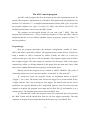
1
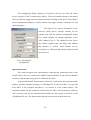
configuration, and two buttons for unzooming the data display, which is zoomed using
the mouse. There is also a small window, which shows the current shot number.
The status bar shows the current program mode and state. Two windows of the
status bar show the mouse pointer position, the signal (ADC channel) name and the data
segment number.
The data display shows all acquired data segments in all ADC channels. Its
primary goal is to preview data for operative control and to indicate channel overloading.
The display therefore shows all data, with overloaded channels indicated by yellow
background. Pressing and dragging the mouse button selects a data window to zoom.
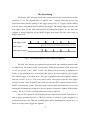
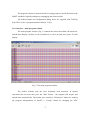
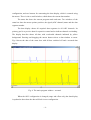
Fig. 4 shows the data of the same shot with all bars switched off and a zoomed data
display.
Fig. 4. The main program window - zoomed.
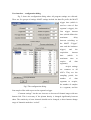
When the ADC configuration is changed (range and offset only) the data display
is updated to show how the data will look in new configuration.
-8-