1
Troubleshooting
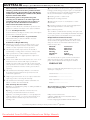
If a fault occurs, first check the points listed below before taking the set for repair.
If you are unable to remedy a problem by following these hints, consult your dealer or service centre.
WARNING: Do not open the set as there is a risk of electric shock. Under no circumstances should you try to repair the set yourself, as this will invalidate the guarantee.
Problem
- - indication
– Possible cause
• Remedy
–
•
–
•
–
•
–
•
No sound /power
–
•
–
•
–
•
–
•
Volume not adjusted
Adjust the VOLUME
Power cord not securely connected
Connect the AC power cord properly
Batteries dead/ incorrectly inserted
Insert (fresh) batteries correctly
CD contains non-audio files
Press SEARCH ∞ , § once or more to skip to
a CD audio track, instead of the data file.
Display does not function properly/ No
reaction to operation of any of the controls
– Electrostatic discharge
• Switch off and unplug the set. Reconnect after a
few seconds
The CD skips tracks
–
•
–
•
CD damaged or dirty
Replace or clean CD
Program is active
Quit program mode
No CD inserted
Insert a CD
CD badly scratched or dirty
Replace/ clean CD, see Maintenance
Laser lens steamed up
Wait until lens has cleared
CD-R(W) is blank or not finalized
Use a finalized CD-R(W) or suitable CD Audio
disc only
Note:
Make sure the CD is not encoded with
Copyright protection technologies, as some
do not conform to the Compact
Disc standard.
Poor cassette sound quality
– Dust and dirt on the heads, etc.
• Clean deck parts, see Maintenance
– Use of incompatible cassette types (METAL or
CHROME)
• Only use NORMAL (IEC I) for recording
Recording does not work
– Cassette tab(s) may be broken
• Apply adhesive tape over the missing tab space
Environmental information
All unnecessary packaging material has been omitted.The packaging can be easily separated
into three materials: cardboard, polystyrene and plastic.
Your set consists of materials which can be recycled if disassembled by a
specialized company. Please observe the local regulations regarding the
disposal of packaging, dead batteries and old equipment.
Downloaded From DvDPlayer-Manual.com Philips Manuals