1
Settings
Settings
The Settings Menu has options
to customize your phone.
Access and Options
1. Press
2. Press
.
1.1.1 Screen Saver
Allows you to choose the kind of
screen savers to be displayed on
your phone while not in use.
1. Press
Settings.
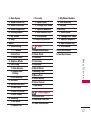
3. Select a sub-menu.
1. Display
2. Sounds
3. Messages
4. Bluetooth
5. Side Key Guard
6. Text Entry
7. More...
1. Display
Provides you with options to
customize the phone’s display
screen.
54
1.1 Main Screen
,
,
,
,
.
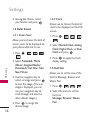
2. Select Preloaded/ Photo
Album/ Assigned Media/
Downloads/ Get New/ Take
New Picture.
3. Use the navigation key to
select an image and press
to view the image.
(Once an image is displayed,
you can use your navigation
key to scroll through and view
the other default images.)
4. Press
to assign the
desired image.