1
NO
®
NO
EN
EN
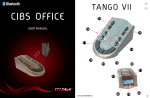
TANGO VII
User manual
Konfigurasjons tabell/ Configuration Table
Type telefonapparat / Telephone type
Nr./No.
Alcatel, Reflex, Ericsson, Telenor Venus, Siemens,
Ludia, Nortel, Meridian
1
Panasonic, Teleste
2
Ascom Eurit/office Unipax6,
EB/ABB’s push-button series, B&O 500/2000
Eldre/older Sopho K8-24
Eldre/older Mine, UP 16/small, Tellus 30 ISDN
3
ZO, Telli 4000, Telleste SLO2000, Zodiac 308,
Zodiac Freedom
4
Amanda 520 VDU, Digital 2000, New VDU, Delta Analog
5
Telcom Europe S431, Hagenuk S322
6
TBK Concorde 1/2
7
Bang & Olufsen 1600/2400/2500
8
ILLUSTRASJON/ ILLUSTRATION
5
1
User manual Tango VII 1e
b
a
4
User manual Tango VII 1e
H
b
b
2
NO
NO
EN
Norsk
5
4
7
e
c b
a d
1
e
da
b
justere volum på Tango VII
justere tonenivået på Tango VII
svare på en telefonsamtale (Tango VII)
avslutte en telefonsamtale (Tango VII)
ringe fra fasttelefon (Tango VII)
c
6
2
Gratulerer
Om Tango VII
Tango VII funksjoner
Montere Tango VII
Konfigurere Tango VII
Paring av enheter
Hvordan...
Feilsøking og ofte stilte spørsmål
Oppbevaring og vedlikehold
EN
5
5
6
7
7
8
9
9
9
9
10
10
10
11
3
8
10
11
9
12
3
13
14
User manual Tango VII 1e
User manual Tango VII 1e
4
NO
NO
Gratulerer
EN
Gratulerer med din nye Tango VII. Vi håper du får mye glede av
løsningen som skal gi deg veldig god lyd fra din fasttelefon. Denne
brukerveiledningen vil sørge for at du kommer i gang, slik at du får
mest mulig glede av din nye løsning. Din hjelpemiddelsentral leverer en
rekke tilleggsprodukter som utvider funksjonaliteten til dette produktet
ytterligere.
Vær oppmerksom på!
Gjør aldri forsøk på å demontere enhetene selv. Bare godkjente
forhandlere eller serviceverksteder kan åpne produktene. Ta kontakt
med hjelpemiddelsentralen hvis noen deler av produktene må skiftes.
Konfigurasjonknapp 4 d:
Brukes til å konfigurere Tango VII til å fungere mot din fasttelefon.
•
Paringsknapp 4 e:
Setter Tango VII i paringsmodus.
•
Tonekontroll for telefonrør 5 :
Justerer tonenivået på telefonsamtalen i telefonrøret.
•
Volumkontroll for halsslynge 6 a/b:
Justerer volumet på telefonsamtalen til Blues II/Maestro.
•
Volumindikasjon for halsslynge 6 c:
Indikerer volumet på telefonsamtalen til Blues II/Maestro.
•
Oppbevares utilgjengelig for barn:
Plastposene som produktet og ekstrautstyret er pakket i, er ikke leketøy
for barn. Posene i seg selv, eller de små delene de inneholder, kan føre
til kvelning hvis de svelges.
Mikrofon-følsomhetsknapp 6 d:
Brukes til å justere mikrofonfølsomheten til Tango VII.
•
Tonekontroll forhalsslynge 7 :
Justerer tonenivået på telefonsamtalen til Blues II/Maestro.
•
Antenning av brennbare atmosfærer
Ikke bruk Tango VII i omgivelser hvor det er fare for antenning av
brennbare gasser.
Kommunikasjonslys 8
Viser om Tango VII er tilkoblet Blues II/Maestro.
•
Inngang for telefonrør 9 :
Her tilkobles telefonrøret til din fasttelefon.
•
Inngang for telefonapparat 10 :
Her tilkobles din fasttelefon.
•
Inngang for rørløfter (tilleggsutstyr) 11 :
Her tilkobles rørløfter som kan gjør at du kan svare en
telefonsamtale trådløst fra din Blues II/Maestro.
•
Audioutgang 12 :
Her tilkobles ekstern teleslyngeforsterker og lignende.
•
Dialoginngang 13 :
Ikke tilgjengelig på Tango VII.
•
Strøm-inngang 14 :
Tilkobling for medfølgende strømforsyning.
Om Tango VII
Tango VII er en trådløs forsterker for bordtelefoner. Enheten sender lyd
trådløst til en Blues II/Maestro eller andre Bluetooth-enheter.
Se illustrasjonene på side 2 for forklaring av punktene nedenfor
5
•
•
Velger for telefonrør 1 :
Brukes til å få telefonsamtalen over i telefonrøret.
•
Velger for dialogmodus 2 :
Denne funksjonen er ikke tilgjengelig på Tango VII.
•
Velger for halsslynge 3 :
Brukes til å få telefonsamtalen over i din Blues II/Maestro.
•
Volumkontroll for telefonrør 4 a/b:
Justerer volumet på telefonsamtalen i telefonrøret.
•
Volumindikasjon for telefonrør 4 c:
Indikerer volumet på telefonsamtalen i telefonrøret.
EN
Tango VII funksjoner
Tango VII forsterker med bordtelefoner uten Bluetooth.
Den gir deg trådløs kommunikasjon mellom bordtelefon og
Blues II/Maestro eller andre Bluetooth-enheter. Tango VII kan også
brukes til å forsterke lyden i ditt telefonrør.
User manual Tango VII 1e
User manual Tango VII 1e
6
NO
EN
NO
Montere Tango VII
Bruk medfølgende strømforsyning og sett den inn i strøm-inngangen 14 .
Tango VII vil da slå seg på automatisk. Dette vil du se ved at alle lampene
på Tango VII lyser. Tango VII har ingen av/på-knapp. Den vil automatisk
gå i standby modus når den ikke er i bruk.
1. Finn ledningen som går fra telefonrøret til telefonapparatet.
Koble denne ledningen ut av telefonapparatet og inn i
inngang for telefonrør 9 .
2. Den vedlagte ledningen (60cm) settes inn i telefonapparatet der
hvor ledning i punkt 1 ble frakoblet. Koble den andre enden inn i
inngang for telefonapparat 10 .
3. Rørløfter (tilleggsutstyr) skal kobles inn i inngang for rørløfter 11 .
den virker. Hvis den ikke virker så velger du neste konfigureringstall
og gjentar mikrofontesten. Tango er ferdig konfigurert når du har
summetone og mikrofonen i telefonrøret virker.
Konfigurasjonsknappen 4 d kan da slippes opp. Hvis man bruker for
lang tid på konfigureringen faller summetonen bort og telefonrøret må
da legges på og løftes av igjen for videre konfigurering.
EN
Konfigurering av mikrofonfølsomhet (styrke på din stemme)
Trykk ned og hold knapp 6 d med penn eller lignende mens du justerer
følsomheten ned/opp ved hjelp av knappene 6 a og 6 b.
Lyssøyle 6 c indikerer nivået for følsomheten
Paring av enheter
Enhetene må programmeres for å kunne kommunisere med hverandre.
Dette gjøres ved å koble disse sammen trådløst (paring).
Konfigurere Tango VII
Konfigurering betyr å tilpasse Tango til ditt telefonapparat.
Se på konfigureringslisten side 1.
Står din telefon oppført på konfigureringslisten så benytter du det
konfigureringstallet som står ved din telefon og går videre til
alternativ a.
Hvis ikke telefonen er oppført i konfigureringslista går du videre til
alternativ b.
Alternativ a.
Trykk ned konfigurasjonsknappen 4 d ved hjelp av en penn eller
lignende mens du konfigurerer. Du vil nå få et lyspunkt på
volumindikasjon for telefonrør 4 c som indikering av konfigureringstallet. Konfigureringstallet 01 er nederst og 08 er øverst på lyssøylen.
Trykk på 4 a eller 4 b for å velge ditt konfigureringstall.
Slipp konfigurasjonsknappen 4 d når du har stilt inn på riktig konfigureringstall. Test nå om du hører summetonen samt lyd fra mikrofonen ved
å blåse på den. Tango er nå ferdig konfigurert.
NB! Det er viktig at Tango VII og andre Bluetooth-enheter er innenfor en
avstand på mindre enn 1 meter under paring og at enhetene som skal
pares er fullt oppladet.
Pare Tango VII mot Bluetooth enheter
• Slå på Bluetooth enheten (Blues II/Maestro).
• Sett Bluetooth enheten (Blues II/Maestro) i paringsmodus.
NB! Det er viktig at enheten du skal pare mot bruker koden:
0000. Ved paring mot Maestro eller Blues II vil dette skje
automatisk.
• Trykk og hold inn Tango VII’s paringsknapp 4 e inntil du ser at
kommunikasjonslys 8 blinker vekselsvis rødt og blått.
• Tango VII er nå klar for paring.
• Når Tango VII er paret sammen med den andre Bluetooth
enheten (Blues II/Maestro) vil kommunikasjonslys 8 lyse
konstant blått.
• Hvis paringen ikke er vellykket, gjentas prosedyren.
Alternativ b.
Trykk på velger for telefonrør 1 for aktivering av telefonrøret.
Hold konfigurasjonsknappen 4 d ned ved hjelp av en penn eller lignende
mens du konfigurerer. Du vil nå få et lyspunkt på
volumindikasjon for telefonrør 4 c som indikering av konfigureringstallet. Konfigureringstallet 01 er nederst og 08 er øverst på lyssøylen.
Løft av røret på telefonapparatet og trykk på 4 a eller 4 b inntil du hører
summetonen godt via telefonrøret. Blås så i mikrofonen for å høre om
7
User manual Tango VII 1e
User manual Tango VII 1e
8
NO
EN
NO
Hvordan...
…… justere volum på Tango VII
• For telefonrør
-- Pass på at Tango VII lyser på volumindikasjon for telefonrør 4 c.
Hvis den ikke gjør det trykker du på velger for telefonrør 1
-- Justér volumet ved å trykke på
volumjustering for telefonrør 4 a/b.
-- Nivået på volumet vil du se i volumindikasjon for telefonrør 4 c.
• For halsslynge (Blues II)
-- Pass på at Tango VII lyser på volumindikasjon for Blues II 6 c.
Hvis den ikke gjør det trykker du på velger for Blues II 3 .
-- Justér volumet ved å trykke på
volumjustering for Blues II 6 a/b.
-- Nivået på volumet vil du se i volumindikasjon for Blues II 6 c.
…… justere tonenivået på Tango VII
• For telefonrør
-- Pass på at Tango VII lyser på volumindikasjon for telefonrør 4 c.
Hvis den ikke gjør det trykker du på velger for telefonrør 1 .
-- Justér tonenivået ved å trykke på
tonejustering for telefonrør 5 .
• For halsslynge (Blues II)
-- Pass på at Tango VII lyser på volumindikasjon for Blues II 6 c.
Hvis den ikke gjør det trykker du på velger for Blues II 3 .
-- Justér tonenivået ved å trykke på
tonejustering for Blues II 7 .
…… svare på en telefonsamtale (Tango VII)
• Gjennom telefonrør
-- Pass på at Tango VII lyser på volumindikasjon for telefonrør 4 c.
Hvis den ikke gjør det trykker du på velger for telefonrør 1 .
-- Løft av telefonrøret på din fasttelefon.
-- Du vil da få telefonsamtalen i telefonrøret.
• Gjennom halsslynge (Blues II/Maestro)
-- Pass på at Tango VII lyser på volumindikasjon for halsslynge 6 c.
Hvis den ikke gjør det trykker du på velger for halsslynge 3 .
-- Trykk på Bluetooth enhetens (Blues II/Maestro) svarknapp.
-- Løft av telefonrøret på din fasttelefon.
-- Du vil da få telefonsamtalen i Bluetooth enheten
(Blues II/Maestro).
-- NB! Ved bruk av rørløfter (tilleggsutstyr) vil du få ringesignalet
direkte i halsslyngen og du kan enkelt svare telefonsamtalen
ved å trykke på Bluetooth enhetens svarknapp.
Du slipper da å ta av telefonrøret.
9
User manual Tango VII 1e
…… avslutte en telefonsamtale (Tango VII)
• Gjennom telefonrør
-- Legg på telefonrøret på din fasttelefon.
• Gjennom halsslynge (Blues II/Maestro)
-- Legg på telefonrøret på din fasttelefon.
-- Trykk på Bluetooth enhetens (Blues II/Maestro) svarknapp.
-- NB! Ved bruk av rørløfter (tilleggsutstyr) vil du kunne avslutte
samtalen ved å trykke på Bluetooth enhetens (Blues II/Maestro)
svarknapp.
Du slipper da å legge på telefonrøret.
EN
…… ringe fra fasttelefon (Tango VII)
• Gjennom telefonrør
-- Pass på at Tango VII lyser på volumindikasjon for telefonrør 4 c.
Hvis den ikke gjør det trykker du på velger for telefonrør 1 .
-- Løft av telefonrøret på din fasttelefon, og slå ønsket
telefonnummer.
-- Du vil da få telefonsamtalen i telefonrøret.
• Gjennom halsslynge (Blues II/Maestro)
-- Pass på at Tango VII lyser på volumindikasjon for halsslynge 6 c.
Hvis den ikke gjør det trykker du på velger for halsslynge 3 .
-- Trykk på Bluetooth enhetens (Blues II/Maestro) svarknapp.
-- Løft av telefonrøret på din fasttelefon, og slå ønsket
telefonnummer.
-- Du vil da få telefonsamtalen i Bluetooth enheten (Blues II/
Maestro).
• NB! Ved bruk av rørløfter (tilleggsutstyr) vil rørløfteren automatisk
løfte av røret når du trykker på Bluetooth enhetens (Blues II/
Maestro) svarknapp.
Du slipper da å ta av telefonrøret.
Feilsøking og ofte stilte spørsmål
Tango VII slår seg ikke på!
• Kontroller at pluggen til strømforsyningen sitter skikkelig i
Tango VII og at stikkontakten fungerer.
Jeg hører spraking i Bluetooth enheten!
• For best mulig lydkvalitet må du ha Bluetooth enheten (Blues II/
Maestro) innenfor rekkevidde til Tango VII (ca. 70 meter, fri sikt)
• Forsikre deg om at Tango VII er konfigurert riktig
• Hvis du bruker hodesett, forsikre deg om at pluggen til hodesettet er
skikkelig koblet til.
User manual Tango VII 1e
10
NO
EN
NO
Jeg kan ikke høre noe i Bluetooth enheten!
• Øk lydstyrken på Bluetooth enheten (Blues II/Maestro)
eller på Tango VII.
• Sjekk at Bluetooth enheten (Blues II/Maestro)
er paret sammen med Tango VII.
• Hvis du bruker hodesett, forsikre deg om at pluggen til hodesettet er
skikkelig koblet til.
• Hvis du bruker høreapparat, forsikre deg om at slyngen ligger riktig
rundt halsen og at høreapparatet står i T eller MT stilling.
Vil Tango VII fungere sammen med annet Bluetooth-utstyr?
• Enheten er konstruert for å kunne fungere sammen med alle
Bluetooth-enheter. Det forutsetter at Bluetooth-enheten er
kompatible med Bluetooth versjon 1.1, 1.2 eller 2.0 og som støtter et
hodesett-, en handsfree-profil og/eller en A2DP-profil.
• Bluetooth-enhetene må ha “0000” som passord.
•
•
11
Congratulations
About Tango VII
The functions of Tango VII
Installing the Tango VII
Configure Tango VII
Pairing of the units
How to...
adjust the volume of Tango VII
adjusting the tone level of Tango VII
answer a telephone call (Tango VII)
end a telephone call (Tango VII)
Making a call from your desk phone (Tango VII)
Trouble shooting and FAQ
Storage and maintenance
Oppbevaring og vedlikehold
•
•
English
EN
5
5
7
7
7
8
9
9
9
9
10
10
11
11
Oppbevar alltid enhetene med strømmen avslått
Oppbevar ikke enhetene ved ekstreme temperaturer
(over 45°C/113°F, inkludert i direkte sollys, eller under -10°C/14°F).
Dette kan forkorte batteriets levetid og kan påvirke bruken.
Høye temperaturer kan også redusere ytelsen.
Ikke utsett enhetene for væske eller fukt.
Hold enhetene rene ved hjelp av en tørr klut.
User manual Tango VII 1e
User manual Tango VII 1e
4
NO
NO
Congratulations
•
Configuration button 4 d:
Used for configuration of the Tango VII, This is done to get correctly
communication with your telephone
•
Pairing button 4 e:
Sets the Tango VII in pairing mode.
•
Tone adjustment for telephone receiver 5 :
Adjusts the tone level of the conversation through the
telephone handset.
•
Volume control for neck loop 6 a/b:
Adjusts the volume of the conversation through Blues II/Maestro.
•
Volume indicatior for neck loop 6 c:
Indicates the volume of the conversation through Blues II/Maestro.
•
Microphone sensitivity button 6 d:
Applied to adjust the microphone sensitivity in Tango VII/Maestro.
•
Tone adjustment for neck loop 7 :
Adjusts the tone level of the conversation through Blues II/Maestro.
•
Communication light 8
Shows if Tango VII is connected to Blues II/Maestro
•
Input for the telephone handset 9 :
This is where you connect the telephone handset of
your desk phone.
•
Input for the desk phone 10 :
This is where you connect you desk phone, with the enclosed cable.
•
Selector for telephone handset 1 :
Applied to receive the phone call through the telephone handset.
Input for handset lifter (accessory) 11 :
This is where you connect the handset lifter, which enables you to
answer the phone call remotely via your Blues II/Maestro.
•
•
Selector for dialogue mode 2 :
This function is not available on Tango VII.
Audio output 12 :
This is where you connect e.g. external telecoil amplifier etc.
•
•
Selector for neck loop 3 :
Applied to receive the phone call through the Blues II/Maestro.
Dialogue input 13 :
Not available on Tango VII
•
•
Volume control for the telephone handset 4 a/b:
Adjusts the volume of the conversation through the
telephone handset.
Power input 21 :
Connection for the accompanied power supply.
•
Volume indicatior for the telephone handset 4 c:
Indicates the volume of the conversation through the
telephone handset
EN
Congratulations with your new Tango VII. We hope you get a lot of
pleasure from this solution which gives you better sound from your
landline phone.
This user manual will ensure you get started so that you can get the
most out of your new solution. Your local dealer offers a range of
accessories which will further enhance the functionality of this product.
Never attempt to dismantle the product yourself. Only approved local
dealers or service centres may open the products. Contact your local
dealer if any parts of the unit need replacing.
Keep out of reach of children:
The plastic packaging of the product and accessories are not children’s
toys. The packaging or the small parts it contains may cause choking if
swallowed.
Ignition of flammable atmospheres
Do not use Tango VII in environments where there is a danger of igniting
combustible gasses.
About Tango VII
Tango VII is a wireless Bluetooth transmitter for desk telephones. It
transfer audio wireless t a Blues II/Maestro or other Bluetooth compatible products.
See the illustrations on page 2 for an explanation of the points below
•
5
User manual Tango VII 1e
User manual Tango VII 1e
EN
6
NO
EN
NO
The functions of Tango VII
Tango VII is an amplifier for desk telephones without Bluetooth.
It gives you a wireless communication between the desk telephone and
Blues II/Maestro or other Bluetooth compatible products. Tango VII can
also be used to amplify the sound in your exsiting handset.
Installing the Tango VII
Connect the accompanying power supply to the power socket 14 .
Tango VII will switch itself on automatically. This will be indicated by all
the lights will illuminate for some seconds. Tango does not have an on/
off switch, but will automatically go into stand-by mode when not in use.
1. Find the cable that connects the telephone handset to the desk
phone. Detach the cable from the desk phone and connect it to the
input for telephone handset on the Tango VII 9
2. Then, connect the accompanied cable (60cm) to the desk phone
where the above cable was detached (1), and to the input for desk
phone on Tango VII 10 .
3. Handset lifter (accessory) can be connected to the input for handset
lifter 11 .
Configure Tango VII
Configuration means adapting the Tango VII to your desk phone.
See the Configuration list on page 1.
If your desk phone is listed on the attached Configuration list, apply the
configuration digit that corresponds with your phone, and continue to
alternative a.
If your desk phone is not listed, continue to alternative b.
Alternative a.
Use a pen or similar pointed object to press and hold configuration
button 4 d. The configuration number is indicated by a light in the
indicator bar 4 c, with configuration number 01 at the bottom and 08 at
the top. Press 4 a or 4 b repeatedly to select the configuration digit of
your phone. When the correct digit is selected, release the button 4 d.
Make sure that you can hear the dialling tone in your phone and check
the microphone by blowing on it. Tango VII is now successfully configured.
7
User manual Tango VII 1e
Alternative b.
Press button 1 to activate the telephone receiver. Use a pen or similar
pointed object to press and hold configuration button 4 d.
The configuration number is indicated by a light in the indicator bar 4 c,
with configuration number 01 at the bottom and 08 at the top.
Lift the telephone handset and press 4 a or 4 b repeatedly until you hear
the dialling tone clearly through the receiver. Check that the microphone
works by blowing on it. If not, step to the next configuration number and
repeat the microphone test. When you both hear the dialling tone and the
microphone works, your Tango VII is successfully configured.
The configuration button 1 d can then be released.
If too much time elapses, the dialling tone will cease and you must
replace the handset and lift it again in order to continue configuration.
EN
Configuration of microphone sensitivity (loudness of your voice)
Use a pen or similar pointed object to press and hold button 6 d, while
adjusting the sensitivity up or down by pushing button 6 a or 6 b.
The light bar 6 c indicated the level of microphone sensitivity.
Pairing of the units
The units in must be programmed to be able to communicate
with each other. This is done by connecting them wirelessly (pairing).
NOTE: It is important that the Tango VII and the other neck loop
are within one meter distance of each other pairing and that the other
neck loops is fully charged.
Pair the Tango VII with the neck loop
• Switch on the nack loop (Blues II/Maestro)
• Put the neck loop (Blues II/Maestro) into pairing mode.
Press and hold the pairing button 4 e on Tango VII until the
communication lamp 8 flashes alternately red and blue.
• Tango VII is now ready for pairing.
• When the Tango VII are paired with the neck loop (Blues II/
Maestro), the communication lamp will light solid blue.
• If the pairing is unsuccessful, repeat the procedure.
User manual Tango VII 1e
8
NO
EN
NO
How to...
…… adjust the volume of Tango VII
• For the telephone handset
-- Make sure that Tango VII is lit on the volume indicator for the
telephone handset 4 c. If not, press the selector for telephone
handset 1
-- Adjust the volume by pressing the volume control for the
telephone handset 4 a/b
-- You will see the sound level in the volume indicator for the
telephone handset 4 c.
• For the neck loop (Blues II/Maestro)
-- Make sure that Tango VII is lit on the volume indicator for
neck loop 6 c. If not, press the selector for neck loop 3
-- Adjust the volume by pressing the volume control for
neck loop 6 a/b
-- You will see the sound level in the volume indicator for
neck loop 6 c.
…… adjusting the tone level of Tango VII
• For the telephone handset
-- Make sure that Tango VII is lit for the volume indicator for the
telephone handset 4 c. If not, press the selector for telephone
handset 1
-- Adjust the tone level by pressing the tone adjustment
for the telephone handset 5
• For the neck loop (Blues II/Maestro)
-- Make sure that Tango VII is lit on the volume indicator for
neck loop 6 c. If not, press the selector for neck loop 3
-- Adjust the tone level by pressing the tone adjustment
for neck loop 7
…… answer a telephone call (Tango VII)
• Through the telephone handset
-- Make sure that Tango VII is lit for the volume indicator for the
telephone handset 4 c. If not, press the selector for telephone
handset 1
-- Lift the handset from your telephone.
-- You will then hear the call through the telephone handset.
• Through neck loop (Blues II/Maestro)
-- Make sure that Tango VII is lit on the volume indicator for
neck loop 6 c. If not, press the the selector for neck loop 3 .
-- Press the answer button on the neck loop (Blues II/Maestro).
-- Lift the handset from your telephone.
9
User manual Tango VII 1e
-- You will then hear the call in the neck loop
(Blues II/Maestro).
-- Note! By using a handset lifter (optional), you will hear the ring
signal directly in the neck loop, and you can easily answer the
call by pressing the answer button on the neck loop
(Blues II/Maestro). Then you do not need to lift the handset.
EN
…… end a telephone call (Tango VII)
• Through the telephone handset
-- Replace the handset of your telephone.
• Through neck loop (Blues II/Maestro)
-- Replace the handset of your telephone.
-- Press the answer button on the neck loop
(Blues II/Maestro).
-- Note! By using a handset lifter (optional), you will be able to end
the call by pressing the answer button on the neck loop (Blues
II/Maestro). Then you do not need to replace the handset.
…… Making a call from your desk phone (Tango VII)
• Through the telephone handset
-- Make sure that Tango VII is lit for the volume indicator for the
telephone handset 4 c. If not, press the selector for telephone
handset 1 .
-- Lift the handset of your telephone, and dial the desired
telephone number.
-- You will then hear the call through the telephone handset.
• Through neck loop (Blues II/Maestro)
-- Make sure that Tango VII is lit on the volume indicator for
neck loop 6 c. If not, press the the selector for neck loop 3 .
-- Press the answer button on the neck loop
(Blues II/Maestro)
-- Lift the handset of your telephone, and dial the desired
telephone number.
-- You will then hear the call in the neck loop.
-- Note! By using a handset lifter (optional), the handset lifter will
automatically lift the handset when you press the
answer button on the neck loop (Blues II/Maestro). Then you do
not need to lift the handset.
User manual Tango VII 1e
10
NO
NO
Trouble shooting and FAQ
EN
Certification and safety approvals
Tango VII won’t turn on!
• Check that the power supply is inserted in the Tango VII and that the
plug contact works.
I hear crackling!
FCC
• For the best possible sound quality you
must have the neck loop
Dette40
produktet
er designet
within the range of the Tango VII. (approx.
meters, free
sight).
• Ensure that Tango VII is configured correctly.
for å imøtekomme Federal
• If you use a headset ensure that the plug
to the headsetCommission
is properly (FCC)
Communications
connected.
sin krav og reguleringer.
I cannot hear anything in the neck loop! Your mobile device is also designed
• Increase the volume on the neck loopto
ormeet
Tangothe
VII.requirements for
• Ensure that the unit is paired up to theexposure
Tango VII.
to radio waves established
• If you use a headset, ensure that the plug
to Federal
the headset
is properly
by the
Communications
connected.
Commission (USA) and Industry
Will Tango VII function the same with other
Bluetooth equipment?
Canada.
• The Tango VII is made to work with most
Bluetoothabout
handsfree
units.model
Information
this device
This depends if the Bluetooth unit is compatible
with
can be found
at Bluetooth
www.fcc.gov/oet/
version 1.1, 1.2 or 2.0, supporting the handsfree profile.
fccid by searching the equipment
Storage and maintenance
•
•
•
11
COMMidt-logo
Do not store the Tango VII in extreme temperatures
COMMidt® er beskyttet, og
over 45°C/113°F, in direct sunlight, or Logoen
below -10°C/14°F).
all bruk
av denne logo må avklares
Do not expose the Tango VII to rain or other
liquids
Clean the device with a dry cloth.
med COMMidt.
User manual Tango VII 1e
EN
CE
This product is CE marked accordingly to the provisions of the
R & TTE Directive (99/55/EC), COMMidt AS, declares that this product is in
compliance with the essential requirements and other relevant
provisions of Directive 1995/5/EC.
For further information, please consult: http://www.commidt.com
Bluetooth
The Bluetooth word® and logos are owned by the Bluetooth SIG, Inc. and any
use of such marks by COMMidt AS is under licence. Other trademarks and trade
names are those of their respective owners.
Electrical and electronic equipment (EEE) contains materials,
components and substances which can be dangerous and
detrimental to human health and the environment if waste
electrical and electronic equipment (WEEE) is not disposed of
correctly. Products marked with the “crossed-out waste bin”
symbol shown below are electrical and electronic equipment.
This symbol indicates that waste electrical and electronic
equipment must not be discarded along with unsorted household waste, but must
be collected separately. In the development and manufacture of your COMMidt
product, high-quality materials and components have been used which can
be recycled.When disposing of electrical and electronic equipment you should
therefore make use of a collection arrangement intended for this purpose, which
may involve either delivery at your local collection point or recycling station or
collection at your home. Further information should be obtained from your local
dealer.
Batteries contain substances that may be harmful to human health
and the environment if not handled properly.
Batteries are labelled with a crossed dustbin as shown.
It symbolizes that waste batteries must not be disposed of as
unsorted municipal waste, but must be collected separately.
Some batteries are also labelled with the chemical symbol Hg (mercury), Cd
(cadmium) or Pb(lead). This is particularly harmful substances, and therefore it is
important that these batteries will be collected.
It is important that you hand your waste batteries to the collection systems which
are established. On this way you help to ensure that batteries are recycled in
accordance with the law and will not unduly impact the environment.
When disposing of waste batteries you must use a collection system established
for that purpose whether it be handed in at your local collection point or recycling
or collected directly from the household. Detailed information must be obtained
from the local authorities.
User manual Tango VII 1e
A
NO
EN
Removal of the battery:
1. Unscrew the screw on the rear of the unit
2. Remove the front cover
3. Unscrew the screw on the circuit board.
4. Remove the circuit board
5. Unplug the battery
Declaration of conformity
We COMMidt, Kirkegata 57-59, 7600 Levanger, Norway declare
under our own responsibility that the Bluetooth products to which this declaration
refers conforms withthe relevant standards or other standardised documents.
•93/42/EØF
•NS-EN12182
•ETSIEN301489-1V1.4.1(2002-08)
•ETSIEN301489-17V1.2.1(2002.08)
•EN300328V1.6.1(2004-11)
•EN61000-4-3,5.1
•EN61000-4-2,5.2
According the regulations in Radio Equipment and Telecommunications Terminal
Equipment (R&TTE) Directive 1999/5/EC
This device complies with Part 15 of the FCC Rules.
Operation is subject to the following two conditions:
(1) this device may not cause harmful interference, and
(2) this device must accept any interference received, including
interference that may cause undesired operation.
This device is a class 2 Bluetooth device (max 2 mW EIRP). Due to the low level
of transmit output power the device is not subject to the routine RF exposure
valuation as per Section 2.1093 of the FCC rules.
Levanger 2009-04-24
Roar Austvik
Managing Director, COMMidt
B
User manual Tango VII 1e