1
When the battery charge gets low
The headset beeps and the indicator light flashes red. Recharge the battery. If the
headset powers off during a call, the call will be automatically transferred to the
phone.
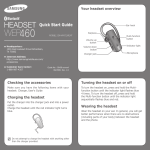
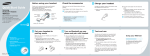
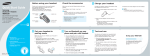
Wearing the headset
Place the headset on your ear.
Depending on what ear you are going to wear the headset, simply adjust the ear
hook accordingly.
Turning the headset on or off
To turn the headset on, slide up the power switch. The blue indicator light
flashes 4 times.
●● To turn the headset off, slide down the power switch. The indicator light flashes
red then turns off.
●●
Pairing and connecting the headset
Pairing and connecting the headset with a phone
1 Enter Pairing mode.
●● With the headset turned on, press and hold the Talk button until the blue
indicator light stays lit.
●● If you turn on the headset for the first time, it proceeds into Pairing mode
immediately.
2 Activate the Bluetooth feature on your phone and search for the headset (see
your phone’s user manual).
▲ Left
▲ Right
Your headset supports the Simple Pairing feature which allows the headset to
be paired with a phone without requesting a PIN. This feature is available for
phones that are compliant with Bluetooth version 2.1 or higher.
3 Select the headset (HM1100) from the list of devices found by your phone.
4 Enter the Bluetooth PIN (0000, 4 zeros) to pair and connect the headset to
your phone.
Making a call
Disconnecting the headset
To disconnect the headset from your phone,
●● Turn off the headset.
●● Use the Bluetooth menu on your phone.
Redialing the latest number
Press and hold the Talk button to redial the latest number of the most recently
connected phone.
For some phones, pressing the Talk button opens the call log list. Press the Talk
button again to dial the selected number.
Dialing a number by voice
Press the Talk button and say a name.
Reconnecting the headset
Answering a call
When the headset is paired with a phone, it will attempt to automatically reconnect
each time you turn it on.
If the headset does not automatically attempt to reconnect,
●● Press the Talk button.
●● Use the Bluetooth menu on your phone.
Using call functions
Available call functions may vary by the phone.
HM1100_QSG_NA_Rev.1.1.indd 2
Press the Talk button to answer a call when you hear incoming call tones.
Ending a call
Press the Talk button to end a call.
Rejecting a call
Press and hold the Talk button to reject a call when a call comes in. This function
is available only on the Hands-Free profile. For more information,
see your phone’s user manual.
2010-11-01 오전 9:50:49