1
T Series.book Page 1 Wednesday, February 16, 2005 1:59 PM
Copyright
Copyright & Trademark Information
Fujitsu Computer Systems Corporation has made every
effort to ensure the accuracy and completeness of this
document. However, as ongoing development efforts are
continually improving the capabilities of our products, we
cannot guarantee the accuracy of the contents of this
document. We disclaim liability for errors, omissions, or
future changes.
Fujitsu, the Fujitsu logo, and LifeBook are registered
trademarks of Fujitsu Limited.
Microsoft, MS-DOS, and Windows are either registered
trademarks or trademarks of Microsoft Corporation in the
United States and/or other countries.
All other trademarks mentioned herein are the property
of their respective owners.
© Copyright 2004 Fujitsu Computer Systems Corporation. All rights reserved. No part of this publication may
be copied, reproduced, or translated, without prior
written consent of Fujitsu Computer Systems Corporation. No part of this publication may be stored or transmitted in any electronic form without the written
consent of Fujitsu Computer Systems Corporation.
B6FH-3071-02EN-00
WARNING
PCMCIA is a trademark of the Personal Computer
Memory Card International Association.
Handling the cord on this product or cords
associated with accessories sold with this
product, will expose you to lead, a
chemical known to the State of California
to cause birth defects or other
reproductive harm.
Intel and Pentium are trademarks or registered trademarks
of Intel Corporation or its subsidiaries in the United States
and other countries.
Bluetooth is a registered trademark of Bluetooth SIG, Inc.
Adobe, Acrobat, and Acrobat Reader are either registered
trademarks or trademarks of Adobe Systems Incorporated
in the United States and/or other countries.
Wash hands after handling.
DECLARATION OF CONFORMITY
according to FCC Part 15
Responsible Party Name:
Fujitsu Computer Systems Corporation
Address:
1250 E. Arques Avenue, MS 122
Sunnyvale, CA 94085
Telephone:
(408) 746-6000
Declares that product:
Model Configuration:
LifeBook T4010 Tablet PC
LifeBook T4010D Tablet PC
Complies with Part 15 of the FCC Rules.
This device complies with Part 15 of the FCC rules. Operations are subject to the following two conditions:
(1) This device must not be allowed to cause harmful interference, (2) This device must accept any interference
received, including interference that may cause undesired operation.
T Series.book Page 2 Wednesday, February 16, 2005 1:59 PM
LifeBook T Series Tablet PC
IMPORTANT SAFETY INSTRUCTIONS
For Authorized Repair Technicians Only
This unit requires an AC adapter to operate. Use only
UL Listed Adapters with an output rating of 19 VDC,
with a current of 3.16 A.
AC Adapter output polarity:
+
When using your notebook equipment, basic safety
precautions should always be followed to reduce the risk
of fire, electric shock and injury to persons, including
the following:
■
■
■
■
■
Do not use this product near water for example, near
a bathtub, washbowl, kitchen sink or laundry tub, in a
wet basement or near a swimming pool.
Avoid using the modem during an electrical storm.
There may be a remote risk of electric shock from
lightning.
Do not use the modem to report a gas leak in the
vicinity of the leak.
Use only the power cord and batteries indicated in
this manual. Do not dispose of batteries in a fire. They
may explode. Check with local codes for possible
special disposal instructions.
To reduce the risk of fire, use only No. 26 AWG or
larger UL Listed or CSA Certified Telecommunication
Line Cord.
SAVE THESE INSTRUCTIONS
Danger of explosion if Lithium (clock) battery is incorrectly replaced. Replace only
with the same or equivalent type recommended by the manufacturer. Dispose of
used batteries according to the manufacturer’s instruction.
For continued protection against risk of
fire, replace only with the same type and
rating fuse.
System Disposal
LAMP(S) INSIDE THIS PRODUCT
Hg CONTAIN MERCURY AND MUST
BE RECYCLED OR DISPOSED OF
ACCORDING TO LOCAL, STATE, OR
FEDERAL LAWS.
T Series.book Page 3 Wednesday, February 16, 2005 1:59 PM
Ta b l e o f C o n t e n t s
Fujitsu LifeBook® T Series Tablet PC
Table of Contents
1
PREFACE
Preface
About This Guide . . . . . . . . . . . . . . . . . . . . . . . . . 3
Fujitsu Contact Information . . . . . . . . . . . . . . . . . 3
Warranty . . . . . . . . . . . . . . . . . . . . . . . . . . . . . . . 3
2
GETTING TO KNOW
YOUR TABLET PC
Overview
Unpacking . . . . . . . . . . . . . . . . . . . . . . . . . . . . . . 7
Optional Accessories . . . . . . . . . . . . . . . . . . . . . . 8
Locating Controls and Connectors
Top and Front Components . . . . . . . . . . . . . . . . 11
Left-Side Panel Components . . . . . . . . . . . . . . . 13
Right-Side Panel Components . . . . . . . . . . . . . . 14
Rear Panel Components . . . . . . . . . . . . . . . . . . . 15
Bottom Components . . . . . . . . . . . . . . . . . . . . . 16
Status Indicator Panel
Power Indicator . . . . . . . . . . . . . . . . . . . . . . . . . 17
AC Adapter Indicator . . . . . . . . . . . . . . . . . . . . . 17
Battery Charging/Level Indicators. . . . . . . . . . . . 17
Optical Drive Access Indicator . . . . . . . . . . . . . . 18
Hard Drive Access Indicator . . . . . . . . . . . . . . . . 18
NumLk Indicator. . . . . . . . . . . . . . . . . . . . . . . . . 18
CapsLock Indicator . . . . . . . . . . . . . . . . . . . . . . . 18
ScrLk Indicator . . . . . . . . . . . . . . . . . . . . . . . . . . 18
Security Indicator . . . . . . . . . . . . . . . . . . . . . . . . 18
Display Panel
Opening the Display Panel . . . . . . . . . . . . . . . . .19
Using the System as a Tablet . . . . . . . . . . . . . . .19
Adjusting Display Panel Brightness . . . . . . . . . . .20
Keyboard
Using the Keyboard . . . . . . . . . . . . . . . . . . . . . .21
Numeric Keypad. . . . . . . . . . . . . . . . . . . . . . . . .21
Windows Keys . . . . . . . . . . . . . . . . . . . . . . . . . .21
Cursor Keys . . . . . . . . . . . . . . . . . . . . . . . . . . . .21
Function Keys. . . . . . . . . . . . . . . . . . . . . . . . . . .22
LifeBook Security/Tablet PC Buttons
Changing Tablet PC Button Functions . . . . . . . .24
Setting up LifeBook Security Panel . . . . . . . . . . .24
Passwords . . . . . . . . . . . . . . . . . . . . . . . . . . . . .24
Using Your LifeBook Security Panel . . . . . . . . . .25
Precautions. . . . . . . . . . . . . . . . . . . . . . . . . . . . .25
Uninstalling the Security Panel Application . . . . .26
Touchpad Pointing Device
Clicking . . . . . . . . . . . . . . . . . . . . . . . . . . . . . . .27
Double-Clicking . . . . . . . . . . . . . . . . . . . . . . . . .27
Dragging . . . . . . . . . . . . . . . . . . . . . . . . . . . . . .28
Scrolling . . . . . . . . . . . . . . . . . . . . . . . . . . . . . . .28
Touchpad Control Adjustment . . . . . . . . . . . . . .28
Volume Control
Controlling the Volume . . . . . . . . . . . . . . . . . . .29
Pen and Active Digitizer
Using the Pen. . . . . . . . . . . . . . . . . . . . . . . . . . .30
Installing a Pen Tether . . . . . . . . . . . . . . . . . . . .30
Calibrating the Pen. . . . . . . . . . . . . . . . . . . . . . .31
Replacing the Pen Tip. . . . . . . . . . . . . . . . . . . . .31
Using the Active Digitizer . . . . . . . . . . . . . . . . . .31
T Series.book Page 4 Wednesday, February 16, 2005 1:59 PM
LifeBook T Series Tablet PC
3
Memory Stick/SD Media
USING YOUR TABLET PC
Port Replicator
Power Sources
Connecting the Power Adapters. . . . . . . . . . . . . 35
Starting Your Tablet PC
Power On . . . . . . . . . . . . . . . . . . . . . . . . . . . . . 36
Boot Sequence . . . . . . . . . . . . . . . . . . . . . . . . . . 36
BIOS Setup Utility . . . . . . . . . . . . . . . . . . . . . . . 36
Booting the System . . . . . . . . . . . . . . . . . . . . . . 37
Activating Additional Utilities . . . . . . . . . . . . . . . 37
Registering Your Tablet PC. . . . . . . . . . . . . . . . . 37
Power Management
Suspend/Resume Button . . . . . . . . . . . . . . . . . . 38
Standby Mode . . . . . . . . . . . . . . . . . . . . . . . . . . 38
Hibernate Mode. . . . . . . . . . . . . . . . . . . . . . . . . 39
Display Timeout . . . . . . . . . . . . . . . . . . . . . . . . . 39
Hard Disk Timeout . . . . . . . . . . . . . . . . . . . . . . . 39
Windows Power Management . . . . . . . . . . . . . . 39
Restarting the System. . . . . . . . . . . . . . . . . . . . . 39
Power Off . . . . . . . . . . . . . . . . . . . . . . . . . . . . . 40
4
USER-INSTALLABLE FEATURES
Lithium ion Battery
Recharging the Battery. . . . . . . . . . . . . . . . . . . . 43
Replacing the Battery . . . . . . . . . . . . . . . . . . . . . 44
Memory Upgrade Module
Installing Memory Upgrade Modules . . . . . . . . . 45
To Remove a Memory Upgrade Module . . . . . . 45
Checking the Memory Capacity . . . . . . . . . . . . . 46
Flexible Bay Devices
Fujitsu Tablet Controls - CD/DVD Drive Help . . 48
Removing and Installing Modular Devices . . . . . 49
PC Cards
Installing PC Cards . . . . . . . . . . . . . . . . . . . . . . . 50
Removing PC Cards . . . . . . . . . . . . . . . . . . . . . . 50
Smart Card Reader . . . . . . . . . . . . . . . . . . . . . . . 50
Installing/Removing Memory Stick/SD Cards. . . 51
Rear Panel Components. . . . . . . . . . . . . . . . . . . 52
Front Panel Components . . . . . . . . . . . . . . . . . . 53
Attaching the Port Replicator . . . . . . . . . . . . . . . 54
Detaching the Port Replicator . . . . . . . . . . . . . . 54
Device Ports
Modem (RJ-11) Jack . . . . . . . . . . . . . . . . . . . . . 55
Internal LAN (RJ-45) jack . . . . . . . . . . . . . . . . . . 55
Docking Port . . . . . . . . . . . . . . . . . . . . . . . . . . . 55
Universal Serial Bus Ports . . . . . . . . . . . . . . . . . . 55
IEEE 1394 Port . . . . . . . . . . . . . . . . . . . . . . . . . . 55
Infrared Port . . . . . . . . . . . . . . . . . . . . . . . . . . . 55
Microphone Jack . . . . . . . . . . . . . . . . . . . . . . . . 56
Headphone Jack . . . . . . . . . . . . . . . . . . . . . . . . 56
External Monitor Port . . . . . . . . . . . . . . . . . . . . 56
External DVI Port . . . . . . . . . . . . . . . . . . . . . . . . 56
5
TROUBLESHOOTING
Troubleshooting
Identifying the Problem . . . . . . . . . . . . . . . . . . . 59
Specific Problems . . . . . . . . . . . . . . . . . . . . . . . . 59
Troubleshooting Table . . . . . . . . . . . . . . . . . . . . 60
Power On Self Test Messages . . . . . . . . . . . . . . 67
Modem Result Codes. . . . . . . . . . . . . . . . . . . . . 68
Restoring Your Software
Re-Installing Drivers and Applications . . . . . . . . 69
Restoring the Factory Image . . . . . . . . . . . . . . . 69
6
CARE AND MAINTENANCE
Care and Maintenance
LifeBook T Series Tablet PC . . . . . . . . . . . . . . . . 73
Keyboard . . . . . . . . . . . . . . . . . . . . . . . . . . . . . . 74
Batteries. . . . . . . . . . . . . . . . . . . . . . . . . . . . . . . 74
Optional Floppy Disk Drive and Floppy Disks . . . 74
Optional Optical Drive and Discs . . . . . . . . . . . . 74
PC Cards . . . . . . . . . . . . . . . . . . . . . . . . . . . . . . 75
T Series.book Page 5 Wednesday, February 16, 2005 1:59 PM
Ta b l e o f C o n t e n t s
7
SPECIFICATIONS
Specifications
Configuration Label . . . . . . . . . . . . . . . . . . . . . . 79
Physical Specifications . . . . . . . . . . . . . . . . . . . . 79
Processing Specifications . . . . . . . . . . . . . . . . . . 79
Memory/Storage Specifications . . . . . . . . . . . . . 79
Display Specifications . . . . . . . . . . . . . . . . . . . . . 79
Interface Specifications . . . . . . . . . . . . . . . . . . . . 80
Power Specifications. . . . . . . . . . . . . . . . . . . . . . 80
Environmental Specifications . . . . . . . . . . . . . . . 80
Agency Approval Specifications . . . . . . . . . . . . . 81
Additional Specifications. . . . . . . . . . . . . . . . . . . 81
Regulatory Information . . . . . . . . . . . . . . . . . . . 82
8
GLOSSARY
Configuration of the WLAN Device
Flow of Operations. . . . . . . . . . . . . . . . . . . . . . .99
Configuration Using Zero Configuration Tool . . .99
Configuration Using Intel PROSet Software . . .100
Configuration Using Atheros Client Utility . . . .101
Connection to the network. . . . . . . . . . . . . . . .103
Troubleshooting the WLAN
Troubleshooting . . . . . . . . . . . . . . . . . . . . . . . .106
Wireless LAN Glossary
Glossary . . . . . . . . . . . . . . . . . . . . . . . . . . . . . .107
IP address information
Additional Information . . . . . . . . . . . . . . . . . . .109
Specifications
Specification . . . . . . . . . . . . . . . . . . . . . . . . . . .110
Using the Bluetooth Device
What is Bluetooth?. . . . . . . . . . . . . . . . . . . . . .111
Installing Bluetooth. . . . . . . . . . . . . . . . . . . . . .111
Where to Find Information About Bluetooth . .111
Glossary . . . . . . . . . . . . . . . . . . . . . . . . . . . . . . . 87
APPENDIX A: INTEGRATED
WIRELESS LAN USER’S GUIDE
FCC Regulatory Information . . . . . . . . . . . . . . . 95
Before Using the Wireless LAN
Wireless LAN Modes Using this Device. . . . . . . . 96
Wireless Network Considerations . . . . . . . . . . . . 97
Deactivating the WLAN Device . . . . . . . . . . . . . 98
Activating the WLAN Device . . . . . . . . . . . . . . . 98
Index
Index . . . . . . . . . . . . . . . . . . . . . . . . . . . . . . . .113
T Series.book Page 6 Wednesday, February 16, 2005 1:59 PM
LifeBook T Series Tablet PC
T Series.book Page 1 Wednesday, February 16, 2005 1:59 PM
1
Preface
1
T Series.book Page 2 Wednesday, February 16, 2005 1:59 PM
LifeBook T Series Tablet PC
2
T Series.book Page 3 Wednesday, February 16, 2005 1:59 PM
Preface
Preface
ABOUT THIS GUIDE
The LifeBook® T Series Tablet PC from Fujitsu
Computer Systems Corporation is a powerful convertible computer. It can be used either as a standard notebook using keyboard input, or in tablet configuration
using pen input. It is powered by an Intel® microprocessor, has a built-in color display with an active digitizer, and brings the computing power of desktop
personal computers (PCs) to a portable and versatile
environment.
This manual explains how to operate your LifeBook T
Series Tablet PC’s hardware and built-in system software. Your LifeBook T Series Tablet PC comes with
Windows® XP Tablet PC Edition pre-installed.
FUJITSU CONTACT INFORMATION
Service and Support
You can contact Fujitsu Computer Systems Service and
Support the following ways:
■
■
■
■
Before you place the call, you should have the
following information ready so that the customer
support representative can provide you with the
fastest possible solution:
■
■
■
■
Your LifeBook T Series Tablet PC is a completely selfcontained unit with an active-matrix (TFT) color LCD
display. The display has a wide viewing angle and can be
used indoors or outdoors. The tablet has a powerful
interface that enables it to support a variety of optional
features.
Conventions Used in the Guide
Keyboard keys appear in brackets.
Example: [Fn], [F1], [Esc], [Enter] and [Ctrl].
Pages with additional information about a specific topic
are cross-referenced within the text.
Example: (See page xx.)
On screen buttons or menu items appear in bold.
Example: Click OK to restart your Tablet PC.
DOS commands you enter appear in Courier type.
Example: Shutdown the computer?
The information icon highlights
information that will enhance your
understanding of the subject material.
Toll free: 1-800-8Fujitsu (1-800-838-5487)
Fax: 1-408-764-2724
E-mail: [email protected]
Web site:
http://www.computers.us.fujitsu.com/support
■
■
■
Product name
Product configuration number
Product serial number
Purchase date
Conditions under which the problem occurred
Any error messages that have occurred
Type of device connected, if any
Fujitsu Online
You can go directly to the online Fujitsu Product catalog
for your Tablet PC. Go to Start -> Fujitsu WebLinks ->
Pen Accessories Web site.
You can also reach Fujitsu Service and Support online by
going to Start -> Fujitsu WebLinks -> Fujitsu Service
and Support.
You must have an active internet
connection to use the online URL links.
WARRANTY
Your LifeBook T Series Tablet PC is backed by an International Limited Warranty and includes toll-free technical support. Check the service kit that came with your
Tablet PC for warranty terms and conditions.
The caution icon highlights information
that is important to the safe operation of
your computer, or to the integrity of your
files. Please read all caution information
carefully.
The warning icon warns you about
possible hazards that can occur to you,
your system, or your files. Please read all
warning information carefully.
3
T Series.book Page 4 Wednesday, February 16, 2005 1:59 PM
LifeBook T Series Tablet PC - Preface
4
T Series.book Page 5 Wednesday, February 16, 2005 1:59 PM
2
Getting to Know
Your Tablet PC
5
T Series.book Page 6 Wednesday, February 16, 2005 1:59 PM
LifeBook T Series Tablet PC
6
T Series.book Page 7 Wednesday, February 16, 2005 1:59 PM
G e t t i n g t o K n o w Yo u r Ta b l e t P C
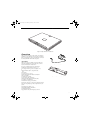
Figure 2-1. Fujitsu LifeBook T Series Tablet PC
Overview
This section describes the components of your Fujitsu
LifeBook T Series Tablet PC. We strongly recommend
that you read it before using your Tablet PC, even if you
are already familiar with mobile computers.
UNPACKING
When you receive your LifeBook T Series Tablet PC,
unpack it carefully, and compare the parts you have
received with the items listed below.
Figure 2-2. AC Adapter
For a pre-configured model you should have:
■
■
■
■
■
■
■
■
■
■
■
■
■
LifeBook T Series Tablet PC (Figure 2-1)
AC adapter with AC power cord (Figure 2-2)
Phone/Modem (RJ-11) telephone cable
Pen
Pen tether
Screen protectors (Qty. 2)
Driver and Application Restore (DAR) CD
Recovery DVD
Getting Started Guide
User’s Guide (this document)
International Limited Warranty Booklet
Certificate of Authenticity
Lithium ion battery (pre-installed)
Figure 2-3. Optional Port Replicator
You may also have one or more of the following devices
in the box, depending upon the configuration of your
system:
■
■
■
■
Port Replicator (Figure 2-3)
External USB Floppy Disk Drive
Additional battery(s)
Application CD(s) for third-party software
7
T Series.book Page 8 Wednesday, February 16, 2005 1:59 PM
LifeBook T Series Tablet PC - Section 2
OPTIONAL ACCESSORIES
The following optional accessories can be used with the LifeBook T Series Tablet PC. Refer to the instructions provided
with these accessories for details on their use. For the latest list of accessories available for your LifeBook T Series Tablet
PC, be sure to frequently check the Fujitsu Web site at: us.fujitsu.com/computers
Docking Options
■
LifeBook T Series Tablet PC port replicator
Carrying Cases
■
AC Adapter with US cord
■
Main battery
■
Executive leather portfolio
■
Modular bay battery
■
Field Mate convertible
■
Auto/airline adapter
■
Duo Travel Bag
■
Battery charger with AC Adapter
■
Director leather carrying case
■
Diplomat carrying case
■
Replacement pen set (2-pack)
■
Backpack
■
USB optical mouse
Storage Options
Input Accessories
Additional Accessories
■
External USB floppy disk drive
■
4-in-1 PC Card Adapter
■
Modular DVD/CD-RW Combo Drive
■
Compact Flash card adapter
■
Multi-Format DVD Writer
■
Notebook Guardian Lock
■
Screen protectors
■
Deluxe pen tether
Memory
8
Power Options
■
256 MB SDRAM, DDR333
■
512 MB SDRAM, DDR333
■
1.0 GB SDRAM, DDR333
■
128 MB Compact Flash card
■
256 MB Compact Flash card
■
128 MB Secure Digital memory card
T Series.book Page 9 Wednesday, February 16, 2005 1:59 PM
G e t t i n g t o K n o w Yo u r Ta b l e t P C
Locating the Controls and Connectors
Connectors and peripheral interfaces on the LifeBook T
Series Tablet PC and the optional port replicator allow
you to connect a variety of devices. Specific locations are
illustrated in Figures 2-4 through 2-8. The table below
Connection
Tablet PC
Icon
provides a short description of each icon on the LifeBook T Series Tablet PC. Each of the icons is either
molded into or printed on the Tablet PC chassis.
Purpose
DC in connector
Connect an external power source such as the AC adapter or auto/
airline adapter.
SD/Memory
Stick Slot
The Secure Digital (SD) card/Memory Stick slot allows you to install
a flash memory card for data storage. Flash memory cards allow
you to transfer data to and from a variety of different digital
devices.
Smart Card Slot
The dedicated Smart Card slot allows you to install a Smart Card on
which you can store such data as medical information or electronic
“cash”.
USB Port
Connect Universal Serial Bus 2.0 or 1.1 compliant devices to the
Tablet PC.
PCMCIA Card slot
Install Type I, Type II, or Type III PC Cards.
Microphone jack
Connect an external microphone. The internal microphone is
disabled when you plug in an external microphone.
Headphone jack
Connect stereo headphones or powered external speakers. The
internal speaker is disabled when you plug in external headphones
or powered speakers.
IrDA/FIR port
An infrared transceiver built into the Tablet PC allows you to
communicate with other devices that are compliant with IrDA
Standard Rev. 1.1. Effective range for infrared communication is
about 3 feet, and within 15 degrees off center. A clear line-of-sight
path must exist between the IrDA port on the computer and the
IrDA transceiver on the other device.
Modem
Connect a telephone line to the internal modem using a standard
RJ-11 telephone plug.
Tablet Dock port
Connect the Tablet PC port replicator or other approved docking
device. Refer to documentation accompanying the dock for more
information.
Security lock slot
The security slot allows you to secure the Tablet PC using
Kensington-compatible locking devices.
Suspend/Resume
button
The Suspend/Resume button allows you to suspend Tablet PC
activity without powering off, resume your Tablet PC from suspend
mode, and power on the system when it has been shut down from
Windows.
9
T Series.book Page 10 Wednesday, February 16, 2005 1:59 PM
LifeBook T Series Tablet PC - Section 2
Connection
Local Area
Network (LAN)
Tablet PC
Icon
Purpose
The LAN (RJ-45) jack is used to connect the internal 10/100/1000*
Base-T/Tx Ethernet to a Local Area Network (LAN) in your office or
home, or broadband devices such as a cable modem, DSL, or satellite
Internet.
*1000 Mbps, commonly referred to as Gigabit Ethernet.
Battery Release
Latch
The battery release latch allows you to remove the battery from
your system for storage or replacement.
Wireless LAN
On-Off Switch
The wireless LAN switch allows you to turn power to the optional
wireless LAN device on and off.
Display Rotation
This icon indicates the direction in which the display should be
rotated when converting to tablet mode.
Table 2-1. System icons
10
T Series.book Page 11 Wednesday, February 16, 2005 1:59 PM
G e t t i n g t o K n o w Yo u r Ta b l e t P C
Display
Panel
Latch
Built-in Microphone
Pen/
Pen Holder
Display
Panel
Status
Indicator
Panel
Built-in
Microphone
LifeBook
Security/
Tablet PC
Buttons
Rotation
Hinge
Suspend/
Resume
Button
SD/Memory
Stick Slot
Keyboard
Touchpad
Pointing
Device
Stereo Speaker
Power
Indicator
Headphone
Jack
Microphone
Jack
Scroll Button
Stereo Speaker
Figure 2-4. LifeBook T Series Tablet PC with display open
TOP AND FRONT COMPONENTS
The following is a brief description of the top and front
features of the LifeBook T Series Tablet PC. (Figure 2-4)
Pen/Pen Holder
The pen is used as the interface with the active digitizer
display.
Display Panel Latch
The display panel latch locks and releases the display
panel.
Display Panel
The display panel is a color LCD panel with back
lighting for the display of text and graphics and active
digitizer functionality.
Built-in Microphones
The built-in microphones allow you to input mono
audio.
LifeBook Security/Tablet PC Buttons
The LifeBook T Series Tablet PC Security/Tablet PC
Buttons provide hardware security and application
launch capabilities. See “LifeBook Security/ Tablet PC
Buttons” on page 23.
Suspend/Resume Button
The Suspend/Resume button allows you to suspend
Tablet PC activity without powering off, resume your
Tablet PC from standby mode, and power on your
system when it has been shut down from the Windows
operating system. See “Power On” on page 36.
Keyboard
A full-function keyboard with dedicated Windows keys.
See “Keyboard” on page 21.
Touchpad Pointing Device
The Touchpad pointing device consists of two mouselike buttons and one scroll button. See “Touchpad
Pointing Device” on page 27.
Stereo Speakers
The stereo speakers allow you to listen to stereo sound
from your system.
Microphone Jack
The microphone jack allows you to connect an external
mono microphone. See “Microphone Jack” on page 56.
11
T Series.book Page 12 Wednesday, February 16, 2005 1:59 PM
LifeBook T Series Tablet PC - Section 2
Headphone Jack
The headphone jack allows you to connect headphones
or powered external speakers. See “Headphone Jack” on
page 56.
Power Indicator
The power indicator shows the power state of the
system. Solid green indicates that power is on, and
blinking green indicates that the system is in suspend
mode.
SD Card/Memory Stick
The Secure Digital (SD) card/Memory Stick slot allows
you to install a flash memory card for data storage. Flash
memory cards allow you to transfer data to and from a
variety of different digital devices.
Rotation Hinge
The rotation hinge allows you to transform your Tablet
PC from a notebook configuration into a tablet configuration. See “Using the System as a Tablet” on page 19.
Status Indicator Panel
The Status Indicator Panel displays symbols that correspond to specific components of your LifeBook T Series
Tablet PC. See “Status Indicator Panel” on page 17.
12
T Series.book Page 13 Wednesday, February 16, 2005 1:59 PM
G e t t i n g t o K n o w Yo u r Ta b l e t P C
USB 2.0 Port
Pen Tether Attachment Point
Air Vents
Wireless/Bluetooth LAN
On/Off Switch
PC Card Slot
IEEE 1394 Port
Smart Card Slot
PC Card Eject/
Lock Button
Figure 2-5. LifeBook T Series Tablet PC left-side panel
LEFT-SIDE PANEL COMPONENTS
Following is a brief description of your Tablet PC’s leftside components. (Figure 2-5)
Pen Tether Attachment Point
The pen tether attachment point is designed to securely
hold a pen tether to prevent loss of the pen. See
“Installing a Pen Tether” on page 30 for additional information.
USB 2.0 Port
The USB 2.0 port allow you to connect Universal Serial
Bus devices. See “Universal Serial Bus Ports” on page 55.
PC Card Slot
The PC Card Slot allows you to install a Type I or Type II
PC Card. The PC Card Eject Button is used when
ejecting a PC Card from the slot. See “PC Cards” on
page 50.
IEEE 1394 Port
Allows you to connect IEEE 1394 (Firewire) peripherals
such as digital video cameras or external hard drives to
your Tablet PC.
WLAN/Bluetooth On/Off Switch
The wireless LAN/Bluetooth On/Off Switch is used to
power off the wireless antenna when not in use.
Smart Card Slot
The dedicated Smart Card slot allows you to install an
optional Smart Card on which you can store such data
as medical information or electronic “cash”.
13
T Series.book Page 14 Wednesday, February 16, 2005 1:59 PM
LifeBook T Series Tablet PC - Section 2
Anti-theft Lock Slot
Flexible Bay
Flexible Bay Eject Lever
Figure 2-6. LifeBook T Series Tablet PC right-side panel
RIGHT-SIDE PANEL COMPONENTS
Following is a brief description of your Tablet PC’s rightside components.
Flexible Bay
The Flexible Bay can accommodate one of the following
devices. See “Flexible Bay Devices” on page 48.
■
Modular DVD/CD-RW combo drive
■ Modular Multi-Format DVD Writer
■ Modular DVD-ROM drive
■
Modular Lithium ion battery
■ Weight Saver
Flexible Bay Eject Lever
The Flexible Bay eject lever releases the Flexible Bay
device.
Anti-theft Lock Slot
The anti-theft lock slot allows you to attach a optional
physical lock-down device.
14
T Series.book Page 15 Wednesday, February 16, 2005 1:59 PM
G e t t i n g t o K n o w Yo u r Ta b l e t P C
DC
Power
Jack
Infrared Port
USB 2.0 Port
Modem (RJ-11) Port
LAN (RJ-45) Port
External
Monitor Port
Figure 2-7. LifeBook T Series Tablet PC rear panel
REAR PANEL COMPONENTS
DC Power Jack
The DC power jack allows you to plug in the AC adapter
or the optional Auto/Airline adapter to power your
Tablet PC and charge the internal Lithium ion Battery.
Modem (RJ-11) Telephone Port
The Modem (RJ-11) telephone port is for attaching
a telephone line to the internal multinational 56K
modem.
The internal multinational modem is not
intended for use with Digital PBX systems.
Do not connect the internal modem to a
Digital PBX as it may cause serious damage
to the internal modem or your entire
LifeBook T Series Tablet PC. Consult your
PBX manufacturer’s documentation for
details. Some hotels have Digital PBX
systems. Be sure to find out BEFORE you
connect your modem.
Infrared Port
The fast IrDA compatible port allows you to communicate with another IrDA-compatible infrared device
without a cable. (See “Infrared Port” on page 55.)
LAN (RJ-45) Port
The internal LAN (RJ-45) port is used for an internal
GigaLAN Ethernet (10/100/1000 Base-T/TX) connection. See “Internal LAN (RJ-45) jack” on page 55.
External Monitor Port
The external monitor port allows you to connect an
external VGA or SVGA CRT monitor. Note that when
the optional Port Replicator is attached to the system,
you must use the external monitor port on the Port
Replicator rather than the port on the system. See
“External Monitor Port” on page 56.
The internal modem is designed to the
ITU-T V.90 standard. Its maximum speed
of 53000 bps is the highest allowed by
FCC, and its actual connection rate
depends on the line conditions. The
maximum speed is 33600 bps at upload.
USB 2.0 Ports
The two USB 2.0 ports allow you to connect Universal
Serial Bus devices. See “Universal Serial Bus Ports” on
page 55.
15
T Series.book Page 16 Wednesday, February 16, 2005 1:59 PM
LifeBook T Series Tablet PC - Section 2
Port Replicator
Connector
Main Unit and
Configuration
Label (approximate
location)
Memory
Upgrade
Compartment
Battery
Pack
Latch
Lithium ion
Battery
Compartment
Battery
Pack
Latch
Figure 2-8. LifeBook T Series Tablet PC bottom panel
BOTTOM COMPONENTS
Following is a brief description of your Tablet PC’s
bottom panel components. (Figure 2-8)
Lithium ion Battery Compartment
The battery compartment contains the internal Lithium
ion battery. The battery should be removed when the
computer is stored over a long period of time or for
swapping a discharged battery with a charged Lithium
ion battery. See “Lithium ion Battery” on page 43.
Port Replicator Connector
This connector allows you to connect the optional port
replicator.
16
Main Unit and Configuration Label
The configuration label shows the model number and
other information about your LifeBook T Series Tablet
PC. In addition, the configuration portion of the label
has the serial number and manufacturer information
that you will need to give your support representative. It
identifies the exact version of various components of
your Tablet PC.
Memory Upgrade Compartment
Your Tablet PC comes with high speed Synchronous
Dynamic RAM (SDRAM). The memory upgrade
compartment allows you to expand the system memory
capacity of your Tablet PC, hence improving overall
performance. See “Memory Upgrade Module” on
page 45.
T Series.book Page 17 Wednesday, February 16, 2005 1:59 PM
G e t t i n g t o K n o w Yo u r Ta b l e t P C
1
1
2
A
Battery 1
Hard Drive
Wireless
Battery 2
CapsLk
Security
Charging
Access
Charging
LAN Access
Indicator
Battery 1
NumLk
AC Adapter
Battery 2
ScrLk
Optical
Level
Level
Drive Access
Power
Figure 2-9. Status Indicator Panel
Status Indicator Panel
The Status Indicator Panel displays symbols that correspond to specific components of your LifeBook T Series
Tablet PC. These symbols tell you how each of those
components is operating. (Figure 2-9)
AC ADAPTER INDICATOR
The AC adapter indicator states whether your tablet is
operating from the AC adapter, the auto/airline adapter
or the batteries. This icon has two different states that
can tell you what power source your LifeBook Tablet PC
is using.
■
POWER INDICATOR
The Power indicator symbol states whether your system
is operational. It has several different states, each of
which tells you what mode your Tablet PC is in at that
time.
■
■
■
Steady On: This means that there is power to your
Tablet PC and that it is ready for use.
Flashing: This means that your Tablet PC is in Standby
mode.
Steady Off: This means that your system is either in
Hibernate mode, or that your Tablet PC has been
turned off.
If you are charging your battery, the Power indicator
symbol will remain on even if your LifeBook T Series
Tablet PC is shut off. The Power indicator symbol will
also remain on if you have either adapter connected and
are shut down from Windows.
■
On: This means that either of the adapters are
currently in use.
Off: Power is only coming from the batteries, and you
do not have an adapter connected.
BATTERY CHARGING/
1
LEVEL INDICATORS
The Battery Charging and Battery Level indicators state
whether the Lithium ion battery (Battery 1) or the
optional modular battery (Battery 2) are installed and
charging, and how much charge is available within the
batteries. (Figure 2-10)
Additionally, these indicators display when an overcurrent is detected. If an overcurrent is detected, the
battery stops charging and the Battery Level indicator
blinks at the rate of once per second. To stop the indicator from blinking, you must disconnect the power
adapter.
17
T Series.book Page 18 Wednesday, February 16, 2005 1:59 PM
LifeBook T Series Tablet PC - Section Two
Batteries subjected to shocks, vibration or
extreme temperatures can be permanently
damaged.
76%–100% Charging
76%–100%
OPTICAL DRIVE ACCESS INDICATOR
The Optical Drive Access indicator states whether your
internal optical drive is being accessed.
HARD DRIVE ACCESS INDICATOR
The Hard Drive Access indicator states whether your
internal hard drive is being accessed.
51%–75%
26%–50%
11%–25%
Low Warning <11%
Critical Low or
Dead Battery
NUMLK INDICATOR
The NumLk indicator states that the integral keyboard is
set in ten-key numeric keypad mode.
If there is no battery activity and the power adapters are
not connected, the Battery Level indicators will also be
off.
Shorted Battery
CAPSLOCK INDICATOR
Figure 2-10. Battery Level Indicator
A shorted battery is damaged and must be
replaced. (Figure 2-10)
The CapsLock indicator states that your keyboard is set
to type in all capital letters.
SCRLK INDICATOR
The ScrLk indicator states that your scroll lock is active.
If there is no battery activity and the
power adapters are not connected, the
Battery Level indicators will also be off.
WIRELESS LAN ACCESS INDICATOR
The Wireless LAN Access indicator is displayed when the
optional internal wireless LAN device is being accessed.
18
SECURITY INDICATOR
The Security Indicator flashes (if a password was set)
when the system resumes from Off or Standby modes.
You must enter the password that was set in the Security
Panel before your system will resume operation.
T Series.book Page 19 Wednesday, February 16, 2005 1:59 PM
G e t t i n g t o K n o w Yo u r Ta b l e t P C
Display
Panel
Latch
Latch
Release
Button
Figure 2-11. Opening the display
Display Panel
Your LifeBook T Series Tablet PC contains a display
panel that is backlit for easier viewing in bright environments. The convertible design of your Tablet PC allows
you to open the display fully, rotate it 180 degrees, and
lay it face up on the keyboard. This allows you to use the
system as a tablet, much as you would a pad of paper.
OPENING THE DISPLAY PANEL
1. Press the latch release button. This releases the
locking mechanism. While holding the latch release,
lift display cover.
2. Lift the display backwards, being careful not to
touch the screen, until it is at a comfortable viewing
angle. (Figure 2-11)
(Figure 2-14). Turn the display 180 degrees so that it
is facing backwards. (Figure 2-15)
3. Holding the top edge of the display panel, pull it
forward until it is lying nearly atop the keyboard.
4. Push the latch towards the display (See “A” in
Figure 2-12). The latch will pivot so the top latch
disappears, and the bottom latch appears (See “B” in
Figure 2-12). Holding the latch down, lay the display
flush against the system so that the latch engages.
You can now use your system as a tablet. (Figure 216)
A
Display Side
Top latch
USING THE SYSTEM AS A TABLET
If you would like to use the system as a tablet, perform
the following steps.
Rotate the system display only in the
direction indicated in the procedure.
Turning the display in the incorrect
direction could cause hinge damage.
In the following step, be sure to position
the display perpendicular to the keyboard,
otherwise the keyboard or display cover
could get scratched.
Bottom latch
B
Figure 2-12. Latching/Unlatching
5. To return the system to notebook configuration,
repeat step 3 and 2. Be sure to turn the display in the
opposite direction when performing step 2.
1. Lift the display until it is perpendicular to the
keyboard. (Figure 2-13).
2. When the display is perpendicular to the keyboard,
rotate it clockwise (when viewed from the top). Be
very careful to rotate it in the direction indicated.
19
T Series.book Page 20 Wednesday, February 16, 2005 1:59 PM
LifeBook T Series Tablet PC - Section Two
90o
Figure 2-16. System in tablet configuration
ADJUSTING DISPLAY PANEL BRIGHTNESS
Figure 2-13. Fully open display
Once you have turned on your Tablet PC, you may want
to adjust the brightness level of the screen to a more
comfortable viewing level. There are two ways to adjust
the brightness, keyboard and power management utility.
Using Keyboard to Adjust Brightness
Adjusting the brightness using the keyboard changes the
system setting (i.e., the settings you make via the function keys automatically changes the brightness settings
in the system’s Pen and Tablet Settings).
■
[Fn+F6]: Pressing repeatedly will lower the brightness
of your display.
■
[Fn+F7]: Pressing repeatedly will increase the
brightness of the display.
Using Power Management to Adjust Brightness
To adjust brightness with the power management utility,
click Start -> Control Panel -> Tablet and Pen Settings.
Select the Display tab and set the screen brightness slider
for battery and AC power scenarios.
Figure 2-14. Rotating the display
Using the Fujitsu Menu to Adjust Brightness
To adjust brightness using the Fujitsu menu, click on the
Fujitsu Menu icon in the system tray in the lower right
corner of the screen (or double-click the Function
button). From the menu that appears, select Brightness
Control. The Tablet and Pen Settings window will open.
Select the Display tab and set the screen brightness slider
for battery and AC power scenarios.
If using AC power your brightness setting
is set to its highest level by default. If using
battery power your brightness settings is
set to approximately mid-level by default.
Figure 2-15. Display rotated completely
20
The higher the brightness level, the more
power the LifeBook T Series Tablet PC will
consume and the faster your batteries will
discharge. For maximum battery life, make
sure that the brightness is set as low as
possible.
T Series.book Page 21 Wednesday, February 16, 2005 1:59 PM
G e t t i n g t o K n o w Yo u r Ta b l e t P C
Function Keys
Home
End
Numeric Keypad
(outlined with thick
Fn Key Start Key
black line)
Application Key
Cursor Keys
Figure 2-17. Keyboard
Keyboard
USING THE KEYBOARD
Your LifeBook T Series Tablet PC has an integral 84-key
keyboard. The keys perform all the standard functions
of a 101-key keyboard, including the Windows keys and
other special function keys. This section describes the
following keys. (Figure 2-17)
■
Numeric keypad: Your Tablet PC allows certain keys to
serve dual purposes, both as standard characters and
as numeric and mathematical keys. The ability to toggle between the standard character and numerical keys
is controlled through the [NumLk] key.
■
Cursor keys: Your keyboard contains four arrow
keys for moving the cursor or insertion point to the
right, left, up, or down within windows, applications
and documents.
■
Function keys: The keys labeled [F1] through [F12],
are used in conjunction with the [Fn] key to produce
special actions that vary depending on what program
is running.
■
Windows keys: These keys work with your Windows
operating system and function the same as the
onscreen Start menu button, or the right button on
your pointing device.
NUMERIC KEYPAD
Certain keys on the keyboard perform dual functions as
both standard character keys and numeric keypad keys.
NumLk can be activated by pressing the [NumLk] key.
Turning off the NumLk feature is done the same way.
Once this feature is activated you can enter numerals 0
through 9, perform addition ( + ), subtraction ( - ),
multiplication ( * ), or division ( / ), and enter decimal
points ( . ) using the keys designated as ten-key function
keys. The keys in the numeric keypad are marked on the
front edge of the key to indicate their secondary functions. (Figure 2-17)
WINDOWS KEYS
Your LifeBook T Series Tablet PC has two Windows
keys: a Start key and an Application key. The Start key
displays the Start menu. This button functions the same
as your onscreen Start menu button. The Application
key functions the same as your right mouse button and
displays shortcut menus for the selected item. (Please
refer to your Windows documentation for additional
information regarding the Windows keys.) (Figure 2-17)
CURSOR KEYS
The cursor keys are the four arrow keys on the keyboard
which allow you to move the cursor up, down, left, and
right in applications. In programs such as Windows
Explorer, it moves the “focus” (selects the next item up,
down, left, or right). (Figure 2-17)
21
T Series.book Page 22 Wednesday, February 16, 2005 1:59 PM
LifeBook T Series Tablet PC - Section Two
FUNCTION KEYS
Your Tablet PC has 12 function keys, F1 through F12.
The functions assigned to these keys differ for each
application. You should refer to your software documentation to find out how these keys are used.
(Figure 2-17)
[Fn] Key
The [Fn] key provides extended functions for the
Tablet PC and is always used in conjunction with
another key.
■
[Fn+F3]: Pressing [F3] while holding [Fn] will toggle
the Audio Mute on and off.
■
[Fn+F4]: Pressing [F4] while holding [Fn] will toggle
the built-in pointing device on and off. Note that the
[Fn+F4] combination only works if Manual Setting is
selected in the BIOS. (See “Entering the BIOS Setup
Utility” on page 36)
■
[Fn +F5]: Pressing [F5] while holding [Fn] allows
you to toggle between video compensation and no
compensation. (Video compensation controls spacing
on the display. When it is enabled, displays with less
than 1024 x 768 or 800 x 600 pixel resolution will still
cover the entire screen.)
■
[Fn+F6]: Pressing [F6] repeatedly while holding [Fn]
will lower the brightness of your display. Note that
adjusting the brightness using the keyboard changes
the system setting.
■
[Fn+F7]: Pressing [F7] repeatedly while holding [Fn]
will increase the brightness of the display.
■
[Fn+F8]: Pressing [F8] repeatedly while holding [Fn]
will decrease the volume of your Tablet PC.
■
[Fn+F9]: Pressing [F9] repeatedly while holding [Fn]
will increase the volume of your Tablet PC.
■
[Fn+F10]: Pressing [F10] while holding [Fn] allows
you to change your selection of where to send your
display video. Each time you press the combination
of keys you will step to the next choice. The choices,
in order, are: built-in display panel only, both built-in
display panel, and external monitor or external monitor only.
22
T Series.book Page 23 Wednesday, February 16, 2005 1:59 PM
G e t t i n g t o K n o w Yo u r Ta b l e t P C
(1) Application A Button
(2) Application B Button
(3) Button 3
(4) Button 4
Enter Button
Figure 2-18. LifeBook T Series Tablet PC Security/Tablet PC Buttons
LifeBook Security/
Tablet PC Buttons
Security functions: All five buttons are used when
implementing security functions. Four of the buttons
are used to enter the password, and the fifth is used as an
Enter button. See the right-hand column of Table 2-2.
A unique feature of your LifeBook T Series Tablet PC is
the array of Security and Tablet PC buttons. These
buttons allow you to secure your Tablet PC from
unauthorized use and to launch specific applications
with the touch of a button.
Tablet PC functions: All five of the buttons have
primary functions. Four of the buttons have secondary
functions when used as application buttons. The
secondary functions are activated by pressing the Function (Fn) button while pressing the application button.
See Table 2-2 for specific functions. The secondary functions of the Application A and B buttons can be changed
to launch any application. See “Changing Tablet PC
Button Functions” on page 24
If the security system is activated, upon starting your
Tablet PC or resuming from Standby, Hibernate, or shutdown mode the security system will require you to enter
a password code using the security buttons. After you
enter the correct password, your Tablet PC will resume
operation.
When the system is logging on or when it is
locked (i.e., when you have the Logon or
Computer Locked window showing on your
desktop), the A and B buttons act as [Tab]
and [Enter] keys, respectively.
The five security/Tablet PC buttons are located on the
bottom right-hand side of the display when it is configured to be used as a notebook. (Figure 2-18)
Button Icon
Primary Function
Secondary Function
(Fn + Button)
Security Panel Function
(Pre-boot and resuming
from suspend)
Page Down
User-defined Application A
(Default = Calculator)
Security Button 1
Page Up
User-Defined Application B
(Default = MS Journal)
Security Button 2
Screen Rotation
VGA-Out
Security Button 3
Secondary Function
Selection
Fujitsu Menu Utility
Security Button 4
Ctl+Alt+Del Button
None
Security Enter Button
Table 2-2. Security/Tablet PC Button Functions
23
T Series.book Page 24 Wednesday, February 16, 2005 1:59 PM
LifeBook T Series Tablet PC - Section Two
Page Down / Application A Button
When you press the Page Down button when the system
is running, each press of the button will scroll the screen
down one frame. This allows you to navigate quickly
through large documents.
When you press the Fn button while you press then
release the Page Down/Application A button, you will
automatically start whichever program is assigned to the
button. The default application for this button is Calculator.
See “Changing Tablet PC Button Functions” on page 24
to select a different application for this button.
Page Up / Application B Button
When you press the Page Up button when the system is
running, each press of the button will scroll the screen
up one frame. This allows you to navigate quickly
through large documents.
When you press the Fn button while you press then
release the Page Up/Application A button, you will automatically start whichever program is assigned to the
button. The default application for this button is
Microsoft Journal.
See “Changing Tablet PC Button Functions” on page 24
to select a different application for this button.
Screen Rotation / VGA-Out Button
The screen rotation feature would normally be used only
when the system is configured as a tablet. When you
would like to use the tablet as an eBook, for example,
you would use the portrait orientation; when accessing
spreadsheets or using the system as a notebook, you
would more typically use landscape orientation.
When the system is changed to tablet configuration, the
orientation automatically changes to portrait mode by
default.
The screen orientation default can be
changed by going to the Control Panel and
double-clicking on the Fujitsu Display
Control icon and selecting the desired
defaults from the Display Orientation
section. After changing the defaults, click
[OK].
When you press the Screen Rotation / VGA-Out button,
the system screen orientation changes from portrait
(vertical) to landscape (horizontal) or from landscape to
portrait.
Function / Fujitsu Menu Utility Button
The Function button works in conjunction with the
other application buttons to provide additional functionality for the buttons. Refer to specific details above.
24
Pressing the Fn button twice in succession causes the
Fujitsu Menu Utility to appear on your screen, allowing
you to modify certain system settings.
Ctl+Alt+Del Button
Pressing and holding the Ctl-Alt-Del button for up to
750 msecs launches the Logon screen or the Windows
Task Manager (if the system hasn’t yet been configured).
CHANGING TABLET PC BUTTON FUNCTIONS
The Application A and B buttons can be changed to
launch a program or perform an action you select. By
default, the Application A button launches the Calculator, and the Application B button launches MS
Journal.
To launch different applications or cause the Application
A or B buttons to perform a specific action:
1. Double-click on the Tablet and Pen Settings icon in
the Control Panel.
2. Select the Tablet Buttons tab and select the button
you would like to change from the list.
3. Click [Change] and open the drop down list in the
Action: field.
4. Select the action you would like the button to
perform. If you want to launch a program, click on
Launch an Application then browse to the location
of the program.
5. Click [OK], then click [OK] again. The buttons will
now perform the actions you have assigned to them.
SETTING UP LIFEBOOK SECURITY PANEL
When you receive your Tablet PC, the security panel
application is pre-installed without any passwords. The
following sections provide detailed information on your
security panel, how to set, change or remove passwords.
Numbered Buttons
Use these buttons to enter your password.(Figure 2-18)
Enter Button
After entering the button strokes, push this button to
enter the password into the Tablet PC. (Figure 2-18)
PASSWORDS
The user and supervisor password may be set on this
Tablet PC. A supervisor password is typically the same
for all Tablet PC’s and notebooks in a work group, office,
or company to allow for system management. Individual
computers in a group environment should not use a
common password. A password consists of one to five
button strokes plus the enter button. A valid stroke
consists of pushing one or up to four buttons simultaneously.
T Series.book Page 25 Wednesday, February 16, 2005 1:59 PM
G e t t i n g t o K n o w Yo u r Ta b l e t P C
The following are valid button strokes:
■
■
■
■
Pushing [4] by itself
Pushing [2] and [3] at the same time
Pushing [1], [2], and [4] at the same time
Pushing [1], [2], [3], and [4] at the same time
The following are valid passwords. The numbers within
braces ({ }) are button strokes using more than one
button.
■
■
■
{[2]+[3]}, [1], [Enter]
[4], [enter]
{[1]+[3]}, {[2]+[3]+[4]}, [1], [4], [2], [Enter]
Setting Passwords
When shipped from the factory, no passwords are set.
You have a choice of having no password or setting a
supervisor and user password. You must set the supervisor password before the user password.
■
■
The purpose of supervisor password is to
be able to bypass the user password in
case the user password is forgotten. The
supervisor password alone will not lock
the system.
You must set the supervisor and user
passwords for the security panel to work.
Setting Supervisor Password
You must have set a supervisor password before setting
any user passwords. The supervisor password can bypass
the user password.
1. Go to the Start menu.
2. Click on Run.
3. Type in:
C:\Program Files\Fujitsu\Security
Panel Application\Supervisor\
FJSECS.EXE, then press [Enter]
4. Follow the on-screen instructions to set the
Supervisor password.
Setting User Password
1 Go to the Start menu.
2. Click on All Programs.
3. Click on Security Panel Application -> Security
Panel Application.
4. Follow the on-screen instructions to set the
user password.
You may change or remove the supervisor
or user password by repeating the steps
defined above.
USING YOUR LIFEBOOK SECURITY PANEL
The security lock feature is in effect both when the system
resumes from Off, Standby, or Hibernation state. You
always need to push the Security Panel buttons to input
the user password. Your system will not begin the boot
sequence until you enter your supervisor/user password.
From Off State
1. Turn on your system.
2. When the Security Indicator flashes, enter the password and press Enter button.
For example, if the password is 22222, first press
Button 2 five times and press the Enter button. The
Tablet PC will boot to normal operation.
From Standby/Hibernation State
1. Press your Suspend/Resume button.
2. When the Security Indicator flashes, enter the password and press Enter button.
The Tablet PC should resume normal operation.
Incorrect Password Entry
If an invalid supervisor or user password is entered three
times in succession, the system will “beep” for about one
minute. If a valid password is entered within a minute
(while system beeps), the beeping will stop and the
Tablet PC will resume normal operation. If no password
is entered or an invalid password is entered while the
system beeps, the system will return to its previous
locked state (standby or off) and the Security Indicator
will go off. To reactivate the Tablet PC after a password
failure, you must press the Suspend/Resume button,
then enter a correct password.
Remember the user password you specified
on the Security Panel Application. If you
forget the password you will not be able to
use your computer. The supervisor password can override the user password.
PRECAUTIONS
Opening and Closing the Cover
By default, closing the cover automatically places your
system into Standby mode. (You can change the action
the system takes when the cover is closed by opening the
Power Options Properties icon in the Control Panel, and
selecting the Advanced tab. Make a choice from the drop
down menu for “When I close the lid of my portable
computer:” and click the [OK] button.) Opening the
cover does not automatically place the Tablet PC into
normal operation. Instead, you must enter the proper
security password after pushing the Suspend/Resume
button.
25
T Series.book Page 26 Wednesday, February 16, 2005 1:59 PM
LifeBook T Series Tablet PC - Section Two
Low Battery Operations
If your Tablet PC has a low battery, pushing the suspend/
resume button only turns on the Security Indicator.
Your Tablet PC does not unlock, the Security Indicator
turns off after one minute. To resume normal operation,
first attach a power supply to the Tablet PC. Then you
may unlock the Tablet PC.
UNINSTALLING THE SECURITY
PANEL APPLICATION
You have two options when uninstalling the security
panel application:
■
■
Remove passwords and uninstall the security panel
application software. This will disable all security
features.
Uninstall the security panel application with password
still active. This will not allow any changes to the
password.
Uninstalling the Security Panel
Application Software
Remove passwords when User wants no password
protection whatsoever and doesn’t want to give anybody
the utility to set a password on their computer. In this
case, if passwords (supervisor, user, or both) are set, the
passwords must first be cleared BEFORE removing the
application. To clear passwords, follow same procedure
in SETTING PASSWORD CODES except this time,
select REMOVE, enter current password then click Next.
When asked to confirm select Yes.
Removing Security Panel Application with
Passwords Still Active
Using this feature will not allow any changes to
the password.
Removing the applications does not remove
the password. It simply removes the utility
to change/add/remove passwords. To
change your password you must reinstall
the application.
User:
1. Go to Start -> Control Panel.
2. Open Add or Remove Programs Properties in the
Control Panel.
3. Select the Security Panel Application in the list, and
click Change/Remove.
4. When the Confirm File Deletion box appears,
click Yes.
Supervisor:
1. Go to Start -> Control Panel.
2. Open Add or Remove Programs Properties in the
Control Panel.
26
3. Select the Security Panel Application for
Supervisor in the list, and click Change/Remove.
4. When the Confirm File Deletion box appears,
click Yes.
Reinstalling the Security Panel Application
To reinstall supervisor or user security application, you
will need your Drivers and Applications CD. The
Utilities\Security Panel Application folder contains two
separate folders: Supervisor and User. The setup files for
supervisor and user security applications are contained
in those folders.
1. Go to the Utilities\Security Panel Application\
Supervisor folder on the CD and double-click the
setup.exe file. The Installing Security Panel Application window will appear. Follow the instructions on
the screen.
2. Go to the Utilities\Security Panel Application\User
folder on the CD and double-click the setup.exe file.
The Installing Security Panel Application window
will appear. Follow the instructions on the screen.
Supervisor and user passwords can be set via Windows
software using the FJSECS.exe and FJSECU.exe files,
respectively. FJSECU.exe for the user password cannot
run without first setting a supervisor password. You
need to run FJSECS.exe first to set the supervisor password. Follow instructions under Setting Passwords on
page 25.
If you forget both passwords, please contact Fujitsu
Computer Systems Corporation Service and Support at
1-800-8FUJITSU (1-800-838-5487). Fujitsu Computer
Systems Corporation charges a service fee for unlocking
a password-restricted Tablet PC. When calling please
have a valid credit card and provide proof of ownership.
You will then be given instructions on where to ship
your Tablet PC.
T Series.book Page 27 Wednesday, February 16, 2005 1:59 PM
G e t t i n g t o K n o w Yo u r Ta b l e t P C
Cursor Control
Scroll Button
Left Button
Right Button
Figure 2-19. Touchpad pointing device
Touchpad Pointing
Device
The Touchpad pointing device built into your Tablet PC
is used to control the movement of the cursor to select
items on your display panel. The Touchpad is composed
of a cursor control, left and right buttons, and a scroll
button. The cursor control works the same way a mouse
does, and moves the cursor around the display. It only
requires light pressure with the tip of your finger. The
left and right buttons function the same as left and right
mouse buttons. The scroll button allows you to navigate
through pages quickly without using the scroll bars. The
actual functionality of the buttons may vary depending
on the application that is being used. (Figure 2-19)
CLICKING
Clicking means pushing and releasing a button. To leftclick, move the cursor to the item you wish to select,
press the left button once, and then immediately release
it. To right-click, move the cursor to the item you wish
to select, press the right button once, and then immediately release it. (Figure 2-20)
DOUBLE-CLICKING
Double-clicking means pushing and releasing the left
button twice in rapid succession. This procedure does
not function with the right button. To double-click,
move the cursor to the item you wish to select, press
and release the left button twice. (Figure 2-21)
Figure 2-21. Double-clicking
■
If the interval between clicks is too long,
the double-click will not be executed.
■
Parameters for the Touchpad can be
adjusted from the Mouse dialog box
located in the Windows Control Panel.
Figure 2-20. Clicking
27
T Series.book Page 28 Wednesday, February 16, 2005 1:59 PM
LifeBook T Series Tablet PC - Section Two
DRAGGING
Dragging means pressing and holding the left button
while moving the cursor. To drag, move the cursor to
the item you wish to move. Press and hold the left
button while moving the item to its new location
and then release it. (Figure 2-22)
Figure 2-22. Dragging
SCROLLING
Using the scroll button allows you to navigate through a
document quickly without having to use the scroll bars.
This is particularly useful when you are navigating
through online pages. To use the scroll button, press the
raised horizontal line at the top or bottom of the button
to scroll up or down a page. When you have reached the
desired section of the page, release the button.
(Figure 2-23)
Figure 2-23. Scrolling
TOUCHPAD CONTROL ADJUSTMENT
The Windows Control Panel allows you to customize
your Touchpad with selections made from within the
Mouse Properties dialog box. There are several aspects of
Touchpad operation, which you can adjust.
To access the Mouse Properties window, open the
Control Panel and double-click the Mouse icon. In the
window that appears, you will see a variety of different
mouse functions that you can change.
28
T Series.book Page 29 Wednesday, February 16, 2005 1:59 PM
G e t t i n g t o K n o w Yo u r Ta b l e t P C
Volume Control
Your Fujitsu Tablet PC has multiple volume controls
which interact with each other.
Any software that contains audio files will
also contain a volume control of its own. If
you install an external audio device that has
an independent volume control, the
hardware volume control and the software
volume control will interact with each other.
It should be noted that if you set your
software volume to Off, you will override
the external volume control setting.
CONTROLLING THE VOLUME
The volume can be controlled in several different ways:
■
■
Volume can be set from within the Volume Control on
the Taskbar.
Volume can be controlled with the [F8] and [F9] functions keys. Pressing [F8] repeatedly while holding [Fn]
will decrease the volume of your Tablet PC. Pressing
[F9] repeatedly while holding [Fn] will increase the
volume of your Tablet PC.
There are twenty-six levels through which
the function keys cycle.
■
■
■
Volume can be controlled by many volume controls
that are set within individual applications.
Certain external audio devices you might connect to
your system may have hardware volume controls.
Each source discussed above puts an upper limit on
the volume level that must then be followed by the
other sources.
We recommend that you experiment with the various
volume controls to discover the optimal sound level.
29
T Series.book Page 30 Wednesday, February 16, 2005 1:59 PM
LifeBook T Series Tablet PC - Section Two
Pen and Active Digitizer
nation with the tip switch). The rear toggle of the barrel
button switch acts as an electronic ink “eraser”.
USING THE PEN
The functions of the rear toggle and the tip click pressure
can be changed by clicking [Start] -> Control Panel, and
double-clicking the Fujitsu Pen Settings icon.
You can use the LifeBook T Series Tablet PC pen to
generate and create electronic “ink”, to select items, and
to navigate through programs on the Tablet PC.
Programs that support handwriting recognition also
allow you to write characters directly on the screen with
the pen. You can also use the pen as a drawing tool.
You are advised to use a screen protector
on your system display to minimize the
chance of its being scratched. Screen
protectors are available from the Fujitsu
Web site at us.fujitsu.com/computers.
Barrel Switch
Tip Switch
To change the rear toggle function, select the drop-down
list to select a new function, then click [Apply]. If you
don’t want the rear toggle to have any function, select
Ignore from the list.
Adjusting the click pressure determines how much pressure must be put on the pen tip in order for the screen to
react. The softer it is set, less pressure is required; the
harder it is set, more pressure is required. To change the
click pressure, use the slider bar to make the click pressure harder or softer, then click [Apply].
Use only the pen provided with your
Tablet PC. Do not use substitutes that
were not designed for the LifeBook T
Series Tablet PC.
Here are some hints that may help you use the pen more
effectively:
• To activate the tip switch, tap or hold the pen tip
against the screen.
Figure 2-24. LifeBook T Series Pen
The LifeBook T Series Tablet PC pen is a
high-quality electronic instrument that can
be damaged if used improperly. Treat the
pen as you would any precision device.
Observe the following guidelines:
• To move the cursor, hold the pen tip within 1/8 inch
(3 - 5 mm) from the screen and move the pen.
• Do not tap the pen on surfaces other
than the Tablet PC screen.
• To start a program, double-tap the pen tip (tap the
pen tip twice rapidly) on the program icon as you
would double-click a mouse.
• Do not try to turn the thumb grip on
the pen; it is designed for inserting and
removing the pen from the pen holder.
• To select an object, tap the pen tip on the object
once.
• Never store the pen with the tip bearing
the weight of the pen (e.g., sitting tip
down in a pencil cup). Storing the pen
tip down could distort the internal
mechanism over a period of time
(especially in higher temperatures),
causing the tip to act as if it is always
depressed. The pen should be stored in
the pen holder when not in use.
The screen reacts when the pen tip is approximately 1/8
inch (3-5 mm) from the screen. The pen has three
switches: a tip switch and a barrel button toggle switch
with switches at both ends. By default, the tip switch
corresponds to the left mouse button, and the front
toggle (closest to the pen tip) barrel button switch corresponds to the right mouse button (when used in combi30
• To activate the barrel button switch, press and hold
the end of the button you wish to use (front toggle is
the right mouse button switch; the rear toggle acts as
an electronic “eraser”).
• To double-click an object, quickly tap the object
twice.
INSTALLING A PEN TETHER
To prevent dropping or losing your pen, you should
attach it to your system using the pen tether that is
included with the system.
To attach the pen tether to your Tablet PC, perform the
following steps:
1. Attach the end of the pen tether with the smaller
loop to your pen. Do do so, push the end of the
tether through the hole in the pen, then thread the
opposite end of the tether through the loop. (See
Figure 2-25.)
T Series.book Page 31 Wednesday, February 16, 2005 1:59 PM
G e t t i n g t o K n o w Yo u r Ta b l e t P C
together so the tip is firmly clasped, then pull it from the
barrel. If the tip is worn or damaged, discard it.
Pen tether
attachment
point
To replace the tip, retrieve one of the new tips that
accompanied your pen. Insert the flat end of the tip into
the barrel and push it in firmly until it is seated.
If you need more tips, they can be ordered from the
Fujitsu Web site at: us.fujitsu.com/computers.
Larger loop
USING THE ACTIVE DIGITIZER
Smaller loop
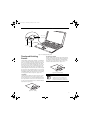
Figure 2-25. Installing a Pen Tether
2. Attach the end of the pen tether with the larger loop
to the attachment point on your tablet. To do so,
insert the end of the pen tether through the attachment point, then feed the pen through the large
loop in the tether.
The integrated active digitizer allows you to use the
included pen as a pointing device. You can use the pen
to click, double-click, drag items and icons, or to draw
like a pen or pencil in applications that support this
behavior, such as drawing or painting programs. See the
documentation that came with your application for
details. (Figure 2-27)
CALIBRATING THE PEN
In order to ensure accurate tracking between the pen
and cursor, you must run the Touch Screen Calibration
Utility before you use the active digitizer for the first
time, or after you change the display resolution.
To run the calibration utility:
1. Go to Start -> Control Panel and double-click on
the Tablet and Pen Settings icon.
2. Click Calibrate.
3. Adjust the display of your Tablet PC to a comfortable angle.
4. Using the pen, firmly touch the screen directly on
the (+) symbol; the (+) symbol will move to the
next location.
5. Repeat step 4 in the four corners, then click OK.
REPLACING THE PEN TIP
With use, the pen tip may become worn or may pick up
foreign particles that can scratch the screen. A damaged
or worn tip may not move freely, causing unpredictable
results when using the pen. If your pen exhibits these
problems, you should replace the pen tip. To do so, use
the pen tip removal tool included with your pen.
Figure 2-27. Using the pen with the screen
To avoid potential scratching and damage,
never use anything but the included pen
with the display.
To purchase additional or replacement
pens, visit the Fujitsu accessories Web site
at: http://us.fujitsu.com/computers.
Clicking
To left-click, touch the object you wish to select and then
lift the pen tip immediately. (Figure 2-28)
To right-click, press the front button on the barrel
switch or touch the pen to the screen for a couple of
seconds until the right mouse icon appears at the tip.
Gap
Figure 2-26. Tip Removal Tool
To remove the tip, position the tip in the gap between
the two ends of the tool (Figure 2-26). Pinch the tool
31
T Series.book Page 32 Wednesday, February 16, 2005 1:59 PM
LifeBook T Series Tablet PC - Section Two
Figure 2-28. Clicking the screen
Double-Clicking
To double-click, touch the item twice, and then immediately remove the pen tip. (Figure 2-29)
Figure 2-29. Double-clicking the screen
32
■
If the interval between taps is too long,
the double-click will not be executed.
■
Parameters for the screen can be
adjusted from the Mouse Properties dialog box located in the Windows Control
Panel.
T Series.book Page 33 Wednesday, February 16, 2005 1:59 PM
3
Using Your Tablet PC
33
T Series.book Page 34 Wednesday, February 16, 2005 1:59 PM
LifeBook T Series Tablet PC - Section Three
34
T Series.book Page 35 Wednesday, February 16, 2005 1:59 PM
Getting Started
DC Power Plug
DC Output Cable
AC Adapter
AC Cable
Figure 3-1. Connecting the AC Adapter
Power Sources
Your LifeBook T Series Tablet PC has three possible
power sources: a primary Lithium ion battery, an AC
adapter or an optional Auto/Airline adapter.
CONNECTING THE POWER ADAPTERS
The AC adapter or optional Auto/Airline adapter
provides power for operating your Tablet PC and
charging the battery.
Connecting the AC Adapter
1. Plug the DC output cable into the DC power jack
of your Tablet PC.
2. Plug the AC adapter into an AC electrical outlet.
(Figure 3-1)
Connecting the Optional Auto/Airline Adapter
1. Plug the DC output cable into the DC power jack
on your Tablet PC.
2. Plug the Auto/Airline adapter into the cigarette
lighter of an automobile with the ignition key in
the On or Accessories position.
OR
3. Plug the Auto/Airline adapter into the DC power
jack on an airplane seat.
Switching from AC Adapter Power or the
Auto/Airline Adapter to Battery Power
1. Be sure that you have a charged battery installed.
2. Remove the AC adapter or the Auto/Airline adapter.
The Lithium ion battery is not charged
upon purchase. Initially, you will need to
connect either the AC adapter or the
Auto/Airline adapter to use your Tablet
PC.
35
T Series.book Page 36 Wednesday, February 16, 2005 1:59 PM
LifeBook T Series Tablet PC - Section Three
Starting Your Tablet PC
POWER ON
The Suspend/Resume button is used to turn on your
LifeBook T Series Tablet PC from its off state. Once you
have connected your AC adapter or charged the internal
Lithium ion battery, you can power on your Tablet PC.
(See figure 2-4 on page 11 for location).
displays a Fujitsu logo until your operating system is
loaded. During booting, your Tablet PC is performing a
standard boot sequence including a Power On Self Test
(POST). When the boot sequence is completed without
a failure and without a request for the BIOS Setup
Utility, the system displays the operating system’s
opening screen.
The boot sequence is executed when:
■
When you turn on your Tablet PC, be sure
you have a power source. This means that
a battery is installed and charged, or that
the AC or Auto/Airline adapter is
connected and has power.
■
■
You turn on the power to your Tablet PC.
You restart your Tablet PC from the Windows
Shut Down dialog box.
The software initiates a system restart. Example:
When you install a new application.
BIOS SETUP UTILITY
Press the Suspend/Resume button to start your system.
When you are done working you can either leave your
Tablet PC in Standby mode, See “Standby Mode” on
page 38, or you can turn it off. See “Power Off ” on
page 40.
The BIOS Setup Utility is a program that sets up the
operating environment for your Tablet PC. Your BIOS
is set at the factory for normal operating conditions,
therefore there is no need to set or change the BIOS’
environment to operate your Tablet PC.
The BIOS Setup Utility configures:
When the system display is closed, the
Suspend/Resume button is disabled. This
feature prevents the system from being
accidentally powered up when not in use.
When you Power On your Tablet PC, it will perform a
Power On Self Test (POST) to check the internal parts
and configuration for correct functionality. If a fault is
found, your Tablet PC will emit an audio warning and/
or an error message will be displayed. See “Power On
Self Test Messages” on page 67. Depending on the nature
of the problem, you may be able to continue by starting
the operating system or by entering the BIOS setup
utility and revising the settings.
After satisfactory completion of the Power On Self Test
(POST), your Tablet PC will load your operating system.
Never turn off your Tablet PC during the
Power On Self Test (POST) or it will cause
an error message to be displayed when
you turn your Tablet PC on the next time.
See “Power On Self Test Messages” on
page 67
BOOT SEQUENCE
The procedure for starting-up your Tablet PC is termed
the Bootup sequence and involves your Tablet PC’s
BIOS. When your Tablet PC is first turned on, the main
system memory is empty, and it needs to find instructions to start up your Tablet PC. This information is in
the BIOS program. Each time you power up or restart
your Tablet PC, it goes through a boot sequence which
36
■
■
Device control feature parameters, such as changing
I/O addresses and boot devices.
System Data Security feature parameters, such
as passwords.
Entering the BIOS Setup Utility
To enter the BIOS Setup Utility do the following:
1. Turn on or restart your Tablet PC.
2. Press the [F2] key once the Fujitsu logo appears
on the screen. This will open the main menu
of the BIOS Setup Utility with the current
settings displayed.
3. Press the [RIGHT ARROW] or [LEFT ARROW] key
to scroll through the other setup menus to review or
alter the current settings.
BIOS Guide
A guide to your Tablet PC’s BIOS is available online.
Please visit our service and support Web site at http://
www.computers.us.fujitsu.com/support. Once there,
select Support, then select Tablet PCs under User’s
Guides. Select LifeBook Tablet PC BIOS Guides from the
pull-down menu for your Tablet PC series. If you are
unsure of your Tablet PC’s BIOS number, refer to your
packing slip.
If your data security settings require it, you
may be asked for a password before the
BIOS main menu will appear.
T Series.book Page 37 Wednesday, February 16, 2005 1:59 PM
Getting Started
BOOTING THE SYSTEM
We strongly recommend that you not attach any
external devices until you have gone through the initial
power-on sequence.
When you turn on your LifeBook T Series Tablet PC for
the first time, it will display a Fujitsu logo on the screen.
If you do nothing the system will load the operating
system, and then the Windows Welcome will begin.
Designed to accommodate the needs of many users, in
many different countries, Windows needs to be configured the first time you use them. Windows has two
parts:
■
Getting Started: You have the opportunity to set up
your modem so that your Tablet PC will be prepared
to dial out.
■
Windows License Agreement and Final Settings:
You have the opportunity to review the Windows
License Agreement.
You may click Cancel at any time within
this process to shut down Windows. You
may restart this process at any time in the
future, but you must complete it in order
to use your computer.
Getting Started
Read the instructions on the screens carefully and fill in
the information as directed. You will be asked for such
items as the language you wish to use, the country in
which you live, your first and last name, and about how
you dial out from where you will be using your Tablet
PC. For the modem settings, enter your current location
information where you will be using your Tablet PC. If
you are not connected to a phone line and plan to
register at a later time, you may click the Skip button,
and you will go directly to the condition of use page.
Final Settings
The first part of your final settings is the Windows End
User License Agreement. Read the agreement carefully.
When you finish reading you must accept or reject the
terms of the agreement and then click on the Next button.
■
■
If you reject the terms of the license
agreement you will be asked to review
the license agreement for information
on returning Windows or to shut down
your Tablet PC.
You cannot use your Tablet PC until you
have accepted the License Agreement.
If you stop the process, your Tablet PC
will return to the beginning of the
Windows Welcome Process, even if you
power down your system and start it up
again.
ACTIVATING ADDITIONAL UTILITIES
The first time you boot up your system, you will see a
Click Me! icon on the system desktop or in the Start
menu.
When you double-click the Click Me! icon, your system
will automatically add appropriate utilities based on
your system’s configuration.
The ClickMe! icon disappears after it has been run the
first time.
REGISTERING YOUR LIFEBOOK T SERIES
TABLET PC
How do I register?
To register your system, visit our Web site at:
us.fujitsu.com/computers.
Once you have set up your Tablet PC to dial out,
Windows will make a free telephone call to test the
settings. If the call is unsuccessful, you will be returned
to the phone settings page where you may try to fix
them. If you are unable to fix the settings please contact
Fujitsu Service and Support. See “Fujitsu Contact Information” on page 3. If you would simply like to move on,
and register at a later time, you may click the Skip
button, and you will go directly to the Condition of Use
page.
Registration
If your connection is successful, you will go to the
Registration Confirmation page. On this page simply
enter the requested information, and then check the box
at the bottom to register your copy of Windows with
Microsoft. Once you have finished, click the Next button
to continue.
37
T Series.book Page 38 Wednesday, February 16, 2005 1:59 PM
LifeBook T Series Tablet PC - Section Three
Power Management
Your LifeBook T Series Tablet PC has many options and
features for conserving battery power. Some of these
features are automatic and need no user intervention,
such as those for the internal modem. However, others
depend on the parameters you set to best suit your operating conditions, such as those for the display brightness. Internal power management for your Tablet PC
may be controlled from settings made in your operating
system, pre-bundled power management application, or
from settings made in BIOS setup utility.
Power Mode
Fully On Mode
Besides the options available for conserving battery
power, there are also some things that you can do to
prevent your Tablet PC battery from running down as
quickly. For example, you can create an appropriate
power saving profile, put your Tablet PC into Standby
mode when it is not performing an operation, and you
can limit the use of high power devices. As with all
mobile, battery powered computers, there is a trade-off
between performance and power savings.
System Activity
Events causing system to enter mode state
System is running. CPU, system bus, and
all other interfaces operate at full speed.
■
■
■
Standby Mode
(Suspend-to-RAM)
Hibernation Mode
(Suspend-to-Disk)
Resume system logic remains powered
and RAM remains powered to maintain
active data. All other devices are turned
off.
■
Windows saves desktop state (including
open files and documents) to hard disk.
CPU stops. All other devices are turned
off.
■
■
■
■
■
Power Off
System is fully powered off except for
logic components required for Suspend/
Resume button and real-time clock
operation.
■
■
From Standby mode: System operation resumed
(Suspend/Resume button pressed, resume on
modem ring, resume on time).
From Hibernation mode: Suspend/Resume button
pressed.
From Off mode: Suspend/Resume button pressed.
Standby timeout occurs.
Suspend request issued by software or by pressing
the Suspend/Resume button.
Low battery.
Suspend timeout occurs.
Clicking Start -> Shut Down -> Hibernate
(It may be necessary to Enable Hibernate Support
from Windows Power Options.)
Low battery condition
System shutdown.
Low battery condition
Table 3-1. System Power States
SUSPEND/RESUME BUTTON
STANDBY MODE
When your Tablet PC is active, the Suspend/Resume
button can be used to manually put your Tablet PC into
Standby mode. Push the Suspend/Resume button when
your Tablet PC is active, but not actively accessing
anything, and immediately release the button. You will
hear two short beeps and your system will enter Standby
mode. (See figure 2-6 on page 14 for location).
Standby mode in Windows saves the contents of your
Tablet PC’s system memory during periods of inactivity
by maintaining power to critical parts. This mode will
turn off the CPU, the display, the hard drive, and all of
the other internal components except those necessary to
maintain system memory and allow for restarting. Your
Tablet PC can be put in Standby mode by:
If your Tablet PC is suspended, pushing the Suspend/
Resume button will return your Tablet PC to active
operation. You can tell whether or not your system is in
Standby mode by looking at the Power indicator. See
“Power Indicator” on page 17. If the indicator is visible
and not flashing, your Tablet PC is fully operational. If
the indicator is both visible and flashing, your Tablet PC
is in Standby mode. If the indicator is not visible at all,
the power is off or your Tablet PC is in Hibernate mode
(See Hibernate Mode)
■
38
■
■
■
■
Pressing the Suspend/Resume button when your
system is turned on.
Selecting Standby from the Windows Shut Down
menu.
Timing out from lack of activity.
Allowing the battery to reach the Dead Battery
Warning condition.
Closing the system cover.
Your Tablet PC’s system memory typically stores the
file(s) on which you are working, open application(s)
information, and any other data required to support the
operation(s) in progress. When you resume operation
T Series.book Page 39 Wednesday, February 16, 2005 1:59 PM
Getting Started
from Standby mode, your Tablet PC will return to the
point where it left off. To resume operation, you must
use the Suspend/Resume button to resume operation,
and there must be an adequate power source available,
or your Tablet PC will not resume.
If you are running your Tablet PC on
battery power, be aware that the battery
continues to discharge while your Tablet
PC is in Standby mode, though not as fast
as when fully operational.
HIBERNATE MODE
The Hibernate mode saves the contents of your
Tablet PC’s system memory to the hard drive as a part of
the Suspend/Resume mode. Your Tablet PC is preconfigured to perform this function. The Hibernate
mode can also be configured through the system BIOS
to run in other ways depending on what you need to
accomplish. See “BIOS Setup Utility” on page 36.
■
Standby or Hibernate modes should not
be used with certain PC Cards. Check
your PC Card documentation for more
information.
■
Disabling the Suspend/Resume button
prevents it from being used to put your
Tablet PC in Standby or Hibernate
mode. The resume function of the
button cannot be disabled.
■
If your Tablet PC is actively accessing
information when you enter Standby or
Hibernate mode, changes to open files
are not lost. The files are left open and
memory is kept active during Standby
mode or the memory is transferred to
the hard drive during Hibernate mode.
■
When PC Cards or external devices are
in use, Save-to-Disk mode cannot return
to the exact state prior to suspension,
because all peripheral devices will be reinitialized when the system restarts.
■
The main advantage of using Hibernate
mode is that power is not required to
maintain your data. This is very important if you will be leaving your Tablet PC
in a suspended state for a prolonged
period of time. The drawback of using
Hibernate mode is that it lengthens the
power down and power up sequences
and resets peripheral devices.
Using Hibernate Mode
Hibernate default setting is enabled for Windows XP.
To enable or disable the Hibernation feature follow
these easy steps:
1. From the Start menu, select Settings, and then select
Control Panel -> Power Options.
2. Select Hibernation, and then select the box to
enable or disable this feature.
To use Hibernate mode with your system:
1. Click on the Start button, click Shut Down.
2. Select Hibernate option from the “What do you
want the computer to do” list.
DISPLAY TIMEOUT
The Video Timeout is one of the power management
parameters. This feature saves power by turning off the
display if there is no keyboard or pointer activity for the
user selected timeout period. Any keyboard or pointer
activity will cause the display to restart automatically.
This feature is independent of the Suspend/Resume
button and can be enabled and disabled in Windows
Power Management.
HARD DISK TIMEOUT
The Hard Disk Timeout is another one of the power
management parameters. This feature saves power by
turning off the hard drive if there is no hard drive
activity for the user selected timeout period. Any
attempt to access the hard drive will cause it to restart
automatically. This feature is independent of the
Suspend/Resume button and can be enabled and
disabled in Windows.
WINDOWS POWER MANAGEMENT
The Power Options icon located in the Windows
Control Panel allows you to configure some of the power
management settings. For example, you can use the
Power Options to set the timeout values for turning off
the display and hard disks whether you are running the
Tablet PC on battery power or one of the adapters.
RESTARTING THE SYSTEM
If your system is on and you need to restart it, be sure
that you use the following procedure.
1. Click the Start button, and then click Shut Down.
2. Select the Restart option from within the Windows
Shut Down dialog box.
3. Click OK. Your Tablet PC will shut down and
reboot.
39
T Series.book Page 40 Wednesday, February 16, 2005 1:59 PM
LifeBook T Series Tablet PC - Section Three
Turning off your Tablet PC without exiting
Windows or turning on your Tablet PC
within 10 seconds of the Tablet PC being
shut off may cause an error when you start
the next time.
POWER OFF
Before turning off the power by choosing Shut Down
from the Windows Start menu, check that the Hard
Drive, CD-ROM, PC Card and the Floppy Disk Drive
Access indicators are all Off. (See Figure 2-9 on page 17)
If you turn off the power while accessing a disk or PC
Card there is a risk of data loss. To assure that your
Tablet PC shuts down without error, use the Windows
shut down procedure.
Using the correct procedure to shut down from
Windows, allows your Tablet PC to complete its operations and turn off power in the proper sequence to avoid
errors. The proper sequence is:
1. Click the Start button, and then click Shut Down.
2. Select the Shut Down option from within the
Windows Shut Down dialog box.
3. Click OK.
If you are going to store your Tablet PC for a month or
more see the Care and Maintenance section.
40
T Series.book Page 41 Wednesday, February 16, 2005 1:59 PM
4
User-Installable
Features
41
T Series.book Page 42 Wednesday, February 16, 2005 1:59 PM
LifeBook T Series Tablet PC - Section Four
42
T Series.book Page 43 Wednesday, February 16, 2005 1:59 PM
User-Installable Features
Lithium ion Battery
Your LifeBook T Series Tablet PC has a Lithium ion
battery that provides power for operating your Tablet
PC when no external power source is available. The
battery is durable and long lasting, but should not be
exposed to extreme temperatures, high voltages, chemicals or other hazards.
The Lithium ion battery operating time may become
shorter if it is used under the following conditions:
■
■
When used at temperatures lower than 41° F (5° C) or
higher than 95° F (35° C). Extreme temperatures not
only reduce charging efficiency, but can also cause
battery deterioration. The Charging icon on the Status
Indicator panel will flash when you try to charge a
battery that is outside its operating temperature range.
See “Battery Charging/ Level Indicators” on page 17.
When using a high current device such as a modem,
CD-ROM drive, or hard drive, using the AC adapter
will conserve your battery life.
■
■
Do not leave a faulty battery in your
Tablet PC. It may damage your AC
adapter, optional Auto/Airline adapter,
another battery or your Tablet PC itself.
It may also prevent operation of your
Tablet PC by draining all available current into the bad battery.
Under federal, state, or local law it may
be illegal to dispose of batteries by
putting them in the trash. Please take
care of our environment and dispose of
batteries properly. Check with your local
government authority for details
regarding recycling or disposing of old
batteries. If you cannot find this information elsewhere, contact your support
representative at 1-800-8Fujitsu.
Actual battery life will vary based on
screen brightness, applications, features,
power management settings, battery
condition and other customer preferences.
CD-ROM drive or hard drive usage may
also have a significant impact on battery
life. The battery charging capacity is
reduced as the battery ages. If your
battery is running low quickly, you should
replace it with a new one.
RECHARGING THE BATTERY
If you want to know the condition of the Lithium ion
battery, check the Battery Level indicator located on the
Status Indicator panel. The indicator changes as the
battery level changes.
The Lithium ion battery is recharged internally using the
AC adapter or Auto/Airline adapter. To recharge the
battery make sure the battery that needs to be charged is
installed in your Tablet PC and connect the AC or Auto/
Airline adapter.
Make sure that the Battery Charging
indicator and the percentage charge is
shown inside the Battery Level icon on the
Status Indicator Panel.
There is no memory effect on the Lithium ion battery,
therefore you do not need to discharge the battery
completely before recharging. The charge times will be
longer if your Tablet PC is in use while the battery is
charging. If you want to charge the battery more quickly,
put your Tablet PC into Standby mode, or turn it off
while the adapter is charging the battery. See “Power
Management” on page 38.
Using heavy current devices such as a
modem or frequent CD-ROM and
PCMCIA powered external device accesses
may prevent charging completely.
Low Battery State
When the battery is running low, your Tablet PC will
beep every 15 seconds and the Battery Level indicator
will flash. If you do not respond to the low battery
alarm, the batteries will continue to discharge until they
are too low to operate. When this happens there will be a
multiple beep alarm and the Battery Level indicator will
show a dead battery. Your Tablet PC will then go into
Standby mode to try and protect your data for as long as
possible. There is no guarantee that your data will not be
lost once the Tablet PC reaches this point.
■
You may not be able to hear the alarm if
the volume control is set too low or is
turned off by the hardware or software.
However, you will be able to see the
Battery Level indicator flash. Once the
low battery alarm occurs you must save
all your data and put your Tablet PC into
Standby mode until you can provide a
new power source. You should provide a
charged battery or AC or Auto/Airline
Adapter as soon as possible.
■
When you are in Standby mode there
must always be at least one power
source active. If you remove all power
sources while your Tablet PC is in
Standby mode, any data that has not
been saved to the hard drive will be lost.
43
T Series.book Page 44 Wednesday, February 16, 2005 1:59 PM
LifeBook T Series Tablet PC - Section Four
Dead Battery Suspend mode shows on the Status indicator just like the normal Standby mode. Once your
Tablet PC goes into Dead Battery Suspend mode you
will be unable to resume operation until you provide
a source of power either from an adapter, or a charged
battery. Once you have provided power, you will need to
press the Suspend/Resume button to resume operation.
In the Dead Battery Suspend mode, your data can be
maintained for some time, but if a power source is not
provided promptly, the Power indicator will stop
flashing and go out, meaning that you have lost the data
that was not stored. Once you provide power, you can
continue to use your Tablet PC while an adapter is
charging the battery.
Shorted Batteries
The Status Indicator panel uses a symbol inside the
battery outline of the Battery Level indicator to display
the operating level available in that battery.
(See figure on page 17) If this display shows a Shorted
Battery, it means that the battery is damaged and must
be replaced so it does not damage any other parts of your
Tablet PC.
REPLACING THE BATTERY
Your LifeBook T Series Tablet PC comes with one
battery pack; you might want to consider purchasing a
spare. By keeping a spare battery fully charged, you can
immediately swap with one that is not charged.
There are two ways to swap batteries: cold-swapping and
warm-swapping. Cold-swapping means swapping
batteries when the system has been powered down;
warm-swapping is performed when the system is in
Standby mode.
Cold-swapping batteries
To cold-swap batteries in your battery compartment,
follow these easy steps: (Figure 4-1)
1. Have a charged battery ready to install.
2. Shut down your tablet and disconnect the AC
adapter.
3. Press the battery release latches to open the
compartment.
4. Remove the battery from the compartment.
5. Slide the new battery into the compartment.
6. Close the compartment and the battery release
latches will click into place.
7. Plug in the AC adapter and turn the power on.
44
Battery Release Latches
Battery Compartment
Figure 4-1. Removing the Battery
Warm-swapping Batteries
To warm-swap batteries in your battery compartment
follow these easy steps: (Figure 4-1)
You have only a few minutes to perform a
warm-swapping before the internal
bridge battery runs out of power. Have
the charged battery nearby when
performing a warm battery swap.
1. Close any open files and put your Tablet PC into
Standby mode.
2. Press the battery release latches to open the
compartment.
3. Remove the battery from the compartment.
4. Slide the new battery into the compartment.
5. Close the compartment and the battery release
latches will click into place.
6. Press the Suspend/Resume button to return your
Tablet PC to normal operation.
If the Lithium ion battery connector is not
fully seated, you may not be able to use
your Tablet PC or charge your battery.
T Series.book Page 45 Wednesday, February 16, 2005 1:59 PM
User-Installable Features
Memory Upgrade
Module
Your Fujitsu LifeBook T Series Tablet PC comes with a
minimum of 256 MB of high speed Double Data Rate
Synchronous Dynamic RAM (DDR SDRAM), 333 MHz
factory installed. To increase your system’s memory
capacity, you may install an additional memory upgrade
module. The memory upgrade must be a dual-in-line
(DIMM) SDRAM module. To ensure 100% compatibility, purchase the SDRAM module only from the
Fujitsu web store at us.fujitsu.com/computers.
Do not remove any screws from the
memory upgrade module compartment
except those specifically shown in the
directions for installing and removing the
module.
7. Insert the memory upgrade module at a 45° angle.
Press the connector edge of the module firmly down
and into the connector until it lodges under the
retaining clip. You will hear a click when it is properly in place.
Figure 4-3. Installing a Second Memory Module
8. Replace the cover. (Figure 4-4)
9. Replace the screws.
INSTALLING MEMORY UPGRADE MODULES
1. Turn off power to your LifeBook Tablet PC and
remove any power adapter (AC or auto/airline).
2. Make sure that all the connector covers are closed.
3. Turn the Tablet PC bottom side up, and remove the
screws of the memory upgrade module compartment. (Figure 4-2)
4. Remove the cover.
Figure 4-4. Replacing the Memory Compartment Cover
Slot 1
Slot 2
The memory upgrade module is not
something you routinely remove from
your tablet. Once it is installed, you should
leave it in place unless you want to change
system memory capacity.
Figure 4-2. Opening the Memory Upgrade Compartment
TO REMOVE A MEMORY UPGRADE MODULE
5. Remove the memory upgrade module from the
static guarded sleeve. As noted above, if you are
installing a 1 GB memory module by itself or with a
smaller module, it must be installed in slot 1.
6. Align the memory upgrade module with the
component side up. Align the connector edge of the
memory upgrade module with the connector slot in
the compartment. (Figure 4-3)
1. Perform steps 1 through 4 of Installing a Memory
Upgrade Module.
2. Pull the clips sideways away from each side of the
memory upgrade module at the same time.
3. While holding the clips out, remove the module
from the slot by lifting it up and pulling towards the
rear of your tablet. (Figure 4-5)
Figure 4-5. Removing a Memory Upgrade Module
45
T Series.book Page 46 Wednesday, February 16, 2005 1:59 PM
LifeBook T Series Tablet PC - Section Four
4. Store the memory upgrade module in a static
guarded sleeve.
5. Replace the cover. (Figure 4-4)
6. Replace the screws.
CHECKING THE MEMORY CAPACITY
Once you have changed the system memory capacity by
either adding or removing a memory upgrade module,
be sure to check that your tablet has recognized the
change.
Your Tablet PC uses Dynamic Video
Memory Technology (DVMT), which
allows the video driver to dynamically
determine the amount of memory that is
used. Your Tablet PC can use a maximum
of 64 MB of system memory for video
functions.
You can check the memory capacity by clicking [Start]
-> Control Panel, then double-clicking the System icon.
Select the General tab and check the amount of memory
under “Computer.”
The amount of memory displayed should be approximately the total of all memory modules installed. There
may be a discrepancy of 8 MB which is allocated for
fixed video memory.
If the total memory displayed is incorrect,
check that your memory upgrade module
is properly installed. (If the module is
properly installed and the capacity is still
not correctly recognized, see
Troubleshooting on page 60.
46
T Series.book Page 47 Wednesday, February 16, 2005 1:59 PM
User-Installable Features
47
T Series.book Page 48 Wednesday, February 16, 2005 1:59 PM
LifeBook T Series Tablet PC - Section Four
Flexible Bay Eject Lever
Flexible Bay
Figure 4-6 Flexible Bay
Flexible Bay Devices
Your Fujitsu Tablet PC contains a Flexible Bay. The Flexible Bay can house an optical drive, a Lithium ion
battery, and a weight saver. (Figure 4-6)
Your Flexible Bay will have one of the following devices
installed.
■
Multi-Format DVD Writer: This allows you to access
movies, software, and audio DVD/CDs and record to
DVD, CD, and DVD-RAM discs.
■
Modular DVD/CD-RW combo drive: This allows you
to access movies, software, and audio DVD/CDs as
well as to write to CDs.
■
Modular Lithium ion battery: This is a rechargeable
battery that can be used to power your Tablet PC
when an adapter is not connected.
■
Weight Saver: This is used to fill the bay when no
device is needed.
FUJITSU TABLET CONTROLS CD/DVD DRIVE HELP
The CD/DVD Drive tab of the Fujitsu Tablet Controls
utility allows you to enable or disable your CD or DVD
drive when the Tablet PC is used in “undocked” (i.e., not
connected to a port replicator) tablet mode.
The CD or DVD drive in your Tablet PC is
designed to work optimally when the
system is lying flat on a stable surface.
Using the drive while the system is not on
a flat surface could result in damage to the
drive and/or the media. SUCH DAMAGE
IS NOT COVERED UNDER YOUR
WARRANTY. You are strongly advised not
to use the drive while the system is in
undocked tablet mode. This feature is in
effect only when the user is logged-in.
48
Using the Optical Drive Disabling Feature
The CD/DVD tab of the Fujitsu Tablet Controls window
consists of three checkboxes:
■
Lock CD/DVD drive when the unit is in tablet mode
■
Show tray icon when CD/DVD drive is locked.
■
Show notification messages when CD/DVD drive is
locked/unlocked
Lock CD/DVD drive when the unit is in tablet mode:
This checkbox should normally be checked (see “Important Notes” above). If you would like to access the CD/
DVD drive while your system is in undocked tablet
mode, deselect this checkbox. A message will appear
asking if you really want to unlock the drive. Click [OK]
to proceed, or [Cancel] to return to the utility.
Show tray icon when CD/DVD drive is locked:
This checkbox should normally be checked. If you
would not like the Fujitsu Tablet Controls icon to appear
in the system tray when the drive is locked, clear this
box.
Show notification messages when CD/DVD drive is
locked/unlocked:
This checkbox should normally be checked. If you
would not like to be prompted when the drive is locked
or unlocked, clear this box.
Buttons
■ Click the [OK] button to accept the changes and close
the window.
■
Click the [Apply] button to accept the changes and
leave the window open.
■
Click the [Cancel] button to close the window without
accepting the change.
■
Click the [Help] button to view the help file associated
with the selected tab within Fujitsu Tablet Controls.
T Series.book Page 49 Wednesday, February 16, 2005 1:59 PM
User-Installable Features
System Tray Icon
When your system is in undocked tablet mode, and the
“Lock CD/DVD drive when the unit is in tablet mode”
box is checked, a Fujitsu Tablet Controls icon will
appear at the bottom right of the display. When you
select this icon, a menu will appear containing three
items:
■
Unlock CD/DVD Drive for this tablet session
■
Configure
■
About
Unlock CD/DVD Drive for this tablet session
When you click this menu item, you will be asked
whether you really want to unlock the drive. To unlock
the drive, click [Yes]. Note that enabling the drive in this
manner will not change the setting in the Fujitsu Tablet
Controls control panel applet.
Configure
When you click this menu item, the Fujitsu Tablet
Controls window appears.
About
When you click About, the help file will open.
REMOVING AND INSTALLING MODULAR
DEVICES
There are two ways to remove and install modular
devices in the Flexible Bay:
■
■
Cold-swapping: swapping devices while your Tablet
PC is powered off.
Hot-swapping: swapping devices while your system is
active using the Unplug/Eject icon from your taskbar.
Note that if the weight saver is installed rather than a
modular device, it is not necessary to use BayManager
when removing it.
You should never leave your Flexible Bay
empty when the tablet is in operation. If
left empty, dust or foreign matter may
accumulate inside the tablet.
Flexible Bay Eject Lever
(a)
(c)
(b)
(d)
Figure 4-7 Removing/Installing a device in the Flexible Bay
Use care when aligning or seating devices
in the bay. If the fit is incorrect, you may
damage the bay or device. If the device
does not move easily in the bay, remove it
and check for dirt or foreign objects. It will
require a firm push to latch it in place.
5. Slide the device you are installing into your tablet
until it clicks into place.
6. It is now safe to turn your tablet back on.
7. You can now access and use the device.
Your Tablet PC will automatically detect the new device
and activate it within your system. The drive letters associated with the device will be created and listed under
My Computer and Windows Explorer.
Hot-swapping
Hot-swapping is provided through the Unplug or Eject
Hardware utility. The icon for the utility appears on the
taskbar. Click on the icon and follow the on-screen
instructions.
Cold-swapping
To cold-swap modular devices in your Flexible Bay
follow these easy steps: (Figure 4-7)
1. Close any open files.
2. Shut down your Tablet PC.
3. Pull out the Flexible Bay eject lever. This will push
your device out slightly, allowing you to remove it.
4. Slide your device out until it is clear of the bay.
This will require light force.
49
T Series.book Page 50 Wednesday, February 16, 2005 1:59 PM
LifeBook T Series Tablet PC - Section Four
PC Card Slot
PC Card
Smart Card Slot
Eject Button
Figure 4-8. Installing/Removing PC Cards
PC Cards
Your LifeBook T Series Tablet PC supports Type I and II
PC Cards, which can perform a variety of functions.
Some available PC Cards include:
■
■
■
■
■
Fax/data modem cards.
Local area network (LAN) cards.
IDE solid-state disk cards.
SCSI cards.
Other PC Cards that conform to PCMCIA 2.1 or
CardBus standards.
For further information, refer to the instructions
supplied with your PC Card.
INSTALLING PC CARDS
PC Cards are installed in the PC Card slot. To install a
PC Card, follow these easy steps: (Figure 4-8)
■
■
Installing or removing a PC Card during
your Tablet PC’s shutdown or bootup
process may damage the card and/or
your Tablet PC.
Do not insert a PC Card into the slot if
there is water or any other substance on
the card as you may permanently damage the card, your Tablet PC, or both.
1. See your PC Card manual for specific instructions
on the installation of your card. Some PC Cards
may require your Tablet PC to be Off while installing
them.
2. Make sure there is no PC Card currently in the slot.
If there is, see Removing PC Cards.
3. Insert your PC Card into the slot, with the product
label facing up.
4. Push the card into the slot firmly until it is seated in
the opening.
50
REMOVING PC CARDS
To remove a PC Card, follow these easy steps:
1. See your PC Card manual for specific instructions
on removing your card. Some PC Cards may require
your Tablet PC to be in Standby Mode or Off while
removing them.
If the dialog box states that the device
can’t be removed, you must save all open
files, close any open applications and shut
down your Tablet PC.
2. Push the Eject button until it pops out, and then
push it in to eject the card. This will allow you to
remove the card.
If the PC Card has an external connector
and cable, do not pull the cable when
removing the card.
SMART CARD READER
An embedded Smart Card Reader and a dedicated Smart
Card slot are provided on your Tablet PC. The Smart
Card slot is located just below the PC Card slot.
Smart Cards are the same size and shape as credit cards,
but they contain an integrated microprocessor chip. The
chip can hold a variety of information, and provides the
user with many possible options, such as allowing them
to make secure purchases, pay for phone calls, store
security information, and provide identification and
information.
Using the Smart Card functionality of your system
requires third-party software. For instructions on using
the Smart Card slot, see the instructions that come with
the third-party software.
T Series.book Page 51 Wednesday, February 16, 2005 1:59 PM
User-Installable Features
Memory Stick
SD Card
Memory Stick/SD Card Slot
Figure 4-9. Installing a Memory Stick/SD Card
Memory Stick/
Secure Digital Media
Your LifeBook Tablet PC supports Memory Stick/
Memory Stick Pro and Secure Digital (SD) cards, on
which you can store and transfer data to and from a
variety of digital devices. These cards use flash memory
architecture, which means they don’t need a power
source to retain data.
Memory Stick is a flash memory technology developed
by Sony Electronics. Memory Stick allows you to record,
transfer and share digital content, such as digital
pictures, movies, music, voice, and computer data and
applications.
Secure Digital (SD) Cards are very similar to Memory
Sticks, but they are shorter. Like the Memory Stick, SD
Cards allow portable storage among a variety of devices,
such as cell phones, GPS systems, digital cameras, and
PDAs. SD Cards transfer data quickly, with low battery
consumption. Like the memory stick, it uses flash
memory architecture.
INSTALLING MEMORY STICK/SD CARDS
Memory Sticks and SD Cards are installed in the
Memory Stick/SD Card slot (Figure 4-9). To install a
Memory Stick or SD Card, follow these steps:
■
Installing or removing a Memory Stick or
SD Card during your LifeBook Tablet
PC’s shutdown or bootup process may
damage the card and/or your LifeBook
Tablet PC.
■
Do not insert a card into a slot if there is
water or any other substance on the
card as you may permanently damage
the card, your LifeBook Tablet PC, or
both.
1. See your Memory Stick or SD Card manual for
instructions on the installation of your card. Some
cards may require that your Tablet PC is off while
installing them.
2. Make sure there is no card currently in the slot. If
there is, see Removing a Memory Stick/SD Card.
3. Insert your PC Card into the slot with the product
label facing up.
4. Push the card firmly into the slot until it is seated in
the connector.
REMOVING A MEMORY STICK/SD CARD
To remove a Memory Stick or SD Card, see your
Memory Stick or SD Card manual for instructions.
Some cards may require your LifeBook Tablet PC to be
in Suspend Mode or Off while removing them.
Figure 4-10. Memory Stick (left) and Secure Digital Card (right)
51
T Series.book Page 52 Wednesday, February 16, 2005 1:59 PM
LifeBook T Series Tablet PC - Section Four
DC Power Jack
Line Out Jack
USB Ports
LAN (RJ-45) Jack
External Monitor Port
External DVI Port
Figure 4-11. Port Replicator rear panel
Port Replicator
An optional Port Replicator is available from Fujitsu to
support your LifeBook T Series Tablet PC. The Port
Replicator extends the functionality of your Tablet PC by
providing ports to connect USB devices, an external
monitor, external speaker, or a LAN device. The Port
Replicator connects to the bottom of your Tablet PC. See
“Device Ports” on page 55.
REAR PANEL COMPONENTS
Following is a brief description of the optional Port
Replicator’s rear panel components.
External Monitor Port
The external monitor port allows you to connect an
external monitor. Note that if a Port Replicator is
attached, you must use the external monitor port on the
Port Replicator. (Figure 4-11)
External DVI Port
The external Digital Video Interface (DVI) port allows
you to connect an external digital flat-panel monitor or
projector. This provides a pure digital video signal for
digital monitors.
LAN (RJ-45) Jack
The LAN jack allows you to connect a LAN to the Port
Replicator. Note that when the system is attached to the
Port Replicator, the LAN Jack on the Port Replicator
should be used, not the one on the system.
52
DC Power Jack
The DC power jack allows you to plug in the AC adapter
to power your Tablet PC and charge the internal Lithium
ion battery.
USB 2.0 Ports
The four USB 2.0 ports allow you to connect USB
devices such as game pads, pointing devices, and
keyboards. USB 2.0 is downward-compatible with USB
1.1 devices, so older USB devices will work with these
ports. USB 2.0 is a much faster design, running 40 times
faster than USB 1.1.
Line Out Jack
The line out jack is used for connecting an external
speaker. Note that line out does not provide power, so
the speaker must be externally powered.
T Series.book Page 53 Wednesday, February 16, 2005 1:59 PM
User-Installable Features
Port Replicator
Release Latch
Power On/
Off Button
Docking Port
Figure 4-12. Port Replicator front panel
FRONT PANEL COMPONENTS
Following is a brief description of the optional Port
Replicator’s front panel components
Docking Port
The docking port connects the Port Replicator to your
Tablet PC. (Figure 4-12)
Port Replicator Release Latch
Slide the Port Replicator Release Latch sideways to
remove the Port Replicator from your Tablet PC.
(Figure 4-12)
Power On/Off Button
The Power On/Off button on the port replicator
performs the same as the system Suspend/Resume
button. The Power On/Off button allows you to suspend
Tablet PC activity without powering off, resume your
Tablet PC from standby mode, and power on your
system when it has been shut down from the Windows
operating system.
53
T Series.book Page 54 Wednesday, February 16, 2005 1:59 PM
LifeBook T Series Tablet PC - Section Four
ATTACHING THE PORT REPLICATOR
To attach the Port Replicator, align the Port Replicator
connector on the bottom of your Tablet PC with the
connector on the Port Replicator and push together at
the two corners. (Figure 4-13)
Figure 4-13. Attaching the Port Replicator
Figure 4-14. Unlatching the Port Replicator
DETACHING THE PORT REPLICATOR
To detach the Port Replicator:
1. Slide the Port Replicator release latch to release the
Port Replicator from your Tablet PC. (Figure 4-14)
2. Pull away the Port Replicator to detach it from your
Tablet PC. (Figure 4-15)
Figure 4-15. Removing the Port Replicator
54
T Series.book Page 55 Wednesday, February 16, 2005 1:59 PM
User-Installable Features
Device Ports
Your LifeBook T Series Tablet PC and the optional Port
Replicator come equipped with multiple Device Ports to
which you can connect an external device including:
disk drives, keyboards, modems, printers, etc.
MODEM (RJ-11) JACK
The modem (RJ-11) jack is used for an internal modem.
To connect the telephone cable follow these easy steps:
(See Figure 2-7 on page 15 for location)
1. Align the connector with the jack opening.
2. Push the connector into the jack until it is seated.
3. Plug the other end of the telephone cable into a
telephone outlet.
The internal modem is not intended for
use with Digital PBX systems. Do not
connect the internal modem to a Digital
PBX as it may cause serious damage to the
internal modem or your entire LifeBook T
Series Tablet PC. Consult your PBX
manufacturer’s documentation for details.
Some hotels have Digital PBX systems. Be
sure to find out BEFORE you connect your
modem.
■
■
■
The internal modem is designed to the
ITU V.90 standard. Its maximum speed
of 53000 bps is the highest allowed by
FCC, and its actual connection rate
depends on the line conditions. The
maximum speed is 33600 bps at upload.
The internal modem on all LifeBook T
Series Tablet PC’s from Fujitsu Computer
Systems Corporation are certified for use
in the United States and Canada.
Depending upon the configuration of
your system, your LifeBook Tablet PC
may have either a LAN jack or an IEEE
1394 jack.
INTERNAL LAN (RJ-45) JACK
The internal LAN (RJ-45) jack is used for an internal 10/
100/1000 Base-T/Tx (Gigabit) Ethernet connection. You
will need to configure your Tablet PC to work with your
particular network. (Please refer to your network
administrator for information on your network
configuration.) To connect the LAN cable follow these
easy steps: (See Figure 2-7 on page 15 for location)
Note that the optional Port Replicator is
designed to cover the LAN jack located on
the system. This design ensures that the
LAN jack on the Port Replicator is the only
one used when the Port Replicator is
installed.
1. Align the connector with the jack opening.
2. Push the connector into the jack until it is seated.
3. Plug the other end of the cable into a LAN outlet.
DOCKING PORT
The docking port is used for the connection of your
Tablet PC to an optional port replicator. In order to
connect your Tablet PC to one of these devices follow
the instructions that came with your port replicator.
(See Figure 2-8 on page 16 for location)
UNIVERSAL SERIAL BUS PORTS
The two Universal Serial Bus 2.0 ports (USB) allow you
to connect USB devices such as external floppy disk
drives, external DVD drives, game pads, pointing
devices, keyboards and/or speakers. USB 2.0 is downward-compatible with USB 1.1 devices, so older USB
devices will work with these ports. USB 2.0 is a much
faster design, running forty times faster than USB 1.1.
In order to connect a USB device, follow these easy
steps: (See Figure 2-7 on page 15 for location)
1. Align the connector with the port opening.
2. Push the connector into the port until it is seated.
IEEE 1394 PORT
The 4-pin 1394 port allows you to connect digital
devices that are compliant with the IEEE 1394 standard
(also known as “FireWire”). The IEEE 1394 connection
is easy to use, connect, and disconnect. This port allows
up to 400 Mbps transfer rate. A third-party application
may be required to operate your device with the 1394
port.
The 1394 port used in this system uses a
four-pin configuration. If you intend to
interface with devices which use a six-pin
configuration, you will need to purchase
an adapter.
INFRARED PORT
The Infrared IrDA 1.1 (4 Mbps) port allows for wireless
data transfer between your Tablet PC and other IrDAcompatible devices, such as another computer or a
printer, without the use of a cable. (See Figure 2-7 on
page 15 for location)
55
T Series.book Page 56 Wednesday, February 16, 2005 1:59 PM
LifeBook T Series Tablet PC - Section Four
It is important to keep in mind that while carrying out
this form of communication, both devices must be
placed so their infrared ports are directly facing each
other without obstruction. The devices must also be
separated by at least 6" but no more than 36" for
maximum performance.
The following conditions may interfere with infrared
communications:
■
■
A television, radio remote control unit, or a wireless
headphone is being used nearby.
Direct sunlight, fluorescent light, or incandescent light
shines directly on the port.
■
Do not move either device while communication is active as it may interrupt
data transmission.
■
Be careful not to scratch the infrared
port lens. Scratches, dirt, or other surface marks can degrade operation.
MICROPHONE JACK
The microphone jack allows you to connect an external
mono microphone. Your microphone must be equipped
with a 1/8”(3.5 mm) mono mini-plug in order to fit into
the microphone jack of your Tablet PC. In order to
connect a microphone follow these easy steps: (See
Figure 2-4 on page 11 for location)
1. Align the connector with the port opening.
2. Push the connector into the port until it is seated.
HEADPHONE JACK
The headphone jack allows you to connect headphones
or powered external speakers to your Tablet PC. Your
headphones or speakers must be equipped with a 1/8”
(3.5 mm) stereo mini-plug. In order to connect headphones or speakers follow these easy steps: (See Figure 24 on page 11 for location)
1. Align the connector with the port opening.
2. Push the connector into the port until it is seated.
If you plug headphones into the
headphone jack, the built-in stereo
speakers will be disabled.
EXTERNAL MONITOR PORT
The external monitor port allows you to connect an
external monitor. In order to connect an external
monitor follow these easy steps: (See Figure 2-7 on
page 15 for location). There is also an external VGA
monitor on the port replicator (See Figure 4-11 on
page 52 for location).
56
1.
2.
3.
4.
Remove the cover from the port opening, if present.
Align the connector with the port opening.
Push the connector into the port until it is seated.
Tighten the two hold-down screws, located on
each side of the connector.
When an external monitor is plugged in,
pressing the [Fn] + [F10] keys allows you
to change your selection of where to send
your display video. Each time you press the
key combination, you will step to the next
choice, starting with the built-in display
panel only, moving to the external monitor
only, finally moving to both the built-in
display panel and an external monitor.
EXTERNAL DVI PORT
The external Digital Video Interface (DVI) port on the
optional port replicator allows you to connect an
external digital monitor or projector. In order to connect
a DVI monitor follow these easy steps: (See Figure 4-11
on page 52 for location).
1. Align the connector with the port opening.
2. Push the connector into the port until it is seated.
3. Tighten the two hold-down screws, located on each
side of the connector.
T Series.book Page 57 Wednesday, February 16, 2005 1:59 PM
5
Troubleshooting
57
T Series.book Page 58 Wednesday, February 16, 2005 1:59 PM
LifeBook T Series Tablet PC - Section Five
58
T Series.book Page 59 Wednesday, February 16, 2005 1:59 PM
Tr o ub le s ho o ti ng
Troubleshooting
Your LifeBook T Series Tablet PC is sturdy and subject
to few problems in the field. However, you may
encounter simple setup or operating problems that you
can solve on the spot, or problems with peripheral
devices, that you can solve by replacing the device. The
information in this section helps you isolate and resolve
some of these straightforward problems and identify
failures that require service.
IDENTIFYING THE PROBLEM
If you encounter a problem that you are having difficulty in solving, go through the following procedure
before pursuing further troubleshooting:
1. Turn off your Tablet PC.
2. Make sure the AC adapter is plugged into your
Tablet PC and to an active AC power source.
3. Make sure that any card installed in the PC Card slot
is seated properly. You can also remove the card
from the slot, thus eliminating it as a possible cause
of failure.
4. Make sure that any devices connected to the external
connectors are plugged in properly. You can also
disconnect such devices, thus eliminating them as
possible causes of failure.
5. Turn on your Tablet PC. Make sure it has been off at
least 10 seconds before you turn it on.
6. Go through the boot sequence.
7. If the problem has not been resolved, refer to the
Troubleshooting Table, that follows, for more
detailed troubleshooting information.
8. If you still have the problem after taking all of the
above approaches, please check our Web site at
http://www.computers.us.fujitsu.com/support for
possible known support issues.
■
If you keep notes about what you have
tried, your support representative may
be able to help you more quickly by giving additional suggestions over the
phone.
■
Do not return a failed Tablet PC to your
supplier until you have talked to a support representative.
Before you place the call, you should have the following
information ready so that the customer support representative can provide you with the fastest possible solution:
■
■
■
■
■
■
■
Product name
Product configuration number
Product serial number
Purchase date
Conditions under which the problem occurred
Any error messages that have occurred
Type of device connected, if any
See the Configuration Label on the bottom of your
Tablet PC for configuration and serial numbers. (See
figure 2-8 on page 16 for location)
SPECIFIC PROBLEMS
Using the Troubleshooting Table
When you have problems with your Tablet PC, try to
find the symptoms under the Problem column of the
troubleshooting table for the feature giving you difficulty.
You will find a description of common causes for that
symptom under the column Possible Cause and what, if
anything, you can do to correct the condition under
Possible Solutions. All possible causes or solutions may
not apply to your Tablet PC.
8. If you have tried the solutions suggested in the
Troubleshooting Table and checked our Web site for
possible solutions without success, contact your
support representative:
Toll free: 1-800-8Fujitsu
E-mail: [email protected]
Web site: http://www.computers.us.fujitsu.com/
support
59
T Series.book Page 60 Wednesday, February 16, 2005 1:59 PM
LifeBook T Series Tablet PC - Section Five
TROUBLESHOOTING TABLE
Problem
Page
Audio Problems . . . . . . . . . . . . . . . . . . . . . . . . . . page 60
Docking Problems . . . . . . . . . . . . . . . . . . . . . . . . page 60
Hard Drive Problems . . . . . . . . . . . . . . . . . . . . . . page 60
Keyboard or Mouse Problems. . . . . . . . . . . . . . . page 60
Pen Input Problems . . . . . . . . . . . . . . . . . . . . . . . page 61
Infrared Problems . . . . . . . . . . . . . . . . . . . . . . . . page 61
Memory Problems . . . . . . . . . . . . . . . . . . . . . . . . page 61
Problem
Problem
Page
Modem Problems. . . . . . . . . . . . . . . . . . . . . . . . . page 61
USB Device Problems . . . . . . . . . . . . . . . . . . . . . page 62
PC Card Problems . . . . . . . . . . . . . . . . . . . . . . . . page 62
Power Failures . . . . . . . . . . . . . . . . . . . . . . . . . . . page 62
Shutdown and Startup Problems . . . . . . . . . . . . page 64
Video Problems . . . . . . . . . . . . . . . . . . . . . . . . . . page 65
Miscellaneous Problems . . . . . . . . . . . . . . . . . . . page 66
Possible Cause
Possible Solutions
Audio Problems
There is no sound coming
from the built-in speakers.
The software volume control is
set too low.
Adjust the sound volume control settings in your
software, operating system and applications.
Headphones are plugged into
your Tablet PC.
Plugging in headphones disables the built-in
speakers, remove the headphones.
Software driver is not configured correctly.
Refer to your application and operating system
documentation for help.
Sound could have been muted
with function keys.
Press [F3] while holding the [Fn] key to toggle the
sound on and off.
Port Replicator AC adapter is
not plugged in.
Provide power to the Port Replicator.
Tablet PC is not properly
seated in the Port Replicator.
Remove and re-dock your Tablet PC.
The setup utility is incorrectly
set for your internal (Primary
Master) hard drive.
Revise BIOS settings to set the Primary Master
correctly. See “BIOS Setup Utility” on page 36.
The wrong drive designator
was used by an application
when a bootable CD-ROM was
used to start the Tablet PC.
Verify drive designator used by application is in
use by the operating system. When the operating
system is booted from a CD, drive designations
are automatically adjusted.
Security is set so your operating system cannot be started
without a password.
Verify your password and security settings.
Port Replicator Problems
Tablet PC does not turn on
when installed in optional
Port Replicator
Hard Drive Problems
You cannot access your
hard drive.
Keyboard or Mouse Problems
The built-in keyboard does
not seem to work.
60
The Tablet PC has gone into
Standby mode.
Push the Suspend/Resume button.
Your application has locked
out your keyboard.
Try to use your integrated pointing device to restart
your system. If this fails, turn your Tablet PC off by
pressing the suspend/resume button for 10 seconds
or more, and then turn it back on.
The NumLock key has been
toggled on.
Press the NumLock key to toggle it off.
T Series.book Page 61 Wednesday, February 16, 2005 1:59 PM
Tr o ub le s ho o ti ng
Problem
Possible Cause
Possible Solutions
You have installed an
external keyboard or
mouse, and it does not
seem to work.
Your external device is not
properly installed.
Re-install your device. See “Device Ports” on page 55.
Your operating system software is not set up with the
correct driver for that device.
Check your device and operating system documentation and activate the proper driver.
You have connected an
external keyboard or a
mouse and it seems to be
locking up the system.
Your operating system software is not set up with the
correct driver for that device.
Check your device and operating system
documentation and activate the proper driver.
Your system has crashed.
Try to restart your Tablet PC. If that fails, turn off
the power by pressing the suspend/resume button
for at least 10 seconds, and then power back on.
The system may be
uncalibrated
If the cursor on the screen appears to be misaligned
with the pen or is not accurately tracking the pen,
calibrate the pen. See “Calibrating the Pen” on
page 31.
The IrDA port on the system
can’t “see” the IrDA port on
the other device.
Move the system so that there is a direct line-of-sight
path between the two ports.
The system and the other
device are too far from each
other.
Move the system and the device so that they are
three feet or less from each other.
The viewing angle between the
devices is too great.
The viewing angle between the system port and the
device port cannot be more than 15 degrees from a
center line between the IrDA port on the Tablet PC
and the IrDA port on the other device.
You are using an old version of
IrDA.
The device with which you are trying to communicate must be compliant with IrDA standard 1.1.
There are possibly problems in
one or both devices.
Go to Start -> (All) Programs -> Accessories ->
Communications -> New Connection Wizard.
Verify that “Set up an advanced connection” is
checked and follow the on-screen instructions.
Your memory upgrade module
is not properly installed.
Turn off your Tablet PC. Remove and re-install your
memory upgrade module. See “Memory Upgrade
Module” on page 45.
You have a memory failure.
Check for Power On Self Test (POST) messages.
See “Power On Self Test Messages” on page 67.
Messages about modem
operation are generated by
whichever modem application
is in use.
See your application software documentation for
additional information.
Pen Input Problems
Cursor is not tracking the
pen
Infrared Problems
Infrared data transfer is not
working
Memory Problems
Your Power On screen, or
Info menu of the BIOS
setup utility information,
does not show the correct
amount of installed
memory.
Modem Problems
Messages about modem
operation.
61
T Series.book Page 62 Wednesday, February 16, 2005 1:59 PM
LifeBook T Series Tablet PC - Section Five
Problem
Modem does not appear to
work.
Possible Cause
Possible Solutions
Modem may not have been
initialized.
Verify that the modem has been initialized by the
operating system. TO do so, right-click on My
Computer and select the Hardware tab. Click
[Device Manager] and click on the “+” symbol that
appears next to Modems. Verify that your device is
listed as installed.
The device is not properly
installed.
Remove and re-install the device. See “Device Ports”
on page 55.
The device may have been
installed while an application
was running, so your Tablet PC
is not aware of its installation.
Close the application and restart your Tablet PC.
Your software may not have
the correct software driver
active.
See your software documentation and activate the
correct driver.
Your device and another device
are assigned the same I/O
address.
Check all I/O addresses located within the BIOS
setup utility and any other installed hardware or
software to make sure there are no duplications.
The card is not properly
installed.
Remove and re-install the card. See “PC Cards” on
page 50.
The card may have been
installed while an application
was running, so your Tablet PC
is not aware of its installation.
Close the application and restart your Tablet PC.
Your software may not have
the correct software driver
active.
See your software documentation and activate the
correct driver.
Your PC Card device and
another device are assigned the
same I/O address.
Check all I/O addresses located within the BIOS
setup utility and any other installed hardware or
software to make sure there are no duplications.
The installed battery is
completely discharged or there
is no power adapter (AC or
Auto/Airline) installed.
Check the Status Indicator Panel to determine the
presence and condition of the battery. See “Status
Indicator Panel” on page 17. Install a charged
battery or a Power adapter.
The battery is installed but is
faulty.
Use the Status Indicator Panel to verify the presence
and condition of the battery. See “Status Indicator
Panel” on page 17. If a battery is indicating a short,
remove that battery and operate from another
power source or replace that battery.
USB Device Problems
You have installed a USB
device, but your Tablet PC
does not recognize the
device, or the device does
not seem to work properly.
PC Card Problems
A card inserted in the PC
Card slot does not work or
is locking up the system.
Power Failures
You turn on your Tablet PC
and nothing seems to
happen.
62
T Series.book Page 63 Wednesday, February 16, 2005 1:59 PM
Tr o ub le s ho o ti ng
Problem
You turn on your Tablet PC
and nothing seems to
happen.
Possible Cause
The battery is low.
Check the Status Indicator Panel to determine the
presence and condition of the battery. See “Status
Indicator Panel” on page 17. Use a Power adapter
until the battery is charged.
The AC or auto/airline adapter
is not plugged in properly.
Verify that your adapter is connected correctly. See
“Power Sources” on page 35.
The Power adapter (AC or
auto/airline) is faulty.
Try a different Power adapter or install a charged
optional second battery.
The Power adapter (AC or
auto/airline) has no power
from the AC outlet, airplane
seat jack, or the car’s cigarette
lighter.
Move the AC cord to a different outlet, check for a
line switch or tripped circuit breaker for the AC
outlet. If you are using an auto/airline adapter in a
car make sure the ignition switch is in the On or
Accessories position.
The power management
parameters are set for auto
timeouts which are too short
for your operating needs.
Press any button on the keyboard, or move the
mouse to restore operation. If that fails, push the
Suspend/Resume button. Check your power
management settings, or close your applications
and go to the Power Savings menu of the setup
utility to adjust the timeout values to better suit
your operation needs.
You are operating on battery
power only and have ignored a
low battery alarm until the
battery is at the dead battery
state and your machine has
gone into Dead Battery
Suspend mode.
Install a power adapter and then push the Suspend/
Resume button. See “Power Sources” on page 35.
You have a battery failure.
Verify the condition of the battery using the
Status Indicator panel, and replace or remove
any battery that is shorted. See “Status Indicator
Panel” on page 17.
Your power adapter has failed
or lost its power source.
Make sure the adapter is plugged in and the outlet
has power.
The battery is dead.
Replace the battery with a charged one or install a
Power adapter.
No battery is installed.
Install a charged battery.
The battery is improperly
installed.
Verify that the battery is properly connected by
re-installing them.
Your battery is faulty.
Verify the battery condition using the Status Indicator panel and replace or remove any battery that is
shorted. See “Status Indicator Panel” on page 17.
You are running an application
that uses a great deal of power
due to frequent hard drive or
CD-ROM access, or use of a
modem or LAN PC card.
Use a power adapter for this application when at all
possible.
(continued)
Your Tablet PC turns off all
by itself.
Your Tablet PC will not
work on battery alone.
The battery seems to
discharge too quickly.
Possible Solutions
63
T Series.book Page 64 Wednesday, February 16, 2005 1:59 PM
LifeBook T Series Tablet PC - Section Five
Problem
The battery seems to
discharge too quickly.
Possible Cause
Possible Solutions
The power savings features
may be disabled.
Check the power management and/or setup utility
settings in the Power Savings menu and adjust
according to your operating needs.
The brightness is turned all
the way up.
Turn down the brightness adjustment. The higher
the brightness the more power your display uses.
The battery is very old.
Replace the battery.
The battery has been exposed
to high temperatures.
Replace the battery.
The battery is too hot or too
cold.
Restore the Tablet PC to normal operating temperature. The Charging icon on the Status Indicator
panel will flash when the battery is outside its
operating range.
The AC Adapter is defective.
Replace with another AC Adapter to see if the
problem persists. Replace any defective AC
Adapters.
(continued)
Shutdown and Startup Problems
The Suspend/Resume
button does not work.
The Suspend/Resume button
is disabled from the Advanced
submenu of the Power menu
of the setup utility.
Enable the button from the setup utility.
You did not hold the button
in long enough.
Hold the button longer. This may need to be a few
seconds if your application is preventing the CPU
from checking for button pushes.
There may be a conflict with
the application software.
Close all applications and try the button again.
The boot sequence settings of
the setup utility are not
compatible with your
configuration.
Set the operating source by pressing the [F2] key
while the Fujitsu logo is on screen, entering the
setup utility and adjusting the source settings from
the Boot menu. See “BIOS Setup Utility” on page 36.
You have a secured system
requiring a password to load
your operating system.
Make sure you have the right password. Enter the
setup utility and verify the Security settings and
modify them as accordingly. See “BIOS Setup
Utility” on page 36.
An error message is
displayed on the screen
during the Tablet PC boot
sequence.
Power On Self Test (POST) has
detected a problem.
See the Power On Self Test (POST) messages to
determine the meaning and severity of the problem.
Not all messages are errors; some are simply status
indicators. See “Power On Self Test Messages” on
page 67.
Your system display won’t
turn on when the system is
turned on or when the
system has resumed.
The system may be passwordprotected.
Check the status indicator panel to verify that the
Security icon is blinking. If it is blinking, enter your
password.
The system powers up,
and displays power-on
information, but fails to
load the operating system.
64
T Series.book Page 65 Wednesday, February 16, 2005 1:59 PM
Tr o ub le s ho o ti ng
Problem
Your Tablet PC appears to
change setup parameters
when you start it.
Possible Cause
Possible Solutions
BIOS setup changes were not
saved when you made them
and exited the BIOS setup
utility returning it to
previous settings.
Make sure you select Save Changes And Exit when
exiting the BIOS setup utility.
The BIOS CMOS back-up
battery has failed.
Contact your support representative for repairs.
This is not a user-serviceable part.
The angle of the display and
the brightness settings are not
adequate for your lighting
conditions.
Move the display and the brightness control until
you have adequate visibility.
The optional Port Replicator is
attached, an external monitor
is plugged in, and the Tablet
PC is set for an external
monitor only.
Pressing [F10] while holding down the [Fn] key
allows you to change your selection of where to
send your display video. Each time you press the
combination of keys you will step to the next
choice. The choices, in order are: built-in display
only, external monitor only, both built-in display
and external monitor.
The power management
timeouts may be set for very
short intervals and you failed
to notice the display come on
and go off again.
Press any button the keyboard, or move the mouse
to restore operation. If that fails, push the Suspend/
Resume button. (The display may be shut off by
Standy mode, Auto Suspend or Video Timeout)
The Tablet PC turned on
with a series of beeps and
your built-in display is
blank.
Power On Self Test (POST)
has detected a failure which
does not allow the display
to operate.
Contact your support representative.
Your system display won’t
turn on when the system is
turned on or when the
system has resumed.
The system may be passwordprotected.
Check the status indicator panel to verify that the
Security icon is blinking. If it is blinking, enter your
password.
The display goes blank by
itself after you have been
using it.
The Tablet PC has gone into
Video Timeout, Standby
Mode, or Hibernate Mode
because you have not used it
for a period of time.
Press a button on the keyboard, or move the mouse
to restore operation. If that fails, push the Suspend/
Resume button. Check your power management
settings, or close your applications and go to the
Power Savings menu of the setup utility to adjust the
timeout values to better suit your operation needs.
See “BIOS Setup Utility” on page 36.
The power management timeouts may be set for very short
intervals and you failed to
notice the display come on
and go off again.
Press any button on the keyboard, or move the mouse
to restore operation. If that fails, push the Suspend/
Resume button. (The display may be shut off by
Standby Mode, Auto Suspend or Video Timeout)
A foreign object, such as a
paper clip, is stuck between the
display and the keyboard.
Remove all foreign objects from the keyboard.
Video Problems
The built-in display is blank
when you turn on your
Tablet PC.
The display does not close.
65
T Series.book Page 66 Wednesday, February 16, 2005 1:59 PM
LifeBook T Series Tablet PC - Section Five
Problem
The display has bright or
dark spots.
Possible Cause
Possible Solutions
If the spots are very tiny and
few in number, this is normal
for a large LCD display.
This is normal; do nothing.
If the spots are numerous or
large enough to interfere with
your operation needs.
The display needs technical diagnosis; contact your
support representative.
The application display
uses only a portion of your
screen and is surrounded
by a dark frame.
You are running an application
that does not support 800 x
600/1024 x 768 pixel resolution
display and display compression is enabled.
When compensation is disabled, a clearer but
smaller display for applications that do not support
800 x 600/1024 x 768 pixel resolution will result. You
can fill the screen but have less resolution by
changing your compensation setting. (See the Video
Features submenu, located within the Advanced
menu of the BIOS. See “BIOS Setup Utility” on
page 36.
You have connected an
external monitor and it
does not display any
information.
Your BIOS setup is not set to
enable your external monitor.
Try toggling the video destination by pressing [Fn]
and [F10] together, or check your BIOS setup and
enable your external monitor. (See the Video
Features submenu, located within the Advanced
Menu of the BIOS. See “BIOS Setup Utility” on
page 36.
Your external monitor is not
properly installed.
Reinstall your device. See “External Monitor Port” on
page 56.
Your operating system software is not set up with the
correct software driver for
that device.
Check your device and operating system
documentation and activate the proper driver.
Your external monitor may not
be compatible with your Tablet
PC.
See your monitor documentation and the External
Monitor Support portions of the Specifications
section. See “Specifications” on page 79.
Application software often has
its own set of error message
displays.
See your application manual and help displays
screens for more information. Not all messages are
errors some may simply be status.
You have connected an
external monitor and it
does not come on.
Miscellaneous Problems
An error message is
displayed on the screen
during the operation of an
application.
66
T Series.book Page 67 Wednesday, February 16, 2005 1:59 PM
Tr o ub le s ho o ti ng
POWER ON SELF TEST MESSAGES
The following is an alphabetic list of error-and-status
messages that Phoenix BIOS and/or your operating
system can generate and an explanation of each message.
Error messages are marked with an *. If an error
message is displayed that is not in this list, write it down
and check your operating system documentation both
on screen and in the manual. If you can find no
reference to the message and its meaning is not clear,
contact your support representative for assistance.
nnnn Cache SRAM Passed
Where nnnn is the amount of system cache in kilobytes
successfully tested by the Power On Self Test. (This can
only appear if you have an SRAM PC Card installed.)
*Extended RAM Failed at offset: nnnn
Extended memory not working or not configured properly. If you have an installed memory upgrade module,
verify that the module is properly installed. If it is properly installed, you may want to check your Windows
Setup to be sure it is not using unavailable memory
until you can contact your support representative.
*Keyboard controller error
The keyboard controller test failed. You may have to
replace your keyboard or keyboard controller but may
be able to use an external keyboard until then. Contact
your support representative.
*Keyboard error
Keyboard not working. You may have to replace your
keyboard or keyboard controller but may be able to
use an external keyboard until then. Contact your
support representative.
*Keyboard error nn
BIOS discovered a stuck key and displays the scan code
for the stuck key. You may have to replace your keyboard
but may be able to use an external keyboard until then.
Contact your support representative.
nnnn Extended RAM Passed
Where nnnn is the amount of memory in kilobytes
successfully tested.
*Operating system not found
Operating system cannot be located on either drive A: or
drive C: Enter the setup utility and see if both the fixed
disk, and drive A: are properly identified and that the
boot sequence is set correctly. Unless you have changed
your installation greatly, the operating system should be
on drive C:. If the setup utility is correctly set, your hard
drive may be corrupted and your system may have to be
re-installed from your back up media.
*Failing Bits: nnnn The hex number nnnn
This is a map of the bits at the memory address (in
System, Extended, or Shadow memory) which failed the
memory test. Each 1 (one) in the map indicates a failed
bit. This is a serious fault that may cause you to lose data
if you continue. Contact your support representative.
*Parity Check 1 nnnn
Parity error found in the system bus. BIOS attempts to
locate the address and display it on the screen. If it
cannot locate the address, it displays “????”. This is a
potentially data destroying failure. Contact your
support representative.
*Fixed Disk x Failure or Fixed Disk Controller
Failure (where x = 1-4)
The fixed disk is not working or not configured properly. This may mean that the hard drive type identified
in your setup utility does not agree with the type
detected by the Power On Self Test. Run the setup utility
to check for the hard drive type settings and correct
them if necessary. If the settings are OK and the message
appears when you restart the system, there may be a
serious fault which might cause you to lose data if you
continue. Contact your support representative.
*Parity Check 2 nnnn
Parity error found in the I/O bus. BIOS attempts to
locate the address and display it on the screen. If it
cannot locate the address, it displays “????”. This is a
potentially data destroying failure. Contact your
support representative.
*Invalid NVRAM media type
Problem with NVRAM access. In the unlikely case that
you see this message you may have some display problems. You can continue operating but should contact
your support representative for more information.
*Previous boot incomplete –
Default configuration used
Previous Power On Self Test did not complete successfully. The Power On Self Test will load default values and
offer to run Setup. If the previous failure was caused by
incorrect values and they are not corrected, the next
boot will likely fail also. If using the default settings does
not allow you to complete a successful boot sequence,
you should turn off the power and contact your support
representative.
*Press <F1> to resume, <F2> to SETUP
Displayed after any recoverable error message. Press
the [F1] key to continue the boot process or the [F2]
key to enter Setup and change any settings.
67
T Series.book Page 68 Wednesday, February 16, 2005 1:59 PM
LifeBook T Series Tablet PC - Section Five
*Real time clock error
Real-time clock fails BIOS test. May require board repair.
Contact your support representative.
*Shadow RAM Failed at offset: nnnn
Shadow RAM failed at offset nnnn of the 64k block at
which the error was detected. You are risking data
corruption if you continue. Contact your support representative.
nnnn Shadow RAM Passed
Where nnnn is the amount of shadow RAM in kilobytes
successfully tested.
*System battery is dead – Replace and run SETUP
The BIOS CMOS RAM memory hold up battery is dead.
This is part of your BIOS and is a board mounted
battery which requires a support representative to
change. You can continue operating but you will have to
use setup utility default values or reconfigure your setup
utility every time you turn off your Tablet PC.
System BIOS shadowed
System BIOS copied to shadow RAM.
*System CMOS checksum bad – run SETUP
BIOS CMOS RAM has been corrupted or modified
incorrectly, perhaps by an application program that
changes data stored in BIOS memory. Run Setup and
reconfigure the system.
*System RAM Failed at offset: nnnn
System memory failed at offset nnnn of in the 64k block
at which the error was detected. This means that there is
a fault in your built-in memory. If you continue to
operate, you risk corrupting your data. Contact your
support representative for repairs.
nnnn System RAM Passed
Where nnnn is the amount of system memory in
kilobytes successfully tested.
*System timer error
The timer test failed. The main clock that operates the
computer is faulty. Requires repair of system board.
Contact your support representative for repairs.
UMB upper limit segment address: nnnn
Displays the address of the upper limit of Upper
Memory Blocks, indicating released segments of the
BIOS memory which may be reclaimed by a virtual
memory manager.
Video BIOS shadowed
Video BIOS successfully copied to shadow RAM.
68
MODEM RESULT CODES
The operating system and application software that is
factory installed detects the modem characteristics and
provides the necessary command strings to operate the
modem. The internal modem operation is controlled by
generic AT commands from the operating system and
application software. The standard long form result
codes may, in some cases, be displayed on your screen to
keep you informed of the actions of your modem. The
operating system and application software may suppress
display of the result codes.
Examples of result codes are:
■
■
■
■
■
■
■
■
■
OK
NO CARRIER
NO DIALTONE
CONNECT 53000 (Connection complete
at 53,000 bps.)
ERROR
FAX
RING (This means an incoming call.)
BUSY
NO ANSWER
When using the internal modem with applications that
are not factory installed refer to the application
documentation.
T Series.book Page 69 Wednesday, February 16, 2005 1:59 PM
Troubleshooting
Restoring Your
Pre-installed Software
The components listed are color-coded in
terms of their install status. Blue indicates
that the component can be installed. Green
indicates that the component needs to be
installed separately. Grey indicates a
component that is already installed; grey
items can be reinstalled, but prior to
installation you will receive a reminder that
the component is already installed and may
need to be uninstalled prior to
reinstallation.
The Drivers and Applications Restore (DAR) DVD
contains sets of device drivers and Fujitsu utilities (in
specific directories) that are unique to your Tablet PC
configuration for use as documented below.
In order to install applications and/or
drivers from the DAR DVD, you will need
access to a DVD drive. If you do not have a
built-in modular DVD drive, you will need
to connect an external DVD drive to your
system.
If you have access to the internet, visit the
Fujitsu Support web site at http://
www.computers.us.fujitsu.com/support to
check for the most current information,
drivers and hints on how to perform
recovery and system updates.
RE-INSTALLING INDIVIDUAL
DRIVERS AND APPLICATIONS
The Drivers and Applications CD can be used to selectively re-install drivers and/or applications that may have
been un-installed or corrupted.
There may be certain free third-party
applications pre-installed on your system
that are not on the DAR CD. The latest
versions of the applications can be
downloaded from the third-party’s website.
To re-install drivers and/or applications:
1. Boot up the system and insert the DAR CD after
Windows has started. A Fujitsu Installer screen is
displayed after the CD is inserted.
2. After reading the License Agreement, click [I agree].
3. A window will appear containing a list of applications, drivers, and utilities that you can install from
the Drivers and Applications CD.
4. In the list, check off all the components you want to
install. If you want to install all components, click
[Select All]. Clicking [Select All] will select all of the
blue-coded components; you must select grey and
green components separately.
5. Once you have selected the components you wish to
install, click [Install Selected Subsystems]; the
components will be installed.
6. After the components are installed, click [OK], then
click [Yes] when asked if you want to reboot the
system.
RESTORING THE FACTORY IMAGE
The Restore Disc that came with your system contains
two utilities:
■
■
The Recovery utility allows you to restore the original
contents of the C: drive.
The Hard Disk Data Delete utility on this disc is used
to delete all data on your hard disk and prevent it from
being reused. Do not use Hard Disk Data Delete unless
you are absolutely certain that you want to erase your
entire hard disk, including all partitions.
• The use of this disc requires that you
have a device capable of reading DVDs
attached to your system. If you do not
have a built-in DVD player, you will need
to attach an external player. For more
information on available external devices,
visit our Web site at: us.fujitsu.com/
computers.
• This disc can only be used with the
system with which it was purchased.
BOOT Priority Change
Before restoring an image, you must first verify that your
system is set up to boot from the DVD drive. To verify/
change the boot-up priority (rather than booting-up
from the hard drive or an external floppy disk drive),
perform the following steps:
69
T Series.book Page 70 Wednesday, February 16, 2005 1:59 PM
LifeBook T Series Tablet PC - Section Five
1. Start your system and press the [F2] key when the
Fujitsu logo appears. You will enter the BIOS Setup
Utility.
2. Using the arrow keys, go to the Boot menu.
3. Arrow down to the Boot Device Priority submenu.
Press [Enter].
4. If “Optical Media Drive” or “CD-ROM Drive” is not
at the top of the list, arrow down to the drive in the
list, and press the space bar (or the + key) to move it
to the top of the list. (The system attempts to boot
from the devices in the order in which they are
listed.). Note that the BIOS for some systems will
indicate “CD-ROM Drive”, even when a DVD drive
is connected.
5. If you have an external DVD drive connected,
proceed to the next step; otherwise, proceed to
step 7.
6. If you have an external DVD drive connected:
• Select the Advanced menu in the BIOS window.
• Scroll down to the USB Features submenu and
press the Enter key to open it.
• If Legacy USB Support is disabled, press the space
bar to enable it.
• Scroll down to SCSI SubClass Support and press
the space bar to enable it.
7. Press [F10], then click on [Yes] to exit the BIOS
Setup Utility and return to the boot process.
After you have changed the boot priority, you can restore
a backup image when you are booting up.
Procedure
1.
Turn on the power to your system.
2.
Ensure that you have a device that can read DVDs
either installed in your system or attached externally to it.
3.
Insert the Restore Disc into the drive tray.
4.
Reboot your system.
5.
After the system reboots, follow the instructions
that appear to either restore your system image or
erase all data from your hard disk.
70
T Series.book Page 71 Wednesday, February 16, 2005 1:59 PM
6
Care and Maintenance
71
T Series.book Page 72 Wednesday, February 16, 2005 1:59 PM
LifeBook T Series Tablet PC - Section Six
72
T Series.book Page 73 Wednesday, February 16, 2005 1:59 PM
Care and Maintenance
Care and Maintenance
If you use your LifeBook T Series Tablet PC carefully,
you will increase its life and reliability. This section
provides some tips for looking after the Tablet PC and
its devices.
Electrical equipment may be hazardous if
misused. Operations of this product or
similar products, must always be supervised
by an adult. Do not allow children access to
the interior of any electrical products and
do not permit them to handle any cables.
LIFEBOOK T SERIES TABLET PC
Caring for your Tablet PC
■ Your Tablet PC is a durable but sensitive electronic
device. Treat it with care.
■
Make a habit of transporting it in a suitable carrying
case.
■
Do not attempt to service the computer yourself. Any
unauthorized service performed on the computer will
void the warranty.
■
Keep it away from food and beverages.
■
If you accidentally spill liquid on your Tablet PC:
1. Turn it off.
2. Position it so that the liquid can run out.
3. Let it dry out for 24 hours, or longer if needed.
4. If your Tablet PC will not boot after it has dried
out, call your support representative.
Do not use your Tablet PC in a wet environment (near
a bathtub, swimming pool).
■
Always use the AC adapter and batteries that are
approved for your Tablet PC.
■
Avoid exposure to sand, dust and other environmental
hazards.
■
Do not expose your Tablet PC to direct sunlight for
long periods of time as temperatures above 140° F
(60° C) may damage your Tablet PC.
■
■
Clean your Tablet PC with a damp, lint-free cloth. Do
not use abrasives or solvents.
■
Use a soft cloth to remove dust from the screen. Never
use glass cleaners.
Storing your Tablet PC
■ If storing your Tablet PC for a month or longer, turn
the Tablet PC off, fully charge the battery, then remove
and store all Lithium ion batteries.
■
Store your Tablet PC and batteries separately. If you
store your Tablet PC with a battery installed, the battery will discharge, and battery life will be reduced. In
addition, a faulty battery might damage the Tablet PC.
■
Store your Tablet PC in a cool, dry location.
Temperatures should remain between 13º F (-25º C)
and 140º F (60º C).
Traveling with your Tablet PC
■ Do not transport your Tablet PC while it is turned on.
■
Do not check your Tablet PC as baggage. Carry it with
you.
■
When traveling with the hard drive removed, wrap the
drive in a non-conducting materials (cloth or paper).
If you have the drive checked by hand, be ready to
install the drive if needed. Never put your hard drive
through a metal detector. Have your hard drive handinspected by security personnel. You can however, put
your hard drive through a properly tuned X-ray
machine.
■
Take the necessary plug adapters if you're traveling
overseas. Check the following diagram to determine
which adapter you'll need or ask your travel agent.
Always follow installation instructions closely.
■
■
■
Keep the covers closed on the connectors and slots
when they are not in use.
Do not put heavy or sharp objects on the computer.
■
If you are carrying your Tablet PC in a briefcase, or
any other carrying case, make sure that there are no
objects in the case pressing on the lid.
■
Do not drop your Tablet PC.
■
Do not touch the screen with any sharp objects.
Cleaning your Tablet PC
Always disconnect the power plug. (Pull the plug, not
the cord.)
Outlet Type
Location
United States, Canada, Mexico, parts
of Latin America, Japan, Korea, the
Philippines, Taiwan
Russia and the Commonwealth of
Independent States (CIS), most of
Europe, parts of Latin America, the
Middle East, parts of Africa, Hong
Kong, India, most of South Asia
United Kingdom, Ireland, Malaysia,
Singapore, parts of Africa
China, Australia, New Zealand
Figure 6-1. Outlet types
■
73
T Series.book Page 74 Wednesday, February 16, 2005 1:59 PM
LifeBook T Series Tablet PC - Section Six
KEYBOARD
Caring for your Keyboard
The keyboard of your computer is a very sensitive
instrument. It is made up of many switches that are
activated when you press on the keys. The keyboard is a
major component of the heat dissipation system in a
Tablet PC. Due to heat and size considerations the
keyboard is not sealed. Because the keys are so close
together, it is not easy for the user to see when liquids
have fallen onto the circuitry below the keys.
Attempting to clean the keyboard with a spray on
cleaner or rag soaked with cleaner the liquid can drip
onto the circuitry sight unseen. Once the liquid seeps
between the layers of circuitry, it can cause corrosion or
other damage to the circuits. This can result in keys
which no longer operate, or which, when pressed, record
the wrong characters and other similar failures.
There is no repair for this problem other than replacement. The solution is to become aware of the issue and
take appropriate steps to protect your keyboard.
To clean the keyboard, use a rag dampened slightly with
cleaning solution. Use extreme care to prevent liquid
from dripping between the keys. Spraying directly on the
keys should be avoided. The spray should be applied first
to the cloth, and then the cloth wiped over the keys.
■
Always use fully charged batteries.
■
Eject PCMCIA cards when not in use.
OPTIONAL FLOPPY DISK DRIVE AND
FLOPPY DISKS
Caring for your Floppy Disks
■
Avoid using floppy disks in damp and dusty locations.
■
Never store a floppy disk near a magnet or magnetic
field.
■
Do not use a pencil or an eraser on a disk or disk label.
■
Avoid storing the floppy disks in extremely hot or cold
locations, or in locations subject to severe temperature
changes. Store at temperatures between 50º F (10º C)
and 125º F (52º C).
■
Do not touch the exposed part of the disk behind the
metal shutter.
Caring for your Optional Floppy Disk Drive
■ To clean, wipe the floppy disk drive clean with a dry
soft cloth, or with a soft cloth dampened with water or
a solution of neutral detergent. Never use benzene,
paint thinner or other volatile material.
■
Avoid storing the floppy disk drive in extremely hot or
cold locations, or in locations subject to severe
temperature changes. Store at temperatures between
50º F (10º C) and 125º F (52º C).
■
Keep the floppy disk drive out of direct sunlight and
away from heating equipment.
■
Avoid storing the floppy disk drive in locations subject
to shock and vibration.
■
Never use the floppy disk drive with any liquid, metal,
or other foreign matter inside the floppy disk drive
or disk.
■
Never disassemble or dismantle your floppy disk drive.
BATTERIES
Caring for your Batteries
■ Always handle batteries carefully.
■
Do not short-circuit the battery terminals (that is, do
not touch both terminals with a metal object). Do not
carry lose batteries in a pocket or purse where they
may mix with coins, keys, or other metal objects.
Doing so may cause an explosion or fire.
■
Do not drop, puncture, disassemble, mutilate or incinerate the battery.
■
Recharge batteries only as described in this manual
and only in ventilated areas.
■
Do not leave batteries in hot locations for more than a
day or two. Intense heat can shorten battery life.
■
Do not leave a battery in storage for longer than six
months without recharging it.
■
■
■
Caring for your discs
CDs and DVD discs are precision devices and will function reliably if given reasonable care.
■
Always store your discs in their case when not in use.
■
Always handle discs by the edges and avoid touching
the surface.
■
Avoid storing any discs in extreme temperatures.
■
Do not bend discs or set heavy objects on them.
■
Do not spill liquids on discs.
■
Do not scratch discs.
Limit your CD-ROM access.
■
Do not put a label on discs.
Disable the Windows CD auto insert function.
■
Do not get dust on discs.
Increasing Battery Life
■
Keep brightness to the lowest comfortable level.
■
OPTIONAL OPTICAL DRIVE AND DISCS
Set the power management for maximum battery life.
Put your Tablet PC in Standby mode when it is turned
on and you are not actually using it.
74
T Series.book Page 75 Wednesday, February 16, 2005 1:59 PM
Care and Maintenance
■
Never write on the label surface with a ballpoint pen
or pencil. Always use a felt pen.
■
If a disc is subjected to a sudden change in temperature, cold to warm condensation may form on the surface. Wipe the moisture off with a clean, soft, lint free
cloth and let it dry at room temperature. DO NOT use
a hair dryer or heater to dry discs.
■
If a disc is dirty, use only a disc cleaner or wipe it with
a clean, soft, lint free cloth starting from the inner
edge and wiping to the outer edge.
Caring for your Optional Optical Drive
Your optical drive is durable but you must treat it with
care. Please pay attention to the following points:
■
■
■
■
■
■
■
The drive rotates the compact disk at a very high
speed. Do not carry it around or subject it to shock or
vibration with the power on.
Avoid using or storing the drive where it will be
exposed to extreme temperatures.
Avoid using or storing the drive where it is damp or
dusty.
Use of a commercially-available lens cleaner kit is
recommended to maintain the drive lens.
Avoid using or storing the drive near magnets or
devices that generate strong magnetic fields.
Avoid using or storing the drive where it will be
subjected to shock or vibration.
Do not disassemble or dismantle the optical drive.
PC CARDS
Caring for your PC Card Slots
PC Cards are durable, but you must treat them with
care. The documentation supplied with your PC Cards
provides specific information for caring for the cards.
When you don’t have a PC Card installed in your
system, you should be sure to install the PC Card slot
inserts that came with your system. These will help to
keep dust and dirt out of your system.
75
T Series.book Page 76 Wednesday, February 16, 2005 1:59 PM
LifeBook T Series Tablet PC - Section Six
76
T Series.book Page 77 Wednesday, February 16, 2005 1:59 PM
7
Specifications
77
T Series.book Page 78 Wednesday, February 16, 2005 1:59 PM
LifeBook T Series Tablet PC - Section Seven
78
T Series.book Page 79 Wednesday, February 16, 2005 1:59 PM
Specifications
Specifications
LifeBook T Series Tablet PC Specifications (Continued)
This section provides the hardware and environmental
specifications for your LifeBook T Series Tablet PC.
Specifications of particular configurations will vary.
CONFIGURATION LABEL
Your LifeBook T Series Tablet PC has a configuration
label located on the bottom. (See figure 2-8 on page 16
for location). This label contains specific information
regarding the options you’ve chosen for your Tablet PC.
Following is an example label and information on how
to read your own configuration label.
Part Number
L2 cache
2 MB on-die
BIOS ROM
2 MB (Boot Block Type Flash ROM)
Hard disk
drive
• 2.5” HDD
• Minimum 40 GB IDE (4200 rpm)
Also available:
60 GB (4200 rpm)
80 GB (5400 rpm)
• ATA 100
• Shock-mounted
• SMART Support
Configuration ID
Display Specifications
Configuration P/N: APHXXXXXXXXXXXX
Display
FPC P/N: FPCXXXXXX
T4010, PM 725, 12.1 XGA, XPTE, 40G, 256M
• Color LCD
• Active Digitizer
Processor
Model
12.1" TFT XGA (1024 x 768),
16M colors:
Operating
System
Screen
Size
Memory
• 32-bit color
• External monitor support: VGA
(1024 x 768 maximum)
Hard Drive
• Dot pitch: 0.240 x 0.240 mm
Figure 7-1. Configuration Label
• Viewing Angle:
Horizontal: 90 degrees (typ.)
Vertical: 90 degrees (typ.)
LifeBook T Series Tablet PC Specifications
• Optional Indoor/Outdoor
Viewability
The specifications for your particular model may vary.
To determine the specifications for your system, please
visit our Web site at: us.fujitsu.com/computers.
Optional 12.1" TFT SXGA+ (1400 x
1050), 16M colors:
• Color LCD
Dimensions
Physical Specifications
• Transmissive indoor display
11.54” w x 9.61” d x 1.38" / 1.48"
(293 mm x 244 mm x 35 / 37.5 mm)
• Active Digitizer
• 32-bit color
• External monitor support: VGA
(1024 x 768 maximum)
Processing Specifications
CPU/Speed
Intel® Pentium® M Processor
725/745
Chip set
Intel 855GME - 400 MHz
Memory/Storage Specifications
Main RAM
• 256 MB SDRAM (DDR 333 MHz)
• 144-pin SO DIMM slots x 2
256 MB, 512 MB, and 1.0 GB modules
available, with a system maximum of
2.0 GB.
L1 cache
(CPU)
64 KB on-die
• Dot pitch: 0.240 x 0.240 mm
• Standard Viewing Angle
VRAM
Intel 855GME chipset with 8 MB
shared memory using Dynamic Video
Memory Technology (DVMT) delivers
low-power, high-performance 3D/2D
graphics, video, and display
capabilities. Dynamic Video Memory
Technology (DVMT) dynamically
responds to application requirements
and efficiently allocates the proper
amount of memory (maximum is 64
MB of shared memory using DVMT)
for optimal graphics and system
performance.
79
T Series.book Page 80 Wednesday, February 16, 2005 1:59 PM
LifeBook T Series Tablet PC - Section Seven
LifeBook T Series Tablet PC Specifications (Continued)
Interface Specifications
Integrated
Interfaces
LifeBook T Series Tablet PC Specifications (Continued)
Audio
• LAN (RJ-45)
• Dual internal microphone array with
background noise/echo cancellation
and suppression
• USB 2.0 x 2
• Stereo speaker x 2
• DC-In
• Mono microphone and stereo
headphone jacks
• Modem (RJ-11)
• IrDA
• 26 adjustable audio levels
• IEEE1394
• Analog RGB, Mini D-SUB 15-pin
connector for external VGA monitor
User
Controls
• Docking connector
Interfaces
on Optional
Port
Replicator
• Sigmatel STAC9753A
• Programmable Application Buttons,
each with primary and secondary
functions (default applications:
Microsoft Journal and Calculator)
• DC Power
• Security button support
• LAN (RJ-45)
• Trusted Platform Module (TPM)
support (on some models)
• 15-pin D-SUB connector for external
VGA monitor
• DVI-D for external monitor
• USB 2.0 x 4
• Line Out
• Suspend/Resume button
Status
Indicators
(LCDs)
• Docking Port
• Power
• Charge/DC-In
• Battery charging (x 2)
• Battery level (x 2)
PC Card
Slots
• One Type I or Type II
• Wireless LAN
• PCMCIA CardBus version 3.0
• Optical drive
SD/Memory
Stick Slot
• One slot for SD/Memory Stick card
Smart Card
Slot
• Dedicated slot for SmartCard
Modular Bay
Devices
One of the following devices is preinstalled:
• Hard disk drive
• Caps Lock
• Num Lock
• Scroll Lock
• Security
• Multi-Format DVD Writer:
8x DVD-ROM, 16x CD-R, 8x CDRW, 24x CD-ROM, 4x DVD-R, 2x
DVD-RW, 2.4x DVD+R, 2.4x
DVD+RW, 2x DVD-RAM
Power Specifications
Main Battery
• Removable, Lithium ion
• 10.8 V @4800 mAh, 51.8 Wh
• Warm-swappable
• Recharge Time:
Approximately 4 hours
• DVD-ROM Drive:
8x DVD-ROM
• DVD/CD-RW Combo Drive:
8x DVD-ROM, 24x CD-R, 10x CDRW, 24x CD-ROM
Optional Bay
Battery
Infrared
• System IR Port
• Keyboard
Pitch: 19 mm, Stroke: 3 mm
• Removable, Lithium ion
Bridge
Battery
• 6-cell NiMH, 35 mAh
AC Adapter
Autosensing 100 - 240V, supplying 19
VDC, with a current of 3.16 A
• IrDA version 1.1 (FIR, 4 Mbps)
User
Interface
support
• 6-cell
• 10.8V @ 3800 mAh, 41.0 Wh
• Modular Bay Battery
• Weight Saver
• 6-cell
• TouchPad pointing device with
scroll button
• Life (with Suspend-to-RAM on
bridge battery only):
5 minutes from full charge
Environmental Specifications
• Active digitizer with pen input
• On-screen keyboard
Temperature
Operating: 41o to 95o F (5o to 35o C)
Non-operating: 5o to 140o F
(-15o to 60o C)
80
T Series.book Page 81 Wednesday, February 16, 2005 1:59 PM
Specifications
LifeBook T Series Tablet PC Specifications (Continued)
Humidity
Operating:
20 to 80% non-condensing
Non-operating:
8 to 85% non-condensing
Agency Approval Specifications
• EN55022 (CISPR22) Class B
• FCC 15, Class B
• FCC 15C, 15.247
• ICES-003
Emissions
• Canada RSS-210
• ETSI EN 300 328-1 V1.3.1 : 2001
• ETSI EN 300 328-2 V1.2.1 :
2001_12
• ETSI EN 301 498-17 V1.2.1 : 2002
• ETSI EN 301 498-1 V1.4.1 : 2002
Immunity
• EN55024 (1998)
Safety
• UL and cUL Listed, UL 60950
Telecom
• FCC Part 68
• IC CS-03
Additional Specifications
Operating
systems
• Microsoft® Windows®
XP Tablet PC Edition
81
T Series.book Page 82 Wednesday, February 16, 2005 1:59 PM
LifeBook T Series Tablet PC - Section Seven
Regulatory Information
Changes or modifications not expressly
approved by Fujitsu could void this user’s
authority to operate the equipment
telephone line. Excessive RENs on a telephone may
result in the devices not ringing in response to an
incoming call. In most but not all areas, the sum of
RENs should not exceed five (5.0). To be certain of the
number of devices that may be connected to a line, as
determined by the total RENs, contact the local telephone company.
FCC NOTICES
Notice to Users of Radios and Television
These limits are designed to provide reasonable protection against harmful interference in a residential installation. This equipment generates, uses, and can radiate
radio frequency energy and, if not installed and used in
accordance with the instructions, may cause harmful
interference to radio communications. However, there is
no guarantee that interference will not occur in a particular installation. If this equipment does cause harmful
interference to radio or television reception, which can
be determined by turning the equipment off and on, the
user is encouraged to try to correct the interference by
one or more of the following measures:
If this equipment causes harm to the telephone network,
the telephone company will notify you in advance that
temporary discontinuance of service may be required.
But if advance notice isn’t practical, the telephone
company will notify the customer as soon as possible.
Also, you will be advised of your right to file a complaint
with the FCC if you believe it is necessary.
•
•
Reorient or relocate the receiving antenna.
Increase the separation between the equipment and
receiver.
Connect the equipment into an outlet that is on a
different circuit than the receiver.
Consult the dealer or an experienced radio/TV
technician for help.
If trouble is experienced with this equipment, for repair
or warranty information, please refer to the manual or
contact Fujitsu Computer Systems Corporation,
Customer Service. If the equipment is causing harm to
the telephone network, the telephone company may
request that you disconnect the equipment until the
problem is resolved.
Shielded interconnect cables must be employed with this
equipment to ensure compliance with the pertinent RF
emission limits governing this device.
The equipment cannot be used on public coin service
provided by the telephone company. Connection to
party line service is subject to state tariffs. (Contact the
state public utility commission, public service commission or corporation commission for information).
•
•
Notice to Users of the US Telephone Network
This equipment contains an internal modem (Fujitsu
Media Devices, MBH 7MD33) that complies with Part
68 of the FCC rules. On the bottom of this equipment is
a label that contains, among other information, the FCC
registration number and ringer equivalence number
(REN) for this equipment. If requested, this information
must be provided to the telephone company.
This equipment is designed to be connected to the telephone network or premises wiring using a standard jack
type USOC RJ11C. A plug and jack used to connect this
equipment to the premises wiring and telephone
network must comply with the applicable FCC Part 68
rules and requirements adopted by the ACTA. A
compliant telephone cord and modular plug is provided
with this product. It is designed to be connected to a
compatible modular jack that is also compliant.
The ringer equivalent number (REN) of this equipment
is 0.0B as shown on the label. The REN is used to determine the number of devices that may be connected to a
82
The telephone company may make changes in its facilities, equipment, operations or procedures that could
effect the operation of the equipment. If this happens
the telephone company will provide advance notice in
order for you to make necessary modifications to maintain uninterrupted service.
If your home has specially wired alarm equipment
connected to the telephone line, ensure the installation
of this computer does not disable your alarm equipment. If you have any questions about what will disable
alarm equipment, consult your telephone company or a
qualified installer.
The Telephone Consumer Protection Act of 1991 makes
it unlawful for any person to use a computer or other
electronic device to send any message via a telephone fax
machine unless such message clearly contains in a
margin at the top or bottom of each transmitted page or
on the first page of the transmission, the date an time it
is sent and an identification of the business or other
entity, or other individual sending the message and the
telephone number of the sending machine or such business, other entity, or individual.
T Series.book Page 83 Wednesday, February 16, 2005 1:59 PM
Regulatory Information
DOC (INDUSTRY CANADA) NOTICES
Notice to Users of Radios and Television
This Class B digital apparatus meets all requirements of
Canadian Interference-Causing Equipment Regulations.
CET appareil numérique de la class B respecte toutes les
exigence du Réglement sur le matérial brouilleur du
Canada.
Notice to Users of the Canadian Telephone Network
NOTICE: This equipment (Fujitsu Media Devices
modem, MBH 7MD33) meets the applicable Industry
Canada Terminal Equipment Technical Specifications.
This is confirmed by the registration number. The
abbreviation, IC, before the registration number
(4061A-8687) signifies that registration was performed
based on a Declaration of Conformity indicating that
Industry Canada technical specifications were met. It
does not imply that Industry Canada approved the
equipment.
Before connecting this equipment to a telephone line the
user should ensure that it is permissible to connect this
equipment to the local telecommunication facilities. The
user should be aware that compliance with the certification standards does not prevent service degradation in
some situations.
Repairs to telecommunication equipment should be
made by a Canadian authorized maintenance facility.
Any repairs or alterations not expressly approved by
Fujitsu or any equipment failures may give the telecommunication company cause to request the user to
disconnect the equipment from the telephone line.
NOTICE: The Ringer Equivalence Number (REN) for
this terminal equipment is 0.0. The REN assigned to
each terminal equipment provides an indication of the
maximum number of terminals allowed to be connected
to a telephone interface. The termination on an interface
may consist of any combination of devices subject only
to the requirement that the sum of the Ringer Equivalence Numbers of all the devices does not exceed five.
For safety, users should ensure that the
electrical ground of the power utility, the
telephone lines and the metallic water
pipes are connected together. Users should
NOT attempt to make such connections
themselves but should contact the appropriate electric inspection authority or electrician. This may be particularly important
in rural areas.
Avis Aux Utilisateurs Du Réseau
Téléphonique Canadien
AVIS: Le présent matériel est conforme aux spécifications techniques d’Industrie Canada applicables au
matériel terminal. Cette conformité est confirmée par le
numéro d’enregistrement. Le sigle IC, placé devant le
numéro d’enregistrement (4061A-8687), signifie que
l’enregistrement s’est effectué conformément à une
déclaration de conformité et indique que les spécifications techniques d’Industrie Canada ont été respectées.
Il n’implique pas qu’Industrie Canada a approuvé le
matériel.
Avant de connecter cet équipement à une ligne téléphonique, l’utilisateur doit vérifier s’il est permis de
connecter cet équipement aux installations de télécommunications locales. L’utilisateur est averti que même la
conformité aux normes de certification ne peut dans
certains cas empêcher la dégradation du service.
Les réparations de l’équipement de télécommunications
doivent être eVectuées par un service de maintenance
agréé au Canada. Toute réparation ou modification, qui
n’est pas expressément approuvée par Fujitsu, ou toute
défaillance de l’équipement peut entraîner la compagnie
de télécommunications à exiger que l’utilisateur déconnecte l’équipement de la ligne téléphonique.
AVIS: L’indice d’équivalence de la sonnerie (IES) du
présent matériel est de 0.0. L’IES assigné à chaque
dispositif terminal indique le nombre maximal de
terminaux qui peuvent être raccordés à une interface
téléphonique. La terminaison d’une interface peut
consister en une combinaison quelconque de dispositifs,
à la seule condition que la somme d’indices d’équivalence de la sonnerie de tous les dispositifs n’excède pas 5.
Pour assurer la sécurité, les utilisateurs
doivent vérifier que la prise de terre du service d’électricité, les lignes télphoniques et
les conduites d’eau métalliques sont connectées ensemble. Les utilisateurs NE
doivent PAS tenter d’établir ces connexions eux-mêmes, mais doivent contacter
les services d’inspection d’installations
électriques appropriés ou un électricien.
Ceci peut être particulièrement important
en régions rurales.
83
T Series.book Page 84 Wednesday, February 16, 2005 1:59 PM
LifeBook T Series Tablet PC - Section Seven
84
T Series.book Page 85 Wednesday, February 16, 2005 1:59 PM
8
Glossary
85
T Series.book Page 86 Wednesday, February 16, 2005 1:59 PM
LifeBook T Series Tablet PC - Section Eight
86
T Series.book Page 87 Wednesday, February 16, 2005 1:59 PM
Glossary
Glossary
AC Adapter
A device which converts the AC voltage from a wall
outlet to the DC voltage needed to power your Tablet
PC.
ACPI
Advanced Configuration and Power Interface
Active-Matrix Display
A type of technology for making flat-panel displays
which has a transistor or similar device for every pixel
on the screen.
Cache Memory
A block of memory built into the micro-processor
which is much faster to access than your system RAM
and used in specially structured ways to make your
overall data handling time faster.
CardBus
A faster, 32-bit version of the PC Card interface which
offers performance similar to the 32-bit PCI
architecture.
A designation for wireless LAN network configuration.
It indicates a form of communication limited to those
personal computers which have wireless LAN function.
For details, refer to “Ad hoc connection” on page 90.
CD-ROM
Compact disk read only memory. This is a form of
digital data storage which is read optically with a laser
rather than a magnetic head. A typical CD-ROM can
contain about 600MB of data and is not subject to heads
crashing into the surface and destroying the data when
there is a failure nor to wear from reading.
ADSL
Channel
Asymmetric Digital Subscriber Line
The frequency band of wireless LAN to be used in
communications over wireless LAN or at the access
point.
AdHoc
Technology for transporting high bit-rate services over
ordinary phone lines.
Auto/Airline Adapter
A device which converts the DC voltage from an automobile cigarette lighter or aircraft DC power outlet to
the DC voltage needed to power your Tablet PC.
BIOS
Basic Input-Output System. A program and set of
default parameters stored in ROM which tests and
operates your Tablet PC when you turn it on until it
loads your installed operating system from disk. Information from the BIOS is transferred to the installed
operating system to provide it with information on the
configuration and status of the hardware.
Bit
An abbreviation for binary digit. A single piece of
information which is either a one (1) or a zero (0).
bps
An abbreviation for bits per second. Used to describe
data transfer rates.
Boot
To start-up a computer and load its operating system
from disk, ROM or other storage media into RAM.
Bus
An electrical circuit which passes data between the CPU
and the sub-assemblies inside your Tablet PC.
Byte
8 bits of parallel binary information.
CMOS RAM
Complementary metal oxide semiconductor random
access memory. This is a technology for manufacturing
random access memory which requires very low levels of
power to operate.
Command
An instruction which you give your operating system.
Example: run a particular application or format a floppy
disk.
Configuration
The combination of hardware and software that makes
up your system and how it is allocated for use.
CRT
Cathode Ray Tube. A display device which uses a beam
of electronic particles striking a luminescent screen. It
produces a visual image by varying the position and
intensity of the beam.
Data
The information a system stores and processes.
DC
Direct current. A voltage or current that does not
fluctuate periodically with time.
Default Value
A pre programmed value to be used if you fail to set
your own.
87
T Series.book Page 88 Wednesday, February 16, 2005 1:59 PM
LifeBook T Series Tablet PC - Section Eight
DHCP
Dynamic Host Configuration Protocol
A protocol used for automatically fetching communication parameters such as IP addresses. The side which
assigns IP address is called DHCP server and the side
that is assigned it is called DHCP client.
DIMM
Dual-in-line memory module.
Disk
A spinning platter of magnetic data storage media. If the
platter is very stiff it is a hard drive, if it is highly flexible
it is a floppy disk, if it is a floppy disk in a hard housing
with a shutter it is commonly called a diskette.
Disk Drive
The hardware which spins the disk and has the heads
and control circuitry for reading and writing the data
on the disk.
Diskette
A floppy disk in a hard housing with a shutter.
DMA
Direct Memory Access
Special circuitry for memory to memory transfers of
data which do not require CPU action.
DMI
Desktop Management Interface
A standard that provides PC management applications
with a common method of locally or remotely querying
and configuring PC computer systems, hardware and
software components, and peripherals.
DNS
Domain Name System
A function that controls the correspondence of IP
addresses assigned to a computer with the name. Even
for those computers whose IP addresses are unknown, if
their names are known, it is possible to communicate
with them.
DOS
Disk Operating System (MS-DOS is a Microsoft Disk
Operating System).
Driver
A computer program which converts application and
operating system commands to external devices into the
exact form required by a specific brand and model of
device in order to produce the desired results from that
particular equipment.
88
ECP
Extended Capability Port. A set of standards for high
speed data communication and interconnection
between electronic devices.
Encryption Key (Network Key)
Key information used to encode data for data transfer.
This device uses the same encryption key to encode and
decode the data, and the identical encryption key is
required between the sender and receiver.
ESD
Electro-Static Discharge. The sudden discharge of electricity from a static charge which has built-up slowly.
Example: the shock you get from a doorknob on a dry
day or the sparks you get from brushing hair on a dry
day.
Extended Memory
All memory more than the 640KB recognized by
MS-DOS as system memory.
FCC
Federal Communication Commission.
Floppy Disk
A spinning platter of magnetic data storage media which
is highly flexible.
GB
Gigabyte.
Hard drive
A spinning platter of magnetic data storage media where
the platter is very stiff.
I/O
Input/Output. Data entering and leaving your Tablet PC
in electronic form.
I/O Port
The connector and associated control circuits for data
entering and leaving your Tablet PC in electronic form.
IDE
Intelligent Drive Electronics. A type of control interface
for a hard drive which is inside the hard drive unit.
IEEE 1394
Industry standard that allows you to connect between
your Tablet PC and a peripheral device such as a digital
camera. Also known as “Firewire” or “iLINK”.
T Series.book Page 89 Wednesday, February 16, 2005 1:59 PM
Glossary
IEEE802.11a
One of the wireless LAN standards prescribed by the 802
committee in charge of establishing standards of LAN
technology in IEEE (Institute of Electrical and Electronic Engineers). This standard allows communications at the maximum speed of 54 Mbps by using a 5
GHz band which can freely be used without radio
communication license.
IRQ
Interrupt Request
IEEE802.11b
One of the wireless LAN standards prescribed by 802
committee in charge of establishing standards of LAN
technology in IEEE (Institute of Electrical and Electronic Engineers). It allows communications at the
maximum speed of 11 Mbps by a band of 2.4 GHz (ISM
band) which can freely be used without radio communication license.
LAN
Local Area Network
IEEE802.11g
One of the wireless LAN standards prescribed by 802
committee in charge of establishing standards of LAN
technology in IEEE (Institute of Electrical and Electronic Engineers). It allows communications at the
maximum speed of 54 Mbps by a band of 2.4 GHz (ISM
band) which can freely be used without radio communication license.
A type of display which makes images by controlling the
orientation of crystals in a crystalline liquid.
Infrared
Light just beyond the red portion of the visible light
spectrum which is invisible to humans.
Infrastructure
A designation of Wireless LAN network configurations.
It indicates a form of communication using an Access
Point. For details, refer to “Infrastructure connection”
on page 90.
An acronym for the hardware signal to the CPU that an
external event has occurred which needs to be
processed.
KB
Kilobyte.
An interconnection of computers and peripherals
within a single limited geographic location which can
pass programs and data amongst themselves.
LCD
Liquid Crystal Display
Lithium ion Battery
A type of rechargeable battery which has a high powertime life for its size and is not subject to the memory
effect as Nickel Cadmium batteries.
LPT Port
Line Printer Port. A way of referring to parallel interface
ports because historically line printers were the first and
latter the most common device connected to parallel
ports.
MAC Address
Media Access Control Address
Current IPv4 (version 4) uses four values in the range
between 1 and 255. (Example: 192.168.100.123).
A unique physical address of a network card. For
Ethernet, the first three bytes are used as the vendor
code, controlled and assigned by IEEE. The remaining
three bytes are controlled by each vendor (preventing
overlap), therefore, every Ethernet card is given a unique
physical address in the world, being assigned with a
different address from other cards. For Ethernet, frames
are sent and received based on this address.
There are two types of IP address: global address and
private address.
MB
Megabyte.
The global address is an only address in the world. It is
controlled by JPNIC (Japan Network Information
Center). A private address is an only address in the
closed network.
Megahertz
1,000,000 cycles per second.
IP Address
An address used for computers to communicate in the
TCP/IP environment.
IR
An abbreviation for infrared.
IrDA
Infrared Data Association. An organization which
produces standards for communication using infrared
as the carrier.
Memory
A repository for data and applications which is readily
accessible to your Tablet PC’s CPU.
MHz
Megahertz.
89
T Series.book Page 90 Wednesday, February 16, 2005 1:59 PM
LifeBook T Series Tablet PC - Section Eight
MIDI
Musical Instrument Digital Interface. A standard
communication protocol for exchange of information
between computers and sound producers such as
synthesizers.
Modem
A contraction for MOdulator-DEModulator. The
equipment which connects a computer or other data
terminal to a communication line.
Monaural
A system using one channel to process sound from all
sources.
MPU-401
A standard for MIDI interfaces and connectors.
MTU
Maximum Transmission Unit
The maximum data size that can be transferred at a time
through the Internet or other networks. You can set a
smaller MTU size to obtain successful communication,
if you have difficulty transferring data due to the fact
that the maximum size is too large.
Network authentication
The method of authentication performed by wireless
LAN clients to connect with the access point. There are
two types: open system authentication and shared key
authentication. The type of authentication must be set
to each client and also coincide with the setting of access
point with which to communicate. Network authentication is sometimes called authentication mode.
Network key
Data that is used for encrypting data in data communication. The personal computer uses the same network
key both for data encryption and decryption, therefore,
it is necessary to set the same network key as the other
side of communication.
Network name (SSID: Security Set Identifier)
When a wireless LAN network is configured, grouping is
performed to avoid interference or data theft. This
grouping is performed with “Network name (SSID)”. In
order to improve security, the network key is set
allowing no communication unless “Network name
(SSID)” coincides with the network key.
NTSC
National TV Standards Commission. The standard for
TV broadcast and reception for the USA.
Open system authentication
One of network authentication types for wireless LAN.
Since there is no check of network key upon authentication, clients can connect to the access point without
submitting correct network keys. However, in case of
90
actual communications, the same network key must be
set. Open system authentication is sometimes called
Open key authentication.
Operating System
A group of control programs that convert application
commands, including driver programs, into the exact
form required by a specific brand and model of microprocessor in order to produce the desired results from
that particular equipment.
Partition
A block of space on a hard drive which is set aside and
made to appear to the operating system as if it were a
separate disk, and addressed by the operating system
accordingly.
PCI
Peripheral Component Interconnect
Self-configuring PC local bus. Designed by Intel, PCI has
gained wide acceptance as a standard bus design.
PCMCIA
PCMCIA is a trademark of the Personal Computer
Memory Card International Association. The Personal
Computer Memory Card International Association is an
organization that sets standards for add-in cards for
personal computers.
Peripheral Device
A piece of equipment which performs a specific function
associated with but not integral to a computer.
Examples: a printer, a modem, a CD-ROM.
Pitch (keyboard)
The distance between the centers of the letter keys of a
keyboard.
Pixel
The smallest element of a display, a dot of color on your
display screen. The more pixels per area the clearer your
image will appear.
POST
Power On Self Test. A program which is part of the BIOS
which checks the configuration and operating condition
of your hardware whenever power is applied to your
Tablet PC. Status and error messages may be displayed
before the operating system is loaded. If the self test
detects failures that are so serious that operation can not
continue, the operating system will not be loaded.
PPPoE
Point to Point Protocol over Ethernet.
A protocol for Ethernet, using a Point-to-Point Protocol
(PPP), which is used for connection on the phone line.
T Series.book Page 91 Wednesday, February 16, 2005 1:59 PM
Glossary
Program
An integrated set of coded commands to your
computers telling your hardware what to do and how
and when to do it.
Protocol
Procedures and rules use to send and receive data
between computers.
- Method of sending and receiving data
- Process used to handle communication errors
Conditions required for communication are organized
in procedures for correct transfer of information.
RAM
Random Access Memory. A hardware component of
your Tablet PC that holds binary information (both
program and data) as long as it has the proper power
applied to it.
SMART
Self-Monitoring, Analysis and Reporting Technology
(SMART) is an emerging technology that provides nearterm failure predictions for hard drives. When SMART
is enabled the hard drive monitors pre-determined drive
attributes that are susceptible to degradation over time.
If a failure is likely to occur, SMART makes a status
report available so that the Tablet PC can prompt the
user to back up the data on the drive. Naturally not all
failures are predictable. SMART predictability is limited
to those attributes which the drive can self-monitor. In
those cases where SMART can give advance warning, a
considerable amount of precious data can be saved.
SRAM
Static random access memory. A specific technology of
making RAM which does not require periodic data
refreshing.
SSID
RAM Module
A printed circuit card with memory and associated
circuitry which allows the user to add additional
memory to the computer without special tools.
Service Set Identifier
Reset
The act of reloading the operating system. A reset erases
all information stored in RAM.
Standby
To make inoperative for a period of time. Your Tablet PC
uses various suspension states to reduce power
consumption and prolong the charge of your battery.
Restart
See Reset.
Resume
To proceed after interruption. In your Tablet PC this
refers to returning to active operation after having been
in one of the suspension states.
ROM
Read Only Memory. A form of memory in which information is stored by physically altering the material. Data
stored in this way can not be changed by your Tablet PC
and does not require power to maintain it.
SDRAM
Synchronous Dynamic Random Access Memory.
Serial Port
A connection to another device through which data is
transferred one bit at a time on a single wire with any
other wires only for control of the device not for transfer
of data.
Shared key authentication
One of the network authentication types for wireless
LAN. Upon authentication, the access point checks
whether the same network key is set to the client. If the
client uses a wrong network key or the network key itself
is not set, authentication is unsuccessful, allowing no
communications with the access point.
Specifies which network you are joining. Some systems
allow you to specify any SSID as an option so you can
join any network.
Status Indicator
A display which reports the condition of some portion
of your hardware. On your Tablet PC this is an LCD
screen just above the keyboard.
Stereo (audio)
A system using two channels to process sound from two
different sources.
Subnet mask
TCP-IP network is controlled by being divided into
multiple smaller networks (subnets). IP address consists
of the subnet address and the address of each computer.
Subnet mask defines how many bits of IP address
comprise the subnet address. The same value shall be set
among computers communicating with each other.
SVGA
Super VGA.
S-Video
Super Video. A component video system for driving a
TV or computer monitor.
SXGA+
Short for Super Extended Graphics Array, a display
specification that is capable of displaying 1400 x 1050
resolution.
91
T Series.book Page 92 Wednesday, February 16, 2005 1:59 PM
LifeBook T Series Tablet PC - Section Eight
System Clock
An oscillator of fixed precise frequency which synchronizes the operation of the system and is counted to
provide time of day and date.
TCP/IP
Transmission Control Protocol/Internet Protocol.
A standard Internet protocol that is most widely used.
TFT
Thin Film Transistor – A technology for flat display
panels which uses a thin film matrix of transistors to
control each pixel of the display screen individually.
UL
Underwriters Laboratories – An independent organization that tests and certifies the electrical safety of devices.
USB
Universal Serial Bus.
Standard that allows you to simultaneously connect up
to 127 USB devices such as game pads, pointing devices,
printers, and keyboards to your computer.
VGA
Video Graphics Array. A video display standard
originally introduced by IBM with the PS/2 series of
personal computers.
VRAM
Video Random Access Memory. A memory dedicated to
video display data and control.
WFM
Wired for Management is Intel’s broad-based initiative
to reduce the total cost of ownership (TCO) of business
computing without sacrificing power and flexibility.
Wi-Fi Compatible
Wi-Fi (Wireless Fidelity) Identifies that the product has
passed the interoperability test, supplied by the WECA
(Wireless Ethernet Compatibility Alliance), which guarantees the interoperability of wireless IEEE 802.11 LAN
products. For more information on the Wi-Fi standard,
go to the WECA website at: www.wirelessethernet.com.
WLAN
Wireless Local Area Network. A wireless interconnection
of computers and peripherals within a single limited
geographic location which can pass programs and data
amongst themselves.
Write Protect
Prevent alteration of the binary state of all bits in a
storage media. Example: all information on a device
such as a floppy diskette; a block of space in a storage
media such as a partition of a hard drive; a file or directory of floppy diskette or hard drive.
92
XGA
Extended VGA.
Zip Drive
A 100MB or 250MB read/write removable media disk
drive.
T Series.book Page 93 Wednesday, February 16, 2005 1:59 PM
Appendix A
Integrated Wireless
LAN* User’s Guide
*Optional Device
93
T Series.book Page 94 Wednesday, February 16, 2005 1:59 PM
LifeBook T Series Tablet PC - Appendix A
94
T Series.book Page 95 Wednesday, February 16, 2005 1:59 PM
W i r e l e s s L A N U s e r ’s G u i d e
FCC REGULATORY INFORMATION
Please note the following regulatory information related to the
wireless LAN device.
Regulatory Notes and Statements
Wireless LAN, Health and Authorization for use
Radio frequency electromagnetic energy is emitted from Wireless LAN devices. The energy levels of these emissions, however,
are far much less than the electromagnetic energy emissions
from wireless devices such as mobile phones. Wireless LAN
devices are safe for use by consumers because they operate
within the guidelines found in radio frequency safety standards
and recommendations. The use of Wireless LAN devices may be
restricted in some situations or environments, such as:
the instructions, it may cause harmful interference to radio
communications. However, there is no guarantee that interference will not occur in a particular installation.
If this equipment does cause harmful interference to radio or
television reception, which can be determined by turning the
equipment off and on, the user is encouraged to try and correct
the interference by one or more of the following measures:
1.
Reorient or relocate the receiving antenna.
2.
Increase the distance between the equipment and the
receiver.
3.
Connect the equipment to an outlet on a circuit different
from the one the receiver is connected to.
4.
Consult the dealer or an experienced radio/TV technician
for help.
■
On board an airplane, or
FCC Radio Frequency Exposure statement
■
In an explosive environment, or
■
In situations where the interference risk to other devices or
services is perceived or identified as harmful.
This Wireless LAN radio device has been evaluated under FCC
Bulletin OET 65C and found compliant with the requirements
as set forth in CFR 47 Sections 2.1091, 2.1093, and 15.247 (b)
(4) addressing RF Exposure from radio frequency devices. The
radiated output power of this Wireless LAN device is far below
the FCC radio frequency exposure limits.
In cases in which the policy regarding use of Wireless LAN
devices in specific environments is not clear (e.g., airports,
hospitals, chemical/oil/gas industrial plants, private buildings),
obtain authorization to use these devices prior to operating the
equipment.
Regulatory Information/Disclaimers
Installation and use of this Wireless LAN device must be in
strict accordance with the instructions included in the user
documentation provided with the product. Any changes or
modifications made to this device that are not expressly
approved by the manufacturer may void the user’s authority to
operate the equipment. The manufacturer is not responsible for
any radio or television interference caused by unauthorized
modification of this device, or the substitution or attachment of
connecting cables and equipment other than those specified by
the manufacturer. It is the responsibility of the user to correct
any interference caused by such unauthorized modification,
substitution or attachment. The manufacturer and its authorized resellers or distributors will assume no liability for any
damage or violation of government regulations arising from
failure to comply with these guidelines.
This device must not be co-located or operating in conjunction
with any other antenna or transmitter.
Federal Communications Commission statement
This device complies with Part 15 of FCC Rules.
Operation is subject to the following two conditions: (1) This
device may not cause interference, and, (2) This device must
accept any interference, including interference that may cause
undesired operation of this device.
FCC Interference Statement
This equipment has been tested and found to comply with the
limits for a Class B digital device, pursuant to Part 15 of the
FCC Rules. These limits are designed to provide reasonable
protection against harmful interference in a residential installation. This equipment generates, uses, and can radiate radio
frequency energy. If not installed and used in accordance with
The maximum SAR value measured from the devices are:
■
Intel PROSet Wireless LAN (WM3B2200BG): 0.600 W/kg
■
Atheros Wireless LAN (WLL4030): 1.30 W/kg)
■
Intel PROSet Wireless LAN (WM3B2200BG) + Bluetooth
Simultaneous: 0.583 W/kg
■
Atheros Wireless LAN (WLL4030)+ Bluetooth Simultaneous:
1.41 W/kg)
Export restrictions
This product or software contains encryption code which may
not be exported or transferred from the US or Canada without
an approved US Department of Commerce export license. This
device complies with Part 15 of FCC Rules., as well as ICES 003
B / NMB 003 B. Operation is subject to the following two
conditions: (1) this device may not cause harmful interference,
and (2) this device must accept any interference received,
including interference that may cause undesirable operation.
Modifications not expressly authorized by Fujitsu Computer
Systems Corporation may invalidate the user's right to operate
this equipment.
Canadian Notice
To prevent radio interference to the licensed service, this device
is intended to be operated indoors and away from windows to
provide maximum shielding. Equipment (or its transmit
antenna) that is installed outdoors is subject to licensing.
High power radars are allocated as primary users of 5250-5350
MHz and 5650 - 5850 MHz and these radars could cause interference and/or damage to LELAN (license-exempt LAN)
devices operating in these bands.
95
T Series.book Page 96 Wednesday, February 16, 2005 1:59 PM
LifeBook T Series Tablet PC - Appendix
Before Using the Wireless LAN
This manual describes the procedures required to properly setup and configure the integrated Wireless LAN
Mini-PCI device (referred to as “WLAN device” in the
rest of the manual). Before using the WLAN device, read
this manual carefully to ensure it's correct operation.
Keep this manual in a safe place for future reference.
Keying (CCK) when the WLAN device is operating in
IEEE 802.11b mode and Orthogonal Frequency Division Multiplexing (OFDM) when operating in
IEEE802.11a or IEEE802.11g mode.
■
The WLAN device is Wi-Fi certified and operates at
the maximum data transfer rate of 54 Mbps in
IEEE802.11a or IEEE802.11g mode and 11 Mbps in
IEEE802.11b mode.
■
The maximum communication range indoors is
approximately 80 feet (25 meters). However, that
range will increase or decrease depending on factors
such as number of walls, reflective material, or interference from external RF sources.
■
The specific WLAN devices supports all of the encryption methods - WEP, TKIP, and AES. The WLAN
device may also support the following data-link layer
security mechanisms - LEAP, EAP-TLS, EAP-TTLS,
and PEAP.
Wireless LAN Devices Covered by this Document
This document is applicable to systems containing one
of the following two devices. Most of the procedures are
identical. Sections that differ between the two devices
have been noted in the text:
■
■
Intel PROSet Wireless LAN card (WM3B2200BG)
Atheros Wireless LAN card (WLL4030)
Characteristics of the WLAN Device
■
The WLAN device is a Mini-PCI card attached to the
main board of the mobile computer.
■
It is a dual-band radio that operates in two license-free
RF bands, therefore eliminating the need to procure an
FCC license to operate. It operates in the 2.4 GHz
Industrial, Scientific, and Medical (ISM) RF band.
Additionally, the Atheros device operates in the lower
and middle bands of the 5 GHz Unlicensed National
Information Infrastructure (UNII) bands (for
IEEE802.11a).
■
■
The Atheros WLAN is capable of three operating
modes, IEEE802.11a, IEEE802.11b and IEEE802.11g,
wireless LAN standards governed by the IEEE (Institute of Electronics and Electrical Engineers). The Intel
(WM3B2200BG) WLAN is capable of two operating
modes, IEEE802.11b and IEEE802.11g. The Intel
(WM3B2100) is capable of one operating mode,
IEEE802.11b.
Encoding of data is modulated using Direct Sequence
Spread Spectrum (DSSS) and Complementary Code
Figure A-1. Ad Hoc Mode Network
96
WIRELESS LAN MODES USING THIS DEVICE
Ad Hoc Mode
(See Figure A-1)
“Ad Hoc Mode” refers to a wireless network architecture
where wireless network connectivity between multiple
computers is established without a central wireless
network device, typically known as Access Point(s).
Connectivity is accomplished using only client devices in
a peer-to-peer fashion. That is why Ad Hoc networks are
also known as peer-to-peer networks. Ad Hoc networks
are an easy and inexpensive method for establishing
network connectivity between multiple computers.
Ad Hoc mode requires that the SSID, network authentication, and encryption key settings are identically
configured on all computers in the Ad Hoc network.
T Series.book Page 97 Wednesday, February 16, 2005 1:59 PM
W i r e l e s s L A N U s e r ’s G u i d e
Access Point (Infrastructure) Mode
■
The Intel WLAN devices operate in the 2.4GHz ISM
band; the Atheros WLAN device also operates in the 5
GHz lower and middle UNII bands.
■
The maximum range of the WLAN device indoors is
typically 80 feet (25 meters). Please note that the maximum range you achieve may be shorter or longer than
80 feet, depending on factors such as access point
transmit power, number and density of obstructions,
or external RF interference.
■
Microwave ovens, cordless phones, and wireless cameras may interfere with the operation of WLAN device
as microwave ovens operate in the same 2.4 GHz frequency range that IEEE802.11b/g devices operate in.
Interference by microwaves does not occur with
IEEE802.11a radio which operates in the 5 GHz RF
band.
■
Wireless devices that transmit in the 2.4 GHz frequency range may interfere with the operation of
WLAN devices in IEEE802.11b/g modes. Symptoms of
interference include reduced throughput, intermittent
disconnects, and large amounts of frame errors. It is
HIGHLY recommended that these interfering devices
be powered off to ensure the proper operation of the
WLAN device.
(See Figure A-2)
Infrastructure mode refers to a wireless network architecture in which devices communicate with wireless or
wired network devices by communicating through an
Access Point. In infrastructure mode, wireless devices
can communicate with each other or can communicate
with a wired network. Corporate wireless networks
operate in infrastructure mode because they require
access to the wired LAN in order to access computers,
devices, and services such as file servers, printers, and
databases.
How to Handle This Device
The WLAN device comes pre-installed in your mobile
computer. Under normal circumstances, it should not be
necessary for you to remove or re-install it. The Operating System that your mobile computer comes with has
been pre-configured to support the WLAN device.
WIRELESS NETWORK CONSIDERATIONS
■
The Intel (WM3B2200BG) WLAN devices are dualmode wireless network cards (supports IEEE802.11b/
g); the Atheros device supports IEEE802.11a/b/g; the
Intel (W3B2100) WLAN device supports 802.11b.
Figure A-2. Access Point (Infrastructure) Mode Network
Internet
Wired LAN
ADSL modem,
cable modem,
or similar
Access Point*
Wireless LAN
*An optional hub for a wired
LAN may be required depending
upon the type of access point used.
97
T Series.book Page 98 Wednesday, February 16, 2005 1:59 PM
LifeBook T Series Tablet PC - Appendix
DEACTIVATING THE WLAN DEVICE
1.
Click [Start]-> [Control Panel].
2.
If the Control Panel is in Category view, switch to
Classic view by clicking “Switch to Classic View”
which can be found in the left frame of the Control
Panel window.
3.
Click on the Intel PROSet for Wireless icon which
will execute the Intel PROSet application.
Deactivation using the Wireless On/Off Switch
4.
Select the General tab if it is not already selected.
The WLAN device can be deactivated quickly and efficiently by toggling the Wireless On/Off Switch to the Off
position. (Figure A-3)
5.
Check the Off radio button next to “Switch radio:”
then click the [OK] button.
Deactivation of the WLAN device may be desired in
certain circumstances (to extend battery life) or where
certain environments require it (e.g., hospitals, clinics,
airplanes, etc.). Fujitsu mobile computers employ two
methods with which to deactivate the WLAN device,
1) the Wireless On/Off Switch and 2) in Windows using
the Intel PROSet, or Atheros Client Utility software.
The Wireless On/Off switch has no effect on non-Wireless LAN models.
Deactivation using Atheros Client Utility software
1.
Click [Start] -> [Program Files] -> [Atheros] ->
Atheros Client Utility.
2.
Choose Action and click Disable Radio.
ACTIVATING THE WLAN DEVICE
Wireless LAN
On/Off Switch
Figure A-3. Wireless LAN On/Off Switch Location
Deactivation using the Intel PROSet Software
The WLAN device can also be deactivated in Windows
using the Intel PROSet Software. The procedure to
accomplish this:
98
Activation of the WLAN device can be accomplished
using the same methods as the deactivation process
■
Using the Wireless On/Off Switch
■
In Windows using the Intel PROSet or Atheros
software.
T Series.book Page 99 Wednesday, February 16, 2005 1:59 PM
W i r e l e s s L A N U s e r ’s G u i d e
Configuration of the WLAN Device
The WLAN Device can be configured to establish wireless network connectivity using one of the following
tools:
■
■
■
Windows XP Wireless Zero Configuration (WZC) The WZC allows for multiple profile setup and support for most industry standard security solutions.
Intel PROSet Software - The Intel PROSet Software
allows for multiple profile setup and supports automatic profile switching. Support for most industry
standard security solutions as well as Cisco Compatible Extensions (CCX) is contained in this software.
Atheros Client Utility - The Atheros Client Utility software allows for multiple profile setups and supports
automatic profile switching. Support for most industry standard security solutions, as well as Cisco Compatible Extensions (CCX), is contained in this
software.
Network Name - Also known as the SSID
Network Key (WEP) - Required if using static WEP
keys.
Authentication Type - Open, Shared, WPA, or WPAPSK
Procedure
1.
Activate the WLAN device using the Wireless On/
Off Switch, the Intel PROSet software, or the
Atheros Client Utility.
2.
Click the [Start] button first and then [Control
Panel].
3.
If the Control Panel is in Category view, switch to
Classic view by clicking “Switch to Classic View”
which can be found in the left frame of the Control
Panel window.
4.
Double-click the Network Connections icon. A list
of previously configured networks will be displayed.
5.
Right-click [Wireless Network Connection] in the
list, and then click [Properties] in the menu displayed.
6.
Click the [Wireless Networks] tab.
7.
Click [Refresh], then choose the correct SSID from
the [Available Networks] window. Click [Configure] and proceed to step 8. Please note that only
wireless networks that broadcast their SSID will be
displayed. If the SSID of the wireless network is not
visible, you must manually add it. This can be
accomplished by clicking [Add]
8.
From within the Association tab configure the
appropriate WLAN parameters. Please have ready
the following parameters:
FLOW OF OPERATIONS
1.
Activate the WLAN Device (See Activating the
WLAN Device on page 98 for more information).
2.
Configure the Wireless Network parameters (See
Configure Wireless Network Parameters on
page 100 for more information).
3.
■
Enter the network name (SSID)
■
Choose the appropriate WLAN architecture (Ad
Hoc or Infrastructure)
■
Choose Authentication method: Open, Shared,
WPA, or WPA-PSK
■
If using static WEP keys, enter static WEP key and
choose key index.
Configure network settings (See Configure Network Parameters on page 100 for more information)
■
TCP/IP settings
■
Workgroup or Domain settings.
CONFIGURATION USING WIRELESS
ZERO CONFIGURATION TOOL
This section explains the procedure to properly
configure the WLAN device using the WZC. Pre-defined
parameters will be required for this procedure. Please
consult with your network administrator for these
parameters:
■
Network name (SSID) - ASCII string of up to 33
characters used by the WLAN to logically separate
wireless networks.
■
Authentication Type - Options include Open,
Shared, WPA, or WPA-PSK
■
Network Key - If Authentication Type is Open or
Shared, choices are None or WEP. If Authentication Type is WPA or WPA-PSK, choices are WEP
or TKIP.
Ad Hoc Networks: All computers in an Ad Hoc
network must be assigned with the same SSID and
99
T Series.book Page 100 Wednesday, February 16, 2005 1:59 PM
LifeBook T Series Tablet PC - Appendix
the checkbox for the field [This is a computer to
computer (ad hoc) network, wireless access points
are not used.] must be checked.
Access Point (Infrastructure) Networks:
Assign the identical network key that is
programmed into the access point. Please
contact your network administrator for this
information.
Access Point (Infrastructure) Networks: The SSID
must be identical to the SSID of the access point(s)
and the checkbox for the following field must be
unchecked [This is a computer to computer (ad
hoc) network wireless access points are not used.]
Refer to the access point manual, or contact your
network administrator
9.
f. The Key index used must be identical to the
transmit key used in the Access Point or other
wireless device. This is only applicable when
static WEP keys are used. Please contact your
network administrator for this information.
Configure Wireless Network Key parameters (Network Authentication and Encryption).
a. Choose the Network Authentication method
appropriate for your wireless LAN. Options
include Open, Shared, WPA, and WPA-PSK.
Ad Hoc Networks: Network Authentication
settings must be identical for all computers in
the Ad Hoc network.
Access Point (Infrastructure Networks):
Network Authentication setting must be configured to match the setting of the Access Point(s).
Please contact your network administrator for
this information.
b. Choose the Encryption method appropriate for
your wireless LAN. Options for Open or Shared
Authentication are None or WEP. Options for
WPA or WPA-PSK are WEP or TKIP.
c. If using static WEP keys, clear the check mark
from the [The key is provided for me automatically] check box. If using an authentication
method that uses dynamic WEP (e.g., WPA,
WPA-PSK, 802.1x/EAP), the check box should
remain checked. Please contact your network
administrator for the correct settings.
d. Static WEP keys (if applicable) are entered in the
[Network Key] box. Configuration of the
[Network Key] is not required if the [The key is
provided for me automatically] check box is
checked.
10. Access Point (Infrastructure) Networks Only: If
the wireless network you are establishing connectivity to implements an access control security
mechanism, configuration of 802.1x parameters
may be necessary. Please contact your network
administrator for these settings. Configuration of
these parameters is not applicable to home users.
11. Click [OK] to close the [Wireless Network] window
which will cause the WLAN device to re-establish
wireless network connectivity using the recently
configured parameters.
CONFIGURATION USING
INTEL PROSET SOFTWARE
This section explains the procedure to properly
configure the WLAN device using the Intel PROSet Software. Pre-defined parameters will be required for this
procedure. Please consult with your network administrator for these parameters:
Network Name - Also known as the SSID
Network Key (WEP) - Required if using static WEP
keys.
Authentication Type - Open, Shared, WPA, or WPAPSK
Procedure
1.
Activate the WLAN device using either the Wireless
On/Off Switch or the Intel PROSet software.
2.
Click the [Start] button first and then [Control
Panel].
Static WEP keys entered in hexadecimal
code format will be either ten characters
(40-bit) or twenty-six characters (104-bit)
in length. Valid characters are 0 - 9, A - F.
3.
If the Control Panel is in Category view, switch to
Classic view by clicking “Switch to Classic View”
which can be found in the left frame of the Control
Panel window.
Ad Hoc Networks: Assign the same net-work
key to all the personal computers to be
connected.
4.
Double-click the icon [Intel PROSet] to execute the
Intel PROSet Software.
5.
From the General page, click the Networks tab.
■
■
100
e. If using static WEP keys, confirm the Network
key by re-entering the same data in the [Confirm
network key:] field.
Static WEP keys entered in ASCII code
format will be either five characters (40-bit)
or thirteen characters (104-bit) in length.
Valid characters are 0 - 9, A - Z.
T Series.book Page 101 Wednesday, February 16, 2005 1:59 PM
W i r e l e s s L A N U s e r ’s G u i d e
6.
Click the [Add] button. The General Settings dialog
displays.
7.
From the General page, click the Networks tab.
8.
Click the [Add] button. The General Settings dialog
displays.
9.
Enter a profile name in the Profile Name field.
10. Enter the network SSID, in the Network Name
(SSID) field.
11. Click Infrastructure or Ad Hoc for the operating
mode.
12. The Mandatory AP option is only used if Infrastructure mode is selected. Use this option to connect to a specific access point. Click the Mandatory
AP button, enter the MAC address for the access
point. Click OK to save the setting and return to the
General Settings page.
13. If you are using Cisco CCX, click the Enable Cisco
Client eXtentions option to enable Cisco CKIP data
encryption on the Security Settings page. If you
have checked the Cisco's “Mixed-Cell” box in the
Advanced Setting, this option must also be
checked.
name and password of your current Windows user
login. The “Server Identity” can be use the default
setting. The “Client Certificate” should be the one
obtained from your RADIUS server or other certification server.
24. Click Close to save the settings.
25. From the General settings page, click the new profile name shown in the Profile List. Use the up and
down arrows to position the priority of the new
profile in the priority list.
26. Click the Advanced button to set the network connection preferences.
27. Click the Connect button to connect to the network.
28. Click OK to close the Intel(R) PROSet for Wireless
utility
CONFIGURATION USING ATHEROS
CLIENT UTILITY SOFTWARE
14. Click Next.
This section explains the procedure to properly
configure the WLAN device using the Atheros Client
Utility. Pre-defined parameters will be required for this
procedure. Please consult with your network administrator for these parameters:
15. Click the Security tab
Network Name - Also known as the SSID
16. Select Open, Shared, WPA, or WPA-PSK in the
Network Authentication options.
Network Key (WEP) - Required if using static WEP
keys.
17. Select either None, WEP, CKIP (if Enable Cisco Client eXtentions is enabled on the General Settings
page), or TKIP for the data encryption.
Authentication Type - Open, Shared, WPA, or WPAPSK
18. If WEP is selected, select either 64 or 128-bit for the
Encryption Level.
1.
Activate the WLAN device using either the Wireless
On/Off Switch or the Atheros Client Utility
19. Select the key index 1, 2, 3 or 4.
2.
20. Enter the WEP key if required. If your network does
not employ a 802.1x/EAP security mechanism,
please skip to step 24.
Click the [Start] button first and then [Control
Panel].
3.
If the Control Panel is in Category view, switch to
Classic view by clicking “Switch to Classic View”
which can be found in the left frame of the Control
Panel window.
4.
Double-click the icon [Atheros Client Utility] to
execute the Atheros Client Utility.
5.
From the Current Status page, click the Profile
Management tab.
6.
If this is your first time using this utility, highlight
the profile [Default] and Click the [Modify] button,
otherwise Click the [New] button. The General Settings dialog displays.
7.
From the General page, enter a profile name in the
Profile Name field.
21. Click the 802.1x Enabled checkbox to enable the
802.1x security option. Please contact your network
administrator if configuration of this setting is
required.
22. Select the appropriate 802.1x/EAP Type. Please
contact your network administrator if configuration of this setting is required.
23. After selecting your authentication type, click the
Configure button to open the Settings dialog. Enter
the user name and password of the user you have
created on the authentication server. The user
name and password do not have to be the same as
Procedure
101
T Series.book Page 102 Wednesday, February 16, 2005 1:59 PM
LifeBook T Series Tablet PC - Appendix
8.
9.
Enter the network SSID, in the SSID1 field. If you
wish to create a profile that can connect to up to 3
different wireless networks, SSID's can be entered
in the SSID2 and SSID3 fields as well.
Click the Security tab.
10. The Security tab allows for the configuration of the
Security modes listed in the table below. Please
select the radio button of the desired security
mode. If these settings are not known to you,
please consult with your network administrator for
the correct settings.
11. Click OK
12. Click the Advanced tab
13. The Advanced tab allows for the configuration of
the options detailed in the table below.
Field Name
Description
Power Save
Mode
Options are Maximum, Normal, or
Off
Network Type
Options are AP (Infrastructure) or Ad
Hoc
Field Name
Description
802.11b
Preamble
WPA
Enables the use of Wi-Fi Protected
Access. Choosing WPA opens the
WPA EAP drop-down menu.
Options include TLS and PEAP. If
these settings are not known to you,
please consult with your network
administrator for the correct settings.
Specifies the preamble setting in
802.11b. The default setting is Short
and Long (Access Point mode),
which allows both short and long
headers in the 802.11b frames. Set
to Long Only to override allowing
short frames.
Transmit Power
Level
Options are 100%, 50%, 25%,
12.5% or Lowest transmit power
(0mW)
Wireless Mode
Specifies 5 GHz 54 Mbps, 5 GHz 108
Mbps, 2.4 GHz 11 Mbps, or 2.4 GHz
54 Mbps operation in an access
point network.
Wireless Mode
when Starting
Ad Hoc
Network
Specifies 5 GHz 54 Mbps, 5 GHz 108
Mbps, 2.4 GHz 11 Mbps, 2.4 GHz
54 Mbps, or 2.4 GHz 108 Mbps to
start an Ad Hoc network if no
matching network name is found
after scanning all available modes.
WPA-PSK
Enables WPA-Pre-Shared Key. Click
on the Configure button to enter the
WPA Passphrase. If these settings
are not known to you, please consult
with your network administrator for
the correct settings.
802.1x
Enables 802.1x security. If these
settings are not known to you,
please consult with your network
administrator for the correct settings.
Choosing this option opens the
802.1x EAP type drop-down menu.
Options include TLS, PEAP, and LEAP
Pre-Shared Key
Enables the use of pre-shared keys
that are defined on both the access
point and the station. This is where
static WEP keys are entered. Click
the Configure button to fill in the
Define Pre-Shared Keys window.
None
102
No security
14. Click OK
15. If the profile you just created does not activate
immediately, click the Profile Management tab,
highlight the desired Profile, and click Activate.
16. Click OK to close the Atheros Client Utility.
T Series.book Page 103 Wednesday, February 16, 2005 1:59 PM
W i r e l e s s L A N U s e r ’s G u i d e
CONNECTION TO THE NETWORK
This section explains connection to the network.
If there is an administrator of the network, contact the
network administrator for data settings.
Following this operation, confirm the names of the
computer and the workgroup as follows.
Confirming the computer and work group names
To modify the computer name and/or the
work group name, you need to be logged
in from Windows as an administrator.
Setting the network
Perform the “Setting TCP/IP” and “Confirming the
computer and work group names” operations required for
network connection.
Setting TCP/IP
1.
Click the [Start] button, then [Control Panel].
2.
If the Control Panel is in Category view, switch to
Classic view by clicking “Switch to Classic View”
under Control Panel the left frame. (If you are
already in Classic view, “Switch to Category View”
will be displayed.)
3.
Double-click the [System] icon. The [System Properties] window will be displayed.
4.
Click the [Computer Name] tab.
5.
Confirm the settings of [Full computer name:] and
[Workgroup:].
To change the setting of the IP address,
you need to be logged in from Windows
as an administrator.
1.
Click the [Start] button first and then [Control
Panel].
2.
If the Control Panel is in Category view, switch to
Classic view by clicking “Switch to Classic View”
under Control Panel the left frame. (If you are
already in Classic view, “Switch to Category View”
will be displayed.)
3.
Double-click [Network Connections]. A list of currently installed networks will be displayed.
4.
Right-click [Wireless Network Connection] in the
list, and then click [Properties] in the menu displayed. The [Wireless Network Connection Properties] window will be displayed.
5.
Click the [General] tab if it is not already selected.
6.
Click [Internet Protocol (TCP/IP] and then click
[Properties]. The [Internet Protocol (TCP/IP)
Properties] window will be displayed.
7.
Set the IP address as follows:
■
■
a. The setting of [Full computer name:] denotes the
name for identifying the computer. Any name
can be assigned for each personal computer.
To change the name, click [Change] and
then proceed in accordance with the
instruction messages displayed on the
screen.
Enter the desired name in less than 15 ASCII
character code format. Identifiability can be
enhanced by entering the model number, the
user name, and other factors.
b. [Workgroup name] is the group name of the
network. Enter the desired name in less than 15
ASCII character code format.
For ad hoc connection: Select [Use the following
IP address:] and then enter data for [IP address]
and [Subnet mask]. See page 109 for IP address
setting.
For access point (infrastructure) connection: If
your network uses DHCP, select [Obtain an IP
address automatically] and [Obtain DNS server
address automatically]. If your network uses static
IP addresses, consult with your network administrator for the correct IP address settings.
8. Click the [OK] button. Processing will return to the
[Wireless Network Connection Properties] window.
9. Click the [OK] button.
10. Close the [Network Connection] window.
For ad hoc connection: Assign the same network
name to all personal computers existing on the
network.
For access point (infrastructure) connection:
Assign the name of the work group to be
accessed.
6.
Click the [OK] button. If a message is displayed
that requests you to restart the personal computer,
click [Yes] to restart the computer.
Setting the sharing function
Set the sharing function to make file and/or printer sharing
with other network-connected personal computers valid.
This operation is not required unless the sharing function is to be used.
103
T Series.book Page 104 Wednesday, February 16, 2005 1:59 PM
LifeBook T Series Tablet PC - Appendix
The folder and printer for which the sharing function
has been set will be usable from any personal computer
present on the network.
3.
To share a file and/or the connected
printer, you need to be logged in as an
administrator.
Setting the file-sharing function for the file
which has been used to execute Network
Setup Wizard is suggested on the screen.
For the wireless LAN, however, since
security is guaranteed by entry of the
network name (SSID) and the network
key, the steps to be taken to set the filesharing function easily without using
Network Setup Wizard are given below.
Setting the Microsoft network-sharing service
1.
Click the [Start] button first and then [Control
Panel].
2.
If the Control Panel is in Category view, switch to
Classic view by clicking “Switch to Classic View”
under Control Panel the left frame. (If you are
already in Classic view, “Switch to Category View”
will be displayed.)
3.
Double-click [Network Connections]. A list of currently installed networks will be displayed.
4.
Right-click [Wireless Network Connection] in the
list, and then click [Properties] in the menu displayed. The [Wireless Network Connection Properties] window will be displayed.
Right-click the “work” folder (or whichever folder
you want to share), and then click [Sharing and
Security...] in the menu displayed. The [Folder
Name Properties] window will be displayed.
4.
Click [Sharing] if it isn’t already selected.
5.
Click the link stating “If you understand the security risks, but want to share files without running
the wizard, click here”.
6.
Click “Just enable file sharing” and click [OK].
7.
Check the [Share this folder on the network] check
box.
5.
If [File and Printer Sharing for Microsoft Networks] is displayed, proceed to step 6. If [File and
Printer Sharing for Microsoft Networks] is not displayed, skip to step 7.
6.
Make sure that the [File and Printer Sharing for
Microsoft Networks] check box is checked, and
then click the [OK] button. Skip to “Setting filesharing function”.
8.
7.
Click [Install]. The [Select Network Component
Type] window will be displayed.
1.
Click the [Start] button first and then [Printers and
FAX]. A list of connected printers will be displayed.
8.
Click [Service], then click the [Add] button. The
[Select Network Service] window will be displayed.
2.
9.
Click [File and Printer Sharing for Microsoft Networks] and then click the [OK] button. Processing
will return to the [Wireless Network Connection
Properties] window, and [File and Printer Sharing
for Microsoft Networks] will be added to the list.
Right-click the printer for which the sharing function is to be set, and then click [Sharing] in the
menu displayed. The property window corresponding to the selected printer will be displayed.
10. Click the [Close] button.
Setting the file-sharing function
The procedure for setting the file-sharing function
follows, with the “work” folder in drive C: as an
example.
1.
Click the [Start] button first and then [My Computer].
2.
Double-click [Local disk (C:)].
104
To specify the corresponding folder as a
read-only folder, select the [Read only]
checkbox under the General tab.
Click the [OK] button. The folder will be set as a
sharable folder, and the display of the icon for the
“work.” folder will change.
Setting the printer-sharing function
Setting the printer-sharing function when
Network Setup Wizard has been executed
is suggested on the screen. For the wireless
LAN, however, since security is guaranteed
by entry of the network name (SSID) and
the network key, the steps to be taken to
set the printer-sharing function without
using Network Setup Wizard are laid down
below.
T Series.book Page 105 Wednesday, February 16, 2005 1:59 PM
W i r e l e s s L A N U s e r ’s G u i d e
3.
Click the [Sharing] tab.
4.
Click [Share this printer].
5.
Enter the sharing printer name in [Share name].
6.
Click the [OK] button.
Confirming connection
After you have finished the network setup operations,
access the folder whose sharing has been set for other
personal computers. Also, confirm the status of the radio
waves in case of trouble such as a network connection
failure.
In the case of access point (infrastructure)
connection, enter the necessary data for
the access point before confirming
connection. Refer to the manual of the
access point for the access point setup
procedure.
Connecting your personal computer to another
personal computer
1.
Click [Start] first and then [My Computer]. The
[My Computer] window will be displayed in the left
frame.
2.
Click [My Network Places] in the “Other Places”
list. The window [My Network Places] will be displayed.
3.
Click [View workgroup computers] under Network
Tasks in the left frame.
4.
Double-click the personal computer to which your
personal computer is to be connected. The folder
that was specified in “Setting the file-sharing function” on page 104 will be displayed.
5.
Double-click the folder to be accessed.
105
T Series.book Page 106 Wednesday, February 16, 2005 1:59 PM
LifeBook T Series Tablet PC - Appendix
Troubleshooting
Causes and countermeasures for troubles you may encounter while using your wireless LAN are described in the
following table.
Problem
Unavailable
network
connection
Possible Cause
Incorrect network
name (SSID) or
network key
Possible Solution
Ad hoc connection: verify that the network names (SSID’s) and network
keys (WEP) of all computers to be connected have been configured
correctly. SSID’s and WEP key values must be identical on each machine.
Access Point (Infrastructure) connection: set the network name (SSID)
and network key to the same values as those of the access point.
Set the Network Authentication value identically to that of the Access
Point. Please consult your network administrator for this value, if
necessary.
For the method of setting network authentication, refer to the following
page:·”Assigning parameters” on page 100·
Weak received signal
strength and/or link
quality
Ad hoc connection: Retry connection after shortening the distance to
the destination computer or removing any obstacles for better sight.
The WLAN device
has been deactivated
or disabled
Check if the wireless switch is turned ON. Also verify “Disable Radio” is
not checked in “Network setting” window. Refer to “Starting Transmission” on page 98.
The computer to be
connected is turned
off
Check if the computer to be connected is turned ON.
RF interference from
Access Points or
other wireless
networks
The use of identical or overlapping RF channels can cause interference
with the operation of the WLAN device. Change the channel of your
Access Point to a channel that does not overlap with the interfering
device.
Wireless network
authentication has
failed
Re-check your Network Authentication, Encryption, and Security
settings. Incorrectly configured security settings such as an incorrectly
typed WEP key, a mis-configured LEAP username, or an incorrectly
chosen authentication method will cause the LAN device to associate
but not authenticate to the wireless network.
Incorrectly
configured network
settings
Recheck the configuration of your network settings.
Incorrect IP address
configuration
106
Access Point (Infrastructure) connection: Retry connection after shortening the distance to the access point or removing any obstacles for
better sight.
For the method of checking, refer to the following page:·“Connection to
the Network” on page 103.
This only applies to networks using static IP addresses. Please contact
your network administrator for the correct settings.
T Series.book Page 107 Wednesday, February 16, 2005 1:59 PM
W i r e l e s s L A N U s e r ’s G u i d e
Wireless LAN Glossary
Ad Hoc Mode
MAC address (Media Access Control Address)
Ad Hoc Mode refers to a wireless network architecture
where wireless network connectivity between multiple
computers is established without a central wireless
network device, typically known as Access Points.
Connectivity is accomplished using only client devices in
a peer-to-peer fashion. For details, refer to “Ad hoc
connection” on page 96.
A MAC address (also called an Ethernet address or IEEE
MAC address) is the 48-bit address (typically written as
twelve hexadecimal digits, 0 through 9 and A through F,
or as six hexadecimal numbers separated by periods or
colons, e.g., 0080002012ef, 0:80:0:2:20:ef) which
uniquely identifies a computer that has an Ethernet
interface.
Channel
MTU (Maximum Transmission Unit)
Range of narrow-band frequencies used by the WLAN
device to transmit data. IEEE802.11b/g - 11 channels, 22
MHz wide channels.
The maximum size of data which can be transmitted at
one time in networks including the Internet. In an environment whose maximum size of data is too large to
correctly receive data, normal communications can be
restored by setting the size of MTU to a smaller value.
DHCP (Dynamic Host Configuration Protocol)
A protocol that provides a means to dynamically allocate
IP addresses to computers on a local area network.
DNS (Domain Name System)
A data query service that provides a mechanism with
which to translate host names into Internet addresses.
IEEE802.11a
Wireless LAN standard that supports a maximum data
rate of 54 Mbps. 802.11a devices operate in the 5 GHz
lower and middle UNII bands.
IEEE802.11b
Wireless LAN standard that supports a maximum data
rate of 11 Mbps. 802.11b devices operate in the 2.4 GHz
ISM band.
Access point
Network key
Data that is used for encrypting data in data communication. The personal computer uses the same network
key both for data encryption and decryption, therefore,
it is necessary to set the same network key as the other
side of communication.
Network name (SSID: Security Set Identifier)
When a wireless LAN network is configured, grouping is
performed to avoid interference or data theft. This
grouping is performed with “Network name (SSID)”. In
order to improve security, the network key is set
allowing no communication unless “Network name
(SSID)” coincides with the network key.
Open system authentication
Wireless network device used to bridge wireless and
wired network traffic.
Null authentication method specified in the 802.11 standard that performs no authentication checks on a wireless client before allowing it to associate.
IP address
PPPoE (Point to Point Protocol over Ethernet)
The logical 32-bit host address defined by the Internet
Protocol that uniquely identifies a computer on a
network. The IP address is usually expressed in dotted
decimal notation.
A method of allowing the authentication protocol
adopted in telephone line connection (PPP) to be used
over an Ethernet.
LAN (Local Area Network)
A procedure or rule of delivering data among
computers. Ordered data communication is allowed by
making all conditions required for communication
including the method of data transmission/reception
and actions upon communication errors into procedures.
A LAN or Local Area Network is a computer network (or
data communications network) which is confined to a
limited geographical area.
Protocol
107
T Series.book Page 108 Wednesday, February 16, 2005 1:59 PM
LifeBook T Series Tablet PC - Appendix
Shared key authentication
802.11 network authentication method in which the AP
sends the client device a challenge text packet that the
client must then encrypt with the correct WEP key and
return to the AP. If the client has the wrong key or no
key, authentication will fail and the client will not be
allowed to associate with the AP. Shared key authentication is not considered secure, because a hacker who
detects both the clear-text challenge and the same challenge encrypted with a WEP key can decipher the WEP
key.
SSID (Service Set Identifier)
Service Set Identifier, a 32-character unique identifier
attached to the header of packets sent over a WLAN that
acts as a password when a mobile device tries to connect
to the BSS. The SSID differentiates one WLAN from
another, so all access points and all devices attempting to
connect to a specific WLAN must use the same SSID. A
device will not be permitted to join the BSS unless it can
provide the unique SSID. Because the SSID is broadcast
in plain text, it does not supply any security to the
network.
Subnet mask
TCP-IP network is controlled by being divided into
multiple smaller networks (subnets). IP address consists
of the subnet address and the address of each computer.
Subnet mask defines how many bits of IP address
comprise the subnet address. The same value shall be set
among computers communicating with each other.
TCP/IP (Transmission Control Protocol/Internet
Protocol)
A standard protocol of the Internet.
Wi-Fi
Wi-Fi, or Wireless Fidelity, is a set of standards for wireless local area networks (WLAN) based on the IEEE
802.11 specifications. Certified products can use the
official Wi-Fi logo, which indicates that the product is
interoperable with any other product also showing that
logo.
108
T Series.book Page 109 Wednesday, February 16, 2005 1:59 PM
W i r e l e s s L A N U s e r ’s G u i d e
IP address information
IP addressing is much more complicated
than can be briefly explained in this
document. You are advised to consult with
your network administrator for additional
information.
If IP address is unknown, set IP address as follows:
If you have an access point (DHCP server) on the
network, set the IP address as follows:
[Obtain an IP address automatically]
A DHCP server is a server that
automatically assigns IP addresses to
computers or other devices in the network.
There is no DHCP server for the AdHoc
network.
If the IP address is already assigned to the computer in
the network, ask the network administrator to check the
IP address to be set for the computer.
If no access point is found in the network:
An IP address is expressed with four values in the range
between 1 and 255.
Set the each computer as follows: The value in parentheses is a subnet mask.
<Example>
Computer A: 192.168.100.2 (255.255.255.0)
Computer B: 192.168.100.3 (255.255.255.0)
Computer C: 192.168.100.4 (255.255.255.0)
:
:
Computer X: 192.168.100.254 (255.255.255.0)
109
T Series.book Page 110 Wednesday, February 16, 2005 1:59 PM
LifeBook T Series Tablet PC - Appendix
Specifications
Item
Type of network
Specification
Atheros WLAN (WL4030) device conforms to IEEE 802.11a/802.11b/g (Wi-Fi
based)*
Intel WLAN (WM3B2200BG) device conforms to IEEE 802.11b/g (Wi-Fi based)*
Transfer rate
(Automatic switching)
IEEE 802.11a/g: 54 Mbps maximum data rate
IEEE 802.11b: 11 Mbps maximum data rate
Active frequency
802.11b/g: 2400~2473 MHz
802.11a: 4900 ~ 5850 MHz
Number of channels
802.11a: 8 independent channels
802.11b/g: 11 channels, 3 non-overlapping channels
Security
Encryption Types - WEP, TKIP, AES**
WPA 1.0 compliant
Encryption Keylengths Supported: 64 bits, 128 bits, and 152 bits (Atheros module
using AES encryption only)
EAP-MD5, LEAP, EAP-TLS, EAP-TTLS (Intel only), and PEAP.
CCX 1.0 compliant
Maximum recommended number
of computers to be connected
over wireless LAN (during ad hoc
connection)
10 units or less ***
* “Wi-Fi based” indicates that the interconnectivity test of the organization which guarantees the interconnectivity of
wireless LAN (Wi-Fi Alliance) has been passed.
** Encryption with network key (WEP) is performed using the above number of bits, however, users can set 40 bits/
104 bits after subtracting the fixed length of 24 bits.
*** Depending on practical environments, the allowable number of computers to be connected may be decreased.
110
T Series.book Page 111 Wednesday, February 16, 2005 1:59 PM
W i r e l e s s L A N U s e r ’s G u i d e
Using the Bluetooth Device
The integrated Bluetooth module is an optional device
available for Fujitsu mobile computers.
WHAT IS BLUETOOTH?
Bluetooth technology is designed as a short-range wireless link between mobile devices, such as laptop
computers, phones, printers, and cameras. Bluetooth
technology is used to create Personal Area Networks
(PANs) between devices in short-range of each other.
INSTALLING BLUETOOTH
To install the Bluetooth software, refer to the documentation that accompanied the Bluetooth disc.
WHERE TO FIND INFORMATION
ABOUT BLUETOOTH
The Bluetooth module contains a robust Help user’s
guide to assist you in learning about operation of the
Bluetooth device.
To access the Help file, click [Start] -> All Programs, and
click on Toshiba. Select Bluetooth, then select User’s
Guide.
For additional information about Bluetooth Technology,
visit the Bluetooth Web site at: www.bluetooth.com.
FCC Radiation Exposure Statement
This equipment complies with FCC radiation exposure
limits set forth for an uncontrolled environment. This
equipment should be installed and operated with a
minimum distance of 20 centimeters between the Wireless LAN/Bluetooth antenna (located on the top edge of
the LCD screen) and your body.
The transmitters in this device must not be co-located or
operated in conjunction with any other antenna or
transmitter.
Canadian Notice
To prevent radio interference to the licensed service, this
device is intended to be operated indoors and away from
windows to provide maximum shielding. Equipment (or
its transmit antenna) that is installed outdoors is subject
to licensing.
Warranty
Users are not authorized to modify this product. Any
modifications invalidate the warranty.
This equipment may not be modified, altered, or
changed in any way without signed written permission
from Fujitsu. Unauthorized modification will void the
equipment authorization from the FCC and Industry
Canada and the warranty.
111
T Series.book Page 112 Wednesday, February 16, 2005 1:59 PM
LifeBook T Series Tablet PC - Appendix
112
T Series.book Page 113 Wednesday, February 16, 2005 1:59 PM
Index
Index
A
Channels . . . . . . . . . . . . . . . . . . . . . . . . . . . . . . . . . . . . 87
AC
adapter . . . . . . . . . . . . . . . . . . . . . . . . . . . . . . . . .35, 87
indicator . . . . . . . . . . . . . . . . . . . . . . . . . . . . . . . . . . 17
plug adapters . . . . . . . . . . . . . . . . . . . . . . . . . . . . . . 73
Closed Cover Switch . . . . . . . . . . . . . . . . . . . . . . . . . . 11
ACPI . . . . . . . . . . . . . . . . . . . . . . . . . . . . . . . . . . . . . . . 87
Active-Matrix Display . . . . . . . . . . . . . . . . . . . . . . . . . 87
ADSL . . . . . . . . . . . . . . . . . . . . . . . . . . . . . . . . . . . . . . . 87
Anti-theft Lock Slot . . . . . . . . . . . . . . . . . . . . . . . . . . . 14
Auto/Airline Adapter . . . . . . . . . . . . . . . . . . . . . . .35, 87
B
Battery . . . . . . . . . . . . . . . . . . . . . . . . . . . . . . . . . . . . . . 43
alarm . . . . . . . . . . . . . . . . . . . . . . . . . . . . . . . . . . . . . 43
care . . . . . . . . . . . . . . . . . . . . . . . . . . . . . . . . . . . . . . 74
cold-swapping . . . . . . . . . . . . . . . . . . . . . . . . . . . . . 44
compartment . . . . . . . . . . . . . . . . . . . . . . . . . . . . . . 16
conserving power . . . . . . . . . . . . . . . . . . . . . . . . . . . 38
dead . . . . . . . . . . . . . . . . . . . . . . . . . . . . . . . . . . . . . . 63
faulty . . . . . . . . . . . . . . . . . . . . . . . . . . . . . . . . . . . . . 63
increasing life . . . . . . . . . . . . . . . . . . . . . . . . . . . . . . 74
level indicators . . . . . . . . . . . . . . . . . . . . . . . . . . . . . 17
lithium ion battery . . . . . . . . . . . . . . . . . . . . . . .43, 89
low . . . . . . . . . . . . . . . . . . . . . . . . . . . . . . . . . . . . . . . 43
problems . . . . . . . . . . . . . . . . . . . . . . . . . . . . . . .63, 64
recharging . . . . . . . . . . . . . . . . . . . . . . . . . . . . . . . . . 43
release latch . . . . . . . . . . . . . . . . . . . . . . . . . . . . . . . . 10
replacing . . . . . . . . . . . . . . . . . . . . . . . . . . . . . . . . . . 44
shorted . . . . . . . . . . . . . . . . . . . . . . . . . . . . . . . . . . . . 44
suspend mode . . . . . . . . . . . . . . . . . . . . . . . . . . . . . . 43
warm-swapping . . . . . . . . . . . . . . . . . . . . . . . . . . . . 44
CMOS RAM . . . . . . . . . . . . . . . . . . . . . . . . . . . . . . . . . 87
Cold-swap . . . . . . . . . . . . . . . . . . . . . . . . . . . . . . . . . . . 49
Configuration Label . . . . . . . . . . . . . . . . . . . . . . . . . . . 16
Conventions used . . . . . . . . . . . . . . . . . . . . . . . . . . . . . . 3
CRT . . . . . . . . . . . . . . . . . . . . . . . . . . . . . . . . . . . . . . . . 87
Cursor Keys . . . . . . . . . . . . . . . . . . . . . . . . . . . . . . . . . . 21
D
DC in connector . . . . . . . . . . . . . . . . . . . . . . . . . . . . . . . 9
DC Power Jack . . . . . . . . . . . . . . . . . . . . . . . . . . . . 15, 35
Default Value . . . . . . . . . . . . . . . . . . . . . . . . . . . . . . . . 87
Device Ports . . . . . . . . . . . . . . . . . . . . . . . . . . . . . . . . . 55
DIMM . . . . . . . . . . . . . . . . . . . . . . . . . . . . . . . . . . . 45, 88
Display Panel . . . . . . . . . . . . . . . . . . . . . . . . . . . . . . . . 11
brightness . . . . . . . . . . . . . . . . . . . . . . . . . . . . . . . . . 20
latch . . . . . . . . . . . . . . . . . . . . . . . . . . . . . . . . . . . . . . 11
opening . . . . . . . . . . . . . . . . . . . . . . . . . . . . . . . . . . . 19
problems . . . . . . . . . . . . . . . . . . . . . . . . . . . . . . . . . . 65
Display Timeout . . . . . . . . . . . . . . . . . . . . . . . . . . . . . . 39
DMA . . . . . . . . . . . . . . . . . . . . . . . . . . . . . . . . . . . . . . . 88
DMI . . . . . . . . . . . . . . . . . . . . . . . . . . . . . . . . . . . . . . . . 88
DNS . . . . . . . . . . . . . . . . . . . . . . . . . . . . . . . . . . . . . . . . 88
Docking Port . . . . . . . . . . . . . . . . . . . . . . . . . . . . . . . . . 55
Drivers and Application Restore CD . . . . . . . . . . . . . 69
E
BIOS . . . . . . . . . . . . . . . . . . . . . . . . . . . . . . . . . . . . . . . . 87
guide . . . . . . . . . . . . . . . . . . . . . . . . . . . . . . . . . . . . . 36
setup utility . . . . . . . . . . . . . . . . . . . . . . . . . . . . . . . . 36
ECP . . . . . . . . . . . . . . . . . . . . . . . . . . . . . . . . . . . . . . . . 88
Bluetooth
Where to Find Information . . . . . . . . . . . . . . . . . . 111
ESD . . . . . . . . . . . . . . . . . . . . . . . . . . . . . . . . . . . . . . . . 88
Boot . . . . . . . . . . . . . . . . . . . . . . . . . . . . . . . . . . . . .36, 87
Built-in Microphone . . . . . . . . . . . . . . . . . . . . . . . . . . 16
Button Icons . . . . . . . . . . . . . . . . . . . . . . . . . . . . . . . . . 23
C
Cache Memory . . . . . . . . . . . . . . . . . . . . . . . . . . . . . . . 87
CapsLock Indicator . . . . . . . . . . . . . . . . . . . . . . . . . . . 18
CardBus . . . . . . . . . . . . . . . . . . . . . . . . . . . . . . . . . . . . . 87
CD-ROM . . . . . . . . . . . . . . . . . . . . . . . . . . . . . . . . . . . . 87
care . . . . . . . . . . . . . . . . . . . . . . . . . . . . . . . . . . . . . . 75
Changing Tablet PC Button Functions . . . . . . . . . . . 24
Encryption Key (Network Key) . . . . . . . . . . . . . . . . . 88
Error Messages . . . . . . . . . . . . . . . . . . . . . . . . . . . . . . . 67
Extended Memory . . . . . . . . . . . . . . . . . . . . . . . . . . . . 88
External Monitor Port . . . . . . . . . . . . . . . . . . . . . . 15, 56
F
Flexible Bay . . . . . . . . . . . . . . . . . . . . . . . . . . . . . . . . . . 48
cold-swapping . . . . . . . . . . . . . . . . . . . . . . . . . . . . . 49
devices . . . . . . . . . . . . . . . . . . . . . . . . . . . . . . . . . . . . 48
eject lever . . . . . . . . . . . . . . . . . . . . . . . . . . . . . . . . . 14
installing . . . . . . . . . . . . . . . . . . . . . . . . . . . . . . . . . . 49
removing . . . . . . . . . . . . . . . . . . . . . . . . . . . . . . . . . . 49
Floppy Disk
care . . . . . . . . . . . . . . . . . . . . . . . . . . . . . . . . . . . . . . 74
113
T Series.book Page 114 Wednesday, February 16, 2005 1:59 PM
LifeBook T Series Tablet PC - Index
Function Key
F10 . . . . . . . . . . . . . . . . . . . . . . . . . . . . . . . . . . . . . .
F3 . . . . . . . . . . . . . . . . . . . . . . . . . . . . . . . . . . . . . . .
F4 . . . . . . . . . . . . . . . . . . . . . . . . . . . . . . . . . . . . . . .
F5 . . . . . . . . . . . . . . . . . . . . . . . . . . . . . . . . . . . . . . .
F6 . . . . . . . . . . . . . . . . . . . . . . . . . . . . . . . . . . . . . . .
F7 . . . . . . . . . . . . . . . . . . . . . . . . . . . . . . . . . . . . . . .
F8 . . . . . . . . . . . . . . . . . . . . . . . . . . . . . . . . . . . . . . .
F9 . . . . . . . . . . . . . . . . . . . . . . . . . . . . . . . . . . . . . . .
FN . . . . . . . . . . . . . . . . . . . . . . . . . . . . . . . . . . . . . . .
Fn . . . . . . . . . . . . . . . . . . . . . . . . . . . . . . . . . . . . . . .
22
22
22
22
22
22
22
22
22
22
H
Hard Disk Drive
access indicator . . . . . . . . . . . . . . . . . . . . . . . . . . . . 18
problems . . . . . . . . . . . . . . . . . . . . . . . . . . . . . . . . . 60
M
Memory
capacity . . . . . . . . . . . . . . . . . . . . . . . . . . . . . . . . . . .46
compartment . . . . . . . . . . . . . . . . . . . . . . . . . . .16, 45
installing . . . . . . . . . . . . . . . . . . . . . . . . . . . . . . . . . .45
problems . . . . . . . . . . . . . . . . . . . . . . . . . . . . . . . . . .61
removing . . . . . . . . . . . . . . . . . . . . . . . . . . . . . . . . . .45
upgrade module . . . . . . . . . . . . . . . . . . . . . . . . . . . .45
Memory Stick
installing . . . . . . . . . . . . . . . . . . . . . . . . . . . . . . . . . .51
Microphone Jack . . . . . . . . . . . . . . . . . . . . . . . . 9, 11, 56
microprocessor . . . . . . . . . . . . . . . . . . . . . . . . . . . . . . .79
MIDI . . . . . . . . . . . . . . . . . . . . . . . . . . . . . . . . . . . . . . .90
Modem . . . . . . . . . . . . . . . . . . . . . . . . . . . . . . . . . . . .9, 15
Hard Disk Timeout . . . . . . . . . . . . . . . . . . . . . . . . . . . 39
Modem (RJ-11) Port . . . . . . . . . . . . . . . . . . . . . . .15, 55
Headphone Jack . . . . . . . . . . . . . . . . . . . . . . . . 9, 13, 56
Modem Result Codes . . . . . . . . . . . . . . . . . . . . . . . . . .68
Hibernate Mode . . . . . . . . . . . . . . . . . . . . . . . . . . . . . 39
Modular Devices . . . . . . . . . . . . . . . . . . . . . . . . . . . . . .49
installing . . . . . . . . . . . . . . . . . . . . . . . . . . . . . . . . . .49
removing . . . . . . . . . . . . . . . . . . . . . . . . . . . . . . . . . .49
I
IDE . . . . . . . . . . . . . . . . . . . . . . . . . . . . . . . . . . . . . . . . 88
IEEE 1394 . . . . . . . . . . . . . . . . . . . . . . . . . . . . . . . . . . . 88
Infrared Port . . . . . . . . . . . . . . . . . . . . . . . . . . . . . . . . 55
Mouse
problems . . . . . . . . . . . . . . . . . . . . . . . . . . . . . . . . . .60
See Touchpad
Installing a Memory Stick . . . . . . . . . . . . . . . . . . . . . . 51
N
Internal LAN Jack . . . . . . . . . . . . . . . . . . . . . . . . . . . . 55
NTSC . . . . . . . . . . . . . . . . . . . . . . . . . . . . . . . . . . . . . . .90
IrDA . . . . . . . . . . . . . . . . . . . . . . . . . . . . . . . . . . 9, 55, 89
Numeric Keypad . . . . . . . . . . . . . . . . . . . . . . . . . . . . . .21
IRQ . . . . . . . . . . . . . . . . . . . . . . . . . . . . . . . . . . . . . . . . 89
NumLk Indicator . . . . . . . . . . . . . . . . . . . . . . . . . . . . .18
K
O
Keyboard . . . . . . . . . . . . . . . . . . . . . . . . . . . . . . . . 11, 21
cursor keys . . . . . . . . . . . . . . . . . . . . . . . . . . . . . . . . 21
numeric keypad . . . . . . . . . . . . . . . . . . . . . . . . . . . . 21
problems . . . . . . . . . . . . . . . . . . . . . . . . . . . . . . . . . 60
windows keys . . . . . . . . . . . . . . . . . . . . . . . . . . . . . . 21
optional accessories . . . . . . . . . . . . . . . . . . . . . . . . . . . .8
additional accessories . . . . . . . . . . . . . . . . . . . . . . . . .8
carrying cases . . . . . . . . . . . . . . . . . . . . . . . . . . . . . . .8
docking options . . . . . . . . . . . . . . . . . . . . . . . . . . . . .8
memory . . . . . . . . . . . . . . . . . . . . . . . . . . . . . . . . . . . .8
power options . . . . . . . . . . . . . . . . . . . . . . . . . . . . . . .8
storage options . . . . . . . . . . . . . . . . . . . . . . . . . . . . . .8
L
LAN (RJ-45) Jack . . . . . . . . . . . . . . . . . . . . . . . . . 10, 15
LifeBook Security Application Panel
operating . . . . . . . . . . . . . . . . . . . . . . . . . . . . . . . . . 25
passwords . . . . . . . . . . . . . . . . . . . . . . . . . . . . . . . . . 24
uninstalling . . . . . . . . . . . . . . . . . . . . . . . . . . . . . . . 26
LifeBook Security/Tablet PC Buttons . . . . . . . . . 11, 23
LifeBook T Series Tablet PC
specifications . . . . . . . . . . . . . . . . . . . . . . . . . . . . . . 79
additional . . . . . . . . . . . . . . . . . . . . . . . . . . . . . . . . . 81
agency approval . . . . . . . . . . . . . . . . . . . . . . . . . . . . 81
display specifications . . . . . . . . . . . . . . . . . . . . . . . 79
environmental . . . . . . . . . . . . . . . . . . . . . . . . . . . . . 80
physical specifications . . . . . . . . . . . . . . . . . 79, 80, 81
power . . . . . . . . . . . . . . . . . . . . . . . . . . . . . . . . . . . . 80
unpacking . . . . . . . . . . . . . . . . . . . . . . . . . . . . . . . . . . 7
114
P
Parallel Port . . . . . . . . . . . . . . . . . . . . . . . . . . . . . . . . . .90
PC Card
care . . . . . . . . . . . . . . . . . . . . . . . . . . . . . . . . . . . . . . .75
installing . . . . . . . . . . . . . . . . . . . . . . . . . . . . . . . . . .50
problems . . . . . . . . . . . . . . . . . . . . . . . . . . . . . . . . . .62
removing . . . . . . . . . . . . . . . . . . . . . . . . . . . . . . . . . .50
slot . . . . . . . . . . . . . . . . . . . . . . . . . . . . . . . . . . . . .9, 13
PCI . . . . . . . . . . . . . . . . . . . . . . . . . . . . . . . . . . . . . . . . .90
PCMCIA . . . . . . . . . . . . . . . . . . . . . . . . . . . . . . . . . . . .90
pen. . . . . . . . . . . . . . . . . . . . . . . . . . . . . . . . . . . . . . .11, 30
calibrating the pen . . . . . . . . . . . . . . . . . . . . . . . . . .31
installing a pen tether . . . . . . . . . . . . . . . . . . . . . . . .30
replacing the tip . . . . . . . . . . . . . . . . . . . . . . . . . . . .31
T Series.book Page 115 Wednesday, February 16, 2005 1:59 PM
Index
Pen and Active Digitizer . . . . . . . . . . . . . . . . . . . . . . . 30
Smart Card slot . . . . . . . . . . . . . . . . . . . . . . . . . . . . . . . 13
Pen tether . . . . . . . . . . . . . . . . . . . . . . . . . . . . . . . . . . . 30
specifications . . . . . . . . . . . . . . . . . . . . . . . . . . . . . . . . . 79
Port Replicator . . . . . . . . . . . . . . . . . . . . . . . . . . . . . . . 52
attaching . . . . . . . . . . . . . . . . . . . . . . . . . . . . . . . . . . 54
connector . . . . . . . . . . . . . . . . . . . . . . . . . . . . . . . . . . 16
detaching . . . . . . . . . . . . . . . . . . . . . . . . . . . . . . . . . . 54
problems . . . . . . . . . . . . . . . . . . . . . . . . . . . . . . . . . . 60
SRAM . . . . . . . . . . . . . . . . . . . . . . . . . . . . . . . . . . . . . . 91
POST . . . . . . . . . . . . . . . . . . . . . . . . . . . . . . . . . . . . . . . 90
Suspend . . . . . . . . . . . . . . . . . . . . . . . . . . . . . . . . . . . . . 91
Power
AC adapter . . . . . . . . . . . . . . . . . . . . . . . . . . . . . . . . 35
Auto/Airline adapter . . . . . . . . . . . . . . . . . . . . . . . . 35
failure . . . . . . . . . . . . . . . . . . . . . . . . . . . . . . . . .62, 63
indicator . . . . . . . . . . . . . . . . . . . . . . . . . . . . . . . . . . 17
management . . . . . . . . . . . . . . . . . . . . . . . . . . . . . . . 38
off . . . . . . . . . . . . . . . . . . . . . . . . . . . . . . . . . . . . . . . . 40
on . . . . . . . . . . . . . . . . . . . . . . . . . . . . . . . . . . . . . . . . 36
problems . . . . . . . . . . . . . . . . . . . . . . . . . . . . . . . . . . 64
sources . . . . . . . . . . . . . . . . . . . . . . . . . . . . . . . . . . . . 35
Suspend Mode . . . . . . . . . . . . . . . . . . . . . . . . . . . . . . . 38
Power Management . . . . . . . . . . . . . . . . . . . . . . . .38, 39
Power On Self Test . . . . . . . . . . . . . . . . . . . . . . . . .36, 67
Protocol . . . . . . . . . . . . . . . . . . . . . . . . . . . . . . . . . . . . . 91
R
SSID . . . . . . . . . . . . . . . . . . . . . . . . . . . . . . . . . . . . . . . . 91
Standby Mode . . . . . . . . . . . . . . . . . . . . . . . . . . . . . . . . 39
Status Indicator Panel . . . . . . . . . . . . . . . . . . . . . . 12, 17
Suspend/Resume Button . . . . . . . . . . . . . . .9, 11, 38, 53
S-Video . . . . . . . . . . . . . . . . . . . . . . . . . . . . . . . . . . . . . 91
T
Tablet Dock port . . . . . . . . . . . . . . . . . . . . . . . . . . . . . . 9
Tablet PC
care . . . . . . . . . . . . . . . . . . . . . . . . . . . . . . . . . . . . . . 73
storing . . . . . . . . . . . . . . . . . . . . . . . . . . . . . . . . . . . . 73
traveling . . . . . . . . . . . . . . . . . . . . . . . . . . . . . . . . . . 73
TCP/IP . . . . . . . . . . . . . . . . . . . . . . . . . . . . . . . . . . . . . . 92
Touch Screen
clicking . . . . . . . . . . . . . . . . . . . . . . . . . . . . . . . . . . . 31
double-clicking . . . . . . . . . . . . . . . . . . . . . . . . . . . . . 32
Restarting the system . . . . . . . . . . . . . . . . . . . . . . . . . . 39
Touchpad
clicking . . . . . . . . . . . . . . . . . . . . . . . . . . . . . . . . . . . 27
control adjustment . . . . . . . . . . . . . . . . . . . . . . . . . . 28
double-clicking . . . . . . . . . . . . . . . . . . . . . . . . . . . . . 27
dragging . . . . . . . . . . . . . . . . . . . . . . . . . . . . . . . . . . 28
Restoring Your Pre-installed Software . . . . . . . . . . . . 69
Touchpad Pointing Device . . . . . . . . . . . . . . . . . . 11, 27
RJ-11 . . . . . . . . . . . . . . . . . . . . . . . . . . . . . . . . . . . . . . . 55
Troubleshooting . . . . . . . . . . . . . . . . . . . . . . . . . . . . . . 59
battery . . . . . . . . . . . . . . . . . . . . . . . . . . . . . . . . . . . . 63
built-in Speakers . . . . . . . . . . . . . . . . . . . . . . . . . . . . 60
hard drive . . . . . . . . . . . . . . . . . . . . . . . . . . . . . . . . . 60
memory . . . . . . . . . . . . . . . . . . . . . . . . . . . . . . . . . . . 61
mouse/keyboard . . . . . . . . . . . . . . . . . . . . . . . . . . . . 60
PC Card . . . . . . . . . . . . . . . . . . . . . . . . . . . . . . . . . . . 62
port replicator . . . . . . . . . . . . . . . . . . . . . . . . . . . . . . 60
ports . . . . . . . . . . . . . . . . . . . . . . . . . . . . . . . . . . . . . . 62
power . . . . . . . . . . . . . . . . . . . . . . . . . . . . . . . . . . . . . 62
video . . . . . . . . . . . . . . . . . . . . . . . . . . . . . . . . . . . . . 65
Registration . . . . . . . . . . . . . . . . . . . . . . . . . . . . . . . . . . 37
Re-Installing Individual Drivers and Applications . . 69
Removing a Memory Stick . . . . . . . . . . . . . . . . . . . . . 51
RJ-45 . . . . . . . . . . . . . . . . . . . . . . . . . . . . . . . . . . . .10, 55
Rotation Hinge . . . . . . . . . . . . . . . . . . . . . . . . . . . . . . . 12
S
ScrLk Indicator . . . . . . . . . . . . . . . . . . . . . . . . . . . . . . . 18
SD Card
removing . . . . . . . . . . . . . . . . . . . . . . . . . . . . . . . . . . 51
SD Card Slot . . . . . . . . . . . . . . . . . . . . . . . . . . . . . . . . . 12
SDRAM . . . . . . . . . . . . . . . . . . . . . . . . . . . . . . . . . .16, 45
Secure Digital Card
removing . . . . . . . . . . . . . . . . . . . . . . . . . . . . . . . . . . 51
Security Indicator . . . . . . . . . . . . . . . . . . . . . . . . . . . . . 18
U
Universal Serial Bus Port . . . . . . . . . . . . . . . . . . . . . . . 55
Security lock slot . . . . . . . . . . . . . . . . . . . . . . . . . . . . . . . 9
USB . . . . . . . . . . . . . . . . . . . . . . . . . . . . . . . . . . .9, 15, 55
problems . . . . . . . . . . . . . . . . . . . . . . . . . . . . . . . . . . 62
Serial Port . . . . . . . . . . . . . . . . . . . . . . . . . . . . . . . . . . . 91
Using the Active Digitizer . . . . . . . . . . . . . . . . . . . . . . 31
Setting up LifeBook Security Panel . . . . . . . . . . . . . . . 24
Using the System as a Tablet . . . . . . . . . . . . . . . . . . . . 19
Shut Down . . . . . . . . . . . . . . . . . . . . . . . . . . . . . . . . . . 40
V
SMART . . . . . . . . . . . . . . . . . . . . . . . . . . . . . . . . . . . . . 91
volume control . . . . . . . . . . . . . . . . . . . . . . . . . . . . . . . 29
Smart Card Reader . . . . . . . . . . . . . . . . . . . . . . . . . . . . 50
115
T Series.book Page 116 Wednesday, February 16, 2005 1:59 PM
LifeBook T Series Tablet PC - Index
W
Warm-swap . . . . . . . . . . . . . . . . . . . . . . . . . . . . . . . . . 44
WFM . . . . . . . . . . . . . . . . . . . . . . . . . . . . . . . . . . . . . . 92
Wi-Fi Compatible . . . . . . . . . . . . . . . . . . . . . . . . . . . . 92
Windows
end user license agreement . . . . . . . . . . . . . . . . . . . 37
Windows keys . . . . . . . . . . . . . . . . . . . . . . . . . . . . . . . 21
Application key . . . . . . . . . . . . . . . . . . . . . . . . . . . . 21
Start key . . . . . . . . . . . . . . . . . . . . . . . . . . . . . . . . . . 21
Wireless LAN
Before Using the Wireless LAN . . . . . . . . . . . . . . . 96
IP address information . . . . . . . . . . . . . . . . . . . . . 109
Specifications . . . . . . . . . . . . . . . . . . . . . . . . . . . . . 110
Troubleshooting . . . . . . . . . . . . . . . . . . . . . . . . . . 106
Wireless LAN Glossary . . . . . . . . . . . . . . . . . . . . . 107
Wireless LAN On-Off Switch . . . . . . . . . . . . . . . . 10, 13
WLAN . . . . . . . . . . . . . . . . . . . . . . . . . . . . . . . . . . . . . 92
116