1
A
Graphical
Computer
for
Systems
Programming
Mark
Newsome
Department
of Computer
Auburn
mnewsome@eng.
auburn.
is an X-based
computer
simulation
tool.
Its graphical
of register-level
components
tmwforms
‘black
box”
computer”,
puters
SICSIM
helping
work.
interface
machine
students
into
understand
Single step, fast-ezecution,
for
M.
Science
Pancake
and Engineering
AL
edu, pancake
SICSIM
portrayal
Courses
Chemi
University,
xSICSIH
the
graphical
and
Simulator
36849
@ducvax. auburn.
Because the CST intervenes
the
and the system,
in order
to maximize
ence. ASSIST
cacies of assembly-language
employ
the behavior
From an educational
benefits:
of other
standpoint,
hardware
systems.
layers to extend
the capabil-
hardware.
to test hh or her design.
thet
copying
advantage,
Machinary.
specific
01992
ACM
the ACM
ite date
ia by permieeion
To oopv
end/Or
and
otharwise,
of the
copyright
and
Aeeociation
notice
and the
notice
is given
for
rapubliah,
are supsystems.
[6], for example,
is writ-
Pascal and has been installed
as VAX/VMS,
MS-
-488-8/92/0002/0157
. ..$1 .50
instructional
tools in
existing CSTS employ
rudimentary
user interface
rely on typed commands
few exceptions,
output
stream
provide
(CPU
mechfor in-
only
a sin-
SIM and other
Macintosh-baaed
systems make use of multiple windows, but their contents are purely textual).
Tutorial facilities are noticeably lacking, and online help
is limited to terse explanations
of comrnandl syntax.
In the systems
programming
course at Auburn
University,
we employ the SICSIM simulator,
developed by Leland Beck to accompany
Eis popu[7]. Source code for SICSIM
the text
and is easily installed
is distributed
on most
Pas-
cal hosts, It simulates the SIC/XE,
a hypothetical machine designed to reflect the features of such
diverse systems as IBM 360/370, DEC VAX, and
Computing
requires
most
They
and, with
lar text
appear,
or to
only the
anisms.
with
● fee
permission.
0-88781
of computer
Unlike
computer-assisted
other disciplines,
however,
put
Permission to copy without fee ell or part of this material is
for
granted provided that the oopiee ara not made or diatributad
publication
for use in a variety
CSTS often
on such diverse platforms
gle text-based
A CST can monitor
the execution
of student programs,
providing
feedback in situations where direct execution would be impossible or impractical.
VHDL
[2], for example,
simulates machine execution
based on an architectural
specification,
allowing the student
commercial
program
ten in standard
sor systems.
of the
settings,
across a range
The SICSIM
Tools such as PARALLAXIS
[I], for example,
simulate costly SIMD and MIMD multiproces-
direct
ported
CSTS offer several
out the need to invest in specialized
title
of educational
simulation
ities of the underlying
system, a CST can provide students with hands-on experience, with-
●
machines.
DOS, and UNIX.
By using software
●
software
by providing
real systems. MicMac [4] and CPU SIM [5], for
example, allow students to study computer organization through abstract instructions
which
approximate,
but do not duplicate,
the behav-
simulation
tools (CSTS) are becoming
popular
in the computer
science curtools
hides the intri-
1/0
pseudo-instructions.
Because they are designed
These
details
experi-
Since a CST is implemented
completely in software, it can simulate hypothetical
as well as
ior of actual
to mimic
[3], for example,
a series of high-level
Overview
Computer
increasingly
the user
the educational
a ‘visual
and break-
between
it can mask irrelevant
how com-
points are among the control features helpful for debugging assembly language programs.
Automatic
disassembly
and format
conversions
and displays
for comparing
expected to actual execution reduce
fiwstmtion
in debugging loader, macro processor,
and assembler projects.
riculum.
edu
157
Intel
80x86.
Beck’s model
ity to expose students
formats
and
on popular
addressing
“real”
is admirable
to the variety
modes
machines,
in its abil-
of instruction
commonly
while
found
ignoring
their
idlosyncracies.
SIC/XE’s
59 instructions
are dlvialed into four formats which support 18 addressing modes, integer and floating
point arithmetic,
and device-level
1/0. The model provides a uni-
After SICSIM was adopted at Auburn three years
ago, it soon became clear that the clumsy interface was frustrating
student attempts to employ the
tool. Figure 1 presents the output from an interactive SICSIM session.
Although
there are only
five commands, they are cryptic (one letter each),
somewhat ambiguous (e.g., Sta~t vs. RurJ), and unforgiv@
(compare
adecimal
extent,
disassemble
compiler
design.
The accompanying
lator makes it possible for students
software
code”
for the SIC/XE,
simu-
to write systems
then execute their
“object
and observe the results.
SIC SIMULATOR
VI. S
comnm:s fT~RT,R(w,E(mTER,D(m, H(comT,B(KPTsQ(uIv
Sm
COBIll~D: S (TIRT,n(UU,E(mTER,
D(UMP,E(COU3T,B
(KPT,Q(UIT?
DR~
A=FFFFFF
X=FFFFFF
L=FFFFFF
S=FFFFFF
T=FFFFFF
P=OOOOOO CC=LT
B=FFFFFF
COII04AMD: S(TART, R(U3,E(19TEB,D(
D 0000-0090
UHP, H(COUET,B(KPT,Q
(UXT?
~
elements
tion
6910087A
1740034B
10002EO3
40002900
0010
01332007
4BIOO06C
3F2FEC03
20 E.90F20
0020
69010003
0F40004B
IOO06C3E
0030
B400B440
76100800
E3203A33
2FFADB20
0040
34AO0433
200857&0
31 B8503B
2FEA67A0
0050
29eDOOOl
90411340
004FOOO0
B4107740
requiring
instructions
to integer
8 and
is in hex-
in lines
execution
that the student
and manually
or character
non-existent.
form.
hand-
convert
Error
Students
data
detec-
complained
graphical
user interface.
The resulting
tool,
xSICSIM, utilizes the X Window
System ,[8] platform to provide simple and intuitive
access to the
basic functionality
of the simulator
(see Figure 2).
xSICSIH’S
helps
tion.
dent
4003B410
notation,
is almost
of blanks
on program
that testing and debugging their results was easier
by comparing
it to printed output
than by using
the simulator.
To improve
SICSIM’S
usability,
we added a
LED-like
0000
the effect
3). All information
form basis for teaching the fundamentals
of assembler, linker, loader, macro processor, and to some
rich
light
students
visual
displays
feedback
— in the form
and color
see the results
The graphical presentation
interest, making learning
highlighting
of program
of
—
execu-
also increases stumore fun.
As the
0080
00E32012
332 FFA53
AOIODF20
09B8603B
simulator
executes instructions,
the user can observe changes to the contents of memory, registers,
0070
2FEF4FO0
00F10046
4F460000
00000000
and the program
0080
FFFFFFFF
FFFFFFFF
FFFFFFFF
FFFFFFFF
viewed and manipulated
0090
FFFFFFFF
FFFFFFFF
FFFFFFFF
FFFFFFFF
CDHI!AlfD: S(TART,R(US,E(ETER,
D(UIIIP, H(COUYT,B(KPT,
Q(UIT?
R~
iOti
IK4TRUCTIOES
(TART, R(IJM,
H(COUST,B(KPT, q(urT?
E(ETER,D(UHP,
Him
COHMAED:S(TART,
Il(US.E(llTER,
D(UHP, H(COWT,B(KPT,
q(UIT?
R~
I fisTRucTIOms
P=ooooel
ExEcuTED
COllMAMD:S (TART, R(US, B(ETER, D(UHP, E(COUIT,
B(KPT, Q(UIT?
Rn
1 IESTRUCTIOES
P=OOO064
COHHAMD:S(TART,
EXECUTED
R(U8,E(BTER,D(UHP,
H(COUIIT, B(KPT, Q(UIT?
D 00000090 ~
EO E$?JDIHGADDRSSS SPECIFIED
COMHARD: S(TART,R(U~,lZ(
ETER, D(UHP, E(COUHT,B(KPT,
q (uIT?
E RA FF
H
COHHAMD:S(TART, R(IJI, E(ITER, D(~,
H(COWT, B(KPT, q(urT?
E 0006 ,EA
❑
IEVALID
ADD~SS SPECIFIED
IEVALID
MEHORY COETEMTS SPECIFIED
COMMAllD: S (TART, R(UM,13(MTER, D(W,
indicate
(hexadecimal,
decimal, binary, and ASCII),
with
automatic
conversion between them. An automatic
indicating
how the object code is interpreted
by the
simulator.
XSI CSIM’S interface mechanics, based on
single-stroke
access to common functions,
reduce
the likelihood
that new errors will be introduced
by typing mistakes. Finally, students are more productive because bugs are easier to identify and fix.
Thb paper describes the structure
of XSICSIM.
Although
the interface clearly was designed to enhance the functionality
input
SICSIM
of Beck’s SICSIM,
the prin-
ciples are equally applicable to a variety of related
tools (e.g., MicMac [4], CPU SIM [5], MIC-10 [9],
SIM68 [10]) used in teaching computer
organization, assembly-language
programming,
and systems
E(COWT,
B(KPT, q (UIT?
Components
1. Sample
can be
formats
programming.
qm
Figure
in several familiar
disassembly feature dissects the current instruction
into opcode, addressing mode, and operand fields,
EXECUTED
P=OOO06F
COSMMD:s
count er. The information
session;
numbered
lines
typed by the user.
The xSICSIM
graphical
158
interface
of xSICSIM
system
exploits
technology.
recent
Its overall
advances
structure
in
Location
000000
000000
00001B
00001E
480022
OOO07A
28007t
300012
4%0052
3COOO0
OOO06A
OCO082
000074
OCO07A
490052
000021
000022
QO06E
000003
000006
000009
Oooooc
N
Processor
StODDed
Figure
Iii
2. Fmme from
?!
Opde
0000OF
000012
000015
00001 e
sample xSICSIM
Source Line
TEST START 0000
CLOOP JSU8 ROREC
LENGTH
LOA
CONP ONE
JEQ
JSU8
.
ENOFIL
RDREC
tOA
STA
LOA
STA
JSU8
BYTE
LOX
ENOFI1
WRREC
CLO@
EOF
BUFFER
THREE
LENCTH
WRREC
X’FF’
ZERO
session.
.
.
.
.
.
.
&
@g@@@$
.
Figure
.E&$@~$@#$@iE{8$$@:%m
3’. Structure
of xSICSIM.
f#wiwww#i*$#i9#/wm#:
=Figure
4. Popup
windows
control
159
the value and format
of each register.
is depicted
in Figure
3. Beck’s
SICSIM
tivates
simulator
a popup
window
where
the user indicates
provides the basic functionality,
but is no longer in
direct contact with the user. The xSICSIX interface
breakpoint
addresses. Whenever a breakpoint
cation is accessed during the instruction
fetch
hides the command-driven
simulator completely;
it
runs SIC!SIM in the background,
taking advantage
quence, execution is halted and a message is issued
to the MESSAGES
area. Execution
may then be
of UNIX
resumed
multitasking
and interprocess
cation via pipes.
In the X Window
interacts
with
screen,
which
xSICSI14
System
interface
in
interpreted,
reformulated
tradition,
objects
turn
controller.
user input
and responded
the
displayed
communicate
All
communi-
with
the
or
to SICSIM.
SICSIM
output
is likewise intercepted
and reformatted for display in one of the interface objects.
The
standard
Athena
widgets
of each
interface
objects
are implemented
using
X Window
System widgets
from the
widget set [11], augmented
by specialized
designed at Auburn.
The nature and use
object is described below.
Ezecution
pushbutton
2).
panels
Selecting
cessor with
xSICSIH
Control.
(the
Reset
white
cold-starts
a “hardware
reset.*
is operated
buttons
in
This
via
Figure
the SIC/XE
pro-
causes the
machine to set all memory locations to a hex value
of FF, clear all registers to 00, and reset all 1/0 devices. Reset also precipitates
several “housekeeping
tasks that previously
had to be handled by
the user (such as invoking
the SICSIM relocating
loader), as well as loading the USER LISTING
window with the assembly-language
listing file. After
a Reset operation
code is in memory
or Single
% ep mechaexecution
at an
by selecting the
Program Counter register, entering the new location, and and resuming execution via Single
Step
or Execute.
is captured,
to by the controller
as one or more commands
user
on the
by the Execute
nisms.
The user may also start
arbitrary
location in the program
lose-
The REGISTERS window
Register Display~.
contains LED panels representing the SIC/XE registers: A (Accumulator), X (Index), L (Linkage), B
(Base), S (General Purpose), T (General Purpose),
and Program Counter, each 3 bytes in Iength.1 Integers are stored as 24 bit binary numbers, using
2’s complement to represent negative values, while
characters make use of standard 8-bit ASCII codes.
The LEDs display the binary representation of
the register values, each light representing one bit.
In addition, the hexadecimal (or optionally, the
ASCII) value appears in the upper lefthand corner
of each register display; the display mode is changed
by clicking the righthand mouse button while the
cursor is positioned over the register. A register’s
value may be changed via a popup window, activated when the lefthand mouse button is pressed.
The popup also allows the student to view the register contents in binary, hexadecimal, or decimal
format (see Figure 4).
has been performed,
the object
and awaits execution.
The Single
Step option allows the user to’ step
through
program
execution
one instruction
at a
time.
Alternatively,
gle to start/stop
Execute
rapid
may be used as a tog-
execution
of the program.
Pressing it resumes execution
at the location
indicated by the Program
Counter and changes the
button label to Stop. A subsequent press halts execution and restores the label to Execut e. Execution
also stops automatically
when a HLT (HALT)
instruction
is executed, an error (illegal instruction,
ALU, or 1/0 error) is detected, or a breakpoint
is
reached.
Special settings are used to control the rapidexecution options supported
by the simulator.
The
count
but ton manages
the so-called
execution
counter, which reflects the number of instructions
executed since the last Reset operation or count expiration.
When the value of the counter has been
reached,
execution
in the MESSAGES
halts and a message is displayed
area.
Selecting breakpt
ac160
Figure
1 ~tho@
5. The MEMORY
&&s
model
D t7MP window.
also
supports
a 6-byte floating-
point register, its is not supported by the SICSIM
and therefore cannot be used in student
programs.
simulator
mode
bar
whenever
(shown
.
the
here
.
user
clicks
as white
text
on a windo,w
on a black
title-
g,round);
appropriate
Information
about the window
played in response.
For example, clicking
REGISTERS
number
titlebar
as how the display
change format,
Figure
6. The USER LISTING
window.
+
IT
~
EAKPT,are
Storage Display.
The scrollable
MEMORY
DUMP window (Figure5)
displays the contents of
memory in both hexadecimal
and ASCII representations.
To alter storage values, the user presses
the lefthand mouse button while the cursor is positioned
over the window.
popup
similar
may may
to the register
be entered
ORY scrollbar
This activates
popup.
a data entry
Again,
in any format.
is used to bring
Clicking
The
MEM-
the desired region of
memory
into view.
at either
end of the bar causes the display
on the arrows
one line;
alternatively,
the thumb
side the bar) can be dragged
values
until
(grey region
object instructions,
(Figure 6) provides
instructions
— the
Help and Tutorial Features.
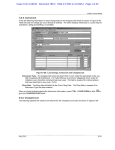
On-line help is always available via popup windows (see Figure 7).
thors)
to provide
help system makes use
also developed
a tutorial-style
controlli
to
etc.
os prosr.w!
~
$
II y
$
$
*
~
*
II ,:,
execution.
buttm
lets
You set the number Of
be executed
each time you press RUN.
is entered
and di SP1ayed m a pmi ti w
The dsfaul t count is 1000.
1!
!:~
g
II
$ 0FW3KPT
j
j
This button
1 ets YOU set the breakpoint
address.
a breakpoint
is set,
subsequent
execution
wi 11 stop
instruction
immediately
preceding
the breakpoint.
3
Once
at the
s
t!
:
i
~
:$
~
,..
11
I
The breakpoint
address
is specified
and di SP1ayed a!s a
Tlw default
breakpoint
is FfFFh, which
~ hexadecimal
value.
~ is bsyond the wpor
bwnd
of memory (i.e.
no breakpoint).
Figure
7. The popup HELP
facility.
with
xSICSIM
is executed
original assembly-language
instruction,
the location
counter, and the object code generated by the assembler. As in the MEMORY
window, a scrollbar
allows easy navigation
through the program text.
(an X utility
can be manipulated
contents,
the desired area
The program
The Klerarchically-organized
as well
in-
directly from the student’s object code file, and reflects any anomalies
in its format.
To facilitate
of xhelp
fqr
on the
registers,
-.. .
:1 rnl IMT
:>
Pressing
this
instructt
ons to
~: TIIe cwnt
value
$ dwi !!s1 number.
Experiences
the identification
of incorrect
the USER LISTING
window
quick access to the “expected”
objects
register
used
infOrmatiOIIl
of SIC/XE
located
to scroll
is visible.
Source Code Display.
provides
and purpose
is dison the
by the au-
introduction
to the
mechanics of the interface, the SIC/XE
machhe architecture,
SIC/XE
assembly language, and details
of program execution.
Written
language,
tem
in a highly
xSICSIM
supporting
Window
portable
can
be
To date,
of the
on
Xl 1R4 or later
release
System.
subset
installed
any
C
sys-
of the X
it haa been ported
to
UNIX workstations
(Sun 3/50, SparcStation,
and
IPC), IBM/AIX
systems (RISC System 6000 and
X Stations).
With
the exception
of one minor
adjustment,2
the interface preserves the total independence of SICSIM, which may still
via its command-line
interface.
xSICSIM
was used
in CSE400L,
course
puter
successfully
over
the systems programming
required
for
undergraduates
Science and the Computer
be invoked
the plast year
laboratory
in the
Com-
Engineering
cur-
ricula at Auburn.
The response has been very favorable.
In particular,
the graphical
interface
is
cited ‘as being both appealing and useful.
Selecting the master help button, labeled HELP,
enters the help system at the top level and is
used primarily
by newcomers to xSICSIM. In addi-
2SICSIM is written in Paacal, notorious for its 1~0 bufTering. The program was modified to flush the bfier
aft er each
writ e, ensuring
that X5 ICS Ill receives
an innnediat
@response
tion,
occur
the help
facility
is activated
in context-taensive
161
from
the
in
aimulato~
the
display
otherwiee,
as the
bufFer
unacceptable
filled.
delwys
would
[9] Sayers, Jerry E. and David E. Martin,
“A Hypothetical
Computer to Simulate Microprogram-
Judging from the quality of student implementations of assemblers and macro processors, xSICSIM
increases student interest and improves their understanding
of the interrelationships
between source
code, object code, and CPU operation.
Students
report
that the tool’s
which
identify
error detection
tions,
and out-of-range
illegal
opcodes,
capabilities
malformed
addresses — are helpful
localizing
mistakes or misalignments
code format, a task which previously
ing and time-consuming,
verts the ‘black-box”
—
instruc-
In effect,
SICSIM
xSICSIH
into
in
cona ‘vi-
sual computer”
which reinforces the student’s mental model of computer
operation.
By observing
how the machine interprets
and responds to each
instruction,
he or she can identify the cause and effect of object code anomalies, without
the tedium
of manual
format
conversions
and disassembly.
References
[1] Barth, Ingo, Thomas Braunl,
bach, Parallazis
User Manual,
3/90, Universitaet
Stuttgart,
Department
(March 1990).
[2]
Coelho,
Boston,
David
Kluwer
R.,
The
Academic
and Frank SemTechnical Report
Computer
VHDL
Publishers
Science
Handbook.
(1989).
[3] Overbeek,
langauge with
Ross A., Assembler
ASSIST
and ASSIST/1,
Chicago,
Science Research Associates (1986).
a Microprogram
[4] Donaldson,
John L., “MicMac:
Simulator
for Courses in Computer
Organization,”
ACM SIGCSE Bulletin,
20 (3): 428-431
(September
1988).
[5] Skrien,
ulator
Dale and John Hosack,
at the Register
an Introductory
ACM SIG(7SE
1991).
‘Transfer
Machine
Bulletin,
“Multilevel
Sim-
Level for Use in
Organization
23 (l):
Class,”
347–351 (March
[6] Beck, Leland L., “SICSIM
documentation,”
unpublished manuscript
from San Diego State University, distributed
by Addison-Wesley
(1990).
[7] Beck, Leland L., Systems Software:
An Introduction to Systems Programming,
Reading MA,
Addison-Wesley
[8] Scheifler,
Robert
(1990).
and James Gettys,
and
X Window
System: Complete Reference to Xlib, X Protocol,
ICCCM,
XLFD,
Second Edition,
Bedford MA,
Digital Press (1990).
162
Conventional
ACM SIGCSE
ber 1988).
[10] Allen,
tributed
Bulletin,
Laura
MC68000
in the object
was frustrat-
machine
ming
Machine
20 (4):
“Sim68000,
(Version
2),”
by University
of Technology
Corporation,
1989.
A Simulator
unpublished
of Florida
[11] Peterson, Chris D., Athena
guage Interface,
Cambridge
Institute
Language,”
43-49
(Decemfor the
report
dis-
(1990).
Widget Set - C LanMA, Massachusetts
and Digital
Equipment