1
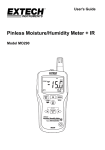
USER GUIDE Moisture Meter Model MO210 Introduction Thank you for selecting the Extech Model MO210. This device is shipped fully tested and calibrated and, with proper use, will provide years of reliable service. Please visit our website (www.extech.com) to check for the latest version of this User Guide, Product Updates, and Customer Support. Cautions The electrode measurement pins are extremely sharp. Use care when handling this instrument. Cover the pins with the protective cap when the instrument is not in use This device is not a toy and must not reach children’s hands. It contains hazardous objects as well as small parts that the children could swallow. In case a child swallows any of them, please contact a physician immediately Do not leave the battery and packing material lying around unattended; they can be dangerous for children if they use them as toys In case the device is going to be unused for an extended period of time, remove the battery to prevent them from draining Expired or damaged batteries can cause cauterization on contact with the skin. Always, therefore, use suitable hand gloves in such cases See that the battery is not short-circuited. Do not throw the battery into a fire 2 MO210-en-GB_V2.4 7/15 Description Meter Description 1. Measurement electrode pin 2. Cutoff switch 3. LCD (detail below) 4. Hand grip 5. Verification Test Points 6. Battery check Test Points 7. Removable cap 8. Material Selector Switch Display Description 1. Graphical Display 2. Numerical Reading 3. Units 4. Low Battery Indicator 5. Solid lines – even number 6. Dashed lines – odd number 2 2 3 3 1 4 4 5 6 5 6 Wood Scale 3 Building Material Scale MO210-en-GB_V2.4 7/15 Operation CAUTION: The electrode measurement pins are extremely sharp. Use care when handling this instrument. Cover the pins with the protective cap when the instrument is not in use. 1. 2. 3. 4. 5. 6. 7. 8. 9. Remove the protective cap to expose the electrode pins. The meter automatically switches ON when the cap is removed. The meter automatically shuts OFF when the cap is replaced. To conserve battery life, the meter automatically shuts off after 15 minutes when the cap is left off. To revive the meter after an Auto Power OFF, simply press the yellow cut-off switch momentarily. Slide material selection switch to read wood moisture or building moisture. Carefully push the electrode pins as far as possible into the material under test. Note that the pins should be inserted into wood perpendicular to the wood’s fiber structure. Take several readings in several locations on the material for the best representation of the amount of moisture present. Read the measurement values on the display. Replace the protective cap when finished. Reading the Display 1. 2. 3. 4. 5. The LCD display has two scales The wood scale indicates wood moisture from 6 to 44%. The building materials scale indicates moisture content from 0.2 to 2.4%. To calculate the Wood % equivalent multiple the building material reading by 20. (example – 0.6% building x 20 = 12 %WME). A continuous line indicates an even number. A dotted line indicates on odd number. The battery icon appears when the batteries are weak and require replacement. Auto Power OFF With the protective cap removed, the meter will turn off after 15 minutes to conserve battery life. Press the yellow cutoff switch momentarily to restart the meter. Always secure the protective cap when the instrument is not in use. Wood Scale Building Material Scale Instrument Measurement Verification check 1. With the meter wood moisture position, touch the electrode test pins to the two test points 1 and 2 at the top of the protective cap labeled ‘T’. 2. With the unit on and the electrode pins touching the ‘T’ test points, the meter should read 27% ±2%. If not, the meter may require repair. 1 2 Battery Check 1. With the meter wood moisture position, touch the electrode test pins 3 4 to the two test points 3 and 4 at the top of the protective cap labeled ‘B’ (see diagram). 2. With the unit on and the electrode pins touching the ‘B’ test points, the meter should read > 44%±2% on the wood moisture scale. If not, replace the batteries. T B 4 MO210-en-GB_V2.4 7/15 Battery Replacement If the instrument does not switch on, displays the low battery symbol, or if the Battery Check yields less than 44% on the wood moisture scale, replace the batteries as follows: 1. 2. 3. 4. Remove the Phillips head screw from the belt clip/battery compartment located on the rear of the instrument. Remove the batteries taking note of their orientation and polarity. Install three (3) new CR-2032 button batteries observing polarity. Secure the battery compartment with the Phillips head screw. You, as the end user, are legally bound (EU Battery ordinance) to return all used batteries, disposal in the household garbage is prohibited! You can hand over your used batteries / accumulators at collection points in your community or wherever batteries / accumulators are sold! Disposal: Follow the valid legal stipulations in respect of the disposal of the device at the end of its lifecycle. Battery Safety Reminders Please dispose of batteries responsibly; always observe local, state, and federal regulations with regard to battery disposal. Never dispose of batteries in a fire. Batteries may explode or leak. Never mix battery types. Always install new batteries of the same type. Electrode Pin Replacement To replace the two electrode pins: 1. Remove the protective cap 2. Unscrew the electrode pins 3. Install the new pins 4. Replace the protective cap Maintenance Always keep the instrument dry Prevent dirt from accumulating at the electrode pins 5 MO210-en-GB_V2.4 7/15 Specifications Display Measurement principle Range Electrode length Electrode pins Auto Power OFF Power supply Meter housing Operating Temperature Operating Humidity Dimensions Weight Dual measurement scale LCD with bargraph metering Electrical resistance Wood: 6 to 44%, Building materials: 0.2 to 2.4% 9.5mm (0.375”) Integrated, replaceable After approx. 15 minutes Three (3) CR-2032 button cells Impact-proof plastic o o 0 to 40 C (32 to 104 F) 85% Relative Humidity maximum 130 x 40 x 25mm (5.1 x 1.6 x 1.0”) 108.3g. (3.82 oz) Copyright © 2014‐2015 FLIR Systems, Inc. All rights reserved including the right of reproduction in whole or in part in any form ISO-9001 Certified www.extech.com 6 MO210-en-GB_V2.4 7/15