1
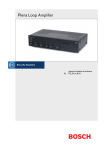
Plena Loop Amplifier
Installation and User Instructions
en
PLN-1LA10
Plena Loop Amplifier | Installation and User Instructions | Important safeguards
Important safeguards
Before you install or operate the Plena Loop Amplifier,
you must read the Important Safety Instructions. The
Important Safety Instructions are supplied together with
the Plena Loop Amplifier.
Bosch Security Systems | 2005-05 | 9922 141 50672en
en | 3
Plena Loop Amplifier | Installation and User Instructions | Acknowledgements
Acknowledgements
Bosch Security Systems thanks the NVVS (Dutch
Association of Hard of Hearing People) for the valuable
information that was provided during the development
of the Plena Loop Amplifier and the creation of the
Installation and User Instructions.
Bosch Security Systems | 2005-05 | 9922 141 50672en
en | 4
Plena Loop Amplifier | Installation and User Instructions | About this manual
en | 5
About this manual
Signs
Function
The Installation and User Instructions shows each
precaution with a sign. The sign shows the effect if you
do not obey the instruction.
The Installation and User Instructions gives the
installers and operators the necessary data to install,
configure and operate the Plena Loop Amplifier.
Precaution
General sign for cautions and warnings.
Digital version
The Installation and User Instructions is available as a
digital file (Portable Document File, PDF).
When the PDF refers you to a location that contains
more data, you can click the text to go there. The text
contains hyperlinks.
Precautions and notes
The Installation and User Instructions uses precautions
and notes. The precaution gives the effect if you do not
obey the instructions. These are the types:
• Note
A note gives more data.
• Caution
If you do not obey the caution, you can cause
damage to the equipment.
• Warning
If you do not obey the warning, you can cause
personal injury or death.
Bosch Security Systems | 2005-05 | 9922 141 50672
Precaution
Risk of electric shock.
The sign that is shown along with a note gives more
data about the note itself.
Note
General sign for notes.
Note
Refer to another information source.
Plena Loop Amplifier | Installation and User Instructions | About this manual
Conversion tables
Length, mass and temperature are in SI units. Refer to
the data below to change SI units to imperial units.
table 1: Conversion of units of length
1 in =
25.4 mm
1 mm =
1 in =
2.54 cm
1 cm =
1 ft =
0.3048 m
1m=
1 mi =
1.609 km
1 km =
0.03937 in
0.3937 in
3.281 ft
0.622 mi
table 2: Conversion of units of mass
1 lb =
0.4536 kg
1 kg =
2.2046 lb
table 3: Conversion of units of pressure
1 psi =
68.95 hPa
1 hPa =
0.0145 psi
Note
1 hPa = 1 mbar.
table 4: Conversion of units of temperature
9
° F = --- ⋅ ° C + 32
5
5
° C = --- ⋅ ( ° F – 32 )
9
Bosch Security Systems | 2005-05 | 9922 141 50672
en | 6
Plena Loop Amplifier | Installation and User Instructions | Table of contents
en | 7
Table of contents
Important safeguards ...................................................................................................................................................3
Acknowledgements.......................................................................................................................................................4
About this manual .........................................................................................................................................................5
Table of contents ...........................................................................................................................................................7
1. System overview ...........................................................................................................................................................9
1.1 Loop amplifier ...........................................................................................................................................................................9
1.2 Induction loop systems ..........................................................................................................................................................9
1.2.1 Introduction .........................................................................................................................................................................9
1.2.2 Principle ...............................................................................................................................................................................9
1.2.3 Benefits ............................................................................................................................................................................. 10
1.3 Plena ....................................................................................................................................................................................... 10
1.4 Block diagram ....................................................................................................................................................................... 10
1.5 Supervision ............................................................................................................................................................................ 10
1.6 Quadrature system .............................................................................................................................................................. 10
1.7 Controls, connectors and indicators ............................................................................................................................... 12
1.7.1 Front view ......................................................................................................................................................................... 12
1.7.2 Rear view .......................................................................................................................................................................... 12
2. Design and planning ................................................................................................................................................. 13
2.1 Introduction ............................................................................................................................................................................ 13
2.2 System types ......................................................................................................................................................................... 13
2.2.1 Simple system ................................................................................................................................................................. 13
2.2.2 Quadrature systems ....................................................................................................................................................... 13
2.2.3 Expanded quadrature systems .................................................................................................................................... 15
2.2.4 Low-spill system .............................................................................................................................................................. 15
2.3 Induction loops ..................................................................................................................................................................... 16
2.3.1 Introduction ...................................................................................................................................................................... 16
2.3.2 Position ............................................................................................................................................................................. 16
2.3.3 Wire diameter .................................................................................................................................................................. 16
2.3.4 Magnetic field strength .................................................................................................................................................. 16
2.3.5 Connection ....................................................................................................................................................................... 16
2.3.6 Configuration ................................................................................................................................................................... 16
2.4 Potential problems ............................................................................................................................................................... 18
2.4.1 Metal loss ......................................................................................................................................................................... 18
2.4.2 Overspill ............................................................................................................................................................................ 18
2.4.3 Earth loops ....................................................................................................................................................................... 18
3. Installation ................................................................................................................................................................... 19
4. External connections ................................................................................................................................................ 21
4.1 Induction loops ..................................................................................................................................................................... 21
4.2 Audio inputs .......................................................................................................................................................................... 21
4.3 Priority input ........................................................................................................................................................................... 22
4.4 Fault output ............................................................................................................................................................................ 23
4.5 Line output ............................................................................................................................................................................. 23
4.6 Power supply ......................................................................................................................................................................... 23
4.7 Slave to Master ..................................................................................................................................................................... 25
4.8 Slave to slave ........................................................................................................................................................................ 25
5. Configuration .............................................................................................................................................................. 27
Bosch Security Systems | 2005-05 | 9922 141 50672en
Plena Loop Amplifier | Installation and User Instructions | Table of contents
en | 8
5.1 Master and slaves ................................................................................................................................................................ 27
5.2 Electric current ...................................................................................................................................................................... 27
5.2.1 Master induction loops .................................................................................................................................................. 27
5.2.2 Slave induction loops .................................................................................................................................................... 28
5.2.3 Bracket .............................................................................................................................................................................. 28
5.3 Metal loss compensation .................................................................................................................................................... 28
5.4 Supervision ............................................................................................................................................................................ 29
5.5 Fault contact .......................................................................................................................................................................... 29
5.6 Priority input ........................................................................................................................................................................... 29
5.7 AGC/Limiter .......................................................................................................................................................................... 29
5.7.1 Introduction ...................................................................................................................................................................... 29
5.7.2 Switch on and off ........................................................................................................................................................... 29
5.7.3 Range ................................................................................................................................................................................ 30
5.8 Frequency range ................................................................................................................................................................... 30
5.9 Audio inputs .......................................................................................................................................................................... 30
5.9.1 Sensitivity ......................................................................................................................................................................... 30
5.9.2 Phantom power ............................................................................................................................................................... 30
5.9.3 Voice activation ............................................................................................................................................................... 31
6. Operation ..................................................................................................................................................................... 33
6.1 Switch on ............................................................................................................................................................................... 33
6.2 Switch off ............................................................................................................................................................................... 33
6.3 Change volume ..................................................................................................................................................................... 33
6.4 Change tone .......................................................................................................................................................................... 34
6.5 Condition LEDs .................................................................................................................................................................... 34
Bosch Security Systems | 2005-05 | 9922 141 50672en
Plena Loop Amplifier | Installation and User Instructions | System overview
1
1.1
System overview
Loop amplifier
The PLN-1LA10 Plena Loop Amplifier has been
designed as a very high-quality amplifier for medium to
large size induction loop systems. Ease of installation
and use have been major factors in the design,
combined with optimized performance.
figure 1.1: Plena Loop Amplifier
table 1.1: Performance
Frequency response:
60 Hz to 10 kHz (+1/-3 dB, @ -10 dB @ rated output
Distortion:
< 1% @ rated output, 1 kHz
Bass control:
-8/+8 dB @ 100 Hz
Treble control:
-8/+8 dB @ 10 kHz
table 1.2: Certifications and approvals
EMC emission:
acc. to EN55103-1
EMC immunity:
acc. to EN55103-2
Safety:
acc. to EN60065
Induction loop systems:
acc. to EN60118-4
acc. to IEC118-4
Bosch Security Systems | 2005-05 | 9922 141 50672en
en | 9
1.2
Induction loop systems
1.2.1
Introduction
An induction loop system consists of a looped wire that
is installed along the walls of a room and a loop
amplifier.
1.2.2
Principle
The loop amplifier changes incoming audio signals in
an alternating electric current that is sent through the
induction loop. The strength and frequency of the
electric current varies with the tone and the amplitude
of the incoming audio signal and generates an
alternating magnetic field inside the induction loop.
People with assistive listening devices who are located
inside the induction loop, can put their assistive listening
devices in the T or MT mode to listen to the audio
signals.
In the T or MT mode, a little coil is activated (T stands
for ‘tele-coil’). The coil receives the alternating magnetic
field and changes it into an alternating voltage, which
the assistive listening devices change into an audio
signal. This audio signal is not entirely the same as the
incoming audio signal of the loop amplifier, because the
assistive listening devices also compensate for individual
hearing disabilities (for example, signal strength and
frequency range).
T/MT
1
2
4
3
figure 1.2: Assistive listening device
table 1.3: Assistive listening device
No.
Description
1
Tele-coil
2
Microphone
3
Gain control
4
Amplifier
5
Earphone
5
Plena Loop Amplifier | Installation and User Instructions | System overview
1.2.3
Benefits
Ambient noise prevents hard-of-hearing people from
listening to a specific sound in a room. The ambient
noise can result from other people in the room,
equipment, but also from the acoustics. Depending on
the acoustics of the room, hard-of-hearing people
already find the reflected noise a strain when the
distance between them and the speaker is more than
2 m. The induction loop, to which the hard-of-hearing
people can listen with their assistive listening devices,
virtually reduces the distance to the speaker. Their
distance to the speaker seems equal to the distance
between the speaker and the microphone.
1.3
Plena
The Plena Loop Amplifier is part of the Plena product
range. Plena provides public address solutions for places
where people gather to work, worship, trade or simply
enjoy themselves. It is a family of system elements that
are combined to create public address systems tailored
for virtually any application. The range includes mixer,
pre, system and power amplifiers, a source unit, digital
message manager, feedback suppressor, conventional
and PC call stations, an ‘All-in-One’ system and a voice
alarm system. Each element is designed to complement
all others thanks to matched acoustical, electrical and
mechanical specifications.
Bosch Security Systems | 2005-05 | 9922 141 50672en
1.4
en | 10
Block diagram
Refer to figure 1.4 for a block diagram of the Plena
Loop Amplifier.
1.5
Supervision
All vital functions of the loop amplifier are supervised.
The loop amplifier checks its internal power amplifier,
the integrity of the connected induction loop and the
priority input with a pilot tone. When a supervised
function fails, a LED on the front panel of the loop
amplifier is lit and the fault contact is de-energized.
1.6
Quadrature system
One of the key features of the Plena Loop Amplifier is
that it can be used in quadrature systems. In a
quadrature system, an even number of Plena Loop
Amplifiers work together to create a magnetic field that
has the same strength throughout the whole covered
area and drops rapidly to zero beyond the borders of
the covered area. This is achieved by introducing a
phase difference of 90° in the electric current that flows
through two adjacent induction loops.
Plena Loop Amplifier | Installation and User Instructions | System overview
en | 11
1
2
1
0 dB
-6 dB
-20 dB
3
5
10
Fault
Current
1
Power
2
0
Master
_
0
11
_
+
10
+
9
12
Loop
Integrity
AGC
Limiter
7
6
5
0
8
13
14
15
4
16
17
115V
Line Out
Master In
VU LED
Slave Out
0º
Fault
230V
Apparatus delivered
Connected for 230V
90º
Supervision
PRE Amp. POST Amp.
Metal loss
compensation
18
Master Slave
NO
C
NC
1
Priority input
On
Off
2
Line fuse: 230V 3A
115V 6A
Loop
Out Com
Phantom
AGC Limiter 5K 10K
AGC
100V 0
25 24 23
Vox
Mix
On
Phantom
Off Mic
Line
On
Off Mic
Line
21
22
20
19
figure 1.3: Front and rear views
Priority 100V
input
0
Master in
Phantom
Mic
Bal. input
Master
1
Vox
Line
Mic
Mix
Tone
Priority
control
Limiter
Out
Com
0º
90º
Slave out
Bal. input
2
Mute
Line
90º
figure 1.4: Block diagram
Bosch Security Systems | 2005-05 | 9922 141 50672en
0º
Plena Loop Amplifier | Installation and User Instructions | System overview
1.7
1.7.1
Controls, connectors and
indicators
Front view
The front of the loop amplifier (refer to figure 1.3)
contains:
1 Power LED/VU Meter - A combined power LED
and VU meter. The green power LED comes on
when the loop amplifier is switched on. The VU
meter shows the master VU level: 0 dB (red), -6 dB,
-20 dB (yellow).
2 Electric current meter - Show the electric
current through the induction loop.
3 Fault LED - Comes on when a supervised function
of the loop amplifier fails (refer to section 6.5).
4 Headphones socket - Connects headphones to
the loop amplifier.
5 Limiter LED - Comes on when the limiter is active
(refer to section 6.5).
6 AGC LED - Comes on when the automatic gain
control (AGC) is active (refer to section 6.5).
7 Loop integrity LED - Comes on when the
induction loop is intact (refer to section 6.5).
8 Master volume control - Sets the maximum
electric current that flows through the induction loop
(refer to section 5.2).
9 Tone controls - Controls the high and low tones of
the audio signal on the induction loop (refer to
section 6.4).
10 Input volume controls - Control the volume of
audio input 1 and audio input 2 (refer to section 6.3).
11 On/off switch - Switches the loop amplifier on and
off (refer to section 6.1 and section 6.2).
Bosch Security Systems | 2005-05 | 9922 141 50672en
1.7.2
en | 12
Rear view
The rear of the loop amplifier (refer to figure 1.3)
contains:
12 Metal loss compensation control - Controls the
metal loss compensation (refer to section 5.3).
13 Master/slave sockets - Connect master and slaves
to the loop amplifier (refer to section 4.7).
14 Line output - Connects an external recording
device to the loop amplifier (refer to section 4.5).
15 Fault output - Sends the condition of the loop
amplifier to other equipment (refer to section 4.4).
16 Supervision switch - Switches supervision of the
priority input on and off (refer to section 5.4).
17 Voltage selector - Selects the voltage on which the
loop amplifier must operate (refer to section 4.6).
18 Power inlet - Connects the loop amplifier to the
mains power supply with a power cable (refer to
section 4.6).
19 Ground screw - Connects the loop amplifier to
ground.
20 Induction loop output - Connects the induction
loop to the loop amplifier (refer to section 4.1).
21 Audio inputs - Connects the loop amplifier to
external audio inputs (refer to section 4.2).
22 Priority input - Connect the loop amplifier to
systems that can override the audio signal on the
induction loop (refer to section 4.3). For example, a
Plena Voice Alarm System or a Praesideo system.
23 Frequency range switch - Select the frequency
range of the audio signal on the induction loop (refer
to section 5.8).
24 AGC/Limiter switch - Selects the automatic gain
control (AGC) or the limiter (refer to section 5.7.2).
25 AGC range control - Controls the range of the
automatic gain control (see section 5.7.3).
Plena Loop Amplifier | Installation and User Instructions | Design and planning
2
Design and planning
2.1
Introduction
en | 13
When you connect more than one induction loop to a
(master) loop amplifier, make sure that the induction
loops are of the same size (refer to figure 2.2).
We advise you to contact the local association of
hard-of-hearing people to make sure that the induction
loop system will be satisfactory in every way.
2.2
System types
2.2.1
Simple system
A simple induction loop system consists of a (master)
loop amplifier with one or more induction loops (refer
to figure 2.1 and figure 2.2).
M
figure 2.2: Simple system, multiple loops
2.2.2
M
figure 2.1: Simple system, single loop
Bosch Security Systems | 2005-05 | 9922 141 50672en
Quadrature systems
2.2.2.1 Introduction
One of the key features of the Plena Loop Amplifier is
that it can be used in quadrature systems. In a
quadrature system, an even number of Plena Loop
Amplifiers work together to make a magnetic field that
has the same strength throughout the whole covered
area drops fast to zero beyond the borders of the
covered area.
Plena Loop Amplifier | Installation and User Instructions | Design and planning
2.2.2.2 Simple quadrature system
A simple quadrature system consists of (refer to figure
2.3):
• A master loop amplifier (M) with one induction loop.
• A slave loop amplifier (S) with one induction loop.
Note
Although it is not required, the sizes of the
master and slave induction loops are typically
the same.
en | 14
To cover larger areas, create a basic system with
multiple induction loops (refer to figure 2.4 for an
example). Such a system consists of:
• A master loop amplifier (M) with multiple induction
loops. All master induction loops must have the
same size.
• A slave loop amplifier (S) with multiple induction
loops. All slave induction loops must have the same
size.
Note
Although it is not required, the sizes of the
master and slave induction loops are typically
the same.
M
0°
0°
M
90°
S
figure 2.3: Simple system, single loops
90°
0°
90°
figure 2.4: Simple system, multiple loops
Bosch Security Systems | 2005-05 | 9922 141 50672en
S
Plena Loop Amplifier | Installation and User Instructions | Design and planning
2.2.3
Expanded quadrature systems
To cover very large areas, create an expanded
quadrature system (refer to figure 2.5 for an example).
Such a system consists of:
• A master loop amplifier (M) with one or more
induction loops. All master induction loops must
have the same size.
• An odd number of slave amplifiers (S1, S2, S3, etc.)
with one or more induction loops. All slave
induction loops must have the same size.
Note
Although it is not required, the sizes of the
master and slave induction loops are typically
the same.
2.2.4
90°
0°
S1
S2
0°
M
90°
Low-spill system
A special type of quadrature system is the low-spill
system (refer to figure 2.6 for an example). A low-spill
system makes sure that the magnetic field strength drops
even more rapid to zero beyond the borders of the
covered area. Such a system consists of:
• A master loop amplifier (M) with one or more
induction loops. All master induction loops must
have the same size.
• An odd number of slave amplifiers (S1 in this
example) with one or more induction loops. All slave
induction loops must have the same size.
• Two slave amplifier (S2 and S3 in this example) with
one induction loop. The width of the induction loops
must be between 50 and 66% of the width of the
master induction loops.
0°
S2
en | 15
S3
M
50-66%W
90°
W
0°
W
90°
50-66%W
figure 2.6: Low-spill system (example)
figure 2.5: Expanded system (example)
Bosch Security Systems | 2005-05 | 9922 141 50672en
S1
S3
Plena Loop Amplifier | Installation and User Instructions | Design and planning
2.3
Induction loops
2.3.1
Introduction
2.3.3
When you make an induction loop, you must take a
number of parameters into consideration. However,
sometimes there are special situations, which make the
design and planning of the induction loop even more
important. A number of potential problems and
solutions will be discussed later.
2.3.2
Position
For the best audio quality and the smallest variation in
the magnetic field strength, the distance between the
induction loop and the listening plane must be between
12 and 15% of the width of the room (refer to figure
2.7).
12..15% W 12..15% W
H
Loop
Loop
L
W
figure 2.7: Position
For example, in a room with a width (W) of 10 m, the
induction loop should be installed 0 to 0.4 m below or
2.4 to 2.8 m above the floor for the best audio quality
and the smallest variation in the magnetic field strength.
Typically, you will install the induction loop in the floor
or in the ceiling of a room. When the distance between
the floor and the induction loop is too small (less than
8% of the width) or too large (more than 20% of the
width), refer to figure 2.8. The figure 2.8 shows the extra
power that the loop amplifier needs to make the correct
magnetic field. The numbers next to the curves show
the distance from the floor to the induction loop in % of
the width (W) of the room.
Bosch Security Systems | 2005-05 | 9922 141 50672en
en | 16
Wire diameter
For the best audio quality, the DC (direct current)
resistance of the induction loop must be between 1 and
3 Ω. The DC resistance depends on the wire diameter
and the wire length. Do as follows:
1 Calculate the wire length. The wire length depends
on the size of the induction loop.
2 Use figure 2.9 to get the allowed wire diameter.
For example, in a rectangular room with a width (W) of
10 m and a length (L) of 30 m, the wire length is 80 m.
According to figure 2.9, the wire diameter must be
between 0.77 and 1.34 mm. Thus, you can use AWG 20
wire or a wire with a standard diameter of 1.00 mm.
2.3.4
Magnetic field strength
For the best audio quality, the vertical component of the
magnetic field must be 100 mA/m ± 3 dB at 1.2 m
above the floor in the area that is surrounded by an
induction loop. The strength of the magnetic field
depends on the electric current through the induction
loop. Peaks in the strength of the magnetic field must be
less than 400 mA/m at 1.2 m above the floor in the area
that is surrounded by the induction loop.
2.3.5
Connection
Refer to section 4.1 for instructions that tell you how to
connect an induction loop to the loop amplifier.
2.3.6
Configuration
Refer to section 5.2 for instructions that tell you how to
configure the electric current through the induction
loop.
Plena Loop Amplifier | Installation and User Instructions | Design and planning
3
en | 17
10
2
1
0
-1
-2
20
-3
power (dB)
-4
-5
30
-6
-7
40
-8
-9
50
-10
-11
60
-12
70
-13
-14
-15
80
-16
90
-17
100
-18
-19
0
10
20
30
40
50
60
70
80
90
100
width (%)
figure 2.8: Extra power vs. the width of the room
3.00
2.75
2.50
wire diameter (mm)
2.25
2.00
1.75
1.50
1.25
1.00
AWG 20
0.75
0.50
0.25
0.00
0
25 34 50
30
76 90100
135 150
figure 2.9: Wire diameter vs. the wire length (copper wires)
Bosch Security Systems | 2005-05 | 9922 141 50672en
200
wire length (m)
250
300
303
350
Plena Loop Amplifier | Installation and User Instructions | Design and planning
2.4
Potential problems
2.4.1
Metal loss
New buildings often contain a large amount of metal
(for example, meshes in concrete floors and ceilings).
The metal will have an effect on the high frequencies of
the signal. You can adjust the tone of the audio signal on
the induction loops with the Metal loss compensation
control on the rear of the loop amplifier (refer to section
5.3). The metal loss compensation is a variable, signal
dependent addition of high frequencies.
2.4.2
Overspill
The larger the induction loops, the more overspill.
When there is overspill, people outside the room with
the induction loop system can overhear the audio signal
on the induction loop. Overspill can also cause
interference on other induction loop systems in the
same building.
When you design a quadrature system (refer to section
2.2.2 and section 2.2.3) or a low-spill system (refer to
section 2.2.4), you can avoid large induction loops and
thus avoid the potential problem of overspill.
2.4.3
Earth loops
Earth loops can cause interference on the induction loop
system. You can avoid earth loops when you connect
the shielding of cables only to one device.
Bosch Security Systems | 2005-05 | 9922 141 50672en
en | 18
Plena Loop Amplifier | Installation and User Instructions | Installation
3
Installation
The loop amplifier is sent to you in a box. Refer to table
3.1 for the contents of the box.
Note
Always compare the contents of a shipment
with the descriptions on the shipment
documents.
table 3.1: Box
Description
Loop amplifier
Important Safety Instructions
Installation & User Instructions
Power cable
19” rack system brackets
Cover bracket
XLR cable
Quantity
1x
1x
1x
1x
2x
1x
1x
Caution
Do not unpack the box until you install and
connect the loop amplifier.
Install the loop amplifier in a 19-inch rack system or on
a flat surface (refer to figure 3.1).
0 dB
-6 dB
-20 dB
Power
1
2
1
5
10
Current
Master
Fault
+
+
Loop
Integrity
AGC
Limiter
figure 3.1: Installation
Bosch Security Systems | 2005-05 | 9922 141 50672en
en | 19
Make sure that there is a free space of at least 100 mm
on both sides of the loop amplifier for ventilation. The
loop amplifier has a regulated internal fan, which keeps
the temperature of the electronics within the safe range.
table 3.2: Physical characteristics
Dimensions (h x w x d):
94 x 430 x 320 mm (19” wide, 2U high)
Weight:
11.6 kg
table 3.3: Environmental conditions
Operating temperature:
+5 to +45 °C
Storage temperature:
-25 to +55 °C
Relative humidity:
< 95%
Plena Loop Amplifier | Installation and User Instructions | Installation
Intentionally left blank.
Bosch Security Systems | 2005-05 | 9922 141 50672en
en | 20
Plena Loop Amplifier | Installation and User Instructions | External Connections
4
4.1
en | 21
External connections
4.2
Induction loops
You can connect audio sources to the audio inputs of
the loop amplifier. For example, you can connect a
power amplifier and a microphone (refer to figure 4.2).
Audio inputs
Connect the induction loops to the rear of the loop
amplifier (refer to figure 4.1). Always twist wires that run
parallel and close to each other to avoid additional and
undesired inductions.
PLN-1LA10
Loop Amplifier
Master
In
Slave
Master
Metal
compensloss
ation
Line Out
Out
0º
in Slave
90º
out
Fault
Priority
input
Supervis
ion
1
AGC
NO
Limiter
C
115V
NC
5K 10K
On
2
100V
Off
230V
Apparat
Connec us delivered
ted for
230V
Phantom
0
Vox
Mix
Line fuse:
On
Off
Phantom
Mic
Line
On
230V
115V 3A
6A
Loop
Out
Com
Off
Mic
Line
1
Master
In
Slave
Master
Metal
compensloss
ation
2
Line Out
Out
0º
in Slave
90º
out
Fault
Priority
input
Supervis
1
AGC
NO
Limiter
C
115V
On
2
100V
ion
NC
5K 10K
Off
Phant
om
230V
Apparat
Connec us delivered
ted for
230V
Phantom
0
Vox
Mix
Line fuse:
On
Off
Phantom
Mic
Line
On
Off
230V
115V 3A
6A
Loop
Out
Com
Mic
Phant
Line
Vox
Line fu
se: 23
0V
115V 3A
6A
Loop
Out
Com
On
om
Off
Mix
On
Phant
om
Mic
On
Off
GND
1
3
Off
+
2
line ou
t
PLN-1P120
Power Amplifier
figure 4.1: Induction loop, connection
table 4.1: Induction loop, details
Number of connections:
1x screw terminal
Location:
Rear side
Current:
max. 10 A peak, max. 6 A continuous
Induction loop DC resistance:
0.5 to 3 Ω
Induction loop area:
max. 600m2 @ 100 mARMS/m
Bosch Security Systems | 2005-05 | 9922 141 50672en
+
1
100V
0V
3
GND
2
GND
1
3
+
2
100V
line out
230V70V
0
0
8
24V
-
240V-
DC IN
+
Line
fuse
250V
T1A
Warn
This
ing
apparatus
must
Apparat
connec us delivere
ted for
d
230V-
be earthed
figure 4.2: Audio inputs, connection
table 4.2: Audio inputs, details
Number of connections:
2x XLR sockets
Location:
Rear side
Sensitivity:
Switchable, 1 mV/1 V
Impedance:
> 1 kΩ
Dynamic range:
100 dB
Signal-to-noise ratio:
63 dB @ max. volume
75 dB @ min. volume/mute
Headroom:
25 dB
Phantom power:
Switchable, 16 V
VOX functionality:
Switchable, input 1 mutes input 2
Plena Loop Amplifier | Installation and User Instructions | External Connections
4.3
Priority input
You can connect other devices or systems to the priority
input. The priority input has a higher priority than
audio input 1 and audio input 2. When the priority
input receives a signal, the loop amplifier replaces the
signal on the connected induction loops with the signal
of the priority input.
en | 22
For example, you can connect a Plena Voice Alarm
System (refer to figure 4.3) to the priority input.
Caution
Install the safety bracket on the priority input to
make sure that it is not possible to touch the
priority input (refer to figure 4.4).
PLN-1LA10
Loop Amplifier
Priori
Master
In
Slave
Master
Metal
compensloss
ation
ty inp
Line Out
Out
0º
in Slave
90º
out
Supervis
ion
NO
Limiter
1
input
1
AGC
C
115V
NC
5K 10K
230V
On
Off
2
100V
Apparat
Connec us delivered
ted for
230V
Phantom
0
Vox
Mix
Line fuse:
On
Off
Phantom
Mic
Line
On
Off
AGC
230V
115V 3A
6A
Loop
Out
Com
Mic
Line
Priority
Int B
Ext
oost
er
Boo
ster
1 Cha
nnel
BG
M /C
all
N.C
./Spa
re
A
Z1
100
Limite
r 5K
10K
input
5K 10
K
2 Cha
nnel
BG
M /S
pare
Cal
l
100V
0
0
Z2
100V
100V
100V
0
Z4
100
Z1
0
100
0
V
Z2
0
LBB1990/00
Voice Alarm Controller
100V
V
0
figure 4.4: Safety bracket
Ext
Booster
A
100V
1 Channel
BGM/Ca
N.C./Spall
re
2 Channel
BGM/Sp
are
Call
B
Override
/Trigger
0
Z2
Z3
100V
Output
100V
24V
0
0
100V
100V
0
Z4
100V
0
Z5
100V
Z6
100V
0
0
Ext
Booster 100V
In
0
DC
In
24V
0
Z1
0
0
input/24V
Emergenc
y
1
2
COM
NO
COM
NO
0
NC
NO
Business
1
COM
NO
2
COM
Fault
1
NC
Z6
TRG
2
out
3
4
3
5
4
3
24V
6 DC
out
5
4
VOX
6 Switch
5
Call
6
NC
1
24V
NO
0
10k
10k
24V
DC
out
Call
station
Volume
Z6
For service
Override
Int
Booster
1
Out
Out
SEL1
SEL0
2
1
3
4
5
100V
Call
LBB
only
TRG2
100V
70V
EMG
NC
Z4
Z5
Z4
Z5
100V
DC
NC
Z3
Z3
100V
0
Trigger
Z1
Z2
Z2
100V
100V
6
VOX
out
2
Switch
Firmwar
Upgradee
Off
Monitor
APR
mode
Supervis
2ch
ion
operatio
LBB199
4
In
GND
1990/00
Plena
Max. Voice Alarm 8900 199
00001
Ratedoutput power Controlle
output
115-230V
power360W r
S/N.
~, 50/60Hz240W
Design
The & Quality
Netherland
n
N663
s
Made in China
Int Booster
Z1
115V~
230V~
Apparat
Connecus delivere
ted for d
230V~
On
Off
Impedan
Calibrat ce
ion
External
Booster
USB
Fireman
's panel
On
Power
L
Rated
CD/Tun
GND
er
Line
fuse
T6.3L25
R
AUX
0
Vox
100V
B
V
Z3
ut
Fault
Priority
PC
Mic/Line
Vox
LBB199
4
input
power:7
60VA
T10L25 0V for230V
0V for115V AC
AC
Remote
Control
Panel
Vox
Speech
Phantomfilter
power
Off
On
1
Router
Digital
Messag
e
Monitori
ng
Speaker
2
Warnin
g
apparatus
This
must
be earthed
figure 4.3: Priority input, connection
Bosch Security Systems | 2005-05 | 9922 141 50672en
table 4.3: Priority input, details
Number of connections:
1x screw terminal
Location:
Rear side
Input sensitivity:
100 V, transformer-balanced
Signal-to-noise ratio:
63 dB @ max. volume
75 dB @ min. volume/mute
Headroom:
25 dB
Mix
Plena Loop Amplifier | Installation and User Instructions | External Connections
4.4
Fault output
4.5
With the fault output (refer to figure 4.5), you can send
the condition of the loop amplifier to external devices
(for example, sounders).
en | 23
Line output
You can connect a recording device (for example, a
tape deck) to the line output of the loop amplifier (refer
to figure 4.6).
PLN-1LA10
Loop Amplifier
PLN-1LA10
Loop Amplifier
115V
Line Out
Master In
VU LED
Slave Out
0º
Fault
Metal loss
compensation
230V
Apparatus delivered
Connected for 230V
90º
Master
In
Slave
Supervision
PRE Amp. POST Amp.
Master
Metal
compensloss
ation
NO
C
NC
1
Priority input
On
90º
out
Fault
input
Off
AGC
Line fuse: 230V 3A
115V 6A
NO
Limiter
Vox
Mix
On
Off Mic
On
On
Off Mic
230V
Off
Apparat
Connec us delivered
ted for
230V
Phantom
0
Vox
Mix
Line fuse:
On
Phantom
Line
115V
NC
2
100V
100V 0
C
5K 10K
Loop
Out Com
Phantom
Supervis
ion
1
2
AGC Limiter 5K 10K
Line Out
Out
0º
in Slave
Priority
Master Slave
Off
Phantom
Mic
Line
On
Off
230V
115V 3A
6A
Loop
Out
Com
Mic
Line
Line
Line Ou
t
Fault
90º
Fault
1
NO
NO
C
C
NC
NC
figure 4.6: Line output, connection
NC
COM
NO
figure 4.5: Fault output, relay
The fault output is an internal relay. By default, NC is
connected to COM. When a supervised function of the
loop amplifier fails, the relay connects NO to COM.
table 4.5: Line output, details
Number of connections:
1x XLR plug
Location:
Rear side
Nominal level:
1V
Impedance:
200 Ω
4.6
table 4.4: Fault output, details
Number of connections:
1x screw terminal
Location:
Rear side
Contacts:
Voltage-free, max. 100 V, 2 A
Signal-to-noise ratio:
63 dB @ max. volume
75 dB @ min. volume/mute
Headroom:
25 dB
Bosch Security Systems | 2005-05 | 9922 141 50672en
Power supply
To connect the loop amplifier to a mains power supply
do as follows:
1 Set the voltage selector on the rear of the loop
amplifier to the correct position (refer to table 4.6).
table 4.6: Voltage selector
Power supply voltage
Voltage selector
100 to 120 V(AC)
115
220 to 240 V(AC)
230
Note
The PLN-1LA10 Loop Amplifier is delivered with
the voltage selector in the 230 position.
Plena Loop Amplifier | Installation and User Instructions | External Connections
2 Make sure that the fuse holder in the rear of the loop
amplifier contains the correct fuse (refer to table 4.7).
table 4.7: Fuses
Voltage selector
115
230
Fuse
10AT
6.3AT
Note
The PLN-1LA10 Loop Amplifier is delivered with
a 6.3AT fuse.
3 Connect a locally approved power cable from the
loop amplifier to a power outlet (refer to figure 4.7).
Master
In
Slave
Master
Metal
compensloss
ation
Line Out
Out
0º
in Slave
90º
out
Fault
Priority
input
Superv
ision
1
AGC
NO
Limiter
C
115V
NC
5K 10K
On
2
100V
Off
Vox
Mix
Line fuse:
On
Off
Phantom
Mic
Line
On
115V
230V
Appa
Conn ratus delive
ected
for 23red
0V
Line fus
230V
Appara
Connectus delivere
ted for
d
230V
Phantom
0
Off
230V
115V 3A
6A
Loop
Out
Com
Mic
Line
PLN-1LA10
Loop Amplifier
e: 23
0V
115V 3A
6A
Loop
Out
Com
figure 4.7: Power supply, connection
table 4.8: Power supply, details
Mains voltage:
230/115 V(AC), ±10%, 50/60 Hz
Power consumption
max. 400 W
Mains inrush current:
max. 7 A @ 230 V(AC), max. 14 A @ 115 V(AC)
Signal-to-noise ratio:
63 dB @ max. volume
75 dB @ min. volume/mute
Headroom:
25 dB
Bosch Security Systems | 2005-05 | 9922 141 50672en
en | 24
Plena Loop Amplifier | Installation and User Instructions | External Connections
4.7
Slave to Master
4.8
Connect the 0° Slave Out socket or 90° Slave Out of the
master loop amplifier to the Master in socket of the slave
loop amplifier. For an example, refer to the connection
from Master to Slave 2 in figure 4.8 and the connection
from Master to Slave 1 in figure 4.8.
en | 25
Slave to slave
Connect the 0° Slave Out socket of the slave loop
amplifier to the Master in socket of the next slave loop
amplifier. For an example, refer to the connections from
Slave 1 to Slave 3 and Slave 2 to Slave 4 in figure 4.8.
Master
Master
In
VU LED
PRE Amp.
Metal
comp loss
ensat
ion
Slave
Line Out
Out
0º
POST
Amp.
Fault
Maste
r Slave
Priority
input
Supe
rvisio
1
AGC
NO
Limite
C
r 5K
10K
115V
On
Phanto
0
Vox
n
NC
2
100V
Off
Line fuse:
On
Off
Phanto
Mic
VU LE
230V
115V 3A
6A
Off
Loop
Out
Com
Mic
Line
Line O
Slave
O
D
PR E Am
p. PO
ST
Metal
mpensloss
ation
m
Line
On
Maste
r In
230V
Appa
Conn ratus deliv
ected
ered
for 230V
m
Mix
0º
Amp.
ut
90º
Maste
r Slave
Priorit
y input
1
AGC
Limite
r 5K
10K
Maste
r In
Slave 2
Master
In
Maste
r Slav
e
Priority
Maste
r
Line O
Out
90º
Metal
mpenloss
satio
AGC
Slave
90º
Slave 1
input
1
AGC
Limite
r 5K
10K
Limite
r 5K
10K
AGC
230V
Off
Phantom
Mic
Line
Off
VU LE
n
90º
Amp.
Metal
mpenloss
satio
Maste
r Slav
e
Priority
Maste
r In
Line O
Slave
Out
0º
D
PR E Am
p. PO
ST
VU LE
PR E Am
n
0º
Priority
Limite
r 5K
10K
Slave 3
input
Limite
r 5K
10K
In
VU LED
PRE Amp.
Metal
compenloss
sation
Fault
Fault
Vox
Off
230V
Appara
Connectus delivere
ted for
d
230V
AGC
NO
Limiter
Phantom
Mic
Line
On
Off
230V
115V 3A
6A
Loop
Out
Com
Mic
Line
figure 4.8: Master and slave loop amplifiers
Bosch Security Systems | 2005-05 | 9922 141 50672en
ision
115V
NC
On
2
Off
Mix
Line fuse:
On
Off
Phantom
Mic
230V
Appara
Connectus delivere
ted for
d
230V
Phantom
0
Vox
Line fuse:
Off
C
5K 10K
100V
Mix
On
Superv
1
115V
Phantom
0
Line Out
90º
input
ision
NC
2
Out
Amp.
Slave
Priority
Superv
C
On
100V
Slave
0º
POST
Master
input
NO
Line
1
AGC
0º
90º
230V
115V 3A
6A
Loop
Out
Com
Mic
Line O
Out
Slave
1
Off
90º
Amp.
Line Out
Out
Line
Maste
r Slav
e
input
1
AGC
Slave
D
p. PO
ST
230V
Appara
Connectus delivere
ted for
d
230V
Phantom
Mic
Line
Master
Slave
Off
Line fuse:
Off
On
Slave 4
Amp.
ision
115V
On
2
On
Metal
mpenloss
satio
5K 10K
Superv
Mix
230V
115V 3A
6A
Loop
Out
Com
Mic
NC
Phantom
0
Vox
Line fuse:
C
5K 10K
100V
Mix
r In
Priority
Fault
NO
Limiter
Appara
Connectus delivere
ted for
d
230V
Maste
POST
90º
input
1
115V
Off
Phantom
0
Line Out
Out
Amp.
Slave
ision
NC
On
VU LED
Slave
0º
POST
Priority
C
On
Master
VU LED
Master
Superv
On
PRE Amp.
In
PRE Amp.
Metal
compenloss
sation
Fault
Vox
In
Maste
r Slav
e
Priority
input
Line O
Out
90º
100V
Limiter
0º
Amp.
input
NO
Master
Slave
D
p. PO
ST
Line Out
Out
Amp.
5K 10K
2
AGC
VU LE
PR E Am
n
1
1
Metal
compensloss
ation
In
Slave
Priority
Limiter
0º
Amp.
0º
POST
Master
AGC
n
Slave
D
Master
VU LED
PRE Amp.
Metal
compenloss
sation
VU LE
PR E Am
p. PO
ST
Metal
mpenloss
satio
Line
On
Off
230V
115V 3A
6A
Loop
Out
Com
Mic
Line
Plena Loop Amplifier | Installation and User Instructions | External Connections
Intentionally left blank.
Bosch Security Systems | 2005-05 | 9922 141 50672en
en | 26
Plena Loop Amplifier | Installation and User Instructions | Configuration
5
5.1
Configuration
Master and slaves
Set the Master in/Slave out switches on the rear of all
loop amplifiers (refer to figure 5.1) in the induction loop
system in the correct position.
• The Master/Slave switch of the master loop amplifier
must be in the Master position.
• The Master/Slave switch of all slave loop amplifiers
must be in the Slave position.
Master In
VU LED
Slave Out
0º
90º
PRE Amp. POST Amp.
Master Slave
figure 5.1: Master/Slave switch
Note
Slave loop amplifier can only send the signal
that they receive from the master loop amplifier
to their induction loops. The audio inputs and
the priority input of the slave loop amplifiers are
disabled.
5.2
Electric current
5.2.1
Master induction loops
en | 27
Do as follows:
1 Connect a pink noise source to audio input 2 on the
rear of the master loop amplifier.
2 Connect the master loop amplifier to the mains
power supply with a power cable.
3 Set the AGC/Limiter switch on the rear of the master
loop amplifier in the Limiter position.
4 Switch on the pink noise source.
5 Set the signal strength of the output signal of the pink
noise source to 0 dBV.
6 Switch on the master loop amplifier with the power
switch on the front.
7 Increase the volume of audio input 2 of the master
loop amplifier with its input volume control until the
Limiter LED on the front of the master loop amplifier
comes on.
8 Increase the electric current through the master
induction loops with the Master volume control on
the front of the master loop amplifier until the
magnetic field strength in each master induction
loop is 100 mA/m.
Note
Instead of a pink noise source, you can use a
sine wave of 1 kHz. Then, the magnetic field
strength must be 70 mA/m in each master
induction loop.
9 Switch off the master loop amplifier with the power
switch on the front.
10 When the induction loop system contains slave loop
amplifiers, configure the electric current through the
slave induction loops (refer to section 5.2.2).
Bosch Security Systems | 2005-05 | 9922 141 50672en
Plena Loop Amplifier | Installation and User Instructions | Configuration
5.2.2
Slave induction loops
Do as follows:
11 Disconnect the master induction loops from the
master loop amplifier.
12 Connect the slave loop amplifier to the mains power
supply with a power cable.
13 Set the AGC/Limiter switch on the rear of the slave
loop amplifier in the Limiter position.
14 Switch on the master loop amplifier with the power
switch on the front of the master loop amplifier.
15 Switch on the slave loop amplifier with the power
switch on the front of the slave loop amplifier. When
the induction loop system contains more than one
slave loop amplifier, make sure that all other slave
loop amplifiers are off.
16 Increase the volume of audio input 2 of the slave
loop amplifier with its volume control until the
Limiter LED on the front of the slave loop amplifier
comes on.
17 Increase the electric current through the slave
induction loops with the Master volume control on
the front of the slave loop amplifier until the
magnetic field strength in each slave induction loop
is 100 mA/m (pink noise source) or 70 mA/m (sine
wave of 1 kHz).
18 Switch off the slave loop amplifier with the power
switch on the front of the slave loop amplifier.
19 Repeat the procedure for the other slave loop
amplifier in the induction loop system.
Note
Do not forget to re-connect all induction loops
after you have configured the electric current
through the induction loop of the last loop
amplifier.
Bosch Security Systems | 2005-05 | 9922 141 50672en
5.2.3
en | 28
Bracket
You can cover the front of the loop amplifier with a
bracket refer to figure 5.2). When you cover the front,
you make sure that nobody can change the position of
the volume controls. Thus, you make sure that nobody
can change the electric current through the induction
loop that is connected to the loop amplifier.
0 dB
-6 dB
-20 dB
Power
1
2
1
5
10
Current
Master
Fault
+
+
Loop
Integrity
AGC
Limiter
figure 5.2: Cover bracket
5.3
Metal loss compensation
Do as follows:
1 Turn the Metal loss compensation control on the
rear of the loop amplifier to the leftmost position.
2 Connect headphones to the headphones socket on
the front of the loop amplifier to listen to the audio
signal that is sent to the connected induction loops.
3 With the same headphones, listen to the audio signal
on the induction loops through an induction loop
receiver.
4 Turn the Metal loss compensation control to adjust
the tone of the audio signal on the induction loops.
5 Repeat the procedure for the other loop amplifiers in
the induction loop system.
Plena Loop Amplifier | Installation and User Instructions | Configuration
5.4
Supervision
You can switch supervision (refer to section 1.5) on and
off with the Supervision switch. The Supervision switch
is on the rear of the loop amplifier (refer to figure 5.3).
• To switch on supervision, set the Supervision switch
in the ON position.
• To switch off supervision, set the Supervision switch
in the OFF position.
5.7
AGC/Limiter
5.7.1
Introduction
Automatic gain control (AGC) keeps the level of the
audio signal on the connected induction loops constant.
The limiter makes sure that audio signals with a strength
of more than 0 dBV are not sent to the connected
induction loops.
5.7.2
Fault
Supervision
NO
C
NC
On
Off
en | 29
Switch on and off
You can switch automatic gain control (AGC) on and
off with the AGC/Limiter switch. The AGC/Limiter
switch is on the rear of the loop amplifier (refer to figure
5.5).
• To switch on AGC, set the AGC/Limiter switch in the
AGC position. When AGC is on, the limiter is
disabled.
figure 5.3: Supervision switch
5.5
Fault contact
You can configure the fault contact with the Supervision
switch (refer to section 5.4).
• If supervision is off, the internal relay is de-energized
(NO position).
• If supervision is on and the loop amplifier operates
correctly, the internal relay is energized
(NC position).
• If supervision is on and the loop amplifier does not
operate correctly, the internal relay is de-energized
(NO position).
5.6
Note
Do not forget to configure the AGC range (refer
to section 5.7.3).
•
To switch on the limiter, set the AGC/Limiter switch
in the Limiter position. When the limiter is on, AGC
is disabled.
Priority input
AGC
You can set the volume of the audio signal that the
priority input sends to the connected induction loops
with the Priority input volume control. The Priority input
volume control is on the rear of the loop amplifier (refer
to figure 5.4).
Priority input
AGC
Limiter 5K 10K
AGC
100V
0
figure 5.4: Priority input volume control
Bosch Security Systems | 2005-05 | 9922 141 50672en
Limiter 5K 10K
AGC
figure 5.5: AGC/Limiter switch
Plena Loop Amplifier | Installation and User Instructions | Configuration
5.7.3
Range
You can set the AGC range with the AGC volume
control. The AGC volume control is on the rear of the
loop amplifier (refer to figure 5.6).
AGC
Limiter 5K 10K
en | 30
5.9
Audio inputs
5.9.1
Sensitivity
You can set the sensitivity of the audio inputs with the
Mic/Line switch. The Mic/Line switch is on the rear of
the loop amplifier (refer to figure 5.8).
• If the connected audio source is a microphone, set
the switch in the Mic position.
• If the connected audio source is a line-level source,
set the switch in the Line position.
AGC
figure 5.6: AGC volume control
The correct AGC range depends on the audio input
signals and the perceptions of the users of the connected
induction loops. If you set the AGC range too wide, soft
sounds (for example, undesired ambient noise) is
amplified. If you set the AGC range too narrow, desired
soft sounds are lost.
5.8
Frequency range
You can set the frequency range with the 5K/10K switch.
The 5K/10K switch is on the rear of the loop amplifier
(refer to figure 5.7).
• If the audio inputs contain speech, set the switch in
the 5K position for the most optimal result.
• If the audio inputs contain background music, set the
switch is in the 10K position for the most optimal
result.
AGC
Phantom
Vox
Mix
On
Off
Mic
Line
figure 5.8: Mix/Line switch
5.9.2
Phantom power
You can switch phantom power for microphones on
and off with the Phantom power switch. The Phantom
power switch is on the rear of the loop amplifier (refer to
figure 5.9).
• If the connected audio source is a microphone that
must receive phantom power, set the Phantom switch
in the ON position.
• If the connected audio source is not a microphone or
if the connected microphone does not accept
phantom power, set the Phantom switch in the OFF
position.
Limiter 5K 10K
AGC
figure 5.7: Frequency range switch
Phantom
Vox
Mix
figure 5.9: Phantom switch
Bosch Security Systems | 2005-05 | 9922 141 50672en
On
Off
Mic
Line
Plena Loop Amplifier | Installation and User Instructions | Configuration
5.9.3
Voice activation
You can switch voice activation (Vox) of audio input 1
on and off with the Vox/Mix switch. The Vox/Mix switch
is on the rear of the loop amplifier (refer to figure 5.10).
• To switch Vox on, set the Vox/Mix switch in the Vox
position. The audio signal of audio input 1 overrides
the audio signal of audio input 2.
• To switch Vox off, set the Vox/Mix switch in the Mix
position. The audio signal of audio input 1 and the
audio signal of audio input 2 are mixed.
Phantom
Vox
Mix
On
Off
Mic
Line
figure 5.10: Vox/Mix switch
Bosch Security Systems | 2005-05 | 9922 141 50672en
en | 31
Plena Loop Amplifier | Installation and User Instructions | Configuration
Intentionally left blank.
Bosch Security Systems | 2005-05 | 9922 141 50672en
en | 32
Plena Loop Amplifier | Installation and User Instructions | Operation
6
6.1
Operation
6.3
Switch on
Push the Power switch to switch on the loop amplifier.
The Power switch is on the front of the loop amplifier
(refer to figure 6.1).
en | 33
Change volume
You can change the volume of the audio signal on the
connected induction loops with the input volume
controls. The input volume controls are on the front of
the loop amplifier (refer to figure 6.3).
Caution
Do not change the volume of the audio signal on
the connected induction loops with the Master
volume control. When you change the position
of the Master volume control, you change the
magnetic field of the connected induction loops.
0 dB
-6 dB
-20 dB
1
Power
0
2
0
figure 6.1: Power switch
0 dB
-6 dB
-20 dB
When the mains power supply is available, the green
power LED on the front of the loop amplifier (refer to
figure 6.2) comes on.
Power
1
0
2
0
figure 6.3: Input volume controls
0 dB
-6 dB
-20 dB
1
Power
0
2
0
figure 6.2: Power LED
6.2
Switch off
Push the Power switch to switch off the loop amplifier.
The Power switch is on the front of the loop amplifier
(refer to figure 6.1). The green power LED on the front
of the loop amplifier (refer to figure 6.2) goes off.
Bosch Security Systems | 2005-05 | 9922 141 50672en
Note
The volume of the audio signal on the priority
input is configured with a volume control on the
rear of the loop amplifier (refer to section 5.6).
Plena Loop Amplifier | Installation and User Instructions | Operation
6.4
en | 34
Change tone
You can change the tone of the audio signal on the
connected induction loops with the tone controls. The
tone controls are on the front of the loop amplifier (refer
to figure 6.4).
• The left tone control changes the bass or low
frequency content of the audio signal.
• The right tone control changes the treble or high
frequency content of the audio signal.
Master
_
+
_
+
0
figure 6.4: Tone controls
6.5
Condition LEDs
table 6.1: Status indicators
Indicator
Description
Fault
The loop amplifier does
not operate correctly.
Loop integrity
The induction loops are
not intact.
AGC
The automatic gain
control is on.
Limiter
The signal of one or more
of the inputs is clipped off
because it is too strong.
Bosch Security Systems | 2005-05 | 9922 141 50672en
Recommended action
Contact your dealer when
the LED goes off.
Contact your dealer when
the LED goes off.
---Check which input is too
loud and turn its volume
control counterclockwise
to decrease the volume.
Additional information
Refer to section 5.5.
---Refer to section 5.7.
Refer to section 5.7.
For more information visit
www.boschsecuritysystems.com
© Bosch Security Systems B.V.
Data subject to change without notice
2005-05 | 9922 141 50672en