1
LaCie Internet Space 2
User Manual
DNS Server 1
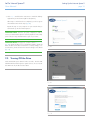
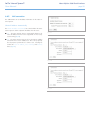
The DNS server 1 box sets the primary domain name server. This is
obtained automatically from your router’s DHCP configuration, and
is provided by your ISP.
DNS Server 2
The DNS server 2 box sets the secondary domain name server. This
is obtained automatically from your router’s DHCP configuration,
and is provided by your ISP.
Server IP Address
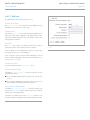
The Server IP address box sets the static IP address for the LaCie
Internet Space 2. Obtain the static IP address from your ISP (Internet
service provider), and use it to replace the dynamic IP address that
appears in the box by default. The Server IP address box only appears if Obtain IP address automatically is set to No.
Server Netmask
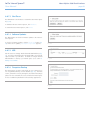
The Server netmask box sets the subnet mask. Choices are:
■■ /32 (255.255.255.255)
■■ netmask.24 (255.255.255.0)
■■ /16 (255.255.0.0)
■■ /8 (255.0.0.0)
The subnet mask determines the address range of the subnet. Data
to addresses within the subnet (e.g. between your computer and
the LaCie Internet Space 2) are routed within the network. Data to
addresses outside the subnet (e.g. between a remote user and the
LaCie Internet Space 2) are routed to the Internet. Most home networks with less than 255 nodes use netmask.24. The Server netmask
box only appears if Obtain IP address automatically is set to No.
Gateway
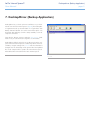
The Gateway box sets the IP address of the device that routes data
from the LaCie Internet Space 2 to the Internet (i.e. the router). The
Gateway box only appears if Obtain IP address automatically is set
to No.
About HipServ Web Portal Interface
page 56