1
People
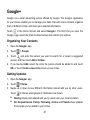
You can add contacts on your phone and synchronize them with the contacts in your
Google account or other accounts that support contact syncing.
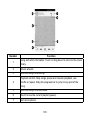
To see your contacts, touch the Home Key >
. From there, you can touch the
tabs on the top of the screen to quickly switch to the contact groups
contacts
or favorite
.
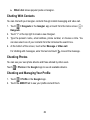
Checking Contact Details
1. Touch the Home Key >
and touch the all contacts tab
to access your
contact list.
2. Scroll through the list to view all your contacts.
3. Touch a contact to view its details.
TIP: If you have a lot of contacts stored, you'll see a slider when you touch the right
side of the screen. To go directly to a letter, touch and hold the slider and drag it to a
letter.
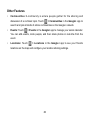
Adding a New Contact
1. Touch the Home Key >
2. Touch
and touch the all contacts tab
.
to add a new contact.
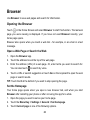
3. Touch the account field near the top of the screen to choose where to save the
contact. If a sync account is selected, the contacts will be synced automatically
with your account online.
57