1
6.1.
Functionality
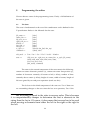
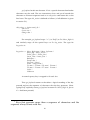
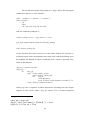
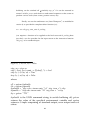
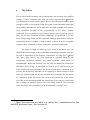
The actual editing functions that the editor supports are drawn from Sufrin's
specification. The following is full description (divided into various
categories). These commands can only be typed after typing Esc ([] means
optional):
6.1.1.
File Management
•
get [<filename>]
Read file. If filename not supplied then prompt. If
file does not exist then issue error message.
•
sa [<filename>] [y/ n/ a]
Save file. If no filename given get from
state. If none in state prompt. If file exists prompt for overwrite
permission ask for new name. If “a” abandon command. User can type
sa file.dat y to automatically overwrite.
6.1.2.
Searching & Replacing
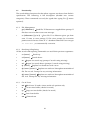
All the search and replacing commands can recall their previous arguments.
•
su [<text>]
Search up
•
sd [<text>]
•
au
Repeat last search up (prompt if search string missing)
•
ad
Repeat last search down (prompt if search string missing)
•
rp [<text>]
•
fp [<text>] [<text'>]
Search down
Replace last found text with <text>
Replace text with text' throughout remainder of
file. Do not ask. Prompt for any missing information
•
fq [<text>] [<text'>]
Replace text with text' throughout remainder of
file. Ask. Prompt for any missing information
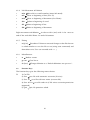
6.1.3.
Cut & Paste
•
mk
•
ct
Cut text into buffer (checks for mark)
•
cp
Copy text into buffer (checks for mark)
•
pt
Paste from buffer
•
um
Mark text. If used n times marks nth position only
Unmark text
22