1
DAELIM
DAELIM TRADING CO., LTD.
www.dobidos.co.kr
Warranty Included
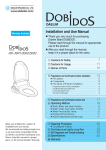
DB-2100
Installation and User Manual
Thank you for purchasing the DOBIDOS BIDET
made by Daelim.
Please read through the manual for appropriate
use of the product.
After you read through the manual,
keep it in a proper place for the users.
1 Cautions for Safety
3 Names of Parts
6
10
11
4 Preparations and Check
5 Installation
13
15
2 Cautions for Usage
●
●
●
Precautions
C omponents
Procedure of product Installation
Preparation before Installation
Installation Procedure
C onnecting Water Hose
●
●
Installing the Wireless C ontroller
Trial operating and C onfirmation
6 Operation
●
●
●
●
Make sure to follow the installation
instructions as well as the manual.
We recommend that you take good
care of the product, as we may not be
responsible for accidents cause from
inadequate uses.
Please keep this manual in a proper
place, as the manual includes the
Warranty.
●
●
POWER , WATER TEMP, SEAT TEMP
WASH and B IDET Function
MASSAG E, R HYTHM, NOZZLE Position
DR Y, Deodorizing
Cleaning the nozzle and using the main unit controller
EC ONO
7 If the product is Unused for a Long Time
8 Self Diagnosis and Trouble Shooting
9 Specifications
Warranty
15
15
16
16
17
18
19
21
22
22
23
24
25
26
27
28
29
30
WARNING :
TO REDUCE THE RISK OF FIRE OR ELECTRIC SHOCK, DO NOT EXPOSE THIS PRODUCT
TO RAIN OR MOISTURE. DO NOT INSERT ANY METALLIC OBJECT THROUGH
VENTILATION GRILLS.
CAUTION :
CAUTION
RISK OF ELECTRIC SHOCK
DO NOT OPEN
WARNING:SHOCK HAZARD-DO NOT OPEN.
AVIS:RISQUE DE CHOC ELECTRIQUE-NE PAS OUVRIR.
CAUTION:TO REDUCE THE RISK OF ELECTRIC SHOCK.
DO NOT REMOVE COVER(OR BACK).
NO USER-SERVICEABLE PARTS INSIDE.
REFER SERVICING TO QUALIFIED SERVICE PERSONNEL.
Explanation of Graphical Symbols
The lightning flash with arrowhead symbol, within an equilateral triangle, is
intended to alert the user to the presence of uninsulated “dangerous voltage”
within the product's enclosure that may be of sufficient magnitude to constitute
a risk of electric shock to a person.
The exclamation point within an equilateral triangle is intended
to alert the user to the presence of important operating and maintenance
(servicing) instructions in the literature accompanying the product.
I MP OR T A N T S A F E G U A R DS
READ ALL INSTRUCTIONS BEFORE USING
DANGER
To reduce the risk of electrocution:
1) Always unplug this product immediately after using.
2) Do not use while bathing.
3) Do not place or store product where it can fall or be pulled into a tub or sink.
4) Do not place in or drop into water or other liquids.
5) Do not reach for a product that has fallen into water. Unplug immediately and
discard the product.
WARNING
To reduce the risk of burns, electrocution, fire, or injury
to people.
1) Close supervision is necessary when this product is used by, on, or near children or handicapped.
2) Use this product only for its intended use as described in this manual.
Do not use attachments not recommended by the manufacturer.
3) Never operate this product if it has a damaged cord or plug, if it is not working properly, if it has been
dropped or damaged, or dropped into water.
Return the product to a service center for examination and repair.
4) Keep the cord away from heated surfaces.
5) Never block the air openings of the product or place it on a soft surface, such as a bed or couch, where
the air openings may be blocked.
Keep the air openings free of lint, hair, and the like.
6) Never use while sleeping or drowsy.
7) Never drop or insert any object into any opening or hose.
8) Do not use outdoors or operate where aerosol (spray) products are being used or where oxygen is being
administered.
9) Unplug this product before filling. Fill (reservoir) with water only unless otherwise specified by manufacturer.
Do not overfill (or specify filling instructions)
SAVE THESE INSTRUCTIONS
USER INSTRUCTION
1) Instruction and caution statements for cleaning, user maintenance, operations recommended by the
manufacturer, such as lubrication or nonlubrication, and a warning to the user that any other servicing
should be performed by authorized service representative or that the product has no user serviceable parts.
The manual or other literature packaged with product shall also indicate the product is for household
use.
2) In the case of a product intended to be used with water, additives, conditioners, or other solutions with
or without water, or a product that relies on the conductivity of water for normal operation (electrode
type product), and for which the use of baking soda, salt, or other substances to improve the conductivity
of the water is stipulated, specific instructions on the proper liquid or additive to use and the exact
amount to be used in conjunction with the product.
GROUNDING INSTRUCTION
1) This product should be grounded. In the event of an electrical short circuit, grounding reduces the risk
of electric shock by providing an escape wire for the electric current. This product is equipped with a
cord having a grounding wire with a grounding plug.
The plug must be plugged into an outlet that is properly installed and grounded.
Danger - Improper use of the grounding plug can result in a risk of electric shock.
If repair or replacement of the cord or plug is necessary, do not connect the grounding wire to either
flat blade terminal. The wire with insulation having an outer surface that is green with or without yellow
stripes is the grounding wire.
Check with a qualified electrician or serviceman if the grounding instructions are not completely
understood, or if in doubt as to whether the product is properly grounded.
2) This product is for use on a nominal 120 V circuit, and has a grounding plug that looks like the plug
illustrated in sketch A in Figure 1. A temporary adapter, which looks like the adapter illustrated in
sketches B and C, may be used to connect this plug to a 2-pole receptacle as shown in sketch B if a
properly grounded outlet is not available.
The temporary adapter should be used only until a properly grounded outlet (sketch A) can be installed
by a qualified electrician. The green colored rigid ear, lug, and the like extending from the adapter must
be connected to a permanent ground such as a properly grounded outlet box cover. Whenever the adapter
is used, it must be held in place by the screw.
3) If it is necessary to use and extension cord, use only a three wire extension cord that has a three-blade
grounding plug, and a three-slot receptacle that will accept the plug on the product. Replace or repair a
damaged cord.
GROUNDING METHODS
Sketch A
Sketch B
Grounded
outlet
Sketch C
Adapter
Metal
screw
Grounding
pin
Grounded
outlet box
Fig.1
Tab for
grounding screw
FCC COMPLIANCE STATEMENT
INFORMATION TO THE USER : THIS EQUIPMENT HAS BEEN TESTED AND FOUND
TO COMPLY WITH THE LIMITS FOR A CLASS B DIGITAL DEVICE, PURSUANT TO
PART 15 OF THE FCC RULES. THESE LIMITS ARE DESIGNED TO PROVIDE
REASONABLE PROTECTION AGAINST HARMFUL INTERFERENCE IN A
RESIDENTIAL INSTALLATION. THIS EQUIPMENT GENERATES, USES AND CAN
RADIATE RADIO FREQUENCY ENERGY AND, IF NOT INSTALLED AND USED IN
ACCORADANCE WITH THE INSTRUCTIONS MAY CAUSE HARMFUL INTERFERENCE
TO RADIO COMMUNICATIONS. HOWEVER, THERE IS NO GUARANTEE THAT
INTERFERENCE WILL NOT OCCUR IN A PARTICULAR INSTALLATION. IF THIS
EQUIPMENT DOES CAUSE HARMFUL INTERFERENCE TO RADIO OR TELEVISION
RECEPTION, WHICH CAN BE DETERMINED BY TURNING THE EQUIPMENT OFF AND
ON, THE USER IS ENCOURAGED TO TRY TO CORRECT THE INTERFERENCE BY
ONE OR MORE OF THE FOLLOWING MEASURES :
-REORIENT OR RELOCATE THE RECEIVING ANTENNA
-INCREASE THE SEPARATION BETWEEN THE EQUIPMENT AND RECEIVER
-CONNECT THE EQUIPMENT INTO AN OUTLET ON A CIRCUIT DIFFERENT
FORM THAT TO WHICH THE RECEIVER IS CONNECTED
-CONSULT THE DEALER OR AN EXPERIENCED RADIO/TV TECHNICIAN FOR HELP
CAUTION : CHANGES OR MODIFICATIONS NOT EXPRESSLY APPROVED BY THE
MANUFACTURER COULD VOID THE USER'S AUTHORITY TO OPERATE THE
EQUIPMENT.
THIS CLASS B DIGITAL APPARATUS MEETS ALL REQUIREMENTS OF THE
CANADIAN INTERFERENCE-CAUSING EQUIPMENT REGULATIONS.
CET APPAREIL NUMERIQUE DE LA CLASSE B RESPECTE TOUTES LES EXIGENCES
DU RéGLEMENT SUR LE MATERIEL BROUILLER DU CANADA.
1 Cautions for Safety
Please adhere to the cautions
accordingly for safety
Use the product correctly, after you read through the cautions for safety.
Always abide by the cautions shown below, as they are important points
related to safety.
The marks and their meanings are shown below.
Warning
If this mark is ignored and the product is wrongfully
used, a serious injury or death of the user may occur.
Caution
If this mark is ignored and the product is wrongfully
used, an injury or property damage of the user may
occur.
The contents, which you are requested to follow, are classified with
illustrated mark and explained as below.
Example of illustrated mark Description
Disassembly Prohibited
Example of illustrated mark Description
Indicated 'prohibition mark'.
The figure shown to the left signifies 'Disassembly prohibited'
Indicated 'compulsory mark'.
The figure shown to the left signifies 'C ompulsory instruction'
Compulsory Instruction
Warning
Do not install in a damp place.
●This
may cause a fire or an electric shock.
Water Splash Prohibited
6
Warning
For protection against low temperature burn
When the following person uses the warm seat or warm air dry, please
make sure to configure the seat temperature to "room temperature" and
drying air temperature to "low."
ㆍC hildren, elderly or others, who are unable to adjust the temperature
by themselves
ㆍPatients, physically disabled persons or others, who cannot freely
move themselves
ㆍPeople who took medicines that cause sleep (sleeping pills,
Compulsory Instruction cold tablets, etc.), people who had excessive drinks, tired people
or others who may fall asleep.
When sitting on the seat for a long time, set the seat temperature to 'room
temperature' before use.
※ About Low Temperature Burns .....
A burn occurs when the skin has been exposed to high temperatures. However, a low
temperature burn may occur when the skin has been in contact with an object at relatively
low temperature (about 104℉ [40℃]) for an extended period of time.
Check if the type-3 ground construction is
implemented to the ground line.
●
If the ground construction is not implemented,
it may cause a breakdown or power
leakage, followed by an electric shock.
For the ground construction, contact the
nearest electronic shop.
Remove dust and others from the power
plug, and insert the power plug completely
into the outlet.
●
Pull out the power plug and clean it with a
dry cloth.
Earth Grounding
In case of exchanging the power cord, follow:
If the power cord is damaged, contact the retail shop
where you purchased the product, or the customer
service center of the neighboring area.
● Only the manufacturer's sales agent and authorized
technicians should replace the power cord.
●
Compulsory Instruction
7
Only use on AC120V, 60Hz. Never put
too many loads on one electrical outlet.
Do not use loose outlets.
●
This may cause overheating or a fire.
●
Prohibited
Do not use wet hands to insert /remove
the power plug.
●
This may cause an electric shock.
Prohibited
Make sure not to wet the power plug
with water, detergent or urine.
This may cause a fire or an electric shock.
●
Wet Hands Prohibited
Watering Prohibited
Do not handle the power plug/power
cord roughly.
Make sure not to use industrial water
for water supply.
●
●
This may cause a fire or an electric shock.
This may cause contamination to the skin.
Prohibited
Prohibited
Do not disassemble, repair, and
remodel the product.
Pull out the power plug when cleaning
the product.
●
●
This may cause a fire or an electric shock.
Disassembling
Prohibited
8
This may cause a fire or an electric shock.
This may cause an
electric shock.
Always Pull Out
the Plug
Warning
Do not place a stove or a cigarette
close to the product.
●
Do not bend or distort the hose line.
●
This may cause water leakage.
This may cause fire.
Inflammable
Products Prohibited
Do not leave a heavy item on top of
the seat, or the seat cover.
●
This may cause injury due to dilapidation
of product.
Prohibited
When cleaning the product use diluted
kitchen detergent. Do not use the
following
[detergent, benzene, paint thinner,
cleaning power, nylon scrubbing brush, etc.]
● This may break the product, and cause
injury due to the dilapidated plastic.
Prohibited
Prohibited
Do not insert fingers or others inside
the warm air outlet.
Do not turn over the product upside
down.
●
●
This may cause a burn or an electric shock.
This may cause the product to damage.
Prohibited
Prohibited
9
2 Cautions for Usage
Do not expose the product to direct sunlight.
●
This may cause discoloration, make the
temperature of the
warm seat uneven,
and result in
malfunction of the
wireless controller.
Do not cover up the reception/transmission
window of the wireless controller.
This may disable the seat
sensor or the wireless
controller.
●
Drain existing water and pull out the
power plug when not used for a long time.
Do not lean against the cover during use.
●
This may break/crack
the seat cover.
Pull out the power plug when thunder/
lightning occur.
●
10
Use products such as radios away from
the product.
●
This may cause
failure or damage
of the unit.
This may cause
interference to the
radio.
The temperature of the washroom should
be above the freezing point.
This may freeze the
product. Warm up the
washroom with other
ways of heating before
using the product.
●
Do not use on a direct current or AC220V.
●
This may cause the water contamination and
skin inflammation.
●
Follow the next instructions
This may cause a fire, short circuit failure
or damage.
220V
Do not drop the wireless controller on the
floor or into the toilet.
●
This may cause a
failure of the unit.
Do not urinate on the nozzle.
●
This may cause failure
or damage.
3 Names of Parts
Main Unit
Wireless C ontroller
Wireless C ontroller Hanger
Seat C over
Label
Toilet Water Tank
(not part of B idet)
Main Unit Display
(See Page 12)
Main Unit
Power C ord
T-Shaped C onnector
Main Unit C ontroller
(See Page 12)
Side C over
Water Pipe
(not part of B idet)
Dryer
Water Valve
(not part of B idet)
Water Hose
Nozzle (for bidet)
Drain Plug
S eat
Nozzle (for wash)
Toilet B owl
(not part of B idet)
11
Main Unit Control
Main Unit Display
Seat Sensor
Wireless C ontroller
R eception Window
Projection
POWER
WASH
ECONO
Main Unit
Controller
BIDET
WASH
BIDET POWER
WASH BIDET POWER
WATER
Power,
Save Power
ㆍA projection is below the BIDET button so that
you can identify the buttons without looking at the
main unit controller on the side of the main unit.
SEAT
Seat Temperature
Water Temperature
Wireless Controller
Transmission Window
Display Window
WASH
DR Y
STOP
B IDET
WATER PR ESSUR E
Fw
Adjustment of
C leaning postion
Bw
R HYTHM
MASSAG E
WATER TEMP.
DEODOR IZATION
Nozzle Self C leaning
EC ONO
SEAT TEMP.
12
4 Preparation and Check
After installing the unit on the toilet bowl, check the followings before you use the unit
for the first time.
Preparation
1. Insert batteries in the wireless
controller
1. Take the wireless controller out from the hanger.
2. Open the cover of the battery compartment on the
back of wireless controller..
3. Insert two AA-sized batteries by matching the
polarities to the diagram inside the battery
component.
4. C lose the cover of the battery compartment.
● Do not mix a used battery with a new one.
● If you are not going to use the unit for a long time,
take out the batteries.
(The liquid from the battery may cause trouble.)
● The wireless controller does not work if the batteries
are inserted in incorrect directions.
(Make sure that the batteries are not used and
inserted in the correct directions.)
● The batteries supplied with the unit are for trial.
(The batteries may go dead soon if they have been
stored for a long time.)
EN
OP
Battery
Cover
Battery
(AA 2EA)
※ If the wireless controller stops working or powers
down, please replace the battery with a new one.
2. Connect the power plug to the
outlet.
1. Place the 120V (over 10A) outlet at least
19.7inch (50cm) from the floor, and connect
the power plug to the outlet.
2. Never connect the
power plug until
you finish installation.
That might cause a
failure of the product.
13
Check
3. Check if the water valve is
open.
Turn the water valve on supply water to the
water tank and the product.
Water Valve
4. Check the main unit display
POWER
ECONO
1. Check if ECONO lamp is lit green.
BIDET
WATER
WASH
SEAT
1 2 3
▶If it is off, press the POWER button on the
main unit controller.
WASH BIDET
2. Check if the WATER TEMP lamp is
lit green.
1
▶If it is off, press the WATER TEMP button on
the wireless controller to set the water
temperature.
3. Check if the SEAT lamp is lit green.
▶If it is off, press the SEAT button on the
wireless controller to set the seat
temperature.
Fw
Bw
3
2
Warning
Plug it to an outlet that is
connected to a ground line.
※In case of a breakdown or
power leakage, there could be an
electric shock.
※Please contact an electronic shop if the
outlet does not have a ground line.
(☞ page4)
14
POWER
Caution
Use only AC120V.
※If not, this may cause an
electric shock or a fire.
5 Installation
Please make sure you read the instructions carefully and install it properly.
Precautions
1. The AC voltage is 120V (60Hz) and the consumption of electricity rate is 560W.
C onnect this product only to power sources specified in the instructions.
2. The length of the power cord is 47in (1.2m). The outlet should be near where the product can
be installed and dismantled.
3. The water pressure limit is from 10 to 106.7 PSI (0.7 to 7.5 kgf/cm2). Please use as instructed.
4. The temperature of the water is from 37.4 ℉~96 ℉ (3~35℃). Please use as instructed.
5. The length of the coupling pipe is 23.6in (0.6m). The water shutoff valve should be near where
the product can be installed and dismantled.
6. C onnect the AC power cord and supply the water only after the unit is installed.
Components
1. Dobidos
2. Wireless Controller Components
와이어레스 콘트롤러 설치위치
Wireless
Controller
Wireless
Controller
Hanger
Battery
(AA Size, 2EA)
Illustration of
Wireless Controller
installion position
3. Fixing Components
Fixing B olts (2)
4. Installation Tool
Fixing Nuts (2)
5. T-Shaped Connector
S liding Plates (2)
Hemispherical Packing (2)
6. Water Hose
(Including Packing)
7. Installation and
User Manual
(Including Warranty)
Installation and
User Manual
S panner
Packing (1)
15
Procedure of Product Installation
Preparation before Installation
1. Insert the fixing bolt into the sliding
plate.
Insert the fixing bolt in the direction as
shown in the figure into the hole in
sliding plate.
3. Move fixing bolts from front to rear
It is easy to install the product because the
fixing bolt can be moved from front to rear
2.3in (60mm).
Movable from
front to rear 2.3in (60mm)
Water splash
prohibited
16
2. Insert the coupled plate into the
product.
Insert the coupled fixing bolt and the sliding
plate into the lower part of the product as
shown in the figure below.
4. Move fixing bolts from left to right.
It can be installed to even special and
foreign bowl of which the installation range
of fixing bolt is 5.5~7.8in (140 ~ 200mm),
10.4in(255mm).
Movable from
right to left 2.3in (60mm)
Use the electric outlet with the ground.
(Failure to ground may cause a failure
of the unit or electric shock.)
Do not install the unit in a damp place.
(This may cause fire or electric
shock.)
Grounding
Installation Procedure
1. Remove the existing seat and seat
cover.
Unfasten the two nuts that are holding the
seat and seat cover to remove them.
2. Product placement
After inserting the fixing bolts in the
product, adjust the left and right width of
the bolt and insert it in the holes for
installation.
Seat and Seat C over
Fixing Bolt
3. Installation place adjustment
Place the product on the toilet bowl and
move it back and forth so that the front
part of the seat extends beyond the front
end of the toilet.
4. Fastening the product
After adjusting the product in the proper
place, fasten it not to be tilted and moved.
Hemispherical
Packing
Fixing Nut
Prohibition
Do not lift the product with the
seat cover and seat open.
(This may cause a mechanical
trouble)
If there is a cut in the power cord,
power plug or the outlet is loose,
do not use the product.
(This may cause an electric
Prohibition shock or a fire.)
17
Connecting water hose
1. C lose the water valve and detatch water pipe
from the water tank.
C onnect the t-shaped connector to the water
tank.
Make sure that rubber packing is inserted in
between.
2. Detach the side cover from the product.
C onnect the t-shaped connector linked to the
water tank and the existing water pipe.
Do not forget to insert packing.
Side C over
Water Pipe
3. C onnect the t-shaped connector and the
water valve with the water pipe.
4. Open the water valve to check if there is
any leakage.
Put the side cover on the product.
Side C over
Do not bend or pull the water
hose.
(This may cause water leakage.)
Prohibition
18
Prohibition
Do not have hot water running
through the hose and do not use
the heater for anti-freezing.
(This may cause water leakage.)
Installing the Wireless Controller
● Select
the installation point for easy operation, and remove dust or moisture
completely from the wall before installing the wireless controller.
● Install the wireless controller in a desired place using two methods.
General Installation Point of the Wireless Controller
1. Install the wireless controller on a point of
the nearest wall on the right to the main unit
receiver, if possible.
Wireless C ontroller
300 mm
350 mm
750 mm
2. Before installing the wireless controller,
press the ECONO button in the place where
the wireless controller will be installed to
check if the unit operates normally without
any problem.
Then, remove release paper of the both
side adhesive tape attached to the hanger
and fix the wireless controller.
If the wireless controller does not normally
operate, try to test the wireless operation
from other points within the installation
zone illustrated below or from the points
on the opposite wall.
Main Unit R eceiver
Installation
point range
The place to install Dobidos
1. To install the wireless controller on the left
part of the main unit.
Remove the film from the double-faced
tape attached to the back hanger of the
wireless controller and put the controller to
the left of the main unit.
Double-faced
tape
Attached
hanger
2. Before attaching the wireless controller to
the left part of the Dobidos product, press
the power button to see if the Bidet works
normally.
Then, install the product and the hanger of
the wireless controller as seen in the
figure.
(The Bidet may not work depending on the
condition of an actual installation site.)
19
Precautions in Operating the Wireless Controller
1. The wireless controller may not operate
if the wall is rather far from the main unit.
2. The wireless controller may not operate
if the transmission window of the controller is
covered with toilet paper or other material.
Toilet Paper
Hanger
3. The wireless controller may not operate
if the reception part of the main unit is covered
with foreign substance.
Foreign
Substance
Wireless
C ontroller
R eception
Part
Installing the wireless controller
1.1.The
wireless
may not
operate
Using
a controller
both-faced
tape
if the wall is rather far from the main unit.
R emove the film from the double-faced
tape attached to the hanger.
Double-faced
tape
Attach the taped part to the wall or the
Dobidos product to fix it.
Wireless controller
From the upper part of the hanger, pull down
the wireless controller to insert it into the hanger.
CAUTION
Moving the position of the wireless
controller hanger repetitively might
decrease adhesive force.
Hanger
Do not spray water on the wireless controller.
●
This may cause failure or malfunction of the unit.
Please be careful not to drop the wireless controller while using it.
Prohibited
20
●
Dropping the wireless controller may cause failure or damage.
Test Operation and Confirmation
After installation, test the unit as below.
1. Checking the voltage
● Insert the plug in a 120V receptacle.
● The EC ONO lamp on the main unit
blinks in red.
2. Filling up the water tank in the unit
● Press the WASH button on the wireless
controller to supply water to the water
tank.
When the water tank is filled up with
water, water stops supplying with a
"beep", and EC ONO lamp is on in green.
3. Checking WASH/BIDET
● Press the WASH or B IDET button on
the wireless controller to check if
cleaning water comes out, while
pressing the seat switch as shown
in the figure.
4. Checking DRY funtion
● Press the DR Y button and check if
warm air comes out,while pressing the
seat switch as shown in the figure.
Use AC 120V only.
(Using incorrect power supply may
Prohibited cause fire or electric shock.)
Use high quality water supply or
drinkable underground water only,
and do not use well water or
industrial water or mid quality
Prohibited water supply.
(This may cause dermatitis.)
21
6 Operation
(Check the followings before use.)
Please note the following for a more pleasurable product experience.
POWER
(On/Off of the POWER switch)
Press the POWER button on the main
unit controller.
POWER
ECONO
BIDET
WATER
WASH
SEAT
If you press the power button to ON, the
EC ONO lamp on the main unit will be lit green.
If you press the power button again to OFF the
EC ONO lamp will be turned OFF.
※ If you insert the plug in the outlet,
the ECONO lamp will be automatically lit.
WATER TEMP
WASH
BIDET POWER
(How to warm up water)
Adjust water temperature with the
WATER TEMP button.
Water temperature can be adjusted in four steps
(「Low」, 「Mid」, 「High」, 「Normal」).
● WATER TEMP lamp indication in the main
unit display:
「Low」 - G reen
「Mid」 - Yellow
「High」 - R ed
「Normal」 - Lamp Off
SEAT TEMP
Bw
(How to warm up seat)
Adjust water temperature with the
SEAT TEMP button.
Seat temperature can be adjusted in four steps
(「Low」, 「Mid」, 「High」, 「Normal」).
● SEAT TEMP lamp indication in the main
unit display:
「Low」 - G reen
「Mid」 - Yellow
「High」 - R ed
「Normal」 - Lamp Off
※ It takes time to heat up the seat. Set the
seat temperature 10~15 minutes
before use.
22
Fw
Warning
Make sure to set the seat
temperature to「LOW」or「NORMAL」
if the following people also use
this bidet.
- C hildren, elderly, patients or others
who cannot adjust the temperature by
themselves. Those who have dull sense of
heat, who took medicine that causes
drowsiness, who overdrank themselves,
or who are very tired.
※ Using the unit for a long time may cause
low temperature burn.
(It is easy to operate the wireless controller.)
WASH Function
BIDET Function
1. Press the WASH button.
1. Press the BIDET button.
The nozzle spouts water for personal
area cleaning.
The nozzle spouts water for feminine
hygiene.
※ The Wash operation can be adjusted in
five levels.
※ The Bidet operation can be adjusted in
five levels.
Fw
Bw
2. Press the STOP button to stop.
※ WASH and B IDET operation automatically stops in 1 minutes after it is turned on
even if user does not press stop button.
23
MASSAGE Function
1. Press the MASSAGE button.
The nozzle moves back and forth to clean
wider area during cleansing.
2. Press the MASSAGE button again
to stop.
Fw
RHYTHM Function
1. Press the RHYTHM button.
You can adjust water pressure during
WASH or B IDET to improve blood
circulation.
2. Every time you press the RHYTHM
button, the RHYTHM action changes.
The R HYTHM action is repeated as in
R hythm Stop
R hythm
R hythm Stop
Nozzle Position (How to adjust the nozzle)
1. Press「FORWARD」or
「BACKWARD」.
You can move the wash or bidet nozzle
「forward」or「backward」,
While you are washing
※ Nozzle position can be adjusted in 6 steps.
24
Bw
DRY Function
1. Press the DRY button.
● Warm
air comes out to dry the wet area
● The Dry button changes the temperature
whenever it is pushed.
Fw
Bw
※ The temperature of warm dry can be adjusted
Low->Middle->High->Normal .
2. Press the STOP button to stop.
Caution
※ The drying feature automatically stops
in 3 minutes automatically it is turned on.
Note
Wiping the water with toilet paper will help you
to dry faster before you press the DR Y button.
Set the DR Y button Low for the
elderly, patients and those who
cannot adjust the temperature by
themselves or who have dull sense of heat.
※Drying in high temperature may cause burn.
DEODORIZING Function
1. If you enable the deodorize before
sitting, the unit starts deodorization.
※ If the product is equipped with the
deodorizer.
2. If you press WASH, BIDET or DRY,
deodorizing stops automatically.
If you stop WASH, BIDET or DRY,
deodorizing starts automatically.
■ If you press the Deodorizing「OFF」,
the feature does not start when you sit
on the seat.
How to use
The Deodorizing button toggles「ON」and
「OFF」whenever pressed.
■ON
3. If you stand up from the seat, the Bidet
will stop working automatically.
Fw
■OFF
Bw
25
Nozzle Cleaning
This function is enabled when no user is detected by the seat sensor.
1. Press the Nozzle cleaning button.
The nozzle moves forward as water comes
out for 3 seconds from the nozzle.
Fw
2. Brush the nozzle.
Bw
Caution
3. After brushing the nozzle, press the
Nozzle cleaning button again.
The nozzle moves back as water comes
out for 3 seconds from the nozzle.
Do not pull or bend the nozzle by force.
※ This may cause failure.
Using the main unit controller
Use the controller if the remote controller is faulty or in emergency case.
●
Press the Wash (Or Bidet) button from the main unit controller for cleaning operation.
WASH BIDET
POWER
When you press the Wash (B idet) button,
the wash/bidet operation will work; pressing
the button twice, the operation will stop.
26
ECONO
Press the ECONO button to adjust the temperature of the seat, water and air;
to prevent low temperature burn; and to save power.
1. Press the ECONO button
The button enables Save Power Low temperature burn protection - R eleased
by turns.
Fw
EC ONO -> EC ONO C lear -> EC ONO
※ EC ONO lamp indication in the main unit
display
ㆍSave Power - R ed
ㆍLow temperature burn protection - Yellow
ㆍEC ONO OFF - G reen
Bw
POWER
ECONO
BIDET
WATER
WASH
SEAT
2. Adjust the seat, water and air temperature of the product in ECONO/Burn
Protection mode.
●
In ECONO mode
ㆍR eturn the seat and water temperature as your current settings before use.
ㆍK eep the seat and water temperature Low regardless of the current settings when you
do not use the product.
●
In Burn Protection mode
ㆍWhen the seat sensor detects a user
The water temperature maintains your current setting.
The seat temperature is maintained as room temperature. (Seat Heater OFF)
Steps, in the order of Normal -> Low -> Middle, to adjust drying temperature
are available
ㆍWhen the seat sensor does not detect a user
The water and seat temperature are maintained in LOW.
27
7 If the product is Unused for a Long Time
Water must be drained out in the following cases.
●
●
If the product is unused for a long time. (Stained water may block the nozzle.)
When the unit is installed in a country house. (Low temperature may freeze the unit.)
How to drain water and cut off power
1. Close the water valve to stop water
supply to the tank.
2. Detach the water hose from the
T-shaped connector to remove water
from the hose.
3. Pull and turn the drain plug
counterclockwise to drain water from
the tank.
4. Replace the drain plug and pull out
the power plug.
5. To use the unit again, trial operating and confirmation.
(See pages 13, 14 and 21)
Caution
28
Make sure to close the water valve when you remove water
from the tank through the drain plug.
Make sure to replace the drain plug after removing water.
※Failure to replace the drain plug may cause leakage of water.
8 Self Diagnosis and Trouble shooting
Before requesting repair service, check the followings.
Self Diagnosis Display
R eception Window
POWER
ECONO
BIDET
WATER
WASH
SEAT
EC ONO lamp
SEAT lamp
WATER TEMP lamp
Trouble shooting
Display
Cause
Solution
EC ONO lamp blinks in red
No water in the water tank
Press the C LEANING button to supply water
EC ONO lamp blinks in yellow
No water is supplied for initial water fill-up
C heck the water valve
EC ONO lamp blinks in green
Error in power supply
C ontact the A/S center
WATER TEMP lamp blinks in red
Water is overheated
C ontact the A/S center
WATER TEMP lamp blinks in yellow
Water tank is frozen
C ontact the A/S center
WATER TEMP lamp blinks in green
Error in water temperature sensor
C ontact the A/S center
SEAT lamp blinks in red
Seat is overheated
C ontact the A/S center
SEAT lamp blinks in green
Error in seat temperature sensor
C ontact the A/S center
Warning
Do not disassemble, repair or remodel the unit.
※This may cause electric shock, fire or malfunction.
Disassembling Prohibited
29
9 Specifications
Classification
Description
Model No.
DB -2100
R ated Voltage
AC 120V/60Hz
R ated Power C onsumption
Maximum 560W
Power C ord
47in (1.2m)
Water Flow
WASH
0.31gal/min (1200cc/min)
B IDET
0.34gal/min(1300cc/min)
Temperature C ontrol
Normal temperature , Low~High:86~104℉(30~40℃), 5 steps
Warm Water Heater
Safety Protection
500W
B ackflow Prevention
C heck valve, vacuum breaker
Warm air Temperature
Normal temperature
Warm Air
Air C apability
0.5 ㎥/min
Drying
Warm air Drying
300W
Safety Protection
Thermal fuse
Type
C atalyzer
Air C apability
10 C FM
WarmWater
C leaning
Deodorize
Thermal sensor, Float switch, Thermostat, Thermal fuse
Earth Leakage B reaker(in circuit)
Sensitivity:leakage C urrent 15mA, Activetime:0.03 s
Water Supply
Direct from water pipes
Tap Water Pressure
10~106 PSI(0.7~7.5㎏f/㎠)
Temperature Supply
37.4℉~96℉(3~35℃)
Dimensions
18x20.7x6.5 in(457 × 525 × 165mm)
Weight
12.5Ib (5.7㎏)
Miscellaneous
ㆍS eat S ensor
ㆍS oft opening/closing of seat and cover
ㆍNozzle adjustment, massage and rhythm functions
ㆍAntibiotics used in the nozzle
ㆍLow temperature burn protection
ㆍNozzle cleaning switch
ㆍAuto cleaning of nozzle
ㆍPower saving
■ This product is subject to change, due to the construction environment and technical supplementation.
■ Available water pressure is 10~106PSI (0.7 ~ 7.5Kgf/cm2). However, water pressure on the nozzle may
be weakened in 10~19.9 PSI (0.7 ~1.4Kgf/cm2 ) of the water pressure.
30
Warranty
We offer you free repairs based on the information on this Warranty.
If failure or damage occurs during the warranty period upon the date of purchase, contact
the retailer or local dealer with proof of purchase.
C ustomer
R etailer
Name
Address
Name
Model Name
Tel No.
Warranty Period 1 Year from the date
of purchase
Date of Purchase
(Mon),
(Date),
(Year)
DB -2100
★ To our consumers:
Please make sure that the date of purchase, the name of the retail shop, and the seller
is recorded on this warranty when receiving this product.
This warranty cannot be reissued. K eep it in a proper place.
<Regulations for free repairs>
To request after service:
1. Please recheck the user's manual.
2. If failure or damage occurs after consulting the manual, stop using the product and contact the
retailer or local dealer.
DAELIM
DAELIM TRADING CO., LTD
C13F08
www.dobidos.co.kr