1
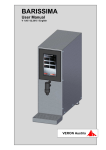
BARISSIMA
Technician’s Manual
V 1.00 / 02.2015 / English
VERON Austria
Table of Content
1
General
3
1.1
1.2
Note
Service and Address
3
3
2
Settings
4
2.1
Einstellungen Technikermenü
3
Technical Documents BARISSIMA
19
3.1
3.1
Motherboard Assignments BARISSIMA
Fluid scheme BARISSIMA
19
21
4
Change Index
22
Page 2
Fehler! Textmarke nicht definiert.
Technician’s Manual BARISSIMA, V 1.00, 02.2015, English
1
General
1.1
Note
This technician’s manual is an addition to the user manual and may be used only
together with just this.
Please observe the safety guidelines as described in detail in the user manual.
This technician’s manual may only be used by authorized service technicians and must
not be passed on to third parties under any circumstances.
1.2
Service and Address
You have questions on how to operate your milk foamer or you need an appointment for
maintenance or repair with our VERON customer service?
VERON is constantly striving to provide good service!
VERON Customer Service
VERON Austria GmbH
E-Mail: [email protected]
Name and Address of the Warrantor
VERON Austria GmbH
Untere Sparchen 25
6330 Kufstein, Austria
Tel.:
+43 (0)5372 22496
Fax:
+43 (0)5372 22496 -10
E-Mail: [email protected]
Technician’s Manual BARISSIMA, V 1.00, 02.2015, English
Page 3
2
Settings
2.1
Technician’s menu Settings
2.1.1
PIN-Clearance
The Customer menu is protected by a PIN (Personal Identification Number). To access
this PIN-protected level "XXXXXX" must be entered.
2.1.2
PIN-Clearance in Self-service mode
In self-service mode, the bottom row of buttons is automatically hidden.
To make them visible again, the model emblem on the display has to be pressed for 5
seconds.
If the self-service mode is enabled, the bottom row of buttons will disappear 15 seconds
after the last input.
Page 4
Technician’s Manual BARISSIMA, V 1.00, 02.2015, English
2.1.3
Cleaning
Menu Cleaning
Scroll to the last display page.
Here the cleaning program can be started.
2.1.4
Milk system load up
Menü Milk system load up
Scroll to the last display page.
Here the milk lines can be filled.
Note!
The milk lines must be filled at the start of operation, in order for you to have milk
products available.
Technician’s Manual BARISSIMA, V 1.00, 02.2015, English
Page 5
2.1.5
Counter
Menu Counter System Counter
The operating hours are listed here.
Menu Counter Product Counter
- The used amount per product is listed here.
- Individual counter reset: Press the respective product counter and confirm with
“Yes”.
- Reset all counters: Press the “Reset” button and confirm with "Yes.
Menu Counter Product Counter B
- The dispensed amount for each product is shown.
- The counter cannot be reset.
- Shows the total consumed amount since the first operation.
Page 6
Technician’s Manual BARISSIMA, V 1.00, 02.2015, English
Menu Counter Service counter
- Shows the number of cleanings and rinses since the last reset.
- Individual counter reset: Press the respective product counter and confirm with
“Yes”.
- Reset all counters: Press the “Reset” button and confirm with "Yes.
2.1.6
Menu
Date and Time
Settings
Date and Time
Technician’s Manual BARISSIMA, V 1.00, 02.2015, English
Page 7
2.1.7
Key Settings
Menu Settings Key Settings
- Here the keys can be set individually for each customer.
- Select the desired product key.
Page 8
-
Sets whether the product key is visible on the operating display.
-
Select a preset product.
Technician’s Manual BARISSIMA, V 1.00, 02.2015, English
-
Enter the name of the product that will appear on the operating display.
-
Select the icon that is displayed on the operating display for the product.
Technician’s Manual BARISSIMA, V 1.00, 02.2015, English
Page 9
2.1.8
Milk foam amount
Menu Settings Product Settings
- Select the product you want to adjust.
- Specify the product amount in seconds.
- Enter the desired amount of product with the arrow buttons.
- Place a cup under the outlet.
- Test the product with the "Test" button.
- Confirm the setting with "Apply".
- If you want to exit without confirmation, press the button "Back“.
2.1.9
Milk amount
Menu Settings Product Settings
- Select the product you want to adjust.
- Specify the milk amount in seconds.
- Enter the desired milk amount with the arrow buttons.
- Place a cup under the outlet.
- Test the product with the "Test" button.
- Confirm the setting with "Apply".
- If you want to exit without confirmation, press the button "Back“.
Page 10
Technician’s Manual BARISSIMA, V 1.00, 02.2015, English
2.1.10
Boiler Temperature
Menu Settings Service Settings General Parameters
- Recommended boiler temperature 62°C to 70°C.
- Enter the desired temperature using the arrow buttons.
- Confirm the setting with "Apply".
- If you want to exit without confirmation, press the button "Back“.
2.1.11
Cleaning Limits
Menu Settings Service Settings General Parameters
- Cleaning Warning Limit: If the period after the last full cleaning exceeds this value,
a warning message appears on the display.
- Cleaning Stop Limit: If the period after the last full cleaning exceeds this value, the
machine will be blocked for usage. To unlock it, a full cleaning has to be performed.
- Set the desired time with the regulator.
- Confirm the setting with "Apply".
- If you want to exit without confirmation, press the button "Back“.
Technician’s Manual BARISSIMA, V 1.00, 02.2015, English
Page 11
2.1.12
Adjust Cleaning Programs
Menu Settings Service Settings
- Select the product that you want to adjust.
- Set the desired cleaning parameters.
- Confirm the setting with "Apply".
- If you want to exit without confirmation, press the button "Back“.
2.1.13
Adjust Milk system load up
Menu Settings Service Settings Milk system load up
Here are the settings for the Milk system load up
- Set the desired parameters.
- Confirm the setting with "Apply".
- If you want to exit without confirmation, press the button "Back“.
Page 12
Technician’s Manual BARISSIMA, V 1.00, 02.2015, English
2.1.14
Language Settings
Menu Settings Service Settings Language Settings
- Changes the entire menu to the desired language.
- Product names must be entered manually. Refer to chapter 2.1.7 "Key Settings".
- Product names can also be uploaded via USB.
2.1.15
Display Settings
Menu Settings Service Settings Display Settings
- Activate or deactivate the screen saver.
- Dim Display 1: Timing of when the display is dimmed 30%
- Dim Display 2: Timing of when the display is dimmed 50%.
- Key profile waiter: arrangement of the keys.
- Key profile self- service: arrangement of the keys.
- Key set up for waiter: Position of the bottoms
- Key set up for self-service: Position of the bottoms
- Mixed Modus: Switchable between waiter and self-service mode.
Technician’s Manual BARISSIMA, V 1.00, 02.2015, English
Page 13
2.1.16
Key Profile
Sie haben die Möglichkeit das Tastenprofil der Produkttasten für den Kellner- bzw. den
Selbstbedienungs-Modus zu ändern.
You have the option to change the key profile of the product key for the waiter or the selfservice mode.
Menu Settings Service Settings Display Settings Key Profile Waiter / SelfService
You can choose from the following key profiles:
1x2 keys
1x2 keys left / right
1x4 keys
1x4 keys left / right
3x8 keys
3x8 keys left / right
Confirm the selection with "OK" and press "Apply" in the display settings.
2.1.17
Change Display mode
To activate the self-service or the waiter mode, proceed as follows:
Menu Settings Service Settings Display Settings Mixed Modus
Confirm the selection with "OK" and press "Apply" in the display settings.
Now the settings for each mode are saved, and the machine can be used.
Page 14
Technician’s Manual BARISSIMA, V 1.00, 02.2015, English
2.1.18
System Information
1
3
2
3
2
4
Menu Machine Configuration System Information
1 Serial number of the machine
2 Serial numbers of the boards
3 Software version
4 Machine options
2.1.19
System Update
Menu Machine Configuration System Update
- Plug in the USB-Stick.
- Start the update.
- If you want to exit without confirmation, press the button "Back“.
Technician’s Manual BARISSIMA, V 1.00, 02.2015, English
Page 15
2.1.20
Save / Load Settings
Menu Machine Configuration Save / Load Settings
- Select the desired option.
- Save or load the desired setting.
- The green marked fields are loaded onto the machine.
- Fields marked in red are not loaded onto the machine.
- If you want to exit without confirmation, press the button "Back“.
Page 16
Technician’s Manual BARISSIMA, V 1.00, 02.2015, English
2.1.21
Component Test
The component tests are started after the service of the machine to test the components
on their function.
Menu
Machine Configuration
Component Test
General
Menu
Machine Configuration
Component Test
Milk Unit
Menu
Machine Configuration
Component Test
Chocolate Unit
Technician’s Manual BARISSIMA, V 1.00, 02.2015, English
Page 17
2.1.22
Menu
2.1.23
License Information
Machine Configuration
Open Source Licenses
Manually activate Standby mode
Menu Standby Mode
Scroll to the last display page.
Here you can turn on the standby mode.
Page 18
Technician’s Manual BARISSIMA, V 1.00, 02.2015, English
3
Technical Documents BARISSIMA
3.1
Motherboard Assignments BARISSIMA
3.1.1
Motherboard Assignments
Technician’s Manual BARISSIMA, V 1.00, 02.2015, English
Page 19
3.1.2 Motherboard connection table BARISSIMA
X35
X36
X37
X38
X41/3
X41/1
X42/3
X42/1
X43/3
X43/1
X44/3
X44/1
X45/3
X45/1
X46/3
X46/1
X19
X20
X29
X27
X30
X31
X32
X33
X34
X1
X2
X3
X4
X5
X6
X7
X8
X9
X10
X11
X12
X14
X15
X21
X22
X23
X24
X26
X28
X39
Page 20
Power supply 230VAC
M4
Output valve milk foam
L3
Output valve air milk foam
Power supply 24 VDC
Output Heating SSR
M2
L2
Output Premium milk pump Cappuccino
Output air pump
Input outlet head sensor
Input milk sensor 1
Input boiler temperature sensor
Input CAN bus
Input RS485
Input programming
Input USB Display board
Technician’s Manual BARISSIMA, V 1.00, 02.2015, English
3.1
Fluid scheme BARISSIMA
3.1.1 Fluid scheme BARISSIMA
Technician’s Manual BARISSIMA, V 1.00, 02.2015, English
Page 21
3.1.2 Legend Fluid scheme BARISSIMA
1
2
3
4
5
6
7
8
9
10
4
M1
M2
M3
M4
L1
L2
L3
L4
A1
A2
Suction milk with none return valve
Milk pump
None return valve
Output valve milk foam
Air nozzle
Air pump
Air valve
None return valve
Expansion valve
Drain hose
Change Index
Page 22
Version
Valid from
V1.00
02/2015
Changes
Technician’s Manual BARISSIMA, V 1.00, 02.2015, English