1
User's Manual
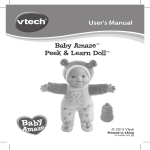
Baby Amaze™
Learn to Talk & Read Baby Doll™
© 2015 VTech
Printed in China
91-002942-008 US
Dear Parent,
At VTech®, we know how much children love to take care of baby dolls.
Blending classic role play with innovative technology, Baby Amaze™ has
been designed for children whose parents want to combine nurturing
concepts with educational content.
Baby Amaze™ features adorable products that interact with your child
through fun educational phrases and baby care reminders that
incorporate learning into role play.
Playing with the Baby Amaze™ items introduces your child to reading
concepts, age-appropriate vocabulary words, parts of the body, colors,
numbers, animals and more while listening to encouraging phrases.
Additionally, Baby Amaze™ features buttons and other manipulative
elements to encourage the development of your child’s fine motor skills.
Baby Amaze™ also includes a variety of classic nursery rhymes,
sing-along songs, lullabies and melodies for even more fun!
At VTech®, we know that a child has the ability to do great things.
That’s why all of our electronic learning products are uniquely designed
to develop children’s minds and allow them to learn to the best of their
ability. We thank you for trusting VTech® with the important job of
helping your child learn and grow!
Sincerely,
Your friends at VTech®
To learn more about VTech® toys, visit vtechkids.com
INTRODUCTION
Thank you for purchasing the Baby Amaze™ Learn to Talk & Read
Baby Doll™ by VTech®. Talk to the baby doll and hear her repeat
what is said, or read from the three included vocabulary books! The
more your little one talks to the baby doll, the more words and phrases
the baby doll will learn. Includes more than 80 adorable phrases and
realistic sound effects like drinking and giggling.
BOTTLE
READING BUTTON
CARING BUTTON
MUSIC BUTTON
TALK WITH ME
BUTTON
INTRODUCTION
VOLUME/ON/OFF
SWITCH
NEWBORN
BUTTON
PACIFIER
3 Vocabulary Books:
1. My Home
2. Food Fun
3. Animals
2
-One Baby Amaze™ Learn to Talk & Read Baby Doll™
- One pacifier
- One bottle
- Three vocabulary books
- One user’s manual
WARNING: All packing materials, such as tape, plastic sheets,
packaging locks and tags are not part of this toy,
and should be discarded for your child’s safety.
ATTENTION: Pour la sécurité de votre enfant, débarrassez-vous
de tous les produits d’emballage tels que rubans
adhésifs, feuilles de plastique, attaches et étiquettes.
Ils ne font pas partie du jouet.
NOTE: Please keep the user’s manual as it contains
important information.
GETTING STARTED
START FROM NEWBORN MODE
After removing the baby doll from the packaging, put the pacifier in her
mouth. When you remove the pacifier, the baby doll will be in newborn
mode. The more you interact and talk with the baby doll, the more
advanced she will become.
INCLUDED IN THIS PACKAGE & GETTING STARTED
INCLUDED IN THIS PACKAGE
3
BATTERY INSTALLATION
1. Open the fabric on the back of the doll
to locate the battery unit.
2. Make sure the unit is turned OFF.
4. Install 2 new “AA” size (AM-3/LR6)
batteries following the diagram inside
the battery box. (The use of new alkaline batteries is recommended
for maximum performance.)
5. Replace the battery cover and tighten the screw to secure.
BATTERY NOTICE
• Use new alkaline batteries for maximum performance.
• Use only batteries of the same or equivalent type as
recommended.
• Do not mix different types of batteries: alkaline, standard
(carbon-zinc) or rechargeable (Ni-Cd, Ni-MH), or new and used
batteries.
• Do not use damaged batteries.
• Insert batteries with the correct polarity.
• Do not short-circuit the battery terminals.
• Remove exhausted batteries from the toy.
• Remove batteries during long periods of non-use.
• Do not dispose of batteries in fire.
• Do not charge non-rechargeable batteries.
• Remove rechargeable batteries from the toy before charging (if
removable).
• Rechargeable batteries are only to be charged under adult
supervision.
BATTERY NOTICE
3. Open the battery cover using a
screwdriver.
4
NOTE:
PRODUCT FEATURES
1. VOLUME/ON/OFF SWITCH
Slide the VOLUME/ON/OFF SWITCH to the desired volume level to
turn the unit on or adjust the volume.
2. TALK WITH ME BUTTON
Press the TALK WITH ME BUTTON and the baby doll will invite
you to talk to her. When you say something she can imitate what
you said!
NOTE & PRODUCT FEATURES
The cords located on the hands are not part of this toy. The cords
should be removed and discarded for your child’s safety.
3. READING BUTTON
Press the READING BUTTON to choose from 3 vocabulary books to
read with the baby doll. Read aloud to the baby doll, listen to the baby
doll read to you or teach the baby doll to read!
5
4. CARING BUTTON
Press the CARING BUTTON to love and care for the baby doll by
responding to her requests.
5. MUSIC BUTTON
6. PACIFIER
Insert the PACIFIER into the baby doll’s mouth to
hear cute sounds.
7. BOTTLE
Insert the BOTTLE into the baby doll’s mouth to
feed her.
8. NEWBORN BUTTON
Pressing the NEWBORN BUTTON will reset
the baby doll to newborn mode. The baby doll
will forget all previous knowledge and you can
experience the learning process all over again.
PRODUCT FEATURES
Press the MUSIC BUTTON to listen to the baby doll coo and
sing along to nursery rhymes.
9. TURNING THE UNIT OFF/ AUTOMATIC SHUT-OFF
Slide the VOLUME/ON/OFF SWITCH to OFF to turn the unit off.
To preserve battery life, the unit will automatically power off after
several minutes without input.
6
ACTIVITIES
1. TALK WITH ME
Learn to Talk & Read Baby Doll™ will
invite you to talk to her. When the red
bow on the baby doll’s head lights up,
talk to her and she can imitate what
you say!
2. READING
You can choose from 3 vocabulary books
to read with the baby doll. First, she will ask
you to read words to her. As she grows and
learns she will want to read together and
read the words to you.
ACTIVITIES
To ensure the baby doll can hear
clearly, please speak toward the baby doll’s front within a distance
of 9 inches.
3. CARING
The baby doll may get hungry or want her pacifier.
Respond to the baby doll’s needs by giving her the
bottle or pacifier.
4. MUSIC TIME
The baby doll will coo and sing along with the
nursery rhymes.
7
5. NEWBORN MODE
Yay!
I knew all
the words!
Mama
CARE & MAINTENANCE
1. Keep the unit clean by wiping it with a slightly damp cloth.
2. Keep the unit out of direct sunlight and heat source.
3. Remove the batteries when the unit is not in use for an extended
period of time.
4. Do not drop the unit on hard surfaces and do not expose the unit
to moisture or water.
TROUBLESHOOTING
If for some reason the program/activity stops working or
malfunctions, please follow these steps:
1.
2.
3.
4.
5.
Please turn the unit OFF.
Interrupt the power supply by removing the batteries.
Let the unit stand for a few minutes, then replace the batteries.
Turn the unit ON. The unit should now be ready to play again.
If the product still does not work, replace with a new set of
batteries.
If the problem persists, please call our Consumer Services
Department at 1-800-521-2010 in the U.S., or 1-877-352-8697 in
Canada, and a service representative will be happy to help you.
ACTIVITIES / CARE & MAINTENANCE
If you want to experience the
learning process all over again,
pressing the NEWBORN
BUTTON will reset the baby
doll to newborn mode. The
baby doll will forget all previous
knowledge.
8
Note:
This equipment has been tested and found to comply with the limits
for a Class B digital device, pursuant to Part 15 of the FCC Rules.
These limits are designed to provide reasonable protection against
harmful interference in a residential installation. This equipment
generates, uses and can radiate radio frequency energy and, if not
installed and used in accordance with the instructions, may cause
harmful interference to radio communications. However, there is no
guarantee that interference will not occur in a particular installation. If
this equipment does cause harmful interference to radio or television
reception, which can be determined by turning the equipment off and
on, the user is encouraged to try to correct the interference by one or
more of the following measures:
TROUBLESHOOTING
IMPORTANT NOTE:
Creating and developing VTech® products is accompanied by
a responsibility that we at VTech® take very seriously. We make
every effort to ensure the accuracy of the information which forms
the value of our products. However, errors sometimes can occur.
It is important for you to know that we stand behind our products
and encourage you to call our Consumer Services Department at
1-800-521-2010 in the U.S., or 1-877-352-8697 in Canada with
any problems and/or suggestions that you might have. A service
representative will be happy to help you.
• Reorient or relocate the receiving antenna.
• Increase the separation between the equipment and receiver.
• Connect the equipment into an outlet on a circuit different from that
to which the receiver is connected.
• Consult the dealer or an experienced radio/TV technician for help.
Caution: Changes or modifications not expressly approved by the
party responsible for compliance could void the user’s authority to
operate the equipment.
9
10