Transcript
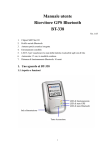
GBR-210 1.3 Accessory Bluetooth GPS Receiver User Manual 1. GBR-210 Brief Introduction Car Charger with USB cable GBR-210 1.1 Appearance and Component function USB cable AC Power Adapter z Bluetooth GPS receiver GBR-210 z Battery (3.7V 950mAh Li-ion) z User Manual z Car charger z USB Cable (for power charge) z AC power adapter 2.2 Power Button control Power ON: Push down the power button 2 seconds till the Bluetooth status LED light on. Power OFF: Push down the power button 2 seconds till the Bluetooth status LED light off. Reset: Push down the power button 8 seconds will clear all the pair records. 2.3 LED indication illustration LED 2. Introducing GBR-210 1. MFB(Multiple Function Button) 2. Battery Status LED 3. GPS Status LED 4. Bluetooth Status LED 5. Charge Jack(MINI USB) 6. Neck strap eyelet 1.2 How to change Battery -1- 2.4 Save power function After turn on the GBR-210, the device will enter into standby mode if the connection has not completed during 5 minute, and cut off the power when connection is not built in 10 minutes. 3. SPECIFICATION 3.1 Product Features Electrical Characteristics GPS standard GPS Antenna Bluetooth standard Operation range Bluetooth Default PIN Operation time Charge time Auto Shut-Off Battery Charging Datum Acquisition Rate SiRF StarⅢ L1, 1575.42 MHz 1.023 MHz chip rate 20 channel all-in-view tracking 10 meters, 2D RMS 1-5 meters 2D RMS, WAAS corrected 0.1m/sec 1 micro-second synchronized to GPS time Datum Hot start Warm start Cold start Reacquisition Default: WGS-84 1 sec., average 38 sec., average 42 sec., average 0.1 sec. average Protocol 5V~6VDC / 0.6A Lithium –ion Rechargeable Battery MECHANICAL Dimension Velocity Time 82.0 mm x 41.0 mm x 14.0 mm Default: NMEA 0183 (Secondary: SiRF binary) GGA(1sec), GSA(1sec), GSV(5sec), GPS Output format RMC(1sec), GLL, VTG is optional GPS Protocol Dynamic Condition Altitude Limit Velocity Limit Jerk Limit Acceleration Limit 18,000 meters (60,000 feet) max. 515 meters/sec. (1,000 knots) max. 20 m/sec**3 Less than 4g -5- -4- Indication Flash (slow) Paging and pairing mode (1) Standby mode 1S/T 3S/T Connected Flash GPS positioned mode Solid GPS Under positioned mode Solid In use mode Battery has insufficient charge, please recharge battery In charge mode Recharging the battery Recharge complete Red LED Battery Status LED Solid Off Note: (1) Press the power button slightly to switch standby mode into paging and pairing mode. -3- 3.3 Bluetooth Specification Accuracy 0000 BATTERY Battery Cell Type GPS Chipset Frequency C/A Code Channels Up to 12 hrs 3~3.5 hrs When no active Bluetooth connection has been detected within 10 minutes. Mini USB connector (not for data) POWER DC supplies 3.2 GPS Specification Electrical Characteristics Position Horizontal -10°C ~ 60°C (14°F ~ 140°F) -20°C ~ 70°C (-4°F ~ 158°F) Operational up to 95% non-condensing Green LED GPS Status LED Status Flash (quick) -2- SiRF StarⅢ Built-in ceramic patch antenna Bluetooth V2.0 +EDR 10 meters (33 feet) TEMPERATURE Operating Storage Humidity GBR-210 is a GPS receiver with Bluetooth and build-in passive antenna. It has high sensitivity to trace the satellite signal. This device offers the advantage of the SiRF star III chipset with its high sensitivity and low power consumption, and performs the perfect function (it can update the data by one satellite signal if it is under veil temporary, and also can trace the weak signal and keep good receiving performance while it is in city. GBR-210 fits the device with Bluetooth-equipped, such as PDA、Smart phone 、Tablet PC and Notebook PC and so on. It also can satisfy you on car and outdoor recreation navigation. 2.1 Package content Before use, please confirm the things as below, and contact the agent at once if anything is broken or absent. Blue LED Bluetooth Status LED Electrical Characteristics Bluetooth Chipset Frequency Standard Bluetooth Profile Operation Range Output Power Receive sensitivity CSR BC4 2402MHz to 2480MHz Bluetooth V2.0 + EDR SPP (Serial Port Profile) 10 meters (33 feet) 2dBm typical (class II) -80dBm typical 4. Use illustration 4.1. PDA with embedded Bluetooth 1. Power on the GBR-210. 2. Please refer to the user manual of PDA, then start the bluetooth of PDA. Connect to GBR-210 by Bluetooth and input pin code “0000” if request. 3. Please check the COM port of buletooth service. (Like as: COM6) 4. Execute the map or navigation software, and choose the right COM port and Baud rate 57600. 4.2. PDA with Bluetooth Compact Flash card 1. Power on the GBR-210. 2. Please refer to the user manual of PDA, then start the bluetooth of PDA. Connect to GBR-210 by Bluetooth and input pin code “0000” if request. 3. Please check the COM port of buletooth service. (Like as: COM6) 4. Execute the map or navigation software, and choose the right COM port and Baud rate 57600. - 6z ★ GPS can not position in progress. A) B) C) Please check the GPS status LED whether flash normally. If the device still can not position in a long time. Please start the GPSinfo, then cold start. Move to a open site, then try again. Please check the battery status LED, whether battery is insufficient charge. If so, please recharge the battery. FCC Notices This device complies with part 15 of the FCC rules. Operation is subject to the following two conditions: (1) This device may not cause harmful interference, and (2) This device must accept any interference received, including interference that may cause undesired operation. FCC RF Exposure requirements: This device and its antenna(s) must not be co-located or operation in conjunction with any other antenna or transmitter. 6. Troubleshooting ★ Bluetooth connection can not be built. A) If this connection has not been recorded, please check the Bluetooth status LED whether flash in the paging and pairing mode or not. If not, please let the GBR-210 enter this mode by push the power button, then try again. B) Please check the battery status LED, whether battery is insufficient charge. If so, please recharge the battery. -8- NOTE: THE MANUFACTURER IS NOT RESPONSIBLE FOR ANY RADIO OR TV INTERFERENCE CAUSED BY UNAUTHORIZED MODIFICATIONS TO THIS EQUIPMENT. SUCH MODIFICATIONS COULD VOID THE USER'S AUTHORITY TO OPERATE THE EQUIPMENT. -9-