1
17 inch LCD Monitor
Elegance matters
170C5BS
17 inch LCD Monitor
Commercial Specifications
Picture/ Display
•
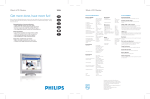
Designed for you! Matching superb front-of-screen performance and convenience with elegant design,
the 170C5 delivers great value for the money while adding style to any room with sleek lines and cool
colors.
•
•
•
Outstanding front of screen performance
• Fast response time capable of handling fast moving pictures
• sRGB ensures color matching between display and printouts
• SXGA 1280 x 1024 resolution for sharper display
Design that complements your decor
• Sleek, elegant design complements your home decor
• Compact and slim design saves space and fits in anywheres
Best Value for Money
• TCO guarantees the highest safety and ergonomics standards
• Lower power consumption than industry average
Great convenience
• Embedded power supply eliminates external power adaptors
• Auto adjustment for perfect picture display with one touch
• Easily adjust display settings with Philips SmartControl
• Cable clip manages cables for a tidy work space
• Detachable base for easy packing and moving
• Screen tilts for comfortable viewing from any angle
•
•
•
•
•
•
•
•
•
•
•
•
•
•
LCD Panel Type
1280 x 1024 pixels,
Anti-glare Polarizer,
RGB Vertical Stripe
Panel Size
17" / 43.3 cm
Effective Viewing Area
337.9 x 270.3 mm
Pixel Pitch
0.264 x 0.264 mm
Brightness
250
Contrast Ratio
450:1
Display Colors
16 M
Viewing Angle (C/R > 5)
- Horizontal : 160°
- Vertical : 140°
Response Time
16 ms
White Chromaticity, 6500º K x = 0.313 / y = 0.329
White Chromaticity, 9300º K x = 0.283 / y = 0.297
Maximum Resolution
1280 x 1024 @ 75Hz
Recommended Resolution
1280 x 1024 @ 60Hz
Factory Preset Modes
15 modes
User Definable Modes
16 modes
Horizontal Scanning Frequency 30 - 82 KHz
Refresh Rate (V)
56 - 76 Hz
sRGB
Yes
Product Highlights
Dimensions
Fast response time
•
•
•
•
The amount of time it takes for a liquid crystal cell to go from
active (black) to inactive (white) and back to active (black) again.
It is measured in milliseconds. Lower numbers mean faster
transitions and therefore results in fewer visible image artifacts.
•
•
•
•
Depth (with base)
Height (with base)
Width (with base)
MTBF
174 mm
390 mm
399 mm
50,000 hrs (excl.
CCFL 40,000 hrs)
Relative Humidity
20 % - 80 %
Temperature Range (Operation) 5°C to 35°C
Temperature Range (Storage)
-20°C to 60°C
Weight
4.5 kg
• Consumption
• Off Mode
• Power LED Indicator
• Power Supply
E2000, Energy Star,
NUTEK
30 W (Typical)
<1 W
Operation, Green;
Stand by/Sleep,
Amber
Built-in
• Convenience Enhancements
• Monitor Controls
• OSD Languages
• Other Convenience Features
• Plug & Play Compatibility
• Regulatory Approvals
• Tilt
• VESA Mount
Analog (VGA)
A sleek, elegant design look that complements home furnishings
in any room.
TCO compliance
A TCO (Swedish confederation of Professional Employees) standard
even more stringent than MPR-II for safety and ergonomics,
especially concerning alternating electric fields (AEF).
Customized hot key,
Side keys
On-screen Display,
SmartControl
Auto, Brightness Control,
Left/Right, Menu (OK),
Power On/Off, Up/Down
English, French, German,
Italian, Simplified Chinese,
Spanish
Kensington Lock
DDC/CI, sRGB,
Windows 98/ME/2000/XP
CE Mark, E2000, EMC,
FCC-B, UL, CSA, MPRII,
Low Emission, Energy Star,
SEMKO, TCO'99, TCO'03,
TÜV/GS, TÜV-Ergo
-5° to 25°
100 mm x 100 mm
Lower power consumption
Reduction of the electrical power required to operate a device to
achieve real savings.
Embedded power supply
A power adaptor built into the body of a display device that replaces
a bulky external power adaptor.
One touch auto adjustment
The auto adjustment key restores optimal screen position, phase
and clock settings with the press of a single button - without
navigation through OSD menus and control keys.
SmartControl
It's PC software for users to fine tune display performance and
settings. Philips offers users two choices to adjust display settings.
Either navigate the multilevel On Screen Display menu through
buttons on the display itself or use the Philips SmartControl
software to easily adjust the various display settings in a familiar
way.
Accessories
• User Manual
• Included Accessories
VESA mounting holes
Sleek, elegant design
A design style that emphasizes a slim, compact look that saves
space and fits in anywhere.
Convenience
• Buttons and controls
For graphics monitors, the screen resolution signifies the number
of dots (pixels) on the entire screen. For example, a
1280-by-1024 pixel screen is capable of displaying 1280 distinct
dots on each of 1024 lines, or about 1.3 million pixels.
Compact and slim design
Connectivity
• Signal Input
Calibrated RGB that is optimized for the vast majority of computer
peripherals, monitors, operating systems and browsers, allowing
accurate color mapping with very little data overhead.
SXGA, 1280 x 1024 resolution
Power
• Complies With
sRGB ready
Yes
AC Power Cord, VGA Cable
Cable clip
A clip shipped with monitors that manages cables by clipping
them together for a tidy work space.
Detachable base
A space saving and convenient feature that allows for easy
detachment of the monitor base with the press of a button when
packing or moving your monitor from one site to another.
Adjustable tilt
Trademarks owned by Royal Philips Electronics
2004 © Royal Philips Electronics - All rights reserved
As an Energy Star partner, Philips has determined that
this product meets the Energy Star guidelines for
energy efficiency.
Microsoft and Windows are registered trademarks of
Microsoft Corporation.
All data subject to change without notice
Release date: May 2004
www.philips.com
Backward and forward movement of a screen on its base to
achieve custom positioning for an ideal viewing angle and more
comfort for people who spend long hours working on their
computer.
A unified industry standard for mounting IT equipment set by the
Video Electronics Standards Association.
17 inch LCD Monitor
Elegance matters
170C5BS
17 inch LCD Monitor
Commercial Specifications
Picture/ Display
•
Designed for you! Matching superb front-of-screen performance and convenience with elegant design,
the 170C5 delivers great value for the money while adding style to any room with sleek lines and cool
colors.
•
•
•
Outstanding front of screen performance
• Fast response time capable of handling fast moving pictures
• sRGB ensures color matching between display and printouts
• SXGA 1280 x 1024 resolution for sharper display
Design that complements your decor
• Sleek, elegant design complements your home decor
• Compact and slim design saves space and fits in anywheres
Best Value for Money
• TCO guarantees the highest safety and ergonomics standards
• Lower power consumption than industry average
Great convenience
• Embedded power supply eliminates external power adaptors
• Auto adjustment for perfect picture display with one touch
• Easily adjust display settings with Philips SmartControl
• Cable clip manages cables for a tidy work space
• Detachable base for easy packing and moving
• Screen tilts for comfortable viewing from any angle
•
•
•
•
•
•
•
•
•
•
•
•
•
•
LCD Panel Type
1280 x 1024 pixels,
Anti-glare Polarizer,
RGB Vertical Stripe
Panel Size
17" / 43.3 cm
Effective Viewing Area
337.9 x 270.3 mm
Pixel Pitch
0.264 x 0.264 mm
Brightness
250
Contrast Ratio
450:1
Display Colors
16 M
Viewing Angle (C/R > 5)
- Horizontal : 160°
- Vertical : 140°
Response Time
16 ms
White Chromaticity, 6500º K x = 0.313 / y = 0.329
White Chromaticity, 9300º K x = 0.283 / y = 0.297
Maximum Resolution
1280 x 1024 @ 75Hz
Recommended Resolution
1280 x 1024 @ 60Hz
Factory Preset Modes
15 modes
User Definable Modes
16 modes
Horizontal Scanning Frequency 30 - 82 KHz
Refresh Rate (V)
56 - 76 Hz
sRGB
Yes
Product Highlights
Dimensions
Fast response time
•
•
•
•
The amount of time it takes for a liquid crystal cell to go from
active (black) to inactive (white) and back to active (black) again.
It is measured in milliseconds. Lower numbers mean faster
transitions and therefore results in fewer visible image artifacts.
•
•
•
•
Depth (with base)
Height (with base)
Width (with base)
MTBF
174 mm
390 mm
399 mm
50,000 hrs (excl.
CCFL 40,000 hrs)
Relative Humidity
20 % - 80 %
Temperature Range (Operation) 5°C to 35°C
Temperature Range (Storage)
-20°C to 60°C
Weight
4.5 kg
• Consumption
• Off Mode
• Power LED Indicator
• Power Supply
E2000, Energy Star,
NUTEK
30 W (Typical)
<1 W
Operation, Green;
Stand by/Sleep,
Amber
Built-in
• Convenience Enhancements
• Monitor Controls
• OSD Languages
• Other Convenience Features
• Plug & Play Compatibility
• Regulatory Approvals
• Tilt
• VESA Mount
Analog (VGA)
A sleek, elegant design look that complements home furnishings
in any room.
TCO compliance
A TCO (Swedish confederation of Professional Employees) standard
even more stringent than MPR-II for safety and ergonomics,
especially concerning alternating electric fields (AEF).
Customized hot key,
Side keys
On-screen Display,
SmartControl
Auto, Brightness Control,
Left/Right, Menu (OK),
Power On/Off, Up/Down
English, French, German,
Italian, Simplified Chinese,
Spanish
Kensington Lock
DDC/CI, sRGB,
Windows 98/ME/2000/XP
CE Mark, E2000, EMC,
FCC-B, UL, CSA, MPRII,
Low Emission, Energy Star,
SEMKO, TCO'99, TCO'03,
TÜV/GS, TÜV-Ergo
-5° to 25°
100 mm x 100 mm
Lower power consumption
Reduction of the electrical power required to operate a device to
achieve real savings.
Embedded power supply
A power adaptor built into the body of a display device that replaces
a bulky external power adaptor.
One touch auto adjustment
The auto adjustment key restores optimal screen position, phase
and clock settings with the press of a single button - without
navigation through OSD menus and control keys.
SmartControl
It's PC software for users to fine tune display performance and
settings. Philips offers users two choices to adjust display settings.
Either navigate the multilevel On Screen Display menu through
buttons on the display itself or use the Philips SmartControl
software to easily adjust the various display settings in a familiar
way.
Accessories
• User Manual
• Included Accessories
VESA mounting holes
Sleek, elegant design
A design style that emphasizes a slim, compact look that saves
space and fits in anywhere.
Convenience
• Buttons and controls
For graphics monitors, the screen resolution signifies the number
of dots (pixels) on the entire screen. For example, a
1280-by-1024 pixel screen is capable of displaying 1280 distinct
dots on each of 1024 lines, or about 1.3 million pixels.
Compact and slim design
Connectivity
• Signal Input
Calibrated RGB that is optimized for the vast majority of computer
peripherals, monitors, operating systems and browsers, allowing
accurate color mapping with very little data overhead.
SXGA, 1280 x 1024 resolution
Power
• Complies With
sRGB ready
Yes
AC Power Cord, VGA Cable
Cable clip
A clip shipped with monitors that manages cables by clipping
them together for a tidy work space.
Detachable base
A space saving and convenient feature that allows for easy
detachment of the monitor base with the press of a button when
packing or moving your monitor from one site to another.
Adjustable tilt
Trademarks owned by Royal Philips Electronics
2004 © Royal Philips Electronics - All rights reserved
As an Energy Star partner, Philips has determined that
this product meets the Energy Star guidelines for
energy efficiency.
Microsoft and Windows are registered trademarks of
Microsoft Corporation.
All data subject to change without notice
Release date: May 2004
www.philips.com
Backward and forward movement of a screen on its base to
achieve custom positioning for an ideal viewing angle and more
comfort for people who spend long hours working on their
computer.
A unified industry standard for mounting IT equipment set by the
Video Electronics Standards Association.