1
MANUAL / NIKE AUTHENTICATION GATE
RELEASE DATE
RELEASE NOTES
11.14.13
RELEASE NUMBER
2.4
TABLE OF CONTENTS
INTRODUCTION ............................................ P.4
GETTING STARTED ....................................... P.5
IMPLEMENTATION ........................................ P.7
DATA TRACKING ........................................... P.8
CLOSING YOUR GATE.................................... P.9
CONSUMER JOURNEY ................................ P.10
WHAT YOU CAN CUSTOMIZE ...................... P.15
BEST PRACTICES......................................... P.19
CEE LEARNINGS.......................................... P.20
SUPPORT .................................................... P.23
FAQ’S .......................................................... P.24
P. 2/23
NIKE AUTHENTICATION GATE // USER MANUAL
the nike authentication gate
ensures all event attendees are
part of the nike+ community
INTRODUCTION
WHAT IS THE NIKE AUTHENTICATION GATE?
The Nike Authentication Gate is a tool created to
ensure all Nike event attendees are part of the
Nike+ community. By ensuring each attendee is
part of the Nike+ community, Nike can deliver
an immersive brand experience, engage event
attendees through elevated event initiatives and
gain valuable consumer and event insights.
HOW DOES THE TOOL WORK?
The Nike Authentication Gate is a microsite that
will live between your event’s public
promotional touchpoint (such as a Facebook
page) and your event registration form. When
users visit your public touchpoint promoting your
event and choose to register, they will be
automatically directed to the Nike
Authentication Gate. In order to continue with
the registration process, users will be required to
enter their existing Nike+ account information,
or create a new Nike+ account. Once users have
completed this step, they will be able to access
the registration forms managed by your
registration vendor and can complete their
registration.
WHAT DOES THE TOOL NOT PROVIDE?
The Nike Authentication Gate is not a
registration tool and will not provide support for
event registration forms. Once users have
confirmed their existing Nike+ account (or created
a new account) they are directed to your event
registration form hosted on your external site.
While it is possible to leverage the Nike
Authentication Gate as a public touchpoint for
promoting your event, you are still required to
manage the event registration needs
independently through a local registration vendor
of your choosing.
P. 4/23
NIKE AUTHENTICATION GATE // USER MANUAL
GETTING STARTED
ESTABLISHING CONTACTS
NAMING YOUR GATE
You will need to establish legal and business contacts
for approvals before launching your gate. If you need
support determining who these contacts are, please
refer to the Support section of this manual.
Your Gate will have a unique URL specific for your
event. Your Gate name will be included in this URL
and is generally the name of your event.
SETTING UP YOUR GATE
For information on how to get your gate set-up, please
refer to the Implementation section of this manual
NIKE LEGAL
Nike Legal must approve your gate prior to going live.
The Gate provides you the ability to update and
customize consumer messaging. As a result, you are
required to establish a Nike Legal contact and receive
approval prior to deploying your gate.
After you have received the link to your Gate’s staging
environment, please provide your Nike Legal contact
with access and visibility on the entire process in order
to provide approval.
Each event may require different timelines for the legal
approval process. Please inquire what time is required
with your contact(s) and plan accordingly to approve
your Gate in order to avoid roadblocks.
DATA TRACKING
The Gate tracks unique consumer information passed
through in the URL string for each user. You will need
to confirm your registration vendor has planned
accordingly to receive this information per the Data
Tracking section of this user manual.
•
Your Gate URL will look like this:
Nike.com/events/register/event-name
Your Gate name should be unique to your event and
not match that of a campaign. Please use the Word
Mark Request in Anaqua to submit event names for
Trademark Clearance review. If you have graphics or
logos please use the Graphics Request.
If you need access to Anaqua or have questions about
the request forms please contact Liesel Antu at
503-671-4681 or [email protected].
MINIMUM AGE REQUIREMENTS
Users who are under the age of 18 in certain
countries will see a default message stating:
“You can still register for this race. However you do
not meet the local age requirements to create a Nike+
account.” See Consumer Journey in the user manual
for reference.
You are required to include custom messaging specific
to your event informing users what that age
requirement is and additional messaging for any event
age requirements as well.
YOUR GATE DESIGN
The Nike Authentication Gate design and
experience can not be edited or customized for your
specific event.
In order to maintain a consistent brand experience
and consumer journey, you are only allowed to edit the
Customizable Assets as shown in this user manual.
USING YOUR GATE
Nike Authentication Gate’s are only allowed for use
with 100% Nike owned events. The use of this tool
with any 3rd party event is prohibited.
P. 5/23
NIKE AUTHENTICATION GATE // USER MANUAL
IMPLEMENTATION
WHAT YOU WILL RECEIVE
Along with this user manual you should have received
an Excel spreadsheet pertaining to your gate titled:
assets-for-translation-v2.8
GATHERING YOUR CONTENT
•
If the language of your Gate is English then:
-- Please use the sheet titled “English” in the
provided Excel spreadsheet to provide the
translations for your Gate copy.
•
If the language of your Gate is NOT English then:
-- Please use the sheet titled “Non-English” in the
provided Excel spreadsheet to provide the
translations for your Gate copy.
DELIVERING CONTENT
Please return the following content no later 3 weeks
before your registration is set to open.
•
assets-for-translation-v2.2 document
•
Hero image for desktop and mobile experience
-- 848px by 322px for desktop
-- 585px by 206px for mobile
•
FAQ’s translated (if not providing a link)
-- You have the option to host your FAQ’s on the
gate, or provide a link to a third party site hosting
your FAQ’s
•
Your name and contact information
•
The date your event registration opens
•
The date you would like your registration gate
closed
•
The language used if not English
P. 6/23
DATA TRACKING
NIKE+ NUID
The Gate tool is tracking members Nike+ nuid. This
is unique identifier that provides detailed analytics
on each Nike+ members for Nike teams. The nuid
value will be passed to the registration form as part of
the URL string. Your registration partner will need to
account for this value and plan to store accordingly.
•
Example URL: http://www.registrationpartner.com?
member=1&nuid=DC100CD1E3D0E486E040070
A251011F
*Your registration vendor will need to provide the
key for how this data is passed to their form. Once
provided, you will need to account for this in the URL
string.
NEW & EXISTING NIKE+ USERS
The Nike Authentication Gate will provide information
on which event attendees are new Nike+ users and
those who were already registered. This is done by
passing a unique identifier in the URL string to the
race registration vendor.
•
After a user chooses their desired race registration
type and re-directed to the corresponding form,
the URL will include a unique value tracking new
from existing Nike+ users.
•
If the user is a new Nike+ member, their
URL will look like this: Nike.com/events/
register/?member=0
•
If the user is an existing Nike+ member, their
URL will look like this: Nike.com/events/
register/?member=1
*Your registration vendor will need to provide the
key for how this data is passed to their form. Once
provided, you will need to account for this in the URL
string.
P. 7/23
NIKE AUTHENTICATION GATE // USER MANUAL
CLOSING YOUR GATE
REGISTRATION CLOSED
After race-day, please work back with your primary
support contact to begin the appropriate
decommission process specific to your gate needs.
P. 8/23
CONSUMER JOURNEY
STEP #1: PUBLIC TOUCHPOINT
•
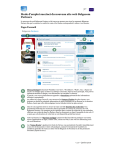
Figure 1.A shows the public touchpoint you will
use to promote your event.
-- This touchpoint is created and managed
independently, by you and/or event producers.
-- When users choose to register for the event,
they will be directed to the Nike+ Authentication
Gate.
Fig. 1.A
P. 9/23
NIKE AUTHENTICATION GATE // USER MANUAL
CONSUMER JOURNEY
STEP #2: NIKE AUTHENTICATION GATE
•
Figure 2.A shows the Nike Authentication Gate.
-- The Nike Authentication Gate includes
specific event details, Nike+ brand messaging
and general information.
-- Here users will be required to log-in to their
existing Nike+ account, or create a new one.
-- Once they have completed one of these options,
they can register for the event.
Fig. 2.A
P. 10/23
CONSUMER JOURNEY
STEP #3: AUTHENTICATING YOUR ACCOUNT
•
Figure 3.A shows the Nike+ account login screen
-- If a user has an existing Nike+ account, they will
login by providing their account credentials.
•
Figure 3.B shows the create new Nike+ account
screen.
-- If a user does not currently have a Nike+
account, they can create a new one by filling out
the provided form.
Fig. 3.A
P. 11/23
Fig. 3.B
NIKE AUTHENTICATION GATE // USER MANUAL
CONSUMER JOURNEY
STEP #4: CHOOSE YOUR REGISTRATION FORM
•
Figure 4.A shows the list of registration options.
-- Here users can see they successfully registered
their Nike+ account.
-- Users choose which type of registration option
applies to them.
-- The Nike Authentication Gate supports listing up
to five (5) registration options.
Fig. 4.A
P. 12/23
CONSUMER JOURNEY
STEP #5: EVENT REGISTRATION FORM
•
Figure 5.A shows the corresponding registration
form, users will be directed to after choosing their
registration option (see Fig. 4.A).
-- This is where the actual event registration occurs
-- This is an external URL not managed by the
Nike Authentication Gate.
Fig. 5.A
P. 13/23
NIKE AUTHENTICATION GATE // USER MANUAL
WHAT YOU CAN CUSTOMIZE
CUSTOM ASSETS
LANDING SCREEN
There are specific assets you can customize for your
Nike Authentication Gate. Any additional creative and
copy changes are not allowed without approval from
your Nike WHQ contact.
•
Figure 6.A shows customizable assets
-- Asset #1: Event name.
-- Asset #2: Hero image
-- Asset #3: Event information
-- Asset #4: FAQ and custom link
-- Asset #5: H1 body copy (must inform user why
we are require a Nike+ account).
-- Asset #6: Footer content
#1
#2
#3
#4
#5
#6
Fig. 6.A
P. 14/23
WHAT YOU CAN CUSTOMIZE
CHOOSING RACE TYPE
•
Figure 7.A shows customizable assets
-- Asset #7: Age verification notification.
-- Asset #8: Registration form types
#8
#7
Fig. 7.A
P. 15/23
NIKE AUTHENTICATION GATE // USER MANUAL
WHAT YOU CAN CUSTOMIZE
FAQ’S & ACCENT COLOR
•
Figure 8.A shows customizable assets
-- Asset #9: FAQ’s
-- Asset #10: Accent color
#9
#10
Fig. 8.A
P. 16/23
WHAT YOU CAN CUSTOMIZE
REGISTRATION CLOSED MESSAGE
•
Figure 9.A shows customizable assets
-- Asset #11: Registration closed message
#11
Fig. 9.A
P. 17/23
NIKE AUTHENTICATION GATE // USER MANUAL
BEST PRACTICES
PRE-JOURNEY
Start to communicate the benefits of Nike+ leading up
to the registration. Things that new members would
need to know about. Tracking your performances, setting goals, connecting with friends, etc. Get consumers
familiar with the apps that will help get them accomplish their goal. Nike+ Running, NTC and Fuel are
tools for their training.
Build anticipation for Registration. Announce the date
of the race early on so runners can plan to attend.
Shortly after announce the date when registration will
be opened, and give consumers another heads up a
week prior to registration while supplying proper FAQs
to answer any questions they may have.
DURING REGISTRATION
Keep touting Nike+ benefits. There is likely an influx of
new members so talking about the app and different
features is a good start. Nike+ Levels, music, leaderboards etc.
POST REGISTRATION
Get an initial Nike+ data pull on your registration
community. This will help craft your messages based
on the number of miles your community has with the
service. Continue to do a few data pulls on your community throughout their journey. This will help you see
your community growth, and continue to craft your
messages throughout the journey.
Introducing a training journey can be key. The new
runners that you may have will be looking for guidance
on how they will reach their goal. Provide three tiers
of training, beginner, Medium and advanced. 12-15
weeks is usually a the length of training for 13.1 and
26.2 miles respectively.
Talk to your community as if they are bonded together
even more now that they are all members of the Nike+
community. Bond them together under one hashtag
while they train. It makes it easier to communicate
with runners going along the same journey, and provides inspiration when community members search for
P. 18/23
photos and tweets from fellow runners. For reference,
#letsturnitup was the tag and message for Spring 13’
women’s amplify 13.1 training journey and #werunDC
for race week.
Reward consumers along the training journey.
•
Tier 1: Physical Rewards
Product – tied to training journey (ie shoes, tights, etc)
Or provide early access to product drops on nike.coMVIP Events – provide exclusive access to influencer
events.
•
Tier 2: Social
If your journey timing suffice, showcase a few runners
training stories.
•
Tier 3: Social highlight
RT, favorite, like photos on instagram. Showcase photography in a fun way. See Nike Running’s example:
HERE
REGISTRATION PROCESS
Be very forward with the value proposition of Nike+.
There is a reason why we want you to become a
member with Nike+ as you train for our races. It is a
journey to your goal/race-day.
Don’t differentiate that there is a difference between
Nike+ Registration and registering for the race.
You are joining a community, not registering for a service. Who says you the only time you can run together
is on Race Day? Train, together. Race, together.
Customize the touts for those who are new members
and those who are not. Touting more advanced features to existing members.
When registering for the race, have an invite a friend
feature or social sharing. Once everything is finalized
take consumers back to Nike+ where they can explore
the site and features further. Setup their profile etc.
CEE LEARNINGS
IMPLEMENTATION
It was a pretty easy process of getting the gate integrated in the race registration journey. It’s a basic task
that every digital agency should be able to execute.
There were some issues with the fonts initially as the
Polish & Czech alphabet has special characters that
either don’t display correctly or make the translations
very long. Nothing that could not be fixed, but has delayed the implementation. Nothing critical though. The
only big downside of the implementation is, that after
implemented, global digital tech team is the only one
that can push it live. While this might not be an issue
in NA, it can delay launches in the rest of the world
due to time differences.
FB/TW connect button as most of our users use this
when logging into Nikeplus.com. Adding a FB & Twitter connect button would not only help reduce time
spent & bounce rate, but also solve the issue of a user
having to fill in his personal data twice.
PRE-LAUNCH COMMS
Agree with all Adam’s points of communicating Nike+
benefits to the communities’ prior the launch. The Polish team did 80 % of race recruitment on social, which
had given us the opportunity of talking more about
Nike+ benefits. These benefits are very important, not
only to minimize the bounce rate on the gate, but also
to convert new Nike+ members into active users. Benefits of Nike+ must be communicated in all comms
materials used for the race recruitment (Newsletter,
social, Nike.com, PR support also helps).
It’s important to continuously communicating Nike+ as
a service that you register for, which offer you different
benefits (trainings, events, progress tracking, challenges…). Communication should be supported both
on the gate, registration site and on social. I almost
feel that the carrousel that is placed at the bottom of
the gate is not enough. The user almost has to feel
like he joins to a club, rather than just registers for the
race. Adam made a good point in the “registration process” paragraph, about customizing touts. How can
we make this happen technically as at the moment we
loose the users once they registered.
DURING LAUNCH
We had an issue with the minimum age requirement.
In Poland you could register for the race with the age
of 16, while the gate required a minimum age of 18
years old. We solved this through customer support &
L/R on social. Would be great if minimum age could be
set up based on legal requirements of each territory.
There were also some issues with the gate being
supported on different types of browsers. In emerging economies, such as CEE there are still a lot of old
browser versions that need to support the gate in order
to ensure premium customer experience.
Time spent on the gate was twice as high as on other
pages, which included longer registration forms. I assume that this is due to users looking for their Nike+
passwords. We had a lot of complaints why there is no
P. 19/23
It would be really helpful if we can transfer the data
entered in registration fields on the gate, forward to the
3rd party registration site. This would also have a positive influence on the bounce rate and user experience.
The analytics dashboard is very helpful, as it allows us
to adjust messaging around Nike+ based on user activity after registering. We saw that the majority of new
members registered to Nike+ in the process of race
registrations, did not convert to active users. It would
be a big improvement, if we could use personal data
from the dashboard, to send new inactive members
Nike+ activation emails, training invitations, etc. This
kind of messaging would help convert members into
active members. Apparently the confirmation email is
not enough, so in order to make Nike+ a really personalized service, a dialog with the members should
be established. This kind of messaging could be also
used to reward most active members.
NIKE AUTHENTICATION GATE // USER MANUAL
CEE LEARNINGS
Basically there could be a whole CRM program build
around new members & most active members during
the race journey. Would suggest a retention plan for
existing active members and activation plan for new
inactive members.
Mobile version of the gate performs great. I feel that
we can use the mobile version also to push downloads. There is no Nike+ carrousel; we believe that the
messaging around Nike+ on the mobile version could
be improved. Adding a click to download link to App
Store could make sense as well. I think we should use
this opportunity to immediately offer users to download
the app if they want. We had 25 % of users visiting
the gate via a mobile device in Poland, which was a
missed opportunity in my opinion.
P. 20/23
SUPPORT
SUPPORT FOR YOUR GATE
During the initial stages of deploying this tool and
implementing standardized processes, please contact
the following with questions regarding your Gate.
Please note, you are also required to establish a local
Nike contact for support throughout this process.
•
Lucie Bouffleur
-- Nike WHQ, Events Capabilities
-- [email protected]
•
Chris Wong
-- Nike WHQ, Project Manager
-- [email protected]
•
Coe Lottis
-- The Program (agency partner)
-- [email protected]
•
If you need access to Anaqua or have questions
about the request forms please contact Liesel Antu
at 503-671-4681 or [email protected].
P. 21/23
NIKE AUTHENTICATION GATE // USER MANUAL
FAQ
1. WILL THE NIKE AUTHENTICATION GATE
ALSO MANAGE EVENT REGISTRATION?
No. This tool only facilitates ensuring each event
attendee is part of the Nike+ community. You will need
to work with registration partner for all event
registration needs.
3. HOW DO I ESTABLISH MY NIKE CONTACT?
Please use one of the contacts listed in the Support
section to help identify the right local and WHQ
contacts for your gate needs.
4. CAN I CUSTOMIZE ADDITIONAL AREAS OF
THE GATE OTHER THAN THOSE LISTED IN THIS
MANUAL?
No. You are only allowed to customize the assets
outlined in this manual.
5. CAN I USE FONTS SPECIFIC TO MY EVENT?
No. You are only allowed to Nike brand fonts
supported in this tool.
6. CAN I USE THIS TOOL FOR 3RD PARTY
EVENTS, SUCH AS A NIKE SPONSORED EVENT?
No. You are only allowed to use this tool for 100%
Nike owned events.
7. WHY ARE USERS REQUIRED TO CREATE A
NIKE+ ACCOUNT BEFORE REGISTERING?
Most training and race-day experiences are now
managed through Nike. By ensuring each attendee
is part of the Nike+ community, Nike can deliver
an immersive brand experience, engage event
attendees through elevated event initiatives and
gain valuable consumer and event insights.
8. DOES THIS TOOL SUPPORT FACEBOOK
CONNECT?
No. At this time, we are not supporting any Facebook
connect processes.
9. CAN I HOST THE GATE LOCALLY?
No. This tool will only function when hosted on a
Nike.com environment. Local hosting is not supported.
P. 22/23
NIKE AUTHENTICATION GATE // USER MANUAL
THANK YOU