1
Table of Contents
Introduction
What is SYNC威?
Safety information
Phone dependent features
SYNC威 voice recognition feature
Voice recognition system overview
Using voice commands with SYNC威
SYNC姞 system controls
4
4
5
6
6
9
9
11
Quick reference chart
11
SYNC姞 phone features
13
Voice commands in phone mode
Making a call
Ending a call
Exiting phone mode
Answering an incoming call
Incoming new text message
Using the quick dial feature
Active call menu options
Using privacy mode
Putting a call on/off hold
Joining two calls (multiparty/conference call)
Accessing call history/phone book during active call
How SYNC威 interacts with your Bluetooth device
Phone redial
Call history
Accessing your phone book
Text messaging
Sending new text messages
Downloading unread text messages
Deleting all text messages
Phone settings
Phone status
Setting a ring tone
Message notification
See End User License Agreement at the end of this book
2011 SYNC/MGM (mgm)
Supplement, 2nd Printing
USA (fus)
13
16
16
16
16
17
17
18
18
19
19
20
20
21
21
22
23
24
25
25
26
26
27
27
1
Table of Contents
Modifying your phone book
Automatically download your phone book
Traffic, Directions and Information
911 assist™
Vehicle health report
Applications
System settings
Adding (pairing) a phone
Connecting a phone
Setting a phone as primary
Turning Bluetooth on/off
Deleting a phone
Deleting all phones
Turning prompts on/off
Changing the SYNC威 language setting
Returning to factory defaults
Performing a master reset
SYNC姞 media features
Voice commands in media mode
Connecting a digital media player to SYNC威
What’s playing?
Using your media menu
Selecting different media sources
Accessing and using your USB port
Streaming music from your phone
Using the Auxiliary input jack (Line in)
Using the media settings
Accessing vehicle applications
Accessing system settings
Adding a Bluetooth media device which is in discovery mode
Adding a Bluetooth media device which is in discoverable
mode
Connecting a Bluetooth media device
Delete a device
Using SYNC威’s play menu
Using the play all feature
Selecting and playing specific artists
Selecting and playing specific albums
2
See End User License Agreement at the end of this book
2011 SYNC/MGM (mgm)
Supplement, 2nd Printing
USA (fus)
28
29
30
33
36
38
38
39
40
40
41
41
42
42
43
43
44
46
46
48
48
48
49
49
50
51
52
53
53
54
55
55
56
60
61
62
63
Table of Contents
Selecting different genres
Accessing your playlists
Playing a specific track
Exploring the USB device
Playing similar music
63
64
65
66
67
Troubleshooting
68
Glossary
78
End user license agreement
79
Index
86
All rights reserved. Reproduction by any means, electronic or mechanical
including photocopying, recording or by any information storage and retrieval
system or translation in whole or part is not permitted without written
authorization from Ford Motor Company. Ford may change the contents without
notice and without incurring obligation.
Copyright © 2010 Ford Motor Company
See End User License Agreement at the end of this book
2011 SYNC/MGM (mgm)
Supplement, 2nd Printing
USA (fus)
3
Introduction
WHAT IS SYNC姞?
Thank you for purchasing SYNC威!
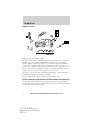
SYNC威 is a hands-free communications and entertainment system that
literally ‘syncs up’ with all other multimedia systems in your vehicle.
SYNC威 delivers convenience with voice activated calling and hands-free
conversations, digital media player command and control as well as easy
to use voice commands. The world outside your vehicle cabin may be
chaotic, but inside, with SYNC威, it’s always a smooth ride. All you have
to do is sync it and stow it. We’ll take care of the rest.
Welcome to the new world of ingenuity and passion - technology that is
both fun and functional. Welcome to SYNC威.
For more information, please visit www.SyncMyRide.com.
EXPORT UNIQUE (NON-UNITED STATES/CANADA) INFORMATION
For your particular global region, your vehicle may be equipped with
features and options that are different from the features and options that
are described in this supplement.
4
See End User License Agreement at the end of this book
2011 SYNC/MGM (mgm)
Supplement, 2nd Printing
USA (fus)
Introduction
SAFETY INFORMATION
WARNING: Driving while distracted can result in loss of vehicle
control, accident and injury. Ford strongly recommends that
drivers use extreme caution when using any device that may take their
focus off the road. Your primary responsibility is the safe operation of
the vehicle. We recommend against the use of any handheld device
while driving and that you comply with all applicable laws.
• Do not attempt to service or repair SYNC威. See your authorized
dealer.
• Do not operate playing devices if the power cords and/or cables are
broken, split or damaged. Carefully place cords and/or cables where
they will not be stepped on or interfere with the operation of pedals,
seats and/or compartments, or safe driving abilities.
• Do not leave playing devices in the vehicle in extreme conditions as it
could cause damage to your device. Refer to your device’s user guide
for further information.
• For your safety, some SYNC威 functions are speed dependent and
cannot be performed when the vehicle is traveling at speeds greater
than 3 mph (5 km/h).
• Ensure that you review your device’s user guide before using with
SYNC威.
PRIVACY INFORMATION
When a cellular phone is connected to SYNC威, SYNC威 creates a profile
within your vehicle that is linked to that cellular phone. This profile is
created in order to offer you more cellular features and to operate more
efficiently. Among other things, this profile may contain data about your
cellular phone book, text messages (read and unread), and call history,
including history of calls when your cell phone was not connected to
SYNC威. In addition, if you connect a media device, SYNC威 creates and
retains an index of media content supported by SYNC威. SYNC威 also
records a short development log of approximately 10 minutes of all
recent SYNC威 activity. The log profile and other SYNC威 data may be
used to improve SYNC威 and help diagnose any problems that may occur.
The cellular profile, media device index, and development log will remain
in the vehicle unless you delete it and are generally accessible only in
the vehicle when the cellular phone or media player is connected. If you
no longer plan to use SYNC威 or the vehicle, we recommend you perform
a Master Reset to erase all information stored in SYNC威.
5
See End User License Agreement at the end of this book
2011 SYNC/MGM (mgm)
Supplement, 2nd Printing
USA (fus)
Introduction
SYNC威 data cannot be accessed without special equipment and access to
the vehicle’s SYNC威 module. Ford Motor Company and Ford of Canada
will not access SYNC威 data for any purpose other than as described
absent consent, a court order, or where required by law enforcement,
other government authorities, or other third parties acting with lawful
authority. Other parties may seek to access the information
independently of Ford Motor Company and Ford of Canada. For further
privacy information, see the sections on 911 Assist™ (if equipped),
Vehicle Health Report (if equipped), and Traffic, Directions and
Information (if equipped).
PHONE DEPENDENT FEATURES
While SYNC威 supports a variety of features, many are dependent upon
the functionality of your cell phone with Bluetooth威 wireless technology.
At a minimum, most cellular phones with Bluetooth wireless technology
support the following functions:
• Answering an incoming call
• Ending a call
• Using privacy mode
• Dial a number
• Redial
• Call waiting notification
• Caller ID
Other features, such as text messaging via Bluetooth, and automatic
phone book download are phone dependent features. To ensure that you
have a compatible cellular phone, refer to your phone’s user manual and
visit www.SyncMyRide.com.
SYNC姞 VOICE RECOGNITION FEATURE
SYNC威 is equipped with an advanced interactive Voice Recognition (VR)
system. This system allows you to perform many operations by
“speaking” certain commands to the system. The system will respond
with a series of audible tones, prompts, questions and spoken
confirmations depending on the situation and the chosen level of
dialogue interaction.
6
See End User License Agreement at the end of this book
2011 SYNC/MGM (mgm)
Supplement, 2nd Printing
USA (fus)
Introduction
Feedback through audible tones
Your VR system will respond through various audible tones. You may
hear a tone at the following times:
• When you press VOICE or
on your steering wheel controls.
• When you access the help feature.
• When the VR system does not understand your request
• When a VR session is completed successfully
• When a VR session is ended unsuccessfully
• When a speed dependent feature has been accessed
• When a new device is connected
SYNC威 has five different audible tones that will play depending on the
circumstance.
• Initial: Sounds when you are entering a new mode.
• Positive: Sounds for a positive recognition or a successful VR session
completion.
• Negative: Sounds for a negative recognition, an unsuccessful VR
session, or when a speed dependent feature has been accessed.
• Listening: Sounds when the system is ready to listen for a command.
• Help: Sounds when you ask for ’Help’.
Confirmation prompts
Confirmation prompts are short questions asked by the system when the
system has not clearly understood your request or when there are many
possible responses to your request. For example, if you have
Confirmation prompts ON, the system may say, “Phone, is that correct?”.
The system will then listen for a “Yes” or “No” confirmation from you. If
you say “Yes”, the system will proceed. If you say “No”, the system will
ask you to say the command again. If you have Confirmation prompts
OFF, the system will simply make a best guess as to what you requested.
If the system has a low confidence level of what was asked, it will
prompt you to try again or ask for help.
Note: Even with Confirmation prompts turned OFF, you may be asked to
confirm certain settings occasionally.
See End User License Agreement at the end of this book
2011 SYNC/MGM (mgm)
Supplement, 2nd Printing
USA (fus)
7
Introduction
Clarification through candidate lists
Candidate lists are created when the system has several possible options
of similar level of confidence as a result of your request. The system will
submit back to you as many as four possibilities for your clarification.
This may happen either with your phone book and/or music selections.
Example #1:
You want to call John Doe at home, so you say, “Call John Doe at home”.
If the system has a similar confidence level for a few items, it may
respond with:
• (initial tone) “Say 1 after the tone to call John Doe at home. Say 2
after the tone to call Johnny Doe on mobile. Say 3 after the tone to
call Jane Doe at home.” (listen tone)
Example #2:
You want to listen to a certain artist, so you say, “Play Artist John”. If the
system has a similar confidence level for two possible options, it may
respond with:
• (initial tone) “Say 1 after the tone to play John Doe. Say 2 after the
tone to play Johnny Doe.” (listen tone)
8
See End User License Agreement at the end of this book
2011 SYNC/MGM (mgm)
Supplement, 2nd Printing
USA (fus)
Voice recognition system overview
USING VOICE COMMANDS WITH SYNC姞
There is a push to talk button on your steering wheel controls labeled
either VOICE or
. Press to activate Voice Recognition. You will hear a
tone and LISTENING will appear in the radio display signaling that the
system is ready to accept your command. Speak the command clearly to
ensure that the system is able to recognize and perform the desired
function.
For the best voice recognition performance:
• Ensure that the interior of the vehicle is as quiet as possible. Wind
noise from open windows and road vibrations may prevent the system
from correctly recognizing spoken voice commands.
• After pressing VOICE or
, wait until the tone sounds and
LISTENING appears in the radio display before speaking a command.
Any command spoken prior to this will not register with the system.
• At any time, you can interrupt the system while it is speaking by
. The system will respond with a listening tone
pressing VOICE or
and allow you to speak a command.
• Speak naturally without large pauses in between words.
At any time, you may say these commands:
• USB
• Bluetooth Audio
• Phone
• SYNC
• Line in
• Voice settings
• Vehicle health report (if
• Cancel
equipped, U.S. only)
• Help
• Services (if equipped, U.S. only)
USB: Say to access the device connected to the USB port.
SYNC: Say to return to the main menu.
Bluetooth audio: Say to access/use streaming music from your cellular
phone enabled with Bluetooth wireless technology.
Line in: Say to access the device plugged into your auxiliary input jack.
Phone: Say to access hands-free phone mode.
Voice settings: Say to access the voice settings menu. Refer to
Commands for voice settings in the following section.
Help: Say at any time for options in a specific mode. SYNC will list
various options for you audibly. The ‘help’ request is always available.
See End User License Agreement at the end of this book
2011 SYNC/MGM (mgm)
Supplement, 2nd Printing
USA (fus)
9
Voice recognition system overview
Cancel: Say to cancel the requested action.
Vehicle health report (if equipped): Say to request to run a vehicle
health report on your vehicle.
Services (if equipped): Say to place a call to the information services
portal where you can access Traffic, Directions and Information.
Commands for voice settings
In voice settings, you can customize the level of system interaction, help
and feedback. The system default settings include standard interaction as
well as candidate lists and confirmation prompts as all provide the most
guidance and feedback.
At any time, while in voice settings, you may say these commands
to adjust the voice settings:
• Interaction mode advanced
• Interaction mode standard
• Confirmation prompts on
• Confirmation prompts off
• Media candidate lists on
• Media candidate lists off
• Phone candidate lists on
• Phone candidate lists off
Interaction mode standard/advanced: Standard interaction mode
provides more detailed interaction and guidance while the advanced
mode has less audible interaction and more tone prompts.
Confirmation prompts on/off: Confirmation prompts are short
questions asked by the system when the system has not clearly heard or
understood your request. Note: Even with Confirmation prompts turned
OFF, you may be asked to confirm settings occasionally.
Phone/media candidate lists on/off: Candidate lists are a list of
possible results from your voice commands. These occur when SYNC威
has equal confidence of several possible results from your voice
command.
For voice commands available in SYNC威 phone mode, refer to Voice
commands in phone mode in the Phone chapter.
For voice commands available in SYNC威 media mode, refer to Voice
commands in media mode in the Media chapter.
10
See End User License Agreement at the end of this book
2011 SYNC/MGM (mgm)
Supplement, 2nd Printing
USA (fus)
SYNC姞 system controls
SYSTEM CONTROLS
SYNC威 will interact with your audio system, steering wheel controls, and
DVD system (if equipped).
QUICK REFERENCE CHART
The following chart is a quick summary of some radio and steering wheel
controls as well as their respective function(s).
Radio control
Steering wheel
control
PHONE
N/A
VOICE
SEEK
,
/
TUNE knob
OK
,
OK
Function
Press to activate SYNC威 hands-free
calling or to answer an incoming call.
When in phone mode, press to send
a call, text message, to put a call on
hold and answer another call, or to
initiate a multi-party call.
Press and hold to end a call.
Press and hold to cancel a call to
emergency services when using the
911 Assist feature (if equipped).
Press and hold to exit phone mode
when not in an active call.
Press to activate Vo ice Recognition.
Press and hold to end an active
voice session.
Refer to the Voice recognition
system overview chapter for further
information.
Press / turn to scroll through various
menus and selections.
Press to confirm your selection.
See End User License Agreement at the end of this book
2011 SYNC/MGM (mgm)
Supplement, 2nd Printing
USA (fus)
11
SYNC姞 system controls
Radio control
MENU
AUX
TEXT
REV, REW,
FF, FWD,
SHUFFLE (if
available)
/
(Play/Pause)
12
Steering wheel
Function
control
N/A
Press while in an active call to
access SYNC威 active call options.
Refer to Active call menu options
in the SYNC威 phone features
chapter.
Press MENU while in media to
access SYNC威 MEDIA MENU. Refer
to the SYNC威 media features
chapter for further information.
N/A
Press repeatedly to cycle through
available auxiliary sources. For
further information, refer to Using
your media menu in the SYNC威
media features chapter.
N/A
When the > indicator appears, press
to advance the text in the radio
display. Press repeatedly to view
additional phone contact information
or media information.
N/A
Press and hold to reverse within a
track.
N/A
Press and hold to advance within a
track .
N/A
Press and release to shuffle current
music content.
N/A
Press to play / pause the currently
playing music.
See End User License Agreement at the end of this book
2011 SYNC/MGM (mgm)
Supplement, 2nd Printing
USA (fus)
SYNC姞 phone features
VOICE COMMANDS IN PHONE MODE
WARNING: Driving while distracted can result in loss of vehicle
control, accident and injury. Ford strongly recommends that
drivers use extreme caution when using any device that may take their
focus off the road. Your primary responsibility is the safe operation of
the vehicle. We recommend against the use of any handheld device
while driving and that you comply with all applicable laws.
While in phone mode, you may say any of the following
commands:
• Dial
• Call <name>
• Call <name> at home
• Call <name> on mobile OR cell
• Call <name> at work OR Call
• Call <name> on other
<name> in office
• Phone book <name>1
• Phone book <name> at home1
• Phone book <name> on mobile
• Phone book <name> at work OR
OR cell1
Phone book <name> at office1
• Call history outgoing1
• Call history incoming1
1
• Phone book <name> on Other
• Connections1
1
• Call history missed
• Go to privacy
• Hold
• Menu1
• Join
1
Voice commands are not available until downloading phone information
via Bluetooth is complete.
Phone book commands: When you ask SYNC威 to access a phone book
name, number, etc., the requested information will appear in the display
or PHONE or say “Call” to call the contact.
to view. Press
Note: In the above possible commands, “<name>” is a dynamic listing in
that it could be any desired name from your phone book.
See End User License Agreement at the end of this book
2011 SYNC/MGM (mgm)
Supplement, 2nd Printing
USA (fus)
13
SYNC姞 phone features
While in phone mode, you may also say “Menu” and then any of
the following commands:
• [Phone] settings [message]
• [Phone] settings [message]
notification on
notification off
• [Phone] connections
• Phone name
• Signal
• Battery
• [Phone] settings [set] phone
• [Phone] settings [set] ringer 1
ringer
• [Phone] settings [set] ringer 2
• [Phone] settings [set] ringer 3
• Text message inbox
• [Phone] settings [set] ringer off
Note: With the above commands, words in ( ) are optional and do not
have to be spoken for the system to understand the command.
You may also say “Dial” to access any of the following commands:
• <number> 0–9
• Delete (deletes one digit)
• Plus
• Asterisk (*)
• 700 (seven hundred)
• 411 (four-one-one), 911
(nine-one-one), etc.
•
•
•
•
•
Dial
Clear (deletes all entered digits)
Star
800 (eight hundred)
900 (nine hundred)
• # / (pound, slash)
Note: To exit Dial mode, press and hold
to go to the PHONE MENU.
or PHONE or press MENU
Voice commands when connecting devices
When attempting to connect a phone to SYNC威, you may say any
of the following commands:
• Connect <device name>
• Bluetooth ON
• Bluetooth OFF
• Delete <device name>
Note: You can only connect a device to SYNC威 after it has successfully
gone through the pairing process.
Note: In the above possible commands, “<name>” is a dynamic listing in
that it could be the name of any previously paired device.
14
See End User License Agreement at the end of this book
2011 SYNC/MGM (mgm)
Supplement, 2nd Printing
USA (fus)
SYNC姞 phone features
At any time, you may say these commands:
• SYNC
• Line in
• Phone
• USB
• Bluetooth Audio
• Voice settings
• Vehicle health report
(if equipped, U.S. only)
• Services (if equipped, U.S. only)
• Cancel
• Help
Voice commands when using Traffic, Directions & Information
services (if equipped, U.S. only)
When connected to services, you may say any of the following
commands:
• Services
• Help
• Go back
• Repeat
Available services (and voice commands) include:
• Traffic
• Directions
• Business search
• Sports
• News
• Weather
• Favorites
For a complete list of services, say, “What are my choices?” when in the
services menu.
When directions are downloaded and route guidance is active, press
or VOICE on your steering wheel controls and you may say any of the
following voice commands:
• Next turn
• Route summary
• Update route
• Route status
• Cancel route
• Voice guidance ON
• Guidance display on/off (late
• Voice guidance OFF
availability, if equipped)*
* Note: These voice commands are only available on vehicles that have a
center integrated display.
See End User License Agreement at the end of this book
2011 SYNC/MGM (mgm)
Supplement, 2nd Printing
USA (fus)
15
SYNC姞 phone features
MAKING A CALL
Making a hands-free phone call using SYNC威 is easy.
1. Press
or VOICE.
2. When prompted, say, “Call <name>” or say the desired number and
then say “Dial”.
To erase the last spoken digit, say “Delete” or press
SEEK.
To erase all spoken digits, say “Clear” or press and hold
SEEK.
3. Once the desired number/contact is on the screen, either say “Call” or
“Dial”. The system will connect to the desired number.
Note: Once the call is placed, it will be logged into your outgoing call
history folder.
Note: If your audio system is equipped with 10 memory presets (0–9),
you can also manually enter the desired number by pressing the presets.
ENDING A CALL
At any time, you can end an active phone call by pressing and
holding
or PHONE.
EXITING PHONE MODE
When in phone mode but not in an active call, press and hold
PHONE to exit phone mode.
or
ANSWERING AN INCOMING CALL
An incoming call interacts with SYNC威 in much the same way it interacts
with your Bluetooth enabled cellular phone. During an incoming call:
• An audible ring tone will sound. If available, call information will
appear in the display.
• Press TEXT to view additional caller information, if the call matches a
contact in your downloaded phonebook.
• Select from the following options:
or PHONE. The call will be transferred
Accept the call by pressing
to hands-free and logged into the incoming call history folder.
Ignore the call by doing nothing. The display will read MISSED CALL
and SYNC威 will log the call as a missed call.
or PHONE. The display will
Reject the call by pressing and holding
read REJECTED and SYNC威 will log the call.
16
See End User License Agreement at the end of this book
2011 SYNC/MGM (mgm)
Supplement, 2nd Printing
USA (fus)
SYNC姞 phone features
INCOMING NEW TEXT MESSAGE
Note: This is a phone dependent feature.
If your Bluetooth enabled phone is connected and supports downloading
text messages via Bluetooth, you can receive incoming text messages.
When you are being sent a text message, an audible tone will sound and
NEW MESSAGE will appear in the radio display. You can say “Read
Message” and SYNC威 will read the message to you.
Note: To scroll, press
SEEK
or
/
.
1. Press OK to receive and open the text message or do nothing and the
message will go into your text message inbox. Press OK again and
SYNC威 will read your message aloud as you are not able to view the
message. You can then also choose whether you’d like to reply or
forward the message.
2. Press OK and scroll to toggle between REPLY TO MESSAGE or
FORWARD MESSAGE.
3. When the desired selection appears in the display, press OK.
If you choose REPLY TO MESSAGE, SYNC威 will take you back to the
text messaging menu and allow you to again cycle through the list of
predefined messages to send.
If you choose FORWARD MESSAGE, SYNC威 will take you to your calling
options. Choose to forward the message to anyone in your PHONE
BOOK, CALL HISTORY, or you can choose ENTER NUMBER.
Note: Forwarding a text message is a speed dependent feature and can
only be done when the vehicle is traveling at 3 mph (5 km/h) or less.
Note: Only one recipient is allowed per text message.
USING THE QUICK DIAL FEATURE
SYNC威 allows you to store phone book contacts and numbers from your
call history folder in 1–5 of your memory presets for quick access.
Note: This feature is not available if your audio system has 10 memory
presets (0–9).
To store a number as a Quick Dial to a memory preset: When in
phone book or call history and the contact’s information is active in the
display, press and hold a memory preset until confirmation appears in
the display.
Note: Quick dials are only available when the phone with which they
were saved is actively paired with SYNC威.
17
See End User License Agreement at the end of this book
2011 SYNC/MGM (mgm)
Supplement, 2nd Printing
USA (fus)
SYNC姞 phone features
To access/call numbers stored in the Quick Dial:
1. Press
or PHONE to enter PHONE MENU.
2. Press the memory preset (1–5) containing the desired contact
information. The stored information will appear in the radio display.
3. To initiate the call, press
memory preset again.
or PHONE or press the respective
ACTIVE CALL MENU OPTIONS
Once a call is active within SYNC威, the following menu options are
available:
• PRIVACY ON/OFF
• HOLD ON/OFF
• ENTER TONES
• JOIN ON/OFF (Available when you have two active calls)
• PHONE BOOK
• CALL HISTORY
• RETURN
Refer to the following sections for further information.
Using privacy mode
SYNC威 allows you to easily switch a call from an active hands-free
environment to your Bluetooth enabled cellular phone for a more private
conversation. To turn privacy mode on/off:
Note: To scroll, press
SEEK
or
/
.
1. Press MENU. The radio display will read CALL MENU.
2. Scroll repeatedly until PRIVACY appears in the radio display.
3. Press OK. The radio display will read PRIVACY ON/PRIVACY OFF?
4. Press OK to activate privacy mode. The radio display will read IN
PRIVACY and the system will transfer the call to your Bluetooth enabled
cellular phone.
Note: Some phones will disconnect from SYNC威 and transfer the active
call directly to the connected phone.
18
See End User License Agreement at the end of this book
2011 SYNC/MGM (mgm)
Supplement, 2nd Printing
USA (fus)
SYNC姞 phone features
Putting a call on/off hold
You can put an active phone call on hold to have a private conversation
within the vehicle cabin, or to answer another incoming call. To put an
active call on hold:
Note: To scroll, press
SEEK
or
/
.
1. Press MENU. The display will read CALL MENU.
2. Scroll repeatedly until HOLD appears in the radio display.
3. Press OK. The display will read HOLD ON/OFF.
4. Press OK when the desired selection appears in the radio display.
Note: If you are putting the current call on hold to answer another call,
press
or PHONE to answer the incoming call. Each subsequent press
or PHONE will put the active call on hold and reactivate the call
of
on hold.
Enter tones
While in an active call, SYNC威 allows you to enter tones (i.e. entering
numbers for passwords), using the radio display.
Note: To scroll, press
SEEK
or
/
.
1. When on an active call, press MENU.
2. Scroll repeatedly until ENTER TONES appears in the radio display.
3. Press OK.
4. Scroll repeatedly until the desired number appears in the radio
display.
5. Press OK. An audible tone will sound as confirmation. Repeat the
process as many times as necessary.
Joining two calls (multiparty /conference call)
To join two separate calls and speak to both through SYNC威:
Note: To scroll, press
SEEK
or
/
.
. This will put your first call on hold.
1. When on an active call, press
or PHONE. This will put your first
2. When on an active call, press
call on hold.
3. Place the second call by accessing the contact information through
SYNC威 or by using voice recognition and saying the contact name or
number and placing the call.
19
See End User License Agreement at the end of this book
2011 SYNC/MGM (mgm)
Supplement, 2nd Printing
USA (fus)
SYNC姞 phone features
4. Once you are actively in the second call, press MENU. CALL MENU
will appear.
5. Scroll repeatedly until JOIN CALLS appears in the radio display.
6. Press OK. The display will read JOIN CALLS?
7. Press OK to confirm. The system will join both calls into one and you
will be able to speak to both parties at the same time. The radio display
will indicate that your conference call is active.
Note: SYNC威 supports a maximum of three callers on a multiparty/
conference call.
Accessing your call history and phone book during an active call
Note: Accessing your phone book is a speed dependent feature. The
vehicle must be moving less than 3 mph (5 km/h) to use this feature.
You can access your call history and phone book while on an active call.
Note: To scroll, press
SEEK
or
/
.
1. Press MENU. The display will read CALL MENU.
2. Scroll repeatedly until CALL HISTORY / PHONE BOOK appears in the
display.
3. Press OK. The system will take you to the chosen menu item.
Refer to Call History and Accessing your phone book for further details
on making selections in those menus.
HOW SYNC姞 INTERACTS WITH YOUR BLUETOOTH ENABLED
CELLULAR PHONE
While SYNC威 has a variety of features, many of them are dependent on
your device’s functionality. To ensure that you have a compatible device
or to check which features are compatible with SYNC威, please check
your device’s user guide and also visit www.SyncMyRide.com.
One of the main features of SYNC威 is hands-free calling which works in
conjunction with your Bluetooth enabled cellular phone to offer many
options within the SYNC威 PHONE MENU.
20
See End User License Agreement at the end of this book
2011 SYNC/MGM (mgm)
Supplement, 2nd Printing
USA (fus)
SYNC姞 phone features
Press
or PHONE to access the following items when you are not in
an active call:
PHONE MENU
Note: PHONE MENU will appear briefly to indicate that you are in the
PHONE MENU.
• PHONE REDIAL
• CALL HISTORY
• PHONE BOOK
• TEXT MESSAGE
• PHONE SETTINGS
• SERVICES (if equipped, U.S. only)
• 911 ASSIST™ (if equipped)
• VEHICLE HEALTH (if equipped, U.S. only)
• APPLICATIONS (if available)
• SYSTEM SETTINGS
• EXIT PHONE
PHONE REDIAL
Phone redial will prompt your cellular phone with Bluetooth wireless
technology to redial the last number called (if available).
Note: To scroll, press
1. Press
SEEK
or
/
.
or PHONE to enter PHONE MENU.
2. PHONE REDIAL will appear in the radio display.
3. Press OK to confirm the selection.
4. The display will read REDIAL? Press OK to confirm. The radio display
will read REDIALING . . . . as it is placing the call.
CALL HISTORY
Note: This is a phone dependent feature. If your phone doesn’t support
downloading call history via Bluetooth, SYNC威 will keep track of calls
made with SYNC威.
You can access any previously dialed, received or missed calls while your
Bluetooth enabled phone has been connected to SYNC威.
Note: To scroll, press
SEEK
or
/
.
See End User License Agreement at the end of this book
2011 SYNC/MGM (mgm)
Supplement, 2nd Printing
USA (fus)
21
SYNC姞 phone features
1. Press
or PHONE to enter PHONE MENU.
2. Scroll repeatedly until CALL HISTORY appears in the radio display.
3. Press OK to confirm the selection and enter the CALL HISTORY
menu.
4. Scroll repeatedly to cycle through INCOMING, OUTGOING or MISSED.
5. Press OK when the desired selection appears in the radio display.
6. Scroll repeatedly to cycle through the desired calls.
7. Press OK or
or PHONE to call the desired selection.
Note: SYNC威 will attempt to automatically re-download your phone
book/call history each time your phone connects to SYNC威 (if the auto
download feature is on and if your Bluetooth enabled cellular phone
supports this feature).
ACCESSING YOUR PHONE BOOK
Note: This is a phone dependent feature.
Note: This is a speed dependent feature. The vehicle must be moving
less than 3 mph (5 km/h) to browse your phone book. However, if your
phone supports phone book downloads, you can access your contacts at
and saying the contact’s name.
any time by pressing VOICE or
When you pair your phone with SYNC威, you can choose to download
your cellular phone book. SYNC威 can support downloading up to
approximately 2,000 entries per Bluetooth enabled phone.
Note: To scroll, press
1. Press
SEEK
or
/
.
or PHONE to enter PHONE MENU.
2. Scroll repeatedly until PHONE BOOK appears in the radio display.
3. Press OK to confirm the selection. If there are fewer than 255 listings,
SYNC威 will list them alphabetically in flat file mode. If there are more
than 255 entries listed, SYNC威 will organize them into quick select
alphabetical categories (i.e. AAAAA-MMMMM and MMMMN — ZZZZZ).
The number of categories will vary depending on the number of entries
downloaded.
4. If there are more than 255 entries, scroll repeatedly to cycle through
these categories until the desired category appears in the radio display.
5. Press OK to confirm.
6. Scroll repeatedly to cycle through the desired contact.
22
See End User License Agreement at the end of this book
2011 SYNC/MGM (mgm)
Supplement, 2nd Printing
USA (fus)
SYNC姞 phone features
7. Once the desired entry is reached, press OK or
or PHONE to call
the entry.
Note: Once your contact is selected, you can scroll until Speak this is
chosen. Press OK to hear how the system would say the contact
information. This can be helpful when using voice commands with the
system.
For further information, refer to Modifying your phone book.
Note: If the auto download feature is on, SYNC威 will automatically
re-download your phone book/call history every time your Bluetooth
enabled cellular phone connects to SYNC威.
TEXT MESSAGING
Note: Downloading and sending text messages via Bluetooth is a phone
dependent feature.
To access the text messaging menu:
Note: To scroll, press
1. Press
SEEK
or
/
.
or PHONE to enter PHONE MENU.
2. Scroll repeatedly until TEXT MESSAGE appears in the radio display.
3. Press OK to confirm the selection. If SYNC威 detects that your
Bluetooth enabled cellular phone does not support downloading text
messaging via Bluetooth, UNSUPPORTED will appear in the radio display
and SYNC威 will return you to the main menu.
4. INBOX XX will appear in the radio display showing the number of
messages in your inbox.
5. Press OK to have SYNC威 read your message back to you.
6. Scroll repeatedly to cycle through:
• SEND NEW MSG
• DOWNLOAD MSG
• DELETE ALL
• RETURN
7. Once your desired selection appears on the screen, press OK to
confirm your selection. Refer to the following specific section(s) for
further details on these options.
See End User License Agreement at the end of this book
2011 SYNC/MGM (mgm)
Supplement, 2nd Printing
USA (fus)
23
SYNC姞 phone features
Sending new text messages
Note: This is a speed dependent feature. The vehicle must be moving
less than 3 mph (5 km/h) to use this feature.
SYNC威 allows you to send new text messages using a predefined set of
15 messages. To access and choose from these messages:
Note: To scroll, press
SEEK
or
/
.
1. Press
or PHONE to enter PHONE MENU.
2. Scroll repeatedly until TEXT MESSAGE appears in the radio display.
3. Press OK to confirm the selection. If SYNC威 detects that your
Bluetooth enabled cellular phone does not support downloading text
messaging via Bluetooth, UNSUPPORTED will appear in the radio display
and SYNC威 will return you to the main menu.
4. INBOX XX will appear in the radio display showing the number of
messages in your inbox.
5. Scroll repeatedly until SEND NEW MSG appears in the radio display.
6. Press OK to confirm. SYNC威 will now allow you to cycle through the
list.
7. Scroll repeatedly to cycle through the following predefined messages:
• Can’t talk right now
• Call me
• Call you later
• C U in 10 minutes
• C U in 20 minutes
• Yes
• No
• Why?
• Thanks
• Where R you?
• I need more directions
• I love you
• Too funny
• Can’t wait to see you
• I’m stuck in traffic
Note: Your text messages may vary depending on your audio system.
For example, your system may have the text message ‘B there in
5 minutes’ instead of ‘C U in 5 minutes’.
8. When the desired listing appears on the screen, press OK to confirm
the selection. Once you know the message you want to send, you will
now select to whom you are sending the message.
9. Scroll repeatedly to cycle through:
PHONE BOOK: Allows you to select a name within your phone book to
send the message.
24
See End User License Agreement at the end of this book
2011 SYNC/MGM (mgm)
Supplement, 2nd Printing
USA (fus)
SYNC姞 phone features
CALL HISTORY: Allows you to select from your recent calls.
ENTER NUMBER: Allows you to audibly enter phone numbers.
10. When the desired selection appears in the radio display, press OK to
confirm and scroll to cycle through the selections to reach the desired
phone number.
11. The display will read SEND MESSAGE? Press OK to confirm. SYNC威
will take you back to your inbox.
Note: Each text message sent by SYNC威 will be followed by the
signature: “This message was sent from my __”. The message will say
either Ford, Lincoln or Mercury, depending on your vehicle.
Downloading your unread text messages
If your phone supports downloading text messages via Bluetooth wireless
technology, you can download your unread text messages to SYNC威.
Note: SYNC威 does not download read text messages from your phone.
Note: Once the messages are downloaded, they will be noted as ‘read’ in
your Bluetooth enabled cellular phone.
Note: To scroll, press
1. Press
SEEK
or
/
.
or PHONE to enter PHONE MENU.
2. Scroll repeatedly until TEXT MESSAGE appears in the radio display.
3. Press OK on your audio system to confirm the selection. INBOX XX
will appear in the display showing the number of messages in your inbox.
4. Scroll repeatedly until DOWNLOAD MSG appears in the radio display.
5. Press OK to confirm your selection. The radio display will read
DOWNLOADING MESSAGES.
6. Once the downloaded text messages have been retrieved, SYNC威 will
take you into your inbox.
Deleting all your text messages
You can delete all your current text messages from SYNC威.
Note: This will not delete messages from your Bluetooth enabled cellular
phone.
Note: To scroll, press
1. Press
SEEK
or
/
.
or PHONE to enter PHONE MENU.
2. Scroll repeatedly until TEXT MESSAGE appears in the radio display.
25
See End User License Agreement at the end of this book
2011 SYNC/MGM (mgm)
Supplement, 2nd Printing
USA (fus)
SYNC姞 phone features
3. Press OK to confirm the selection. INBOX XX will appear in the radio
display showing the number of messages in your inbox.
4. Scroll repeatedly until DELETE ALL appears in the radio display.
5. Press OK to confirm your selection. The radio display will read ALL
DELETED and the system will return you to your TEXT MESSAGE
menu.
Note: SYNC威 does not automatically download all of your unread text
messages at every connection cycle (as it does with call history and
phone book if automatic download is on).
PHONE SETTINGS
Note: These are phone dependent features.
Under the phone settings menu on SYNC威, you can view the status of
your paired phone with Bluetooth wireless technology, select from
various ring tones, select message notification on/off, change phone book
entries and auto download your cellular phone book among other
features. To access the phone settings menu:
Note: To scroll, press
1.
2.
3.
4.
SEEK
or
/
.
Press
or PHONE to enter PHONE MENU.
Scroll repeatedly until PHONE SETTINGS appears in the radio display.
Press OK to confirm and enter the PHONE SETTINGS menu.
Scroll repeatedly to cycle through the following selections:
• PHONE STATUS
• MESSAGE NOTIFICATION
• AUTODOWNLOAD
• SET RINGER
• MODIFY PHONEBOOK
• RETURN
Phone status
Note: This is a phone dependent feature.
This feature shows you the provider, name, signal power, battery power
and roaming status of the connected phone. To view your phone’s status:
Note: To scroll, press
1. Press
SEEK
or
/
.
or PHONE to access the PHONE MENU.
2. Scroll repeatedly until PHONE SETTINGS appears in the radio display.
3. Press OK to confirm selection. This will take you into the PHONE
SETTINGS menu.
26
See End User License Agreement at the end of this book
2011 SYNC/MGM (mgm)
Supplement, 2nd Printing
USA (fus)
SYNC姞 phone features
4. Scroll repeatedly until PHONE STATUS appears in the radio display.
5. Press OK to confirm and enter the PHONE STATUS menu.
6. Scroll to view the paired phone’s name, signal level, battery level and
roaming status.
After viewing any of these selections, press OK to return to the PHONE
STATUS menu.
Setting a ring tone
SYNC威 allows you to select from three ring tones or your cellular phone’s
ring tone. To access:
Note: To scroll, press
SEEK
or
/
.
1. Press
or PHONE to enter PHONE MENU.
2. Scroll repeatedly until PHONE SETTINGS appears in the radio display.
3. Press OK to confirm selection. This will take you into the PHONE
SETTINGS menu.
4. Scroll repeatedly until SET RINGER appears in the radio display.
5. Press OK to confirm and take you into the SET RINGER menu.
6. Scroll repeatedly to cycle through and hear RINGER 1, RINGER 2,
RINGER 3 and PHONE RINGER.
Note: In-band ringing is a phone dependent feature. If your phone
supports in-band ringing, your phone’s ringer will play through the
vehicle audio system when PHONE RINGER is chosen.
Message notification
Note: This is a phone dependent feature.
SYNC威 gives you the option of choosing if you’d like to hear an audible
tone to notify you of an incoming text message. To turn this feature
on/off:
Note: To scroll, press
SEEK
or
/
.
or PHONE to access PHONE MENU.
1. Press
2. Scroll repeatedly until PHONE SETTINGS appears in the radio display.
3. Press OK to confirm and enter the PHONE SETTINGS menu.
4. Scroll repeatedly until MESSAGE NOTIFY appears in the radio display.
5. Press OK to confirm and enter the MESSAGE NOTIFY menu. SYNC威
will automatically check to see if your connected phone is equipped with
downloading text messaging via Bluetooth.
27
See End User License Agreement at the end of this book
2011 SYNC/MGM (mgm)
Supplement, 2nd Printing
USA (fus)
SYNC姞 phone features
6. Scroll to select MESSAGE NOTIFY ON or MESSAGE NOTIFY OFF.
7. Press OK to confirm. NOTIFY SET ON or NOTIFY SET OFF will
appear in the radio display.
Modifying your phone book
Note: This is a phone dependent feature.
SYNC威 allows you to modify the contents of your downloaded phone
book (i.e. adding/deleting contacts). To access:
Note: To scroll, press
1. Press
SEEK
or
/
.
or PHONE to enter PHONE MENU.
2. Scroll repeatedly until PHONE SETTINGS appears in the radio display.
3. Press OK to confirm selection and enter the PHONE SETTINGS menu.
4. Scroll repeatedly until MODIFY PHONEBOOK appears in the radio
display.
5. Press OK to confirm the selection.
6. Scroll repeatedly to cycle through contact(s):
• ADD CONTACTS: Press OK when ADD CONTACTS appears in the
radio display to add more contacts from your phone book. ‘Push’ the
desired contact(s) on your Bluetooth enabled cellular phone. The
radio display will read SEND VIA PHONE. Note: Refer to your
phone’s user guide on how to ‘push’ contact(s).
Note: This is a speed dependent feature and cannot be operated if
the vehicle is traveling at speeds greater than 3 mph (5 km/h).
• DELETE PHONEBOOK: Press OK to select when DELETE
PHONEBOOK appears in the display to delete the current phone book
and call history. When DELETE? appears in the display, press OK. The
display will read DELETED and SYNC威 will take you back to the
PHONE SETTINGS menu.
• DOWNLOAD PHONEBOOK: When DOWNLOAD PHONEBOOK
appears in the radio display, press OK. DOWNLOAD? will appear in
the radio display. Press OK. The radio display will read
DOWNLOADING and then DOWNLOADED when complete.
28
See End User License Agreement at the end of this book
2011 SYNC/MGM (mgm)
Supplement, 2nd Printing
USA (fus)
SYNC姞 phone features
• DELETE CONTACT: When DELETE CONTACT appears in the radio
display, press OK to delete a specific contact. Press OK when SELECT
CONTACT appears and scroll until the desired name appears in the
radio display. Press OK to select. DELETE CONTACT? will appear in
the radio display. Press OK to confirm, and DELETED will appear in
the radio display.
Note: If Automatic download is on, the contact may appear on the
next download from your Bluetooth enabled cellular phone.
Note: This is a speed dependent feature and cannot be operated if
the vehicle is traveling at speeds greater than 3 mph (5 km/h).
• RETURN: Select to go back.
Automatically downloading your phone book
Note: This is a phone dependent feature.
SYNC威 allows you to automatically download your Bluetooth enabled
cellular phone’s phone book with location type (i.e., cell, work, other), if
supported, each time your phone connects with SYNC威.
Note: Your phone book, call history and text messages can only be
accessed when your specific Bluetooth enabled cellular phone is
connected.
Note: To scroll, press
1. Press
SEEK
or
/
.
or PHONE to access the PHONE MENU.
2. Scroll repeatedly until PHONE SETTINGS appears in the radio display.
3. Press OK to confirm selection and enter the PHONE SETTINGS menu.
4. Scroll repeatedly until AUTODOWNLOAD appears in the radio display.
5. Press OK. AUTO ON? will appear in the radio display.
6. Press OK. AUTO SET ON will appear and your phone book will be
automatically downloaded each time your Bluetooth enabled cellular
phone connects with SYNC威.
Or, select AUTO OFF and your phone book will not be automatically
downloaded each time your phone connects with SYNC威.
7. Press OK to confirm your selection.
Note: Downloading times are phone and quantity dependent.
Note: If you choose to automatically download your cellular phone’s
phone book every time your Bluetooth enabled phone reconnects to
SYNC威, any changes, additions or deletions that have been saved since
your last download will be deleted.
29
See End User License Agreement at the end of this book
2011 SYNC/MGM (mgm)
Supplement, 2nd Printing
USA (fus)
SYNC姞 phone features
TRAFFIC, DIRECTIONS AND INFORMATION
(IF EQUIPPED, U.S. ONLY)
Note: Your Traffic, Directions and Information feature requires
activation prior to use. Visit www.SyncMyRide.com to register.
There is a free introductory period associated with the Traffic, Directions
and Information feature, but you must register to use this feature.
Stay connected — even in your car. Using advanced vehicle sensors,
integrated GPS technology and comprehensive map and traffic data,
SYNC威 with Traffic, Directions and Information connects you to
personalized traffic reports, precise turn-by-turn directions, business
search, news, sports and weather. For a complete list of services, or to
learn more, please visit www.SyncMyRide.com.
Note: To scroll, press
SEEK
or
/
.
To connect using voice commands:
1. Press
or VOICE.
2. When prompted, say, “Services”.
3. Once connected, follow the voice prompts to request your desired
service such as “Traffic” or “Directions”. You can also say, “What are my
choices?” to receive a complete list of available services from which to
choose.
4. To return to the services menu, say “Services” or for help, simply say,
“Help”.
To connect using the phone menu:
1. Press
or PHONE to enter PHONE MENU.
2. Scroll repeatedly until SERVICES appears in the radio display.
3. Press OK to confirm and enter the SERVICES menu. CONNECT will
appear in the radio display.
4. Press OK. SYNC威 will initiate the call to the services portal.
5. Once connected, follow the voice prompts to request your desired
Service such as Traffic or Directions. You can also say, “What are my
choices?” to receive a complete list of available services from which to
choose.
6. To return to the services menu, say “Services” or for help, simply say,
“Help”.
or PHONE.
To disconnect, press and hold
30
See End User License Agreement at the end of this book
2011 SYNC/MGM (mgm)
Supplement, 2nd Printing
USA (fus)
SYNC姞 phone features
RECEIVING TURN BY TURN DIRECTIONS
To begin receiving directions:
1. Connect using either the voice commands or phone menu above.
2. When prompted, say, “Directions”.
3. Follow the voice prompts to identify your desired destination.
4. Once your destination is selected, a route is downloaded to your
vehicle.
TURN BY TURN DIRECTION FEATURES
Once directions are downloaded, you can then access other features
such as: Next turn, Route status, Route summary, cancel route, update
route and also voice guidance.
To access these features through the phone menu:
Note: To scroll, press
SEEK
1.
2.
3.
4.
•
•
or
/
.
Press
or PHONE to enter PHONE MENU.
Scroll repeatedly until SERVICES appears in the radio display.
Press OK to confirm and enter the SERVICES menu.
Scroll repeatedly to cycle through:
Next turn: Repeats the next turn instruction.
Route status: Provides the number of miles and approximate time to
your destination.
• Route summary: Provides the full list of remaining turn instructions.
• Cancel route: Cancels the turn by turn driving directions.
• Update route: Downloads an updated route to your destination.
• Voice guidance on/off: When voice guidance is set to on, the system
will provide spoken directions and a visual display of the directions.
When voice guidance is turned off, the system will provide
turn-by-turn tones and a visual display of the directions without
spoken guidance.
• Guidance display (late availability, if equipped): If your vehicle is
equipped with a center integrated display, you can set this feature to
‘Always on’ and the system will display your next guidance direction in
the center integrated display.
5. When your desired feature appears in the display, press OK to confirm
and initiate the feature.
31
See End User License Agreement at the end of this book
2011 SYNC/MGM (mgm)
Supplement, 2nd Printing
USA (fus)
SYNC姞 phone features
Note: If you select Voice Guidance, scroll until the desired selection
(YES or NO) appears in the display. Press OK to confirm.
Accessing these features using voice commands: Press
or
VOICE and, when prompted, say any of the above commands.
Personalizing Traffic, Directions and Information:
Your Traffic, Directions and Information Services can be personalized to
provide quicker access to your most used or favorite information. You
can save address points such as, ‘work’ or ‘home’. You can also save
favorite information like sports teams or a news category. To learn more,
log onto www.SyncMyRide.com.
Push to interrupt: You can, at any time, press
or VOICE to
interrupt a voice prompt (or sports report for example) and provide your
next voice command.
Portable: Simply connect your phone to any vehicle equipped with
Traffic, Directions and Information and continue enjoying your
personalized services.
Note: The driver is ultimately responsible for the safe operation of the
vehicle, and therefore, must evaluate whether it is safe to follow the
suggested directions. Any navigation features are provided only as an aid.
Make your driving decisions based on your observations of local
conditions and existing traffic regulations. Do not follow the route
suggestions if doing so would result in an unsafe or illegal maneuver, if
you would be placed in an unsafe situation, or if you would be directed
into an area that you consider unsafe. Maps used by this system may be
inaccurate because of errors, changes in roads, traffic conditions or
driving conditions.
Note: When you connect to Traffic, Directions and Information, the
service uses GPS technology and advanced vehicle sensors to collect the
vehicle’s current location, travel direction and speed to help provide you
with the directions, traffic reports, or business searches you request.
Further, to provide the services you request and for continuous
improvement, the service may collect and record call details and voice
communications. For more information, see Traffic, Directions and
Information, Terms and Conditions at www.SyncMyRide.com. If you do
not want Ford or its service providers to collect the vehicle travel
information or other information identified in the Terms and Conditions,
do not activate or use the service.
Note: SYNC威 with Traffic, Directions & Information Services requires
activation prior to use. Standard phone and message rates may apply.
32
See End User License Agreement at the end of this book
2011 SYNC/MGM (mgm)
Supplement, 2nd Printing
USA (fus)
SYNC姞 phone features
Subscription may be required. To register and check your eligibility for
free services, log onto www.SyncMyRide.com.
911 ASSIST™ (IF EQUIPPED)
For 911 Assist™ to function properly, the vehicle must have
battery power after the crash, the cell phone must be previously
paired, connected to SYNC威, and continue to function properly
with the ability to make and maintain a 911 call initiated by
SYNC威, and the 911 Assist™ feature must be previously enabled
(set to ON).
WARNING: Do not wait for 911 Assist™ to initiate an
emergency call if you are capable yourself. Dial emergency
services immediately to avoid delayed response time, which could
increase the risk of serious injury or death after a crash. If you do not
hear 911 Assist™ within 5 seconds after the crash, the system or
phone may be damaged or non-functional.
The cell phone or 911 Assist™ hardware may become damaged in
a crash, the vehicle may lose battery power, or the cell phone may
be thrown from the vehicle, which could prevent operation.
Additionally, every cell phone operates differently. While SYNC威,
911 Assist™works with most cell phones, some may have trouble
using this feature. Finally, not all crashes deploy an airbag or, in
certain vehicles, activate the fuel pump shut-off which are the
criteria to initiate 911 Assist™.
Airbags generally deploy in certain frontal, near frontal, side and rollover
crashes, and the deployment of any airbag is intended to act as a 911
Assist™ trigger if those events occur. For more information about airbag
deployment, see the Seating and Safety Restraints chapter of your
Owner Guide. The fuel pump shut-off, in certain vehicles, is intended to
act as a trigger for 911 Assist™ in rear-end crashes, in which airbags
generally do not deploy. To determine if your vehicle has this trigger,
check the Roadside Emergency chapter in your Owner’s Guide. If your
Owner Guide describes a “Fuel Pump Shut-off”, it will trigger 911
Assist™. If your Owner Guide describes a “Fuel Pump Shut-off Switch”,
it will not trigger 911 Assist™.
WARNING: Always place cell phone in a secure location to
prevent it from becoming a projectile or becoming damaged in
the event of a collision. Failure to do so may cause serious injury or
damage the phone which could prevent 911 Assist from functioning
properly.
See End User License Agreement at the end of this book
2011 SYNC/MGM (mgm)
Supplement, 2nd Printing
USA (fus)
33
SYNC姞 phone features
911 ASSIST™ PRIVACY NOTICE: Once 911 Assist™ is enabled
(set to ON), 911 Assist™ may, through any paired and connected
cell phone, disclose to emergency services that the vehicle has
been in a crash involving the deployment of an airbag or, in
certain vehicles, the activation of the fuel pump shut-off. Certain
versions or updates to 911 Assist™ may also be capable of
electronically or verbally disclosing to 911 operators the vehicle
location, and/or other details about the vehicle or crash to assist
911 operators to provide the most appropriate emergency
services. If you do not want to disclose this information, do not
enable (set to ON) the feature.
Note: If 911 Assist™ is enabled/disabled by any user, the current setting
will apply for all paired phones. If the 911 Assist™ setting is disabled
(set to OFF), a voice message and/or display item will inform the vehicle
occupants when a previously paired phone connects to SYNC威 at vehicle
start up.
In the event of a crash involving the deployment of an airbag or the
activation of the fuel pump shut-off, in certain vehicles, SYNC威 is
designed to assist occupants in attempting to contact emergency services
by dialing 911 through the occupant’s paired and connected Bluetooth
enabled cellular phone. In the event that a connected cellular phone is
damaged or loses connection to SYNC威, SYNC威 will search for and
connect to any available, previously paired cell phone and attempt to
place the call to 911. Before initiating the call, SYNC威 provides a short
window of time (approximately 10 seconds) that allows the driver or
passenger to decide whether to cancel the call by pressing and
or PHONE on the steering wheel controls or on the audio
holding
system. Before initiating the 911 call for the occupants, SYNC威 will say
the following or a similar message:
“SYNC威 will attempt to call 911. If you wish to cancel the call, press and
hold the phone button.”
If the call is not cancelled and a successful call is made, a pre-recorded
message will be played for the 911 operator and then the occupant(s) in
the vehicle will be able to communicate with the 911 operator.
Note: Failure to cancel the call as described above will result in SYNC威
dialing 911.
Note: When you are connected to the 911 operator, be prepared to
provide your name, phone number and location immediately, because not
all 911 systems are capable of receiving this information electronically.
34
See End User License Agreement at the end of this book
2011 SYNC/MGM (mgm)
Supplement, 2nd Printing
USA (fus)
SYNC姞 phone features
The following steps are required for the 911 Assist™ feature to perform
properly:
• SYNC威 is on and functioning properly at the time of the incident and
throughout feature activation and use.
• SYNC威 911 Assist™ feature is set to ON prior to the incident.
• A Bluetooth enabled and compatible cellular phone is paired and
connected to SYNC威.
• A connected Bluetooth enabled cellular phone that has the ability to
make and maintain an outgoing call at the time of the incident.
• A connected Bluetooth enabled cellular phone that has adequate
network coverage, battery power and signal strength.
• The vehicle is located in the U.S. or Canada or in a territory in which
911 is the emergency number.
WARNING: Unless 911 Assist™ is previously configured to ON
prior to a crash, 911 Assist™ will not dial for help during an
emergency, which could delay response time, increasing the risk of
serious injury or death after a crash.
The 911 Assist™ feature is initially set to OFF. To access the setting:
1. Press
or PHONE to enter PHONE MENU.
2. Scroll repeatedly until 911 ASSIST appears in the radio display.
3. Press OK to confirm and enter the 911 ASSIST menu.
4. Press
or
to toggle between ON and OFF selections.
5. Press OK when the desired option appears in the radio display. SET
ON or SET OFF selection will appear in the radio display as a
confirmation.
Note: Off selections include: Off with reminder and Off without
reminder. Off with reminder provides a display and voice reminder at
phone connection at vehicle start. Off without reminder provides a
display reminder only without a voice reminder.
For more information, please visit www.SyncMyRide.com.
Note: Before enabling (setting to ON), review the 911 Assist™
Privacy Notice.
See End User License Agreement at the end of this book
2011 SYNC/MGM (mgm)
Supplement, 2nd Printing
USA (fus)
35
SYNC姞 phone features
VEHICLE HEALTH REPORT (IF EQUIPPED, U.S. ONLY)
WARNING: Always follow scheduled maintenance instructions,
regularly inspect your vehicle, and seek repair for any damage or
problem you suspect. Vehicle Health Reports supplements, but cannot
replace normal maintenance and vehicle inspection. Vehicle Health
Report only monitors certain systems that are electronically monitored
by the vehicle and will not monitor or report the status of any other
system, (i.e., brake lining wear). Failure to perform scheduled
maintenance and regularly inspect your vehicle may result in vehicle
damage and serious injury.
Note: Your Vehicle Health Report feature requires activation
prior to use. Visit www.SyncMyRide.com to register. There is no fee
or subscription associated with Vehicle Health Report, but you must
register to use this feature.
SYNC威 allows you to check your vehicle’s overall ‘health’ in the form of
diagnostic report card. The vehicle health report contains valuable
information such as:
• Vehicle Diagnostic Information
• Scheduled maintenance
• Open Recalls and Field Service Actions
• Unserviced items from vehicle inspections by your authorized dealer
VEHICLE HEALTH REPORT PRIVACY NOTICE: When you run a
Vehicle Health Report, Ford Motor Company may collect your cell
phone number (to process your report request) and diagnostic
information about your vehicle. Certain versions or updates to
Vehicle Health Report may also collect additional vehicle
information. Ford may use the vehicle information it collects for
any purpose. If you do not want to disclose your cell phone
number or vehicle information, do not run the feature or set up
your Vehicle Health Report profile at www.SyncMyRide.com. Refer
to www.SyncMyRide.com — Vehicle Health Report Terms and
Conditions, and Privacy Statement — for more information.
You can initiate a Vehicle Health Report in the vehicle and view the
complete report with all information listed above on SyncMyRide.com.
You can also choose for SYNC威 to automatically remind you to run
reports at specific mileage intervals. After you’ve registered for the
Vehicle Health Report service and established your preferences at
www.SyncMyRide.com, you can then request a Vehicle Health Report (in
36
See End User License Agreement at the end of this book
2011 SYNC/MGM (mgm)
Supplement, 2nd Printing
USA (fus)
SYNC姞 phone features
your vehicle) and return to your account at www.SyncMyRide.com to
view your report. Cell phone airtime usage may apply when reporting.
To access and run a report (after the vehicle has been running a
minimum of 60 seconds):
Note: To scroll, press
1. Press
SEEK
or
/
.
or PHONE to enter PHONE MENU.
2. Scroll repeatedly until VEH HEALTH appears in the radio display.
3. Press OK to confirm and enter the VEH HEALTH menu. USER PREF
will appear in the radio display.
4. Press SEEK
or
to access RUN REPORT.
5. Press OK. SYNC威 will run a health report of vehicle diagnostic systems
and send the results to Ford where it will be combined with scheduled
maintenance information, open recalls and other field service actions and
un-serviced vehicle inspection items from your authorized dealer to
complete your Vehicle Health Report.
Note: This feature may not function properly if you have enabled caller
ID blocking on your mobile phone. Before running a report, review
Vehicle Health Report Privacy Notice.
Automatic reports (if equipped, U.S. only)
You can choose to have SYNC威 automatically prompt you to run a health
report at certain mileage intervals. To do so, you must first turn on the
automatic report feature. To access:
Note: To scroll, press
1. Press
SEEK
or
/
.
or PHONE to enter PHONE MENU.
2. Scroll repeatedly until VEH HEALTH appears in the radio display.
3. Press OK to confirm and enter the VEH HEALTH menu. USER PREF
will appear in the radio display.
4. Press OK. AUTO REPORT will appear in the radio display.
5. Press OK. Scroll to select from AUTO ON or AUTO OFF.
6. When the desired setting is in the radio display, press OK.
See End User License Agreement at the end of this book
2011 SYNC/MGM (mgm)
Supplement, 2nd Printing
USA (fus)
37
SYNC姞 phone features
Mileage interval (if equipped, U.S. only)
Once you have turned on the automatic report feature, you can then
choose at which mileage intervals you would like to be prompted to run
a health report. To access:
Note: To scroll, press
1. Press
SEEK
or
/
.
or PHONE to enter PHONE MENU.
2. Scroll repeatedly until VEH HEALTH appears in the radio display.
3. Press OK to confirm and enter the VEH HEALTH menu. USER PREF
will appear in the radio display.
4. Press OK. AUTO REPORT will appear in the radio display.
5. Press OK. Scroll to select from 5000, 7500, or 10000 mile intervals.
6. When the desired setting is in the radio display, press OK.
When the chosen mileage is reached, SYNC威 will automatically prompt
you and ask if you would like to run a health report. You can then accept
and SYNC威 will send you an e-mail with the information or you can
choose to have SYNC威 remind you later.
APPLICATIONS
The applications listing will show you any software applications that have
been downloaded to SYNC威. To access:
Note: To scroll, press
1. Press
SEEK
or
/
.
or PHONE to enter PHONE MENU.
2. Scroll repeatedly until the application name appears in the radio
display.
3. Press OK.
SYSTEM SETTINGS
To access SYSTEM SETTINGS of BT (BLUETOOTH) DEVICES and
ADVANCED SETTINGS:
Note: To scroll, press
1. Press
SEEK
or
/
.
or PHONE to enter PHONE MENU.
2. Scroll repeatedly until SYSTEM SETTINGS appears in the radio
display.
38
See End User License Agreement at the end of this book
2011 SYNC/MGM (mgm)
Supplement, 2nd Printing
USA (fus)
SYNC姞 phone features
3. Press OK to confirm and enter the SYSTEM SETTINGS menu.
4. Scroll repeatedly to access:
BT DEVICE
• ADD DEVICE
• CONNECT BT
• SET PRIMARY?
• BT ON/OFF
ADVANCED:
• DELETE DEVICE
• DELETE ALL
• RETURN
• PROMPTS
• LANGUAGES
• DEFAULTS
• MASTER RESET
• INSTALL APPLICATION
• SYSTEM INFO.
• RETURN
Refer to the following sections for further information.
Adding (pairing) a phone
Note: This is a speed dependent feature and cannot be performed when
the vehicle is traveling at speeds greater than 3 mph (5 km/h).
Note: SYNC威 can store up to 12 previously paired devices.
To add/pair an additional Bluetooth enabled device(s) to SYNC威:
Note: To scroll, press
SEEK
or
/
.
or PHONE to enter PHONE MENU.
1. Press
2. Scroll repeatedly until SYSTEM SETTINGS appears in the radio
display.
3. Press OK to confirm and enter the SYSTEM SETTINGS menu.
4. Scroll repeatedly until BT DEVICE appears in the radio display.
5. Press OK to confirm and enter the BT DEVICE menu.
6. Scroll repeatedly until ADD DEVICE appears in the display. Press OK
to confirm.
7. When FIND SYNC appears in the display, press OK. Follow the
instructions in your device’s user guide to put your phone into discovery
mode. A six digit PIN will appear in the radio display.
8. When prompted on your phone display, enter the six digit PIN.
9. Once pairing is successful, the device name and then CONNECTING
and then CONNECTED will appear in the radio display. Depending on
the functionality of your phone, you may be asked additional questions.
39
See End User License Agreement at the end of this book
2011 SYNC/MGM (mgm)
Supplement, 2nd Printing
USA (fus)
SYNC姞 phone features
10. SYNC威 will ask if you would like to set this phone as a PRIMARY?
phone. (This means that SYNC威 will automatically attempt to connect to
this phone with every connection cycle.) Press OK.
11. Scroll to toggle between YES? and NO?. When the appropriate
response is in the display, press OK. If you choose YES, PRIMARY SET
will appear in the radio display. If you chooseNO? , NOT PRIMARY will
appear in the display.
12. If you selected this as your primary phone, SYNC威 may ask if you
would like to DOWNLOAD? your Bluetooth enabled cellular phone’s
phone book/call history (if supported).
13. Scroll to toggle between YES? and NO? When the appropriate
response is in the radio display, press OK.
14. If you choose YES, the display will read DOWNLOADING. PHONE
BOOK DOWNLOADED will appear and SYNC威 will take you back to the
main menu.
Connecting a phone
To connect a previously paired Bluetooth enabled phone:
Note: To scroll, press
1. Press
SEEK
or
/
.
or PHONE to enter PHONE MENU.
2. Scroll repeatedly until SYSTEM SETTINGS appears in the radio
display.
3. Press OK to confirm and enter the SYSTEM SETTINGS menu.
4. Scroll repeatedly until BT DEVICE appears in the radio display.
5. Press OK to confirm the selection. This will take you into the BT
DEVICE menu.
6. Scroll repeatedly until CONNECT DEVICE appears in the radio
display.
7. Press OK to confirm and view the list of previously paired phone.
8. Select the desired device and press OK to connect to the phone.
Note: Only one device can be connected at a time. When another phone
is connected, the previous one will be disconnected.
Setting a phone as primary
To set a previously paired phone as your primary phone:
SEEK
or
/
.
Note: To scroll, press
40
See End User License Agreement at the end of this book
2011 SYNC/MGM (mgm)
Supplement, 2nd Printing
USA (fus)
SYNC姞 phone features
1. Press
to enter PHONE MENU.
2. Press
or PHONE to enter PHONE MENU.
3. Scroll repeatedly until SYSTEM SETTINGS appears in the radio
display.
4. Press OK to confirm and enter the SYSTEM SETTINGS menu.
5. Scroll repeatedly until BT DEVICE appears in the radio display.
6. Press OK to confirm and enter the BT DEVICE menu.
7. Scroll repeatedly until SET PRIMARY? appears in the radio display.
8. Select the desired phone and press OK to confirm. PRIMARY SET will
appear in the radio display.
SYNC威 will now attempt to connect to this primary Bluetooth enabled
phone with each connection cycle.
Note: When a phone is selected as primary, it will appear first in the list
and also be marked with an *.
Bluetooth on/off
To turn the Bluetooth feature on SYNC威 on/off:
Note: To scroll, press
1. Press
SEEK
or
/
.
or PHONE to enter PHONE MENU.
2. Scroll repeatedly until SYSTEM SETTINGS appears in the radio
display.
3. Press OK to confirm and enter the SYSTEM SETTINGS menu.
4. Scroll repeatedly until BT DEVICE appears in the radio display.
5. Press OK to confirm and enter the BT DEVICE menu.
6. Scroll repeatedly until BT ON/OFF appears in the radio display.
7. When the desired selection appears in the display, press OK.
Note: Turning BT OFF will disconnect all Bluetooth devices and
deactivate all Bluetooth features.
Deleting a phone
To delete a paired phone from SYNC威:
Note: To scroll, press
1. Press
SEEK
or
/
.
or PHONE to enter PHONE MENU.
See End User License Agreement at the end of this book
2011 SYNC/MGM (mgm)
Supplement, 2nd Printing
USA (fus)
41
SYNC姞 phone features
2. Scroll repeatedly until SYSTEM SETTINGS appears in the radio
display.
3. Press OK to confirm and enter the SYSTEM SETTINGS menu.
4. Scroll repeatedly until BT DEVICE appears in the radio display.
5. Press OK to confirm and enter the BT DEVICE menu.
6. Scroll repeatedly until DELETE DEVICE appears in the radio display.
Press OK.
7. Scroll to select the previously paired device to delete and press OK to
confirm.
Deleting all phones
To delete all previously paired phones from SYNC威:
Note: To scroll, press
1. Press
SEEK
or
/
.
or PHONE to enter PHONE MENU.
2. Scroll repeatedly until SYSTEM SETTINGS appears in the radio
display.
3. Press OK to confirm and enter the SYSTEM SETTINGS menu.
4. Scroll repeatedly until BT DEVICE appears in the radio display.
5. Press OK to confirm and enter the BT DEVICE menu.
6. Scroll repeatedly until DELETE ALL appears in the radio display.
7. OK to confirm.
Note: Deleting a phone will also delete all information in SYNC威
originally saved with that phone.
Turning prompts on/off
Prompts from SYNC威 can help guide you via questions, helpful hints or
ask you for a specific action. To turn prompts on/off:
Note: To scroll, press
1. Press
SEEK
or
/
.
or PHONE to enter the PHONE MENU.
2. Scroll repeatedly until SYSTEM SETTINGS appears in the radio
display.
3. Press OK to confirm and enter the SYSTEM SETTINGS menu.
4. Scroll repeatedly until ADVANCED appears in the radio display.
42
See End User License Agreement at the end of this book
2011 SYNC/MGM (mgm)
Supplement, 2nd Printing
USA (fus)
SYNC姞 phone features
5. Press OK to confirm and enter the ADVANCED menu.
6. Scroll repeatedly until PROMPTS appears in the radio display.
7. Press OK to enter the PROMPTS menu.
8. Scroll to toggle between PROMPTS ON or PROMPTS OFF. (The
default setting is ON).
9. Press OK when the desired selection appears in the radio display. SET
ON or SET OFF will appear in the radio display as a confirmation.
SYNC威 will then take you back to the ADVANCED menu.
Changing the language setting
SYNC威 allows you to select from three languages: English, French and
Spanish. Once selected, all radio display messages and prompts will be in
the selected language. To access the language menu:
Note: To scroll, press
SEEK
or
/
.
1. Press
or PHONE to enter the PHONE MENU.
2. Scroll repeatedly until SYSTEM SETTINGS appears in the radio
display.
3. Press OK to confirm and enter the SYSTEM SETTINGS menu.
4. Scroll repeatedly until ADVANCED appears in the radio display.
5. Press OK to confirm and enter the ADVANCED menu.
6. Scroll repeatedly until LANGUAGES appears in the radio display.
7. Press OK to enter the LANGUAGES menu.
8. Scroll repeatedly to cycle through ENGLISH, FRANCAIS and
ESPANOL.
9. Press OK when the desired selection appears in the radio display. If
you have changed the language setting, the radio display will read
UPDATING. Once the change is complete, SYNC威 will confirm the
change audibly and in the radio display. SYNC威 will then take you back
to the LANGUAGES menu.
Returning to the factory defaults
SYNC威 allows you to return to its factory defaults settings. This selection
will not erase your downloaded phone book, call history, text messages,
etc. If you wish to erase all information, refer to Performing a master
reset.
Note: To scroll, press
SEEK
or
/
.
See End User License Agreement at the end of this book
2011 SYNC/MGM (mgm)
Supplement, 2nd Printing
USA (fus)
43
SYNC姞 phone features
1. Press
or PHONE to enter PHONE MENU.
2. Scroll repeatedly until SYSTEM SETTINGS appears in the radio
display.
3. Press OK to confirm and enter the SYSTEM SETTINGS menu.
4. Scroll repeatedly until ADVANCED appears in the radio display.
5. Press OK to confirm and enter the ADVANCED menu.
6. Scroll repeatedly until DEFAULTS appears in the radio display.
7. Press OK. The display will read RESTORE DEFAULTS?
8. Press OK to confirm. The display will read DEFAULTS SET. SYNC威
will take you back to the DEFAULTS menu.
Performing a master reset
A master reset allows you to completely erase all information stored in
SYNC威 (all phone book, call history and text message information as well
as all previously paired phones) and return to the factory default
settings. To perform a master reset:
Note: To scroll, press
1. Press
SEEK
or
/
.
or PHONE to enter the PHONE MENU.
2. Scroll repeatedly until SYSTEM SETTINGS appears in the radio
display.
3. Press OK to enter the SYSTEM SETTINGS menu.
4. Scroll repeatedly until ADVANCED appears in the radio display. Press
OK.
5. Scroll repeatedly until MASTER RESET appears in the radio display
6. Press OK. SYNC威 will ask you to confirm the reset.
7. Press OK to confirm. The radio display will read RESET DONE.
SYNC威 will take you back to the ADVANCED SETTINGS menu.
Note: Once a master reset has been completed, you must re-insert your
USB device to access its contents.
Installing new vehicle applications
You can download new software applications (if available) and then load
the desired applications onto SYNC威 through your USB port. Please refer
to www.SyncMyRide.com for further information.
44
See End User License Agreement at the end of this book
2011 SYNC/MGM (mgm)
Supplement, 2nd Printing
USA (fus)
SYNC姞 phone features
System information
The system information feature allows you to access the AutoVersion
number as well as the FDN number. To access:
Note: To scroll, press
1. Press
SEEK
or
/
.
or PHONE to enter the PHONE MENU.
2. Scroll repeatedly until SYSTEM SETTINGS appears in the radio
display.
3. Press OK to enter the SYSTEM SETTINGS menu.
4. Scroll repeatedly until ADVANCED appears in the radio display. Press
OK.
5. Scroll repeatedly until SYSTEM INFO. appears in the radio display
6. Press OK.
7. Scroll repeatedly until the desired selection appears in the radio
display.
8. Press OK when the desired selection appears in the radio display.
See End User License Agreement at the end of this book
2011 SYNC/MGM (mgm)
Supplement, 2nd Printing
USA (fus)
45
SYNC姞 media features
VOICE COMMANDS IN MEDIA MODE
WARNING: Driving while distracted can result in loss of vehicle
control, accident and injury. Ford strongly recommends that
drivers use extreme caution when using any device or feature that may
take their focus off the road. Your primary responsibility is the safe
operation of the vehicle. We recommend against the use of any
handheld device while driving and that you comply with all applicable
laws.
Voice commands when using the USB port
When using the USB port, you may say any of the following
commands:
• Play all
• Play
• Pause
• What’s playing?
• Connections
• Play next track
• Play previous track
• Play next folder2
• Similar music
• Play previous folder2
• Autoplay on
• Autoplay off
• Repeat off
• Repeat on
• Shuffle on
• Shuffle off
• Play playlist <name>1
• Play genre <name>1
• Play album <name>1
• Play artist <name>1
1
• Play track <name>
• Search artist <name>1
• Search genre <name>1
• Search track <name>1
1
• Search album <name>
• Refine album <name>1
1
• Refine artist <name>
• Refine track <name>1
1
Voice commands are not available until indexing is complete.
2
Voice commands only available in folder mode. For more information,
refer to Exploring the USB device later in this chapter.
Note: In the above possible commands, “<name>” is a dynamic listing in
that it could be the name of any desired group, artist, etc.
Autoplay: With this feature ON, SYNC威 allows you to listen to music
which has already been randomly indexed during the indexing process.
With this feature OFF, SYNC威 will not begin to play any of your music
until all media has all been indexed.
46
See End User License Agreement at the end of this book
2011 SYNC/MGM (mgm)
Supplement, 2nd Printing
USA (fus)
SYNC姞 media features
Note: The larger the number of songs the system has to index, the
longer indexing will take. Indexing times can vary from device to device.
Search/Play Genre: You can search for and play a specific genre (type)
of music. SYNC威 will search all the data from your indexed music and, if
available, will begin to play that type of music.
Note: You can only play genres of music which are present in the
GENRE metadata tags that you have on your digital media player.
Similar music: You can tell the system to play music ‘similar’ to what
you are currently playing from the USB port. SYNC威 will use the
metadata information of each indexed song to compile a playlist for you.
Search/play artist/track/album: You can search for a specific
artist/track or album from the music SYNC威 has indexed through the
USB port.
Refine: This allows you to ‘refine’ your previous commands. For
example, if you told SYNC威 to search and play all music by a certain
artist, you could then tell SYNC威 to “refine album” and choose a specific
album from the list to view. If you then select ‘Play’, the system will only
play music from that specific album.
Voice commands while using Line in
While using the Line in feature (Auxiliary input jack), you may
speak the following commands:
• SYNC
• Bluetooth Audio
• Phone
• Line in
• Cancel
• Voice settings
Voice commands when in Bluetooth audio mode
When in Bluetooth audio mode, you may use the following
commands:
• Play
• Connections
• Pause
• Play next track
• Play previous track
Note: Please refer to your device’s user guide to see if these commands
are supported for Bluetooth audio.
See End User License Agreement at the end of this book
2011 SYNC/MGM (mgm)
Supplement, 2nd Printing
USA (fus)
47
SYNC姞 media features
At any time, you may say these commands:
•
•
•
•
•
•
•
•
•
SYNC
Help
Line in
Voice settings
Cancel
USB
Bluetooth Audio
Phone
Read Message
Connecting a digital media player to SYNC姞 via the USB port
Note: If your digital media player has an ON/OFF switch, ensure that
the device is ON.
1. Plug the device into the vehicle’s USB port.
2. Press AUX repeatedly until SYNC威 USB appears in the radio display.
3. Depending on how many digital media files are on your connected
device, INDEXING may appear in the radio display until indexing is
complete. You will then be taken to the PLAY MENU. Press OK.
/
to cycle through selections of: Play All, Albums, Genres,
4. Press
Playlists, Tracks, Explore USB, Similar Music and Return.
5. When the desired PLAY MENU selection appears in the radio display,
press OK to build your desired music selection.
What’s playing?
or VOICE and say,
At any time while a track is playing, you can press
“What’s playing?”. SYNC威 will read the metadata tags of the playing track
to you (if populated).
USING YOUR MEDIA MENU
SELECT SRC (SOURCE) will allow you to select from various possible
SYNC威 media sources, such as: USB, BT STEREO or LINE IN (Auxiliary
Input jack).
To access the SELECT SRC (SOURCE) within the Media section of
SYNC威:
Note: To scroll, press
SEEK
or
/
.
1. Press AUX repeatedly until SYNC威 appears.
2. Press MENU to enter the MEDIA MENU.
48
See End User License Agreement at the end of this book
2011 SYNC/MGM (mgm)
Supplement, 2nd Printing
USA (fus)
SYNC姞 media features
3. Scroll repeatedly to cycle through:
• PLAY MENU - Refer to Using SYNC威’s play menu later in this
chapter.
• SELECT SRC (SOURCE) (Select source)
• MEDIA SETTINGS
• APPLICATION
• SYSTEM SETTINGS
• EXIT MENU
4. When the desired selection appears in the radio display, press OK to
confirm. Refer to the following sections for further information on these
selections.
Selecting different media sources
The MEDIA MENU in SYNC威 allows you to select and play music from
different media sources (USB, BT STEREO or LINE IN - Auxiliary Input
jack). Once accessed, you can then play music, shuffle, access your
playlists, etc. To access this menu:
Note: To scroll, press
SEEK
or
/
.
1. Press AUX repeatedly until SYNC appears.
2. Press MENU to access the MEDIA MENU.
3. Press OK.
4. Scroll repeatedly until SELECT SRC (Select source) appears in the
radio display.
5. Press OK to confirm.
6. Scroll repeatedly to cycle through:
USB
BT STEREO
Note: This is a device dependent feature.
LINE IN
Accessing and using your USB port
Your vehicle is equipped with a USB port. (For exact location, refer to
your vehicle’s Owner’s guide.) You can use the USB port to plug in and
access media devices as well as charge devices (if supported by your
device). For a list of compatible media players, refer to
www.SyncMyRide.com.
49
See End User License Agreement at the end of this book
2011 SYNC/MGM (mgm)
Supplement, 2nd Printing
USA (fus)
SYNC姞 media features
Note: Since your USB port allows you to charge your device (if
supported by your device), SYNC威 will not automatically change media
modes when something is initially plugged into the USB port. To access
the USB port through your SYNC威 system:
Note: To scroll, press
SEEK
or
/
.
1. Ensure that the desired device is plugged into the USB port and is
turned ON.
2. Press AUX repeatedly until SYNC appears.
3. Press MENU. MEDIA MENU will momentarily appear in the radio
display.
4. Scroll repeatedly until SELECT SRC (Select source) appears in the
radio display.
5. Press OK to confirm and enter the SELECT SRC (Select source).
6. Scroll repeatedly until SYNC USB appears in the radio display.
7. Press OK to confirm. The radio display will read USB CHOSEN.
If the connected device and media content is supported, SYNC威 will
begin indexing available media files. NO MEDIA will appear in the radio
display if there are no readable media files for SYNC威 to play. If there
are readable media files, INDEXING may appear in the radio display. If
Autoplay is ON, SYNC威 gives you the ability to access media files
randomly as they are indexed. If Autoplay is OFF, indexed media is not
available until the indexing process is complete. After indexing is
complete, the radio display will read INDEXED and SYNC威 will take you
to the PLAY MENU.
Note: The time required to complete the indexing process is dependent
upon the size of the media content being indexed.
Note: SYNC威 is capable of indexing thousands of average size media
files. SYNC威 will notify you once maximum indexing file size is reached.
If your playing device becomes disconnected from the USB port at
any time, the display will read USB REMOVED.
Streaming music from your Bluetooth enabled phone
Note: This is a phone dependent feature. Refer to your phone’s user
guide for further information on how to stream Bluetooth audio.
SYNC威 allows you to stream music from your Bluetooth enabled cellular
phone to play through SYNC威.
50
See End User License Agreement at the end of this book
2011 SYNC/MGM (mgm)
Supplement, 2nd Printing
USA (fus)
SYNC姞 media features
To access:
Note: To scroll, press
SEEK
or
/
.
1. Ensure that the desired music is playing on your paired phone and
your phone is in Bluetooth audio streaming mode.
2. Press AUX repeatedly until SYNC appears.
3. Press MENU. MEDIA MENU will momentarily appear in the radio
display.
4. Press OK to access the PLAY MENU.
5. Scroll repeatedly until SELECT SRC (Select source) appears in the
radio display.
6. Press OK to confirm.
7. Scroll repeatedly until BT STEREO appears.
8. Press OK to confirm. The radio display will show the name of the
Bluetooth enabled cellular phone currently connected to SYNC威. MEDIA
STREAM will appear in the radio display.
While the music is streaming through your audio system you can also use
the following functions (if supported by your device):
Press
SEEK
Press
to play or
to access the previous/next track.
to pause the currently playing song.
If your phone becomes disconnected from the system at any time,
the display will read BT DISCONNECTED.
Using Line in (auxiliary input jack) with SYNC姞
Your vehicle is equipped with an auxiliary input jack which allows you to
plug and play your portable music player over the vehicle speakers.
For exact location of your auxiliary input jack, refer to your vehicle’s
Owner’s guide.
To access:
Note: To scroll, press
SEEK
or
/
.
1. Press AUX repeatedly until SYNC appears.
2. Press MENU. MEDIA MENU will momentarily appear in the radio
display.
3. Press OK to access the PLAY MENU.
4. Scroll repeatedly until SELECT SRC (Select source) appears in the
radio display.
See End User License Agreement at the end of this book
2011 SYNC/MGM (mgm)
Supplement, 2nd Printing
USA (fus)
51
SYNC姞 media features
5. Press OK to confirm selection.
6. Scroll repeatedly until LINE IN appears in the radio display.
7. Press OK to confirm selection. Ensure that your device is plugged into
the auxiliary input jack and is playing. The radio display will confirm
LINE IN CHOSEN.
Note: If you already have a device connected to the USB port, you
cannot access the LINE IN feature. Some digital media players require
both USB and LINE IN ports to stream data and music separately.
Using the media settings in media menu
SYNC威 allows you to change the way you listen to your playing media.
Through the media settings menu, you can access Shuffle, Repeat and
Autoplay. To access these settings:
Note: To scroll, press
SEEK
or
/
.
1. Press AUX repeatedly until SYNC威 appears.
2. Press MENU. MEDIA MENU will momentarily appear in the radio
display.
3. Press OK to access the PLAY MENU.
4. Scroll repeatedly until MEDIA SETTINGS appears in the radio display.
5. Press OK to confirm selection and enter the MEDIA SETTINGS menu.
6. Scroll repeatedly to cycle through:
SHUFFLE: Allows you to shuffle available media files in the current
playlist.
Note: To shuffle all media tracks, you must first select PLAY ALL and
then select SHUFFLE.
REPEAT: Allows you to repeat any song.
AUTOPLAY: Allows you to listen to music which has already been
randomly indexed during the indexing process.
Note: You may also press
SEEK
on your audio system to
advance to the previous/next track.
Note: Depending on the amount of files on your device, SYNC威 may take
awhile to index all the metadata information.
7. When the desired selection appears in the radio display, press OK.
Note: Once turned on, these menu selections will remain on until they
are turned off. Some digital media players require both USB and LINE IN
ports to stream data and music separately.
52
See End User License Agreement at the end of this book
2011 SYNC/MGM (mgm)
Supplement, 2nd Printing
USA (fus)
SYNC姞 media features
Accessing your vehicle applications (if available)
SYNC威 allows you to view any SYNC威 applications which have been
downloaded via the USB port. To access:
Note: To scroll, press
SEEK
or
/
.
1. Press AUX repeatedly until SYNC appears.
2. Press MENU. MEDIA MENU will momentarily appear in the radio
display.
3. To access the downloaded applications, scroll repeatedly until the
desired application appears in the display.
For further information on possible applications, please visit
www.SyncMyRide.com.
Accessing your media system settings
Note: To scroll, press
SEEK
or
/
.
1. Press AUX repeatedly until SYNC appears.
2. Press MENU. MEDIA MENU will momentarily appear in the radio
display.
3. Press OK to access the PLAY MENU.
4. Scroll repeatedly until SYSTEM SETTINGS appears in the radio
display.
5. Press OK to confirm and enter the SYSTEM SETTINGS menu.
6. Scroll repeatedly to cycle through:
BT DEVICE:
• ADD DEVICE
• CONNECT BT
• BT ON/OFF
• DELETE DEVICE
• DELETE ALL
• RETURN
See End User License Agreement at the end of this book
2011 SYNC/MGM (mgm)
Supplement, 2nd Printing
USA (fus)
53
SYNC姞 media features
ADVANCED:
• PROMPTS
• LANGUAGES
• DEFAULTS
• MASTER RESET
• INSTALL APPLICATION
• RETURN
Refer to the following sections for further information.
Adding a Bluetooth media device which is in discovery mode
Note: This is a speed dependent feature. Your vehicle must be moving
less than 3 mph (5 km/h) to use this feature.
Note: If your phone supports streaming Bluetooth audio and has already
been paired with SYNC威 as a phone, you do not have to go through the
pairing process again.
Note: To scroll, press
SEEK
or
/
.
1. Press AUX repeatedly until SYNC appears.
2. Press MENU. MEDIA MENU will momentarily appear in the radio
display.
3. Press OK to access the PLAY MENU.
4. Scroll repeatedly until SYSTEM SETTINGS appears in the radio
display.
5. Press OK to confirm and enter the SYSTEM SETTINGS menu.
6. Scroll until BT DEVICE appears in the radio display. Press OK to
confirm and enter the BT DEVICE menu.
7. Scroll until ADD DEVICE appears in the radio display. Press OK to
confirm.
8. When FIND SYNC appears in the display, press OK. Follow the
instructions in your device’s user guide to put your phone into discovery
mode. A six digit PIN will appear in the radio display.
9. When prompted on your phone’s display, enter the six digit PIN in the
radio display.
10. Once pairing is successful, the device name and then CONNECTING
and then CONNECTED will appear in the radio display.
You can now change SYNC威 sources to BT AUDIO and stream music
from your device.
54
See End User License Agreement at the end of this book
2011 SYNC/MGM (mgm)
Supplement, 2nd Printing
USA (fus)
SYNC姞 media features
Adding a Bluetooth media device which is in discoverable mode
Note: This is a speed dependent feature. Your vehicle must be moving
less than 3 mph (5 km/h) to use this feature.
Note: If your phone supports streaming Bluetooth audio and has already
been paired with SYNC威 as a phone, you do not have to go through the
pairing process again.
Note: Use this process when your device generates the PIN instead of
SYNC威.
Note: To scroll, press
SEEK
or
/
.
1. Press AUX repeatedly until SYNC appears.
2. Press MENU. MEDIA MENU will momentarily appear in the radio
display followed by PLAY MENU.
3. Scroll repeatedly until SYSTEM SETTINGS appears in the radio
display.
4. Press OK to confirm and enter the SYSTEM SETTINGS menu.
5. Scroll until BT (BLUETOOTH) DEVICES appears in the display. Press
OK to confirm and enter the BT DEVICE menu.
6. Scroll until ADD DEVICE appears in the radio display. Press OK to
confirm.
7. When FIND SYNC appears in your radio display, scroll repeatedly until
FIND DEVICES appears. Press OK to confirm.
8. After the search for active BT DEVICE is complete, scroll to find the
desired device. Press OK to confirm.
9. Refer to your device’s user guide for instructions on how to put your
device into discoverable mode. When your media device gives you a PIN,
enter that PIN into SYNC威 using voice commands (or using the 0–9
memory presets on your audio system, if equipped), when prompted.
10. When you have entered your last digit via voice, say “Enter”.
11. When the process is complete, SYNC威 will display CONNECTED and
the name of the device will appear in the radio display.
You can now change SYNC威 sources to BT (BLUETOOTH) AUDIO and
stream music from your device.
Connecting a Bluetooth media device
To connect a previously paired Bluetooth device:
Note: To scroll, press
SEEK
or
/
.
See End User License Agreement at the end of this book
2011 SYNC/MGM (mgm)
Supplement, 2nd Printing
USA (fus)
55
SYNC姞 media features
1. Press AUX repeatedly until SYNC appears.
2. Press MENU. MEDIA MENU will momentarily appear in the radio
display.
3. Press OK to access PLAY MENU.
4. Scroll repeatedly until SYSTEM SETTINGS appears in the radio
display.
5. Press OK to confirm and enter the SYSTEM SETTINGS menu.
6. Scroll repeatedly until BT DEVICE menu appears in the radio display.
7. Press OK to confirm the selection. This will take you into the BT
DEVICE menu.
8. Scroll repeatedly until CONNECT BT appears in the radio display.
9. Select the desired device and press OK to connect to the device.
Bluetooth on/off
To turn the Bluetooth feature on SYNC威 on/off:
Note: To scroll, press
SEEK
or
/
.
1. Press AUX repeatedly until SYNC appears.
2. Press MENU. MEDIA MENU will momentarily appear in the radio
display.
3. Press OK to access the PLAY MENU.
4. Scroll repeatedly until SYSTEM SETTINGS appears in the radio
display.
5. Press OK to confirm and enter the SYSTEM SETTINGS menu.
6. Scroll repeatedly until BT (BLUETOOTH) DEVICES MENU appears in
the radio display.
7. Press OK to confirm the selection. This will take you into the BT
DEVICE menu.
8. Scroll repeatedly until BT ON/OFF appears in the radio display.
9. When the desired selection appears in the display, press OK.
Note: Selecting BLUETOOTH (BT) OFF will disconnect all Bluetooth
devices and deactivate all Bluetooth features.
Deleting a device
To delete a previously paired media device from SYNC威:
Note: To scroll, press
SEEK
or
/
.
56
See End User License Agreement at the end of this book
2011 SYNC/MGM (mgm)
Supplement, 2nd Printing
USA (fus)
SYNC姞 media features
1. Press AUX repeatedly until SYNC appears.
2. Press MENU. MEDIA MENU will momentarily appear in the radio
display.
3. Press OK to access the PLAY MENU.
4. Scroll repeatedly until SYSTEM SETTINGS appears in the radio
display.
5. Press OK to confirm and enter the SYSTEM SETTINGS menu.
6. Scroll repeatedly until BT DEVICE appears in the radio display.
7. Press OK to confirm the selection. This will take you into the BT
DEVICE menu.
8. Scroll repeatedly until DELETE DEVICE appears in the radio display.
Press OK.
9. Scroll to select a previously paired device to delete and press OK to
confirm.
Deleting all devices
To delete all previously paired devices from SYNC威:
Note: To scroll, press
SEEK
or
/
.
1. Press AUX repeatedly until SYNC appears.
2. Press MENU. MEDIA MENU will momentarily appear in the display.
3. Press OK to access PLAY MENU.
4. Scroll repeatedly until SYSTEM SETTINGS appears in the radio
display.
5. Press OK to confirm and enter the SYSTEM SETTINGS menu.
6. Scroll repeatedly until BT DEVICE appears in the radio display.
7. Press OK to confirm the selection. This will take you into the BT
DEVICE menu.
8. Scroll repeatedly until DELETE ALL appears in the radio display.
Press OK. The radio display will read ALL DELETED when complete.
Turning prompts on/off
Prompts from SYNC威 can help guide you via questions, helpful hints or
ask you for a specific action. To turn prompts on/off:
Note: To scroll, press
SEEK
or
/
.
1. Press AUX repeatedly until SYNC appears.
See End User License Agreement at the end of this book
2011 SYNC/MGM (mgm)
Supplement, 2nd Printing
USA (fus)
57
SYNC姞 media features
2. Press MENU. MEDIA MENU will momentarily appear in the radio
display.
3. Press OK to access PLAY MENU.
4. Scroll repeatedly until SYSTEM SETTINGS appears in the radio
display.
5. Press OK to confirm and enter the SYSTEM SETTINGS menu.
6. Scroll repeatedly until ADVANCED appears in the radio display.
7. Press OK to confirm and enter the ADVANCED menu.
8. Scroll repeatedly until PROMPTS appears in the radio display.
9. Press OK to enter the PROMPTS menu.
10. Scroll to toggle between PROMPTS ON or PROMPTS OFF. (The
default setting is ON).
11. Press OK when the desired selection appears in the radio display.
SET ON or SET OFF will appear in the radio display as a confirmation.
SYNC威 will then take you back to the ADVANCED menu.
Changing the SYNC姞 language setting
SYNC allows you to select from three languages: English, French and
Spanish. Once selected, all of SYNC威’s radio displays and prompts will be
in the selected language. To access the language menu:
Note: To scroll, press
SEEK
or
/
.
1. Press AUX repeatedly until SYNC appears.
2. Press MENU. MEDIA MENU will momentarily appear in the radio
display.
3. Press OK to access the PLAY MENU.
4. Scroll repeatedly until SYSTEM SETTINGS appears in the radio
display.
5. Press OK to confirm and enter the SYSTEM SETTINGS menu.
6. Scroll repeatedly until ADVANCED appears in the radio display.
7. Press OK to confirm and enter the ADVANCED menu.
8. Scroll repeatedly until LANGUAGE appears in the radio display.
9. Press OK to enter the LANGUAGE menu.
10. Scroll repeatedly to cycle through ENGLISH, FRANCAIS and
ESPANOL.
58
See End User License Agreement at the end of this book
2011 SYNC/MGM (mgm)
Supplement, 2nd Printing
USA (fus)
SYNC姞 media features
11. Press OK when the desired selection appears in the radio display. If
you have changed the language setting, the display will read UPDATING.
Once the change is complete, SYNC威 will confirm the change audibly and
in the radio display. SYNC威 will then take you back to the ADVANCED
menu.
Returning to the factory defaults
SYNC威 allows you to return to the factory defaults settings. This
selection will not erase your indexed information. If you wish to erase all
information, refer to Performing a master reset.
Note: To scroll, press
SEEK
or
/
.
1. Press AUX repeatedly until SYNC appears.
2. Press MENU. MEDIA MENU will momentarily appear in the display.
3. Press OK to access the PLAY MENU.
4. Scroll repeatedly until SYSTEM SETTINGS appears in the radio
display.
5. Press OK to confirm and enter the SYSTEM SETTINGS menu.
6. Scroll repeatedly until ADVANCED appears in the radio display.
7. Press OK to confirm and enter the ADVANCED menu.
8. Scroll repeatedly until DEFAULTS appears in the radio display.
9. Press OK. The display will read RESTORE?
10. Press OK to confirm. The display will read RESTORED. SYNC威 will
take you back to the ADVANCED SETTINGS menu.
Performing a master reset
A master reset allows you to completely erase all information stored in
SYNC威 (all phone book, call history and text message information as well
as all paired devices) and return to the factory default settings.
Note: Once a mast reset has been completed, you must re-insert your
USB device to access the contents.
Note: To scroll, press
SEEK
or
/
.
1. Press AUX repeatedly until SYNC appears.
2. Press MENU. MEDIA MENU will momentarily appear in the radio
display.
3. Press OK to access PLAY MENU.
See End User License Agreement at the end of this book
2011 SYNC/MGM (mgm)
Supplement, 2nd Printing
USA (fus)
59
SYNC姞 media features
4. Scroll repeatedly until SYSTEM SETTINGS appears in the radio
display.
5. Press OK to confirm and enter the SYSTEM SETTINGS menu.
6. Scroll repeatedly until ADVANCED appears in the radio display.
7. Press OK to confirm and enter the ADVANCED menu.
8. Scroll repeatedly until MASTER RESET appears in the radio display
9. Press OK. SYNC威 will ask you to confirm the master reset.
10. Press OK to confirm. The radio display will read RESET DONE.
SYNC威 will take you back to the ADVANCED SETTINGS menu.
Installing new vehicle applications
You can download new software applications (if available) and then load
the desired applications onto SYNC威 through your USB port. Please refer
to www.SyncMyRide.com for further information.
USING SYNC姞’S PLAY MENU
The SYNC威 PLAY MENU allows you to play your music by playing all
selections, by artist listing, album listing, genre listing, playlists, tracks,
or by selecting similar music to what is currently playing. You can also
choose to ‘Explore USB’ which will allow you to explore supported digital
music files on your playing device.
WARNING: SYNC威 PLAY MENU manual control is a backup
interface to voice commands. Do not use SYNC威 PLAY MENU
manual control while driving.
Note: The PLAY MENU is only available for indexable media through the
USB port. This is not available for LINE IN and BT AUDIO.
SYNC威 is able to organize and sort your indexed media from your
playing device by metadata tags. Metadata tags are descriptive software
identifiers embedded in your media files which provide information about
the media file. SYNC威 supports the following metadata tags:
• Artist
• Album
• Genre
• Track
If your indexed media files contain no information embedded in these
metadata tags, SYNC威 will automatically classify the empty metadata tags
as UNKNOWN.
60
See End User License Agreement at the end of this book
2011 SYNC/MGM (mgm)
Supplement, 2nd Printing
USA (fus)
SYNC姞 media features
To access the SYNC威 PLAY MENU:
Note: To scroll, press
SEEK
or
/
.
1. Ensure that your playing device is plugged into the USB port and is
ON.
2. Press AUX repeatedly until SYNC appears.
3. Press MENU. MEDIA MENU will momentarily appear in the radio
display.
4. Press OK to access the PLAY MENU.
5. Press OK. If there are no media files to access, the radio display will
read NO MEDIA.
6. In the SYNC威 PLAY MENU, scroll repeatedly to select from the
following options:
• PLAY ALL
• ARTISTS
• ALBUMS
• GENRES
• PLAYLISTS
• TRACKS
• EXPLORE USB
• SIMILAR MUSIC
• RETURN
Refer to the following sections for further explanation on these features.
Using the Play all feature
The PLAY ALL feature in SYNC威 will play all indexed media (tracks)
from your playing device in flat file mode, one at a time in numerical
order. To use this feature:
Note: To scroll, press
SEEK
or
/
.
1. Ensure that your playing device is plugged into the USB port and is
ON.
2. Press AUX repeatedly until SYNC USB appears.
3. Press MENU. MEDIA MENU will momentarily appear in the display.
4. Press OK to access the PLAY MENU.
See End User License Agreement at the end of this book
2011 SYNC/MGM (mgm)
Supplement, 2nd Printing
USA (fus)
61
SYNC姞 media features
5. Press OK. The system will begin to play all the indexed media
alphabetically. The first track title will appear in the radio display.
Refer to Using the media settings in your media menu earlier in this
chapter for further information on making adjustments to your playing
music (i.e., Seek, Shuffle, Autoplay and Repeat).
Selecting and playing specific artists
SYNC威 allows you to sort all indexed media by artists. Once selected, the
system will list and then play all artists and tracks alphabetically. If you
have fewer than 255 indexed artists, SYNC威 will list them alphabetically
in flat file mode. If there are more than 255 indexed artists, SYNC威 will
organize them into quick select alphabetical categories (i.e.,
AAAAA-MMMMM and MMMMN-ZZZZZ). The number of categories will
depend on the number of indexed artists.
To access:
Note: To scroll, press
SEEK
or
/
.
1. Ensure that your playing device is plugged into the USB port and is
ON.
2. Press AUX repeatedly until SYNC USB appears.
3. Press MENU. MEDIA MENU will momentarily appear in the display.
4. Press OK to access the PLAY MENU.
5. Press OK.
6. Scroll repeatedly until ARTISTS appears in the radio display.
7. Press OK. You can now select from playing ALL ARTISTS, or from any
indexed artist.
8. Scroll repeatedly to cycle through all indexed artists.
9. Press OK when the desired artist appears in the radio display. You can
play all tracks by that artist by selecting PLAY ALL or scroll to see
specific albums. If there are multiple albums by the same artist indexed,
SYNC威 will ask you to select from the various indexed albums by that
artist.
10. Press OK to confirm and begin to play the first track of the selected
album.
Refer to Using the media settings in your media menu earlier in this
chapter for further information on making adjustments to your music
(i.e., Seek, Shuffle, Autoplay and Repeat).
62
See End User License Agreement at the end of this book
2011 SYNC/MGM (mgm)
Supplement, 2nd Printing
USA (fus)
SYNC姞 media features
Selecting and playing specific albums
SYNC威 allows you view and play indexed media by ALBUMS. If you have
fewer than 255 indexed albums, SYNC威 will list them alphabetically in
flat file mode. If there are more than 255 indexed albums, SYNC威 will
organize them into quick select alphabetical categories (i.e.,
AAAAA-MMMMM and MMMMN-ZZZZZ). The number of categories will
depend on the number of indexed albums.
To access:
Note: To scroll, press
SEEK
or
/
.
1. Ensure that your playing device is plugged into the USB port and is
ON.
2. Press AUX repeatedly until SYNC USB appears.
3. Press MENU. MEDIA MENU will momentarily appear in the display.
4. Press OK to access the PLAY MENU.
5. Press OK.
6. Scroll repeatedly until PLAY ALL appears in the display. Press OK.
7. Scroll repeatedly to until ALBUMS appears in the radio display.
8. Press OK to enter the album menu and select from playing ALL
ALBUMS or from any individual indexed album.
9. Scroll repeatedly to cycle through all indexed albums.
10. Press OK when the desired album appears in the display.
11. Press OK to confirm and begin to play the first track of the selected
album.
Refer to Using the media settings in your media menu earlier in this
chapter for further information on making adjustments to your music
(i.e., Seek, Shuffle, Autoplay and Repeat).
Selecting from different genres
SYNC威 allows you to sort indexed music by genre (category) type.
SYNC威 will automatically categorize your indexed music according to the
available genres. If you have fewer than 255 indexed genres, SYNC威 will
list them alphabetically in flat file mode. If there are more than
255 indexed genres, SYNC威 will organize them into quick select
alphabetical categories (i.e., AAAAA-MMMMM and MMMMN-ZZZZZ). The
number of categories will depend on the number of indexed genres.
See End User License Agreement at the end of this book
2011 SYNC/MGM (mgm)
Supplement, 2nd Printing
USA (fus)
63
SYNC姞 media features
To access:
Note: To scroll, press
SEEK
or
/
.
1. Ensure that your playing device is plugged into the USB port and is
ON.
2. Press AUX repeatedly until SYNC USB appears.
3. Press MENU. MEDIA MENU will momentarily appear in the display.
4. Press OK to access PLAY MENU.
5. Press OK.
6. Once PLAY ALL appears in the radio display, scroll repeatedly until
GENRES appears in the radio display.
7. Press OK to enter the list of indexed genres.
8. Press OK when the desired genre appears in the radio display. SYNC威
will then take you to the ALBUMS menu.
9. Scroll repeatedly to cycle through all indexed albums.
10. Press OK to confirm and begin to play the first track.
Refer to Using the media settings in your media menu earlier in this
chapter for further information on making adjustments to your music
(i.e., Seek, Shuffle, Autoplay and Repeat).
Accessing your playlists
SYNC威 supports playing many playlist formats (such as .ASX, .M3U,
.WPL, .MTP). Please refer to www.SyncMyRide.com for more
information.
If you have fewer than 255 indexed playlists, SYNC威 will list them
alphabetically in flat file mode. If there are more than 255 indexed
playlists, SYNC威 will organize them into quick select alphabetical
categories (i.e., AAAAA-MMMMM and MMMMN-ZZZZZ). The number of
categories will depend on the number of indexed playlists.
To access:
Note: To scroll, press
SEEK
or
/
.
1. Ensure that your playing device is plugged into the USB port and is
ON.
2. Press AUX repeatedly until SYNC USB appears.
3. Press MENU. MEDIA MENU will momentarily appear in the display.
64
See End User License Agreement at the end of this book
2011 SYNC/MGM (mgm)
Supplement, 2nd Printing
USA (fus)
SYNC姞 media features
4. Press OK to access PLAY MENU.
5. Press OK.
6. Once PLAY ALL appears in the radio display, scroll repeatedly until
PLAYLISTS appears in the radio display.
7. Press OK to enter the PLAYLISTS menu.
8. Scroll repeatedly to cycle through all indexed playlists.
9. Press OK when the desired playlist appears in the radio display.
Refer to Using the media settings in your media menu earlier in this
chapter for further information on making adjustments to your playing
music (i.e., Seek, Shuffle, Autoplay and Repeat).
Playing a specific track
SYNC威 will allows you to search for and play a specific track which has
been indexed. If you have fewer than 255 indexed tracks, SYNC威 will list
them alphabetically in flat file mode. If there are more than 255 indexed
tracks, SYNC威 will organize them into quick select alphabetical
categories (i.e., AAAAA-MMMMM and MMMMN-ZZZZZ). The number of
categories will depend on the number of indexed tracks.
To access:
Note: To scroll, press
SEEK
or
/
.
1. Ensure that your playing device is plugged into the USB port and is
ON.
2. Press AUX repeatedly until SYNC USB appears.
3. Press MENU. MEDIA MENU will momentarily appear in the radio
display.
4. Press OK to access the PLAY MENU.
5. Press OK.
6. Once PLAY ALL appears in the radio display, scroll repeatedly until
TRACKS appears in the radio display.
7. Press OK to enter the TRACKS menu.
8. Scroll repeatedly to cycle through all indexed tracks.
9. Press OK when the desired track appears in the radio display. The
track will begin to play and appear in the radio display.
Refer to Using the media settings in your media menu earlier in this
chapter for further information on making adjustments to your music
(i.e., Seek, Shuffle, Autoplay and Repeat).
65
See End User License Agreement at the end of this book
2011 SYNC/MGM (mgm)
Supplement, 2nd Printing
USA (fus)
SYNC姞 media features
Exploring the USB device
SYNC威 allows you to explore through all supported digital media on your
media device which is connected through the USB port.
Note: When searching through various folders, you will only be able to
view media content which is compatible with SYNC威. You may have
other files saved with various extensions, power point presentations for
example, but they will not be visible.
To access:
Note: To scroll, press
SEEK
or
/
.
1. Ensure that your playing device is plugged into the USB port and is
ON.
2. Press AUX repeatedly until SYNC USB appears.
3. Press MENU. MEDIA MENU will momentarily appear in the display.
4. Press OK to access the PLAY MENU.
5. Press OK.
6. Once PLAY ALL appears in the display, scroll repeatedly until
EXPLORE USB appears in the radio display.
7. Press OK.
8. Scroll repeatedly to cycle through all available folders on your media
device. An “F” will precede folders and “T” will precede tracks in the
radio display.
9. Press OK when the desired folder or track appears in the radio
display.
10. Scroll repeatedly to cycle through all subfolders and/or tracks in the
selected folder.
Note: When you are playing USB SYNC MEDIA using the EXPLORE
USB feature, and you folders saved on your playing device, you are in
folder mode. In folder mode, you can say “Play next folder” or “Play
previous folder” to advance within your saved folders. You may also
press
FOLDER
(if available on your audio system) to advance to
the previous/next folder. Press OK to select a folder and scroll repeatedly
through all subfolders and/or tracks in the selected folder.
Note: PLAY ALL will appear in every subfolder, giving you quick access
to play all tracks in the particular folder.
Refer to Using the media settings in your media menu earlier in this
chapter for further information on making adjustments to your music
(i.e., Seek, Shuffle, Autoplay and Repeat).
66
See End User License Agreement at the end of this book
2011 SYNC/MGM (mgm)
Supplement, 2nd Printing
USA (fus)
SYNC姞 media features
Playing similar music
SYNC威 allows you to play music similar to what is currently playing from
the USB port. The system will use the metadata information of each song
to compile a playlist for you. To access:
Note: To scroll, press
SEEK
or
/
.
1. Ensure that your playing device is plugged into the USB port and is
ON.
2. Ensure that you are listening to an indexed track.
3. Press AUX repeatedly until SYNC USB appears.
4. Press MENU. MEDIA MENU will momentarily appear in the display.
5. Press OK to access the PLAY MENU.
6. Press OK.
7. Once PLAY ALL appears in the radio display, scroll repeatedly until
SIMILAR appears in the radio display.
8. Press OK. The system will create a new list of similar songs and begin
playing.
Note: Your metadata tags must be populated in order for the SIMILAR
MUSIC feature to include each TRACKS.
Note: With certain playing devices, if your metadata tags (Artist, Album,
Track, Genre) are not populated, the tracks won’t be available in voice
recognition, the PLAY MENU or SIMILAR MUSIC. However, if you place
these tracks with unpopulated metadata tags onto your playing device in
“Mass Storage Device mode”, these tracks will be available in voice
recognition, PLAY MENU browsing or SIMILAR MUSIC. UNKNOWN will
be placed into any unpopulated metadata tag.
Refer to Using the media settings in your media menu earlier in this
chapter for further information on making adjustments to your music
(i.e., Seek, Shuffle, Autoplay and Repeat).
See End User License Agreement at the end of this book
2011 SYNC/MGM (mgm)
Supplement, 2nd Printing
USA (fus)
67
Troubleshooting
TROUBLESHOOTING
Your SYNC威 system is easy to use. However, should questions arise,
please refer to the tables below as well as the Helpful Hints section that
follows.
Use the website at any time to check your phone’s compatibility, register
your account and set preferences as well as access a customer
representative via an on-line chat (during certain hours). Visit
www.SyncMyRide.com or www.syncmaroute.ca for more information.
Phone issues
Possible
Possible Solution(s)
Cause(s)
There seems to
The audio control Review your phone’s user guide
be a lot of
settings on your
regarding audio adjustments.
background noise phone may be
during a phone
affecting the
call.
performance of
SYNC.
During a call, I
Possible phone
Try turning off the device,
malfunction.
resetting or removing the
can hear the
battery of the device and try
other person but
they can’t hear
again.
me.
SYNC is not able • This is a phone • Go to the web site to review
your phone’s compatibility.
to download my
dependent
• Try turning off the device,
phonebook.
feature.
• Possible phone resetting the device or removing
the battery of the device, then
malfunction.
try again.
• Try “pushing” your phonebook
contacts to SYNC by using the
Add Contacts feature. Refer to
Modifying your phone book.
• Use the “SYNCmyphone”
feature available on the web
site.
Issue
68
See End User License Agreement at the end of this book
2011 SYNC/MGM (mgm)
Supplement, 2nd Printing
USA (fus)
Troubleshooting
Phone issues
Possible
Possible Solution(s)
Cause(s)
The system says Limitations on
• Try ’pushing’ your phonebook
“Phonebook
your phone’s
contacts to SYNC by using the
Downloaded” but capability.
Add Contacts feature. Refer to
Modifying your phone book.
my phonebook in
SYNC is empty or
• If the missing contacts are
stored on your SIM card, try
is missing
contacts.
moving them to the device
memory.
Remove any pictures or special
ring tones associated with the
missing contact.
I’m having trouble • This is a phone • Go to the web site to review
your phone’s compatibility.
connecting my
dependent
phone to SYNC.
feature.
• Try turning off the device,
• Possible phone resetting the device or removing
the battery of the device then
malfunction.
try again.
• Try deleting your device from
SYNC, and deleting SYNC on
your device then try to pair
again.
• Check the security and “auto
accept/prompt alway”’ settings
relative to the SYNC Bluetooth
connection on your phone.
• Update your device’s software
firmware.
• Turn off the Auto phonebook
download setting. Refer to
Automatically downloading
your phonebook.
Issue
See End User License Agreement at the end of this book
2011 SYNC/MGM (mgm)
Supplement, 2nd Printing
USA (fus)
69
Troubleshooting
Phone issues
Possible
Possible Solution(s)
Cause(s)
Text messaging is • This is a phone • Go to the website to review
not working on
dependent
your phone’s compatibility.
SYNC.
feature.
• Try turning off the device,
• Possible phone resetting the device or removing
malfunction.
the battery of the device then
try again.
Issue
70
See End User License Agreement at the end of this book
2011 SYNC/MGM (mgm)
Supplement, 2nd Printing
USA (fus)
Troubleshooting
USB/Media issues
Possible
Possible Solution(s)
Cause(s)
I’m having trouble Possible device
• Try turning off the device,
connecting my
malfunction.
resetting the device or removing
device.
the battery of the device and try
to connect your device again.
• Ensure that you are using the
manufacturer’s cable.
• Ensure that the USB cable is
properly inserted into your
device and the USB port in the
vehicle.
• Ensure that your device does
not have an auto—install
program or active security
settings.
SYNC does not
This is a device
Ensure that you are not leaving
limitation.
your device in your vehicle
recognize my
device when I
during very hot or cold
turn on the car.
temperatures.
Bluetooth audio
• This is a phone • Ensure that the device is
won’t stream.
dependent
connected to SYNC and that you
have pressed play on your
feature.
device.
• The device is
not connected.
Issue
See End User License Agreement at the end of this book
2011 SYNC/MGM (mgm)
Supplement, 2nd Printing
USA (fus)
71
Troubleshooting
Issue
SYNC doesn’t
recognize music
that is on my
device.
72
USB/Media
Possible
Cause(s)
• Your music files
may not contain
the proper artist,
song title, album
or genre
information.
The file may be
corrupted.
The song may
have copyright
protection which
does not allow it
to play.
issues
Possible Solution(s)
• Ensure that all song details
are populated.
• Some devices require you to
change the USB settings from
mass storage to MTP class.
See End User License Agreement at the end of this book
2011 SYNC/MGM (mgm)
Supplement, 2nd Printing
USA (fus)
Troubleshooting
Vehicle Health Report/Services (Traffic, Directions and
Information) issues
Issue
Possible
Possible Solution(s)
Cause(s)
I received a text Your account may • This is a free feature, but you
that the Vehicle
not be activated
must first register online to use
it. Ensure that you have
Health Report
on the web site
isn’t activated.
or you may have registered your account on the
website.
the wrong VIN
• Ensure that your VIN is
(vehicle
identification
correctly listed in your account.
number) listed.
I’m unable to
The preferred
When you register your account,
retrieve the
dealer
you must list a preferred dealer.
If one is already listed, try
report on the web information did
site, or I received not load correctly. selecting another dealer and
a system error.
logging back out. Then, log back
in and change it back to your
preferred dealer and retrieve
the report.
• Update your mobile number
I’m unable to
• This could be
submit a report.
due to your
in your account on the web site.
• Ensure that you have full
phone’s
compatibility, bad signal strength and that your
signal strength or Bluetooth volume level has been
your phone may turned up.
• Try deleting your phone and
not be activated
on the web site.
performing a clean pairing.
See End User License Agreement at the end of this book
2011 SYNC/MGM (mgm)
Supplement, 2nd Printing
USA (fus)
73
Troubleshooting
Vehicle Health Report/Services (Traffic, Directions and
Information) issues
Issue
Possible
Possible Solution(s)
Cause(s)
I heard a
• The phone in
• This is a free feature, but you
commercial when use is not
must first register online to use
I tried to use
activated.
it. Ensure that you have
Traffic, Directions • Your phone has registered your account on the
and Information. ID blocker active. website.
• Turn off ID blocker on your
phone as the system recognizes
you by your phone number.
Ensure that the currently
connected phone is the same
one that is registered on your
SyncMyRide account.
74
See End User License Agreement at the end of this book
2011 SYNC/MGM (mgm)
Supplement, 2nd Printing
USA (fus)
Troubleshooting
Voice command issues
Possible
Possible Solution(s)
Cause(s)
SYNC does not
• You may be
• Review the Phone voice
understand what using the wrong
commands and the Media voice
I am saying.
voice commands. commands at the beginning of
their respective chapters.
• You may be
speaking too soon • Be aware that SYNC’s
microphone is either in your
or at the wrong
time.
rear mirror or in the headliner
just above the windshield.
• Review the media voice
SYNC does not
• You may be
using the wrong
commands at the beginning of
understand the
name of a song or voice commands. the media chapter.
artist.
• You may not be • Say the song or artist exactly
saying the name as they are listed. If you say,
“Play Artist Prince”, the system
exactly as it is
will not play music by Prince
saved.
and the Revolution or Prince
• The system
and the New Power Generation.
may not be
• Ensure that you are saying
“reading” the
name the same
the complete title such as
“California remix featuring
way you are
Jennifer Nettles”.
saying it.
• If the songs are saved in all
CAPS, you will have to spell
them. LOLA will require you to
say, “ Play L-O-L-A”
• Don’t use special characters in
the title as the system will not
recognize them.
Issue
See End User License Agreement at the end of this book
2011 SYNC/MGM (mgm)
Supplement, 2nd Printing
USA (fus)
75
Troubleshooting
Issue
SYNC does not
understand or is
calling the wrong
contact when I
want to make a
call.
Voice command issues
Possible
Possible Solution(s)
Cause(s)
• You may be
• Review the phone voice
using the wrong
commands at the beginning of
voice commands. the phone chapter.
• You may not be • Ensure that you are saying
saying the name the contacts exactly as they are
listed. For example, if a contact
exactly as it is
is saved as Joe Wilson, say, “Call
saved.
Joe Wilson”.
• Contacts in
• The system does better if you
your phonebook
may be very short list full names such as “Joe
Wilson” rather than “Joe”.
and similar, or
they may contain • Don’t use special characters
such as 123 or ICE as the
special
system will not recognize them.
characters.
• If contacts are saved in CAPS,
• Your
you will have to spell them. JAY
phonebook
contacts may be will require you to say, “ Call
J-A-Y”.
saved in CAPS.
Helpful Hints
• Ensure that the interior of the vehicle is as quiet as possible. Wind
noise from open windows and road vibrations may prevent the system
from correctly recognizing spoken voice commands.
• Ensure that you are speaking naturally and without any large pauses
between words.
• After you press VOICE or
to begin a voice session, wait until the
prompt sounds and Listening appears in the display. Anything spoken
prior to this will not register with the system.
• You can, at any time, interrupt the system while it is speaking by
pressing VOICE or
during an active voice session. The system will
respond with a listening prompt and allow you to speak a command.
• For a list of available voice commands, you can press VOICE or
and say, “Help” after the tone. The system will audibly list voice
commands available in your current mode.
76
See End User License Agreement at the end of this book
2011 SYNC/MGM (mgm)
Supplement, 2nd Printing
USA (fus)
Troubleshooting
• The system’s microphone is either located in your rear view mirror or
in the headliner just above your windshield. Ensure that the
microphone area is kept free of obstructions.
• To better understand how the system interprets your phone book
contacts, select a contact and then scroll until Speak this is selected
and press OK. The system will read the contact and you can better
understand how to say the contact for the next time.
• To better understand how the system interprets your media titles,
when the desired selection is playing, press VOICE or , and when
prompted, say “What’s playing?”. The system will read the title to you
so that you will know how to say the selection so that the system will
understand.
• For more information on your voice recognition system, refer to the
Voice Recognition System Overview chapter.
SYNC姞 customer support
If your questions are still not resolved, please contact SYNC威 customer
support, available Monday through Saturday: 8:30am-8:00pm EST. You
can also access on-line support on the web site during these same hours.
Note: Times are subject to change due to holidays.
In the United States, call: 1–888–270–1055
In Canada, call: 1–800–565–3673
See End User License Agreement at the end of this book
2011 SYNC/MGM (mgm)
Supplement, 2nd Printing
USA (fus)
77
Glossary
GLOSSARY OF TERMS
Autoplay: With Autoplay turned ON, SYNC威 allows you to listen to
music which has already been randomly indexed during the indexing
process. With Autoplay turned off, the chosen music will not begin to
play until all of the music has been indexed by SYNC威. Depending on the
size of the material, this may take a few minutes.
Bluetooth enabled cellular phone: Any cellular phone which has the
Bluetooth wireless technology which will enable the phone to connect
with SYNC威 and exchange information wirelessly.
Digital media player / USB Device: This is a generic term used to
signify any of the following media devices: iPod威, Zune™, “Plays from
device” players, and most USB drives (thumb drives, flash drives, PEN
drives, etc.)
Discoverable mode: A mode which allows other Bluetooth enabled
devices to find your Bluetooth enabled device.
Discovery mode: A mode which allows your Bluetooth enabled device
to search for other ‘discoverable’ Bluetooth enabled devices.
In-band ringing: This is a phone dependent feature. If your Bluetooth
enabled cellular phone supports this feature, SYNC威 can play your ring
tone during incoming calls.
Indexing: A process in which SYNC威 builds a voice recognition grammar
for the media content of your digital media player. While indexing,
SYNC威 will play already indexed media if Autoplay is on. However, voice
recognition is not available for the media until the indexing process is
complete.
Metadata: Descriptive tags embedded in your digital media which
provide SYNC威 with information such as ARTIST, ALBUM, GENRE and
TRACK.
Pairing: To use your Bluetooth enabled cellular phone with SYNC威, you
must go through a pairing (bonding) process. “Pairing” is a special
process used when two devices connect for the first time. The pairing
process is used to generate a link key that is used for authentication
purposes during subsequent Bluetooth connections between the two
devices.
PIN (Personal Identification number): This six digit number
(sometimes referred to as a passkey) will be shown in the radio display
during the pairing process with your Bluetooth enabled device. You do
not need to write down this number as it will only be used for that
specific pairing procedure.
78
See End User License Agreement at the end of this book
2011 SYNC/MGM (mgm)
Supplement, 2nd Printing
USA (fus)
End user license agreement
SYNC姞 END USER LICENSE AGREEMENT (EULA)
• You have acquired a device (“DEVICE”) that includes software
licensed by FORD MOTOR COMPANY from an affiliate of Microsoft
Corporation (“MS”). Those installed software products of MS origin, as
well as associated media, printed materials, and “online” or electronic
documentation (“MS SOFTWARE”) are protected by international
intellectual property laws and treaties. The MS SOFTWARE is licensed,
not sold. All rights reserved.
• The MS SOFTWARE may interface with and/or communicate with, or
may be later upgraded to interface with and/or communicate with
additional software and/or systems provided by FORD MOTOR
COMPANY. The additional software and systems of FORD MOTOR
COMPANY origin, as well as associated media, printed materials, and
“online” or electronic documentation (“FORD SOFTWARE”) are
protected by international intellectual property laws and treaties. The
FORD SOFTWARE is licensed, not sold. All rights reserved.
• The MS SOFTWARE and/or FORD SOFTWARE may interface with
and/or communicate with, or may be later upgraded to interface with
and/or communicate with additional software and/or systems provided by
third party software and service suppliers. The additional software and
services of third party origin, as well as associated media, printed
materials, and “online” or electronic documentation (“THRID PARTY
SOFTWARE”) are protected by international intellectual property laws
and treaties. The THIRD PARTY SOFTWARE is licensed, not sold. All
rights reserved.
• The MS SOFTWARE, FORD SOFTWARE and THIRD PARTY
SOFTWARE hereinafter collectively and individually will be referred to as
⬙SOFTWARE.⬙
IF YOU DO NOT AGREE TO THIS END USER LICENSE
AGREEMENT (“EULA”), DO NOT USE THE DEVICE OR COPY
THE SOFTWARE. ANY USE OF THE SOFTWARE, INCLUDING
BUT NOT LIMITED TO USE ON THE DEVICE, WILL
CONSTITUTE YOUR AGREEMENT TO THIS EULA (OR
RATIFICATION OF ANY PREVIOUS CONSENT).
GRANT OF SOFTWARE LICENSE: This EULA grants you the
following license:
• You may use the SOFTWARE as installed on the DEVICE and as
otherwise interfacing with systems and/or services provide by or
through FORD MOTOR COMPANY or its third party software and
service providers.
79
2011 SYNC/MGM (mgm)
Supplement, 2nd Printing
USA (fus)
End user license agreement
DESCRIPTION OF OTHER RIGHTS AND LIMITATIONS:
• Speech Recognition: If the SOFTWARE includes speech recognition
component(s), you should understand that speech recognition is an
inherently statistical process and that recognition errors are inherent
in the process. Neither FORD MOTOR COMPANY nor its suppliers
shall be liable for any damages arising out of errors in the speech
recognition process.
• Limitations on Reverse Engineering, Decompilation and
Disassembly: You may not reverse engineer, decompile, or disassemble
nor permit others to reverse engineer, decompile or disassemble the
SOFTWARE, except and only to the extent that such activity is
expressly permitted by applicable law notwithstanding this limitation.
• Limitations on Distributing, Copying, Modifying and Creating
Derivative Works: You may not distribute, copy, make modifications
to or create derivative works based on the SOFTWARE, except and
only to the extent that such activity is expressly permitted by
applicable law notwithstanding this limitation.
• Single EULA: The end user documentation for the DEVICE and
related systems and services may contain multiple EULAs, such as
multiple translations and/or multiple media versions (e.g., in the user
documentation and in the software). Even if you receive multiple
EULAs, you are licensed to use only one (1) copy of the SOFTWARE.
• SOFTWARE Transfer: You may permanently transfer your rights
under this EULA only as part of a sale or transfer of the DEVICE,
provided you retain no copies, you transfer all of the SOFTWARE
(including all component parts, the media and printed materials, any
upgrades, and, if applicable, the Certificate(s) of Authenticity), and the
recipient agrees to the terms of this EULA. If the SOFTWARE is an
upgrade, any transfer must include all prior versions of the SOFTWARE.
• Termination: Without prejudice to any other rights, FORD MOTOR
COMPANY or MS may terminate this EULA if you fail to comply with
the terms and conditions of this EULA.
• Security Updates/Digital Rights Management: Content owners use
the WMDRM technology included in your DEVICE to protect their
intellectual property, included copyrighted content. Portions of the
SOFTWARE on your DEVICE use WMDRM software to access
WMDRM-protected content. If the WMDRM software fails to protect
the content, content owners may ask Microsoft to revoke the
SOFTWARE’s ability to use WMDRM to play or copy protected
content. This action does not affect unprotected content. When your
80
2011 SYNC/MGM (mgm)
Supplement, 2nd Printing
USA (fus)
End user license agreement
DEVICE downloads licenses for protected content, you agree that
Microsoft may include a revocation list with the licenses. Content
owners may require you to upgrade the SOFTWARE on your DEVICE
to access their content. If you decline an upgrade, you will not be able
to access content that requires the upgrade.
• Consent to Use of Data: You agree that MS, Microsoft Corporation,
FORD MOTOR COMPANY, third party software and systems suppliers,
their affiliates and/or their designated agent may collect and use
technical information gathered in any manner as part of product
support services related to the SOFTWARE or related services. MS,
Microsoft Corporation, FORD MOTOR COMPANY, third party software
and services suppliers, their affiliates and/or their designated agent may
use this information solely to improve their products or to provide
customized services or technologies to you. MS, Microsoft Corporation,
FORD MOTOR COMPANY, third party software and systems suppliers,
their affiliates and/or their designated agent may disclose this
information to others, but not in a form that personally identifies you.
• Internet-Based Services Components: The SOFTWARE may
contain components that enable and facilitate the use of certain
Internet-based services. You acknowledge and agree that MS, Microsoft
Corporation, FORD MOTOR COMPANY, third party software and
service suppliers, their affiliates and/or their designated agent may
automatically check the version of the SOFTWARE and/or its
components that you are utilizing and may provide upgrades or
supplements to the SOFTWARE that may be automatically
downloaded to your DEVICE.
• Additional Software/Services: The SOFTWARE may permit FORD
MOTOR COMPANY, third party software and service suppliers, MS,
Microsoft Corporation, their affiliates and/or their designated agent to
provide or make available to you SOFTWARE updates, supplements,
add-on components, or Internet-based services components of the
SOFTWARE after the date you obtain your initial copy of the
SOFTWARE (“Supplemental Components”).
If FORD MOTOR COMPANY or third party software and services
suppliers provide or make available to you Supplemental Components
and no other EULA terms are provided along with the Supplemental
Components, then the terms of this EULA shall apply.
If MS, Microsoft Corporation, their affiliates and/or their designated agent
make available Supplemental Components, and no other EULA terms are
provided, then the terms of this EULA shall apply, except that the MS,
Microsoft Corporation or affiliate entity providing the Supplemental
Component(s) shall be the licensor of the Supplemental Component(s).
81
2011 SYNC/MGM (mgm)
Supplement, 2nd Printing
USA (fus)
End user license agreement
FORD MOTOR COMPANY, MS, Microsoft Corporation, their affiliates
and/or their designated agent reserve the right to discontinue without
liability any Internet-based services provided to you or made available to
you through the use of the SOFTWARE.
• Links to Third Party Sites: The MS SOFTWARE may provide you
with the ability to link to third party sites through the use of the
SOFTWARE. The third party sites are not under the control of MS,
Microsoft Corporation, their affiliates and/or their designated agent.
Neither MS nor Microsoft Corporation nor their affiliates nor their
designated agent are responsible for (i) the contents of any third
party sites, any links contained in third party sites, or any changes or
updates to third party sites, or (ii) webcasting or any other form of
transmission received from any third party sites. If the SOFTWARE
provides links to third party sites, those links are provided to you only
as a convenience, and the inclusion of any link does not imply an
endorsement of the third party site by MS, Microsoft Corporation,
their affiliates and/or their designated agent.
• Obligation to Drive Responsibly: You recognize your obligation to
drive responsibly and keep attention on the road. You will read and
abide with the DEVICE operating instructions particularly as they
pertain to safety and assumes any risk associated with the use of the
DEVICE.
UPGRADES AND RECOVERY MEDIA: If the SOFTWARE is provided
by FORD MOTOR COMPANY separate from the DEVICE on media such
as a ROM chip, CD ROM disk(s) or via web download or other means,
and is labeled “For Upgrade Purposes Only” or ⬙For Recovery Purposes
Only⬙ you may install one (1) copy of such SOFTWARE onto the
DEVICE as a replacement copy for the existing SOFTWARE, and use it
in accordance with this EULA, including any additional EULA terms
accompanying the upgrade SOFTWARE.
INTELLECTUAL PROPERTY RIGHTS: All title and intellectual
property rights in and to the SOFTWARE (including but not limited to
any images, photographs, animations, video, audio, music, text and
“applets,” incorporated into the SOFTWARE), the accompanying printed
materials, and any copies of the SOFTWARE, are owned by MS,
Microsoft Corporation, FORD MOTOR COMPANY, or their affiliates or
suppliers. The SOFTWARE is licensed, not sold. You may not copy the
printed materials accompanying the SOFTWARE. All title and intellectual
property rights in and to the content which may be accessed through use
of the SOFTWARE is the property of the respective content owner and
may be protected by applicable copyright or other intellectual property
82
2011 SYNC/MGM (mgm)
Supplement, 2nd Printing
USA (fus)
End user license agreement
laws and treaties. This EULA grants you no rights to use such content.
All rights not specifically granted under this EULA are reserved by MS,
Microsoft Corporation, FORD MOTOR COMPANY, third party software
and service providers, their affiliates and suppliers. Use of any on-line
services which may be accessed through the SOFTWARE may be
governed by the respective terms of use relating to such services. If this
SOFTWARE contains documentation that is provided only in electronic
form, you may print one copy of such electronic documentation.
EXPORT RESTRICTIONS: You acknowledge that the SOFTWARE is
subject to U.S. and European Union export jurisdiction. You agree to
comply with all applicable international and national laws that apply to
the SOFTWARE, including the U.S. Export Administration Regulations,
as well as end-user, end-use and destination restrictions issued by U.S.
and other governments. For additional information, see http://
www.microsoft.com/exporting/.
TRADEMARKS: This EULA does not grant you any rights in connection
with any trademarks or service marks of FORD MOTOR COMPANY, MS,
Microsoft Corporation, third party software or service providers, their
affiliates or suppliers.
PRODUCT SUPPORT: Product support for the SOFTWARE is not
provided by MS, its parent corporation Microsoft Corporation, or their
affiliates or subsidiaries. For product support, please refer to FORD
MOTOR COMPANY instructions provided in the documentation for the
DEVICE. Should you have any questions concerning this EULA, or if you
desire to contact FORD MOTOR COMPANY for any other reason, please
refer to the address provided in the documentation for the DEVICE.
No Liability for Certain Damages: EXCEPT AS PROHIBITED BY
LAW, FORD MOTOR COMPANY, ANY THRID PARTY SOFTWARE OR
SERVICES SUPPLIERS, MS, MICROSOFT CORPORATION AND THEIR
AFFILIATES SHALL HAVE NO LIABILITY FOR ANY INDIRECT,
SPECIAL, CONSEQUENTIAL OR INCIDENTAL DAMAGES ARISING
FROM OR IN CONNECTION WITH THE USE OR PERFORMANCE OF
THE SOFTWARE. THIS LIMITATION SHALL APPLY EVEN IF ANY
REMEDY FAILS OF ITS ESSENTIAL PURPOSE. IN NO EVENT SHALL
MS, MICROSOFT CORPORATION AND/OR THEIR AFFILIATES BE
LIABLE FOR ANY AMOUNT IN EXCESS OF U.S. TWO HUNDRED
FIFTY DOLLARS (U.S.$250.00).
• THERE ARE NO WARRANTIES OTHER THAN THOSE THAT MAY
EXPRESSLY BE PROVIDED FOR YOUR NEW VEHICLE.
83
2011 SYNC/MGM (mgm)
Supplement, 2nd Printing
USA (fus)
End user license agreement
END USER NOTICE
MICROSOFT姞 WINDOWS姞 MOBILE FOR AUTOMOTIVE IMPORTANT
SAFETY INFORMATION
This system Ford SYNC™ contains software that is licensed to
Manufacturer FORD MOTOR COMPANY by an affiliate of Microsoft
Corporation pursuant to a license agreement. Any removal, reproduction,
reverse engineering or other unauthorized use of the software from this
system in violation of the license agreement is strictly prohibited and
may subject you to legal action.
Read and follow instructions
Before using your Windows Automotive-based system, read and follow all
instructions and safety information provided in this end user manual
(“User’s Guide”). Not following precautions found in this User’s Guide
can lead to an accident or other serious consequences.
Keep User’s Guide in Vehicle
When kept in the vehicle, the User’s Guide will be a ready reference for
you and other users unfamiliar with the Windows Automotive-based
system. Please make certain that before using the system for the first
time, all persons have access to the User’s Guide and read its
instructions and safety information carefully.
WARNING: Operating certain parts of this system while driving
can distract your attention away from the road, and possibly
cause an accident or other serious consequences. Do not change
system settings or enter data non-verbally (using your hands) while
driving. Stop the vehicle in a safe and legal manner before attempting
these operations. This is important since while setting up or changing
some functions you might be required to distract your attention away
from the road and remove your hands from the wheel.
84
2011 SYNC/MGM (mgm)
Supplement, 2nd Printing
USA (fus)
End user license agreement
GENERAL OPERATION
Voice Command Control
Functions within the Windows Automotive-based system may be
accomplished using only voice commands. Using voice commands while
driving allows you to operate the system without removing your hands
from the wheel.
Prolonged Views of Screen
Do not access any function requiring a prolonged view of the screen
while you are driving. Pull over in a safe and legal manner before
attempting to access a function of the system requiring prolonged
attention. Even occasional short scans to the screen may be hazardous if
your attention has been diverted away from your driving task at a critical
time.
Volume Setting
Do not raise the volume excessively. Keep the volume at a level where
you can still hear outside traffic and emergency signals while driving.
Driving while unable to hear these sounds could cause an accident.
Use of Speech Recognition Functions
Speech recognition software is inherently a statistical process which is
subject to errors. It is your responsibility to monitor any speech
recognition functions included in the system and address any errors.
85
2011 SYNC/MGM (mgm)
Supplement, 2nd Printing
USA (fus)
Index
911 assist™ .................................33
A
Accessing and using your USB
port ..............................................49
Accessing call history/phone
book during active call ...............20
Accessing system settings .........53
Accessing vehicle applications ..53
Accessing your phone book .......22
Accessing your playlists .............64
Active call menu options ...........18
Adding a Bluetooth media
device which is in discoverable
mode ............................................55
Adding a Bluetooth media
device which is in discovery
mode ............................................54
Adding (pairing) a phone ..........39
Answering an incoming call .......16
Applications .................................38
Automatically download your
phone book ..................................29
C
Call history ..................................21
Changing the SYNC威 language
setting ....................................43, 58
Connecting a Bluetooth media
device ...........................................55
Connecting a digital media
player to SYNC威 .........................48
Connecting a phone ....................40
D
Delete a device ...........................56
86
2011 SYNC/MGM (mgm)
Supplement, 2nd Printing
USA (fus)
Deleting a phone .........................41
Deleting all phones .....................42
Deleting all text messages .........25
Downloading unread text
messages ......................................25
E
End user license agreement ......79
Ending a call ...............................16
Exiting phone mode ...................16
Exploring the USB device ..........66
H
How SYNC威 interacts with
your Bluetooth device ................20
I
Incoming new text message ......17
Installing new vehicle
applications ...........................44, 60
J
Joining two calls
(multiparty/conference call) ......19
M
Making a call ...............................16
Message notification ...................27
Modifying your phone book .......28
P
Pairing media devices to
SYNC威 ....................................54–55
Index
Pairing your phone .....................39
Performing a master reset ...44, 59
Phone dependent features ...........6
Phone redial ................................21
Phone settings ............................26
Phone status ...............................26
Play menu ....................................56
Playing a specific track ..............65
Playing similar music ..................67
Privacy information ......................5
Putting a call on/off hold ...........19
Q
Quick reference chart ................11
R
Returning to factory
defaults ..................................43, 59
S
Safety information ........................5
Selecting and playing specific
albums .........................................63
Selecting and playing specific
artists ...........................................62
Selecting different genres ..........63
Selecting different media
sources .........................................49
Sending new text messages .......24
Setting a phone as primary .......40
Setting a ring tone ......................27
Streaming music from your
phone ...........................................50
2011 SYNC/MGM (mgm)
Supplement, 2nd Printing
USA (fus)
SYNC威 customer support ...........77
SYNC威 voice recognition
feature ...........................................6
System settings ...........................38
T
Text messaging ...........................23
Traffic, Directions and
Information ..................................30
Turning Bluetooth on/off ............41
Turning prompts on/off ........42, 57
U
Using privacy mode ....................18
Using SYNC威’s play menu ..........60
Using the Auxiliary input jack
(Line in) ......................................51
Using the media settings ............52
Using the play all feature ...........61
Using the quick dial feature ......17
Using voice commands with
SYNC威 ............................................9
Using your media menu .............48
V
Vehicle health report ..................36
Voice commands in media
mode ............................................46
Voice commands in phone
mode ............................................13
W
What is SYNC威? ............................4
What’s playing? ...........................48
87