1
Artisan Technology Group is your source for quality
new and certified-used/pre-owned equipment
• FAST SHIPPING AND
DELIVERY
• TENS OF THOUSANDS OF
IN-STOCK ITEMS
• EQUIPMENT DEMOS
• HUNDREDS OF
MANUFACTURERS
SUPPORTED
• LEASING/MONTHLY
RENTALS
• ITAR CERTIFIED
SECURE ASSET SOLUTIONS
SERVICE CENTER REPAIRS
Experienced engineers and technicians on staff
at our full-service, in-house repair center
WE BUY USED EQUIPMENT
Sell your excess, underutilized, and idle used equipment
We also offer credit for buy-backs and trade-ins
www.artisantg.com/WeBuyEquipment
InstraView REMOTE INSPECTION
LOOKING FOR MORE INFORMATION?
Visit us on the web at www.artisantg.com for more
information on price quotations, drivers, technical
specifications, manuals, and documentation
SM
Remotely inspect equipment before purchasing with
our interactive website at www.instraview.com
Contact us: (888) 88-SOURCE | [email protected] | www.artisantg.com
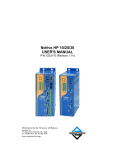
Ndrive HL
User’s Manual
P/N: EDU176 (Revision: 1.08b)
Dedicated to the Science of Motion
Aerotech, Inc.
101 Zeta Drive, Pittsburgh, PA, 15238
Phone: 412-963-7470 Fax: 412-963-7459
www.aerotech.com
Artisan Technology Group - Quality Instrumentation ... Guaranteed | (888) 88-SOURCE | www.artisantg.com
Product Registration
Register online at: http://www.aerotech.com/prodreg.cfm
Technical Support
United States Headquarters:
Phone: (412) 967-6440
Fax: (412) 967-6870
Email: [email protected]
United Kingdom:
Phone: +44 118 940 9400
Fax: +44 118 940 9401
Email: [email protected]
Germany:
Phone: +49 911 967 9370
Fax: +49 911 967 93720
Email: [email protected]
Revision History
1.00
1.01
1.02
1.03
1.04
1.05
1.06
1.07
1.08b
June 20, 2003
February 9, 2004
May 27, 2004
July 26, 2004
September 1, 2004
September 23, 2004
November 22, 2005
January 4, 2006
October 31, 2007
Product names mentioned herein are used for identification purposes only and may be trademarks of their respective
companies.
© Aerotech, Inc. 2005-2007
Artisan Technology Group - Quality Instrumentation ... Guaranteed | (888) 88-SOURCE | www.artisantg.com
Ndrive HL User’s Manual
Table of Contents
TABLE OF CONTENTS
CHAPTER 1:
1.1.
1.2.
1.3.
1.4.
1.5.
1.6.
1.7.
INTRODUCTION ................................................ 1-1
Feature Summary .....................................................................1-2
Connection Overview................................................................1-3
Ndrive HL Block Diagram..........................................................1-4
Ordering Information .................................................................1-5
Electrical Specifications ............................................................1-6
Mechanical Specifications.........................................................1-9
Environmental Specifications..................................................1-10
CHAPTER 2: INSTALLATION and CONFIGURATION .............. 2-1
2.1.
2.2.
2.3.
2.4.
2.5.
2.6.
2.7.
2.8.
2.9.
CHAPTER 3:
3.1.
3.2.
3.3.
3.4.
3.5.
Safety Procedures and Warnings .............................................2-1
Power Connections...................................................................2-2
2.2.1. Control Power Connections (-AUXPWR) ....................2-2
2.2.2. Motor Power Connections ...........................................2-3
2.2.3. Motor Connections (TB101).........................................2-4
2.2.4. I/O and Signal Wiring Requirements ...........................2-4
Emergency Stop Sense Input (TB201) .....................................2-5
2.3.1. Typical ESTOP Interface .............................................2-6
Motor and Feedback Connections............................................2-7
2.4.1. DC Brush Motor in Torque Mode Configuration ..........2-7
2.4.2. DC Brush Motor with Tachometer Feedback
Configuration................................................................2-8
2.4.3. Brushless Motor Configuration ....................................2-9
2.4.4. Stepper Motor Configuration......................................2-14
Encoder Feedback Connections.............................................2-15
2.5.1. Encoder Phasing........................................................2-16
End of Travel (EOT) Limit Input Connections .........................2-17
2.6.1. End of Travel (EOT) Limit Phasing ............................2-17
Communication Channel Settings ..........................................2-18
Connecting Multiple Ndrive HLs .............................................2-19
PC Configuration and Operation Information..........................2-20
TECHNICAL DETAILS....................................... 3-1
Auxiliary I/O Connector (J205)..................................................3-1
3.1.1. Secondary Encoder Channel (J205)............................3-3
3.1.2. User Outputs 8-11 (J205) ............................................3-4
3.1.3. User Inputs 8-11 (J205) ...............................................3-5
3.1.4. High Speed User Inputs 12-13 (J205) .........................3-6
3.1.5. Analog Input 0 (J205)...................................................3-6
3.1.6. Analog Output 0 (J205)................................................3-6
Position Synchronized Output (PSO) / Laser Firing .................3-7
3.2.1. Single Axis Laser Firing .............................................3-11
Motor Feedback (J207)...........................................................3-12
3.3.1. End of Travel Limit Inputs ..........................................3-13
3.3.2. Hall-Effect and Thermistor Inputs ..............................3-14
3.3.3. Brake Output ..............................................................3-15
3.3.4. Encoder Interface.......................................................3-15
RS-232 / RS-422 Port (J206)..................................................3-20
FireWire Bus (J201, J202, J203) ............................................3-22
www.aerotech.com
Artisan Technology Group - Quality Instrumentation ... Guaranteed | (888) 88-SOURCE | www.artisantg.com
iii
Table of Contents
Ndrive HL User’s Manual
3.6.
CHAPTER 4:
4.1.
4.2.
4.3.
4.4.
CHAPTER 5:
5.1.
5.2.
5.3.
CHAPTER 6:
6.1.
6.2.
6.3.
6.4.
6.5.
6.6.
6.7.
6.8.
6.9.
Voltage-to-Current Mode Operation .......................................3-23
3.6.1. Parameter Setup and Hardware Configuration .........3-24
3.6.2. Saving Parameters to the Flash Memory on the
Drive...........................................................................3-24
3.6.3. Operation ...................................................................3-25
3.6.4. Faults .........................................................................3-25
OPTIONS ........................................................... 4-1
–IOPSO and –IOPSOH Option Boards .................................... 4-1
4.1.1. Brake Configuration Jumpers ...................................... 4-2
4.1.2. Analog Outputs (TB301) .............................................. 4-3
4.1.3. Brake / Relay (TB301) ................................................. 4-4
4.1.4. Analog Inputs (TB302)................................................. 4-9
4.1.5. User Power Connector (TB303) ................................4-10
4.1.6. Opto-Isolated Outputs (TB304)..................................4-10
4.1.7. Opto-Isolated Inputs (TB305) ....................................4-12
4.1.8. PSO / Absolute Encoder Interface (J301) .................4-14
4.1.9. SSI Net (2 channel) (J302, J303) .............................4-17
–DUALPSO and –TRIPLEPSO Laser Firing Options.............4-19
4.2.1. PSO Tracking Rate Configuration .............................4-20
–ENET (Ethernet) Option J204...............................................4-22
–RDP Resolver Input ..............................................................4-23
4.4.1. Resolver/Inductosyn Setup........................................4-24
ACCESSORIES.................................................. 5-1
Standard Interconnection Cables ............................................. 5-1
Joystick Interface ...................................................................... 5-5
Handwheel Interface ................................................................. 5-9
TROUBLESHOOTING ....................................... 6-1
Problems, Causes, and Solutions............................................. 6-1
Ndrive HL Control Board Test Points ....................................... 6-2
Ndrive HL Control Board Assembly .......................................... 6-3
Ndrive HL Motor Power Board Assembly ................................. 6-5
Ndrive HL Power Supply Board Assembly ............................... 6-7
LED Indicators ..........................................................................6-9
JTAG Programming Connector ..............................................6-10
Fuse / Battery Replacement ...................................................6-11
Preventative Maintenance ......................................................6-12
6.9.1. Cleaning.....................................................................6-12
APPENDIX A: GLOSSARY of TERMS..................................... A-1
APPENDIX B: WARRANTY and FIELD SERVICE .................. B-1
APPENDIX C: MANUAL UPDATES ......................................... C-1
B.1.
B.2.
Current Changes...................................................................... C-1
Archive of Changes.................................................................. C-2
INDEX ...................................................................................Index-1
READER’S COMMENTS...............................................Comment-1
∇ ∇ ∇
iv
www.aerotech.com
Artisan Technology Group - Quality Instrumentation ... Guaranteed | (888) 88-SOURCE | www.artisantg.com
Ndrive HL User’s Manual
List of Figures
LIST OF FIGURES
Figure 1-1.
Figure 1-2.
Figure 1-3.
Figure 1-4.
Ndrive HL Networked Digital Drive ...........................................1-1
Ndrive HL Hardware .................................................................1-3
Ndrive HL Functional Diagram..................................................1-4
Ndrive HL Dimensions ..............................................................1-9
Figure 2-1.
Figure 2-2.
Figure 2-3.
Figure 2-4.
Figure 2-5.
Figure 2-6.
Figure 2-7.
Figure 2-8.
Figure 2-9.
Figure 2-10.
Figure 2-11.
Figure 2-12.
Figure 2-13.
Figure 2-14.
Figure 2-15.
Figure 2-16.
Figure 2-17.
Figure 2-18.
-AUXPWR Option .....................................................................2-2
Motor Power Connections.........................................................2-3
ESTOP Sense Input (TB201)....................................................2-5
Typical Emergency Stop Circuit................................................2-6
DC Brush Motor in Torque Mode Configuration .......................2-7
DC Brush Motor Wiring with Tachometer .................................2-8
Brushless Motor Configuration .................................................2-9
Hall-Effect Feedback Connections .........................................2-11
Hall-Effect Feedback Inputs in the Nstat Utility.......................2-11
Motor Phasing .........................................................................2-13
Stepper Motor Configuration...................................................2-14
Encoder Feedback Connections.............................................2-15
Encoder Phasing Reference Diagram ....................................2-16
Encoder and Hall signals in the Nstat.exe Utility Program .....2-16
End of Travel Limit input Connections ....................................2-17
Limit Inputs in the Nstat Utility.................................................2-17
Recommended Star Daisy Chain Configuration.....................2-19
FireWire Daisy Chain ..............................................................2-20
Figure 3-1.
Figure 3-2.
Figure 3-3.
Figure 3-4.
Figure 3-5.
Figure 3-6.
Figure 3-7.
Figure 3-8.
Figure 3-9.
Figure 3-10.
Figure 3-11.
Figure 3-12.
Figure 3-13.
Secondary Encoder Channel (J205).........................................3-3
User Outputs (J205)..................................................................3-4
All User Inputs 8-13 (J205) .......................................................3-5
Advanced 1 - 3 Axis Firing ........................................................3-9
Data Capture/Data Update Modes .........................................3-10
PSO Diagram – Basic Single Axis Firing ................................3-11
End of Travel Limit Inputs .......................................................3-13
Hall-Effect and Thermistor Inputs (J207) ................................3-14
Line Driver Encoder Interface – Standard (J207) ...................3-16
Optional MXH Analog Encoder Interface (J207) ....................3-19
RS-232/RS-422 Connector (J206)..........................................3-21
Normal Operation....................................................................3-23
Stand-Alone Configuration......................................................3-23
Figure 4-1.
Figure 4-2.
Figure 4-3.
Figure 4-4.
Figure 4-5.
Figure 4-6.
Figure 4-7.
Figure 4-8.
Figure 4-9.
Figure 4-10.
–IOPSO Option Board Location................................................4-1
–IOPSO Option Board (690D1579 Rev. A) ..............................4-1
–IOPSOH Option Board (690D1623 Rev. 0) ............................4-2
Analog Output Connector (TB301) ...........................................4-3
Brake Connected to TB301.......................................................4-5
Brake Connected to J207 .........................................................4-6
Diode Suppression for DC Brake Systems...............................4-7
RC Suppression for DC Brake Systems ...................................4-8
Optional Analog Input Connector (TB302)................................4-9
Connecting Outputs in Current Sinking Mode ........................4-11
www.aerotech.com
Artisan Technology Group - Quality Instrumentation ... Guaranteed | (888) 88-SOURCE | www.artisantg.com
v
List of Figures
Ndrive HL User’s Manual
Figure 4-11.
Figure 4-12.
Figure 4-13.
Figure 4-14.
Figure 4-15.
Figure 4-16.
Figure 4-17.
Figure 4-18.
Figure 4-19.
Figure 4-20.
Figure 4-21.
Figure 4-22.
Figure 4-23.
Figure 4-24.
Figure 4-25.
Connecting Outputs in Current Sourcing Mode......................4-11
Inputs Connected in Current Sourcing Mode .........................4-13
Inputs Connected in Current Sinking Mode............................4-13
Absolute Encoder Interface (J301) .........................................4-15
PSO Interface (J301 and TB303) ...........................................4-16
(RS-485) Absolute Encoder Interface (J301) .........................4-16
J301/J302/J303.......................................................................4-18
Two / Three Axis Laser Firing Interconnection .......................4-19
PSO Tracking Rate Block Diagram ........................................4-20
Ethernet Interface (J204) ........................................................4-22
Resolver Option Assembly (690D1599 Rev. 0)......................4-24
Analog Output Connector (TB301) .........................................4-25
Resolver Located at Maximum of SIN Signal .........................4-27
Rotating the Resolver (to see a circle) ...................................4-28
Optimized Resolver Feedback Configuration .........................4-29
Figure 5-1.
Figure 5-2.
Figure 5-3.
Joystick Interface ...................................................................... 5-5
Single Axis Joystick Interface to J205 of the Ndrive HL ........... 5-6
Single Axis Joystick Interconnect to J205 of the Ndrive
HL.............................................................................................. 5-7
Two-Axis Joystick Interface to the I/O on the –IOPSO
Option........................................................................................ 5-7
Two-Axis Joystick Connection to the I/O on the –IOPSO
Option........................................................................................ 5-8
Handwheel Interconnection to J205 of the Ndrive HL .............. 5-9
Handwheel with Flying Leads (no connector).........................5-10
BBA32 Interface used to connect a Handwheel with
flying leads (no connector)......................................................5-10
Figure 5-4.
Figure 5-5.
Figure 5-6.
Figure 5-7.
Figure 5-8.
Figure 6-1.
Figure 6-2.
Figure 6-3.
Ndrive HL Control Board Assembly (690D1577 Rev. A).......... 6-3
Ndrive HL Motor Power Board, (690D1589 Rev 0) .................. 6-5
Ndrive HL Power Supply Board, (690D1588 Rev -) ................. 6-7
∇ ∇ ∇
vi
www.aerotech.com
Artisan Technology Group - Quality Instrumentation ... Guaranteed | (888) 88-SOURCE | www.artisantg.com
Ndrive HL User’s Manual
List of Tables
LIST OF TABLES
Table 1-1.
Table 1-2.
Table 1-3.
Ndrive HL Models and Voltage Configurations.........................1-5
Electrical Specifications ............................................................1-6
Ndrive HL Series Amplifier Current Limitations ........................1-8
Table 2-1.
Table 2-2.
Table 2-3.
Table 2-4.
Table 2-5.
Table 2-6.
Optional Aux Supply AC Input (for external E-Stop).................2-2
Main Supply AC Power Input Connections...............................2-3
TB101 Motor Power Output Connections .................................2-4
Electrical Noise Suppression Devices ......................................2-5
Ndrive HL Switch Settings (S2)...............................................2-18
FireWire Card and Cable Part Numbers.................................2-19
Table 3-1.
Table 3-2.
Table 3-3.
Table 3-4.
Table 3-5.
Table 3-6.
Auxiliary I/O Connector Pin Assignment (J205) .......................3-1
Auxiliary I/O Mating Connector (J205)......................................3-2
Auxiliary Encoder Pin Assignment on Connector (J205)..........3-3
User Outputs Pin Assignment on Connector (J205).................3-4
User Inputs Pin Assignment on Connector (J205) ...................3-5
High Speed User Inputs Pin Assignment on Connector
J205 ..........................................................................................3-6
Auxiliary I/O Connector Pin Assignment (J205) .......................3-6
Auxiliary I/O Connector Pin Assignment (J205) .......................3-6
PSO Encoder Signal Sources and Pre-Scaling Methods .........3-7
PSO Output Sources ................................................................3-7
Motor Feedback Connector Pin Assignment (J207)...............3-12
Motor Feedback Mating Connector (J207) .............................3-12
End of Travel Limit Inputs Pin Assignment on Connector
J207 ........................................................................................3-13
Hall-Effect Inputs Pin Assignment on Connector J207...........3-14
Brake Output Pin Assignment on ConnectorJ207 ..................3-15
Motor Feedback Connector Pin Assignment (J207)..............3-15
MXH Option Specifications .....................................................3-18
J206 RS-232 / RS-422 Connector Pin Assignment................3-20
RS-232 / RS-422 Port Mating Connector (J206) ....................3-20
J201, J202, J203 FireWire Connector Pin Assignment ..........3-22
Table 3-7.
Table 3-8.
Table 3-9.
Table 3-10.
Table 3-11.
Table 3-12.
Table 3-13.
Table 3-14.
Table 3-15.
Table 3-16.
Table 3-17.
Table 3-18.
Table 3-19.
Table 3-20.
Table 4-1.
Table 4-2.
Table 4-3.
Table 4-4.
Table 4-5.
Table 4-6.
Table 4-7.
Table 4-8.
Table 4-9.
Table 4-10.
Table 4-11.
–IOPSO Option Board Jumpers ...............................................4-1
–IOPSOH Output Device Numbers ..........................................4-2
Analog Output Connector Pin Assignment (TB301) .................4-3
Voltage and Current Specifications (TB301) ............................4-4
Brake / Relay Connector Pin Assignment (TB301) ..................4-5
Brake / Relay Connector Pin Assignment (J207) .....................4-5
Optional Analog Input Connector Pin Assignmentt
(TB302) .....................................................................................4-9
User Power Connector Pin Assignment (TB303) ...................4-10
Opto-Isolated Output Connector Pin Assignment
(TB304) ...................................................................................4-10
Output Specifications (TB304) ................................................4-11
Opto-Isolated Input Connector Pin Assignment (TB305) .......4-12
www.aerotech.com
Artisan Technology Group - Quality Instrumentation ... Guaranteed | (888) 88-SOURCE | www.artisantg.com
vii
List of Tables
Ndrive HL User’s Manual
Table 4-12.
Table 4-16.
Table 4-17.
Table 4-18.
Table 4-19.
Table 4-20.
Table 4-21.
Table 4-22.
Table 4-23.
PSO/Absolute Encoder Interface Connector Pin
Assignment (J301) ..................................................................4-14
PSO / Absolute Encoder Mating Connector (J301) ................4-14
Laser Output Opto-Isolator Specifications..............................4-15
J302, J303 2-Channel SSI Net Connector Pin
Assignment .............................................................................4-17
SSI Net Cable Part Numbers..................................................4-20
Ethernet Connector Pin Assignment (J204) ...........................4-22
NConnect I/O Cable part Numbers.........................................4-22
Resolver Connector Pin Assignment (J1, J2).........................4-23
Resolver Mating Connector (15-Pin Male D-Style) ................4-23
Resolver Jumper Configuration ..............................................4-23
Resolver Test Points...............................................................4-24
External Power Pin Assignment (J403) ..................................4-24
Table 5-1.
Table 5-2.
Table 5-3.
Table 5-4.
Standard Interconnection Cables ............................................. 5-1
Combined Motor & Feedback Cables....................................... 5-2
Individual Motor Cables ............................................................ 5-3
Individual Feedback Cables...................................................... 5-4
Table 6-1.
Table 6-2.
Table 6-3.
Table 6-4.
Table 6-5.
Table 6-6.
Table 6-7.
Amplifier Faults, Causes, and Solutions................................... 6-1
Ndrive HL Control Board Test Point ......................................... 6-2
Ndrive HL Control Board Jumper Selections............................ 6-4
Ndrive HL Motor Power Board Jumper Selections ................... 6-6
Ndrive HL Motor Power Board Fuse Information...................... 6-6
Ndrive HL Motor Power Board Test Point Information ............. 6-6
Jumper Selections (Line Voltage) on Power Supply
Board......................................................................................... 6-7
Jumper Selections (Bus Voltage) on Power Supply
Board......................................................................................... 6-7
Ndrive HL Power Supply Board Jumper Selections ................. 6-8
Ndrive HL Power Supply Board Fuse Information.................... 6-8
LED Indicator Description ......................................................... 6-9
JTAG Programming Connector – Internal (P10) ....................6-10
Ndrive HL Power Supply Board Fuse Information,
(690D1588) .............................................................................6-11
Ndrive HL Motor Power Board Fuse Information,
(690D1589) .............................................................................6-11
Battery Replacement Part Number (Ndrive HL Control
Board) .....................................................................................6-11
Preventative Maintenance ......................................................6-12
Table 4-13.
Table 4-14.
Table 4-15.
Table 6-8.
Table 6-9.
Table 6-10.
Table 6-11.
Table 6-12.
Table 6-13.
Table 6-14.
Table 6-15.
Table 6-16.
∇ ∇ ∇
viii
www.aerotech.com
Artisan Technology Group - Quality Instrumentation ... Guaranteed | (888) 88-SOURCE | www.artisantg.com
Ndrive HL Users Manual
Declaration of Conformity
DECLARATION OF CONFORMITY
Manufacturer’s Name
and Address:
Aerotech, Inc.
101 Zeta Drive
Pittsburgh, PA 15238-2897
Declares that the product: Ndrive HL
Conforms to the following product specifications, with the exceptions listed below.
Safety:
EN 61010-1:2001
Use:
This product is intended for light industrial manufacturing or laboratory use.
Safety Requirements
and complies with 73/23/EEC low voltage directive.
Notes concerning EN 61010-1:
•
Voltages greater than 60 Volts may be present inside the unit after a discharge time
of 5 seconds.
• The unit must be installed within an enclosure with construction compliant unlimited
circuits.
• The end user is responsible for meeting the final protective ground requirements.
• The AC power inlet located on the front (and control power on the top, if present) of
the unit is the power disconnect. The end user is responsible for determining and
providing a supply disconnect for the system.
• The end user is responsible for preventing unexpected startup.
• Connection requirements are described in the technical documentation provided with
the product. The end user is responsible for making the proper connections and
meeting any required interlock requirements for the product application.
• The end user must provide protection concerning power interruption / restoration, if
required.
• The end user must provide earth fault current protection, if required.
• The end user must provide protection against lightning and power switching surges, if
required.
• Control and Emergency Stop requirements are to be determined and provided by the
end user.
• Wire and cabling provided with the unit meet Aerotech’s electrical and listed
environmental requirements. The end user must meet the final requirements.
Pittsburgh, PA
April, 2004
David F. Kincel_________________________
Quality Assurance Manager
Alex R. Weibel ___________________________
Engineer Verifying Compliance
www.aerotech.com
Artisan Technology Group - Quality Instrumentation ... Guaranteed | (888) 88-SOURCE | www.artisantg.com
ix
Ndrive HL Users Manual
Declaration of Conformity
EMC Requirements:
The use of shielded cables is required to reduce radiated emissions. The cable shields must be connected to
the metal back shell of D-type connectors, or to the nearest frame ground connection for other type
connectors.
The following modifications will help ensure CE compliance:
Install a snap-on Ferrishield ferrite attenuator, P/N SS28B2034, on the FireWire cable at the unit.
Use a FireWire card with inductive common mode filters, such as the Aerotech NFIRE-PCI or Siig
NN-403P12.
•
•
These modifications may not be necessary in the final installation of the product. Since the unit is a
component, designed to be integrated with other electronics, EMC testing must be conducted on the final
product configuration.
Failure to follow these procedures may result in serious
injury, damage and/or excessive emissions or reduced
immunity of the equipment.
∇ ∇ ∇
www.aerotech.com
Artisan Technology Group - Quality Instrumentation ... Guaranteed | (888) 88-SOURCE | www.artisantg.com
x
Ndrive HL User’s Manual
CHAPTER 1:
Introduction
INTRODUCTION
Aerotech’s Network Digital Linear Drive (Figure 1-1) (and PWM Ndrive CP, HP, MP,
and Nservo, Npaq) complement the Automation 3200 System. Connected via the IEEE1394 (FireWire®) communication bus, these drives provide deterministic behavior, autoidentification, and easy software setup from the Nmotion SMC software controller.
Featuring a high-speed Harvard architecture DSP, the drives are linear for eliminating
EMI/RFI emissions and have fully digital current and servo loops providing up to an 8
kHz servo loop closure, 32 MHz line driver encoder data rate, and an optional Ethernet
port for access to third party networked I/O solutions. Additionally, one 18 bit analog
output and one 16 bit analog input is standard. The Ndrive HL also features an optional
on-board brake relay, programmable resolution multiplication up to x65,536, with a 200
kHz maximum amplified sine wave input frequency, and up to three-axis Position
Synchronized Outputs (laser firing). In addition, the use of the commercially standard
FireWire communication link makes integration to the Automation 3200 network plug-nplay easy.
This product is intended for light industrial manufacturing or laboratory use.
Figure 1-1.
Ndrive HL Networked Digital Drive
www.aerotech.com
Artisan Technology Group - Quality Instrumentation ... Guaranteed | (888) 88-SOURCE | www.artisantg.com
1-1
Introduction
Ndrive HL User’s Manual
1.1.
1-2
Feature Summary
•
Software configurable for brush (torque/current and tachometer mode) and
brushless motor operation
•
Bipolar 40 or 80 VDC bus power supply
•
Fully isolated power stage
•
5 VDC, 500 mA user output power for encoder and Hall effect signals, etc.
•
Two mounting orientations optimized for heat transfer or minimal panel space
utilization
•
Full protection against the following failure modes:
1.
Control supply under voltage
2.
Continuous current overload
3.
Power stage bias supply under-voltage
4.
Power stage output short circuit (phase to phase and phase to ground)
5.
DC bus over voltage
6.
IGBT device over temperature sense
•
Line driver square wave or analog sine wave quadrature encoder primary
position and velocity feedback
•
Line driver square wave auxiliary quadrature encoder input or output for PSO
(laser firing), etc.
•
4 opto-isolated user outputs standard
•
6 opto-isolated user inputs standard, 2 of which are high speed
•
2 differential analog inputs (one standard and one available with the –IOPSO
option)
•
2 analog inputs (one standard and one available with the –IOPSO option)
www.aerotech.com
Artisan Technology Group - Quality Instrumentation ... Guaranteed | (888) 88-SOURCE | www.artisantg.com
Ndrive HL User’s Manual
1.2.
Introduction
Connection Overview
The Ndrive HL consists of a power connection (motor power and input power), three
FireWire ports, an optional Ethernet connection, an RS-232/RS-422 connector, LED
indicator lamps and two D-style connectors for Auxiliary I/O (15 and 26 pin) and Motor
Feedback (25 pin). An –IOPSO/-IOPSOH option is also available, shown below (J301J303, TB301-TB305), which has connections for PSO, absolute encoder, SSI Net, analog
I/O, digital I/O, and user power. Refer to Figure 1-2 for locations.
Figure 1-2.
Ndrive HL Hardware
www.aerotech.com
Artisan Technology Group - Quality Instrumentation ... Guaranteed | (888) 88-SOURCE | www.artisantg.com
1-3
Introduction
Ndrive HL User’s Manual
1.3.
Ndrive HL Block Diagram
The standard package includes the bus power supply that operates from standard AC line
voltage (100/115/208/230 factory configured). The power supply is included with the
standard package for off-line operation without the need for an isolation transformer.
Figure 1-3 is a functional diagram including options. In addition, a soft start circuit is
included to prevent high inrush currents.
Figure 1-3.
1-4
Ndrive HL Functional Diagram
www.aerotech.com
Artisan Technology Group - Quality Instrumentation ... Guaranteed | (888) 88-SOURCE | www.artisantg.com
Ndrive HL User’s Manual
1.4.
Introduction
Ordering Information
The Ndrive HL is available in three base models with continuous power, ranging from
675 to 1,350 watts. A list of these models, and the available voltage configurations, are
shown in Table 1-1
Table 1-1.
Ndrive HL Models and Voltage Configurations
Model
Ndrive HL-20-40
Ndrive HL-10-80
Ndrive HL-10-40
Options
Standard Bus
Voltage
±40 VDC
±80 VDC
±40 VDC
Peak Output
Current
20A
10A
10A
Continuous Output
Current (peak)
10A
5A
5A
-
–IOPSO and
–IOPSOH
–DUALPSO
–TRIPLEPSO
–PSOOPTO1
–PSOOPTO2
–PSOOPTO3
–PSOOPTO4
–MXH
–ENET
MCK-NDRIVE
–AUXPWR
JI
One additional 18-bit analog outputs (±10 Volts)
One additional 16-bit differential analog inputs (±10 Volts)
One fail safe brake (or user) relay output
Eight optically isolated logic inputs (5 – 24 VDC), user defined
as current sourcing or sinking.
- Two bi-directional RS-422 encoder inputs/outputs (SSI Net)
- One absolute/RS-485 encoder interface for secondary encoder
channel
- Optically isolated laser firing (PSO) output
- Eight in/out optically isolated current sourcing/sinking logic
outputs (5 - 24 VDC); rated for 1 ampere on the -IOPSOH
option.
Two axis Position Synchronized Output (Laser Firing)
Three axis Position Synchronized Output (Laser Firing)
Opto-isolator for PSO, requires the –IOPSO option (<5V, high
speed, high current, HCPL2601)
Opto-isolator for PSO, requires the –IOPSO option (<15V, high
speed, low current, 6N136)
Opto-isolator for PSO, requires the –IOPSO option (<30V, low
speed, high current, 4N33)
Opto isolator for PSO (5-25VDC, 40kHz, 50mA, TIL117-M)
Programmable encoder multiplier up to x2,048, supports PSO
(laser firing) and encoder quadrature output
10/100BASE-T Ethernet port for I/O expansion
Mating connector kit for J206 and J207 (J205 is always provided)
Auxiliary 85-240 VAC input to power logic circuitry. Required for
"keep alive" or 20-80 VDC bus operation. 20-120 VDC operation
requires external transformer to generate 15-85 VAC bus power
input.
Optional Industrial Joystick
www.aerotech.com
Artisan Technology Group - Quality Instrumentation ... Guaranteed | (888) 88-SOURCE | www.artisantg.com
1-5
Introduction
Ndrive HL User’s Manual
1.5.
Electrical Specifications
The electrical specifications for the Ndrive HL are listed in Table 1-2.
Table 1-2.
Electrical Specifications
Description
Units
Main Supply Input Voltage
VAC
Main Supply Input Frequency
Main Supply Inrush Current
Optional Supply Input Voltage
Optional Supply Input Frequency
Optional Supply Maximum Input Power
Voltage Output (brushless)(1)
Output Voltage (brush)
Current Peak Output (2)
Current Continuous Output(2)
Power Peak Dissipation (per phase)
Power Peak Output (3)
Power Continuous Output
Power Amplifier Gain (each phase)
Power Amplifier Bandwidth(4)
Minimum Load Inductance
Minimum Load Resistance (line-to-neutral)
Operating Temperature
Storage Temperature
Weight
1-6
Standard
–IOPSO or -IOPSOH option
°C
20-40
10-40
10-80
100, 115, 200, 230
(model dependent)
50-60
23
23
23
85-240
50-60
100
80
80
160
40
40
80
20
10
10
10
5
5
360
1,350
675
1,350
675
337
675
2
1
1
2
0
0.5
0 to 50
°C
-30 to 85
lb (kg)
22.0 (9.98)
22.2 (10.07)
Hz
A
VAC
Hz
Watts
VDC
VDC
Apk
Apk
Watts
Watts
Watts
A/V
kHz
mH
Ohms
1.
Ndrive HLs can drive each of its phases rail to rail since the drive supply for each phase is
not derived from the +/- bus voltages.
2.
Peak and continuous output current is load dependent, see Table 1-3.
3.
This specification based on the output power transistors in the saturated (e.g., full on)
condition.
4.
Into an Aerotech BLM-203-A linear forcer (RLL = 4Ω , LLL = 3.2 mH)
www.aerotech.com
Artisan Technology Group - Quality Instrumentation ... Guaranteed | (888) 88-SOURCE | www.artisantg.com
Ndrive HL User’s Manual
Table 1-2.
Introduction
Electrical Specifications (continued)
Specification
Modes of
Operation
Feedback Inputs
Power Inputs
(AC1, AC2)
Auxiliary Power
Outputs (AL1, AL2)
Protective
Features
Isolation
Indicator (Power)
Indicator (Enabled)
Description
Brushless
Brush (Current/Torque and tachometer Mode)
Hall A-Pin 10, Hall B-Pin 5, Hall C-Pin 11: Hall effect device
inputs for commutation, 0 to 5 VDC, internal pull-up, 10K input.
Commutation signals used with brushless motors to provide
motor rotation position information to the amplifier. This allows
the amplifier to steer the three phases of the motor currents in
such a fashion to provide rotation of the motor in the desired
direction at the desired speed. TTL level input.
Sine/Sine-N, Pin 17/Pin 18, Cosine/Cosine-N, Pin 14/Pin 15:
Encoder input 0 to 5VDC, internal pull-up, 10K input.
AC input: AC1, AC2, earth ground (
), 50-60 Hz, single phase.
5V-Pin 16: On board 5V power supply. 250 mA max. output.
5V-Pin 3: On board 5V power supply. Pin 3 is intended for
powering an encoder. Ndrive HL can supply up to 500 mA of
current total to user devices.
Output short circuit
Peak over current
DC bus over voltage
RMS over current
Control power supply under
Over temperature
voltage
Power stage bias supply
Designed to EN61010/UL3101
under voltage
Optical and transformer isolation between control and power
stages.
LED indicates drive power.
LED indicates drive enabled.
www.aerotech.com
Artisan Technology Group - Quality Instrumentation ... Guaranteed | (888) 88-SOURCE | www.artisantg.com
1-7
Introduction
Table 1-3.
Ndrive HL Series Amplifier Current Limitations
Ndrive HL10-40
Tambient = 25OC
IPK1) IPK-CONT2)
RL-L
Limit
Limit
(Ohms) (Amps) (Amps)
0.5
1
1.5
2
2.5
3
3.5
4
4.5
5
5.5
6
6.5
7
7.5
8
8.5
9
9.5
10
10.5
11
11.5
12
12.5
13
13.5
14
14.5
15
15.5
16
16.5
10.0
10.0
10.0
10.0
10.0
10.0
10.0
10.0
10.0
10.0
10.0
10.0
10.0
10.0
10.0
10.0
*
*
*
*
*
*
*
*
*
*
*
*
*
*
*
*
*
5.00
5.00
5.00
5.00
5.00
5.00
5.00
5.00
5.00
5.00
5.00
5.00
5.00
5.00
5.00
5.00
5.00
5.00
5.00
5.00
5.00
5.00
5.00
5.00
5.00
5.00
5.00
5.00
5.00
5.00
5.00
5.00
*
*Limited by: VBUS/(RLL/2)
Definitions:
RLL
IPK
Notes:
IPK-CONT
IPK limit
IPK-CONT limit
1-8
Ndrive HL User’s Manual
Ndrive HL10-40 Ndrive HL20-40 Ndrive HL20-40 Ndrive HL10-80 Ndrive HL10-80
Tambient = 50OC Tambient = 25OC Tambient = 50OC Tambient = 25OC Tambient = 50OC
IPK
IPK-CONT
IPK
IPK-CONT
IPK
IPK-CONT
IPK
IPK-CONT
IPK
IPK-CONT
Limit
Limit
Limit
Limit
Limit
Limit
Limit
Limit
Limit
Limit
(Amps) (Amps) (Amps) (Amps) (Amps) (Amps) (Amps) (Amps) (Amps) (Amps)
10.0
10.0
10.0
10.0
10.0
10.0
10.0
10.0
10.0
10.0
10.0
10.0
10.0
10.0
10.0
10.0
*
*
*
*
*
*
*
*
*
*
*
*
*
*
*
*
*
4.50
4.50
4.75
4.75
5.00
5.00
5.00
5.00
5.00
5.00
5.00
5.00
5.00
5.00
5.00
5.00
5.00
5.00
5.00
5.00
5.00
5.00
5.00
5.00
5.00
5.00
5.00
5.00
5.00
5.00
5.00
5.00
*
14.5
16.0
18.5
20.0
20.0
20.0
20.0
20.0
*
*
*
*
*
*
*
*
*
*
*
*
*
*
*
*
*
*
*
*
*
*
*
*
*
6.50
7.00
7.50
7.75
8.25
9.00
10.00
10.00
10.00
10.00
10.00
10.00
10.00
10.00
10.00
10.00
*
*
*
*
*
*
*
*
*
*
*
*
*
*
*
*
*
14.5
16.0
18.5
20.0
20.0
20.0
20.0
20.0
*
*
*
*
*
*
*
*
*
*
*
*
*
*
*
*
*
*
*
*
*
*
*
*
*
4.50
4.50
4.75
4.75
5.00
5.25
5.25
5.50
6.00
6.50
7.25
10.00
10.00
10.00
10.00
10.00
*
*
*
*
*
*
*
*
*
*
*
*
*
*
*
*
*
6.5
7.0
7.0
7.0
7.5
7.5
7.5
8.0
8.0
8.5
8.5
9.0
10.0
10.0
10.0
10.0
10.0
10.0
10.0
10.0
10.0
10.0
10.0
10.0
10.0
10.0
10.0
10.0
10.0
10.0
10.0
10.0
*
3.25
3.25
3.25
3.25
3.25
3.50
3.50
3.50
3.50
3.50
3.50
3.75
3.75
3.75
3.75
3.00
4.00
4.00
4.00
4.25
4.25
4.25
4.50
4.50
4.75
4.75
5.00
5.00
5.00
5.00
5.00
5.00
*
6.5
7.0
7.0
7.0
7.5
7.5
7.5
8.0
8.0
8.5
8.5
9.0
10.0
10.0
10.0
10.0
10.0
10.0
10.0
10.0
10.0
10.0
10.0
10.0
10.0
10.0
10.0
10.0
10.0
10.0
10.0
10.0
*
2.25
2.25
2.25
2.25
2.25
2.25
2.25
2.25
2.25
2.25
2.25
2.25
2.25
2.25
2.25
2.50
2.50
2.50
2.50
2.50
2.50
2.50
2.50
2.50
2.50
2.50
2.50
2.50
2.75
2.75
2.75
2.75
*
motor resistance (line-to-line)
peak output current that the amplifier will sustain for 1 second when running a three phase
commutated motor
peak value of a continuous sine wave
ensures that an instantaneous current pulse does not harm the output transistors.
ensures that the temperature of the amplifier does not reach a value that would harm the
semiconductor devices.
www.aerotech.com
Artisan Technology Group - Quality Instrumentation ... Guaranteed | (888) 88-SOURCE | www.artisantg.com
Ndrive HL User’s Manual
1.6.
Introduction
Mechanical Specifications
Units should be separated from each other and surrounded by one inch of free air space.
This will also allow the standard nine-inch (228 mm) FireWire cable to interconnect
them.
40.6 [1.60]
Figure 1-4.
234.3 [9.22]
18.1 [0.71]
4.7 [0.19]
23.8 [0.94]
248.5 [9.79]
256.2 [10.09]
273.1 [10.75]
127.0 [5.00]
76.2 [3.00]
11.2 [0.44]
79.9 [3.15]
25.4 [1.00]
20.7 [0.81]
Ø4.7 [Ø0.19]
188.0 [7.40]
43.8 [1.73]
169.3 [6.67]
2.3 [0.09]
230.1 [9.06]
255.0 [10.04]
Ndrive HL Dimensions
The Ndrive HL case temperature may exceed 75°C in
some applications.
www.aerotech.com
Artisan Technology Group - Quality Instrumentation ... Guaranteed | (888) 88-SOURCE | www.artisantg.com
1-9
Introduction
Ndrive HL User’s Manual
1.7.
Environmental Specifications
The environmental specifications for the Ndrive HL are listed below.
•
Temperature:
Ambient
Operating -
5° - 40°C (41° - 104°F)
Storage -
-20 – 70°C (-4 – 158°F)
•
Humidity:
Maximum relative humidity is 80% for temperatures up
to 31°C. Decreasing linearly to 50% relative humidity at
40°C. Non-condensing.
•
Altitude
Up to 2000 m.
•
Pollution
Pollution degree 2 (normally only non-conductive
pollution).
•
Use
Indoor use only.
∇ ∇ ∇
1-10
www.aerotech.com
Artisan Technology Group - Quality Instrumentation ... Guaranteed | (888) 88-SOURCE | www.artisantg.com
Ndrive HL User’s Manual
CHAPTER 2:
Installation and Configuration
INSTALLATION and CONFIGURATION
This section covers the hardware configurations using the switches, jumpers, connectors,
and power connections when used with a brush or brushless motor. Wiring, grounding,
shielding techniques, and the motor phasing process are also covered.
Aside from the obvious requirements of AC input power and motor wiring, the only
other typical requirement is to define the Ndrive HLs communication channel number via
switch S2 (see Section 2.7).
2.1.
Safety Procedures and Warnings
The following statements apply wherever the Warning or Danger symbol appears within
this manual. Failure to observe these precautions could result in serious injury to those
performing the procedures and/or damage to the equipment.
If the equipment is used in a manner not specified by the
manufacturer, the protection by the equipment may be
impaired. The user should practice caution when following
the given procedures. Deviation from this may result in
damage to the equipment or machinery.
To minimize the possibility of electrical shock and bodily
injury, ensure that the motor is decoupled from the
mechanical system and no harm to personnel will result if
the motor begins to spin.
To minimize the possibility of electrical shock and bodily
injury when any electrical circuit is in use, ensure that no
person is exposed to the circuitry.
To minimize the possibility of bodily injury, make certain
that all electrical power switches (all switches external to
the amplifier) are in the off position prior to making any
mechanical adjustments.
www.aerotech.com
Artisan Technology Group - Quality Instrumentation ... Guaranteed | (888) 88-SOURCE | www.artisantg.com
2-1
Installation and Configuration
2.2.
Ndrive HL User’s Manual
Power Connections
The Ndrive HL may powered by one or two separate AC voltages. One for motor bus
power and optionally a second for control power, as described in the following two subsections. If the optional control power input is present, it must be powered.
2.2.1. Control Power Connections (-AUXPWR)
The -AUXPWR option allows the Ndrive HL to remain operational when the motor
power is removed, such as when an emergency stop circuit is required. If the Ndrive HL
was purchased with the -AUXPWR option, a separate AC input has been included on the
amplifier. The internal power supply of the Ndrive HL requires a minimum of 85 VAC
input to operate properly. The figure below shows the connection to the –AUXPWR AC
input. The connection is made to via a three terminal connector. See Section 2.4 for
various typical AC wiring options. This optional input is used when an external
emergency stop circuit is present. See Section 2.3 for a typical ESTOP wiring
configuration.
The AUXPWR control power inputs (AL1, AL2) are optional, but must be powered if
present. These inputs are typically used when an external emergency stop circuit is
should be at
present. Connections to the AL1, AL2 inputs and the protective Ground
least 1.62814 mm (#14 AWG) wire rated @ 300 V (3 Amp external fusing may be
required for AL2, AL1 is fused internally at 3 Amps).
Figure 2-1.
Table 2-1.
Pin
AL1
AL2
2-2
-AUXPWR Option
Optional Aux Supply AC Input (for external E-Stop)
Description
Optional 85-240 VAC Control Power Input
Optional 85-240 VAC Control Power Input
Protective Ground (Required for Safety)
Wire Size
1.62814 mm (#14 AWG)
1.62814 mm (#14 AWG)
1.62814 mm (#14 AWG)
www.aerotech.com
Artisan Technology Group - Quality Instrumentation ... Guaranteed | (888) 88-SOURCE | www.artisantg.com
Ndrive HL User’s Manual
Installation and Configuration
2.2.2. Motor Power Connections
Input power to the Ndrive HL is made at the AC1 and AC2 terminals with earth ground
(ground). The motor frame and shield connect to
(ground) as well.
connected to
Connections at the AC1, AC2 and Protective Ground connections should be made with
1.62814 mm (#14 AWG) wire rated at 300V.
Figure 2-2.
Table 2-2.
Pin
AC1
AC2
Motor Power Connections
Main Supply AC Power Input Connections
Description
115/100/208/230 Volt AC Input
115/100/208/230 Volt AC Input
From Earth Ground (Required for Safety)
Wire Size
1.62814 mm (#14 AWG)
1.62814 mm (#14 AWG)
1.62814 mm (#14 AWG)
External fuses or circuit breaker (10 Amperes, time delay type) are required for the AC1
and AC2 AC inputs for optimum protection. The protective devices should be located
near the Ndrive HL.
www.aerotech.com
Artisan Technology Group - Quality Instrumentation ... Guaranteed | (888) 88-SOURCE | www.artisantg.com
2-3
Installation and Configuration
Ndrive HL User’s Manual
2.2.3. Motor Connections (TB101)
The three-phase motor terminal connections are made at connections A, B, C and
optionally at RT. The RT connection is only used for brushless motors having a fourth
motor lead, as in a Wye configuration. Motor Connections ØA, ØB, ØC and its
Protective Ground should be made with 1.62814 mm (#14 AWG) wire rated at 300 V.
(ground) as well. See Section 2.4
The motor frame and shield must be connected to
for information on connecting each of the supported motor types.
Table 2-3.
Pin
ØA
ØB
ØC
RT
TB101 Motor Power Output Connections
Description
Phase A Motor Lead
Phase B Motor Lead
Phase C Motor Lead
Brushless Motors with Wye connection only
Earth Ground to Motor (Required for Safety)
Wire Size
1.62814mm (#14 AWG)
1.62814mm (#14 AWG)
1.62814mm (#14 AWG)
1.62814mm (#14 AWG)
1.62814mm (#14 AWG)
2.2.4. I/O and Signal Wiring Requirements
The I/O, communication, and encoder feedback connections are typically very low power
connections. Wire and connectors used for signal wiring should be rated for at least 30 V
and have a current capacity of at least .25 Amp. Wires and connectors used for low
voltage power connections such as +5V should have a current capacity of at least 1 Amp
(encoder feedback +5V supply may require .6 Amps in some applications). In some
applications, especially when there are significant wire distances, a larger wire size may
be required to reduce the voltage drop that occurs along the wire. This increase may be
necessary in order to keep the voltage within a specified range at a remote point.
When signal wiring is in close proximity to wiring operating at voltages above 60 Volts
the insulation rating of the signal wiring will also need to be rated for the higher voltage.
Signal wiring should have a voltage rating of at least 300 Volts when in proximity to AC
power or motor power wiring.
2-4
www.aerotech.com
Artisan Technology Group - Quality Instrumentation ... Guaranteed | (888) 88-SOURCE | www.artisantg.com
Ndrive HL User’s Manual
2.3.
Installation and Configuration
Emergency Stop Sense Input (TB201)
This input is intended to be activated by an external fail-safe emergency stop circuit. It is
not intended to be an emergency stop circuit in itself. It is scaled for an input voltage of
5-24 volts. Using a higher input voltage requires adding an external series resistor to
limit the current.
If the ESTOP bit is enabled in the FaultMask axis parameter, the ESTOP input must be
driven to prevent the ESTOP fault condition.
For typical ESTOP wiring, see the following two drawings.
Figure 2-3.
ESTOP Sense Input (TB201)
Connecting the E-Stop input to a relay or other EMI/RFI
noise producing device/circuit, requires one or more noise
suppression devices, such as those in Table 2-4, or other
appropriate devices.
Table 2-4.
Electrical Noise Suppression Devices
Device
RC (.1uf / 200 ohm) Network
Varistor
Aerotech P.N.
EIC240
EID160
Third party P.N.
Electrocube RG1782-8
Littlefuse V250LA40A
www.aerotech.com
Artisan Technology Group - Quality Instrumentation ... Guaranteed | (888) 88-SOURCE | www.artisantg.com
2-5
Installation and Configuration
Ndrive HL User’s Manual
2.3.1. Typical ESTOP Interface
The user may connect an emergency stop circuit to the Ndrive HL. It will disable power
to the motor by removing power to the power stage of the drive, while maintaining power
to the control section, as shown in the following Figure 2-4.
Ndrive HL
AUXPWR OPTION
MAIN
SUPPLY
15A Slow-Blow
1
CR1
AC1
AC HI
AC2
AC LO
115-230VAC
50/60 HZ
INPUT
SAFTEY
E-STOP
1
+24V
TB201 - ESTOP INPUT
2
CR1
2
USER
SUPPLIED
+24VDC
SUPPLY
control relay
coil
COM
NOTES:
1
THE AUXPWR OPTION
CAN BE USED WHEN THE
MAIN SUPPLY (BUS
POWER) MUST BE
REMOVED DURING AN
EMERGENCY STOP
CONDITION, WHILE LOGIC
(ENCODER) POWER
MUST BE MAINTAINED.
2
FOR THE E-STOP INPUT
TO BE ACTIVE, SETUP
THE APPROPRIATE
FAULTMASK IN THE AXIS
PARAMETERS FOR THE
DESIRED ACTION WHEN
AN E-STOP CONDITION IS
PRESENT.
1
AUX
PWR
AC1
AC2
Ndrive HL
AUXPWR OPTION
MAIN
SUPPLY
15A Slow-Blow
AC1
AC2
1
TB201 - ESTOP INPUT
2
2
AUX
PWR
AC1
1
AC2
Ndrive HL
AUXPWR INTERCONNECT
(WITH E-STOP)
Figure 2-4.
2-6
Typical Emergency Stop Circuit
www.aerotech.com
Artisan Technology Group - Quality Instrumentation ... Guaranteed | (888) 88-SOURCE | www.artisantg.com
Ndrive HL User’s Manual
2.4.
Installation and Configuration
Motor and Feedback Connections
The Ndrive HL can be integrated into a system using three basic configurations: DC
Brush (Velocity and Torque mode), brushless or stepper motors. Brush and brushless
motors may have two feedback devices.
2.4.1. DC Brush Motor in Torque Mode Configuration
The DC brush motor configuration is shown in Figure 2-5. See section 2.5.1. for the
correct encoder phasing information if Aerotech’s standard cabling is not used.
Figure 2-5.
2.4.1.1.
DC Brush Motor in Torque Mode Configuration
DC Brush Motor Phasing
If an Aerotech motor is used with Aerotech provided cabling, no motor phasing process
is required.
A DC brush motor is phased correctly, when a positive motion command causes
clockwise (CW) motor rotation, as viewed looking at the motor from the front mounting
flange. This assumes the CntsPerMetricUnit/CntsPerEnglishUnit/CntsPerRotaryUnit axis
parameters are set to a positive value. This required phasing, is determined solely by
which motor lead is connected to the ØA and ØC motor terminals. Motor phasing is
unrelated to the resultant direction of motion commanded from within a motion program.
After correctly phasing the motor, you may reverse the motor direction when
commanding a positive move from a motion program, by negating the sign of the
CntsPerMetricUnit/CntsPerEnglishUnit/CntsPerRotaryUnit axis parameters.
To determine this, connect a voltmeter to the motor leads of an un-powered motor.
Rotate the motor by hand clock-wise (CW). Swap the voltmeter connections to the motor
until the voltmeter indicates a positive voltage. The motor lead now connected to the
positive lead of the voltmeter, is the + motor lead as indicated in the Figure above, and
should be connected to the ØA motor terminal. The other motor lead connects to the ØC
motor terminal.
www.aerotech.com
Artisan Technology Group - Quality Instrumentation ... Guaranteed | (888) 88-SOURCE | www.artisantg.com
2-7
Installation and Configuration
Ndrive HL User’s Manual
2.4.2. DC Brush Motor with Tachometer Feedback Configuration
The DC brush motor configuration is shown in Figure 2-6. See section 2.5.1. for the
correct encoder phasing information if Aerotech’s standard cabling is not used. The
tachometer may be connected to TB302 or J205 as shown in the picture below. Note, that
tachometer feedback uses analog input 0, so it may not be used when tachometer
feedback is used. To configure the axis parameters in this mode, see the "Brush Motors
in Velocity Mode" topic in the Nview HMI help.
The analog input that the tachometer is connected to is scaled for ±10V input maximum.
The tachometer voltage must not exceed ±10 volts or the velocity loop will become
unstable, possible causing a runaway condition. Based upon the tachometer voltage
rating, a resistor-scaling network may be required to limit the tachometer voltage to
±10V at maximum speed. If noise is present on the tachometer signal, a high quality 1 uF
capacitor may be required across the tachometer leads, before any voltage divider,
required to limit the maximum input voltage to the analog input.
The motor and tachometer are correctly phased, when rotated clockwise by hand and the
tachometer generates a positive voltage as displayed on analog input 0 and the motors
back EMF generates a negative voltage at motor terminal A (with the voltmeter common
probe at motor terminal C).
Figure 2-6.
2-8
DC Brush Motor Wiring with Tachometer
www.aerotech.com
Artisan Technology Group - Quality Instrumentation ... Guaranteed | (888) 88-SOURCE | www.artisantg.com
Ndrive HL User’s Manual
Installation and Configuration
2.4.3. Brushless Motor Configuration
This mode is used with a brushless motor only. See section 2.5., if Aerotech’s standard
cabling is not used, for information on correctly phasing the motor, encoder and Hall
feedback devices.
Figure 2-7.
Brushless Motor Configuration
www.aerotech.com
Artisan Technology Group - Quality Instrumentation ... Guaranteed | (888) 88-SOURCE | www.artisantg.com
2-9
Installation and Configuration
2.4.3.1.
Ndrive HL User’s Manual
Brushless Motor Phasing
When configuring the Ndrive HL to run a non-Aerotech brushless motor, the motor leads
(A, B and C on TB101) must be correctly connected for proper operation. If an Aerotech
motor is used with Aerotech provided cabling, no motor phasing process is required.
If an Aerotech brushless motor is used with the Ndrive HL,
motor phase and HALL connections can be easily
determined by referring to the system interconnection
drawing in Figure 2-7.
Be sure to configure all axes with the Nparam.exe utility
before
running
the
A3200\Programs\Samples\MsetDebug.Pgm.
See
the
“Getting Started” section in the Nview help for
configuration information.
An AC brushless motor is correctly phased, when a positive motion command causes
clockwise (CW) motor rotation, as viewed looking at the motor from the front mounting
flange. This assumes a positive CntsPerMetricUnit/ CntsPerEnglishUnit
/CntsPerRotaryUnit axis parameter. This required phasing is determined by which motor
lead is connected to the ØA, ØB and ØC motor terminals.
Motor phasing is unrelated to the direction of motion commanded from within a motion
program. After correctly phasing the motor, you may reverse the motor direction when
commanding a positive move from a motion program, by negating the sign of the
CntsPerMetricUnit/CntsPerEnglishUnit/CntsPerRotaryUnit axis parameter.
Motor phasing may be determined by two methods. The first of which, is by actively
driving
the
motor
open
loop,
under
program
control.
The
A3200\Programs\Samples\MsetDebug.Pgm may be used for this purpose. The motor
phasing is correct when the program causes the motor to move in a positive direction, as
defined in Figure 2-13. Swapping any two motor lead connections will correct a reversed
motor rotation.
The second method is a non-powered method, whereby the motor is disconnected from
the controller and connected in the test configuration as defined in Figure 2-10 This will
identify motor (and Hall signal) leads A, B and C. These sequences and the generated
output motor phase voltages (motor output connections A, B, and C) are shown in Figure
2-10. The voltages generated are made by moving the motor/forcer by hand in a positive
(CW) motion direction.
2-10
www.aerotech.com
Artisan Technology Group - Quality Instrumentation ... Guaranteed | (888) 88-SOURCE | www.artisantg.com
Ndrive HL User’s Manual
2.4.3.2.
Installation and Configuration
Brushless Motor Hall-Effect Feedback Connections
The Hall-Effect feedback signals on an AC brushless motor are correctly phased when
the hall states correspond to the states at each of the electrical angles shown in Figure 210 The hall states, which correspond to the electrical angles are indicated in Figure 2-10
A “0” for the given Hall input indicates zero voltage or logic low, where a “1” indicates
five volts or logic high. These logic levels may be viewed within the Nstat utility, on the
Diagnostic tab, as shown in Figure 2-9.
Figure 2-8.
Figure 2-9.
Hall-Effect Feedback Connections
Hall-Effect Feedback Inputs in the Nstat Utility
www.aerotech.com
Artisan Technology Group - Quality Instrumentation ... Guaranteed | (888) 88-SOURCE | www.artisantg.com
2-11
Installation and Configuration
2.4.3.3.
Ndrive HL User’s Manual
Hall-Effect Phasing
For an AC brushless motor with an unknown phase/hall sequence, one of two simple
tests can be performed on the motor to determine the proper connections to the Ndrive
HL.
Be sure to first configure the axis parameters before
running the A3200\Programs\Samples\MsetDebug.Pgm.
See the “Getting Started” section in the Nview help for
configuration information.
The first of which, is by actively driving the motor under program control. The
A3200\Programs\Samples\MsetDebug.Pgm may be used for this purpose, as well as for
motor lead phasing. The hall signal wiring must be swapped until they generate the
sequence as defined in the Nview help, which the test program will display. After the hall
sequence is correct, the program can then correctly determine if a commutation offset is
required. The test program will indicate the required value of the CfgMotOffsetAng axis
parameter to correctly phase the motor.
The second method is a non-powered method, whereby the motor is disconnected from
the controller and connected in the test configuration as defined in Figure 2-10. This will
identify the hall signals (and motor leads) A, B and C. The equipment needed for the
non-powered test is a two-channel oscilloscope and three resistors (typically 10 K ohm,
1/2 watt) wired in a Wye configuration.
Before performing the test in Figure 2-10, ensure that the
motor leads are completely disconnected from the
amplifier.
The tests outlined below do not require that the amplifier
be powered since Figure 2-10 illustrates the generated
output voltage of the amplifier relative to the input Hall
sequences.
Connect the ends of the three resistors to motor terminals A, B, C. Use one channel of
the oscilloscope to monitor motor terminal A with respect to the Wye neutral (i.e., the
point where all three resistors are connected together). Turn the shaft of the motor CW
and note the generated voltage. This voltage represents the phase A to neutral Counter
EMF (CEMF). With the second oscilloscope probe, determine the Hall switch that is in
phase with this voltage. Similarly, phase B and C should be aligned with the other two
Hall switches. This will identify each motor and hall lead set, which are in-phase with
each other. Any motor and hall lead set may be phase A. The relative phasing between
this set and the other two sets will then determine which is phase B and phase C.
Refer to Figure 2-10 and note the generated output voltages of the amplifier relative to
the Hall sequences applied to HALL A, HALL B, and HALL C connections at
connector J207. For proper operation, the CEMF generated motor phase voltages should
be aligned to the amplifier’s generated output voltage with the Hall effect reference
sequence shown in Figure 2-10.
2-12
www.aerotech.com
Artisan Technology Group - Quality Instrumentation ... Guaranteed | (888) 88-SOURCE | www.artisantg.com
Ndrive HL User’s Manual
Figure 2-10.
Installation and Configuration
Motor Phasing
www.aerotech.com
Artisan Technology Group - Quality Instrumentation ... Guaranteed | (888) 88-SOURCE | www.artisantg.com
2-13
Installation and Configuration
Ndrive HL User’s Manual
2.4.4. Stepper Motor Configuration
This mode is used with a stepper motor only. See section 2.5.1., if Aerotech’s standard
cabling is not used for information on correctly phasing the motor feedback devices.
Figure 2-11.
2.4.4.1.
Stepper Motor Configuration
Stepper Motor Phasing Process
A stepper motor is phased correctly when a positive motion command causes the motor
to rotate in a clockwise (CW) direction, assuming a positive scaling factor, as determined
by the CntsPerMetricUnit/CntsPerEnglishUnit/CntsPerRotaryUnit axis parameter. To
correct the phasing, reverse the connections to the θA and θB terminals on the Ndrive
HL. This is important because the end of travel (EOT) limit inputs are relative to motor
rotation. After correctly phasing the motor, you may reverse the motor direction when
commanding a positive move from a motion program, by negating the sign of the
CntsPerMetricUnit/CntsPerEnglishUnit/CntsPerRotaryUnit axis parameter.
2-14
www.aerotech.com
Artisan Technology Group - Quality Instrumentation ... Guaranteed | (888) 88-SOURCE | www.artisantg.com
Ndrive HL User’s Manual
2.5.
Installation and Configuration
Encoder Feedback Connections
One encoder feedback device must be used for all motor types, except for stepper motors.
Each of the two encoder channels in the Ndrive HL, accept a differential line driver
encoder, or with the -MXH option, the primary encoder channel, J207 accepts an analog
sine wave encoder. DC Brush and brushless motors may have a separate position and a
velocity feedback device. An analog sine wave encoder may be used with Aerotech’s
MXH multiplier box to multiply the encoder resolution and simultaneously convert it to a
differential line driver encoder signal, acceptable by the Ndrive HL.
Signal shielding is very important and the wiring should be
physically isolated from motor, AC power and all other
power wiring.
Figure 2-12.
Encoder Feedback Connections
www.aerotech.com
Artisan Technology Group - Quality Instrumentation ... Guaranteed | (888) 88-SOURCE | www.artisantg.com
2-15
Installation and Configuration
Ndrive HL User’s Manual
2.5.1. Encoder Phasing
Figure 2-13 illustrates the required encoder phasing for clockwise motor rotation, or
positive forcer movement, through the stationary magnet track. If the motor is not visible,
or maybe not be manually moved by hand, it maybe actively driven open loop, under
program control, via the A3200\Programs\Samples\MsetDebug.Pgm. This program will
move the motor in a positive direction, allowing the position of the encoder to be
monitored in the Nstat.exe utility program. It will be displayed on the main Diagnostics
tab as the “Pos Fdbk” item, as shown in Figure 2-14. The program should cause the
encoder to produce a more positive position value as the program executes. If it indicates
a more negative value, swap the connections to the controllers SIN and the SIN-N
encoder inputs, or you may invert the sign of the CfgFbkVelMultiplier and
CfgFbkPosMultiplier axis parameters. However, if this axis is configured for dual loop,
two feedback devices, one for position and one for velocity feedback, invert only the one
axis parameter associated with the incorrectly phased feedback device.
Figure 2-13.
Figure 2-14.
2-16
Encoder Phasing Reference Diagram
Encoder and Hall signals in the Nstat.exe Utility Program
www.aerotech.com
Artisan Technology Group - Quality Instrumentation ... Guaranteed | (888) 88-SOURCE | www.artisantg.com
Ndrive HL User’s Manual
2.6.
Installation and Configuration
End of Travel (EOT) Limit Input Connections
End of Travel (EOT) Limits are required to define the end of the physical travel. One of
which may also be also used for homing the axis, which defines an absolute reference for
the user coordinate system. EOT Limits are relative to positive motion, which is defined
as clockwise rotary motion or positive linear motor motion. Positive or clockwise motion
is stopped by the CW or clockwise EOT limit input, etc.
Figure 2-15.
Figure 2-16.
End of Travel Limit input Connections
Limit Inputs in the Nstat Utility
2.6.1. End of Travel (EOT) Limit Phasing
If the EOT limits are reversed, swap the connections to the CW and CCW inputs at the
J207 connector of the Ndrive HL. The logic level of the EOT limit inputs may be viewed
on the Diagnostic tab of the Nstat utility, as shown in Figure 2-15.
www.aerotech.com
Artisan Technology Group - Quality Instrumentation ... Guaranteed | (888) 88-SOURCE | www.artisantg.com
2-17
Installation and Configuration
2.7.
Ndrive HL User’s Manual
Communication Channel Settings
Each Ndrive HL must have a unique communication channel number defined by switch
S2. It is recommended that they be sequential beginning with the first device number.
The 1st device as indicated by the switch settings in row 1 of the following table will be
configured by the Axis 1 parameters in the Nparam utility. Assuming all axes are
selected on the “Axis“ menu in Nparam, they will be the parameters in the first column.
The Ndrive HL configured as Row 2 indicates below, will be configured by the axis
parameters in column 2 of the Nparam utility, etc.
Information on connecting options such as analog and digital I/O, and laser firing (PSO)
is provided in Chapter 4: Options.
Table 2-5.
Ndrive HL #
1st
2nd
3rd
4th
5th
6th
7th
8th
9th
10th
11th
12th
13th
14th
15th
16th
17th
18th
19th
20th
21st
22nd
23rd
24th
25th
26th
27th
28th
29th
30th
31st
nd
32
2-18
Ndrive HL Switch Settings (S2)
7
!
!
!
!
!
!
!
!
!
!
!
!
!
!
!
!
!
!
!
!
!
!
!
!
!
!
!
!
!
!
!
!
Switch Settings (Off is indicated by “ - ” )
6
5
4
3
2
1
!
!
!
!
!
!
!
!
!
!
!
!
!
!
!
!
!
!
!
!
!
!
!
!
!
!
!
!
!
!
!
!
!
!
!
!
!
!
!
!
!
!
!
!
!
!
!
!
!
!
!
!
!
!
!
!
!
!
!
!
!
!
!
!
!
!
!
!
!
!
!
!
!
!
!
!
!
!
!
!
!
!
!
!
!
!
!
!
!
!
!
!
!
!
!
!
!
!
!
!
!
!
!
!
!
!
!
!
!
!
!
!
!
!
!
!
!
!
!
!
!
!
!
!
!
!
!
!
-
0
!
!
!
!
!
!
!
!
!
!
!
!
!
!
!
!
-
www.aerotech.com
Artisan Technology Group - Quality Instrumentation ... Guaranteed | (888) 88-SOURCE | www.artisantg.com
Ndrive HL User’s Manual
2.8.
Installation and Configuration
Connecting Multiple Ndrive HLs
Following are two interconnection diagrams and a chart showing the part numbers of the
FireWire Bus PCI card and the various interconnect cables and their part numbers.
Table 2-6.
FireWire Card and Cable Part Numbers
Part Number
NFire-PCI
NFire-Multi
NFire-PCI-TI-LP
NConnect-4500-66
NConnect-1800-66
NConnect-900-66
NConnect-381-66
NConnect-228-66
Description
FireWire OHCI compliant PCI interface card
FireWire card, with USB 2.0 and GigaBit Ethernet LAN
Low Profile OHCI compliant PCI FireWire card
FireWire cable, 4.5 M (15 feet) long, 6 pin to 6 pin
FireWire cable, 1.8 M (6 feet) long, 6 pin to 6 pin
FireWire cable, 900 mm (3 feet) long, 6 pin to 6 pin
FireWire cable, 381 mm (15 inches) long, 6 pin to 6 pin
FireWire cable, 228 mm (9 inches) long, 6 pin to 6 pin
Figure 2-17.
Recommended Star Daisy Chain Configuration
www.aerotech.com
Artisan Technology Group - Quality Instrumentation ... Guaranteed | (888) 88-SOURCE | www.artisantg.com
2-19
Installation and Configuration
Ndrive HL User’s Manual
Figure 2-18.
FireWire Daisy Chain
Before connecting any device to the FireWire bus, the
device should be powered up and tested independently to
prevent damaging interconnected drives.
Ndrive HLs, CPs, HPs, MPs, Nservos, Nsteps and Npaqs
should always have their FireWire cables connected in a
star configuration to minimize the FireWire cable lengths,
see Figure 2-17.
2.9.
PC Configuration and Operation Information
The Getting Started Guide (PN: EDU175), included with the Nmotion SMCs software
package, provides a quick start guide with basic information. The Nview help included
with the software provides additional information for configuring the Ndrive HL to the
PC as well as information on hardware requirements, getting started, utilities and system
operation, and on using the Nview HMI user application.
∇ ∇ ∇
2-20
www.aerotech.com
Artisan Technology Group - Quality Instrumentation ... Guaranteed | (888) 88-SOURCE | www.artisantg.com
Ndrive HL User’s Manual
CHAPTER 3:
3.1.
Technical Details
TECHNICAL DETAILS
Auxiliary I/O Connector (J205)
The J205, Auxiliary I/O connector provides 1 analog and 6 digital inputs, 1 analog and 4
digital outputs and a secondary bi-directional RS-422 line driver encoder interface. See
the following sub-sections for details on each type of signal within the J205 connector.
Table 3-1.
Pin #
1
2
Auxiliary I/O Connector Pin Assignment (J205)
Label
Auxiliary Sine +
Auxiliary Sine -
3
In 12 +
4
In 12 -
5
In 13 +
6
In 13 -
7
8
9
10
11
12
13
14
15
Out 8
Out 9
Out 10
Auxiliary Cosine +
Auxiliary Cosine +5 Volt
Analog 0 In+
Analog 0 InOut Com
16
Out 11
17
18
In 8
In 9
19
Auxiliary Marker -
20
Auxiliary Marker +
21
22
23
24
25
26
Common (+5 Volt )
Analog 0 Out
A Gnd
In Com
In 10
In 11
Description
Secondary RS-422 Channel - Sine+
Secondary RS-422 Channel - SineInput 12 High Speed Opto. +
(user interrupt)
Input 12 High Speed Opto. (user interrupt)
Input 13 High Speed Opto. +
(user interrupt)
Input 13 High Speed Opto. (user interrupt)
Output 8
Output 9
Output 10
Secondary RS-422 Channel - Cosine+
Secondary RS-422 Channel - Cosine+5 Volt (500 mA. max.)*
Analog Input 0 + (Differential)
Analog Input 0 - (Differential)
Output Common
Output 11 / optional PSO Laser Firing
Output
Input 8
Input 9
Secondary RS-422 Channel - Mrk+ / PSO
out.
Secondary RS-422 Channel - Mrk- / PSO
out.
Common (+5 Volt User Supply)
Analog Output 0
Analog Common
Input Common
Input 10
Input 11
In/Out/Bi-dir.
Bi-dir.
Bi-dir.
Input
Input
Input
Input
Output
Output
Output
Bi-dir.
Bi-dir.
Output
Input
Input
Output
Input
Input
Bi-dir.
Bi-dir.
Output
Input
Input
* Total user +5 V power is limited to 500 mA, by an internal re-settable semiconductor fuse.
www.aerotech.com
Artisan Technology Group - Quality Instrumentation ... Guaranteed | (888) 88-SOURCE | www.artisantg.com
3-1
Technical Details
Table 3-2.
Ndrive HL User’s Manual
Auxiliary I/O Mating Connector (J205)
26 Pin HD “D” style con.
Connector
Back shell
Screw Locks, Qty. 2
Aerotech
ECK01259
ECK00600
EIZ00294
Third Party Source
Kycon K86-AA-26P
Cinch DA24658
TRW D-20419-16
All of the external power provided by the Ndrive HL to the user is limited to 500 mAmps
and protected by a re-settable semiconductor fuse. Should an over-current condition
occur, the device will open to protect against the overload. To reset the over-current
device, remove the overload condition.
Please note that the inputs and outputs on the Auxiliary
connector (J205) begin with number 8, as shown in
Table 3-1. Inputs and outputs 0 – 7 are present on the
optional –IOPSO, see Chapter 4 for more information.
3-2
www.aerotech.com
Artisan Technology Group - Quality Instrumentation ... Guaranteed | (888) 88-SOURCE | www.artisantg.com
Ndrive HL User’s Manual
Technical Details
3.1.1. Secondary Encoder Channel (J205)
The encoder channel can be used as an input for master/slave operation (handwheel) or
for dual feedback systems or for an encoder input/output for multi-axis laser firing (see
Chapter 4 for more information). The EncoderDivider axis parameter configures the
input/output state of this encoder channel. This interface may not be multiplied by the
MXH option and must be a 5-volt RS-422 line driver encoder. It allows up to an 8 MHz
encoder signal (31 nsec. minimum edge separation), producing 32 million counts per
second, after times four (x4) quadrature decoding. The Auxiliary Marker output has a .02
us propagation delay typical, when used as the PSO firing output.
See Table 3-2 for the mating connector part number.
Table 3-3.
Auxiliary Encoder Pin Assignment on Connector (J205)
Pin #
1
2
10
11
12
Label
Auxiliary Sine +
Auxiliary Sine Auxiliary Cosine +
Auxiliary Cosine +5 Volt
19
Auxiliary Marker -
20
Auxiliary Marker +
21
Common (+5 Volt )
Description
Secondary RS-422 Channel - Sine+
Secondary RS-422 Channel - SineSecondary RS-422 Channel - Cosine+
Secondary RS-422 Channel - Cosine+5 Volt (500mA. max.)*
Secondary RS-422 Channel - Mrk+ /
PSO out.
Secondary RS-422 Channel - Mrk- / PSO
out.
Common (+5 Volt User Supply)
In/Out/Bi.
Bi-directional
Bi-directional
Bi-directional
Bi-directional
Output
Bi-directional
Bi-directional
-
* Total user +5 V power is limited to 500 mA, by an internal re-settable semiconductor fuse.
Figure 3-1.
Secondary Encoder Channel (J205)
www.aerotech.com
Artisan Technology Group - Quality Instrumentation ... Guaranteed | (888) 88-SOURCE | www.artisantg.com
3-3
Technical Details
Ndrive HL User’s Manual
3.1.2. User Outputs 8-11 (J205)
All outputs (Figure 3-2) are rated for 40 volts DC and 80 mAmps per channel. Power
dissipation may not exceed 90 mWatts per channel. Figure 4-10 illustrates how to
connect to an output in current sinking mode.
Output 11, shown in Figure 3-2, may be defined as a low-speed PSO (Laser Firing
output), however, it is only rated for a maximum output frequency of 1 kHz, with a
typical propagation delay of 250 us. The auxiliary marker output on pins 19 and 20 of
J205 (see Section 3.1) may be opto-isolated by the user and software configured as the
PSO output via the EncoderDivider axis parameter and the PSOCONTROL command,
see the Nview help for more information. See Section 3.2 for more information on the
PSO option.
See Table 3-2 for the mating connector part number.
Table 3-4.
User Outputs Pin Assignment on Connector (J205)
Pin #
7
8
9
12
15
Label
Out 8
Out 9
Out 10
+5 Volt
Out Com
16
Out 11
21
Common (+5 Volt )
Description
Output 8
Output 9
Output 10
+5 Volt (500mA. max.)*
Output Common
Output 11 / optional PSO Laser Firing
Output
Common (+5 Volt User Supply)
In/Out/Bi.
Output
Output
Output
Output
Output
-
* Total user +5 V power is limited to 500 mA, by an internal re-settable semiconductor fuse.
Figure 3-2.
3-4
User Outputs (J205)
www.aerotech.com
Artisan Technology Group - Quality Instrumentation ... Guaranteed | (888) 88-SOURCE | www.artisantg.com
Ndrive HL User’s Manual
Technical Details
3.1.3. User Inputs 8-11 (J205)
All inputs (Figure 3-3), including the high-speed inputs, are scaled for an input voltage of
5-24 volts DC. A higher input voltage requires adding external series resistors to limit the
current to 20 milliamps. Figure 4-10 and Figure 4-11 illustrate how to connect to an
output in current sourcing and sinking current modes, respectively. Inputs 8-10 may also
be used as CW, CCW and Home EOT limit inputs, respectively, by setting bit 22 of the
DriveIOConfig axis parameter.
See Table 3-2 for the mating connector part number.
Table 3-5.
Pin #
12
17
18
21
24
25
26
User Inputs Pin Assignment on Connector (J205)
Label
+5 Volt
In 8
In 9
Common (+5 Volt)
In Com
In 10
In 11
Description
+5 Volt (500mA. max.)*
Input 8 / CCW EOT Input
Input 9 / CW EOT Input
Common (+5 Volt User Supply)
Input Common
Input 10 / Home Input
Input 11
In/Out/Bi.
Output
Input
Input
Input
Input
* Total user +5 V power is limited to 500 mA, by an internal re-settable semiconductor fuse.
Figure 3-3.
All User Inputs 8-13 (J205)
www.aerotech.com
Artisan Technology Group - Quality Instrumentation ... Guaranteed | (888) 88-SOURCE | www.artisantg.com
3-5
Technical Details
Ndrive HL User’s Manual
3.1.4. High Speed User Inputs 12-13 (J205)
All inputs (Figure 3-3), including the high-speed inputs, are scaled for an input voltage of
5-24 volts DC. A higher input voltage requires adding external series resistors to limit the
current to 20 milliamps. The high-speed inputs (inputs 12 and 13) have a delay of 50
nanoseconds (typical).
See Table 3-2 for the mating connector part number.
Table 3-6.
Pin #
3
4
5
6
12
21
24
High Speed User Inputs Pin Assignment on Connector J205
Label
In 12 +
In 12 In 13 +
In 13 +5 Volt
Common (+5 V)
In Com
Description
Input 12 High Speed Opto. + (user interrupt)
Input 12 High Speed Opto. - (user interrupt)
Input 13 High Speed Opto. + (user interrupt)
Input 13 High Speed Opto. - (user interrupt)
+5 Volt (500mA. max.)*
Common (+5 Volt User Supply)
Input Common
In/Out/Bi
Input
Input
Input
Input
Output
-
* Total user +5 V power is limited to 500 mA, by an internal re-settable semiconductor fuse.
3.1.5. Analog Input 0 (J205)
The analog inputs accept a signal within the range of -10 through +10 volts DC. Signals
outside this range may damage the input. For analog input technical information, see
Section 4.1.4.
Table 3-7.
Pin #
13
14
23
Auxiliary I/O Connector Pin Assignment (J205)
Label
Analog 0 In+
Analog 0 InA Gnd
Description
Analog Input 0 + (Differential)
Analog Input 0 - (Differential)
Analog Common
In/Out/Bi.
Input
Input
-
* Total user +5 V power is limited to 500 mA, by an internal re-settable semiconductor fuse.
3.1.6. Analog Output 0 (J205)
The analog output may be programmed to output a signal within the range of -10 through
+10 volts DC. For analog output technical information, see Section 4.1.2.
See Table 3-2 for the mating connector part number.
Table 3-8.
Pin #
22
23
Auxiliary I/O Connector Pin Assignment (J205)
Label
Analog 0 Out
A Gnd
Description
Analog Output 0
Analog Common
In/Out/Bi.
Output
-
* Total user +5 V power is limited to 500 mA, by an internal re-settable semiconductor fuse.
3-6
www.aerotech.com
Artisan Technology Group - Quality Instrumentation ... Guaranteed | (888) 88-SOURCE | www.artisantg.com
Ndrive HL User’s Manual
3.2.
Technical Details
Position Synchronized Output (PSO) / Laser Firing
The Ndrive HL includes a Position Synchronized Output (PSO or Laser Firing) option.
This feature may be programmed to generate an output synchronized to axes positions,
based upon a user-defined trigger condition, most typically, but not limited to firing a
laser. The Ndrive HL offers three levels of laser firing, single axis (std.) and two and
three axis. Trigger signals may be derived from the primary encoder channel, secondary
encoder channel, either of the two optional SSI Net ports or a software trigger. Both SSI
Net ports may provide axes encoder signals or marker signals to/from another Ndrive HL
at a maximum of a 20 MHz. data rate (50 nsec. minimum edge separation). Single axis
tracking is limited to a 20 MHz. data rate and multi-axis to a 5 MHz. tracking rate. The
PSOTRACK command may be used to scale the encoder input signal to limit the
maximum tracking rate. The synchronized output pulse is solely generated within
sophisticated and versatile high-speed hardware, allowing minimal delays between the
trigger condition and the output. Single axis PSO laser firing latency is 200 nanoseconds.
–DUALPSO and –TRIPLEPSO laser firing latency is 275 nanoseconds, not including the
propagation delay of the output device. Refer to Figure 3-6 for a basic single-axis block
diagram of the PSO capabilities, or Figure 3-4 and Figure 3-5 for a more detailed block
diagram of the multi-axis capabilities that also apply to single-axis firing. The output
may be either an open-collector output (dedicated PSO output or user output 11) or a
differential RS-422 output. The opto-isolated output is available in three different
configurations as shown in Table 3-10. Additionally, the PSO options provide Data
Capture and Data Update capabilities, also shown in Figure 3-4 and Figure 3-5. For
programming information, refer to the Nview HMI Help.
Table 3-9.
Encoder
Source
PSO Encoder Signal Sources and Pre-Scaling Methods
Signal
Primary Encoder
Encoder Input
(pre-scalar)
PSOTRACK
Command
PSOTRACK
Command
PSOTRACK
Command
32 MHz.
Secondary
Encoder
SSI Net Ports 1
and 2
Table 3-10.
Max. Data Rate
(w/o pre-scalar)
32 MHz.
20 MHz.
Encoder Output
(pre-scalar)
CfgFbkEncQuadDivider axis
parameter (MXH only)
None
CfgFbkEncMxhSetup axis
parameter
PSO Output Sources
PSO Output Type
High Speed Opto-Isolator (J301)
Opto-Isolated Output 11 (J205)
RS-422 Marker output on Sec.
Encoder (J205)
Maximum
Frequency
Standard
Option
or
Requires User
Isolation
Table 4-13
1 kHz
-IOPSO option
Standard
No
No
10 MHz
Standard
Yes
The pre-scalar in the block diagram is used to normalize the resolution of axes with
different machine step sizes or to scale down (divide) the maximum input frequency to
the PSO tracking hardware. The PSO hardware operates in machine counts, so all axes
must be scaled, or normalized to like units. This allows a trigger to be generated from a
true vectorial position change. Each of the three possible tracking channels has a prescalar, which may be used to divide the number of encoder counts on that channel. Each
pre-scalar defaults to 1 and may divide the input feedback pulses by up to 1,023.
www.aerotech.com
Artisan Technology Group - Quality Instrumentation ... Guaranteed | (888) 88-SOURCE | www.artisantg.com
3-7
Technical Details
Ndrive HL User’s Manual
The trigger condition may be a software trigger under program control, various other
hardware triggers, or most typically a user-defined change in vectorial position, on one to
three axes. This vectorial position change is monitored via hardware, allowing an output
pulse to be generated in less than 275 nanoseconds (200 nsec. for single axis) after the
trigger is detected, not including the propagation delay of the output device. This is
accomplished via hardware that monitors the designated axes positions, calculates the
sum of the squares of the axes positions and compares it to the desired (squared) position
trigger value. All of the mathematical squaring of the positions occurs in hardware for
speed. The comparison of the squared command to feedback position occurs at an 8
MHz. rate for multi-axis firing and at a 20 MHz. rate for single axis firing. Furthermore,
this vectorial position trigger value is queued via a 255 level queue, in hardware to the
triggering hardware, with each trigger advancing through the queue to the next trigger
value. This allows the trigger value to be specified as a series of incremental trigger
points, if desired.
The absolute accuracy is excellent, although, point-to-point accuracy may vary, due to
the calculated feedback squared firing distance jumping past the (internally squared) user
programmed firing distance. This small error is accumulated and subtracted from the next
firing distance, maintaining absolute accuracy. For example, if the user programs a
trigger to occur after a vectorial change in position of 5 machine steps. Internally, this is
squared, and the axes positions are internally squared and compared to 25. If they are
equal to or greater than 25, a trigger event occurs. The comparison occurs at an 8 MHz.
rate (125 nano-seconds), so, should the sum of the square of the axes change in position
be equal to 9 during a sample period, no trigger occurs. However, on the next sample, the
sum of the squares of the axes positions could now be equal to 36. A trigger event would
now occur (36 is greater than 25) and the remainder (11) is then stored to be summed
with the squared feedback positions during the next sample period.
The output pulse is also user programmable. It may be a single, or multiple pulses per
trigger event. It too is generated in hardware and fed from a 255 level queue, allowing
trigger events to advance through the queue, varying the output pulse per trigger event.
3-8
www.aerotech.com
Artisan Technology Group - Quality Instrumentation ... Guaranteed | (888) 88-SOURCE | www.artisantg.com
Ndrive HL User’s Manual
Figure 3-4.
Technical Details
Advanced 1 - 3 Axis Firing
The window modes allow firing to occur, or be enabled, based upon axes being within a
user-defined window. This window may be one or two-dimensional. The ± and
Enter/Exit Detection block within the block diagram is used to prevent false triggering
due to one bit dither on an axis, etc. Window modes may not be pre-scaled as indicated
in the block diagram.
The Data Capture and Data Update modes allow data to be captured or written to the I/O
on the occurrence of the internal or external trigger. Data Capture mode allows position,
digital inputs, etc. to be captured. Data Update mode allows analog or digital outputs to
be set by the same trigger. The capture and update modes are defined in Figure 3-5. For a
full description of these modes, refer to the Nview HMI help.
www.aerotech.com
Artisan Technology Group - Quality Instrumentation ... Guaranteed | (888) 88-SOURCE | www.artisantg.com
3-9
Technical Details
Ndrive HL User’s Manual
These Capture/Update modes, share four FIFO's (queue's) with Window 1 and Window
2, preventing the window-firing modes from being used with the Capture/Update mode.
Using a queue from a window, precludes using that window (1 or 2) for firing, however,
queues from window 1 may be used for data capture/update mode, while queues from
window 2 may be used for window firing purposes. The Capture/Update modes vary for
Window 1 and Window 2, see Figure 3-5.
The data capture mode rate for analog inputs is limited to approximately 100,000
samples per second due to A/D conversion rate. The data update mode for analog outputs
is limited to 500,000 Hertz due to internal serial bus design constraints.
Figure 3-5.
3-10
Data Capture/Data Update Modes
www.aerotech.com
Artisan Technology Group - Quality Instrumentation ... Guaranteed | (888) 88-SOURCE | www.artisantg.com
Ndrive HL User’s Manual
Technical Details
3.2.1. Single Axis Laser Firing
Single axis firing requires no additional encoder signals and is capable of tracking the
axis position at up to a 20 MHz. tracking rate (50 nsec. minimum edge separation). It
may be programmed to fire from any available encoder source, see Table 3-9. Single axis
firing provides one feature not present with the multi-axes firing option, it allows for
directional based firing. This means that you may program a firing distances for the
positive and negative motion separately. Single axis window firing and Capture/Update
modes may be used with single-axis firing, limited only by the use of the Windows
internal shared queue's.
See Figure 3-6 for a basic single-axis block diagram of the PSO capabilities or Figure 3-4
and Figure 3-5 for a more detailed block diagram of the multi-axis capabilities that also
apply to single-axis firing.
Figure 3-6.
PSO Diagram – Basic Single Axis Firing
www.aerotech.com
Artisan Technology Group - Quality Instrumentation ... Guaranteed | (888) 88-SOURCE | www.artisantg.com
3-11
Technical Details
Ndrive HL User’s Manual
3.3.
Motor Feedback (J207)
The 25-pin “D” style connector contains all of the required feedback inputs for a servo
loop. This connector has inputs for a 3-channel encoder, three limit switches, and three
Hall effect devices. Each of these inputs provides feedback for the DSP microprocessor
controlled position, velocity and current loops.
See Section 2.5.1. for information on interfacing non-Aerotech motors.
Table 3-11.
Pin #
1
2
3
4
5
6
7
8
9
10
11
12
13
14
15
16
17
18
19
20
21
22
23
24
25
Motor Feedback Connector Pin Assignment (J207)
Label
Frame
Thermistor
+5 Volt
Common
Hall B
MkrMkr+
N.C.
N.C.
Hall A
Hall C
CW/+Lmt.
Brake Cos+
Cos+5 Volt
Sin+
SinN.C.
Common
Common
Hm.Lmt.
N.C.
CCW/-Lmt.
Brake +
Description
Chassis Frame
Motor over temperature Thermistor
+5 Volt Power for Encoder (500mA. max.)*
Signal Common
Hall Effect Sensor B (Brushless Motors only)
Encoder Marker Reference Pulse Encoder Marker Reference Pulse +
No Connection
No Connection
Hall Effect Sensor A (Brushless Motors only)
Hall Effect Sensor C (Brushless Motors only)
Clockwise End of travel limit
Optional Brake - Output
Encoder Cosine +
Encoder Cosine +5V Power for Limit Switches (500mA. max.)*
Encoder Sine +
Encoder Sine No Connection
Signal Common for Limit Switches
Signal Common for Encoder
Home Switch Input
No Connection
Counterclockwise End of travel limit
Optional Brake + Output
In/Out/Bi.
N/A
Input
Output
N/A
Input
Input
Input
N/A
N/A
Input
Input
Input
Output
Input
Input
Output
Input
Input
N/A
N/A
N/A
Input
N/A
Input
Output
* Total user +5 V power is limited to 500 mA, by an internal re-settable semiconductor fuse.
Table 3-12.
Motor Feedback Mating Connector (J207)
25-Pin Male D-style
Connector
Back shell
Aerotech
ECK00101
ECK00656
Third Party Source
Cinch P/N DB25P
Amphenol P/N 17-1726-2
All of the external power provided by the Ndrive HL to the user is limited to 500 mAmps
and protected by a re-settable semiconductor fuse. Should an over-current condition
occur, the device will open to protect against the overload. To reset the over-current
device, remove the overload condition.
3-12
www.aerotech.com
Artisan Technology Group - Quality Instrumentation ... Guaranteed | (888) 88-SOURCE | www.artisantg.com
Ndrive HL User’s Manual
Technical Details
3.3.1. End of Travel Limit Inputs
Two of the three limit inputs are end-of-travel sensing (CW Limit and CCW Limit) while
the third is a reference limit (Home Limit). All of the end-of-travel limit inputs accept 524 volt DC logic signals. The pin assignment for the connector is shown in the table
below.
Alternatively, opto-isolated user inputs 8-10 may be used as the end-of-travel limit
inputs, see Section 3.1.3.
See Table 3-12 for the mating connector part number.
Table 3-13.
End of Travel Limit Inputs Pin Assignment on Connector J207
Pin #
12
16
Label
CW/+Lmt.
20
22
24
Common
Hm.Lmt.
CCW/-Lmt.
+5 Volt
Description
Clockwise End of travel limit
+5 Volt Power for Limit Switches
max.)*
Signal Common for Limit Switches
Home Switch Input
Counterclockwise End of travel limit
(500mA.
In/Out/Bi.
Input
Output
N/A
Input
Input
* Total user +5 V power is limited to 500 mA, by an internal re-settable semiconductor fuse.
Figure 3-7.
End of Travel Limit Inputs
www.aerotech.com
Artisan Technology Group - Quality Instrumentation ... Guaranteed | (888) 88-SOURCE | www.artisantg.com
3-13
Technical Details
Ndrive HL User’s Manual
3.3.2. Hall-Effect and Thermistor Inputs
The Hall-Effect switch inputs are highly recommended for AC brushless motor
commutation but not absolutely required, see the Nview help for more information on
axis configuration. The Hall-effect inputs accept 5-24 volt DC logic signals. The pin
assignment for the connector is shown in the table below.
The thermistor input is used to detect an over temperature condition in a motor, via a
positive temperature coefficient device. That is, as the temperature of the device
increases, so does the resistance of the device. Under normal operating conditions, the
resistance of the thermistor is low (i.e., 100 ohms). This will be seen as a low input
signal. After the temperature causes the thermistor’s resistance to increase above 1K
ohms, the signal will be seen as a logic high, triggering an over temperature fault.
See Table 3-12 for the mating connector part number.
Table 3-14.
Pin #
2
3
5
10
11
21
Hall-Effect Inputs Pin Assignment on Connector J207
Label
Thermistor
+5 Volt
Hall B
Hall A
Hall C
Common
Description
Motor over temperature Thermistor
+5 Volt Power for Encoder (500mA. max.)*
Hall Effect Sensor B (Brushless Motors only)
Hall Effect Sensor A (Brushless Motors only)
Hall Effect Sensor C (Brushless Motors only)
Signal Common for Encoder
In/Out/Bi.
Input
Output
Input
Input
Input
N/A
* Total user +5 V power is limited to 500 mA, by an internal re-settable semiconductor fuse.
Figure 3-8.
3-14
Hall-Effect and Thermistor Inputs (J207)
www.aerotech.com
Artisan Technology Group - Quality Instrumentation ... Guaranteed | (888) 88-SOURCE | www.artisantg.com
Ndrive HL User’s Manual
Technical Details
3.3.3. Brake Output
The brake output provides a direct connection to the brake the relay on the optional –
IOPSO board. The brake output will be present on this connector only when the –IOPSO
option board is present, allowing the brake signal to utilize the existing feedback cable
without the need for additional wiring. See Section 4.1.3. in Chapter 4, for more
hardware information on the brake output. The brake output may be automatically
controlled via the drive, when activated via the BrakeOnDriveDisable axis parameter, or
manually toggled via the BRAKE command, see the NView help for more information.
See Table 3-12 for the mating connector part number.
Table 3-15.
Pin #
13
25
Brake Output Pin Assignment on ConnectorJ207
Label
Brake Brake +
Description
Optional Brake Relay - Output
Optional Brake Relay + Output
In/Out/Bi.
Output
Output
3.3.4. Encoder Interface
The three encoder signals consists of the following: sine (Sin), cosine (Cos), and marker
(Mkr) as well as their complimentary signals: sine-n (Sin-N), cosine-n (Cos-N), and
marker-n (Mkr-N).
The encoder interface accepts an RS-422 differential quadrature signal in the range of 0
to 5 Volts DC in line driver format (Section 3.3.4.1). It allows up to an 8 MHz encoder
signal (31 nsec minimum edge separation), producing 32 million counts per second, after
times four (x4) quadrature decoding.
The encoder interface may be factory configured to accept an analog signal for the MXH
(Section 3.3.4.5).
See Section 2.5.1. Encoder Phasing for information on interfacing non-Aerotech motors.
See Table 3-12 for the mating connector part number.
Table 3-16.
Pin #
1
3
6
7
14
15
17
18
21
Motor Feedback Connector Pin Assignment (J207)
Label
Frame
+5 Volt
Mkr Mkr +
Cos +
Cos Sin +
Sin Common
Description
Chassis Frame
+5 Volt Power for Encoder (500mA. max.)*
Encoder Marker Reference Pulse Encoder Marker Reference Pulse +
Encoder Cosine +
Encoder Cosine Encoder Sine +
Encoder Sine Signal Common for Encoder
In/Out/Bi.
N/A
Output
Input
Input
Input
Input
Input
Input
N/A
* Total user +5 V power is limited to 500 mA, by an internal re-settable semiconductor fuse.
All external power provided by the Ndrive HL to the user is protected by a re-settable
semiconductor fuse. Should an over-current condition occur, the device will open to
provide protection against the overload. To reset the over-current device, remove the
over-current condition.
www.aerotech.com
Artisan Technology Group - Quality Instrumentation ... Guaranteed | (888) 88-SOURCE | www.artisantg.com
3-15
Technical Details
3.3.4.1.
Ndrive HL User’s Manual
Line Driver Encoder (Standard)
The primary encoder input is standardly configured for a differential line driver encoder,
in the range of 0 to +5 volts. It allows up to an 8 MHz encoder signal (31 nsec minimum
edge separation), producing 32 million counts per second, after times four (x4)
quadrature decoding. An analog encoder is used with the MXH option; see Figure 3-10
for more information.
Figure 3-9.
Line Driver Encoder Interface – Standard (J207)
The Ndrive HL is factory configured for either a square
wave differential encoder (default), OR an analog encoder
(MXH options).
3-16
www.aerotech.com
Artisan Technology Group - Quality Instrumentation ... Guaranteed | (888) 88-SOURCE | www.artisantg.com
Ndrive HL User’s Manual
3.3.4.2.
Technical Details
MXH Option
The MXH encoder input options are defined for a differential analog encoder in the
range of 0 to +5 volts. The maximum encoder input frequency is limited to 200 kHz, or
less if the encoder signals are to be output via the SSI Net, see Table 3-17. The MXH
multiplies the resolution up to 512 times, in addition to the controller’s x4 multiplication,
providing a maximum of x 2048 multiplication (8.388607 GHz. Effective data rate), as
shown in the first two columns of Table 3-17.
The MXH multiplication factor is determined by the CfgFbkEncMultFactorMXH axis
parameter, which is then multiplied x4 additionally by the controller. Each time this axis
parameter is changed, the controller will internally re-program its logic. This reprogramming cycle will take about 3.5 minutes. The LED’s will indicate that the internal
MXH option is being internally erased and then re-programmed, and that the axis may
not be enabled during this time. While the –MXH option is being erased, the LED’s will
indicate the pattern shown to the upper right. When the –MXH option is being reprogrammed, the LED’s will alternate between the two patterns shown to the lower right.
The Ndrive HL contains digital potentiometers to adjust the gain, offset and phase
balance of the analog Sine and Cosine inputs. The digital potentiometer settings are
controlled by the CfgFbkEncCosGain, CfgFbkEncCosOffset, CfgFbkEncPhase,
CfgFbkEncSineGain, CfgFbkEncSineOffset axis parameters. The –MXH option is
compatible with the –DUALPSO and –TRIPLEPSO options. A differential line driver
encoder may be used also, see Figure 3-9 for more information.
The specifications for the –MXH multiplier option are shown in Table 3-17. The
following table indicates the maximum specifications for the MXH option when the
signals are output via the SSI Net. Otherwise, the only limit is the maximum input
frequency of 200 kHz. See Figure 3-9 for MXH typical input circuitry. The pin
assignment is indicated in Table 3-11.
www.aerotech.com
Artisan Technology Group - Quality Instrumentation ... Guaranteed | (888) 88-SOURCE | www.artisantg.com
3-17
Technical Details
Table 3-17.
MXH Option Specifications
CfgFbkEncMultFactorMXH Axis
Parameter
(1,2)
Total
Multiplication
10
X40
50
X200
100
X400
200
X800
250
X1000
500
3-18
Ndrive HL User’s Manual
X2000
Applicable only when signals are output via the SSI Net (4)
(4)
Clock (3)
Min Pulse (4)
Max Input (4) Min Edge
Freq (kHz)
Separation (µs) Width (µs)
Freq. (MHz)
40
200
.025
.025
20
200
.05
.05
10
200
.1
.1
5
125
.2
.2
40
200
.025
.025
20
100
.05
.05
10
50
.1
.1
5
25
.2
.2
40
100
.025
.025
20
50
.05
.05
10
25
.1
.1
5
12.5
.2
.2
40
50
.025
.025
20
25
.05
.05
10
12.5
.1
.1
5
6.25
.2
.2
40
40
.025
.025
20
20
.05
.05
10
10
.1
.1
5
5
.2
.2
40
20
10
5
20
10
5
2.5
.025
.05
.1
.2
.025
.05
.1
.2
1.
Interpolation includes x4 from quadrature – i.e., MXH50 has a net interpolation of x200 (x50 from
MXH and x4 from quadrature).
2.
Configurable via the CfgFbkEncMultFactorMXH axis parameter from 1 to 512 in increments of
1.0, yielding a multiplication from x4 to x2048.
3.
Defined by the CfgFbkEncMxhSetup axis parameter, for SSI Net use. Must be limited to 20 Mhz.
for PSO tracking applications via the CfgFbkEncQuadDivider axis parameter.
4.
Absolute maximum input frequency limited to 200 kHz due to 1.25 MHz sample rate, lesser limit
applies only when signals are output via the SSI Net.
www.aerotech.com
Artisan Technology Group - Quality Instrumentation ... Guaranteed | (888) 88-SOURCE | www.artisantg.com
Ndrive HL User’s Manual
Figure 3-10.
Technical Details
Optional MXH Analog Encoder Interface (J207)
www.aerotech.com
Artisan Technology Group - Quality Instrumentation ... Guaranteed | (888) 88-SOURCE | www.artisantg.com
3-19
Technical Details
Ndrive HL User’s Manual
3.4.
RS-232 / RS-422 Port (J206)
Note that the RS-232C and RS-422 (factory option) ports may not be used
simultaneously, as they are one physical port, converted to each interface by the
appropriate line driver/receiver, as shown in Figure 3-11. Connecting the RS-232 port to
a user’s PC requires only a standard 9-pin RS-232C interconnection cable (not a null
modem). Currently, the RS-232C port serves only as a secondary means to upgrade the
firmware in the Ndrive HL, which is done primarily through the FireWire port.
Table 3-18.
Pin #
1
2
3
4
5
6
7
8
9
J206 RS-232 / RS-422 Connector Pin Assignment
Label
Frame
RS-232 TXD
RS-232 RXD
RS-422 TXD+
Common
RS-422 TXDRS-422 RXD+
RS-422 RXD+5 Volt
Description
Chassis Frame
RS-232 Transmit Output
RS-232 Receive Input
RS-422 Transmit Output +
Signal Common
RS-422 Transmit Output RS-422 Receive Input +
RS-422 Receive Input +5 Volt Power Output *
In/Out/Bi.
N/A
Output
Input
Output
N/A
Output
Input
Input
Output
* Total user +5 V power is limited to 500 mA, by an internal re-settable semiconductor fuse.
Table 3-19.
RS-232 / RS-422 Port Mating Connector (J206)
9-Pin male D-style con.
Connector
Back shell
3-20
Aerotech
ECK00137
ECK01021
Third Party Source
Cinch DE-9P
Amphenol 17-1724-2
www.aerotech.com
Artisan Technology Group - Quality Instrumentation ... Guaranteed | (888) 88-SOURCE | www.artisantg.com
Ndrive HL User’s Manual
Figure 3-11.
Technical Details
RS-232/RS-422 Connector (J206)
www.aerotech.com
Artisan Technology Group - Quality Instrumentation ... Guaranteed | (888) 88-SOURCE | www.artisantg.com
3-21
Technical Details
Ndrive HL User’s Manual
3.5.
FireWire Bus (J201, J202, J203)
The FireWire bus is the high-speed communications media to the Ndrive HL, operating
at 400 megabits per second. All command and configuration information is sent via the
FireWire. All three ports are effectively in parallel, allowing any port to be used when
daisy-chaining the Ndrive HLs together or with other devices such as the Ndrive CP, HP,
Nstep, Nservo or Npaq. The FireWire bus power is independent of the Ndrive HL power.
Should a drive fail, communication will be maintained with the other devices.
Table 3-20.
J201, J202, J203 FireWire Connector Pin Assignment
Pin #
1
Label
Bus Power
2
Physical Ground
3*
4*
5*
6*
7
8
9
TPB# –
TPB# +
TPA# –
TPA# +
Frame
Frame
Frame
Description
FireWire Adapter Power
FireWire Common (Isolated from Signal
Common)
Port # Communication Signal
Port # Communication Signal
Port # Communication Signal
Port # Communication Signal
Chassis Frame
Chassis Frame
Chassis Frame
In/Out/Bi.
In/Out
N/A
Bi-directional
Bi-directional
Bi-directional
Bi-directional
N/A
N/A
N/A
* Port 0, 1, and 2, respectively, as represented in the table by a “ # ”.
Pin 1 of the FireWire connector’s J201-J203, the power pin, are protected by a re-settable
semiconductor fuse. If an over-current condition occurs, the device will open to protect
against the overload. To reset the over-current device, remove the overload condition.
3-22
www.aerotech.com
Artisan Technology Group - Quality Instrumentation ... Guaranteed | (888) 88-SOURCE | www.artisantg.com
Ndrive HL User’s Manual
3.6.
Technical Details
Voltage-to-Current Mode Operation
The firmware (version 2.06 and later) on the Ndrive HL supports a voltage-to-current
mode. This mode allows the unit to run in a standalone mode, attached to a master
position/velocity loop controller.
The standard operating mode of the Ndrive HL uses an OHCI IEEE-1394 connection
from a host PC running the Nmotion SMC (software motion controller) to control servos.
This connection is required for proper operation in this mode, since the fire wire
connection provides positioning and synchronization information to the drive.
Figure 3-12.
Normal Operation
The Voltage-to-Current mode of the Ndrive HL allows for a connection to a host
controller that outputs ±10V DC as a torque (current) command. In this mode, a
connection to the fire wire is not required (synchronization is performed internally),
except for parameter configuration.
Figure 3-13.
Stand-Alone Configuration
This mode allows the drive to be used in a general-purpose current-control mode with
older existing control hardware.
www.aerotech.com
Artisan Technology Group - Quality Instrumentation ... Guaranteed | (888) 88-SOURCE | www.artisantg.com
3-23
Technical Details
Ndrive HL User’s Manual
3.6.1. Parameter Setup and Hardware Configuration
Setup for the Voltage-to-Current mode should be performed using the Automation 3200
SMC. This software interface should be used to configure the parameters on the drive.
The parameters of principal concern are:
!
Current Loop Parameters (gains, offsets, etc.)
!
Feedback configurations (feedback types, channels, etc.)
!
Commutation Information (pole pairs, counts per cycle, etc)
!
Current Clamp/RMS Current Trap
These are the parameters that will need to be saved to the flash memory within the
Ndrive HL, before the standalone mode is activated. To enter the normal, A3200
operating mode, power down the drive and set DIP switches #6 and #7 to the ON
position.
Once the parameters are correctly configured to run the motor with the A3200 (and
verified) they can then be saved to the flash memory.
This initial setup should only need to be performed once
for a given system type. If the parameter settings for a
given axis in the system have already been verified, then
on all future systems the A3200 software can be used to
load the parameters for that axis into the Ndrive HL/HP so
that they can be saved to the flash memory on that drive.
Re-configuration should only need to be done for a
different system, or if it is expected that some other system
parameter may have changed.
3.6.2. Saving Parameters to the Flash Memory on the Drive
Open the Ndebug.exe utility and select the axis (by typing AX n, where n is the 1-based
axis number, of the axis you wish to select). Save the parameters to flash memory by
typing:
FLASHWRITE 1 0 0
This will save the current system configuration into the flash memory on the Ndrive HL.
To enter the voltage-to-current mode, power down the Ndrive and set DIP switches #6
and #7 to the OFF position. When the unit is powered on again, it will auto-boot into the
voltage-to-current mode.
3-24
www.aerotech.com
Artisan Technology Group - Quality Instrumentation ... Guaranteed | (888) 88-SOURCE | www.artisantg.com
Ndrive HL User’s Manual
Technical Details
3.6.3. Operation
In the Voltage-to-Current mode, the Ndrive HL acts as a simple voltage-to-current
controller. Analog Input 0 provides the current/torque command. Analog input 0 is
accessible through either the -IOPSO option board or the J205 connector.
To emulate a standalone drive, the Ndrive HL also uses Input #8 (least-significant input
bit on the J205 connector) as a drive enable input, and Output #8 (least-significant output
bit on the J205 connector) as a fault output indicator. These I/O points utilize a default
polarity that makes them fail-safe. Both are optically isolated. See Figure 3-2 and
Figure 3-3 for I/O connection information. Also, note that the fault output requires a pullup resistor to an external power supply.
The analog input is configured to accept input voltages from –10V to +10V. In this
mode, +10V is equivalent to peak amplifier current command in the negative (CCW)
direction, while –10V is equivalent to peak amplifier current command in the positive
(CW) direction. The drives peak current is defined by the drive part number (i.e. Ndrive
HL 20 indicates that the peak output current will be 20 amps.)
The analog input is differential, utilizing pins J205-13 (Analog input 0+) and J205-14
(Analog input 0-). See Figure 4-9 for more information.
The diagrams above indicate that current flow through pins
17 and 24 will enable the axis to drive current through the
motor (failsafe; by default, no motor current will be
present). Also, they indicate that a fault condition will be
indicated by no current flow from pin 7 to pin 15 through
the fault output (failsafe; by default, no current flow
indicates a drive fault. When the drive is powered up and
no fault condition exists, the opto-isolator will conduct
current).
3.6.4. Faults
A Drive Fault in the standalone mode can be caused by any of the following issues:
!
Drive Over-Current (Peak current commanded for 1 second)
!
Motor Over-Current (RMS threshold)
!
Thermistor Over-Temperature Fault (Motor)
!
Amplifier Temperature Fault
!
Loss of Bus Power
∇ ∇ ∇
www.aerotech.com
Artisan Technology Group - Quality Instrumentation ... Guaranteed | (888) 88-SOURCE | www.artisantg.com
3-25
Technical Details
3-26
Ndrive HL User’s Manual
www.aerotech.com
Artisan Technology Group - Quality Instrumentation ... Guaranteed | (888) 88-SOURCE | www.artisantg.com
Ndrive HL User’s Manual
CHAPTER 4:
4.1.
Options
OPTIONS
–IOPSO and –IOPSOH Option Boards
See the following sections for details on the connector pin assignment and technical
information for the –IOPSO and –IOPSOH options.
Figure 4-1.
–IOPSO Option Board Location
The –IOPSO expansion board has 8 opto-isolated inputs (sinking or sourcing) and 8
outputs (sinking or sourcing), two 18-bit analog outputs, two 16-bit differential analog
inputs, SSI Net, absolute encoder interface and brake relay, and includes HCPL2601
opto-isolator.
JP3
JP2
J302
J301
JP1
J303
TB301
Figure 4-2.
Table 4-1.
Jumper
JP1
JP2
JP3
TB302
TB303
TB304
TB305
–IOPSO Option Board (690D1579 Rev. A)
–IOPSO Option Board Jumpers
Setting
1-2, 3-4*
1-3
1-2*
2-3
1-2
2-3*
Description
Brake Option at J207
Auxiliary relay Output Option at TB301 (Remove 1-2, 3-4 and 2-4)
Input 0 at TB305-3 is input 0
Input 0 at TB305-3 drives the external Reset Input
PSO (Laser Firing) Output is Active High
PSO (Laser Firing) Output is Active Low
*factory default setting
www.aerotech.com
Artisan Technology Group - Quality Instrumentation ... Guaranteed | (888) 88-SOURCE | www.artisantg.com
4-1
Options
Ndrive HL User’s Manual
The -IOPSOH expansion board has 8 opto-isolated inputs (sinking or sourcing) and 8
outputs (sinking or sourcing ) rated at 1 A per channel, two 18-bit analog outputs, two
16-bit differential analog inputs, SSI Net, absolute encoder interface and brake relay, and
includes HCPL2601 opto-isolator.
TOP VIEW
BOTTOM VIEW
Figure 4-3.
Table 4-2.
Output
Bit 0
Bit 1
Bit 2
Bit 3
Bit 4
Bit 5
Bit 6
Bit 7
–IOPSOH Option Board (690D1623 Rev. 0)
–IOPSOH Output Device Numbers
Designator
M49
M58
M43
M59
M37
M60
M31
M60
M25
M62
M18
M63
M12
M64
M6
M65
Description
Sourcing Driver
Sinking Driver
Sourcing Driver
Sinking Driver
Sourcing Driver
Sinking Driver
Sourcing Driver
Sinking Driver
Sourcing Driver
Sinking Driver
Sourcing Driver
Sinking Driver
Sourcing Driver
Sinking Driver
Sourcing Driver
Sinking Driver
Aerotech P.N.
ECS01079
ECS01079
ECS01079
ECS01079
ECS01079
ECS01079
ECS01079
ECS01079
ECS01079
ECS01079
ECS01079
ECS01079
ECS01079
ECS01079
ECS01079
ECS01079
3rd Party P.N.
NEC PS710E-1A
NEC PS710E-1A
NEC PS710E-1A
NEC PS710E-1A
NEC PS710E-1A
NEC PS710E-1A
NEC PS710E-1A
NEC PS710E-1A
NEC PS710E-1A
NEC PS710E-1A
NEC PS710E-1A
NEC PS710E-1A
NEC PS710E-1A
NEC PS710E-1A
NEC PS710E-1A
NEC PS710E-1A
4.1.1. Brake Configuration Jumpers
Setting JP1 to 1-2, 3-4 allows connection of the brake relay to pins 13 and 25 of the
motor feedback connector (J207). See Figure 4-5 in section 4.1.3 for more information.
4-2
www.aerotech.com
Artisan Technology Group - Quality Instrumentation ... Guaranteed | (888) 88-SOURCE | www.artisantg.com
Ndrive HL User’s Manual
Options
4.1.2. Analog Outputs (TB301)
Both analog outputs are driven by an 18-bit AD1868 digital to analog converter and
buffered by TL084 op-amps, producing a single-ended output voltage in the range of ±10
volts. This produces a resolution of 76.3 uVolts per bit of the D/A. The output current is
limited to less than 50 mA. Note that the analog outputs are referenced to TB302-1 (as
shown in Figure 4-4). Analog output 0 is also available at J205 (see Section 3.1.2). The
analog outputs will be zero volts during reset.
Table 4-3.
Pin #
1
2
Analog Output Connector Pin Assignment (TB301)
Label
Analog 0 Out
Analog 1 Out
Description
Analog Output 0
Analog Output 1
In/Out/Bi.
Output
Output
The analog output common may be found at J205 pin 23
or TB302 pin 1.
Figure 4-4.
Analog Output Connector (TB301)
www.aerotech.com
Artisan Technology Group - Quality Instrumentation ... Guaranteed | (888) 88-SOURCE | www.artisantg.com
4-3
Options
Ndrive HL User’s Manual
4.1.3. Brake / Relay (TB301)
The relay output is typically used to automatically drive a fail-safe brake on a vertical
axis, however, it may also be used as a general purpose relay. See the
BrakeOnDriveDisable axis parameter for information on activating the brake output
automatically, or the BRAKE command for manually toggling the output, both in the
Nview HMI help. In order to help the user to interface to the brake relay the remainder of
this section will be presented as a step-by-step procedure.
Step #1 Brake Relay Specifications
The user must verify that the application will be within the specifications of the Brake
Relay contacts. These specifications are provided below in Table 4-4.
Table 4-4.
Voltage and Current Specifications (TB301)
Relay K1 Contact Ratings
Maximum Switched Voltage
150 VDC, 125 VAC
Maximum Switched Current
1A
Maximum Carrying Current
1A
Maximum Switched Power
30W (DC), 60 VA (AC)
Note: The maximum power that may be switched is voltage dependent.
Initial Contact Resistance
50 milliohms max. @ 10 mA, 6 VDC
The user must not exceed the maximum Current or
maximum Power specifications.
Step #2 Select Brake Interface Connector
The Normally-Open (N.O.) contacts of the Brake Relay are accessible through TB301
and the Motor Feedback connector (J207). The Normally-Closed contact of the Brake
Relay is only accessible through TB301 (see Figure 4-5). The Motor Feedback connector
(J207) allows the brake wires to be included in the motor feedback cable and eliminate
the need for a separate brake cable. The Brake Relay connections to TB301 are listed in
Table 4-5 and the Brake Relay connections to the Motor Feedback connector (J207) are
listed in Table 4-6.
4-4
www.aerotech.com
Artisan Technology Group - Quality Instrumentation ... Guaranteed | (888) 88-SOURCE | www.artisantg.com
Ndrive HL User’s Manual
Table 4-5.
Brake / Relay Connector Pin Assignment (TB301)
Pin #
3
4
Label
Relay-N.C.
Relay-Com.
5
Relay-N.O.
Table 4-6.
Pin #
Options
Description
(Brake) Relay Output Normally Closed Contact
(Brake) Relay Output Common Contact
(Brake) Relay Output Normally Open Contact
(See JP1-A, JP1-B)
In/Out/Bi.
Output
Output
Output
Brake / Relay Connector Pin Assignment (J207)
Label
13
Brake -
25
Brake +
Description
(Brake-) Relay Output Normally Open Contact
(See JP1-A, JP1-B)
(Brake+) Power connection (See JP1-A, JP1-B)
In/Out/Bi.
Output
Output
Figure 4-5 is an example of a 24 VDC Brake connected to TB301. In this example, JP1A and JP1-B must be configured. If JP1-A and JP1-B are configured to 1-3 then J207
pins 13 and 25 will be unused. If JP1-A is set 1-2 and JP1-B is set 3-4, a connection
between pins 13 and 25 of J207 is required. In this case, J207 functions as an interlock to
prevent the Brake from releasing if the Motor Feedback connector is not connected.
Figure 4-5.
Brake Connected to TB301
The user may reconfigure the connections for the brake,
such that the positive supply lead is switched by the relay
instead of the supply common.
www.aerotech.com
Artisan Technology Group - Quality Instrumentation ... Guaranteed | (888) 88-SOURCE | www.artisantg.com
4-5
Options
Ndrive HL User’s Manual
Figure 4-6 is an example of a 24 VDC Brake connected to the Motor Feedback connector
(J207) In this example the external 24 VDC power source is connected to TB301. Also
note that JP1-A is set 1-2 and JP1-B is set 3-4.
Figure 4-6.
Brake Connected to J207
The user is responsible for providing fuse protection for
the Brake circuit.
The user may reconfigure the connections for the brake,
such that the positive supply lead is switched by the relay
instead of the supply common.
4-6
www.aerotech.com
Artisan Technology Group - Quality Instrumentation ... Guaranteed | (888) 88-SOURCE | www.artisantg.com
Ndrive HL User’s Manual
Options
Step #3 Suppression and Snubber Requirements
Due to the inductive effects of the brake, suppression and/or snubber, components are
needed to reduce arching and prevent damage to the Brake Relay contacts. Suppression
can also reduce the electrical noise that is emitted when the circuit is switched off.
Following are three suppression circuit examples.
Example #1: Figure 4-5 is an example of a typical 24 VDC brake circuit. In this
example, the Varistor, is the suppression device, connected across the
brake. This method of suppression is used in circuits operating at
voltages up to 25 VDC and AC circuits operating at voltages up to 18
VAC. If the voltage is greater than 25 VDC or 18 VAC, one of the other
suppression methods should be used.
Example #2: Figure 4-7 is an example of a suppression circuit that can be used for
systems using a DC supply. In this example, the diode is the suppression
component, which is connected across the brake. It is important that the
diode be installed, so that it is normally reversed biased. This diode must
have a reverse voltage rating greater than the users DC power supply and
a maximum current rating of at least 1 Ampere. Due to the time needed
for this suppression device to dissipate the energy released by the load
inductance there may be a slight delay (less than 1 second) before the
brake responds to its power being switched off. If this delay is
unacceptable, Example #3 should be used.
Figure 4-7.
Diode Suppression for DC Brake Systems
The user may reconfigure the connections for the brake,
such that the positive supply lead is switched by the relay
instead of the supply common.
www.aerotech.com
Artisan Technology Group - Quality Instrumentation ... Guaranteed | (888) 88-SOURCE | www.artisantg.com
4-7
Options
Ndrive HL User’s Manual
Example #3: Figure 4-8 is a suppression circuit that can be used for both AC and DC
circuits. In this method, a resistor, capacitor and a varistor are used across
the load (see Figure 4-8). In some cases, better results are obtained by
installing the suppression devices across the relay contacts. The ratings
and values for these components are described below.
Resistor (R):
calculated by the following formula, Power rating = ½
Watt.
Resistor (ohms) = Voltage / Load current
If the Resistor is less than 24 ohms use 24 ohm resistor.
If the Resistor is greater than 240 ohms use 240 ohm resistor.
If the resistance of the Resistor is too low the relay contacts may fuse
together.
If the resistance of the Resistor is too high, the contacts may be damaged
due to excessive arching.
Capacitor (C): .1 uF, rated for AC circuits and a voltage rating of not
less than 250 Volts. If the voltage rating of the capacitor
is too low, the Varistor may not be able to protect it and it
may fail.
Varistor (V):
Figure 4-8.
Rated for the maximum voltage of the users power
supply, Typically, a varistor rated for a standard 120
VAC line should work well. Verify that the capacitor
voltage rating is greater than the clamp voltage of the
varistor. If the voltage rating of the varistor is too low, it
may conduct during normal operation and overheat. If the
voltage rating of the varistor is too high, it may not
protect the capacitor (C) against over-voltage conditions.
RC Suppression for DC Brake Systems
The user may reconfigure the connections for the brake,
such that the positive supply lead is switched by the relay
instead of the supply common.
4-8
www.aerotech.com
Artisan Technology Group - Quality Instrumentation ... Guaranteed | (888) 88-SOURCE | www.artisantg.com
Ndrive HL User’s Manual
Options
4.1.4. Analog Inputs (TB302)
Both analog inputs are differential, buffered by a precision unity gain differential INA105
amplifier and converted to digital by a 16-bit ADS8320 analog to digital converter
allowing an input voltage in the range of ±10 volts. This produces a resolution of 305
uVolts per bit of the A/D.
Analog input 0 is also available at J205, see Section 3.1.3. The analog inputs have a 25k
Ohm input, impedance and should be driven by a low impedance source such as an opamp output.
To interface to a single-ended (non-differential) voltage, refer to Figure 4-9; connect the
signal common of the source to the negative (-) input and connect your signal to the
positive (+) input. A floating signal source should be referenced to the signal
common (pin 1, AGND) as shown in Figure 4-9.
Table 4-7:
Pin #
1
2
3
4
5
Optional Analog Input Connector Pin Assignment (TB302)
Label
Analog Ground
Analog0 In +
Analog0 In Analog1 In +
Analog1 In -
Description
Analog Common
Non-Inverting Analog Input 0
Inverting Analog Input 0
Non-Inverting Analog Input 1
Inverting Analog Input 1
In/Out/Bi.
N/A
Input
Input
Input
Input
See text above
Figure 4-9:
Optional Analog Input Connector (TB302)
www.aerotech.com
Artisan Technology Group - Quality Instrumentation ... Guaranteed | (888) 88-SOURCE | www.artisantg.com
4-9
Options
Ndrive HL User’s Manual
4.1.5. User Power Connector (TB303)
This connector provides access to the Ndrive HL’s internal power supply, which may be
used to power external devices (500 mAmps maximum). It also provides a connection to
power the opto-isolated PSO output (see Section 4.1.8., Figure 4-15).
Table 4-8.
Pin #
1
2
3
4
5
User Power Connector Pin Assignment (TB303)
Label
+5 User Return
+5 User Return
+5 Ext.
FP
FM
Description
User +5 Volt Signal Common
User +5 Volt Signal Common
User +5 Volt Power *
Power for PSO opto-isolated output
Common for PSO opto-isolated output
In/Out/Bi
N/A
N/A
Output
Input
N/A
* Total user +5V power from all outputs is limited to 500mA, by an internal re-settable fuse.
4.1.6. Opto-Isolated Outputs (TB304)
The outputs are software configurable via the DriveIOConfig axis parameter as sourcing
or sinking, and are driven by a PS2802-4 opto-isolator that is rated for 40 volts DC
maximum and up to 80 mA/channel, not to exceed 90 mW per channel. Figure 4-10 and
Figure 4-11 illustrate how to connect to the output in current sinking and current
sourcing modes, respectively.
The connection must always be made to both the Output
Common Plus and Output Common Minus connections to
prevent glitches on the outputs, as shown in the wiring
diagrams in Figure 4-10 and Figure 4-11.
Table 4-9.
Pin #
1
2
3
4
5
6
7
8
9
10
4-10
Label
OP
OM
Output 0
Output 1
Output 2
Output 3
Output 4
Output 5
Output 6
Output 7
Opto-Isolated Output Connector Pin Assignment (TB304)
Description
Output Common Plus
Output Common Minus
Output 0 (optically isolated)
Output 1 (optically isolated)
Output 2 (optically isolated)
Output 3 (optically isolated)
Output 4 (optically isolated)
Output 5 (optically isolated)
Output 6 (optically isolated)
Output 7 (optically isolated)
In/Out/Bi
Input
Input
Output
Output
Output
Output
Output
Output
Output
Output
www.aerotech.com
Artisan Technology Group - Quality Instrumentation ... Guaranteed | (888) 88-SOURCE | www.artisantg.com
Ndrive HL User’s Manual
Table 4-10.
Options
Output Specifications (TB304)
Specification
Maximum Power Dissipation
Maximum Voltage
Maximum Sink/Source Current
Output Saturation Voltage
Rise / Fall Time
Maximum Output Frequency
Figure 4-10.
Figure 4-11.
-IOPSO Value
90 mWatts / Channel
40 Volt Maximum
80 mAmps / Channel
~ 0.7 – 0.9 Volts
250 usec (typical)
1 kHz
-IOPSOH Value
600 mWatts / Channel
24 Volt Maximum
1 Amperes / Channel
~ 0.32 Volts
1 msec (typical)
100 Hz
Connecting Outputs in Current Sinking Mode
Connecting Outputs in Current Sourcing Mode
www.aerotech.com
Artisan Technology Group - Quality Instrumentation ... Guaranteed | (888) 88-SOURCE | www.artisantg.com
4-11
Options
Ndrive HL User’s Manual
Suppression diodes must be installed on outputs that are used to drive relays or other
inductive devices to protect the output devices from being damaged by the inductive
spikes that occur when the device is turned off. Suppressor diodes can be installed on all
outputs to provide greater protection. The 1N914 diode is recommended for this
application. It is important that the diode be installed correctly (normally reversed
biased). See Figure 4-10 for an example of a current sinking output with diode
suppression and Figure 4-11 for an example of a current sourcing output with diode
suppression.
4.1.7. Opto-Isolated Inputs (TB305)
The inputs are configured for 5-24 volts DC logic, using a higher input voltage, requires
adding external series resistors to limit the current. The opto-isolator is a PS2806-4
device. The inputs may be connected to current sourcing or current sinking devices, as
shown in Figure 4-12 and Figure 4-13. Each 4-bit bank of inputs (0-3 or 4-7) must be
connected to either all current sourcing or all current sinking devices. Also, note in the
table below, that inputs 0-3 and inputs 4-7 have two different common inputs, pin 1 and
pin 2, respectively. See Section 3.3.1 for opto-isolated EOT limit inputs.
Table 4-11.
Pin #
1
2
3
4
5
6
7
8
9
10
4-12
Label
C0-3
C4-7
Input 0
Input 1
Input 2
Input 3
Input 4
Input 5
Input 6
Input 7
Opto-Isolated Input Connector Pin Assignment (TB305)
Description
Input Common for inputs 0 - 3
Input Common for inputs 4 - 7
Input 0 (Optically-Isolated) – See pin 1
Input 1 (Optically-Isolated) – See pin 1
Input 2 (Optically-Isolated) – See pin 1
Input 3 (Optically-Isolated) – See pin 1
Input 4 (Optically-Isolated) – See pin 2
Input 5 (Optically-Isolated) – See pin 2
Input 6 (Optically-Isolated) – See pin 2
Input 7 (Optically-Isolated) – See pin 2
In/Out/Bi
Input
Input
Input
Input
Input
Input
Input
Input
Input
Input
www.aerotech.com
Artisan Technology Group - Quality Instrumentation ... Guaranteed | (888) 88-SOURCE | www.artisantg.com
Ndrive HL User’s Manual
Figure 4-12.
Figure 4-13.
Options
Inputs Connected in Current Sourcing Mode
Inputs Connected in Current Sinking Mode
www.aerotech.com
Artisan Technology Group - Quality Instrumentation ... Guaranteed | (888) 88-SOURCE | www.artisantg.com
4-13
Options
Ndrive HL User’s Manual
4.1.8. PSO / Absolute Encoder Interface (J301)
This connector utilizes the RS-485 port and the (analog sine wave) encoder channel as an
absolute encoder interface. The absolute encoder channel accepts a differential analog
encoder up to 200 kHz. Typically, this is a 1 Volt P-P signal varying about a 2.5 Volt
reference. See Figure 2-5, Figure 2-6, Figure 2-7, and Figure 2-11 in Section 2.4. for
connection information. The two RS-422 channels provide buffered and/or multiplied
MXH encoder signals to the user, for laser firing or other purposes. Additionally, the –
IOPSO option provides a RS-422 output and an open-collector laser-firing signal to the
user. Only one of these signals may be used, as illustrated in Figure 4-15. Jumper JP3
defines the active state of the open-collector output, which has three options, as defined
in Table 4-12. See Section 4.2. for more information on the laser firing (PSO) option.
Note that the two RS-422 channels are two of the same channels available on the J302
and J303 connectors. For information on the RS-422 ports, see Figure 4-17 in Section
4.1.9.
See Figure 4-15 for the firing output.
Table 4-12.
Pin #
1
2
3
4
5
6
7
8
9
10
11
12
13
14
15
PSO/Absolute Encoder Interface Connector Pin Assignment (J301)
Label
Chassis Frame Ground
Sin-N
Sin
Cosine-N
Cosine
Common (+5 Volt External)
Absolute Sine + Input
Absolute Sine - Input
Absolute Cosine + Input
Absolute Cosine – Input
PSO-IOC/RS-422-M Output
RS-422-P Output
+5 Volt External – See Pin 6
RS-485-M
RS-485-P
Description
Chassis Frame Ground
SSI Net #1 Sin-N
SSI Net #1 Sin
SSI Net #1 Cosine-N / Marker-N
SSI Net #1 Cosine / Marker
Common
Absolute Encoder Interface
Absolute Encoder Interface
Absolute Encoder Interface
Absolute Encoder Interface
PSO / RS-422 - Output *
RS-422 +
External +5 Volt supply
RS-485 – for Abs. Encoder
RS-485 + for Abs. Encoder
In/Out/Bi
N/A
Bi-directional
Bi-directional
Bi-directional
Bi-directional
N/A
Input
Input
Input
Input
Output
Output
Output
Bi-directional
Bi-directional
* Users should use the opto-isolated output where possible to maintain the isolation between the
Ndrive HL and the laser. This prevents noise and current spikes (from laser firing pulses) from
being conducted through the Ndrive HL! This requires the user to power the opto-isolator at
TB303 (see Section 4.1.5. for more information).
Table 4-13.
15-Pin D-Style
Connector
Back shell
4-14
PSO / Absolute Encoder Mating Connector (J301)
Aerotech
ECK00100
ECK01022
Third Party Source
Keltron P/N DN-15PYSH-G
Amphenol P/N 17-1725-2
www.aerotech.com
Artisan Technology Group - Quality Instrumentation ... Guaranteed | (888) 88-SOURCE | www.artisantg.com
Ndrive HL User’s Manual
Table 4-14.
Options
Laser Output Opto-Isolator Specifications
M12 Device (Option#)
(Figure 4-15)
*HCPL-2601
(–PSOOPTO1 option, std)
6N136
(–PSOOPTO2 option)
4N33
(–PSOOPTO3 option)
TIL117-M
(-PSOOPTO4 option)
Nominal
Frequency
Propagation
Delay (Typ.)
Power Supply
Voltage
Output
Current Sink
5 MHz
.05 us.
5 VDC
10 mA
750 KHz
.45 us.
5-15 VDC
2 mA
10 KHz
3 us.
5-25 VDC
50 mA
5-25 VDC
50 mA
40 KHz
Figure 4-14.
2 us.
Absolute Encoder Interface (J301)
www.aerotech.com
Artisan Technology Group - Quality Instrumentation ... Guaranteed | (888) 88-SOURCE | www.artisantg.com
4-15
Options
Ndrive HL User’s Manual
Figure 4-15.
PSO Interface (J301 and TB303)
Output 11 and the Auxiliary Marker on J205 (pins 19 and 20) may also be defined as
the PSO Laser Firing output via the PSOCONTROL command. See Section 3.2 for
connection and other information.
Figure 4-16.
4-16
(RS-485) Absolute Encoder Interface (J301)
www.aerotech.com
Artisan Technology Group - Quality Instrumentation ... Guaranteed | (888) 88-SOURCE | www.artisantg.com
Ndrive HL User’s Manual
4.1.9.
Options
SSI Net (2 channel) (J302, J303)
Each of the two SSI Net interfaces is a two-channel bidirectional RS-422 interface, most
typically for quadrature encoders. This allows one channel for the sine signal and one
channel for the cosine signal. Alternatively, one of the SSI Net interfaces may be used to
provide an encoder marker signal to another SSI Net interface if used. Each of these two
SSI Net interfaces are both available on the J302 and J303 connectors, as illustrated in
the following table. Note that the J205 encoder channel may also be used as an
input/output for multi-axis PSO firing.
The SSI Net is designed for daisy-chaining encoder signals from one Ndrive HL to
another for two/three-axis PSO (laser firing). This allows one Ndrive HL containing the
–DUALPSO or –TRIPLEPSO options to track the vectorial position change of two/three
axes in real-time. These encoder signals may also be used for user-defined purposes.
Refer to Figure 4-17 and Figure 4-18. These four channels are bi-directional and
configured via the PsoSsiConfig and PsoSsi2Config axis parameters; see the Nview help
for more information. Note that SSI Net #1 is also available on the J301 connector (see
Section 4.1.8.). The signals from these ports will be the same as the differential line
driver encoder signal input to the Ndrive HL, unless the –MXH option is present. The
signal output, when the –MXH option is present, will be of a pulse width determined by
the –MXH clock frequency, as indicated in Table 3-17.
SSI Net #1 and #2 interfaces are both physically
hardwired to the J302 AND J303 connectors. If SSI Net #1
is configured as an input, a signal driven into the SSI Net
#1 connections on J302, will also be present on the SSI
Net #1 connections of J303, effectively making SSI Net #1
on J303 an (un-buffered) output of this same signal.
Likewise, this would also be true for the SSI Net #2
interface.
Table 4-15.
Pin #
1
2
3
4
5
6
7
8
J302, J303 2-Channel SSI Net Connector Pin Assignment
Label
Sin-N
Sin
Cosine-N
Sin-N
Sin
Cosine
Cosine-N
Cosine
Description
SSI Net #1 Sin-N
SSI Net #1 Sin
SSI Net #2 Cosine-N / Marker-N
SSI Net #2 Sin-N
SSI Net #2 Sin
SSI Net #2 Cosine / Marker
SSI Net #1 Cosine-N / Marker-N
SSI Net #1 Cosine / Marker
In/Out/Bidirectional
Bidirectional
Bidirectional
Bidirectional
Bidirectional
Bidirectional
Bidirectional
Bidirectional
Bidirectional
www.aerotech.com
Artisan Technology Group - Quality Instrumentation ... Guaranteed | (888) 88-SOURCE | www.artisantg.com
4-17
Options
Ndrive HL User’s Manual
Figure 4-17.
4-18
J301/J302/J303
www.aerotech.com
Artisan Technology Group - Quality Instrumentation ... Guaranteed | (888) 88-SOURCE | www.artisantg.com
Ndrive HL User’s Manual
4.2.
Options
–DUALPSO and –TRIPLEPSO Laser Firing Options
The Ndrive HL allows two and three-axis laser firing with its –DUALPSO and –
TRIPLEPSO options. To accomplish this, the encoder signals from a second/third Ndrive
HL must be connected (or daisy-chained) from that Ndrive HL to the Ndrive HL with the
–DUALPSO or –TRIPLEPSO options. This requires an encoder signal from another axis
via the J205 connector (Section 3.2) or via one of the J302, J303 SSI Net connectors. If
the J205 connector is used, it must be configured as an output via the EncoderDivider
axis parameter. If the SSI Net is used it requires a cable (see Table 4-16 and Figure 4-18)
from J302 to J302 of each Ndrive HL (J302 to J302 or J303 to J303 of the other Ndrive
HL, both connectors each have the same two SSI Net ports present on each connector.
The ports on each drive must then be configured via their PsoSsi1Config/PsoSsi2Config
(or PsoMrk1Config/PsoMrk2Config) axis parameters, out and in, respectively, so the
encoder signals are supplied to the Ndrive HL with the –DUALPSO or –TRIPLEPSO
options. Additionally, the CfgEncMxhSetup axis parameter must be configured for a 20
MHz. clock or less, so as not to exceed the 31 nsec. minimum edge separation
specification. Also, the PSO pre-scalars may be required to limit each encoder being
tracked to a 5 MHz. data rate (which does not affect the servo feedback loop data rate).
The figure below shows two and three-axis firing, which are very similar. See the Nview
HMI help for more information on parameter configurations.
Note that the J205 encoder channel may be configured as an output via the
EncoderDivider axis parameter, allowing other multi-axis PSO firing configurations.
Figure 4-18.
Two / Three Axis Laser Firing Interconnection
www.aerotech.com
Artisan Technology Group - Quality Instrumentation ... Guaranteed | (888) 88-SOURCE | www.artisantg.com
4-19
Options
Ndrive HL User’s Manual
Table 4-16.
SSI Net Cable Part Numbers
Part #
Description
NConnect-SSINet-4500
NConnect-SSINet-3000
NConnect-SSINet-1500
NConnect-SSINet-900
4.5 M (15 FT) SSI Net Cable
3.0 M (10 FT) SSI Net Cable
1.5 M (5 FT) SSI Net Cable
0.9 M (3 FT) SSI Net Cable
4.2.1. PSO Tracking Rate Configuration
The following only applies to Ndrive HLs with the –
DUALPSO or –TRIPLEPSO options and the MXH option,
with high encoder data rates.
The maximum clock frequency of the MXH multiplier should be limited to 20 MHz.
when using the –DUALPSO or –TRIPLEPSO options. This is due to a maximum
encoder date rate of approximately 32 MHz. on the Ndrive HLs encoder input ports. The
20 MHz. clock rate is achieved by setting the “Clock Select 1” field of the
CfgFbkEncMxhSetup axis parameter (value of 0x1 as shown below). This must be done
when using –DUALPSO or –TRIPLEPSO options in order to ensure that encoder count
information is not lost.
The 20 MHz. data rate limitation effectively limits the maximum speed of the axis (see B
below). In addition, the –DUALPSO or –TRIPLEPSO options have a maximum tracking
rate of 5 MHz. due to hardware limitations. The PSO data rate can be reduced to 5 MHz.
while allowing the servo loop to operate at 20 MHz. by using the following
PSOTRACK <axis> SCALE 4 4 4 command. This command divides the encoder
signals before the PSO counters by a factor of 4 and therefore limits the frequency seen
by the PSO tracking counters to 5 MHz. However, the servo loop is still able to run at the
full 20 MHz. rate.
The effective PSO programming resolution is now 1/4 that of the servo loop (full)
resolution. PSODISTANCE commands should be entered 4 times lower than the full
resolution in this case.
Figure 4-19.
4-20
PSO Tracking Rate Block Diagram
www.aerotech.com
Artisan Technology Group - Quality Instrumentation ... Guaranteed | (888) 88-SOURCE | www.artisantg.com
Ndrive HL User’s Manual
Options
EXAMPLE:
It is desired to generate a pulse output every 1,000 encoder counts in –DUALPSO or
–TRIPLEPSO mode. The individual axis speeds approach 20 MHz. during the
motion and therefore exceed the 5 MHz. –DUALPSO or –TRIPLEPSO tracking
limitation. The PSOTRACK <axis> SCALE 4 4 command must be used and the
PSODISTANCE values reduced by a factor of 4 as follows…
PSODISTANCE X FIXED 250 STEPS ; distance specified with 1/4
; actual resolution
In order to run the servo loop at full encoder resolution and data rates above 20 MHz.,
Ndrive HL software versions 2.02 and above contain the CfgFbkEncMxhQuadDiv axis
parameter which acts as an MXH output divider. This parameter allows you to specify a
lower resolution for the MXH quadrature output signal only (used by –DUALPSO or –
TRIPLEPSO options on other drives). The effective resolution is the full resolution, as
derived using CfgFbkEncMultFactorMXH axis parameter, divided by the
CfgFbkEncMxhQuadDiv axis parameter.
The servo loop always runs at the full resolution as
determined by the CfgFbkEncMultFactorMXH axis
parameter. The CfgFbkEncMxhQuadDiv axis parameter
does not affect servo loop resolution.
EXAMPLE:
An application uses a 4um linear encoder with an MXH option on an Ndrive HL. It
is desired to move the motor at a maximum speed of 200mm/second and track using
the –DUALPSO or –TRIPLEPSO option.
CfgFbkEncMultFactorMXH = 500
; value for 2nm servo loop
; resolution
Encoder resolution = 250 lines /mm * 500 * 4 = 500,000 counts / mm (2nm)
Encoder data rate at 200mm/sec = 500,000 * 200 = 100Mhz
This exceeds the –DUALPSO or –TRIPLEPSO maximum encoder tracking rate of 5
MHz. and must be reduced by 100/5 = 20. Set the CfgFbkEncMxhQuadDiv axis
parameter to 20 to achieve this. The user must now program the PSODISTANCE
command in units of 40 nm instead of 2 nm.
www.aerotech.com
Artisan Technology Group - Quality Instrumentation ... Guaranteed | (888) 88-SOURCE | www.artisantg.com
4-21
Options
Ndrive HL User’s Manual
4.3.
–ENET (Ethernet) Option J204
The optional Ethernet port provides connectivity to a 10/100 Base-T ModBus TCP
network, or the PC’s Ethernet port may be used. This is typically used for adding analog
and digital I/O to the controller. See the Ethernet I/O help on the Windows Start bar on
the Automation 3200 menu. Additionally, the –IOPSO option provides analog and digital
inputs and outputs, see Section 4.1 for more information.
Table 4-17.
Pin #
1
2
3
4
5
6
7
8
Ethernet Connector Pin Assignment (J204)
Label
TX +
TX RX +
Unused
Unused
RX Unused
Unused
Description
Transmit Data +
Transmit Data Receive Data +
RC Terminated
RC Terminated
Receive Data RC Terminated
RC Terminated
Figure 4-20.
Ethernet Interface (J204)
Table 4-18.
NConnect I/O Cable part Numbers
Part Number
NConnect-IO-900
NConnect-IO-1500
NConnect-IO-3000
NConnect-IO-4500
4-22
In/Out/Bi.
Output
Output
Input
N/A
N/A
Input
N/A
N/A
Description
Ethernet crossover cable 900mm (3 ft.)
Ethernet crossover cable 1500mm (5 ft.)
Ethernet crossover cable 3000mm (10 ft.)
Ethernet crossover cable 4500mm (15 ft.)
www.aerotech.com
Artisan Technology Group - Quality Instrumentation ... Guaranteed | (888) 88-SOURCE | www.artisantg.com
Ndrive HL User’s Manual
4.4.
Options
–RDP Resolver Input
The optional resolver input provides two industry standard resolver or Inductosyn
channels, which may each be used as a feedback device. Each may be separately
configured for resolver or inductosyn input, as shown in Table 4-21. The standard
reference output frequency is 10 kHz, optionally it may be configured as 5 or 7.5 kHz at
the factory.
The Sine and Cosine feedback signals should be adjusted for 2 volts RMS (2.8 volts
Peak) via the CfgFbkRDGain axis parameter. The resolver can be physically aligned to
the motor, by using the MSET CNC programming command. This physical relationship
may also be defined via the CfgMotOffsetAng axis parameter. All of which is described
in Section 4.4.1. See the Nview help for information on configuring the axis parameters
for an axis with resolver feedback.
The J403 external power connector is not available at this time.
Table 4-19.
Pin #
Shell
1
2
3
4
5
6
7
8
9
10
11
12
13
14
15
Resolver Connector Pin Assignment (J1, J2)
Label
Shield
Enc Cos +
Enc Mrk +
Common
Sin +
Sin Enc Cos Enc Sin +
Common
Reference
Enc Sin Enc Mrk Common
Cos +
Cos -
Description
Connector shell for cable shield termination
Optional Encoder Cosine + output
Optional Encoder Marker + output
Resolver Common input
Resolver Sine + input
Resolver Sine - input
Optional Encoder Cosine - output
Optional Encoder Sine + output
Reserved
Resolver Reference Common input
Resolver Reference output
Optional Encoder Sine - output
Optional Encoder Marker - output
Resolver Common input
Resolver Cosine + input
Resolver Cosine - input
In/Out/Bidir.
Input
Output
Output
Input
Input
Input
Output
Output
N.A.
Input
Output
Output
Output
Input
Input
Input
The following mating connector is always provided with the resolver option, which may
be ordered separately as part number, MCK-15HDD.
Table 4-20.
Connector
Back shell
Table 4-21.
Axis/JP #
JP1
JP2
Resolver Mating Connector (15-Pin Male D-Style)
Aerotech
ECK01287
ECK01021
Third Party Source
Amphenol 17HD-015P-AA000
Amphenol 17-1724-2
Resolver Jumper Configuration
Resolver
1-2 (Channel 1) - Default
1-2 (Channel 2) - Default
Inductosyn
2-3 (Channel 1)
2-3 (Channel 2)
www.aerotech.com
Artisan Technology Group - Quality Instrumentation ... Guaranteed | (888) 88-SOURCE | www.artisantg.com
4-23
Options
Ndrive HL User’s Manual
Table 4-22.
Resolver Test Points
Test Point Number
TP4
TP10
TP11
TP12
TP20
TP21
TP22
Description
Signal Common
Sine input Channel 1
Cosine input Channel 1
Reference signal Channel 1
Sine input Channel 2
Cosine input Channel 2
Reference signal Channel 2
Figure 4-21.
Table 4-23.
Pin #
1
2
3
Resolver Option Assembly (690D1599 Rev. 0)
External Power Pin Assignment (J403)
Label
+12 VDC
-12 VDC
Common
Description
+12 Volts DC
-2 Volts DC
Signal Common
In/Out
Input
Input
N.A
4.4.1. Resolver/Inductosyn Setup
There are three fundamental steps of configuring the RDP option board:
4-24
•
Configuring the Resolver Hardware
•
Configuring the Resolver’s Analog Feedback Signals
•
Configuring the Commutation Parameters
www.aerotech.com
Artisan Technology Group - Quality Instrumentation ... Guaranteed | (888) 88-SOURCE | www.artisantg.com
Ndrive HL User’s Manual
4.4.1.1.
Options
Configuring the Hardware
There is a limited amount of hardware configuration capability on the RDP option board;
most capability must be ordered as a factory option. These features include carrier
frequency and the number of R/D converter channels, 1 or 2.
There are two jumpers located on the RDP board. These
are used to select the reference signal for the converter
chip (i.e. SIN vs. COS). Jumper JP1 selects the reference
for channel 1 and jumper JP2 selects the reference for
channel 2.
NOTE: Typically these jumpers only require being
changed when inductosyns are used.
The SIN reference is a fixed-phase signal, which is in phase with the reference signal
used by the resolver. The COS reference is a variable-phase signal which may be phased
shifted with respect to the reference of the resolver/inductosyn to optimize the alignment
of the feedback (required for inductosyns, which nominally provide a 90 degree phase
shift on feedback; optional for resolvers with significant phase loss). The default phase
offset is 90 degrees. For most inductosyns, this value will need to be varied from system
to system to optimize performance. See Figure 4-22 below for example phasing.
Some Aerotech systems may have an optional preamplifier board. This may be installed within the
mechanics itself, as is the case with an Aerotech
AOM360D optical mount. If so, the first step is to adjust
the P1 potentiometer on the pre-amplifier board to
equalize the Sine and Cosine feedback signals to the
same amplitude.
Figure 4-22.
Analog Output Connector (TB301)
www.aerotech.com
Artisan Technology Group - Quality Instrumentation ... Guaranteed | (888) 88-SOURCE | www.artisantg.com
4-25
Options
Ndrive HL User’s Manual
4.4.1.2.
Configuring the Analog Feedback Signals
Using the Encoder Feedback Configuration Utility to set up a
resolver/inductosyn
The RDP option of the Ndrive HL can be optimally aligned quickly, using the Encoder
Feedback Configuration utility within the NScope.exe utility.
When the Ndrive HL is configured for Resolver Feedback (via the CfgFbkPosType axis
parameter), then the currently selected channel (1 or 2, defined via the CfgFbkPosChan
axis parameter) of the RDP board will output its analog inputs for SIN/COS into the
analog input channels of the Encoder Configuration Feedback utility (a utility also used
to configure the -MXH option). The values sampled by the analog inputs reflect the peak
value of the carrier-frequency sine waves used by the Resolver to Digital converter.
The Position feedback type, at present, dictates which
analog channels are sampled.
There are two axis parameters, which are used to configure the analog feedback from a
resolver or inductosyn for optimum performance:
•
CfgFbkRDGain defines the peak amplitude of the reference sine wave to the
resolver.
•
CfgFbkRDCosPhase defines the phase delay on the Cosine phase of the dualphase oscillator.
When to use the CfgFbkRDCosPhase axis Parameter:
The Cosine reference signal can be adjusted from approximately 0 degrees (i.e. in phase
with the SINE reference signal) to 180 degrees, with a nominal value of 90 degrees. This
axis parameter is primarily for use with inductosyns, which have a nominal phase shift
from the reference signal of 90 degrees. This value may vary from system to system, and
therefore can be adjusted to ensure that the alignment of the feedback signals to the
reference signal is at its optimum, for better performance.
This signal can also be used to adjust for resolvers that have a large amount of phase lag.
Typically, less than 5 degrees of phase lag is acceptable and does not require use of the
COS reference.
Use of this axis parameter requires that the jumper on the
RDP board for this channel (JP1 for channel 1 or JP2 for
channel 2) be set from 2-3 instead of from 1-2. Also, in
order for the A/D’s to sample properly, the appropriate bit
in the CfgFbkRDConfig axis parameter should be set to 1
(bit 0 for channel 1 or bit 1 for channel 2).
For most resolvers, use of the CfgFbkRDCosPhase axis parameter is not required. If this
axis parameter is not being used, the jumpers should be set to 1-2 and the bits in the
CfgFbkRDConfig axis parameter should be set to 0. Skip to the section on adjusting the
R/D Gain.
4-26
www.aerotech.com
Artisan Technology Group - Quality Instrumentation ... Guaranteed | (888) 88-SOURCE | www.artisantg.com
Ndrive HL User’s Manual
Options
Adjusting the CfgFbkRDCosPhase axis Parameter:
After starting the Encoder Feedback Configuration utility, make sure the proper axis is
selected and then start collecting data continuously. Set the CfgFbkRDGain axis
parameter to 0 to minimize the gain. This can be done through the Ndebug.exe utility.
Rotate the resolver or inductosyn until the analog signals are at one of the vertical or
horizontal lines; this will ease location of a maximum. See Figure 4-23., below, for an
example. Adjust the CfgFbkRDCosPhase axis parameter until you locate a local
maximum. This can be done through the Ndebug.exe utility. When the maximum has
been found, rotate the motor in a complete circle to ensure you see a circle. If not, the P1
amplitude potentiometer on the pre-amplifier board (if present), may need adjusted.
Figure 4-23.
Resolver Located at Maximum of SIN Signal
www.aerotech.com
Artisan Technology Group - Quality Instrumentation ... Guaranteed | (888) 88-SOURCE | www.artisantg.com
4-27
Options
Ndrive HL User’s Manual
Figure 4-24.
Rotating the Resolver (to see a circle)
For this to function you MUST have the proper jumper set
to 2-3 for this channel and the bit in the CfgFbkRDConfig
axis parameter set to 1. Otherwise, erratic results may
occur.
Adjusting the gain of the R/D converter
Once the phase is adjusted for optimum conversion for inductosyns, adjust the
CfgFbkRDGain axis parameter until you see the analog signals peaking between
approximately 5,000 (on the low end) and 60,500 (on the high end) counts. This axis
parameter can be adjusted via the Ndebug.exe utility. These numbers equate to
approximately 0.38 to 4.62 volts on a zero- to 5-volt scale, or ±8.48 volts on a ±10V
scale (i.e. via the Nstat.exe utility), depending upon where you measure the signals. This
nominally provides 2V RMS (2.83 volts peak) to the converter chip on the RDP option
board, which is required for optimum operation. See Figure 4-25. for an example of an
optimum circle.
4-28
www.aerotech.com
Artisan Technology Group - Quality Instrumentation ... Guaranteed | (888) 88-SOURCE | www.artisantg.com
Ndrive HL User’s Manual
Figure 4-25.
4.4.1.3.
Options
Optimized Resolver Feedback Configuration
Configuring the Commutation Initialization
The commutation of brushless motors with resolver feedback may be initialized two
ways. The first method uses the number of motor pole pairs combined with the maximum
resolution of the R/D board to determine an initial commutation position. The second
method initializes the motor normally using the Hall effect feedback signals.
Setting the CfgMotType axis parameter to Auto-MSET can
be used if the R/D Auto-configuration or Hall effect signals
cannot be used.
R/D auto-configuration typically CANNOT be used with
inductosyns because they have multiple electrical cycles
per revolution of the motor. R/D Auto-configuration will
ONLY work if you have EXACTLY one cycle of the Sine
and Cosine signals per revolution of the motor.
www.aerotech.com
Artisan Technology Group - Quality Instrumentation ... Guaranteed | (888) 88-SOURCE | www.artisantg.com
4-29
Options
Ndrive HL User’s Manual
The Commutation Initialization method of the R/D is specified through bit 8 of the
CfgFbkRDConfig axis parameter.
Setting this bit to 1, utilizes Hall-Effect commutation initialization (i.e. commutation is
initialized similar to encoder feedback). Note that this requires proper hall-effect to backEMF configuration and/or proper commutation phase shift axis parameter setting; see
brushless motor setup information for more details.
Setting this bit to 0 uses the R/D Auto-Configuration, when the axis is enabled.
The Position feedback type at present dictates which
channel is used for commutation initialization. Typical
configuration of the R/D has the CfgFbkPosType axis
parameter set to 6 and CfgFbkVelType axis parameter set
to 0 (use position). If two resolvers or inductosyns are
used in dual-loop mode, the position source will generate
the commutation initialization but the velocity source will
maintain commutation position after enable. Dual-Loop
with resolvers and other feedback sources is not
advisable.
Finding the Proper Commutation Offset in R/D Auto-Configuration Mode
The R/D Auto-Configuration mode assumes that the zero crossing of the R/D Converter
is aligned with the 0 angle of commutation on the Ndrive HL. Therefore, to determine
the commutation offset angle, perform the following steps:
The resolver absolute counter may also be read in the
Ndebug
utility
via
the
command
sequence:
“DSPMEMREAD 2 0xEB0006” for channel 1, or 0xEB0007
for channel 2.
1) Open the Nstat.exe utility.
2) Select the tab, which displays the absolute resolver feedback register.
3) Rotate the resolver until you have an approximate zero value on the feedback
register (note that this value will roll over at 65535).
4) Begin with an MSET value of 0 degrees, execute MSET commands with an
increasing angle until you see a value of 0 indicated for the absolute resolver
angle. This MSET angle is the desired commutation offset.
5) Enter the value from step 4 into the CfgMotOffsetAng axis parameter. Note that
for negative values, you must add 360 degrees (valid parameter range is 0-360
degrees).
∇ ∇ ∇
4-30
www.aerotech.com
Artisan Technology Group - Quality Instrumentation ... Guaranteed | (888) 88-SOURCE | www.artisantg.com
Ndrive HL User’s Manual
CHAPTER 5:
5.1.
Accessories
ACCESSORIES
Standard Interconnection Cables
The following three Tables show a summary of the standard cables used for
interconnecting various items to the Ndrive HL.
To identify your cable or for a wiring/assembly drawing,
see your software CD ROM.
Table 5-1.
Standard Interconnection Cables
Cable Part #
C13803-xx
C15291-xx
C15805-xx
C1650X
C1839X
C18982
C19360-xx
C19791
C19792
C19793
C19794
C19851
C19891-xx
C19892-xx
C20251-xx
ECZ01231
Description
DC Brush Motor Cable (DC MTR & FB-25DU FL-24MS-MAX107DM)
Encoder Feedback Cable (BL FB-25DU-17MS 9DU-MAX120DM)
Motor Cable (BL MTR FL 4MS)
Encoder Feedback Cable (BL FB-25DU-25DU-MAX120DM)
Encoder Feedback Cable (BL FB-25DU-25DU 9DU-MAX120DM)
Motor and Encoder Feedback Cable (BL MTR&FB-FL-25DU-25DU107DM MAX)
Motor Cable (BL MTR-FL-4DU-MAX450DM)
Joystick Extension Cable with Flying Leads (JSXT-FLY-XX)
Joystick Extension Cable with D Style Connectors (JSXT-26HD-XX)
Two-Axis Joystick Adapter Cable (J205 on two Ndrive HLs)
Two-Axis Joystick Adapter Cable with Flying Leads (J205 and –IO
option)
Hi-Flex Motor Cable (BL MTR-FL-4DU-HF-46DM)
Auxiliary I/O to SSI Net 1 Cable
Auxiliary I/O to SSI Net 2 Cable
Stepper Motor Cable
BBA32 Interconnect Cable
xx = Length in decimeters
yy = Length in feet
www.aerotech.com
Artisan Technology Group - Quality Instrumentation ... Guaranteed | (888) 88-SOURCE | www.artisantg.com
5-1
Accessories
Table 5-2.
Ndrive HL User’s Manual
Combined Motor & Feedback Cables
Ndrive HL
Motor Output
Part Number (s)
Description
Stage/Motor
C18982-xx
BFMCDNT-yy
BL MTR & FB-25DU FL-25DU-MAX107DM
Obsolete
Used On:
Any brushless motor stage having a single 25 pin “D” style connector
for motor power, encoder, limits and halls.
ABL1000 series
ALS130 & ALS135 series (Single connector version)
ANT series, AVL125, & ADR175
ASR1000, 1100, & 2000 series (with –25D option)
Motor/Encoder
/ Limits / Halls
Motor Feedback
C13803-xx
Motor Output
DC MTR & FB-25DU FL-24MS-MAX107DM
Used On:
Any stage having a DC brush motor with a single 24 pin “MS” style
connector for motor power, encoder, limits and brake.
Motor/Encoder
/ Limits / Brake
Motor Feedback
C20251-xx
Motor Output
SM MTR & FB-25DU FL-23B-MAX107DM
Used On:
Any stage having a stepper motor with a single 23 pin Burndy style
connector for motor power, encoder, limits and brake.
Motor/Encoder
/ Limits / Brake
Motor Feedback
xx = Length in decimeters
yy = Length in feet
5-2
www.aerotech.com
Artisan Technology Group - Quality Instrumentation ... Guaranteed | (888) 88-SOURCE | www.artisantg.com
Ndrive HL User’s Manual
Table 5-3.
Accessories
Individual Motor Cables
Ndrive HL
Part Number (s)
C15805-xx
PMCNT-yy
Motor Output
Motor Output
Description
BL MTR-FL-4MS-MAX450DM
Obsolete
Used On:
Any brushless motor stage having a 4 pin “MS”style connector for
motor power.
BM/BMS motors (with -MS option)
BMxxxE motors
C19360-xx
BL MTR-FL-4DU-MAX450DM
PMCHPDNT-yy
Obsolete
Used On:
Any brushless motor stage having a 4 pin “D” style connector for
motor power.
BM/BMS motors (with -D25 option)
ABL2000 & 8000 series
ABR1000 Series
ADR160 - 240 series
ADRT series
ALA1000 series
ALS130, 135, 2200, 3600, 5000, 5000WB, 20000, & 25000
series
ARA125 series
ASR1000, 1100, & 2000 series (with –HPD option)
ATS1100-H series
LMA & LMAC series
Stage/Motor
Motor
Motor
xx = Length in decimeters
yy = Length in feet
www.aerotech.com
Artisan Technology Group - Quality Instrumentation ... Guaranteed | (888) 88-SOURCE | www.artisantg.com
5-3
Accessories
Table 5-4.
Ndrive HL User’s Manual
Individual Feedback Cables
Ndrive HL
Part Number (s)
C16501-xx
C16505-xx
BFCMX-yy
Motor Feedback
Motor Feedback
Description
BL FB-25DU-25DU-MAX120DM
BL FB-25DU-25DU-MAX240DM
Obsolete
Stage/Motor
Used On:
Any brushless motor stage having a 25 pin “D” style connector for
encoder, limits, halls and brake.
BM/BMS motors (with -D25 option)
ABL2000 & 8000 series
ABR1000 Series
ADR160 - 240 series
ADRT series
ALA1000 series
ALS130, 135, 2200, 3600, 5000, 5000WB, 20000, & 25000
series
ARA125 series
ASR1000, 1100, & 2000 series (with –HPD option)
ATS1100-H series
LMA & LMAC series
C18391-xx
BL FB-25DU-25DU 9DU-MAX120DM
C18393-xx
BL FB-25DU-25DU 9DU-MAX240DM
BFCD-yy
Obsolete
Used On:
Any Brushless motor stage having a 25 pin “D” style connector for
encoder, halls and brake and a 9 pin “D” connector for limits.
BM/BMS motors (with –D25 option)
Encoder/Limits
/ Halls / Brake
Encoder / Halls
/ Brake
Limits
C15291-xx
C15297-xx
BFC-yy
BL FB-25DU-17MS 9DU-MAX120DM
BL FB-25DU-17MS 9DU-MAX240DM
Obsolete
Used On:
Any stage having a BM/BMS motor with a 17 pin “MS” style connector
for encoder, halls and brake and a 9 pin “D” connector for limits.
Encoder / Halls
/ Brake
Motor Feedback
Limits
xx = Length in decimeters
yy = Length in feet
5-4
www.aerotech.com
Artisan Technology Group - Quality Instrumentation ... Guaranteed | (888) 88-SOURCE | www.artisantg.com
Ndrive HL User’s Manual
5.2.
Accessories
Joystick Interface
The user may connect an Aerotech JI (not JBV, or JP4) joystick or their own joystick and
switches to the Ndrive HL (Refer to Figure 5-1). The joystick interlock input must be set
to the logic low state to indicate the joystick is connected. The zero velocity null-point
for each joystick is approximately 2.5 volts. Be sure to set the JoyStickMinVoltage and
JoyStickMaxVoltage task parameters. Also, the two potentiometers may be connected to
analog inputs on two different Ndrive HLs since each Ndrive HL standardly has one
analog input.
Subsequent drawings illustrate how to connect a single axis and a two-axis joystick to the
Ndrive HL in various ways, and the cables required to so do. A two-axis joystick
requires an Ndrive HL with the –IOPSO option, form two analog inputs or two Ndrive
HLs, each with one analog input.
When using an external potentiometer (such as a joystick) to drive the Ndrive HL analog
inputs, it must be manually calibrated.
1)
Set the joystick potentiometer at mid point (detent position) and record the
voltage from the Nstat window.
2)
Record the voltage at the minimum and maximum deflections of the
potentiometer. Subtract the two voltages.
3)
Set the JoyStickMaxVoltage task parameter to the mid point voltage from
step 1 plus 1/2 the voltage difference from step 2.
4)
Set the JoyStickMinVoltage task parameter to the mid point voltage from
step 1 minus 1/2 the voltage difference from step 2.
If two different Ndrive HLs are being used to read the joystick, only one Ndrive HL
should be used to provide 5 Volt power to the potentiometers. The second Ndrive HL
should connect differentially to the second joystick potentiometer by connecting the
Analog Input- to common and the Analog Input+ to the potentiometers wiper.
Figure 5-1.
Joystick Interface
www.aerotech.com
Artisan Technology Group - Quality Instrumentation ... Guaranteed | (888) 88-SOURCE | www.artisantg.com
5-5
Accessories
Ndrive HL User’s Manual
A standard Aerotech JI joystick may be connected to J205 of the Ndrive HL as a single
axis joystick via the following cable, shown below (Figure 5-2 and Figure 5-3). Figure 52 indicates the required cable and Figure 5-3 indicates the interconnection of the joystick
to the Ndrive HL.
Be sure to set only one of the JoyStickAnalogHorizInput or the JoyStickAnalogVertInput
task parameters. Also, define only one axis each of the SlewPair1 through SlewPair8 task
parameters.
The following drawings are shown for reference only
and were complete and accurate as of this manual’s
release. The most recent .Dwg files and a viewer may
be found on your software CD ROM.
TO
Ndrive HL
J205
+5V
XT_INCOM
EXT_IN2
ALOG_IN+
COM
NALOG_INAGND
EXT_IN1
EXT_IN3
ECX00570
8 COND. #24
LENGTH A.R. SEE NOTE 2.
TO
JOYSTICK
BLU
CONNECTOR SHIELDING
+5V
BLK
WHT
GRN
RED
BRN
S2
X POT
WRAP 6" COPPER FOIL (EIA281)
OVER GROMMET, SHIELD & DRAIN WIRE
COM
#5 GROMMET SUPPLIED
W/BACKSHELL
S1
INTERLOCK
SHIELD
FOLD BACK FOIL SHIELD
SUCH THAT THE SILVER
PART IS OUTSIDE
26 HD MALE, #K86-AA-26P, (ECK01259)
BACKSHELL, #17-1725-2, (ECK01022)
SEE NOTE 3 FOR CONNECTOR VIEW
FOLD BACK & TWIST
SHIELD DRAIN WIRE
& WIRE TO PIN 12
COVER
IF REQUIRED.
15 LINE FEMALE "D"
745493-2, ECK00783
BACKSHELL, #17-1725-2, (ECK01022)
JACKSOCKETS, #207719-3, (ECK00129)
A.R.
Ndrive HL Joystick
Extension Cable
(JSXT-26HD-XX)
. CABLE LENGTH
CAUTION, CABLE LENGTHS (XX) ARE IN DECIMETERS
EXAMPLE: C19792-30 30 = 30 DECIMETERS (3 METERS) = 10FT.
. CONNECTOR VIEW FROM SOLDER SIDE.
C19792-XX
630B1979-2
630B1979-201.DWG
Figure 5-2.
5-6
Single Axis Joystick Interface to J205 of the Ndrive HL
www.aerotech.com
Artisan Technology Group - Quality Instrumentation ... Guaranteed | (888) 88-SOURCE | www.artisantg.com
Ndrive HL User’s Manual
Accessories
NOTES:
Ndrive HP
JOYSTICK INTERFACE
1. USING C19792-XX CABLE WILL ONLY PROVIDE 1 AXIS OF
SLEWING. REQUIRES Ndrive HP TO HAVE REV. "A" CONTROL
BOARD.
2. THE JI JOYSTICK MUST BE USED WITH THE Ndrive HL. JBV
OR JP4 JOYSTICK VERSIONS ARE NOT COMPATIBLE.
26HD
FEMALE
J205
AUX
I/O
C19792-XX
JOYSTICK EXT.
CABLE
1
Ndrive HL
JOYSTICK INTERCONNECT
(C19792-XX CABLE)
JI
INDUSTRIAL
JOYSTICK
2
620B1345-2
620B1345-201.DWG
Figure 5-3.
Single Axis Joystick Interconnect to J205 of the Ndrive HL
A standard Aerotech JI joystick may be connected to the I/O on the –IOPSO option via
the following cable for a two-axis joystick. Figure 5-4 indicates the required cable and
the Figure 5-5 indicates the interconnection of the joystick to the Ndrive HL.
ECX01009
16 COND. #24
LENGTH A.R. SEE NOTE 2.
TO
Ndrive HL
-IOPSO
TB303-3
TB305-1
TB305-4
TB302-2
TB303-1
TB302-1
TB302-3
TB302-5
TB302-4
TB305-3
TB305-5
TB303-2
VIO
RED
BLU
YEL
GRN
W/GRN
BRN
W/BRN
BLK
ORN
GRY
+5V
IP
IN2
A1+
GND
AGND
A1A2A2+
IN1
IN3
GND
FERRULE, #3200014 (EIK01001) TYP. 12 PLS.
ADD BRADY WIRE MARKERS SEE NOTE 3.
TO
JOYSTICK
+5V
1
CONNECTOR SHIELDING
S2
WRAP 6" COPPER FOIL (EIA281)
X POT OVER GROMMET, SHIELD & DRAIN WIRE
2
3
4
COM
6
7
13
12
Y POT
S1
INTERLOCK
SHIELD
#5 GROMMET SUPPLIED
W/BACKSHELL
FOLD BACK FOIL SHIELD
SUCH THAT THE SILVER
PART IS OUTSIDE
FOLD BACK & TWIST
SHIELD DRAIN WIRE
& WIRE TO PIN 12
IF REQUIRED.
15 LINE FEMALE "D"
745493-2, ECK00783
BACKSHELL, #17-1725-2, (ECK01022)
JACKSOCKETS, #207719-3, (ECK00129)
COVER
SEE NOTE 3
Ndrive HL Joystick
Extension Cable
(JSXT-FLY-XX)
A.R.
6in.
2. CABLE LENGTH
CAUTION, CABLE LENGTHS (XX) ARE IN DECIMETERS
EXAMPLE: C19791-30 30 = 30 DECIMETERS (3 METERS) = 10FT.
3. WIRE MARKERS
FLAG WIRES WITH BRADY LABELS
COMPUTER FILE NO. 630B1979-1A1.
Figure 5-4.
C19791-XX
630B1979-1
630B1979-1A1.DWG
Two-Axis Joystick Interface to the I/O on the –IOPSO Option
www.aerotech.com
Artisan Technology Group - Quality Instrumentation ... Guaranteed | (888) 88-SOURCE | www.artisantg.com
5-7
Accessories
Ndrive HL User’s Manual
NOTES:
1. USING C19791-XX CABLE WILL PROVIDE 2 AXES OF SLEWING. REQUIRES
THE Ndrive HL TO HAVE THE "IOPSO" OPTION INSTALLED.
Ndrive HL
Joystick Interface
2. THE JI JOYSTICK MUST BE USED WITH THE Ndrive HL. JBV OR JP4
JOYSTICK VERSIONS ARE NOT COMPATIBLE.
IOPSO INTERFACE
TB302
TB303
TB305
AGND
1
A1+
2
A1-
3
A2+
4
A2-
5
GND
1
GND
2
+5V
3
IP
1
IN1
3
IN2
4
IN3
5
W/GRN
YEL
BRN
BLK
W/BRN
C19791-XX
JOYSTICK EXT.
CABLE
GRN
SHIELD
VIO
1
RED
ORN
BLU
GRY
Ndrive HL
Joystick Interconnect
(C19791-XX CABLE)
620B1345-1
Figure 5-5.
5-8
JI
INDUSTRIAL
JOYSTICK
2
Two-Axis Joystick Connection to the I/O on the –IOPSO Option
www.aerotech.com
Artisan Technology Group - Quality Instrumentation ... Guaranteed | (888) 88-SOURCE | www.artisantg.com
Ndrive HL User’s Manual
5.3.
Accessories
Handwheel Interface
The user may connect a handwheel or any device producing differential quadrature
signals, for manual positioning of the axes. See the Nview HMI help for information on
enabling the handwheel via software commands. The handwheel may be connected to
J205 of the Ndrive HL as shown in Figure 5-6 below, or the I/O available on the –IOPSO
option, shown in subsequent Figures.
10 FT. OR AR. LENGTH
1. INSTALL LABEL TO BACK OF HANDWHEEL
2
TO
Ndrive HL
J205
HANDWHEEL
5V
12
RED
1
5V
MODEL:
HWA32-26HD-XX
630B1983-2 REV. S/N: XXXXXX
COM
21
BLK
2
0V
TYPE 4 - MIA424
SIN
1
BRN
3
A
SIN-N
2
BLU
4
A-N
COS-N
11
WHT
5
B
COS
10
GRN
6
B-N
SUMTAK
LGF-043-100
(ECZ00201)
100 LINES/REV
XX = CABLE LENGTH IN DECIMETERS
XXXXXX = WORK ORDER NUMBER
2. CABLE LENGTH
CAUTION, CABLE LENGTHS (XX) ARE IN DECIMETERS
EXAMPLE: HWA32-26HD-30
30 = 30 DECIMETERS (3 METERS) = 10FT.
3. CONNECTOR VIEW FROM SOLDER SIDE.
ECX00570 CABLE
8 COND. #24 SHIELDED
26 PIN HD MALE, #K86-AA-26P (ECK01259)
BACKSHELL, 17-1725-2 (ECK01022)
SEE NOTE 3 FOR CONNECTOR VIEW
NC
TERMINAL, #52949, AMP (EIK00234) TYP. 6 PLS.
ADD BRADY WIRE MARKERS TO TERMINALS.
HWA32-26HD-XX
Ndrive HL
HANDWHEEL
(HWA32-26HD-XX)
A.R.
HWA32-26HD-XX
630B1983-2
630B1983-201.DWG
Figure 5-6.
Handwheel Interconnection to J205 of the Ndrive HL
A handwheel with flying leads (no connector) may also be connected to the Ndrive HL
via the Aerotech BBA32 to J205, per the next two drawings.
www.aerotech.com
Artisan Technology Group - Quality Instrumentation ... Guaranteed | (888) 88-SOURCE | www.artisantg.com
5-9
Accessories
Ndrive HL User’s Manual
10 FT. OR AR. LENGTH
2
TO
Ndrive HL
J205
VIA
BBA32
1. INSTALL LABEL TO BACK OF HANDWHEEL
HANDWHEEL
RED
1
5V
COM 21
BLK
2
0V
SIN
1
BRN
3
A
SIN-N
2
BLU
4 A-N
COS-N 11
WHT
5
COS 10
GRN
6 B-N
5V
12
B
MODEL:
HWA32-FLY-XX
630B1983-1 REV. S/N: XXXXXX
SUMTAK
LGF-043-100
(ECZ00201)
100 LINES/REV
XXXXXX = WORK ORDER NUMBER
TYPE 4 - MIA00424
2. CABLE LENGTH
CAUTION, CABLE LENGTHS (XX) ARE IN DECIMETERS
EXAMPLE: HWA32-FLY-30
30 = 30 DECIMETERS (3 METERS) = 10FT.
GND G
ECX00570 CABLE
8 COND. #24 SHIELDED
XX = CABLE LENGTH IN DECIMETERS
NC
3. THIS HANDWHEEL IS INTENDED TO BE USED WITH THE
BBA32 BREAK-OUT BLOCK. REFERENCE 620B1344-1.
FERRULE, #3200014 (EIK01001) TYP. 7 PLS.
ADD BRADY WIRE MARKERS TO WIRES.
TERMINAL, #52949, AMP (EIK00234) TYP. 6 PLS.
ADD BRADY WIRE MARKERS TO TERMINALS.
HWA32-FLY-XX
Ndrive HL
HANDWHEEL
(HWA32-FLY-XX)
HWA32-FLY-XX
A.R.
630B1983-1
630B1983-101.DWG
6in.
Figure 5-7.
Handwheel with Flying Leads (no connector)
NOTES:
J205
AUX
I/O
26HD
FEMALE
Ndrive HL
BBA32 AUX I/O INTERFACE
THE BBA32 CONSISTS OF THE FOLLOWING PARTS:
1 - ECZ01230 (PHOENIX BREAK-OUT MODULE)
1 - ECZ01231 (26 PIN HD M/F CABLE 2.5FT.)
26 PIN HD
M/F CABLE
ECZ01231
2.5FT.
PHOENIX 26-PIN HD
BREAKOUT MODULE
ECZ01230
SHOWN FOR REFERENCE
BBA32
AUX I/O
INTERFACE
1. AUX_SIN+
2. AUX_SIN3. OPTO1+
4. OPTO15. OPTO2+
6. OPTO27. EXT_OUT1
8. EXT_OUT2
9. EXT_OUT3
10. AUX_COS+
11. AUX_COS12. +5V
13. ANALOG_IN+
14. ANALOG_IN15. EXT_OUTCOM
16. EXT_OUT4
17. EXT_IN1
18. EXT_IN2
19. AUX_MRK20. AUX_MRK+
21. COM
22. ANALOG1_OUT
23. AGND
24. EXT_INCOM
25. EXT_IN3
26. EXT_IN4
Ndrive HL BBA32
AUX I/O INTERCONNECT
620B1343-1
620B1343-101.DWG
Figure 5-8.
BBA32 Interface used to connect a Handwheel with flying leads (no connector)
∇ ∇ ∇
5-10
www.aerotech.com
Artisan Technology Group - Quality Instrumentation ... Guaranteed | (888) 88-SOURCE | www.artisantg.com
Ndrive HL User’s Manual
CHAPTER 6:
6.1.
Troubleshooting
TROUBLESHOOTING
Problems, Causes, and Solutions
This section covers symptoms, probable causes, and solutions related to Ndrive HL
operation. Table 6-1 lists the most common symptoms of irregular operation and the
possible causes and solutions for these faults. More information can be found in the
Nview HMI help.
Before performing the tests described in Table 6-1, be
aware of lethal voltages inside the controller and at the
input and output power connections. A qualified service
technician or electrician should perform these tests.
Table 6-1.
Amplifier Faults, Causes, and Solutions
Symptom
Motor spins uncontrollably.
Brushless motor will not
spin.
Amplifier faults (“ENABLE”
LED de-energizes) when
the motor decelerates.
Amplifier Faults ("ENABLE"
LED de-energizes).
Possible Cause and Solution
Encoder (sine and cosine) signals are improperly
connected. See Section 2.5. for motor phasing
information.
Motor phases A, B, and C connected incorrectly relative to
Hall A, Hall B, and Hall C inputs. See Section 2.5. for
motor phasing information.
Bus over voltage detected (Ndrive HL). This condition
indicates an excessive regeneration condition.
1.
2.
3.
RMS current exceeded - run at a lower current.
Over temperature condition - Turn off and let amplifier
cool down. Provide better ventilation.
Defective on board power supply - Return for repair.
www.aerotech.com
Artisan Technology Group - Quality Instrumentation ... Guaranteed | (888) 88-SOURCE | www.artisantg.com
6-1
Troubleshooting
6.2.
Ndrive HL User’s Manual
Ndrive HL Control Board Test Points
The following test point is available internal to the Ndrive HL.
6-2
Table 6-2.
Ndrive HL Control Board Test Point
Test Point
TP4
Function
Signal Common (Analog and Digital)
www.aerotech.com
Artisan Technology Group - Quality Instrumentation ... Guaranteed | (888) 88-SOURCE | www.artisantg.com
Ndrive HL User’s Manual
6.3.
Troubleshooting
Ndrive HL Control Board Assembly
Figure 6-1 highlights the important components located on the control board assembly.
The Ndrive HL is jumper selectable, providing the user with quick reconfiguration
capability of the few operating modes not configurable by software. Table 6-3 list the
jumpers and the default configurations for the Ndrive HL Control board (the -IOPSO
option board and jumper configurations are listed in Chapter 4).
S2 defines the Ndrive HL device number and is the only user configured switch/jumper
on the control board (see Table 2-5).
J207
J206
TB201
J204
J205
J203
J202
J201
P9
JP1
J11
JP6
TP4
S1
JP4
JP5
B1
F2
JP3
JP2
F4
F3
JP7
P8
F1
S2
P10
J12
J10
Figure 6-1.
J9
Ndrive HL Control Board Assembly (690D1577 Rev. A)
www.aerotech.com
Artisan Technology Group - Quality Instrumentation ... Guaranteed | (888) 88-SOURCE | www.artisantg.com
6-3
Troubleshooting
Ndrive HL User’s Manual
Table 6-3.
Jumpers
JP1
JP2
JP3
JP4
Position
1-2
2-3 *
All in *
All out
JP5
JP6A
JP6B
JP6C
JP6D
JP7
Ndrive HL Control Board Jumper Selections
In *
Out
1-2 *
3-4 *
5-6 *
7-8 *
1-2
2-3 *
Function
Signal Common isolated from Frame Ground (Chassis)
Signal Common connected to Frame Ground (Chassis)
Auxiliary Encoder Channel 2 is an input
Auxiliary Encoder Channel 2 is an output
100 Ohm Terminator present for RS-485 port on J301
100 Ohm Terminator not present for RS-485 port on J301
In for 100 Terminator on RS-422 Port 2 (J301, J302, J303)
In for 100 Terminator on RS-422 Port 1 (J301, J302, J303)
In for 100 Terminator on RS-422 Port 3 (J302, J303)
In for 100 Terminator on RS-422 Port 4 (J302, J303)
Watch Dog Timer Enabled
Watch Dog Timer Disabled
* indicates factory default setting
Switch S1 is for factory use only and should not be
changed by the user.
The Ndrive HL control board has no user-replaceable fuses.
6-4
www.aerotech.com
Artisan Technology Group - Quality Instrumentation ... Guaranteed | (888) 88-SOURCE | www.artisantg.com
Ndrive HL User’s Manual
6.4.
Troubleshooting
Ndrive HL Motor Power Board Assembly
Figure 6-2 highlights the important jumpers and components located on the Ndrive HL
power board.
Remove AC power from unit before removing the cover.
TB101
DS1
J9
JP14
J8
F1 F2
J10
Figure 6-2.
F3
J11
Ndrive HL Motor Power Board, (690D1589 Rev 0)
www.aerotech.com
Artisan Technology Group - Quality Instrumentation ... Guaranteed | (888) 88-SOURCE | www.artisantg.com
6-5
Troubleshooting
Ndrive HL User’s Manual
Table 6-4.
Jumper
Selection
1-2 IN, 2-3 OUT
1-2 OUT, 2-3 IN
JP14
Table 6-5.
Description
Signal common connected to chassis (Default)
Signal common not connected to chassis
Ndrive HL Motor Power Board Fuse Information
Fuse
Description
F1, F2
Bus Supply Fuses (Motor Power)
F3
+5 Volt Fusing for Power Board
Table 6-6.
Test Point
TP1
TP2
TP3
TP4
TP10
TP11
TP12
6-6
Ndrive HL Motor Power Board Jumper Selections
Size
Ndrive HL10-40: 5 A S.B., 3AG
Ndrive HL20-40: 10 A S.B., 3AG
Ndrive HL10-80: 5 A S.B., 3AG
2 A S.B.
Ndrive HL Motor Power Board Test Point Information
Description
+12V
-12V
+5V
Common
Phase A Common
Phase B Common
Phase C Common
www.aerotech.com
Artisan Technology Group - Quality Instrumentation ... Guaranteed | (888) 88-SOURCE | www.artisantg.com
Ndrive HL User’s Manual
6.5.
Troubleshooting
Ndrive HL Power Supply Board Assembly
Figure 6-3 highlights the important components located on the Ndrive HL Power supply
Board. Table 6-4 lists the jumpers and the default configurations for the amplifier.
Ndrive HL
JP12
Figure 6-3.
Table 6-7.
Input
Power
A (115 V)
B (230 V)
C (100 V)
D (200 V)
Ndrive HL Power Supply Board, (690D1588 Rev -)
Jumper Selections (Line Voltage) on Power Supply Board
JP7
JP8
JP9
JP10
F2 (Fuse)
1-2
1-2
2-3
2-3
1-2
1-2
2-3
2-3
2-3
1-2
2-3
1-2
2-3
1-2
2-3
1-2
10 ASB
5 ASB
10 ASB
5 ASB
Table 6-8.
Standard
Voltage
40 VDC
80 VDC
1-2
Jumper Selections (Bus Voltage) on Power Supply Board
JP1
JP2
JP3
JP4
JP5
JP6
IN
–
IN
–
–
IN
–
IN
IN
–
IN
–
Remove AC power from the unit before removing the
cover.
JP12 must always be set 1-2.
www.aerotech.com
Artisan Technology Group - Quality Instrumentation ... Guaranteed | (888) 88-SOURCE | www.artisantg.com
6-7
Troubleshooting
Ndrive HL User’s Manual
Table 6-9.
Jumpers
JP5
JP6
Ndrive HL Power Supply Board Jumper Selections
Positions
1-2*
2-3
1-2*
2-3
Function
Bus under-voltage detection enabled
Bus under-voltage detection disabled
FireWire Bus power source
Disable Fire Wire Bus power source
* Factory Default
All jumpers are factory-configured and should not be
changed by the user.
Table 6-10.
Fuse
F1
F2
F3
R6
Ndrive HL Power Supply Board Fuse Information
Description
AC Control Power Fuse
See Table Table 6-7.
DC Control Power Fuse
AC Inrush Limiter Circuit Fusing
Size
3A S.B.
See Table Table 6-7.
.5 A S.B.
3A S.B.
F2 is a standard socketed fuse. F1, F3 and R6 (Fuse) are soldered to the circuit board.
See Section 6.8. for fuse replacement information.
6-8
www.aerotech.com
Artisan Technology Group - Quality Instrumentation ... Guaranteed | (888) 88-SOURCE | www.artisantg.com
Ndrive HL User’s Manual
6.6.
Troubleshooting
LED Indicators
The following LEDs are available on each Ndrive HL. Full Ndrive HL status is available
via the Nmotion SMC and its utilities.
Table 6-11.
Label
LIMIT+
FAULT
POS ERR
ENABLE
KERNEL
LMTRMS
LED Indicator Description
INPOS
ACTV
Description
Positive end of travel limit input active
An axis fault has occurred, see the Fault axis parameter
Position Error has exceeded the ThresholdPosError axis parameter
Axis is enabled
Nmotion SMC controller is running
Negative end of travel limit input active
RMS motor current has exceeded the ThresholdAvgIAmp axis parameter
Current is clamped at the value determined by the ThresholdClampIAmp
axis parameter
Axis is in position
Reset indicator
Active
Power
Axis is enabled
Ndrive HL has control power
CLMT
www.aerotech.com
Artisan Technology Group - Quality Instrumentation ... Guaranteed | (888) 88-SOURCE | www.artisantg.com
6-9
Troubleshooting
6.7.
Ndrive HL User’s Manual
JTAG Programming Connector
This connector is for Aerotech internal use only.
Table 6-12.
Pin #
1
2
3
4
5
6
7
8
9
10
11
12
13
14
6-10
JTAG Programming Connector – Internal (P10)
Label
TDI
Common
TDO
Common
TCK
Common
JTAG-TDI
Reset
TMS
Power
JTAG-TDO
DE-N
TRST-N
Description
JTAG Data Input
Signal Common
JTAG Data Output
Signal Common
JTAG Programming Clock
Signal Common
Test Data Input
Key Position (No Connection)
Reset
Test Mode Select
3.3 Volt Standard (5 Volt Optional)
Test Data Output
Data Enable
Test Reset
In/Out/Bi.
Input
N.A.
Output
N.A.
Input
N.A.
Input
N.A
Input
Input
Output
Output
Input
Input
www.aerotech.com
Artisan Technology Group - Quality Instrumentation ... Guaranteed | (888) 88-SOURCE | www.artisantg.com
Ndrive HL User’s Manual
6.8.
Troubleshooting
Fuse / Battery Replacement
Table 6-14 lists the manufacturer and Aerotech’s part number for typical replacement
fuses. Additional fuse information can be found on the system drawing supplied with the
unit.
Always disconnect the mains power connection before
opening the Ndrive HL chassis.
Table 6-13.
Fuse
F1
F2
F3
R6
Ndrive HL Power Supply Board Fuse Information, (690D1588)
Description
AC Control Power Fuse
-A (115 VAC)
-B (230 VAC)
-C (100 VAC)
-D (200 VAC)
DC Control Power Fuse
AC Inrush Limiter Fuse
Third Party P/N
Littlefuse 230003S
Littlefuse 326010
Littlefuse 313005
Littlefuse 326010
Littlefuse 313005
Littlefuse 230.500
Littlefuse 230003S
Aerotech P/N
EIF01013
EIF00117
EIF00105
EIF00117
EIF00105
EIF01010
EIF01013
Size
3A S.B.
10 A S.B.
5 A S.B.
10 A S.B.
5 A S.B.
.5 A S.B.
3A S.B.
F2 is a standard socketed fuse. F1, F3 and R6 (Fuse) are soldered to the circuit board.
Table 6-14.
Ndrive HL Motor Power Board Fuse Information, (690D1589)
Fuse
Description
F1, F2
Supply
main
fusing for AC1
VAC bus input
F3
+5 Volt Fuse
NL10-40
NL20-40
NL10-80
Third Party P/N
Littlefuse 313005
Littlefuse 326010
Littlefuse 326010
Littlefuse 0430002
Aerotech P/N
EIF00105
EIF00117
EIF00105
EIF00003
Size
5 A S.B.
10 A S.B.
5 A S.B.
2A S.B.
F1, F2 are normal, socketed fuses. F3 is soldered to the circuit board.
Table 6-15.
Battery
B1
Battery Replacement Part Number (Ndrive HL Control Board)
Description
3 V Coin Cell
Third Party P/N
RAY-O-VAC BR1225
Aerotech P/N
ECZ01079
www.aerotech.com
Artisan Technology Group - Quality Instrumentation ... Guaranteed | (888) 88-SOURCE | www.artisantg.com
6-11
Troubleshooting
6.9.
Ndrive HL User’s Manual
Preventative Maintenance
The Ndrive HL and external wiring should be inspected monthly. Inspections may be
required at more frequent intervals, depending on the environment and use of the system.
Table 6-16 lists the recommended checks that should be made during these inspections.
The Ndrive HL (all Aerotech equipment) is not to be used
in a manner not specified by Aerotech, Inc.
Table 6-16.
Preventative Maintenance
Check
Visually Check chassis for loose or
damaged parts / hardware.
Note: Internal inspection is not required.
Inspect cooling vents.
Check
for
fluids
or
electrically
conductive material exposure.
Visually inspect
connections.
all
cables
and
Action to be Taken
Parts should be repaired as required. If internal
damage is suspected, these parts should be
checked and repairs made if necessary.
Remove any accumulated material from vents.
Any fluids or electrically conductive material
must not be permitted to enter the Ndrive HL.
Note: Disconnect power to avoid shock hazard.
Tighten or re-secure any loose connections.
Replace worn or frayed cables. Replace broken
connectors.
6.9.1. Cleaning
The Ndrive HL should be wiped with a clean, dry (or slightly damp with water), soft
cloth. Fluids and sprays are not recommended because of the chance for internal
contamination, which may result in electrical shorts and/or corrosion. The electrical
power must be disconnected from the Ndrive HL while cleaning. Do not allow cleaning
substances to enter the Ndrive HL or on to any of the connectors. Cleaning labels should
be avoided to prevent removal of labels.
∇ ∇ ∇
6-12
www.aerotech.com
Artisan Technology Group - Quality Instrumentation ... Guaranteed | (888) 88-SOURCE | www.artisantg.com
Ndrive HL User’s Manual
APPENDIX A:
Glossary of Terms
GLOSSARY of TERMS
Abbe Error
The positioning error resulting from angular motion and an offset
between the measuring device and the point of interest.
Abbe Offset
The value of the offset between the measuring device and the
point of interest.
Absolute Move
A move referenced to a known point or datum.
Absolute Programming
A positioning coordinate reference where all positions are
specified relative to a reference or “home” position.
AC Brushless Servo
A servomotor with stationary windings in the stator assembly
and permanent magnet rotor. AC brushless generally refers to a
sinusoidally wound motor (such as BM series) to be commutated
via sinusoidal current waveform. (see DC brushless servo)
Acceleration
The change in velocity as a function of time.
Accuracy
An absolute measurement defining the difference between
actual and commanded position.
Accuracy Grade
In reference to an encoder grating, accuracy grade is the
tolerance of the placement of the graduations on the encoder
scale.
ASCII
American Standard Code for Information Interchange. This code
assigns a number to each numeral and letter of the alphabet.
Information can then be transmitted between machines as a
series of binary numbers.
Axial Run-Out
Positioning error of the rotary stage in the vertical direction when
the tabletop is oriented in the horizontal plane. Axial run-out is
defined as the total indicator reading on a spherical ball
positioned 50 mm above the tabletop and centered on the axis
of rotation.
Axis of Rotation
A centerline about which rotation occurs.
Back EMF, Kemf
The voltage generated when a permanent magnet motor is
rotated. This voltage is proportional to motor speed and is
present whether or not the motor windings are energized.
Backlash
A component of bidirectional repeatability, it is the nonresponsiveness of the system load to reversal of input
command.
Ball Screw
A precision device for translating rotary motion into linear
motion. A lead screw is a low-cost lower performance device
performing the same function. Unit consists of an externally
threaded screw and an internally threaded ball nut.
Ball Screw Lead
The linear distance a carriage will travel for one revolution of the
ball screw (lead screw).
Bandwidth
A measurement, expressed in frequency (hertz), of the range
which an amplifier or motor can respond to an input command
from DC to -3dB on a frequency sweep.
Baud Rate
The number of bits transmitted per second on a serial
communication channel such as RS-232 or modem.
www.aerotech.com
Artisan Technology Group - Quality Instrumentation ... Guaranteed | (888) 88-SOURCE | www.artisantg.com
A-1
Glossary of Terms
Ndrive HL User’s Manual
BCD
Binary Coded Decimal - A number system using four bits to
represent 0-F (15).
Bearing
A support mechanism allowing relative motion between two
surfaces loaded against each other. This can be a rotary ball
bearing, linear slide bearing, or air bearing (zero friction).
Bidirectional Repeatability
CAM Profile
Cantilevered Load
A technique used to perform nonlinear motion that is
electronically similar to the motion achieved with mechanical
cams.
A load not symmetrically mounted on a stage.
Closed Loop
A broad term relating to any system where the output is
measured and compared to the input. Output is adjusted to
reach the desired condition.
CNC
Computer Numerical Control. A computer-based motion control
device programmable in numerical word address format.
Coefficient of Friction
Defined as the ratio of the force required to move a given load to
the magnitude of that load.
Cogging
Non-uniform angular/linear velocity. Cogging appears as a
jerkiness, especially at low speeds, and is due to magnetic poles
attracting to steel laminations.
Commutation
The action of steering currents to the proper motor phases to
produce optimum motor torque/force. In brush-type motors,
commutation is done electromechanically via the brushes and
commutator. A brushless motor is electronically commutated
using a position feedback device such as an encoder or Hall
effect devices. Stepping motors are electronically commutated
without feedback in an open-loop fashion.
Commutation, 6-Step
Also referred to as trapezoidal commutation. The process of
switching motor phase current based on three Hall effect signals
spaced 120 electrical degrees beginning 30 degrees into the
electrical cycle. This method is the easiest for commutation of
brushless motors.
Commutation,
Also referred to as modified sine commutation. The process of
switching motor phase current based on three Hall effect signals
spaced 120 electrical degrees beginning at 0 electrical degrees.
This method is slightly more difficult to implement than standard
6-step, but more closely approximates the motor’s back EMF.
The result is smoother control and less ripple. Aerotech’s BA
series self-commutate using this method.
Modified 6-Step
Commutation, Sinusoidal
A-2
See Repeatability.
The process of switching motor phase current based on motor
position information, usually from an encoder. In this method,
the three phase currents are switched in very small increments
that closely resemble the motor’s back emf. Sinusoidal
commutation requires digital signal processing to convert
position information into three-phase current values and,
consequently, is most expensive to implement. The result,
however, is the best possible control. All Aerotech controllers, as
well as the BAS series amplifiers, commutate using this method.
www.aerotech.com
Artisan Technology Group - Quality Instrumentation ... Guaranteed | (888) 88-SOURCE | www.artisantg.com
Ndrive HL User’s Manual
Glossary of Terms
Coordinated Motion
Multi-axis motion where the position of each axis is dependent
on the other axis, such that the path and velocity of a move can
be accurately controlled. Drawing a circle requires coordinated
motion.
Critical Speed
A term used in the specification of a lead screw or ball screw
indicating the maximum rotation speed before resonance
occurs. This speed limit is a function of the screw diameter,
distance between support bearings, and bearing rigidity.
Current Command
Motor driver or amplifier configuration where the input signal is
commanding motor current directly, which translates to motor
torque/force at the motor output. Brushless motors can be
commutated directly from a controller that can output current
phase A and B commands.
Current, Peak
An allowable current to run a motor above its rated load, usually
during starting conditions. Peak current listed on a data sheet is
usually the highest current safely allowed to the motor.
Current, RMS
Root Mean Square. Average of effective currents over an
amount of time. This current is calculated based on the load and
duty cycle of the application.
Cycle
When motion is repeated (move and dwell) such as repetitive
back-and-forth motion.
DC Brushless Servo
A servomotor with stationary windings in the stator assembly
and permanent magnet rotor. (See AC Brushless Servo)
Deceleration
The change in velocity as a function of time.
Duty Cycle
For a repetitive cycle, the ratio of on-time to total cycle time used
to determine a motor’s RMS current and torque/force.
Dwell Time
Time in a cycle at which no motion occurs. Used in the
calculation of RMS power.
Efficiency
Ratio of input power vs. output power.
Electronic Gearing
Technique used to electrically simulate mechanical gearing.
Causes one closed loop axis to be slaved to another open or
closed loop axis with a variable ratio.
Encoder Marker
Once-per-revolution signal provided by some incremental
encoders to accurately specify a reference point within that
revolution. Also known as Zero Reference Signal or Index Pulse.
Encoder Resolution
Measure of the smallest positional change, which can be
detected by the encoder. A 1000-line encoder with a quadrature
output will produce 4000 counts per revolution.
Encoder, Incremental
Position encoding device in which the output is a series of
pulses relative to the amount of movement.
Feedback
Signal that provides process or loop information such as speed,
torque, and position back to the controller to produce a closedloop system.
Flatness (of travel)
Measure of the vertical deviation of a stage as it travels in a
horizontal plane.
Force, Continuous
The value of force that a particular motor can produce in a
continuous stall or running (as calculated by the RMS values)
condition.
www.aerotech.com
Artisan Technology Group - Quality Instrumentation ... Guaranteed | (888) 88-SOURCE | www.artisantg.com
A-3
Glossary of Terms
Ndrive HL User’s Manual
Force, Peak
The maximum value of force that a particular motor can
produce. When sizing for a specific application, the peak force is
usually that required during acceleration and deceleration of the
move profile. The peak force is used in conjunction with the
continuous force and duty cycle to calculate the RMS force
required by the application.
Friction
The resistance to motion between two surfaces in contact with
each other.
G.P.I.B.
A standard protocol, analogous to RS-232, for transmitting
digital information. The G.P.I.B. interface (IEEE-488) transmits
data in parallel instead of serial format. (See IEEE-488)
Gain
Comparison or ratio of the output signal and the input signal. In
general, the higher the system gain, the higher the response.
Grating Period
Hall Effect Sensors
HED
Feedback device (HED) used in a brushless servo system to
provide information for the amplifier to electronically commutate
the motor.
Hall Effect Device. (See Hall Effect Sensors)
HMI
Human Machine Interface. Used as a means of getting operator
data into the system. (See MMI)
Home
Reference position for all absolute positioning movements.
Usually defined by a home limit switch and/or encoder marker.
Home Switch
A sensor used to determine an accurate starting position for the
home cycle.
Hysteresis
A component of bidirectional repeatability. Hysteresis is the
deviation between actual and commanded position and is
created by the elastic forces in the drive systems.
I/O
Input / Output. The reception and transmission of information
between control devices using discrete connection points.
IEEE-488
A set of codes and formats to be used by devices connected via
a parallel bus system. This standard also defines communication
protocols that are necessary for message exchanges, and
further defines common commands and characteristics. (See
G.P.I.B.)
Incremental Move
A-4
Actual distance between graduations on an encoder.
A move referenced from its starting point (relative move).
Inertia
The physical property of an object to resist changes in velocity
when acted upon by an outside force. Inertia is dependent upon
the mass and shape of an object.
Lead Error
The deviation of a lead screw or ball screw from its nominal
pitch.
Lead Screw
A device for translating rotary motion into linear motion. Unit
consists of an externally threaded screw and an internally
threaded carriage (nut). (See Ball Screw)
Life
The minimum rated lifetime of a stage at maximum payload
while maintaining positioning specifications.
Limit Switch
A sensor used to determine the end of travel on a linear motion
assembly.
www.aerotech.com
Artisan Technology Group - Quality Instrumentation ... Guaranteed | (888) 88-SOURCE | www.artisantg.com
Ndrive HL User’s Manual
Glossary of Terms
Limits
Sensors called limits that alert the control electronics that the
physical end of travel is being approached and motion should
stop.
Linear Motor
A motor consisting of 2 parts, typically a moving coil and
stationary magnet track. When driven with a standard servo
amplifier, it creates a thrust force along the longitudinal axis of
the magnet track.
Load Carrying Capability
The maximum recommended payload that does not degrade the
listed specifications for a mechanical stage.
Master-Slave
Type of coordinated motion control where the master axis
position is used to generate one or more slave axis position
commands.
MMI
Man Machine Interface used as a means of getting operator
data into the system. (See HMI)
Motion Profile
A method of describing a process in terms of velocity, time, and
position.
Motor Brush
The conductive element in a DC brush-type motor used to
transfer current to the internal windings.
Motor, Brushless
Type of direct current motor that utilizes electronic commutation
rather than brushes to transfer current.
Motor, Stepping
Specialized motor that allows discrete positioning without
feedback. Used for non-critical, low power applications, since
positional information is easily lost if acceleration or velocity
limits are exceeded.
NC
Numerical Control. Automated equipment or process used for
contouring or positioning. (See CNC). Also, a Normally-Closed
switch.
NO
A Normally-Open switch.
NEMA
National Electrical Manufacturer’s Association. Sets standards
for motors and other industrial electrical equipment.
Non-Volatile Memory
Memory in a system that maintains information when power is
removed.
Open Collector
A signal output that is performed with a transistor. Open
collector output acts like a switch closure with one end of the
switch at circuit common potential and the other end of the
switch accessible.
Open Loop
Control circuit that has an input signal only, and thus cannot
make any corrections based on external influences.
Operator Interface
Device that allows the operator to communicate with a machine.
A keyboard or thumbwheel is used to enter instructions into a
machine. (See HMI or MMI)
Optical Encoder
A linear or angular position feedback device using light fringes to
develop position information.
Opto-Isolated
System or circuit that transmits signal with no direct electrical
connections, using photoelectric coupling between elements.
Orthogonality
The condition of a surface or axis perpendicular (offset 90°) to a
second surface or axis. Orthogonality specification refers to the
www.aerotech.com
Artisan Technology Group - Quality Instrumentation ... Guaranteed | (888) 88-SOURCE | www.artisantg.com
A-5
Glossary of Terms
Ndrive HL User’s Manual
error from 90° from which two surfaces of axes are aligned.
Overshoot
In a servo system, referred to the amount of velocity and/or
position overrun from the input command. Overshoot is a result
of many factors including mechanical structure, tuning gains,
servo controller capability, and inertial mismatch.
PID
A group of gain terms in classical control theory (Proportional
Integral Derivative) used in compensation of a closed-loop
system. The terms are optimally adjusted to have the output
response equal the input command. Aerotech controllers utilize
the more sophisticated PID FVFA loop which incorporates
additional terms for greater system performance.
Pitch (of travel)
Angular motion of a carriage around an axis perpendicular to the
motion direction and perpendicular to the yaw axis.
Pitch Error
PLC
Programmable Logic Controller. A programmable device that
utilizes “ladder logic” to control a number of input and output
discrete devices.
PWM
Pulse Width Modulation. Switch-mode technique used in
amplifiers and drivers to control motor current. The output
voltage is constant and switched at the bus value (160 VDC with
a 115 VAC input line).
Quadrature
Refers to the property of position transducers that allows them to
detect direction of motion using the phase relationship of two
signal channels. A 1000-line encoder will yield 4000 counts via
quadrature.
Radial Run-Out
Positioning error of the rotary stage in the horizontal direction
when the tabletop is oriented in the horizontal plane. Radial runout is defined as the total indicator reading on a spherical ball
positioned 50 mm above the tabletop and centered on the axis
of rotation.
Ramp Time
Range
Time it takes to accelerate from one velocity to another.
The maximum allowable travel of a positioning stage.
RDC
Resolver to Digital Converter. Electronic component that
converts the analog signals from a resolver (transmitter type)
into a digital word representing angular position.
Repeatability
The maximum deviation from the mean (each side) when
repeatedly approaching a position. Unidirectional repeatability
refers to the value established by moving toward a position in
the same direction. Bidirectional repeatability refers to the value
established by moving toward a position in the same or opposite
direction.
Resolution
The smallest change in distance that a device can measure.
Retro-reflector
An optical element with the property that an input light beam is
reflected and returns along the same angle as the input beam.
Used with laser interferometers.
Roll (of travel)
Angular motion of a carriage around an axis parallel to the
motion direction and perpendicular to the yaw axis.
Roll Error
A-6
Positioning error resulting from a pitching motion.
Positioning error resulting from a roll motion.
www.aerotech.com
Artisan Technology Group - Quality Instrumentation ... Guaranteed | (888) 88-SOURCE | www.artisantg.com
Ndrive HL User’s Manual
Glossary of Terms
Rotor
The rotating part of a magnetic structure. In a motor, the rotor is
connected to the motor shaft.
RS-232C
Industry standard for sending signals utilizing a single-ended
driver/receiver circuit. As such, the maximum distance is limited
based on the baud rate setting but is typically 50-100 feet. This
standard defines pin assignments, handshaking, and signal
levels for receiving and sending devices.
RS-274
Industry standard programming language. Also referred to as Gcode machine programming. A command set specific for the
machine tool industry that defines geometric moves.
RS-422
Industry communication standard for sending signals over
distances up to 4000 feet. Standard line driver encoder
interfaces utilize RS-422 because of the noise immunity.
Run-Out
The deviation from the desired form of a surface during full
rotation (360 degrees) about an axis. Run-out is measured as
total indicated reading (TIR). For a rotary stage, axis run-out
refers to the deviation of the axis of rotation from the theoretical
axis of rotation.
Servo System
Refers to a closed loop control system where a command is
issued for a change in position and the change is then verified
via a feedback system.
Settling Time
Time required for a motion system to cease motion once the
command for motion has ended.
Shaft Radial Load
Maximum radial load that can be applied to the end of the motor
shaft at maximum motor speed.
Shaft Run-Out
Deviation from straight-line travel.
Slot-less
Describes the type of laminations used in a motor that eliminates
cogging torque due to magnetic attraction of the rotor to the
stator slots.
Stator
Non-rotating part of a magnetic structure. In a motor, the stator
usually contains the mounting surface, bearings, and nonrotating windings.
Stiction
Friction encountered when accelerating an object from a
stationary position. Static friction is always greater than moving
friction, and limits the smallest possible increment of movement.
Straightness of Travel
Measure of the side-to-side deviation of a stage as it travels in a
horizontal plane.
Torque
Rotary equivalent to force. Equal to the product of the force
perpendicular to the radius of motion and distance from the
center of rotation to the point where the force is applied.
Torque, Continuous
Torque needed to drive a load over a continuous time.
Torque, Peak
Maximum amount of torque a motor can deliver when the
highest allowable peak currents are applied.
Torque, RMS
Root Mean Square is a mathematical method to determine a
steadfast or average torque for a motor.
Torque, Stall
The maximum torque without burning out the motor.
Total Indicated Reading
The full indicator reading observed when a dial indicator is in
www.aerotech.com
Artisan Technology Group - Quality Instrumentation ... Guaranteed | (888) 88-SOURCE | www.artisantg.com
A-7
Glossary of Terms
Ndrive HL User’s Manual
(TIR)
contact with the part surface during one full revolution of the part
about its axis of rotation.
Tuning
In a servo system, the process of optimizing loop gains (usually
PID terms) to achieve the desired response from a stage or
mechanism from an input command.
Unidirectional
Repeatability
See Repeatability
Velocity Command
Motor driver or amplifier configuration where the input signal is
commanding motor velocity. Motors with analog tachometers are
normally driven by this driver configuration.
Wobble
An irregular, non-repeatable rocking or staggering motion of the
table top of a rotary stage. Wobble is defined as an angular error
between the actual axis of rotation and the theoretical axis of
rotation.
Yaw (of travel)
Rotation about the vertical axis, perpendicular to the axis of
travel. Angular movement (error) that affects straightness and
positioning accuracy.
Yaw Error
Positioning error resulting from a yaw motion.
∇ ∇ ∇
A-8
www.aerotech.com
Artisan Technology Group - Quality Instrumentation ... Guaranteed | (888) 88-SOURCE | www.artisantg.com
Ndrive HL User’s Manual
APPENDIX B:
Warranty and Field Service
WARRANTY and FIELD SERVICE
Aerotech, Inc. warrants its products to be free from defects caused by faulty materials
or poor workmanship for a minimum period of one year from date of shipment from
Aerotech. Aerotech's liability is limited to replacing, repairing or issuing credit, at its
option, for any products that are returned by the original purchaser during the warranty
period. Aerotech makes no warranty that its products are fit for the use or purpose to
which they may be put by the buyer, where or not such use or purpose has been
disclosed to Aerotech in specifications or drawings previously or subsequently
provided, or whether or not Aerotech's products are specifically designed and/or
manufactured for buyer's use or purpose. Aerotech's liability or any claim for loss or
damage arising out of the sale, resale or use of any of its products shall in no event
exceed the selling price of the unit.
Aerotech, Inc. warrants its laser products to the original purchaser for a minimum
period of one year from date of shipment. This warranty covers defects in
workmanship and material and is voided for all laser power supplies, plasma tubes and
laser systems subject to electrical or physical abuse, tampering (such as opening the
housing or removal of the serial tag) or improper operation as determined by Aerotech.
This warranty is also voided for failure to comply with Aerotech's return procedures.
Laser Products
Claims for shipment damage (evident or concealed) must be filed with the carrier by the
buyer. Aerotech must be notified within (30) days of shipment of incorrect materials.
No product may be returned, whether in warranty or out of warranty, without first
obtaining approval from Aerotech. No credit will be given nor repairs made for
products returned without such approval. Any returned product(s) must be accompanied
by a return authorization number. The return authorization number may be obtained by
calling an Aerotech service center. Products must be returned, prepaid, to an Aerotech
service center (no C.O.D. or Collect Freight accepted). The status of any product
returned later than (30) days after the issuance of a return authorization number will be
subject to review.
Return Procedure
After Aerotech's examination, warranty or out-of-warranty status will be determined. If
upon Aerotech's examination a warranted defect exists, then the product(s) will be
repaired at no charge and shipped, prepaid, back to the buyer. If the buyer desires an
airfreight return, the product(s) will be shipped collect. Warranty repairs do not extend
the original warranty period.
Returned Product
Warranty
Determination
After Aerotech's examination, the buyer shall be notified of the repair cost. At such
time, the buyer must issue a valid purchase order to cover the cost of the repair and
freight, or authorize the product(s) to be shipped back as is, at the buyer's expense.
Failure to obtain a purchase order number or approval within (30) days of notification
will result in the product(s) being returned as is, at the buyer's expense. Repair work is
warranted for (90) days from date of shipment. Replacement components are warranted
for one year from date of shipment.
Returned Product
Non-warranty
Determination
At times, the buyer may desire to expedite a repair. Regardless of warranty or out-ofwarranty status, the buyer must issue a valid purchase order to cover the added rush
service cost. Rush service is subject to Aerotech's approval.
Rush Service
www.aerotech.com
Artisan Technology Group - Quality Instrumentation ... Guaranteed | (888) 88-SOURCE | www.artisantg.com
B-1
Warranty and Field Service
On-site Warranty
Repair
Ndrive HL User’s Manual
If an Aerotech product cannot be made functional by telephone assistance or by sending
and having the customer install replacement parts, and cannot be returned to the
Aerotech service center for repair, and if Aerotech determines the problem could be
warranty-related, then the following policy applies:
Aerotech will provide an on-site field service representative in a reasonable amount of
time, provided that the customer issues a valid purchase order to Aerotech covering all
transportation and subsistence costs. For warranty field repairs, the customer will not
be charged for the cost of labor and material. If service is rendered at times other than
normal work periods, then special service rates apply.
If during the on-site repair it is determined the problem is not warranty related, then the
terms and conditions stated in the following "On-Site Non-Warranty Repair" section
apply.
On-site Nonwarranty Repair
If any Aerotech product cannot be made functional by telephone assistance or
purchased replacement parts, and cannot be returned to the Aerotech service center for
repair, then the following field service policy applies:
Aerotech will provide an on-site field service representative in a reasonable amount of
time, provided that the customer issues a valid purchase order to Aerotech covering all
transportation and subsistence costs and the prevailing labor cost, including travel time,
necessary to complete the repair.
Company Address
Aerotech, Inc.
Phone: (412) 963-7470
101 Zeta Drive
Fax:
(412) 963-7459
Pittsburgh, PA
15238-2897
∇ ∇ ∇
B-2
www.aerotech.com
Artisan Technology Group - Quality Instrumentation ... Guaranteed | (888) 88-SOURCE | www.artisantg.com
Ndrive HL User’s Manual
APPENDIX C:
C.1.
Version
Manual Updates
MANUAL UPDATES
Current Changes
Change
Removed MXU option
For Aerotech Use: Issue Tracker ID 538
Updated motor wiring color codes
1.08
For Aerotech Use: Issue Tracker ID 730
1.08b
Added –IOPSOH option
Updated PSO schematic
Updated Interconnection Cable Part Numbers
Updated Analog Input schematic and Text
Sections Updated/Affected
All
Section 2.4
Section 4.1
Figure 4-15
Table 5-1
Figure 4-9 and Page 4-9
www.aerotech.com
Artisan Technology Group - Quality Instrumentation ... Guaranteed | (888) 88-SOURCE | www.artisantg.com
C-1
Manual Updates
C.2.
Version
1.07
1.06
1.05
1.04
1.03
C-2
Ndrive HL User’s Manual
Archive of Changes
Reason
Sections Updated/Affected
Corrected typo. in Brake circuit.
Fig. 4-4
Added notes to Brake section.
Section 4.1.3.
Updated product name and pictures to new product color.
All changes made for Version 1.5 were typographic only.
Line Voltage Jumpers
Table 6-5
Fuse Information
Tables 6-6, 6-7, 6-9, 6-12 & 6-13
Ndrive HL 10-40: 5A S.B.
Power board Fuse Value (F1 and F2)
Ndrive HL 20-40: 10A S.B.
Ndrive HL 10-80: 5A S.B.
www.aerotech.com
Artisan Technology Group - Quality Instrumentation ... Guaranteed | (888) 88-SOURCE | www.artisantg.com
Ndrive HL User’s Manual
Index
INDEX
<
< 70 VAC AC Bus Input Power, 2-2
1
10/100BASE-T Ethernet, 1-5, 4-22
4
4N33, 4-15
6
6N136, 4-15
A
AC Power Connections, 2-2
AL1, 2-2
AL2, 2-2
Amplifier Current Limitations, 1-8
Amplifier Faults, 6-1
Amplifier Related Problems, 6-1
Analog Inputs (TB302), 4-9
Analog Output Connector Pinouts, 4-3
Auxiliary I/O
Connector Pinouts, 3-1, 3-3, 3-5, 3-6
-AUXPWR, 1-5
-AUXPWR Option, 2-2
B
Battery, 6-9
Battery Replacement, 6-9
Brake / Relay (TB301) Current
Specifications, 4-4
Brake / Relay (TB301) Voltage
Specifications, 4-4
Brake / Relay Connector Pinouts, 4-5
Brake Configuration Jumpers, 4-3
Brushless Motor Configuration, 2-7, 2-9, 210
Bus Power Supply, 1-4
C
Cleaning, 6-10
Connector, 1-3
Connector Pinouts
Auxiliary I/O, 3-1, 3-3, 3-5, 3-6
FireWire, 3-23
www.aerotech.com
J205, 3-1, 3-3, 3-5, 3-6
J206, 3-21
J207, 3-12, 3-14, 3-15
Motor Feedback, 3-12, 3-14, 3-15
RS-232/RS-422, 3-21
Continuous Output Current, 1-5
Control Board, 6-2
Assembly, 6-2
Jumpers, 6-2, 6-3
Test Points, 6-2
Control Board Options, 1-5
-DUALPSO, 1-5
ENET, 1-5
MXH, 1-5
MXU4096, 1-5
MXU65536, 1-5
PSOOPTO1, 1-5
PSOOPTO2, 1-5
PSOOPTO3, 1-5
-TRIPLEPSO, 1-5
D
DC Brush Motor Configuration, 2-7
Determining Proper Connections to the
NDrive
Equipment, 2-12
Test, 2-12
Device Settings, 2-19
Drive Package, 1-4
-DUALPSO, 1-5
E
Electrical Specifications, 1-6
Encoder Phasing, 2-16
-ENET, 1-5, 4-22
Environmental Specifications
Humidity, 1-10
Temperature, 1-10
Operating, 1-10
Storage, 1-10
Ethernet (J204), 4-22
F
Feedback Connections, 2-4, 2-7, 2-11, 2-18
Field Service Information, C-1
FireWire, 2-22, 3-23
Card and Cable Part Numbers, 2-20
Connector Pinouts, 3-23
J201, 2-22, 3-23
J202, 2-22, 3-23
J203, 2-22, 3-23
Index-1
Artisan Technology Group - Quality Instrumentation ... Guaranteed | (888) 88-SOURCE | www.artisantg.com
Index
Ndrive HL User’s Manual
Minimizing Cable Lengths, 2-21
Part Numbers, 2-20
Preferred Configuration, 2-21
FireWire Bus, 2-22, 3-23
FireWire:, 2-21
Fuse Replacement, 6-9
H
Handwheel Interface, 5-9
Hardware Function, 1-3
Hardware Overview, 1-3
HCPL-2601, 4-15
High Inrush Currents, 1-4
I
Input Power, 1-3
L1, L2, L3, 2-3
Main Supply, 2-3
Motor Frame Connections, 2-3, 2-4
Shield Connection, 2-3, 2-4
TB101, 2-3
Integrated, 2-4, 2-7
Integrated Configurations, 2-4, 2-7, 2-11, 218
-IOPSO, 1-5, 4-11
IOPSO# option, 1-3
-IOPSO# Option
Jumpers, 5-1
-IOPSO# Option Board
Analog Inputs (TB302), 4-9
Analog Outputs, 4-3
Opto-Isolated Inputs (TB305), 4-12
PSO / Absolute Encoder Interface (J301),
4-14
-IOPSO2, 4-11
-IOPSO3, 4-11
-IOPSO4, 4-11
J
J201
FireWire, 2-22, 3-23
J202
FireWire, 2-22, 3-23
J203
FireWire, 2-22, 3-23
J204, 4-22
J205
Connector Pinouts, 3-1, 3-3, 3-5, 3-6
J206
Connector Pinouts, 3-21
J206, 3-21
J207, 3-12, 4-3
Connector Pinouts, 3-12, 3-14, 3-15
J301, 4-14
Index-2
Joystick Interface, 5-1, 5-5
JTAG, 6-8
JTAG Programming Connector, 6-8
Jumper Locations
Power Board, 6-5
Jumpers
Control Board, 6-3
-IOPSO#, 5-1
Power Board, 6-6
L
AC1 Input Terminal, 2-3
AC2 Input Terminal, 2-3
Laser Output Opto-Isolator Specifications,
3-7, 4-15, 4-20
LED indicator, 1-3
LED Indicators
Description, 6-7
Limit and Hall Effect Inputs, 3-14
Line Driver Encoder (Standard), 3-16
Logic High, 2-10
Logic Low, 2-10
M
Models, 1-5
Motor, 1-3
Motor and Feedback Connection Basic
Configurations, 2-7
Brushless, 2-7
DC Brush, 2-7
Stepper, 2-7
Motor and Feedback Connections, 2-4, 2-7,
2-11, 2-18
Motor Connections, 2-2, 2-4, 2-7, 2-11, 2-18
Motor Feedback
Connector Pinouts, 3-12, 3-14, 3-15
Motor Feedback, 3-12
MXH, 3-12
Motor Feedback
Connector, 4-3
Motor Frame Connection, 2-3, 2-4
Motor Phasing, 2-14, 2-15
-MXH, 1-5
-MXH Option
Specifications, 3-18
Clock Frequency, 3-18
Interpolation, 3-18
Max Input Frequency, 3-18
Minimum Edge Separation, 3-18
Minimum Pulse Width, 3-18
MXH, 3-12
Options, 3-17
MXH Analog Encoder Interface (Optional),
3-15, 3-16
www.aerotech.com
Artisan Technology Group - Quality Instrumentation ... Guaranteed | (888) 88-SOURCE | www.artisantg.com
Ndrive HL User’s Manual
Index
N
Ndrive Connection Test, 2-12
Ndrive Hardware, 1-3
O
Optional AC Power Supply Input, 2-2
Optional Analog Input Connector Pinouts,
4-9
Options, 1-5
Opto-Isolated Input Connector
Pinouts, 4-12
Opto-Isolated Inputs (TB305), 4-12
Opto-Isolated Output Connector
Current Sinking Mode, 4-11
Current Sourcing Mode, 4-11
Output Current, Peak, 1-5
P
P10, 6-8
Part Numbers
FireWire Card and Cables, 2-20
Phase/Hall Sequence, 2-12
Pinouts
Analog Output Connector, 4-3
Brake / Relay Connector, 4-5
Optional Analog Input Connector, 4-9
Opto-Isolated Input Connector, 4-12
PSO / Absolute Encoder Interface (J301),
4-14
SSINet (J302, J303), 4-17
User Power Connector, 4-10
Power, 1-5
Power Board, 6-4
Assembly, 6-4
Bus Voltage Jumper Selections, 6-5
Jumpers, 6-6
Line Voltage Jumper Selections, 6-5
Power Board Assembly, 6-5
Power Board Jumper Locations, 6-5
Power Board Options
-AUXPWR (Auxiliary Power), 1-5
Power Connections, 1-3, 2-2
Preventative Maintenance, 6-10
Product Overview, 1-2
PSO / Absolute Encoder Interface (J301), 414
PSO / Absolute Encoder Interface (J301)
Pinouts, 4-14
PSO Connection, 1-3
-PSOOPTO1, 1-5, 4-15
-PSOOPTO2, 1-5, 4-15
-PSOOPTO3, 1-5, 4-15
-PSOOPTO4, 4-15
www.aerotech.com
R
Relay K1 Contact Ratings, 4-4
RS-232 Connector, 1-3
RS-232/RS-422, 3-21
Connector Pinouts, 3-21
S
S2
Switch Settings, 2-19
Safety Procedures, 2-1
Shield Connection, 2-3, 2-4
Soft Start Circuit, 1-4
SSINet (J302, J303)
Pinouts, 4-17
Standard Encoder Input, 3-16
Standard Package, 1-4
Stepper Motor Configuration, 2-7, 2-14
Switch S2, 2-19
T
Tachometer connection, 2-8
TB101, 2-2
AL1, 2-2
AL2, 2-2
Ground, 2-2
Optional AC Power Supply Input, 2-2
TB102, 2-3
TB301, 4-3
TB301 (Brake / Relay) Current
Specifications, 4-4
TB301 (Brake / Relay) Voltage
Specifications, 4-4
TB4, 4-9
TB7, 4-12
TIL117-M, 4-15
-TRIPLEPSO, 1-5
Troubleshooting, 6-1
Two Axis Laser Firing, 4-19
Typical ESTOP Interface, 2-6
U
Unknown Phase/Hall Sequence, 2-12
User Power Connector Pinouts, 4-10
V
Voltage configurations, 1-5
W
Warnings, 2-1
Warranty Information, C-1
Index-3
Artisan Technology Group - Quality Instrumentation ... Guaranteed | (888) 88-SOURCE | www.artisantg.com
Index
Ndrive HL User’s Manual
∇ ∇ ∇
Index-4
www.aerotech.com
Artisan Technology Group - Quality Instrumentation ... Guaranteed | (888) 88-SOURCE | www.artisantg.com
READER’S COMMENTS
Ndrive HL User’s Manual
P/N EDU176, October 31, 2007
Revision: 1.08b
Please answer the questions below and add any suggestions for improving this document.
Is the manual:
Yes
No
Adequate to the subject
Well organized
Clearly presented
Well illustrated
How do you use this document in your job? Does it meet your needs? What improvements, if any, would you like
to see? Please be specific or cite examples.
Name
Title
Company Name
Address
Mail your comments to:
AEROTECH, INC.
Technical Writing Department
101 Zeta Drive
Pittsburgh, PA.
15238 U.S.A.
or
Fax to:
412-967-6870
Artisan Technology Group - Quality Instrumentation ... Guaranteed | (888) 88-SOURCE | www.artisantg.com
Artisan Technology Group - Quality Instrumentation ... Guaranteed | (888) 88-SOURCE | www.artisantg.com
Artisan Technology Group is your source for quality
new and certified-used/pre-owned equipment
• FAST SHIPPING AND
DELIVERY
• TENS OF THOUSANDS OF
IN-STOCK ITEMS
• EQUIPMENT DEMOS
• HUNDREDS OF
MANUFACTURERS
SUPPORTED
• LEASING/MONTHLY
RENTALS
• ITAR CERTIFIED
SECURE ASSET SOLUTIONS
SERVICE CENTER REPAIRS
Experienced engineers and technicians on staff
at our full-service, in-house repair center
WE BUY USED EQUIPMENT
Sell your excess, underutilized, and idle used equipment
We also offer credit for buy-backs and trade-ins
www.artisantg.com/WeBuyEquipment
InstraView REMOTE INSPECTION
LOOKING FOR MORE INFORMATION?
Visit us on the web at www.artisantg.com for more
information on price quotations, drivers, technical
specifications, manuals, and documentation
SM
Remotely inspect equipment before purchasing with
our interactive website at www.instraview.com
Contact us: (888) 88-SOURCE | [email protected] | www.artisantg.com