1
MS6460
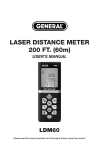
Laser Distance Meter
User's Manual
Safety Regulations
Please read carefully safety regulations
and guidance before initial use.
Before using the meter, please read
all instructions and safety regulations in
this manual carefully. It may result in
meter damage, affecting the
measurement accuracy, body injury to
the user or others without following the
operation methods in this manual.
Do not open or repair the meter by
yourself in any way. Do not retrofit
illegally or change meter laser
transmitter performance. Please keep
the meter properly, do not place it in
places where children may touch, avoid
being used by unrelated persons.
01
Don't make the meter's laser device
radiate eyes or other body parts of you
or others. Don't make the laser device
radiate high reflective object surface.
Electromagnetic radiation of the
meter may interfere with others
equipments and devices. Do not use it
nearby aircraft or medical equipment.
Do not use it under flammable and
explosive environment.
If the meter has any quality issue,
or you have any doubt on the meter,
please contact your local dealer or
Sndway factory, we will solve for you
as soon as possible.
02
Install battery, display and
keyboard Install and replace
battery
Display
Battery power indication
Laser transmitting
Measuring basis
Store data, view stored data
Menu
Maximum indication
Indication for area,
volume, Pythagorean
theorem and indirect
measurement
Minimum indication
Auxiliary
display area
Measurement
unit indication
Main display area
• Open battery door at the back of the
meter, put into battery in accordance
with correct polarity of the meter, then
close the battery door.
• Only 1.5V AAA alkaline battery can be
used for the meter.
• When the meter is not used for a long
time, please remove the battery to
avoid the battery corroding the
meter's main engine.
03
Backlight
indication
Key
Menu key
Turn-on and
measurement key
“ - ” key
“ + ” key
Pythagorean indirect
measurement key
Area and volume key
Measuring base
selection key
Storage,
read storage key
Turn-off and
clear key
04
Turn on meter, menu setting
Turn on and off meter
In the Off mode, press
key, the meter
and laser will start at the same time, the
meter enters test mode.
In the On mode, long press
key for
3 seconds to turn off the meter. The
meter will automatically turn off if there
is no any operation within 150 seconds.
Unit setting
Press
key, MENU and MENU→UNIT
will display on the screen. There are
four units for choice from UNIT.
key can be used for MENU→UNIT mode.
Under the MENU, long press
key to
save current setting and quit setting
state. Or press
key to quit setting
state. The following units can be chose
on the meter:
MENU
Length
0.000m
0.00m
0.0in
0.00ft
Area
0.000m2
0.00m2
0.00ft2
0.00ft2
Backlight setting
Press
key, MENU→UNIT will display
on the screen, press
key again,
ON/OFF will display on the main display
area of the screen,
key can be
used for turning on/off the backlight,
long press
key to save and quit
current setting, press
to quit the
setting mode. Backlight is on by default.
MENU
MENU
MENU
MENU
05
Volume
0.000m3
0.00m3
0.00ft3
0.00ft3
06
Measuring basis setting
Continuous measurement:
Press
key to exchange front basis
and end basis, it is end basis by default.
In the Test mode, long press
key to
enter the continuous measurement
state, the maximum measurement value
and the minimum measurement value
will display on the screen during the
continuous measurement. Current
measurement value will display in the
main display area, short press
key
to quit the continuous measurement
mode.
Distance measurement, area,
volume, Pythagorean indirect
measurement, add/subtract
function
Single measurement:
In the Test mode, press
key to
radiate laser, lock measurement point.
Press
key again for single distance
data measurement, measurement result
will display in the main display area.
07
Area measurement:
Press
key,
will display on the
screen, one edge of rectangular is
flashing, complete the following
operations according to prompts: Press
key to measure the first edge
(Length) Press
key to measure the
second edge (Width) The meter will
automatically make area calculation,
the result will display in the main
display area.
08
Press
key to clear the previous
result, measure it again
Indirect measurement with
Pythagorean theorem
Area measurement:
In the meter, there are three default
modes to measure single distance of
triangle with Pythagorean theorem.
Users can make indirect measurements
easily in specific complex environment.
can be used for mode selection:
Press
key,
will display on the
screen, one edge of cube is flashing,
complete the following operations
according to prompts
Press
key to
measure the first edge (Length) Press
key to measure the second edge
(Width)
Press
key to measure the third edge
(Height) The meter will automatically
make volume calculation, the result will
display in the main display area.
Press
key to clear the previous
result, measure it again
09
1) Press
key. On the screen:
hypotenuse is flashing
Press
key, measure the length
of the hypotenuse with dotted line
according to prompts on the screen
(a)
Press
key to measure the length
of the leg with dotted line (b)
The meter will automatically calculate
the length of the leg with solid line (x)
10
2) Press
key twice. On the screen:
erect side is flashing.
Press
key, measure the length of
one of legs with dotted line according
to prompts on the screen (a)
Press
key to measure the length
of another leg with dotted line (b)
The meter will automatically calculate
the length of the hypotenuse with
solid line (x)
3) Press
three times. On the screen:
hypotenuse is flashing
Press
key, measure the length of
one of hypotenuses with dotted line
according to prompts on the screen
(a)
11
Press
key to measure the length of
the hypotenuse with dotted line in the
figure (b)
Press
key to measure the length of
another hypotenuse with dotted line in
the figure (c) The meter will automatically
work out the length of the leg with solid
line (x)
In the Pythagorean measurement mode,
leg length should be less than
hypotenuse length, the meter would
calculate, otherwise, the device will
show error signal prompt.
12
In the Pythagorean measurement mode,
to ensure measurement accuracy, it
should ensure to measure from the
same starting point, and measure in
hypotenuse, leg order.
Add/subtract measurement
function:
Cumulative or inverse cumulative
operation can be done for single
distance measurement with add/subtract
operation.
Press
key, “+” will display in the main
display area, enter the cumulative
measurement mode. Accumulated value
of the last measurement value and the
current measurement value will display
on the screen.
Press
key, “-” will display in the main
display area, enter the inverse cumulative
measurement mode. Difference value of
the last measurement value and the
current measurement value will display
on the screen.
13
Store and browse:
Store recordings
If the current data is valid in the
measurement mode, long press
key
for 3 seconds, the current measurement
data will be automatically stored in the
meter memory. MS6460 can store 20
pcs at most.
Browse recordings:
Short press
key to search the stored
measurement data, use
key or
key to move forward or backward for
browsing. Or long press
to clear all
stored recordings.
14
Prompt messages:
Technical parameters
In the course of using the meter, the
following messages may display in the
main display area
Item
Message Cause
Err1
Too poor signal
Err2
Too strong signal
Err3
Too low battery
voltage
Err4
Err5
Err6
Solutions
Measure target
point with strong
reflectance capacity
Measure target
point with poor
reflectance capacity
Replace battery
Use the meter under
Out of operating
temperature range the specified
environment
Measure again, to
Pythagorean
ensure that the
measurement
hypotenuse is
violation
greater than the leg
Please contact with
Storage damage
your dealer
15
MS6460
Maximum
measurement distance
Distance
measurement accuracy
Continuous
measurement function
Measurement unit selection
Area measurement function
Volume measurement function
Pythagorean
measurement function
Add and subtract
measurement functions:
Maximum/minimum value
Maximum storage
Backlight
Key tone
Laser grade
Laser type
Automatic cutting laser
Automatic power-off
16
60m/164ft
±2mm
Present
mm/in/ft
Present
Present
Full mode
Present
Present
20pcs
Present
Present
II
635nm,<1mW
20S
150S
Single measurement
for 4000 times
Storage temperature range
-20°C-60°C
Operating temperature range
0°C-40°C
Storage humidity
RH85%
Battery
1.5V 3*AAA
Weight (include battery)
160g
28*54*118mm
Outside measurement
Maximum battery life
Note: In harsh environments, such as:
too strong sunshine, too large ambient
temperature fluctuation, weak reflection
effect of reflective surface, low battery,
measurement result would have large
error.
17
Daily maintenance of meter
• Do not place the meter in hot and
humid environment to store for long
time. If the meter is not used for long
time, please remove the battery and
place the meter into the included
meter case in a cool and dry place.
• Keep the meter surface clean. Use
soft damp cloth to wipe dust on the
surface. Don't use corrosive liquid to
clean the meter. Laser device window
and focus lens can be cleaned
according to the method for cleaning
optical device.
18
Packing list
When purchasing the meter, please
carefully check the following list to see
whether all attachments of the meter
are complete ?
Item
1
2
3
4
5
6
7
Name
Main engine
Portable bag of meter
String
AAA Battery
User Manual
Certificate of Approval
Gift box
19
Unit Quantity
Pc
1
Pc
1
Pc
1
Pc
3
Pc
1
Pc
1
Pc
1
HYS006887