1
Chapter 4. Browsing and playing
20
4. Browsing and playing
4.1. File Browser
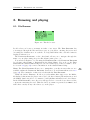
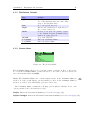
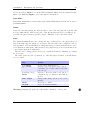
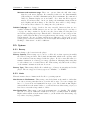
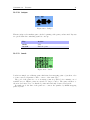
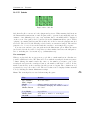
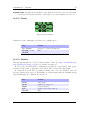
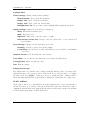
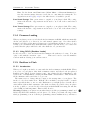
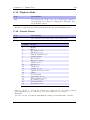
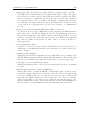
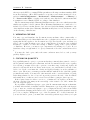
Figure 4.1.: The file browser
Rockbox lets you browse your music in either of two ways. The File Browser lets
you navigate through the files and directories on your player, entering directories and
executing the default action on each file. To help differentiate files, each file format is
displayed with an icon.
The Database Browser, on the other hand, allows you to navigate through the
music on your player using categories like album, artist, genre, etc.
You can select whether to browse using the File Browser or the Database Browser
by selecting either Files or Database in the Main Menu. If you choose the File
Browser, the Show Files setting lets you select what types of files you wish to view.
See section 8.2 (page 50) for more information on the Show Files setting.
Note: The File Browser allows you to manipulate your files in ways that are not
available within the Database Browser. Read more about Database in section 4.2
(page 24). The remainder of this section deals with the File Browser.
Unlike the Archos Firmware, Rockbox provides multivolume support for the MultiMediaCard, this means the player can access both data volumes (internal memory and
the MMC), thus being able to for instance, build playlists with files from both volumes.
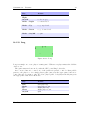
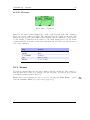
In the File Browser a new directory will appear as soon as the device has read the
content after inserting the card. This new directory’s name is generated as <MMC1>, and
will behave exactly as any other directory on the player.
The Rockbox manual
(version rUnversioned directory-151217)
Archos Ondio
b