1
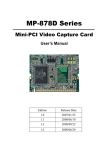
MP-878D
Mini-PCI Video Capture Card
User’s Manual
Edition
Release Date
1.0
2007/01/25
MP-878D User’s Manual
Copyright
Copyright 2005, all rights reserved. This document is copyrighted and all rights are
reserved. The information in this document is subject to change without prior notice to
make improvements to the products.
This document contains proprietary information and protected by copyright. No part of
this document may be reproduced, copied, or translated in any form or any means
without prior written permission of the manufacturer.
All trademarks and/or registered trademarks contains in this document are property of
their respective owners.
Disclaimer
The company shall not be liable for any incidental or consequential damages resulting
from the performance or use of this product.
The company does not issue a warranty of any kind, express or implied, including
without limitation implied warranties of merchantability or fitness for a particular purpose.
The company has the right to revise the manual or include changes in the specifications
of the product described within it at any time without notice and without obligation to
notify any person of such revision or changes.
Trademark
All trademarks are the property of their respective holders.
Any questions please visit our website at http://www.commell.com.tw
2
MP-878D User’s Manual
Packing List:
Please check the package content before you starting using the board.
Hardware:
◆ MP-878D Mini-PCI Video Capture card
◆ 1 x Cable support S-video & Composite
◆ Utility CD
x1
x1
x1
3
MP-878D User’s Manual
Index
Chapter 1 <Introduction>
1.1 <Product Overview>............................................................................ 6
1.2 <Hardware requirement>…………………………………………………6
1.3 <Software requirement>…………………………………………………..6
1.4 < Dimensions> …………………………………………………………….7
1.5 < Hardware installation> …………………………………………………8
1.6< Software installation> …………………………..……………………….9
1.7< Sample program> ……………………………………………………..20
Contact Information .....................................................................................233
4
MP-878D User’s Manual
(This Page is left for Blank)
5
MP-878D User’s Manual
Chapter 1 <Introduction>
1.1 <Product Overview>
COMMELL MP-878D is a 1 channel Video input Video Capture Card . That
Support up to D1 resolution at 30/25 fps. Also MP-878D supports NTSC/PAL signals.
(MP-878D2 is allow 2 Cards which installed in one PC system. If user wants to use more
than two MP-878D2 Mini-PCI capture card in one system, User needs to be aware of
that each 878 chip on the card needs to be set for different PCI Subsytem ID in
EEPROM device.)
1.2 <Hardware requirement>
I. Intel Pentium III 1.0 GHz or above (The CPU speed depends on the video
Frame rate, channels and resolution)
II. 256 MB RAM or above
III. Free Mini-PCI slot
1.3 <Software requirement>
Microsoft Windows 2000/XP with DirectX 9.0 or above
6
MP-878D User’s Manual
1.4<Dimensions>
44.6 x 59.5 mm ( Mini-PCI Type-III B )
Figure 1.2 Dimensions
7
MP-878D User’s Manual
1.5<Hardware installation >
1. Turn off your computer and unplug the power cord.
2.
Remove the cover of your computer.
3.
Touch the metal part on the surface of your computer to neutralize
Any static electricity that might be on your body.
4.
915GM
Place the MP-878D into the Motherboard’s Mini-PCI slot and connect
Corresponding accessories to the MP-878D.
5.
Replace the cover of your computer chassis
6.
Plug in the power cord and turn on the computer.
ICH6-M
8
MP-878D User’s Manual
1.6<Software installation >
When you completed the Hardware installation, the system will auto –detect
And a message pops up as following:
Please all select “ Cancel “
9
MP-878D User’s Manual
Then, Insert the driver CD into your system’s CD-ROM to Set up MP-878D.
Run Setup.exe
(E:/Media/SINGLE.EXE_IMAGE/Disk Image/Disk/Setup.exe)
Please select “ Next “ to continue.
10
MP-878D User’s Manual
Please read the following License Agreement. Press the Page Down key to see
the rest of agreement and click “ Yes “ to continue the installation.
11
MP-878D User’s Manual
Please fill in your User Name & Company Name. Then, click “ Next “.
12
Contact Information
MP-878D User’s Manual
Please select Install in this page .
13
MP-878D User’s Manual
Click “ Continue Anyway “ when you see the following message.
14
Contact Information
MP-878D User’s Manual
Click “ Continue Anyway “ when you see the following message.
15
MP-878D User’s Manual
Click “ Continue Anyway “ when you see the following message.
16
Contact Information
MP-878D User’s Manual
Click “ Continue Anyway “ when you see the following message.
17
MP-878D User’s Manual
Click “ Continue Anyway “ when you see the following message.
18
Contact Information
MP-878D User’s Manual
When the following message appears, click “ Finish “ to complete the
installation and restart Windows or your computer.
19
MP-878D User’s Manual
1.7<Sample Program>
When you completed hardware & software installation, you can use COMMELL
“TCCVDCApp” sample program to test.
You can find TCCDVCApp.exe on desktop.
Please double –click “ TCCDVCApp.exep , It’ll pops up as following.
Then Please Push “ Preview “ on the left-upper Menu.
20
Contact Information
MP-878D User’s Manual
You ‘ll get the program interface as following.
21
MP-878D User’s Manual
Explanation of Sample program function
Device ID:
It is mean BT878l Chipset. One MP-878D
have 1 chipset, so, you only can select 0
Channel ID:
Per chip can support 1 Video input, So, You
can select 0 for Video input.
Snapshot:
Catch the image on working channel.
Callback Test:
Catch the series image on working channel
Note:
Every channel is work separately, when you
want to change any setting, please stop all
channels which working.
22
Contact Information
MP-878D User’s Manual
Contact Information
Any advice or comment about our products and service, or
anything we can help you please don’t hesitate to contact with us.
We will do our best to support you for your products, projects a
business.
Taiwan Commate Computer Inc.
Address
8F, No. 94, Sec. 1, Shin Tai Wu Rd., Shi Chih
Taipei Hsien, Taiwan
TEL
+886-2-26963909
FAX
+886-2-26963911
Website
http://www.commell.com.tw
E-Mail
[email protected] (General Information)
[email protected] (Technical Support)
Commell is our trademark of industrial PC division
23