1
INTRODUCTION
If the AirCycler® g2 was installed in your home as a ventilation
controller, DO NOT DISABLE IT.
APPENDIX B - Troubleshooting
Blank Display on the AirCycler® g2 controller.
Solution Check:
1. Confirm that the furnace has power.
2. Confirm that the thermostat is operational.
3. Confirm that the furnace will call for heat from the
thermostat.
4. Confirm that the fan operates with a fan only signal
from the thermostat
5. Confirm that the furnace is providing 24VAC to the
AirCycler® g2
6. Confirm the wiring conforms to the wiring diagram.
7. Make sure the cover is firmly seated on the base.
Ventilation Products
In the past, homes depended on natural leaks for ventilation.
Today, energy efficient homes are built to reduce natural
ventilation and leaks. Inadequate ventilation can increase
indoor air pollutants to harmful levels. Indoor air quality
is typically 5 to 10 times more polluted than outside air.
Controlled ventilation provides adequate air flow to the
home without compromising its efficiency.
SAFETY CONSIDERATIONS
Read and follow manufacturer’s instructions carefully.
Follow all local electrical codes during installation. All
wiring must conform to local and national electrical codes.
Improper wiring or installation may result in personal injury
or product and property damage.
The AirCycler® g2 turns the furnace fan on and off, but
the motorized damper does not cycle.
INSTALLATION CONSIDERATIONS
The AirCycler® g2 requires 24VAC (R and C terminals) to be
connected for proper operation. The controller will not
operate without these two connections.
Solution Check:
1. Confirm that the AirCycler® g2 is providing a 24VAC
signal to the motorized damper.
2. Confirm the 24 VAC motorized damper is operational
by powering directly with a 24 VAC signal
3. Verify there is continuity in the wiring between the
damper and the AirCycler® g2
Vnc
The A/C turns on during fan cycling calls
Ex
Vnc - Normal Closed Vent
R - 24VAC Power
W - Heating
Gt - Fan From Thermostat
Gf - Fan to Furnace
C - Common
V - Vent
Ex - Exhaust Fan
Solution Check:
1. Verify that the wiring conforms to the wiring diagram.
2. Confirm that the G wire is properly connected.
Note: The G wire must be interrupted by the AirCycler®
g2. Do not run the G wire in parallel.
The wires (R, C, & W ) from the air handler to the thermostat
can run parallel with the wiring from the AirCycler® g2 to
the air handler. The fan wire (G) must be interrupted by the
AirCycler® g2. Some thermostats do not require a common
(C) connection. The AirCycler® g2 requires this for power,
which must be wired to the furnace.
The EXH icon is flashing.
This indicates the g2 controller has seen the
FanConnect™ exhaust fan on for more than 4 hours.
DAMPER LOCATION
The fresh air damper can be located anywhere in the inlet
duct. Minimize the length of the inlet duct to improve air
flow and improve system efficiency. It is recommended
that the damper be as close to the return air plenum and
the AirCycler® g2 controller as possible, and the inlet duct
connect to the return plenum upstream of the system filter,
and down- stream of any duct mounted sensors.
Solution Check:
1. Turn off exhaust fan.
2. Check wiring from FanConnect™ switch to g2
controller.
For more troubleshooting and frequently asked questions,
visit: www.aircycler.com/pages/troubleshooting
For Limited Warranty information please visit:
www.aircycler.com/products
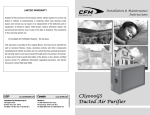
AirCycler® g2
INSTALLATION & USER’S MANUAL
VENTILATION MADE BREEZY!™
A BREEZE TO INSTALL • A BREEZE TO USE!
Technical Support:
1.877.FAN.CONTrol
LIPIDEX CORPORATION
D/B/A AIRCYCLER®
411 PLAIN STREET
MARSHFIELD, MA 02050
WWW.AIRCYCLER.COM
This product may be protected by one or more of the
following patents and patents pending: 8185244,
7258280, 6431268, 881806, 547017, Canada 2245135
DAMPER INSTALLATION
The damper may be installed in any position. It is
recommended to install it with the motor at the12 o’clock
position if mounted horizontally. Air may flow through in
either direction, although it is recommended to install with
the crimped end as the outlet. Use care to avoid distorting
the damper housing and provide adequate support.
CHOOSE A FRESH AIR LOCATION
ASHRAE recommends that the fresh air intake be located
at least 10 ft. from any source of pollutants, such as auto
exhaust, dryer exhaust, exhaust from any fuel-burning
appliances, etc. Avoid installation near odor sources such as
garbage bins or barbecue grills. A minimum of 3 ft. above
ground is recommended to avoiding ingress of leaf litter,
grass clippings, etc. Do not use a crawl space, basement, or
attic as a source of intake air. Always be sure to comply with
local building codes and requirements regarding fresh air
inlets.
NORMAL OPERATION DISPLAY
THE EXHAUST
FAN IS ON
THE DAMPER
IS OPEN
THE THERMOSTAT
HAS TURNED ON
THE CENTRAL FAN
THE AIRCYCLER® G2
HAS FORCED THE FAN
PERCENTAGE OF
VENTILATION COMPLETE
•
When the AirCycler® g2 is in Normal Operation,
the display will show the percentage of ventilation
complete for the current hour.
•
If the central fan is on, the FAN and ON icon will be
illuminated.
•
If the exhaust (bath) fan is on, the EXH icon will be
illuminated.
•
If the outside fresh air damper is open, the OA icon will
be illuminated.
•
If the exhaust fan is running its delay time after
bathroom occupancy, the delay time countdown, MIN
and EXH icons will be illuminated.
•
If the thermostat is calling for heat or cool, the FAN
icon will be illuminated without the ON icon.
•
The ON icon is only illuminated when the AirCycler® g2
has forced the central fan on. (Calculated Time Mode
Only)
•
Press the MODE key at any time during normal
operation to set the current time of the day.
•
If the EXH icon is blinking, it indicates the exhaust fan
has been on for more than 4 hours or the connection
to the AirCycler® g2 controller was lost.
1.0 INSTALLATION INSTRUCTIONS
2.2 CALCULATED TIME SETUP
1.1 CONTROLLER LOCATION
The AirCycler® g2 controller can be installed near the
thermostat or out of view on/near the air handler unit.
2.2.1 SET MINUTES/HOUR OF SUPPLY AIR REQUIRED
Enter the minutes per hour that
you require fresh air to be brought
into the home. Factory default is 20
minutes.
Warning: Before installing the AirCycler®, turn off all power to the furnace. There may be more
than one power to disconnect. Electrical shock can cause injury or death.
1.2 INSTALLATION
On power up, all icons will be
illuminated for 3 seconds.
There are two setup methods: Calculated Time and
Calculated Flow. Calculated Flow is used primarily with the
optional FanConnect™ bath fan/light switch.
To set up the AirCycler® g2 based on Calculated Flow, press
the UP arrow within 3 seconds of power up. To setup based
on Calculated Time, press the DOWN arrow within 3 seconds
of power up and skip to section 2.2.
Pressing MODE always advances to the next setting.
2.1 CALCULATED FLOW SET UP
2.1.1 SETTING MEASURED SUPPLY AIR FLOW
The measured flow is the amount of air that enters the
return side of the air handler from the outside air vent. Enter
the measured flow. To accommodate variable speed air
handlers, you can enter different values for heat, cool and
fan. Factory default is 90 CFM.
Flow measured
during heat call
ALTERNATING
DISPLAY
PRESS MODE
Flow measured
during cooling call
Flow measured
during fan only
call
ALTERNATING
DISPLAY
PRESS MODE
ALTERNATING
DISPLAY
PRESS MODE
2.1.2 SETTING MEASURED EXHAUST AIR FLOW
Enter the measured flow from the
exhaust fan. Factory default is 60 CFM.
*Only if FanConnect™ is connected
2.1.3 SETTING CODE REQUIRED CONSTANT AIR FLOW
Set the required continuous air flow
in CFM based on relevant codes. For
ASHRAE 62.2 see Appendix A. Factory
default is 30 CFM. The AirCycler® g2 will
calculate run times based on settings 2.1.1 and 2.1.2.
For installations without the FanConnect™ switch, go to
section 2.2.3.
2.2.2. SET MINUTES OF EXHAUST FAN REQUIRED
Enter the desired minutes per hour
you want the exhaust fan to run.
Factory default is 20 minutes per
hour.
If the FanConnect switch is not detected, make sure it is in
the OFF position.
SLAVE MODE
Press the DOWN arrow until the countdown reaches 0.
Press again to get to SL. (SL= slave mode) In slave mode the
exhaust fan runs anytime the central fan is running with the
fresh air damper open. Slave mode will provide a “balanced”
mode of operation.
2.2.3. SETTING THE OPTIONAL MIXING TIME
If the user needs more central fan
time for whole house mixing than
the amount that is provided by
ventilation time, the central fan can
be configured to run an additional
time period to complete the mixing period. Factory default
is 0 or OFF.
The fresh air damper will not be open during this extra time.
3.0 NORMAL OPERATION DISPLAY STATUS & SETTINGS
3.1 STATUS
To get detailed status information, press the UP arrow. The
status displays are the same for both Calculated Flow and
Calculated Time modes.
3.1.1 MINUTES LEFT
The first display is the number of
minutes left in the period (hour).
Pressing the UP arrow again gets
you to the next status screen
3.1.2 OUTSIDE AIR TIME ELAPSED
This display shows the number
of minutes this period that the
outside air damper has been open
with the central fan running.
3.1.3 EXHAUST RUN TIME*
This display shows the elapsed
run time of the exhaust fan for this
time period.
3.1.4 EXHAUST DELAY TIME*
This display shows the exhaust
delay time set.
3.2 CURRENT SETTINGS
Pressing the DOWN arrow during normal operation, scrolls
through the current setting entered by the installer.
If you enter YES, the AirCycler® g2
will prompt you to enter the hour
you would like the ventilation to
begin and the hour you want it to
end followed by the current time.
Required CFM set
measured outside air CFM
measured exhaust air CFM*
exhaust fan delay time*
If operating time is enabled:
Operating Time On
Operating Time Off
N
Set the hour you want the ventilation
to START.
Set the hour you
ventilation to STOP.
want
the
Hour
followed by
For Calculated Flow mode
the screens will show:
For Calculated Time mode
the screens will show:
Exhaust run time set*
Outside air time in minutes
Exhaust fan delay time*
If operating time is enabled:
Operating Time On
Operating Time Off
* If optional FanConnect™ switch is installed
2.2.5 SETTING CURRENT TIME
Enter the current time.
minutes
3.3.1 SET CURRENT TIME
By pressing the MODE key you will cycle through current
time of day and will be able to change it if needed.
See 2.2.5 - Setting Current Time
3.4 RECORD ALL SETTINGS ON THE INSTALL STICKER
PROVIDED. LIMITED WARRANTY WILL BE VOID IF THE
STICKER IS NOT PRESENT.
2.2.6 CALCULATED TIME SETUP IS COMPLETE
If optional FanConnect™ switch is installed, continue to 2.2.7.
If not, setup is complete and normal operation will start.
WIRING DIAGRAM
Use the following diagram to wire your AirCycler® g2.
The controller will not operate correctly if it is not wired
according to the manufacturer’s diagram.
Press MODE to save all settings and return to normal operation.
2.2.4 SETTING OPERATION HOURS
If the user does not want the ventilation system to run
constantly, you can set ON time and OFF time. Factory
default is OFF.
If you are not setting an ON and OFF time, continue to
section 2.2.6.
2.1.5 CALCULATED FLOW SETUP IS COMPLETE
Continue to section 2.2.3 Setting the optional mixing time.
2.2.7 EXHAUST FAN DELAY TIME
Set the desired length of time you
would like the bath fan to run after
the FanConnect™ has been turned
off. Factory default is 10 minutes.
4.0 RESET TO DEFAULT VALUES
On initial power up when all icons are lit, hold the UP arrow
for 10 seconds to be prompted to reset all settings to default.
APPENDIX A - ASHRAE 62.2 Reference Chart
For more information about ASHRAE requirements, visit
www.ashrae.org