1
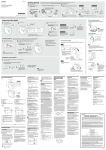
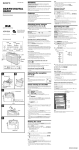
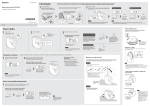
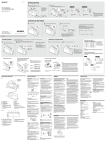
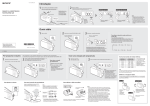
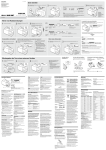
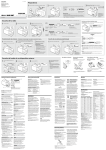
4-463-181-12(1) DIGITAL RADIO DAB/FM Getting Started 1 Operating Instructions GB Connect the radio to the mains and extend the antenna. 2 Turn on the radio. If it is the first time the radio is turned on, auto tune is performed automatically. 3 Select “Now” or “Later” to complete the auto tune. Turn the control dial () to make a selection, then press the dial (). You can choose whether to receive FM station names now or later. Tips ©2013 Sony Corporation Printed in China AC adaptor (supplied) • To perform auto tune again later, see “To make a new station list” below. • You may choose to receive FM station names later, since the process may take a long time depending on the number of stations. See “Setup Menu Options” for details on how to receive FM station names. Press BACK to cancel the auto tune process while in progress. To DC IN After auto tune is completed, the radio receives the first station in the DAB station list stored by auto tune. [MENU] Edit FM Station List Get FM Station Name XDR-S60DBP Listening to the Radio 1 2 Turn on the radio. See “Setup Menu Options” for manual tuning. Select the band (DAB or FM). 3 Select a desired station or service. “SC” lights up when a secondary service is received. Turn the control dial to make a selection, then press the dial. Station currently Secondary service being received (after the “L” mark) Selected station Selected station Press BACK to exit the station list. Presetting stations 1 * Displayed only when RDS data has been received. Preset favourite stations to the 5 preset buttons. You can preset both a DAB and FM station for each of the 5 buttons. Tune to the station you want. 2 Press and hold the desired preset button (1 – 5) until “Stored to [PRESET x].” appears on the display. Follow steps 1 to 3 in “Listening to the Radio” above. Example: Presetting a DAB station to the preset button “1” Select “OK” to start the auto tune process. * Only when the tuning mode is set to “By Station List.” When AUTO TUNE is pressed in “Manual Tune” mode, scan tuning will start instead. See “FM Tune Mode” in “Setup Menu Options” for details. Scrolling text (RT: Radio Text of up to 64 characters)* Station name* If you have moved to another region, or when the radio is reset, perform the auto tune again. Select DAB or FM*, then press AUTO TUNE. Scrolling text (DLS: Dynamic Label Segment of up to 128 characters) Station name* Station currently being received To make a new station list 3 Repeat steps 1 and 2 to preset another station. The radio receives the first station in the new station list. Listening to a preset station 1 Select the band (DAB or FM). 2 Press the desired preset button (1 – 5). The radio receives the first station in the new station list. Example: When the preset button “1” is pressed Changing a preset station 1 Tune to a new station. 2 Press and hold the preset button you Tips on receiving FM station names want to change until “Stored to [PRESET x].” appears on the display. • FM station names will be received and stored in the radio while you are listening to the broadcasts, even if you have not received them during the auto tune process. • FM station names may not be transmitted, depending on the station. The preset station on the selected button will be replaced by the new one. Tip Notes The preset stations remain in the radio’s memory even after an auto tune is performed. • The currently stored station list will be cleared once the auto tune process has started. • When the setup menu is displayed, auto tune is not performed even when AUTO TUNE is pressed. Note To prevent the preset from being changed by mistake, do not hold the preset button down. To adjust the volume Listening to the Audio from an External Device 1 Connect the external device to the radio. Portable digital music player, etc. Audio connection cable (not supplied) 2 Turn on the radio. 3 Select AUDIO IN. 4 To listen through headphones To use the radio on batteries Connect headphones that have a stereo or monaural* mini plug (not supplied). Press down on the battery compartment cover at and slide it in the direction of the arrow . Start playing your selection on the connected device. Three LR14 (size C) batteries (not supplied) Notes • When AUDIO IN is selected, the radio turns off automatically after about 20 minutes if there is no audio signal input. • When the sound source from the AUDIO IN jack is originally stereo, the left and right stereo channels are mixed and the speaker output will be in monaural. To (headphones) * When listening to stereo sound using monaural headphones, you will hear sound from the left channel only. To AUDIO IN Insert the side of the battery first. To close the cover, slide it in the direction of the arrow until it clicks into place. Tip “ ” appears on the display when the radio is powered by the batteries. Setup Menu Options About RDS Features Example: When the DAB band is selected Press MENU to enter the setup menu. What is RDS? Precautions Notes Introduced by the European Broadcasting Union (EBU) in 1987, the Radio Data System (RDS) allows information such as station names to be received via the 57 kHz subcarrier signal of FM broadcasts. However, the availability of RDS data varies depending on the area. It therefore may not be always be possible to receive RDS information. • The RDS functions will not be activated if the FM station being received is not transmitting RDS data. They may also not work properly in areas where RDS transmissions are in the experimental stage. • If the radio signal being received is weak, it may take time to receive the RDS data. Using the RDS functions Messages • Operate the unit only on the power sources specified in “Specifications.” For battery operation, use three LR14 (size C) alkaline batteries. For AC operation, use only the supplied AC adaptor. Do not use any other type of AC adaptor. • Failure to use the supplied AC adaptor may cause the unit to malfunction, as the polarity of the plugs of other manufacturers may be different. The radio supports the following RDS functions. BACK Turn the control dial to select the desired menu item or setting. Press the dial to confirm the selection. To go back to the upper menu level To exit the setup menu Press MENU again. The radio automatically turns off after a set time has elapsed. Select the desired timer setting (minutes) from the following: Off (deactivated)/15 min./30 min./45 min./ 60 min. When the sleep timer is set, “SLEEP” lights up on the display. If DAB reception by auto tune is poor, try manual tuning. Displays information for the station you are listening to. Turn the control dial to scroll through the following information: WARNING Channel: Channel and frequency (See the To reduce the risk of fire or electric shock, do not expose this apparatus to rain or moisture. DAB frequency table in “Specifications.”) Multiplex Name: Ensemble label (up to 16 characters long) PTY: PTY label (See “PTY (programme type)” in “Specifications.”) Bit Rate: Bit rate 1 Turn the control dial to select the desired DAB channel, then press the dial. The radio starts scanning for receivable stations in the selected channel. 2 Turn the control dial to select the station you want to listen to, then press the dial. Tip The new station received by manual tuning is stored in the DAB station list. Signal Level Displays the signal level of the DAB station you are listening to, ranging from 0 (no signal) to 100 (maximum signal). FM Tune Mode Select the tuning mode for FM. By Station List: You can select a desired station from the list of FM stations stored by auto tune. Manual Tune: You can manually tune to the desired FM frequency in 0.05 MHz steps. Turn the control dial to select the frequency. Scan tuning in Manual Tune mode 1 Press AUTO TUNE (SCAN) to start scanning FM stations. • To change the scanning direction, turn the control dial clockwise or counterclockwise. • When a station is received, scanning pauses for 3 seconds. 2 Press the control dial or AUTO TUNE to stop scanning if the desired frequency is displayed. Edit FM Station List You can edit the FM station list. • Displays the station name you are listening to. • Displays the programme type of the received programme. • Displays the free-form textual information. Information Service Name: Station name DAB Manual Tune Description Station name display PTY (programme type) RT (radio text) Press BACK. Sleep RDS function Displays PTY label (see “PTY (programme type)” in “Specifications”) for the station you are listening to. Note If there is no ensemble label or no station name, the space for label or name will be blank. Time Set Time: “Auto (DAB)” is set by default. This enables the clock to synchronize with the DAB data being received. Select “Manual” to set the clock manually using the control dial. 12H/24H: Select the clock display mode, 12-hour clock or 24-hour clock. Note When the clock is set manually, the clock will be reset if the AC adaptor is unplugged and the batteries are removed for more than 1 minute. To avoid electrical shock, do not open the cabinet. Refer servicing to qualified personnel only. Do not install the appliance in a confined space, such as a bookcase or built-in cabinet. To reduce the risk of fire or electric shock, do not expose this apparatus to dripping or splashing, and do not place objects filled with liquids, such as vases, on the apparatus. As the main plug of AC adaptor is used to disconnect the AC adaptor from the mains, connect it to an easily accessible AC outlet. Should you notice an abnormality in it, disconnect it from the AC outlet immediately. The unit is not disconnected from the AC power source (mains) as long as it is connected to the wall outlet, even if the unit itself has been turned off. The nameplate and important information concerning safety are located on the bottom exterior of the main unit and on the surface of the AC adaptor. Excessive sound pressure from earphones and headphones can cause hearing loss. Batteries or batteries installed apparatus shall not be exposed to excessive heat such as sunshine, fire or the like. In case of battery leakage If the battery fluid has leaked, do not touch the fluid with your bare hands. Battery fluid may remain inside the unit. Consult your nearest Sony dealer. If battery liquid gets into your eyes, do not rub your eyes, as blindness may occur. Quickly wash your eyes with plenty of clean water and immediately seek medical attention. If battery liquid gets on your body or clothing, burns or injury may occur. Quickly wash off with clean water, and seek medical attention if skin inflammation or injuries occur. Notice for customers: the following information is only applicable to equipment sold in countries applying EU directives This product has been manufactured by or on behalf of Sony Corporation, 1-7-1 Konan Minato‑ku Tokyo, 108-0075 Japan. Inquiries related to product compliance based on European Union legislation shall be addressed to the authorized representative, Sony Deutschland GmbH, Hedelfinger Strasse 61, 70327 Stuttgart, Germany. For any service or guarantee matters, please refer to the addresses provided in the separate service or guarantee documents. The validity of the CE marking is restricted to only those countries where it is legally enforced, mainly in the countries EEA (European Economic Area). • When operating the unit on batteries, it is recommended that you remove the AC adaptor from the wall outlet and the DC IN 5V jack. Disconnect the plug of the external power source before operating the unit. • Use the unit within a temperature range of 0°C to 40°C. If it is used in temperatures higher than this range, the display may gradually turn black. If it is used in temperatures lower than this range, the display may change very slowly. (These irregularities will disappear and there will be no damage to the unit when the unit is used in the recommended temperature range again.) • When connecting headphones or an external device to the unit, use headphones or an audio connection cable with a stereo (3-pole) or monaural (2-pole) mini plug. Sound may not be heard when using other types of plugs. Compatible plug types Other types of plugs cannot be used. 1 ring 2 rings Monaural* mini plug Stereo mini plug 3 or more rings * When listening to stereo sound using monaural headphones, you will hear sound from the left channel only. • Avoid exposure to temperature extremes, direct sunlight, moisture, sand, dust or mechanical shock. Never leave in a car parked in the sun. • Should any solid object or liquid fall into the unit, disconnect the AC adaptor and remove the batteries, and have the unit checked by a qualified personnel before operating it any further. • Since a strong magnet is used for the speakers, keep personal credit cards using magnetic coding or spring-wound watches away from the unit to prevent possible damage from the magnetism. • To clean the casing, use a soft dry cloth. Do not use any type of solvent, such as alcohol or benzine, which may damage the finish. • Do not operate the unit with wet hands since it may cause a short circuit. Beep Light On: The backlight will be on all the time when the radio is powered by the AC adaptor. When you use the radio on batteries, the backlight will turn off automatically if no operation is performed for 30 seconds. Auto: The backlight will turn off automatically if no operation is performed for 30 seconds. Initialize Select “OK” to initialize the radio to the factory default settings. All settings, DAB and FM station lists and presets will be deleted. Should any problem persist after you have made the following checks, consult your nearest Sony dealer. Display is dim, or no indication is displayed. • The radio is being used in extremely high or low temperatures or in a place with excessive moisture. Very weak or interrupted sound, or unsatisfactory reception. • If you are in a building, listen near a window. • Extend the antenna and adjust the length and the angle for best reception. unwanted stations from the FM station list. you want to delete, then press the dial. 2 Turn the control dial to select “OK”, then press the dial. Add FM Station: When listening to a manually tuned station, you can add the station to the FM station list. Select “OK” to add the station to the list. • The list of DAB stations stored in the radio is full. This symbol on the product or on its packaging indicates that this product shall not be treated as household waste. Instead it shall be handed over to the applicable collection point for the recycling of electrical and electronic equipment. By ensuring this product is disposed of correctly, you will help prevent potential negative consequences for the environment and human health, which could otherwise be caused by inappropriate waste handling of this product. The recycling of materials will help to conserve natural resources. For more detailed information about recycling of this product, please contact your local Civic Office, your household waste disposal service or the shop where you purchased the product. • No station in the selected band (DAB or FM) has been preset to the pressed button. Station off air • Replace all the batteries with new ones if they are exhausted. • If a mobile phone is placed close to the radio, a loud noise may be heard from the radio. Keep the phone away from the radio. • The batteries are exhausted. Replace all the batteries with new ones. No signal Europe Only Disposal of waste batteries (applicable in the European Union and other European countries with separate collection systems) This symbol on the battery or on the packaging indicates that the battery provided with this product shall not be treated as household waste. On certain batteries this symbol might be used in combination with a chemical symbol. The chemical symbols for mercury (Hg) or lead (Pb) are added if the battery contains more than 0.0005% mercury or 0.004% lead. By ensuring these batteries are disposed of correctly, you will help prevent potentially negative consequences for the environment and human health which could otherwise be caused by inappropriate waste handling of the battery. The recycling of the materials will help to conserve natural resources. In case of products that for safety, performance or data integrity reasons require a permanent connection with an incorporated battery, this battery should be replaced by qualified service staff only. To ensure that the battery will be treated properly, hand over the product at end-of-life to the applicable collection point for the recycling of electrical and electronic equipment. For all other batteries, please view the section on how to remove the battery from the product safely. Hand the battery over to the applicable collection point for the recycling of waste batteries. For more detailed information about recycling of this product or battery, please contact your local Civic Office, your household waste disposal service or the shop where you purchased the product. If you have any questions or problems concerning your unit, please consult your nearest Sony dealer. • Be sure to turn off the radio when not using it. The estimated battery life is 20 – 23 hours. See “Specifications” for details. A desired station cannot be received when a preset button is pressed. • Make sure you have selected the desired band (DAB or FM) before you press the preset button. One station for each band can be set to each button. • You may have held down the preset button to which the station was preset, causing the station to be replaced by a new one. Preset the desired station again. • Preset buttons cannot be used when the setup menu is displayed. • No stations are stored in the FM station list. Station full • The selected station or service is currently not broadcasting. Specifications Frequency range PTY (programme type) Intermediate frequency This function indicates services or RDS data in programme type, such as News or Sports, transmitted in the DAB or RDS data. If the received service or station does not transmit the programme type, “No PTY” appears. DAB (Band-III): 2.048 MHz FM: 1.943 MHz DAB (Band-III) frequency table (MHz) Programme type Display No programme type None 210.096 News News 211.648 Current Affairs Current Affairs 213.360 Information Information 215.072 Sport Sport Education Channel Frequency Channel Frequency 5A 174.928 10N 5B 5C 5D 176.640 178.352 180.064 10B 10C 10D 6A 181.936 11A 216.928 Education 6B 183.648 11N 217.088 Drama Drama 6C 185.360 11B 218.640 Culture Arts 6D 187.072 11C 220.352 Science Science 222.064 Varied Talk 223.936 Pop Music Pop Music 224.096 Rock Music Rock Music Easy Listening 7A 7B 7C 188.928 190.640 192.352 11D 12A 12N 7D 194.064 12B 225.648 Easy Listening Music 8A 195.936 12C 227.360 Light Classical Light Classical 8B 197.648 12D 229.072 Serious Classical Classical Music 8C 199.360 13A 230.784 Other Music Other Music 8D 201.072 13B 232.496 Weather Weather 234.208 Finance Finance 235.776 Children’s programmes Children’s Factual 9A 9B 202.928 204.640 13C 13D 9C 206.352 13E 237.488 Social Affairs 9D 208.064 13F 239.200 Religion Religion 10A 209.936 Phone In Phone In Travel Travel Leisure Leisure Jazz Music Jazz and Blues Country Music Country Music National Music National Music Oldies Music Oldies Music Folk Music Folk Music Documentary Documentary Alarm Test Alarm Test Alarm Alarm – Alarm ! Speaker: Approx. 10.2 cm dia., 4 Ω, monaural Audio power output: 1 W Output: (headphones) jack (ø 3.5 mm, stereo mini jack) Input: AUDIO IN jack (ø 3.5 mm, stereo mini jack) Power requirements: 4.5 V DC, three LR14 (size C) alkaline batteries (Rechargeable batteries are not supported.) External power source: DC IN 5 V Battery life (JEITA)*1, *2 Approx. 16 hours (DAB reception) Approx. 14 hours (FM reception) Approx. 24 hours (AUDIO IN input) *1Measured by JEITA (Japan Electronics and Information Technology Industries Association) standards. The actual battery life may vary depending on usage and circumstances. *2When listening through the speaker on Sony (LR14SG) alkaline batteries Dimensions: Approx. 240 mm × 135 mm × 85 mm Batteries get exhausted very quickly. No station list • There is no supported DAB broadcast in your region. • You have lost the reception of the selected DAB broadcast. DAB (Band-III): 174.928 MHz 239.200 MHz FM: 87.5 MHz 108 MHz (0.05 MHz step) The preset stations may be initialized if a maintenance service is performed. Please note your settings in case you need to preset them again. Notes 1 Turn the control dial to select the station No preset Troubleshooting you want to receive RDS information such as station names. Select “OK” to start scanning for RDS data. Delete FM Station: You can delete any Low Battery (flashes, and the power is turned off) Select “On” to activate the beep sound when you operate the radio. Get FM Station Name: Perform this when • Set “FM Tune Mode” to “By Station List” before you perform this operation. • The currently stored RDS information will be cleared once scanning has started. • It may take a long time to receive all the available RDS data. Disposal of Old Electrical & Electronic Equipment (Applicable in the European Union and other European countries with separate collection systems) (W/H/D) excl. projecting parts and controls Mass: Approx. 1.3 kg incl. batteries Supplied accessories: AC adaptor (5 V, 2 A) Design and specifications are subject to change without notice.