1
2. Charging your devices with Pearl
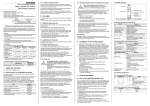
* Insert your device's USB charging cable
into Pearl’s USB output port
* Insert the other end of the USB charging
cable into your device
* Your device should indicate that charging
has started
3. Mirror LED ring light
Pearl has a built-in LED ring light around the
3X magnification mirror, which can be turned
ON/OFF by double pressing the button.
Charging your device
Troubleshooting
Please use the following steps if Pearl cannot charge your device.
1. Verify that Pearl has been completely charged.(You may need to charge it
for a while to activate it)
2. Check that the USB charging cable is properly connected to the Pearl.
3. Check that your device has its battery installed (Some devices cannot work
without an installed battery)
4. Check whether your device can support 5V (2.1A max) charging. If not,
Pearl cannot power your device.
Notice:
Please do not disassemble or short circuit battery.
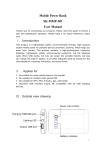
Pearl
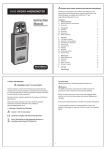
User Manual
Thank you for using PearlTM Compact Mirror & USB Battery.
Illustration description
Normal Mirror
LED Ring Light
Power Button
LED Battery Indicator
Battery Indicator
1 x LED
2 x LED
3 x LED
4 x LED
Power Remaining
1%-25%
26%-50%
51%-75%
76%-100%
What's in the box?
3X Magnification Mirror
* Pearl
* USB charging cable
* Carry bag
Magnetic Closure
Note: Included accessories may vary according to different sales region.
How to use
1. Charging Pearl
Before using Pearl for the first time, please charge it fully for 2-3 hours.
Pearl should be recharged every 6 months when not in use.
LED Ring Light
3X Magnification Mirror
LED Ring Light
LED Battery Indicator
Power Button
* Insert the standard USB connector of the charging cable into the USB
port of the computer or USB power adapter (not included)
* Insert the Micro USB connector into the Pearl
* The LED battery indicator will show the current charging level
* The unit is fully charged when the LED battery indicator are all solid blue
(unit has built-in overcharge protection)
LED Ring Light
3X Magnification Mirror
5V Micro USB Input
5V USB Output
Specifications
Capacity:
3000mAh
Charge time:
2-3 hours
Input power: 5V/1A(Micro USB port)
Output power: 5V/2.1A(USB port)
Battery life:
Weight:
Battery chemistry:
up to 1,000 Cycles
Lithium polymer
Dimensions:
4.2oz / 0.3lb / 119g
90 x 90 x 13mm
Charging from USB power adapter
(not included)
Charging from computer USB port