1
appendix
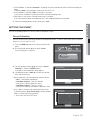
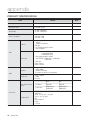
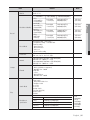
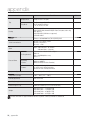
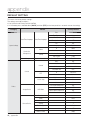
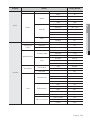
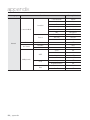
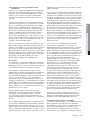
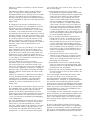
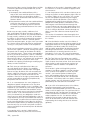
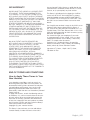
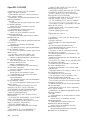
DEFAULT SETTING
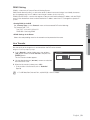
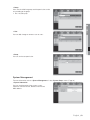
This returns the factory default settings.
The settings are made as follows;
• Use System/Load Factory Default in MENU
• In Live mode, press and hold down [MODE] and then [PTZ] on the front panel for 6 seconds to reset the settings.
Category
Details
Date/Time/Language
Date/Time/Language
System Settings
Admin
Permission
Management
Setting
System Management
System Information
Camera
Camera
PTZ
Screen Setup
Device
Storage Device
Remote Device
98_ appendix
HDD Alarm
Factory Default
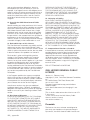
Date
YYYY-MM-DD
Time Format
24 hours
Time Zone
GMT
Time Synchronize
OFF
DST
OFF
Language
English
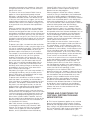
ID
admin
New Password
4321
Restricted Access
All
Auto Logout
3 Min
Broadcast Format
NTSC/PAL
Video
ON
Audio
OFF
CH Name
CAM 01 ~ CAM 16
SEQ-Dwell Time
5sec
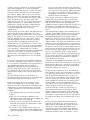
ID
Camera No.
Protocol
None
Brightness
50
Contrast
50
Color
50
Check Alarm Output Port
OFF
Duration
OFF
Replace Alarm Output Port
OFF
Duration
OFF
Baudrate
9600
Parity
None
Data
8
Stop bit
1
Transfer Type
Half Duplex
System Keyboard
OFF
Remote Control
ON(0)