Transcript
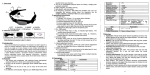
Bluetooth Speaker User's Manual
'l.Overview
This product adopts the newest CSR chip with high compatibility, that suitable
for most Bluetooth multim6dia products (c6llphon€s, iPad,and so on)
2.
Appearance
connected manually with the Bluotooth device.
5
(1 ) Power on this product, Whon the red and blue lights alternately flash, the
speaker is ready for pairing.
(Speaker)
(2) Then use your Blu€tooth devico search and connect this product "BT
-Controliower
Speaker".lf password is required, please enter "0000'.
*Note: lf the Bluetooth pairing fails to be completed, Please try again by
Multi-function
(l\,1F8 )
Charging Socket
(Micro-USB)
Volume Down/Previous
Sonq
(Speaker)
(2) [,,licrophone
(1 )
Control tower
(3) Charging Sockel
(N4i610-USB)
_lllicroDhone
".-volume
up/Nexi song
(4) Volumo Down/Pr€vious Song
(5) Volume Up/N€xt Song
(6) I!4ulti-function Butlon (MFB)
3- Charging
A rocharg€able baltery is embedded in the product. We recommend
charging
thebatt€ryfullyfor3hours (approx. ) b6foreyourfirstuse.
(Please read th is man ual carefully and keep it for further use. )
This is an ultra-low power consumption Bluetooth speaker with a novel
and unique shape,support stereo music playback. lt adopts advanced DSP
solution for echo cancellation & noise suppession, providing you pure, clear
and full duplex sound.
With CE and FCC certifications, it is a high quality Bluetooth speaker
designed especially for users who like hands-free and wirele6s
entertainment.
(1 ) The battory has low voltago protection. ln cas€ of low power, the R€d lighl
flashos onc€ every thr€e seconds. Continued use of the product may reduce
the battery lifespan and standby time.
(2)Th6 Red lightis constantlyonduring charging, and willturnoff wh€nlho
charging isfinish€d.
4.
'Noie: After being disconnected with a Bluetooth device, there will be
automatic system shutdown within 1 0 minutes.
5. Pairing and Conn6ction
Prior to using the Bluetooth speaker for the first time, it should be paired and
PowerOn/Off
Power On: Push the control lowerto power on lhe product. This Bluetooth
speaker will automatically connect with lh€ lasl Bluetooth device it connocted
with.
*Note: lf no Bl u€tooth devic€ co nnection is found, the prod uct will 6 nter
pairing slatus.
PowerOff: Pr€ss th€ control tower (or the'l\4F8" button) and hold for 3
second lo power off the producl.
repeating the above steps.
6. Play lhe stereo music
(1 ) the PlaylPause: in standby mode, pres6 the control tower (or the "MFB"
button) for 1 second, then music play; in music playback mode, press the
control tower (or the "[,4F8" button) for 1 second, then music suspend.
(2) Previous/Next song:shortly press (V-) to the previous song, shortly press
(V+) to lhe next song.
(3) volume control: long press "V+'or "V-" button to adjust the sound to best
effect.
(5) Volume adjustment
While talking, press the "V+" or "V] buttons to adjust for wanied volume. )
(6) Cal{ transfer
During hands-free conversation, press the "V+" button and the "V-" button
simultaneously to transfer the call to the mobile phone.
8. Faclory Resel
Under standby mode, press and hold the "V+" and "V-" buttons for 5 seconds
until the red and blue lights flash 3 times simultaneously, and the factory
reset is done
7. Using the Speaker hands"free function
10. Warm prompt
Although this product adopts the latest Bluetooth chip, we do not
guarantee that it is 60mpatible wilh all Bluetooth devices.
(2) Please do not put the product near the airbags, in case of causing accident
(1)Answering a call
When there is an incoming call, press the oontrol tower (or the "[4FB" button)
once to answer the call
(2) Ending a call
While talking, press the control tower (or the "l\rFB" button) once to hang up.
(3) Voice dialing
Under the standby mode, press the control tower (or the "M FB" button) once,
and say a voice command after you hear a short "beep" sound.
Note:
Before using the voice dialing function, please confirm that voice commands
have been recorded in your mobile phone. The function may differ for
different mobile phones, please refer to your mobile phone instructions.
(4) Last number redial
Under siandby mode, press the control tower (or the "l\rFB" button) twice
successively to dial the number last dialed.
1. Bluetooth version: Bluetooth V3.0+42DP
2. Operating frequency: 2.4GHz-2.48GH2 SlN,,l
3. Output powefi Class 2, I 0 meters
4. Protocols supportedi HSP, HFP, A2DP, AVRCP
5. Multi-device pairing: Pairing records with I Bluetooth devices
6. Standby time: I 600 hours/66days
7. Talk time: 15-16 hours
8. Music playback time: 8 hours
9. Charging time: about 3 hours
'1 0. Charging voltage: DC 5.0V, 500 mA
11. Battery: 1100mAh
12. Speaker:2 inch (40mm),RMS 3WTHD=10%
1 3. Frequency Response: 20-1 8000H2(a3dB)
14. SignalAnd Noise Ratio Of PowerAmplifiefl >80d8
'15. IVagnetic Resistant: 3 Ohms
(1 )
ll.Technical Parameters