1
4. Connect Power Supply to AC power
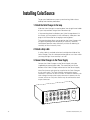
Plug the pronged end of the AC power cord into a 115 VAC (50/
60Hz) non-dimmed circuit. Plug the other end into the connector
labeled AC Power on the back of the Power Supply. All connected
Color Changers position their gelstrings to frame 1.
Warning: Do not power the unit from a dimmer. Severe damage
will result, and is not covered by product warranty.
Note: Avoid line voltages lower than 105 VAC or higher than 125
VAC as the system may not run properly outside of these limits.
6. Connect and set the DMX512 source
001--012 NO DMX
Before you connect the DMX512 source, the Power Supply
display reads NO DMX. Connect the DMX512 signal source to the
DMX512 input connector on the Power Supply using standard
DMX512 cable. The display reads DMX OK and the Color Changers position their gelstrings according to their respective DMX512
signal levels.
7. Set the Power Supply DMX512 channels
001--012 DMX OK
Each Power Supply is assigned a range of 12 DMX512 channels,
corresponding to its 12 outputs. The Power Supply’s Channel
display shows the range of channels. To adjust the range of
channels, press [+] or [–] while in the Channel display.
Hint: Hold down [+] or [–] to scroll through the channels quickly
Note: The Power Supply automatically senses the number of
dimmers transmitted by the lighting console and won’t allow you
to set the DMX512 channels outside this range.
ColorSource User Manual
11