1
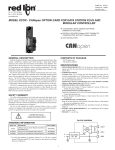
Bulletin No. G3CN-E Drawing No. LP0587 Released 03/14 Tel +1 (717) 767-6511 Fax +1 (717) 764-0839 www.redlion.net MODEL G3CN - CANopen OPTION CARD FOR G3 OPERATOR INTERFACE TERMINALS Connector (side 2) CONFIGURED USING CRIMSON SOFTWARE (VERSION 2.0 OR LATER) DIGITALLY ISOLATED CANOPEN PORT CAPABLE OF COMMUNICATING WITH ANY CANopen DEVICE POWERED AND CONFIGURED FROM G3 OPERATOR INTERFACE TERMINAL BUILT-IN TERMINATION RESISTOR SELECTABLE THROUGH JUMPER SETTING mounting holes, 3 plcs. INSTALLATION AND CONNECTION HARDWARE INCLUDED WITH CARD GENERAL DESCRIPTION CONTENTS OF PACKAGE The G3 proprietary expansion slot provides a high speed, parallel architecture that extends the functionality and flexibility of the G3 series HMI. This approach allows the G3 series to evolve concurrently with the latest advances in communications and standards, without sacrificing performance. This high bandwidth channel has significantly greater throughput when compared to the traditional (external) serial gateway approach. The G3CN option card is easily installed by removing the rear cover of your G3 operator interface, attaching the card using three screws and connecting a single cable. Adding this card gives the operator interface a CANopen communications port. It is built with digital isolation to protect the operator interface from the CANopen bus and vice versa. It provides the ability to communicate to any high speed CANopen device. The G3CN option board has a termination resistor built-in, and is selectable through a jumper setting. A connector housing is provided to function as a strain relief for the wires that terminate into the five position connector. The connector is pluggable for easy removal of the G3 operator interface from the CANopen bus, without disturbing communications with other devices on the bus. - G3CN Option Card with pluggable connector - Cable already attached to G3CN option card - Hardware pack consisting of three screws and a connector housing for the pluggable connector - This hardware bulletin ORDERING INFORMATION MODEL NO. G3CN SFCRM2 1 DESCRIPTION CANopen option card for G3 operator interfaces with isolated high speed communications ports Crimson 2.0 1 PART NUMBER G3CN0000 SFCRM200 Use this part number to purchase Crimson on CD with a printed manual, USB cable, and RS-232 cable. Otherwise, download from www. redlion.net/g3. SAFETY SUMMARY All safety related regulations, local codes and instructions that appear in the literature or on equipment must be observed to ensure personal safety and to prevent damage to either the instrument or equipment connected to it. If equipment is used in a manner not specified by the manufacturer, the protection provided by the equipment may be impaired. Do not use the controller to directly command motors, valves, or other actuators not equipped with safeguards. To do so can be potentially harmful to persons or equipment in the event of a fault to the controller. THIS EQUIPMENT IS SUITABLE FOR USE IN CLASS I, DIVISION 2, GROUPS A, B, C, D, HAZARDOUS LOCATIONS, OR NON-HAZARDOUS LOCATIONS ONLY WARNING - EXPLOSION HAZARD - DO NOT DISCONNECT EQUIPMENT WHILE THE CIRCUIT IS LIVE OR UNLESS THE AREA IS KNOWN TO BE FREE OF IGNITABLE CONCENTRATIONS. WARNING - EXPLOSION HAZARD - SUBSTITUTION OF ANY COMPONENT MAY IMPAIR SUITABILITY FOR CLASS I, DIVISION 2 CAUTION: Risk of Danger. Read complete instructions prior to installation and operation of the unit. 1 Specifications 1. POWER REQUIREMENTS: Power is supplied to the option card from the main board of your G3 operator interface. 2. COMMUNICATIONS: CANopen Port: The CANopen port has format and baud rates that are software programmable up to 1M baud and are digitally isolated. This port may be configured for various CANopen protocols. Check www.redlion. net/g3 for currently supported protocols. Isolation from G3CN Communication ports to G3 operator interface: 1000 VDC for 1 minute. 3. ENVIRONMENTAL CONDITIONS: Operating Temperature Range: 0 to 50°C Storage Temperature Range: -20 to 80°C Operating and Storage Humidity: 80% maximum relative humidity (noncondensing) from 0 to 50°C. Altitude: Up to 2000 meters. Installing the 4. CERTIFICATIONS AND COMPLIANCES: ELECTROMAGNETIC COMPATIBILITY Emissions and Immunity to EN 61326: Electrical Equipment for Measurement, Control and Laboratory use. Immunity to Industrial Locations: Reference G3 unit for emissions and immunity specifications 5. CONSTRUCTION: Installation Category I, Pollution Degree 2. 6. INSTALLATION REQUIREMENTS: Card must be installed inside the rear cover of a G3 operator interface with the hardware provided. See “Installing the G3CN Option Card” for more details. G3CN Option Card INSTALLATION INSTRUCTIONS Figure 2 Caution: The option and main circuit boards contain static sensitive components. Before handling the cards, discharge static charges from your body by touching a grounded bare metal object. Ideally, handle the cards at a static controlled clean workstation. Also, handle the cards by the edges only. Dirt, oil, or other contaminants that may contact the cards can adversely affect circuit operation. Warning: Depending upon the G3 operator interface, high voltage may be present inside the operator interface. Be sure to remove all power before removing the rear cover of the operator interface. Each G3CN option card comes with a cable for communications and three screws for attaching the option card to the inside of the G3 operator interface's rear cover. To install the option card, remove all power and I/O communications cables from the unit. The G3 operator interface literature contains instructions for removing the rear cover. Refer to the “Battery & Time Keeping” section. Carefully replace the rear cover by reversing the instructions for removing the rear cover. THE OPTION CARD LABEL Using the three screws provided, connect the option card to the rear cover as shown in Figure 1. Place the option card label on your rear cover in the space indicated by the dashed lines and labeled “COMMS EXPANSION MODULE.” Figure 1 ION NS XPA SE MM CO LE DU MO 232 RS 485 RS 232 RS POWER SUPPLY REQUIREMENTS Connect the cable from the option card to CN11 on the main board of the G3 operator interface as shown in Figure 2. Be sure both ends of the cable are firmly seated into their appropriate connector housings. NEW AND EXISTING INSTALLATIONS The G3CN option card draws all of its power from the main board of your G3 operator interface. The specifications of your G3 operator interface account for the power needs of an option card. 2 Communicating With the CONFIGURING A G3CN OPTION CARD An onboard termination resistor is selectable through a jumper setting. The termination resistor is rated for 124Ω at 1W. If a different termination resistance is desired, choose the jumper setting for no termination resistor. At this point you will be required to connect your own termination resistor between positions 2 and 4 of the five position connector. The G3CN is configured using Crimson software. Crimson is available as a free download from www.redlion.net/g3, or it can be ordered on CD. Updates to Crimson for new features and drivers are posted on the website as they become available. By configuring the G3CN using the latest version of Crimson, you are assured that your unit has the most up-to-date feature set. Crimson software can configure the G3CN through the RS232 PGM port, USB port, Ethernet port or CompactFlash socket on your G3 operator interface. Additional information can be found in your G3 hardware bulletin and the Crimson user manual. CAN GND Position 1 of the pluggable connector provides a CAN ground connection. This terminal is isolated from the HMI unit. CANopen PORT PROTOCOLS CAN- The G3CN option card has one CANopen port. This port may be configured for various CANopen protocols. Check www.redlion.net/g3 for currently supported protocols. Position 2 of the pluggable connector provides the CAN- bus line (active low). This terminal is isolated from the HMI unit. SHLD (OPTIONAL CAN SHIELD) G3CN PORT PIN OUTS Position 3 of the pluggable connector is provided for optional shield connections. This position is available only to tie shield wires together or to earth ground. There is no internal connection to earth ground. The SHLD position is not connected to any circuitry internal to the G3CN option card or G3 HMI unit. Figure 3 TERMINATION RESISTOR (124 Ω, 1W) CAN+ CAN+ Position 4 of the pluggable connector provides the CAN+ bus line (active high). This terminal is isolated from the HMI unit. V+ (N/C) CAN- SHLD (N/C) GND TERMINATION RESISTOR NO V+ (OPTIONAL 24 VDC) LED YES Position 5 of the pluggable connector is provided for optional 24 VDC connections. This position is available only to tie 24 VDC wires together. The G3CN card neither provides 24 VDC power nor uses 24 VDC power through this connection. The V+ position is not connected to any circuitry internal to the G3CN option card or G3 HMI unit. TERMINATION RESISTOR + - G3CN Option Card ISOLATING DC : DC 1 CAN GND 4 CAN + 2 CAN - TX/RX 3 Software/Unit Operation LED The LED will illuminate green when the G3CN option card establishes communication with other CANopen devices (RUN). The LED will illuminate red if no communications have been established with other CANopen devices (ERROR). CRIMSON SOFTWARE TROUBLESHOOTING YOUR G3CN OPTION CARD If for any reason you have trouble operating, connecting, or simply have questions concerning your new G3CN option card, contact Red Lion’s technical support. For contact information, refer to the back page of this bulletin for phone and fax numbers. Crimson 2.0 software is available as a free download from www.redlion.net or it can be purchased on a CD, see “Ordering Information” for part number. The latest version of the software is always available from the web site, and updating your copy is free. EMAIL: [email protected] Web Site: http://www.redlion.net LIMITED WARRANTY The Company warrants the products it manufactures against defects in materials and workmanship for a period limited to two years from the date of shipment, provided the products have been stored, handled, installed, and used under proper conditions. The Company’s liability under this limited warranty shall extend only to the repair or replacement of a defective product, at The Company’s option. The Company disclaims all liability for any affirmation, promise or representation with respect to the products. The customer agrees to hold Red Lion Controls harmless from, defend, and indemnify RLC against damages, claims, and expenses arising out of subsequent sales of RLC products or products containing components manufactured by RLC and based upon personal injuries, deaths, property damage, lost profits, and other matters which Buyer, its employees, or sub-contractors are or may be to any extent liable, including without limitation penalties imposed by the Consumer Product Safety Act (P.L. 92-573) and liability imposed upon any person pursuant to the Magnuson-Moss Warranty Act (P.L. 93-637), as now in effect or as amended hereafter. No warranties expressed or implied are created with respect to The Company’s products except those expressly contained herein. The Customer acknowledges the disclaimers and limitations contained herein and relies on no other warranties or affirmations. Red Lion Controls Headquarters 20 Willow Springs Circle York PA 17406 Tel +1 (717) 767-6511 Fax +1 (717) 764-0839 Red Lion Controls Europe Softwareweg 9 NL - 3821 BN Amersfoort Tel +31 (0) 334 723 225 Fax +31 (0) 334 893 793 Red Lion Controls India 201-B, 2nd Floor, Park Centra Opp 32 Mile Stone, Sector-30 Gurgaon-122002 Haryana, India Tel +91 984 487 0503 Red Lion Controls China Unit 302, XinAn Plaza Building 13, No.99 Tianzhou Road ShangHai, P.R. China 200223 Tel +86 21 6113 3688 Fax +86 21 6113 3683