1
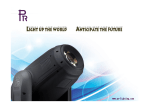
XPar 360 PR-8955 This product manual contains important information about the safe installation and use of this projector. Please read and follow these instructions carefully and keep this manual in a safe place for future reference. PR LIGHTING LTD. http://www.pr-lighting.com INDEX 3 4 4 5 5 6 7 9 12 12 12 13 16 17 SAFE USAGE OF THE PROJECTOR INSTALLING THE PROJECTOR CONTROL SYSTEM AND POWER CONNECTIONS DMX TERMINATOR SETUP OPTIONS-PROJECTOR CONFIGURATION TO SET THE DMX START ADDRESS OPERATION MENU DMX PROTOCOL INDICATION OF LED DISPLAY MAINTENANCE TROUBLESHOOTING TECHNICAL DATA ELECTRICAL DIAGRAM COMPONENT ORDER CODES Please note that as part of our ongoing commitment to continuous product development, specifications are subject to change without notice. Whilst every care is taken in the preparation of this manual we reserve the right to change specifications in the course of product improvement. The publishers cannot be held responsible for the accuracy of the information herein, or any consequence arising from them. Every unit is tested completely and packed properly by the manufacturer. Please make sure the packing and / or the unit are in good condition before installation and use. Should there be any damage caused by transportation, consult your dealer and do not use the unit. Any damage caused by improper use will not be assumed by the manufacturer and / or dealer. ACCESSORIES These items are packed together with the projector: Name Quantity Barn door 1 Safety cord 1 This manual 1 Signal cable 1 2/17 Unit Pc Pc Pc Pc Remark Optional Optional SAFE USAGE OF THE PROJECTOR When unpacking and before disposing of the carton, check there is no transportation damage before using the projector. Should there be any damage caused by transportation, consult your dealer and do not use the apparatus. The projector can be used indoors and outdoors, IP20. The projector is not designed or intended to be mounted directly on to inflammable surfaces. The projector is only intended for installation, operation and maintenance by qualified personnel. Do not project the beam onto inflammable surfaces, minimum distance is 5m. 5m Avoid direct exposure to the light from the lamp. The light is harmful to eyes. Do not attempt to dismantle and/or modify the projector in any way. Electrical connection must only be carried out by qualified personnel. Before installation, ensure that the voltage and frequency of power supply match the power requirements of the projector. It is essential that each projector is correctly earthed and that electrical installation conforms to all relevant standards. Do not connect this device to any other types of dimmer apparatus. Make sure that the power-cord is never crimped or damaged by sharp edges. Never let the power-cord come into contact with other cables. Only handle the power-cord by the plug. Never pull out the plug by tugging the power-cord. Keep the optical system clean. Do not touch the LED lens with bare hands. When the projector is hanged to a high place, please use a safety cord provided to pass through the projector handles as a secondary safety fixing for safety seasons. For details, refer to “INSTALL THE PROJECTOR “section. LED lens shall be changed if they have become visibly damaged to such an extent that their effectiveness is impaired, for example by cracks or deep scratches. Exterior surface temperatures of the projector after 5 minutes operation is 45℃, when achieving steady state it is50℃. There is no user serviceable parts inside the projector, do not open the housing and never operate the projector with the covers removed. Always disconnect from the mains, when the device is not in use or before cleaning it or before attempting any maintenance work ! If you have any questions, don’t hesitate to consult your dealer or manufacturer. 3/17 INSTALL THE PROJECTOR Lamp Hook Mounting Hole Safety Cable Support When the projector is used, as the right figure above, unfold the support to certain angle and put the projector onto a flat surface. Make sure it is steady. When the projector is used at a high place, as the left figure above, fold the support, turn it round to the top of the projector, connect a lamp hook to the mounting hole reserved in the support by screws, and then hang the hook to a high place. Eventually, use the safety cord provided to pass through the handles and hang it as a second safety fixing. CONTROL SYSTEM AND POWER CONNECTION 1 DMX512 DMX OUT DMX IN 2 2 3 1 3 PIN 1 2 3 FUNCTION GND DATA DATA + Connection between the controller and a projector and between one projector and another must be made with a 2 core-screened cable, with each core having at least a 0.5mm diameter. Please use the projector’s cannon 3- pin signal input and output cables as connection. The 3-pin signal connections are connected as shown in the figure above. Note: Care should be taken to ensure that none of the pins touch the metallic body of the plug or each other. The body of the plug is not connected in any way. The XPar 360 accepts digital control signals in protocol DMX512 (1990). The amount of projectors connected in parallel is not more than 32. Connect the controller’s output to the first fixture’s input cable with a 3-pin signal cable, connect the first fixture’s output cable to the second fixture’s input cable and connect the rest fixtures in the same way. Eventually, connect the last fixture’s output cable to a DMX terminator. Note: Only when all the start addresses of fixtures are set the same, synchronous control could be achieved. When the first fixture is not connected to the controller, and all the other connections are the same as above, it is master / slave mode connection. To achieve master / slave mode, set the first fixture master , the others salve( slave is default). As for power connections, each projector has to be supplied separately by external power. Use the power cord of each projector to connect the mains power directly, paying attention to the voltage and frequency marked on the panel of the projector. 4/17 All of the connections are as the figure below. Power IN Power IN DMX Controller DMX OUT Power IN DMX OUT DMX IN DMX IN XLR terminator DMX TERMINATOR In the Controller mode, at the last fixture in the chain, the DMX output has to be connected with a DMX terminator. This prevents electrical noise from disturbing and corrupting the DMX control signals. The DMX terminator is simply an XLR connector with a 120 (ohm) resistor connected across pins 2 and 3, which is then plugged into the output socket on the last projector in the chain. The connections are illustrated below. DMX TERMINATOR 2 1 3 120 CONNECTION Connect a 120 (OHM) resistor across pins 2 and 3 in an XLR plug and insert into the DMX out socket on the last unit in the chain. PIN 2 PIN 3 SETUP OPTIONS-PROJECTOR CONFIGURATION FUNC UP DOWN ENTER Projector configuration can be set conveniently via push-button switch and LED display. Launch the projector and press button ENTER for more than 5 seconds to unlock the panel, the LCD will show the function menu of the projector, each main menu has its submenus and each submenu has a specific function. For details, please see the “OPERATION MENU” section. Press button UP or DOWN if you want to browse through the various Setup Options. Press button ENTER to save your settings or enter the next menu. Press button UP or DOWN to change values(add or subtract) Press button FUNC, it will return to the upper menu one by one or browse through the main menu. 5/17 TO SET THE DMX START ADDRESS Each Xpar360must be given a DMX start address so that the correct projector responds to the correct control signals. This DMX start address is the channel number from which the projector starts to “listen” to the digital control information being sent out from the controller. The Xpar360 have 3 DMX modes, which are standard mode,extended mode and short mode. For example, the standard mode has 12 channels, so set the No. 1 projector’s address 001, No. 2 projector’s address 13, No. 3 projector’s address 25, No. 4 projector’s address 37, and so on. Launch the projector. Press button ENTER for more than 5 seconds to unlock the panel. Press button FUNC, UP or DOWN to find “AddR” menu. Then press ENTER to show DMX address and press UP or DOWN to set DMX address. At this time, the address will flash continuously. Press button ENTER to confirm and it means the setting has been enabled. Press button FUNC, it will return to the upper menu one by one. 6/17 OPERATION MENU 1st LEVEL 2nd LEVEL AddR (DMX address) XXX (XXX:1~512) 3rd LEVEL dmX (DMX mode) CNFG (Config settings) dISP (Display settings) mORS (Master /Slave Settings) INFO (Information) TEST (Test mode) FACT (Reset factory setup) TRmd (Transmit parameters) TImE (Fixture usage time) TEmP (LED board temperature) VER (Version) A (Amber) R (Red) G (Blue) B (Blue) W (white) ALLO (Red/green/blue/white) dmx (DMX mode) PR XX (Preset memory, PR01~PR16) mENU (Operation mode) ET XX (User memory,ET01~ET16) 4th LEVEL STd (Standard mode) EXT (Extended mode) SHRT (Short mode) ON OFF (Shut off digital CRT without pressing buttons in 5 minutes) SLAV (Slave) mAST (Master) yES yES XXXX XX X.X.X COL1 (Colour 1) COL2 (Colour 2) COL3 (Colour 3) COL4 (Colour 4) XX (Number: 0~14)(3) XX (Number: 0~14) XX (Number: 0~14) XX (Number: 0~14) Note: 1.ONLY one projector of a group connected by one signal cable could be set as Master. When the Master functions, DMX control signal should be disconnected 2.When multiple projectors’ work together in synchronous control state, Parameters can be transmitted from the master projector to the slave projectors such as DMX channel mode, Display setting status and operation mode (User memory data is included). While data transmitted, other projectors will be set as SLAVE. 7/17 DMX PROTOCOL Short mode 1 Standard mode 1 Extended mode 1 2 FUNCTION DMX Dimmer 000-255 Dimming from dark to light Dimmer Fine 000-255 Dimmer in 16 Bit precision 000 2 2 3 Colour Temperature 001-255 0 3 4 Macro Channel DESCRIPTION No effect Colour temperature linear adjustment from 3200K to 10000K No effect 001-015 Colour Temperature 3200K 016-031 Colour Temperature 5600K 032-047 Colour Temperature 7200K 048-063 Colour Temperature 10000K 064-079 Amber 080-095 Red 096-111 Green 112-127 Blue 128-143 White 144-159 Red & Green(Yellow) 160-175 Green & Blue(Cyan) 176-191 Red and Blue(Purple) 192-207 Red Green Blue and White 208-223 Full Power 224-239 Yellow and White 240-255 Amber Blue and White 3 4 5 Amber 000-255 Linear adjustment from dark to light 4 5 6 Red 000-255 Linear adjustment from dark to light 5 6 7 Green 000-255 Linear adjustment from dark to light 6 7 8 Blue 000-255 Linear adjustment from dark to light 7 8 9 White 000-255 Linear adjustment from dark to light 10 Hue 000-255 Hue selection 11 Saturation 000-255 Saturation from shallow to deep 12 Value 000-255 From dark to light 13 Strobe 8 9 000 001-255 000 10 14 Preset memory 8/17 No effect Strobe speed from slow to fast No effect 001-015 Preset memory 1 016-031 Preset memory 2 032-047 Preset memory 3 048-063 Preset memory 4 064-079 Preset memory 5 080-095 Preset memory 6 096-111 Preset memory 7 112-127 Preset memory 8 128-143 Preset memory 9 144-159 Preset memory 10 160-175 Preset memory 11 176-191 Preset memory 12 192-207 Preset memory 13 208-223 Preset memory 14 224-239 Preset memory 15 240-255 Preset memory 16 000 11 12 15 16 User Memory Memory Speed 9/17 No effect 001-015 User memory 1 016-031 User memory 2 032-047 User memory 3 048-063 User memory 4 064-079 User memory 5 080-095 User memory 6 096-111 User memory 7 112-127 User memory 8 128-143 User memory 9 144-159 User memory 10 160-175 User memory 11 176-191 User memory 12 192-207 User memory 13 208-223 User memory 14 224-239 User memory 15 240-255 User memory 16 001-015 Speed 1,the fastest 016-031 Speed 2 032-047 Speed 3 048-063 Speed 4 064-079 Speed 5 080-095 Speed 6 096-111 Speed 7 112-127 Speed 8 128-143 Speed 9 144-159 Speed 10 160-175 Speed 11 176-191 Speed 12 192-207 Speed 13 208-223 Speed14 224-239 Speed 15 240-255 Speed 16, the slowest Note: **** Channel priority from high to low is as the following: Dimming, Preset memory, User memory, ARGBW dimming, HSV dimming, Macro channel, Color temperature. ****When high priority channel is used, low priority channel is No effect. 10/17 INDICATION OF LED CHARACTER On Off On Off On Off Flash Decimal point of the first character Decimal point of the third character Decimal point of the fourth character Parameters that LED characters display DMX signal OK No DMX signal Master / slave signal is OK No master / slave signal When setting master mode When setting slave mode Parameters not saved, press “ENTER” to save them MAINTENANCE To prolong the life of the projector, it is very important to do the maintenance work. Cooling fans must be cleaned once every 15days and external lens cleaned periodically for an optimum light output. DO NOT USE ANY SOLVENT CONTAINING CHEMICAL ELEMENT. Cleaning frequency depends on the environment in which the fixture operates. Soft cloth and typical glass cleaning products should be used for cleaning with care. It is recommended to clean projector at least once every 20 days. Do not use any organic solvent, e.g. alcohol, to clean housing of the apparatus. TROUBLESHOOTING PROBLEM ACTION Power connection is not correct. Power supply is damaged or abnormal. Call a qualified personnel The projector doesn’t switch on to fix it. Connection of control board is not correct. Call a qualified personnel to fix it. The projector can be turned on, but LEDs do not emit light and are out of control. Connection of LED board is not correct. Call a qualified personnel to fix it. The lamp comes on but the projector Make sure that the projector is correctly configurated. doesn’t respond to the controller Replace or repair the DMX cable. The projector is too hot. Take ventilation measures to make it The beam appears dim cool. 11/17 TECHNICAL DATA VOLTAGES: 200V/220V /230V/240V AC, 50/60Hz Optional: 100V/120V AC, 50/60Hz POWER CONSUMPTION: 200W@220V LED: Power consumption 3W Quantity 60(13R+13G+13B+12W+9A) Manufacturers Rated LED Life 50000 Hours COLOURS: RGBWA linear color mixing with Macro COLOR TEMPERATURE CORRECTION Linear color temperature correction from 3200K to 10000K DIMMER: 0-100% linearly adjustable STROBE: Electronic Strobe 0 ~25F.P.S LIGHT ANGLE Field Angle(1/10 Maximum) θ 28° Beam Angle(1/2 Maximum) θ1/2 15° Lens Angle: 15° (Optional Lens Angle: 8°, 25 °, 45° ) CONTROL: DMX512, 3 pin interfaces 8 channels in short mode, 12channels in standard mode, and 16 channels in extended mode Master/Salve Synchronous Control Mode 16 preset memories 16 user memories preset memories and user memories can be called by control channels,16 level speeds adjustable Self Test Mode OTHER FUNCTIONS: LED board temperature display Fixture usage time display 12/17 Parameters about DMX mode, Display setting status, operation mode can be transmitted by synchronous control. HOUSING: High temperature ABS +die-casting aluminum, IP20 WORK ENVIRONMENT TEMPERATURE: -20°C~40°C WEIGHT: 3.9kg SIZES: 277 226 249 321 LIGHT OUTPUT: 28°lux(RGBWA) 28°lux(R) 28°lux(G) 28°lux(B) 28°lux(W) 28°lux(A) 4m 2m 0m 2m 444 197 111 71 49 309 77 34 19 12 9 777 194 86 49 31 22 26 6 3 2 1 1 722 181 80 45 29 20 124 31 14 8 5 3 5m 10m 15m 20m 25m 30m 12.27 14.72 7m 5m 3m 1m 28° 6m 1775 1m 3m 4m 6m 5m 7m Distance(m) 0m 28°Diameter(m) 0 2.45 4.91 13/17 7.36 9.81 14/17 COMPONENT ORDER CODES NAME LED LENS SIGNAL CABLE POWER SUPPLY DRIVER BOARD LED CONTROL BOARD LED LAMP BOARD PART NO. 070070047 230090002 190010119 230060115 230060139 230020283 15/17 QUANTITY 60 1 1 1 1 1 REMARK 15° 3meters 150W58V 16/17 PR LIGHTING LTD. PR New Hi-tech Science Park, 1582 Xingye Avenue Nancun Panyu, Guangzhou, 511442 China TEL: +86-20-3995 2888 FAX: +86-20-3995 2330 P/N: 320020091 Version: 20120717 17/17