1
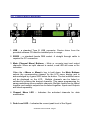
3.0 Front Panel Functions
1
2
3
5
4
6
7
8
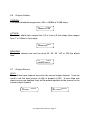
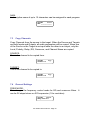
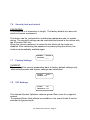
1. USB – a standard Type B USB connector. Device driver from the
provided software CD must be installed prior to usage.
2. RS232 – a standard female DB9 socket. A straight through cable is
required for PC connection.
3. Mute (Channel Menu) Buttons – Mute or un-mute input and output
channels. When an input channel is muted, a red LED will come on for
indication.
When the <<Menu or Menu>> key is held down, the Mute Buttons
selects the corresponding channel for the LCD menu display and is
acknowledged by a green LED below the button. The last modified menu
will be displayed on the LCD. Multiple channels can be linked or
unlinked by pushing the desired channels. This eases programming for
same parameters across multiple channels. Multiple Inputs can be linked
together and multiple outputs can be linked together. Inputs and Outputs
are linked separately.
4. Channel Menu LED – Indicates the activated channels for data
modification.
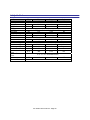
5. Peak Level LED – Indicates the current peak level of the Signal:
XA Series User's manual - Page 7