1
CMPT 275
Phase:
Design
1
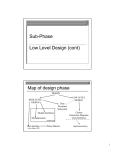
Map of design phase
DESIGN
Class Design
Product or system Design
LOW LEVEL
DESIGN
HIGH LEVEL
DESIGN
Data
Persistance
Subsystem
Classes
Class Interfaces
Interaction Diagrams
Module Interfaces
Modularization
architecture
User Interface
User Manual
Implementation
2
Janice Regan, 2008
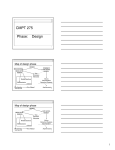
Map of design phase
DESIGN
LOW LEVEL
DESIGN
HIGH LEVEL
DESIGN
Data
Persistant
Subsystem
Module Interfaces
Modularization
Classes
Interaction Diagrams
Class Interfaces
architecture
User Interface
Janice Regan, 2008
User Manual
Implementation
3
1
Design phase
High level design (product or system design)
Architecture
Definition of subsystems
Description of interaction of subsystems
Low level design (design of classes/objects)
Attributes
Data structures
Methods
Algorithms
Janice Regan, 2008
4
Sub-Phase
Low Level Design
Sequence Diagrams
5
Low Level Design
Objective of Low Level Design
Refine representation (models) of
software system to a level of detail that
will allow resulting representation to be
used as a blueprint for implementation
and unit test planning phases
Janice Regan, 2008
6
2
Modeling at different phases
Static
Requirements
analysis
High Level
Design
Low Level
Design
Dynamic
2. Informal Scenarios
4. Use cases
5. Use cases Diagrams
6. Scenarios
1. System Context Diagram
3. Class Diagram
8. Analyze data persistence
9. Refined use cases (from 4,7, 8)
7. Architecture (from 1,4,5,6)
11. Refined Class Diagram
including attributes and
methods (from 3, 12, 13)
12. Refined use cases and scenarios
(from 9)
13. Sequence Diagrams and
collaboration diagrams (from 12)
Janice Regan, 2008
7
Interaction Diagrams
Model dynamic aspects of the software
system by specifying the interaction
among objects to produce a particular
behaviour
For each use case
Show object interaction
Show how software system realizes a use
case
Help identify object operations (methods)
Janice Regan, 2008
8
Interaction Diagrams
Two types of interaction diagrams are defined in
UML
Collaboration diagram: emphasizes the structural
organization of objects that send and receive
messages
Sequence diagram: emphasizes the time
ordering of the messages passed between
objects
However, both diagrams are not computationally
complete; they are not algorithms!
-> They do not define the behaviour
Janice Regan, 2008
9
3
Sequence Diagram: Format - 1
initiating actor
: Class
or object : Class
Janice Regan, 2008
1.
Initiating actor at top left …
2.
… followed by boxes
representing objects
or Module Name
3.
Synchronous Message (wait for
reply then continue)
4.
Asynchronous Message
(continue without waiting for
reply)
5.
Implicit return at end of
activation
10
UML Notational Elements of
Interaction Diagrams
Note:
An object is distinguished from a class in UML
notation by the colon
An object name is optional
Multiple objects of same class may participate
in behaviour
A link between 2 objects implies an association
between their classes in Class Diagram
11
Janice Regan, 2008
Sequence Diagram: Format - 2
object : Class
6. Life line indicating when object
is available
object : Class
7. Activation box indicates when
object is active (receiving
messages, doing some activity
(although the diagram may not
specify this), sending messages
Janice Regan, 2008
12
4
Sequence Diagram: Format - 3
8.
Labels on leftmost part of diagram
Indicate actions such as
Actor Name
Identify use case
executed
other use cases being initiated
actor interacting with the UI
These actions are not expressed by an arrow in
the diagram since they do not represent intermodule communication
Profile altered
13
Janice Regan, 2008
Representing messages
returnvalue1 = message1(parameter1)
Synchronous Message (wait for reply then continue), reply
implicit, will return returnvalue1 at end of activation box
started by the message, not shown in diagram
message1(parameter1)
message1(returnvalue1)
Synchronous Message (wait for reply then continue), reply
explicitly shown, will return returnvalue1 at end of
activation box started by the message, return message
illustrated
14
Janice Regan, 2008
Messages and returns
object1 : Class1
object2 : Class2
returnvalue1 = message1(parameter1)
message2(parameter2)
returnvalue3 = message3(parameter3)
message2(returnvalue2)
Message can be an actual message or it may be an invocation of the
methods of the destination class
Janice Regan, 2008
15
5
Sending messages conditionally
object1 : Class1
object2 : Class2
[parameter1 > 23] returnvalue1 = message1(parameter1)
Message is sent only if the condition in the square brackets is true.
For this example the condition in the square brackets requires the
value of parameter1 > 23
16
Janice Regan, 2008
Sending messages repeatedly
object1 : Class1
object2 : Class2
* [parameter1 > 23] returnvalue1 = message1(parameter1)
Message is sent if the condition in the square brackets is true, the
message is sent repeatedly until the condition in the square brackets
becomes false. Usually used to send the same message to many
objects
17
Janice Regan, 2008
Reflexive message
object1 : Class1
When an object sends a message to itself, this message is a
reflexive message.
Janice Regan, 2008
18
6
Sequence Diagram: Format - 3
7.
Creation
<<create>>
object : Class
8.
Destruction
object : Class
object : Class
<<destroy>>
19
Janice Regan, 2008
Create and destroy
object1 : Class1
<<create>>
object2 : Class2
Returnvalue1 = message1(parameter1)
<<create>>
object3 : Class3
Returnvalue2 =
message2(parameter2)
<<destroy>>
20
Janice Regan, 2008
Sequence Diagram: Format - 4
Actor Name
9. Algorithm details on left most part
of diagram
Algorithm
10. Scenario, Use Case name
and functional requirement #
Janice Regan, 2008
21
7
Sequence Diagram: How to!
Objects that exist initially are lined up along
the top of the diagram beside the actor
When object is created later, its box
appears further down, at the time when it
is created
Actor initiates interaction via GUI
this is the first message sent
Reception of a message by an object
causes one of its methods to be executed.
Janice Regan, 2008
22
Refined Scenario #1
Use Case Name: CheckInResource (#7)
Scenario: Student Patron Paul returns a book
on time.
Preconditions:
Librarian Eva has successfully gained access to
the LMS.
LMS is ready to go (DB has been populated,
network is up, and LMS has been initialized).
LMS screen with Check menu is displayed.
Janice Regan, 2008
23
Refined Scenario #1
Main flow of events:
1. Student Patron Paul comes up to the librarian
counter to return the Quantum Physics book he
borrowed last week.
2. Eva the Librarian chooses CheckInResource
option from the LMS screen by selecting the In
command option under the Check menu.
3. A window representing a Check In Form is then
displayed.
Janice Regan, 2008
24
8
Refined Scenario #1
Main flow of events (cont):
4. Eva takes the book Paul is handing to her and
types in its Dewey call number in the
appropriate text field then presses the "Accept"
button to commit the entry.
5. The Dewey call number for the book was
entered successfully and it was a valid call
number, information about the Quantum
Physics book and the borrowing patron is
retrieved from the Database and displayed on
the Check In screen.
Janice Regan, 2008
25
Refined Scenario #1
Main flow of events (cont):
Since Student Patron Paul is returning the Quantum
Physics book before its due date, there is no overdue
charge. Also, no one is currently requesting the Quantum
Physics book.
LMS completes the check-in process by
changing the status of the book to “reshelve“,
canceling its “due date” and “date of loan“,
updating its “date of return“ to today,
Clearing the borrowing patron ID,
removing the Quantum Physics book from the Student
Patron Paul’s list of borrowed resources.
Janice Regan, 2008
26
Refined Scenario #1
Main flow of events (cont):
LMS updates the records for the Quantum
Physics book and the borrowing Student Patron
Paul in the Database.
LMS updates the screen showing the newly
checked-in book along with the updated dates.
Eva verifies by looking at the screen that the
book has been checked in properly, then
presses the “Done” button.
Janice Regan, 2008
27
9
Refined Scenarios #1
Postconditions:
Student Patron Paul’s record is now showing
that he is no longer borrowing the Quantum
Physics book. The Quantum Physics book has
now a status of “reshelve”, today's date as a
“date of return”, “date of loan” has been
cleared and so has the “due date”.
28
Janice Regan, 2008
Sequence Diagram - 0
Librarian
: GUI
db : LibraryDB
: LibrarySystem
Select
(checkInPage )
Display
(checkInPage )
checkIn
checkIn
( Dewey call # )
( Dewey call # )
QPBook := getResource( call # )
QPBook := create( book, db )
QPBook : Book
patronId :=
getBorrowingPatronId( )
paul := getPatron( patronId )
Paul : Student
name := getName( )
expiryDate := getExpiryDate( )
paul := create
( student, db )
title := getTitle( )
author := getAuthor( )
loanDate := getLoanDate( )
dueDate := getDueDate( )
status := getStatus( )
Janice Regan, 2008
29
Sequence Diagram - 1
: LibrarySystem
Librarian
checkIn( Dewey call # )
db : LibraryDB
QPBook := getResource( call # )
QPBook : Book
patronId :=
getBorrowingPatronId( )
QPBook := create( book, db )
paul := getPatron( patronId )
Paul : Student
name := getName( )
expiryDate := getExpiryDate( )
paul := create
( student, db )
title := getTitle( )
author := getAuthor( )
loanDate := getLoanDate( )
dueDate := getDueDate( )
status := getStatus( )
Janice Regan, 2008
30
10
Sequence Diagram – 2 A
Librarian
: LibrarySystem
QPBook : Book
Paul : Student
db : LibraryDB
ok := checkIn( date )
Set status = “reshelve”
Set “loan date” = 0
Set “due date” = 0
Set “return date” = “today” (date)
Set “borrowing patron id” = 0
ok := update( QPBook )
checkIn( call # )
Remove QPBook from
“list of borrowed resources”
update( paul )
checkIn (ok )
update( ok )
display( checkInPage )
Press
done
confirm
Display(startpage)
Janice Regan, 2008
31
Consider other scenarios
What if librarian Eva decides not to press
done and confirm the check in of the book
but chooses to press cancel and terminate
the interaction instead.
Look at sequence diagram 2A, what needs to
change for this new scenario?
Pressing cancel implies that nothing in the
database will be changed. If cancel were
pressed rather than done we would have to
undo the changes to the database.
Janice Regan, 2008
32
Consider other scenarios
What if librarian Eva decides not to press done
and confirm the check in of the book but chooses
to press cancel and terminate the interaction
instead.
If cancel were pressed rather than done we
would have to undo the changes to the
database.
This is clearly extra work, want to ask if done
before the database is updated, then only
update if done is pressed.
Need to refine the use case and the
interaction diagram to handle both scenarios
Janice Regan, 2008
33
11
Refined Scenario #1
Main flow of events:
Since Student Patron Paul is returning the
Quantum Physics book before its due date,
there is no overdue charge. Also, no one is
currently requesting the Quantum Physics book.
LMS completes the check-in process by
changing the status of the book to “reshelve“,
canceling its “due date” and “date of loan“,
updating its “date of return“ to today,
Clearing the borrowing patron ID,
removing the Quantum Physics book from the Student
Patron Paul’s list of borrowed resources.
34
Janice Regan, 2008
Refined Scenario #1
LMS updates its internal records for the
Quantum Physics book and the borrowing
Student Patron Paul.
LMS updates the screen showing the newly
checked-in book along with the updated dates
(from its internal records).
Eva verifies by looking at the screen that the
book has been checked in properly, then
presses the “Done” button.
The changes to the records for the Quantum
Physics book and the borrowing Student Patron
Paul are updated in the database.
35
Janice Regan, 2008
Updated Sequence Diagram – 2 A
Librarian
: LibrarySystem
Press
done or
cancel
QPBook : Book
Paul : Student
db : LibraryDB
display( checkInPage )
verify( flag )
[flag = done] ok := checkIn( date )
Set status = “reshelve”
Set “loan date” = 0
Set “due date” = 0
Set “return date” = “today” (date)
Set “borrowing patron id” = 0
ok := update( QPBook )
[flag = done] checkIn( call # )
Remove QPBook from
“list of borrowed resources”
update( paul )
checkIn (ok )
Display(startpage)
Janice Regan, 2008
update( ok )
36
12
Sequence Diagram – 2 B
Librarian
: LibrarySystem
Press
done or
cancel
QPBook : Book
Paul : Student
db : LibraryDB
display( checkInPage )
verify( flag )
[flag = done] ok := checkIn( date )
Set status = “reshelve”
Set “loan date” = 0
Set “due date” = 0
Set “return date” = “today” (date)
Set “borrowing patron id” = 0
ok := checkIn( call # )
Remove QPBook from
“list of borrowed resources”
ok := update( paul )
ok := update( QPBook )
Display(startpage)
37
Janice Regan, 2008
Sequence Diagram – 2 C
Librarian
: LibrarySystem
QPBook : Book
Paul : Student
db : LibraryDB
ok := checkIn( date )
Set status = “reshelve”
Set “loan date” = 0
Set “due date” = 0
Set “return date” = “today” (date)
Set “borrowing patron id” = 0
ok := checkIn( call # )
Remove QPBook from
“list of borrowed resources”
Press
done or
cancel
display( checkInPage )
verify( flag )
ok := update( QPBook )
Display(startpage)
ok := update( paul )
Janice Regan, 2008
38
Inter-Subsystem Interface Description
Goal: To illustrate dynamic relationships
between subsystems, and to begin to
define what the interfaces of each must be
Help us understand what functionality
must reside in which subsystem
Will eventually allow subsystems to be
implemented separately and in parallel
Janice Regan, 2008
39
13
Inter-Subsystem Interface Description
Describe interactions …
Between software system and human users
Between subsystems of the software system
Between distributed processes (encompassed in a
subsystem) over a network
Between software system and solutions for data
persistence (e.g. database management systems)
Can be seen as public interface of module
Janice Regan, 2008
40
Modelling Inter-Subsystem Interaction
Interaction diagrams (Sequence, Collaboration)
Model dynamic aspects of the software system
Specify interaction among “entities”
Can be refined during low level design
Sequence Diagram:
Emphasizes time ordering of interactions
Collaboration Diagram
Emphasizes structural organization of the objects that
are interacting.
Janice Regan, 2008
41
Sequence Diagram
1 sequence diagram per use case
Specify specialized communication
protocol such as
Common Gateway Interface (CGI)
protocol
Hypertext Transport Protocol (HTTP)
Janice Regan, 2008
42
14
System Context Diagram
Web Server
Application
USER
Database
43
Janice Regan, 2008
Architecture
Database interface
Here the database is available to the
Application. In this representation the
Database is not part of the application
but an external software product
Janice Regan, 2008
being used by the application
44
Use case for Web application
Use case name: Edit Profile (functional requirement #3)
Initiating actor: User
Preconditions: DB populated, system running, User reached
Web site.
Main flow of events:
The User requests to edit her/his profile by pressing the
Edit Profile button on the Web page.
The User validly identifies her/himself to the system
through the Identify use case. (identify will shown as an
<<include>> in use case diagram)
The User’s profile is retrieved from the Database and is
displayed on the web page. The User updates her/his
profile information. (specify information)
45
Janice Regan, 2008
….
15
Use case for Web application
The User indicates that s/he is done by pressing the
Commit button.
The system stores the updated information to the Database
and the use case terminates.
Postconditions: User record is updated in the Database.
Exceptional flow of events #1: (sample of
exceptional flows)
The User cancels the use case at any point prior to
indicating that they have completed the editing by pressing
the cancel button. The Database is not altered.
46
Janice Regan, 2008
….
Be careful with preconditions!
This previous use case specifies that the
user has reached the web site. It does not
specify that the user has been validated
by the security system.
The use case indicates that the user will be
able to validate their identity after choosing to
update their profile (using an <<include>>)
The first UI screen on the website will show
update profile as a choice. The screen
resulting from that choice will contain the
validate identity button.
Janice Regan, 2008
47
Be careful with preconditions!
If the use case specified that the user must have
already validated themselves then
The first UI screen would be validation (e.g. login), and
validation would be a separate use case and sequence
diagram used only at login.
The second (or later) UI screen would allow the user to
choose the option of updating their profile.
BE SURE TO BE CONSISTENT IN YOUR DESIGN
Janice Regan, 2008
48
16