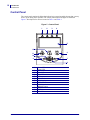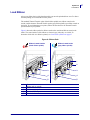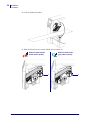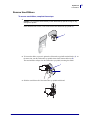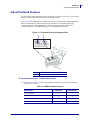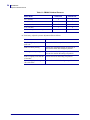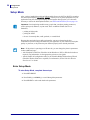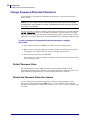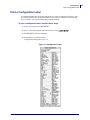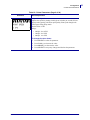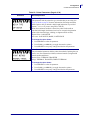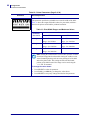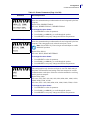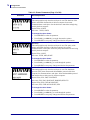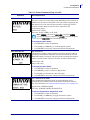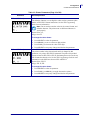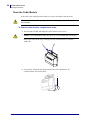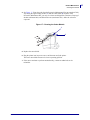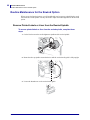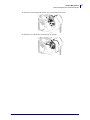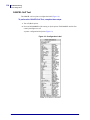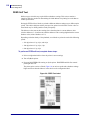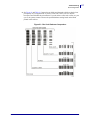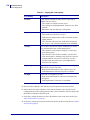
1
ZM400/ZM600 Industrial/Commercial Printer User Guide © 2007 ZIH Corp. The copyrights in this manual and the software and/or firmware in the label printer described therein are owned by ZIH Corp. Unauthorized reproduction of this manual or the software and/or firmware in the label printer may result in imprisonment of up to one year and fines of up to $10,000 (17 U.S.C.506). Copyright violators may be subject to civil liability. This product may contain ZPL®, ZPL II®, and ZebraLink™ programs; Element Energy Equalizer® Circuit; E3®; and Monotype Imaging fonts. Software © ZIH Corp. All rights reserved worldwide. ZebraLink and all product names and numbers are trademarks, and Zebra, the Zebra logo, ZPL, ZPL II, Element Energy Equalizer Circuit, and E3 Circuit are registered trademarks of ZIH Corp. All rights reserved worldwide. All other brand names, product names, or trademarks belong to their respective holders. For additional trademark information, please see “Trademarks” on the product CD. Proprietary Statement This manual contains proprietary information of Zebra Technologies Corporation and its subsidiaries (“Zebra Technologies”). It is intended solely for the information and use of parties operating and maintaining the equipment described herein. Such proprietary information may not be used, reproduced, or disclosed to any other parties for any other purpose without the express, written permission of Zebra Technologies Corporation. Product Improvements Continuous improvement of products is a policy of Zebra Technologies Corporation. All specifications and designs are subject to change without notice. Liability Disclaimer Zebra Technologies Corporation takes steps to ensure that its published Engineering specifications and manuals are correct; however, errors do occur. Zebra Technologies Corporation reserves the right to correct any such errors and disclaims liability resulting therefrom. Limitation of Liability In no event shall Zebra Technologies Corporation or anyone else involved in the creation, production, or delivery of the accompanying product (including hardware and software) be liable for any damages whatsoever (including, without limitation, consequential damages including loss of business profits, business interruption, or loss of business information) arising out of the use of, the results of use of, or inability to use such product, even if Zebra Technologies Corporation has been advised of the possibility of such damages. Some jurisdictions do not allow the exclusion or limitation of incidental or consequential damages, so the above limitation or exclusion may not apply to you. Part Number: 79695L-001 Rev. A Declaration of Conformity Declaration of Conformity I have determined that the Zebra printers identified as the ZM™ Series Z4M, Z6M, Z4Mplus, Z6Mplus, R4Mplus, ZM400, ZM600 manufactured by: Zebra Technologies Corporation 333 Corporate Woods Parkway Vernon Hills, Illinois 60061-3109 U.S.A. Have been shown to comply with the applicable technical standards of the FCC For Home, Office, Commercial, and Industrial use If no unauthorized change is made in the equipment, and if the equipment is properly maintained and operated. 3/27/07 ZM400/ZM600 User Guide 79695L-001 Rev. A iii iv Compliance Information Compliance Information Compliance Information FCC Compliance Statement This device complies with Part 15 rules. Operation is subject to the following two conditions: 1. This device may not cause harmful interference, and 2. This device must accept any interference received, including interference that may cause undesired operation. The user is cautioned that any changes or modifications not expressly approved by Zebra Technologies Corporation could void the user’s authority to operate the equipment. To ensure compliance, this printer must be used with Shielded Communication Cables. FCC Rules and Regulations for Data Cables Zebra printers comply with FCC Rules and Regulations, Part 15 for Class B Equipment using fully shielded, 6.5 ft. (2 m) data cables. Use of unshielded cables may increase radiation above the Class B limits. Canadian DOC Compliance Statement This Class B digital apparatus complies with Canadian ICES-003. Cet appareil numérique de la classe B est conforme à la norme NMB-003 du Canada. 79695L-001 Rev. A ZM400/ZM600 User Guide 3/27/07 Contents Declaration of Conformity . . . . . . . . . . . . . . . . . . . . . . . . . . . . . . . . . . . . . . . . . . . iii Compliance Information . . . . . . . . . . . . . . . . . . . . . . . . . . . . . . . . . . . . . . . . . . . . . . . . . . . iv About This Document . . . . . . . . . . . . . . . . . . . . . . . . . . . . . . . . . . . . . . . . . . . . . . . 1 Who Should Use This Document . . . . . . . . . . . . . . . . . . . . . . . . . . . . . . . . . . . . . . . . . . . . How This Document Is Organized . . . . . . . . . . . . . . . . . . . . . . . . . . . . . . . . . . . . . . . . . . . Contacts . . . . . . . . . . . . . . . . . . . . . . . . . . . . . . . . . . . . . . . . . . . . . . . . . . . . . . . . . . . . . . . Web Site . . . . . . . . . . . . . . . . . . . . . . . . . . . . . . . . . . . . . . . . . . . . . . . . . . . . . . . . . . . . The Americas . . . . . . . . . . . . . . . . . . . . . . . . . . . . . . . . . . . . . . . . . . . . . . . . . . . . . . . . Europe, Africa, Middle East, and India . . . . . . . . . . . . . . . . . . . . . . . . . . . . . . . . . . . . . Asia Pacific . . . . . . . . . . . . . . . . . . . . . . . . . . . . . . . . . . . . . . . . . . . . . . . . . . . . . . . . . . Document Conventions. . . . . . . . . . . . . . . . . . . . . . . . . . . . . . . . . . . . . . . . . . . . . . . . . . . . 2 2 3 3 3 3 3 4 1 • Introduction . . . . . . . . . . . . . . . . . . . . . . . . . . . . . . . . . . . . . . . . . . . . . . . . . . . . 7 External View . . . . . . . . . . . . . . . . . . . . . . . . . . . . . . . . . . . . . . . . . . . . . . . . . . . . . . . . . . . 8 Printer Media Compartment . . . . . . . . . . . . . . . . . . . . . . . . . . . . . . . . . . . . . . . . . . . . . . . . 9 Control Panel . . . . . . . . . . . . . . . . . . . . . . . . . . . . . . . . . . . . . . . . . . . . . . . . . . . . . . . . . . 10 Control Panel Buttons. . . . . . . . . . . . . . . . . . . . . . . . . . . . . . . . . . . . . . . . . . . . . . . . . .11 Control Panel Lights . . . . . . . . . . . . . . . . . . . . . . . . . . . . . . . . . . . . . . . . . . . . . . . . . . 12 Printer Language Modes. . . . . . . . . . . . . . . . . . . . . . . . . . . . . . . . . . . . . . . . . . . . . . . . . . 13 Firmware Downloads . . . . . . . . . . . . . . . . . . . . . . . . . . . . . . . . . . . . . . . . . . . . . . . . . 13 Additional Printer Language Information . . . . . . . . . . . . . . . . . . . . . . . . . . . . . . . . . . 13 3/27/07 ZM400/ZM600 User Guide 79695L-001 Rev. A vi Contents 2 • Printer Setup . . . . . . . . . . . . . . . . . . . . . . . . . . . . . . . . . . . . . . . . . . . . . . . . . . 15 Before You Begin . . . . . . . . . . . . . . . . . . . . . . . . . . . . . . . . . . . . . . . . . . . . . . . . . . . . . . . Handling the Printer . . . . . . . . . . . . . . . . . . . . . . . . . . . . . . . . . . . . . . . . . . . . . . . . . . . . . Unpack and Inspect the Printer . . . . . . . . . . . . . . . . . . . . . . . . . . . . . . . . . . . . . . . . . Store the Printer . . . . . . . . . . . . . . . . . . . . . . . . . . . . . . . . . . . . . . . . . . . . . . . . . . . . . Ship the Printer . . . . . . . . . . . . . . . . . . . . . . . . . . . . . . . . . . . . . . . . . . . . . . . . . . . . . . Select a Site for the Printer . . . . . . . . . . . . . . . . . . . . . . . . . . . . . . . . . . . . . . . . . . . . . . . . Select a Surface . . . . . . . . . . . . . . . . . . . . . . . . . . . . . . . . . . . . . . . . . . . . . . . . . . . . . Provide Proper Operating Conditions . . . . . . . . . . . . . . . . . . . . . . . . . . . . . . . . . . . . . Allow Proper Space . . . . . . . . . . . . . . . . . . . . . . . . . . . . . . . . . . . . . . . . . . . . . . . . . . Provide a Data Source . . . . . . . . . . . . . . . . . . . . . . . . . . . . . . . . . . . . . . . . . . . . . . . . Provide a Power Source . . . . . . . . . . . . . . . . . . . . . . . . . . . . . . . . . . . . . . . . . . . . . . . Select a Data Communication Interface . . . . . . . . . . . . . . . . . . . . . . . . . . . . . . . . . . . . . . Data Cables and Wireless Cards . . . . . . . . . . . . . . . . . . . . . . . . . . . . . . . . . . . . . . . . Connect the Printer to the Computer or Network . . . . . . . . . . . . . . . . . . . . . . . . . . . . Connect the Printer to a Power Source . . . . . . . . . . . . . . . . . . . . . . . . . . . . . . . . . . . . . . Power Cord Specifications . . . . . . . . . . . . . . . . . . . . . . . . . . . . . . . . . . . . . . . . . . . . . Types of Media . . . . . . . . . . . . . . . . . . . . . . . . . . . . . . . . . . . . . . . . . . . . . . . . . . . . . . . . . Ribbon Overview. . . . . . . . . . . . . . . . . . . . . . . . . . . . . . . . . . . . . . . . . . . . . . . . . . . . . . . . When to Use Ribbon. . . . . . . . . . . . . . . . . . . . . . . . . . . . . . . . . . . . . . . . . . . . . . . . . . Coated Side of Ribbon . . . . . . . . . . . . . . . . . . . . . . . . . . . . . . . . . . . . . . . . . . . . . . . . 16 17 17 17 17 18 18 18 18 18 18 19 20 20 23 24 25 27 27 27 3 • Operations . . . . . . . . . . . . . . . . . . . . . . . . . . . . . . . . . . . . . . . . . . . . . . . . . . . . 29 Print Modes and Printer Options. . . . . . . . . . . . . . . . . . . . . . . . . . . . . . . . . . . . . . . . . . . . Print Mode Descriptions and Printer Requirements . . . . . . . . . . . . . . . . . . . . . . . . . . Media Paths . . . . . . . . . . . . . . . . . . . . . . . . . . . . . . . . . . . . . . . . . . . . . . . . . . . . . . . . Load Media . . . . . . . . . . . . . . . . . . . . . . . . . . . . . . . . . . . . . . . . . . . . . . . . . . . . . . . . . . . . Beginning Steps for all Print Modes and Printer Options . . . . . . . . . . . . . . . . . . . . . . Additional Steps for Tear-Off Mode . . . . . . . . . . . . . . . . . . . . . . . . . . . . . . . . . . . . . . . Additional Steps for Peel-Off Mode (with or without Liner Take-Up) . . . . . . . . . . . . . . Additional Steps for Cutter or Delayed Cut Mode . . . . . . . . . . . . . . . . . . . . . . . . . . . . Additional Steps for Rewind Mode . . . . . . . . . . . . . . . . . . . . . . . . . . . . . . . . . . . . . . . Load Ribbon . . . . . . . . . . . . . . . . . . . . . . . . . . . . . . . . . . . . . . . . . . . . . . . . . . . . . . . . . . . Remove Used Ribbon. . . . . . . . . . . . . . . . . . . . . . . . . . . . . . . . . . . . . . . . . . . . . . . . . Calibrate the Printer . . . . . . . . . . . . . . . . . . . . . . . . . . . . . . . . . . . . . . . . . . . . . . . . . . . . . Auto Calibration . . . . . . . . . . . . . . . . . . . . . . . . . . . . . . . . . . . . . . . . . . . . . . . . . . . . . Manual Calibration . . . . . . . . . . . . . . . . . . . . . . . . . . . . . . . . . . . . . . . . . . . . . . . . . . . Adjust Printhead Pressure . . . . . . . . . . . . . . . . . . . . . . . . . . . . . . . . . . . . . . . . . . . . . . . . 79695L-001 Rev. A ZM400/ZM600 User Guide 30 30 31 33 33 36 37 42 43 47 51 52 52 52 53 3/27/07 Contents 4 • Configuration . . . . . . . . . . . . . . . . . . . . . . . . . . . . . . . . . . . . . . . . . . . . . . . . . . 55 Setup Mode. . . . . . . . . . . . . . . . . . . . . . . . . . . . . . . . . . . . . . . . . . . . . . . . . . . . . . . . . . . . Enter Setup Mode. . . . . . . . . . . . . . . . . . . . . . . . . . . . . . . . . . . . . . . . . . . . . . . . . . . . Exit Setup Mode . . . . . . . . . . . . . . . . . . . . . . . . . . . . . . . . . . . . . . . . . . . . . . . . . . . . . Change Password-Protected Parameters . . . . . . . . . . . . . . . . . . . . . . . . . . . . . . . . . . . . Default Password Value . . . . . . . . . . . . . . . . . . . . . . . . . . . . . . . . . . . . . . . . . . . . . . . Disable the Password Protection Feature . . . . . . . . . . . . . . . . . . . . . . . . . . . . . . . . . Print a Configuration Label . . . . . . . . . . . . . . . . . . . . . . . . . . . . . . . . . . . . . . . . . . . . . . . . Print a Network Configuration Label . . . . . . . . . . . . . . . . . . . . . . . . . . . . . . . . . . . . . . . . . Control Panel Parameters. . . . . . . . . . . . . . . . . . . . . . . . . . . . . . . . . . . . . . . . . . . . . . . . . How to View or Modify Parameters . . . . . . . . . . . . . . . . . . . . . . . . . . . . . . . . . . . . . . Additional Parameters . . . . . . . . . . . . . . . . . . . . . . . . . . . . . . . . . . . . . . . . . . . . . . . . Standard Printer Parameters . . . . . . . . . . . . . . . . . . . . . . . . . . . . . . . . . . . . . . . . . . . 56 56 57 58 58 58 59 60 61 61 61 62 5 • Routine Maintenance . . . . . . . . . . . . . . . . . . . . . . . . . . . . . . . . . . . . . . . . . . . 87 Replacing Printer Components . . . . . . . . . . . . . . . . . . . . . . . . . . . . . . . . . . . . . . . . . . . . . Ordering Replacement Parts . . . . . . . . . . . . . . . . . . . . . . . . . . . . . . . . . . . . . . . . . . . Recycling Printer Components . . . . . . . . . . . . . . . . . . . . . . . . . . . . . . . . . . . . . . . . . . Lubrication . . . . . . . . . . . . . . . . . . . . . . . . . . . . . . . . . . . . . . . . . . . . . . . . . . . . . . . . . . . . Cleaning Schedule and Procedures . . . . . . . . . . . . . . . . . . . . . . . . . . . . . . . . . . . . . . . . . Clean the Exterior . . . . . . . . . . . . . . . . . . . . . . . . . . . . . . . . . . . . . . . . . . . . . . . . . . . . Clean the Printhead and Platen Roller . . . . . . . . . . . . . . . . . . . . . . . . . . . . . . . . . . . . Clean the Media Compartment and Sensors . . . . . . . . . . . . . . . . . . . . . . . . . . . . . . . Clean the Cutter Module. . . . . . . . . . . . . . . . . . . . . . . . . . . . . . . . . . . . . . . . . . . . . . . Routine Maintenance for the Rewind Option . . . . . . . . . . . . . . . . . . . . . . . . . . . . . . . . . . Remove Printed Labels or Liner from the Rewind Spindle . . . . . . . . . . . . . . . . . . . . . Adjust Media Alignment for Rewind Option . . . . . . . . . . . . . . . . . . . . . . . . . . . . . . . . 88 88 88 88 89 89 90 93 94 96 96 98 6 • Troubleshooting . . . . . . . . . . . . . . . . . . . . . . . . . . . . . . . . . . . . . . . . . . . . . . . 99 Troubleshooting Checklists . . . . . . . . . . . . . . . . . . . . . . . . . . . . . . . . . . . . . . . . . . . . . . . 100 LCD Error Messages . . . . . . . . . . . . . . . . . . . . . . . . . . . . . . . . . . . . . . . . . . . . . . . . . . . 101 Print Quality Problems . . . . . . . . . . . . . . . . . . . . . . . . . . . . . . . . . . . . . . . . . . . . . . . . . . 105 Calibration Problems. . . . . . . . . . . . . . . . . . . . . . . . . . . . . . . . . . . . . . . . . . . . . . . . . . . . 108 Communications Problems . . . . . . . . . . . . . . . . . . . . . . . . . . . . . . . . . . . . . . . . . . . . . . . 109 Ribbon Problems . . . . . . . . . . . . . . . . . . . . . . . . . . . . . . . . . . . . . . . . . . . . . . . . . . . . . . .110 Miscellaneous Printer Problems . . . . . . . . . . . . . . . . . . . . . . . . . . . . . . . . . . . . . . . . . . . . 111 3/27/07 ZM400/ZM600 User Guide 79695L-001 Rev. A vii viii Contents Printer Diagnostics . . . . . . . . . . . . . . . . . . . . . . . . . . . . . . . . . . . . . . . . . . . . . . . . . . . . . .113 Power-On Self Test. . . . . . . . . . . . . . . . . . . . . . . . . . . . . . . . . . . . . . . . . . . . . . . . . . .113 CANCEL Self Test . . . . . . . . . . . . . . . . . . . . . . . . . . . . . . . . . . . . . . . . . . . . . . . . . . .114 PAUSE Self Test . . . . . . . . . . . . . . . . . . . . . . . . . . . . . . . . . . . . . . . . . . . . . . . . . . . . .115 FEED Self Test . . . . . . . . . . . . . . . . . . . . . . . . . . . . . . . . . . . . . . . . . . . . . . . . . . . . . .116 FEED and PAUSE Self Test . . . . . . . . . . . . . . . . . . . . . . . . . . . . . . . . . . . . . . . . . . . .119 Communications Diagnostics Test . . . . . . . . . . . . . . . . . . . . . . . . . . . . . . . . . . . . . . 120 Sensor Profile . . . . . . . . . . . . . . . . . . . . . . . . . . . . . . . . . . . . . . . . . . . . . . . . . . . . . . 121 7 • Specifications . . . . . . . . . . . . . . . . . . . . . . . . . . . . . . . . . . . . . . . . . . . . . . . . 123 General Specifications . . . . . . . . . . . . . . . . . . . . . . . . . . . . . . . . . . . . . . . . . . . . . . . . . . Agency Approvals . . . . . . . . . . . . . . . . . . . . . . . . . . . . . . . . . . . . . . . . . . . . . . . . . . . . . . Printing Specifications. . . . . . . . . . . . . . . . . . . . . . . . . . . . . . . . . . . . . . . . . . . . . . . . . . . Media Specifications . . . . . . . . . . . . . . . . . . . . . . . . . . . . . . . . . . . . . . . . . . . . . . . . . . . . Ribbon Specifications . . . . . . . . . . . . . . . . . . . . . . . . . . . . . . . . . . . . . . . . . . . . . . . . . . . Printer Options . . . . . . . . . . . . . . . . . . . . . . . . . . . . . . . . . . . . . . . . . . . . . . . . . . . . . . . . 124 125 126 128 129 130 Index . . . . . . . . . . . . . . . . . . . . . . . . . . . . . . . . . . . . . . . . . . . . . . . . . . . . . . . . . . . 131 79695L-001 Rev. A ZM400/ZM600 User Guide 3/27/07 About This Document This section provides you with contact information, document structure and organization, and additional reference documents. Contents Who Should Use This Document . . . . . . . . . . . . . . . . . . . . . . . . . . . . . . . . . . . . . . . . . . . . How This Document Is Organized . . . . . . . . . . . . . . . . . . . . . . . . . . . . . . . . . . . . . . . . . . . Contacts . . . . . . . . . . . . . . . . . . . . . . . . . . . . . . . . . . . . . . . . . . . . . . . . . . . . . . . . . . . . . . . Document Conventions . . . . . . . . . . . . . . . . . . . . . . . . . . . . . . . . . . . . . . . . . . . . . . . . . . . 3/27/07 ZM400/ZM600 User Guide 2 2 3 4 79695L-001 Rev. A 2 About This Document Who Should Use This Document Who Should Use This Document This User Guide is intended for use by any person who needs to operate or to troubleshoot problems with the printer. How This Document Is Organized The User Guide is set up as follows: 79695L-001 Rev. A Section Description Introduction on page 7 This section shows the operational controls and location of major components used when loading media. Printer Setup on page 15 This section provides the tasks that you must complete and the issues that you must consider before you load and configure your printer. Operations on page 29 This section provides the procedures for loading and calibrating the printer. Configuration on page 55 This section describes the control panel parameters that are used to configure the printer for operation. Routine Maintenance on page 87 This section provides routine cleaning and maintenance procedures. Troubleshooting on page 99 This section provides information about errors that you might need to troubleshoot. Assorted diagnostic tests are included. Specifications on page 123 This section provides the features of and specifications for the printer. ZM400/ZM600 User Guide 3/27/07 About This Document Contacts Contacts You can contact Zebra Technologies Corporation at the following: Web Site http://www.zebra.com Technical Support via the Internet is available 24 hours per day, 365 days per year. Go to http://www.zebra.com/support. The Americas Regional Headquarters Technical Support Customer Service Dept. Zebra Technologies International, LLC 333 Corporate Woods Parkway Vernon Hills, Illinois 60061.3109 U.S.A T: +1 847 793 2600 Toll-free +1 800 423 0422 F: +1 847 913 8766 T: +1 847 913 2259 F: +1 847 913 2578 For printers, parts, media, and ribbon, please call your distributor, or contact us. Hardware: [email protected] Software: [email protected] T: +1 866 230 9494 E: [email protected] Europe, Africa, Middle East, and India Regional Headquarters Technical Support Internal Sales Dept. Zebra Technologies Europe Limited Zebra House The Valley Centre, Gordon Road High Wycombe Buckinghamshire HP13 6EQ, UK T: +44 (0) 1494 768298 F: +44 (0) 1494 768210 Germany: [email protected] France: [email protected] Spain/Portugal: [email protected] All other areas: [email protected] For printers, parts, media, and ribbon, please call your distributor, or contact us. Regional Headquarters Technical Support Customer Service Zebra Technologies Asia Pacific, LLC 16 New Industrial Road #05-03 Hudson TechnoCentre Singapore 536204 T: +65 6858 0722 F: +65 6885 0838 E: [email protected] For printers, parts, media, and ribbon, please call your distributor, or contact us. T: +44 (0)1494 472872 F: +44 (0) 1494 450103 T: +44 (0) 1494 768316 F: +44 (0) 1494 768244 E: [email protected] Asia Pacific T: +65 6858 0722 F: +65 6885 0838 3/27/07 ZM400/ZM600 User Guide T: +65 6858 0722 F: +65 6885 0837 79695L-001 Rev. A 3 4 About This Document Document Conventions Document Conventions The following conventions are used throughout this document to convey certain information. Alternate Color (online only) Cross-references contain hot links to other sections in this guide. If you are viewing this guide online in .pdf format, you can click the cross-reference (blue text) to jump directly to its location. LCD Display Examples Text from a printer’s Liquid Crystal Display (LCD) appears in Bubbledot ICG font. Command Line Examples Command line examples appear in Courier New font. For example, type ZTools to get to the Post-Install scripts in the bin directory. Files and Directories File names and directories appear in Courier New font. For example, the Zebra<version number>.tar file and the /root directory. Icons Used Caution • Warns you of the potential for electrostatic discharge. Caution • Warns you of a potential electric shock situation. Caution • Warns you of a situation where excessive heat could cause a burn. Caution • Advises you that failure to take or avoid a specific action could result in physical harm to you. Caution • (No icon) Advises you that failure to take or avoid a specific action could result in physical harm to the hardware. Important • Advises you of information that is essential to complete a task. Note • Indicates neutral or positive information that emphasizes or supplements important points of the main text. Example • Provides an example, often a scenario, to better clarify a section of text. 79695L-001 Rev. A ZM400/ZM600 User Guide 3/27/07 About This Document Document Conventions Illustration Callouts Callouts are used when an illustration contains information that needs to be labeled and described. A table that contains the labels and descriptions follows the graphic. Figure 1 provides an example. Figure 1 • Sample Figure with Callouts 1 2 1 2 3/27/07 FEED button CANCEL button ZM400/ZM600 User Guide 79695L-001 Rev. A 5 6 About This Document Document Conventions Notes • ___________________________________________________________________ __________________________________________________________________________ __________________________________________________________________________ __________________________________________________________________________ __________________________________________________________________________ __________________________________________________________________________ __________________________________________________________________________ __________________________________________________________________________ __________________________________________________________________________ __________________________________________________________________________ 79695L-001 Rev. A ZM400/ZM600 User Guide 3/27/07 1 Introduction This section shows the operational controls and location of major components used when loading media. Contents External View . . . . . . . . . . . . . . . . . . . . . . . . . . . . . . . . . . . . . . . . . . . . . . . . . . . . . . . . . . . 8 Printer Media Compartment . . . . . . . . . . . . . . . . . . . . . . . . . . . . . . . . . . . . . . . . . . . . . . . . 9 Control Panel . . . . . . . . . . . . . . . . . . . . . . . . . . . . . . . . . . . . . . . . . . . . . . . . . . . . . . . . . . 10 Control Panel Buttons . . . . . . . . . . . . . . . . . . . . . . . . . . . . . . . . . . . . . . . . . . . . . . . . . 11 Control Panel Lights. . . . . . . . . . . . . . . . . . . . . . . . . . . . . . . . . . . . . . . . . . . . . . . . . . . 12 Printer Language Modes . . . . . . . . . . . . . . . . . . . . . . . . . . . . . . . . . . . . . . . . . . . . . . . . . 13 3/27/07 ZM400/ZM600 User Guide 79695L-001 Rev. A 8 Introduction External View External View Figure 2 and Figure 3 show the components and connections on the outside of the printer. Figure 2 • Front of Printer 2 1 1 2 Control panel Media door Figure 3 • Rear of Printer 3 4 5 1 2 3 4 Power switch (O = off, I = on) AC power connector Wireless print server card slot (Ethernet) Wireless card ejector button 79695L-001 Rev. A 1 6 7 2 8 5 6 7 8 ZM400/ZM600 User Guide Serial port Internal wired print server port (Ethernet) USB port Parallel port 3/27/07 Introduction Printer Media Compartment Printer Media Compartment Figure 4 shows the components inside the media compartment of your printer. Depending on installed options, your printer may look slightly different. Note • For optimal printing quality and proper printer performance across our product line, Zebra strongly recommends the use of genuine Zebra™ supplies as part of the total solution. Specifically, the ZM400 and ZM600 are designed to work only with genuine Zebra™ printheads, thus maximizing safety and print quality. Figure 4 • Printer Components 3 4 5 2 1 6 7 8 9 1 2 3 4 5 3/27/07 Printhead assembly Control panel Media door Media supply guide Media supply hanger ZM400/ZM600 User Guide 6 7 8 9 Ribbon take-up spindle Ribbon supply spindle Dancer assembly Printhead release latch 79695L-001 Rev. A 9 10 Introduction Control Panel Control Panel The control panel contains the lights that indicate basic operation and the buttons that you may need to press during basic operation. The control panel buttons and lights are labeled in Figure 5. Descriptions for each are located in Table 1 and Table 2. Figure 5 • Control Panel 1 2 3 4 5 12 6 11 10 7 9 8 1 2 3 4 5 6 7 8 9 10 11 12 79695L-001 Rev. A Power LED Pause LED Error LED Data LED LCD CANCEL button PLUS (+) button SETUP/EXIT button MINUS (–) button SELECT button FEED button PAUSE button ZM400/ZM600 User Guide 3/27/07 Introduction Control Panel Control Panel Buttons Table 1 • Control Panel Buttons Button Function FEED Forces the printer to feed one blank label each time the button is pressed. • Printer not printing: one blank label immediately feeds. • Printing: one blank label feeds after the current batch of labels is complete. PAUSE Starts and stops the printing process. • Printer not printing: no printing occurs. (Press PAUSE again to resume printing.) • Printing: printing stops after the current label is complete. CANCEL Cancels print jobs when the printer is paused. • Printer not printing: the next stored label format does not print. • Printing: current label completes printing, and the next label format is cancelled. Press and hold for several seconds to cancel all print jobs in memory. SETUP/EXIT Enters and exits the configuration mode. SELECT Toggles the function of PLUS (+) and MINUS (–) between the Scroll and Change Modes. • Press once to use PLUS (+) and MINUS (–) to change the values of the selection. • Press again to use PLUS (+) and MINUS (–) to scroll through the menu items. PLUS (+) (scroll mode) Scrolls to the next selection. PLUS (+) (change mode) • Increases the value. • Performs the action on the bottom right of the LCD. MINUS (–) Scrolls to the previous selection. (scroll mode) MINUS (–) (change mode) 3/27/07 • Decreases the value. • Moves to the next available digit in a number. • Performs the action on the bottom left of the LCD. ZM400/ZM600 User Guide 79695L-001 Rev. A 11 12 Introduction Control Panel Control Panel Lights Table 2 • Control Panel Lights Light Status Indication POWER Off The printer is off, or no power is applied. On The printer is on. Off Normal printer operation. On The printer has stopped all printing operations. Flashing The Pause light flashes when initializing FLASH memory and in Peel-Off Mode when the label is available. Off Normal printer operation (no errors). PAUSE ERROR On An error condition is preventing printing. This includes MEDIA OUT and RIBBON OUT errors. DATA 79695L-001 Rev. A Flashing An error condition exists, but printing is allowed to continue. This includes RIBBON IN warning, HEAD UNDER TEMP warning, and HEAD OVER TEMP error. Off Normal printer operation (no data being received or processed). One flash CANCEL was pressed and a format is successfully cancelled. Slow flashing The printer cannot accept more data from the host. Fast flashing The printer is receiving data. On A partial format has been received and no subsequent data activity. ZM400/ZM600 User Guide 3/27/07 Introduction Printer Language Modes Printer Language Modes Depending on how your printer was ordered, it came from the factory with firmware that operates in or allows you to use certain commands for one of the following printer languages: • Zebra Programming Language (ZPL®) • Eltron® Programming Language (EPL™) Firmware Downloads You may download firmware to the printer at any time to change from one printer language to another. For the latest firmware versions and instructions for downloading them, go to http://www.zebra.com/firmware. Note • When the printer changes from one printer language to another, error messages may appear on the LCD, and some control panel lights may activate in error mode. You may ignore these error messages and lights. When the firmware download is complete, reboot the printer and then load printer defaults to return the printer to Operating mode. Additional Printer Language Information The following manuals contain specific information about the different printer language modes. Copies of these manuals are on the CD that came with your printer and at http://www.zebra.com/manuals. • ZPL II® Programming Guide • EPL2™ Programming Guide 3/27/07 ZM400/ZM600 User Guide 79695L-001 Rev. A 13 14 Introduction Printer Language Modes Notes • ___________________________________________________________________ __________________________________________________________________________ __________________________________________________________________________ __________________________________________________________________________ __________________________________________________________________________ __________________________________________________________________________ __________________________________________________________________________ __________________________________________________________________________ __________________________________________________________________________ __________________________________________________________________________ 79695L-001 Rev. A ZM400/ZM600 User Guide 3/27/07 2 Printer Setup This section provides the tasks that you must complete and the issues that you must consider before you load and configure your printer. Contents Before You Begin . . . . . . . . . . . . . . . . . . . . . . . . . . . . . . . . . . . . . . . . . . . . . . . . . . . . . . . Handling the Printer . . . . . . . . . . . . . . . . . . . . . . . . . . . . . . . . . . . . . . . . . . . . . . . . . . . . . Unpack and Inspect the Printer . . . . . . . . . . . . . . . . . . . . . . . . . . . . . . . . . . . . . . . . . . Store the Printer . . . . . . . . . . . . . . . . . . . . . . . . . . . . . . . . . . . . . . . . . . . . . . . . . . . . . . Ship the Printer . . . . . . . . . . . . . . . . . . . . . . . . . . . . . . . . . . . . . . . . . . . . . . . . . . . . . . Select a Site for the Printer . . . . . . . . . . . . . . . . . . . . . . . . . . . . . . . . . . . . . . . . . . . . . . . Select a Surface. . . . . . . . . . . . . . . . . . . . . . . . . . . . . . . . . . . . . . . . . . . . . . . . . . . . . . Provide Proper Operating Conditions . . . . . . . . . . . . . . . . . . . . . . . . . . . . . . . . . . . . . Allow Proper Space . . . . . . . . . . . . . . . . . . . . . . . . . . . . . . . . . . . . . . . . . . . . . . . . . . . Provide a Data Source . . . . . . . . . . . . . . . . . . . . . . . . . . . . . . . . . . . . . . . . . . . . . . . . . Provide a Power Source . . . . . . . . . . . . . . . . . . . . . . . . . . . . . . . . . . . . . . . . . . . . . . . Select a Data Communication Interface. . . . . . . . . . . . . . . . . . . . . . . . . . . . . . . . . . . . . . Data Cables and Wireless Cards . . . . . . . . . . . . . . . . . . . . . . . . . . . . . . . . . . . . . . . . . Connect the Printer to the Computer or Network. . . . . . . . . . . . . . . . . . . . . . . . . . . . . Connect the Printer to a Power Source . . . . . . . . . . . . . . . . . . . . . . . . . . . . . . . . . . . . . . Power Cord Specifications . . . . . . . . . . . . . . . . . . . . . . . . . . . . . . . . . . . . . . . . . . . . . . Types of Media. . . . . . . . . . . . . . . . . . . . . . . . . . . . . . . . . . . . . . . . . . . . . . . . . . . . . . . . . Ribbon Overview . . . . . . . . . . . . . . . . . . . . . . . . . . . . . . . . . . . . . . . . . . . . . . . . . . . . . . . When to Use Ribbon . . . . . . . . . . . . . . . . . . . . . . . . . . . . . . . . . . . . . . . . . . . . . . . . . . Coated Side of Ribbon. . . . . . . . . . . . . . . . . . . . . . . . . . . . . . . . . . . . . . . . . . . . . . . . . 3/27/07 ZM400/ZM600 User Guide 16 17 17 17 17 18 18 18 18 18 18 19 20 20 23 24 25 27 27 27 79695L-001 Rev. A 16 Printer Setup Before You Begin Before You Begin Review this checklist, and resolve any issues before you set up or use your printer. Unpack and Inspect the Printer Have you unpacked the printer and inspected it for damage? If you have not, see Unpack and Inspect the Printer on page 17. Select a Site Have you selected an appropriate location for the printer? If you have not, see Select a Site for the Printer on page 18. Connect to a Data Source Have you determined how the printer will connect to a data source (usually a computer)? For more information, see Select a Data Communication Interface on page 19. Attach a Power Cord Do you have the correct power cord for your printer? If you are unsure, see Power Cord Specifications on page 24. To attach the power cord and connect the printer to a power source, see Connect the Printer to a Power Source on page 23. Select Media Do you have the correct media for your application? If you are unsure, see Types of Media on page 25. Select Ribbon Do you need to use ribbon, and is the appropriate ribbon available, if needed? If you are unsure, see Ribbon Overview on page 27. 79695L-001 Rev. A ZM400/ZM600 User Guide 3/27/07 Printer Setup Handling the Printer Handling the Printer This section describes how to handle your printer. Unpack and Inspect the Printer When you receive the printer, immediately unpack it and inspect for shipping damage. • Save all packing materials. • Check all exterior surfaces for damage. • Raise the media door, and inspect the media compartment for damage to components. If you discover shipping damage upon inspection: • Immediately notify the shipping company and file a damage report. • Keep all packaging material for shipping company inspection. • Notify your authorized Zebra reseller Important • Zebra Technologies Corporation is not responsible for any damage incurred during the shipment of the equipment and will not repair this damage under warranty. Store the Printer If you are not placing the printer into immediate operation, repackage it using the original packing materials. You may store the printer under the conditions shown in Table 3. Table 3 • Storage Temperature and Humidity Temperature Relative Humidity –40°F to 140°F (–40° to 60°C) 5% to 85% non-condensing Ship the Printer If you must ship the printer: • Turn off (O) the printer, and disconnect all cables. • Remove any media, ribbon, or loose objects from the printer interior. • Close the printhead. • Carefully pack the printer into the original container or a suitable alternate container to avoid damage during transit. A shipping container can be purchased from Zebra if the original packaging has been lost or destroyed. 3/27/07 ZM400/ZM600 User Guide 79695L-001 Rev. A 17 18 Printer Setup Select a Site for the Printer Select a Site for the Printer Consider the following when selecting an appropriate location for your printer. Select a Surface Select a solid, level surface of sufficient size and strength to accommodate the printer and other equipment (such as a computer), if necessary. The choices include a table, countertop, desk, or cart. For the printer’s weight and dimensions, see General Specifications on page 124. Provide Proper Operating Conditions This printer is designed to function in a wide range of environmental and electrical conditions, including a warehouse or factory floor. For more information on the required conditions, see General Specifications on page 124. Table 4 shows the temperature and relative humidity requirements for the printer when it is operating. Table 4 • Operating Temperature and Humidity Mode Temperature Relative Humidity Thermal Transfer 40° to 104°F (5° to 40°C) 20 to 85% non-condensing. Direct Thermal 32° to 104°F (0° to 40°C) 20 to 85% non-condensing Allow Proper Space The printer should have enough space around it for you to be able to open the media door. To allow for proper ventilation and cooling, leave open space on all sides of the printer. Caution • Do not place any padding or cushioning material behind or under the printer because this restricts air flow and could cause the printer to overheat. Provide a Data Source If the printer will be located away from the data source (such as a computer), the selected site must provide the appropriate connections to that data source. For more information on the types of communication interfaces and their limitations, see Select a Data Communication Interface on page 19. Provide a Power Source Place the printer within a short distance of a power outlet that is easily accessible. 79695L-001 Rev. A ZM400/ZM600 User Guide 3/27/07 Printer Setup Select a Data Communication Interface Select a Data Communication Interface Table 5 provides basic information about data communication interfaces that you can use to connect your printer to a computer. You may send label formats to the printer through any data communication interface that is available. Select an interface that is supported by both your printer and your computer or your Local Area Network (LAN). Table 5 • Characteristics of the Data Communication Interfaces Interface Standard or Optional on Printer RS-232 Serial Standard • Maximum cable length of 50 ft (15.24 m). • You may need to change printer parameters to match the host computer. • You need to use a null-modem adaptor to connect to the printer if using a standard modem cable. IEEE 1284 Bidirectional Parallel Standard • Maximum cable length of 10 ft (3 m). • Recommended cable length of 6 ft (1.83 m). • No printer parameter changes required to match the host computer. USB Standard • Maximum cable length of 16.4 ft (5 m). • No printer parameter changes required to match the host computer. Internal wired Ethernet print server Optional • Can print to the printer from any computer on your LAN. • Can communicate with the printer through the printer’s web pages. • Computer must be equipped with an Ethernet board. • The printer must be configured to use your LAN. Wireless Ethernet print server Optional • Can print to the printer from any computer on your Wireless Local Area Network (WLAN). • Can communicate with the printer through the printer’s web pages. • Computer must be equipped with an Ethernet board. • The printer must be configured to use your WLAN. 3/27/07 Characteristics ZM400/ZM600 User Guide 79695L-001 Rev. A 19 20 Printer Setup Select a Data Communication Interface Data Cables and Wireless Cards You must supply all data cables or wireless cards for your application. Data Cables Ethernet cables do not require shielding, but all other data cables must be fully shielded and fitted with metal or metallized connector shells. Unshielded data cables may increase radiated emissions above the regulated limits. To minimize electrical noise pickup in the cable: • Keep data cables as short as possible. • Do not bundle the data cables tightly with the power cords. • Do not tie the data cables to power wire conduits. Wireless Cards For supported wireless cards, refer to the ZebraNet Wireless Print Server and Wireless Plus Print Server User Guide. A copy of the manual is available at http://www.zebra.com/manuals or on the user CD that came with your printer. Connect the Printer to the Computer or Network Table 6 shows how to connect the different types of data cables to your printer and computer. The connectors on the back of your computer may be in different locations than on the sample computer shown in this section. For another view of the connectors on the printer, see Figure 3 on page 8. Caution • Ensure that the printer power is off (O) before connecting data communications cables. Connecting a data communications cable while the power is on (I) may damage the printer. Table 6 • Connecting the Printer to a Computer or Network 79695L-001 Rev. A Interface Connection and Configuration RS-232 Serial The baud rate, number of data and stop bits, the parity, and the XON/XOFF or DTR control must match those of the host computer. See Control Panel Parameters on page 61 to view or change these parameters. ZM400/ZM600 User Guide 3/27/07 Printer Setup Select a Data Communication Interface Table 6 • Connecting the Printer to a Computer or Network (Continued) Interface Connection and Configuration IEEE 1284 Bidirectional Parallel No additional configuration is necessary. USB No additional configuration is necessary. Caution • Be careful not to plug the USB cable into the wired Ethernet print server connector on the printer because doing so will damage the connector. 3/27/07 ZM400/ZM600 User Guide 79695L-001 Rev. A 21 22 Printer Setup Select a Data Communication Interface Table 6 • Connecting the Printer to a Computer or Network (Continued) 79695L-001 Rev. A Interface Connection and Configuration Internal wired Ethernet print server Refer to the ZebraNet 10/100 Print Server User and Reference Guide for configuration instructions. A copy of this manual is available at http://www.zebra.com/manuals or on the user CD that came with your printer. Wireless Ethernet print server Refer to the ZebraNet Wireless Print Server and Wireless Plus Print Server User Guide for configuration instructions. A copy of this manual is available at http://www.zebra.com/manuals or on the user CD that came with your printer. ZM400/ZM600 User Guide 3/27/07 Printer Setup Connect the Printer to a Power Source Connect the Printer to a Power Source The AC power cord must have a three-prong female connector on one end that plugs into the mating AC power connector at the rear of the printer. If a power cable was not included with your printer, refer to Power Cord Specifications on page 24. Caution • For personnel and equipment safety, always use an approved three-conductor power cord specific to the region or country intended for installation. This cord must use an IEC 320 female connector and the appropriate region-specific three-conductor grounded plug configuration. To connect the printer to a power source, complete these steps: 1. Toggle the printer power switch to the off (O) position. 2. Plug the power cord into the AC power connector (1) on the rear of the printer. 1 3. Plug the other end of the power cord into a power outlet near the printer. 4. Turn on (I) the printer. The control panel LCD and lights activate, indicating that the printer is booting up. 3/27/07 ZM400/ZM600 User Guide 79695L-001 Rev. A 23 24 Printer Setup Connect the Printer to a Power Source Power Cord Specifications Caution • For personnel and equipment safety, always use an approved three-conductor power cord specific to the region or country intended for installation. This cord must use an IEC 320 female connector and the appropriate region-specific, three-conductor grounded plug configuration. Depending on how your printer was ordered, a power cord may or may not be included. If one is not included or if the one included is not suitable for your requirements, see Figure 6 and refer to the following guidelines: • The overall cord length must be less than 9.8 ft. (3 m). • The cord must be rated for at least 10 A, 250 V. • The chassis ground (earth) must be connected to ensure safety and reduce electromagnetic interference. Figure 6 • Power Cord Specifications 2 1 3 4 1 2 3 4 AC power plug for your country—This should bear the certification mark of at least one of the known international safety organizations (Figure 7). 3-conductor HAR cable or other cable approved for your country. IEC 320 connector—This should bear the certification mark of at least one of the known international safety organizations (Figure 7). Length ≤ 9.8 ft. (3 m). Rating 10 Amp, 250 VAC. Figure 7 • International Safety Organization Certifications 79695L-001 Rev. A ZM400/ZM600 User Guide 3/27/07 Printer Setup Types of Media Types of Media Important • Zebra strongly recommends the use of Zebra-brand supplies for continuous high-quality printing. A wide range of paper, polypropylene, polyester, and vinyl stock has been specifically engineered to enhance the printing capabilities of the printer and to prevent premature printhead wear. To purchase supplies, go to http://www.zebra.com/howtobuy. Your printer can use various types of media: • Standard media—Most standard media uses an adhesive backing that sticks individual labels or a continuous length of labels to a liner. • Tag stock—Tags are usually made from a heavy paper. Tag stock does not have adhesive or a liner, and it is typically perforated between tags. • Radio frequency identification (RFID) “smart” media—RFID media can be used in a printer that is equipped with an RFID reader/encoder. RFID labels are made from the same materials and adhesives as non-RFID labels. Each label has an RFID transponder (sometimes called an “inlay”), made of a chip and an antenna, embedded between the label and the liner. The shape of the transponder varies by manufacturer and is visible through the label. All “smart” labels have memory that can be read, and many have memory that can be encoded. Important • Transponder placement within a label depends on the transponder type and the printer model. Make sure that you are using the correct “smart” media for your printer. Table 7 on page 26 describes roll and fanfold media. Roll media is loaded into the printer while fanfold media may be located inside or outside of the printer. 3/27/07 ZM400/ZM600 User Guide 79695L-001 Rev. A 25 26 Printer Setup Types of Media Table 7 • Roll and Fanfold Media Media Type Non-Continuous Roll Media How It Looks Description Roll media is wound on a 3-in. (76-mm) core. Individual labels are separated by one or more of the following methods: • Web media separates labels by gaps, holes, or notches. • Black mark media uses pre-printed black marks on the back side of the media to indicate label separations. • Perforated media has perforations that allow the labels or tags to be separated from each other easily. The media may also have black marks or other separations between labels or tags. Non-Continuous Fanfold Media Fanfold media is folded in a zigzag pattern. Fanfold media can have the same label separations as non-continuous roll media. The separations would fall on or near the folds. Continuous Roll Media Roll media is wound on a 3-in. (76-mm) core. Continuous roll media does not have gaps, holes, notches, or black marks to indicate label separations. This allows the image to be printed anywhere on the label. Sometimes a cutter is used to cut apart individual labels. 79695L-001 Rev. A ZM400/ZM600 User Guide 3/27/07 Printer Setup Ribbon Overview Ribbon Overview Ribbon is a thin film that is coated on one side with wax, resin, or wax resin, which is transferred to the media during the thermal transfer process. The media determines whether you need to use ribbon and how wide the ribbon must be. When ribbon is used, it must be as wide as or wider than the media being used. If the ribbon is narrower than the media, areas of the printhead are unprotected and subject to premature wear. When to Use Ribbon Thermal transfer media requires ribbon for printing while direct thermal media does not. To determine if ribbon must be used with a particular media, perform a media scratch test. To perform a media scratch test, complete these steps: 1. Scratch the print surface of the media rapidly with your fingernail. 2. Did a black mark appear on the media? If a black mark... Then the media is... Does not appear on the media Thermal transfer. A ribbon is required. Appears on the media Direct thermal. No ribbon is required. Coated Side of Ribbon Ribbon can be wound with the coated side on the inside or outside. The ribbon used must match the Thermal Transfer option installed. The standard Thermal Transfer option (black ribbon spindle) uses ribbon coated on the outside, and the alternate Thermal Transfer option (gray ribbon spindle) uses ribbon coated on the inside. If you are unsure which side of a particular roll of ribbon is coated, perform an adhesive test or a ribbon scratch test to determine which side is coated. Adhesive Test If you have labels available, perform the adhesive test to determine which side of a ribbon is coated. This method works well for ribbon that is already installed. To perform an adhesive test, complete these steps: 1. Peel a label from its liner. 2. Press a corner of the sticky side of the label to the outer surface of the roll of ribbon. 3. Peel the label off of the ribbon. 3/27/07 ZM400/ZM600 User Guide 79695L-001 Rev. A 27 28 Printer Setup Ribbon Overview 4. Observe the results. Did flakes or particles of ink from the ribbon adhere to the label? If ink from the ribbon... Then... Adhered to the label The ribbon is coated on the outside and can be used with the standard Thermal Transfer option (black ribbon spindle). In the ribbon loading procedure, instructions are marked with this symbol. Did not adhere to the label The ribbon is coated on the inside and can be used with the alternate Thermal Transfer option (gray ribbon spindle). In the ribbon loading procedure, instructions are marked with this symbol. Ribbon Scratch Test Perform the ribbon scratch test when labels are unavailable. To perform a ribbon scratch test, complete these steps: 1. Unroll a short length of ribbon. 2. Place the unrolled section of ribbon on a piece of paper with the outer surface of the ribbon in contact with the paper. 3. Scratch the inner surface of the unrolled ribbon with your fingernail. 4. Lift the ribbon from the paper. 5. Observe the results. Did the ribbon leave a mark on the paper? 79695L-001 Rev. A If the ribbon... Then... Left a mark on the paper The ribbon is coated on the outside and can be used with the standard Thermal Transfer option (black ribbon spindle). In the ribbon loading procedure, instructions are marked with this symbol. Did not leave a mark on the paper The ribbon is coated on the inside and can be used with the alternate Thermal Transfer option (gray ribbon spindle). In the ribbon loading procedure, instructions are marked with this symbol. ZM400/ZM600 User Guide 3/27/07 3 Operations This section provides the procedures for loading and calibrating the printer. Note • Complete the tasks and resolve the issues in Printer Setup on page 15 before operating the printer. Contents Print Modes and Printer Options . . . . . . . . . . . . . . . . . . . . . . . . . . . . . . . . . . . . . . . . . . . Print Mode Descriptions and Printer Requirements . . . . . . . . . . . . . . . . . . . . . . . . . . . Media Paths . . . . . . . . . . . . . . . . . . . . . . . . . . . . . . . . . . . . . . . . . . . . . . . . . . . . . . . . . Load Media . . . . . . . . . . . . . . . . . . . . . . . . . . . . . . . . . . . . . . . . . . . . . . . . . . . . . . . . . . . Beginning Steps for all Print Modes and Printer Options . . . . . . . . . . . . . . . . . . . . . . . Additional Steps for Tear-Off Mode . . . . . . . . . . . . . . . . . . . . . . . . . . . . . . . . . . . . . . . Additional Steps for Peel-Off Mode (with or without Liner Take-Up) . . . . . . . . . . . . . . Additional Steps for Cutter or Delayed Cut Mode . . . . . . . . . . . . . . . . . . . . . . . . . . . . Additional Steps for Rewind Mode . . . . . . . . . . . . . . . . . . . . . . . . . . . . . . . . . . . . . . . . Load Ribbon. . . . . . . . . . . . . . . . . . . . . . . . . . . . . . . . . . . . . . . . . . . . . . . . . . . . . . . . . . . Remove Used Ribbon . . . . . . . . . . . . . . . . . . . . . . . . . . . . . . . . . . . . . . . . . . . . . . . . . Calibrate the Printer . . . . . . . . . . . . . . . . . . . . . . . . . . . . . . . . . . . . . . . . . . . . . . . . . . . . . Auto Calibration . . . . . . . . . . . . . . . . . . . . . . . . . . . . . . . . . . . . . . . . . . . . . . . . . . . . . . Manual Calibration . . . . . . . . . . . . . . . . . . . . . . . . . . . . . . . . . . . . . . . . . . . . . . . . . . . . Adjust Printhead Pressure . . . . . . . . . . . . . . . . . . . . . . . . . . . . . . . . . . . . . . . . . . . . . . . . 3/27/07 ZM400/ZM600 User Guide 30 30 31 33 33 36 37 42 43 47 51 52 52 52 53 79695L-001 Rev. A 30 Operations Print Modes and Printer Options Print Modes and Printer Options The printer can use different print modes and options for label removal (Table 8). Use a print mode that matches the media being used and the printer options available. For more information on the types of media, see Types of Media on page 25. To select a print mode, see Select Print Mode on page 64. Print Mode Descriptions and Printer Requirements Table 8 • Print Modes and Printer Options Print Mode When to Use/Printer Options Required Printer Actions Tear-Off (default setting) Use for most applications. This mode can be used with any printer options and most media types. The printer prints label formats as it receives them. The printer operator can tear off the printed labels any time after they print. Peel-Off Use only if the printer has the Peel-Off, Liner Take-Up, or Rewind option. The printer peels the label from the liner during printing and then pauses until the label is removed. In Peel-Off mode, the liner exits the front of the printer. In Peel-Off mode with Liner Take-Up, the liner winds onto the liner take-up spindle or the rewind spindle. Cutter Use if the printer has a cutter option when you want the labels to be cut apart. The printer prints a label and then cuts it free. Delayed Cut Use if the printer has a cutter option when you want the printer to cut the labels apart at a signal. The printer prints a label, pauses, and cuts the label when it receives the ~JK (delayed cut) ZPL command. Rewind Use if the printer has the Rewind option and you want the labels to rewind on a core. The printer prints without pausing between labels. The media or liner is wound onto a core after printing. Linerless Peel Reserved for future options. Reserved for future options. Linerless Rewind Reserved for future options. Reserved for future options. 79695L-001 Rev. A ZM400/ZM600 User Guide 3/27/07 Operations Print Modes and Printer Options Media Paths Table 9 shows the media paths for print mode and printer option combinations using roll media. Fanfold media uses the same print modes and printer options as roll media. Table 9 • Media Paths for Print Modes with Various Printer Options Print Mode Printer Option Tear-Off Printers with any printer options can use Tear-Off mode Peel-Off Peel, Liner take-up, or Rewind Peel-Off (with Liner Take-Up) Liner take-up Media Path Rewind Red solid lines = media, Blue dotted lines = backing only 3/27/07 ZM400/ZM600 User Guide 79695L-001 Rev. A 31 32 Operations Print Modes and Printer Options Table 9 • Media Paths for Print Modes with Various Printer Options (Continued) Print Mode Printer Option Cutter or Delayed Cut Cutter (shown with an optional catch tray) Rewind Rewind Media Path Red solid lines = media, Blue dotted lines = backing only 79695L-001 Rev. A ZM400/ZM600 User Guide 3/27/07 Operations Load Media Load Media The beginning steps for loading media apply to all printers, including those that have the peel-off, liner take-up, cutter, or rewind option. When you have completed these beginning steps, continue with the media loading instructions for the print mode and printer options that apply to you. For more information about print modes and printer options, see Print Modes and Printer Options on page 30. Caution • While performing any tasks near an open printhead, remove all rings, watches, hanging necklaces, identification badges, or other metallic objects that could touch the printhead. You are not required to turn off the printer power when working near an open printhead, but Zebra recommends it as a precaution. If you turn off the power, you will lose all temporary settings, such as label formats, and you must reload them before you resume printing. Beginning Steps for all Print Modes and Printer Options To begin loading media for all print modes and printer options, complete these steps: 1. Press the printhead release latch to open the printhead assembly. Lift the printhead until it latches open. 2. Slide out the media guide. 3/27/07 ZM400/ZM600 User Guide 79695L-001 Rev. A 33 34 Operations Load Media 3. Insert media into the printer. Follow the instructions for roll or fanfold media, as appropriate. Fanfold Media Roll Media a. Remove and discard any tags or labels that are dirty or that are held by adhesives or tape. a. Flip down the media supply guide. b. Flip down the media supply guide. b. Feed the media through the rear or bottom access slot. Rear Feed c. Place the roll of media on the media supply hanger. Push the roll as far back as it will go. Bottom Feed d. 79695L-001 Rev. A Flip up the media supply guide. ZM400/ZM600 User Guide c. Drape the media over the media supply hanger. 3/27/07 Operations Load Media Fanfold Media (Continued) Roll Media (Continued) e. Slide in the media supply guide until it touches the edge of the roll. d. Flip up the media supply guide. e. Slide in the media supply guide until it touches the edge of the media. 4. Feed the media under the dancer assembly (1), the upper media sensor (2), and the ribbon sensor (3). Slide the media back until it touches the inside back wall of the upper media sensor. 3 2 1 5. Continue with the final instructions for the desired print mode. The print mode must be compatible with the media being used and the printer options installed. See Print Mode Descriptions and Printer Requirements on page 30 for more information. 3/27/07 • Additional Steps for Tear-Off Mode on page 36 • Additional Steps for Peel-Off Mode (with or without Liner Take-Up) on page 37 • Additional Steps for Cutter or Delayed Cut Mode on page 42 • Additional Steps for Rewind Mode on page 43 ZM400/ZM600 User Guide 79695L-001 Rev. A 35 36 Operations Load Media Additional Steps for Tear-Off Mode After completing Beginning Steps for all Print Modes and Printer Options on page 33, continue with this section to operate the printer in Tear-Off mode. To operate the printer in Tear-Off mode, complete these steps: 1. Slide in the media guide until it touches the outer edge of the media. 2. Set the printer to Tear-Off mode. See Select Print Mode on page 64 for instructions. 3. Close the printhead assembly. 4. If the printer is paused (the Pause light is on), press PAUSE to enable printing. 79695L-001 Rev. A ZM400/ZM600 User Guide 3/27/07 Operations Load Media Additional Steps for Peel-Off Mode (with or without Liner Take-Up) After completing Beginning Steps for all Print Modes and Printer Options on page 33, continue with this section to operate the printer in Peel-Off mode with or without liner take-up. Your printer must have the Peel option, the Liner Take-Up option, or the Rewind option installed. See Print Modes and Printer Options on page 30 for more information. For additional procedures related to the rewind option, see Routine Maintenance for the Rewind Option on page 96. To operate the printer in Peel-Off mode, complete these steps: 1. Extend the media approximately 18 in. (500 mm) out of the printer. 2. Remove the exposed labels so that only the liner remains. 3/27/07 ZM400/ZM600 User Guide 79695L-001 Rev. A 37 38 Operations Load Media 3. Push down the peel-off mechanism release lever to open the peel assembly. 4. Feed the liner over the tear-off/peel-off bar (1) and behind the peel assembly (2). Make sure that the end of the liner falls outside of the printer. 1 2 5. Complete this step only if you want to use Peel-Off mode with liner take-up. Your printer must have the Liner Take-Up option or the Rewind option installed. Follow the instructions for your printer option. Rewind Option a. Liner Take-Up Option Feed the liner under the media alignment roller (1). Slide the liner into the slot in the liner take-up spindle (1). a. 1 1 79695L-001 Rev. A ZM400/ZM600 User Guide 3/27/07 Operations Load Media Rewind Option (Continued) 3/27/07 b. Loosen the thumbscrew on the rewind media guide. c. Slide the rewind media guide all the way out, and then fold it down. d. Slide an empty core onto the rewind spindle. ZM400/ZM600 User Guide Liner Take-Up Option (Continued) b. Push the liner back until it touches the back plate of the liner take-up spindle assembly. c. Wrap the liner around the liner take-up spindle and turn the spindle counterclockwise to tighten the liner. 79695L-001 Rev. A 39 40 Operations Load Media Rewind Option (Continued) 79695L-001 Rev. A e. Wrap the liner around the core and turn the rewind spindle counterclockwise to tighten the liner. f. Fold up the rewind media guide, and then slide it in until it touches the liner. g. Tighten the thumbscrew on the rewind media guide. ZM400/ZM600 User Guide Liner Take-Up Option (Continued) (No additional steps for the liner take-up option.) 3/27/07 Operations Load Media 6. Caution • Use the peel release lever and your right hand to close the peel assembly. Do not use your left hand to assist in closing. The top edge of the peel roller/assembly could pinch your fingers. Close the peel assembly using the peel-off mechanism release lever. 7. Slide in the media guide until it touches the outer edge of the media. 8. Set the printer to Peel-Off mode. See Select Print Mode on page 64 for instructions. 9. Close the printhead assembly. 10. If the printer is paused (the Pause light is on), press PAUSE to enable printing. Peeling and liner take-up (if used) begin automatically. 3/27/07 ZM400/ZM600 User Guide 79695L-001 Rev. A 41 42 Operations Load Media Additional Steps for Cutter or Delayed Cut Mode After completing Beginning Steps for all Print Modes and Printer Options on page 33, continue with this section to operate the printer in Cutter or Delayed Cut mode. To operate the printer in Cutter or Delayed Cut mode, complete these steps: 1. Caution • The cutter blade is sharp. Do not touch or rub the blade with your fingers. Feed the media through the cutter (1). 1 2. Slide in the media guide until it touches the outer edge of the media. 3. Set the printer to Cutter or Delayed Cut mode. See Select Print Mode on page 64 for instructions. 79695L-001 Rev. A ZM400/ZM600 User Guide 3/27/07 Operations Load Media 4. Close the printhead assembly. 5. If the printer is paused (the Pause light is on), press PAUSE to enable printing. Cutting begins automatically. Additional Steps for Rewind Mode After completing Beginning Steps for all Print Modes and Printer Options on page 33, continue with this section to operate the printer in Rewind mode. For additional procedures related to the rewind option, see Routine Maintenance for the Rewind Option on page 96. To operate the printer in Rewind mode, complete these steps: 1. Pull approximately 18 in. (500 mm) of media through the front of the printer. 3/27/07 ZM400/ZM600 User Guide 79695L-001 Rev. A 43 44 Operations Load Media 2. Feed the media over the peel assembly (1). 1 3. Feed the media under the media alignment roller (1). 1 4. Loosen the thumbscrew on the rewind media guide. 5. Slide the rewind media guide all the way out, and then fold it down. 79695L-001 Rev. A ZM400/ZM600 User Guide 3/27/07 Operations Load Media 6. Slide an empty core onto the rewind spindle. 7. Wrap the media around the core and turn the rewind spindle counterclockwise to tighten the media. Ensure that the edge of the media is flush against the backplate of the rewind spindle. 8. Fold up the rewind media guide, and then slide it in until it touches the media. 9. Tighten the thumbscrew on the rewind media guide. 3/27/07 ZM400/ZM600 User Guide 79695L-001 Rev. A 45 46 Operations Load Media 10. Slide in the media guide until it touches the outer edge of the media. 11. Set the printer to Rewind mode. See Select Print Mode on page 64 for instructions. 12. Close the printhead assembly. 13. If the printer is paused (the Pause light is on), press PAUSE to enable printing. Rewinding begins automatically. 79695L-001 Rev. A ZM400/ZM600 User Guide 3/27/07 Operations Load Ribbon Load Ribbon Always use ribbon that is wider than the media to protect the printhead from wear. For direct thermal printing, do not load ribbon in the printer. The standard Thermal Transfer option (black ribbon spindle) uses ribbon coated on the outside, and the alternate Thermal Transfer option (gray ribbon spindle) uses ribbon coated on the inside. To avoid damaging your printer, follow the directions for the Thermal Transfer option installed in your printer. Figure 8 shows the ribbon paths for ribbon coated on the outside and ribbon coated on the inside. The coated surfaces of the ribbon are shown in gray when they are visible. To determine which side of a ribbon is printed, see Coated Side of Ribbon on page 27. Figure 8 • Ribbon Path Ribbon Coated Outside (black ribbon spindle) 1 2 3 4 5 3/27/07 Ribbon Coated Inside (gray ribbon spindle) 1 1 2 2 3 3 4 4 5 5 Tension blade Ribbon take-up spindle Ribbon supply spindle Printhead assembly Printhead release latch ZM400/ZM600 User Guide 79695L-001 Rev. A 47 48 Operations Load Ribbon Caution • While performing any tasks near an open printhead, remove all rings, watches, hanging necklaces, identification badges, or other metallic objects that could touch the printhead. You are not required to turn off the printer power when working near an open printhead, but Zebra recommends it as a precaution. If you turn off the power, you will lose all temporary settings, such as label formats, and you must reload them before you resume printing. To load ribbon, complete these steps: 1. Set the ribbon supply spindle for normal or low tension. • To place the ribbon supply spindle in the normal position, firmly pull out the spindle end cap until it extends and clicks in place, as shown in Figure 9. Use this setting for most applications. • To place the ribbon supply spindle in the low-tension position, firmly push in the end cap until it retracts and clicks in place, as shown in Figure 9. Use this setting when using a narrow ribbon or if normal tension hampers ribbon movement. Figure 9 • Ribbon Spindle—Normal and Low Tension 1 1 2 2 Normal Position (Spindle End Cap Extended) Low-Tension Position (Spindle End Cap Retracted) 2. Press the printhead release latch to open the printhead assembly. Lift the printhead until it latches open. 79695L-001 Rev. A ZM400/ZM600 User Guide 3/27/07 Operations Load Ribbon 3. Insert the ribbon into the printer. In this step, follow the instructions for the Thermal Transfer option installed in your printer. Ribbon Coated Outside (black ribbon spindle) Ribbon Coated Inside (gray ribbon spindle) a. Hold the ribbon with the loose end unrolling clockwise. a. Hold the ribbon with the loose end unrolling counterclockwise. b. Place the roll of ribbon on the ribbon supply spindle (1) and push it all the way back. b. Place the roll of ribbon on the ribbon supply spindle (1) and push it all the way back. 1 Pull the end of the ribbon under the printhead assembly (1) and out the front of the printer. Extend the ribbon approximately 24 in. (610 mm) out of the printer. c. 1 3/27/07 1 c. Pull the end of the ribbon under the printhead assembly (1) and out the front of the printer. Extend the ribbon approximately 24 in. (610 mm) out of the printer. 1 ZM400/ZM600 User Guide 79695L-001 Rev. A 49 50 Operations Load Ribbon 4. Close the printhead assembly. 5. Wind the ribbon clockwise onto the ribbon take-up spindle (1). Ribbon Coated Outside (black ribbon spindle) Ribbon Coated Inside (gray ribbon spindle) 1 79695L-001 Rev. A ZM400/ZM600 User Guide 1 3/27/07 Operations Load Ribbon Remove Used Ribbon To remove used ribbon, complete these steps: 1. Caution • Do not cut the ribbon directly on the ribbon take-up spindle. Doing so may damage the spindle. If the ribbon has not run out, cut or break it before the ribbon take-up spindle (1). 1 2. To loosen the ribbon, squeeze it against the ribbon take-up spindle tension blades (1). At the same time, turn the ribbon take-up spindle release knob counterclockwise (2). The tension blades collapse into the ribbon take-up spindle, loosening the ribbon. 1 2 3. Slide the used ribbon off of the ribbon take-up spindle and discard. 3/27/07 ZM400/ZM600 User Guide 79695L-001 Rev. A 51 52 Operations Calibrate the Printer Calibrate the Printer Auto Calibration By default, the printer automatically calibrates on power up or when the printhead is closed. During auto calibration, the printer determines the label length and sensor settings. The results of the auto calibration are stored in the printer’s memory and are retained even if printer power is removed. These parameters remain in effect until the next calibration is performed. Note • If the control panel settings for MEDIA POWER UP or HEAD CLOSE are set to LENGTH, NO MOTION, or FEED, the printer starts printing without auto calibrating. See Select Media Power-Up Option on page 80 or Select Head Close Option on page 80. Manual Calibration Perform a media and ribbon sensor calibration to reset the sensitivity of the sensors so the media and ribbon are detected more accurately. If you change the type of ribbon or media, your printer may operate better if you perform this calibration. For instructions, refer to Calibrate Media and Ribbon Sensor Sensitivity on page 74. 79695L-001 Rev. A ZM400/ZM600 User Guide 3/27/07 Operations Adjust Printhead Pressure Adjust Printhead Pressure You may need to adjust printhead pressure if printing is too light on one side, if you use thick media, or if the media drifts from side to side during printing. See Figure 10. The ZM400 pressure adjustment dials have four possible settings designated by blocks of increasing size embossed on the print mechanism. The smallest block (fully counterclockwise) is considered position 1, and the largest block (fully clockwise) is considered position 4. The ZM600 dials have seven settings instead of four. Figure 10 • Printhead Pressure Adjustment Dials 1 1 2 2 Outside dial Inside dial To set printhead pressure, complete these steps: 1. Use Table 10 or Table 11 to select the initial dial settings for your media, depending on which printer you have. Table 10 • ZM400 Printhead Pressure Inside Dial Outside Dial 1 in. (25.4 mm) 3 1 2 in. (51 mm) 4 1 3 in. (76 mm) 3 2 3.5 in. and up (89 mm and up) 3 3 Media Width 3/27/07 ZM400/ZM600 User Guide 79695L-001 Rev. A 53 54 Operations Adjust Printhead Pressure Table 11 • ZM600 Printhead Pressure Media Width Inside Dial Outside Dial 2 in. (50 mm) 6 1 3 in. (75 mm) 6 2 4 in. (100 mm) 7 3 5 in. (125 mm) 7 4 5.5 in. and up (140 mm and up) 6 6 2. If necessary, adjust the pressure adjustment dials as follows: 79695L-001 Rev. A If the media... Then... Requires higher pressure to print well Increase both dials one position. Shifts left while printing Increase the outside dial setting one position, or decrease the inside dial setting one position. Shifts right while printing Increase the inside dial setting one position, or decrease the outside dial setting one position. Prints too lightly on the left side of the label. Increase the inside dial setting one position. Prints too lightly on the right side of the label. Increase the outside dial setting one position. ZM400/ZM600 User Guide 3/27/07 4 Configuration This section describes the control panel parameters that are used to configure the printer for operation. Contents Setup Mode . . . . . . . . . . . . . . . . . . . . . . . . . . . . . . . . . . . . . . . . . . . . . . . . . . . . . . . . . . . Enter Setup Mode . . . . . . . . . . . . . . . . . . . . . . . . . . . . . . . . . . . . . . . . . . . . . . . . . . . . Exit Setup Mode. . . . . . . . . . . . . . . . . . . . . . . . . . . . . . . . . . . . . . . . . . . . . . . . . . . . . . Change Password-Protected Parameters . . . . . . . . . . . . . . . . . . . . . . . . . . . . . . . . . . . . Default Password Value . . . . . . . . . . . . . . . . . . . . . . . . . . . . . . . . . . . . . . . . . . . . . . . . Disable the Password Protection Feature . . . . . . . . . . . . . . . . . . . . . . . . . . . . . . . . . . Print a Configuration Label. . . . . . . . . . . . . . . . . . . . . . . . . . . . . . . . . . . . . . . . . . . . . . . . Print a Network Configuration Label . . . . . . . . . . . . . . . . . . . . . . . . . . . . . . . . . . . . . . . . Control Panel Parameters . . . . . . . . . . . . . . . . . . . . . . . . . . . . . . . . . . . . . . . . . . . . . . . . How to View or Modify Parameters . . . . . . . . . . . . . . . . . . . . . . . . . . . . . . . . . . . . . . . Additional Parameters . . . . . . . . . . . . . . . . . . . . . . . . . . . . . . . . . . . . . . . . . . . . . . . . . Standard Printer Parameters . . . . . . . . . . . . . . . . . . . . . . . . . . . . . . . . . . . . . . . . . . . . 3/27/07 ZM400/ZM600 User Guide 56 56 57 58 58 58 59 60 61 61 61 62 79695L-001 Rev. A 56 Configuration Setup Mode Setup Mode After you have installed the media and ribbon and the Power-On Self Test (POST) is complete, the control panel displays PRINTER READY. You may now set printer parameters for your application using the control panel display and the buttons directly below it. If it becomes necessary to restore the initial printer defaults, see FEED and PAUSE Self Test on page 119. Important • Certain printing conditions may require that you adjust printing parameters, such as print speed, darkness, or print mode. These conditions include (but are not limited to): • printing at high speeds • peeling the media • the use of extremely thin, small, synthetic, or coated labels Because these and other factors affect print quality, run tests to determine the best combination of printer settings and media for your application. A poor match may limit print quality or print rate, or the printer may not function properly in the desired print mode. Note • If the printer is operating on an IP network, you can change the printer’s parameters in these additional ways: • with ZebraLink™ WebView (ZebraNet 10/100 PrintServer, PSII, or Wireless Print Server required). For information, see the appropriate print server user guide. • with the SetWLAN configuration utility or the ZebraNet Bridge Wireless Setup Wizard (ZebraNet Wireless Print Server required). For information, see the ZebraNet Wireless Print Server User Guide. Enter Setup Mode To enter Setup Mode, complete these steps: 1. Press SETUP/EXIT. 2. Press PLUS (+) or MINUS (–) to scroll through the parameters. 3. Press SELECT to select and deselect the parameters. 79695L-001 Rev. A ZM400/ZM600 User Guide 3/27/07 Configuration Setup Mode Exit Setup Mode To leave Setup mode, complete these steps: 1. Press SETUP/EXIT. The LCD displays SAVE CHANGES. 2. Press PLUS (+) or MINUS (-) to display the save options: LCD Description PERMANENT Stores values in the printer even when power is turned off. TEMPORARY Saves the changes until power is turned off. CANCEL Cancels all changes made since you entered Setup mode, except for changes made to the darkness and tear-off settings, which go into effect as soon as they are made. LOAD DEFAULTS Restores all parameters other than the network settings back to the factory defaults. Use care when loading defaults because you will need to reload all settings that you changed manually. Note • Loading factory defaults causes the printer to auto-calibrate. LOAD LAST SAVE Loads values from the last permanent save. DEFAULT NET Restores the wired and wireless network settings back to factory defaults. 3. Press SETUP/EXIT to select the displayed choice. When the configuration and calibration sequence is done, PRINTER READY displays. 3/27/07 ZM400/ZM600 User Guide 79695L-001 Rev. A 57 58 Configuration Change Password-Protected Parameters Change Password-Protected Parameters Certain parameters, including the communication parameters, are password-protected by factory default. Caution • Do not change password-protected parameters unless you have a complete understanding of the parameters’ functions. If the parameters are set incorrectly, the printer may function unpredictably. The first time that you attempt to change a password-protected parameter, the printer displays ENTER PASSWORD. Before you can change the parameter, you must enter the four-digit numeric password. After you have entered the password correctly, you do not have to enter it again unless you leave Setup mode by pressing SETUP/EXIT or by turning off (O) the printer. To enter a password for a password-protected parameter, complete these steps: 1. At the password prompt, use MINUS (-) to change the selected digit position. 2. When you have selected the digit that you wish to change, use PLUS (+) to increase the selected digit value. Repeat these two steps for each digit of the password. 3. After entering the password, press SELECT. The parameter you selected to change is displayed. If the password was entered correctly, you can change the value. Default Password Value The default password value is 1234. The password can be changed using the Zebra Programming Language (ZPL) command ^KP (Define Password) or using the printer’s web pages (ZebraNet® 10/100 Print Server, or Wireless Plus Print Server required). Disable the Password Protection Feature You can disable the password protection feature so that it no longer prompts you for a password by setting the password to 0000 via the ^KP ZPL command. To re-enable the password-protection feature, send the ZPL command ^KPx, where x can be any number from 1 to 9999. 79695L-001 Rev. A ZM400/ZM600 User Guide 3/27/07 Configuration Print a Configuration Label Print a Configuration Label A configuration label lists the printer settings that are stored in configuration memory. After you load the media, print a configuration label as a record of your printer’s current settings. Keep the label to use when troubleshooting printing problems. To print a configuration label, complete these steps: 1. On the control panel, press SETUP/EXIT. 2. Press or to scroll through the parameters until you reach LIST SETUP. 3. Press SELECT to select the parameter. 4. Press PLUS (+) to confirm printing. A configuration label prints (Figure 11). Figure 11 • Configuration Label 3/27/07 ZM400/ZM600 User Guide 79695L-001 Rev. A 59 60 Configuration Print a Network Configuration Label Print a Network Configuration Label If you are using a print server, you can print a network configuration label after the printer is connected to the network. To print a network configuration label, complete these steps: 1. On the control panel, press SETUP/EXIT. 2. Press PLUS (+) or MINUS (-) to scroll through the parameters until you reach LIST NETWORK. 3. Press SELECT to select the parameter. 4. Press PLUS (+) to confirm printing. A network configuration label prints (Figure 12). An asterisk designates whether the wired or wireless print server is active. If no wireless print server is installed, the wireless portion of the label does not print. Figure 12 • Network Configuration Label (With a Wireless Print Server Installed) 79695L-001 Rev. A ZM400/ZM600 User Guide 3/27/07 Configuration Control Panel Parameters Control Panel Parameters Use the LCD on the control panel to view and adjust printer settings. How to View or Modify Parameters While viewing parameters, press PLUS (+) to continue to the next parameter, or press MINUS (-) to return to the previous parameter in the cycle. Press SELECT when you want to modify a parameter or view its options. When a parameter is changed, an asterisk (*) appears in the upper left corner of the display to indicate that the value is different from the one currently active in the printer. Note • Your label preparation software or the printer driver may override adjustments made through the control panel. Refer to the software or driver documentation for more information. Additional Parameters Additional parameters appear in the following situations. • When a wired print server is installed in the printer. For more information, refer to the ZebraNet 10/100 Print Server User and Reference Guide • When a wireless print server is installed in the printer. Refer to the ZebraNet Wireless Print Server and Wireless Plus Print Server User Guide. • When a Radio Frequency Identification (RFID) reader is installed. Refer to the RFID Programming Guide for more information. Copies of these manuals are available at http://www.zebra.com/manuals or on the user CD that came with your printer. 3/27/07 ZM400/ZM600 User Guide 79695L-001 Rev. A 61 62 Configuration Control Panel Parameters Standard Printer Parameters Table 12 shows parameters in the order in which they are displayed when you press PLUS (+) after entering Setup mode. Table 12 • Printer Parameters (Page 1 of 24) Parameter ZPL and XML EPL Action/Explanation Adjust Print Darkness Darkness (burn duration) settings depend on a variety of factors, including ribbon type, media type, and the condition of the printhead. You may adjust the darkness for consistent high-quality printing. Important • Set the darkness to the lowest setting that provides good print quality. If the darkness is set too high, the ink may smear, the ribbon may burn through, or the printhead may wear prematurely. If printing is too light or if there are voids in printed areas, increase the darkness. If printing is too dark or if there is spreading or bleeding of printed areas, decrease the darkness. The FEED Self Test on page 116 can be used to determine the best darkness setting. You may want to adjust darkness while performing the PAUSE Self Test on page 115. Because the darkness setting takes effect immediately, you can see the results on labels that are currently printing. Darkness settings also may be changed by the driver or software settings. Default Value (ZPL, XML): +10 Range (ZPL, XML): 00 to +30 Default Value (EPL): +7 Range (EPL): 00 to +15 To change the value shown: 1. 2. 3. 4. 79695L-001 Rev. A Press SELECT to select the parameter. Press PLUS (+) to increase darkness. Press MINUS (-) to decrease darkness. Press SELECT to accept any changes and deselect the parameter. ZM400/ZM600 User Guide 3/27/07 Configuration Control Panel Parameters Table 12 • Printer Parameters (Page 2 of 24) Parameter Action/Explanation Adjust Print Speed Adjusts the speed for printing a label (given in inches per second). Slower print speeds typically yield better print quality. Print speed changes take effect upon exiting Setup mode. Default Value: 2 IPS Range: • 200 dpi: 2 to 10 IPS • 300 dpi: 2 to 8 IPS • 600 dpi: 1 to 4 IPS To change the value shown: 1. 2. 3. 4. 3/27/07 Press SELECT to select the parameter. Press PLUS (+) to increase the value. Press MINUS (-) to decrease the value. Press SELECT to accept any changes and deselect the parameter. ZM400/ZM600 User Guide 79695L-001 Rev. A 63 64 Configuration Control Panel Parameters Table 12 • Printer Parameters (Page 3 of 24) Parameter Action/Explanation Adjust the Tear-Off Position This parameter establishes the position of the media over the tear-off/peel-off bar after printing. See Figure 13. Higher numbers move the media out (the tear line moves closer to the leading edge of the next label), and lower numbers move the media in (the tear line moves closer to the edge of the label just printed). Figure 13 • Tear-Off Position Adjustment 1 2 1 2 Media direction Factory-set tear line location at position 00 Default Value: +0 Range: –120 to +120 To change the value shown: 1. Press SELECT to select the parameter. 2. Press PLUS (+) to increase the value. Each press adjusts the tear-off position by four dot rows. 3. Press MINUS (-) to decrease the value. Each press adjusts the tear-off position by four dot rows. 4. Press SELECT to accept any changes and deselect the parameter. Select Print Mode This parameter tells the printer how printed labels will be removed. Make sure that you select a print mode that is compatible with your printer and printer options. For information about how the print modes work with different printer options, see Print Modes and Printer Options on page 30. Default Value: TEAR-OFF Selections: TEAR-OFF, PEEL-OFF, CUTTER, DELAYED CUT, LINERLESS-P, LINERLESS-R, REWIND To change the value shown: 1. Press SELECT to select the parameter. 2. Press PLUS (+) or MINUS (-) to scroll through the options. 3. Press SELECT to accept any changes and deselect the parameter. 79695L-001 Rev. A ZM400/ZM600 User Guide 3/27/07 Configuration Control Panel Parameters Table 12 • Printer Parameters (Page 4 of 24) Parameter Action/Explanation Set Media Type This parameter tells the printer the type of media that you are using (see Types of Media on page 25 for more information). Selecting continuous media requires that you include a label length instruction in your label format (^LLxxxx if you are using ZPL or ZPL II). When non-continuous media is selected, the printer feeds media to calculate label length (the distance between two recognized registration points of the inter-label gap, webbing, or alignment notch or hole). Default Value: GAP/NOTCH Selections: GAP/NOTCH, MARK, CONTINUOUS To change the value shown: 1. Press SELECT to select the parameter. 2. Press PLUS (+) or MINUS (-) to toggle between the options. 3. Press SELECT to accept any changes and deselect the parameter. Select Print Method The print method parameter tells the printer the method of printing that you want to use: direct thermal (no ribbon) or thermal transfer (using thermal transfer media and ribbon). Default Value: THERMAL TRANSFER Range: THERMAL TRANSFER, DIRECT THERMAL To change the value shown: 1. Press SELECT to select the parameter. 2. Press PLUS (+) or MINUS (-) to toggle between the options. 3. Press SELECT to accept any changes and deselect the parameter. 3/27/07 ZM400/ZM600 User Guide 79695L-001 Rev. A 65 66 Configuration Control Panel Parameters Table 12 • Printer Parameters (Page 5 of 24) Parameter Action/Explanation Set Print Width This parameter specifies the printable area across the width of the label. Table 13 shows the ranges and default values for print width, which are based on the printer model and the printhead resolution. Table 13 • Print Width Ranges and Maximum Values Printhead Resolution Printer ZM400 ZM600 200 dpi Default Value: 832 Range: 2 to 832 dots Default Value: 1344 Range: 2 to 1344 dots 300 dpi Default Value: 1248 Range: 2 to 1248 dots Default Value: 1984 Range: 2 to 1984 dots 600 dpi Default Value: 2496 Range: 2 to 2496 dots N/A Note • Setting the width too narrow can result in portions of a label format not being printed on the media. Setting the width too wide wastes formatting memory and can cause printing off of the label and on the platen roller. This setting can affect the horizontal position of the label format if the image was inverted using the ^POI ZPL II command. To change the value shown: 1. Press SELECT to select the parameter. 2. Press PLUS (+) or MINUS (-) to change the value shown. 3. Press SELECT to accept any changes and deselect the parameter. 79695L-001 Rev. A ZM400/ZM600 User Guide 3/27/07 Configuration Control Panel Parameters Table 12 • Printer Parameters (Page 6 of 24) Parameter Action/Explanation Set Maximum Label Length This parameter is used during the media portion of the calibration process. Always set maximum label length to a value that is at least 1.0 in. (25.4 mm) greater than the actual label length (Figure 14). If the value is set to a smaller value than the label length, the printer assumes that continuous media is loaded, and the printer cannot calibrate. For example, if the label length is 5.0 inches (126 mm) including the interlabel gap, set the parameter for 6.0 inches (152 mm). If the label length is 7.5 inches (190 mm), set the parameter for 9.0 inches (229 mm). Figure 14 • Label Length }2 3 1 1 2 3 Label length (including interlabel gap) Interlabel gap Set maximum label length to approximately this value Default Value: 39.0 inches (988 mm). Selections: Values are adjustable in one-inch (25.4 mm) increments. To change the value shown: 1. Press SELECT to select the parameter. 2. Press PLUS (+) or MINUS (-) to change the value shown. 3. Press SELECT to accept any changes and deselect the parameter. 3/27/07 ZM400/ZM600 User Guide 79695L-001 Rev. A 67 68 Configuration Control Panel Parameters Table 12 • Printer Parameters (Page 7 of 24) Parameter Action/Explanation Set Early Warning for Maintenance When this feature is enabled, the printer provides warnings when the printhead needs to be cleaned. Default Value: MAINT. OFF Selections: MAINT. OFF, MAINTENANCE ON To change the Early Warning settings: 1. Press SELECT to select the parameter. 2. When the LCD displays EARLY WARNING MAINTENANCE, press PLUS (+) or MINUS (-) to toggle between OFF and ON. (If you are prompted for a password, enter your password using the instructions in Change Password-Protected Parameters on page 58.) 3. Exit Setup mode and save changes to enable additional parameters related to the early warning system. 4. Enter Setup mode again and go to the following parameters to enter the printhead cleaning interval and the printhead life. 5. Press SELECT to accept any changes and deselect the parameter. Set Printhead Cleaning Interval for Early Warning This parameter appears only when Early Warning for Maintenance is enabled. This value should correspond to the length of the media or ribbon roll that you are using. Default Value: 450 M/1476 FT Selections: 100 M/328 FT to 450 M/1476 FT in 50 M increments To change the value shown: 1. Press SELECT to select the parameter. 2. Press PLUS (+) or MINUS (-) to set the printhead cleaning interval to the desired number of inches of media or ribbon. When the printhead reaches the set length, WARNING CLEAN PRINTHEAD appears on the LCD. If the alert function is enabled, the printer generates an alert. 3. Press SELECT to accept any changes and deselect the parameter. Reset Printhead Cleaning Counter for Early Warning This parameter appears only when Early Warning for Maintenance is enabled. To reset the printhead cleaning counter: 1. Press SELECT to select the parameter. 2. Did you clean the printhead? • If you cleaned the printhead, press PLUS (+) to select YES. • If you did not clean the printhead, press MINUS (-) to select NO. 3. Press SELECT to accept any changes and deselect the parameter. 79695L-001 Rev. A ZM400/ZM600 User Guide 3/27/07 Configuration Control Panel Parameters Table 12 • Printer Parameters (Page 8 of 24) Parameter Action/Explanation Set Printhead Life for Early Warning This parameter appears only when Early Warning for Maintenance is enabled. Set this value to the number of inches of media that the printhead is expected to print. Default Value: 1,000,000 inches Range: 100 to 1,000,000 inches To change the value shown: 1. Press SELECT to select the parameter. 2. Press MINUS (-) to move the cursor. 3. Press PLUS (+) to increase the value of the digit. When the printhead reaches the set length, WARNING REPLACE HEAD appears on the LCD. If the alert function is enabled, the printer generates an alert. 4. Press SELECT to accept any changes and deselect the parameter. Reset Printhead Life Counter for Early Warning This parameter appears only when Early Warning for Maintenance is enabled. To reset the printhead life counter: 1. Press SELECT to select the parameter. 2. Did you replace the printhead? • If you replaced the printhead, press PLUS (+) to select YES. • If you did not replace the printhead, press MINUS (-) to select NO. 3. Press SELECT to accept any changes and deselect the parameter. View Non-Resettable Counter This parameter displays the total length of media that the printer has printed. You can use ZPL commands to change the unit of measure for this counter. For the commands, refer to the ZPL Programming Guide. View User-Controlled Counter 1 This parameter displays the total length of media that the printer has printed since this parameter was last reset. You can use ZPL commands to change the unit of measure and reset this counter. For the commands, refer to the ZPL Programming Guide. View User-Controlled Counter 2 This parameter displays the total length of media that the printer has printed since this parameter was last reset. You can use ZPL commands to change the unit of measure and reset this counter. For the commands, refer to the ZPL Programming Guide. 3/27/07 ZM400/ZM600 User Guide 79695L-001 Rev. A 69 70 Configuration Control Panel Parameters Table 12 • Printer Parameters (Page 9 of 24) Parameter Action/Explanation Print Counter Readings Prints a label that lists the odometer readings for the following: • the non-resettable counter • the two user-controlled counters • the Early Warning for Maintenance counters, which indicate when the printhead was last cleaned and the printhead life If the Early Warning for Maintenance feature is disabled, the counters related to it do not print. To print a list of the odometer readings: 1. Press SELECT to select the parameter. 2. Press PLUS (+) to print the odometer readings. 3. Press SELECT to deselect the parameter. List Fonts This option prints a label that lists the available fonts in the printer, including standard printer fonts plus any optional fonts. Fonts may be stored in RAM or Flash memory. To print a list of the available fonts: 1. Press SELECT to select the parameter. 2. Press PLUS (+) to select PRINT. 3. Press SELECT to deselect the parameter. ZPL and XML only List Bar Codes This option prints a label that lists the available bar codes in the printer. Bar codes may be stored in RAM or Flash memory. To print a list of the available bar codes: 1. Press SELECT to select the parameter. 2. Press PLUS (+) to select PRINT. 3. Press SELECT to deselect the parameter. List Images This option prints a label that lists the available images stored in the printer’s RAM, Flash memory, or optional memory card. To print a list of the available images: 1. Press SELECT to select the parameter. 2. Press PLUS (+) to select PRINT. 3. Press SELECT to deselect the parameter. 79695L-001 Rev. A ZM400/ZM600 User Guide 3/27/07 Configuration Control Panel Parameters Table 12 • Printer Parameters (Page 10 of 24) Parameter Action/Explanation List Formats This option prints a label that lists the available formats stored in the printer’s RAM, Flash memory, or optional memory card. To print a list of the available formats: 1. Press SELECT to select the parameter. 2. Press PLUS (+) to select PRINT. 3. Press SELECT to deselect the parameter. List Setup This option prints a configuration label (see Figure 11 on page 59), which lists the current printer configuration. To print a configuration label: 1. Press SELECT to select the parameter. 2. Press PLUS (+) to select PRINT. 3. Press SELECT to deselect the parameter. List Network Settings This option prints a network configuration label (see Figure 12 on page 60), which lists the settings for any print server that is installed. To print a network configuration label: 1. Press SELECT to select the parameter. 2. Press PLUS (+) to select PRINT. 3. Press SELECT to deselect the parameter. List All This option prints labels that list the available fonts, bar codes, images, formats, and the current printer and network configurations. To print labels for all settings: 1. Press SELECT to select the parameter. 2. Press PLUS (+) to select PRINT. 3. Press SELECT to deselect the parameter. 3/27/07 ZM400/ZM600 User Guide 79695L-001 Rev. A 71 72 Configuration Control Panel Parameters Table 12 • Printer Parameters (Page 11 of 24) Parameter ZPL and XML only Action/Explanation Format Memory Card This option erases all previously stored information from the optional 64 MB flash chip on the Wireless Plus option board. This parameter appears only when a Wireless Plus option board with the flash chip populated is installed. Caution • This option completely erases the flash chip. To format a memory card: 1. Press SELECT to select the parameter. 2. Press PLUS (+) to select A:. If your printer is set to require a password, you are prompted to enter the password. 3. Enter the password. For instructions, see Change Password-Protected Parameters on page 58. 4. Press the appropriate button again to select the desired card. The display shows ARE YOU SURE?. 5. Do you want to continue? • Press MINUS (-) to select NO to cancel the request and return to FORMAT CARD prompt. • Press PLUS (+) to select YES and begin initialization. When initialization is complete, the control panel displays FORMATTING CARD COMPLETED. Note • Depending on the amount of memory in the memory card, initialization may take up to 5 minutes to complete. 6. Press SELECT to deselect the parameter. 79695L-001 Rev. A ZM400/ZM600 User Guide 3/27/07 Configuration Control Panel Parameters Table 12 • Printer Parameters (Page 12 of 24) Parameter Action/Explanation Initialize Flash Memory This option erases all previously stored information from Flash memory. Caution • This option completely erases the Flash memory. To initialize Flash memory: 1. Press SELECT to select the parameter. 2. If prompted for a password, enter the printer password. For instructions, see Change Password-Protected Parameters on page 58. The display shows INITIALIZE FLASH? 3. Press PLUS (+) to select YES. The display shows ARE YOU SURE?. 4. Do you want to continue? • Press MINUS (-) to select NO to cancel the request and return to the INITIALIZE FLASH prompt. • Press PLUS (+) to select YES and begin initialization. When initialization is complete, the control panel displays INITIALIZING MEMORY COMPLETED. Note • Depending on the amount of free FLASH memory, initialization may take up to 1 minute to complete. 5. Press SELECT to accept any changes and deselect the parameter. Print Sensor Profile A sensor profile shows sensor settings compared to actual sensor readings. This label (which will extend across several actual labels or tags) can be used to troubleshoot printing problems. To interpret the results of the sensor profile, see Sensor Profile on page 121. To print a sensor profile: 1. Press SELECT to select the parameter. 2. Press PLUS (+) to start this standard calibration procedure and print a media sensor profile. 3. If the sensitivity of the sensors must be adjusted, perform Calibrate Media and Ribbon Sensor Sensitivity on page 74. 4. Press SELECT to accept any changes and deselect the parameter. 3/27/07 ZM400/ZM600 User Guide 79695L-001 Rev. A 73 74 Configuration Control Panel Parameters Table 12 • Printer Parameters (Page 13 of 24) Parameter Action/Explanation Calibrate Media and Ribbon Sensor Sensitivity Use this procedure to adjust sensitivity of media and ribbon sensors. Important • Follow this procedure exactly as presented. All of the steps must be performed even if only one of the sensors requires adjustment. You may press MINUS (-) at any step in this procedure to cancel the process. To perform a media and ribbon sensor calibration: 1. Press SELECT to select the parameter. 2. Press PLUS (+) to start the calibration procedure. The LOAD BACKING prompt displays. 3. Open the printhead. 4. Remove approximately 8 in. (203 mm) of labels from the backing, and pull the media into the printer so that only the backing is between the media sensors. 5. Leave the printhead open. 6. Press PLUS (+) to continue. The REMOVE RIBBON prompt displays. 7. Remove the ribbon (if used). 8. Close the printhead. 9. Press PLUS (+) to continue. The message CALIBRATING PLEASE WAIT displays. The printer adjusts the scale (gain) of the signals that it receives from the media and ribbon sensors based on the specific media and ribbon combination being used. On the sensor profile, this essentially corresponds to moving the peak of the graph up or down to optimize the readings for your application. When calibration is complete, RELOAD ALL displays. 10. Open the printhead and pull the media forward until a label is positioned under the media sensor. 11. Reload the ribbon (if used). 12. Close the printhead. 13. Press PLUS (+) to continue. The printer performs an auto-calibration. During this process, the printer checks the readings for the media and ribbon based on the new scale established, determines the label length, and determines the print mode. To see the new readings on the new scale, print a sensor profile. 14. Press SELECT to accept any changes and deselect the parameter. 79695L-001 Rev. A ZM400/ZM600 User Guide 3/27/07 Configuration Control Panel Parameters Table 12 • Printer Parameters (Page 14 of 24) Parameter Action/Explanation Set Parallel Communications Select the communications port that matches the one being used by the host computer. Default Value: BIDIRECTIONAL Selections: BIDIRECTIONAL, UNIDIRECTIONAL To change the value shown: 1. Press SELECT to select the parameter. 2. Press PLUS (+) or MINUS (-) to scroll through the options. 3. Press SELECT to accept any changes and deselect the parameter. ZPL and XML only Set Serial Communications Select the communications port that matches the one being used by the host computer. This setting applies only when the serial port is used. Note • Select RS232 if you are using an external adapter to enable RS422/485 operation. Default Value: RS232 Selections: RS232, RS485 MULTIDROP To change the value shown: 1. Press SELECT to select the parameter. 2. Press PLUS (+) or MINUS (-) to scroll through the options. 3. Press SELECT to accept any changes and deselect the parameter. Set Baud This setting applies only when the serial port is used. The baud setting of the printer must match the baud setting of the host computer for accurate communications to take place. Select the value that matches the one being used by the host computer. Default Value: 9600 Selections (ZPL, XML): 300, 600, 1200, 2400, 4800, 9600, 14400, 19200, 28800, 38400, 57600, 115200 Selections (EPL): 1200, 2400, 4800, 9600, 19200, 38400, 57600, 115200 To change the value shown: 1. Press SELECT to select the parameter. 2. Press PLUS (+) or MINUS (-) to scroll through the options. 3. Press SELECT to accept any changes and deselect the parameter. 3/27/07 ZM400/ZM600 User Guide 79695L-001 Rev. A 75 76 Configuration Control Panel Parameters Table 12 • Printer Parameters (Page 15 of 24) Parameter Action/Explanation Set Data Bits This setting applies only when the serial port is used. The data bits of the printer must match the data bits of the host computer for accurate communications to take place. Set the data bits to match the setting being used by the host computer. Default Value: 8 BITS Selections: 7 BITS, 8 BITS To change the value shown: 1. Press SELECT to select the parameter. 2. Press PLUS (+) or MINUS (-) to toggle between the options. 3. Press SELECT to accept any changes and deselect the parameter. Set Parity This setting applies only when the serial port is used. The parity of the printer must match the parity of the host computer for accurate communications to take place. Select the parity that matches the one being used by the host computer. Default Value: NONE Selections: EVEN, ODD, NONE To change the value shown: 1. Press SELECT to select the parameter. 2. Press PLUS (+) or MINUS (-) to scroll through the options. 3. Press SELECT to accept any changes and deselect the parameter. Set Host Handshake This setting applies only when the serial port is used. The handshake protocol of the printer must match the handshake protocol of the host computer for communication to take place. Select the handshake protocol that matches the one being used by the host computer. Default Value (ZPL, XML): XON/XOFF Selections (ZPL, XML):XON/XOFF, DSR/DTR, RTS/CTS Default Value (EPL): DTR & XON/XOFF Selections (EPL): DTR & XON/XOFF, DTR To change the value shown: 1. Press SELECT to select the parameter. 2. Press PLUS (+) or MINUS (-) to scroll through the options. 3. Press SELECT to accept any changes and deselect the parameter. 79695L-001 Rev. A ZM400/ZM600 User Guide 3/27/07 Configuration Control Panel Parameters Table 12 • Printer Parameters (Page 16 of 24) Parameter ZPL and XML only Action/Explanation Set Protocol Protocol is a type of error checking system. Depending on the selection, an indicator may be sent from the printer to the host computer signifying that data has been received. Select the protocol that is requested by the host computer. Further details on protocol can be found in the ZPL Programming Guide. Default Value: NONE Selections: NONE, ZEBRA, ACK_NAK Note • ZEBRA is the same as ACK_NAK, except that ZEBRA response messages are sequenced. If ZEBRA is selected, the printer must use DSR/DTR for host handshake protocol. To change the value shown: 1. Press SELECT to select the parameter. 2. Press PLUS (+) or MINUS (-) to scroll through the options. 3. Press SELECT to accept any changes and deselect the parameter. ZPL and XML only Set Network ID This parameter assigns a unique number to the printer when the printer is operating in an RS422/485 multi-drop network environment (an external RS422/485 adapter is required). This gives the host computer the means to address a specific printer. This does not affect TCP/IP or IPX networks. Default Value: 000 Range: 000 to 999 To change the value shown: 1. 2. 3. 4. Press SELECT to select the parameter. Press MINUS (-) to move to the next digit position. Press PLUS (+) to increase the value of the digit. Press SELECT to accept any changes and deselect the parameter. Set Communications Mode The communication diagnostics mode is a troubleshooting tool for checking the interconnection between the printer and the host computer. For more information, see Communications Diagnostics Test on page 120. Default Value: NORMAL MODE Selections: NORMAL MODE, DIAGNOSTICS To select communication diagnostics mode: 1. Press SELECT to select the parameter. 2. Press PLUS (+) or MINUS (-) to toggle between the options. 3. Press SELECT to accept any changes and deselect the parameter. 3/27/07 ZM400/ZM600 User Guide 79695L-001 Rev. A 77 78 Configuration Control Panel Parameters Table 12 • Printer Parameters (Page 17 of 24) Parameter ZPL and XML only Action/Explanation Set Control Prefix Character The printer looks for this two-digit hex character to indicate the start of a ZPL/ZPL II control instruction. Note • Do not use the same hex value for the control, format, and delimiter character. The printer must see different characters to work properly. Default Value: 7E ~ Range: 00 to FF To change the value shown: 1. 2. 3. 4. ZPL and XML only Press SELECT to select the parameter. Press MINUS (-) to move to the next digit position. Press PLUS (+) to increase the value of the digit. Press SELECT to accept any changes and deselect the parameter. Set Format Prefix Character The format prefix is a two-digit hex value used as a parameter place marker in ZPL/ZPL II format instructions. The printer looks for this hex character to indicate the start of a ZPL/ZPL II format instruction. See the ZPL Programming Guide for more information. Note • Do not use the same hex value for the control, format, and delimiter character. The printer must see different characters to work properly. Default Value: 5E ^ Range: 00 to FF To change the value shown: 1. 2. 3. 4. 79695L-001 Rev. A Press SELECT to select the parameter. Press MINUS (-) to move to the next digit position. Press PLUS (+) to increase the value of the digit. Press SELECT to accept any changes and deselect the parameter. ZM400/ZM600 User Guide 3/27/07 Configuration Control Panel Parameters Table 12 • Printer Parameters (Page 18 of 24) Parameter ZPL and XML only Action/Explanation Set Delimiter Character The delimiter character is a two-digit hex value used as a parameter place marker in ZPL/ZPL II format instructions. See the ZPL Programming Guide for more information. Note • Do not use the same hex value for the control, format, and delimiter character. The printer must see different characters to work properly. Default Value: 2C , Range: 00 to FF To change the value shown: 1. 2. 3. 4. ZPL and XML only Press SELECT to select the parameter. Press MINUS (-) to move to the next digit position. Press PLUS (+) to increase the value of the digit. Press SELECT to accept any changes and deselect the parameter. Select ZPL Mode The printer remains in the selected mode until it is changed by this parameter or by using a ZPL/ZPL II command. The printer accepts label formats written in either ZPL or ZPL II, eliminating the need to rewrite any ZPL formats that already exist. See the ZPL Programming Guide for more information on the differences between ZPL and ZPL II. Default Value: ZPL II Range: ZPL II, ZPL To change the value shown: 1. Press SELECT to select the parameter. 2. Press PLUS (+) or MINUS (-) to toggle between the options. 3. Press SELECT to accept any changes and deselect the parameter. 3/27/07 ZM400/ZM600 User Guide 79695L-001 Rev. A 79 80 Configuration Control Panel Parameters Table 12 • Printer Parameters (Page 19 of 24) Parameter Action/Explanation Select Media Power-Up Option This parameter sets the action of the media when you turn on the printer. Default Value: CALIBRATION Selections: CALIBRATION, SHORT CAL, LENGTH, NO MOTION, FEED • Calibration adjusts sensor levels and thresholds, determines length, and feeds the media to the next web. • Short Cal sets media and web thresholds without adjusting sensor gain, determines length, and feeds the media to the next web. • Length determines label length using current sensor values, and feeds the media to the next web. • No Motion tells the printer not to move the media. You must manually ensure that the web is positioned correctly, or press feed to position the next web. • Feed—feeds the labels to the first registration point. To change the value shown: 1. Press SELECT to select the parameter. 2. Press PLUS (+) or MINUS (-) to scroll through the options. 3. Press SELECT to accept any changes and deselect the parameter. Select Head Close Option This parameter sets the action of the media when you close the printhead. Default Value: CALIBRATION Selections: CALIBRATION, SHORT CAL, LENGTH, NO MOTION, FEED • Calibration adjusts sensor levels and thresholds, determines length, and feeds the media to the next web. • Short Cal sets media and web thresholds without adjusting sensor gain, determines length, and feeds the media to the next web. • Length determines label length using current sensor values, and feeds the media to the next web. • No Motion tells the printer not to move the media. You must manually ensure that the web is positioned correctly, or press feed to position the next web. • Feed—feeds the labels to the first registration point. To change the value shown: 1. Press SELECT to select the parameter. 2. Press PLUS (+) or MINUS (-) to scroll through the options. 3. Press SELECT to accept any changes and deselect the parameter. 79695L-001 Rev. A ZM400/ZM600 User Guide 3/27/07 Configuration Control Panel Parameters Table 12 • Printer Parameters (Page 20 of 24) Parameter Action/Explanation Select Backfeed Sequence This parameter sets when label backfeed occurs after a label is removed in some print modes. It has no effect in Rewind mode. This setting is superseded by ~JS when received as part of a label format (see the ZPL Programming Guide for more information). Default Value: DEFAULT (90%) Selections: DEFAULT, AFTER, OFF, BEFORE, 10%, 20%, 30%, 40%, 50%, 60%, 70%, 80% To change the value shown: 1. Press SELECT to select the parameter. 2. Press PLUS (+) or MINUS (-) to scroll through the options. 3. Press SELECT to accept any changes and deselect the parameter. Adjust Label Top Position This parameter adjusts the print position vertically on the label. Positive numbers adjust the label top position farther down the label (away from the printhead) by the specified number of dots. Negative numbers adjust the position up the label (toward the printhead). Default Value: +000 Range: –120 to +120 dots To change the value shown: 1. 2. 3. 4. Press SELECT to select the parameter. Press PLUS (+) to increase the value. Press MINUS (-) to decrease the value. Press SELECT to accept any changes and deselect the parameter. Adjust Left Position This parameter adjusts the print position horizontally on the label. Positive numbers adjust printing to the left by the specified number of dots. Negative numbers shift printing to the right. Default Value: 0000 Range: –9999 to +9999 dots To change the value shown: 1. Press SELECT to select the parameter. 2. Press MINUS (-) to move the cursor. 3. Press PLUS (+) to change between +/- and to increase the value of the digit. For a negative value, enter the value before changing to the minus sign. 4. Press SELECT to accept any changes and deselect the parameter. 3/27/07 ZM400/ZM600 User Guide 79695L-001 Rev. A 81 82 Configuration Control Panel Parameters Table 12 • Printer Parameters (Page 21 of 24) Parameter ZPL and XML only Action/Explanation Set Reprint Mode When reprint mode is enabled, you can reprint the last label printed either by issuing the ~PR ZPL command or by pressing MINUS (-) on the control panel. Default Value: DISABLED Selections: ENABLED, DISABLED To change the value shown: 1. Press SELECT to select the parameter. 2. Press PLUS (+) or MINUS (-) to toggle between the options. 3. Press SELECT to accept any changes and deselect the parameter. See next column View Sensor Settings These parameters are automatically set during the calibration procedure and should be changed only by a qualified service technician. Refer to the ZPL II Programming Guide for information on these parameters. To skip these parameters: 1. Press PLUS (+) to skip each of the following parameters: 79695L-001 Rev. A ZM400/ZM600 User Guide 3/27/07 Configuration Control Panel Parameters Table 12 • Printer Parameters (Page 22 of 24) Parameter ZPL and XML only Action/Explanation Select Format Convert Selects the bitmap scaling factor. The first number is the original dots per inch (dpi) value; the second, the dpi to which you would like to scale. Default Value: NONE Selections: NONE, 150 → 300, 150 → 600, 200 → 600, 300 → 600 To change the value shown: 1. Press SELECT to select the parameter. 2. Press PLUS (+) or MINUS (-) to scroll through the options. 3. Press SELECT to accept any changes and deselect the parameter. Select Idle Display This parameter selects the LCD options for the real-time clock. Note • If the default value is not selected, pressing PLUS (+) or MINUS (-) briefly displays the firmware version of the printer. Default Value: FIRMWARE (FW) VERSION Selections: MM/DD/YY (24HR), MM/DD/YY (12HR), DD/MM/YY (24HR), DD/MM/YY (12HR), FW VERSION To change the value shown: 1. Press SELECT to select the parameter. 2. Press PLUS (+) or MINUS (-) to scroll through the options. 3. Press SELECT to accept any changes and deselect the parameter. 3/27/07 ZM400/ZM600 User Guide 79695L-001 Rev. A 83 84 Configuration Control Panel Parameters Table 12 • Printer Parameters (Page 23 of 24) Parameter Action/Explanation Set Real-Time Clock (RTC) Date This parameter allows you to set the date following the convention selected in IDLE DISPLAY. To change the value shown: 1. 2. 3. 4. Press SELECT to select the parameter. Press MINUS (-) to move to the next digit position. Press PLUS (+) to change the value of the digit. Press SELECT to accept any changes and deselect the parameter. Set RTC Time This parameter allows you to set the time following the convention selected in IDLE DISPLAY. To change the value shown: 1. 2. 3. 4. Press SELECT to select the parameter. Press the left oval MINUS (-) to move to the next digit position. Press the right oval PLUS (+) to change the value of the digit. Press SELECT to accept any changes and deselect the parameter. Specify Password Level This parameter allows you to select whether certain factory-selected menu items or all menu items are password protected. Default Value: SELECTED ITEMS Selections: SELECTED ITEMS, ALL ITEMS 1. Press SELECT to select the parameter. 2. Press PLUS (+) or MINUS (-) to toggle between the options. 3. Press SELECT to accept any changes and deselect the parameter. 79695L-001 Rev. A ZM400/ZM600 User Guide 3/27/07 Configuration Control Panel Parameters Table 12 • Printer Parameters (Page 24 of 24) Parameter Action/Explanation Select the Display Language This parameter changes the language displayed on the LCD. Each language selection is displayed in the language itself. Default Value: ENGLISH Selections: ENGLISH, SPANISH, FRENCH, GERMAN, ITALIAN, NORWEGIAN, PORTUGUESE, SWEDISH, DANISH, SPANISH 2, DUTCH, FINNISH, JAPANESE, KOREAN, SIMPLIFIED CHINESE, TRADITIONAL CHINESE To change the value shown: 1. Press SELECT to select the parameter. 2. Press PLUS (+) or MINUS (-) to scroll through the options. 3. Press SELECT to accept any changes and deselect the parameter. 3/27/07 ZM400/ZM600 User Guide 79695L-001 Rev. A 85 86 Configuration Control Panel Parameters Notes • ___________________________________________________________________ __________________________________________________________________________ __________________________________________________________________________ __________________________________________________________________________ __________________________________________________________________________ __________________________________________________________________________ __________________________________________________________________________ __________________________________________________________________________ __________________________________________________________________________ __________________________________________________________________________ 79695L-001 Rev. A ZM400/ZM600 User Guide 3/27/07 5 Routine Maintenance This section provides routine cleaning and maintenance procedures. Contents Replacing Printer Components . . . . . . . . . . . . . . . . . . . . . . . . . . . . . . . . . . . . . . . . . . . . Ordering Replacement Parts . . . . . . . . . . . . . . . . . . . . . . . . . . . . . . . . . . . . . . . . . . . . Recycling Printer Components . . . . . . . . . . . . . . . . . . . . . . . . . . . . . . . . . . . . . . . . . . Lubrication . . . . . . . . . . . . . . . . . . . . . . . . . . . . . . . . . . . . . . . . . . . . . . . . . . . . . . . . . . . . Cleaning Schedule and Procedures. . . . . . . . . . . . . . . . . . . . . . . . . . . . . . . . . . . . . . . . . Clean the Exterior . . . . . . . . . . . . . . . . . . . . . . . . . . . . . . . . . . . . . . . . . . . . . . . . . . . . Clean the Printhead and Platen Roller. . . . . . . . . . . . . . . . . . . . . . . . . . . . . . . . . . . . . Clean the Media Compartment and Sensors . . . . . . . . . . . . . . . . . . . . . . . . . . . . . . . . Clean the Cutter Module . . . . . . . . . . . . . . . . . . . . . . . . . . . . . . . . . . . . . . . . . . . . . . . Routine Maintenance for the Rewind Option . . . . . . . . . . . . . . . . . . . . . . . . . . . . . . . . . . Remove Printed Labels or Liner from the Rewind Spindle . . . . . . . . . . . . . . . . . . . . . Adjust Media Alignment for Rewind Option . . . . . . . . . . . . . . . . . . . . . . . . . . . . . . . . . 3/27/07 ZM400/ZM600 User Guide 88 88 88 88 89 89 90 93 94 96 96 98 79695L-001 Rev. A 88 Routine Maintenance Replacing Printer Components Replacing Printer Components Some printer components, such as the printhead and platen roller, may wear out over time and can be replaced easily. Regular cleaning may extend the life of some of these components. See Cleaning Schedule and Procedures on page 89 for the recommended cleaning intervals. Ordering Replacement Parts For optimal printing quality and proper printer performance across our product line, Zebra strongly recommends the use of genuine Zebra™ supplies as part of the total solution. Specifically, the ZM400 and ZM600 are designed to work only with genuine Zebra™ printheads, thus maximizing safety and print quality. Contact your authorized Zebra reseller for part ordering information, or see Contacts on page 3 for contact addresses and telephone numbers. Recycling Printer Components The majority of this printer’s components are recyclable. The printer’s main logic board includes a battery that you should dispose of properly. Do not dispose of any printer components in unsorted municipal waste. Please dispose of the battery according to your local regulations, and recycle the other printer components according to your local standards. For more information, see http://www.zebra.com/environment. Lubrication No lubrication is needed for this printer. Caution • Some commercially available lubricants will damage the finish and the mechanical parts if used on this printer. 79695L-001 Rev. A ZM400/ZM600 User Guide 3/27/07 Routine Maintenance Cleaning Schedule and Procedures Cleaning Schedule and Procedures Important • Zebra is not responsible for damage caused by the use of cleaning fluids on this printer. Specific cleaning procedures are provided on the following pages. Table 14 shows the recommended cleaning schedule. These intervals are intended as guidelines only. You may have to clean more often, depending upon your application and media. . Table 14 • Recommended Cleaning Schedule Area Method Interval Printhead Solvent* Platen roller Solvent* Media sensors Air blow Direct Thermal Mode: After every roll of media (or 500 feet of fanfold media). Thermal Transfer Mode: After every roll of ribbon or three rolls of media. Ribbon sensor Air blow Media path Solvent* Ribbon path Solvent* Pinch roller (part of Peel-Off option) Solvent* Cutter module If cutting continuous, pressure-sensitive media Solvent* After every roll of media (or more often, depending upon your application and media). If cutting tag stock or label liner material Solvent* and air blow After every two or three rolls of media. Tear-off/peel-off bar Solvent* Once a month. Take-label sensor Air blow Once every six months. * Zebra recommends using Preventive Maintenance Kit (part number 47362). In place of this kit, you may use a clean swab dipped in a solution of isopropyl alcohol (minimum 90%) and deionized water (maximum 10%). Clean the Exterior You may clean the exterior surfaces of the printer with a lint-free cloth and a small amount of a mild detergent, if necessary. Do not use harsh or abrasive cleaning agents or solvents. 3/27/07 ZM400/ZM600 User Guide 79695L-001 Rev. A 89 90 Routine Maintenance Cleaning Procedures Clean the Printhead and Platen Roller You can minimize printhead wear and maintain print quality with regular preventive measures. Over time, the movement of media or ribbon across the printhead wears through the protective ceramic coating, exposing and eventually damaging the print elements (dots). To avoid abrasion: • Clean the printhead frequently, and use well-lubricated thermal transfer ribbons with backings optimized to reduce friction. • Minimize printhead pressure and burn temperature settings by optimizing the balance between the two. • Ensure that the thermal transfer ribbon is as wide or wider than the label media to prevent exposing the elements to the more abrasive label material. For best results, clean the printhead after changing every roll of ribbon. Inconsistent print quality, such as voids in the bar code or graphics, may indicate a dirty printhead. Caution • While performing any tasks near an open printhead, remove all rings, watches, hanging necklaces, identification badges, or other metallic objects that could touch the printhead. You are not required to turn off the printer power when working near an open printhead, but Zebra recommends it as a precaution. If you turn off the power, you will lose all temporary settings, such as label formats, and you must reload them before you resume printing. - Note • For printers with a peel assembly, keep the peel assembly closed while cleaning the platen roller to reduce the risk of bending the tear-off/peel-off bar. Figure 15 • Location of the Printhead and Platen Roller 1 2 1 2 79695L-001 Rev. A Printhead assembly Platen roller ZM400/ZM600 User Guide 3/27/07 Routine Maintenance Cleaning Procedures Caution • The printhead may be hot and could cause severe burns. Allow the printhead to cool. Caution • Before touching the printhead assembly, discharge any built-up static electricity by touching the metal printer frame or by using an antistatic wriststrap and mat. To clean the printhead and platen roller, complete these steps: 1. Open the printhead assembly. 2. Remove the media and ribbon. 3. Using the swab from the Preventive Maintenance Kit (part number 47362), wipe along the brown strip on the printhead assembly from end to end. In place of the Preventive Maintenance Kit, you may use a clean swab dipped in a solution of isopropyl alcohol (minimum 90%) and deionized water (maximum 10%). Allow the solvent to evaporate. 3/27/07 ZM400/ZM600 User Guide 79695L-001 Rev. A 91 92 Routine Maintenance Cleaning Procedures 4. While manually rotating the platen roller, clean it thoroughly with the swab. Allow the solvent to evaporate. 5. Reload media and ribbon, and close the printhead assembly. Note • If performing this procedure does not improve print quality, try cleaning the printhead with Save-A-Printhead cleaning film. This specially coated material removes contamination buildup without damaging the printhead. Call your authorized Zebra reseller for more information. 79695L-001 Rev. A ZM400/ZM600 User Guide 3/27/07 Routine Maintenance Cleaning Procedures Clean the Media Compartment and Sensors To clean the media compartment and sensors, complete these steps: 1. Brush or vacuum any accumulated paper lint and dust away from the media and ribbon paths. 2. Brush or vacuum any paper lint and dust away from the sensors (see Figure 16). Figure 16 • Cleaning the Sensors 1 3 2 1 2 3 3/27/07 Take-label sensor Ribbon sensor Media sensor ZM400/ZM600 User Guide 79695L-001 Rev. A 93 94 Routine Maintenance Cleaning Procedures Clean the Cutter Module If the cutter is not cutting the labels cleanly or if it jams with labels, clean the cutter. Caution • For personnel safety, always power off and unplug the printer before performing this procedure. To clean the cutter module, complete these steps: 1. Turn the printer off (O), and unplug the printer from its power source. 2. Caution • The cutter blade is sharp. Do not touch or rub the blade with your fingers. Remove the cutter shield (1) by removing the cutter shield thumbscrew and lock washer (2). 1 2 3. To expose the V-shaped cutter blade, turn the cutter motor thumbscrew (1) counterclockwise to lower the blade. 1 79695L-001 Rev. A ZM400/ZM600 User Guide 3/27/07 Routine Maintenance Cleaning Procedures 4. See Figure 17. Using the swab from the Preventive Maintenance Kit (part number 47362), wipe along the upper cutting surface (1) and the cutter blade (2). In place of the Preventive Maintenance Kit, you may use a clean swab dipped in a solution of isopropyl alcohol (minimum 90%) and deionized water (maximum 10%). Allow the solvent to evaporate. Figure 17 • Cleaning the Cutter Module 1 2 5. Replace the cutter shield. 6. Plug the printer into its power source, and then turn on (I) the printer. The lower cutter blade returns to its correct operating position. 7. If the cutter continues to perform unsatisfactorily, contact an authorized service technician. 3/27/07 ZM400/ZM600 User Guide 79695L-001 Rev. A 95 96 Routine Maintenance Routine Maintenance for the Rewind Option Routine Maintenance for the Rewind Option When you use the Rewind option, you will periodically need to remove printed labels or used liner from the rewind spindle. You may also need to adjust the media alignment for the Rewind option. Remove Printed Labels or Liner from the Rewind Spindle To remove printed labels or liner from the rewind spindle, complete these steps: 1. Cut the liner between the media alignment spindle and the rewind spindle. 2. Rotate the take-up spindle counterclockwise until the rewind media guide is fully upright. 3. Loosen the thumbscrew on the rewind media guide. 79695L-001 Rev. A ZM400/ZM600 User Guide 3/27/07 Routine Maintenance Routine Maintenance for the Rewind Option 4. Slide the rewind media guide all the way out, and then fold it down. 5. Slide the core with the liner from the take-up spindle. 3/27/07 ZM400/ZM600 User Guide 79695L-001 Rev. A 97 98 Routine Maintenance Routine Maintenance for the Rewind Option Adjust Media Alignment for Rewind Option The instructions below apply only if the printer has a Rewind option. The liner should be installed flush against the backplate of the rewind spindle to prevent the media/backing from winding too loosely. Perform the adjustments in the order given. Do only what is needed to solve the problem. To adjust the media alignment for printers with the Rewind option, complete these steps: 1. Turn the adjustment dial (1) clockwise to move the media toward the backplate (2). 2 1 2. Turn the adjustment dial (1) counter clockwise to move the media away from the backplate (2). 2 1 79695L-001 Rev. A ZM400/ZM600 User Guide 3/27/07 6 Troubleshooting This section provides information about errors that you might need to troubleshoot. Assorted diagnostic tests are included. Contents Troubleshooting Checklists . . . . . . . . . . . . . . . . . . . . . . . . . . . . . . . . . . . . . . . . . . . . . . 100 LCD Error Messages . . . . . . . . . . . . . . . . . . . . . . . . . . . . . . . . . . . . . . . . . . . . . . . . . . . 101 Print Quality Problems . . . . . . . . . . . . . . . . . . . . . . . . . . . . . . . . . . . . . . . . . . . . . . . . . . 105 Calibration Problems . . . . . . . . . . . . . . . . . . . . . . . . . . . . . . . . . . . . . . . . . . . . . . . . . . . 108 Communications Problems . . . . . . . . . . . . . . . . . . . . . . . . . . . . . . . . . . . . . . . . . . . . . . 109 Ribbon Problems . . . . . . . . . . . . . . . . . . . . . . . . . . . . . . . . . . . . . . . . . . . . . . . . . . . . . . 110 Miscellaneous Printer Problems. . . . . . . . . . . . . . . . . . . . . . . . . . . . . . . . . . . . . . . . . . . .111 Printer Diagnostics . . . . . . . . . . . . . . . . . . . . . . . . . . . . . . . . . . . . . . . . . . . . . . . . . . . . . 113 Power-On Self Test . . . . . . . . . . . . . . . . . . . . . . . . . . . . . . . . . . . . . . . . . . . . . . . . . . 113 CANCEL Self Test . . . . . . . . . . . . . . . . . . . . . . . . . . . . . . . . . . . . . . . . . . . . . . . . . . . 114 PAUSE Self Test . . . . . . . . . . . . . . . . . . . . . . . . . . . . . . . . . . . . . . . . . . . . . . . . . . . . 115 FEED Self Test. . . . . . . . . . . . . . . . . . . . . . . . . . . . . . . . . . . . . . . . . . . . . . . . . . . . . . 116 FEED and PAUSE Self Test. . . . . . . . . . . . . . . . . . . . . . . . . . . . . . . . . . . . . . . . . . . . 119 Communications Diagnostics Test . . . . . . . . . . . . . . . . . . . . . . . . . . . . . . . . . . . . . . . 120 Sensor Profile . . . . . . . . . . . . . . . . . . . . . . . . . . . . . . . . . . . . . . . . . . . . . . . . . . . . . . 121 3/27/07 ZM400/ZM600 User Guide 79695L-001 Rev. A 100 Troubleshooting Troubleshooting Checklists Troubleshooting Checklists If an error condition exists with the printer, review this checklist: Is there an error message on the LCD? If yes, see LCD Error Messages on page 101. Are noncontinuous labels being treated as continuous labels? If yes, see Calibrate Media and Ribbon Sensor Sensitivity on page 74. Is the printer reporting a ribbon error when ribbon is loaded properly? If yes, see Calibrate Media and Ribbon Sensor Sensitivity on page 74. Are you experiencing problems with print quality? If yes, see Print Quality Problems on page 105. Are you experiencing communications problems? If yes, see Communications Problems on page 109. If the labels are not printing or advancing correctly, review this checklist: Are you using the correct type of labels? Review the types of label in Types of Media on page 25. Are you using a label that is narrower than the maximum print width? See Set Print Width on page 66. Review the label- and ribbon-loading illustrations in Load Media on page 33 and Load Ribbon on page 47. Does the printhead need to be adjusted? See Adjust Printhead Pressure on page 53for more information. Do the sensors need to be calibrated? See Calibrate Media and Ribbon Sensor Sensitivity on page 74 for more information. If none of the above suggestions correct the problem, review this checklist: Perform one or more of the self-tests given in Printer Diagnostics on page 113. Use the results to help identify the problem. If you are still having problems, see Contacts on page 3 for customer support information. 79695L-001 Rev. A ZM400/ZM600 User Guide 3/27/07 Troubleshooting LCD Error Messages LCD Error Messages The LCD displays messages when there is an error. See Table 15 for LCD errors, the possible causes, and the recommended solutions. Table 15 • LCD Error Messages LCD Display/ Printer Condition ERROR CONDITION INVALID HEAD Possible Cause Recommended Solution The printhead was replaced with one that is not a genuine Zebra™ printhead.. Install a genuine Zebra™ printhead. In thermal transfer mode, ribbon is not loaded or incorrectly loaded. Load ribbon correctly. See Load Ribbon on page 47. In thermal transfer mode, the ribbon sensor is not detecting ribbon that is loaded incorrectly. 1. Load ribbon correctly. See Load Ribbon on page 47. 2. Calibrate the sensors. See Calibrate Media and Ribbon Sensor Sensitivity on page 74. In thermal transfer mode, media is blocking the ribbon sensor. 1. Load media correctly. See Load Media on page 33. 2. Calibrate the sensors. See Calibrate Media and Ribbon Sensor Sensitivity on page 74. In thermal transfer mode, the printer did not detect the ribbon even though it is loaded correctly. 1. Print a sensor profile. See Print Sensor Profile on page 73. The ribbon out threshold (marked by the word RIBBON) is likely too high, above the black area that indicates where the ribbon is detected. The ERROR light flashes. ERROR CONDITION RIBBON OUT The printer stops; the ERROR light flashes. 2. Calibrate the sensors or load printer defaults. See Calibrate Media and Ribbon Sensor Sensitivity on page 74 or LOAD DEFAULTS on page 57. 3/27/07 ZM400/ZM600 User Guide 79695L-001 Rev. A 101 102 Troubleshooting LCD Error Messages Table 15 • LCD Error Messages (Continued) LCD Display/ Printer Condition WARNING RIBBON IN Possible Cause Recommended Solution Ribbon is loaded, but the printer is set for direct thermal mode. Ribbon is not required with direct thermal media. If you are using direct thermal media, remove the ribbon. This error message will not affect printing. The ERROR light flashes. ERROR CONDITION PAPER OUT The printer stops; the ERROR light flashes. ERROR CONDITION HEAD OPEN If you are using thermal transfer media, which requires ribbon, set the printer for Thermal Transfer mode. See Select Print Method on page 65. The media is not loaded or is loaded incorrectly. Load media correctly. See Load Media on page 33. Misaligned media sensor. Check position of the media sensor. The printer is set for noncontinuous media, but continuous media is loaded. Install proper media type, or reset printer for current media type and perform calibration. The printhead is not fully closed. Close printhead completely. The head open sensor is not working properly. Call a service technician. The printhead has a faulty thermistor.. Call a service technician. The printer stops; the ERROR light flashes. THERMISTOR FAULT The ERROR light flashes. WARNING HEAD COLD THERMISTOR FAULT Caution • An improperly connected printhead data or power cable can cause these error messages. The printhead may be hot enough to cause severe burns. Allow the printhead to cool. The printhead data cable is not properly connected. 1. Turn off (O) the printer. 2. Disconnect and reconnect the data cable to the printhead. 3. Ensure that the cable connector is fully inserted into the printhead connector. 4. Turn on (I) the printer. ERROR CONDITION HEAD ELEMENT BAD The printer stops; the ERROR light is on; the printer cycles through these three messages. The printhead has a faulty thermistor. 79695L-001 Rev. A Caution • Turn off (O) the printer before performing this procedure. Failure to do so can damage the printhead. ZM400/ZM600 User Guide Call a service technician. 3/27/07 Troubleshooting LCD Error Messages Table 15 • LCD Error Messages (Continued) LCD Display/ Printer Condition WARNING HEAD COLD The printer prints while the ERROR light flashes. Possible Cause Recommended Solution Caution • An improperly connected printhead data or power cable can cause this error message. The printhead may be hot enough to cause severe burns. Allow the printhead to cool. The printhead temperature is approaching its lower operating limit. The printhead data cable is not properly connected. Continue printing while the printhead reaches the correct operating temperature. If the error remains, the environment may be too cold for proper printing. Relocate the printer to a warmer area. Caution • Turn off (O) the printer before performing this procedure. Failure to do so can damage the printhead. 1. Turn off (O) the printer. 2. Disconnect and reconnect the data cable to the printhead. 3. Ensure that the cable connector is fully inserted into the printhead connector. 4. Turn on (I) the printer. The printhead has a faulty thermistor. WARNING HEAD TOO HOT The printer stops; the ERROR light flashes. 3/27/07 Call a service technician. Caution • The printhead may be hot enough to cause severe burns. Allow the printhead to cool. The printhead is over temperature. ZM400/ZM600 User Guide Allow the printer to cool. Printing automatically resumes when the printhead elements cool to an acceptable operating temperature. 79695L-001 Rev. A 103 104 Troubleshooting LCD Error Messages Table 15 • LCD Error Messages (Continued) LCD Display/ Printer Condition DEFRAGMENTING Possible Cause The printer is defragmenting memory. The printer stops. ERROR CONDITION CUTTER JAM The printer stops; the ERROR light flashes. OUT OF MEMORY (function) Recommended Solution Caution • Do NOT turn off the printer power during defragmenting. Doing so can damage the printer. Allow the printer to finish defragmenting. If you get this error message frequently, check your label formats. Formats that write to and erase memory frequently may cause the printer to defragment often. Using properly coded label formats usually minimizes the need for defragmenting. If this error message does not go away, contact Technical Support. The printer requires service. Caution • The cutter blade is sharp. Do not touch or rub the blade with your fingers. The cutter blade is in the media path. Turn off the printer power and unplug the printer. Inspect the cutter module for debris and clean as needed following the cleaning instructions in Clean the Cutter Module on page 94. There is not enough memory to perform the function specified on the second line of the error message. Free up some of the printer’s memory by adjusting the label format or printer parameters. One way to free up memory is to adjust the print width to the actual width of the label instead of leaving the print width set to the default. See Set Print Width on page 66. Ensure that the data is not directed to a device that is not installed or is unavailable. Refer to the Maintenance Manual for more information about the specified function. 79695L-001 Rev. A ZM400/ZM600 User Guide 3/27/07 Troubleshooting Print Quality Problems Print Quality Problems Table 16 identifies problems with print quality, the possible causes, and the recommended solutions. Table 16 • Print Quality Problems Problem Possible Cause Recommended Solution General print quality issues The printer is set at the incorrect print speed. For optimal print quality, set the print speed to the lowest possible setting for your application via control panel, the driver, or the software. See Adjust Print Speed on page 63. You may want to perform the FEED Self Test on page 116. You are using an incorrect combination of labels and ribbon for your application. 1. Switch to a different type of media or ribbon to try to find a compatible combination. 2. If necessary, consult your authorized Zebra reseller or distributor for information and advice. The printer is set at an incorrect darkness level. For optimal print quality, set the darkness to the lowest possible setting for your application via the control panel, the driver, or the software. See Adjust Print Darkness on page 62. You may want to perform the FEED Self Test on page 116 to determine the ideal darkness setting. The printhead is dirty. Clean the printhead. See Clean the Printhead and Platen Roller on page 90. Incorrect or uneven printhead pressure. Set the printhead pressure to the minimum needed for good print quality. See Adjust Printhead Pressure on page 53. The printhead is improperly balanced. Call a service technician. Print element damaged. Call a service technician. Long tracks of missing print on several labels 3/27/07 ZM400/ZM600 User Guide 79695L-001 Rev. A 105 106 Troubleshooting Print Quality Problems Table 16 • Print Quality Problems (Continued) Problem Possible Cause Recommended Solution Wrinkled ribbon Ribbon fed through the machine incorrectly. See Load Ribbon on page 47. Incorrect burn temperature. Set the darkness to the lowest possible setting for good print quality. See Adjust Print Darkness on page 62. Incorrect or uneven printhead pressure. Set the printhead pressure to the minimum needed for good print quality. See Adjust Printhead Pressure on page 53. Media not feeding properly; “walking” from side to side. Make sure that media is snug by adjusting the media guide, or call a service technician. The strip plate needs adjusting. Call a service technician. The printhead needs vertical adjustment. Call a service technician. The printhead is improperly balanced. Call a service technician. The printhead and platen roller need to be realigned. Call a service technician. The media or ribbon is not designed for high-speed operation. Replace supplies with those recommended for high-speed operation. You are using an incorrect combination of media and ribbon for your application. 1. Switch to a different type of media or ribbon to try to find a compatible combination. 2. If necessary, consult your authorized Zebra reseller or distributor for information and advice. You are using ribbon with direct thermal media. Direct thermal media does not require ribbon. To check if you are using direct thermal media, perform the label scratch test in When to Use Ribbon on page 27. Incorrect or uneven printhead pressure. Set the pressure to the minimum needed. See Adjust Printhead Pressure on page 53. Smudge marks on labels The media or ribbon is not designed for high-speed operation. Replace supplies with those recommended for high-speed operation. Misregistration/skips labels The printer is not calibrated. Recalibrate the printer. Improper label format. Use correct label format. Misregistration and misprint of one to three labels The platen roller is dirty. See Clean the Printhead and Platen Roller on page 90. Media does not meet specifications. Use media that meets specifications. Printing too light or too dark over the entire label 79695L-001 Rev. A ZM400/ZM600 User Guide 3/27/07 Troubleshooting Print Quality Problems Table 16 • Print Quality Problems (Continued) Problem Possible Cause Vertical drift in top-of-form position The printer is out of calibration. Recalibrate the printer. Vertical image or label drift The bar code printed on a label does not scan. 3/27/07 Recommended Solution Vertical drift occurs during normal printer operation. Note • A vertical drift of ± 4 to 6 dot rows (approximately 0.5 mm) is within normal tolerances. Calibrate the printer. The platen roller is dirty. Clean the platen roller. See Clean the Printhead and Platen Roller on page 90. The printer is using Configure the printer for non-continuous and run non-continuous labels but is calibration routine, if necessary. configured in continuous mode. The media sensor is positioned incorrectly. Ensure that the media sensor is properly positioned to read a single/consistent interlabel gap. The media sensor is calibrated improperly. See Calibrate Media and Ribbon Sensor Sensitivity on page 74. The platen roller is dirty. Clean the platen roller. See Clean the Printhead and Platen Roller on page 90. Improper printhead pressure settings (toggles). Adjust the printhead pressure to ensure proper functionality. Improperly loaded ribbon or media. Verify that the printer is loaded properly. Incompatible media. Ensure that the interlabel gaps or notches are 2 to 4 mm and consistently placed. Media must not exceed minimum specifications for mode of operation. The bar code is not within specifications because the print is too light or too dark. Perform the FEED Self Test on page 116. Adjust the darkness or print speed settings as necessary. Not enough blank space around the bar code. Leave at least 1/8 in. (3.2 mm) between the bar code and other printed areas on the label and between the bar code and the edge of the label. ZM400/ZM600 User Guide 79695L-001 Rev. A 107 108 Troubleshooting Calibration Problems Calibration Problems Table 17 identifies problems with calibration, the possible causes, and the recommended solutions. Table 17 • Calibration Problems Problem Possible Cause Recommended Solution Loss of printing registration on labels. Excessive vertical drift in top-of-form registration. The platen roller is dirty. Clean the platen roller according to the instructions in Clean the Printhead and Platen Roller on page 90. Media guides are positioned improperly. Ensure that the media guides are properly positioned. The media type is set incorrectly. Set the printer for the correct media type (gap/notch, continuous, or mark). See Set Media Type on page 65. The media is loaded incorrectly. Load media correctly. See Load Media on page 33. Auto Calibrate failed. Media or ribbon is loaded incorrectly. 79695L-001 Rev. A Ensure that media and ribbon are loaded correctly. The sensors could not detect the media or ribbon. Manually calibrate the printer. See Calibrate Media and Ribbon Sensor Sensitivity on page 74. The sensors are dirty or positioned improperly. The sensors are dirty, or media is positioned improperly for the sensors to detect. Ensure that the sensors are clean and that media is positioned properly. ZM400/ZM600 User Guide 3/27/07 Troubleshooting Communications Problems Communications Problems Table 18 identifies problems with communications, the possible causes, and the recommended solutions. Table 18 • Communications Problems Problem Possible Cause Recommended Solution A label format was sent to the printer but was not recognized. The DATA light does not flash. The communication parameters are incorrect. Check the printer driver or software communications settings (if applicable). If you are using serial communication, check the serial port setting in the control panel menu. See Set Serial Communications on page 75. If you are using serial communication, make sure you are using a null modem cable or a null modem adapter. Using the control panel controls, check the protocol setting. It should be set to NONE. See Set Protocol on page 77. If a driver is used, check the driver communication settings for your connection. A label format was sent to the printer. Several labels print, then the printer skips, misplaces, misses, or distorts the image on the label. The serial communication settings are incorrect. A label format was sent to the printer but was not recognized. The DATA light flashes but no printing occurs. The prefix and delimiter characters set in the printer do not match the ones in the label format. Verify the prefix and delimiter characters. See Set Format Prefix Character on page 78 and Set Delimiter Character on page 79 for the requirements. Incorrect data is being sent to the printer. Check the communication settings on the computer. Ensure that they match the printer settings. Ensure that the flow control settings match. Check the communication cable length. See Table 5 on page 19 for requirements. Check the printer driver or software communications settings (if applicable). If the problem continues, check the label format. 3/27/07 ZM400/ZM600 User Guide 79695L-001 Rev. A 109 110 Troubleshooting Ribbon Problems Ribbon Problems Table 19 identifies problems that may occur with ribbon, the possible causes, and the recommended solutions. Table 19 • Ribbon Problems Problem Possible Cause Recommended Solution Broken or melted ribbon Darkness setting too high. 1. Reduce the darkness setting. 2. Clean the printhead thoroughly. The printer does not detect when the ribbon runs out. The printer was calibrated without ribbon. Later, ribbon was inserted without the user recalibrating the printer or loading printer defaults. Calibrate the printer, this time using ribbon, or load printer defaults. See Calibrate Media and Ribbon Sensor Sensitivity on page 74. The printer was not calibrated for the label and ribbon being used. Perform the calibration procedure in Calibrate Media and Ribbon Sensor Sensitivity on page 74. In thermal transfer mode, the printer did not detect the ribbon even though it is loaded correctly. The ribbon light is on even though ribbon is loaded correctly. 79695L-001 Rev. A ZM400/ZM600 User Guide 3/27/07 Troubleshooting Miscellaneous Printer Problems Miscellaneous Printer Problems Table 20 identifies miscellaneous problems with the printer, the possible causes, and the recommended solutions. Table 20 • Miscellaneous Printer Problems Problem Possible Cause Recommended Solution The LCD displays a language that I cannot read The language parameter was changed through the control panel or a firmware command. 1. Press SETUP/EXIT to enter configuration mode. 2. Press MINUS (-). The printer displays the LANGUAGE parameter in the current language. Even if you cannot recognize the characters displayed, you can still scroll to another language. 3. Press SELECT to select the parameter. 4. Press PLUS (+) or MINUS (-) to scroll through the choices until you find a language that you can read. 5. Press SETUP/EXIT. The LCD displays SAVE CHANGES in the original language. 6. Press SETUP/EXIT again to exit configuration mode and save the changes (if the language does not change, you may need to scroll to a different save option by pressing PLUS (+) or MINUS (-) in the previous step). 7. Repeat this process, if necessary, until you reach the desired language. The LCD is missing characters or parts of characters The LCD may need replacing. Call a service technician. Changes in parameter settings did not take effect Parameters are set incorrectly. 1. Set parameters and save permanently. 2. Turn the printer off (O) and then on (I). A ZPL command turned off the ability to change the parameter. Refer to the ZPL Programming Guide, or call a service technician. A ZPL command changed the parameter back to the previous setting. Refer to the ZPL Programming Guide, or call a service technician. If the problem continues, there may be a problem with the main logic board. Call a service technician. 3/27/07 ZM400/ZM600 User Guide 79695L-001 Rev. A 111 112 Troubleshooting Miscellaneous Printer Problems Table 20 • Miscellaneous Printer Problems (Continued) Problem Possible Cause Recommended Solution While in Peel-Off mode, media liner wraps around the platen roller. You are using perforated media, which is not recommended for Peel-Off mode. While operating in Peel-Off mode, use media that is not perforated. The printer fails to calibrate or detect the top of the label. The printer was not calibrated for the label being used. Perform the calibration procedure in Calibrate Media and Ribbon Sensor Sensitivity on page 74. The printer is configured for continuous media. Set the media type to noncontinuous media. See Set Media Type on page 65. The driver or software configuration is not set correctly. Driver or software settings produce commands that can overwrite the printer configuration. Check the driver or software media-related setting. Non-continuous labels are being treated as continuous labels. The printer was not calibrated for the media being used. Perform the calibration procedure in Calibrate Media and Ribbon Sensor Sensitivity on page 74. The printer is configured for continuous media. Set the media type to noncontinuous media. See Set Media Type on page 65. All lights are on, but nothing displays on the LCD, and the printer locks up. Internal electronic or firmware failure. Call a service technician. The printer locks up while running the Power-On Self Test. Main logic board failure. Call a service technician. 79695L-001 Rev. A ZM400/ZM600 User Guide 3/27/07 Troubleshooting Printer Diagnostics Printer Diagnostics Self tests and other diagnostics provide specific information about the condition of the printer. The self tests produce sample printouts and provide specific information that helps determine the operating conditions for the printer. The most commonly used are the Power-On and the CANCEL self tests. Important • Use full-width media when performing self tests. If your media is not wide enough, the test labels may print on the platen roller. To prevent this from happening, check the print width using Set Print Width on page 66, and ensure that the width is correct for the media that you are using. Each self test is enabled by pressing a specific control panel key or combination of keys while turning on (I) the printer power. Keep the key(s) pressed until the first indicator light turns off. The selected self test automatically starts at the end of the Power-On Self Test. Note • • When performing these self tests, do not send data to the printer from the host. • If your media is shorter than the label to be printed, the test label continues on the next label. • When canceling a self test prior to its actual completion, always reset the printer by turning it off (O) and then on (l). Power-On Self Test A Power-On Self Test (POST) is performed each time the printer is turned on (l). During this test, the control panel lights (LEDs) turn on and off to ensure proper operation. At the end of this self test, only the POWER LED remains lit. When the Power-On Self Test is complete, the media is advanced to the proper position. To initiate the Power-On Self Test, complete these steps: 1. Turn on (I) the printer. The POWER LED illuminates. The other control panel LEDs and the LCD monitor the progress and indicate the results of the individual tests. All messages during the POST display in English; however, if the test fails, the resulting messages cycle through the international languages as well. 3/27/07 ZM400/ZM600 User Guide 79695L-001 Rev. A 113 114 Troubleshooting Printer Diagnostics CANCEL Self Test The CANCEL self test prints a configuration label (Figure 18). To perform the CANCEL Self Test, complete these steps: 1. Turn off (O) the printer. 2. Press and hold CANCEL while turning on (I) the printer. Hold CANCEL until the first control panel light turns off. A printer configuration label prints (Figure 18). Figure 18 • Configuration Label 79695L-001 Rev. A ZM400/ZM600 User Guide 3/27/07 Troubleshooting Printer Diagnostics PAUSE Self Test This self test can be used to provide the test labels required when making adjustments to the printer’s mechanical assemblies or to determine if any printhead elements are not working. Figure 19 shows a sample printout. To perform a PAUSE self test, complete these steps: 1. Turn off (O) the printer. 2. Press and hold PAUSE while turning on (I) the printer. Hold PAUSE until the first control panel light turns off. • The initial self test prints 15 labels at the printer’s slowest speed, and then automatically pauses the printer. Each time PAUSE is pressed, an additional 15 labels print. Figure 19 shows a sample of the labels. Figure 19 • PAUSE Test Label 3/27/07 • While the printer is paused, pressing CANCEL alters the self test. Each time PAUSE is pressed, 15 labels print at 6 in. (152 mm) per second. • While the printer is paused, pressing CANCEL again alters the self test a second time. Each time PAUSE is pressed, 50 labels print at the printer’s slowest speed • While the printer is paused, pressing CANCEL again alters the self test a third time. Each time PAUSE is pressed, 50 labels print at 6 in. (152 mm) per second. • While the printer is paused, pressing CANCEL again alters the self test a fourth time. Each time PAUSE is pressed, 15 labels print at the printer’s maximum speed. • To exit this self test at any time, press and hold CANCEL. ZM400/ZM600 User Guide 79695L-001 Rev. A 115 116 Troubleshooting Printer Diagnostics FEED Self Test Different types of media may require different darkness settings. This section contains a simple but effective method for determining the ideal darkness for printing bar codes that are within specifications. During the FEED self test, labels are printed at different darkness settings at two different print speeds. The relative darkness and the print speed are printed on each label. The bar codes on these labels may be ANSI-graded to check print quality. The darkness value starts at three settings lower than the printer’s current darkness value (relative darkness of –3) and increase until the darkness is three settings higher than the current darkness value (relative darkness of +3). Depending on the dot density of the printhead, seven labels are printed at each of the following speeds: • 203 dpi printers: 2 ips, 6 ips, and 10 ips • 300 dpi printers: 2 ips, 6 ips, 8 ips • 600 dpi printers: 2 ips, 4 ips To perform a FEED self test, complete these steps: 1. Print a configuration label to show the printer’s current settings. 2. Turn off (O) the printer. 3. Press and hold FEED while turning on (I) the printer. Hold FEED until the first control panel light turns off. The printer prints a series of labels (Figure 20) at various speeds and at darkness settings higher and lower than the darkness value shown on the configuration label. Figure 20 • FEED Test Label 79695L-001 Rev. A ZM400/ZM600 User Guide 3/27/07 Troubleshooting Printer Diagnostics 4. See Figure 21 and Table 21. Inspect the test labels and determine which one has the best print quality for your application. If you have a bar code verifier, use it to measure bars/spaces and calculate the print contrast. If you do not have a bar code verifier, use your eyes or the system scanner to choose the optimal darkness setting based on the labels printed in this self test. Figure 21 • Bar Code Darkness Comparison 3/27/07 ZM400/ZM600 User Guide 79695L-001 Rev. A 117 118 Troubleshooting Printer Diagnostics Table 21 • Judging Bar Code Quality Print Quality Description Too dark Labels that are too dark are fairly obvious. They may be readable but not “in-spec.” • The normal bar code bars increase in size. • The openings in small alphanumeric characters may fill in with ink. • Rotated bar code bars and spaces run together. Slightly dark Slightly dark labels are not as obvious. • The normal bar code will be “in-spec.” • Small character alpha numerics will be bold and could be slightly filled in. • The rotated bar code spaces are small when compared to the “in-spec” code, possibly making the code unreadable. “In-spec” The “in-spec” bar code can only be confirmed by a verifier, but it should exhibit some visible characteristics. • The normal bar code will have complete, even bars and clear, distinct spaces. • The rotated bar code will have complete, even bars and clear, distinct spaces. Although it may not look as good as a slightly dark bar code, the bar code will be “in-spec.” • In both normal and rotated styles, small alphanumeric characters look complete. Slightly light Slightly light labels are, in some cases, preferred to slightly dark ones for “in-spec” bar codes. • Both normal and rotated bar codes will be in spec, but small alphanumeric characters may not be complete. Too light Labels that are too light are obvious. • Both normal and rotated bar codes have incomplete bars and spaces. • Small alphanumeric characters are unreadable. 5. Note the relative darkness value and the print speed printed on the best test label. 6. Add or subtract the relative darkness value from the darkness value specified on the configuration label. The resulting numeric value is the best darkness value for that specific label/ribbon combination and print speed. 7. If necessary, change the darkness value to the darkness value on the best test label. See Adjust Print Darkness on page 62. 8. If necessary, change the print speed to the same speed as on the best test label. See Adjust Print Speed on page 63. 79695L-001 Rev. A ZM400/ZM600 User Guide 3/27/07 Troubleshooting Printer Diagnostics FEED and PAUSE Self Test Performing this self test temporarily resets the printer configuration to the factory default values. These values are active only until power is turned off unless you save them permanently in memory. If the factory default values are permanently saved, a media calibration procedure must be performed. To perform a FEED and PAUSE self test, complete these steps: 1. Turn off (O) the printer. 2. Press and hold FEED and PAUSE while turning on (I) the printer. 3. Hold FEED and PAUSE until the first control panel light turns off. The printer configuration is temporarily reset to the factory default values. No labels print at the end of this test. 3/27/07 ZM400/ZM600 User Guide 79695L-001 Rev. A 119 120 Troubleshooting Printer Diagnostics Communications Diagnostics Test The communication diagnostics test is a troubleshooting tool for checking the interconnection between the printer and the host computer. When the printer is in diagnostics mode, it prints all data received from the host computer as straight ASCII characters with the hex values below the ASCII text. The printer prints all characters received, including control codes such as CR (carriage return). Figure 22 shows a typical test label from this test. Note • The test label prints upside-down. Figure 22 • Communications Diagnostics Test Label To use communications diagnostics mode, complete these steps: 1. Set the print width equal to or less than the label width being used for the test. See Set Print Width on page 66 for more information. 2. Set the printer to DIAGNOSTICS. For instructions, see Set Communications Mode on page 77. The printer enters diagnostics mode and prints any data received from the host computer on a test label 3. Check the test label for error codes. For any errors, check that your communication parameters are correct. Errors show on the test label as follows: • FE indicates a framing error. • OE indicates an overrun error. • PE indicates a parity error. • NE indicates noise. 4. Turn the printer off (O) and then back on (I) to exit this self test and return to normal operation. 79695L-001 Rev. A ZM400/ZM600 User Guide 3/27/07 Troubleshooting Printer Diagnostics Sensor Profile Use the sensor profile label to troubleshoot the following types of problems: • If the media sensor experiences difficulty in determining gaps (web) between labels. • If the media sensor incorrectly identifies preprinted areas on a label as gaps (web). • If the ribbon sensor cannot detect ribbon. For instructions on printing a sensor profile, see Print Sensor Profile on page 73. If the sensitivity of the sensors must be adjusted, perform Calibrate Media and Ribbon Sensor Sensitivity on page 74. Ribbon Sensor Profile (Figure 23) The bars (1) on the sensor profile indicate the ribbon sensor readings. The ribbon sensor threshold setting is indicated by the word RIBBON (2). If the ribbon readings are below the threshold value, the printer does not acknowledge that ribbon is loaded. Figure 23 • Sensor Profile (Ribbon Section) 1 2 Media Sensor Profile (Figure 24) The media sensor readings are shown as bars and flat areas on the sensor profile. The bars (1) indicate gaps between labels (the web), and the low areas (2) indicate where labels are located. If you compare the sensor profile printout to a blank length of your media, the bars should be the same distance apart as the gaps on the media. If the distances are not the same, the printer may be having difficulty determining where the gaps are located. The media sensor threshold settings are shown by the words MEDIA (3) for the media threshold and WEB (4) for the web threshold. Use the numbers to the left of the sensor readings to compare the numeric readings to the sensor settings. Figure 24 • Sensor Profile (Media Section) 1 3 3/27/07 2 4 ZM400/ZM600 User Guide 79695L-001 Rev. A 121 122 Troubleshooting Printer Diagnostics Notes • ___________________________________________________________________ __________________________________________________________________________ __________________________________________________________________________ __________________________________________________________________________ __________________________________________________________________________ __________________________________________________________________________ __________________________________________________________________________ __________________________________________________________________________ __________________________________________________________________________ __________________________________________________________________________ 79695L-001 Rev. A ZM400/ZM600 User Guide 3/27/07 7 Specifications This section provides the features of and specifications for the printer. Contents General Specifications . . . . . . . . . . . . . . . . . . . . . . . . . . . . . . . . . . . . . . . . . . . . . . . . . . Agency Approvals . . . . . . . . . . . . . . . . . . . . . . . . . . . . . . . . . . . . . . . . . . . . . . . . . . . . . Printing Specifications . . . . . . . . . . . . . . . . . . . . . . . . . . . . . . . . . . . . . . . . . . . . . . . . . . Media Specifications . . . . . . . . . . . . . . . . . . . . . . . . . . . . . . . . . . . . . . . . . . . . . . . . . . . Ribbon Specifications. . . . . . . . . . . . . . . . . . . . . . . . . . . . . . . . . . . . . . . . . . . . . . . . . . . Printer Options . . . . . . . . . . . . . . . . . . . . . . . . . . . . . . . . . . . . . . . . . . . . . . . . . . . . . . . . 3/27/07 ZM400/ZM600 User Guide 124 125 126 128 129 130 79695L-001 Rev. A 124 Specifications General Specifications General Specifications General Specifications ZM400 Height 13.3 in. 338 mm 13.3 in. 338 mm Width 10.9 in. 278 mm 13.4 in. 341 mm Depth 18.7 in. 475 mm 18.7 in. 475 mm Weight (without options) 32.4 lbs. 15 kg 34.7 lbs. 16 kg Electrical 90-265 VAC, 48-62 Hz, 5 Amps (fused) 90-265 VAC, 48-62 Hz, 5 Amps (fused) Operating 40° to 104°F 5° to 40°C 40° to 104°F 5° to 40° C Storage –40° to 140°F –40° to 60°C –40° to 140°F –40° to 60°C Operating 20% to 85%, non-condensing 20% to 85%, non-condensing Storage 5% to 85%, non-condensing 5% to 85%, non-condensing Temperature Relative Humidity ZM600 Communication Interfaces • USB 2.0 • bi-directional parallel • serial data interface • RS-232C, with DB9F connector • Configurable baud rate (300 - 115,200 kB), parity, and data bits. Stop bits can be set at 1 or 2 • Software (XON/XOFF), hardware (DTR/DSR, or RTS/CTS) communication handshake protocols • RS422/485 with optional adapter • ZebraNet® Wireless Plus Print Server - 802.11b/g - compliant wireless print server • ZebraNet® 10/100 Print Server - Ethernet network print server (10BASE-T, 100BASE-TX) Memory 16 MB DRAM memory 8 MB flash memory (2 MB user available) Label formats accepted by firmware • • • • • 79695L-001 Rev. A ZPL II XML-Enabled ZPL EPL II APL-I APL-D ZM400/ZM600 User Guide 3/27/07 Specifications Agency Approvals Agency Approvals 3/27/07 Agency Approvals • • • • IEC 60950-1 EN55022 Class B EN55024 EN61000-3-2,3 Product Markings • • • • • • • • • • • • • • cTUVus CE FCC-B ICES-003 VCCI C-Tick NOM CCC GOST-R BSMI MIC ZIK S-Mark (Arg) SABS ZM400/ZM600 User Guide 79695L-001 Rev. A 125 126 Specifications Printing Specifications Printing Specifications Printing Specifications ZM400 Print resolution 203 dots/in. 8 dots/mm 203 dots/in. 8 dots/mm 300 dots/in. 12 dots/mm 300 dots/in. 12 dots/mm 600 dots/in. 24 dots/mm N/A N/A 203 dots/in. 0.0049 in. x 0.0049 in. 0.125 mm x 0.125 mm 0.0049 in. x 0.0049 in. 0.125 mm x 0.125 mm 300 dots/in. 0.0033 in. x 0.0039 in. 0.084 mm x 0.099 mm 0.0033 in. x 0.0039 in. 0.084 mm x 0.099 mm 600 dots/in. 0.0016 in. x 0.0016 in. 0.042 mm x 0.042 mm N/A N/A First dot location measured from inside media backing edge 0.10 in. ± 0.04 in. (2.5 mm ± 1 mm) 0.10 in. ± 0.04 in. (2.5 mm ± 1 mm) Maximum print width 4.09 in. 104 mm 6.6 in. 168 mm Dot size (width x length) 203 dots/in. ZM600 Minimum print length 1 dot row Maximum continuous print length 203 dots/in. 157 in. 3988 mm 102 in. 2590 mm 300 dots/in. 73 in. 1854 mm 45 in. 1143 mm 600 dots/in. 20 in. 508 mm N/A N/A Bar code modulus (X) dimension 1 dot row Picket fence (non-rotated) orientation 203 dots/in. 4.9 mil to 49 mil 4.9 mil to 49 mil 300 dots/in. 3.3 mil to 33 mil 3.3 mil to 33 mil 600 dots/in. 1.6 mil to 16 mil N/A Ladder (rotated) orientation 79695L-001 Rev. A 203 dots/in. 4.9 mil to 49 mil 4.9 mil to 49 mil 300 dots/in. 3.9 mil to 39 mil 3.3 mil to 33 mil 600 dots/in. 1.6 mil to 16 mil N/A ZM400/ZM600 User Guide 3/27/07 Specifications Printing Specifications Printing Specifications ZM400 ZM600 Programmable constant print speeds 203 dots/in. • 2.4 in. (61 mm) per second • 3 in. through 10 in. per second in 1-in. increments (76 mm through 254 mm per second in 25-mm increments) • 2.4 in. (61 mm) per second • 3 in. through 10 in. per second in 1-in. increments (76 mm through 254 mm per second in 25-mm increments) 300 dots/in. • 2.4 in. (61 mm) per second • 3 in. through 8 in. per second in 1-in. increments (76 mm through 203 mm per second in 25-mm increments) • 2.4 in. (61 mm) per second • 3 in. through 8 in. per second in 1-in. increments (76 mm through 203 mm per second in 25-mm increments) 600 dots/in. • 1.5 in (38 mm) • 2 in. through 4 in. per second in 1-in. increments (51 mm through 102 mm per second in 25-mm increments) N/A Thin film printhead with E3® Element Energy Control 3/27/07 ZM400/ZM600 User Guide 79695L-001 Rev. A 127 128 Specifications Media Specifications Media Specifications Media Specifications Label length Minimum ZM400 ZM600 Tear-off 0.5 in. 13 mm 0.5 in. 13 mm Peel-off 0.5 in. 13 mm 0.5 in. 13 mm Rewind 0.5 in. 13 mm 0.5 in. 13 mm Cutter 1 in. 25.4 mm 1.0 in. 25.4 mm 200 or 300 dots/in. 39 in. 991 mm 39 in. 991 mm 600 dots/in. 20 in. 508 mm N/A N/A 1 in. 25.4 mm 2 in. 51 mm Tear/Cutter 4.5 in. 114 mm 7.0 in. 178 mm Peel/Rewind 4.25 in. 108 mm 6.75 in. 171 mm Minimum 0.0023 in. 0.058 mm 0.0023 in. 0.058 mm Maximum 0.010 in. 0.25 mm 0.010 in. 0.25 mm Core size 3 in. 76 mm 3 in. 76 mm Maximum roll diameter 8 in. 203 mm 8 in. 203 mm Maximum fanfold pack size (length x width x height) 8.0 in. × 4.5 in. × 6.2 in. 203 mm × 114 mm × 157 mm 8.0 in. × 7.0 in. × 6.2 in. 203 mm × 178 mm × 157 mm Minimum 0.079 in. 2 mm 0.079 in. 2 mm Preferred 0.118 in. 3 mm 0.118 in. 3 mm Maximum 0.157 in. 4 mm 0.157 in. 4 mm Ticket/tag notch size (width x length) 0.25 in. × 0.12 in. 6 mm × 3 mm 0.25 in. × 0.12 in. 6 mm × 3 mm Hole diameter 0.125 in. 3 mm 0.125 in. 3 mm Minimum 0.15 in. 3.8 mm 0.15 in. 3.8 Maximum 2.25 in. 57 mm 3.5 in. 90 mm Vertical length 0.98 in. to 0.453 in. 2.5 to 11.5 mm 0.98 in. to 0.453 in. 2.5 to 11.5 mm Horizontal width > 0.37 in. > 9.5 mm > 0.37 in. > 9.5 mm Location Within 0.40 in. (1 mm) of inside media edge Maximum Label width Minimum Maximum Total thickness (includes liner, if any) Inter-label gap Notch or hole position (Centered from inner media edge) Black mark dimensions Density, in Optical Density Units (ODU) > 1.0 ODU Maximum media density 0.5 ODU 79695L-001 Rev. A ZM400/ZM600 User Guide 3/27/07 Specifications Ribbon Specifications Ribbon Specifications Ribbon can be wound with the coated side on the inside or outside. The ribbon used must match the Thermal Transfer option installed. The standard Thermal Transfer option (black ribbon spindle) uses ribbon coated on the outside, and the alternate Thermal Transfer option (gray ribbon spindle) uses ribbon coated on the inside. For more information, see Ribbon Overview on page 27. Ribbon Specifications ZM400 ZM600 Ribbon width (Zebra recommends using ribbon at least as wide as the media to protect the printhead from wear.) Minimum >2 in.* 51 mm* >2 in. 51 mm Maximum 4.3 in. 110 mm 6.85 in. 174 mm Standard lengths 2:1 media to ribbon roll ratio 984 ft. 300 m 984 ft. 300 m 3:1 media to ribbon roll ratio 1476 ft. 450 m 1476 ft. 450 m Ribbon core inside diameter 1 in. 25.4 mm 1 in. 25.4 mm Maximum ribbon roll size 3.2 in. 81.3 mm 3.2 in. 81.3 mm * The narrowest width tested and approved for this printer is 2 in. (51 mm). You may be able to use narrower ribbon, as long as the ribbon is wider than the media being used. To use a ribbon narrower than 2 in. (51 mm), test the ribbon’s performance with your media to assure that you get the desired results. 3/27/07 ZM400/ZM600 User Guide 79695L-001 Rev. A 129 130 Specifications Printer Options Printer Options Option ZM400 ZM600 Cutter X X Peel-off X X Liner take-up X Not available Factory-installed 64 MB (58 MB user available) Flash memory X X 300 dpi printhead X X 600 dpi printhead X Not available Rewind X X External print server (10/100 or 10base-T) X X Internal print server (10base-T) X X Wireless print server X X 79695L-001 Rev. A ZM400/ZM600 User Guide 3/27/07 Index A adhesive test for ribbon coating, 27 adjustments left position, 81 media alignment for rewind, 98 print darkness, 62 printhead pressure, 53 tear-off position, 64 agency approvals, 125 auto calibration, 52 B backfeed setting, 81 bar codes list available codes, 70 battery disposal, 88 baud setting, 75 before you begin setup, 16 bitmap scaling factor, 83 C calibration media and ribbon sensor, 74 setting for head close, 80 setting for media power up, 80 troubleshooting problems, 108 Canadian DOC compliance, iv CANCEL button CANCEL self test, 114 description, 11 3/27/07 checklist before you begin, 16 troubleshooting, 100 cleaning cutter module, 94 exterior of printer, 89 media compartment and sensors, 93 printhead and platen roller, 90 recommended cleaning schedule, 89 communication interfaces, 19 communications diagnostics test overview, 120 selecting, 77 communications problems, 109 components of printer, 9 configuration changing parameters, 61 enter Setup mode, 56 exit Setup mode, 57 software or printer driver, 61 configuration label printing using CANCEL self test, 114 printing using List Setup command, 71 connect printer to computer or network, 20 connect to power source, 23 contacts, 3 continuous media described, 26 setting media type, 65 ZM400/ZM600 User Guide 79695L-001 Rev. A 132 Index control panel buttons described, 11 enter Setup mode, 56 exit Setup mode, 57 LCD error messages, 101 lights described, 12 location, 8 overview and illustration, 10 parameters, 61 control prefix setting, 78 customer service, 3 cutter cleaning, 94 Cutter Jam message, 104 Cutter mode media path, 32 loading media for Cutter mode, 33 print mode use described, 30 selecting Cutter mode, 64 D darkness setting, 62 data bits setting, 76 data cables, 20 data source connections, 19 site selection, 18 date setting, 83 default password, 58 defragmenting message, 104 Delayed Cut mode loading media, 33 media path, 32 print mode use described, 30 selecting, 64 delimiter character setting, 79 diagnostics, 113 direct thermal mode media scratch test, 27 setting, 65 disable password protection, 58 display language changing from unreadable language, 111 selection, 85 disposal of printer parts, 88 download firmware, 13 dpi format conversion, 83 79695L-001 Rev. A E electronics cover, 8 Eltron Programming Language (EPL), 13 emulations, 13 enter Setup mode, 56 error messages, 101 Ethernet characteristics of internal wired connection, 19 characteristics of wireless connection, 19 internal wired connection and configuration, 22 wired and wireless connector locations, 8 wireless connection and configuration, 22 exit Setup mode, 57 external view of printer, 8 F factory defaults reload parameters, 57 restore network settings, 57 fanfold media described, 26 loading, 34 FCC compliance, iv FEED button description, 11 FEED and PAUSE self test, 119 FEED self test, 116 firmware, 13 Flash memory, 73 font list, 70 format convert setting, 83 format list, 71 format memory card, 72 format prefix setting, 78 G general specifications, 124 H HEAD COLD message cycling with other messages, 102 displayed alone, 103 displaying alone, 103 HEAD ELEMENT BAD message, 102 HEAD TOO HOT message, 103 host handshake setting, 76 humidity requirements, 18 ZM400/ZM600 User Guide 3/27/07 Index I M idle display setting, 83 images list, 70 initialize Flash memory, 73 initialize memory card, 72 inspect for shipping damage, 17 international safety organization marks, 24 INVALID HEAD message, 101 manual calibration, 52 mark LED setting, 82 Mark Med S. setting, 82 maximum label length setting, 67 media continuous roll media, 26 fanfold, 26 loading, 33 media LED setting, 82 non-continuous roll media, 26 ordering, 3 setting media type, 65 specifications, 128 types of media, 25 media and ribbon sensor calibration procedure, 74 media compartment cleaning, 93 components, 9 media door, 8 media power up setting, 80 Media S. setting, 82 media scratch test, 27 media sensor calibration, 74 print sensor profile, 73 L label length maximum setting, 67 label top printer cannot detect, 112 setting, 81 labels did not print, 109 language changing from unreadable language, 111 selection, 85 LCD messages error messages, 101 language selection, 85 Setup mode, 61 liability, ii liner removal for Rewind mode, 96 Liner Take-Up mode description, 30 loading media, 33 media path, 31 Linerless Peel or Linerless Rewind as print mode options, 30 selecting, 64 list settings all settings, 71 bar codes, 70 fonts, 70 formats, 71 images, 70 network, 71 setup, 71 load factory defaults, 57 loading media, 33 loading ribbon, 47 lubrication, 88 3/27/07 N network configuration label printing, 60 printing using List Network command, 71 network ID setting, 77 non-continuous media described, 26 setting media type, 65 O operating conditions, 18 options, 130 ordering replacement parts, 88 ordering ribbon and media, 3 OUT OF MEMORY message, 104 ZM400/ZM600 User Guide 79695L-001 Rev. A 133 134 Index P PAPER OUT message, 102 parallel port characteristics of parallel connection, 19 connection and configuration, 21 connector location, 8 setting parallel communications, 75 parity setting, 76 passwords default, 58 disable, 58 entering, 58 setting password level, 84 PAUSE button description, 11 FEED and PAUSE self test, 119 PAUSE self test, 115 Peel-Off mode loading media, 33 media path, 31 print mode use described, 30 selecting, 64 power connect to power source, 23 power cord specifications, 24 power switch and connector locations, 8 site selection, 18 Power-On Self Test (POST), 113 print configuration label CANCEL self test, 114 List Setup command, 71 print darkness setting, 62 print modes described, 30 load media for different print modes and options, 33 media paths, 31 selecting, 64 print network configuration label, 71 instructions and sample label, 60 print quality troubleshooting, 105 print server characteristics of internal wired connection, 19 characteristics of wireless connection, 19 print width setting, 66 79695L-001 Rev. A printer components, 9 printer diagnostics, 113 printer language modes, 13 printer options, 130 described, 30 load media for different print modes and options, 33 media paths, 31 printer settings backfeed, 81 baud, 75 control prefix, 78 data bits, 76 date, 83 delimiter character, 79 format convert, 83 format prefix, 78 host handshake, 76 idle display, 83 label top, 81 language, 85 left position, 81 maximum label length, 67 media type, 65 network configuration label as baseline, 60 network ID, 77 parallel communications, 75 parity, 76 print darkness, 62 print method, 65 print width, 66 protocol, 77 saving, 57 serial communications, 75 setting through control panel, 56 time, 83 ZPL mode, 79 printhead cleaning, 90 faulty thermistor, 102 head close setting, 80 invalid replacement head error, 101 pressure adjustment, 53 printing specifications, 126 product markings, 125 protocol setting, 77 ZM400/ZM600 User Guide 3/27/07 Index R S recycling printer parts, 88 registration problems, 108 relative humidity requirements, 18 remove used ribbon, 51 replacement parts, 88 report shipping damage, 17 reprint mode for reprinting last label, 82 restore factory default settings, 57 network settings, 57 Rewind mode adjust media alignment, 98 liner removal, 96 loading media, 33 media path, 32 print mode use described, 30 selecting, 64 ribbon adhesive test, 27 determining coated side, 27 loading, 47 ordering, 3 removing, 51 ribbon LED setting, 82 scratch test, 28 specifications, 129 when to use, 27 RIBBON IN message, 102 RIBBON OUT message, 101 Ribbon S. setting, 82 ribbon sensor calibration procedure, 74 print sensor profile, 73 roll media described, 25 loading, 34 routine cleaning schedule, 89 RTC (real-time clock) setting date, 83 idle display, 83 time, 83 sales, 3 scratch test media type, 27 ribbon coated side, 28 self tests, 113 CANCEL, 114 communications diagnostics, 120 FEED, 116 FEED and PAUSE, 119 PAUSE, 115 Power-On Self Test (POST), 113 sensor profile calibration selecting through control panel, 73 sensors cleaning, 93 interpreting sensor profile, 121 print sensor profile, 73 serial port characteristics of serial connection, 19 connection and configuration, 20 connector location, 8 setting serial communications, 75 setup checklist, 16 unpack the printer, 17 Setup mode enter Setup mode, 56 exit Setup mode, 57 LCD messages, 61 passwords, 58 shipping report damage, 17 reshipping the printer, 17 spacing requirements, 18 specifications agency approvals and markings, 125 general, 124 media, 128 power cord, 24 printing, 126 ribbon, 129 storing the printer, 17 surface for the printer, 18 3/27/07 ZM400/ZM600 User Guide 79695L-001 Rev. A 135 136 Index T U Tear-Off mode loading media, 33 media path, 31 print mode use described, 30 selecting, 64 tear-off position adjustment, 64 technical support, 3 temperature requirements, 18 thermal transfer mode media scratch test, 27 setting, 65 THERMISTOR FAULT message cycling with other messages, 102 displayed alone, 102 time setting, 83 top of label printer cannot detect, 112 setting, 81 troubleshooting checklist, 100 communications problems, 109 diagnostic tests, 113 LCD error messages, 101 print quality problems, 105 types of media continuous roll media, 26 fanfold media, 26 non-continuous roll media, 26 unpack the printer, 17 USB port characteristics of USB connection, 19 connection and configuration, 21 connector location, 8 79695L-001 Rev. A W Web S. setting, 82 wired print server characteristics, 19 connector location, 8 internal wired connection and configuration, 22 view active print server, 60 wireless cards, 20 wireless print server characteristics, 19 connection and configuration, 22 connector location, 8 view active print server, 60 Z Zebra Programming Language (ZPL) downloading firmware, 13 ZPL mode setting, 79 ZM400/ZM600 User Guide 3/27/07 Zebra Technologies Corporation 333 Corporate Woods Parkway Vernon Hills, Illinois 60061.3109 U.S.A. Telephone: +1 847 793 2600 Facsimile: +1 847 913 8766 Zebra Technologies Europe Limited Zebra House The Valley Centre, Gordon Road High Wycombe Buckinghamshire HP13 6EQ, UK Telephone: +44 (0) 1494 472872 Facsimile: +44 (0) 1494 450103 Zebra Technologies Asia Pacific, LLC 16 New Industrial Road #05-03 Hudson TechnoCentre Singapore 536204 Telephone: +65 6858 0722 Facsimile: +65 6885 0838 Part Number: 79695L-001 Rev. A © 2007 ZIH Corp.