1
Always there to help you
Register your product and get support at
www.philips.com/support
Question?
Contact
Philips
User manual
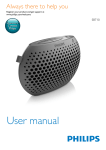
BT2600
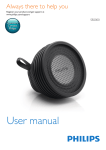
BT2650B
Contents
1Safety
2
2 Your Portable Speaker
3
Introduction3
What's in the box
3
Overview of the speaker
4
3 Get started
5
5
5
4 Use Bluetooth devices
6
6
7
5 Listen to an external device
8
6 Adjust volume
9
Charge the built-in battery
Turn on the speaker
Connect a device
Play audio via Bluetooth
7 Product information
10
General information
10
Bluetooth10
Amplifier
10
8Troubleshooting
11
General11
About Bluetooth device
11
9Notice
12
Compliance12
Care of the environment
12
Trademark notice
13
Copyright13
EN
1
1Safety
•
•
•
•
•
•
•
•
Do not use this apparatus near water.
Do not place near any heat sources such
as radiators, heat registers, stoves, or
other apparatus (including amplifiers) that
produce heat.
Only use attachments/accessories specified
by the manufacturer.
The product shall not be exposed to
dripping or splashing.
Do not place any sources of danger on the
product (e.g. liquid filled objects, lighted
candles).
Battery shall not be exposed to excessive
heat such as sunshine, fire or the like.
Danger of explosion if battery is incorrectly
replaced. Replace only with the same or
equivalent type.
Batteries contain chemical substances, so
they should be disposed of properly.
Caution
•• Removal of the built-in battery invalidates the warranty
and may destroy the product.
•• These servicing instructions are for use by qualified
service personnel only. To reduce the risk of electric
shock do not perform any servicing other than that
contained in the operating instructions unless you are
qualified to do so.
Always bring your product to a professional to
remove the built-in battery.
2
EN
Note
•• Rechargeable batteries have a limited number of charge
cycles. Battery life and number of charge cycles vary by
use and settings.
Warning
•• Never remove the casing of this product.
•• Never lubricate any part of this product.
•• Never place this product on other electrical equipment.
•• Keep this product away from direct sunlight, naked
flames or heat.
2 Your Portable
Speaker
Congratulations on your purchase, and
welcome to Philips! To fully benefit from the
support that Philips offers, register your product
at www.philips.com/welcome.
Introduction
With this speaker, you can
• listen to audio from an external device via
Bluetooth connection,
• listen to audio from an external device
through an audio input cable, and
• make phone calls.
What's in the box
Check and identify the contents of your
package:
• Main unit
• USB cable
• Short user manual
• Safety sheet
EN
3
Overview of the speaker
a
b
c
e
d
a
b
/MULTIPAIR
• In Bluetooth mode, press and hold to
enter pairing mode.
• Press to answer an incoming call.
• Press to end the current call.
• Press and hold to reject an incoming
call.
• Turn on or turn off the product.
• Adjust volume.
c Bluetooth and power indicator
d AUDIO IN
• Connect external audio devices.
e DC IN
• Charge the speaker via USB cable.
4
EN
3 Get started
Always follow the instructions in this chapter in
sequence.
Charge the built-in battery
The speaker is powered by a built-in
rechargeable battery.
Turn on the speaker
Rotate the knob to turn on or turn off the
speaker.
• Bluetooth mode(with Bluetooth indicator
flashing blue): Listen to an external
Bluetooth device through Bluetooth
connection.
• OFF: Turn off this product.
ON
Note
•• Before use, fully charge the built-in battery.
•• The micro USB socket is for charging only.
OFF
Connect the USB cable between
• the micro USB socket on the speaker, and
• a USB socket on your computer.
Battery indicator
The LED indicator indicates the battery status.
Indicator
Battery
Solid red
Off
Flashing red
Under charging
Fully charged
Low power
EN
5
4 Use Bluetooth
devices
With this speaker, you can listen to audio from
a player and make a call through Bluetooth.
Note
•• WOOX Innovations does not guarantee the
compatibility with all Bluetooth devices.
•• Before pairing a device with this product, read its user
manual for Bluetooth compatibility. Make sure that the
connected Bluetooth device supports the Advanced
Audio Distribution Profile (A2DP) and the Audio Video
Remote Control Profile (AVRCP).
•• The product can memorize a maximum of 4 paired
devices.
•• Make sure that Bluetooth function is enabled on your
device, and your device is set as visible to all other
Bluetooth devices.
•• The operational range between this product and a
Bluetooth device is approximately 10 meters (30 feet).
•• Any obstacle between this product and a Bluetooth
device can reduce the operational range.
•• Keep away from any other electronic device that may
cause interference.
Connect a device
1
Rotate the knob to turn on the speaker.
»» The Bluetooth indicator flashes blue.
2
On your device, search for Bluetooth
devices.
3
In the device list, select Philips BT2600.
• If a message prompts for the
permission for Bluetooth connection
with Philips BT2600, confirm it.
• If a password is required, enter 0000
and then confirm.
»» The speaker beeps twice and the
Bluetooth indicator turns to solid blue
when the Bluetooth connection is
successful.
6
EN
• If you fail to search for Philips BT2600,
press and hold /MULTIPAIR to enter
pairing mode.
Bluetooth indicator
The LED indicator on the top indicates the
status of Bluetooth connection.
Indicator
Bluetooth connection
Flashing
blue
quickly
Flashing
blue
slowly
Solid blue
Pairing
Connecting
Connected
Connect two Bluetooth devices
simultaneously
You can pair and connect a maximum of two
Bluetooth-enabled devices to this product
actively at the same time.
• If the speaker is already connected to one
device, press and hold /MULTIPAIR to
enter pairing mode.
»» The Bluetooth indicator flashes blue
quickly and the speaker beeps once.
»» The speaker enters pairing mode,
and gets ready to pair with a new
Bluetooth device.
»» The previous device is still connected
to the speaker.
• If the speaker is connected to two
devices at the same time and only one
device is playing music, press and hold
/MULTIPAIR to enter pairing mode.
»» The idle device is disconnected.
»» The Bluetooth indicator flashes blue
quickly and the speaker beeps once.
• If the speaker is connected to two
devices at the same time and none of
them are playing music, press and hold
/MULTIPAIR to enter pairing mode.
»» The first connected device is
disconnected.
»» The Bluetooth indicator flashes blue
quickly and the speaker beeps once.
Note
•• If you want to pair a third device, pause the music
playback one of the connected device first, then press
and hold /MULTIPAIR until you hear a single beep to
enter pairing mode.
•• If there is no Bluetooth connection after 15 minutes,
the speaker goes to standby mode automatically for
power saving.
•• Rotate the knob to turn on the speaker if the
speaker goes to standby mode.
Reconnect a device
•
•
For a paired Bluetooth device on which
the automatic reconnection is enabled,
this product reconnects with it once it is
detected.
For a paired Bluetooth device that does
not support the automatic reconnection,
reconnect it with this product manually.
Control your phone call
After Bluetooth connection, you can control an
incoming call with this speaker.
Button
Functions
Press to answer an incoming call.
During a call, press to end the current
call.
Press and hold to reject an incoming
call.
During a call, press and hold to
transfer the phone call to your mobile.
When there is another incoming call
during a call, you can
• press to end the current call and
answer the another call.
• press twice to reject the another
call.
• press and hold for two seconds to
hang on the current call and answer
the another call.
Note
Play audio via Bluetooth
•• You can talk through the microphone of the speaker.
•• Music play pauses when there is an incoming call, and
resumes when your phone call ends.
Note
•• If there is an incoming call on the connected mobile
phone, audio play pauses.
After successful Bluetooth connection, play
audio on the Bluetooth device.
»» Audio streams from your Bluetooth
device to the speaker
EN
7
5 Listen to an
external device
You can also listen to an external audio device,
for example, MP3 player, through this product.
Note
•• Make sure that music playback through Bluetooth is
stopped.
1
2
Rotate the
3
Play audio on the external device (refer to
its user manual).
8
EN
knob to turn on the speaker.
Connect an audio input cable with 3.5mm
plug on both ends between
• the AUDIO IN socket on this product,
and
• the headphone socket on the external
device.
6 Adjust volume
Rotate the volume knob to increase or
decrease the volume.
EN
9
7Product
information
Note
•• Product information is subject to change without prior
notice.
General information
Power Supply (through
USB socket)
Built-in Battery
Dimensions - Main Unit
(W x H x D)
Weight - Main Unit
5V
1A
Lithium battery
(750 mAh, 3.7 V)
107 X 32 X 97
mm
0.2 kg
Bluetooth
Bluetooth specification
Supported profiles
Range
V3.0
HFP, HSP, A2DP
10 m (Free space)
Amplifier
Rated Output Power
Signal to Noise Ratio
AUDIO IN
10
EN
3.5 W RMS
> 72 dBA
650 mV RMS, 22
kOhm
8Troubleshooting
Warning
•• Never remove the casing of this product.
To keep the warranty valid, never try to repair
the product yourself.
If you encounter problems when using this
device, check the following points before
requesting service. If the problem remains
unsolved, go to the Philips Web page (www.
philips.com/support). When you contact the
Consumer Care, make sure that the product
is nearby and the model number and serial
number are available.
Cannot connect with the device.
•• The Bluetooth function of the device is not
enabled. Refer to the user manual of the
device for how to enable the function.
•• This product is already connected with
another Bluetooth-enabled device.
Disconnect that device and then try again.
The paired device connects and disconnects
constantly.
•• The Bluetooth reception is poor. Move the
device closer to this product or remove
any obstacle between them.
•• For some devices, Bluetooth connection
may be deactivated automatically as a
power-saving feature. This does not indicate
any malfunction of this product.
General
No power
• Recharge your speaker.
No sound
•• Adjust volume on this product.
•• Adjust volume on the connected device.
•• Make sure that your Bluetooth device is
within the effective operational range.
No response from the speaker
•• Restart the speaker.
About Bluetooth device
The audio quality is poor after connection
with a Bluetooth-enabled device.
•• The Bluetooth reception is poor. Move the
device closer to this product or remove
any obstacle between them.
EN
11
9Notice
Any changes or modifications made to this
device that are not expressly approved by
Gibson Innovations may void the user’s
authority to operate the equipment.
Compliance
This product complies with the radio
interference requirements of the European
Community.
Declaration of conformity
Hereby, Gibson Innovations declares that this
product is in compliance with the essential
requirements and other relevant provisions
of Directive 1999/5/EC. You can find the
Declaration of Conformity on www.philips.com/
support.
Care of the environment
Disposal of your old product and battery
Your product is designed and manufactured
with high quality materials and components,
which can be recycled and reused.
12
EN
This symbol on a product means that the
product is covered by European Directive
2012/19/EU.
This symbol means that the product contains
a built-in rechargeable battery covered by
European Directive 2013/56/EU which cannot
be disposed of with normal household waste.
We strongly advise you to take your product to
an official collection point or a Philips service
centre to have a professional remove the
rechargeable battery.
Inform yourself about the local separate
collection system for electrical and electronic
products and rechargeable batteries. Follow
local rules and never dispose of the product
and rechargeable batteries with normal
household waste. Correct disposal of old
products and rechargeable batteries helps
prevent negative consequences for the
environment and human health.
Environmental information
All unnecessary packaging has been omitted.
We have tried to make the packaging easy to
separate into three materials: cardboard (box),
polystyrene foam (buffer) and polyethylene
(bags, protective foam sheet.)
Your system consists of materials which can
be recycled and reused if disassembled by
a specialized company. Please observe the
local regulations regarding the disposal of
packaging materials, exhausted batteries and old
equipment.
Trademark notice
The Bluetooth word mark and logos are
registered trademarks owned by Bluetooth
SIG, Inc. and any use of such marks by Gibson
is under license. Other trademarks and trade
names are those of their respective owners.
Copyright
2015 © Gibson Innovations Limited. All rights
reserved.
This product has been manufactured by, and
is sold under the responsibility of Gibson
Innovations Ltd., and Gibson Innovations Ltd. is
the warrantor in relation to this products.
Philips and the Philips’ Shield Emblem are
registered trademarks of Koninklijke Philips N.V.
and are used under license from Koninklijke
Philips N.V.
EN
13
2015 © Gibson Innovations Limited. All rights reserved.
This product has been manufactured by, and is sold under the responsibility of Gibson Innovations
Ltd., and Gibson Innovations Ltd. is the warrantor in relation to this product.
Philips and the Philips Shield Emblem are registered trademarks of Koninklijke Philips N.V. and are
used under license from Koninklijke Philips N.V.
BT2600_BT2650B_00_UM_V1.0