1
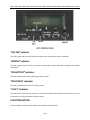
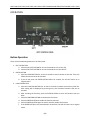
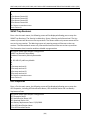
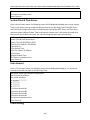
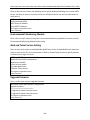
XPRT‐1000, XPRT‐1500, XPRT‐2000, XPRT‐3000 USER’S MANUALUNINTERRUPTIBLE POWER SUPPLY (UPS) OPERATION Button Operation There are three operating buttons on the front panel. 1. ON / OFF BUTTON a. Push the ON / OFF BUTTON for at least 3 seconds to turn on the UPS b. Push the ON / OFF BUTTON for at least 5 seconds to turn the UPS off 2. ENTER BUTTON a. Push the ENTER BUTTON for at least 2 seconds to check content of the UPS. There are fifteen functions that can be checked. b. If you do not press the ENTER BUTTON within 10 seconds, the LCD will return to its original status. 3. FUNCTION BUTTON a. Push the FUNCTION BUTTON for at least 2 seconds to choose the function you’d like. Each setting will be displayed by pressing once, with fourteen functions that can be checked. b. After choosing the function, push the ENTER BUTTON to enter the function that you want. c. Push the FUNCTION BUTTON to choose other functions. d. Push the ENTER BUTTON to enable the function selected. e. Push the ENTER BUTTON again to confirm and fully enable the function. f. If the ENTER BUTTON is not pressed within 10 seconds, the UPS will return to its original status. [20]