Transcript
®
The All-Round Flashlight Expert
Features
·Utilizes a CREE XM-L2 U2 LED
·Maximum output of up to 1000 lumens
·Integrated “Precision Digital Optics Technology” provides extreme reflector
performance
·Boasts a peak beam intensity of 13,500 cd and a throw distance of up to 232
meters
·Innovative single button offers access to four brightness levels and three special
modes
·High efficiency constant current circuit provides max runtime of 520 hours
·Integrated power indicator light displays remaining battery power (patented)
·Power indicator’s secondary function displays battery voltage (accurate to 0.1V)
·Charging module with a micro USB port charges Li-ion batteries rapidly
·Direct access to ultra-low output
·Reverse polarity protection prevents damage from incorrectly inserted batteries
·Constructed from aero grade aluminum alloy with HAIII military grade
hard-anodized finish
·Waterproof in accordance to IPX-8 (two meters submersible)
·Impact resistant to 1.5 meters
·Tail stand capability
Dimensions
Length: 130mm (5.12”)
Head diameter: 25.4mm (1”)
Tube diameter: 25.4mm (1”)
Weight: 75g (2.65oz)(without battery)
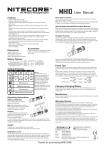
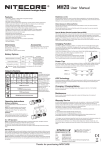
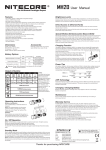
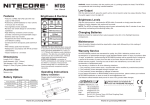
MH10
User Manual
brightness level, simply release the switch when that level is being displayed. This
mode has memory effect to ensure direct access to the previously used brightness
level when the MH10 is resumed.
Direct access to ultra-low
With the MH10 switched off, press and hold the switch for more than 1 second to
enter ultra-low output (1 lumen);
Note: When in high output, the MH10 will reduce output luminance automatically after
5 minutes of use to prevent overheating and extend battery longevity.
Special Modes (Strobe/SOS/Location Beacon)
Press the switch twice in quick succession in any state to enter strobe mode. When in
strobe mode, press and hold the switch for more than 1 second to cycle through SOS,
location beacon and strobe modes. To exit, simply press the switch again. The MH10
does not have memory effect in any of these special modes.
Charging Function
The MH10 is capable of charging one 18650 Li-ion battery with the included USB
charging cable. Connect the USB cable to the MH10's charging port and a power
source (USB chargers, PC or other power terminals) as shown in the adjacent image.
Fully charging one depleted 18650 battery takes approximately 6 hours.
Accessories
Nitecore NL183 battery, USB charging cable,
holster, clip, lanyard, spare USB port cover,
spare O-ring
Battery Options
TYPE
Nominal voltage
Compatible
CR123
3V
Y (Recommended)
18650 Rechargeable Li-ion battery
18650
3.7V
Y (Recommended)
Rechargeable Li-ion battery
RCR123
3.7V
N
Output & Runtime
HIGH
MID
LOW
LOWER
1000
240
70
1
1×18650 2×CR123
LUMENS
LUMENS
LUMENS
LUMEN
1h15min
6h
28h
520h
1h
5h15min
20h
300h
232m (Beam Distance)
13500cd (Peak Beam Intensity)
1.5m (Impact Resistant)
NOTICE
The stated data has been
measured in accordance with
the international flashlight
testing standards ANSI/NEMA
FL1, using 1xNitecore 18650
battery (3.7V, 2600mAh) or
2xNitecore CR123 batteries
(3V, 1700mAh) under
laboratory conditions. The data
may vary in real-world use due
to different battery use or
environmental conditions.
Under normal charging conditions, the blue power indicator light will illuminate
steadily to notify users. When charging is complete, the MH10 will terminate the
charging process automatically and the blue power indicator goes out.
Power Tips
1. When the light is on, the power indicator will blink once every two seconds when
power level drops to 50%; the power indicator will blink quickly when power level is
low.
2. After battery installation, the blue power indicator will blink to indicate battery
voltage (accurate to 0.1V). For example, when battery voltage is at 4.2V, the blue
power indicator will blink 4 times, followed by a one second pause and another 2
blinks. Different voltages represent the corresponding remaining battery power levels:
1 x 18650 battery
2 x CR123 batteries
Low power
3.7V
3.9V
4.2V
Full power
4.8V
5.6V
6.0V
6.4V
Changing /Charging Battery
IPX-8, 2m (Waterproof AND Submersible)
NITECORE (SYSMAX) is a member of PLATO, participating in and helping to develop
the ANSI FL1 standard of measurement. Product testing data is in accordance with
these internationally recognized scientific standards.
Batteries should be recharged or replaced when any of the followings occurs: The
power indicator blinks rapidly, output appears to be dim or the flashlight becomes
unresponsive.
Maintenance
Every 6 months, threads should be wiped with a clean cloth followed by a thin coating
of silicon-based lubricant.
Operating Instructions
Battery installation
Insert 1x18650 battery or 2xCR123
batteries as illustrated.
Warranty Service
Note: After loading batteries, the blue
power indicator will blink to indicate battery
voltage.Please refer to “Power Tips”
section of this manual for details.
WARNING
1. Ensure batteries are inserted with the
positive (+) ends pointing to the head. The
MH10 will not be operational with
incorrectly inserted batteries.
2. When the MH10 is kept in a backpack or
left unused for extended periods of time, Nitecore recommends all batteries are
removed to prevent accidental activation of the flashlight or battery leakage.
All NITECORE® products are warranted for quality. Any DOA/defective product can
be exchanged for a replacement through a local distributor/dealer within the 15 days
of purchase. After 15 days, all defective / malfunctioning NITECORE® products can
be repaired free of charge for a period of 60 months (5 years) from the date of
purchase. Beyond 60 months (5 years), a limited warranty applies, covering the cost
of labor and maintenance, but not the cost of accessories or replacement parts.
The warranty is nullified in all of the following situations:
1. The product(s) is/are broken down, reconstructed and/or modified by unauthorized
parties.
2. The product(s) is/are damaged through improper use.
3. The product(s) is/are damaged by leakage of batteries.
For the latest information on NITECORE® products and services, please contact a
local NITECORE® distributor or send an email to [email protected].
The Nitecore official website shall prevail in case of any product data changes.
ON/OFF
To switch ON: Press the switch until a click is heard
To switch OFF: Press the switch once again until a click is heard
Brightness Levels
Full power
3.5V
Low power
With the MH10 switched on, press and hold the switch for more than 0.5 second to
cycle through brightness levels of ultra-low, low, medium and high. To select a desired
SYSMAX Industry Co., Ltd.
TEL:
FAX:
E-mail:
Web:
Address:
Please follow our facebook for
more info: NITECORE Flashlights
+86-20-83862000
+86-20-83882723
[email protected]
www.nitecore.com
Rm1401-03, Glorious Tower, 850 East Dongfeng Road,
Guangzhou, China 510600
Thanks for purchasing NITECORE!
20150112
Primary Lithium battery