1
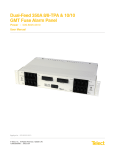
Dual 600A BDFB/BDCBB
Power :: 007-0001-260X
User Manual
Applies to: 007-0001-2600 :: 007-0001-2602 :: 007-0001-2602-TFD4 :: 007-0001-2602-TFD6 :: 007-0001-2602-4 ::
007-0001-2602-6
© Telect, Inc., All Rights Reserved, 122645-8 A0
1.509.926.6000 :: telect.com
1
Dual 600A BDFB/BDCBB
Power :: 007-0001-260X
Table of Contents
Chapter 1: Dual 600A BDFB/BDCBB Description ........................................................................................................... 3
1.1 Overview ........................................................................................................................................................................................... 3
1.1.1 Capabilities .................................................................................................................................................................................. 3
1.1.1.1 Each Panel ................................................................................................................................................................................ 3
1.1.1.2 Full Bay of Four Panels ............................................................................................................................................................. 3
1.1.2 Features ...................................................................................................................................................................................... 3
1.1.2.1 TFD Models .............................................................................................................................................................................. 3
1.1.2.2 007-0001-2602-X Models .......................................................................................................................................................... 3
1.2 Specifications .................................................................................................................................................................................... 6
Chapter 2: Installation ...................................................................................................................................................... 14
2.1 Installation Considerations ...............................................................................................................................................................14
2.1.1 Tools and Equipment ................................................................................................................................................................. 14
2.1.2 Bay Layout ................................................................................................................................................................................. 14
2.2 Inspection ........................................................................................................................................................................................ 14
2.3 Panel Installation ............................................................................................................................................................................. 15
2.4 Cable Installation ............................................................................................................................................................................. 19
2.4.1 Install Ground Cabling ...............................................................................................................................................................19
2.4.2 Install Input Cabling .................................................................................................................................................................. 20
2.4.3 Install Intrabay and Interbay Cabling ........................................................................................................................................ 22
2.4.4 Install Alarm Cabling ................................................................................................................................................................ 23
2.4.5 Test Inputs and Alarms Without Breakers ................................................................................................................................. 24
2.4.6 Install Output Cabling ............................................................................................................................................................... 24
2.5 Circuit Breaker Installation .............................................................................................................................................................. 26
Chapter 3: Output Testing ............................................................................................................................................... 28
Chapter 4: Service ........................................................................................................................................................... 29
4.1 Owner Maintenance ........................................................................................................................................................................ 29
4.2 In-Warranty Service ........................................................................................................................................................................ 29
4.3 Out-Of-Warranty Service ................................................................................................................................................................ 29
4.4 Repacking for Shipment .................................................................................................................................................................. 29
Chapter 5:
Chapter 6:
Chapter 7:
Chapter 8:
Accessories ................................................................................................................................................... 30
Installing Optional Double-pole Adapter Kit................................................................................................ 32
BDFB/BDCBB Shunt/Metering Information ................................................................................................ 34
BDFB/BDCBB Digital Metering Panel Installation Instructions ................................................................ 38
© Telect, Inc., All Rights Reserved, 122645-8 A0
1.509.926.6000 :: telect.com
2
Dual 600A BDFB/BDCBB
Power :: 007-0001-260X
Chapter 1: Dual 600A BDFB/BDCBB Description
1.1 Overview
Telect’s Dual 600A Battery Distribution Fuse Board / Circuit
Breaker Board (BDFB / BDCBB), model 007-0001-2600, contains
two non-shared sets of input buses. Both sets of -48 VDC/RTN
input buses are capable of 600A primary distribution feed to 18
circuit breaker output positions.
The open-frame architecture of the BDFB / BDCBB allows
unrestricted top-down or bottom-up cabling of inputs and outputs.
The front panel contains 18 circuit breaker positions per feed for
a total of 36 per panel. Each position accepts a standard "bullet
terminal" circuit breaker or TFD holder rated up to 100A. VDC
Power LED, Fuse Alarm LED, and input voltage test points on the
standard removable alarm panel provide input/feed monitoring.
Note: Input current test points require an optional shunt and
cabling. Optional removable alarm panels provide digital voltage
and current meters. Contact telect.com for availability. [See the
"Accessories" section on page 33.]
Telect’s Dual 600A BDFB / BDCBB fits standard 19-in. or 23-in.
racks set up for either EIA or WECO mounting. Up to four panels
can be arranged in a bay to provide up to 2400A per feed (4800A
per bay). (When installing four panels in a bay, a 23-in. bay is
better than a 19-in. bay for reduced cable congestion.)
Figure 1 - Battery Distribution Fuse Board
1.1.1 Capabilities
1.1.1.1 Each Panel
1.1.2.1 TFD Models
•
•
•
•
•
•
•
Dual feed
600A (Max., Continuous) per feed
800A (Max.) interrupt device per feed
18 outputs per feed; 36 outputs per panel
•
•
1.1.1.2 Full Bay of Four Panels
•
•
•
•
Dual feed
2400A (Max., Continuous) per feed
3200A (Max.) interrupt device per feed
72 outputs per feed; 144 outputs per bay
1.1.2.2 007-0001-2602-X Models
•
•
•
1.1.2 Features
•
•
•
•
•
•
•
Suitable for primary or secondary distribution
Modular design expands capability of rack to as much as
4800A
Open architecture provides easy input/output cabling
Top-down or bottom-up cabling
Standard "bullet terminal" circuit breakers (up to 100A per
position)
Optional TFD holders allow use of TPS or TLS fuses
Alarm and battery (BATT) monitor overcurrent protection
© Telect, Inc., All Rights Reserved, 122645-8 A0
1.509.926.6000 :: telect.com
All positions pre-loaded with CSI TFD-101-011-05 holders
Use TPS or TLS fuses for distribution/protection
400A or 600A shunts pre-installed for current measurement
capability
Digital alarm card for enhanced visual display
Includes 19" rear cover for safety protection
400A or 600A shunts pre-installed for current measurement
capability
Digital alarm card for enhanced visual display
Includes 19” rear cover for safety protection
Note: Current readings on the digital meter panel are specified to
be accurate to 0.5mV at greater than 10 mV, or within 1% at levels
greater than 20% of max shunt rating. Accuracy at the test points
are 0.1 mV down to 1 mV.
3
Dual 600A BDFB/BDCBB
Power :: 007-0001-260X
Figure 2 - Front
© Telect, Inc., All Rights Reserved, 122645-8 A0
1.509.926.6000 :: telect.com
4
Dual 600A BDFB/BDCBB
Power :: 007-0001-260X
Figure 3 - Rear
© Telect, Inc., All Rights Reserved, 122645-8 A0
1.509.926.6000 :: telect.com
5
Dual 600A BDFB/BDCBB
Power :: 007-0001-260X
1.2 Specifications
Mechanical Interface
Specifications
Ground Terminals
Quantity:
Stud size:
Cable size:
2 pair
1/4-in.
Up to #1/0 AWG (one per lug), depending on input interruption device
Lug:
Dual-hole compression lug with 1/4-in. dia. holes (7 mm) on 3/4-in. (19 mm) centers1
Input Terminal Bus Plate
Output Breakers & Terminals
Output RTN Terminal Bus Plate
Alarm Terminals, Standard
Input Test Points (each side)
Standard Test Points
Optional Test Points4
1
2
3
4
Lug fasteners:
1/4-20 KEPS nuts and flat washers
Socket size for nut:
7/16-in. (12 mm)
Maximum torque:
6 ft-lb (8.13 N•m)
Number of plates:
Total 4: 1 BATT & 1 RTN per feed. Each terminal plate capable of supporting up to
two, dual-hole input lugs (standard configuration)2
Hole size in plate:
.406-in. dia. (10 mm) on 1-in. (25.4 mm) centers
Cable size:
One 750/777.7MCM (max.) per -48VDC or RTN lug. (Size of cable depends on size
of input interruption device and plant voltage drop requirements)
Lug:
Dual-hole compression for hole and cable size specified above3
Lug fasteners:
Grade 2, 3/8-16 bolts, nuts, lock washers, and flat washers
Socket size:
9/16-in. (14 mm) for bolt heads and nuts
Maximum torque:
17 ft-lb (~23 N•m)
Breaker terminals:
Total 36 (18 per feed), bullet-style
Quantity:
One per single or double breaker
Stud size:
1/4-in.
Cable size:
For single-pole breakers, one, #2 AWG (max.) per lug
For double-pole breakers, one, #1/0 AWG (max.) per lug3
Lugs:
Dual-hole compression with 1/4-in. dia. holes on 5/8-in. (19 mm) centers2
Lug fasteners:
1/4-20 KEPS nuts and flat washers
Socket size for nut:
7/16-in (12 mm)
Maximum torque:
6 ft-lb (8.13 N•m)
Number of plates:
One bus plate per feed accommodates 18 output RTN lugs
Hole size in plates:
1/4-in. dia. (7 mm) on 5/8-in. (19 mm) centers
Cable size:
For single-pole breakers, one #2 AWG (max.) per lug
For double-pole breakers, one #1/0 AWG (max. ) per lug3
Lugs:
Dual-hole compression for hole and cable size specified above2
Lug fasteners:
Grade 2, 1/4-20 bolts, KEPS nuts, and flat washers
Socket size:
7/16-in. (12 mm) for bolt heads and nuts
Maximum torque:
6 ft-lb (8.13 N•m)
Quantity:
6 contacts per side for NO or NC power and breaker (fuse) alarms
Type:
Cage clamp (WAGO style)
Wire size:
18-24 AWG
For .080-in. test probes, where BLK is meter common and RED is meter volts:
VDC
AMPS, where 1mV scale = 16A
See Lug Chart on page 13 for approved manufacturers.
Up to four dual-hole input lugs with the optional RTN external bus bar extension kit.
Double-pole breakers require an optional two-pole adapter.
Requires an optional shunt.
© Telect, Inc., All Rights Reserved, 122645-8 A0
1.509.926.6000 :: telect.com
6
Dual 600A BDFB/BDCBB
Power :: 007-0001-260X
Electrical Interface
Specifications
Operating voltages
-48 VDC nominal (-40 to -60 VDC range)
Maximum input interruption device
800A per feed
Maximum continuous input load
600A per feed per panel
Maximum output interruption device
100A per single-pole breaker
200A per double-pole breaker
125A per TFD holder
Maximum continuous output load
80A per single-pole breaker
160A per double-pole breaker
100A per TFD holder
Max. voltage drop
.25 VDC
Max. surface temperature of breakers at 26°C
(79°F) ambient
37°C (99°F)
Max. panel heat dissipation at full load
225W/m2 per meter (20.9W/ft2/ft)
Percentage of full load heat dissipation
Less than 0.5%
Alarm relay contacts
2A @ 30 VDC
0.6A @ 60 VDC
Max. alarm card power rating
@ 20V:
@ 24V:
@ 27V:
@ 30V:
@ 42V:
@ 48V:
@ 56V:
@ 60V:
Physical/Environmental
Specifications
35 mA (0.70 W)
44 mA (1.06 W)
48 mA (1.30 W)
51 mA (1.53 W)
59 mA (2.48 W)
64 mA (3.07 W)
69 mA (3.86 W)
73 mA (4.38 W)
Shipping weight
~150 lb (~70 kg)
Weight without packaging or breakers
63 lb (29 kg)
Rack mounting
19" or 23" EIA/WECO (482.6 mm or 584.2 mm)
Operating temperature range
-5°C to 55°C (23°F to 131°F)
Storage temperature range
-40°C to 85°C (-40°F to 185°F)
Humidity
0-90%, non-condensing
© Telect, Inc., All Rights Reserved, 122645-8 A0
1.509.926.6000 :: telect.com
7
Dual 600A BDFB/BDCBB
Power :: 007-0001-260X
Figure 4 - Rear, Top, and Front Views
© Telect, Inc., All Rights Reserved, 122645-8 A0
1.509.926.6000 :: telect.com
8
Dual 600A BDFB/BDCBB
Power :: 007-0001-260X
© Telect, Inc., All Rights Reserved, 122645-8 A0
1.509.926.6000 :: telect.com
9
Dual 600A BDFB/BDCBB
Power :: 007-0001-260X
Figure 5 - Left Side View
© Telect, Inc., All Rights Reserved, 122645-8 A0
1.509.926.6000 :: telect.com
10
Dual 600A BDFB/BDCBB
Power :: 007-0001-260X
Figure 6 - Schematic 1
© Telect, Inc., All Rights Reserved, 122645-8 A0
1.509.926.6000 :: telect.com
11
Dual 600A BDFB/BDCBB
Power :: 007-0001-260X
Figure 7 - Schematic 2
© Telect, Inc., All Rights Reserved, 122645-8 A0
1.509.926.6000 :: telect.com
12
Dual 600A BDFB/BDCBB
Power :: 007-0001-260X
Table 1 - Lug Chart
Rack Ground Terminals (for #1/0 AWG)1
Flex Cable (266 Strand)
Burndy
Panduit
YAV25L2TC14E2FX
LCD2/0-14BX
Code Cable (19 Strand)
Burndy
Panduit
YA25L2TC14E2
LCD1/0-14B-X
Flex Cable (1850 Strand)
Burndy
T&B
YA44L2NT38FX
58825NT
Code Cable (61 Strand)
Burndy
YA39L2TC38
#1 AWG
Burndy
YA1XL2NT14
#2 AWG
Burndy
Panduit
YA2CL2NT14
LCDN2-14A-Q
Input Terminals (for 750MCM, Nominal)
Load & RTN Terminals
1
Grounding lugs included with the panel are 1 lug for 1/0 AWG and 1 lug for #1 AWG.
© Telect, Inc., All Rights Reserved, 122645-8 A0
1.509.926.6000 :: telect.com
13
Dual 600A BDFB/BDCBB
Power :: 007-0001-260X
Chapter 2: Installation
2.1 Installation Considerations
!
ALERT
ALERT! Only qualified personnel may install and maintain this product. Verify that all connections meet requirements
specified in local electric codes and your company guidelines before supplying power. Protect this equipment with a fuse or
breaker sufficient to interrupt power levels specified in Chapter 1 of this manual.
2.1.1 Tools and Equipment
7/16-in. (or 12 mm) socket for 1/4-in. bolts and KEPS nuts
9/16 (or 14 mm) socket for 3/8-in. bolts and nuts
#2 Phillips screwdriver (screwdriver for cross-recessed screws)
Standard electrical cabling tools (cable lacing, crimping and stripping tools, cable cutters, etc.)
2.1.2 Bay Layout
In a standard bay, each BDFB / BDCBB requires 10 EIA rack
positions (10 RU). Up to four BDFB / BDCBB panels can populate
a bay having either 19-in. or 23-in. racks (either EIA or WECO
spacing).
2.2 Inspection
Please read and understand all instructions before starting installation. If you have questions, contact Telect Technical Support at
[email protected] or call 1.509.926.6000.
When you receive the equipment, carefully unpack it and compare it to the packaging list. Please report any defective or
missing parts to Telect Quality at [email protected] or call
1.509.926.6000.
Telect is not liable for transit damage. If the product is damaged,
please report it to the carrier and contact Telect Quality.
Figure 8 - Dual 600A Front Bay Corner
© Telect, Inc., All Rights Reserved, 122645-8 A0
1.509.926.6000 :: telect.com
14
Dual 600A BDFB/BDCBB
Power :: 007-0001-260X
2.3 Panel Installation
1.
If applicable, remove the optional rear cover of panel (four 1/4-20 hex-head bolts).
Figure 9 - Removing the Cover
2.
Decide if input cables will be fed from bottom-up or top-down.
Note: Panels are shipped from the factory for top-down input cable entrance to bay. If you intend to feed input cables from the
bottom-up, you must reverse the input terminal plates, as instructed in the following procedure. If necessary, to change both input
buses from top-down to bottom-up input cable entrance, see Figure 10 and proceed as follows:
a. Remove the four, 3/8-in. hex-head cap screws securing each input bus assembly to the panel.
b. Rotate this assembly for input bus A and re-secure it where the bus B had been, and vice versa.
c. Torque the bolts to 18 ft-lb (~24 N•m)
© Telect, Inc., All Rights Reserved, 122645-8 A0
1.509.926.6000 :: telect.com
15
Dual 600A BDFB/BDCBB
Power :: 007-0001-260X
Figure 10 - Changing the Feed
© Telect, Inc., All Rights Reserved, 122645-8 A0
1.509.926.6000 :: telect.com
16
Dual 600A BDFB/BDCBB
Power :: 007-0001-260X
3. If the panel is to be mounted to a 19-in. rack, remove the adapter plate on each side of the panel (five, 1/4-20 KEPS nuts).
Figure 11 - Removing the Adapter Plate
4. If applicable, install optional shunts and cabling for current monitor. (See instructions included with the shunt kit.)
5. If applicable, install optional digital metering control module in place of the standard control module. (See the instructions included
with the metering control module.)
© Telect, Inc., All Rights Reserved, 122645-8 A0
1.509.926.6000 :: telect.com
17
Dual 600A BDFB/BDCBB
Power :: 007-0001-260X
6. Partially thread the two topmost fasteners (#12-20 screws, provided) for mounting the panel onto the bay.
Figure 12 - Threading the Fasteners
7. Place the panel’s keyhole mounting slots over the topmost fasteners.
8. Loosely secure the mounting flange with four additional fasteners along each side.
9. Torque all but the keyhole mounting fasteners to 35 in.-lb (4.29 N•m).
10. Remove the keyhole fasteners installed in Step 4, and re-install along with a flat washer and a lock washer. Torque as directed in
Step 9.
11. Install all other panels in bay before cabling.
© Telect, Inc., All Rights Reserved, 122645-8 A0
1.509.926.6000 :: telect.com
18
Dual 600A BDFB/BDCBB
Power :: 007-0001-260X
2.4 Cable Installation
Use Telect’s Wire Size Guide (Part Number 117995) for help in cable selection.
NOTE: Cables must conform to local operating company guidelines as well as national, regional, and local electrical codes.
Only use components and crimping tools approved by agencies or certifying bodies recognized in your country or region such as Underwriter’s Laboratories (UL), TUV, etc.
Follow the prescribed order in this subsection to install and test all cabling and alarm features:
2.4.1 Install Ground Cabling
2.4.2 Install Input Cabling
2.4.3 Install Intrabay & Interbay Cabling
2.4.4 Install Alarm Cabling
2.4.5 Test Inputs and Alarms Without Circuit Breakers
2.4.6 Install Output Cabling
2.4.1 Install Ground Cabling
!
DANGER
DANGER! Failure to properly ground this equipment can create hazardous conditions to installation personnel and to the
equipment.
A ground terminal is located near each of the panel’s mounting flanges. You need to connect to one of the grounds, as shown in Figure
13.
1.
Use a UL-approved crimping tool to attach a UL-approved, 2-hole compression lug onto a ground wire. Size of ground depends on
input interruption device. (Refer to NEC Article 250-122 or IEEE grounding guidelines. Also, check operating company guidelines.)
2.
Lightly coat anti-oxidant electrical joint compound on lug, grounding terminal, and surrounding contacting surface.
3.
Then, connect the lug to the terminal using a 1/4-in. KEPS nuts and washers from the studs.
© Telect, Inc., All Rights Reserved, 122645-8 A0
1.509.926.6000 :: telect.com
19
Dual 600A BDFB/BDCBB
Power :: 007-0001-260X
Figure 13 - Connecting the Lug
4. Torque the ground connection to 6 ft-lb (8.13 N•m).
5. Likewise, secure the connectorized opposite end of the ground cable to a bare metal portion of the bay’s frame or the conductor-tooffice-ground system. (If necessary, scrape paint from the frame and use electrical joint compound to ensure good ground contact.)
2.4.2 Install Input Cabling
•
•
•
For top-down input feeds, begin cabling to the topmost panel and then work your way down the bay.
For bottom-up input feeds, begin at the bottom and work your way up the bay.
Finish all input cabling in a bay before beginning any output cabling in that same bay.
NOTES:
•
Keep in mind that Feeds A and B are independent (unshared) feeds.
•
Input cabling to the BDFB/BDCBB must support 125% of the total, rated, continuous load currents of the equipment powered by the
BDFB/BDCBB. Remember: the maximum continuous load per feed is 600A.
•
Consider inherent voltage drop in determining input wire size. Remember to choose wire size based on the circuit breaker/fuse size
and not on the expected load. Use the standard formula to check wire size:
Max. VDC Drop = (11.1) x (fuse size) x (total wire length in ft)
(circular mils of wire used)
© Telect, Inc., All Rights Reserved, 122645-8 A0
1.509.926.6000 :: telect.com
20
Dual 600A BDFB/BDCBB
Power :: 007-0001-260X
Proceed as follows to cable inputs to each side of the panel:
1.
Use a UL-approved crimping tool to attach a UL-approved, dual-hole 750/777.7 MCM compression lugs onto appropriate cables.
2.
Insulate the lug barrels as required.
3.
Clean the terminal and lugs with a non-abrasive, non-metallic pad.
4.
Feed input cabling down (or up for a bottom-feed) into the rear central area of the panel - that is, between the output cable management brackets - to the topmost BDFB/BDCBB (or bottom-most for an up-feed).
5.
Lightly coat anti-oxidant electrical joint compound on lugs and -48 input terminal plates.
6.
Use a 3/8-16, grade 2 bolt, washers, and nut (all provided) to secure the first pair of -48 cabling to the -48 input bus terminal plate:
•
If you are using two lugs, remember to attach lugs to opposite faces of the terminal plate. DO NOT STACK LUGS on one side of
the terminal plate.
Always route cables in a neat, orderly manner to ensure that the cables exert no pulling or twisting forces on the input and return
terminal plates. DO NOT ALLOW TERMINAL PLATES to support the weight of or to restrain the cable.
•
NOTE: The input lugs on the top-most terminal (or bottom-most for an up-feed) are connected, as shown on the following page, so that
the lugs are held straight up on the sides of the terminal plate. Subsequent cables and lugs to the in-between panels in the bay can be
pivoted up to 25° off of vertical to allow easier cable management access throughout the bay.
Figure 14 - Input Cables
© Telect, Inc., All Rights Reserved, 122645-8 A0
1.509.926.6000 :: telect.com
21
Dual 600A BDFB/BDCBB
Power :: 007-0001-260X
7. Torque input BATT connections to 36 ft-lb (48.81 N•m).
8. In similar fashion, for the input RTN:
a. Use a UL-approved crimping tool to attach a UL-approved, dual-hole 750/777.7 MCM compression lugs onto appropriate RTN
cables.
b. Insulate lug barrels as required.
c. Clean the RTN terminal plate and lugs with a non-abrasive, non-metallic pad.
d. Lightly coat anti-oxidant electrical joint compound on lugs and RTN input terminal plates.
e. Use a 3/8-16, grade 2 bolts, washers, and nuts (all provided) to secure the first pair of RTN cabling to the RTN input bus terminal
plate. (See Figure 15.)
•
If you are using two lugs, remember to attach the lugs to opposite faces of the terminal plate. DO NOT STACK LUGS on one side
of the terminal plate.
Always route cables in a neat, orderly manner to ensure that the cables exert no pulling or twisting forces on the input and return terminal plates. DO NOT ALLOW TERMINAL PLATES to support the weight of or to restrain the cable.
Figure 15 - Securing the Input RTN
2.4.3 Install Intrabay and Interbay Cabling
The input -48 and RTN plates contain mounting holes for bus extensions to other panels in the same bay. Telect has busing and cabling
kits for all types of input extensions.
© Telect, Inc., All Rights Reserved, 122645-8 A0
1.509.926.6000 :: telect.com
22
Dual 600A BDFB/BDCBB
Power :: 007-0001-260X
2.4.4 Install Alarm Cabling
You can connect external indicators (monitors) to the BDFB/BDCBB alarm board. The external monitors can be wired to accept either a
normally open or closed circuit when the VDC PWR or FUSE ALM LEDs or other optional alarms are activated.
To connect power- and fuse-alarm circuits to the BDFB/BDCBB, proceed as follows:
1.
See Figure 16 and then remove four Phillips screws (screws with cross-recessed heads) securing the alarm panel.
2.
Carefully pull off and turn the alarm panel cover around.
3.
Strip off 1/4-in. of insulation on the end of a pair of 18-24 AWG alarm wires for each external alarm circuit desired.
4.
Select a common (C) contact and either a normally closed (NC) or normally open (NO) contact for each alarm desired:
•
For a C and NC pair, expect continuity (0 Ω) during normal operation and an open circuit (∞ Ω) for an alarm condition such as an
open breaker or a power failure.
•
For C and NO pair, expect an open circuit (∞ Ω) during normal operation and continuity (0 Ω) for an alarm condition such as an
open breaker or a power failure.
Figure 16 - Installing Alarm Cabling
5. For each contact, insert the WAGO tool (supplied) into the connector to release the contact’s cage-clamp jaws. Insert the wire and
then pull out tool to cinch.
6. When finished with Feed A and B alarm wiring, re-secure the alarm panel cover.
© Telect, Inc., All Rights Reserved, 122645-8 A0
1.509.926.6000 :: telect.com
23
Dual 600A BDFB/BDCBB
Power :: 007-0001-260X
2.4.5 Test Inputs and Alarms Without Breakers
1.
Make sure BDFB/BDCBB contains no circuit breakers.
2.
Turn on Feed A input power, then:
3.
•
Verify that the VDC PWR lamp turns green.
•
Verify that the FUSE ALM lamp is not lit.
Use a DVM with standard .080-in. test probes to verify power and polarity at the panel’s VDC test points for Feed A:
•
Connect panel RED (-48VDC) to meter RED (voltage).
•
Connect panel BLK (RTN) to meter BLK (common).
4.
Use an ohmmeter at alarm monitor to verify alarm conditions. With Feed A power OK and without any installed circuit breakers,
expect either continuity (0 Ω) between C and NC poles and/or an open circuit (∞ Ω) between C and NO.
5.
Repeat the procedure for Feed B.
2.4.6 Install Output Cabling
!
ALERT
ALERT! Feeds A and B may be powered. Use the voltmeter to verify, and then proceed accordingly.
Remember to finish all input cabling (including all intrabay and interbay input cabling) before proceeding with output cabling in that bay.
Proceed as follows to cable panel outputs:
1.
Use a UL-approved crimping tool to attach UL-approved, dual-hole compression lugs onto each pair of copper output and return
cables (up to #2 AWG), as required by NEC. Insulate the lug barrels as required. The size of the cables is determined by the size
of the breaker intended for that cable.
2.
Clean the terminals and lugs with a non-abrasive, non-metallic pad.
3.
Plan to route and restrain the cables along the outside of the cable management brackets, as shown in Figure 17.
Figure 17 - Routing and Restraining Cables
© Telect, Inc., All Rights Reserved, 122645-8 A0
1.509.926.6000 :: telect.com
24
Dual 600A BDFB/BDCBB
Power :: 007-0001-260X
4. For a breaker output a. Remove the washers and KEPS nuts from the appropriate output studs.
b. Lightly coat anti-oxidant electrical joint compound on both lug and studs.
c. Fit the lug onto studs, secure the lug with washers and KEPS nuts, and then tighten to 6 ft-lb (8.13 N•m).
5. For an output return a. Lightly coat anti-oxidant electrical joint compound on both lug and return terminal plates.
b. Use 1/4-20, grade 2 bolts, washers, and KEPS nuts to secure the lug.
c. Tighten nuts and bolts to 6 ft-lb (8.13 N•m).
6. Arrange cables neatly. Unless directed otherwise by operating company guidelines, it is best to use lacing cord to bundle and secure
cables.
7. If applicable, re-install the optional rear cover.
8. Install breakers as detailed in Section 2.5 - Circuit Breaker Installation on page 26.
9. Test the panel using the procedure in Chapter 3, Output Testing.
© Telect, Inc., All Rights Reserved, 122645-8 A0
1.509.926.6000 :: telect.com
25
Dual 600A BDFB/BDCBB
Power :: 007-0001-260X
2.5 Circuit Breaker Installation
!
CAUTION
CAUTION! Do not install breakers with breakers switched on. Doing so may damage breakers or panel.
Local electrical and operating company guidelines recommend that the individual load not exceed 80% of circuit breaker capacity (for example, 50A breaker x .80 = 40A max. load). Total continuous load for all outputs must not exceed 600A per bus.
!
CAUTION
CAUTION! Use of non-approved circuit breakers may cause severe damage to the alarm panel and/or digital metering panel.
USE OF NON-APPROVED CIRCUIT BREAKERS WILL VOID WARRANTY.
1. Remove the blank faceplate at the intended breaker position.
Figure 18 - Removing the Blank Plate
2. Before installing a breaker, screw the faceplate to the breaker as shown in Figure 19.
NOTE: Breakers are installed in the panel so that the OFF position is toward the outboard side of the panel. In other words, install
breakers so that the LOAD side is toward the outside edge of the panel; that is, LOAD should be on the right on Side B, as shown in
Figure 19, and on the left on Side A.
© Telect, Inc., All Rights Reserved, 122645-8 A0
1.509.926.6000 :: telect.com
26
Dual 600A BDFB/BDCBB
Power :: 007-0001-260X
3. Make sure the breaker is off and then install it firmly into the panel. Use the screw to secure the breaker to the panel.
Figure 19 - Connecting the Faceplate to the Breaker
4. Label output on the designation label next to the circuit breaker.
5. Proceed to test the BDFB/BDCBB, as outlined in the next section, Output Testing, before turning on circuit breakers for the first time.
© Telect, Inc., All Rights Reserved, 122645-8 A0
1.509.926.6000 :: telect.com
27
Dual 600A BDFB/BDCBB
Power :: 007-0001-260X
Chapter 3: Output Testing
!
ALERT
ALERT! Only qualified personnel may install and maintain this product. Verify that all connections meet requirements
specified in local electric codes or operating company guidelines before supplying power. Protect this equipment with a fuse
or breaker sufficient to interrupt power levels specified in Chapter 1 of this manual.
1.
For initial startup, make sure all BDFB/BDCBB circuit breakers and all inputs at output loads are
disabled (disconnected or off).
2.
With Feed A and B to panel turned on,
•
Verify the VDC PWR lamps turn green.
•
Verify that FUSE ALM lamps turn red.
NOTE: The FUSE ALM lamp will light if any circuit breaker on the corresponding bus is off.
3.
4.
Use a DVM with standard .080-in. test probes to verify power at the panel’s VDC test points for
Feed A:
•
Connect panel RED (-48VDC) to meter RED (voltage).
•
Connect panel BLD (RTN) to meter BLK (common).
Use an ohmmeter at the alarm monitor to verify alarm conditions for each feed.
With input feed OK, but with any circuit breaker OFF, expect the following feed conditions:
•
For the power alarm circuit, expect either continuity (0 Ω) between C and NC poles or an open
circuit (∞ Ω) between C and NO.
•
For the circuit breaker (fuse) alarm circuit, expect either an open circuit (∞ Ω) between C and
NC poles or continuity (0 Ω) between C and NO.
5.
Make sure power is disabled at the first load and then turn on the corresponding BDFB/BDCBB
circuit breaker.
6.
Use a DVM to test power and polarity at input terminals of load.
7.
Turn on the corresponding load and verify proper load operation.
8.
Repeat Steps 5 through 7 for all other breakers and corresponding loads. After the last breaker is
turned on, the FUSE ALM lamp must go off.
9.
Use an ohmmeter at the alarm monitor to verify the powered-up circuit breaker (fuse) alarm condition.
With all circuit breakers ON and powered up, expect either continuity (0 Ω) between C and NC
poles or an open circuit (∞ Ω) between C and NO.
Note: Current readings on the digital meter panel are specified to be accurate to 0.5mV at greater than
10 mV, or within 1% at levels greater than 20% of max shunt rating. Accuracy at the test points are 0.1
mV down to 1 mV.
Figure 20 - Alarm Panel
© Telect, Inc., All Rights Reserved, 122645-8 A0
1.509.926.6000 :: telect.com
28
Dual 600A BDFB/BDCBB
Power :: 007-0001-260X
Chapter 4: Service
!
CAUTION
CAUTION! Only qualified technicians may install and maintain this product.
4.1 Owner Maintenance
If you encounter technical difficulties, please use the online request form at www.telect.com under Support\Technical Support or call
Telect directly at 888.821.4856.
4.2 In-Warranty Service
Contact Telect’s quality call center 877.471.7245 or e-mail us at [email protected]. Telect will ship a new replacement product, along
with a return shipping lable and authorization information. When you receive your replacement product, pack up the defective product
and return it to Telect using the return label, box and any additional information provided.
4.3 Out-Of-Warranty Service
Follow the In-Warranty directions above. Telect charges a processing fee for out-of-warranty service, and you must submit a Purchase
Order along with a Return Material Authorization (RMA) before returning equipment. The processing fee guarantees a repair estimate
and is credited against actual material and labor costs. Call Telect’s quality call center at 877.471.7245 for more information.
4.4 Repacking for Shipment
1.
Tag the equipment showing owner’s name, address, and telephone number, together with a detailed description of the problem.
2.
Use the original shipping container if possible. If you do not have it, package the equipment in a way to prevent shipping damage.
Include the RMA inside the container and legibly print the RMA number on the outside of the package, near the shipping address.
3.
Insure the package.
© Telect, Inc., All Rights Reserved, 122645-8 A0
1.509.926.6000 :: telect.com
29
Dual 600A BDFB/BDCBB
Power :: 007-0001-260X
Chapter 5: Accessories
The following table lists optional and replacement items for the Dual 600A BDFB/BDCBB (007-0001-260X). Contact Telect for price and
availability. For input and output wiring and circuit breaker selection, please refer to the Wire Sizing & Label Convention Guide (Telect
Part Number 117995) included with your panel.
Item
Description
Part Number
Description
Part Number
Single-pole circuit breakers
(Magnetic, 65VDC, long delay,
slim line)1
1A
090-0052-1001
40A
090-0052-1040
2A
090-0052-1002
50A
090-0052-1050
3A
090-0052-1003
60A
090-0052-1060
5A
090-0052-1005
70A
090-0052-1070
10A
090-0052-1010
80A
090-0052-1080
15A
090-0052-1015
90A
090-0052-1090
20A
090-0052-1020
100A
No circuit breaker
TLS Fuses
(170VDC, 100kA)
090-0052-1100
2
30A
090-0052-1030
175A double-pole
135921
Blank plate kit
090-0001-0020
200A double-pole2
135922
Face plate/cover
090-0001-0021
Double-pole adapter kit;
position 17-18, 1" centers3
007-0000-0218
Double-pole adapter kit,
position 15-16, 1" centers3
007-0000-0216
80A
140640
110A
140643
90A
140641
125A
140644
100A
140642
3A
130479
25A
130476
5A
130481
30A
130478
6A
130483
40A
130482
10A
130485
50A
130484
15A
130487
60A
130486
20A
130489
70A
130488
TFD fuse holder
For TLS/TPS fuses
129816
Shunt kits
400A
007-0006-0400
600A
007-0006-0600
TPS Fuses
Item
Description
Part Number
Alarm/metering panel
Standard alarm with test points
007-0003-0001
Dual digital display with standard alarm and test points
007-0003-0002
ETSI bracket adapter kit
Use instead of EIA/WECO mounting brackets
007-0000-0100
Front cover, blank
Covers 17.5-in. space in a 19-in. rack
007-0000-0102
Covers 17.5-in. space in a 23-in. rack
007-0000-0103
Rear safety cover
Clear heat-resistant wrap
007-0000-0010
Designation label
For vertical array of 18 CB positions
122845
© Telect, Inc., All Rights Reserved, 122645-8 A0
1.509.926.6000 :: telect.com
30
Dual 600A BDFB/BDCBB
Power :: 007-0001-260X
Item
Description
Internal bus kits
Part Number
4
Links BATT inputs buses of two BDFB/BDCBB
007-0002-0010
Links return buses of two BDFB/BDCBB4
007-0002-0020
5
External return bus kits
Expander for input battery bus
007-0002-0012
Expander for return bus5
007-0002-0022
6
For 12 or 15-in. cable rack :
3/4 in. c/c holes
1 in. c/c holes
1 in. & 3/4 in. c/c holes
007-0000-01157
007-0000-02158
007-0000-03159
For 20-in. cable rack6:
3/4 in. c/c holes
1 in. c/c holes
1 in. & 3/4 in. c/c holes
007-0000-012010
007-0000-022011
007-0000-032012
Brackets for 1.5-in. deep cable rack13
007-0000-0121
Brackets for a 2-in. deep cable rack13
007-0000-0125
14
007-0000-0122
Expansion, common
Expansion, insulated14
Lug fastener kits
007-0000-0123
15
For 36, dual-lug load returns
007-0000-0225
For 10, dual-lug load returns (spares)15
007-0000-0231
For 4, dual-lug, input battery or returns16
007-0000-0230
17
Relay racks, 7-ft. seismic
Enclosed cabinet
For 2, internal input bus expander
007-0000-0232
EIA with unequal flanges, white
723-0707-2130-001
WECO with unequal flanges, white
723-0701-2130-001
End panel, white
071-3000-0002
Standard zone 4 for up to four BDFB/BDCBB
Contact Telect
9. 12 sets of dual holes with 1-in. center spacing; 22 sets of dual holes with 3/4-in.
center spacing. (Not all hole sets can be used when accommodating both types
of lugs.) Lugs can be bolted to both sides.
10. 38 sets of dual holes. Lugs can be bolted to both sides for a total of 76 lug
connections.
11. 20 sets of dual holes. Lugs can be bolted to both sides for a total of 40 lug
connections.
12. 16 sets of dual holes with 1-in. center spacing; 20 sets of dual holes with 3/4-in.
center spacing. (Not all hole sets can be used when accommodating both types
of lugs.) Lugs can be bolted to both sides.
13. Pair of brackets plus fasteners accommodate either 12-in., 15-in., or 20-in. wide
ladder racks.
14. Allows for additional external return buses; either electrically interconnected or
isolated. Requires a lug fastener kit, ordered separately.
15. Set includes 1/4-20 bolts, washers, and nuts for each connection.
16. Set includes 3/8-16 bolts, washers, and nuts for each connection.
17. Set includes 3/8-16 bolts, washers, and nuts.
1. Contact Telect for alternate circuit breakers, such as mid-trip or short delay. SEE
CAUTION THAT FOLLOWS.
2. Two face plate kits should also be ordered when using double-pole breakers.
3. The double-pole adapter kit bridges adjacent single-pole CB slots for use with
double-pole breakers.
4. Each expansion kit contains parts and fasteners to link adjacent (above/below)
BDFB/BDCBBs in a rack. Three kits are required to link a maximum of four, 10RU
BDFB/BDCBBs per rack.
5. Bracket and fasteners used to expand from four 750/777.7 MCM input positions to
six to accommodate up to four multiple 600A BDFB/BDCBBs in a 2400A rack.
6. Each kit contains parts and fasteners to install an overhead return bus to the
plant’s 12-in., 15-in., or 20-in. wide ladder rack system. Each copper plate handles
multiple dual-lug connections for a total 600A continuous load at 800A max. load.
Each return bus accommodates dual lugs with 3/4-in. and/or 1-in. center-to-center
(c/c) hole spacings. Brackets for 1.5-in. versus 2-in. deep cable racks are ordered
separately.
7. 32 sets of dual holes. Lugs can be bolted to both sides for a total of 64 lug
connections.
8. 16 sets of dual lugs. Lugs can be bolted to both sides for a total of 32 lug
connections.
!
CAUTION
CAUTION! Use of non-approved circuit breakers may cause severe damage to the alarm panel and/or digital metering panel.
USE OF NON-APPROVED CIRCUIT BREAKERS WILL VOID WARRANTY.
© Telect, Inc., All Rights Reserved, 122645-8 A0
1.509.926.6000 :: telect.com
31
Dual 600A BDFB/BDCBB
Power :: 007-0001-260X
Chapter 6: Installing Optional Double-pole Adapter Kit
Each double-pole adapter kit comes with two adapter brackets for the circuit breaker output terminals and the necessary hardware to
mount the brackets and cabling. The 007-0000-0218 also includes two brackets for the returns which will provide return connectivity for
both the 007-0000-0218 and 007-0000-0216.
The 007-0000-0218 was designed to fit at the lowest circuit breaker position, position 17-18.
The 007-0000-0216 was designed to fit at circuit breaker position 15-16 (the brakcets are slightly longer to allow for easier cable
management). When using the 007-0000-0216 the 007-0000-0218 is required for the necessary brackets for the returns.
007-0000-0218 Adapter kit brackets
Left output bracket
Right output bracket
Return bracket
007-0000-0216 Adapter kit brackets
© Telect, Inc., All Rights Reserved, 122645-8 A0
1.509.926.6000 :: telect.com
32
Dual 600A BDFB/BDCBB
Power :: 007-0001-260X
007-0000-0216 bracket installation
007-0000-0218 bracket installation
One bracket is used for the circuit breaker output
terminals and one is used for the return on each
side.
© Telect, Inc., All Rights Reserved, 122645-8 A0
1.509.926.6000 :: telect.com
33
Dual 600A BDFB/BDCBB
Power :: 007-0001-260X
Chapter 7: BDFB/BDCBB Shunt/Metering Information
© Telect, Inc., All Rights Reserved, 122645-8 A0
1.509.926.6000 :: telect.com
34
Dual 600A BDFB/BDCBB
Power :: 007-0001-260X
Jumper Settings for Shunt Size on Digital Metering Panel
© Telect, Inc., All Rights Reserved, 122645-8 A0
1.509.926.6000 :: telect.com
35
Dual 600A BDFB/BDCBB
Power :: 007-0001-260X
Front Panel Labeling
© Telect, Inc., All Rights Reserved, 122645-8 A0
1.509.926.6000 :: telect.com
36
Dual 600A BDFB/BDCBB
Power :: 007-0001-260X
Installing/Removing Metering Panel
© Telect, Inc., All Rights Reserved, 122645-8 A0
1.509.926.6000 :: telect.com
37
Dual 600A BDFB/BDCBB
Power :: 007-0001-260X
Chapter 8: BDFB/BDCBB Digital Metering Panel Installation Instructions
1. Shunts should already be installed.
If not, see BDFB/BDCBB Shunt Kit Installation Instructions (Telect Part Number 124393).
!
ALERT
ALERT! The standard panel can be replaced with the metering panel while power is on. If the BDFB/BDCBB is powered up,
take care to prevent loose wires and cables from falling into the interior of the BDFB/BDCBB. Objects that fall into the interior
can cause damage and/or breakers/fuses to trip/blow. Use no metallic tools within the BDFB/BDCBB while power is on.
2. Detach standard panel (four sets of screws and washers) from
BDFB/BDCBB. Discard screws and washers.
3. Disconnect six connectors (four circuit breaker ribbon cables
and two twisted pairs of power cables) from board on rear of
standard panel. If applicable, also disconnect optional alarm
wires, as shown in the inset on the next page.
If shunts are installed, also disconnect two additional connectors on the two twisted pairs from the shunts.
4. On the rear of the digital metering panel, preset the jumpers on
the alarm board to match the amperage of the installed shunts
(refer to Figure on page 38).
In other words, before cabling and installing the metering
panel, you must configure the jumpers to match the current
capacity of the shunts installed in the BDFB/BDCBB.
This ensures that the digital readouts will be calibrated to the
installed shunts.
Note: Current readings on the digital meter panel are specified to
be accurate to 0.5mV at greater than 10 mV, or within 1% at levels
greater than 20% of max shunt rating. Accuracy at the test points
are 0.1 mV down to 1 mV.
© Telect, Inc., All Rights Reserved, 122645-8 A0
1.509.926.6000 :: telect.com
38
Dual 600A BDFB/BDCBB
Power :: 007-0001-260X
© Telect, Inc., All Rights Reserved, 122645-8 A0
1.509.926.6000 :: telect.com
39
Dual 600A BDFB/BDCBB
Power :: 007-0001-260X
Jumper Settings for Shunt Size
5. Connect twisted pairs, ribbon cables, and alarm wires to alarm board on metering panel, as shown on page 39.
NOTE: When installing connectors, make sure you connect the A input bus to the "A PWR" connector on the alarm board, B input
bus to "B PWR," shunt A to the "A SHUNT" and shunt B to "B SHUNT." DO NOT CROSS-CONNECT SHUNTS AND POWER on
the alarm board (see Caution in illustration on page 39).
6. Double-check connections to alarm board.
7. Secure meter panel to BDFB/BDCBB using screws and washers provided with metering panel (see page 35).
To operate metering panel •
•
Press SELECT to toggle between AMPS and VOLTS on the display. LED next to switch will light to indicate Amperes vs Volts.
Use standard .080-in. meter probes at panel test points. Connect RED test point (-48 VDC) to meter RED (voltage) and BLK
test point (RTN) to meter BLK (common). For amperage, multiply meter reading by value below AMPS test points on the panel:
each mV on meter represents 8A or 12A depending on rated value of the shunt (400A or 600A, respectively).
© Telect, Inc., All Rights Reserved, 122645-8 A0
1.509.926.6000 :: telect.com
40
Dual 600A BDFB/BDCBB
Power :: 007-0001-260X
© Telect, Inc., All Rights Reserved, 122645-8 A0
1.509.926.6000 :: telect.com
41
Dual 600A BDFB/BDCBB
Power :: 007-0001-260X
This page intentionally left blank.
© Telect, Inc., All Rights Reserved, 122645-8 A0
1.509.926.6000 :: telect.com
42