1
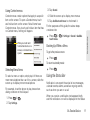
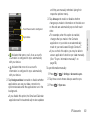
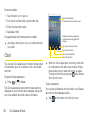
2. Tap the name of a contact to view its details.
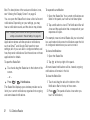
To edit contact details:
1. Press
>
> Contacts.
2. Touch and hold the contact whose details you
5. Press
3. Tap Edit contact.
4. Edit the desired contact information.
5. Tap Done.
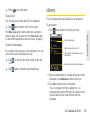
To change a contact’s default phone number:
The default phone number is used when you initiate a
call or send a text message using the context menu (by
touching and holding a contact).
>
> Contacts.
2. Tap the name of a contact to view its details.
3. Touch and hold the phone number you want to set
as the contact's default phone number.
4. Tap Make default number. (A checkmark will
appear next to the default phone number.)
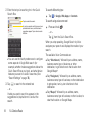
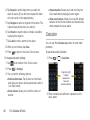
To divert calls from a contact to your voicemail:
1. Press
48
>
1E. Contacts
and tap Options.
4. Tap Incoming Calls. (A green checkmark will
appear.)
want to edit.
1. Press
3. Press
> Contacts.
.
When this contact calls you, your phone will not ring
and the caller will be forwarded directly to your
voicemail.
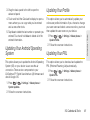
To set a ringtone for a contact:
1. Press
>
> Contacts.
2. Tap the name of a contact to view its details.
3. Press
> Options.
4. Tap Ringtone and tap a ringtone to select it.
5. Tap OK.
To delete a contact:
1. Press
>
> Contacts.
2. Tap the name of a contact.
3. Press
> Delete contact.