1
Conceive your
next idea here!
N-31 Series
Introducing industry leading features for saving,
sharing and securing the notes from your meeting.
NEW
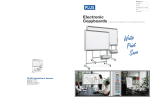
Electronic Copyboards
Password
Encryption
Network
Capable
Smart Phone
Functions
Updated and added security. The next generation of copyboards.
The New N-31 series was specifically designed for offices or environments where protecting your information is top priority. Have
confidence, knowing your information is secure.
Enhanced features:
• Password Security and Validation – Alpha numeric characters and special symbols can
be used for password, instead of alpha only characters. Password validity time period can
be adjusted.
• SSL Security – Data is transferred in encrypted format.
• IC Card - Intelligent Card, lets you initiate scan to FTP server.
• Multiple Users - Up to 100 users can be programmed into the board. Meeting notes can
be saved to a specific users FTP site or to the boards’ memory.
• Multiple FTP Sites – More than one FTP site can be accessed by the board.
The ideal environment for the N-31/314 series is where information is critically sensitive. This may include:
Government agencies and subcontractors, OEM auto manufacturers’ and suppliers, Architects, Engineers, Clothing industry,
Footwear, Insurance Agencies, Financial Planning, Oil and Gas industry, Power & Electric, and others.
9610 SW Sunshine Ct. Suite 100, Beaverton, OR 97005 800-211-9001 • 503-748-8700 • www.plus-america.com
PLUS N-31 Series
Updated and added security. The next generation of PLUS Copyboards.
Network Function
Connect to a network
via an ethernet cable.
There are two options
for saving and sharing
your information over
the network.
Smooth Hand-Scrolling
Network
Capable
• Save your copyboard data to the board’s
internal memory. Up to 100 users can be
programmed into the board via 10-key pad.
Using an assigned IP address, your team
can access the images on the board from
their computers using a web browser. The
data on the board is accessible even in
“Stand-by” mode. Administrator password
can be added for greater board security.
• When connected to the network, you can
save to multiple FTP sites so that everyone
on your team has access to the saved
information.
The surface of the N-31 Series boards are easy to
move when using just your hand. The scrolling force
needed has been reduced to 7 oz (0.2kg).
Faster Scanning Time
PLUS has once again improved scanning time. The
N-31 boards (standard width models) scan in a mere
15 seconds.
Magnet Attachable
Magnets can be attached to the board surface.
Model Name
Installation Method
External Dimensions
(Without Marker Tray)
Size
Access Via Your SmartPhone
Just install the Meeting
Pocket App (MTGpocket)
and gain access to many
useful and time-saving
meeting tools. Both Apple
iOS® and Google Android™
mobile operating systems are supported,
so you can use your iPhone®, iPad® or
Android™ phone. The MTGpocket App lets
you perform the “scan” function of the
board from your SmartPhone. The resulting
image file can then be previewed and
saved to your phone’s memory − as well as
to the memory of phones belonging to
anyone present in the meeting who has the
MTGpocket App installed! Furthermore, the
MTGpocket App lets you record audio and
video during the meeting. The audio and
video files are organized in the same folder
as the board image files, so that all of the
meeting data is in one convenient location.
[Note: Using the MTGpocket App requires
the connection of a “wireless access point”
to the board as well as a compatible phone.
Compatible with Apple iOS 4 and above and
Android 2.3 and above.]
Built-in Software
There is no need to install software. Just
connect your computer to the board via a
USB cable whenever you want to save an
image. Both PC and Mac compatible.
PDF, JPG and PNG Support
Users can easily save image files to USB
memory or a PC in either PDF, JPG or PNG
formats.
Copyboards shown with
optional printers and stands.
Specifications
Weight
External Dimensions
With Floor Stand (max.)*1
Floor Stand Weight
Panel Size
Effective Reading Area
Number of Panels
Grid
Scrolling
Board
Drive Method
Reading Method
Reading Illumination
Light Source
Reading Resolution
Reading Time
USB Ports
Saved
Output
External
Memory
Interface
Network
Printing
Add Functions
File Format
Resolution
Type
Compatible FAT
types
Interface
LAN Port
Usage
Conditions
Operating
Environment
W51.2 × H35.8 inches
(W1300mm × H910mm)
W50.4 × H35.4inches
(W1280mm × H900mm)
W58.3 × D5.5 × H39.4 inches
(W1480 × D140 × H1000 mm)
55 lbs (25 kg)
W58.3 × D26.6 × H76.6*2 inches
(W1480 × D675 × H1947*2 mm)
2
2 inch (50mm) Grid
Endless in one direction
(Horizontal scrolling)
Motorized / Manual
CIS (Contact Image Sensor)
Bi-directional, endless
(Horizontal scrolling)
RGB LED
Main scanning direction (vertical sheet surface) 50 dpi (1.92 dots/mm)
Sub scanning direction (horizontal sheet surface) 50 dpi (1.82 dots/mm)
Black & White: approx. 15 s
Black & White: approx. 21 s
Black & White: approx. 15 s
Color: approx 15 s
Color: approx 21 s
Color: approx 15 s
3 Ports: Type B for PC and Type A for Printer and for USB Flash Memory
PDF, PNG & JPG
2458 × 1728 dots (fixed)
3418 × 1728 dots (fixed)
2458 × 1728 dots (fixed)
USB Flash Memory
FAT 16, 32
3
USB2.0
RJ-45 (10Base-T/100Base-TX)
300 dpi or equivalent
Eight colors or two color monochrome
Conforming to USB 2.0 standards
Used for the timestamp and for file dating properties
PC Consumption
Temperature
Humidity
OS
Web Browser
(Includes backup battery for when there is a loss of power.)
Images can be acquired and device settings made via USB (using a browser)
Input: AC100–240V/50–60 Hz, Max 0.75 A
Output: DC 12 V, 3.0 A
In standby: 3W, During operation: 12W (not including printer)
10°C ~ 35°C
30 ~ 85% (with no condensation)
Windows 8 or 8.1 /
Windows XP (Home Edition/Professional Edition (Service Pack 2 or Later) /
Vista (32 bit) / Windows 7 (32 bit / 64 bit) / Mac OS X® 10.5 or later
Windows: Internet Explorer 8.0 or greater
Macintosh: Safari 5 or greater
*Enable JavaScript
Markers (Black, Red, Blue, Green), Eraser, AC Power Adaptor, USB Cable (9 ft Length),
User’s Manual, Assembly Set-up Manual, Printer Shelf, Wall Mounting Brackets.
Rolling Floor Stand (Part #423-084)
*1. Floor stand sold separately. The height is adjustable at 68.8, 72.7 and 76.6 inches (1747, 1847 and 1947 mm).
*2. The value indicated for “H” (height) is the maximum height.
*3. USB Memory device not included. The memory capacity corresponds to 32GB or Less.
*4. Printer sold separately. Check with your dealer for current available printer models.
·Please note that for quality improvement purposes, specifications and design are subject to change without prior notice.
Microsoft, Windows and Internet Explorer are either registered trademarks or
trademarks of Microsoft Corporation in the United States and/or other countries.
Macintosh, Mac, iPhone, iPad and Safari are trademarks of Apple Inc., registered
in the U.S. and other countries. IOS is a trademark or registered trademark of
Cisco in the U.S. and other countries and is used under license.
W51.2 × H35.8 inches
(W1300mm × H910mm)
W50.4 × H35.4inches
(W1280mm × H900mm)
4
TCP/IP (FTP/FTPS, HTTP/HTTPS, DHCP, NetBIOS Name Service)F
AC Power Adapter
Optional Accessories
W58.3 × D3.5 × H39.4 inches
(W1480 × D89 × H1000 mm)
44 lbs (20 kg)
W58.3 × D26.6 × H76.6*2 inches
(W1480 × D675 × H1947*2 mm)
4-screen (N-314)
Printing Resolution
No. Print Colors
Printer Interface
Clock
Accessories
Wide (N-31W)
Wall Mount or Floor Stand*1
W78 × D3.5 × H39.4 inches
(W1980 × D89 × H1000 mm)
55 lbs (25 kg)
W78 × D26.6 × H76.6*2 inches
(W1980 × D675 × H1947*2 mm)
23 lbs (10.5 kg)
W70.9 × H35.8 inches
(W1800mm × H910mm)
W70.1 × H35.4inches
(W1780mm × H900mm)
Supported Protocol
PC Connection
Power Supply
Standard (N-31S)
9610 SW Sunshine Ct., Suite 100
Beaverton, OR 97005
800-211-9001 · 503-748-8700
www.plus-america.com