1
3
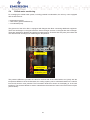
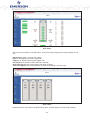
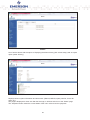
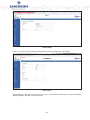
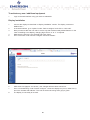
Now access the web interface of each individual unit (through LAN 1 switch or directly)
4
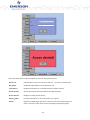
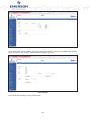
To establish the group communication, you need to log in to the web interface of each of the
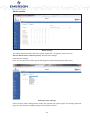
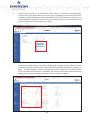
units you want to have in the respective group and make the following settings: Under “Device
control” – “Grouping”, please select the number of the group the unit belongs to. You also need
to select whether the unit is a “master” or a “slave” (only one unit can be the master within the
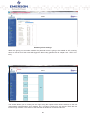
group). The “Group subnet” address determines the range of IP addresses used within the
group. You are free to select the first two positions (X.X.0.0). The last two positions remain at
“0” and their value is determined based on the group number and the unit’s position within the
group hierarchy. For example: The first slave unit (Slave 1) in group 5 would have the IP address
of 192.168.5.2. The master unit of this group would then have the IP address of 192.168.5.1.
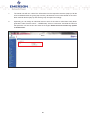
Please note that these changes cannot be made to the working group. If you want to change
anything, you need to start over with the group creation (set all units to single mode and start all
over again). Save the settings you made.
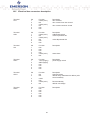
IP address: 192.168.5.2
Group number
DCL3x
64
Unit number (within the group)