1
5.
5.1
5.2
Functions when external powered
General
- All the battery mode functions are also available
- If GSM is set to 1=ON, the LC200 will be all the time registered in the GSM network !
Means can be reached remotely when ever a M,S or T message is sent to the LC.
Additional functions
- the setting "GSM sen" has two new functions
4 = measure every approx. 2 h
(only Alarm- and Error-SMS will be sent ; no control SMS)
5 = measure every 10''
(only Alarm- and Error-SMS will be sent ; no control SMS)
(the SMS will be sent if min. Alarm, max. Alrarm or Error … see also 1. or the Video
Tutorials)
Important : If "GSM" is set to 1 = ON the LC will start to measure only if it's registered
into the GSM network (Antenna Symbol at least with two bars) ; means if no SIM card is
put, the LC will never measure !!!
LC 200
(SW 02.51 and above)
Here below you find the user manual "short Version"
Please watch also the Video Tutorials under http://web.mac.com/esiproduction
Warning : The above mentioned settings 4 and 5 are not standard functions ! If error codes occur, it can
happen that in a short time many SMS's are sent. This can create huge cost if you use contractual SIMCards !!!
5.3 Remote messages (sent from any handy or with SMS-manager from your PC)
5.3.1 S-message = define remotely the settings of the LC200
S1,2000,150,12,25,85,0,0318,2009,1435,1605,1,0,41794235660,0, (details see 3.3.2)
5.3.2 T-message = change remotely the telephone numbers of the receivers
T+0,+0, (both Numbers are switched OFF)
T+4179303xxxx,+0, (the first Number is set, the second Number is OFF)
T+0,+4170303xxxx, (the first Number is OFF, the second Number is set)
T+491715672xxx,+4179303xxxx, (both numbers are set)
5.3.3 M-message = remote request for measurement and SMS
M (the LC200 will make a measurement and send back a SMS with the Data)
6.
Maintenance & Service
The LC 200 doesn’t need any maintenance. Only the batteries should be checked once an year to
avoid spilling of aggressive fluids into the device.
Important: If you notice any damage on the housing or control elements
during the operation dismantle the device immediately and send it back to an
authorized service facility. Close the tank inlet again to avoid pollution.
If the LC 200 shows an unexpected behavior, please reset the LC200 (see also 2)
If the problem persists send the LC 200 to an authorized service facility.
7.
Warranty
For our warranty conditions see our home page www.secu-tech.at
Read also the General Terms and Conditions.
8.
Hardware specifications
- Power supply :
> 4 batteries
> Consumption
> Battery life time
- Dimensions:
- Weight:
- Display:
- Protection:
- Material:
- Temperature:
- Norm:
1,5 V, Mignon, type C, Alkali
- measurement :
- normal mode :
- sleeping mode "non PS"
- sleeping mode "PS" :
3 years in "PS" mode
(depends also of other settings)
131 mm x 165 mm x 64 mm
~ 620 g (batteries incl.)
LCD 1 x 6 & 1 x 5 digits d’LCD
IP 65
ABS noir
- 10°C ... +45°C
CE / ROHS
Version 2.6 es "short Version"
1.10
1.11
1.12
1.13
1.14
~ 22 mA
~ 12 mA
~ 0,43 mA
~ 0,13 mA
1.15
1.16
1.17
2.
Security & Electronic Technology, Aumühlweg 3/1, A-2544 Leoberdorf - Austria
ESI production GmbH, Grèves du Lac 59, 1568 Portalban - Switzerland
User Manual
1.
1.1
1.2
1.3
1.4
1.5
1.6
1.7
1.8
1.9
Page 4 /4
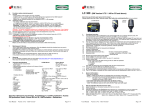
Functional overview :
UltraSonic level measurement form 19 to 270 cm
Beam angle less than 20 degrees
Measurement precision -+ 1 cm (calibrated at 20 degrees Celsius)
Tank-shapes : rectangular, horizontal cylindrical, vertical cylindrical)
Battery level symbol
Calendar (Date and Time)
Ambient Temperature
One level measurement per day ; the time of measurement settable !
Statistical Data :
- average consumption of the last 10 days
- remaining days
Minimal and maximal alarm-level settable
Send a SMS if min./max, respective half of min./max. level alarm is reached (only if the
alarm is confirmed the second day)
Send a SMS if a error code is active
(only if the error code is confirmed the second day)
Send a control SMS :
- during 7 days every day after having put the LC200 into operation
- every 28th of the month
- 2 weekly
- weekly
The SMS will always be sent immediately after the level measurement
The LC can send the SMS to two different receivers
Those Phone numbers can be set via the two buttons of the LC
All the parameters, including the phone numbers can be transferred by SMS from a
cellular phone .
The GSM signal strength is measured and displayed
The LC200 status is showed within the Error codes. Such Errors are also
communicated via SMS (see also 1.12) !
General information :
There are two buttons :
- "Mode" = wakes up the device or navigates from one function to the other
- "Arrow" = increments the value of the flashing digit or launches a measurement
(the data of such a manual measurement is not taken in the
statistics and never a SMS is sent)
- If you press both buttons at the same time, the device is reset !
- If you press again the "Arrow" button during the display is showing
"reset", the statistical data are set to zero and the 7 day cycle starts again
User Manual
Version 2.6 es "short Version"
Page 1 /4
3.
3.1
3.2
3.3
3.3.1
3.3.2
Installation :
Put the batteries
Put the SIM-Card
Warning : Switch off the PIN-Code for the SIM-card !!!
You can use all kind of SIM-Cards
- prepay cards
- contractual cards
Now you have to enter the parameters. To do so, you have two possibilities :
1) directly via the two buttons of the LC200
2) with a SMS from a cellular phone or with SMS manager installed in your PC
- If the LC is sleeping, press shortly the "Mode" button
If the LC isn't sleeping, go directly to the next step
- Press the "Mode" button till the display is showing "setup" (3 sec.)
- With the "Mode" button you can now step from one position to the other.
To change the value of a flashing digit, press the "Arrow" button several
times till you have found the requested value
- Create a SMS on your cellular phone with the following format :
The S-Message below is an example with some given Settings
(If the LC has received the S-Message, it will immediately send back a
SMS with the new parameters)
S1,2000,150,12,25,85,0,0318,2009,1435,1605,1,0,41794235660,0,
(The S-Message can only be received if the GSM in the LC200 is active, means if the
antenna symbol is ON)
- Tank shape
1
(1=rectangular/2=horiz.cylindric./3=vert.cylindric.)
- Volume in liters
2000
- Height or diameter in cm
150
- Offset
12
(distance from the UltraSonic-sensor to the max. level)
- Minimal-Level-Alarm in percentage
25
- Maximal-Level-Alarm in percentage
85
- PS (Power Save) 0=ON (default) / 1= OFF)
0
(Display OFF/ON in the sleeping mode)
- Date
18.03.2009
- Time
14:35
- Level measurement time
16:05
(at the same time the SMS will be sent)
- GSM Modus; 0=OFF / 1=ON
1
- GS sen (period to send the Control-SMS)
0
(0=each 28th of the month / 1=weekly / 2=2 weekly)
- Phone number of the first receiver
- Phone number of the second receiver
(if the first digit of a phone number is 0, the number is not seen
as a valid number)
Important : If you want to keep the value of a certain field, you can just
substitute it with a "x"
4.
4.1
41794….
0………..
Version 2.6 es "short Version"
4.3
4.4
4.5
Important to know
Error Codes
Level Measurement Error Codes :
0=OK
2=no Echo received
3=Measurement doesn't fit with the settings
GSM Error Codes:
0=OK
1=no answer from the GSM Module
2=no registration into the network possible
3=not possible to send the SMS to the first receiver
4=not possible to send the SMS to the second receiver
User Manual
4.2
4.6
Page 2 /4
7=not possible to send the SMS to both receivers
8=the GSM-module can't receive data from the processor
9=during sending the SMS the LC lost the network registration
SMS Content
- LC200
- remaining volume in liters
- remaining volume in %
- empty space in liters
- average consumption of the last 10 days (rotating) in liters
- remaining days
- measured distance in cm
- ambient temperature in Celsius
- Battery voltage in %
(the max. Voltage is 6,4 V / the min. Voltage is approx. 5.05 Volt)
- GSM signal strength
(21-30 = very good / 7-20 = good / 1-6 = weak / 0 = no coverage)
- Date
- Time
- Level measurement error code (see codes in 4.1)
- GSM error code (see codes in 4.1)
- SW Version
- Device ID (serial number)
- SMS ID (in use together with M-message)
- LC20x (separator with additional Info)
x = SMS type : 1=first 7 days / 2=low level Alarm / 3=high level Alarm / 4=Error /
5=control respectively reports 6= Battery low / 9=remotely launched
- Setted "Tank-Type"
- Setted "Volume in liters"
- Setted "height or diameter in cm"
- Setted "Offset in cm"
- Setted "min. Alarm level"
- Setted "max. Alarm level"
- Setted "PS (Power Save)
(if PS is ON, the battery life time is more than 3 years)
- Setted "GS sen" (period of control-SMS)
- Setted "GSM Mode"
- LC200
Sleeping Mode
The LC200 is going in the sleeping mode if during ~ 45 sec. no button activity was
detected.
Telephone numbers of receivers
> the country code is always needed !
If the number is entered directly on the LC, please note :
> Due to the fact that there are different length of phone numbers it can happen
that at the end of the entered number still a zero is flashing. In this case press
the "Arrow button" till this digit is blank.
> now confirm it with the "Mode button"
Where can I see the GSM-Antenna-Symbol and Signal strength ?
The symbol is in the upper left corner of the display ! But it will only be active during
the time a SMS is sent !
How can I simulate / force a Alarm-SMS for test reasons ?
Due to the fact that in the first seven days every day a SMS is sent, you can only after
seven days test if a SMS is sent if an Alarm occurs !
> Anyway if you want to generate a SMS do the following :
- Go in the setting mode and put the measurement time e.g. 2 Minutes
ahead the actual time
- Then just wait till the measurement is launched and the SMS sent
- repeat above until day 8
- due to the fact that now not every day a SMS is sent, you can start to test the Alarms
User Manual
Version 2.6 es "short Version"
Page 3 /4