1
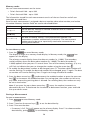
• If the memory is not full, the data will be saved, the tester will automatically exit
Memory mode and the display will revert back to the previous test mode.
• If the data identity has been previously used, the display will show STO? Press F2
again to store the data, press F1 to choose another data identity, press
to
exit Memory mode.
Recalling a Measurement
To recall a measurement:
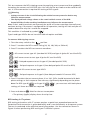
1. Press
to enter Memory mode.
2. Press F3 to enter the Recall mode.
3. Use F1 and the arrow keys (
fields will be dashes.
) to set the data identity. If no data has been saved, all
1. Press F3 to recall the data. The tester display will revert to the Test mode used for the
recalled test data, however, the
icon still appears, indicating the tester is still in
Memory mode.
2. Press F3 to toggle between the data id screen and the recalled data screen to check the
recalled data id or to select more data to recall.
3. Press
to exit Memory mode at any time.
Clearing Memory
To clear all memory
1. Press
to enter Memory mode.
2. Press F4. The primary display will show Clr?
3. Press F4 again to clear all memory locations. The Tester returns to the measurement
mode.
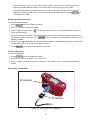
Uploading Test Results
D
RC
TR
IP
NO
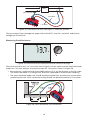
IR Adapter
IR Device
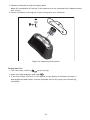
Figure 23. Attaching the IR Adapter
21